remote start BMW X1 SDRIVE28I 2013 User Guide
[x] Cancel search | Manufacturer: BMW, Model Year: 2013, Model line: X1 SDRIVE28I, Model: BMW X1 SDRIVE28I 2013Pages: 291, PDF Size: 6.58 MB
Page 80 of 291
LampsVehicle equipment
This chapter describes all series equipment as
well as country-specific and special equipment
offered for this model series.Therefore, it also
describes equipment that may not be found in
your vehicle, for instance due to the selected
special equipment or the country version. This
also applies to safety-related functions and sys‐
tems.
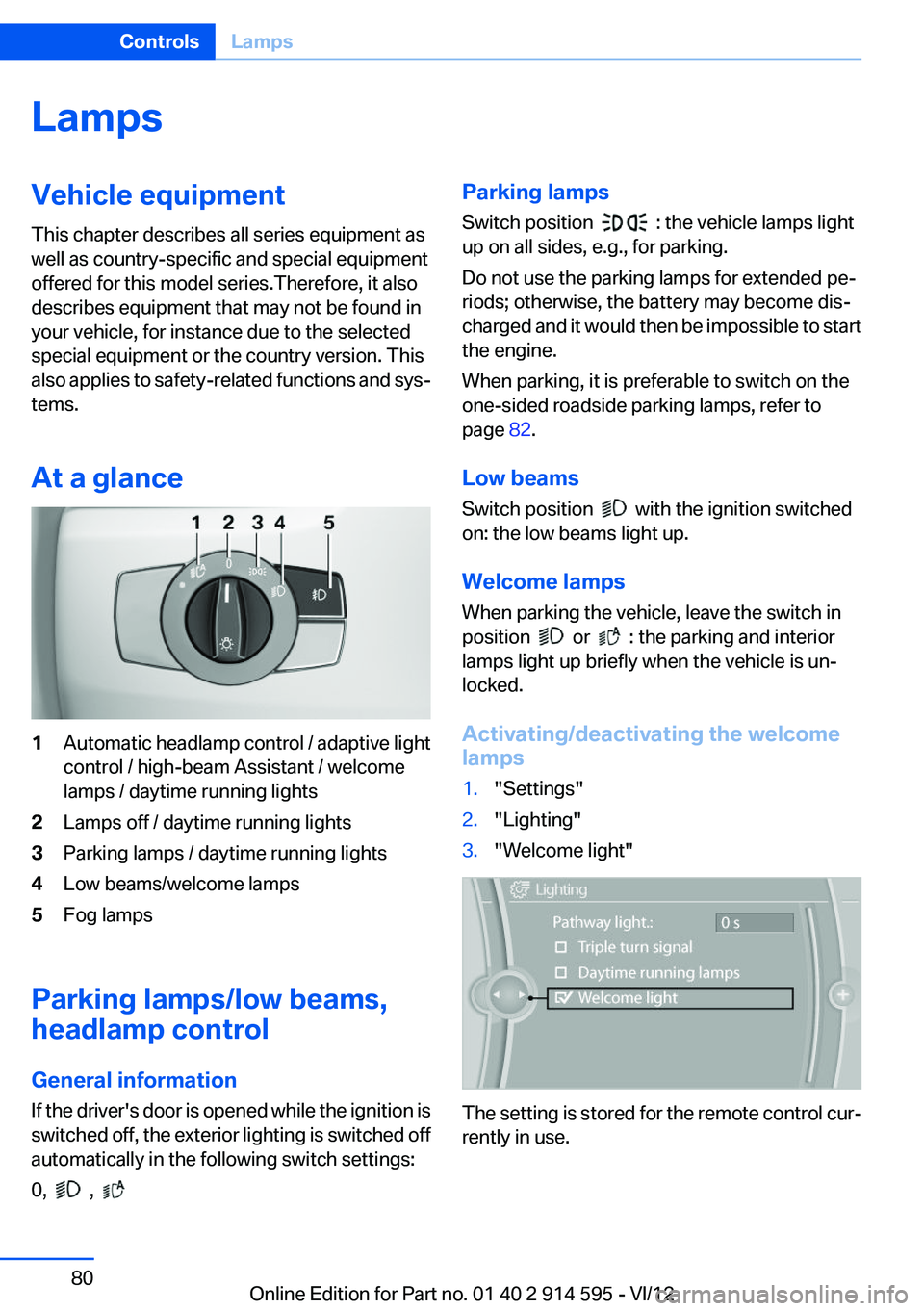
At a glance1Automatic headlamp control / adaptive light
control / high-beam Assistant / welcome
lamps / daytime running lights2Lamps off / daytime running lights3Parking lamps / daytime running lights4Low beams/welcome lamps5Fog lamps
Parking lamps/low beams,
headlamp control
General information
If the driver's door is opened while the ignition is
switched off, the exterior lighting is switched off
automatically in the following switch settings:
0,
,
Parking lamps
Switch position
: the vehicle lamps light
up on all sides, e.g., for parking.
Do not use the parking lamps for extended pe‐
riods; otherwise, the battery may become dis‐
charged and it would then be impossible to start
the engine.
When parking, it is preferable to switch on the
one-sided roadside parking lamps, refer to
page 82.
Low beams
Switch position
with the ignition switched
on: the low beams light up.
Welcome lamps
When parking the vehicle, leave the switch in
position
or : the parking and interior
lamps light up briefly when the vehicle is un‐
locked.
Activating/deactivating the welcome
lamps
1."Settings"2."Lighting"3."Welcome light"
The setting is stored for the remote control cur‐
rently in use.
Seite 80ControlsLamps80
Online Edition for Part no. 01 40 2 914 595 - VI/12
Page 149 of 291
Destination guidanceVehicle equipment
This chapter describes all series equipment as
well as country-specific and special equipment
offered for this model series.Therefore, it also
describes equipment that may not be found in
your vehicle, for instance due to the selected
special equipment or the country version. This
also applies to safety-related functions and sys‐
tems.
Starting destination
guidance1."Navigation"2.Make a destination entry, refer to page 140.3."Accept destination"4."Start guidance"
The route is shown on the Control Display.
The distance to the destination/intermediate
destination and the estimated time of arrival are
displayed in the map view.
Terminating destination
guidance
1."Navigation"2."Map"3. "Guidance"4."Stop guidance"
Continuing destination
guidance
If the destination was not reached during the last
trip, destination guidance can be resumed.
"Resume guidance"
Route criteria
General information▷The route calculated can be influenced by
selecting certain criteria.▷The route criteria can be changed when the
destination is entered and during destina‐
tion guidance.▷Road types are part of the navigation data
and are taken into consideration when plan‐
ning a route, e.g., avoid highways.▷The recommended route may differ from the
route you would take based on personal ex‐
perience.▷The settings are stored for the remote con‐
trol currently in use.▷Destination guidance with traffic bulletins,
refer to page 155.
Changing the route criteria
1."Navigation"2."Map"3. "Route preference"4.Select the criterion:▷ "Fast route": time-optimized route,
being a combination of the shortest pos‐
sible route and the fastest roads.▷ "ECO PRO route": optimized com‐
bination of the fastest and shortest
route.▷ "Short route": short distance, irre‐
spective of how fast or slow progress will
be.▷"Alternative routes": if available, alter‐
native routes are suggested during ac‐
tive destination guidance.Seite 149Destination guidanceNavigation149
Online Edition for Part no. 01 40 2 914 595 - VI/12
Page 151 of 291
Resuming the original route
If the route section should no longer be by‐
passed:1."Navigation"2."Route information"3."New route for:"4."Remove blocking"
Gas station recommendation
The remaining range is calculated and gas sta‐
tions along the route are displayed if needed.
Even with the latest navigation data, information
on individual special destinations may have
changed; for example, gas stations might not be
in operation.
1."Navigation"2."Route information"3."Recommended refuel"
A list of the gas stations is displayed.4.Highlight a gas station.
The position of the gas station is shown on
the split screen.5.Select the gas station.6. Select the symbol.7."Start guidance": destination guidance to
the selected gas station is started.
"Add as another destination": the gas sta‐
tion is added to the route.
Destination guidance
through voice instructions
Switching spoken instructions on/off
The setting is stored for the remote control cur‐
rently in use.
1."Navigation"2."Map"3. "Voice instructions"
Repeating a spoken instruction
1."Navigation"2."Map"3. Highlight the symbol.4.Press the controller twice.
Volume of spoken instructions
Turn the volume knob while giving an instruction
until the desired volume is set.
The setting is stored for the remote control cur‐
rently in use.
Saving the spoken instructions on the
programmable memory buttons
The function for switching the spoken instruc‐
tions on/off can be stored on a programmable
memory button, refer to page 23, for quick ac‐
cess.
Map view
Selecting the map view
1."Navigation"2."Map"
At a glance
1Function bar2Route section with traffic obstruction3Traffic sign for traffic obstruction4Planned routeSeite 151Destination guidanceNavigation151
Online Edition for Part no. 01 40 2 914 595 - VI/12
Page 152 of 291
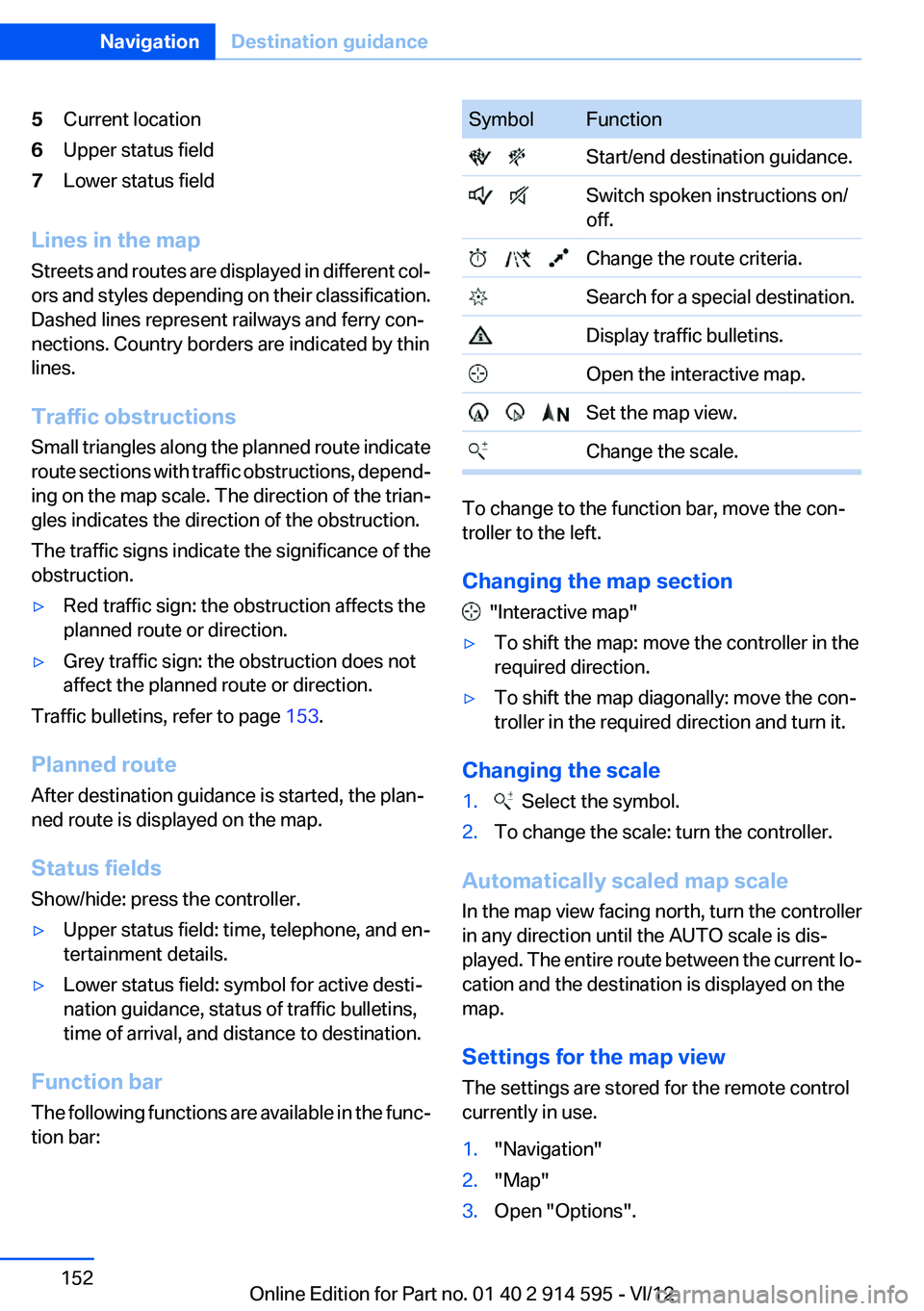
5Current location6Upper status field7Lower status field
Lines in the map
Streets and routes are displayed in different col‐
ors and styles depending on their classification.
Dashed lines represent railways and ferry con‐
nections. Country borders are indicated by thin
lines.
Traffic obstructions
Small triangles along the planned route indicate
route sections with traffic obstructions, depend‐
ing on the map scale. The direction of the trian‐
gles indicates the direction of the obstruction.
The traffic signs indicate the significance of the
obstruction.
▷Red traffic sign: the obstruction affects the
planned route or direction.▷Grey traffic sign: the obstruction does not
affect the planned route or direction.
Traffic bulletins, refer to page 153.
Planned route
After destination guidance is started, the plan‐
ned route is displayed on the map.
Status fields
Show/hide: press the controller.
▷Upper status field: time, telephone, and en‐
tertainment details.▷Lower status field: symbol for active desti‐
nation guidance, status of traffic bulletins,
time of arrival, and distance to destination.
Function bar
The following functions are available in the func‐
tion bar:
SymbolFunction Start/end destination guidance. Switch spoken instructions on/
off. Change the route criteria. Search for a special destination. Display traffic bulletins. Open the interactive map. Set the map view. Change the scale.
To change to the function bar, move the con‐
troller to the left.
Changing the map section
"Interactive map"
▷To shift the map: move the controller in the
required direction.▷To shift the map diagonally: move the con‐
troller in the required direction and turn it.
Changing the scale
1. Select the symbol.2.To change the scale: turn the controller.
Automatically scaled map scale
In the map view facing north, turn the controller
in any direction until the AUTO scale is dis‐
played. The entire route between the current lo‐
cation and the destination is displayed on the
map.
Settings for the map view
The settings are stored for the remote control
currently in use.
1."Navigation"2."Map"3.Open "Options".Seite 152NavigationDestination guidance152
Online Edition for Part no. 01 40 2 914 595 - VI/12
Page 277 of 291
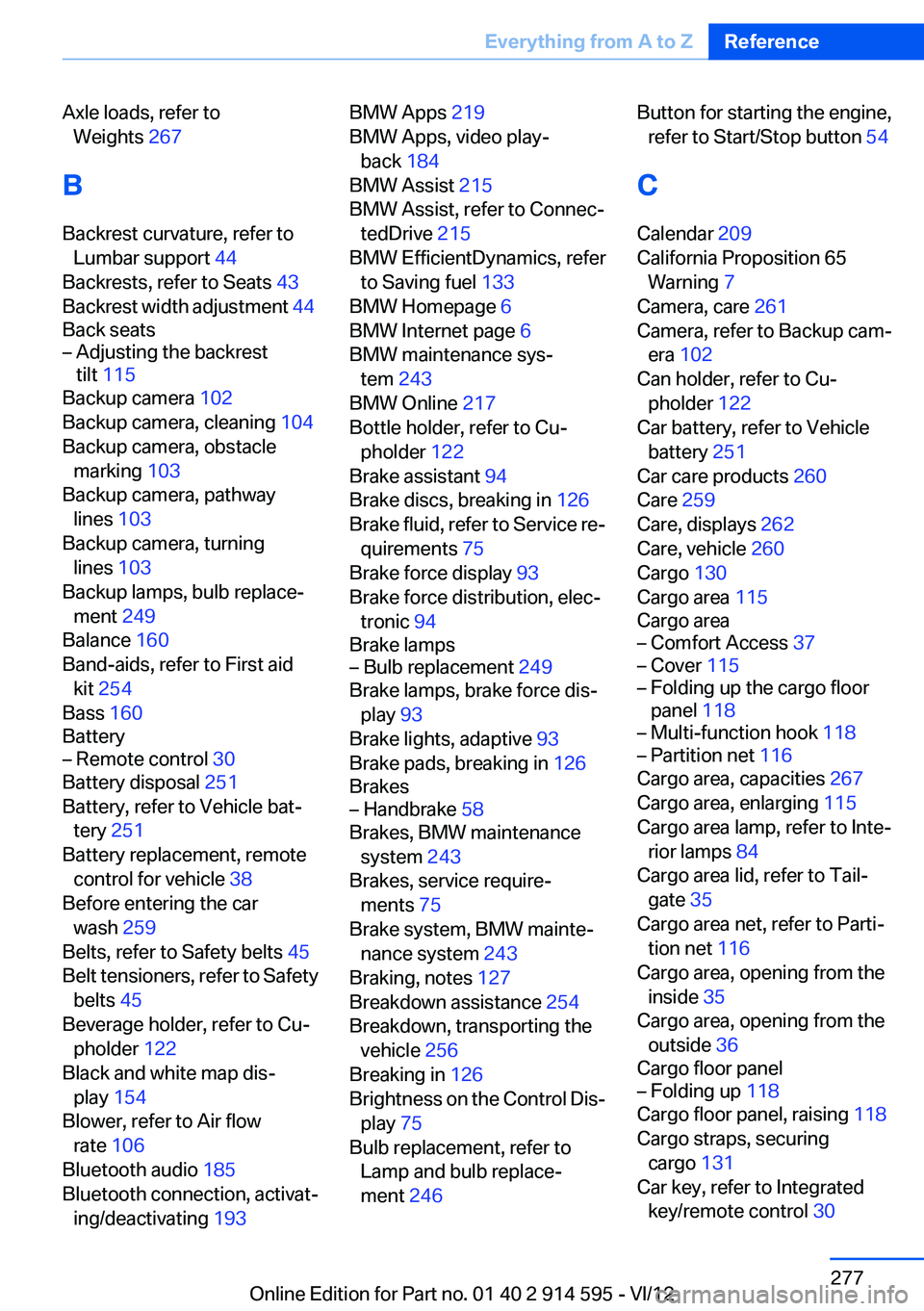
Axle loads, refer toWeights 267
B
Backrest curvature, refer to Lumbar support 44
Backrests, refer to Seats 43
Backrest width adjustment 44
Back seats– Adjusting the backrest
tilt 115
Backup camera 102
Backup camera, cleaning 104
Backup camera, obstacle marking 103
Backup camera, pathway lines 103
Backup camera, turning lines 103
Backup lamps, bulb replace‐ ment 249
Balance 160
Band-aids, refer to First aid kit 254
Bass 160
Battery
– Remote control 30
Battery disposal 251
Battery, refer to Vehicle bat‐ tery 251
Battery replacement, remote control for vehicle 38
Before entering the car wash 259
Belts, refer to Safety belts 45
Belt tensioners, refer to Safety belts 45
Beverage holder, refer to Cu‐ pholder 122
Black and white map dis‐ play 154
Blower, refer to Air flow rate 106
Bluetooth audio 185
Bluetooth connection, activat‐ ing/deactivating 193
BMW Apps 219
BMW Apps, video play‐ back 184
BMW Assist 215
BMW Assist, refer to Connec‐ tedDrive 215
BMW EfficientDynamics, refer to Saving fuel 133
BMW Homepage 6
BMW Internet page 6
BMW maintenance sys‐ tem 243
BMW Online 217
Bottle holder, refer to Cu‐ pholder 122
Brake assistant 94
Brake discs, breaking in 126
Brake fluid, refer to Service re‐ quirements 75
Brake force display 93
Brake force distribution, elec‐ tronic 94
Brake lamps– Bulb replacement 249
Brake lamps, brake force dis‐
play 93
Brake lights, adaptive 93
Brake pads, breaking in 126
Brakes
– Handbrake 58
Brakes, BMW maintenance
system 243
Brakes, service require‐ ments 75
Brake system, BMW mainte‐ nance system 243
Braking, notes 127
Breakdown assistance 254
Breakdown, transporting the vehicle 256
Breaking in 126
Brightness on the Control Dis‐ play 75
Bulb replacement, refer to Lamp and bulb replace‐
ment 246
Button for starting the engine,
refer to Start/Stop button 54
C
Calendar 209
California Proposition 65 Warning 7
Camera, care 261
Camera, refer to Backup cam‐ era 102
Can holder, refer to Cu‐ pholder 122
Car battery, refer to Vehicle battery 251
Car care products 260
Care 259
Care, displays 262
Care, vehicle 260
Cargo 130
Cargo area 115
Cargo area– Comfort Access 37– Cover 115– Folding up the cargo floor
panel 118– Multi-function hook 118– Partition net 116
Cargo area, capacities 267
Cargo area, enlarging 115
Cargo area lamp, refer to Inte‐ rior lamps 84
Cargo area lid, refer to Tail‐ gate 35
Cargo area net, refer to Parti‐ tion net 116
Cargo area, opening from the inside 35
Cargo area, opening from the outside 36
Cargo floor panel
– Folding up 118
Cargo floor panel, raising 118
Cargo straps, securing cargo 131
Car key, refer to Integrated key/remote control 30
Seite 277Everything from A to ZReference277
Online Edition for Part no. 01 40 2 914 595 - VI/12
Page 278 of 291
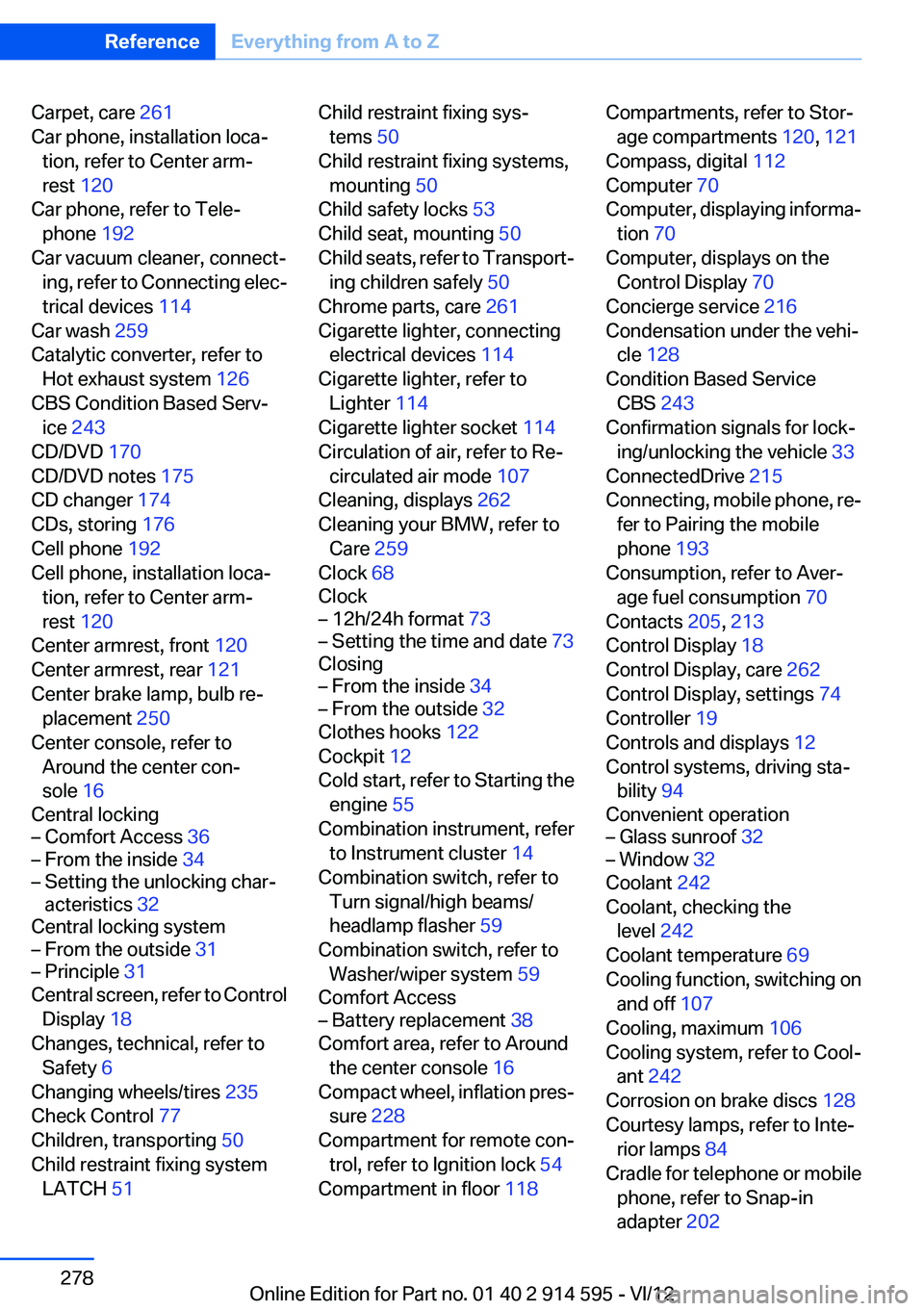
Carpet, care 261
Car phone, installation loca‐ tion, refer to Center arm‐
rest 120
Car phone, refer to Tele‐ phone 192
Car vacuum cleaner, connect‐ ing, refer to Connecting elec‐
trical devices 114
Car wash 259
Catalytic converter, refer to Hot exhaust system 126
CBS Condition Based Serv‐ ice 243
CD/DVD 170
CD/DVD notes 175
CD changer 174
CDs, storing 176
Cell phone 192
Cell phone, installation loca‐ tion, refer to Center arm‐
rest 120
Center armrest, front 120
Center armrest, rear 121
Center brake lamp, bulb re‐ placement 250
Center console, refer to Around the center con‐
sole 16
Central locking– Comfort Access 36– From the inside 34– Setting the unlocking char‐
acteristics 32
Central locking system
– From the outside 31– Principle 31
Central screen, refer to Control
Display 18
Changes, technical, refer to Safety 6
Changing wheels/tires 235
Check Control 77
Children, transporting 50
Child restraint fixing system LATCH 51
Child restraint fixing sys‐
tems 50
Child restraint fixing systems, mounting 50
Child safety locks 53
Child seat, mounting 50
Child seats, refer to Transport‐ ing children safely 50
Chrome parts, care 261
Cigarette lighter, connecting electrical devices 114
Cigarette lighter, refer to Lighter 114
Cigarette lighter socket 114
Circulation of air, refer to Re‐ circulated air mode 107
Cleaning, displays 262
Cleaning your BMW, refer to Care 259
Clock 68
Clock– 12h/24h format 73– Setting the time and date 73
Closing
– From the inside 34– From the outside 32
Clothes hooks 122
Cockpit 12
Cold start, refer to Starting the engine 55
Combination instrument, refer to Instrument cluster 14
Combination switch, refer to Turn signal/high beams/
headlamp flasher 59
Combination switch, refer to Washer/wiper system 59
Comfort Access
– Battery replacement 38
Comfort area, refer to Around
the center console 16
Compact wheel, inflation pres‐ sure 228
Compartment for remote con‐ trol, refer to Ignition lock 54
Compartment in floor 118
Compartments, refer to Stor‐
age compartments 120, 121
Compass, digital 112
Computer 70
Computer, displaying informa‐ tion 70
Computer, displays on the Control Display 70
Concierge service 216
Condensation under the vehi‐ cle 128
Condition Based Service CBS 243
Confirmation signals for lock‐ ing/unlocking the vehicle 33
ConnectedDrive 215
Connecting, mobile phone, re‐ fer to Pairing the mobile
phone 193
Consumption, refer to Aver‐ age fuel consumption 70
Contacts 205, 213
Control Display 18
Control Display, care 262
Control Display, settings 74
Controller 19
Controls and displays 12
Control systems, driving sta‐ bility 94
Convenient operation– Glass sunroof 32– Window 32
Coolant 242
Coolant, checking the level 242
Coolant temperature 69
Cooling function, switching on and off 107
Cooling, maximum 106
Cooling system, refer to Cool‐ ant 242
Corrosion on brake discs 128
Courtesy lamps, refer to Inte‐ rior lamps 84
Cradle for telephone or mobile phone, refer to Snap-in
adapter 202
Seite 278ReferenceEverything from A to Z278
Online Edition for Part no. 01 40 2 914 595 - VI/12
Page 279 of 291
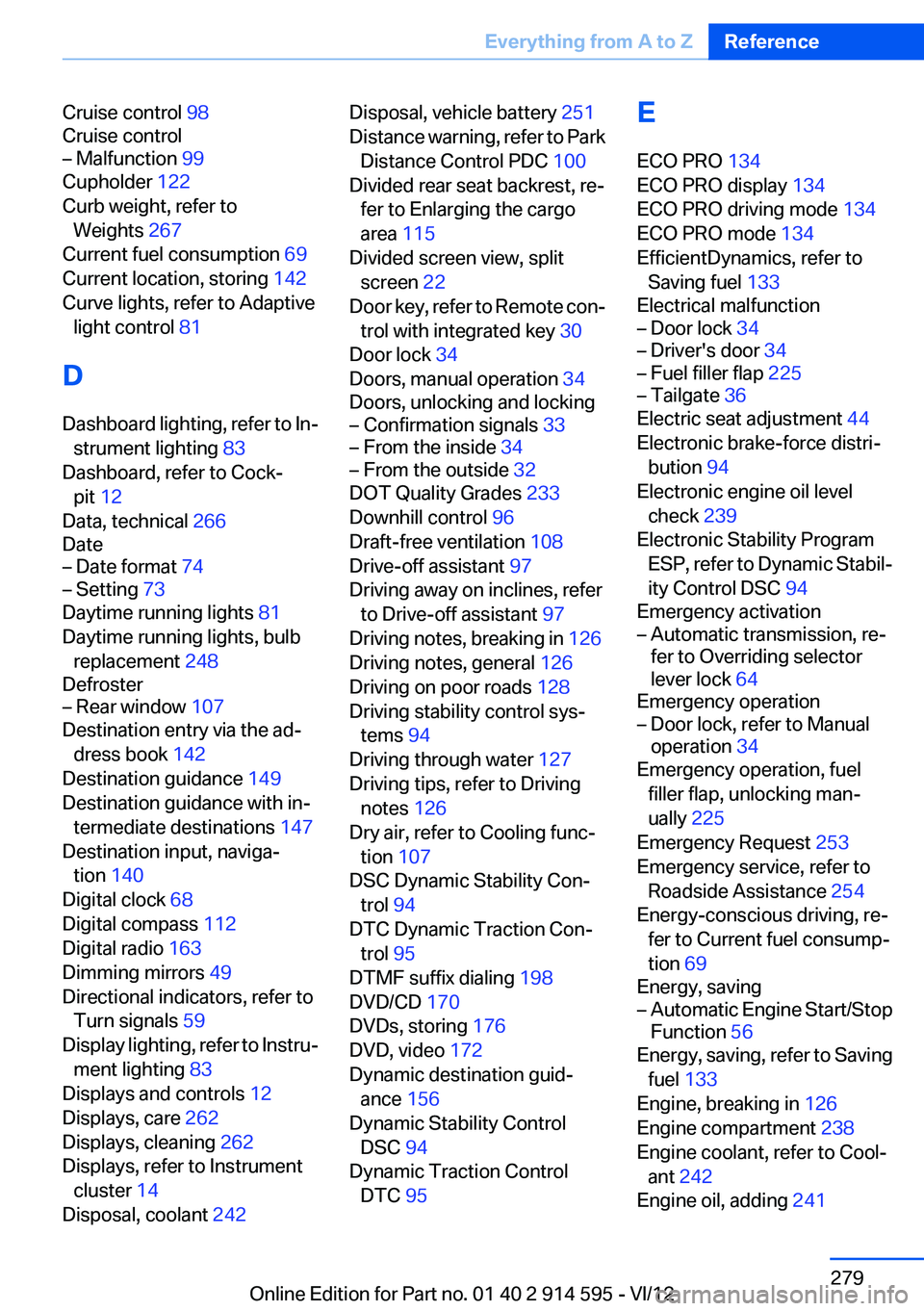
Cruise control 98
Cruise control– Malfunction 99
Cupholder 122
Curb weight, refer to Weights 267
Current fuel consumption 69
Current location, storing 142
Curve lights, refer to Adaptive light control 81
D
Dashboard lighting, refer to In‐ strument lighting 83
Dashboard, refer to Cock‐ pit 12
Data, technical 266
Date
– Date format 74– Setting 73
Daytime running lights 81
Daytime running lights, bulb replacement 248
Defroster
– Rear window 107
Destination entry via the ad‐
dress book 142
Destination guidance 149
Destination guidance with in‐ termediate destinations 147
Destination input, naviga‐ tion 140
Digital clock 68
Digital compass 112
Digital radio 163
Dimming mirrors 49
Directional indicators, refer to Turn signals 59
Display lighting, refer to Instru‐ ment lighting 83
Displays and controls 12
Displays, care 262
Displays, cleaning 262
Displays, refer to Instrument cluster 14
Disposal, coolant 242
Disposal, vehicle battery 251
Distance warning, refer to Park Distance Control PDC 100
Divided rear seat backrest, re‐ fer to Enlarging the cargo
area 115
Divided screen view, split screen 22
Door key, refer to Remote con‐ trol with integrated key 30
Door lock 34
Doors, manual operation 34
Doors, unlocking and locking– Confirmation signals 33– From the inside 34– From the outside 32
DOT Quality Grades 233
Downhill control 96
Draft-free ventilation 108
Drive-off assistant 97
Driving away on inclines, refer to Drive-off assistant 97
Driving notes, breaking in 126
Driving notes, general 126
Driving on poor roads 128
Driving stability control sys‐ tems 94
Driving through water 127
Driving tips, refer to Driving notes 126
Dry air, refer to Cooling func‐ tion 107
DSC Dynamic Stability Con‐ trol 94
DTC Dynamic Traction Con‐ trol 95
DTMF suffix dialing 198
DVD/CD 170
DVDs, storing 176
DVD, video 172
Dynamic destination guid‐ ance 156
Dynamic Stability Control DSC 94
Dynamic Traction Control DTC 95
E
ECO PRO 134
ECO PRO display 134
ECO PRO driving mode 134
ECO PRO mode 134
EfficientDynamics, refer to Saving fuel 133
Electrical malfunction– Door lock 34– Driver's door 34– Fuel filler flap 225– Tailgate 36
Electric seat adjustment 44
Electronic brake-force distri‐ bution 94
Electronic engine oil level check 239
Electronic Stability Program ESP, refer to Dynamic Stabil‐
ity Control DSC 94
Emergency activation
– Automatic transmission, re‐
fer to Overriding selector
lever lock 64
Emergency operation
– Door lock, refer to Manual
operation 34
Emergency operation, fuel
filler flap, unlocking man‐
ually 225
Emergency Request 253
Emergency service, refer to Roadside Assistance 254
Energy-conscious driving, re‐ fer to Current fuel consump‐
tion 69
Energy, saving
– Automatic Engine Start/Stop
Function 56
Energy, saving, refer to Saving
fuel 133
Engine, breaking in 126
Engine compartment 238
Engine coolant, refer to Cool‐ ant 242
Engine oil, adding 241
Seite 279Everything from A to ZReference279
Online Edition for Part no. 01 40 2 914 595 - VI/12
Page 282 of 291
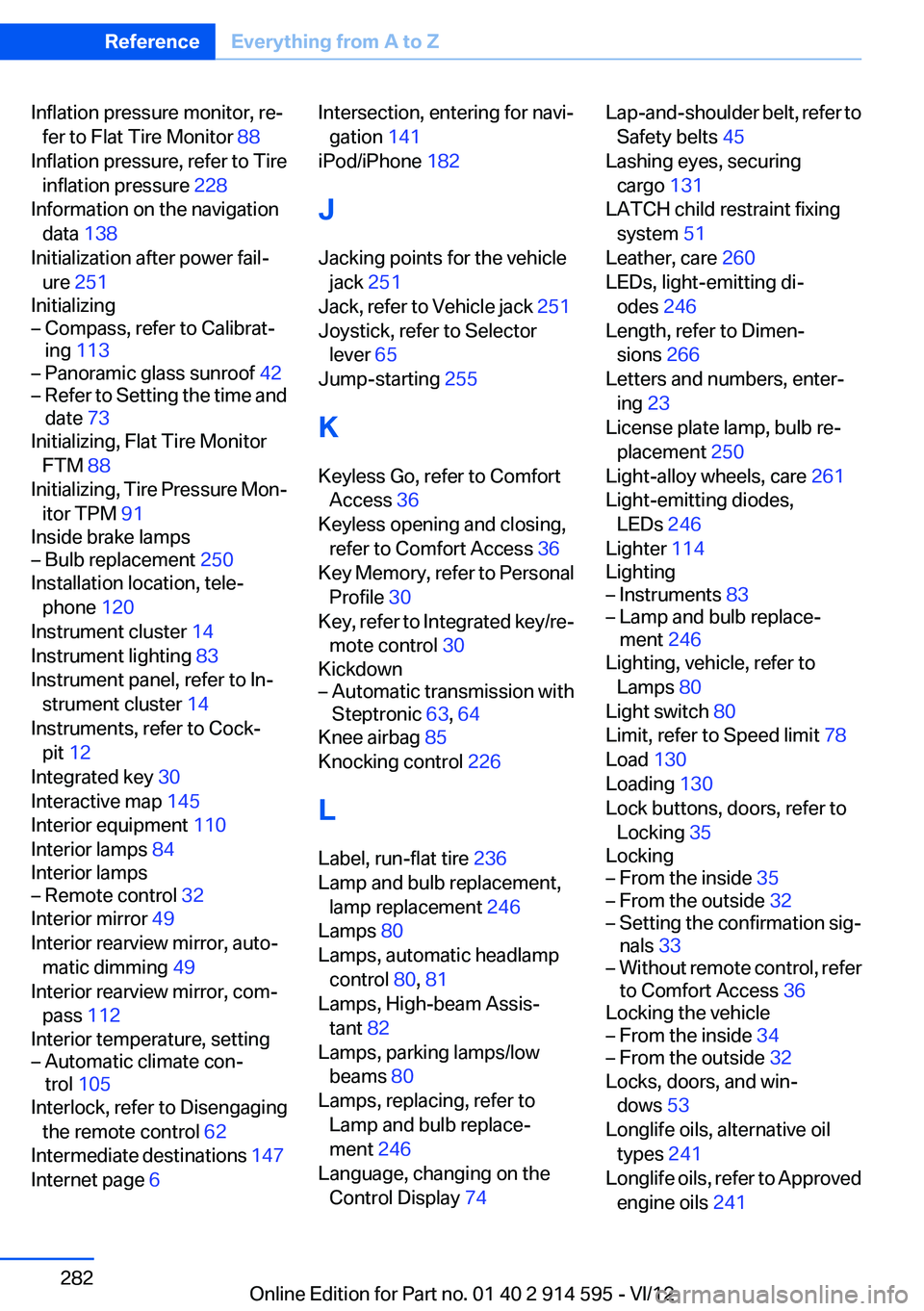
Inflation pressure monitor, re‐fer to Flat Tire Monitor 88
Inflation pressure, refer to Tire inflation pressure 228
Information on the navigation data 138
Initialization after power fail‐ ure 251
Initializing– Compass, refer to Calibrat‐
ing 113– Panoramic glass sunroof 42– Refer to Setting the time and
date 73
Initializing, Flat Tire Monitor
FTM 88
Initializing, Tire Pressure Mon‐ itor TPM 91
Inside brake lamps
– Bulb replacement 250
Installation location, tele‐
phone 120
Instrument cluster 14
Instrument lighting 83
Instrument panel, refer to In‐ strument cluster 14
Instruments, refer to Cock‐ pit 12
Integrated key 30
Interactive map 145
Interior equipment 110
Interior lamps 84
Interior lamps
– Remote control 32
Interior mirror 49
Interior rearview mirror, auto‐ matic dimming 49
Interior rearview mirror, com‐ pass 112
Interior temperature, setting
– Automatic climate con‐
trol 105
Interlock, refer to Disengaging
the remote control 62
Intermediate destinations 147
Internet page 6
Intersection, entering for navi‐
gation 141
iPod/iPhone 182
J
Jacking points for the vehicle jack 251
Jack, refer to Vehicle jack 251
Joystick, refer to Selector lever 65
Jump-starting 255
K
Keyless Go, refer to Comfort Access 36
Keyless opening and closing, refer to Comfort Access 36
Key Memory, refer to Personal Profile 30
Key, refer to Integrated key/re‐ mote control 30
Kickdown– Automatic transmission with
Steptronic 63, 64
Knee airbag 85
Knocking control 226
L
Label, run-flat tire 236
Lamp and bulb replacement, lamp replacement 246
Lamps 80
Lamps, automatic headlamp control 80, 81
Lamps, High-beam Assis‐ tant 82
Lamps, parking lamps/low beams 80
Lamps, replacing, refer to Lamp and bulb replace‐
ment 246
Language, changing on the Control Display 74
Lap-and-shoulder belt, refer to
Safety belts 45
Lashing eyes, securing cargo 131
LATCH child restraint fixing system 51
Leather, care 260
LEDs, light-emitting di‐ odes 246
Length, refer to Dimen‐ sions 266
Letters and numbers, enter‐ ing 23
License plate lamp, bulb re‐ placement 250
Light-alloy wheels, care 261
Light-emitting diodes, LEDs 246
Lighter 114
Lighting– Instruments 83– Lamp and bulb replace‐
ment 246
Lighting, vehicle, refer to
Lamps 80
Light switch 80
Limit, refer to Speed limit 78
Load 130
Loading 130
Lock buttons, doors, refer to Locking 35
Locking
– From the inside 35– From the outside 32– Setting the confirmation sig‐
nals 33– Without remote control, refer
to Comfort Access 36
Locking the vehicle
– From the inside 34– From the outside 32
Locks, doors, and win‐
dows 53
Longlife oils, alternative oil types 241
Longlife oils, refer to Approved engine oils 241
Seite 282ReferenceEverything from A to Z282
Online Edition for Part no. 01 40 2 914 595 - VI/12
Page 286 of 291
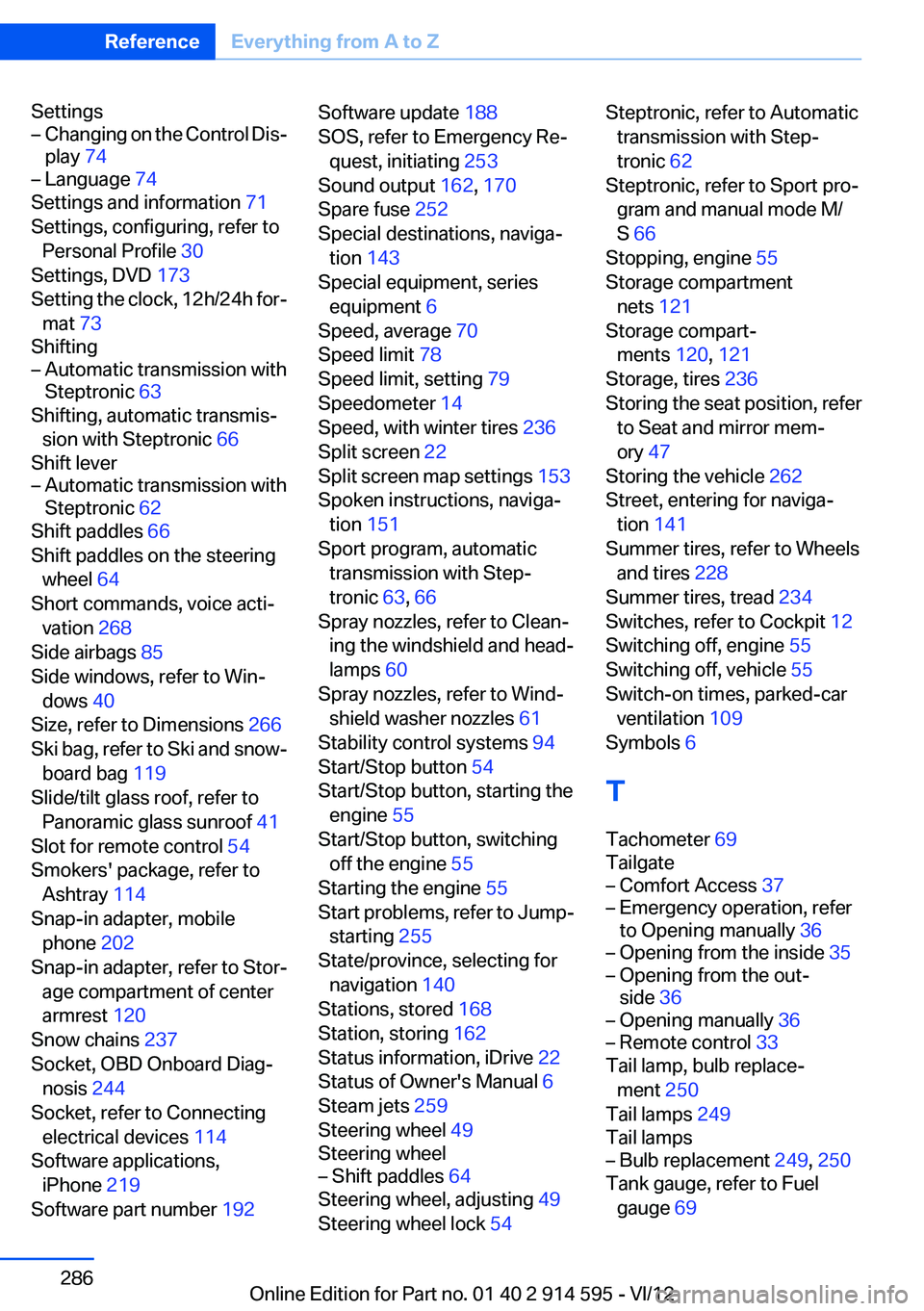
Settings– Changing on the Control Dis‐
play 74– Language 74
Settings and information 71
Settings, configuring, refer to Personal Profile 30
Settings, DVD 173
Setting the clock, 12h/24h for‐ mat 73
Shifting
– Automatic transmission with
Steptronic 63
Shifting, automatic transmis‐
sion with Steptronic 66
Shift lever
– Automatic transmission with
Steptronic 62
Shift paddles 66
Shift paddles on the steering wheel 64
Short commands, voice acti‐ vation 268
Side airbags 85
Side windows, refer to Win‐ dows 40
Size, refer to Dimensions 266
Ski bag, refer to Ski and snow‐ board bag 119
Slide/tilt glass roof, refer to Panoramic glass sunroof 41
Slot for remote control 54
Smokers' package, refer to Ashtray 114
Snap-in adapter, mobile phone 202
Snap-in adapter, refer to Stor‐ age compartment of center
armrest 120
Snow chains 237
Socket, OBD Onboard Diag‐ nosis 244
Socket, refer to Connecting electrical devices 114
Software applications, iPhone 219
Software part number 192
Software update 188
SOS, refer to Emergency Re‐ quest, initiating 253
Sound output 162, 170
Spare fuse 252
Special destinations, naviga‐ tion 143
Special equipment, series equipment 6
Speed, average 70
Speed limit 78
Speed limit, setting 79
Speedometer 14
Speed, with winter tires 236
Split screen 22
Split screen map settings 153
Spoken instructions, naviga‐ tion 151
Sport program, automatic transmission with Step‐
tronic 63, 66
Spray nozzles, refer to Clean‐ ing the windshield and head‐
lamps 60
Spray nozzles, refer to Wind‐ shield washer nozzles 61
Stability control systems 94
Start/Stop button 54
Start/Stop button, starting the engine 55
Start/Stop button, switching off the engine 55
Starting the engine 55
Start problems, refer to Jump- starting 255
State/province, selecting for navigation 140
Stations, stored 168
Station, storing 162
Status information, iDrive 22
Status of Owner's Manual 6
Steam jets 259
Steering wheel 49
Steering wheel– Shift paddles 64
Steering wheel, adjusting 49
Steering wheel lock 54
Steptronic, refer to Automatic
transmission with Step‐
tronic 62
Steptronic, refer to Sport pro‐ gram and manual mode M/
S 66
Stopping, engine 55
Storage compartment nets 121
Storage compart‐ ments 120, 121
Storage, tires 236
Storing the seat position, refer to Seat and mirror mem‐
ory 47
Storing the vehicle 262
Street, entering for naviga‐ tion 141
Summer tires, refer to Wheels and tires 228
Summer tires, tread 234
Switches, refer to Cockpit 12
Switching off, engine 55
Switching off, vehicle 55
Switch-on times, parked-car ventilation 109
Symbols 6
T
Tachometer 69
Tailgate– Comfort Access 37– Emergency operation, refer
to Opening manually 36– Opening from the inside 35– Opening from the out‐
side 36– Opening manually 36– Remote control 33
Tail lamp, bulb replace‐
ment 250
Tail lamps 249
Tail lamps
– Bulb replacement 249, 250
Tank gauge, refer to Fuel
gauge 69
Seite 286ReferenceEverything from A to Z286
Online Edition for Part no. 01 40 2 914 595 - VI/12
Page 287 of 291
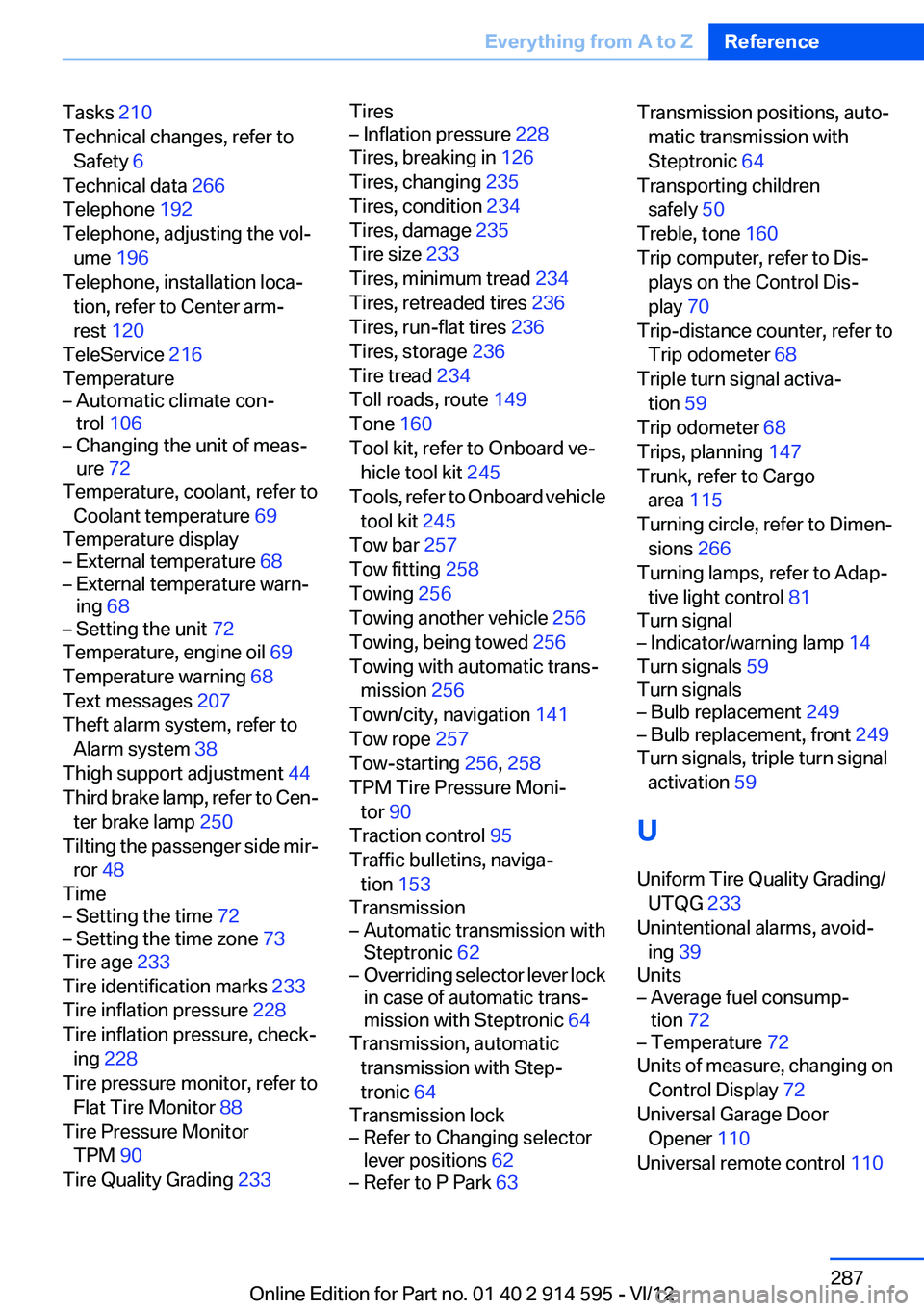
Tasks 210
Technical changes, refer to Safety 6
Technical data 266
Telephone 192
Telephone, adjusting the vol‐ ume 196
Telephone, installation loca‐ tion, refer to Center arm‐
rest 120
TeleService 216
Temperature– Automatic climate con‐
trol 106– Changing the unit of meas‐
ure 72
Temperature, coolant, refer to
Coolant temperature 69
Temperature display
– External temperature 68– External temperature warn‐
ing 68– Setting the unit 72
Temperature, engine oil 69
Temperature warning 68
Text messages 207
Theft alarm system, refer to Alarm system 38
Thigh support adjustment 44
Third brake lamp, refer to Cen‐ ter brake lamp 250
Tilting the passenger side mir‐ ror 48
Time
– Setting the time 72– Setting the time zone 73
Tire age 233
Tire identification marks 233
Tire inflation pressure 228
Tire inflation pressure, check‐ ing 228
Tire pressure monitor, refer to Flat Tire Monitor 88
Tire Pressure Monitor TPM 90
Tire Quality Grading 233
Tires– Inflation pressure 228
Tires, breaking in 126
Tires, changing 235
Tires, condition 234
Tires, damage 235
Tire size 233
Tires, minimum tread 234
Tires, retreaded tires 236
Tires, run-flat tires 236
Tires, storage 236
Tire tread 234
Toll roads, route 149
Tone 160
Tool kit, refer to Onboard ve‐ hicle tool kit 245
Tools, refer to Onboard vehicle tool kit 245
Tow bar 257
Tow fitting 258
Towing 256
Towing another vehicle 256
Towing, being towed 256
Towing with automatic trans‐ mission 256
Town/city, navigation 141
Tow rope 257
Tow-starting 256, 258
TPM Tire Pressure Moni‐ tor 90
Traction control 95
Traffic bulletins, naviga‐ tion 153
Transmission
– Automatic transmission with
Steptronic 62– Overriding selector lever lock
in case of automatic trans‐
mission with Steptronic 64
Transmission, automatic
transmission with Step‐
tronic 64
Transmission lock
– Refer to Changing selector
lever positions 62– Refer to P Park 63Transmission positions, auto‐
matic transmission with
Steptronic 64
Transporting children safely 50
Treble, tone 160
Trip computer, refer to Dis‐ plays on the Control Dis‐
play 70
Trip-distance counter, refer to Trip odometer 68
Triple turn signal activa‐ tion 59
Trip odometer 68
Trips, planning 147
Trunk, refer to Cargo area 115
Turning circle, refer to Dimen‐ sions 266
Turning lamps, refer to Adap‐ tive light control 81
Turn signal– Indicator/warning lamp 14
Turn signals 59
Turn signals
– Bulb replacement 249– Bulb replacement, front 249
Turn signals, triple turn signal
activation 59
U
Uniform Tire Quality Grading/ UTQG 233
Unintentional alarms, avoid‐ ing 39
Units
– Average fuel consump‐
tion 72– Temperature 72
Units of measure, changing on
Control Display 72
Universal Garage Door Opener 110
Universal remote control 110
Seite 287Everything from A to ZReference287
Online Edition for Part no. 01 40 2 914 595 - VI/12