cooling BMW X1 SDRIVE28I 2015 Owners Manual
[x] Cancel search | Manufacturer: BMW, Model Year: 2015, Model line: X1 SDRIVE28I, Model: BMW X1 SDRIVE28I 2015Pages: 297, PDF Size: 7.01 MB
Page 35 of 297
▷The settings are automatically saved in the
profile currently activated in the remote
control.▷The remote control used is detected when
the vehicle is unlocked and the stored pro‐
file is called up.▷Your personal settings will be recognized
and called up again even if the vehicle has
been used in the meantime by someone
else with another remote control.
The individual settings are stored for a maxi‐
mum of four remote controls. They are stored
for two remote controls if Comfort Access is in
use.
Personal Profile settingsThe following functions and settings can be
stored in a profile.
More information on the settings can be found
under:
▷Assigning the programmable memory but‐
tons, refer to page 24.▷Response of the central locking system
when the car is being unlocked, refer to
page 34.▷Automatic locking of the vehicle, refer to
page 37.▷Automatic call-up of the driver's seat posi‐
tion after unlocking, refer to page 35.▷Settings for the display on the Control Dis‐
play and in the instrument cluster:▷12h/24h clock format, refer to
page 78.▷Date format, refer to page 79.▷Brightness of the Control Display, refer
to page 80.▷Language on the Control Display, refer
to page 79.▷Units of measure for fuel consumption,
distance covered/remaining distances,
and temperature, refer to page 77.▷Show visual warning for the Park Distance
Control PDC, refer to page 106.▷rearview camera:▷Function selection, refer to page 107.▷Type of display, refer to page 109.▷Light settings:▷Triple turn signal activation, refer to
page 64.▷Welcome lights, refer to page 85.▷Headlight courtesy delay feature, refer
to page 86.▷Daytime running lights, refer to
page 86.▷High-beam Assistant, refer to
page 87.▷Automatic climate control: AUTO program,
cooling function and automatic recircu‐
lated air control activated/deactivated,
temperature, air flow rate and distribution,
refer to page 110.▷Navigation:▷Voice activation, refer to page 157.▷Route criteria, refer to page 155.▷Map view settings, refer to page 159.▷Entertainment:▷Tone control, refer to page 166.▷Radio, stored stations, refer to
page 174.▷CD/multimedia, audio source listened
to last, refer to page 176.▷Telephone: volume, refer to page 202.
Central locking system
The concept The central locking system becomes active
when the driver's door is closed.
The system simultaneously engages and re‐
leases the locks on the following:
Seite 33Opening and closingControls33
Online Edition for Part no. 01 40 2 954 052 - II/15
Page 64 of 297
▷The engine is not yet at operating temper‐
ature.▷Sharp steering angle or the steering wheel
is being turned.▷After driving in reverse.▷Fogging of the windows when the auto‐
matic climate control is switched on.▷Vehicle battery charge is very low.▷Hood is unlocked.▷HDC is activated.▷Stop-and-go traffic.▷The selector lever is in position N or M/S.
The indicator lamp is lit.
Parking the vehicle during an
automatic engine stop
The vehicle can be parked safely during an au‐
tomatic engine stop, such as when you wish to
leave the vehicle.
1.Press the Start/Stop button. The ignition is
switched off. The Auto Start/Stop function
is deactivated.
Automatic transmission: transmission po‐
sition P is engaged automatically.2.Set the parking brake.
Start the engine as usual using the Start/Stop
button.
Automatic engine start The engine starts automatically under the fol‐
lowing conditions to enable the driver to drive
away:
▷Automatic transmission:
The brake pedal is released.
After the engine starts, accelerate as usual.
Safety mode
The engine does not start by itself after it is
switched off automatically if any of the follow‐
ing conditions are fulfilled:▷The driver's safety belt is unfastened or
the driver's door is open.▷Hood was unlocked.
The indicator lamp lights up. A mes‐
sage appears on the Control Display.
The engine can only be started via
the Start/Stop button.
Note Even if you do not wish to drive away, the stop‐
ped engine still starts automatically in the fol‐
lowing situations:
▷The interior has heated up strongly with
the cooling function switched on.▷The steering wheel is turned.▷The vehicle begins to roll.▷Automatic transmission: the transmission
position is changed from D to N, R or M/S.▷Automatic transmission: the transmission
position is changed from P to N, D, R or
M/S.▷Fogging of the windows when the auto‐
matic climate control is switched on.▷Vehicle battery charge is very low.▷The interior has cooled down strongly with
the heating switched on.▷Low braking pressure, such as from de‐
pressing the brake pedal a number of times
consecutively.
Preventing automatic engine stop
with an automatic transmission
The concept To permit the driver to drive away especially
quickly, such as at intersections, the automatic
engine stop can be actively prevented.
Seite 62ControlsDriving62
Online Edition for Part no. 01 40 2 954 052 - II/15
Page 112 of 297
ClimateVehicle equipmentThis chapter describes all series equipment as
well as country-specific and special equipment
offered for this model series. Therefore, it also
describes equipment that may not be found in
your vehicle, for instance due to the selectedspecial equipment or the country version. This
also applies to safety-related functions and
systems.
When using the features and systems descri‐
bed here, adhere to local regulations.
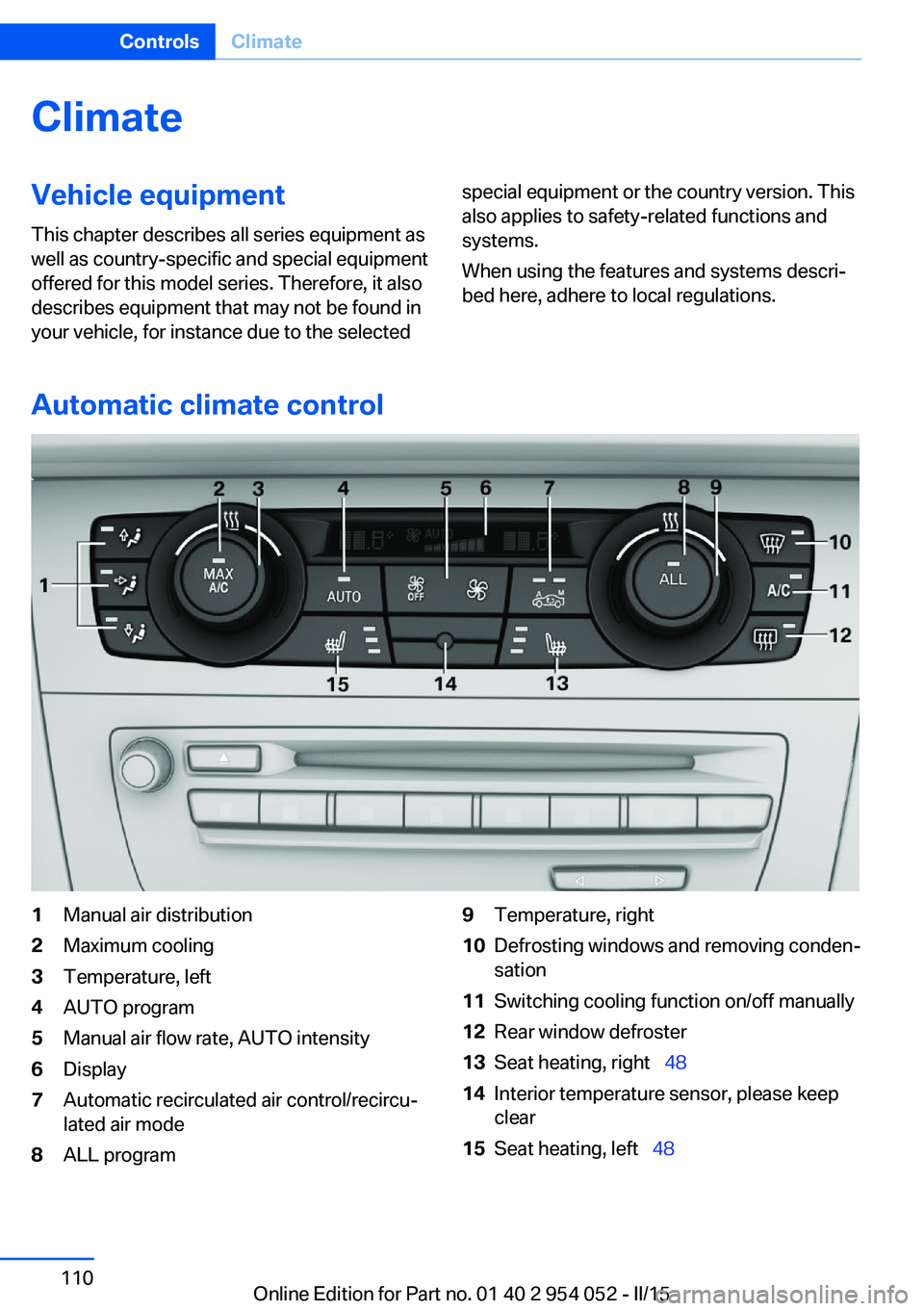
Automatic climate control
1Manual air distribution2Maximum cooling3Temperature, left4AUTO program5Manual air flow rate, AUTO intensity6Display7Automatic recirculated air control/recircu‐
lated air mode8ALL program9Temperature, right10Defrosting windows and removing conden‐
sation11Switching cooling function on/off manually12Rear window defroster13Seat heating, right 4814Interior temperature sensor, please keep
clear15Seat heating, left 48Seite 110ControlsClimate110
Online Edition for Part no. 01 40 2 954 052 - II/15
Page 113 of 297
NoteSufficient ventilation
When remaining in the vehicle for an ex‐
tended period of time, ensure sufficient exter‐
nal ventilation. Do not continuously use recir‐
culated-air mode; otherwise the air quality in
the interior continuously worsens.◀
Comfortable interior climate For almost all conditions, the AUTO program
4 offers the optimum air distribution and air
flow rate, refer to AUTO program below. Select
a comfortable interior temperature only.
The following sections contain more detailed
information on the available setting options.
Most of these settings are stored for the re‐
mote control currently in use, Personal Profile
settings, refer to page 33.
Manual air distribution
Press the buttons repeatedly to select a pro‐
gram:▷Windows.▷Upper body region.▷Footwell.
The programs can be combined as necessary.
Temperature Turn the wheel to set the de‐
sired temperature.
The automatic climate control
achieves this temperature as
quickly as possible, if necessary
with the maximum cooling or heating capacity,
and then keeps it constant.
Avoid rapidly switching between different tem‐
perature settings. The automatic climate con‐
trol will not have sufficient time to adjust the
set temperature.
Maximum heating power can be obtained with
the highest setting, regardless of the external
temperature.
At the lowest setting, cooling is continuous, re‐
gardless of the external temperature.
Maximum cooling Press the button.
The system is set to the lowest tem‐
perature, maximum air volume and recircu‐
lated-air mode.
Air flows out of the vents for the upper body
region. Open them for this purpose.
Air is cooled as quickly as possible:▷At an external temperature of approx.
32 ℉/0 ℃.▷When the engine is running.
AUTO program
Press the button.
Air volume, air distribution, and tem‐
perature are controlled automatically.
Depending on the selected temperature,
AUTO intensity, and outside influences, the air
is directed to the windshield, side windows,
upper body, and into the footwell.
The cooling function is switched on automati‐
cally with the AUTO program.
At the same time, a condensation sensor con‐
trols the program in such a way that window
condensation is prevented as much as possi‐
ble.
To switch off the program: press the button
again or manually adjust the air distribution.
Intensity of the AUTO programWith the AUTO program switched on, auto‐
matic control of the air volume and air distribu‐
tion can be adjusted:
Seite 111ClimateControls111
Online Edition for Part no. 01 40 2 954 052 - II/15
Page 114 of 297
Press the left or right side of the but‐
ton: decrease or increase the inten‐
sity.
The selected intensity is shown on the display
of the automatic climate control.
Air volume, manual To be able to manually adjust the air volume,
switch off the AUTO program first.
Press the left or right side of the but‐
ton: decrease or increase air volume.
The selected air volume is shown on the dis‐
play of the automatic climate control.
The air volume of the automatic climate control
may be reduced automatically to save battery
power.
Automatic recirculated air mode/
recirculated air mode
You can respond to unpleasant odors or pollu‐ tants in the immediate environment by tempo‐
rarily suspending the supply of outside air. The
system then recirculates the air currently
within the vehicle.
Press the button repeatedly to select
an operating mode:▷LEDs off: outside air flows in continuously.▷Left LED on, automatic recirculated-air
control: a sensor detects pollutants in the
outside air and controls the shutoff auto‐
matically.▷Right LED on, recirculated air mode: the
supply of outside air into the vehicle is per‐
manently blocked.
If the windows are fogged over, switch off
the recirculated-air mode and press the
AUTO button to utilize the condensation
sensor. Make sure that air can flow onto
the windshield.Via the button on the steering wheel
A button on the steering wheel can be used to
quickly switch between recirculated air mode
and the previous setting.
ALL program Press the button.
The current temperature setting for
the driver's side is transferred to the front pas‐
senger side.
If the temperature setting is changed on the
driver's side, the temperature on the front pas‐
senger side changes as well.
The program is switched off if the setting is
changed on the front passenger side or the
button is pressed again.
Defrosting and defogging windows Press the button.
Ice and condensation are quickly re‐
moved from the windshield and the front side
windows.
For this purpose, also switch on the cooling
function.
Cooling function
The passenger compartment can only be
cooled with the engine running.
Press the button.
The air is cooled and dehumidified
and – depending on the temperature setting –
warmed again.
Depending on the weather, the windshield may
fog up briefly when the engine is started.
The cooling function is switched on automati‐
cally with the AUTO program.
When using the automatic climate control,
condensation water, refer to page 134, devel‐
ops that exits underneath the vehicle.Seite 112ControlsClimate112
Online Edition for Part no. 01 40 2 954 052 - II/15
Page 115 of 297
Rear window defrosterPress the button.
The rear window defroster switches
off automatically after a certain period of time.
Switching the system on/off
Switching off Press and hold the left button or, with
the setting at the lowest level, press
the left button.
All displays are cleared except for the rear win‐
dow defroster if it is switched on.
When the automatic climate control is
switched off, the supply of outside air is sus‐
pended. If the air quality deteriorates or the
window fogs over, switch the system back on
and increase the air flow rate.
Switching on Press any button, except for the buttons for
the ALL program or rear window heating.
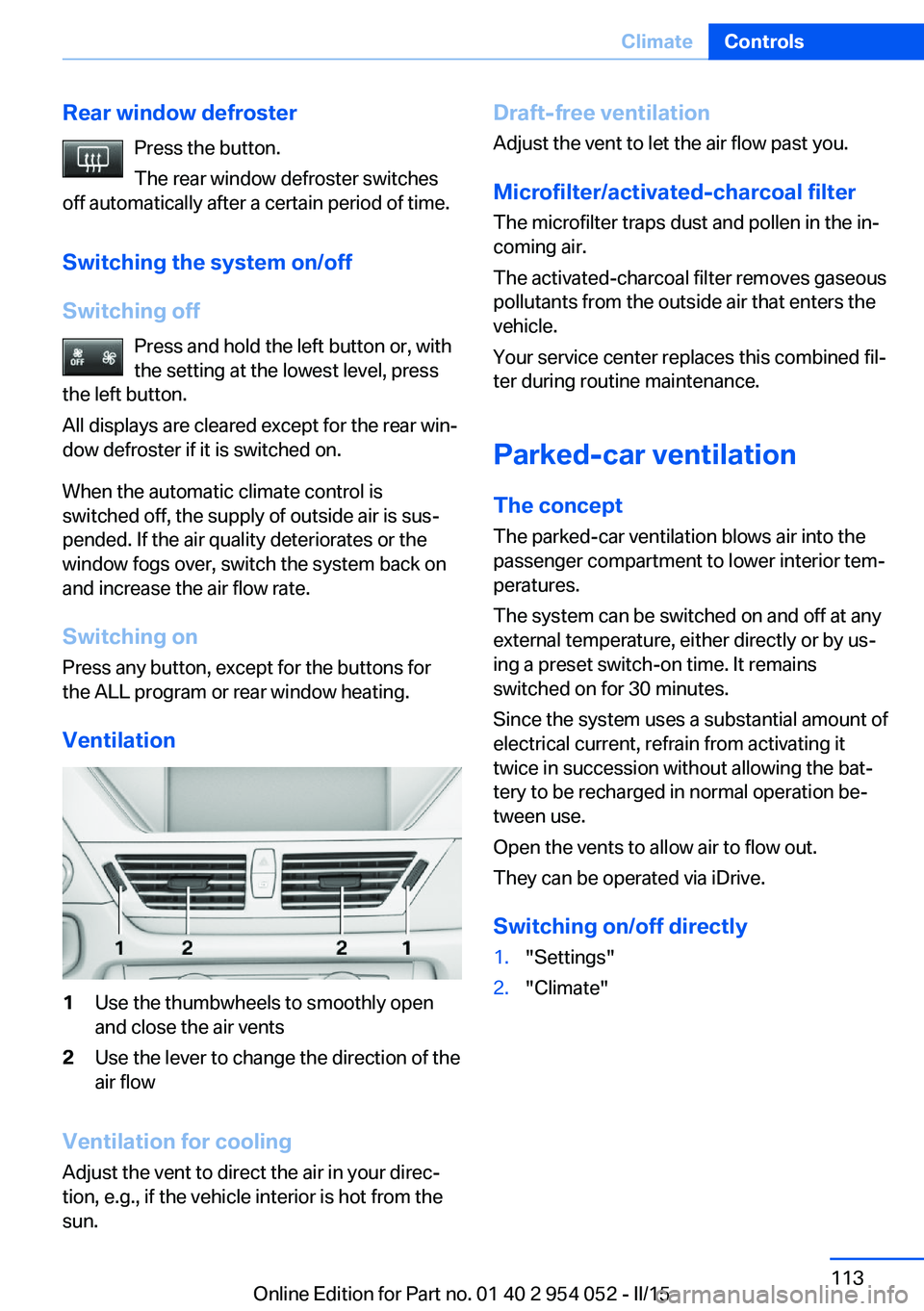
Ventilation1Use the thumbwheels to smoothly open
and close the air vents2Use the lever to change the direction of the
air flow
Ventilation for cooling
Adjust the vent to direct the air in your direc‐
tion, e.g., if the vehicle interior is hot from the
sun.
Draft-free ventilation
Adjust the vent to let the air flow past you.
Microfilter/activated-charcoal filter
The microfilter traps dust and pollen in the in‐
coming air.
The activated-charcoal filter removes gaseous
pollutants from the outside air that enters the
vehicle.
Your service center replaces this combined fil‐
ter during routine maintenance.
Parked-car ventilation The conceptThe parked-car ventilation blows air into the
passenger compartment to lower interior tem‐
peratures.
The system can be switched on and off at any
external temperature, either directly or by us‐
ing a preset switch-on time. It remains
switched on for 30 minutes.
Since the system uses a substantial amount of
electrical current, refrain from activating it
twice in succession without allowing the bat‐
tery to be recharged in normal operation be‐
tween use.
Open the vents to allow air to flow out.
They can be operated via iDrive.
Switching on/off directly1."Settings"2."Climate"Seite 113ClimateControls113
Online Edition for Part no. 01 40 2 954 052 - II/15
Page 248 of 297
Gasoline engineAPI SM or a higher quality standard
Oil changeThe manufacturer of your vehicle recommends
having the engine oil changed by a service
center.
Coolant
General information Danger of burns from hot engine
Do not open the cooling system while
the engine is hot; otherwise, escaping coolant
may cause burns.◀
Suitable additives
Only use suitable additives; otherwise,
engine damage may occur. The additives are
harmful to your health.◀
Coolant consists of water and additives.
Not all commercially available additives are
suitable for your vehicle. Ask your service cen‐
ter for suitable additives.
Checking the coolant level
1.Do not open the hood until the engine has
cooled down.2.Turn the expansion tank cap counterclock‐
wise slightly to allow any accumulatedpressure to escape; then continue turning
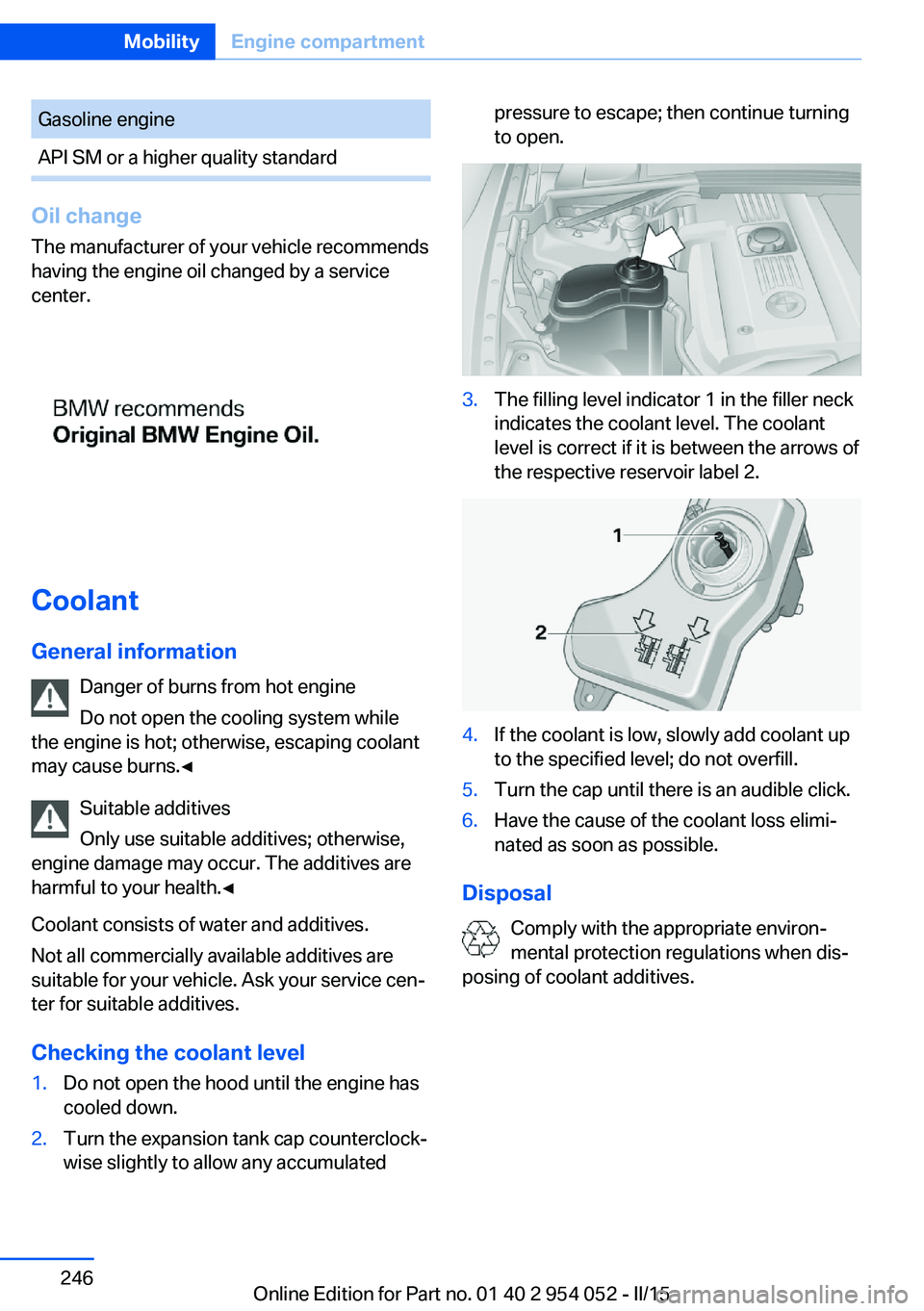
to open.3.The filling level indicator 1 in the filler neck
indicates the coolant level. The coolant
level is correct if it is between the arrows of
the respective reservoir label 2.4.If the coolant is low, slowly add coolant up
to the specified level; do not overfill.5.Turn the cap until there is an audible click.6.Have the cause of the coolant loss elimi‐
nated as soon as possible.
Disposal
Comply with the appropriate environ‐
mental protection regulations when dis‐
posing of coolant additives.
Seite 246MobilityEngine compartment246
Online Edition for Part no. 01 40 2 954 052 - II/15
Page 282 of 297
Everything from A to Z
IndexA ABS, Antilock Brake Sys‐ tem 99
Accident, refer to Emergency Request, initiating 257
Acoustic signal, refer to Check Control 82
Activated charcoal filter with automatic climate con‐
trol 113
Adaptive brake lights, refer to Brake force display 98
Adaptive Light Control 86
Additional telephone 198
Additives, coolant 246
Additives, engine oil 245
After washing vehicle 264
Airbags 90
Airbags, indicator/warning light 93
Air circulation, refer to Recir‐ culated air mode 112
Air conditioning mode, auto‐ matic climate control 110
Air conditioning mode, venti‐ lation 113
Air distribution, auto‐ matic 111
Air distribution, manual 111
Air drying, refer to Cooling function 112
Air flow rate 112
Airing, refer to Ventila‐ tion 113
Air pressure, refer to Tire in‐ flation pressure 232
Air supply, automatic climate control 110
Air supply, ventilation 113 Air vents, refer to Ventila‐
tion 113
Alarm system 41
Alarm system, avoiding unin‐ tentional alarms 42
Alarm system, ending an alarm 41
Alarm system, interior motion sensor 42
Alarm system, tilt alarm sen‐ sor 42
All around the headliner 19
ALL program 112
All-season tires, refer to Win‐ ter tires 240
All-wheel drive, refer to xDrive 101
Alternating-code hand-held transmitter 116
AM/FM station 168
Announcement, navigation, see Spoken instruc‐
tions 157
Antifreeze, coolant 246
Antifreeze, washer fluid 67
Antilock Brake System, ABS 99
Anti-slip control, refer to Dy‐ namic Stability Control
DSC 99
Anti-theft protection 34
Appointments 214
Approved axle loads, refer to Weights 270
Approved engine oils 245
Approved gross vehicle weight, refer to
Weights 270
Armrest, refer to Center arm‐ rest 126 Arrival time, refer to Com‐
puter 76
Ashtray 119
Assistance with driving off, refer to Drive-off assis‐
tant 102
Assistance with starting en‐ gine, refer to Jump-start‐
ing 258
Audio device, external 126
Audio playback 177
Audio playback, Blue‐ tooth 189
Automatic, air distribu‐ tion 111
Automatic, air flow rate 111
Automatic car wash 263
Automatic climate con‐ trol 110
Automatic climate control, automatic air distribu‐
tion 111
Automatic, cruise control 103
Automatic Curb Monitor 51
Automatic headlight con‐ trol 86
Automatic recirculated air control 112
Automatic Start/Stop func‐ tion 61
Automatic transmission with Steptronic 67, 70
Automatic transmission with Steptronic, interlock 67
Automatic transmission with Steptronic, kickdown 68, 70
Automatic transmission with Steptronic, overriding selec‐
tor lever lock 69
AUTO program with auto‐ matic climate control 111 Seite 280ReferenceEverything from A to Z280
Online Edition for Part no. 01 40 2 954 052 - II/15
Page 285 of 297
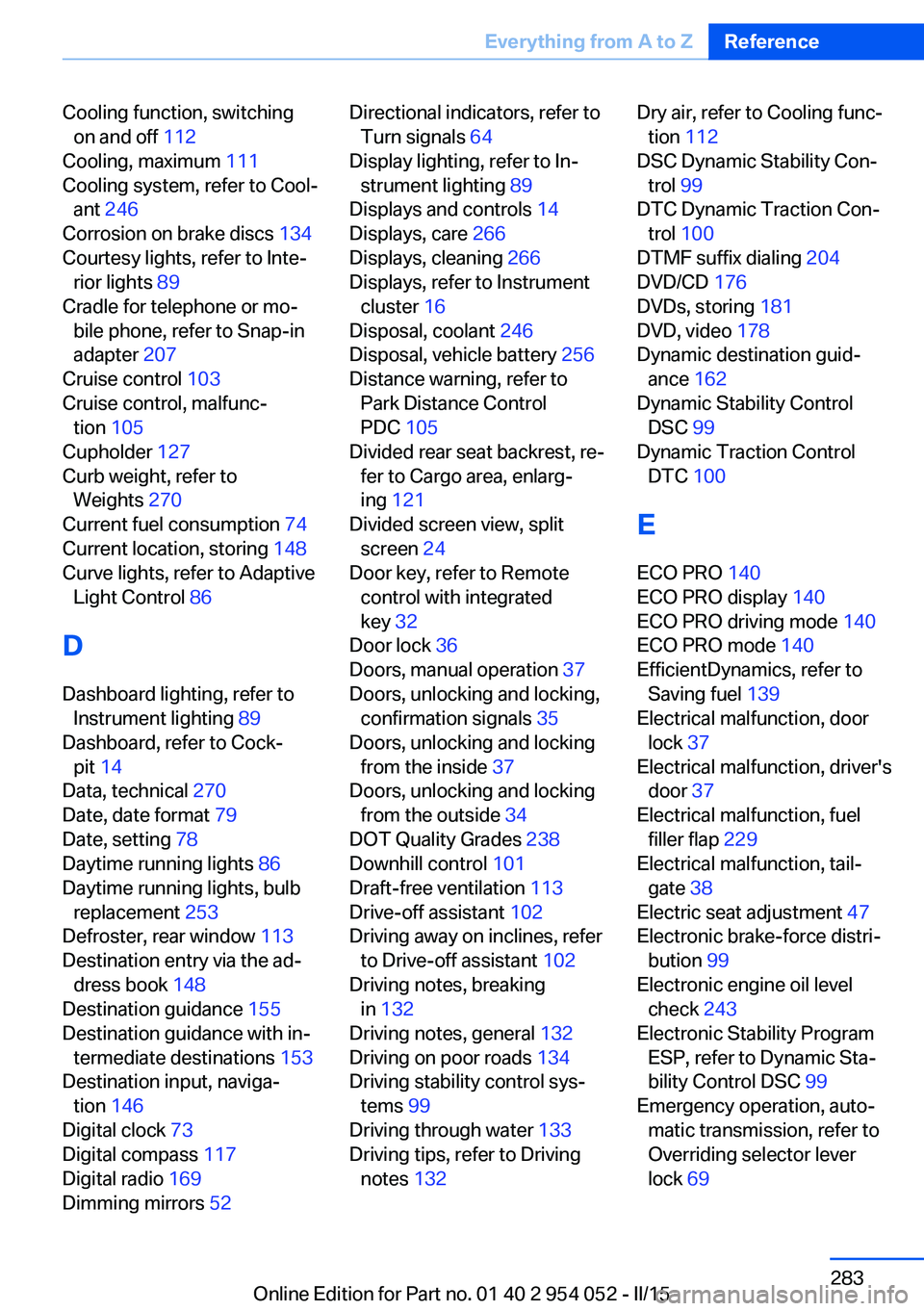
Cooling function, switchingon and off 112
Cooling, maximum 111
Cooling system, refer to Cool‐ ant 246
Corrosion on brake discs 134
Courtesy lights, refer to Inte‐ rior lights 89
Cradle for telephone or mo‐ bile phone, refer to Snap-in
adapter 207
Cruise control 103
Cruise control, malfunc‐ tion 105
Cupholder 127
Curb weight, refer to Weights 270
Current fuel consumption 74
Current location, storing 148
Curve lights, refer to Adaptive Light Control 86
D
Dashboard lighting, refer to Instrument lighting 89
Dashboard, refer to Cock‐ pit 14
Data, technical 270
Date, date format 79
Date, setting 78
Daytime running lights 86
Daytime running lights, bulb replacement 253
Defroster, rear window 113
Destination entry via the ad‐ dress book 148
Destination guidance 155
Destination guidance with in‐ termediate destinations 153
Destination input, naviga‐ tion 146
Digital clock 73
Digital compass 117
Digital radio 169
Dimming mirrors 52 Directional indicators, refer to
Turn signals 64
Display lighting, refer to In‐ strument lighting 89
Displays and controls 14
Displays, care 266
Displays, cleaning 266
Displays, refer to Instrument cluster 16
Disposal, coolant 246
Disposal, vehicle battery 256
Distance warning, refer to Park Distance Control
PDC 105
Divided rear seat backrest, re‐ fer to Cargo area, enlarg‐
ing 121
Divided screen view, split screen 24
Door key, refer to Remote control with integrated
key 32
Door lock 36
Doors, manual operation 37
Doors, unlocking and locking, confirmation signals 35
Doors, unlocking and locking from the inside 37
Doors, unlocking and locking from the outside 34
DOT Quality Grades 238
Downhill control 101
Draft-free ventilation 113
Drive-off assistant 102
Driving away on inclines, refer to Drive-off assistant 102
Driving notes, breaking in 132
Driving notes, general 132
Driving on poor roads 134
Driving stability control sys‐ tems 99
Driving through water 133
Driving tips, refer to Driving notes 132 Dry air, refer to Cooling func‐
tion 112
DSC Dynamic Stability Con‐ trol 99
DTC Dynamic Traction Con‐ trol 100
DTMF suffix dialing 204
DVD/CD 176
DVDs, storing 181
DVD, video 178
Dynamic destination guid‐ ance 162
Dynamic Stability Control DSC 99
Dynamic Traction Control DTC 100
E ECO PRO 140
ECO PRO display 140
ECO PRO driving mode 140
ECO PRO mode 140
EfficientDynamics, refer to Saving fuel 139
Electrical malfunction, door lock 37
Electrical malfunction, driver's door 37
Electrical malfunction, fuel filler flap 229
Electrical malfunction, tail‐ gate 38
Electric seat adjustment 47
Electronic brake-force distri‐ bution 99
Electronic engine oil level check 243
Electronic Stability Program ESP, refer to Dynamic Sta‐
bility Control DSC 99
Emergency operation, auto‐ matic transmission, refer to
Overriding selector lever
lock 69 Seite 283Everything from A to ZReference283
Online Edition for Part no. 01 40 2 954 052 - II/15
Page 289 of 297
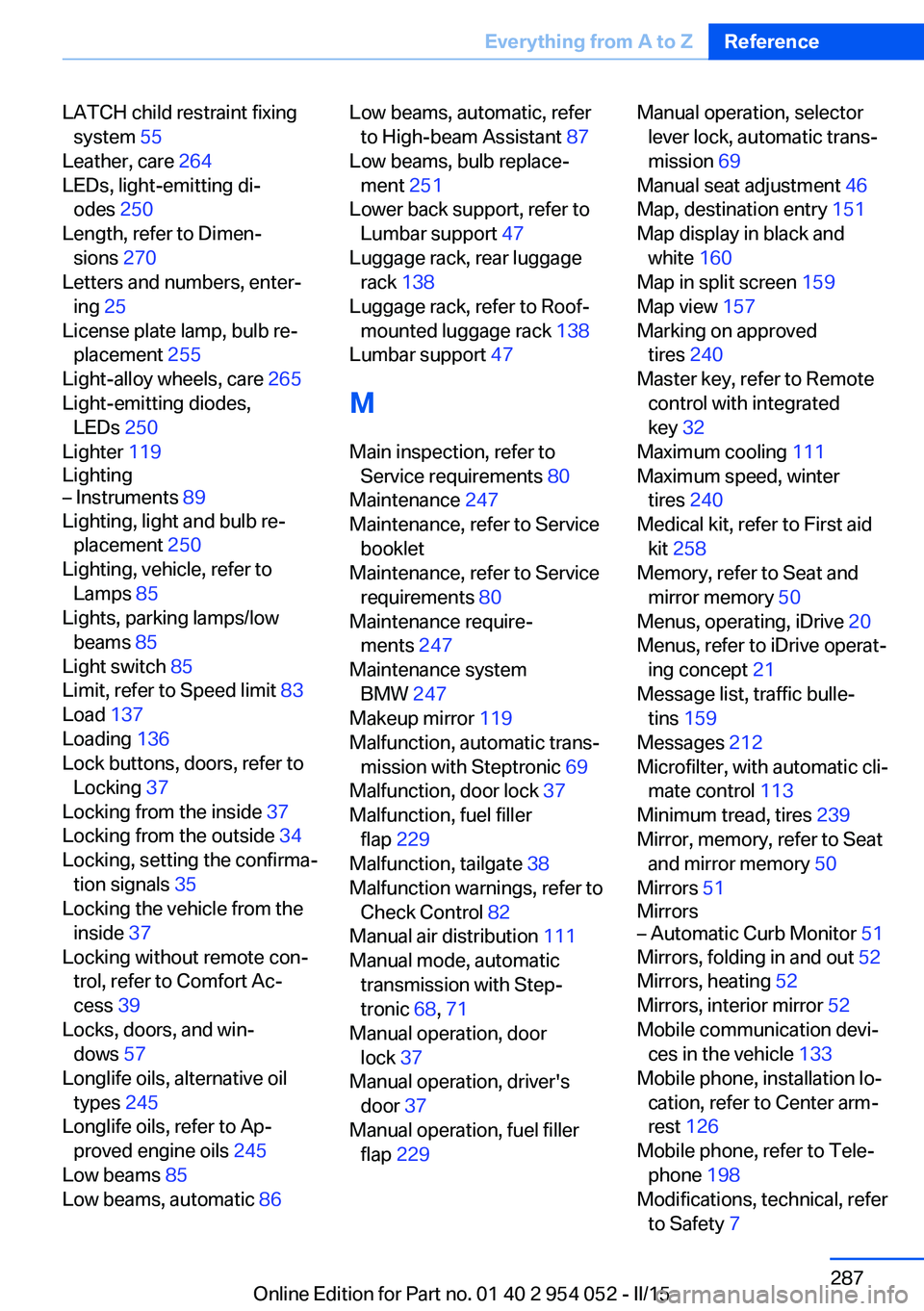
LATCH child restraint fixingsystem 55
Leather, care 264
LEDs, light-emitting di‐ odes 250
Length, refer to Dimen‐ sions 270
Letters and numbers, enter‐ ing 25
License plate lamp, bulb re‐ placement 255
Light-alloy wheels, care 265
Light-emitting diodes, LEDs 250
Lighter 119
Lighting– Instruments 89
Lighting, light and bulb re‐
placement 250
Lighting, vehicle, refer to Lamps 85
Lights, parking lamps/low beams 85
Light switch 85
Limit, refer to Speed limit 83
Load 137
Loading 136
Lock buttons, doors, refer to Locking 37
Locking from the inside 37
Locking from the outside 34
Locking, setting the confirma‐ tion signals 35
Locking the vehicle from the inside 37
Locking without remote con‐ trol, refer to Comfort Ac‐
cess 39
Locks, doors, and win‐ dows 57
Longlife oils, alternative oil types 245
Longlife oils, refer to Ap‐ proved engine oils 245
Low beams 85
Low beams, automatic 86
Low beams, automatic, refer
to High-beam Assistant 87
Low beams, bulb replace‐ ment 251
Lower back support, refer to Lumbar support 47
Luggage rack, rear luggage rack 138
Luggage rack, refer to Roof- mounted luggage rack 138
Lumbar support 47
M
Main inspection, refer to Service requirements 80
Maintenance 247
Maintenance, refer to Service booklet
Maintenance, refer to Service requirements 80
Maintenance require‐ ments 247
Maintenance system BMW 247
Makeup mirror 119
Malfunction, automatic trans‐ mission with Steptronic 69
Malfunction, door lock 37
Malfunction, fuel filler flap 229
Malfunction, tailgate 38
Malfunction warnings, refer to Check Control 82
Manual air distribution 111
Manual mode, automatic transmission with Step‐
tronic 68, 71
Manual operation, door lock 37
Manual operation, driver's door 37
Manual operation, fuel filler flap 229 Manual operation, selector
lever lock, automatic trans‐
mission 69
Manual seat adjustment 46
Map, destination entry 151
Map display in black and white 160
Map in split screen 159
Map view 157
Marking on approved tires 240
Master key, refer to Remote control with integrated
key 32
Maximum cooling 111
Maximum speed, winter tires 240
Medical kit, refer to First aid kit 258
Memory, refer to Seat and mirror memory 50
Menus, operating, iDrive 20
Menus, refer to iDrive operat‐ ing concept 21
Message list, traffic bulle‐ tins 159
Messages 212
Microfilter, with automatic cli‐ mate control 113
Minimum tread, tires 239
Mirror, memory, refer to Seat and mirror memory 50
Mirrors 51
Mirrors– Automatic Curb Monitor 51
Mirrors, folding in and out 52
Mirrors, heating 52
Mirrors, interior mirror 52
Mobile communication devi‐ ces in the vehicle 133
Mobile phone, installation lo‐ cation, refer to Center arm‐
rest 126
Mobile phone, refer to Tele‐ phone 198
Modifications, technical, refer to Safety 7
Seite 287Everything from A to ZReference287
Online Edition for Part no. 01 40 2 954 052 - II/15