high beam BMW X1 XDRIVE 28I 2013 User Guide
[x] Cancel search | Manufacturer: BMW, Model Year: 2013, Model line: X1 XDRIVE 28I, Model: BMW X1 XDRIVE 28I 2013Pages: 291, PDF Size: 6.58 MB
Page 248 of 291
6.Remove the bulb.7.Insert the new bulb.8.Fold up the wire bracket and lock it.9.Plug in the connector.10.Reattach the cover.11.Low beam: attach the folding cover in the
wheel arch.
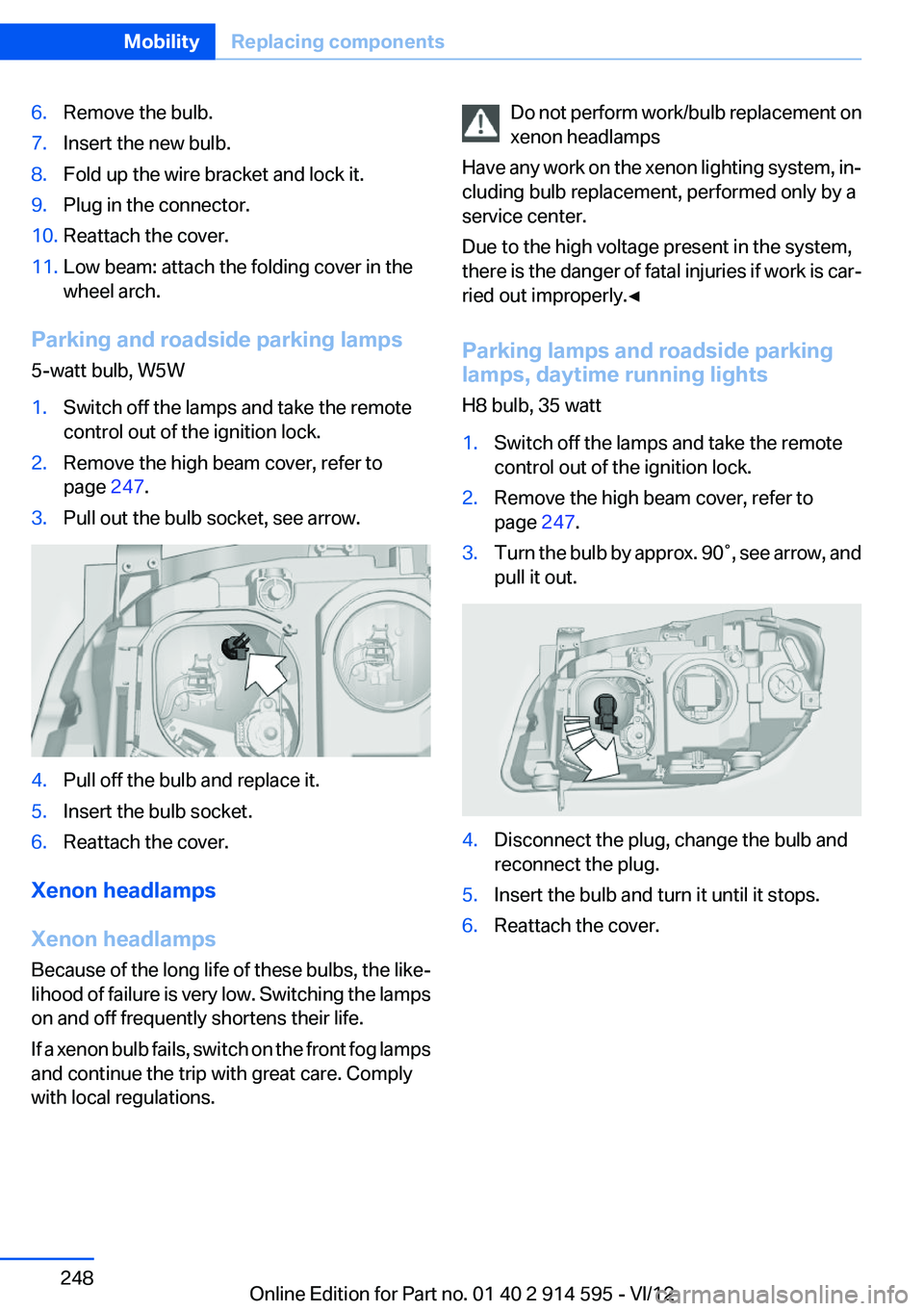
Parking and roadside parking lamps
5-watt bulb, W5W
1.Switch off the lamps and take the remote
control out of the ignition lock.2.Remove the high beam cover, refer to
page 247.3.Pull out the bulb socket, see arrow.4.Pull off the bulb and replace it.5.Insert the bulb socket.6.Reattach the cover.
Xenon headlamps
Xenon headlamps
Because of the long life of these bulbs, the like‐
lihood of failure is very low. Switching the lamps
on and off frequently shortens their life.
If a xenon bulb fails, switch on the front fog lamps
and continue the trip with great care. Comply
with local regulations.
Do not perform work/bulb replacement on
xenon headlamps
Have any work on the xenon lighting system, in‐
cluding bulb replacement, performed only by a
service center.
Due to the high voltage present in the system,
there is the danger of fatal injuries if work is car‐
ried out improperly.◀
Parking lamps and roadside parking
lamps, daytime running lights
H8 bulb, 35 watt1.Switch off the lamps and take the remote
control out of the ignition lock.2.Remove the high beam cover, refer to
page 247.3.Turn the bulb by approx. 90˚, see arrow, and
pull it out.4.Disconnect the plug, change the bulb and
reconnect the plug.5.Insert the bulb and turn it until it stops.6.Reattach the cover.Seite 248MobilityReplacing components248
Online Edition for Part no. 01 40 2 914 595 - VI/12
Page 278 of 291
Carpet, care 261
Car phone, installation loca‐ tion, refer to Center arm‐
rest 120
Car phone, refer to Tele‐ phone 192
Car vacuum cleaner, connect‐ ing, refer to Connecting elec‐
trical devices 114
Car wash 259
Catalytic converter, refer to Hot exhaust system 126
CBS Condition Based Serv‐ ice 243
CD/DVD 170
CD/DVD notes 175
CD changer 174
CDs, storing 176
Cell phone 192
Cell phone, installation loca‐ tion, refer to Center arm‐
rest 120
Center armrest, front 120
Center armrest, rear 121
Center brake lamp, bulb re‐ placement 250
Center console, refer to Around the center con‐
sole 16
Central locking– Comfort Access 36– From the inside 34– Setting the unlocking char‐
acteristics 32
Central locking system
– From the outside 31– Principle 31
Central screen, refer to Control
Display 18
Changes, technical, refer to Safety 6
Changing wheels/tires 235
Check Control 77
Children, transporting 50
Child restraint fixing system LATCH 51
Child restraint fixing sys‐
tems 50
Child restraint fixing systems, mounting 50
Child safety locks 53
Child seat, mounting 50
Child seats, refer to Transport‐ ing children safely 50
Chrome parts, care 261
Cigarette lighter, connecting electrical devices 114
Cigarette lighter, refer to Lighter 114
Cigarette lighter socket 114
Circulation of air, refer to Re‐ circulated air mode 107
Cleaning, displays 262
Cleaning your BMW, refer to Care 259
Clock 68
Clock– 12h/24h format 73– Setting the time and date 73
Closing
– From the inside 34– From the outside 32
Clothes hooks 122
Cockpit 12
Cold start, refer to Starting the engine 55
Combination instrument, refer to Instrument cluster 14
Combination switch, refer to Turn signal/high beams/
headlamp flasher 59
Combination switch, refer to Washer/wiper system 59
Comfort Access
– Battery replacement 38
Comfort area, refer to Around
the center console 16
Compact wheel, inflation pres‐ sure 228
Compartment for remote con‐ trol, refer to Ignition lock 54
Compartment in floor 118
Compartments, refer to Stor‐
age compartments 120, 121
Compass, digital 112
Computer 70
Computer, displaying informa‐ tion 70
Computer, displays on the Control Display 70
Concierge service 216
Condensation under the vehi‐ cle 128
Condition Based Service CBS 243
Confirmation signals for lock‐ ing/unlocking the vehicle 33
ConnectedDrive 215
Connecting, mobile phone, re‐ fer to Pairing the mobile
phone 193
Consumption, refer to Aver‐ age fuel consumption 70
Contacts 205, 213
Control Display 18
Control Display, care 262
Control Display, settings 74
Controller 19
Controls and displays 12
Control systems, driving sta‐ bility 94
Convenient operation– Glass sunroof 32– Window 32
Coolant 242
Coolant, checking the level 242
Coolant temperature 69
Cooling function, switching on and off 107
Cooling, maximum 106
Cooling system, refer to Cool‐ ant 242
Corrosion on brake discs 128
Courtesy lamps, refer to Inte‐ rior lamps 84
Cradle for telephone or mobile phone, refer to Snap-in
adapter 202
Seite 278ReferenceEverything from A to Z278
Online Edition for Part no. 01 40 2 914 595 - VI/12
Page 281 of 291
Fuse 252
G
Garage door opener, refer to Universal Garage Door
Opener 110
Gasoline 226
Gasoline gauge, refer to Fuel gauge 69
Gasoline quality 226
Gas station recommenda‐ tion 151
Gear change– Automatic transmission with
Steptronic 62
Gear change, automatic trans‐
mission with Steptronic 66
Gear change, via shift pad‐ dles 66
Gear display, automatic trans‐ mission with Steptronic 62
General driving notes 126
Glass sunroof, electric
– Convenient operation 32– Remote control 32
Glass sunroof, refer to Panor‐
amic glass sunroof 41
Glove compartment 120
Glove compartment
– USB interface 120
Glove compartment, light‐
ing 120
GPS navigation, refer to Navi‐ gation system 138
Gross vehicle weight, refer to Weights 267
H
Halogen headlamps
– Bulb replacement 247
Hand-held transmitter, alter‐
nating code 111
Hands-free microphone 16
Hazard warning sys‐ tem 16, 253
HDC Hill Descent Control 96
HD Radio 163
Head airbags 85
Headlamp control, auto‐ matic 80, 81
Headlamp courtesy delay fea‐ ture 81
Headlamp cover, remov‐ ing 247
Headlamp flasher 59, 82
Headlamp flasher, indicator lamp 15
Headlamps 80
Headlamps– Bulb replacement 247
Headlamps, care 260
Headlamps, cleaning 60
Headlamps, cleaning, washer fluid 62
Headliner 17
Head restraints 46
Head restraints
– Adjusting the height 46– Removing 47
Heating
– Rear window 107– Seats 45
Heating, mirrors 49
Heavy cargo, refer to Stowing cargo 131
Height adjustment
– Seats 43
Height, refer to Dimen‐
sions 266
High-beam Assistant 82
High beams 82
High beams
– Bulb replacement 247
High beams/low beams, auto‐
matic, refer to High-beam
Assistant 82
High beams, indicator lamp 15
High-pressure washers 259
Hill Descent Control HDC 96
Hill drive-off assistant, refer to Drive-off assistant 97
Hills 128
Holder for beverages 122
Holder for remote control, re‐ fer to Ignition lock 54
Homepage 6
Hood 238
Hood, opening 238
Horn 12
Hot exhaust system 126
Hotline 218
House number, entering for navigation 141
Hydraulic brake assistant 94
Hydroplaning 127
I
Ice warning, refer to External temperature warning 68
Icy roads, refer to External temperature warning 68
Identification marks, tires 233
Identification number, refer to Engine compartment 238
iDrive 18
iDrive– Changing settings 74– Changing the date and
time 73– Changing the language 74– Changing the units of meas‐
ure and display format 72– Setting the brightness 75
Ignition 54
Ignition key position 1, refer to Radio ready state 54
Ignition key position 2, refer to Ignition on 54
Ignition key, refer to Remote control with integrated
key 30
Ignition lock 54
Ignition, switched off 55
Ignition, switched on 54
Indication of a flat tire 89, 91
Indicator and warning lamps 15
Seite 281Everything from A to ZReference281
Online Edition for Part no. 01 40 2 914 595 - VI/12
Page 282 of 291
Inflation pressure monitor, re‐fer to Flat Tire Monitor 88
Inflation pressure, refer to Tire inflation pressure 228
Information on the navigation data 138
Initialization after power fail‐ ure 251
Initializing– Compass, refer to Calibrat‐
ing 113– Panoramic glass sunroof 42– Refer to Setting the time and
date 73
Initializing, Flat Tire Monitor
FTM 88
Initializing, Tire Pressure Mon‐ itor TPM 91
Inside brake lamps
– Bulb replacement 250
Installation location, tele‐
phone 120
Instrument cluster 14
Instrument lighting 83
Instrument panel, refer to In‐ strument cluster 14
Instruments, refer to Cock‐ pit 12
Integrated key 30
Interactive map 145
Interior equipment 110
Interior lamps 84
Interior lamps
– Remote control 32
Interior mirror 49
Interior rearview mirror, auto‐ matic dimming 49
Interior rearview mirror, com‐ pass 112
Interior temperature, setting
– Automatic climate con‐
trol 105
Interlock, refer to Disengaging
the remote control 62
Intermediate destinations 147
Internet page 6
Intersection, entering for navi‐
gation 141
iPod/iPhone 182
J
Jacking points for the vehicle jack 251
Jack, refer to Vehicle jack 251
Joystick, refer to Selector lever 65
Jump-starting 255
K
Keyless Go, refer to Comfort Access 36
Keyless opening and closing, refer to Comfort Access 36
Key Memory, refer to Personal Profile 30
Key, refer to Integrated key/re‐ mote control 30
Kickdown– Automatic transmission with
Steptronic 63, 64
Knee airbag 85
Knocking control 226
L
Label, run-flat tire 236
Lamp and bulb replacement, lamp replacement 246
Lamps 80
Lamps, automatic headlamp control 80, 81
Lamps, High-beam Assis‐ tant 82
Lamps, parking lamps/low beams 80
Lamps, replacing, refer to Lamp and bulb replace‐
ment 246
Language, changing on the Control Display 74
Lap-and-shoulder belt, refer to
Safety belts 45
Lashing eyes, securing cargo 131
LATCH child restraint fixing system 51
Leather, care 260
LEDs, light-emitting di‐ odes 246
Length, refer to Dimen‐ sions 266
Letters and numbers, enter‐ ing 23
License plate lamp, bulb re‐ placement 250
Light-alloy wheels, care 261
Light-emitting diodes, LEDs 246
Lighter 114
Lighting– Instruments 83– Lamp and bulb replace‐
ment 246
Lighting, vehicle, refer to
Lamps 80
Light switch 80
Limit, refer to Speed limit 78
Load 130
Loading 130
Lock buttons, doors, refer to Locking 35
Locking
– From the inside 35– From the outside 32– Setting the confirmation sig‐
nals 33– Without remote control, refer
to Comfort Access 36
Locking the vehicle
– From the inside 34– From the outside 32
Locks, doors, and win‐
dows 53
Longlife oils, alternative oil types 241
Longlife oils, refer to Approved engine oils 241
Seite 282ReferenceEverything from A to Z282
Online Edition for Part no. 01 40 2 914 595 - VI/12
Page 283 of 291
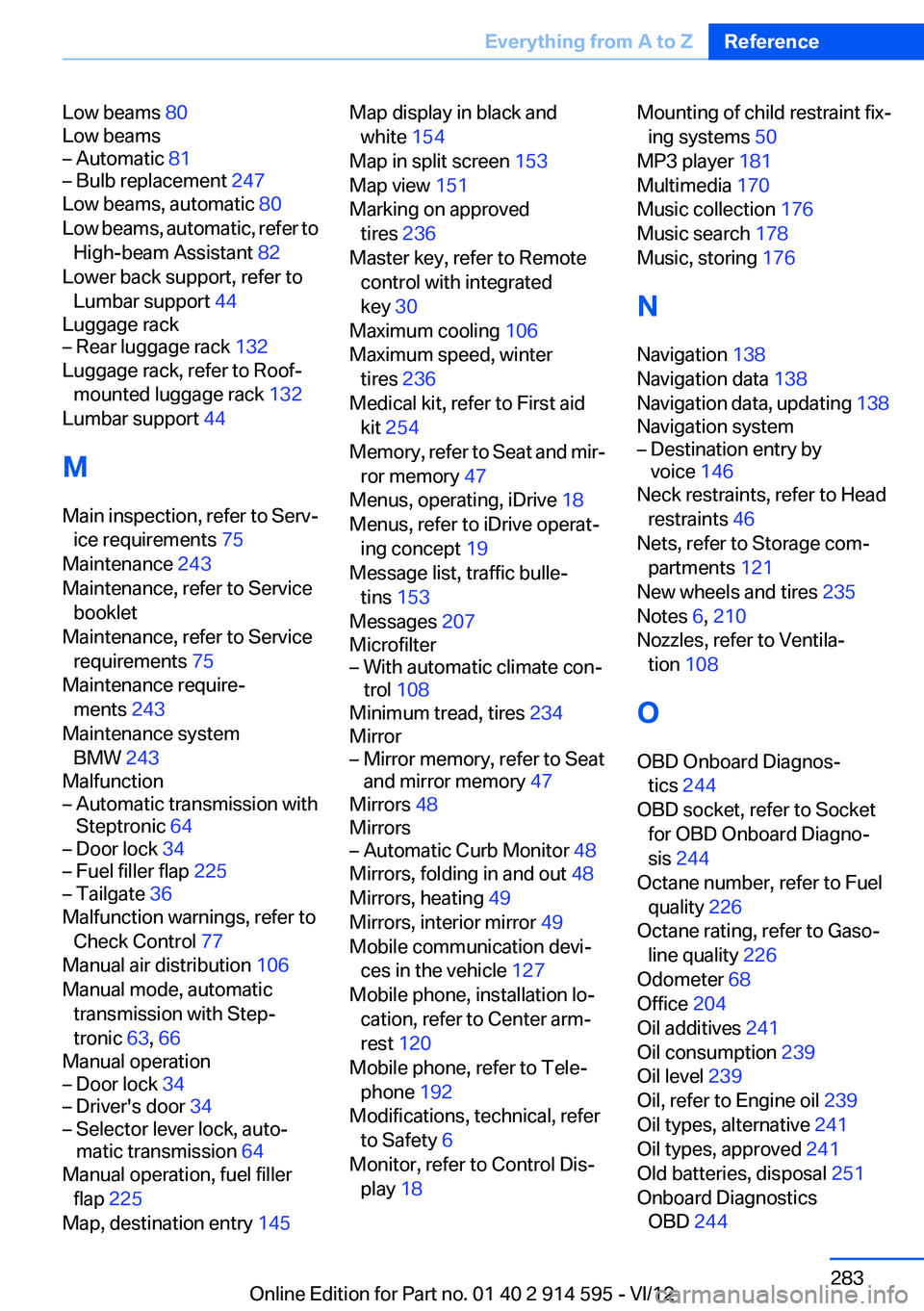
Low beams 80
Low beams– Automatic 81– Bulb replacement 247
Low beams, automatic 80
Low beams, automatic, refer to High-beam Assistant 82
Lower back support, refer to Lumbar support 44
Luggage rack
– Rear luggage rack 132
Luggage rack, refer to Roof-
mounted luggage rack 132
Lumbar support 44
M
Main inspection, refer to Serv‐ ice requirements 75
Maintenance 243
Maintenance, refer to Service booklet
Maintenance, refer to Service requirements 75
Maintenance require‐ ments 243
Maintenance system BMW 243
Malfunction
– Automatic transmission with
Steptronic 64– Door lock 34– Fuel filler flap 225– Tailgate 36
Malfunction warnings, refer to
Check Control 77
Manual air distribution 106
Manual mode, automatic transmission with Step‐
tronic 63, 66
Manual operation
– Door lock 34– Driver's door 34– Selector lever lock, auto‐
matic transmission 64
Manual operation, fuel filler
flap 225
Map, destination entry 145
Map display in black and
white 154
Map in split screen 153
Map view 151
Marking on approved tires 236
Master key, refer to Remote control with integrated
key 30
Maximum cooling 106
Maximum speed, winter tires 236
Medical kit, refer to First aid kit 254
Memory, refer to Seat and mir‐ ror memory 47
Menus, operating, iDrive 18
Menus, refer to iDrive operat‐ ing concept 19
Message list, traffic bulle‐ tins 153
Messages 207
Microfilter– With automatic climate con‐
trol 108
Minimum tread, tires 234
Mirror
– Mirror memory, refer to Seat
and mirror memory 47
Mirrors 48
Mirrors
– Automatic Curb Monitor 48
Mirrors, folding in and out 48
Mirrors, heating 49
Mirrors, interior mirror 49
Mobile communication devi‐ ces in the vehicle 127
Mobile phone, installation lo‐ cation, refer to Center arm‐
rest 120
Mobile phone, refer to Tele‐ phone 192
Modifications, technical, refer to Safety 6
Monitor, refer to Control Dis‐ play 18
Mounting of child restraint fix‐
ing systems 50
MP3 player 181
Multimedia 170
Music collection 176
Music search 178
Music, storing 176
N
Navigation 138
Navigation data 138
Navigation data, updating 138
Navigation system– Destination entry by
voice 146
Neck restraints, refer to Head
restraints 46
Nets, refer to Storage com‐ partments 121
New wheels and tires 235
Notes 6, 210
Nozzles, refer to Ventila‐ tion 108
O
OBD Onboard Diagnos‐ tics 244
OBD socket, refer to Socket for OBD Onboard Diagno‐
sis 244
Octane number, refer to Fuel quality 226
Octane rating, refer to Gaso‐ line quality 226
Odometer 68
Office 204
Oil additives 241
Oil consumption 239
Oil level 239
Oil, refer to Engine oil 239
Oil types, alternative 241
Oil types, approved 241
Old batteries, disposal 251
Onboard Diagnostics OBD 244
Seite 283Everything from A to ZReference283
Online Edition for Part no. 01 40 2 914 595 - VI/12