change time BMW X1 XDRIVE 28I 2014 Owner's Manual
[x] Cancel search | Manufacturer: BMW, Model Year: 2014, Model line: X1 XDRIVE 28I, Model: BMW X1 XDRIVE 28I 2014Pages: 295, PDF Size: 7.06 MB
Page 176 of 295
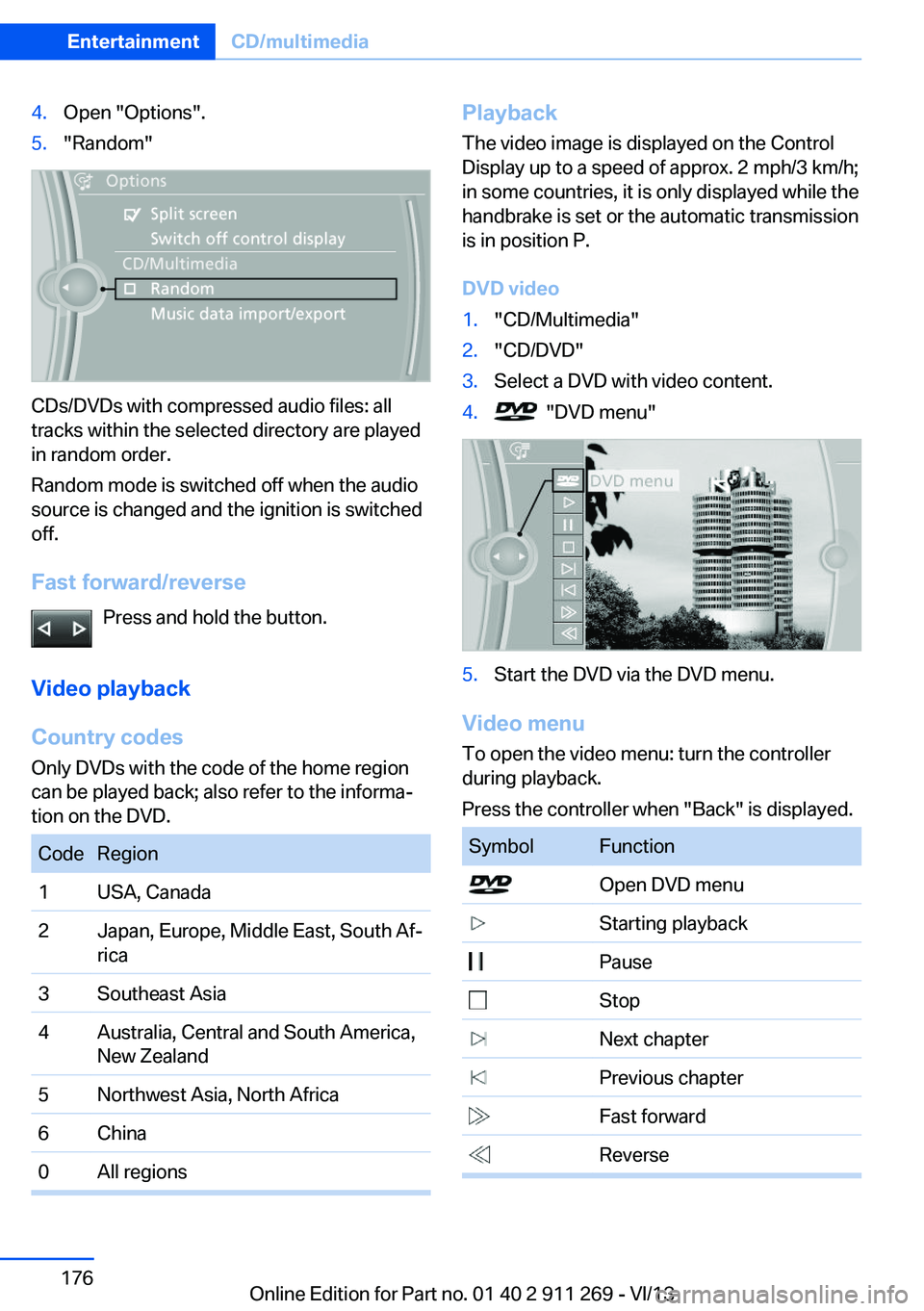
4.Open "Options".5."Random"
CDs/DVDs with compressed audio files: all
tracks within the selected directory are played
in random order.
Random mode is switched off when the audio
source is changed and the ignition is switched
off.
Fast forward/reverse Press and hold the button.
Video playback
Country codes
Only DVDs with the code of the home region
can be played back; also refer to the informa‐
tion on the DVD.
CodeRegion1USA, Canada2Japan, Europe, Middle East, South Af‐
rica3Southeast Asia4Australia, Central and South America,
New Zealand5Northwest Asia, North Africa6China0All regionsPlayback
The video image is displayed on the Control
Display up to a speed of approx. 2 mph/3 km/h;
in some countries, it is only displayed while the
handbrake is set or the automatic transmission
is in position P.
DVD video1."CD/Multimedia"2."CD/DVD"3.Select a DVD with video content.4. "DVD menu"5.Start the DVD via the DVD menu.
Video menu
To open the video menu: turn the controller
during playback.
Press the controller when "Back" is displayed.
SymbolFunction Open DVD menu Starting playback Pause Stop Next chapter Previous chapter Fast forward ReverseSeite 176EntertainmentCD/multimedia176
Online Edition for Part no. 01 40 2 911 269 - VI/13
Page 177 of 295
In fast forward/reverse: the speed increases
every time the controller is pressed. To stop,
start playback.
DVD menu1.If necessary, turn the controller to open the
video menu.2. "DVD menu"
The DVD menu is displayed. The display
depends on the contents of the DVD.3.To select menu items: move the controller
and press it.
To change to the video menu: turn the control‐
ler and press it.
DVD settingsFor some DVDs, settings can only be made via
the DVD menu; refer also to the information on
the DVD.
Selecting the language
The languages that are available depend on
the DVD.
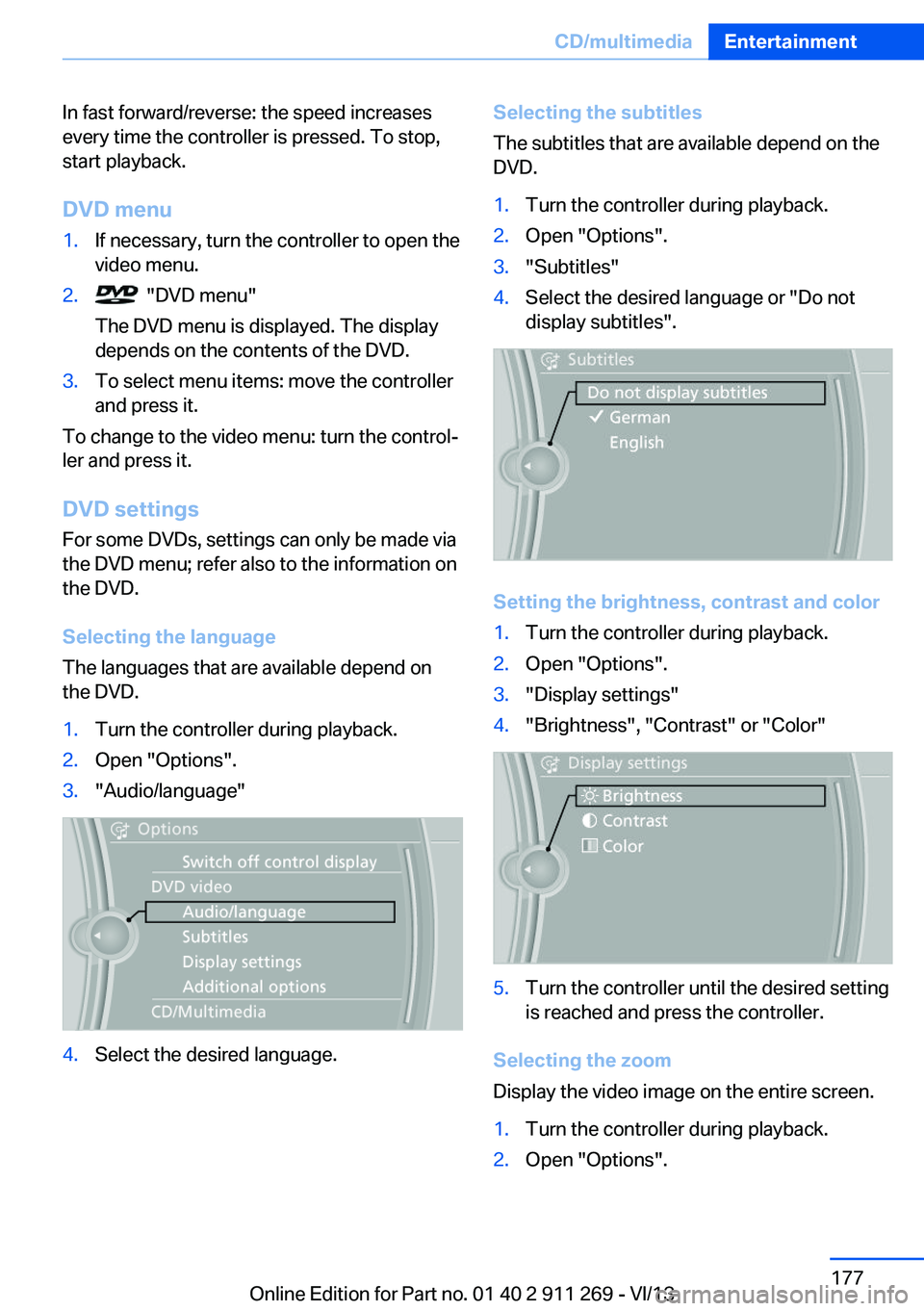
1.Turn the controller during playback.2.Open "Options".3."Audio/language"4.Select the desired language.Selecting the subtitles
The subtitles that are available depend on the
DVD.1.Turn the controller during playback.2.Open "Options".3."Subtitles"4.Select the desired language or "Do not
display subtitles".
Setting the brightness, contrast and color
1.Turn the controller during playback.2.Open "Options".3."Display settings"4."Brightness", "Contrast" or "Color"5.Turn the controller until the desired setting
is reached and press the controller.
Selecting the zoom
Display the video image on the entire screen.
1.Turn the controller during playback.2.Open "Options".Seite 177CD/multimediaEntertainment177
Online Edition for Part no. 01 40 2 911 269 - VI/13
Page 178 of 295
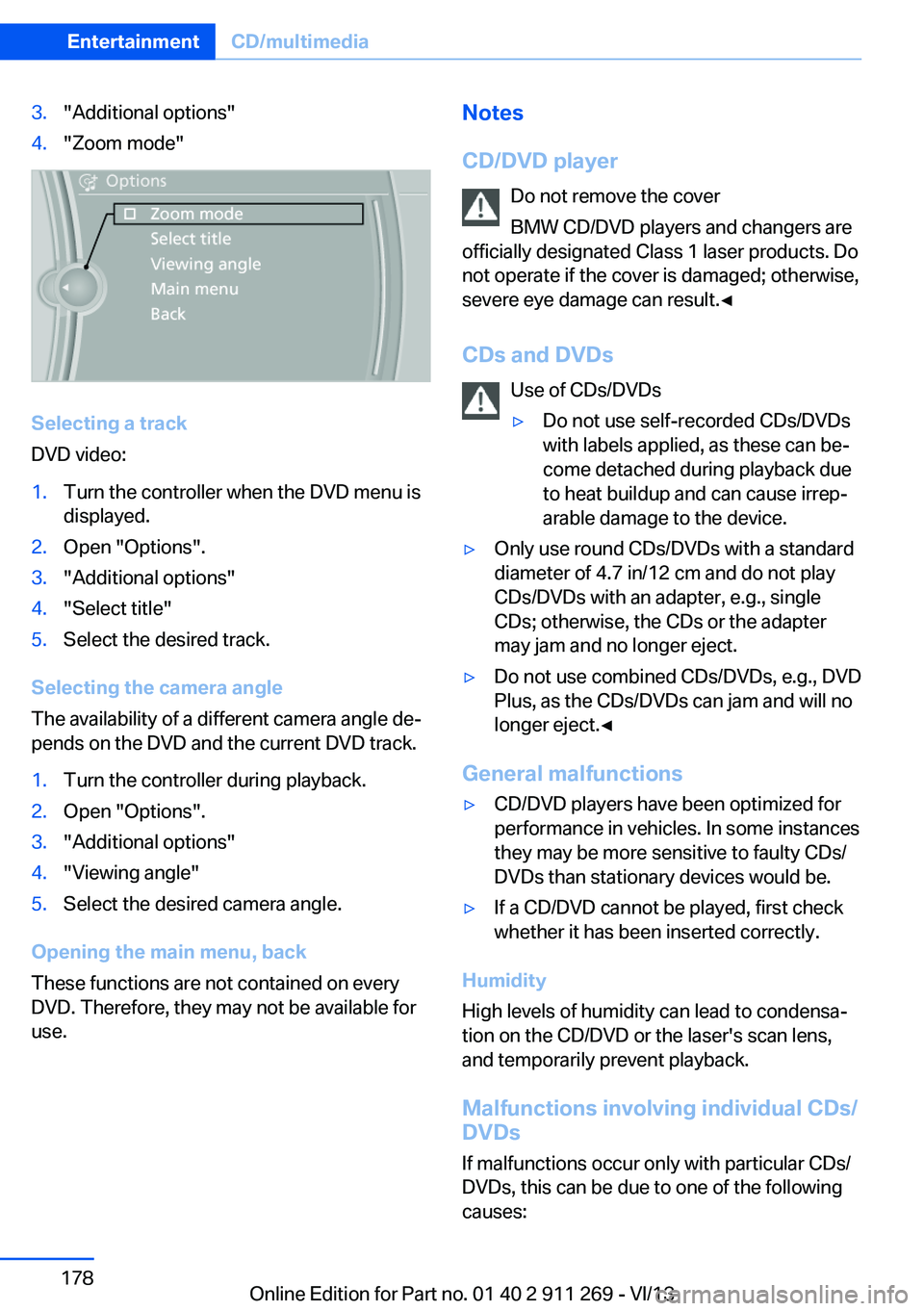
3."Additional options"4."Zoom mode"
Selecting a track
DVD video:
1.Turn the controller when the DVD menu is
displayed.2.Open "Options".3."Additional options"4."Select title"5.Select the desired track.
Selecting the camera angle
The availability of a different camera angle de‐
pends on the DVD and the current DVD track.
1.Turn the controller during playback.2.Open "Options".3."Additional options"4."Viewing angle"5.Select the desired camera angle.
Opening the main menu, back
These functions are not contained on every
DVD. Therefore, they may not be available for
use.
Notes
CD/DVD player Do not remove the cover
BMW CD/DVD players and changers are
officially designated Class 1 laser products. Do
not operate if the cover is damaged; otherwise,
severe eye damage can result.◀
CDs and DVDs Use of CDs/DVDs▷Do not use self-recorded CDs/DVDs
with labels applied, as these can be‐
come detached during playback due
to heat buildup and can cause irrep‐
arable damage to the device.▷Only use round CDs/DVDs with a standard
diameter of 4.7 in/12 cm and do not play
CDs/DVDs with an adapter, e.g., single
CDs; otherwise, the CDs or the adapter
may jam and no longer eject.▷Do not use combined CDs/DVDs, e.g., DVD
Plus, as the CDs/DVDs can jam and will no
longer eject.◀
General malfunctions
▷CD/DVD players have been optimized for
performance in vehicles. In some instances
they may be more sensitive to faulty CDs/
DVDs than stationary devices would be.▷If a CD/DVD cannot be played, first check
whether it has been inserted correctly.
Humidity
High levels of humidity can lead to condensa‐
tion on the CD/DVD or the laser's scan lens,
and temporarily prevent playback.
Malfunctions involving individual CDs/
DVDs
If malfunctions occur only with particular CDs/
DVDs, this can be due to one of the following
causes:
Seite 178EntertainmentCD/multimedia178
Online Edition for Part no. 01 40 2 911 269 - VI/13
Page 182 of 295
Music search by voice
Instructions for voice activation system, refer
to page 25.1. Press the button on the steering
wheel.2.›Music search‹3.Open the desired category, e. g., ›Select
artist‹.4.Say the desired entry in the list.5.Select other categories if you wish.
To select a track directly: ›Title ...‹
Say the voice command and the name of the
desired track in a single command.
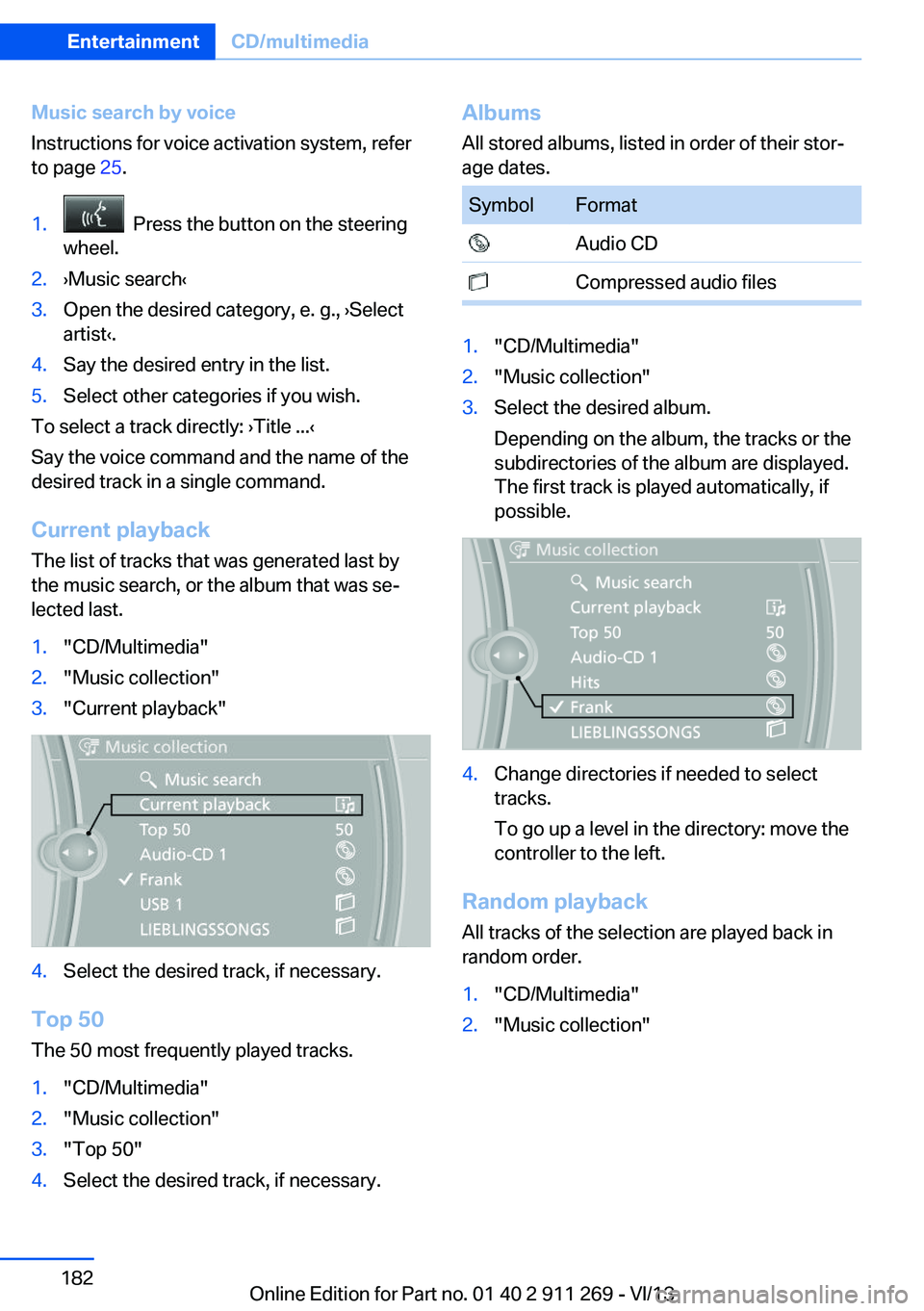
Current playback The list of tracks that was generated last by
the music search, or the album that was se‐
lected last.
1."CD/Multimedia"2."Music collection"3."Current playback"4.Select the desired track, if necessary.
Top 50
The 50 most frequently played tracks.
1."CD/Multimedia"2."Music collection"3."Top 50"4.Select the desired track, if necessary.Albums All stored albums, listed in order of their stor‐
age dates.SymbolFormat Audio CD Compressed audio files1."CD/Multimedia"2."Music collection"3.Select the desired album.
Depending on the album, the tracks or the
subdirectories of the album are displayed.
The first track is played automatically, if
possible.4.Change directories if needed to select
tracks.
To go up a level in the directory: move the
controller to the left.
Random playback
All tracks of the selection are played back in
random order.
1."CD/Multimedia"2."Music collection"Seite 182EntertainmentCD/multimedia182
Online Edition for Part no. 01 40 2 911 269 - VI/13
Page 183 of 295
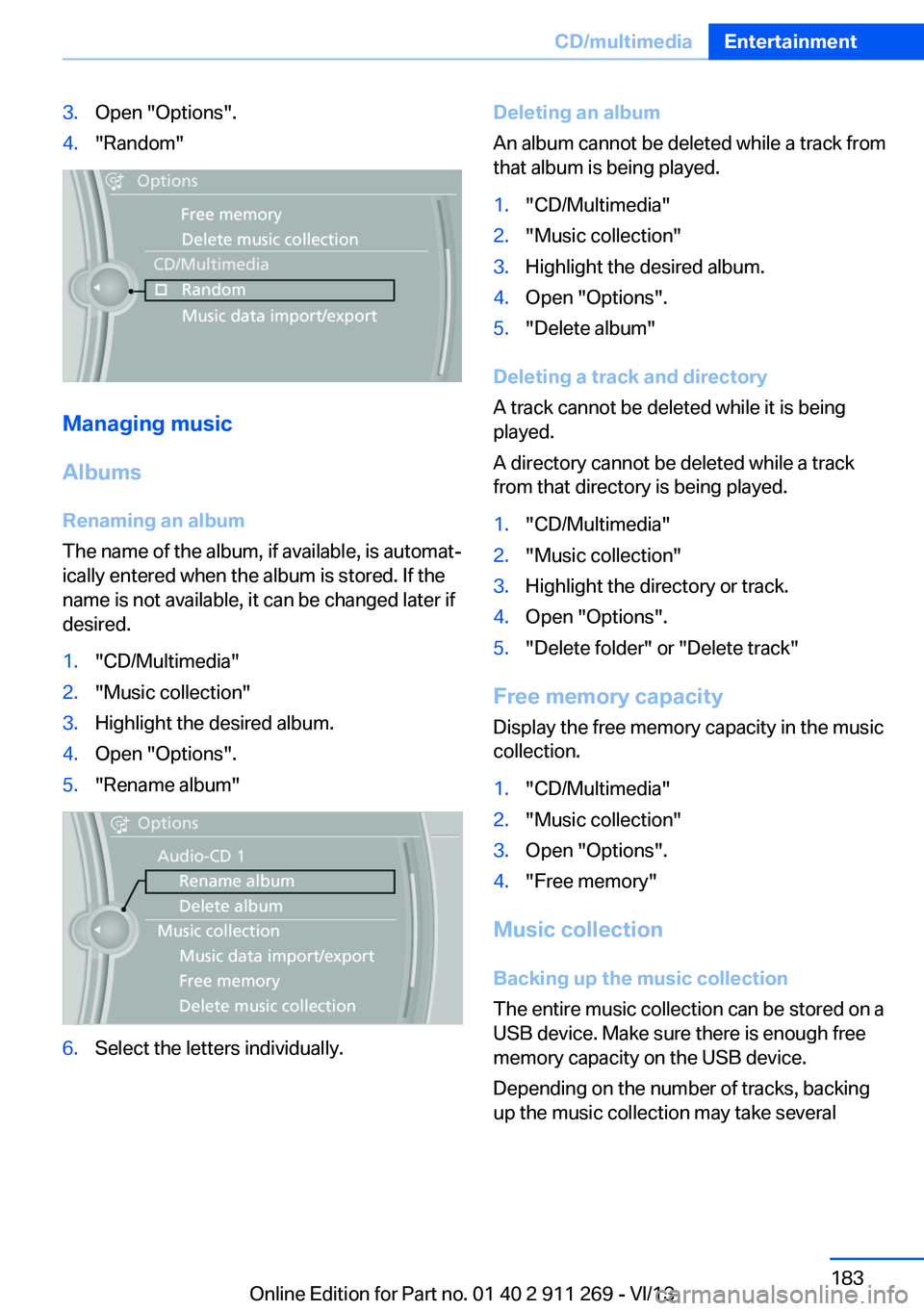
3.Open "Options".4."Random"
Managing music
Albums Renaming an album
The name of the album, if available, is automat‐
ically entered when the album is stored. If the
name is not available, it can be changed later if
desired.
1."CD/Multimedia"2."Music collection"3.Highlight the desired album.4.Open "Options".5."Rename album"6.Select the letters individually.Deleting an album
An album cannot be deleted while a track from
that album is being played.1."CD/Multimedia"2."Music collection"3.Highlight the desired album.4.Open "Options".5."Delete album"
Deleting a track and directory
A track cannot be deleted while it is being
played.
A directory cannot be deleted while a track
from that directory is being played.
1."CD/Multimedia"2."Music collection"3.Highlight the directory or track.4.Open "Options".5."Delete folder" or "Delete track"
Free memory capacity
Display the free memory capacity in the music
collection.
1."CD/Multimedia"2."Music collection"3.Open "Options".4."Free memory"
Music collection
Backing up the music collection
The entire music collection can be stored on a
USB device. Make sure there is enough free
memory capacity on the USB device.
Depending on the number of tracks, backing
up the music collection may take several
Seite 183CD/multimediaEntertainment183
Online Edition for Part no. 01 40 2 911 269 - VI/13
Page 189 of 295
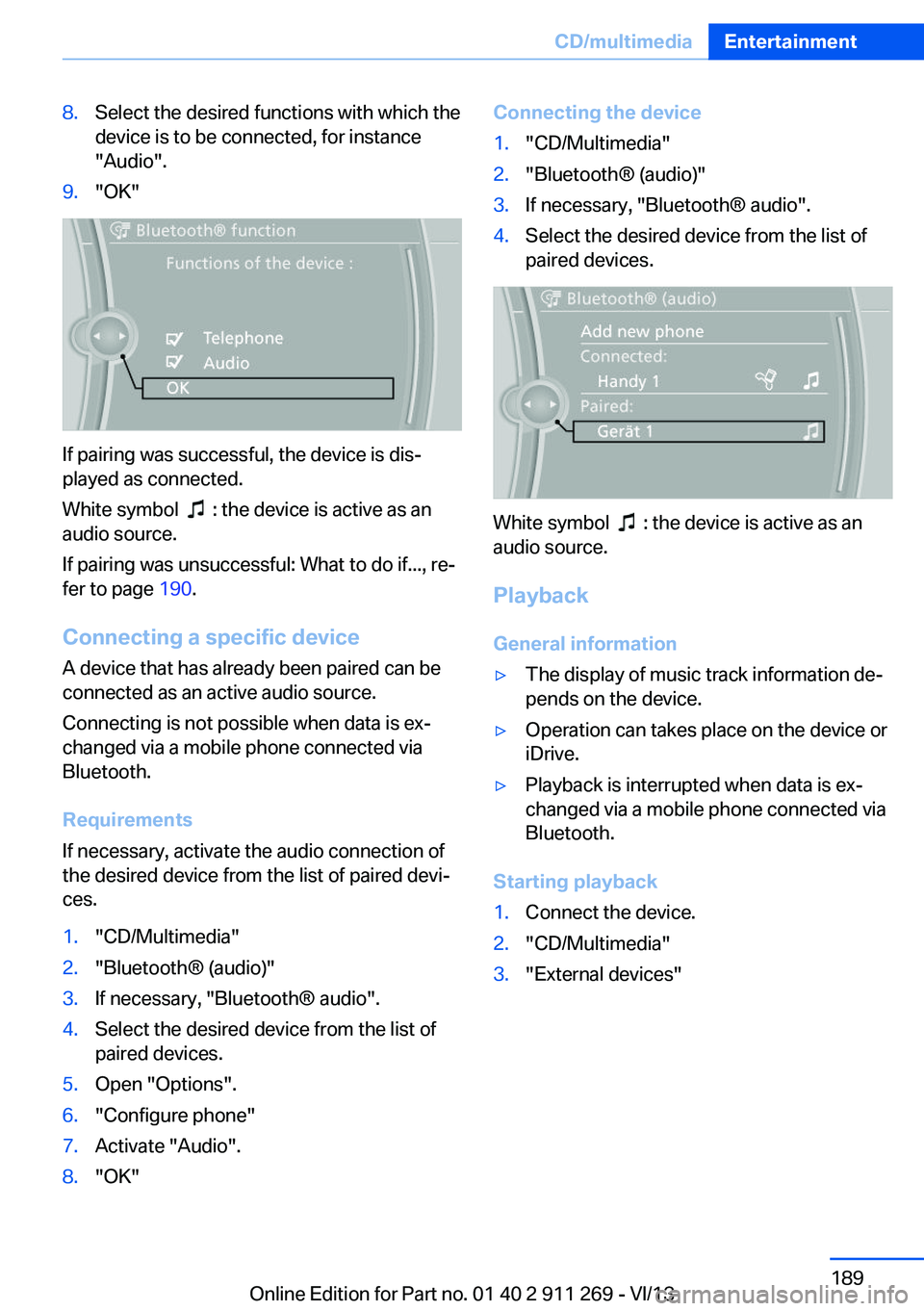
8.Select the desired functions with which the
device is to be connected, for instance
"Audio".9."OK"
If pairing was successful, the device is dis‐
played as connected.
White symbol
: the device is active as an
audio source.
If pairing was unsuccessful: What to do if..., re‐
fer to page 190.
Connecting a specific device A device that has already been paired can be
connected as an active audio source.
Connecting is not possible when data is ex‐
changed via a mobile phone connected via
Bluetooth.
Requirements
If necessary, activate the audio connection of
the desired device from the list of paired devi‐
ces.
1."CD/Multimedia"2."Bluetooth® (audio)"3.If necessary, "Bluetooth® audio".4.Select the desired device from the list of
paired devices.5.Open "Options".6."Configure phone"7.Activate "Audio".8."OK"Connecting the device1."CD/Multimedia"2."Bluetooth® (audio)"3.If necessary, "Bluetooth® audio".4.Select the desired device from the list of
paired devices.
White symbol : the device is active as an
audio source.
Playback General information
▷The display of music track information de‐
pends on the device.▷Operation can takes place on the device or
iDrive.▷Playback is interrupted when data is ex‐
changed via a mobile phone connected via
Bluetooth.
Starting playback
1.Connect the device.2."CD/Multimedia"3."External devices"Seite 189CD/multimediaEntertainment189
Online Edition for Part no. 01 40 2 911 269 - VI/13
Page 250 of 295
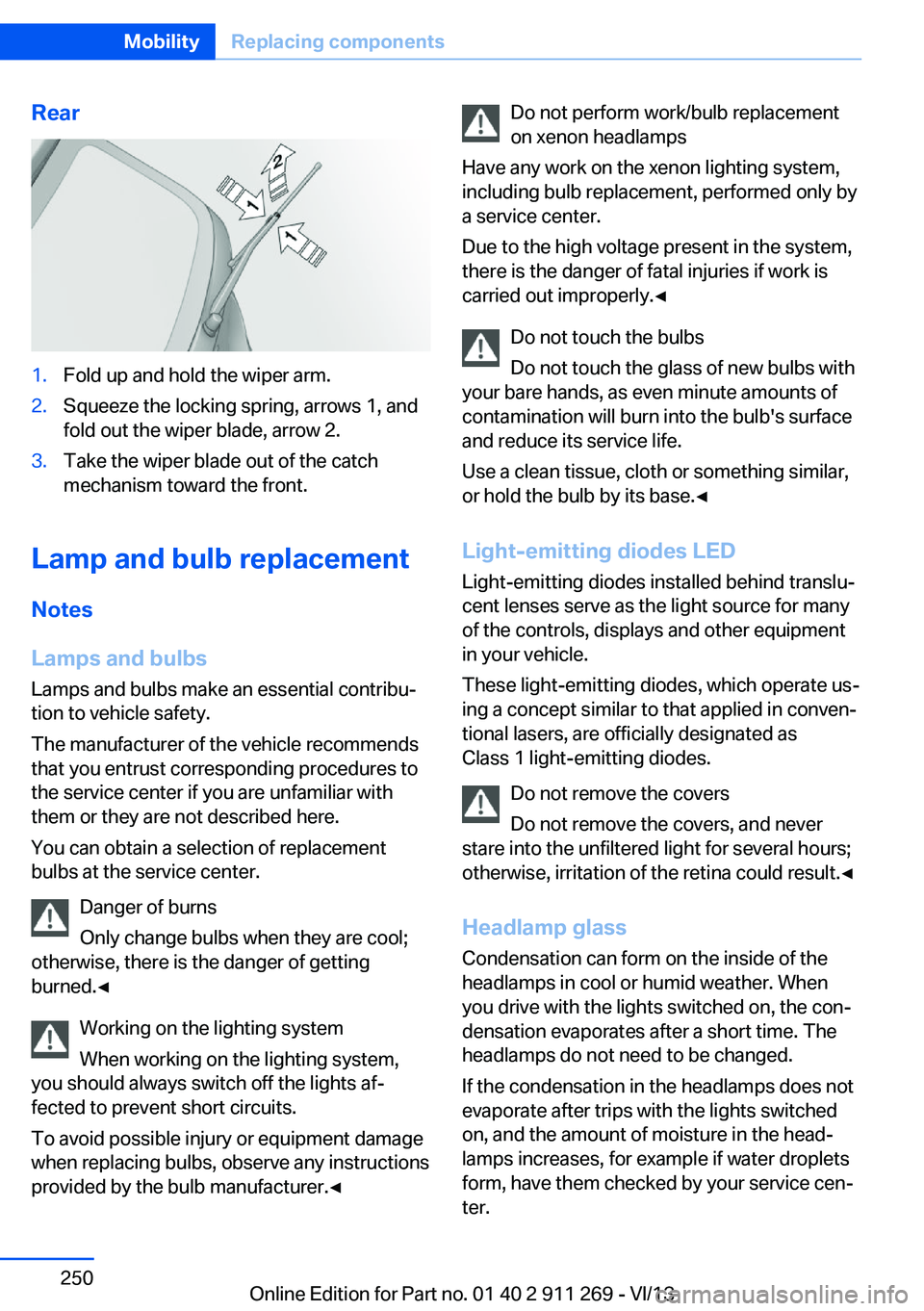
Rear1.Fold up and hold the wiper arm.2.Squeeze the locking spring, arrows 1, and
fold out the wiper blade, arrow 2.3.Take the wiper blade out of the catch
mechanism toward the front.
Lamp and bulb replacement
Notes
Lamps and bulbs
Lamps and bulbs make an essential contribu‐
tion to vehicle safety.
The manufacturer of the vehicle recommends
that you entrust corresponding procedures to
the service center if you are unfamiliar with them or they are not described here.
You can obtain a selection of replacement
bulbs at the service center.
Danger of burns
Only change bulbs when they are cool;
otherwise, there is the danger of getting
burned.◀
Working on the lighting system
When working on the lighting system,
you should always switch off the lights af‐
fected to prevent short circuits.
To avoid possible injury or equipment damage
when replacing bulbs, observe any instructions
provided by the bulb manufacturer.◀
Do not perform work/bulb replacement
on xenon headlamps
Have any work on the xenon lighting system,
including bulb replacement, performed only by
a service center.
Due to the high voltage present in the system,
there is the danger of fatal injuries if work is
carried out improperly.◀
Do not touch the bulbs
Do not touch the glass of new bulbs with
your bare hands, as even minute amounts of
contamination will burn into the bulb's surface
and reduce its service life.
Use a clean tissue, cloth or something similar,
or hold the bulb by its base.◀
Light-emitting diodes LED
Light-emitting diodes installed behind translu‐
cent lenses serve as the light source for many
of the controls, displays and other equipment
in your vehicle.
These light-emitting diodes, which operate us‐
ing a concept similar to that applied in conven‐
tional lasers, are officially designated as
Class 1 light-emitting diodes.
Do not remove the covers
Do not remove the covers, and never
stare into the unfiltered light for several hours; otherwise, irritation of the retina could result.◀
Headlamp glass
Condensation can form on the inside of the
headlamps in cool or humid weather. When
you drive with the lights switched on, the con‐
densation evaporates after a short time. The
headlamps do not need to be changed.
If the condensation in the headlamps does not
evaporate after trips with the lights switched
on, and the amount of moisture in the head‐
lamps increases, for example if water droplets
form, have them checked by your service cen‐
ter.Seite 250MobilityReplacing components250
Online Edition for Part no. 01 40 2 911 269 - VI/13
Page 252 of 295
7.Insert the new bulb.8.Fold up the wire bracket and lock it.9.Plug in the connector.10.Reattach the cover.11.Low beam: attach the folding cover in the
wheel arch.
Parking and roadside parking lamps
5-watt bulb, W5W
1.Switch off the lamps and take the remote
control out of the ignition lock.2.Remove the high beam cover, refer to
page 251.3.Pull out the bulb socket, see arrow.4.Pull off the bulb and replace it.5.Insert the bulb socket.6.Reattach the cover.
Xenon headlamps
Xenon headlamps Because of the long life of these bulbs, the
likelihood of failure is very low. Switching the
lamps on and off frequently shortens their life.
If a xenon bulb fails, switch on the front fog
lamps and continue the trip with great care.
Comply with local regulations.
Do not perform work/bulb replacement
on xenon headlamps
Have any work on the xenon lighting system,
including bulb replacement, performed only by
a service center.
Due to the high voltage present in the system,
there is the danger of fatal injuries if work is
carried out improperly.◀
Parking lamps and roadside parkinglamps, daytime running lights
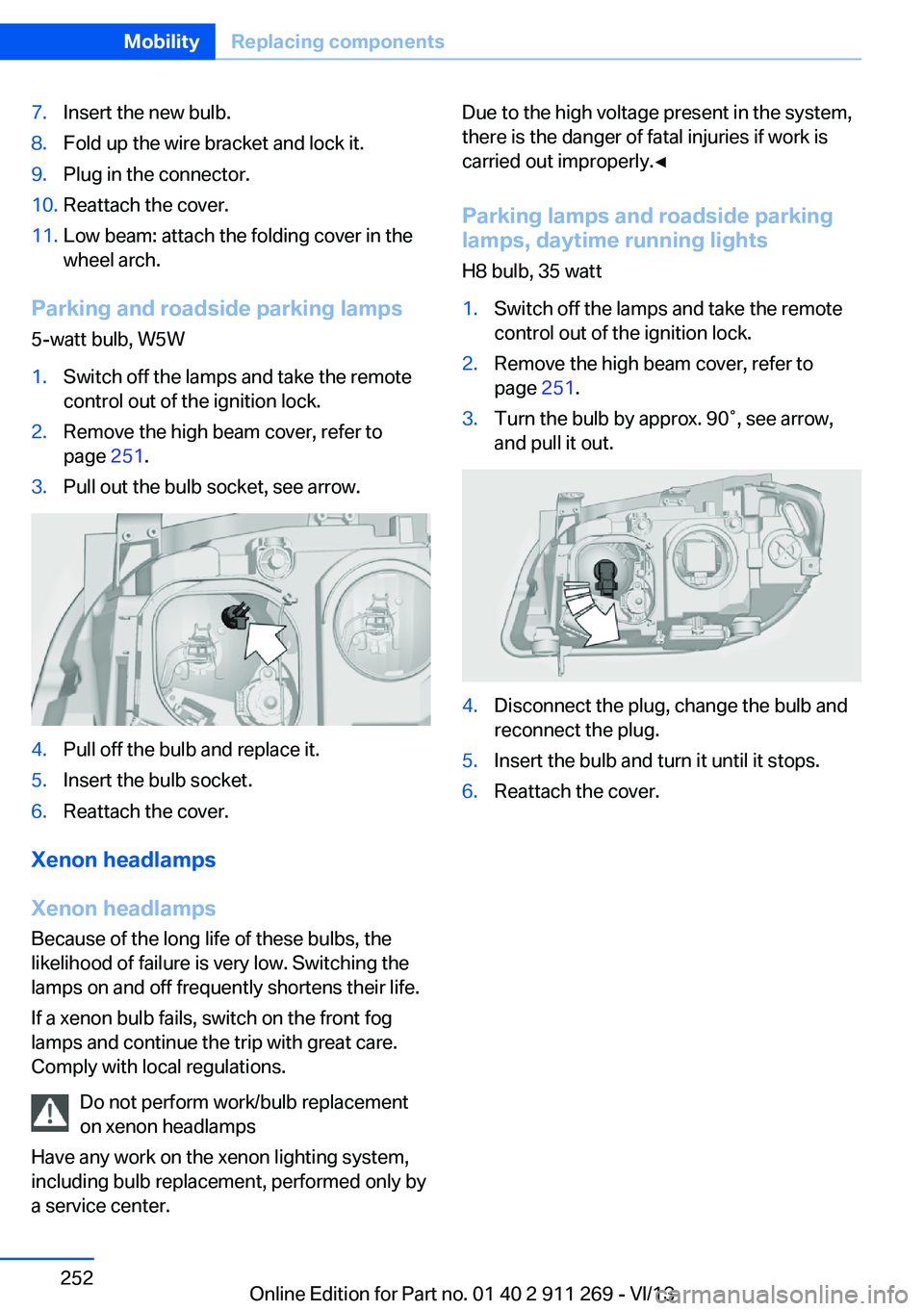
H8 bulb, 35 watt1.Switch off the lamps and take the remote
control out of the ignition lock.2.Remove the high beam cover, refer to
page 251.3.Turn the bulb by approx. 90˚, see arrow,
and pull it out.4.Disconnect the plug, change the bulb and
reconnect the plug.5.Insert the bulb and turn it until it stops.6.Reattach the cover.Seite 252MobilityReplacing components252
Online Edition for Part no. 01 40 2 911 269 - VI/13
Page 282 of 295
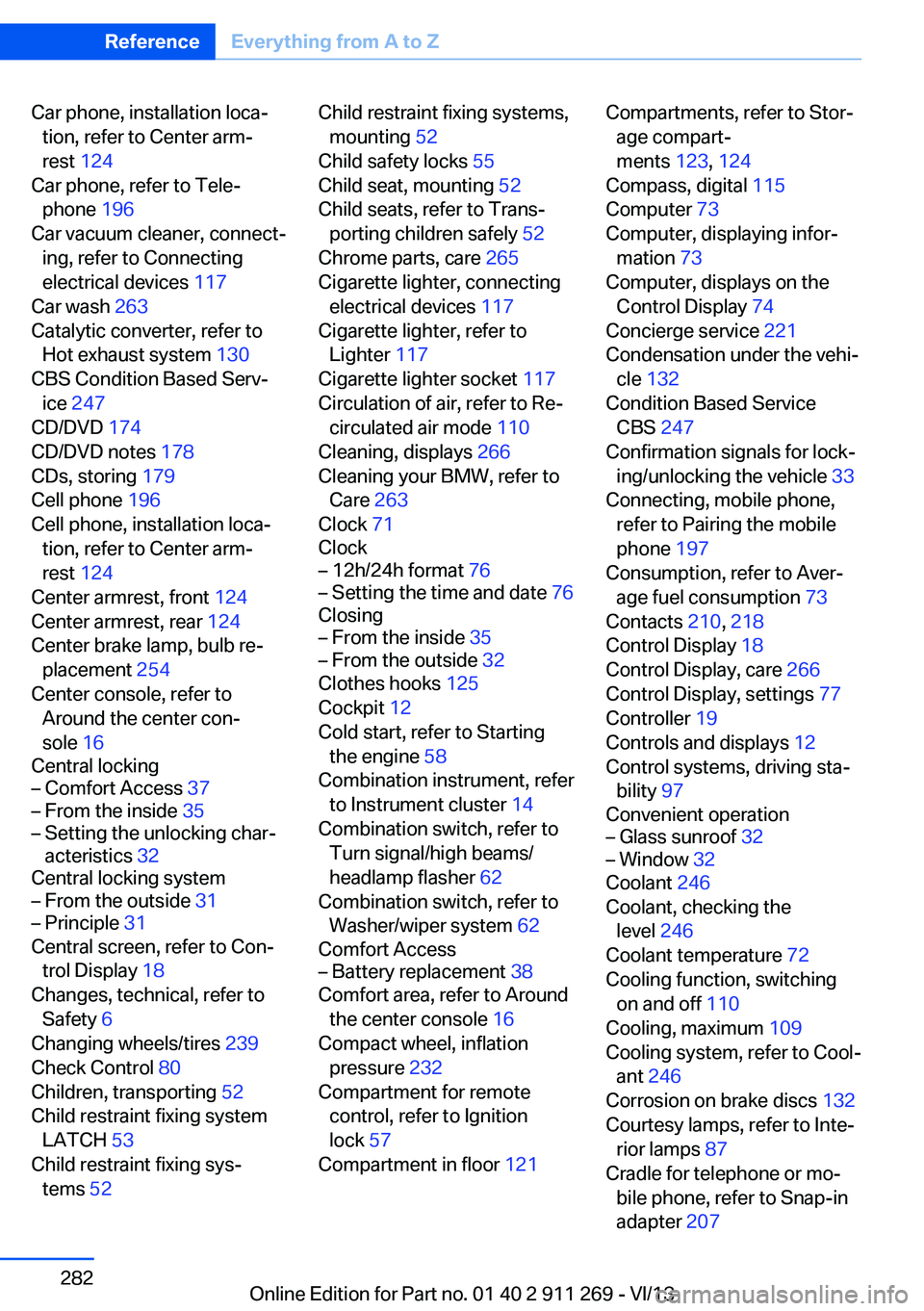
Car phone, installation loca‐tion, refer to Center arm‐
rest 124
Car phone, refer to Tele‐ phone 196
Car vacuum cleaner, connect‐ ing, refer to Connecting
electrical devices 117
Car wash 263
Catalytic converter, refer to Hot exhaust system 130
CBS Condition Based Serv‐ ice 247
CD/DVD 174
CD/DVD notes 178
CDs, storing 179
Cell phone 196
Cell phone, installation loca‐ tion, refer to Center arm‐
rest 124
Center armrest, front 124
Center armrest, rear 124
Center brake lamp, bulb re‐ placement 254
Center console, refer to Around the center con‐
sole 16
Central locking– Comfort Access 37– From the inside 35– Setting the unlocking char‐
acteristics 32
Central locking system
– From the outside 31– Principle 31
Central screen, refer to Con‐
trol Display 18
Changes, technical, refer to Safety 6
Changing wheels/tires 239
Check Control 80
Children, transporting 52
Child restraint fixing system LATCH 53
Child restraint fixing sys‐ tems 52
Child restraint fixing systems,
mounting 52
Child safety locks 55
Child seat, mounting 52
Child seats, refer to Trans‐ porting children safely 52
Chrome parts, care 265
Cigarette lighter, connecting electrical devices 117
Cigarette lighter, refer to Lighter 117
Cigarette lighter socket 117
Circulation of air, refer to Re‐ circulated air mode 110
Cleaning, displays 266
Cleaning your BMW, refer to Care 263
Clock 71
Clock– 12h/24h format 76– Setting the time and date 76
Closing
– From the inside 35– From the outside 32
Clothes hooks 125
Cockpit 12
Cold start, refer to Starting the engine 58
Combination instrument, refer to Instrument cluster 14
Combination switch, refer to Turn signal/high beams/
headlamp flasher 62
Combination switch, refer to Washer/wiper system 62
Comfort Access
– Battery replacement 38
Comfort area, refer to Around
the center console 16
Compact wheel, inflation pressure 232
Compartment for remote control, refer to Ignition
lock 57
Compartment in floor 121
Compartments, refer to Stor‐
age compart‐
ments 123, 124
Compass, digital 115
Computer 73
Computer, displaying infor‐ mation 73
Computer, displays on the Control Display 74
Concierge service 221
Condensation under the vehi‐ cle 132
Condition Based Service CBS 247
Confirmation signals for lock‐ ing/unlocking the vehicle 33
Connecting, mobile phone, refer to Pairing the mobile
phone 197
Consumption, refer to Aver‐ age fuel consumption 73
Contacts 210, 218
Control Display 18
Control Display, care 266
Control Display, settings 77
Controller 19
Controls and displays 12
Control systems, driving sta‐ bility 97
Convenient operation– Glass sunroof 32– Window 32
Coolant 246
Coolant, checking the level 246
Coolant temperature 72
Cooling function, switching on and off 110
Cooling, maximum 109
Cooling system, refer to Cool‐ ant 246
Corrosion on brake discs 132
Courtesy lamps, refer to Inte‐ rior lamps 87
Cradle for telephone or mo‐ bile phone, refer to Snap-in
adapter 207
Seite 282ReferenceEverything from A to Z282
Online Edition for Part no. 01 40 2 911 269 - VI/13
Page 285 of 295
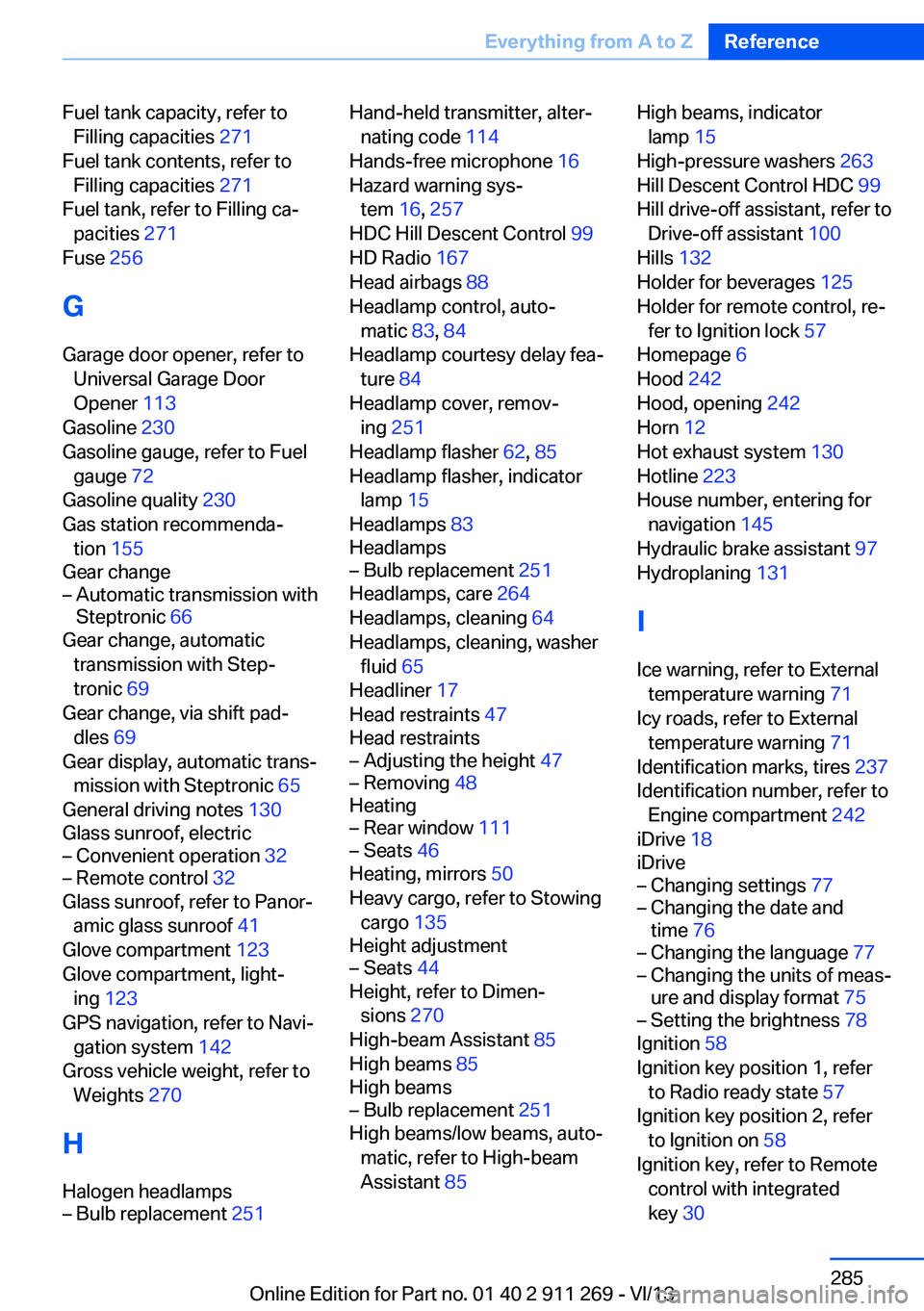
Fuel tank capacity, refer toFilling capacities 271
Fuel tank contents, refer to Filling capacities 271
Fuel tank, refer to Filling ca‐ pacities 271
Fuse 256
G
Garage door opener, refer to Universal Garage Door
Opener 113
Gasoline 230
Gasoline gauge, refer to Fuel gauge 72
Gasoline quality 230
Gas station recommenda‐ tion 155
Gear change– Automatic transmission with
Steptronic 66
Gear change, automatic
transmission with Step‐
tronic 69
Gear change, via shift pad‐ dles 69
Gear display, automatic trans‐ mission with Steptronic 65
General driving notes 130
Glass sunroof, electric
– Convenient operation 32– Remote control 32
Glass sunroof, refer to Panor‐
amic glass sunroof 41
Glove compartment 123
Glove compartment, light‐ ing 123
GPS navigation, refer to Navi‐ gation system 142
Gross vehicle weight, refer to Weights 270
H
Halogen headlamps
– Bulb replacement 251Hand-held transmitter, alter‐
nating code 114
Hands-free microphone 16
Hazard warning sys‐ tem 16, 257
HDC Hill Descent Control 99
HD Radio 167
Head airbags 88
Headlamp control, auto‐ matic 83, 84
Headlamp courtesy delay fea‐ ture 84
Headlamp cover, remov‐ ing 251
Headlamp flasher 62, 85
Headlamp flasher, indicator lamp 15
Headlamps 83
Headlamps– Bulb replacement 251
Headlamps, care 264
Headlamps, cleaning 64
Headlamps, cleaning, washer
fluid 65
Headliner 17
Head restraints 47
Head restraints
– Adjusting the height 47– Removing 48
Heating
– Rear window 111– Seats 46
Heating, mirrors 50
Heavy cargo, refer to Stowing cargo 135
Height adjustment
– Seats 44
Height, refer to Dimen‐
sions 270
High-beam Assistant 85
High beams 85
High beams
– Bulb replacement 251
High beams/low beams, auto‐
matic, refer to High-beam
Assistant 85
High beams, indicator
lamp 15
High-pressure washers 263
Hill Descent Control HDC 99
Hill drive-off assistant, refer to Drive-off assistant 100
Hills 132
Holder for beverages 125
Holder for remote control, re‐ fer to Ignition lock 57
Homepage 6
Hood 242
Hood, opening 242
Horn 12
Hot exhaust system 130
Hotline 223
House number, entering for navigation 145
Hydraulic brake assistant 97
Hydroplaning 131
I Ice warning, refer to External temperature warning 71
Icy roads, refer to External temperature warning 71
Identification marks, tires 237
Identification number, refer to Engine compartment 242
iDrive 18
iDrive– Changing settings 77– Changing the date and
time 76– Changing the language 77– Changing the units of meas‐
ure and display format 75– Setting the brightness 78
Ignition 58
Ignition key position 1, refer to Radio ready state 57
Ignition key position 2, refer to Ignition on 58
Ignition key, refer to Remote control with integrated
key 30
Seite 285Everything from A to ZReference285
Online Edition for Part no. 01 40 2 911 269 - VI/13