page 25 BMW X3 2.5I 2004 E83 Owner's Manual
[x] Cancel search | Manufacturer: BMW, Model Year: 2004, Model line: X3 2.5I, Model: BMW X3 2.5I 2004 E83Pages: 132, PDF Size: 3.62 MB
Page 5 of 132
Reference
At a glance
Controls
Driving tips
Mobility
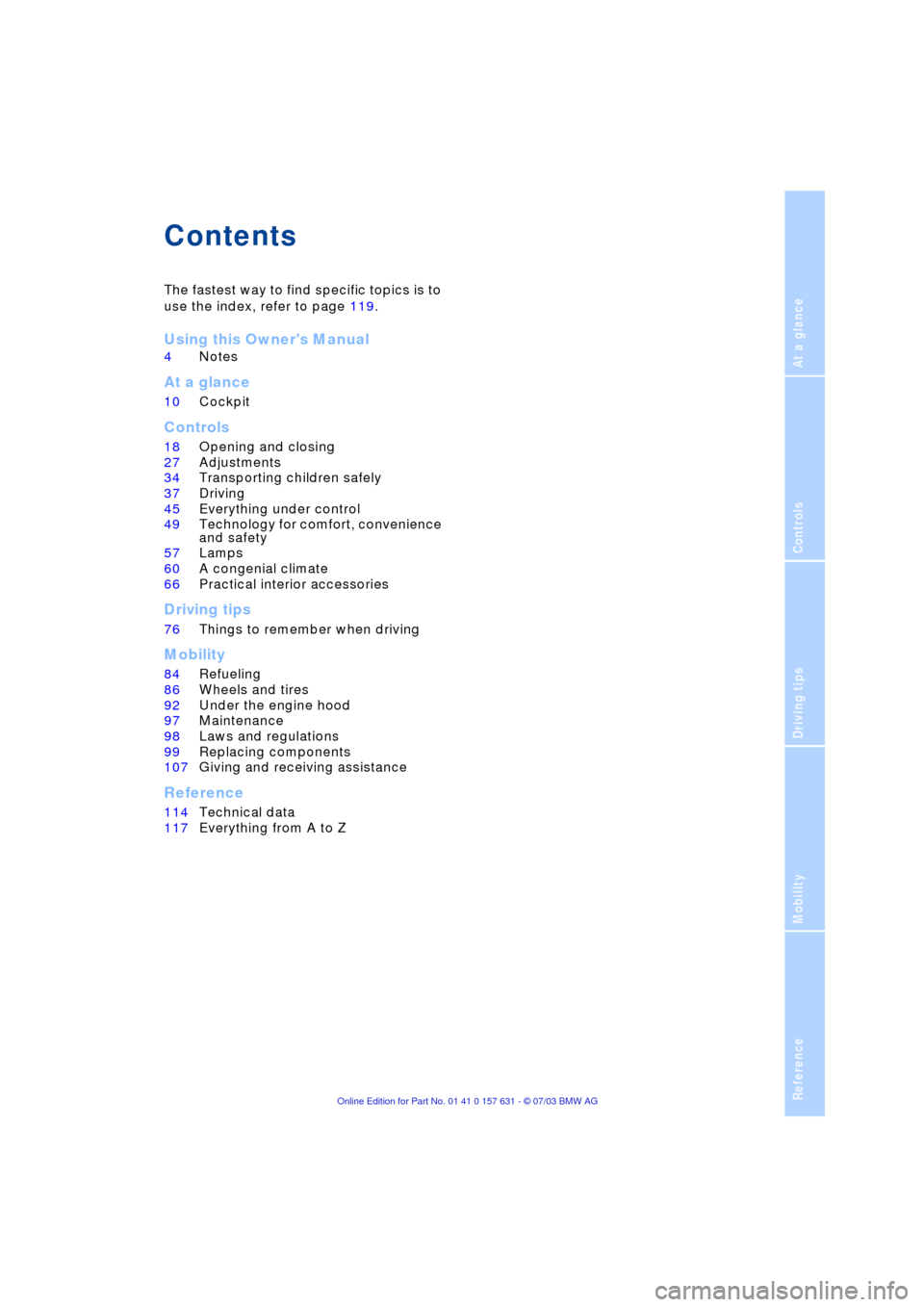
Contents
The fastest way to find specific topics is to
use the index, refer to page 119.
Using this Owner's Manual
4Notes
At a glance
10Cockpit
Controls
18Opening and closing
27Adjustments
34Transporting children safely
37Driving
45Everything under control
49Technology for comfort, convenience
and safety
57Lamps
60A congenial climate
66Practical interior accessories
Driving tips
76Things to remember when driving
Mobility
84Refueling
86Wheels and tires
92Under the engine hood
97Maintenance
98Laws and regulations
99Replacing components
107Giving and receiving assistance
Reference
114Technical data
117Everything from A to Z
Page 6 of 132
Notes
4
Notes
Using this Owner's Manual
We have made every effort to ensure that
you are able to find what you need in this
Owner's Manual as quickly as possible.
The fastest way to find certain topics is by
using the detailed index at the end. For a
brief initial overview, please refer to the first
chapter.
Should you sell your BMW some day,
please remember to hand over the Owner's
Manual as well; it is an important compo-
nent of your vehicle.
Additional sources of information
If you have additional questions, your BMW
Sports Activity Vehicle Center is always
happy to advise you.
You can find information on BMW, e.g.
technology, on the Internet at
www.bmwusa.com.
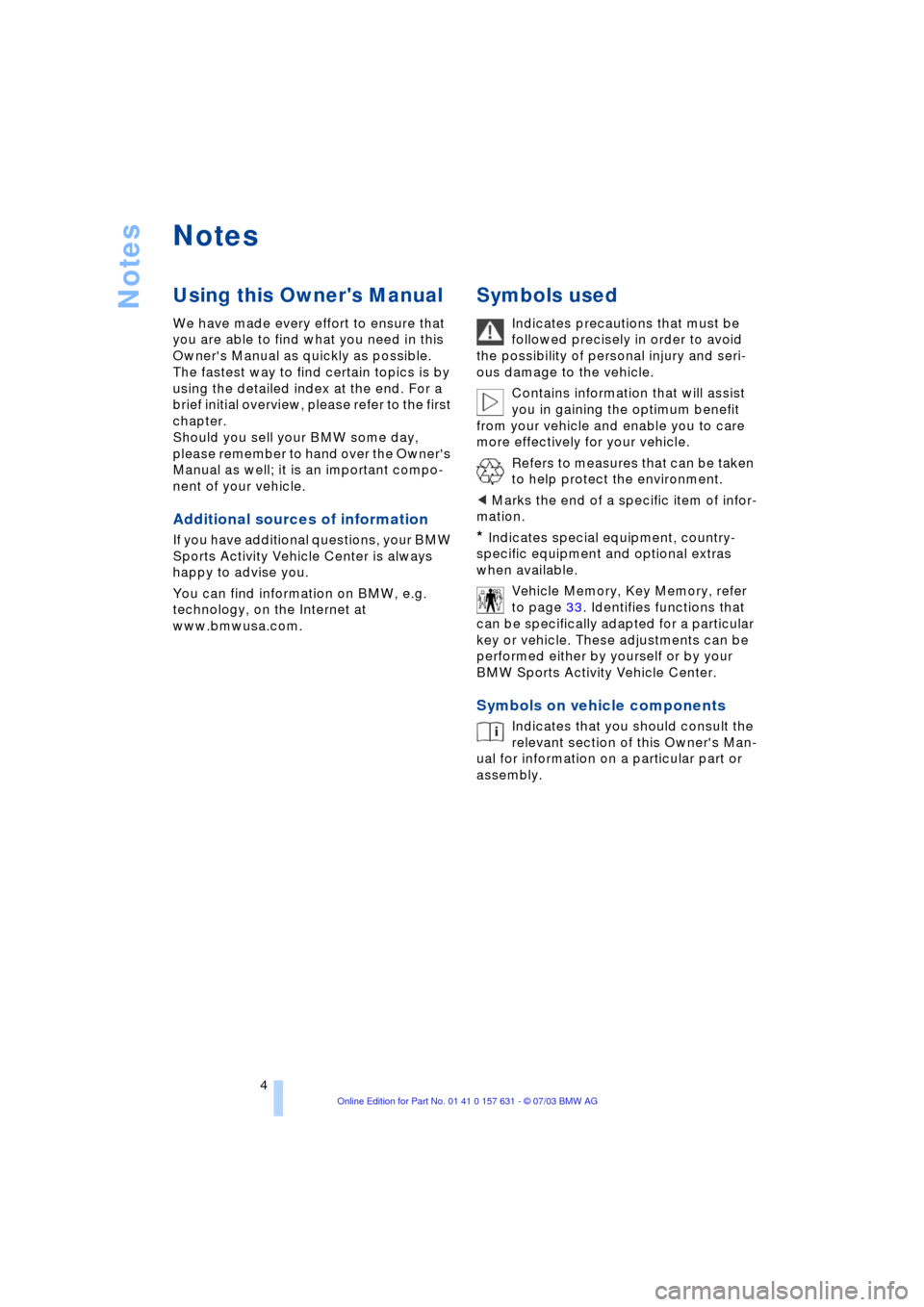
Symbols used
Indicates precautions that must be
followed precisely in order to avoid
the possibility of personal injury and seri-
ous damage to the vehicle.
Contains information that will assist
you in gaining the optimum benefit
from your vehicle and enable you to care
more effectively for your vehicle.
Refers to measures that can be taken
to help protect the environment.
<
Marks the end of a specific item of infor-
mation.
*
Indicates special equipment, country-
specific equipment and optional extras
when available.
Vehicle Memory, Key Memory, refer
to page 33. Identifies functions that
can be specifically adapted for a particular
key or vehicle. These adjustments can be
performed either by yourself or by your
BMW Sports Activity Vehicle Center.
Symbols on vehicle components
Indicates that you should consult the
relevant section of this Owner's Man-
ual for information on a particular part or
assembly.
Page 14 of 132
Cockpit
12
Indicator and warning
lamps
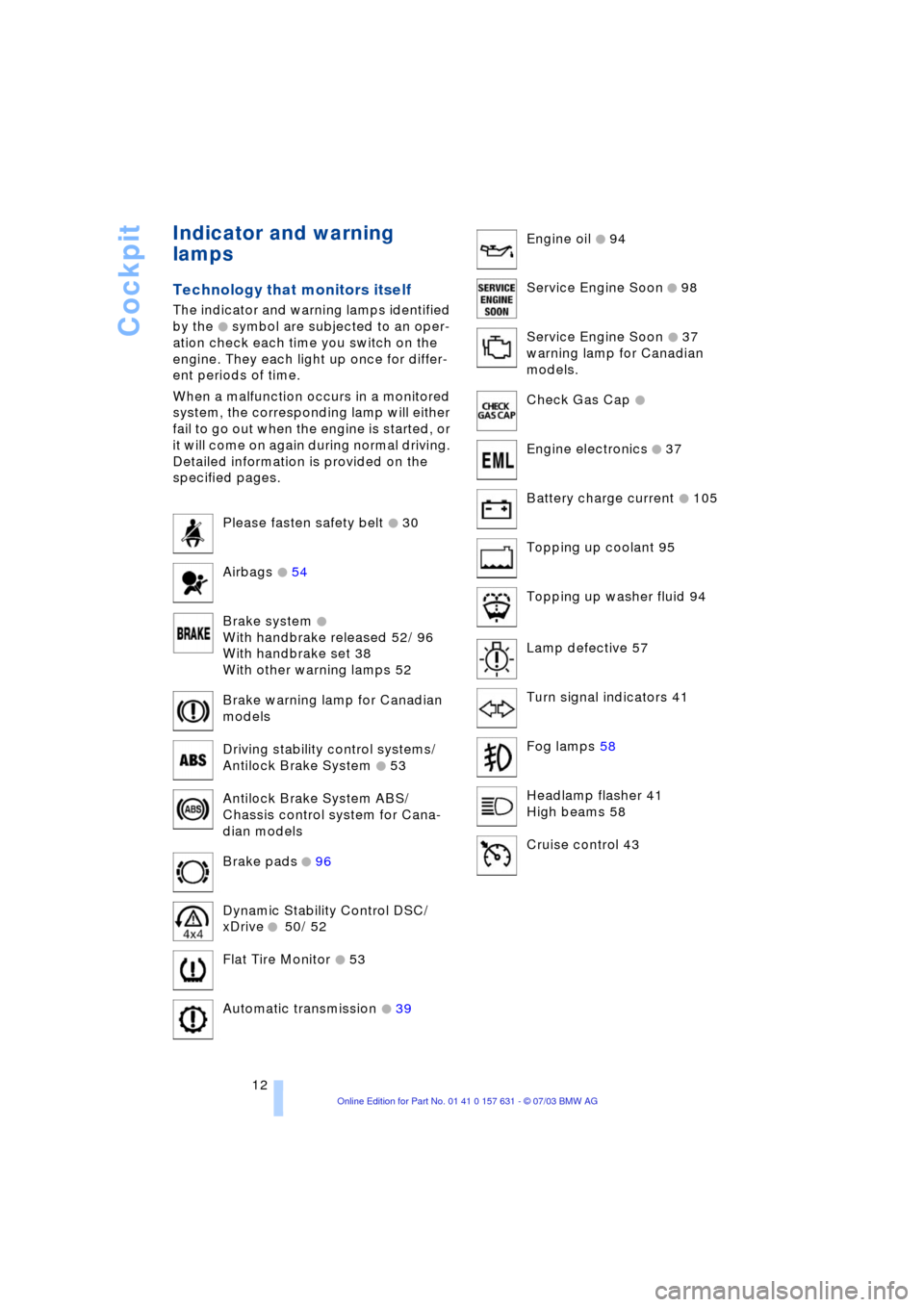
Technology that monitors itself
The indicator and warning lamps identified
by the
+ symbol are subjected to an oper-
ation check each time you switch on the
engine. They each light up once for differ-
ent periods of time.
When a malfunction occurs in a monitored
system, the corresponding lamp will either
fail to go out when the engine is started, or
it will come on again during normal driving.
Detailed information is provided on the
specified pages.
Please fasten safety belt
+ 30
Airbags
+ 54
Brake system
+
With handbrake released 52/ 96
With handbrake set 38
With other warning lamps 52
Brake warning lamp for Canadian
models
Driving stability control systems/
Antilock Brake System
+ 53
Antilock Brake System ABS/
Chassis control system for Cana-
dian models
Brake pads
+ 96
Dynamic Stability Control DSC/
xDrive
+ 50/ 52
Flat Tire Monitor
+ 53
Automatic transmission
+ 39
Engine oil + 94
Service Engine Soon
+ 98
Service Engine Soon
+ 37
warning lamp for Canadian
models.
Check Gas Cap
+
Engine electronics + 37
Battery charge current
+ 105
Topping up coolant 95
Topping up washer fluid 94
Lamp defective 57
Turn signal indicators 41
Fog lamps 58
Headlamp flasher 41
High beams 58
Cruise control 43
Page 16 of 132
Cockpit
14
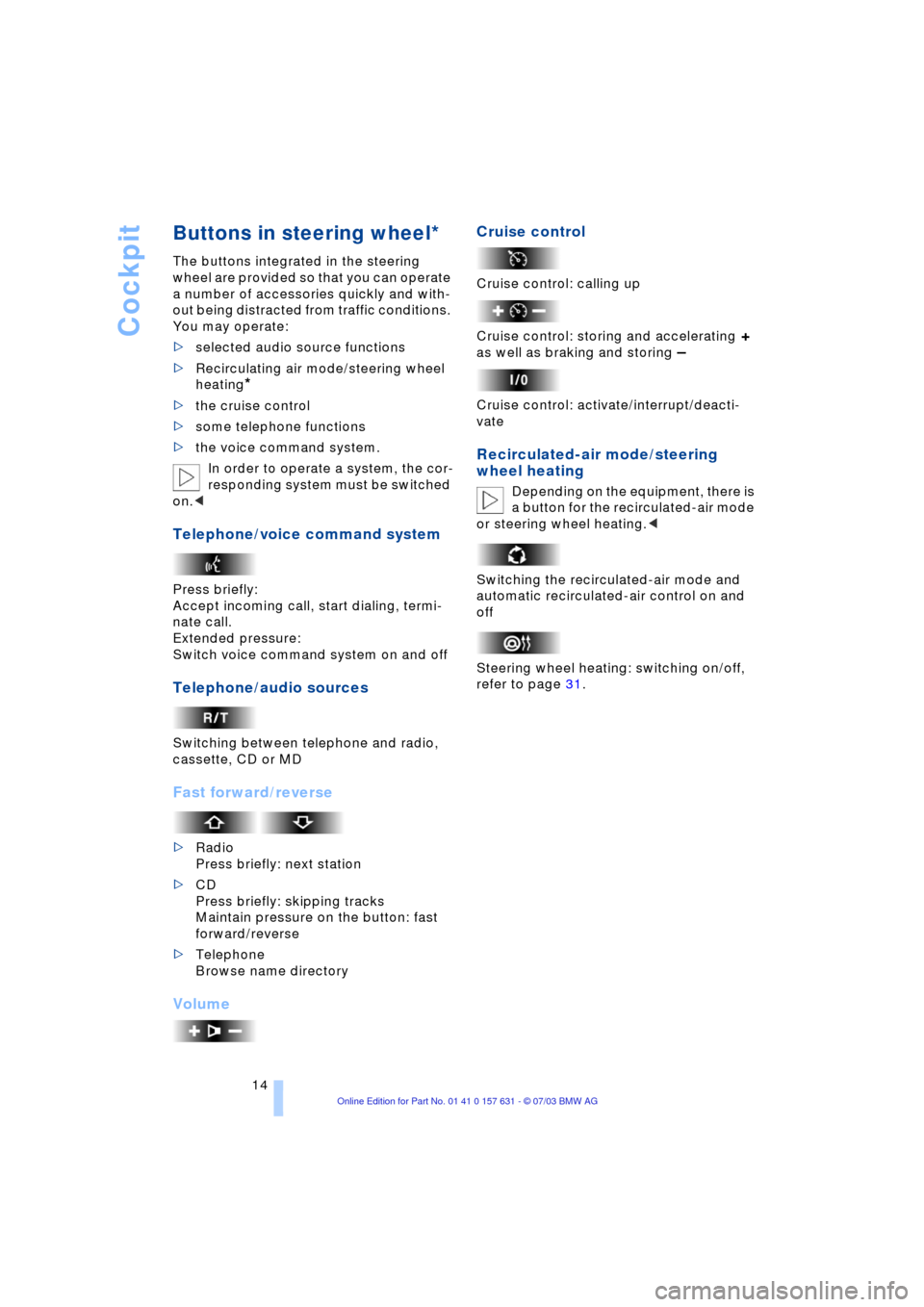
Buttons in steering wheel*
The buttons integrated in the steering
wheel are provided so that you can operate
a number of accessories quickly and with-
out being distracted from traffic conditions.
You may operate:
>selected audio source functions
>Recirculating air mode/steering wheel
heating
*
>the cruise control
>some telephone functions
>the voice command system.
In order to operate a system, the cor-
responding system must be switched
on.<
Telephone/voice command system
Press briefly:
Accept incoming call, start dialing, termi-
nate call.
Extended pressure:
Switch voice command system on and off
Telephone/audio sources
Switching between telephone and radio,
cassette, CD or MD
Fast forward/reverse
>Radio
Press briefly: next station
>CD
Press briefly: skipping tracks
Maintain pressure on the button: fast
forward/reverse
>Telephone
Browse name directory
VolumeCruise control
Cruise control: calling up
Cruise control: storing and accelerating
+
as well as braking and storing
Ð
Cruise control: activate/interrupt/deacti-
vate
Recirculated-air mode/steering
wheel heating
Depending on the equipment, there is
a button for the recirculated-air mode
or steering wheel heating.<
Switching the recirculated-air mode and
automatic recirculated-air control on and
off
Steering wheel heating: switching on/off,
refer to page 31.
Page 20 of 132
Opening and closing
18
Opening and closing
Key set
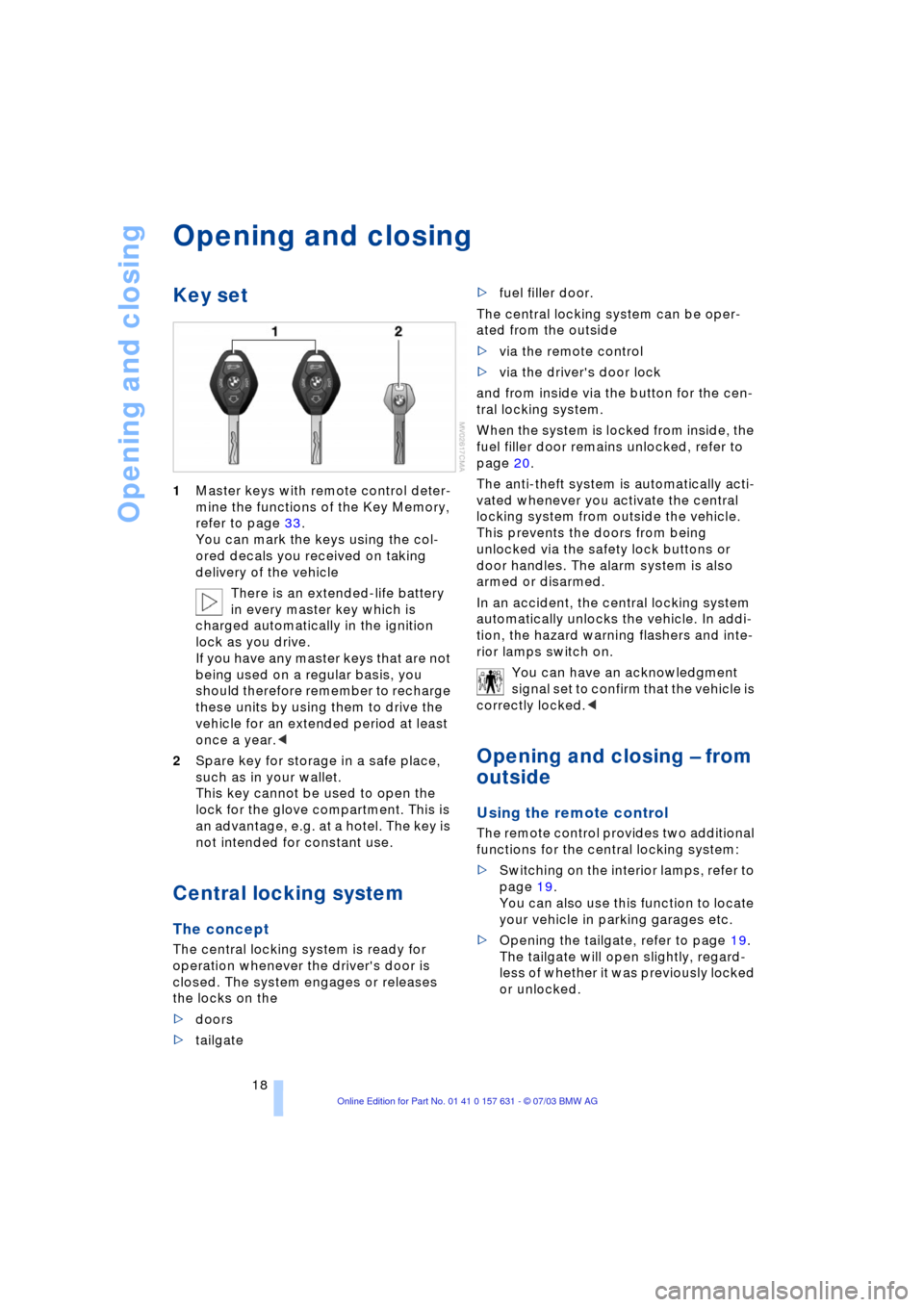
1Master keys with remote control deter-
mine the functions of the Key Memory,
refer to page 33.
You can mark the keys using the col-
ored decals you received on taking
delivery of the vehicle
There is an extended-life battery
in every master key which is
charged automatically in the ignition
lock as you drive.
If you have any master keys that are not
being used on a regular basis, you
should therefore remember to recharge
these units by using them to drive the
vehicle for an extended period at least
once a year.<
2Spare key for storage in a safe place,
such as in your wallet.
This key cannot be used to open the
lock for the glove compartment. This is
an advantage, e.g. at a hotel. The key is
not intended for constant use.
Central locking system
The concept
The central locking system is ready for
operation whenever the driver's door is
closed. The system engages or releases
the locks on the
>doors
>tailgate >fuel filler door.
The central locking system can be oper-
ated from the outside
>via the remote control
>via the driver's door lock
and from inside via the button for the cen-
tral locking system.
When the system is locked from inside, the
fuel filler door remains unlocked, refer to
page 20.
The anti-theft system is automatically acti-
vated whenever you activate the central
locking system from outside the vehicle.
This prevents the doors from being
unlocked via the safety lock buttons or
door handles. The alarm system is also
armed or disarmed.
In an accident, the central locking system
automatically unlocks the vehicle. In addi-
tion, the hazard warning flashers and inte-
rior lamps switch on.
You can have an acknowledgment
signal set to confirm that the vehicle is
correctly locked.<
Opening and closing Ð from
outside
Using the remote control
The remote control provides two additional
functions for the central locking system:
>Switching on the interior lamps, refer to
page 19.
You can also use this function to locate
your vehicle in parking garages etc.
>Opening the tailgate, refer to page 19.
The tailgate will open slightly, regard-
less of whether it was previously locked
or unlocked.
Page 21 of 132
Reference
At a glance
Controls
Driving tips
Mobility
19
In addition, the remote control offers you
another function:
>Panic mode
In case of danger, you can trigger an
alarm.
When you engage/release the vehicle
locks, you simultaneously activate/deacti-
vate the anti-theft system, arm/disarm the
alarm system, and switch the interior lamps
on/off.
As a reminder that the ignition key is
still in the ignition lock after you open
the driver's door, you can have a sound sig-
nal set.<
Protect the remote control against
unauthorized use by handing over
only the spare key, for example when using
hotel valet parking.<
Because any persons or animals left
unattended in a parked vehicle could
lock the doors from the inside, you should
always take the vehicle's keys with you so
that the vehicle can be opened again from
the outside at any time.<
Unlocking
Press the button.
Press the button once to unlock the driverÕs
door only; press a second time to unlock all
remaining doors as well as the tailgate and
the fuel filler door.
Convenience opening mode
Press and hold the button. The windows
and the sliding panel of the panorama glass
roof are opened.
Press the button a second time and hold.
The panorama glass roof is opened.
If you desire, you can have this spe-
cial feature activated/deactivated on
a vehicle-specific basis.<
Locking and securing
Press the button.
If you desire, the vehicle locks auto-
matically if no door or lid is opened
after unlocking. You may have this function
set on a vehicle-specific basis if you wish.<
Switching off the tilt alarm sensor*
and interior motion sensor*
Press the button once again directly
after locking.
For details, refer to page 25.
Switching on the interior lamps
If the vehicle is locked, press the
button.
Panic mode*
By pressing and holding the button for
more than approx. two seconds, you can
trigger the alarm system in response to any
impending danger.
To switch off the alarm: press any of the
buttons.
Unlocking tailgate
Press the button.
The tailgate will open slightly, regardless of
whether it was previously locked or
unlocked.
Before and after a trip, ensure that the
tailgate has not been opened uninten-
tionally.
A previously locked tailgate is also locked
after closing.<
If you desire, the tailgate can only be
opened using the remote control if the
vehicle is unlocked. This can be adjusted.<
Malfunctions
The remote control system may be affected
by other units or equipment operating in
the immediate vicinity of your vehicle.
Should the remote control fail to operate
owing to interference of this kind, you can
respond by using the master key to unlock
your vehicle at one of the doors.
In case of faults, please contact your BMW
Sports Activity Vehicle Center. You can
also obtain replacement keys there.
If it is no longer possible to lock the vehicle
via the remote control, the battery is dis-
charged. Use this remote control during an
extended drive; this will recharge the bat-
tery, refer to page 18.
Page 23 of 132
Reference
At a glance
Controls
Driving tips
Mobility
21
Unlocking and opening the doors
1.Press the button for central locking sys-
tem
2.Pull the respective door handle above
the armrest
or
individually pull on the door handle of each
door twice to unlock and open.
Engaging the locks
>Press button for central locking system
or
>press down the individual safety lock
buttons.
To prevent you from being locked
out, the opened driver's door can-
not be locked using the safety lock but-
ton.<
Because any persons or animals left
unattended in a parked vehicle could
lock the doors from the inside, you should
always take the vehicle's keys with you so
that the vehicle can be opened again from
the outside at any time.<
Tailgate
Opening from outside
Press the button in the handle strip. The
tailgate is unlocked and opens somewhat.
During opening, the tailgate pivots
upward and to the rear. Ensure that
adequate clearance is available before
opening.<
When the tailgate is open, the cargo area
and interior are lit up.
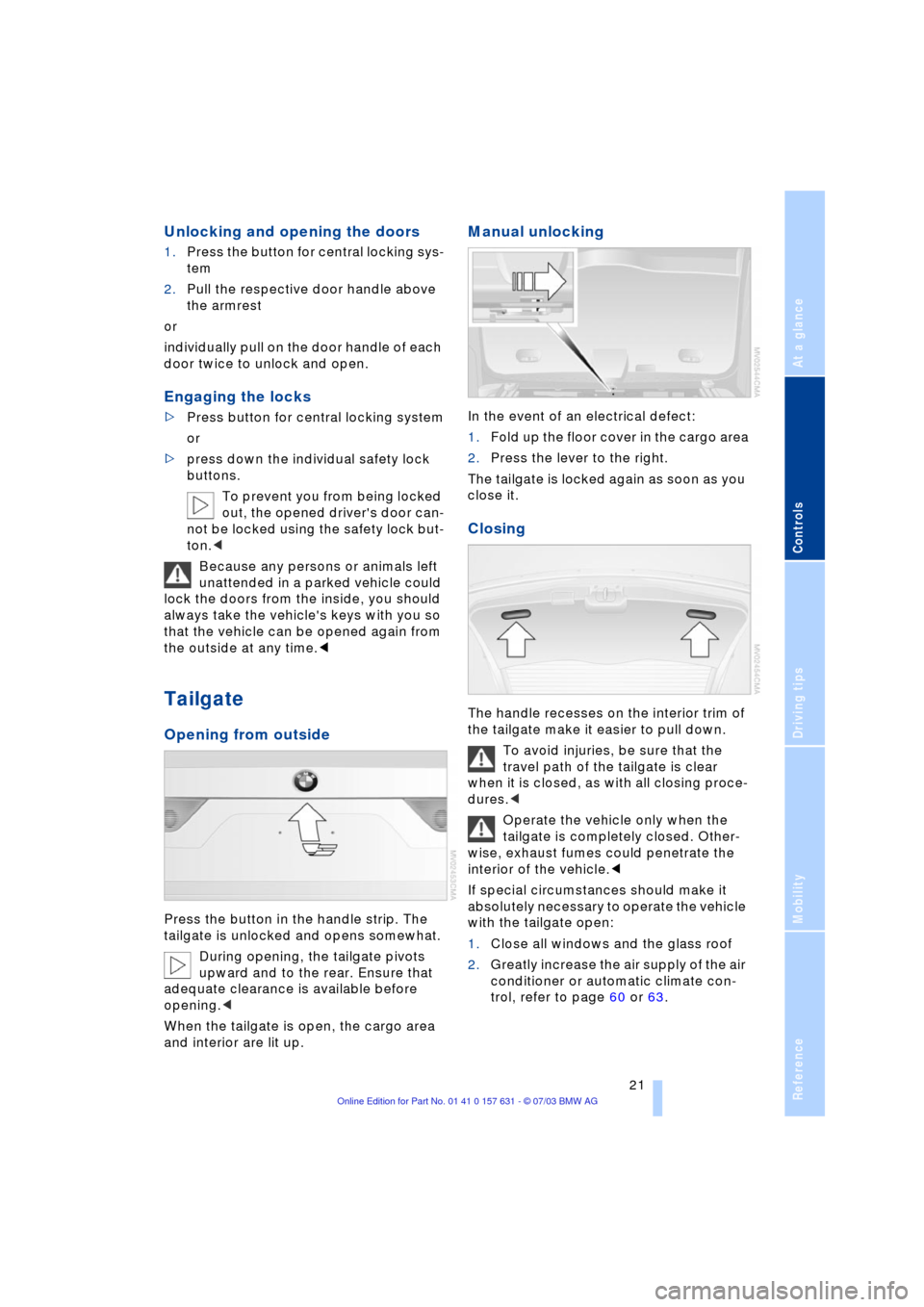
Manual unlocking
In the event of an electrical defect:
1.Fold up the floor cover in the cargo area
2.Press the lever to the right.
The tailgate is locked again as soon as you
close it.
Closing
The handle recesses on the interior trim of
the tailgate make it easier to pull down.
To avoid injuries, be sure that the
travel path of the tailgate is clear
when it is closed, as with all closing proce-
dures.<
Operate the vehicle only when the
tailgate is completely closed. Other-
wise, exhaust fumes could penetrate the
interior of the vehicle.<
If special circumstances should make it
absolutely necessary to operate the vehicle
with the tailgate open:
1.Close all windows and the glass roof
2.Greatly increase the air supply of the air
conditioner or automatic climate con-
trol, refer to page 60 or 63.
Page 24 of 132
Opening and closing
22
Electric power windows
Opening and closing windows
As of ignition key position 1:
>Press the switch up to the resistance
point:
The window continues to move as long
as you continue to press the switch
>Press the switch beyond the resistance
point:
The window moves downward auto-
matically. Briefly press the switch again
to stop the opening movement.
You can close the windows in the same
manner by pulling the switch.
After switching off the ignition
You can operate the electric power win-
dows for up to 15 minutes as long as nei-
ther of the front doors has been opened.
When leaving the vehicle parked,
always remove the remote control
from the ignition lock and close the doors;
this precaution prevents children from
operating the electric power windows and
injuring themselves, etc.<
For convenience operation with the door
lock, refer to page 20.
Anti-trapping mechanism
If the closing force rises beyond a pre-
defined threshold during closing, the sys-
tem will immediately stop moving the win-
dow prior to lowering it slightly.
Despite the anti-trapping mechanism
you should always inspect the win-
dow's travel path prior to closing it, as the
safety system might fail to detect certain kinds of obstructions, such as very thin
objects, and the window would continue
closing.
You can disable the anti-trapping mecha-
nism by pressing the switch beyond the
resistance point and holding it.<
Following interruptions in electrical
power supply
After disconnecting the battery, the anti-
trapping mechanism must be reinitialized.
To do this, open and close the windows
once and continue pull the switch for 2 sec-
onds after closing.
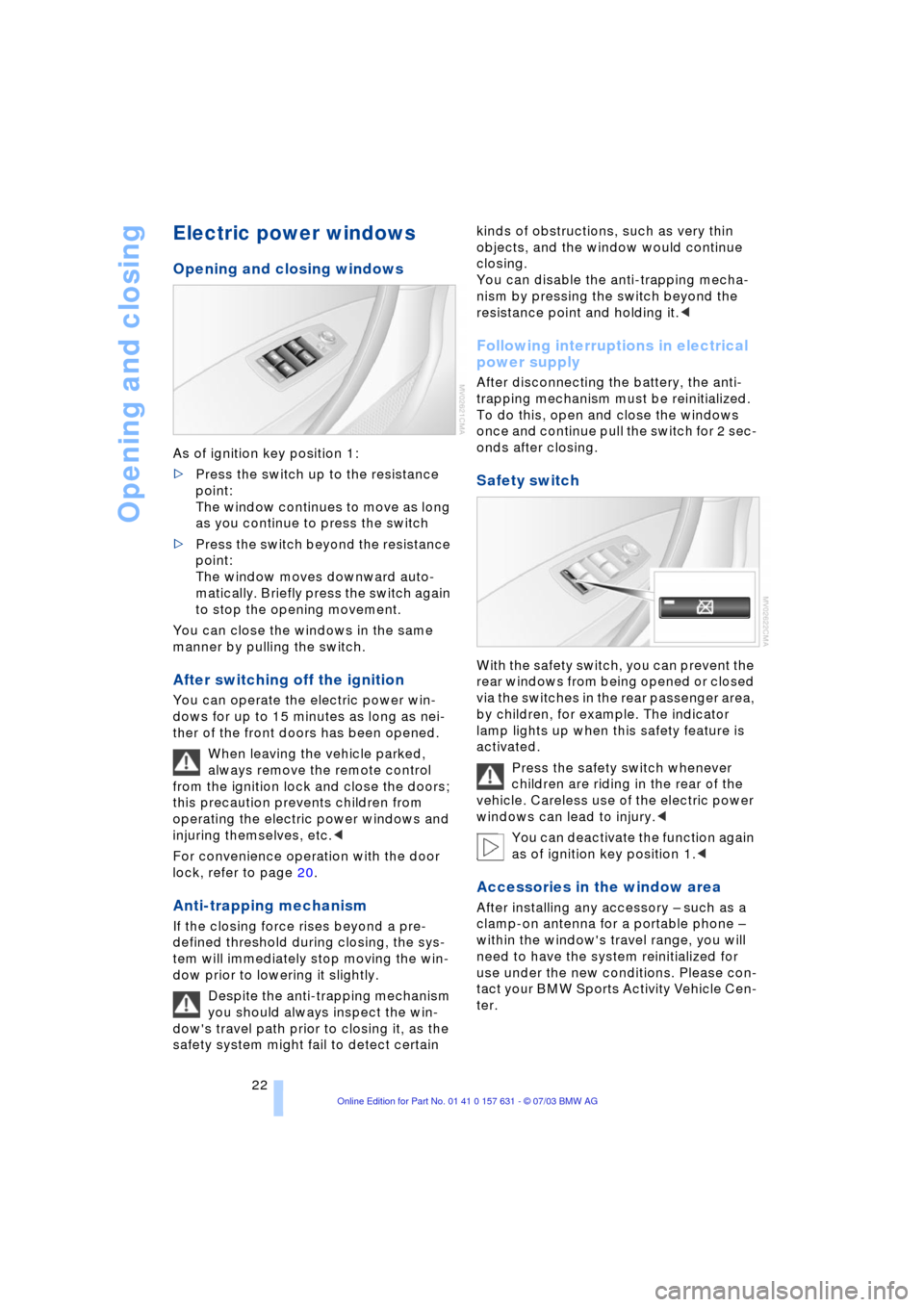
Safety switch
With the safety switch, you can prevent the
rear windows from being opened or closed
via the switches in the rear passenger area,
by children, for example. The indicator
lamp lights up when this safety feature is
activated.
Press the safety switch whenever
children are riding in the rear of the
vehicle. Careless use of the electric power
windows can lead to injury.<
You can deactivate the function again
as of ignition key position 1.<
Accessories in the window area
After installing any accessory Ð such as a
clamp-on antenna for a portable phone Ð
within the window's travel range, you will
need to have the system reinitialized for
use under the new conditions. Please con-
tact your BMW Sports Activity Vehicle Cen-
ter.
Page 26 of 132
Opening and closing
24 If the glass roof and sliding panel are
closed:
Press the switch once.<
Anti-trapping mechanism
If the glass roof and sliding panel encoun-
ter resistance when closing from roughly
one third of the roof opening or when clos-
ing from the raised position, the closing
action is interrupted and the glass roof and
sliding panel reopen a little.
Despite the anti-trapping mechanism
you should always inspect the roof's
travel path prior to closing it, as the safety
system might fail to detect certain kinds of
obstructions, such as very thin objects, and
the window would continue closing.
The anti-trapping mechanism for closing
the panorama glass roof is deactivated if
the switch is pressed beyond the resis-
tance point and held there. The closing
action is interrupted when you release the
switch.<
Following interruptions in electrical
power supply
Following interruptions in electrical power,
for instance, when the battery is discon-
nected, it is possible that the glass roof will
extend to its tilt-up position, but fail to
respond to other commands. For initializa-
tion, please contact your BMW Sports
Activity Vehicle Center.
Manual operation
In the event of an electrical malfunction,
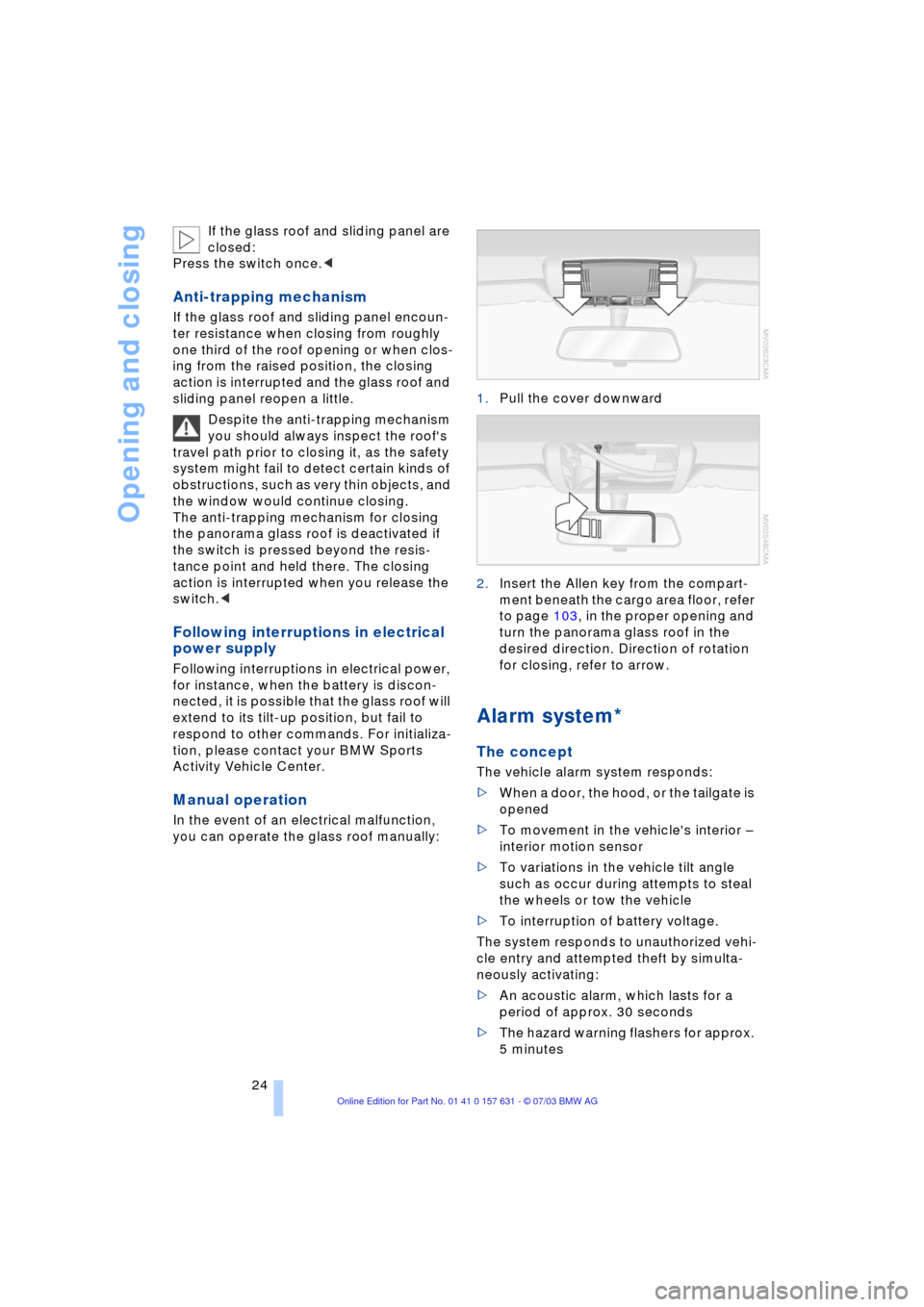
you can operate the glass roof manually:1.Pull the cover downward
2.Insert the Allen key from the compart-
ment beneath the cargo area floor, refer
to page 103, in the proper opening and
turn the panorama glass roof in the
desired direction. Direction of rotation
for closing, refer to arrow.
Alarm system*
The concept
The vehicle alarm system responds:
>When a door, the hood, or the tailgate is
opened
>To movement in the vehicle's interior Ð
interior motion sensor
>To variations in the vehicle tilt angle
such as occur during attempts to steal
the wheels or tow the vehicle
>To interruption of battery voltage.
The system responds to unauthorized vehi-
cle entry and attempted theft by simulta-
neously activating:
>An acoustic alarm, which lasts for a
period of approx. 30 seconds
>The hazard warning flashers for approx.
5 minutes
Page 27 of 132
Reference
At a glance
Controls
Driving tips
Mobility
25
>The high beams, which flash on and off
in the same rhythm.
Arming and disarming the alarm
system
When the vehicle is locked or unlocked
with the key or the remote control, the
alarm system is also simultaneously armed
or disarmed.
If the alarm system has been properly
armed, the hazard warning flashers light up
once.
You can have different acknowledg-
ment signals set to confirm arming
and disarming.<
You can also open the tailgate with the sys-
tem armed using the button on the
remote control, refer to page 19. When you
close the tailgate, the system is rearmed.<
Switching off the alarm
>Unlock the vehicle using the remote
control, refer to page 19
>Turn the ignition key to position 1.
Indicator lamp displays
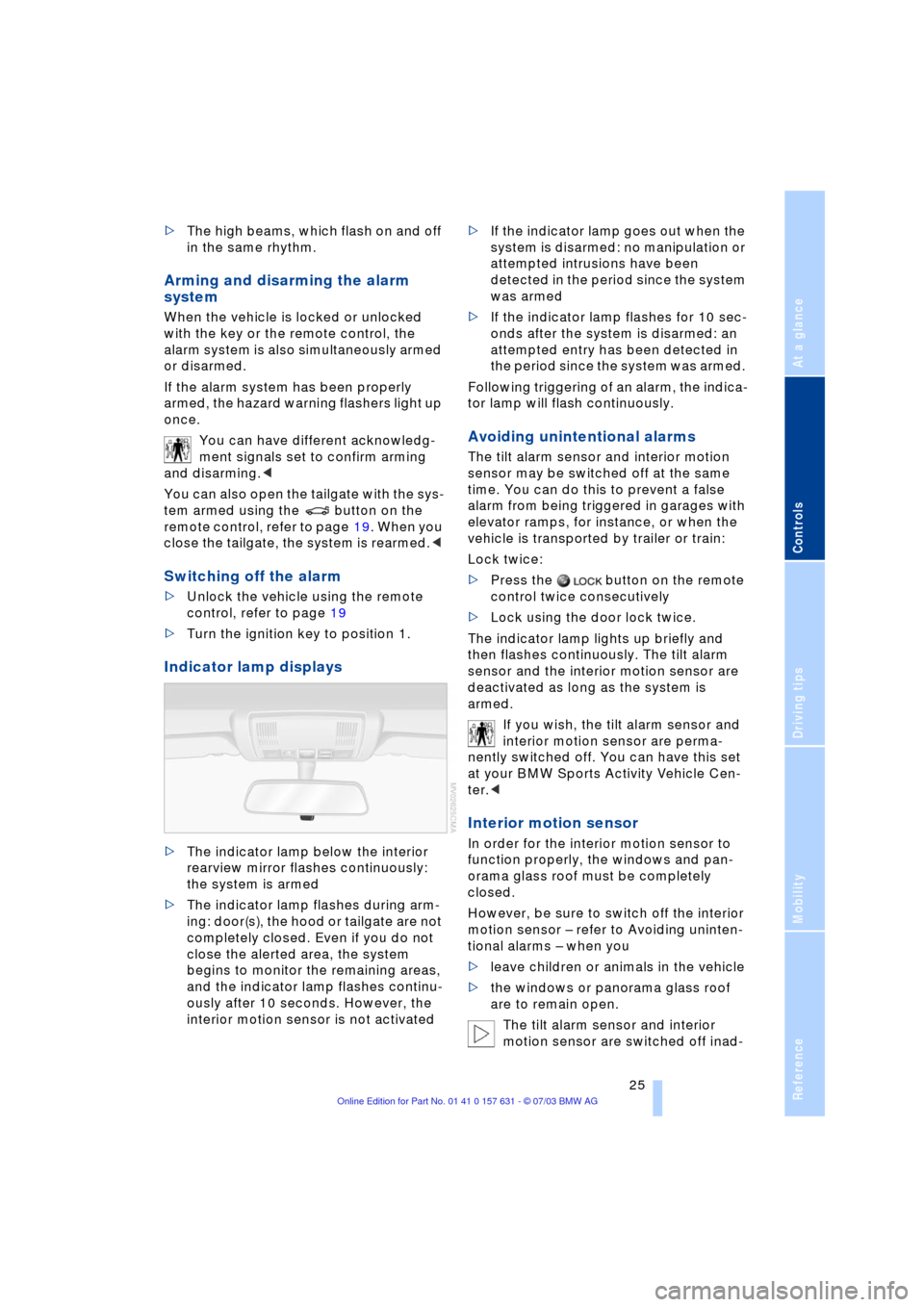
>The indicator lamp below the interior
rearview mirror flashes continuously:
the system is armed
>The indicator lamp flashes during arm-
ing: door(s), the hood or tailgate are not
completely closed. Even if you do not
close the alerted area, the system
begins to monitor the remaining areas,
and the indicator lamp flashes continu-
ously after 10 seconds. However, the
interior motion sensor is not activated >If the indicator lamp goes out when the
system is disarmed: no manipulation or
attempted intrusions have been
detected in the period since the system
was armed
>If the indicator lamp flashes for 10 sec-
onds after the system is disarmed: an
attempted entry has been detected in
the period since the system was armed.
Following triggering of an alarm, the indica-
tor lamp will flash continuously.
Avoiding unintentional alarms
The tilt alarm sensor and interior motion
sensor may be switched off at the same
time. You can do this to prevent a false
alarm from being triggered in garages with
elevator ramps, for instance, or when the
vehicle is transported by trailer or train:
Lock twice:
>Press the button on the remote
control twice consecutively
>Lock using the door lock twice.
The indicator lamp lights up briefly and
then flashes continuously. The tilt alarm
sensor and the interior motion sensor are
deactivated as long as the system is
armed.
If you wish, the tilt alarm sensor and
interior motion sensor are perma-
nently switched off. You can have this set
at your BMW Sports Activity Vehicle Cen-
ter.<
Interior motion sensor
In order for the interior motion sensor to
function properly, the windows and pan-
orama glass roof must be completely
closed.
However, be sure to switch off the interior
motion sensor Ð refer to Avoiding uninten-
tional alarms Ð when you
>leave children or animals in the vehicle
>the windows or panorama glass roof
are to remain open.
The tilt alarm sensor and interior
motion sensor are switched off inad-