Start BMW X3 2011 F25 Workshop Manual
[x] Cancel search | Manufacturer: BMW, Model Year: 2011, Model line: X3, Model: BMW X3 2011 F25Pages: 262, PDF Size: 11.2 MB
Page 194 of 262
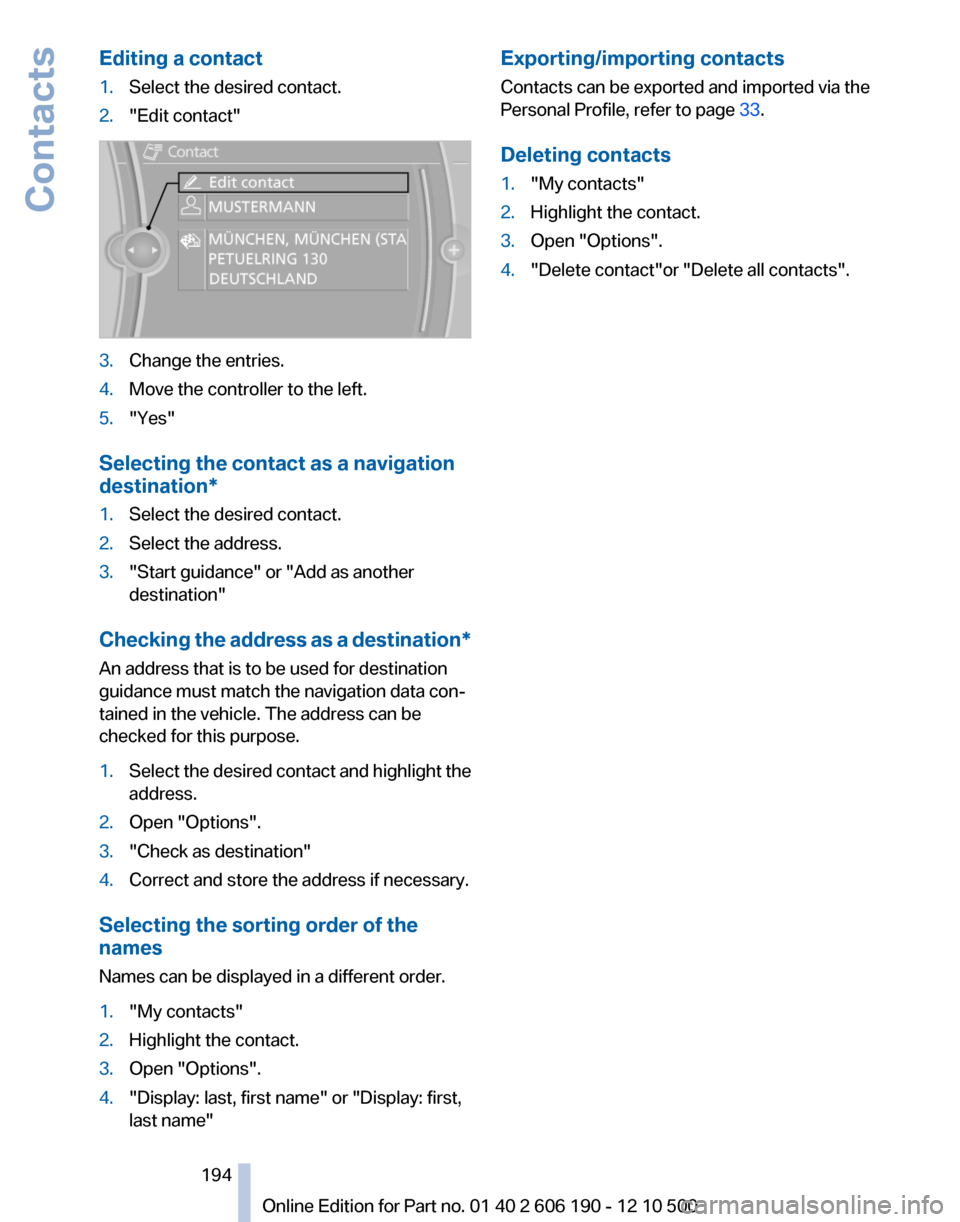
Editing a contact1.Select the desired contact.2."Edit contact"3.Change the entries.4.Move the controller to the left.5."Yes"
Selecting the contact as a navigation
destination*
1.Select the desired contact.2.Select the address.3."Start guidance" or "Add as another
destination"
Checking the address as a destination *
An address that is to be used for destination
guidance must match the navigation data con‐
tained in the vehicle. The address can be
checked for this purpose.
1.Select the desired contact and highlight the
address.2.Open "Options".3."Check as destination"4.Correct and store the address if necessary.
Selecting the sorting order of the
names
Names can be displayed in a different order.
1."My contacts"2.Highlight the contact.3.Open "Options".4."Display: last, first name" or "Display: first,
last name"Exporting/importing contacts
Contacts can be exported and imported via the
Personal Profile, refer to page 33.
Deleting contacts1."My contacts"2.Highlight the contact.3.Open "Options".4."Delete contact"or "Delete all contacts".Seite 194194
Online Edition for Part no. 01 40 2 606 190 - 12 10 500Contacts
Page 196 of 262
in advance. This shortens the duration of the
service appointment.▷In the event of a breakdown, data on the ve‐
hicle's condition can be sent directly to
Roadside Assistance.▷The service varies by country.▷Connection costs may ensue.▷Services may be restricted abroad.
Requirements
▷BMW Assist is activated.▷Wireless reception is available.▷The engine is running.
Using BMW TeleService*
BMW TeleService are typically activated in the
vehicle.
Even if the BMW TeleService are not active, a
voice contact to Roadside Assistance is still
possible.
To continue using or to deactivate the services,
please contact your service partner or the BMW
customer hotline.
Concierge service*
General information
The BMW Assist Concierge service offers infor‐
mation on events, gas stations or hotels, and
provides phone numbers and addresses. Hotels
can be booked directly by the BMW Assist Con‐
cierge service. The Concierge service is part of
the optional BMW Convenience Plan.
Starting the Concierge service
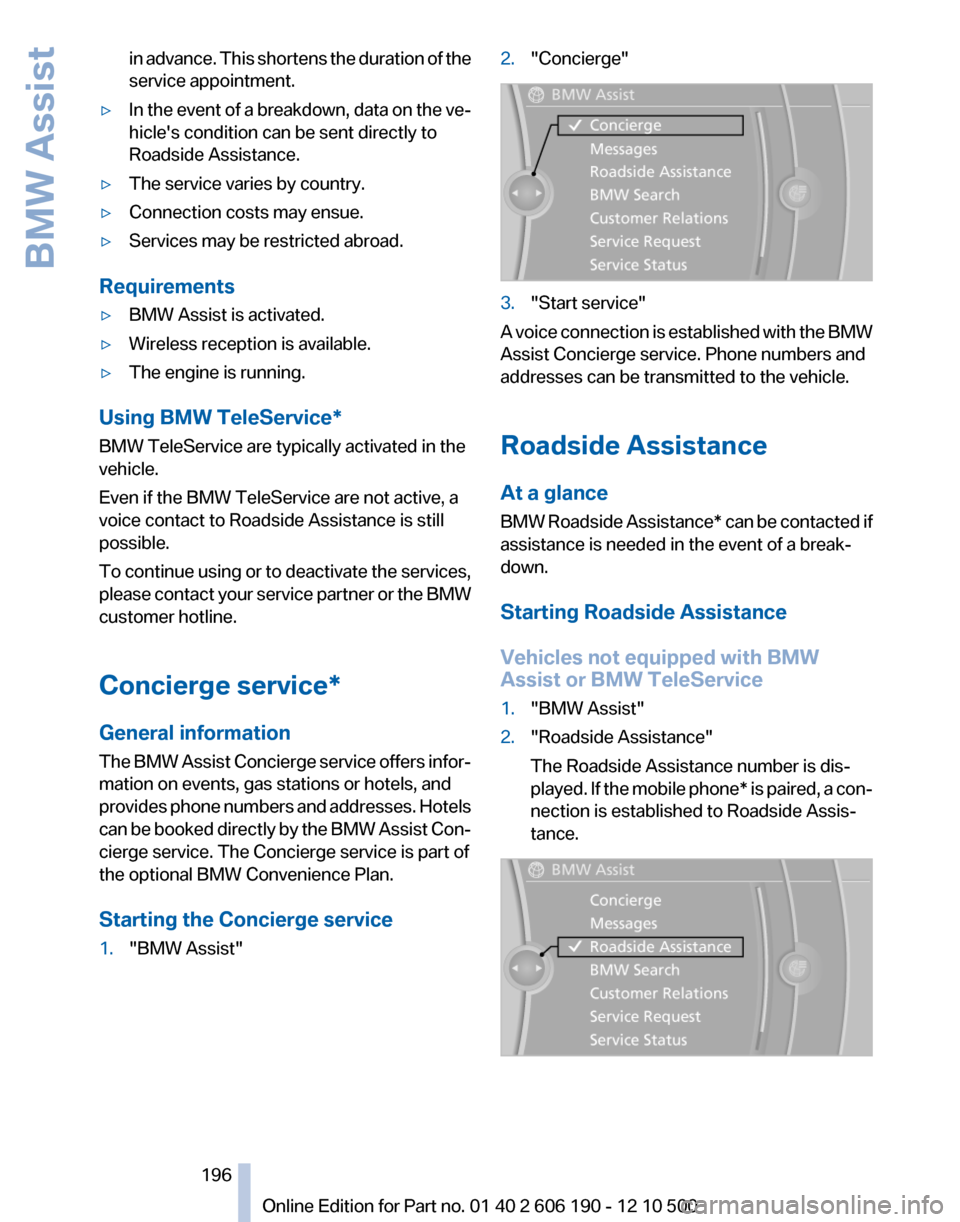
1."BMW Assist"2."Concierge"3."Start service"
A voice connection is established with the BMW
Assist Concierge service. Phone numbers and
addresses can be transmitted to the vehicle.
Roadside Assistance
At a glance
BMW Roadside Assistance* can be contacted if
assistance is needed in the event of a break‐
down.
Starting Roadside Assistance
Vehicles not equipped with BMW
Assist or BMW TeleService
1."BMW Assist"2."Roadside Assistance"
The Roadside Assistance number is dis‐
played. If the mobile phone* is paired, a con‐
nection is established to Roadside Assis‐
tance.Seite 196196
Online Edition for Part no. 01 40 2 606 190 - 12 10 500BMW Assist
Page 197 of 262
Vehicles equipped with BMW Assist or
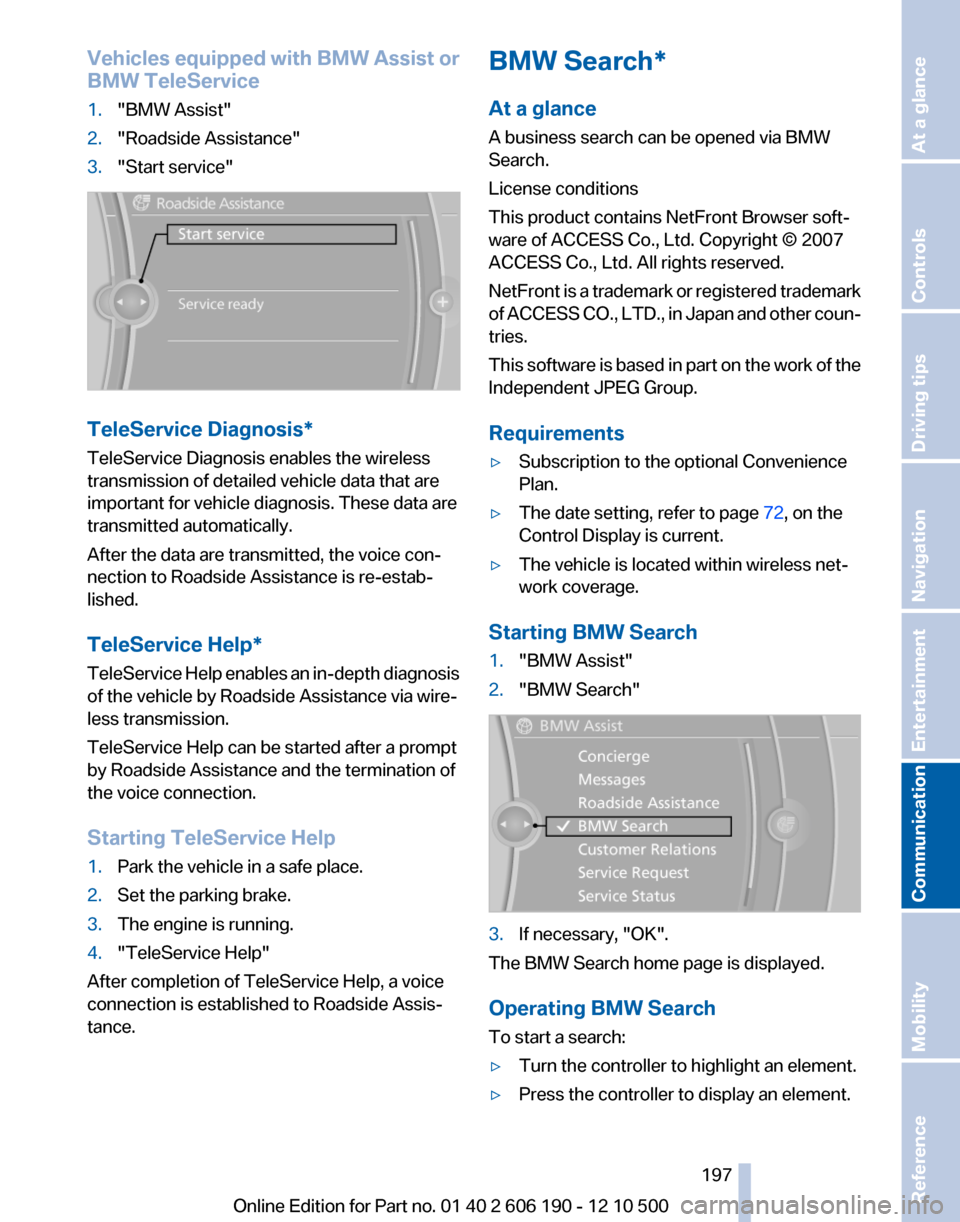
BMW TeleService1."BMW Assist"2."Roadside Assistance"3."Start service"
TeleService Diagnosis*
TeleService Diagnosis enables the wireless
transmission of detailed vehicle data that are
important for vehicle diagnosis. These data are
transmitted automatically.
After the data are transmitted, the voice con‐
nection to Roadside Assistance is re-estab‐
lished.
TeleService Help*
TeleService Help enables an in-depth diagnosis
of the vehicle by Roadside Assistance via wire‐
less transmission.
TeleService Help can be started after a prompt
by Roadside Assistance and the termination of
the voice connection.
Starting TeleService Help
1.Park the vehicle in a safe place.2.Set the parking brake.3.The engine is running.4."TeleService Help"
After completion of TeleService Help, a voice
connection is established to Roadside Assis‐
tance.
BMW Search*
At a glance
A business search can be opened via BMW
Search.
License conditions
This product contains NetFront Browser soft‐
ware of ACCESS Co., Ltd. Copyright © 2007
ACCESS Co., Ltd. All rights reserved.
NetFront is a trademark or registered trademark
of ACCESS CO., LTD., in Japan and other coun‐
tries.
This software is based in part on the work of the
Independent JPEG Group.
Requirements▷Subscription to the optional Convenience
Plan.▷The date setting, refer to page 72, on the
Control Display is current.▷The vehicle is located within wireless net‐
work coverage.
Starting BMW Search
1."BMW Assist"2."BMW Search"3.If necessary, "OK".
The BMW Search home page is displayed.
Operating BMW Search
To start a search:
▷Turn the controller to highlight an element.▷Press the controller to display an element.Seite 197197
Online Edition for Part no. 01 40 2 606 190 - 12 10 500
ReferenceMobilityCommunicationEntertainmentNavigationDriving tipsControlsAt a glance
Page 198 of 262
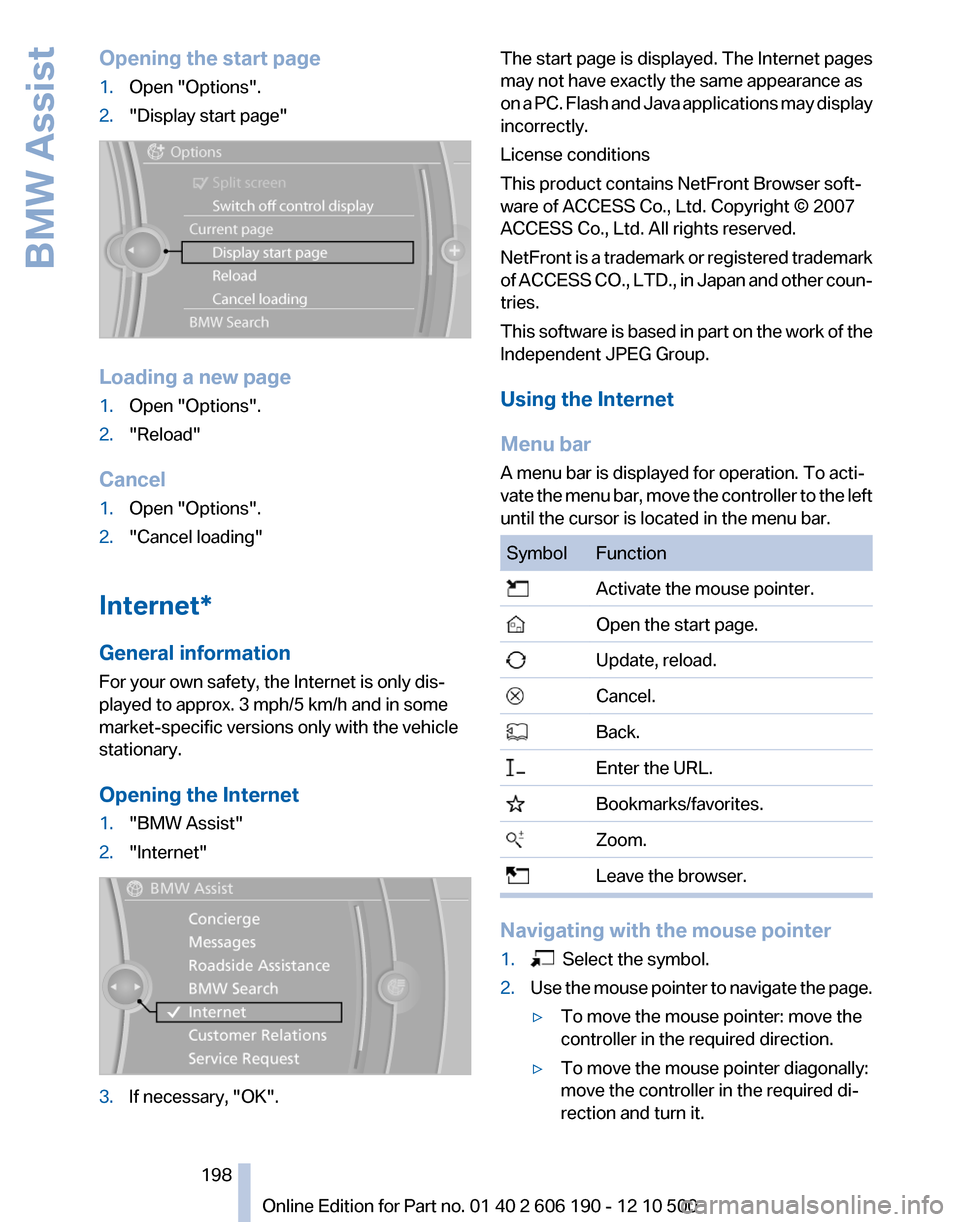
Opening the start page1.Open "Options".2."Display start page"
Loading a new page
1.Open "Options".2."Reload"
Cancel
1.Open "Options".2."Cancel loading"
Internet*
General information
For your own safety, the Internet is only dis‐
played to approx. 3 mph/5 km/h and in some
market-specific versions only with the vehicle
stationary.
Opening the Internet
1."BMW Assist"2."Internet"3.If necessary, "OK".The start page is displayed. The Internet pages
may not have exactly the same appearance as
on a PC. Flash and Java applications may display
incorrectly.
License conditions
This product contains NetFront Browser soft‐
ware of ACCESS Co., Ltd. Copyright © 2007
ACCESS Co., Ltd. All rights reserved.
NetFront is a trademark or registered trademark
of ACCESS CO., LTD., in Japan and other coun‐
tries.
This software is based in part on the work of the
Independent JPEG Group.
Using the Internet
Menu bar
A menu bar is displayed for operation. To acti‐
vate the menu bar, move the controller to the left
until the cursor is located in the menu bar.SymbolFunction Activate the mouse pointer. Open the start page. Update, reload. Cancel. Back. Enter the URL. Bookmarks/favorites. Zoom. Leave the browser.
Navigating with the mouse pointer
1. Select the symbol.2.Use the mouse pointer to navigate the page.▷To move the mouse pointer: move the
controller in the required direction.▷To move the mouse pointer diagonally:
move the controller in the required di‐
rection and turn it.Seite 198198
Online Edition for Part no. 01 40 2 606 190 - 12 10 500BMW Assist
Page 199 of 262
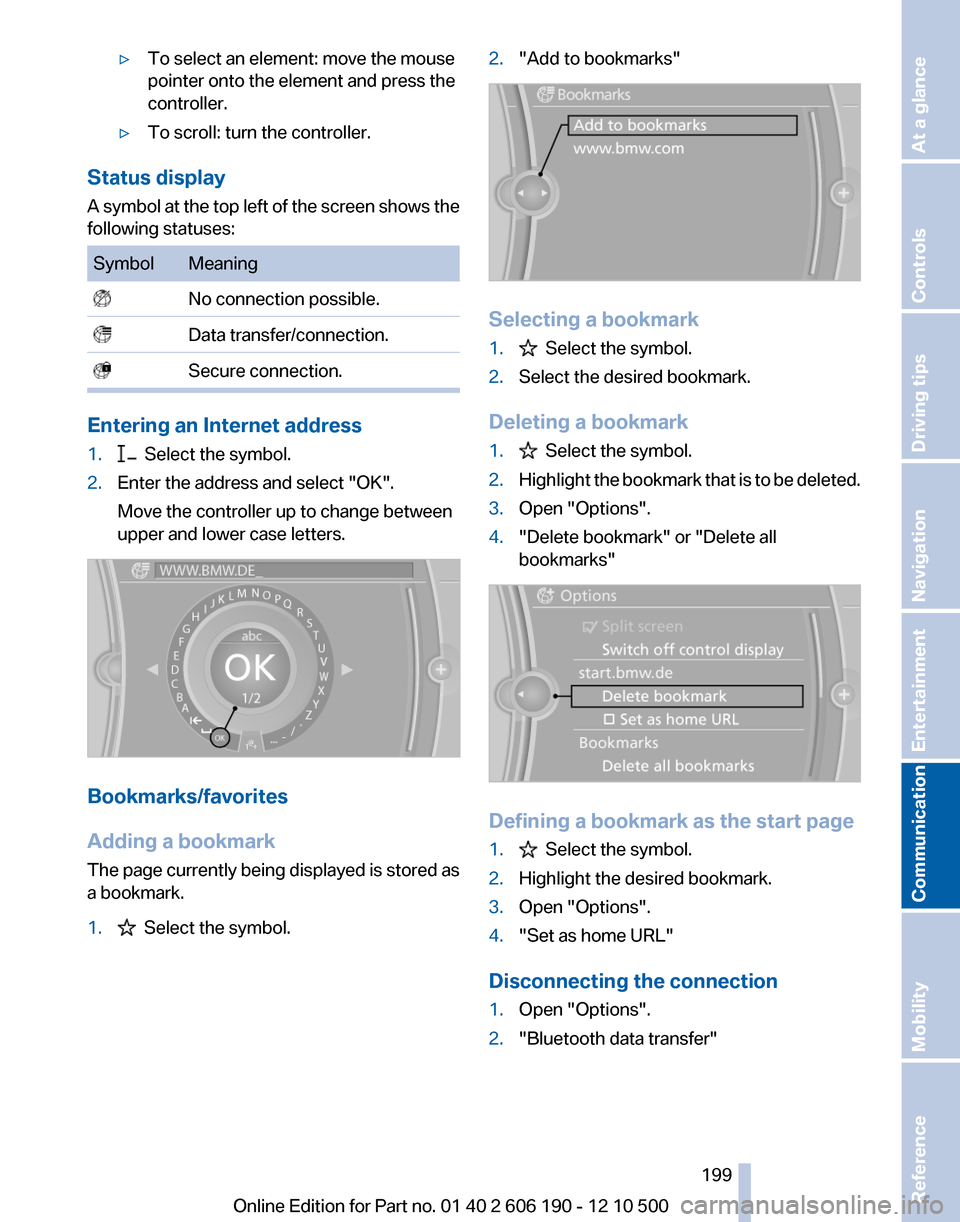
▷To select an element: move the mouse
pointer onto the element and press the
controller.▷To scroll: turn the controller.
Status display
A symbol at the top left of the screen shows the
following statuses:
SymbolMeaning No connection possible. Data transfer/connection. Secure connection.
Entering an Internet address
1. Select the symbol.2.Enter the address and select "OK".
Move the controller up to change between
upper and lower case letters.
Bookmarks/favorites
Adding a bookmark
The page currently being displayed is stored as
a bookmark.
1. Select the symbol.2."Add to bookmarks"
Selecting a bookmark
1. Select the symbol.2.Select the desired bookmark.
Deleting a bookmark
1. Select the symbol.2.Highlight the bookmark that is to be deleted.3.Open "Options".4."Delete bookmark" or "Delete all
bookmarks"
Defining a bookmark as the start page
1. Select the symbol.2.Highlight the desired bookmark.3.Open "Options".4."Set as home URL"
Disconnecting the connection
1.Open "Options".2."Bluetooth data transfer"Seite 199199
Online Edition for Part no. 01 40 2 606 190 - 12 10 500
ReferenceMobilityCommunicationEntertainmentNavigationDriving tipsControlsAt a glance
Page 200 of 262
Adjusting
Suppressing cookies1.Open "Options".2."Suppress cookies"
Suppressing pop-ups
1.Open "Options".2."Suppress pop-ups"
Suppressing safety warnings
1.Open "Options".2."Block HTTPS pop-ups"
Customer Relations
At a glance
Contact Customer Relations for information on
all aspects of your vehicle.
Calling Customer Relations
Vehicle not equipped with BMW Assist
or TeleService
1."BMW Assist"2."Customer Relations"
The Customer Relations phone number is dis‐
played. If the mobile phone* is paired, a con‐
nection is established to Customer Relations.
Vehicle equipped with BMW Assist or
TeleService
1."BMW Assist"2."Customer Relations"3."Start service"
Service Request*
At a glance
Sends information to your service partner to re‐
quest the arrangement of a service appoint‐
ment. The TeleService data is transmitted dur‐
ing a Service Request. If possible, your service
partner will establish contact with you.
Starting a Service Request
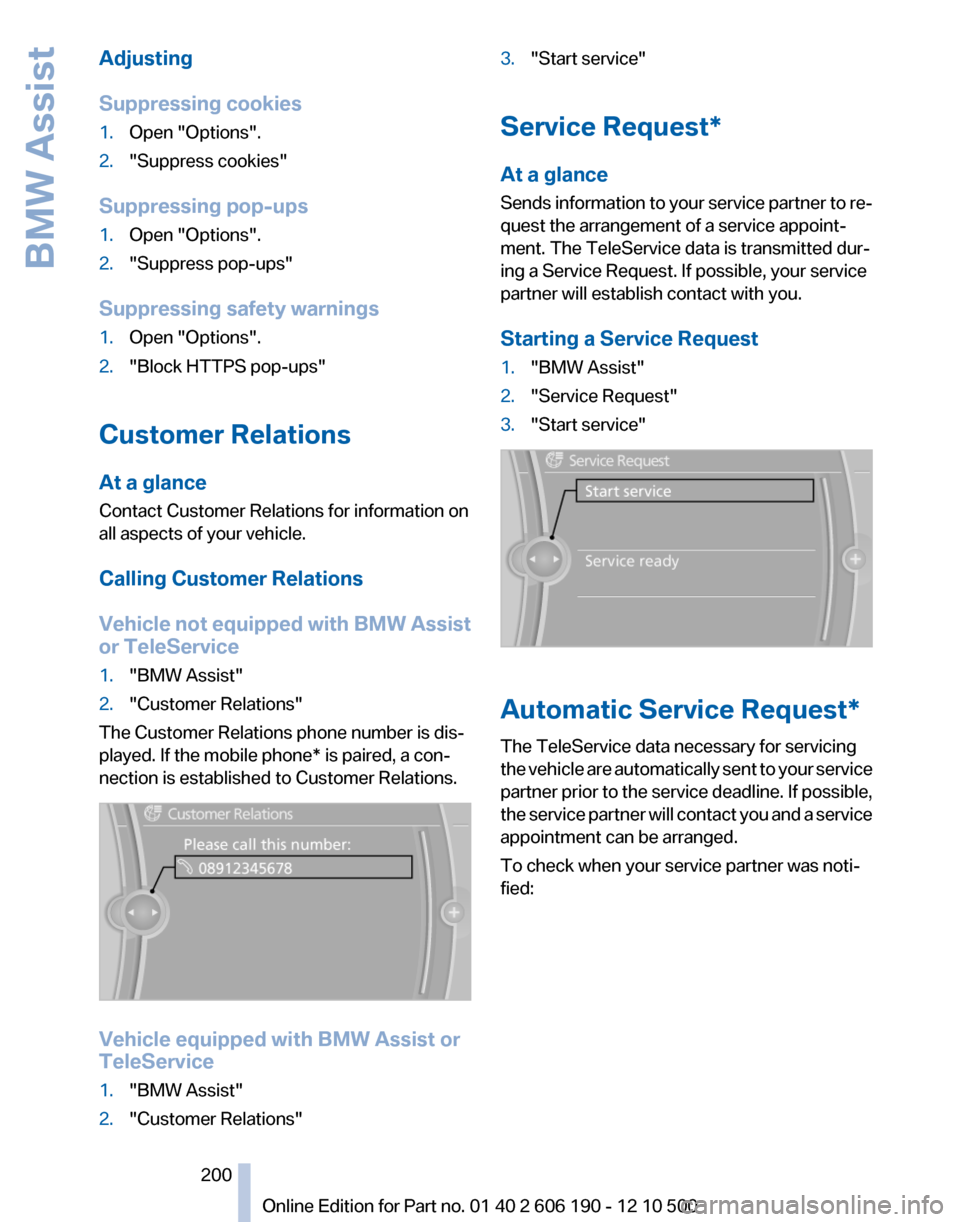
1."BMW Assist"2."Service Request"3."Start service"
Automatic Service Request*
The TeleService data necessary for servicing
the vehicle are automatically sent to your service
partner prior to the service deadline. If possible,
the service partner will contact you and a service
appointment can be arranged.
To check when your service partner was noti‐
fied:
Seite 200200
Online Edition for Part no. 01 40 2 606 190 - 12 10 500BMW Assist
Page 206 of 262
FuelFuel qualityRefuel with unleaded fuel only
Do not use leaded fuel as this would per‐
manently damage the catalytic converter.◀
Do not refuel with ethanol
Do not refuel with E85, i.e., fuel with an
ethanol content of 85 %, or with Flex Fuel, as this
would damage the engine and fuel supply sys‐
tem.◀
Required fuel
Super Premium Gasoline/AKI 91 or AKI
89
BMW recommends AKI 91 or 89.
Gasoline with lower AKI
The minimum AKI Rating is 89.
If you use gasoline with this minimum AKI Rat‐
ing, the engine may produce knocking sounds
when starting at high outside temperatures.
This has no effect on the engine life.
Minimum fuel grade
Do not use any gasoline below the mini‐
mum specified fuel grade; otherwise, engine
damage may occur.◀
Use high-quality brands
Field experience has indicated significant differ‐
ences in fuel quality: volatility, composition, ad‐
ditives, etc., among gasolines offered for sale in
the United States and Canada.
Fuels containing up to and including 10 % etha‐
nol or other oxygenates with up to 2.8 % oxygen
by weight, that is, 15 % MTBE or 3 % methanol
plus an equivalent amount of co-solvent, will not
void the applicable warranties with respect to
defects in materials or workmanship.Minimum fuel grade
The use of poor-quality fuels may result in
driveability, starting and stalling problems es‐
pecially under certain environmental conditions
such as high ambient temperature and high al‐
titude.
Should you encounter driveability problems
which you suspect could be related to the fuel
you are using, we recommend that you respond
by switching to a recognized high-quality brand
such as gasoline that is advertised as Top Tier
Detergent Gasoline.
Failure to comply with these recommendations
may result in unscheduled maintenance.◀Seite 206206
Online Edition for Part no. 01 40 2 606 190 - 12 10 500Fuel
Page 215 of 262
Engine compartment
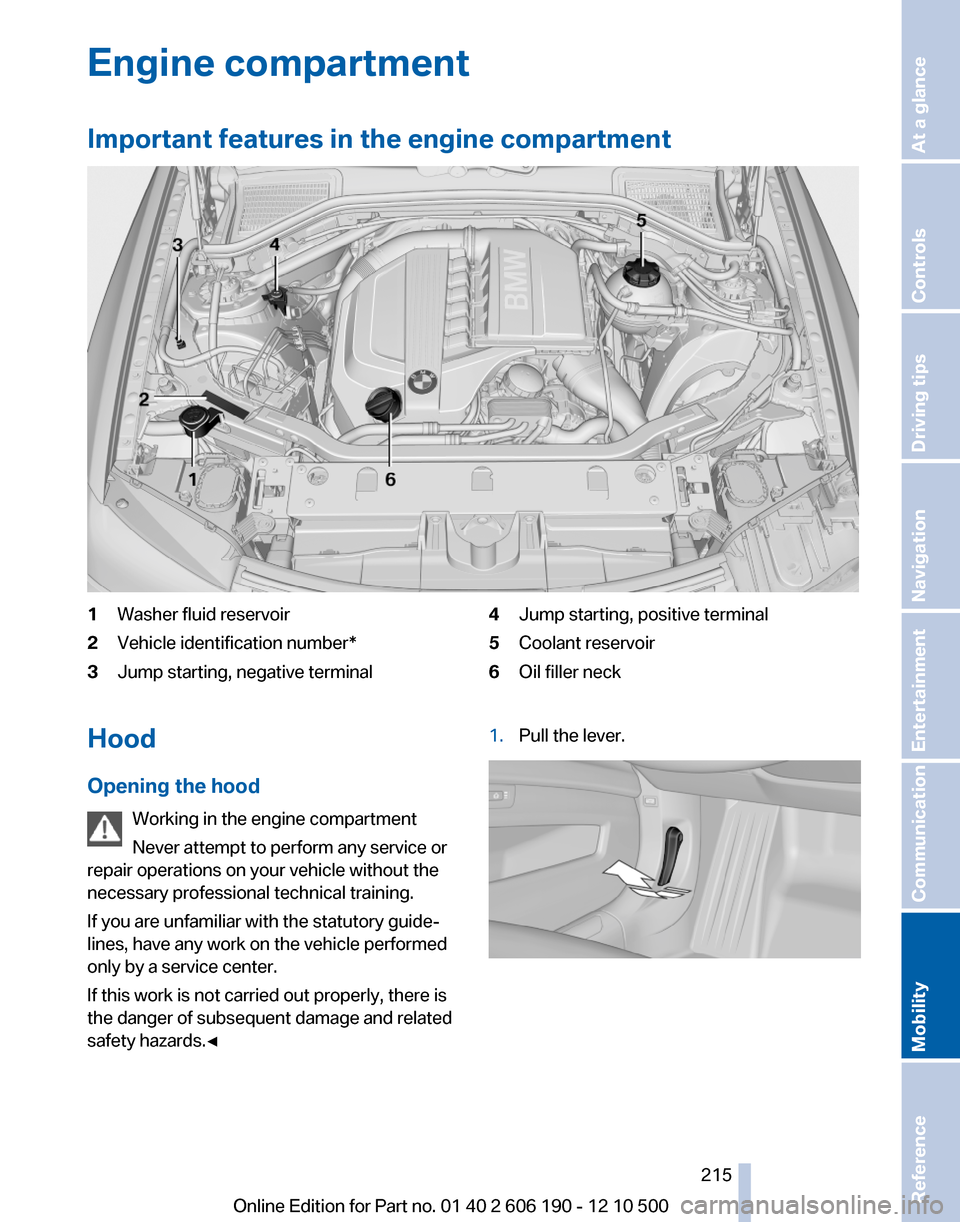
Important features in the engine compartment1Washer fluid reservoir2Vehicle identification number*3Jump starting, negative terminal4Jump starting, positive terminal5Coolant reservoir6Oil filler neckHood
Opening the hood Working in the engine compartment
Never attempt to perform any service or
repair operations on your vehicle without the
necessary professional technical training.
If you are unfamiliar with the statutory guide‐
lines, have any work on the vehicle performed
only by a service center.
If this work is not carried out properly, there is
the danger of subsequent damage and related
safety hazards.◀1.Pull the lever.Seite 215215
Online Edition for Part no. 01 40 2 606 190 - 12 10 500
ReferenceMobilityCommunicationEntertainmentNavigationDriving tipsControlsAt a glance
Page 229 of 262
Assist Response Center may still be able to
hear you.
Initiating an Emergency Request
automatically
Under certain conditions, an Emergency Re‐
quest is automatically initiated immediately after
a severe accident. Automatic Collision Notifica‐
tion is not affected by pressing the SOS button.
Warning triangle*
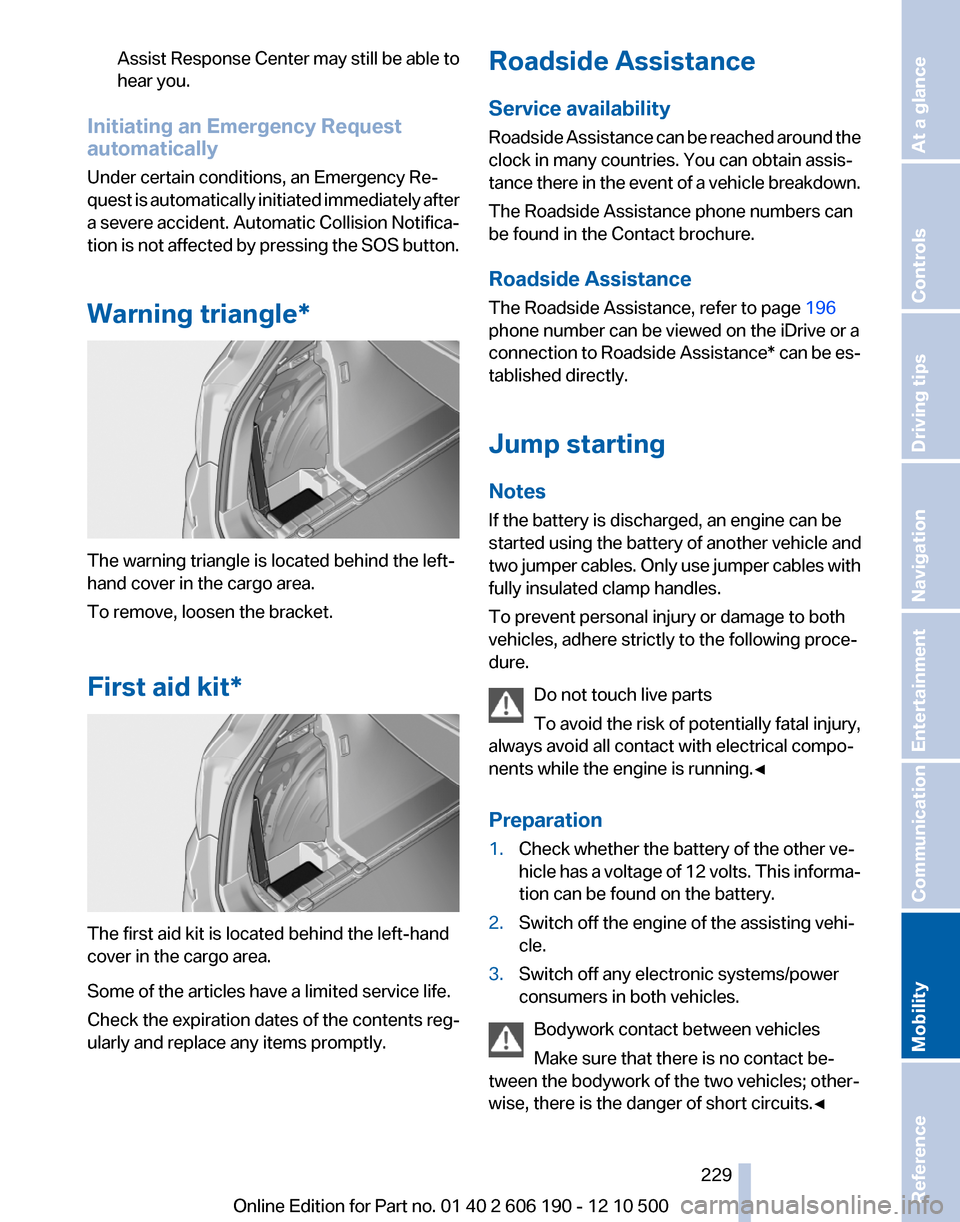
The warning triangle is located behind the left-
hand cover in the cargo area.
To remove, loosen the bracket.
First aid kit*
The first aid kit is located behind the left-hand
cover in the cargo area.
Some of the articles have a limited service life.
Check the expiration dates of the contents reg‐
ularly and replace any items promptly.
Roadside Assistance
Service availability
Roadside Assistance can be reached around the
clock in many countries. You can obtain assis‐
tance there in the event of a vehicle breakdown.
The Roadside Assistance phone numbers can
be found in the Contact brochure.
Roadside Assistance
The Roadside Assistance, refer to page 196
phone number can be viewed on the iDrive or a
connection to Roadside Assistance * can be es‐
tablished directly.
Jump starting
Notes
If the battery is discharged, an engine can be
started using the battery of another vehicle and
two jumper cables. Only use jumper cables with
fully insulated clamp handles.
To prevent personal injury or damage to both
vehicles, adhere strictly to the following proce‐
dure.
Do not touch live parts
To avoid the risk of potentially fatal injury,
always avoid all contact with electrical compo‐
nents while the engine is running.◀
Preparation1.Check whether the battery of the other ve‐
hicle has a voltage of 12 volts. This informa‐
tion can be found on the battery.2.Switch off the engine of the assisting vehi‐
cle.3.Switch off any electronic systems/power
consumers in both vehicles.
Bodywork contact between vehicles
Make sure that there is no contact be‐
tween the bodywork of the two vehicles; other‐
wise, there is the danger of short circuits.◀
Seite 229229
Online Edition for Part no. 01 40 2 606 190 - 12 10 500
ReferenceMobilityCommunicationEntertainmentNavigationDriving tipsControlsAt a glance
Page 230 of 262
Starting aid terminalsConnecting order
Connect the jumper cables in the correct
order; otherwise, there is the danger of injury
from sparking.◀
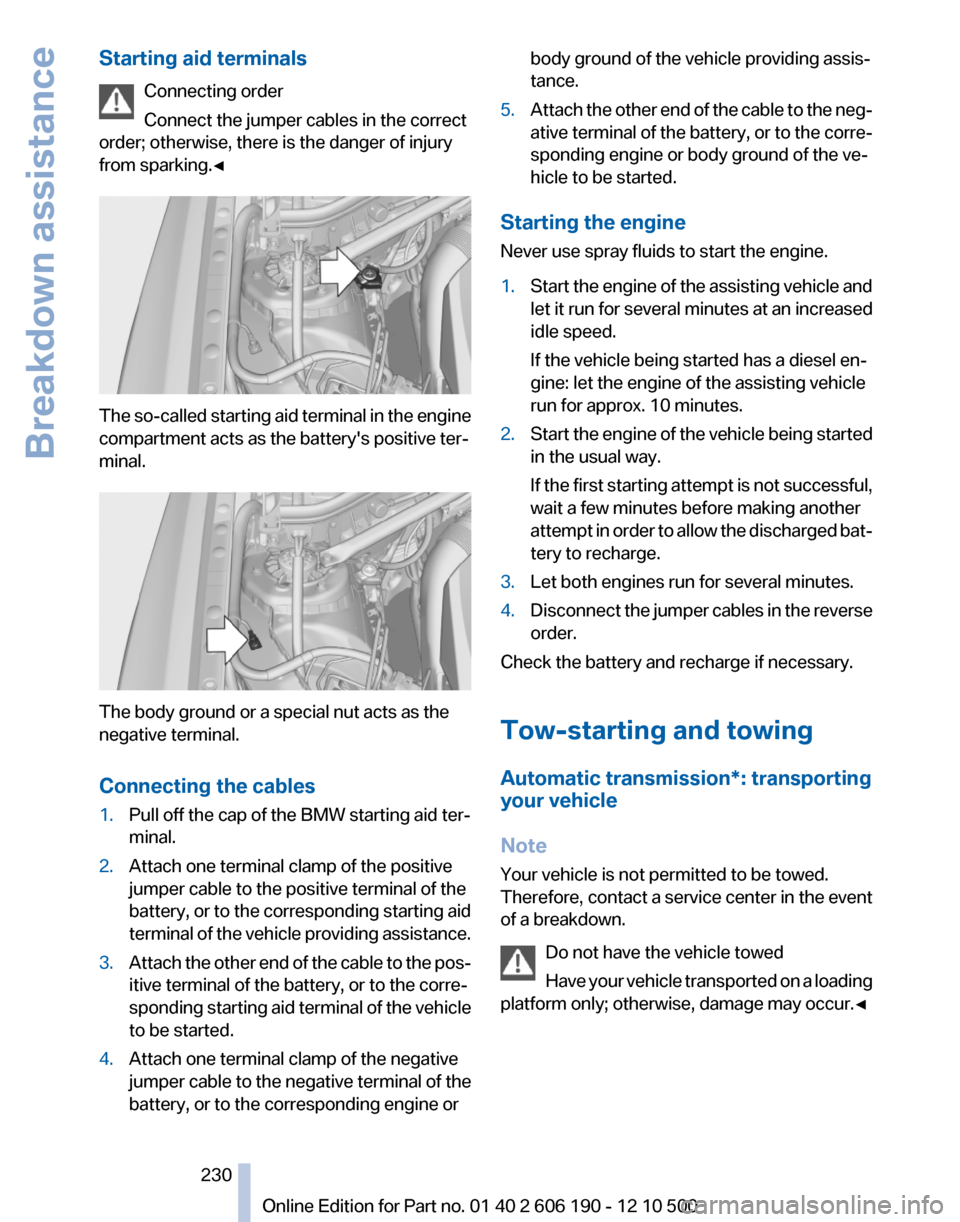
The so-called starting aid terminal in the engine
compartment acts as the battery's positive ter‐
minal.
The body ground or a special nut acts as the
negative terminal.
Connecting the cables
1.Pull off the cap of the BMW starting aid ter‐
minal.2.Attach one terminal clamp of the positive
jumper cable to the positive terminal of the
battery, or to the corresponding starting aid
terminal of the vehicle providing assistance.3.Attach the other end of the cable to the pos‐
itive terminal of the battery, or to the corre‐
sponding starting aid terminal of the vehicle
to be started.4.Attach one terminal clamp of the negative
jumper cable to the negative terminal of the
battery, or to the corresponding engine orbody ground of the vehicle providing assis‐
tance.5.Attach the other end of the cable to the neg‐
ative terminal of the battery, or to the corre‐
sponding engine or body ground of the ve‐
hicle to be started.
Starting the engine
Never use spray fluids to start the engine.
1.Start the engine of the assisting vehicle and
let it run for several minutes at an increased
idle speed.
If the vehicle being started has a diesel en‐
gine: let the engine of the assisting vehicle
run for approx. 10 minutes.2.Start the engine of the vehicle being started
in the usual way.
If the first starting attempt is not successful,
wait a few minutes before making another
attempt in order to allow the discharged bat‐
tery to recharge.3.Let both engines run for several minutes.4.Disconnect the jumper cables in the reverse
order.
Check the battery and recharge if necessary.
Tow-starting and towing
Automatic transmission*: transporting
your vehicle
Note
Your vehicle is not permitted to be towed.
Therefore, contact a service center in the event
of a breakdown.
Do not have the vehicle towed
Have your vehicle transported on a loading
platform only; otherwise, damage may occur.◀
Seite 230230
Online Edition for Part no. 01 40 2 606 190 - 12 10 500Breakdown assistance