reset BMW X3 2012 User Guide
[x] Cancel search | Manufacturer: BMW, Model Year: 2012, Model line: X3, Model: BMW X3 2012Pages: 278, PDF Size: 10.15 MB
Page 157 of 278
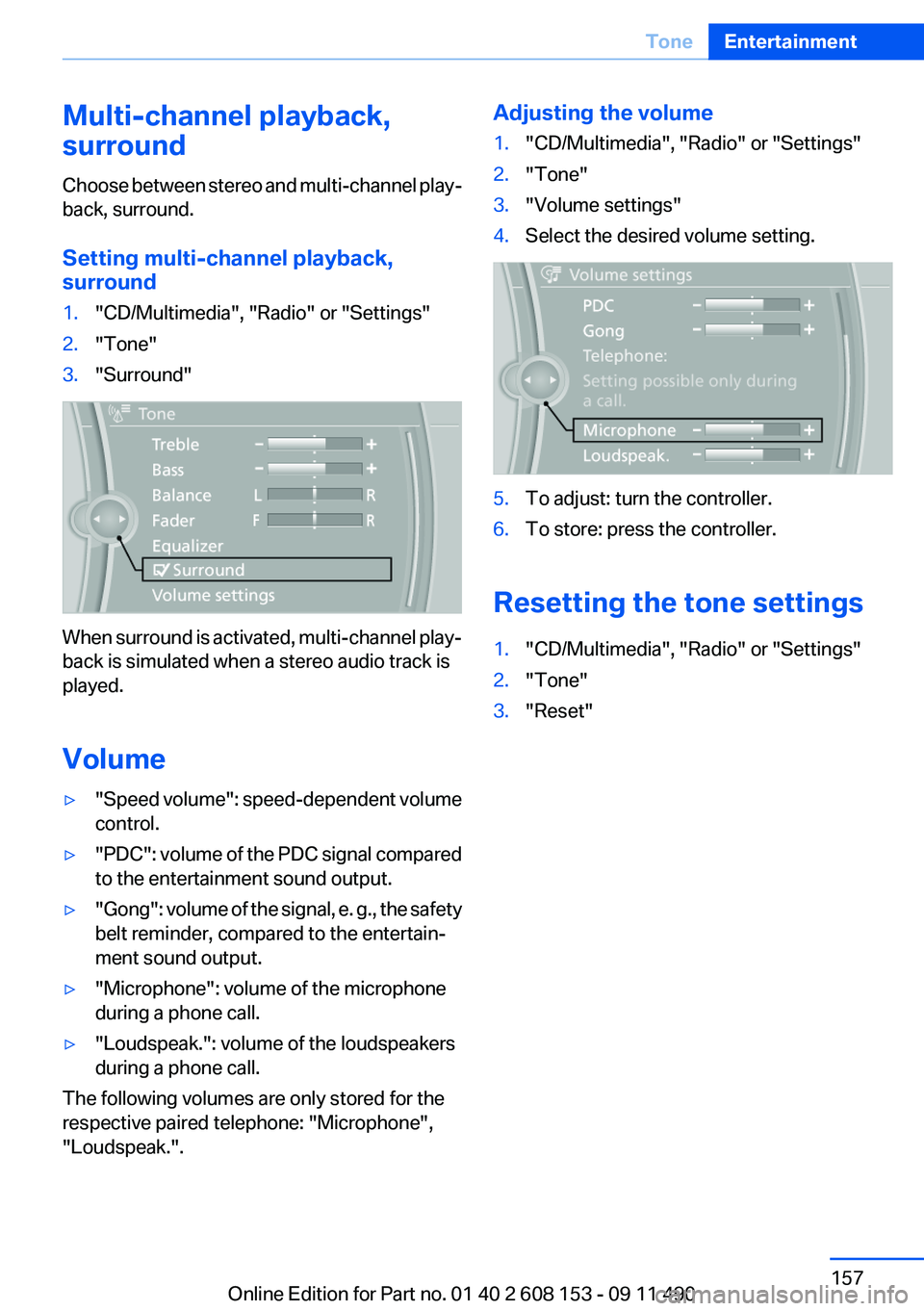
Multi-channel playback,
surround
Choose between stereo and multi-channel play‐
back, surround.
Setting multi-channel playback,
surround1."CD/Multimedia", "Radio" or "Settings"2."Tone"3."Surround"
When surround is activated, multi-channel play‐
back is simulated when a stereo audio track is
played.
Volume
▷" Speed volume": speed-dependent volume
control.▷"PDC" : volume of the PDC signal compared
to the entertainment sound output.▷"Gong" : volume of the signal, e. g., the safety
belt reminder, compared to the entertain‐
ment sound output.▷"Microphone": volume of the microphone
during a phone call.▷"Loudspeak.": volume of the loudspeakers
during a phone call.
The following volumes are only stored for the
respective paired telephone: "Microphone",
"Loudspeak.".
Adjusting the volume1."CD/Multimedia", "Radio" or "Settings"2."Tone"3."Volume settings"4.Select the desired volume setting.5.To adjust: turn the controller.6.To store: press the controller.
Resetting the tone settings
1."CD/Multimedia", "Radio" or "Settings"2."Tone"3."Reset"Seite 157ToneEntertainment157
Online Edition for Part no. 01 40 2 608 153 - 09 11 490
Page 164 of 278
The setting is stored for the remote control cur‐
rently in use.
Deleting favorites1."Satellite radio"2. "Manage favorites"3.Highlight the desired favorite.4.Open "Options".5."Delete entry"
Traffic Jump
Traffic and weather information for a selected
region is broadcast every few minutes.
Selecting a region
1."Radio"2."Satellite radio"3.Open "Options".4."Set jump"5.Select the desired region.
The region is stored for the remote control cur‐
rently in use.
Activating/deactivating the jump
1."Radio"2."Satellite radio"3. "Jump to:"
Information for the selected region is broadcast
as soon as it is available.
A new panel opens.
Canceling the Traffic Jump: "Cancel".
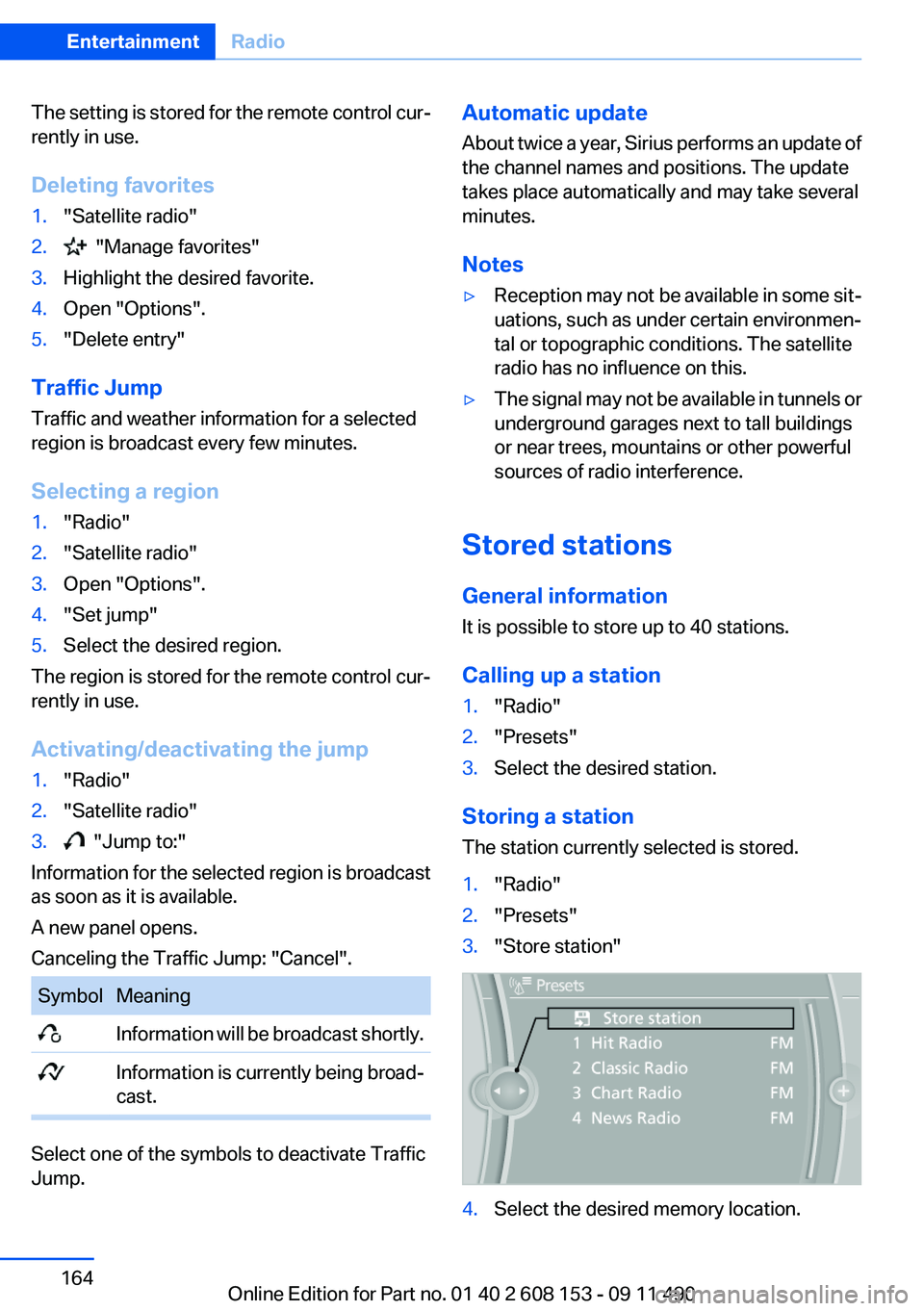
SymbolMeaning Information will be broadcast shortly. Information is currently being broad‐
cast.
Select one of the symbols to deactivate Traffic
Jump.
Automatic update
About twice a year, Sirius performs an update of
the channel names and positions. The update
takes place automatically and may take several
minutes.
Notes▷Reception may not be available in some sit‐
uations, such as under certain environmen‐
tal or topographic conditions. The satellite
radio has no influence on this.▷The signal may not be available in tunnels or
underground garages next to tall buildings
or near trees, mountains or other powerful
sources of radio interference.
Stored stations
General information
It is possible to store up to 40 stations.
Calling up a station
1."Radio"2."Presets"3.Select the desired station.
Storing a station
The station currently selected is stored.
1."Radio"2."Presets"3."Store station"4.Select the desired memory location.Seite 164EntertainmentRadio164
Online Edition for Part no. 01 40 2 608 153 - 09 11 490
Page 165 of 278
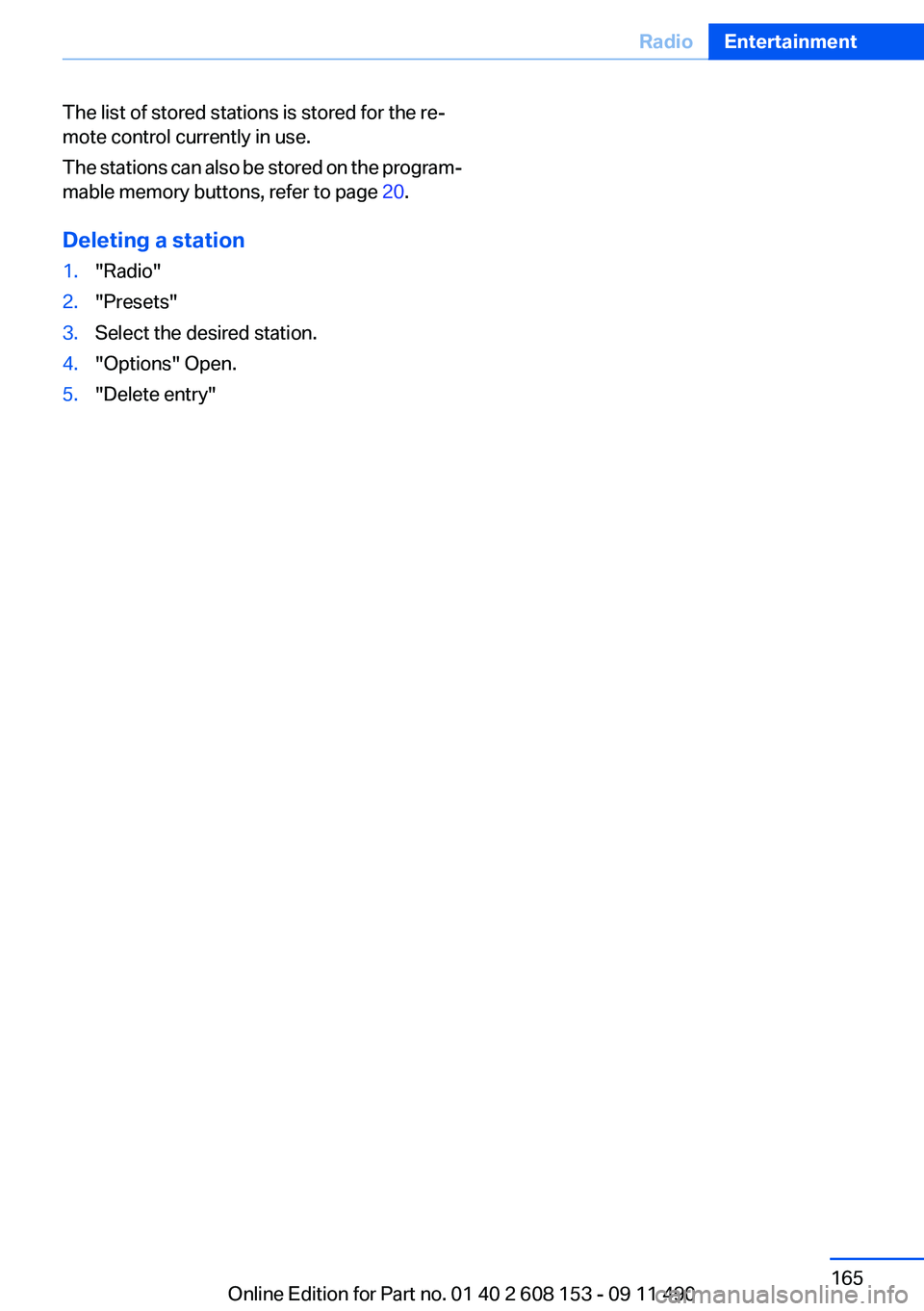
The list of stored stations is stored for the re‐
mote control currently in use.
The stations can also be stored on the program‐
mable memory buttons, refer to page 20.
Deleting a station1."Radio"2."Presets"3.Select the desired station.4."Options" Open.5."Delete entry"Seite 165RadioEntertainment165
Online Edition for Part no. 01 40 2 608 153 - 09 11 490
Page 182 of 278
Use of a mobile phone as an audio source,
refer to page 189.▷The sound is output on the vehicle loud‐
speakers.▷The volume of the sound output is depend‐
ent on the device. If necessary, adjust the
volume on the device.▷Up to four external devices can be paired
with the vehicle.
Requirements
▷The device is suitable. Information under
www.bmwusa.com/bluetooth.▷The device is ready for operation.▷The ignition is switched on.▷Bluetooth is activated on the vehicle, refer to
page 189, and on the device.▷Bluetooth presettings must be made on the
device, such as for a connection without
confirmation or visibility; refer to the device
operating instructions.▷A number with at least four and a maximum
of 16 digits is defined as the Bluetooth pass‐
key. It is only required once for pairing.
Pairing and connecting
Pairing a device
To avoid becoming distracted and posing
an unnecessary hazard both to your own vehi‐
cle's occupants and to other road users, only
pair the device while the vehicle is stationary.◀
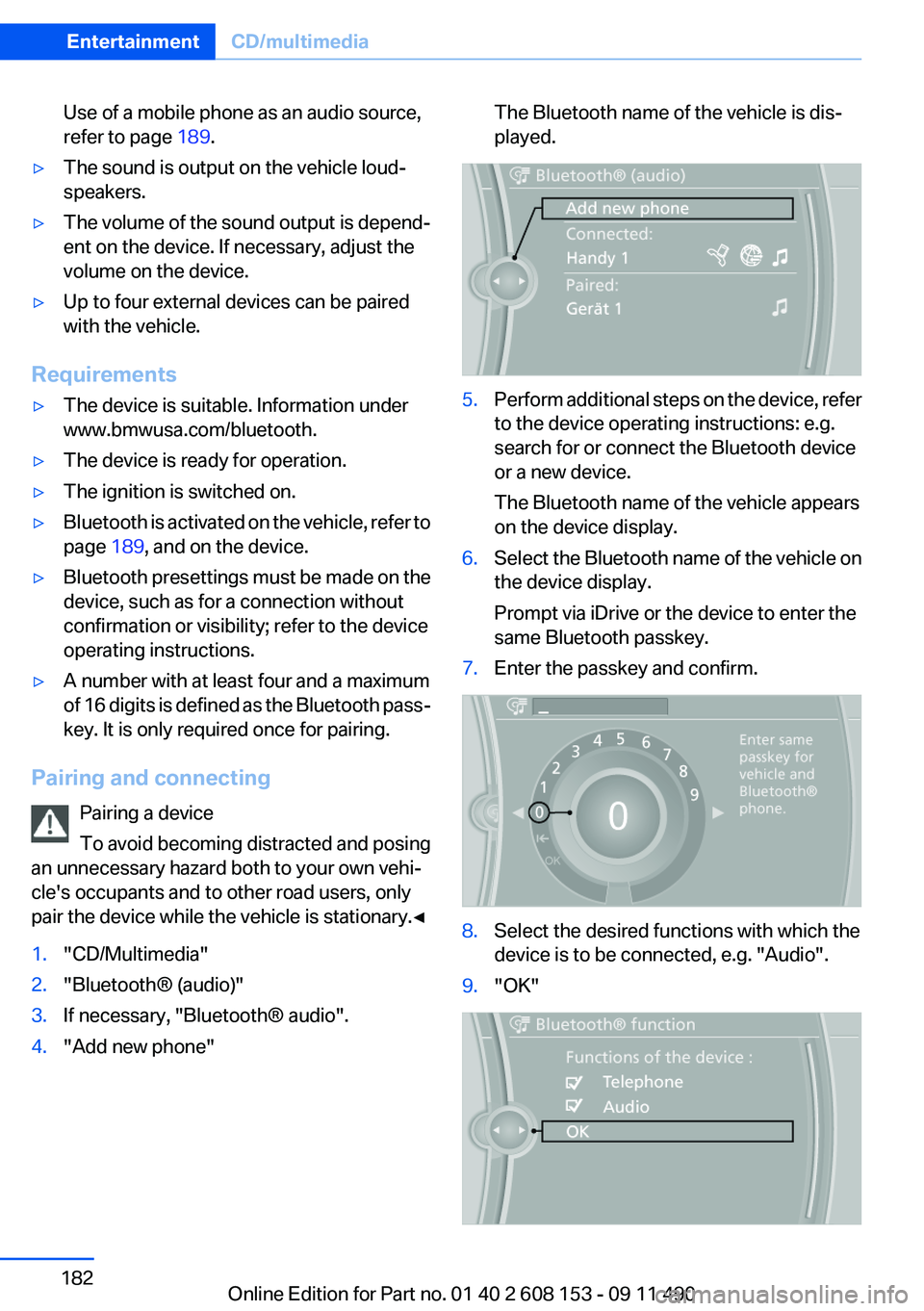
1."CD/Multimedia"2."Bluetooth® (audio)"3.If necessary, "Bluetooth® audio".4."Add new phone"The Bluetooth name of the vehicle is dis‐
played.5.Perform additional steps on the device, refer
to the device operating instructions: e.g.
search for or connect the Bluetooth device
or a new device.
The Bluetooth name of the vehicle appears
on the device display.6.Select the Bluetooth name of the vehicle on
the device display.
Prompt via iDrive or the device to enter the
same Bluetooth passkey.7.Enter the passkey and confirm.8.Select the desired functions with which the
device is to be connected, e.g. "Audio".9."OK"Seite 182EntertainmentCD/multimedia182
Online Edition for Part no. 01 40 2 608 153 - 09 11 490
Page 189 of 278
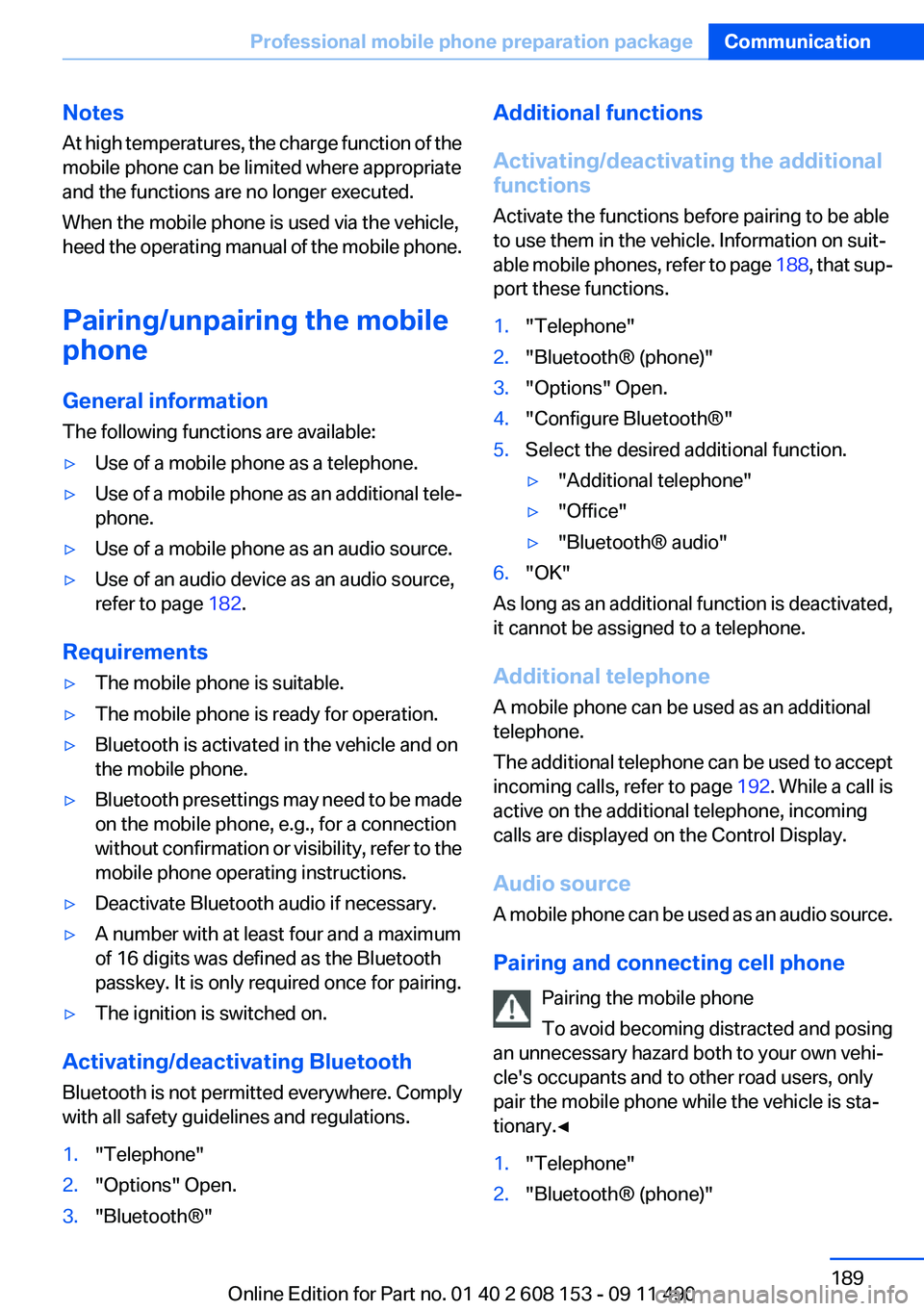
Notes
At high temperatures, the charge function of the
mobile phone can be limited where appropriate
and the functions are no longer executed.
When the mobile phone is used via the vehicle,
heed the operating manual of the mobile phone.
Pairing/unpairing the mobile
phone
General information
The following functions are available:▷Use of a mobile phone as a telephone.▷Use of a mobile phone as an additional tele‐
phone.▷Use of a mobile phone as an audio source.▷Use of an audio device as an audio source,
refer to page 182.
Requirements
▷The mobile phone is suitable.▷The mobile phone is ready for operation.▷Bluetooth is activated in the vehicle and on
the mobile phone.▷Bluetooth presettings may need to be made
on the mobile phone, e.g., for a connection
without confirmation or visibility, refer to the
mobile phone operating instructions.▷Deactivate Bluetooth audio if necessary.▷A number with at least four and a maximum
of 16 digits was defined as the Bluetooth
passkey. It is only required once for pairing.▷The ignition is switched on.
Activating/deactivating Bluetooth
Bluetooth is not permitted everywhere. Comply
with all safety guidelines and regulations.
1."Telephone"2."Options" Open.3."Bluetooth®"Additional functions
Activating/deactivating the additional
functions
Activate the functions before pairing to be able
to use them in the vehicle. Information on suit‐
able mobile phones, refer to page 188, that sup‐
port these functions.1."Telephone"2."Bluetooth® (phone)"3."Options" Open.4."Configure Bluetooth®"5.Select the desired additional function.▷"Additional telephone"▷"Office"▷"Bluetooth® audio"6."OK"
As long as an additional function is deactivated,
it cannot be assigned to a telephone.
Additional telephone
A mobile phone can be used as an additional
telephone.
The additional telephone can be used to accept
incoming calls, refer to page 192. While a call is
active on the additional telephone, incoming
calls are displayed on the Control Display.
Audio source
A mobile phone can be used as an audio source.
Pairing and connecting cell phone Pairing the mobile phone
To avoid becoming distracted and posing
an unnecessary hazard both to your own vehi‐
cle's occupants and to other road users, only
pair the mobile phone while the vehicle is sta‐
tionary.◀
1."Telephone"2."Bluetooth® (phone)"Seite 189Professional mobile phone preparation packageCommunication189
Online Edition for Part no. 01 40 2 608 153 - 09 11 490
Page 263 of 278
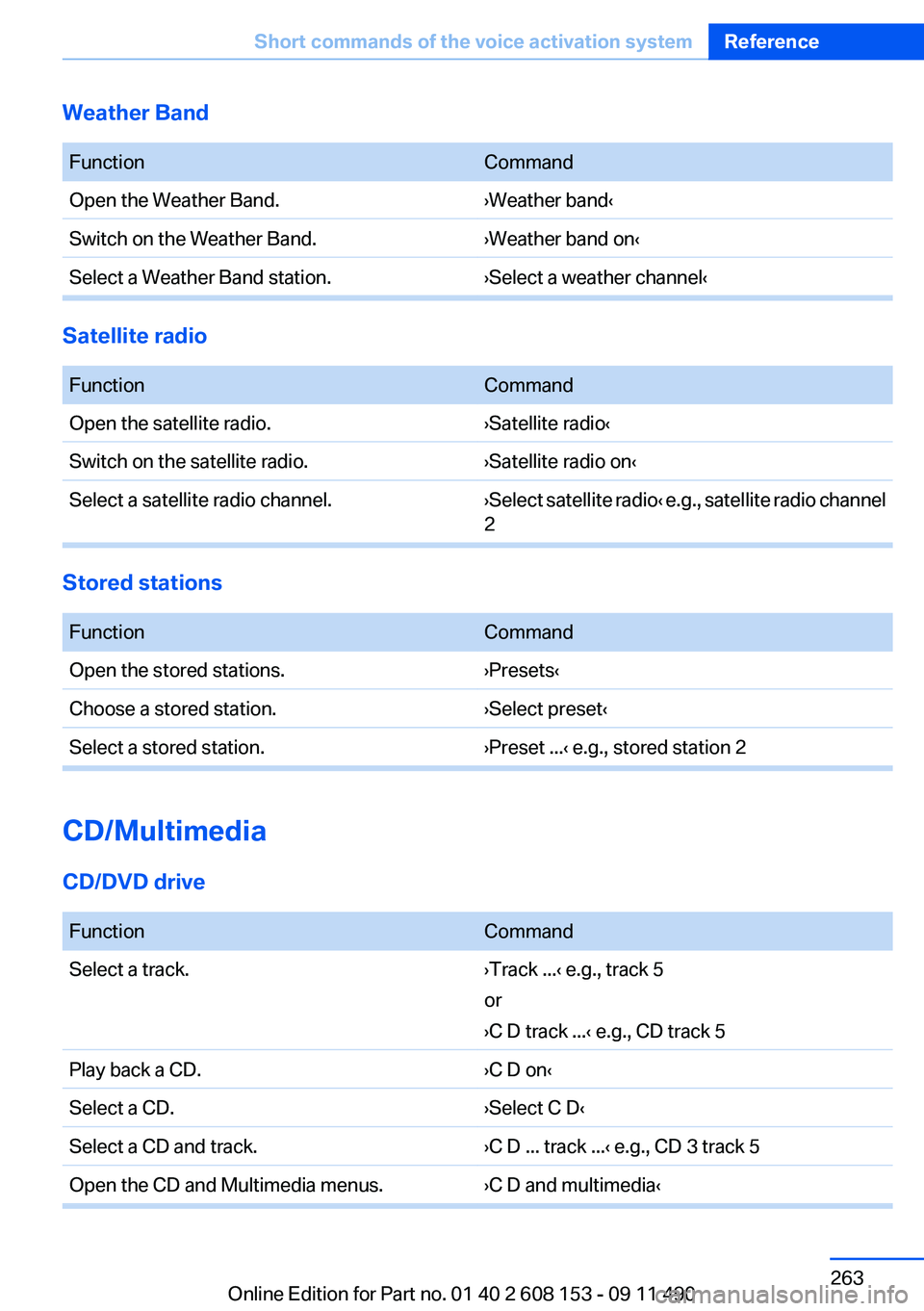
Weather Band
FunctionCommandOpen the Weather Band.›Weather band‹Switch on the Weather Band.›Weather band on‹Select a Weather Band station.›Select a weather channel‹
Satellite radio
FunctionCommandOpen the satellite radio.›Satellite radio‹Switch on the satellite radio.›Satellite radio on‹Select a satellite radio channel.› Select satellite radio ‹ e.g., satellite radio channel
2
Stored stations
FunctionCommandOpen the stored stations.›Presets‹Choose a stored station.›Select preset‹Select a stored station.›Preset ...‹ e.g., stored station 2
CD/Multimedia
CD/DVD drive
FunctionCommandSelect a track.›Track ...‹ e.g., track 5
or
›C D track ...‹ e.g., CD track 5Play back a CD.›C D on‹Select a CD.›Select C D‹Select a CD and track.›C D ... track ...‹ e.g., CD 3 track 5Open the CD and Multimedia menus.›C D and multimedia‹Seite 263Short commands of the voice activation systemReference263
Online Edition for Part no. 01 40 2 608 153 - 09 11 490
Page 274 of 278
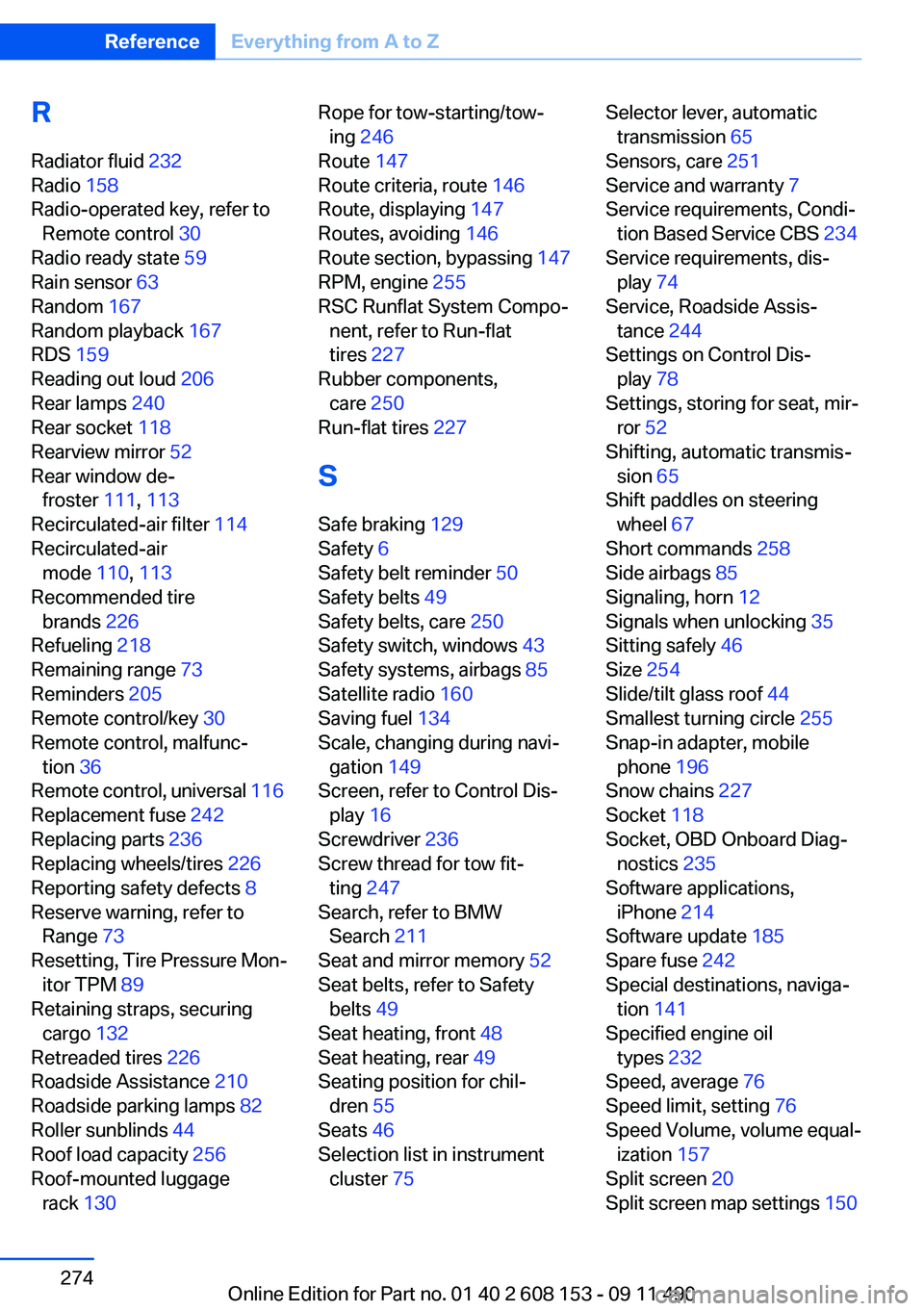
R
Radiator fluid 232
Radio 158
Radio-operated key, refer to Remote control 30
Radio ready state 59
Rain sensor 63
Random 167
Random playback 167
RDS 159
Reading out loud 206
Rear lamps 240
Rear socket 118
Rearview mirror 52
Rear window de‐ froster 111, 113
Recirculated-air filter 114
Recirculated-air mode 110, 113
Recommended tire brands 226
Refueling 218
Remaining range 73
Reminders 205
Remote control/key 30
Remote control, malfunc‐ tion 36
Remote control, universal 116
Replacement fuse 242
Replacing parts 236
Replacing wheels/tires 226
Reporting safety defects 8
Reserve warning, refer to Range 73
Resetting, Tire Pressure Mon‐ itor TPM 89
Retaining straps, securing cargo 132
Retreaded tires 226
Roadside Assistance 210
Roadside parking lamps 82
Roller sunblinds 44
Roof load capacity 256
Roof-mounted luggage rack 130 Rope for tow-starting/tow‐
ing 246
Route 147
Route criteria, route 146
Route, displaying 147
Routes, avoiding 146
Route section, bypassing 147
RPM, engine 255
RSC Runflat System Compo‐ nent, refer to Run-flat
tires 227
Rubber components, care 250
Run-flat tires 227
S
Safe braking 129
Safety 6
Safety belt reminder 50
Safety belts 49
Safety belts, care 250
Safety switch, windows 43
Safety systems, airbags 85
Satellite radio 160
Saving fuel 134
Scale, changing during navi‐ gation 149
Screen, refer to Control Dis‐ play 16
Screwdriver 236
Screw thread for tow fit‐ ting 247
Search, refer to BMW Search 211
Seat and mirror memory 52
Seat belts, refer to Safety belts 49
Seat heating, front 48
Seat heating, rear 49
Seating position for chil‐ dren 55
Seats 46
Selection list in instrument cluster 75 Selector lever, automatic
transmission 65
Sensors, care 251
Service and warranty 7
Service requirements, Condi‐ tion Based Service CBS 234
Service requirements, dis‐ play 74
Service, Roadside Assis‐ tance 244
Settings on Control Dis‐ play 78
Settings, storing for seat, mir‐ ror 52
Shifting, automatic transmis‐ sion 65
Shift paddles on steering wheel 67
Short commands 258
Side airbags 85
Signaling, horn 12
Signals when unlocking 35
Sitting safely 46
Size 254
Slide/tilt glass roof 44
Smallest turning circle 255
Snap-in adapter, mobile phone 196
Snow chains 227
Socket 118
Socket, OBD Onboard Diag‐ nostics 235
Software applications, iPhone 214
Software update 185
Spare fuse 242
Special destinations, naviga‐ tion 141
Specified engine oil types 232
Speed, average 76
Speed limit, setting 76
Speed Volume, volume equal‐ ization 157
Split screen 20
Split screen map settings 150 Seite 274ReferenceEverything from A to Z274
Online Edition for Part no. 01 40 2 608 153 - 09 11 490