sensor BMW X3 2013 F25 User Guide
[x] Cancel search | Manufacturer: BMW, Model Year: 2013, Model line: X3, Model: BMW X3 2013 F25Pages: 212, PDF Size: 4.8 MB
Page 121 of 212
System limits
Limits of ultrasonic measurement
The detection of objects can reach the physi‐
cal limits of ultrasonic measurement, e.g.:▷With tow bars and trailer hitches.▷With thin or wedge-shaped objects.▷With low objects.▷With objects with corners and sharp edges.
Low objects already displayed, e.g., curbs, can
move into the blind area of the sensors before
or after a continuous tone sounds.
High, protruding objects such as ledges may
not be detected.
False warnings
PDC may issue a warning under the following
conditions even though there is no obstacle
within the detection range:
▷In heavy rain.▷When sensors are very dirty or covered in
ice.▷When sensors are covered in snow.▷On rough road surfaces.▷In large buildings with right angles and
smooth walls, e.g., in underground ga‐
rages.▷In heavy exhaust.▷Due to other ultrasound sources, e.g.,
sweeping machines, high pressure steam
cleaners or neon lights.
Malfunction
A Check Control message, refer to page 78, is
displayed in the instrument cluster.
On the Control Display, the areas in front of
and behind the vehicle are shaded. PDC has
failed. Have the system checked.
To ensure full operability:
▷Keep the sensors clean and free of ice.▷When using high-pressure washers, do not
spray the sensors for long periods and
maintain a distance of at least 12 in/30 cm.
Backup camera
The concept
The backup camera provides assistance in
parking and maneuvering backwards. The area
behind the vehicle is shown on the Control
Display.
Hints Check the traffic situation as well
Check the traffic situation around the ve‐
hicle with your own eyes. Otherwise, an acci‐
dent could result from road users or objects lo‐
cated outside the picture area of the backup
camera.◀
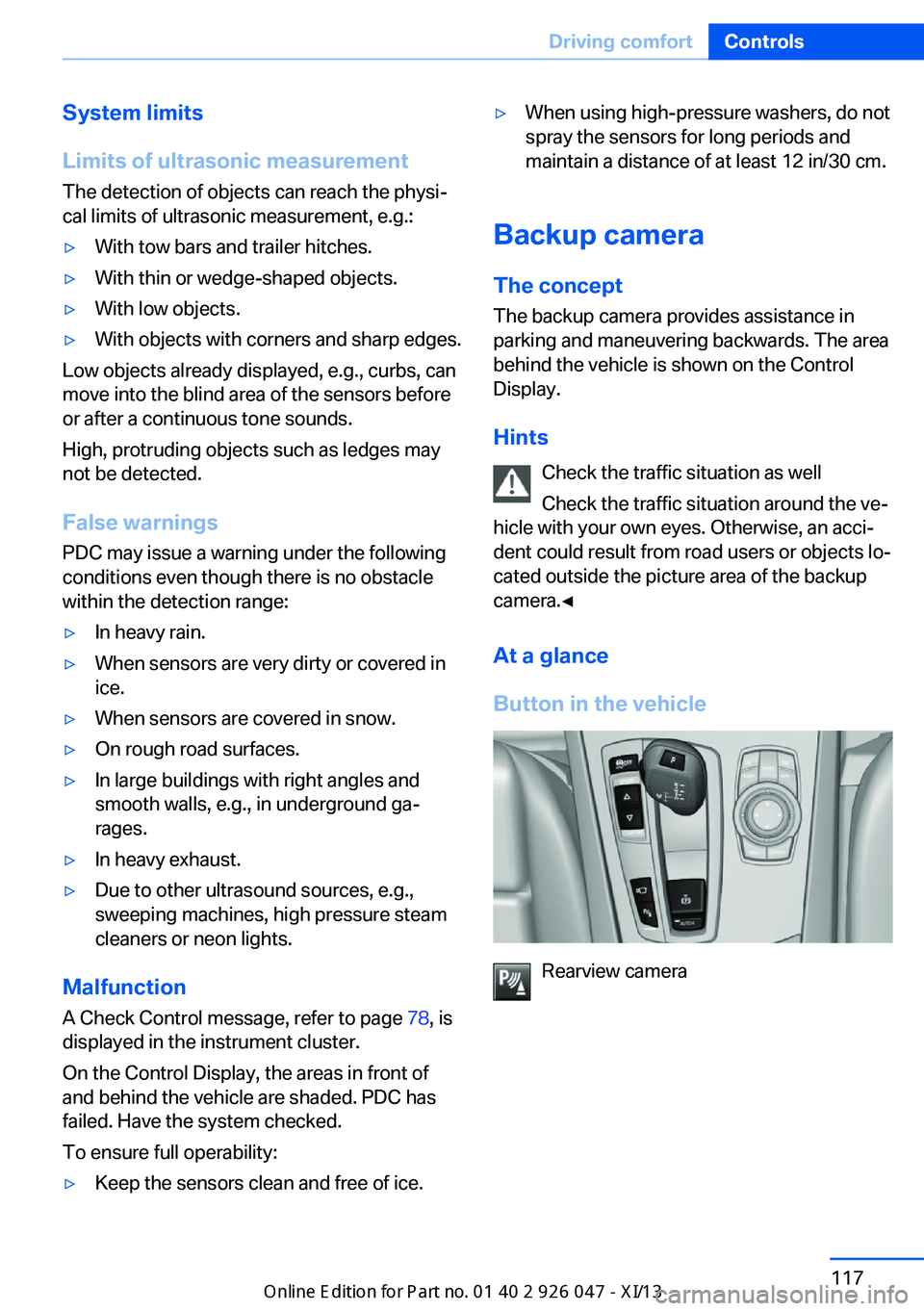
At a glance
Button in the vehicle
Rearview camera
Seite 117Driving comfortControls117
Online Edition for Part no. 01 40 2 911 041 - VI/13
Page 128 of 212
Climate controlVehicle equipment
All standard, country-specific and optional
equipment that is offered in the model series is
described in this chapter. Therefore, equip‐ment is also described that is not available in a
vehicle, e. g., because of the selected optional
equipment or country variant. This also applies
for safety-related functions and systems.
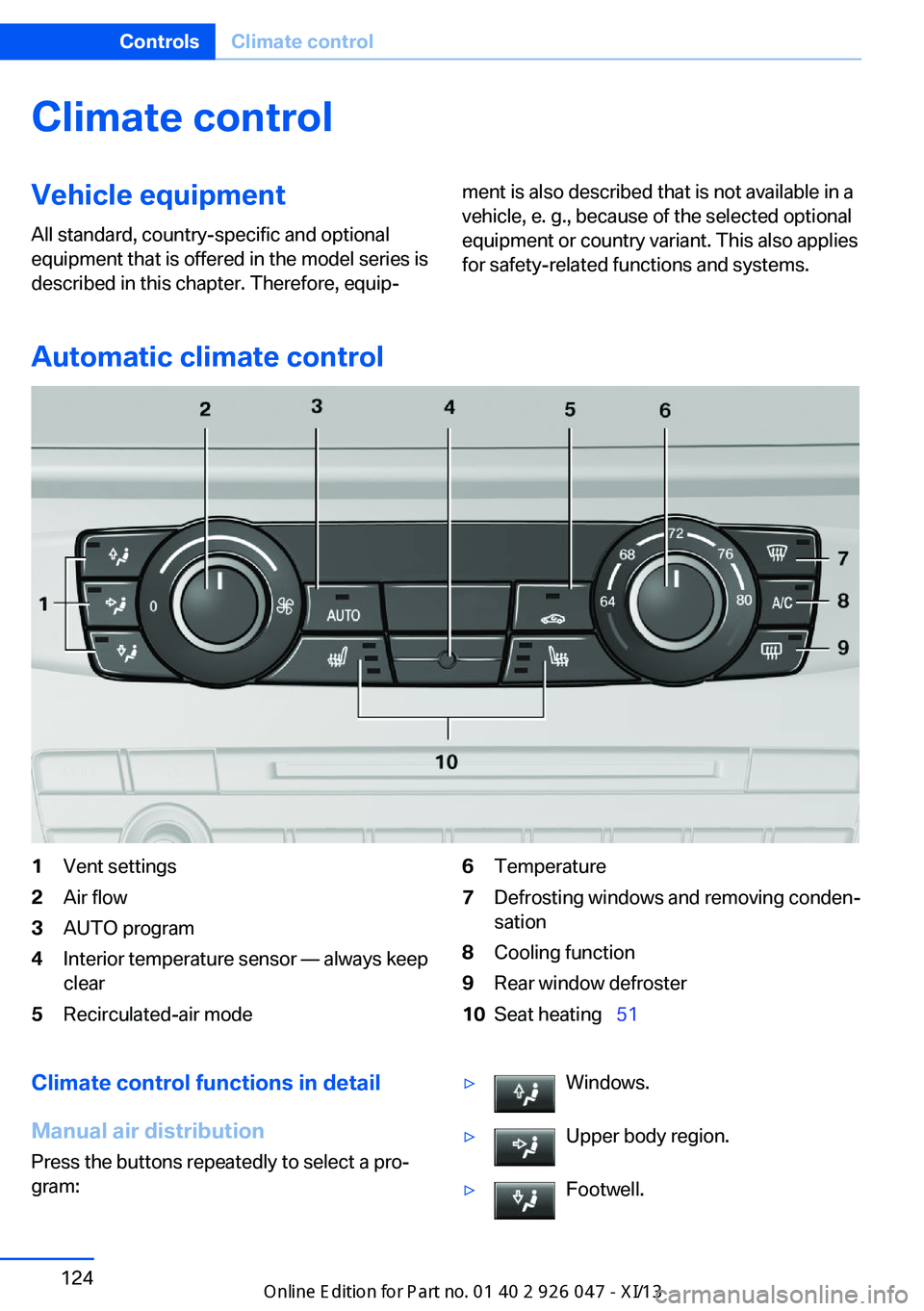
Automatic climate control
1Vent settings2Air flow3AUTO program4Interior temperature sensor — always keep
clear5Recirculated-air mode6Temperature7Defrosting windows and removing conden‐
sation8Cooling function9Rear window defroster10Seat heating 51Climate control functions in detail
Manual air distribution
Press the buttons repeatedly to select a pro‐
gram:▷Windows.▷Upper body region.▷Footwell.Seite 124ControlsClimate control124
Online Edition for Part no. 01 40 2 911 041 - VI/13
Page 130 of 212
The cooling function is switched on automati‐
cally with the AUTO program.
When using the automatic climate control,
condensation water, refer to page 146, devel‐
ops that exits underneath the vehicle.
Rear window defroster Press the button.
The rear window defroster switches
off automatically after a certain period of time.
Switching the system on/off
Switching off
Turn the rotary switch for the air volume, refer
to page 125, to 0. The blower and automatic
climate control are switched off entirely.Switching on
Set any air volume.
The AUTO program can also be switched on
directly via the AUTO button.
Microfilter
The microfilter removes dust and pollen from
the incoming air.
This filter should be replaced during scheduled
maintenance, refer to page 172, of your vehi‐
cle.
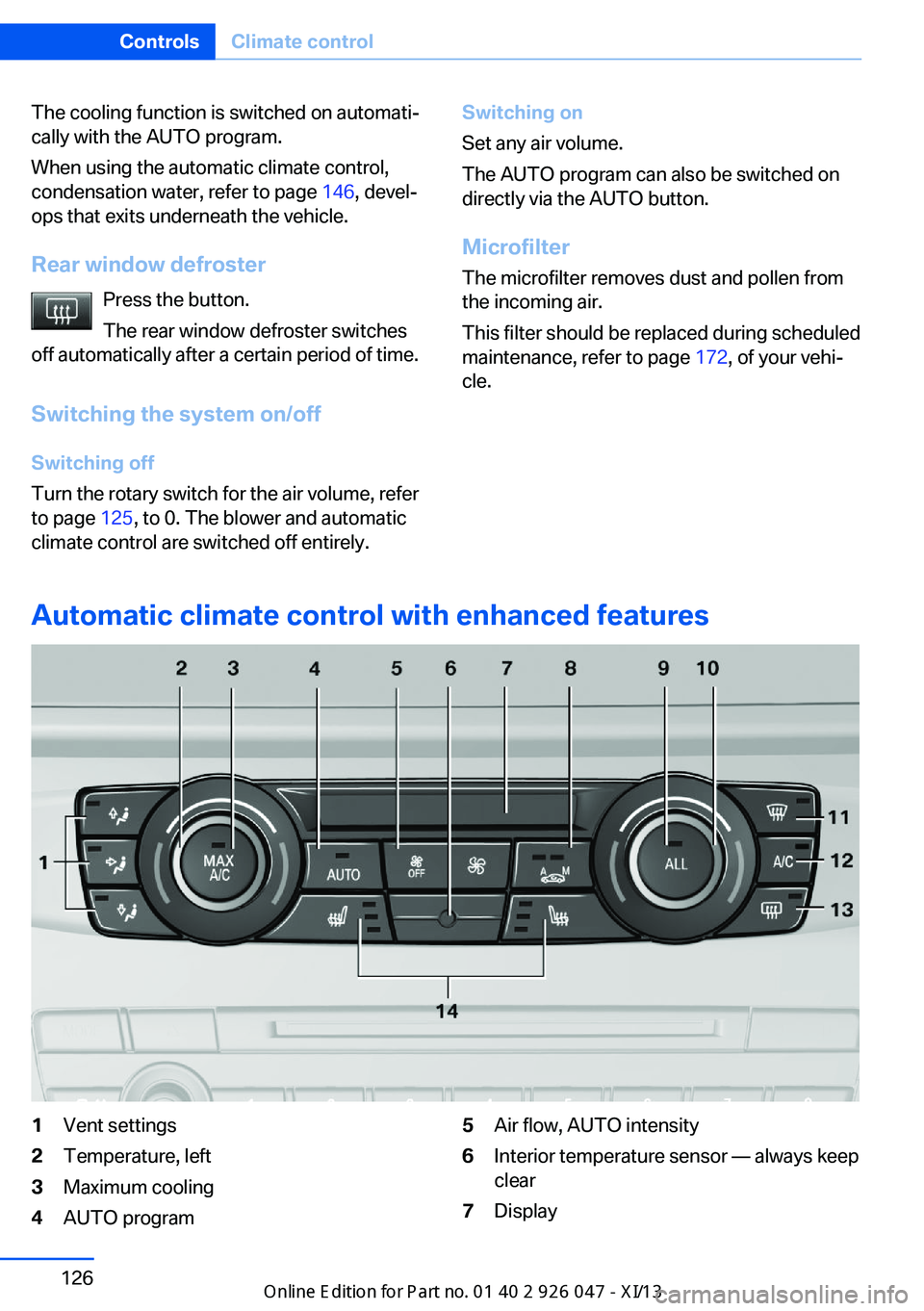
Automatic climate control with enhanced features
1Vent settings2Temperature, left3Maximum cooling4AUTO program5Air flow, AUTO intensity6Interior temperature sensor — always keep
clear7DisplaySeite 126ControlsClimate control126
Online Edition for Part no. 01 40 2 911 041 - VI/13
Page 131 of 212
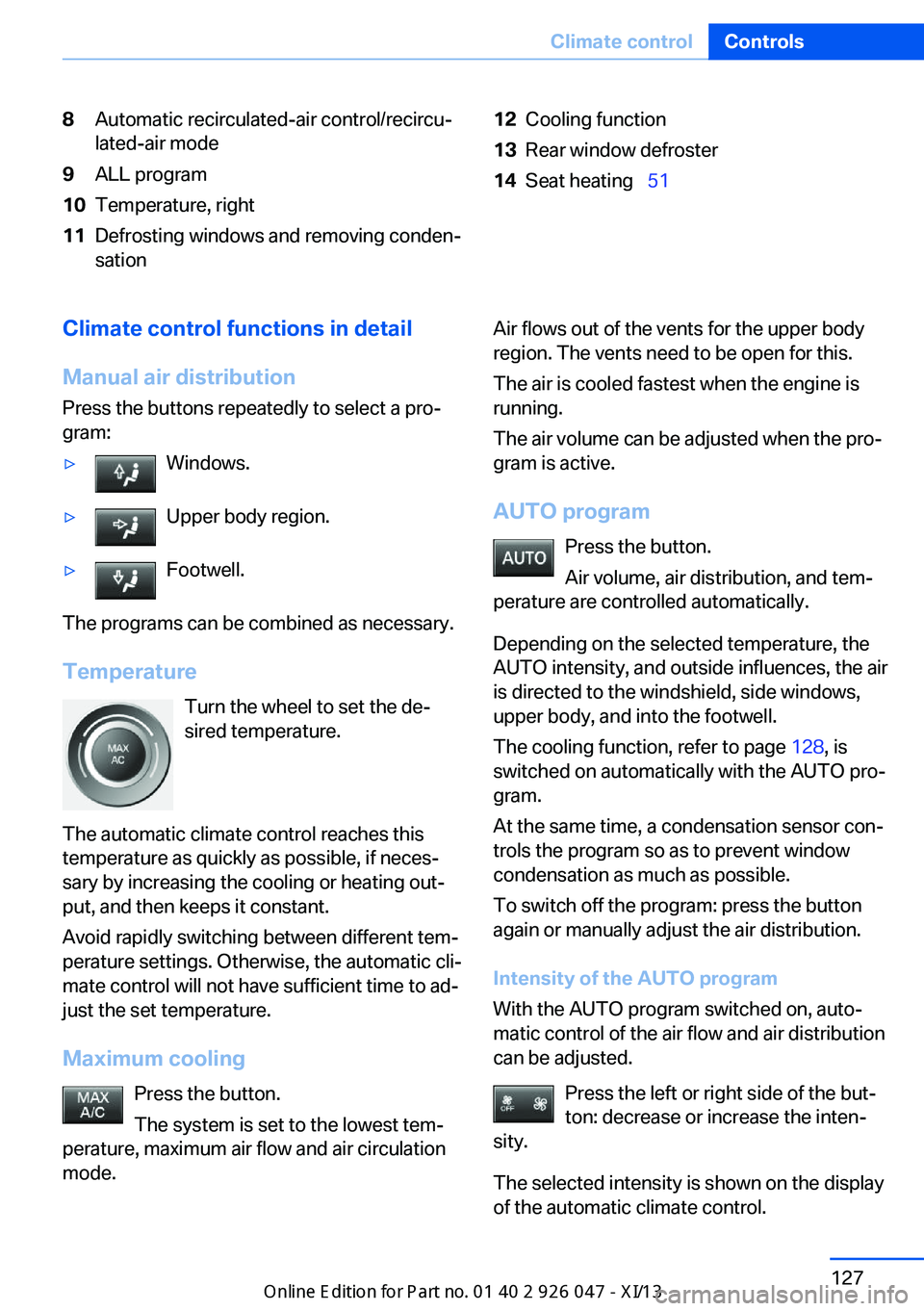
8Automatic recirculated-air control/recircu‐
lated-air mode9ALL program10Temperature, right11Defrosting windows and removing conden‐
sation12Cooling function13Rear window defroster14Seat heating 51Climate control functions in detail
Manual air distribution
Press the buttons repeatedly to select a pro‐
gram:▷Windows.▷Upper body region.▷Footwell.
The programs can be combined as necessary.
Temperature Turn the wheel to set the de‐
sired temperature.
The automatic climate control reaches this
temperature as quickly as possible, if neces‐
sary by increasing the cooling or heating out‐
put, and then keeps it constant.
Avoid rapidly switching between different tem‐
perature settings. Otherwise, the automatic cli‐
mate control will not have sufficient time to ad‐
just the set temperature.
Maximum cooling Press the button.
The system is set to the lowest tem‐
perature, maximum air flow and air circulation
mode.
Air flows out of the vents for the upper body
region. The vents need to be open for this.
The air is cooled fastest when the engine is
running.
The air volume can be adjusted when the pro‐
gram is active.
AUTO program Press the button.
Air volume, air distribution, and tem‐
perature are controlled automatically.
Depending on the selected temperature, the
AUTO intensity, and outside influences, the air
is directed to the windshield, side windows,
upper body, and into the footwell.
The cooling function, refer to page 128, is
switched on automatically with the AUTO pro‐
gram.
At the same time, a condensation sensor con‐
trols the program so as to prevent window
condensation as much as possible.
To switch off the program: press the button
again or manually adjust the air distribution.
Intensity of the AUTO program
With the AUTO program switched on, auto‐
matic control of the air flow and air distribution
can be adjusted.
Press the left or right side of the but‐
ton: decrease or increase the inten‐
sity.
The selected intensity is shown on the display
of the automatic climate control.Seite 127Climate controlControls127
Online Edition for Part no. 01 40 2 911 041 - VI/13
Page 132 of 212
Air flow, manualTo be able to manually adjust the air flow,
switch off the AUTO program first.
Press the left or right side of the but‐
ton: decrease or increase air flow.
The selected air flow is shown on the display of
the automatic climate control.
The air flow of the automatic climate control
may be reduced automatically to save battery
power.
Automatic recirculated-air control/
recirculated-air mode
You can respond to unpleasant odors or pollu‐
tants in the immediate environment by tempo‐
rarily suspending the supply of outside air. The
system then recirculates the air currently
within the vehicle.
Press the button repeatedly to select
an operating mode:▷LEDs off: outside air flows in continuously.▷Left LED on, automatic recirculated-air
control: a sensor detects pollutants in the
outside air and controls the shutoff auto‐
matically.▷Right LED on, recirculated-air mode: the
supply of outside air into the vehicle is per‐
manently blocked.
If the windows are fogged over, switch off the
recirculated-air mode and press the AUTO
button to utilize the condensation sensor.
Make sure that air can flow onto the wind‐
shield.
Continuous recirculated-air mode
The recirculated-air mode should not be
used for an extended period of time, as the air
quality inside the vehicle deteriorates stead‐
ily.◀
ALL program
Press the button.
The current setting or later settings of
the temperature on the driver's side are trans‐
ferred to the front passenger side.
The program is switched off if the settings on
the front passenger side are changed.
Defrosting windows and removing condensation
Press the button.
Ice and condensation are quickly re‐
moved from the windshield and the front side
windows.
The air volume can be adjusted when the pro‐
gram is active.
If the windows are fogged over, you can also
switch on the cooling function or press the
AUTO button to utilize the condensation sen‐
sor.
Cooling function
The passenger compartment can only be
cooled with the engine running.
Press the button.
The air is cooled and dehumidified
and – depending on the temperature setting –
warmed again.
Depending on the weather, the windshield may
fog up briefly when the engine is started.
The cooling function is switched on automati‐
cally with the AUTO program.
When using the automatic climate control,
condensation water, refer to page 146, devel‐
ops that exits underneath the vehicle.
Rear window defroster Press the button.
The rear window defroster switches
off automatically after a certain period of time.Seite 128ControlsClimate control128
Online Edition for Part no. 01 40 2 911 041 - VI/13
Page 176 of 212
MaintenanceVehicle equipment
All standard, country-specific and optional
equipment that is offered in the model series is
described in this chapter. Therefore, equip‐
ment is also described that is not available in a
vehicle, e. g., because of the selected optional
equipment or country variant. This also applies
for safety-related functions and systems.
BMW Maintenance System The maintenance system directs you to re‐
quired maintenance measures and thereby
supports you in maintaining road safety and
the operational reliability of the vehicle.
Condition Based Service
CBS
Sensors and special algorithms take into ac‐
count the driving conditions of your vehicle.
Based on this, Condition Based Service deter‐
mines the maintenance requirements.
The system makes it possible to adapt the
amount of maintenance you need to your user
profile.
Detailed information on service requirements,
refer to page 82, can be displayed on the Con‐
trol Display.
Service data in the remote control Information on the required maintenance is
continuously stored in the remote control.
Your service center will read out this data and
suggest the right array of service procedures
for your vehicle.
Therefore, hand your service specialist the re‐
mote control with which the vehicle was driven
most recently.Storage periods
Storage periods during which the vehicle bat‐
tery was disconnected are not taken into ac‐
count.
If this occurs, have a service center update the
time-dependent maintenance procedures,
such as checking brake fluid and, if necessary,
changing the engine oil and the microfilter/
activated-charcoal filter.
Service booklet Perform maintenance work at the service cen‐
ter, and record the work in the service booklet.
The entries are proof of regular maintenance.
Service and Warranty
Information Booklet for US
models and Warranty and
Service Guide Booklet for
Canadian models
Please consult your Service and Warranty In‐
formation Booklet for US models and Warranty
and Service Guide Booklet for Canadian mod‐
els for additional information on service re‐
quirements.
Maintenance and repair should be performed
by your service center. Make sure to have reg‐
ular maintenance procedures recorded in the
vehicle's Service and Warranty Information
Booklet for US models, and in the Warranty
and Service Guide Booklet for Canadian mod‐
els. These entries are proof of regular mainte‐
nance.Seite 172MobilityMaintenance172
Online Edition for Part no. 01 40 2 911 041 - VI/13
Page 191 of 212
CareVehicle equipmentAll standard, country-specific and optional
equipment that is offered in the model series is
described in this chapter. Therefore, equip‐
ment is also described that is not available in a
vehicle, e. g., because of the selected optional
equipment or country variant. This also applies
for safety-related functions and systems.
Car washes Hints Steam jets or high-pressure washers
When using steam jets or high-pressure
washers, hold them a sufficient distance away and use a maximum temperature of
140 ℉/60 ℃.
If the vehicle has a glass sunroof, ensure that a distance of at least 31.5 inches/80 cm is main‐
tained. Holding them too close or using exces‐
sively high pressures or temperatures can
cause damage or preliminary damage that may
then lead to long-term damage.
Follow the user's manual for the high-pressure
washer.◀
Cleaning sensors/cameras with high-
pressure washers
When using high-pressure washers, do not
spray the exterior sensors and cameras, e.g., Park Distance Control, for extended periods of
time and only from a distance of at least
12 in/30 cm.◀
Regularly remove foreign items such as leaves
in the area below the windshield when the
hood is raised.
Wash your vehicle frequently, particularly in
winter.Intense soiling and road salt can damage the
vehicle.
Automatic car washes
Hints
Note the following:▷Give preference to cloth car washes or
those that use soft brushes in order to
avoid paint damage.▷Make sure that the wheels and tires are not
damaged by the transport mechanisms.▷Fold in the exterior mirrors; otherwise, they
may be damaged, depending on the width
of the vehicle.▷Deactivate the rain sensor, refer to
page 69, to avoid unintentional wiper acti‐
vation.▷In some cases, an unintentional alarm can
be triggered by the interior motion sensor
of the alarm system. Follow the instruc‐
tions on avoiding an unintentional alarm,
refer to page 44.
Guide rails in car washes
Avoid car washes with guide rails higher
than 4 in/10 cm; otherwise, the vehicle body
could be damaged.◀
Before driving into a car wash In order to ensure that the vehicle can roll in a
car wash, take the following steps:
Automatic transmission:
1.Drive into the car wash.2.Engage transmission position N.3.Switch the engine off.
In this way, the ignition remains switched
on, and a Check-Control message is dis‐
played.Seite 187CareMobility187
Online Edition for Part no. 01 40 2 911 041 - VI/13
Page 194 of 212
Carpets and floor matsNo objects in the area around the pedals
Keep floor mats, carpets, and any other
objects out of the area of motion of the pedals;
otherwise, the function of the pedals could be
impeded while driving
Do not place additional floor mats over existing
mats or other objects.
Only use floor mats that have been approved for the vehicle and can be properly fixed in
place.
Ensure that the floor mats are securely fas‐
tened again after they were removed for clean‐
ing, for example.◀
Floor mats can be removed from the passen‐
ger compartment for cleaning.
If the floor carpets are very dirty, clean with a
microfiber cloth and water or a textile cleaner.
To prevent matting of the carpet, rub back and
forth in the direction of travel only.
Sensors/cameras
To clean sensors and cameras, use a cloth moistened with a small amount of glasscleaner.
Displays/screens
Clean the displays with an antistatic microfiber
cloth.
Cleaning displays
Do not use chemical or household
cleansers.
Keep all fluids and moisture away from the
unit.
Otherwise, they could affect or damage surfa‐
ces or electrical components.
Avoid pressing too hard when cleaning and do
not use abrasive materials; otherwise, damage
can result.◀Long-term vehicle storage
Your service center can advise you on what to
consider when storing the vehicle for longer
than three months.Seite 190MobilityCare190
Online Edition for Part no. 01 40 2 911 041 - VI/13
Page 206 of 212
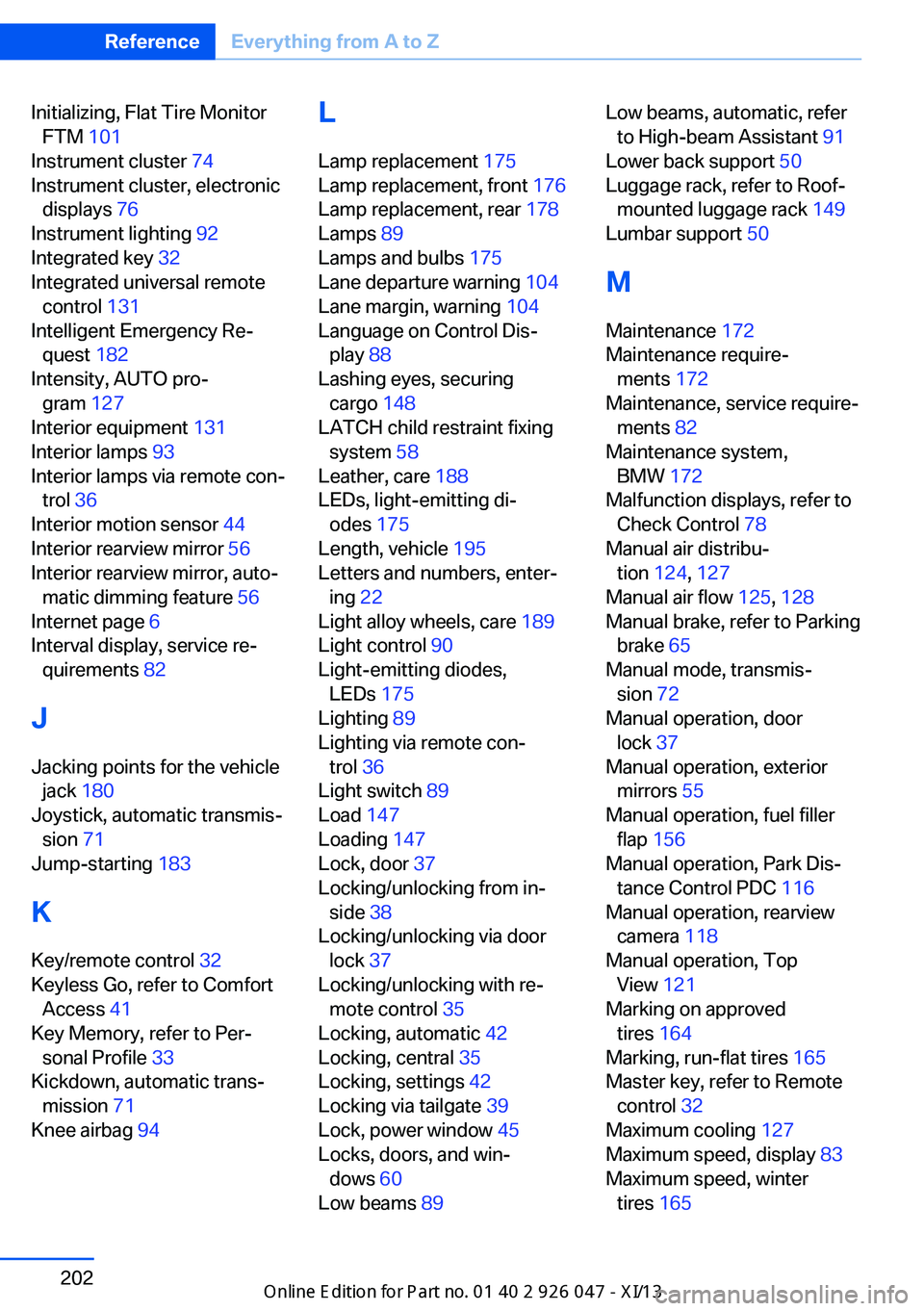
Initializing, Flat Tire MonitorFTM 101
Instrument cluster 74
Instrument cluster, electronic displays 76
Instrument lighting 92
Integrated key 32
Integrated universal remote control 131
Intelligent Emergency Re‐ quest 182
Intensity, AUTO pro‐ gram 127
Interior equipment 131
Interior lamps 93
Interior lamps via remote con‐ trol 36
Interior motion sensor 44
Interior rearview mirror 56
Interior rearview mirror, auto‐ matic dimming feature 56
Internet page 6
Interval display, service re‐ quirements 82
J Jacking points for the vehicle jack 180
Joystick, automatic transmis‐ sion 71
Jump-starting 183
K
Key/remote control 32
Keyless Go, refer to Comfort Access 41
Key Memory, refer to Per‐ sonal Profile 33
Kickdown, automatic trans‐ mission 71
Knee airbag 94 L
Lamp replacement 175
Lamp replacement, front 176
Lamp replacement, rear 178
Lamps 89
Lamps and bulbs 175
Lane departure warning 104
Lane margin, warning 104
Language on Control Dis‐ play 88
Lashing eyes, securing cargo 148
LATCH child restraint fixing system 58
Leather, care 188
LEDs, light-emitting di‐ odes 175
Length, vehicle 195
Letters and numbers, enter‐ ing 22
Light alloy wheels, care 189
Light control 90
Light-emitting diodes, LEDs 175
Lighting 89
Lighting via remote con‐ trol 36
Light switch 89
Load 147
Loading 147
Lock, door 37
Locking/unlocking from in‐ side 38
Locking/unlocking via door lock 37
Locking/unlocking with re‐ mote control 35
Locking, automatic 42
Locking, central 35
Locking, settings 42
Locking via tailgate 39
Lock, power window 45
Locks, doors, and win‐ dows 60
Low beams 89 Low beams, automatic, refer
to High-beam Assistant 91
Lower back support 50
Luggage rack, refer to Roof- mounted luggage rack 149
Lumbar support 50
M
Maintenance 172
Maintenance require‐ ments 172
Maintenance, service require‐ ments 82
Maintenance system, BMW 172
Malfunction displays, refer to Check Control 78
Manual air distribu‐ tion 124, 127
Manual air flow 125, 128
Manual brake, refer to Parking brake 65
Manual mode, transmis‐ sion 72
Manual operation, door lock 37
Manual operation, exterior mirrors 55
Manual operation, fuel filler flap 156
Manual operation, Park Dis‐ tance Control PDC 116
Manual operation, rearview camera 118
Manual operation, Top View 121
Marking on approved tires 164
Marking, run-flat tires 165
Master key, refer to Remote control 32
Maximum cooling 127
Maximum speed, display 83
Maximum speed, winter tires 165 Seite 202ReferenceEverything from A to Z202
Online Edition for Part no. 01 40 2 911 041 - VI/13
Page 208 of 212
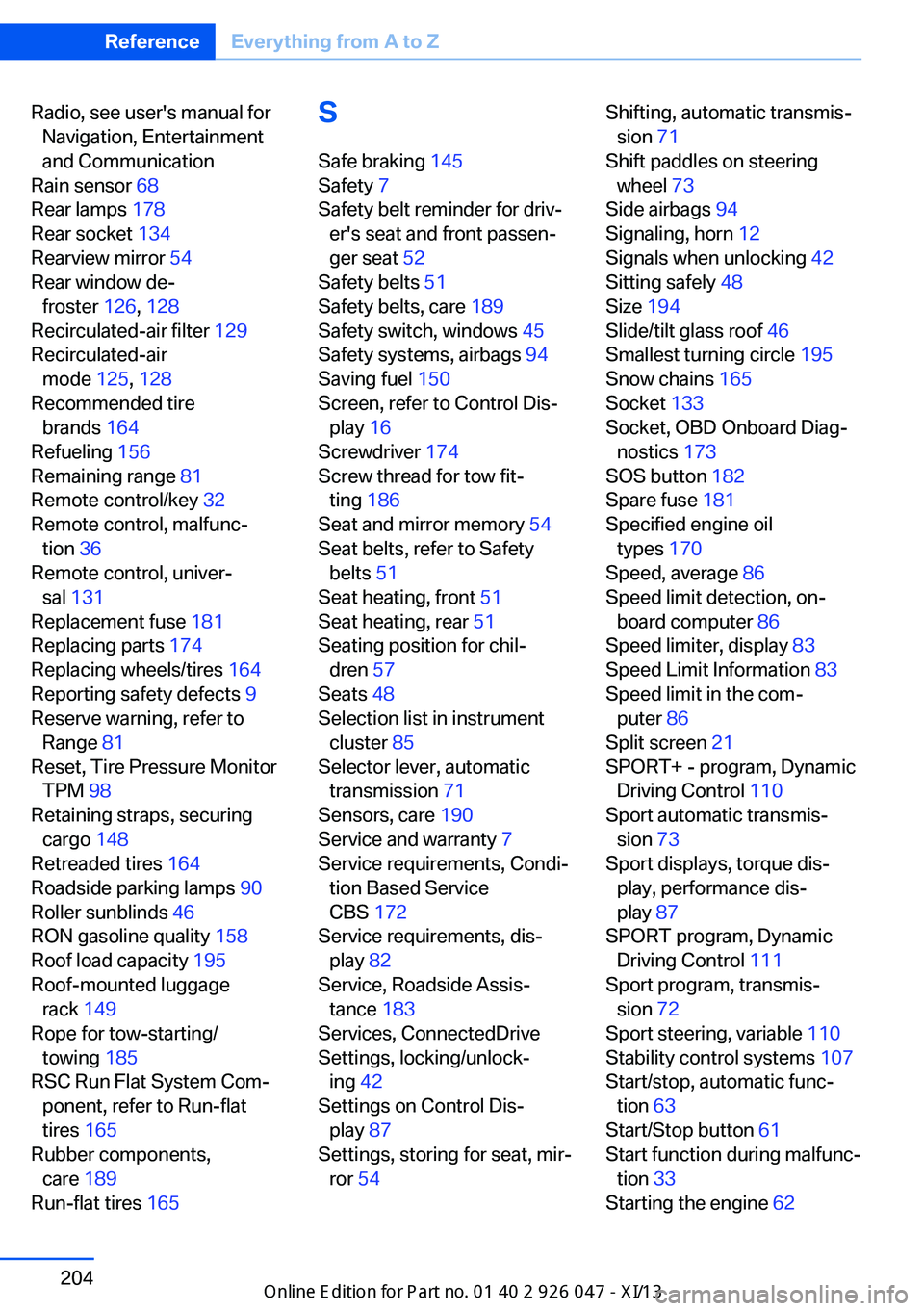
Radio, see user's manual forNavigation, Entertainment
and Communication
Rain sensor 68
Rear lamps 178
Rear socket 134
Rearview mirror 54
Rear window de‐ froster 126, 128
Recirculated-air filter 129
Recirculated-air mode 125, 128
Recommended tire brands 164
Refueling 156
Remaining range 81
Remote control/key 32
Remote control, malfunc‐ tion 36
Remote control, univer‐ sal 131
Replacement fuse 181
Replacing parts 174
Replacing wheels/tires 164
Reporting safety defects 9
Reserve warning, refer to Range 81
Reset, Tire Pressure Monitor TPM 98
Retaining straps, securing cargo 148
Retreaded tires 164
Roadside parking lamps 90
Roller sunblinds 46
RON gasoline quality 158
Roof load capacity 195
Roof-mounted luggage rack 149
Rope for tow-starting/ towing 185
RSC Run Flat System Com‐ ponent, refer to Run-flat
tires 165
Rubber components, care 189
Run-flat tires 165 S
Safe braking 145
Safety 7
Safety belt reminder for driv‐ er's seat and front passen‐
ger seat 52
Safety belts 51
Safety belts, care 189
Safety switch, windows 45
Safety systems, airbags 94
Saving fuel 150
Screen, refer to Control Dis‐ play 16
Screwdriver 174
Screw thread for tow fit‐ ting 186
Seat and mirror memory 54
Seat belts, refer to Safety belts 51
Seat heating, front 51
Seat heating, rear 51
Seating position for chil‐ dren 57
Seats 48
Selection list in instrument cluster 85
Selector lever, automatic transmission 71
Sensors, care 190
Service and warranty 7
Service requirements, Condi‐ tion Based Service
CBS 172
Service requirements, dis‐ play 82
Service, Roadside Assis‐ tance 183
Services, ConnectedDrive
Settings, locking/unlock‐ ing 42
Settings on Control Dis‐ play 87
Settings, storing for seat, mir‐ ror 54 Shifting, automatic transmis‐
sion 71
Shift paddles on steering wheel 73
Side airbags 94
Signaling, horn 12
Signals when unlocking 42
Sitting safely 48
Size 194
Slide/tilt glass roof 46
Smallest turning circle 195
Snow chains 165
Socket 133
Socket, OBD Onboard Diag‐ nostics 173
SOS button 182
Spare fuse 181
Specified engine oil types 170
Speed, average 86
Speed limit detection, on‐ board computer 86
Speed limiter, display 83
Speed Limit Information 83
Speed limit in the com‐ puter 86
Split screen 21
SPORT+ - program, Dynamic Driving Control 110
Sport automatic transmis‐ sion 73
Sport displays, torque dis‐ play, performance dis‐
play 87
SPORT program, Dynamic Driving Control 111
Sport program, transmis‐ sion 72
Sport steering, variable 110
Stability control systems 107
Start/stop, automatic func‐ tion 63
Start/Stop button 61
Start function during malfunc‐ tion 33
Starting the engine 62 Seite 204ReferenceEverything from A to Z204
Online Edition for Part no. 01 40 2 911 041 - VI/13