tailgate BMW X3 2014 F25 User Guide
[x] Cancel search | Manufacturer: BMW, Model Year: 2014, Model line: X3, Model: BMW X3 2014 F25Pages: 251, PDF Size: 5.79 MB
Page 62 of 251
Calling up of a seat position
deactivated
After a brief period, calling up stored seat posi‐
tions is deactivated to save battery power.
To reactivate calling up of a seat position:▷Open or close the door or tailgate.▷Press a button on the remote control.▷Press the Start/Stop button.
Mirrors
Exterior mirrors
General information The mirror on the passenger side is more
curved than the driver's side mirror.
Depending on the vehicle equipment, the mir‐
ror setting is stored for the profile currently in
use. When the vehicle is unlocked via the re‐
mote control, the position is automatically re‐
trieved if this function is active.
Note Estimating distances correctly
Objects reflected in the mirror are closer
than they appear. Do not estimate the distance
to the traffic behind you based on what you
see in the mirror, as this will increase your risk
of an accident.◀
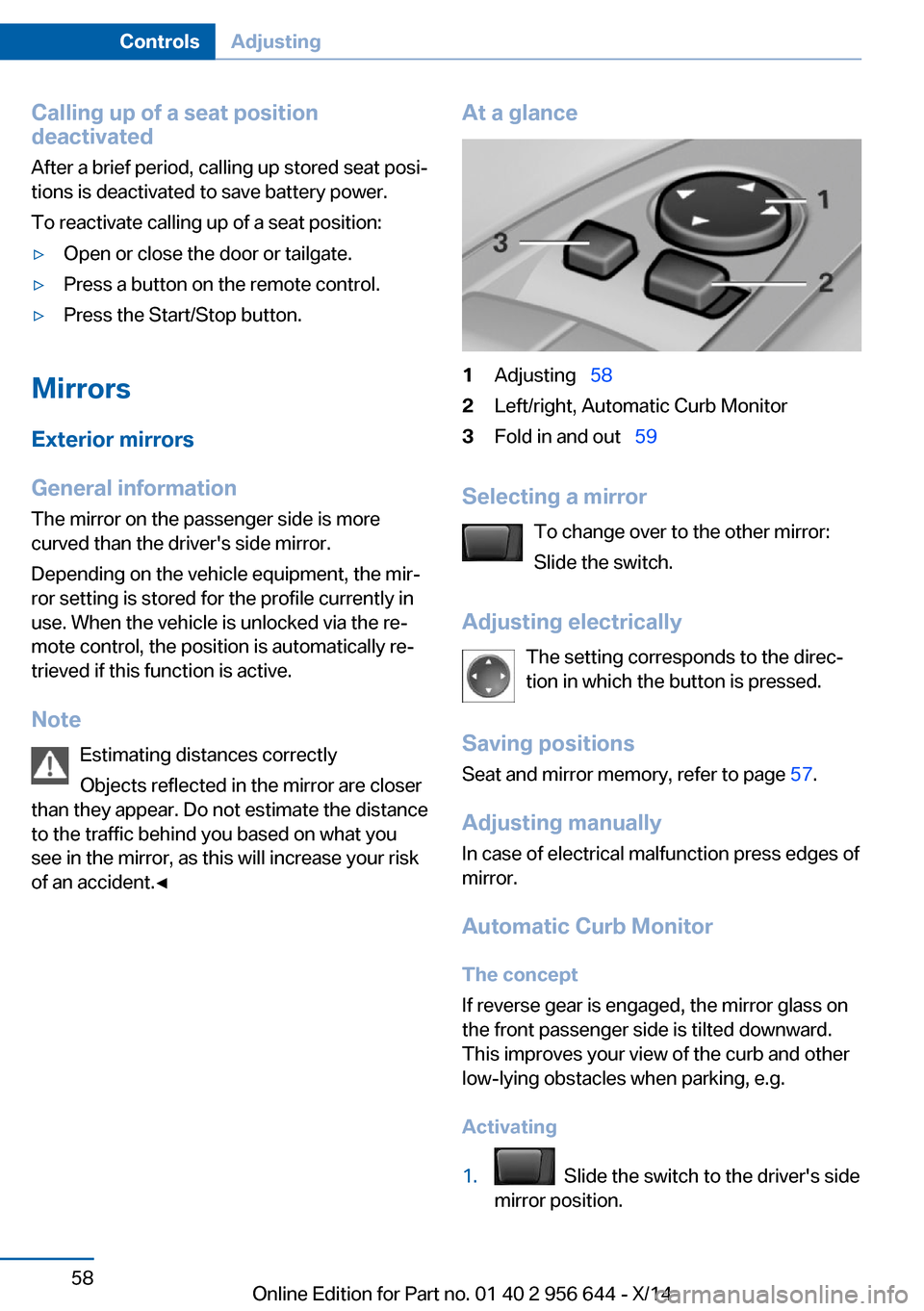
At a glance1Adjusting 582Left/right, Automatic Curb Monitor3Fold in and out 59
Selecting a mirror
To change over to the other mirror:
Slide the switch.
Adjusting electrically The setting corresponds to the direc‐
tion in which the button is pressed.
Saving positions
Seat and mirror memory, refer to page 57.
Adjusting manually
In case of electrical malfunction press edges of
mirror.
Automatic Curb MonitorThe concept
If reverse gear is engaged, the mirror glass on
the front passenger side is tilted downward.
This improves your view of the curb and other
low-lying obstacles when parking, e.g.
Activating
1. Slide the switch to the driver's side
mirror position.
Seite 58ControlsAdjusting58
Online Edition for Part no. 01 40 2 956 644 - X/14
Page 144 of 251
At a glance
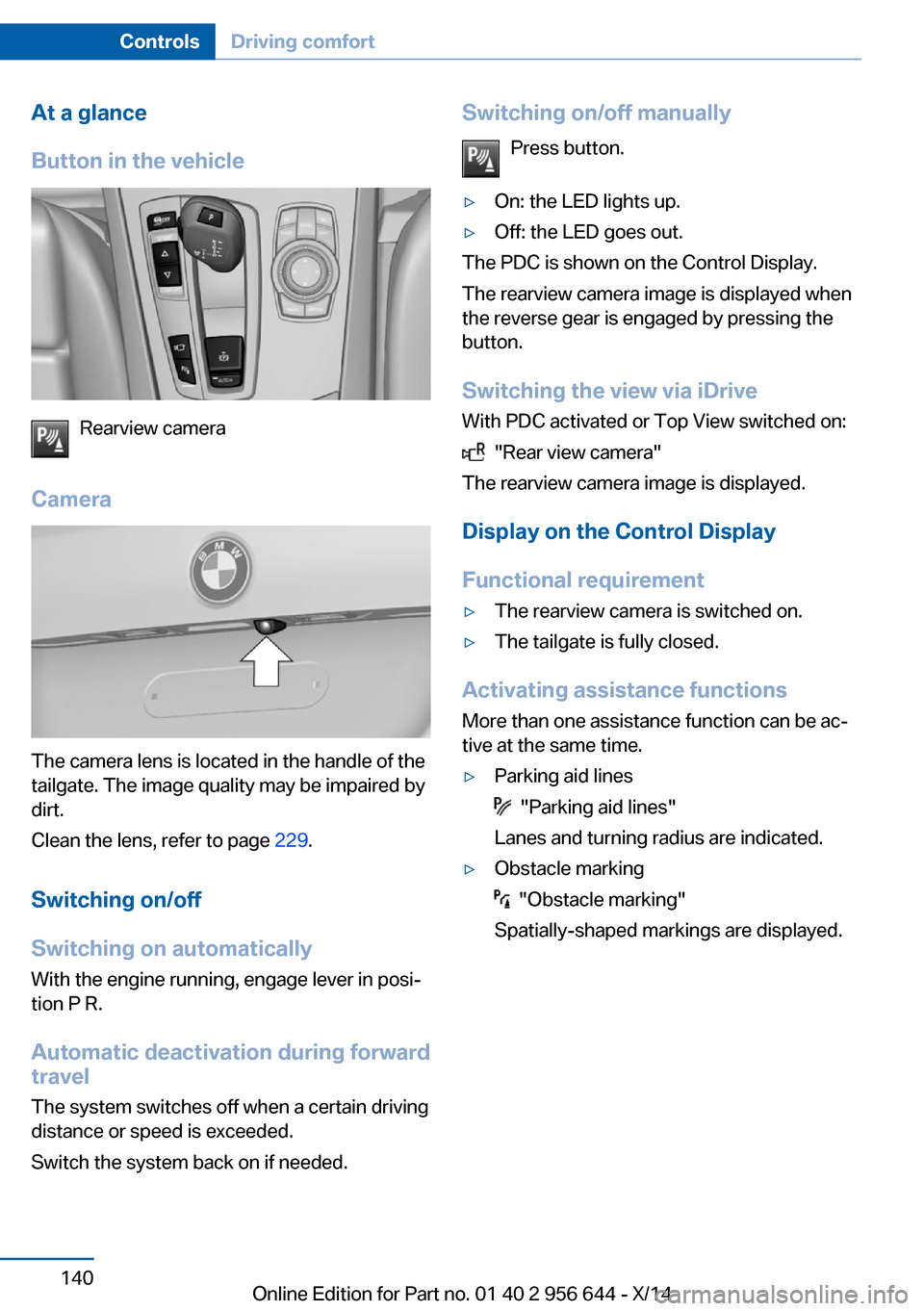
Button in the vehicle
Rearview camera
Camera
The camera lens is located in the handle of the
tailgate. The image quality may be impaired by
dirt.
Clean the lens, refer to page 229.
Switching on/off
Switching on automatically With the engine running, engage lever in posi‐
tion P R.
Automatic deactivation during forward
travel
The system switches off when a certain driving
distance or speed is exceeded.
Switch the system back on if needed.
Switching on/off manually
Press button.▷On: the LED lights up.▷Off: the LED goes out.
The PDC is shown on the Control Display.
The rearview camera image is displayed when
the reverse gear is engaged by pressing the
button.
Switching the view via iDrive With PDC activated or Top View switched on:
"Rear view camera"
The rearview camera image is displayed.
Display on the Control Display
Functional requirement
▷The rearview camera is switched on.▷The tailgate is fully closed.
Activating assistance functions
More than one assistance function can be ac‐
tive at the same time.
▷Parking aid lines
"Parking aid lines"
Lanes and turning radius are indicated.
▷Obstacle marking
"Obstacle marking"
Spatially-shaped markings are displayed.
Seite 140ControlsDriving comfort140
Online Edition for Part no. 01 40 2 956 644 - X/14
Page 147 of 251
Cameras
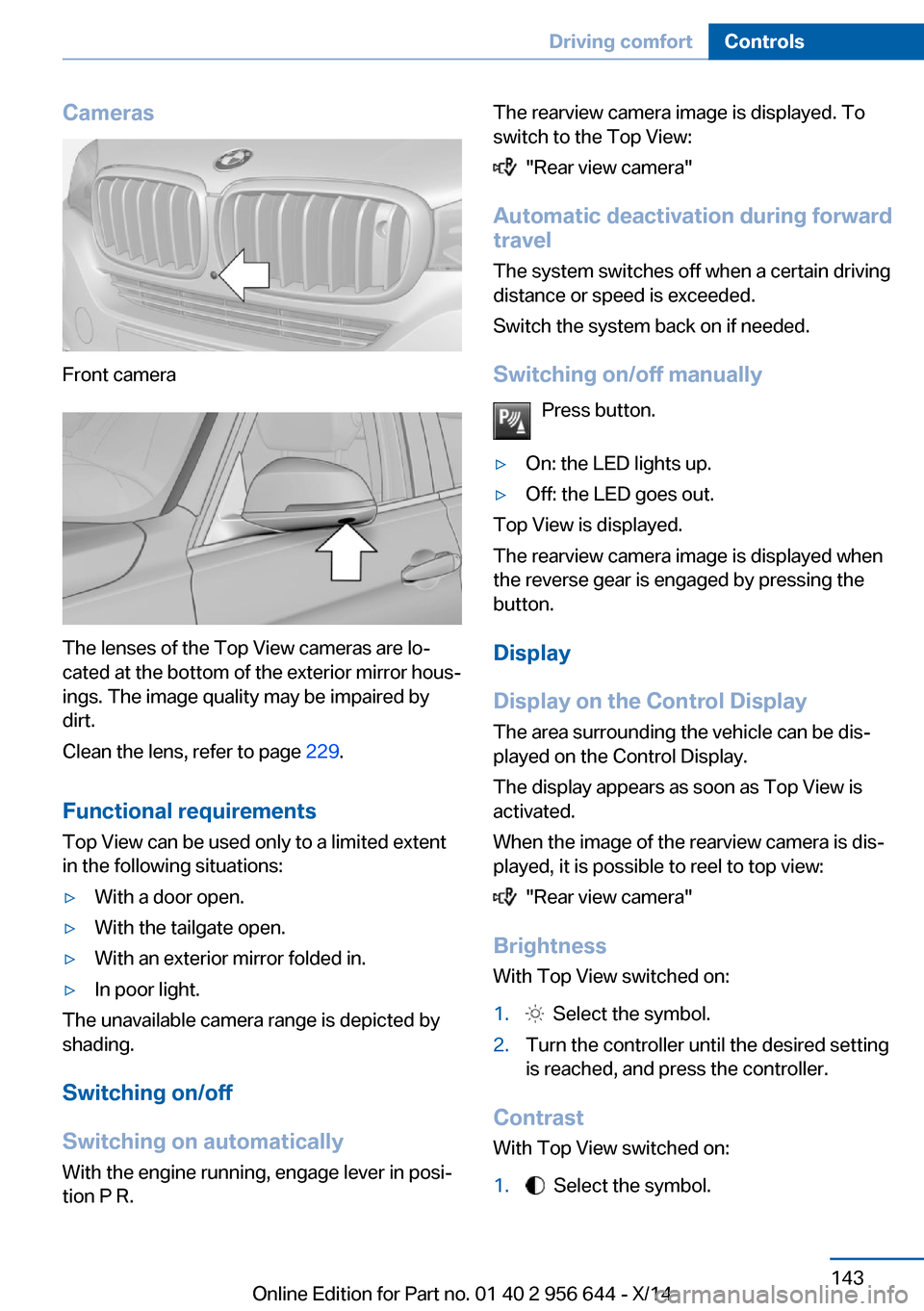
Front camera
The lenses of the Top View cameras are lo‐
cated at the bottom of the exterior mirror hous‐
ings. The image quality may be impaired by
dirt.
Clean the lens, refer to page 229.
Functional requirements
Top View can be used only to a limited extent
in the following situations:
▷With a door open.▷With the tailgate open.▷With an exterior mirror folded in.▷In poor light.
The unavailable camera range is depicted by
shading.
Switching on/off
Switching on automatically With the engine running, engage lever in posi‐
tion P R.
The rearview camera image is displayed. To
switch to the Top View:
"Rear view camera"
Automatic deactivation during forward
travel
The system switches off when a certain driving
distance or speed is exceeded.
Switch the system back on if needed.
Switching on/off manually Press button.
▷On: the LED lights up.▷Off: the LED goes out.
Top View is displayed.
The rearview camera image is displayed when
the reverse gear is engaged by pressing the
button.
Display
Display on the Control Display The area surrounding the vehicle can be dis‐
played on the Control Display.
The display appears as soon as Top View is
activated.
When the image of the rearview camera is dis‐
played, it is possible to reel to top view:
"Rear view camera"
Brightness
With Top View switched on:
1. Select the symbol.2.Turn the controller until the desired setting
is reached, and press the controller.
Contrast
With Top View switched on:
1. Select the symbol.Seite 143Driving comfortControls143
Online Edition for Part no. 01 40 2 956 644 - X/14
Page 150 of 251
Parking assistantThe concept
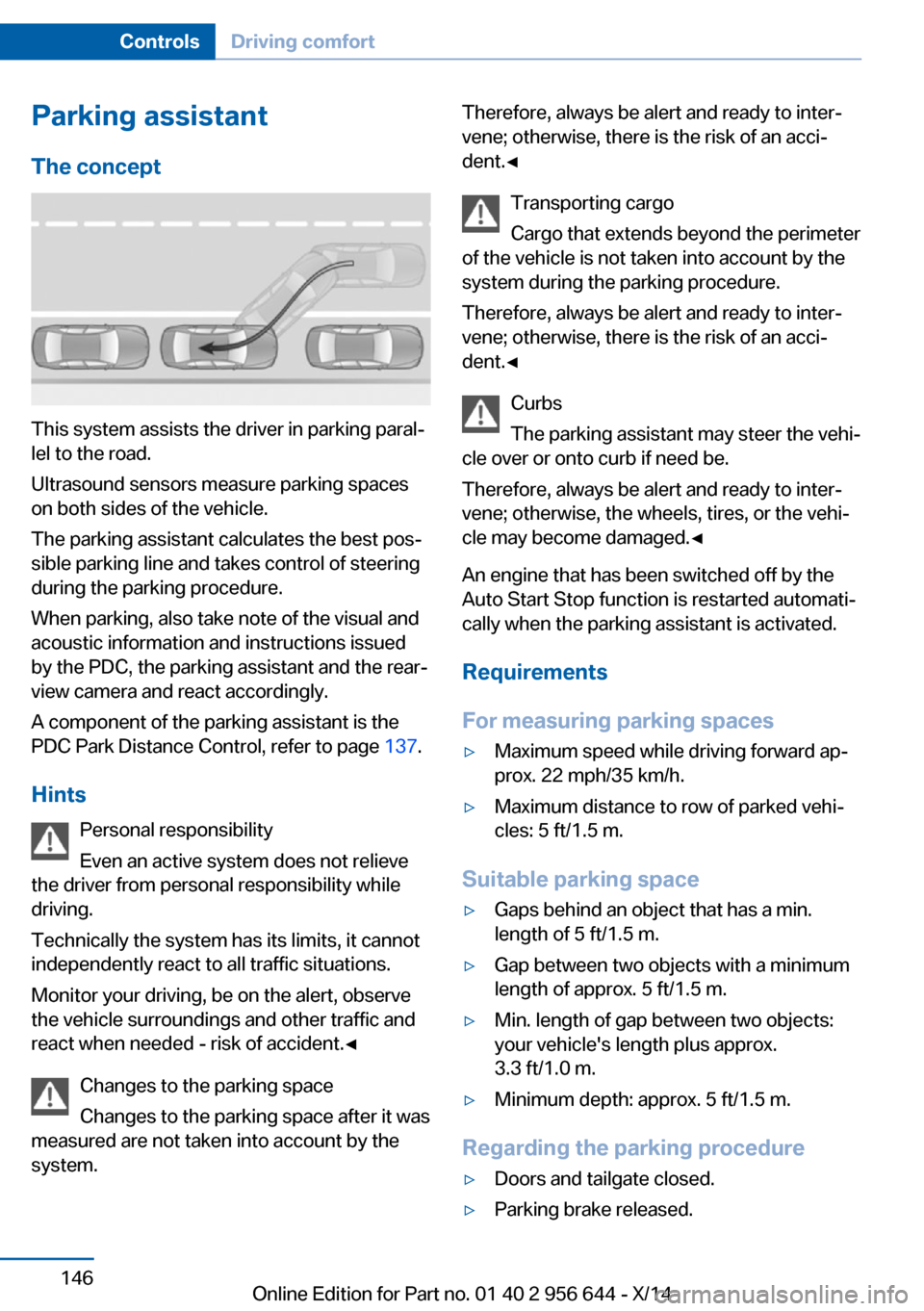
This system assists the driver in parking paral‐
lel to the road.
Ultrasound sensors measure parking spaces
on both sides of the vehicle.
The parking assistant calculates the best pos‐
sible parking line and takes control of steering
during the parking procedure.
When parking, also take note of the visual and
acoustic information and instructions issued
by the PDC, the parking assistant and the rear‐
view camera and react accordingly.
A component of the parking assistant is the
PDC Park Distance Control, refer to page 137.
Hints Personal responsibility
Even an active system does not relieve
the driver from personal responsibility while
driving.
Technically the system has its limits, it cannot
independently react to all traffic situations.
Monitor your driving, be on the alert, observe
the vehicle surroundings and other traffic and
react when needed - risk of accident.◀
Changes to the parking space
Changes to the parking space after it was
measured are not taken into account by the
system.
Therefore, always be alert and ready to inter‐
vene; otherwise, there is the risk of an acci‐
dent.◀
Transporting cargo
Cargo that extends beyond the perimeter
of the vehicle is not taken into account by the
system during the parking procedure.
Therefore, always be alert and ready to inter‐
vene; otherwise, there is the risk of an acci‐
dent.◀
Curbs
The parking assistant may steer the vehi‐
cle over or onto curb if need be.
Therefore, always be alert and ready to inter‐
vene; otherwise, the wheels, tires, or the vehi‐
cle may become damaged.◀
An engine that has been switched off by the
Auto Start Stop function is restarted automati‐
cally when the parking assistant is activated.
Requirements
For measuring parking spaces▷Maximum speed while driving forward ap‐
prox. 22 mph/35 km/h.▷Maximum distance to row of parked vehi‐
cles: 5 ft/1.5 m.
Suitable parking space
▷Gaps behind an object that has a min.
length of 5 ft/1.5 m.▷Gap between two objects with a minimum
length of approx. 5 ft/1.5 m.▷Min. length of gap between two objects:
your vehicle's length plus approx.
3.3 ft/1.0 m.▷Minimum depth: approx. 5 ft/1.5 m.
Regarding the parking procedure
▷Doors and tailgate closed.▷Parking brake released.Seite 146ControlsDriving comfort146
Online Edition for Part no. 01 40 2 956 644 - X/14
Page 177 of 251
near the MAX mark. Uphill and downhill
grades can be traveled up to no more than
50 %.▷On steep downhill grades, use Hill Descent
Control HDC, refer to page 123.
Starting out is possible on uphill grades up
to 30 %. The permissible side tilt is 30 %.▷Avoid that the chassis bottom coming in
contact with the ground.
The ground clearance is no more than 7.8
inches/20 cm and can vary according to
the vehicle's load.▷When wheels continue to spin, depress the
accelerator so that driving stability control
systems can distribute the driving force to
the wheels. Activate DTC Dynamic Trac‐
tion Control if available.
After a trip on poor roads
After a trip on poor roads, check wheels and
tires for damage to maintain driving safety.
Clear heavy soiling from the body.
General driving notes
Closing the tailgate Drive with the tailgate closed
Only drive with the tailgate closed; other‐
wise, in the event of an accident or braking and
evasive maneuvers, passengers and other traf‐
fic may be injured, and the vehicle may be
damaged. In addition, exhaust fumes may en‐
ter the vehicle interior.◀
If driving with the tailgate open cannot be
avoided:
▷Close all windows and the glass sunroof.▷Greatly increase the air flow from the vents.▷Drive moderately.Hot exhaust system
Hot exhaust system
High temperatures are generated in the
exhaust system.
Do not remove the heat shields installed and
never apply undercoating to them. Make sure
that flammable materials, e. g. hay, leaves,
grass, etc. do not come in contact with the hot
exhaust system while driving, while in idle po‐
sition mode, or when parked. Such contact
could lead to a fire, resulting in an increased
risk of serious personal injury as well as prop‐
erty damage.
Do not touch hot exhaust pipes; otherwise,
there is a danger of getting burned.◀
Diesel particulate filter The diesel particulate filter collects soot parti‐
cles and burns them periodically at high tem‐
peratures.
During several minutes of cleaning the follow‐
ing may occur:▷Temporarily, the engine may run less
smoothly.▷Noises and a slight amount of smoke com‐
ing from the exhaust until shortly after the
engine is shut down.▷A somewhat higher engine speed is neces‐
sary to reach usual performance.
Mobile communication devices in the
vehicle
Mobile communication devices in the ve‐
hicle
It is not recommended to use mobile phones,
such as mobile phones, in the vehicle interior
without a direct connection to an external aer‐
ial. Otherwise, the vehicle's electronics and
mobile communication devices can interfere
with each other. In addition, there is no assur‐
ance that the radiation generated during trans‐
Seite 173Things to remember when drivingDriving tips173
Online Edition for Part no. 01 40 2 956 644 - X/14
Page 182 of 251
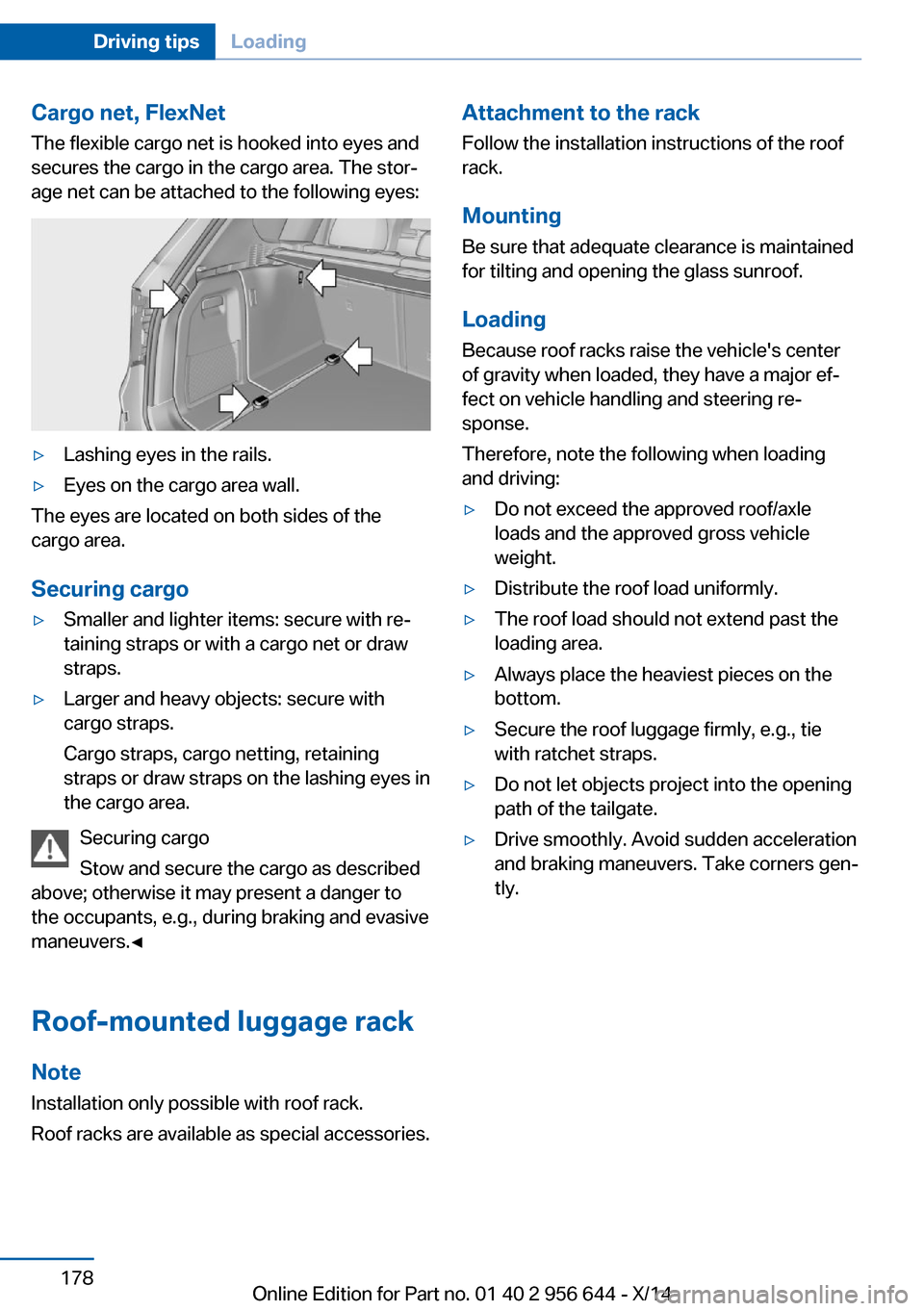
Cargo net, FlexNetThe flexible cargo net is hooked into eyes and
secures the cargo in the cargo area. The stor‐
age net can be attached to the following eyes:▷Lashing eyes in the rails.▷Eyes on the cargo area wall.
The eyes are located on both sides of the
cargo area.
Securing cargo
▷Smaller and lighter items: secure with re‐
taining straps or with a cargo net or draw
straps.▷Larger and heavy objects: secure with
cargo straps.
Cargo straps, cargo netting, retaining
straps or draw straps on the lashing eyes in
the cargo area.
Securing cargo
Stow and secure the cargo as described
above; otherwise it may present a danger to
the occupants, e.g., during braking and evasive
maneuvers.◀
Roof-mounted luggage rack Note
Installation only possible with roof rack.
Roof racks are available as special accessories.
Attachment to the rack Follow the installation instructions of the roof
rack.
Mounting
Be sure that adequate clearance is maintained
for tilting and opening the glass sunroof.
LoadingBecause roof racks raise the vehicle's centerof gravity when loaded, they have a major ef‐
fect on vehicle handling and steering re‐
sponse.
Therefore, note the following when loading
and driving:▷Do not exceed the approved roof/axle
loads and the approved gross vehicle
weight.▷Distribute the roof load uniformly.▷The roof load should not extend past the
loading area.▷Always place the heaviest pieces on the
bottom.▷Secure the roof luggage firmly, e.g., tie
with ratchet straps.▷Do not let objects project into the opening
path of the tailgate.▷Drive smoothly. Avoid sudden acceleration
and braking maneuvers. Take corners gen‐
tly.Seite 178Driving tipsLoading178
Online Edition for Part no. 01 40 2 956 644 - X/14
Page 221 of 251
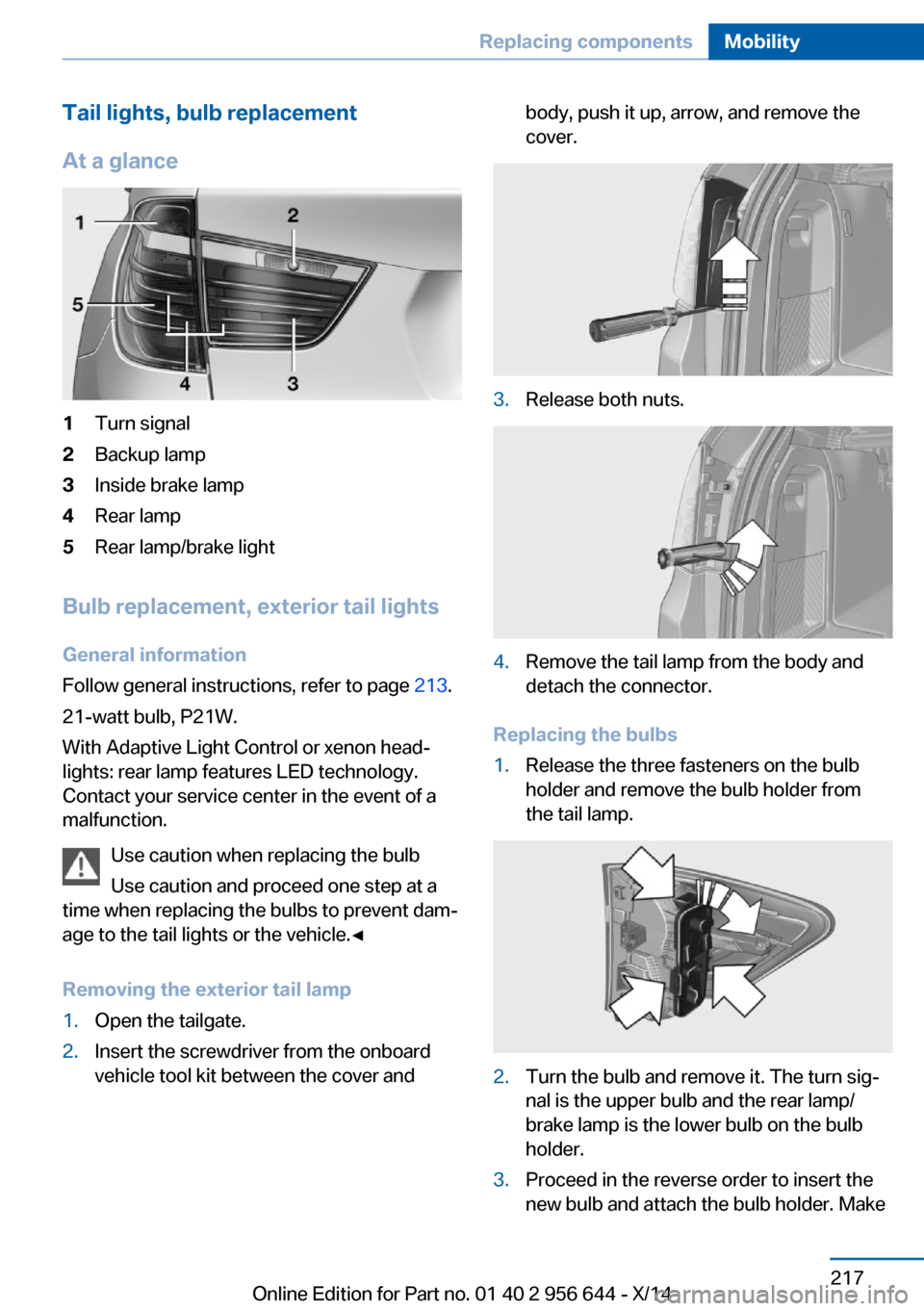
Tail lights, bulb replacement
At a glance1Turn signal2Backup lamp3Inside brake lamp4Rear lamp5Rear lamp/brake light
Bulb replacement, exterior tail lights General information
Follow general instructions, refer to page 213.
21-watt bulb, P21W.
With Adaptive Light Control or xenon head‐
lights: rear lamp features LED technology.
Contact your service center in the event of a
malfunction.
Use caution when replacing the bulb
Use caution and proceed one step at a
time when replacing the bulbs to prevent dam‐
age to the tail lights or the vehicle.◀
Removing the exterior tail lamp
1.Open the tailgate.2.Insert the screwdriver from the onboard
vehicle tool kit between the cover andbody, push it up, arrow, and remove the
cover.3.Release both nuts.4.Remove the tail lamp from the body and
detach the connector.
Replacing the bulbs
1.Release the three fasteners on the bulb
holder and remove the bulb holder from
the tail lamp.2.Turn the bulb and remove it. The turn sig‐
nal is the upper bulb and the rear lamp/
brake lamp is the lower bulb on the bulb
holder.3.Proceed in the reverse order to insert the
new bulb and attach the bulb holder. MakeSeite 217Replacing componentsMobility217
Online Edition for Part no. 01 40 2 956 644 - X/14
Page 222 of 251
sure that the bulb holder is engaged in all
fasteners.
Installing the tail lamp
1.Connect and install the tail lamp.2.Insert the cover with the three mountings
in the tail lamp. While applying pressure on
the top and bottom bracket, slide the cover
down to the stop.
Lights in the tailgate
General information
Follow general instructions, refer to page 213.
Reversing lights: 16-watt bulb, W16W.
Inner brake lamp: 21-watt bulb, H21W.
Accessing the lights
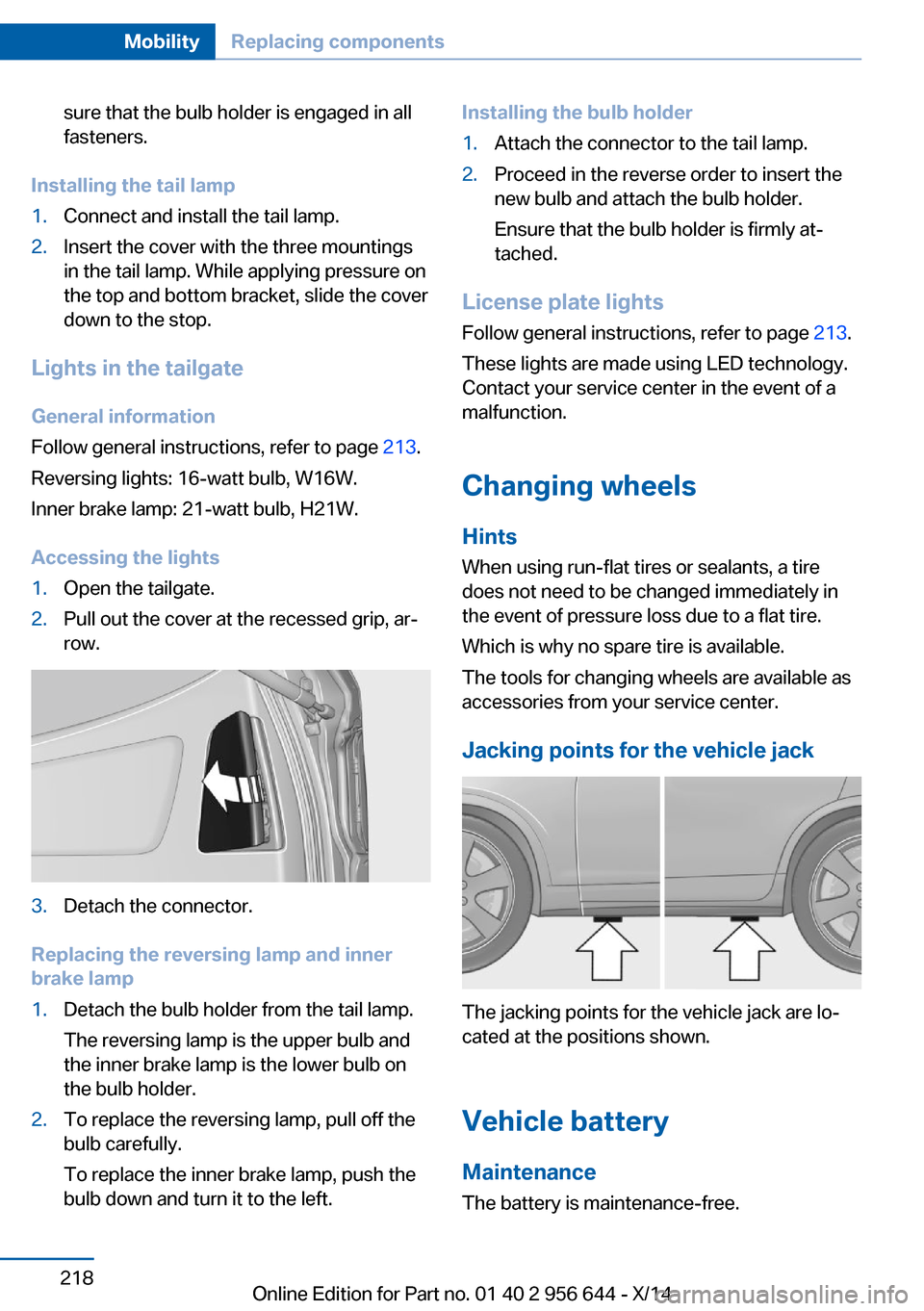
1.Open the tailgate.2.Pull out the cover at the recessed grip, ar‐
row.3.Detach the connector.
Replacing the reversing lamp and inner
brake lamp
1.Detach the bulb holder from the tail lamp.
The reversing lamp is the upper bulb and
the inner brake lamp is the lower bulb on
the bulb holder.2.To replace the reversing lamp, pull off the
bulb carefully.
To replace the inner brake lamp, push the
bulb down and turn it to the left.Installing the bulb holder1.Attach the connector to the tail lamp.2.Proceed in the reverse order to insert the
new bulb and attach the bulb holder.
Ensure that the bulb holder is firmly at‐
tached.
License plate lights
Follow general instructions, refer to page 213.
These lights are made using LED technology.
Contact your service center in the event of a
malfunction.
Changing wheels
Hints
When using run-flat tires or sealants, a tire
does not need to be changed immediately in
the event of pressure loss due to a flat tire.
Which is why no spare tire is available.
The tools for changing wheels are available as
accessories from your service center.
Jacking points for the vehicle jack
The jacking points for the vehicle jack are lo‐
cated at the positions shown.
Vehicle battery Maintenance
The battery is maintenance-free.
Seite 218MobilityReplacing components218
Online Edition for Part no. 01 40 2 956 644 - X/14
Page 240 of 251
Everything from A to Z
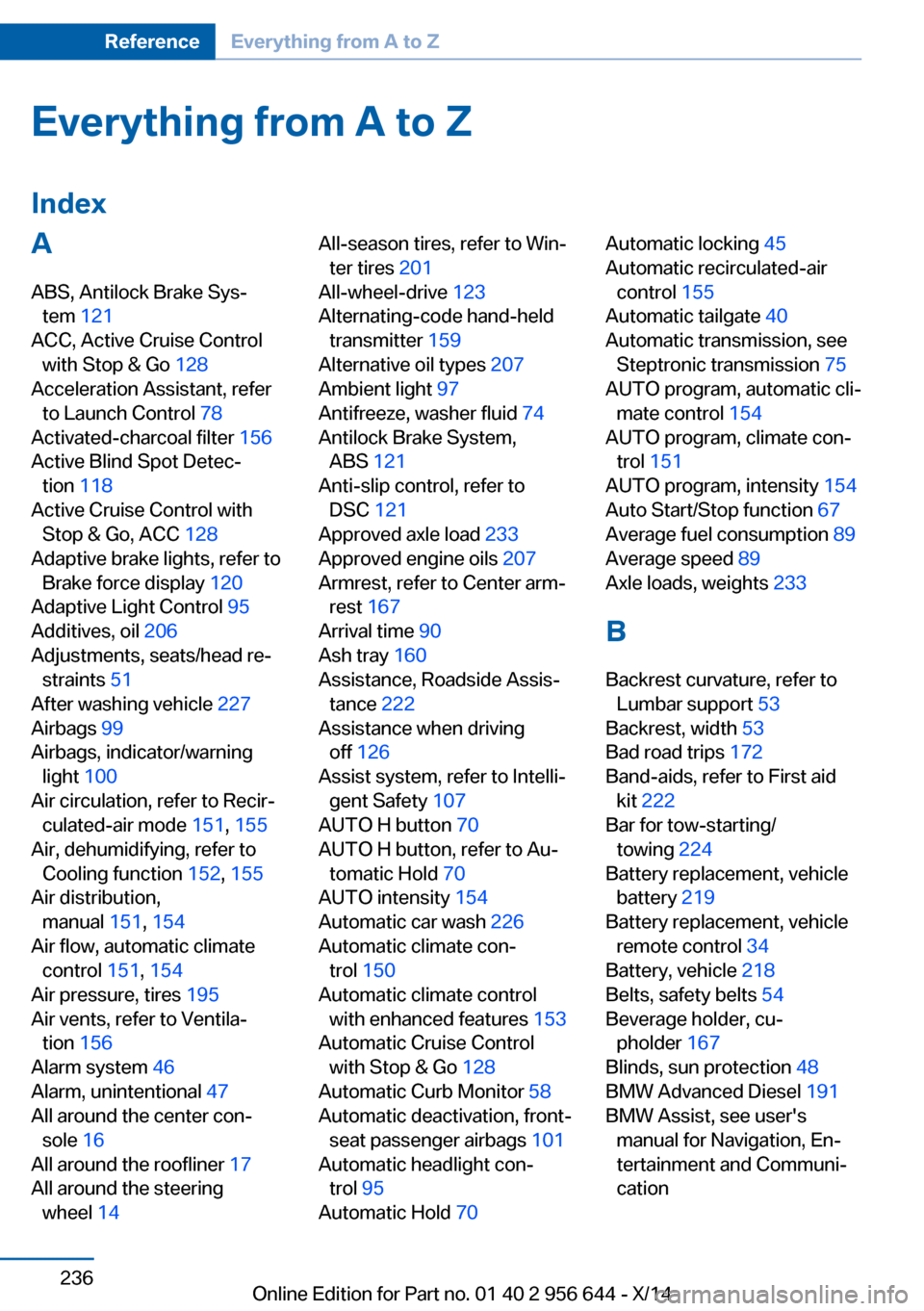
IndexA ABS, Antilock Brake Sys‐ tem 121
ACC, Active Cruise Control with Stop & Go 128
Acceleration Assistant, refer to Launch Control 78
Activated-charcoal filter 156
Active Blind Spot Detec‐ tion 118
Active Cruise Control with Stop & Go, ACC 128
Adaptive brake lights, refer to Brake force display 120
Adaptive Light Control 95
Additives, oil 206
Adjustments, seats/head re‐ straints 51
After washing vehicle 227
Airbags 99
Airbags, indicator/warning light 100
Air circulation, refer to Recir‐ culated-air mode 151, 155
Air, dehumidifying, refer to Cooling function 152, 155
Air distribution, manual 151, 154
Air flow, automatic climate control 151, 154
Air pressure, tires 195
Air vents, refer to Ventila‐ tion 156
Alarm system 46
Alarm, unintentional 47
All around the center con‐ sole 16
All around the roofliner 17
All around the steering wheel 14 All-season tires, refer to Win‐
ter tires 201
All-wheel-drive 123
Alternating-code hand-held transmitter 159
Alternative oil types 207
Ambient light 97
Antifreeze, washer fluid 74
Antilock Brake System, ABS 121
Anti-slip control, refer to DSC 121
Approved axle load 233
Approved engine oils 207
Armrest, refer to Center arm‐ rest 167
Arrival time 90
Ash tray 160
Assistance, Roadside Assis‐ tance 222
Assistance when driving off 126
Assist system, refer to Intelli‐ gent Safety 107
AUTO H button 70
AUTO H button, refer to Au‐ tomatic Hold 70
AUTO intensity 154
Automatic car wash 226
Automatic climate con‐ trol 150
Automatic climate control with enhanced features 153
Automatic Cruise Control with Stop & Go 128
Automatic Curb Monitor 58
Automatic deactivation, front- seat passenger airbags 101
Automatic headlight con‐ trol 95
Automatic Hold 70 Automatic locking 45
Automatic recirculated-air control 155
Automatic tailgate 40
Automatic transmission, see Steptronic transmission 75
AUTO program, automatic cli‐ mate control 154
AUTO program, climate con‐ trol 151
AUTO program, intensity 154
Auto Start/Stop function 67
Average fuel consumption 89
Average speed 89
Axle loads, weights 233
B Backrest curvature, refer to Lumbar support 53
Backrest, width 53
Bad road trips 172
Band-aids, refer to First aid kit 222
Bar for tow-starting/ towing 224
Battery replacement, vehicle battery 219
Battery replacement, vehicle remote control 34
Battery, vehicle 218
Belts, safety belts 54
Beverage holder, cu‐ pholder 167
Blinds, sun protection 48
BMW Advanced Diesel 191
BMW Assist, see user's manual for Navigation, En‐
tertainment and Communi‐
cation Seite 236ReferenceEverything from A to Z236
Online Edition for Part no. 01 40 2 956 644 - X/14
Page 241 of 251
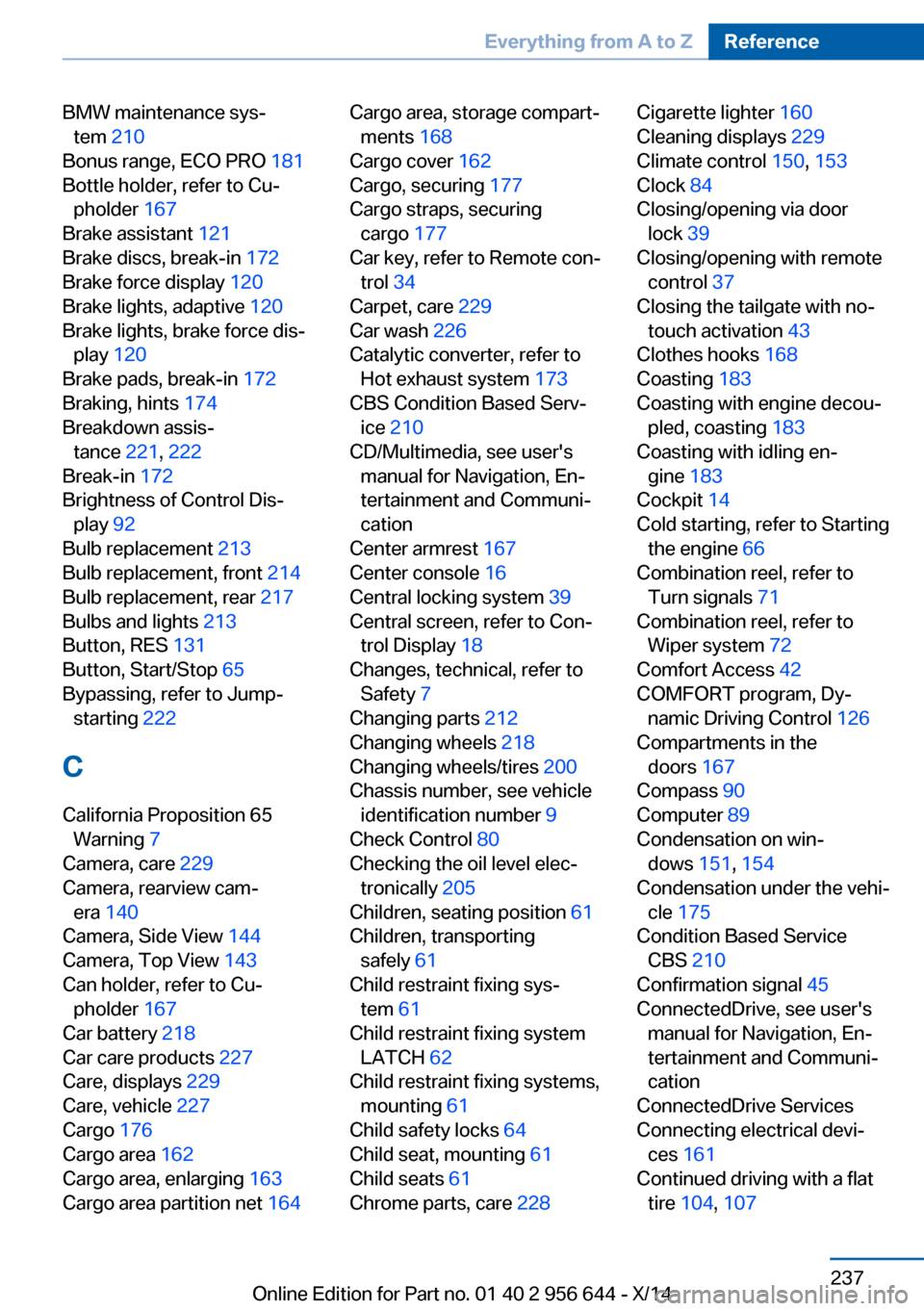
BMW maintenance sys‐tem 210
Bonus range, ECO PRO 181
Bottle holder, refer to Cu‐ pholder 167
Brake assistant 121
Brake discs, break-in 172
Brake force display 120
Brake lights, adaptive 120
Brake lights, brake force dis‐ play 120
Brake pads, break-in 172
Braking, hints 174
Breakdown assis‐ tance 221, 222
Break-in 172
Brightness of Control Dis‐ play 92
Bulb replacement 213
Bulb replacement, front 214
Bulb replacement, rear 217
Bulbs and lights 213
Button, RES 131
Button, Start/Stop 65
Bypassing, refer to Jump- starting 222
C
California Proposition 65 Warning 7
Camera, care 229
Camera, rearview cam‐ era 140
Camera, Side View 144
Camera, Top View 143
Can holder, refer to Cu‐ pholder 167
Car battery 218
Car care products 227
Care, displays 229
Care, vehicle 227
Cargo 176
Cargo area 162
Cargo area, enlarging 163
Cargo area partition net 164 Cargo area, storage compart‐
ments 168
Cargo cover 162
Cargo, securing 177
Cargo straps, securing cargo 177
Car key, refer to Remote con‐ trol 34
Carpet, care 229
Car wash 226
Catalytic converter, refer to Hot exhaust system 173
CBS Condition Based Serv‐ ice 210
CD/Multimedia, see user's manual for Navigation, En‐
tertainment and Communi‐
cation
Center armrest 167
Center console 16
Central locking system 39
Central screen, refer to Con‐ trol Display 18
Changes, technical, refer to Safety 7
Changing parts 212
Changing wheels 218
Changing wheels/tires 200
Chassis number, see vehicle identification number 9
Check Control 80
Checking the oil level elec‐ tronically 205
Children, seating position 61
Children, transporting safely 61
Child restraint fixing sys‐ tem 61
Child restraint fixing system LATCH 62
Child restraint fixing systems, mounting 61
Child safety locks 64
Child seat, mounting 61
Child seats 61
Chrome parts, care 228 Cigarette lighter 160
Cleaning displays 229
Climate control 150, 153
Clock 84
Closing/opening via door lock 39
Closing/opening with remote control 37
Closing the tailgate with no- touch activation 43
Clothes hooks 168
Coasting 183
Coasting with engine decou‐ pled, coasting 183
Coasting with idling en‐ gine 183
Cockpit 14
Cold starting, refer to Starting the engine 66
Combination reel, refer to Turn signals 71
Combination reel, refer to Wiper system 72
Comfort Access 42
COMFORT program, Dy‐ namic Driving Control 126
Compartments in the doors 167
Compass 90
Computer 89
Condensation on win‐ dows 151, 154
Condensation under the vehi‐ cle 175
Condition Based Service CBS 210
Confirmation signal 45
ConnectedDrive, see user's manual for Navigation, En‐
tertainment and Communi‐
cation
ConnectedDrive Services
Connecting electrical devi‐ ces 161
Continued driving with a flat tire 104 , 107 Seite 237Everything from A to ZReference237
Online Edition for Part no. 01 40 2 956 644 - X/14