battery BMW X3 2015 F25 Owner's Guide
[x] Cancel search | Manufacturer: BMW, Model Year: 2015, Model line: X3, Model: BMW X3 2015 F25Pages: 257, PDF Size: 5.26 MB
Page 232 of 257
PreparationBodywork contact between vehicles
Make sure that there is no contact be‐
tween the bodywork of the two vehicles; other‐
wise, there is a danger of short circuits.◀1.Check whether the battery of the other ve‐
hicle has a voltage of 12 volts. This infor‐
mation can be found on the battery.2.Switch off the engine of the assisting vehi‐
cle.3.Switch off any electronic systems/power
consumers in both vehicles.
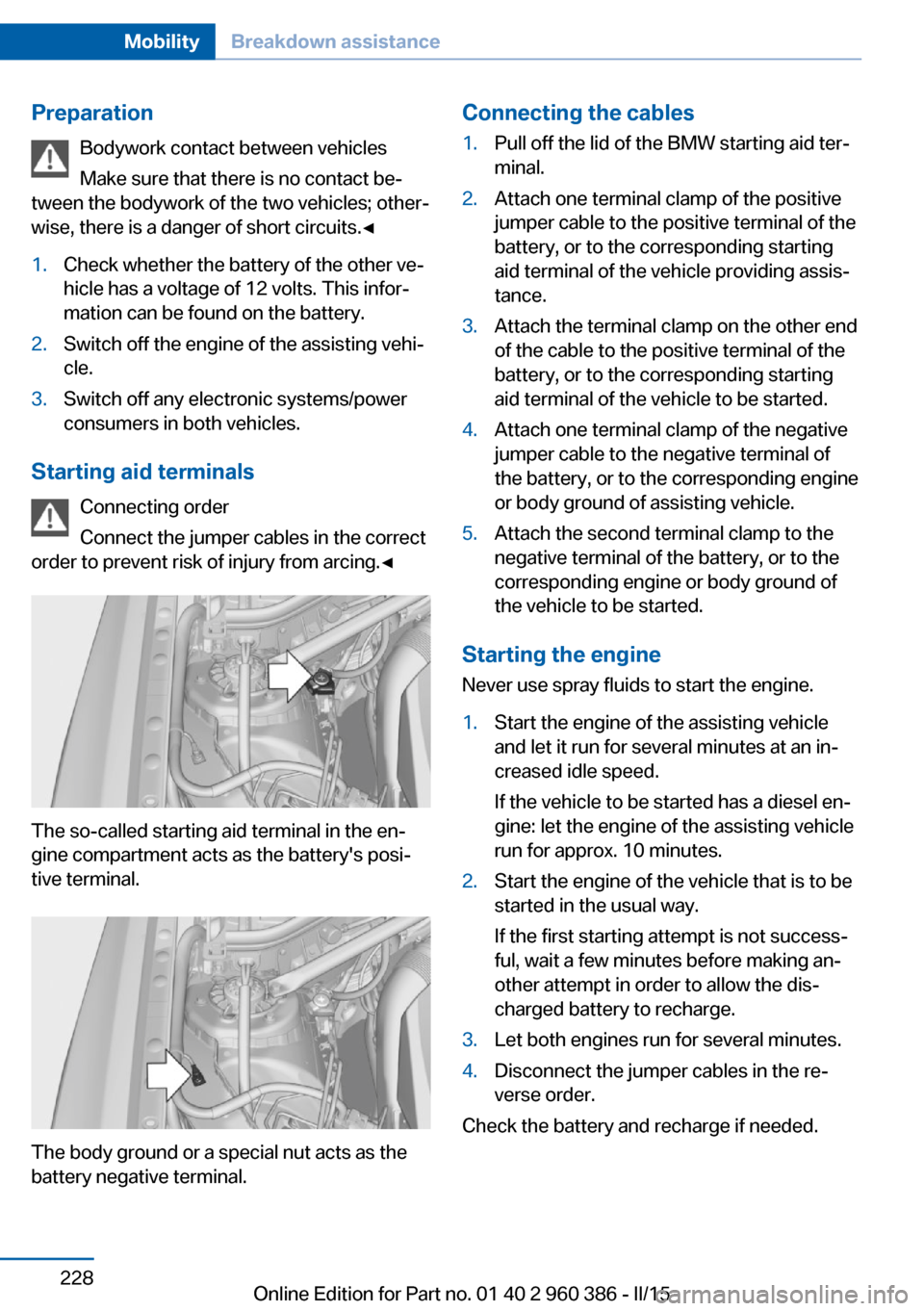
Starting aid terminals
Connecting order
Connect the jumper cables in the correct
order to prevent risk of injury from arcing.◀
The so-called starting aid terminal in the en‐
gine compartment acts as the battery's posi‐
tive terminal.
The body ground or a special nut acts as the
battery negative terminal.
Connecting the cables1.Pull off the lid of the BMW starting aid ter‐
minal.2.Attach one terminal clamp of the positive
jumper cable to the positive terminal of the
battery, or to the corresponding starting
aid terminal of the vehicle providing assis‐
tance.3.Attach the terminal clamp on the other end
of the cable to the positive terminal of the
battery, or to the corresponding starting
aid terminal of the vehicle to be started.4.Attach one terminal clamp of the negative
jumper cable to the negative terminal of
the battery, or to the corresponding engine
or body ground of assisting vehicle.5.Attach the second terminal clamp to the
negative terminal of the battery, or to the
corresponding engine or body ground of
the vehicle to be started.
Starting the engine
Never use spray fluids to start the engine.
1.Start the engine of the assisting vehicle
and let it run for several minutes at an in‐
creased idle speed.
If the vehicle to be started has a diesel en‐
gine: let the engine of the assisting vehicle
run for approx. 10 minutes.2.Start the engine of the vehicle that is to be
started in the usual way.
If the first starting attempt is not success‐
ful, wait a few minutes before making an‐
other attempt in order to allow the dis‐
charged battery to recharge.3.Let both engines run for several minutes.4.Disconnect the jumper cables in the re‐
verse order.
Check the battery and recharge if needed.
Seite 228MobilityBreakdown assistance228
Online Edition for Part no. 01 40 2 960 386 - II/15
Page 246 of 257
Everything from A to Z
IndexA ABS, Antilock Brake Sys‐ tem 123
ACC, Active Cruise Control with Stop & Go 130
Acceleration Assistant, refer to Launch Control 79
Accessories and parts 7
Activated-charcoal filter 157
Active Blind Spot Detec‐ tion 120
Active Cruise Control with Stop & Go, ACC 130
Adaptive brake lights, refer to Brake force display 122
Adaptive Light Control 96
Additives, oil 211
Adjustments, seats/head re‐ straints 52
After washing vehicle 232
Airbags 100
Airbags, indicator/warning light 101
Air circulation, refer to Recir‐ culated-air mode 153, 157
Air, dehumidifying, refer to Cooling function 154, 157
Air distribution, manual 153, 156
Air flow, automatic climate control 153, 156
Air pressure, tires 197
Air vents, refer to Ventila‐ tion 158
Alarm system 46
Alarm, unintentional 47
All around the center con‐ sole 16
All around the roofliner 17 All around the steering
wheel 14
All-season tires, refer to Win‐ ter tires 203
All-wheel-drive 125
Alternating-code hand-held transmitter 161
Alternative oil types 212
Ambient light 99
Antifreeze, washer fluid 75
Antilock Brake System, ABS 123
Anti-slip control, refer to DSC 123
Approved axle load 239
Approved engine oils, see Suitable engine oil
types 212
Armrest, refer to Center arm‐ rest 169
Arrival time 91
Ash tray 162
Assistance when driving off 128
Assist system, refer to Intelli‐ gent Safety 108
AUTO H button 71
AUTO H button, refer to Au‐ tomatic Hold 71
AUTO intensity 156
Automatic car wash 231
Automatic climate con‐ trol 152
Automatic climate control with enhanced features 155
Automatic Cruise Control with Stop & Go 130
Automatic Curb Monitor 59
Automatic deactivation, front- seat passenger airbags 102 Automatic headlight con‐
trol 96
Automatic Hold 71
Automatic locking 46
Automatic recirculated-air control 157
Automatic tailgate 41
Automatic transmission, see Steptronic transmission 76
AUTO program, automatic cli‐ mate control 156
AUTO program, climate con‐ trol 153
AUTO program, intensity 156
Auto Start/Stop function 68
Average fuel consumption 90
Average speed 90
Axle loads, weights 239
B Backrest curvature, refer to Lumbar support 54
Backrest, width 54
Bad road trips 174
Band-aids, refer to First aid kit 227
Bar for tow-starting/ towing 229
Battery replacement, vehicle battery 224
Battery replacement, vehicle remote control 35
Battery, vehicle 223
Belts, safety belts 55
Beverage holder, cu‐ pholder 169
Blinds, sun protection 49
BMW Advanced Diesel 193
BMW Assist, see user's manual for Navigation, En‐Seite 242ReferenceEverything from A to Z242
Online Edition for Part no. 01 40 2 960 386 - II/15
Page 247 of 257
tertainment and Communi‐
cation
BMW Driver’s Guide App 6
BMW Homepage 6
BMW Internet page 6
BMW maintenance sys‐ tem 215
Bonus range, ECO PRO 183
Bottle holder, refer to Cu‐ pholder 169
Brake assistant 123
Brake discs, break-in 174
Brake force display 122
Brake lights, adaptive 122
Brake lights, brake force dis‐ play 122
Brake pads, break-in 174
Braking, hints 176
Breakdown assistance 226
Break-in 174
Brightness of Control Dis‐ play 93
Bulb replacement 218
Bulb replacement, front 219
Bulb replacement, rear 222
Bulbs and lights 218
Button, RES 133
Button, Start/Stop 66
Bypassing, refer to Jump- starting 227
C
California Proposition 65 Warning 7
Camera lenses, care 234
Camera, rearview cam‐ era 142
Camera, Side View 146
Camera, Top View 145
Can holder, refer to Cu‐ pholder 169
Car battery 223
Car care products 232
Care, displays 234
Care, vehicle 232 Cargo 178
Cargo area 165
Cargo area, enlarging 165
Cargo area partition net 166
Cargo area, storage compart‐ ments 170
Cargo cover 165
Cargo, securing 179
Cargo straps, securing cargo 179
Car key, refer to Remote con‐ trol 34
Carpet, care 234
Car wash 231
Catalytic converter, refer to Hot exhaust system 175
CBS Condition Based Serv‐ ice 215
CD/Multimedia, see user's manual for Navigation, En‐
tertainment and Communi‐
cation
Center armrest 169
Center console 16
Central locking system 40
Central screen, refer to Con‐ trol Display 18
Changes, technical, refer to Safety 7
Changing parts 217
Changing wheels 223
Changing wheels/tires 202
Chassis number, see vehicle identification number 9
Check Control 81
Checking the oil level elec‐ tronically 210
Children, seating position 62
Children, transporting safely 62
Child restraint fixing sys‐ tem 62
Child restraint fixing system LATCH 64
Child restraint fixing systems, mounting 62 Child safety locks 65
Child seat, mounting 62
Child seats 62
Chrome parts, care 233
Cigarette lighter 162
Cleaning displays 234
Climate control 152, 155
Clock 85
Closing/opening via door lock 39
Closing/opening with remote control 37
Closing the tailgate with no- touch activation 44
Clothes hooks 170
Coasting 185
Coasting with engine decou‐ pled, coasting 185
Coasting with idling en‐ gine 185
Cockpit 14
Cold starting, refer to Starting the engine 67
Combination reel, refer to Turn signals 72
Combination switch, refer to Wiper system 73
Comfort Access 42
COMFORT program, Dy‐ namic Driving Control 128
Compartments in the doors 169
Compass 91
Compressor 204
Condensation on win‐ dows 153, 156
Condensation under the vehi‐ cle 177
Condition Based Service CBS 215
Confirmation signal 45
ConnectedDrive, see user's manual for Navigation, En‐
tertainment and Communi‐
cation
ConnectedDrive Services Seite 243Everything from A to ZReference243
Online Edition for Part no. 01 40 2 960 386 - II/15
Page 248 of 257
Connecting electrical devi‐ces 163
Continued driving with a flat tire 105 , 108
Control Display 18
Control Display, settings 92
Controller 18, 19
Control systems, driving sta‐ bility 123
Convenient opening with the remote control 37
Coolant 213
Coolant level 213
Coolant temperature 85
Cooling function 154, 157
Cooling, maximum 156
Cooling system 213
Cornering light 96
Corrosion on brake discs 177
Cosmetic mirror 162
Courtesy lamps during un‐ locking 37
Courtesy lamps with the vehi‐ cle locked 38
Cruise control 137
Cruise control, active with Stop & Go 130
Cruising range 85
Cupholder 169
Current fuel consumption 86
D
Damage, tires 202
Damping control, dy‐ namic 126
Data, technical 238
Date 85
Daytime running lights 96
Daytime running lights, bulb replacement 219
Defrosting, refer to Windows, defrosting 153, 156
Dehumidifying, air 154, 157
Deleting personal data 25
Deletion of personal data 25 Destination distance 90
Diesel exhaust fluid, at low temperatures 194
Diesel exhaust fluid, having refilled 194
Diesel exhaust fluid, on mini‐ mum 194
Diesel exhaust fluid, replen‐ ishing yourself 194
Diesel particulate filter 175
Digital clock 85
Dimensions 238
Dimmable exterior mirrors 60
Dimmable interior rearview mirror 60
Direction indicator, refer to Turn signals 72
Display, electronic, instru‐ ment cluster 80
Display in windshield 93
Display lighting, refer to In‐ strument lighting 98
Displays, cleaning 234
Disposal, coolant 214
Disposal, vehicle battery 224
Distance control, refer to PDC 139
Distance to destination 90
Divided screen view, split screen 23
Door lock 39
Door lock, refer to Remote control 34
Downhill control 125
Drive-off assistant 128
Drive-off assistant, refer to DSC 123
Driving Dynamics Con‐ trol 126
Driving instructions, break- in 174
Driving mode 126
Driving notes, general 175
Driving on bad roads 174
Driving stability control sys‐ tems 123 Driving tips 175
DSC Dynamic Stability Con‐ trol 123
DTC Dynamic Traction Con‐ trol 124
Dynamic Damping Con‐ trol 126
Dynamic Stability Control DSC 123
Dynamic Traction Control DTC 124
E
ECO PRO 182
ECO PRO, bonus range 183
ECO PRO display 182
ECO PRO driving mode 182
ECO PRO mode 182
ECO PRO Tip - driving in‐ struction 184
EfficientDynamics 184
Electronic displays, instru‐ ment cluster 80
Electronic oil measure‐ ment 210
Electronic Stability Program ESP, refer to DSC 123
Emergency detection, remote control 35
Emergency release, fuel filler flap 190
Emergency Request 226
Emergency start function, en‐ gine start 35
Emergency unlocking, trans‐ mission lock 78
Energy Control 86
Energy recovery 86
Engine, automatic Start/Stop function 68
Engine, automatic switch- off 68
Engine compartment 208
Engine compartment, work‐ ing in 208 Seite 244ReferenceEverything from A to Z244
Online Edition for Part no. 01 40 2 960 386 - II/15
Page 254 of 257
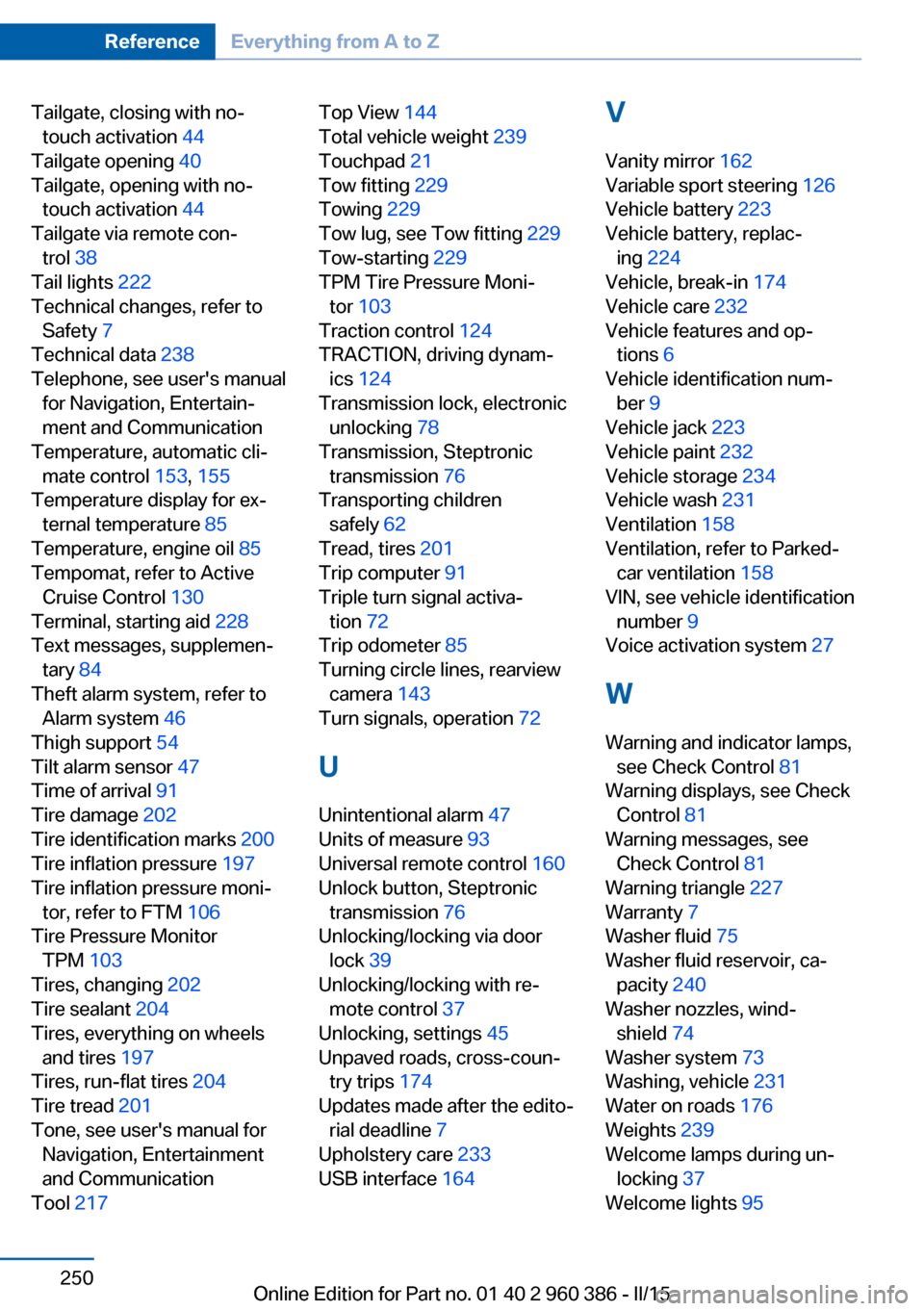
Tailgate, closing with no-touch activation 44
Tailgate opening 40
Tailgate, opening with no- touch activation 44
Tailgate via remote con‐ trol 38
Tail lights 222
Technical changes, refer to Safety 7
Technical data 238
Telephone, see user's manual for Navigation, Entertain‐
ment and Communication
Temperature, automatic cli‐ mate control 153, 155
Temperature display for ex‐ ternal temperature 85
Temperature, engine oil 85
Tempomat, refer to Active Cruise Control 130
Terminal, starting aid 228
Text messages, supplemen‐ tary 84
Theft alarm system, refer to Alarm system 46
Thigh support 54
Tilt alarm sensor 47
Time of arrival 91
Tire damage 202
Tire identification marks 200
Tire inflation pressure 197
Tire inflation pressure moni‐ tor, refer to FTM 106
Tire Pressure Monitor TPM 103
Tires, changing 202
Tire sealant 204
Tires, everything on wheels and tires 197
Tires, run-flat tires 204
Tire tread 201
Tone, see user's manual for Navigation, Entertainment
and Communication
Tool 217 Top View 144
Total vehicle weight 239
Touchpad 21
Tow fitting 229
Towing 229
Tow lug, see Tow fitting 229
Tow-starting 229
TPM Tire Pressure Moni‐ tor 103
Traction control 124
TRACTION, driving dynam‐ ics 124
Transmission lock, electronic unlocking 78
Transmission, Steptronic transmission 76
Transporting children safely 62
Tread, tires 201
Trip computer 91
Triple turn signal activa‐ tion 72
Trip odometer 85
Turning circle lines, rearview camera 143
Turn signals, operation 72
U Unintentional alarm 47
Units of measure 93
Universal remote control 160
Unlock button, Steptronic transmission 76
Unlocking/locking via door lock 39
Unlocking/locking with re‐ mote control 37
Unlocking, settings 45
Unpaved roads, cross-coun‐ try trips 174
Updates made after the edito‐ rial deadline 7
Upholstery care 233
USB interface 164 V
Vanity mirror 162
Variable sport steering 126
Vehicle battery 223
Vehicle battery, replac‐ ing 224
Vehicle, break-in 174
Vehicle care 232
Vehicle features and op‐ tions 6
Vehicle identification num‐ ber 9
Vehicle jack 223
Vehicle paint 232
Vehicle storage 234
Vehicle wash 231
Ventilation 158
Ventilation, refer to Parked- car ventilation 158
VIN, see vehicle identification number 9
Voice activation system 27
W Warning and indicator lamps, see Check Control 81
Warning displays, see Check Control 81
Warning messages, see Check Control 81
Warning triangle 227
Warranty 7
Washer fluid 75
Washer fluid reservoir, ca‐ pacity 240
Washer nozzles, wind‐ shield 74
Washer system 73
Washing, vehicle 231
Water on roads 176
Weights 239
Welcome lamps during un‐ locking 37
Welcome lights 95 Seite 250ReferenceEverything from A to Z250
Online Edition for Part no. 01 40 2 960 386 - II/15