fog light BMW X3 2016 F25 User Guide
[x] Cancel search | Manufacturer: BMW, Model Year: 2016, Model line: X3, Model: BMW X3 2016 F25Pages: 257, PDF Size: 5.26 MB
Page 122 of 257
▷Pedestrians that are not detected as such
because of the viewing angle or contour.▷Pedestrians outside of the detection range.▷Pedestrians having a body size less than
32 in/80 cm.
Functional limitations
The system may not be fully functional or may
not be available in the following situations:
▷In heavy fog, rain, sprayed water or snow‐
fall.▷In tight curves.▷If the driving stability control systems are
deactivated, e.g. DSC OFF.▷If the camera viewing field or the front
windshield are dirty or covered.▷Up to 10 seconds after the start of the en‐
gine, via the Start/Stop knob.▷During calibration of the camera immedi‐
ately after vehicle shipment.▷If there is constant blinding effects be‐
cause of oncoming light, e. g., from the sun
low in the sky.▷When it is dark outside.
Lane departure warning
The concept Starting at a specific speed, this system alerts
you when the vehicle on streets with lane
markings is about to leave the lane. This
speed, depending on the country version, is
between 35 mph/55 km/h and
45 mph/70 km/h.
The steering wheel begins vibrating gently in
the event of warnings. The time of the warning
may vary depending on the current driving sit‐
uation.
The system does not provide a warning if the
turn signal is set before leaving the lane.
Hints
Personal responsibility
The system cannot serve as a substitute
for the driver's personal judgment of the
course of the road and the traffic situation.
In the event of a warning, do not jerk the steer‐
ing wheel, as you may lose control of the vehi‐
cle.◀
At a glance
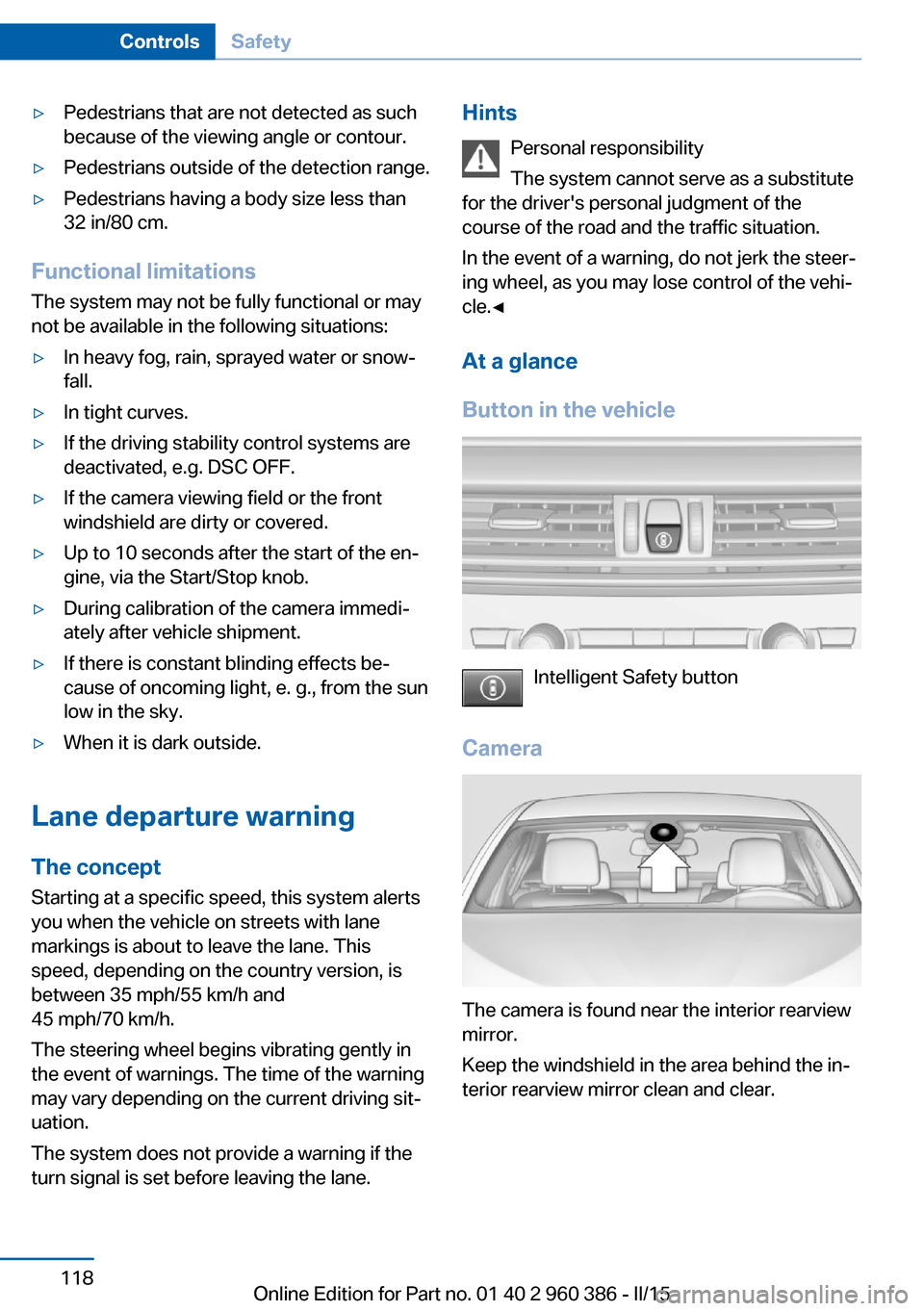
Button in the vehicle
Intelligent Safety button
Camera
The camera is found near the interior rearview
mirror.
Keep the windshield in the area behind the in‐
terior rearview mirror clean and clear.
Seite 118ControlsSafety118
Online Edition for Part no. 01 40 2 960 386 - II/15
Page 123 of 257
Switching on/off
Switching on automatically The lane departure warning is automatically
activated after departure, if the function was
switched on the last time the engine was stop‐
ped.
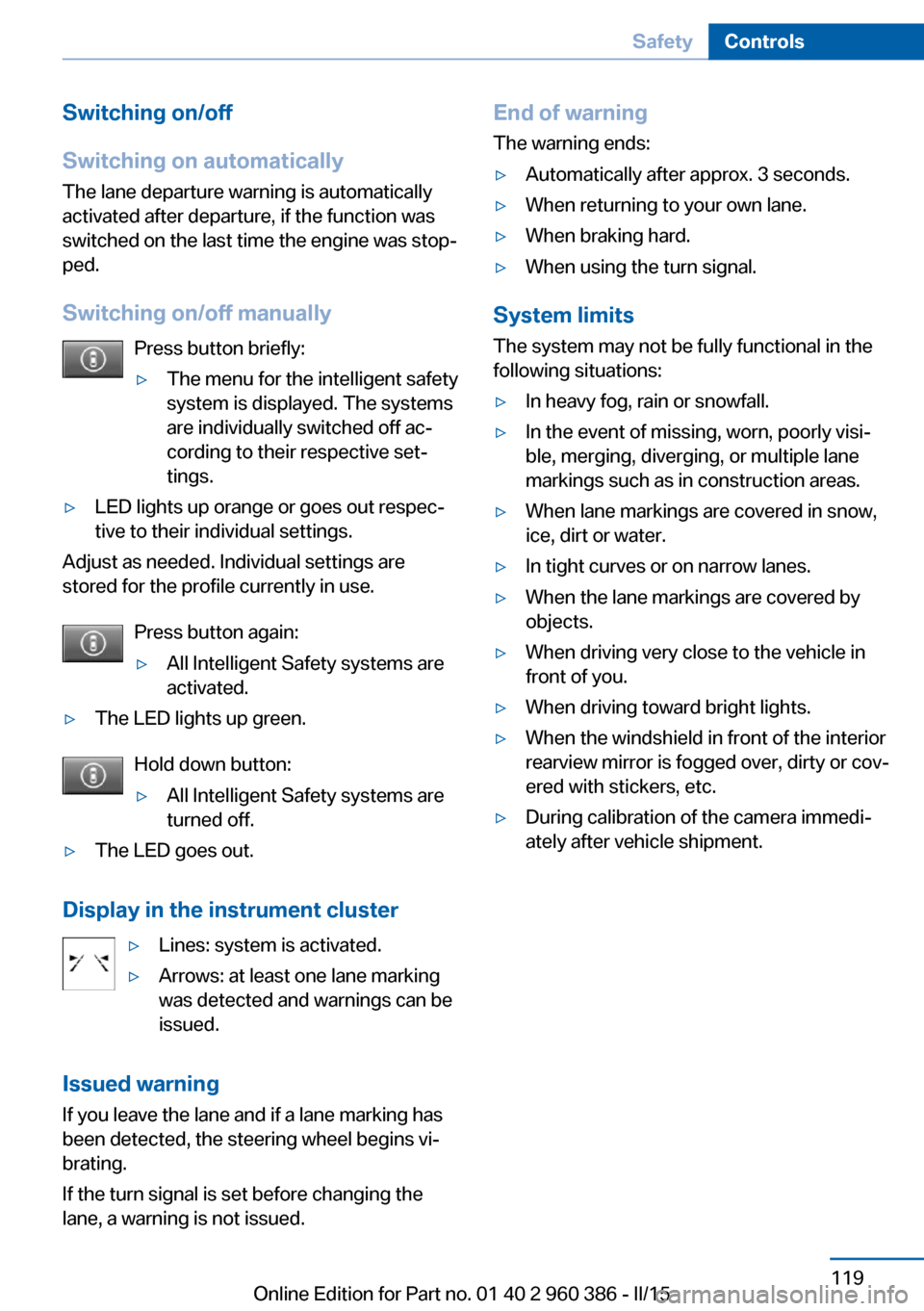
Switching on/off manually Press button briefly:▷The menu for the intelligent safety
system is displayed. The systems
are individually switched off ac‐
cording to their respective set‐
tings.▷LED lights up orange or goes out respec‐
tive to their individual settings.
Adjust as needed. Individual settings are
stored for the profile currently in use.
Press button again:
▷All Intelligent Safety systems are
activated.▷The LED lights up green.
Hold down button:
▷All Intelligent Safety systems are
turned off.▷The LED goes out.
Display in the instrument cluster
▷Lines: system is activated.▷Arrows: at least one lane marking
was detected and warnings can be
issued.
Issued warning
If you leave the lane and if a lane marking has
been detected, the steering wheel begins vi‐
brating.
If the turn signal is set before changing the
lane, a warning is not issued.
End of warning
The warning ends:▷Automatically after approx. 3 seconds.▷When returning to your own lane.▷When braking hard.▷When using the turn signal.
System limits
The system may not be fully functional in the
following situations:
▷In heavy fog, rain or snowfall.▷In the event of missing, worn, poorly visi‐
ble, merging, diverging, or multiple lane
markings such as in construction areas.▷When lane markings are covered in snow,
ice, dirt or water.▷In tight curves or on narrow lanes.▷When the lane markings are covered by
objects.▷When driving very close to the vehicle in
front of you.▷When driving toward bright lights.▷When the windshield in front of the interior
rearview mirror is fogged over, dirty or cov‐
ered with stickers, etc.▷During calibration of the camera immedi‐
ately after vehicle shipment.Seite 119SafetyControls119
Online Edition for Part no. 01 40 2 960 386 - II/15
Page 125 of 257
▷LED lights up orange or goes out respec‐
tive to their individual settings.
Adjust as needed. Individual settings are
stored for the profile currently in use.
Press button again:
▷All Intelligent Safety systems are
activated.▷The LED lights up green.
Hold down button:
▷All Intelligent Safety systems are
turned off.▷The LED goes out.
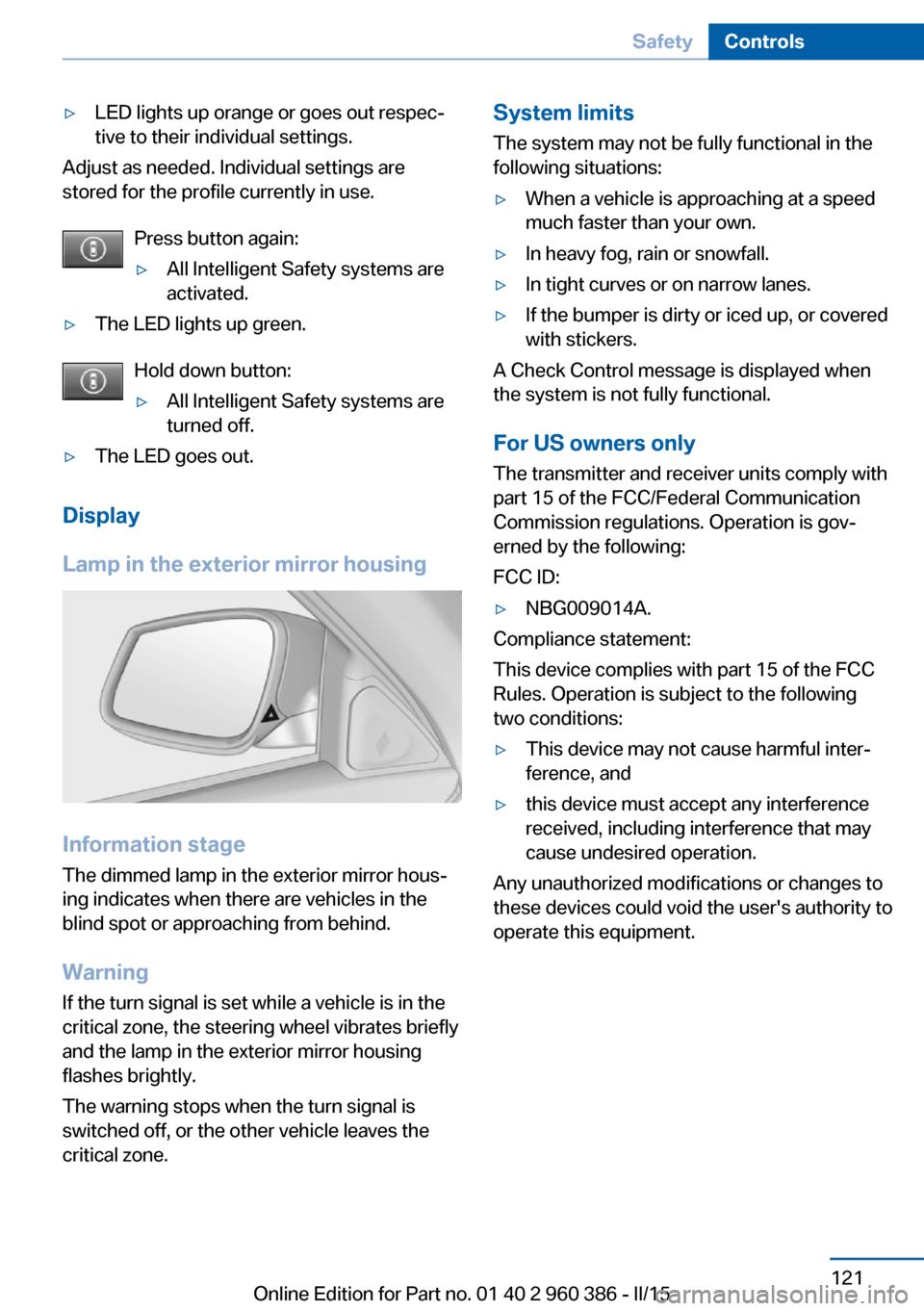
Display
Lamp in the exterior mirror housing
Information stage
The dimmed lamp in the exterior mirror hous‐
ing indicates when there are vehicles in the
blind spot or approaching from behind.
Warning If the turn signal is set while a vehicle is in the
critical zone, the steering wheel vibrates briefly
and the lamp in the exterior mirror housing
flashes brightly.
The warning stops when the turn signal is
switched off, or the other vehicle leaves the
critical zone.
System limits
The system may not be fully functional in the
following situations:▷When a vehicle is approaching at a speed
much faster than your own.▷In heavy fog, rain or snowfall.▷In tight curves or on narrow lanes.▷If the bumper is dirty or iced up, or covered
with stickers.
A Check Control message is displayed when
the system is not fully functional.
For US owners only The transmitter and receiver units comply with
part 15 of the FCC/Federal Communication
Commission regulations. Operation is gov‐
erned by the following:
FCC ID:
▷NBG009014A.
Compliance statement:
This device complies with part 15 of the FCC
Rules. Operation is subject to the following
two conditions:
▷This device may not cause harmful inter‐
ference, and▷this device must accept any interference
received, including interference that may
cause undesired operation.
Any unauthorized modifications or changes to
these devices could void the user's authority to
operate this equipment.
Seite 121SafetyControls121
Online Edition for Part no. 01 40 2 960 386 - II/15
Page 134 of 257
Driving comfortVehicle features and options
This chapter describes all standard, country-
specific and optional features offered with the
series. It also describes features that are not
necessarily available in your car, e. g., due to
the selected options or country versions. This
also applies to safety-related functions and
systems. The respectively applicable country
provisions must be observed when using the
respective features and systems.
Active Cruise Control with Stop & Go function, ACC
The concept
Use this system to select a desired speed that
the vehicle will maintain automatically on clear
roads.
To the extent possible, the system automati‐
cally adjusts the speed to a slower vehicle
ahead of you.
The distance that the vehicle maintains to the
vehicle ahead of you can be varied.
For safety reasons, it depends on the speed.
To maintain a certain distance, the system au‐
tomatically reduces the speed, applies the
brakes lightly, or accelerates again if the vehi‐
cle ahead begins moving faster.
If the vehicle ahead of you brakes to a halt, and
then proceeds to drive again within a brief pe‐
riod, the system is able to detect this within the
given system limits. Your own vehicle will
brake automatically and then accelerate again.
If the vehicle ahead of you drives away again
after a prolonged period, briefly press the ac‐
celerator pedal or press the appropriate button
to reactivate the system. The vehicle will auto‐
matically accelerate.As soon as the road is clear, the vehicle accel‐
erates to the desired speed.
The speed is also maintained downhill, but
may not be maintained uphill if engine power is
insufficient.
General information
Depending on the driving settings, the features
of the cruise control can change in certain
areas.
Hints Personal responsibility
Even an active system holds the driver
responsible for his or her driving, particularly
for staying in your lane, adjusting your speed,
keeping your distance and for your driving
style all in relation to traffic.
Technically the system has its limits, it cannot
independently react to all traffic situations.
Monitor your driving, be on the alert, observe
the vehicle surroundings and other traffic and
react when needed, e.g. through braking,
steering or make evasive maneuvers - risk of
accident.◀
Unfavorable weather conditions
In the event of unfavorable weather and
light conditions, e. g. if there is rain, snowfall,
slush, fog or glare, this may result in poorer
recognition of vehicles as well as short-term
interruptions for vehicles that are already de‐
tected. Drive attentively, and react to the cur‐
rent traffic situation. Intervene actively when
necessary, e.g., by braking, steering or making
an evasive maneuver, otherwise, there is the
risk of an accident.◀Seite 130ControlsDriving comfort130
Online Edition for Part no. 01 40 2 960 386 - II/15
Page 136 of 257
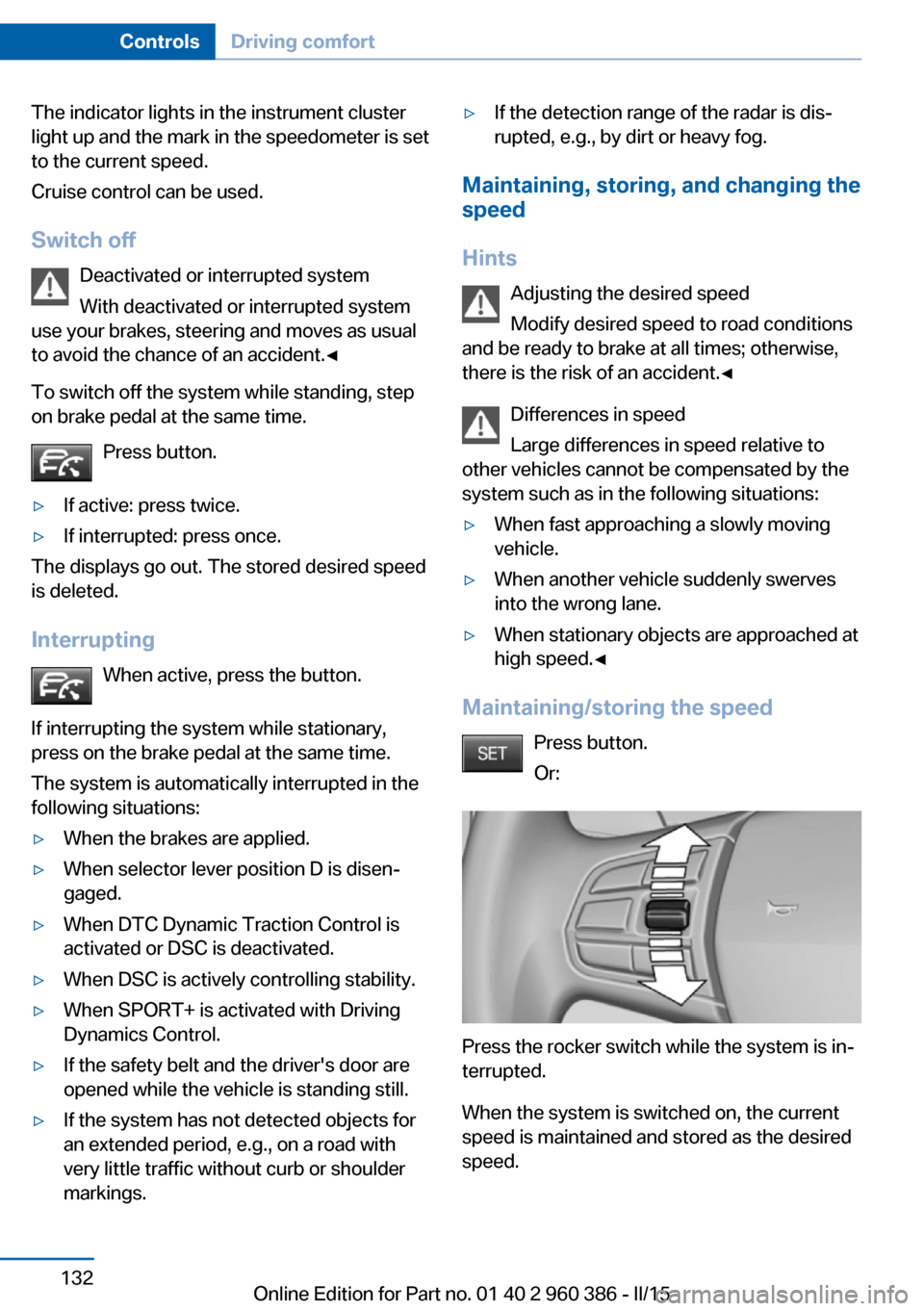
The indicator lights in the instrument cluster
light up and the mark in the speedometer is set
to the current speed.
Cruise control can be used.
Switch off Deactivated or interrupted system
With deactivated or interrupted system
use your brakes, steering and moves as usual
to avoid the chance of an accident.◀
To switch off the system while standing, step
on brake pedal at the same time.
Press button.▷If active: press twice.▷If interrupted: press once.
The displays go out. The stored desired speed
is deleted.
Interrupting When active, press the button.
If interrupting the system while stationary,
press on the brake pedal at the same time.
The system is automatically interrupted in the
following situations:
▷When the brakes are applied.▷When selector lever position D is disen‐
gaged.▷When DTC Dynamic Traction Control is
activated or DSC is deactivated.▷When DSC is actively controlling stability.▷When SPORT+ is activated with Driving
Dynamics Control.▷If the safety belt and the driver's door are
opened while the vehicle is standing still.▷If the system has not detected objects for
an extended period, e.g., on a road with
very little traffic without curb or shoulder
markings.▷If the detection range of the radar is dis‐
rupted, e.g., by dirt or heavy fog.
Maintaining, storing, and changing the
speed
Hints Adjusting the desired speedModify desired speed to road conditions
and be ready to brake at all times; otherwise,
there is the risk of an accident.◀
Differences in speed
Large differences in speed relative to
other vehicles cannot be compensated by the
system such as in the following situations:
▷When fast approaching a slowly moving
vehicle.▷When another vehicle suddenly swerves
into the wrong lane.▷When stationary objects are approached at
high speed.◀
Maintaining/storing the speed
Press button.
Or:
Press the rocker switch while the system is in‐
terrupted.
When the system is switched on, the current
speed is maintained and stored as the desired
speed.
Seite 132ControlsDriving comfort132
Online Edition for Part no. 01 40 2 960 386 - II/15
Page 224 of 257
High beams/headlight flasher
55-watt bulb, H7.1.Tip the connector with the bulb up slightly
and pull out carefully.2.Pull the bulb off the connector and insert
the new bulb.3.Install the new bulb in reverse order of re‐
moval.4.Place the cover according to the arrow
markings on the headlight housing.5.Close the headlight housing with the lid.
Daytime running lights
21-watt bulb, W21W.
1.Turn the bulb holder counterclockwise and
remove.2.Carefully remove the bulb from the socket.3.Install the new bulb in reverse order of re‐
moval.4.Place the cover according to the arrow
markings on the headlight housing.5.Close the headlight housing with the lid.
Xenon headlights
Hints
Because of the long life of these bulbs, the
likelihood of failure is very low. Switching the
lights on and off frequently shortens their life.
If a bulb fails, reel on the front fog lights and
continue the trip with great care. Comply with
local regulations.
Do not perform work/bulb replacement
on xenon headlights
Have any work on the xenon lighting system,
including bulb replacement, performed only by
a service center. Due to the high voltage
present in the system, there is a danger of fatal
injuries if work is carried out improperly.◀
For checking and adjusting headlamp aim,
please contact your BMW center.
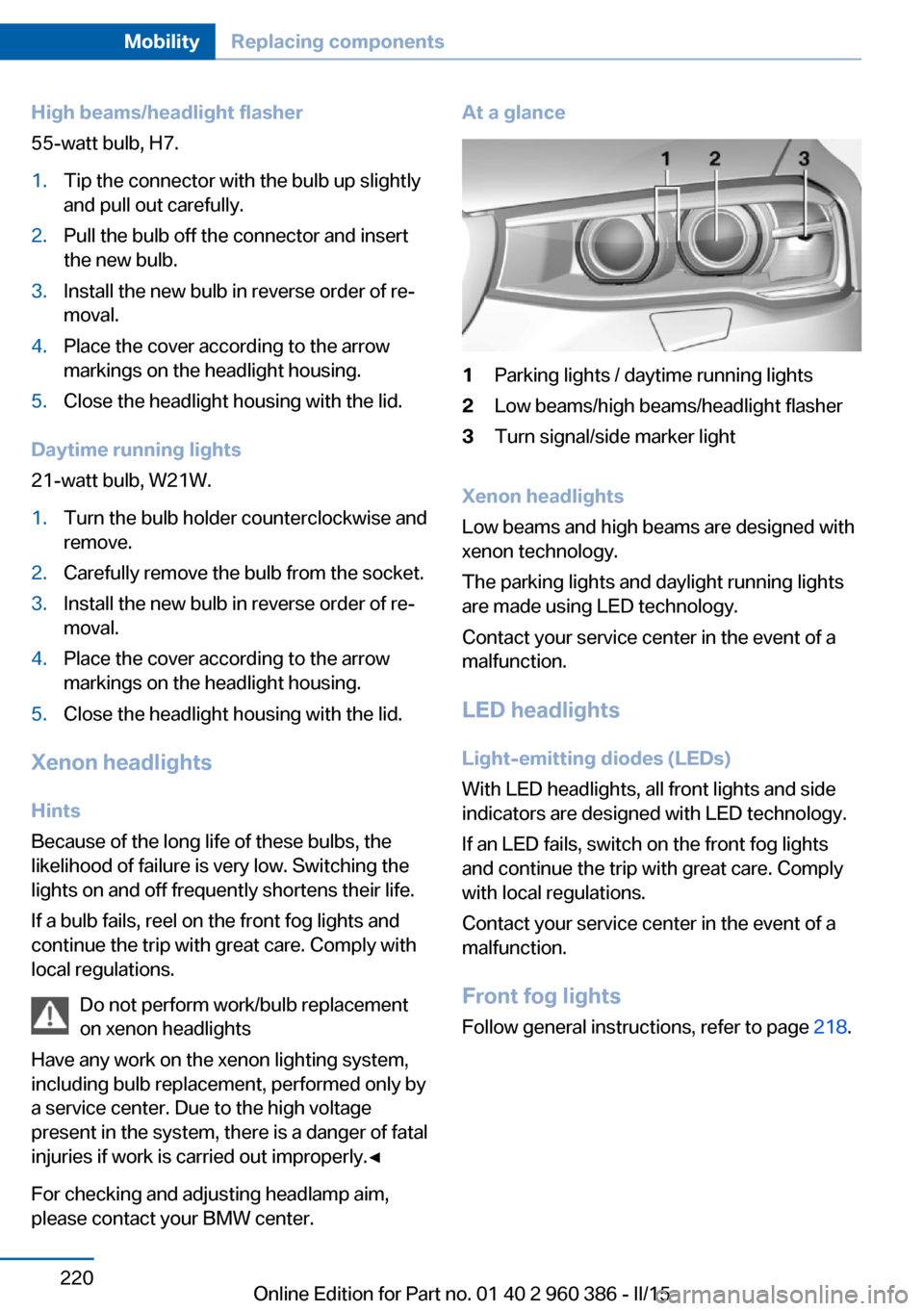
At a glance1Parking lights / daytime running lights2Low beams/high beams/headlight flasher3Turn signal/side marker light
Xenon headlights
Low beams and high beams are designed with
xenon technology.
The parking lights and daylight running lights
are made using LED technology.
Contact your service center in the event of a
malfunction.
LED headlightsLight-emitting diodes (LEDs)
With LED headlights, all front lights and side
indicators are designed with LED technology.
If an LED fails, switch on the front fog lights and continue the trip with great care. Complywith local regulations.
Contact your service center in the event of a
malfunction.
Front fog lights
Follow general instructions, refer to page 218.
Seite 220MobilityReplacing components220
Online Edition for Part no. 01 40 2 960 386 - II/15
Page 225 of 257
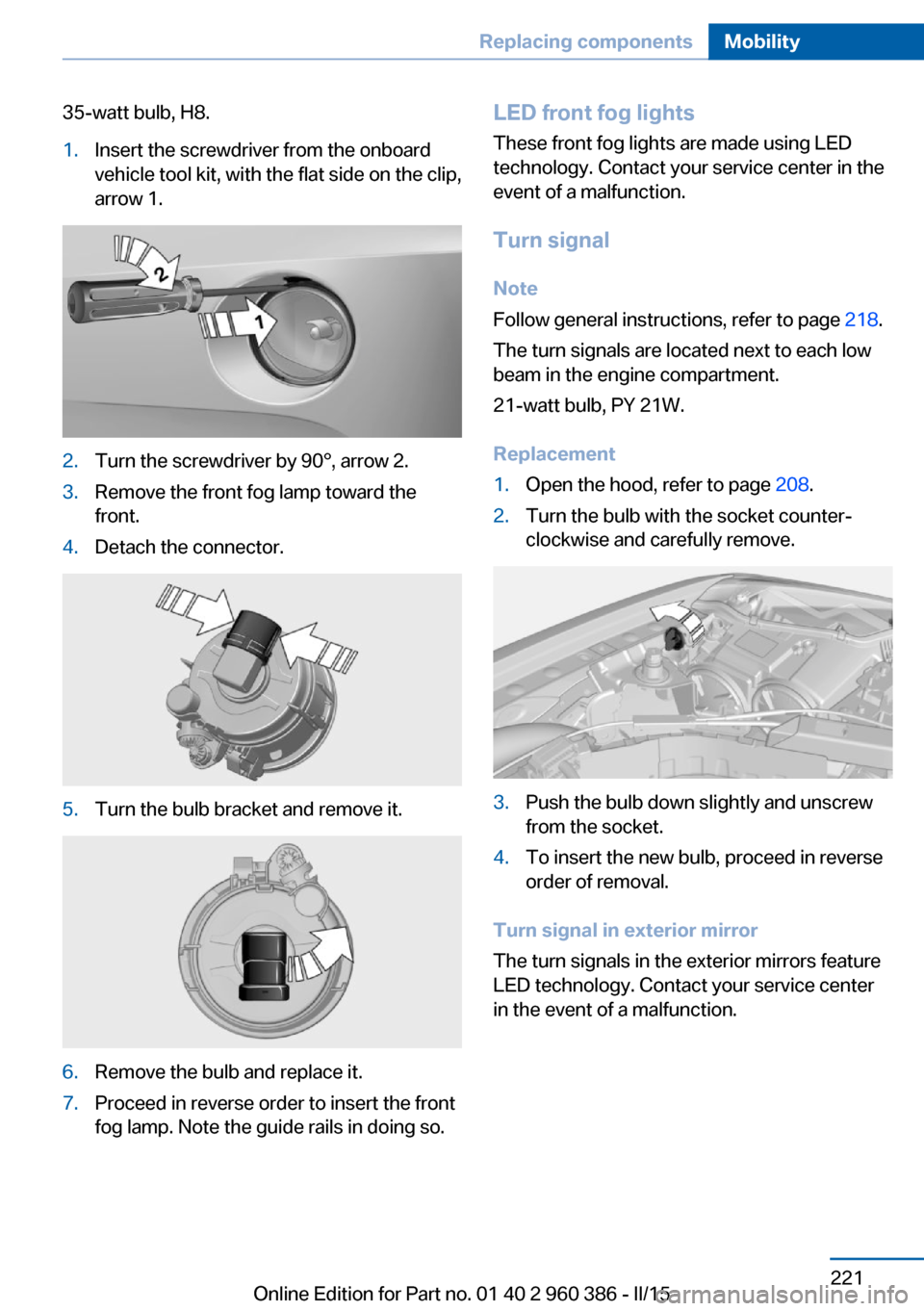
35-watt bulb, H8.1.Insert the screwdriver from the onboard
vehicle tool kit, with the flat side on the clip,
arrow 1.2.Turn the screwdriver by 90°, arrow 2.3.Remove the front fog lamp toward the
front.4.Detach the connector.5.Turn the bulb bracket and remove it.6.Remove the bulb and replace it.7.Proceed in reverse order to insert the front
fog lamp. Note the guide rails in doing so.LED front fog lights
These front fog lights are made using LED
technology. Contact your service center in the
event of a malfunction.
Turn signal Note
Follow general instructions, refer to page 218.
The turn signals are located next to each low
beam in the engine compartment.
21-watt bulb, PY 21W.
Replacement1.Open the hood, refer to page 208.2.Turn the bulb with the socket counter‐
clockwise and carefully remove.3.Push the bulb down slightly and unscrew
from the socket.4.To insert the new bulb, proceed in reverse
order of removal.
Turn signal in exterior mirror
The turn signals in the exterior mirrors feature
LED technology. Contact your service center
in the event of a malfunction.
Seite 221Replacing componentsMobility221
Online Edition for Part no. 01 40 2 960 386 - II/15
Page 249 of 257
Engine coolant 213
Engine idling when driving, coasting 185
Engine oil 210
Engine oil, adding 211
Engine oil additives 211
Engine oil change 212
Engine oil filler neck 211
Engine oil temperature 85
Engine oil types, alterna‐ tive 212
Engine oil types, ap‐ proved 212
Engine start during malfunc‐ tion 35
Engine start, jump-start‐ ing 227
Engine start, refer to Starting the engine 67
Engine stop 67
Engine temperature 85
Entering a car wash 231
Equipment, interior 160
Error displays, see Check Control 81
ESP Electronic Stability Pro‐ gram, refer to DSC 123
Exchanging wheels/tires 202
Exhaust system 175
Exterior mirror, automatic dimming feature 60
Exterior mirrors 59
External start 227
External temperature dis‐ play 85
External temperature warn‐ ing 85
Eyes for securing cargo 179
F
Failure message, see Check Control 81
False alarm, refer to Uninten‐ tional alarm 47 Fan, refer to Air
flow 153, 156
Filler neck for engine oil 211
Fine wood, care 233
First aid kit 227
Fitting for towing, see Tow fit‐ ting 229
Flat tire, changing wheels 223
Flat Tire Monitor FTM 106
Flat tire, Tire Pressure Moni‐ tor TPM 103
Flat tire, warning lamp 104, 107
Flooding 176
Floor carpet, care 234
Floor mats, care 234
Folding back rear seat back‐ rests 165
Fold-out position, wiper 75
Foot brake 176
Front airbags 100
Front-end collision warning with braking function 112
Front-end collision warning with City Braking func‐
tion 110
Front fog lights 98
Front fog lights, bulb replace‐ ment 221
Front fog lights, front, bulb re‐ placement 220
Front lights 219
front-seat passenger airbags, automatic deactivation 102
Front-seat passenger airbags, indicator lamp 102
FTM Flat Tire Monitor 106
Fuel 192
Fuel consumption, current 86
Fuel consumption, refer to Average fuel consump‐
tion 90
Fuel filler flap 190
Fuel gauge 84
Fuel lid 190 Fuel quality 192
Fuel recommendation 192
Fuel, tank capacity 240
Fuse 224
G
Garage door opener, refer to Universal Integrated Remote
Control 160
Gasoline 192
Gear change, Steptronic transmission 76
Gear shift indicator 87
General driving notes 175
Glare shield 162
Glass sunroof, refer to Panor‐ amic glass sunroof 49
Glove compartment 168
Gross vehicle weight, ap‐ proved 239
H
Halogen headlights, bulb re‐ placement 219
Handbrake, refer to Parking brake 70
Hand-held transmitter, alter‐ nating code 161
Hazard warning flashers 226
HDC Hill Descent Con‐ trol 125
Head airbags 100
Headlight control, auto‐ matic 96
Headlight courtesy delay fea‐ ture 96
Headlight courtesy delay fea‐ ture via remote control 38
Headlight flasher 73
Headlight flasher, bulb re‐ placement 219
Headlight glass 218
Headlights 219
Headlights, care 232 Seite 245Everything from A to ZReference245
Online Edition for Part no. 01 40 2 960 386 - II/15
Page 250 of 257
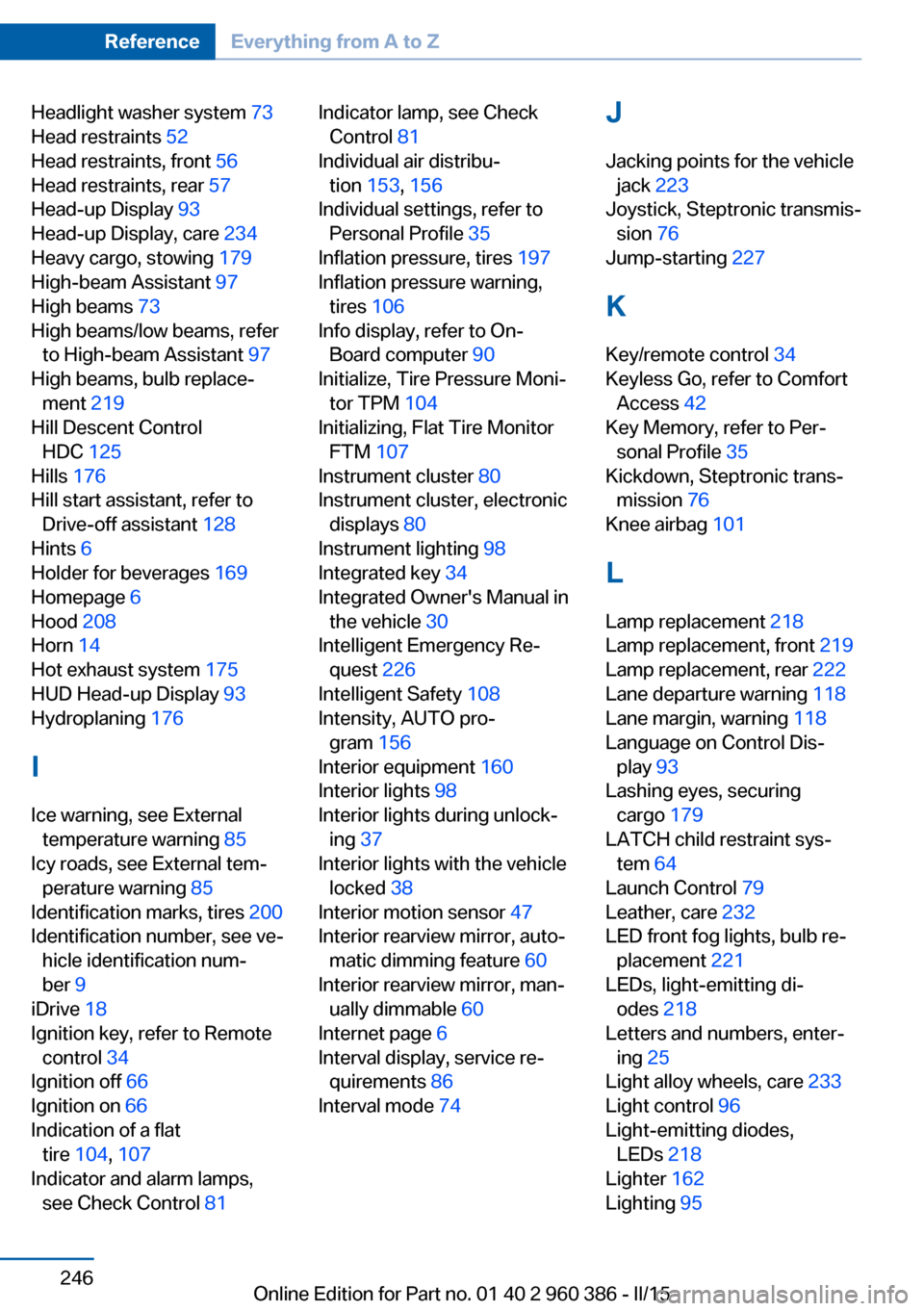
Headlight washer system 73
Head restraints 52
Head restraints, front 56
Head restraints, rear 57
Head-up Display 93
Head-up Display, care 234
Heavy cargo, stowing 179
High-beam Assistant 97
High beams 73
High beams/low beams, refer to High-beam Assistant 97
High beams, bulb replace‐ ment 219
Hill Descent Control HDC 125
Hills 176
Hill start assistant, refer to Drive-off assistant 128
Hints 6
Holder for beverages 169
Homepage 6
Hood 208
Horn 14
Hot exhaust system 175
HUD Head-up Display 93
Hydroplaning 176
I Ice warning, see External temperature warning 85
Icy roads, see External tem‐ perature warning 85
Identification marks, tires 200
Identification number, see ve‐ hicle identification num‐
ber 9
iDrive 18
Ignition key, refer to Remote control 34
Ignition off 66
Ignition on 66
Indication of a flat tire 104 , 107
Indicator and alarm lamps, see Check Control 81 Indicator lamp, see Check
Control 81
Individual air distribu‐ tion 153, 156
Individual settings, refer to Personal Profile 35
Inflation pressure, tires 197
Inflation pressure warning, tires 106
Info display, refer to On- Board computer 90
Initialize, Tire Pressure Moni‐ tor TPM 104
Initializing, Flat Tire Monitor FTM 107
Instrument cluster 80
Instrument cluster, electronic displays 80
Instrument lighting 98
Integrated key 34
Integrated Owner's Manual in the vehicle 30
Intelligent Emergency Re‐ quest 226
Intelligent Safety 108
Intensity, AUTO pro‐ gram 156
Interior equipment 160
Interior lights 98
Interior lights during unlock‐ ing 37
Interior lights with the vehicle locked 38
Interior motion sensor 47
Interior rearview mirror, auto‐ matic dimming feature 60
Interior rearview mirror, man‐ ually dimmable 60
Internet page 6
Interval display, service re‐ quirements 86
Interval mode 74 J
Jacking points for the vehicle jack 223
Joystick, Steptronic transmis‐ sion 76
Jump-starting 227
K
Key/remote control 34
Keyless Go, refer to Comfort Access 42
Key Memory, refer to Per‐ sonal Profile 35
Kickdown, Steptronic trans‐ mission 76
Knee airbag 101
L Lamp replacement 218
Lamp replacement, front 219
Lamp replacement, rear 222
Lane departure warning 118
Lane margin, warning 118
Language on Control Dis‐ play 93
Lashing eyes, securing cargo 179
LATCH child restraint sys‐ tem 64
Launch Control 79
Leather, care 232
LED front fog lights, bulb re‐ placement 221
LEDs, light-emitting di‐ odes 218
Letters and numbers, enter‐ ing 25
Light alloy wheels, care 233
Light control 96
Light-emitting diodes, LEDs 218
Lighter 162
Lighting 95 Seite 246ReferenceEverything from A to Z246
Online Edition for Part no. 01 40 2 960 386 - II/15