idrive BMW X3 2017 Owners Manual
[x] Cancel search | Manufacturer: BMW, Model Year: 2017, Model line: X3, Model: BMW X3 2017Pages: 265, PDF Size: 5.37 MB
Page 5 of 265
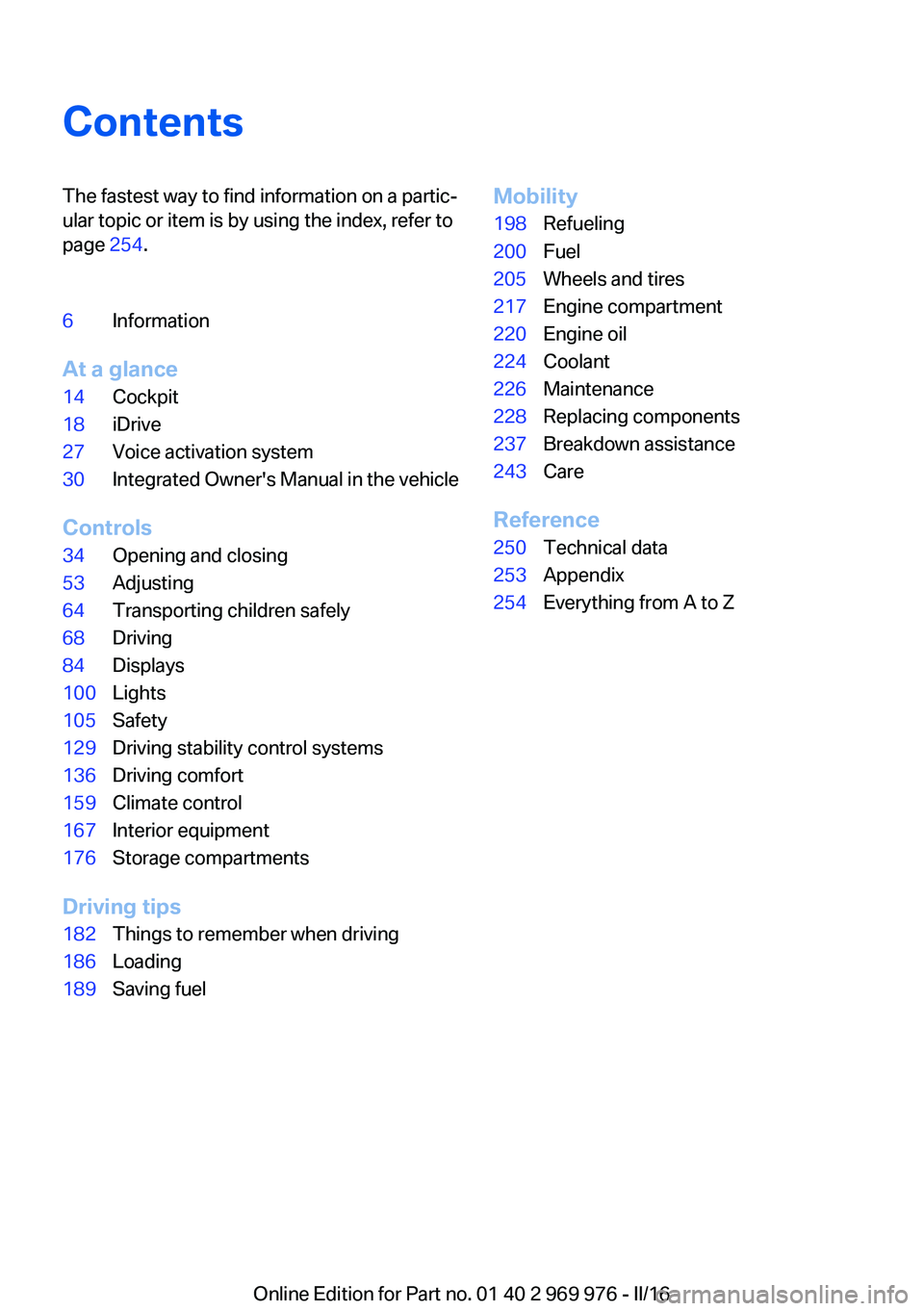
ContentsThe fastest way to find information on a partic‐
ular topic or item is by using the index, refer to
page 254.6Information
At a glance
14Cockpit18iDrive27Voice activation system30Integrated Owner's Manual in the vehicle
Controls
34Opening and closing53Adjusting64Transporting children safely68Driving84Displays100Lights105Safety129Driving stability control systems136Driving comfort159Climate control167Interior equipment176Storage compartments
Driving tips
182Things to remember when driving186Loading189Saving fuelMobility198Refueling200Fuel205Wheels and tires217Engine compartment220Engine oil224Coolant226Maintenance228Replacing components237Breakdown assistance243Care
Reference
250Technical data253Appendix254Everything from A to Z
Online Edition for Part no. 01 40 2 969 976 - II/16
Page 18 of 265
iDriveVehicle features and options
This chapter describes all standard, country-
specific and optional features offered with the
series. It also describes features that are not
necessarily available in your car, e. g., due to
the selected options or country versions. This
also applies to safety-related functions and
systems. The respectively applicable country
provisions must be observed when using the
respective features and systems.
The concept
The iDrive combines the functions of many
switches. Thus, these functions can be oper‐
ated from a central location.
WARNING
Operating the integrated information
systems and communication devices while
driving can distract from traffic. It is possible to lose control of the vehicle. There is risk of an
accident. Only use the systems or devices
when the traffic situation allows. If necessary,
stop and use the systems and devices while
the vehicle is stationary.◀Overview of control elements
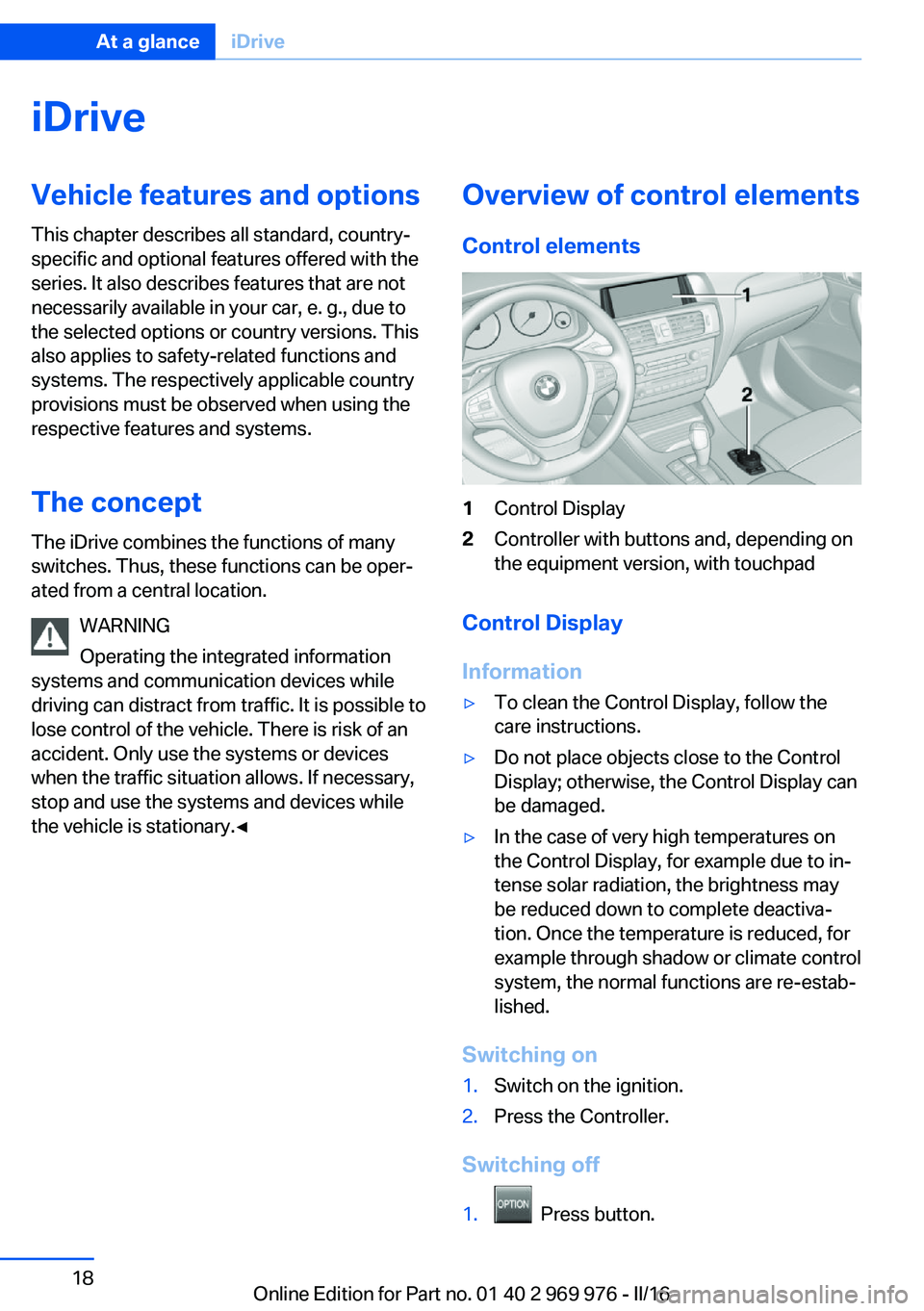
Control elements1Control Display2Controller with buttons and, depending on
the equipment version, with touchpad
Control Display
Information
▷To clean the Control Display, follow the
care instructions.▷Do not place objects close to the Control
Display; otherwise, the Control Display can
be damaged.▷In the case of very high temperatures on
the Control Display, for example due to in‐
tense solar radiation, the brightness may
be reduced down to complete deactiva‐
tion. Once the temperature is reduced, for
example through shadow or climate control
system, the normal functions are re-estab‐
lished.
Switching on
1.Switch on the ignition.2.Press the Controller.
Switching off
1. Press button.
Seite 18At a glanceiDrive18
Online Edition for Part no. 01 40 2 969 976 - II/16
Page 19 of 265
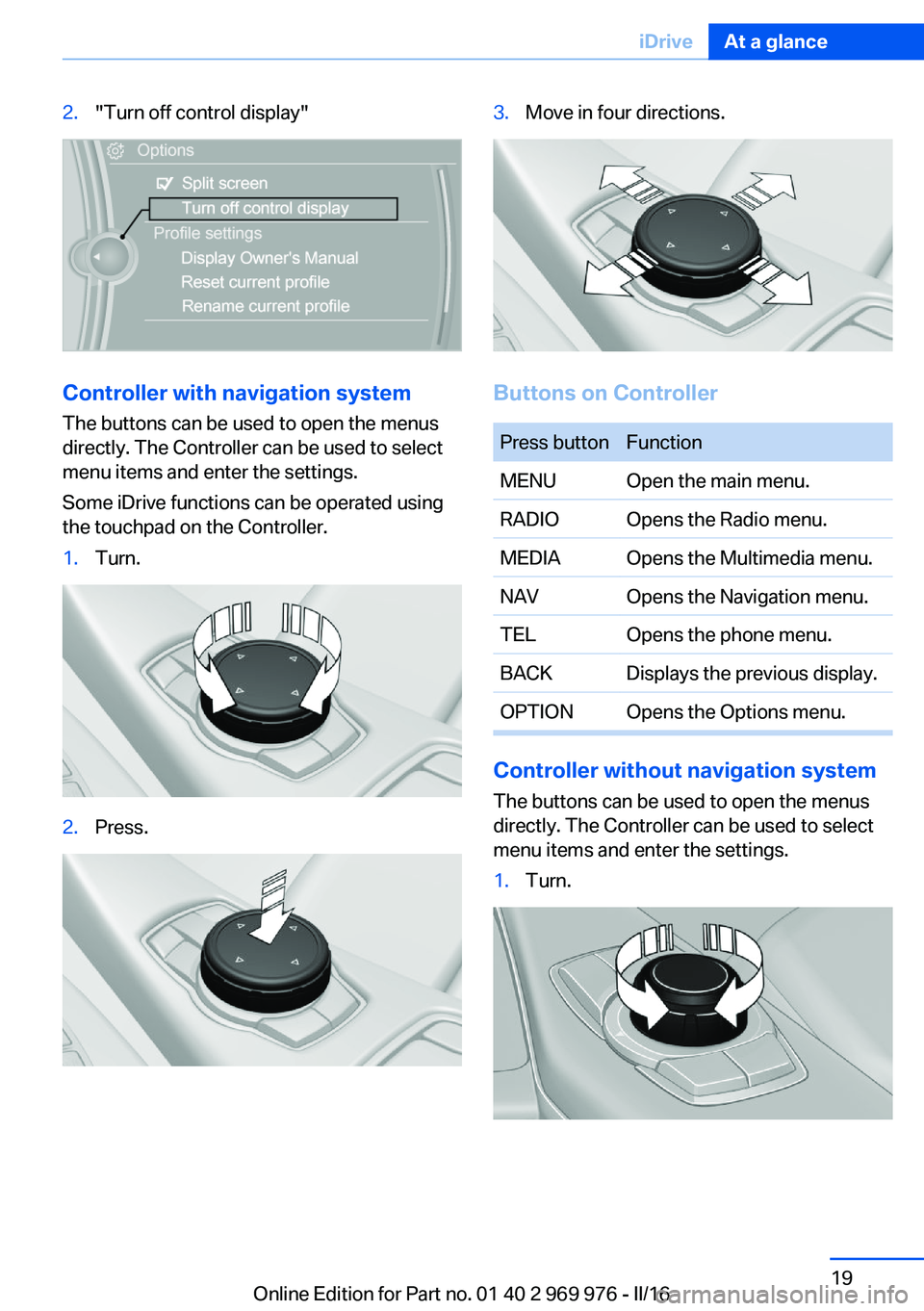
2."Turn off control display"
Controller with navigation systemThe buttons can be used to open the menus
directly. The Controller can be used to select menu items and enter the settings.
Some iDrive functions can be operated using
the touchpad on the Controller.
1.Turn.2.Press.3.Move in four directions.
Buttons on Controller
Press buttonFunctionMENUOpen the main menu.RADIOOpens the Radio menu.MEDIAOpens the Multimedia menu.NAVOpens the Navigation menu.TELOpens the phone menu.BACKDisplays the previous display.OPTIONOpens the Options menu.
Controller without navigation system
The buttons can be used to open the menus
directly. The Controller can be used to select
menu items and enter the settings.
1.Turn.Seite 19iDriveAt a glance19
Online Edition for Part no. 01 40 2 969 976 - II/16
Page 20 of 265
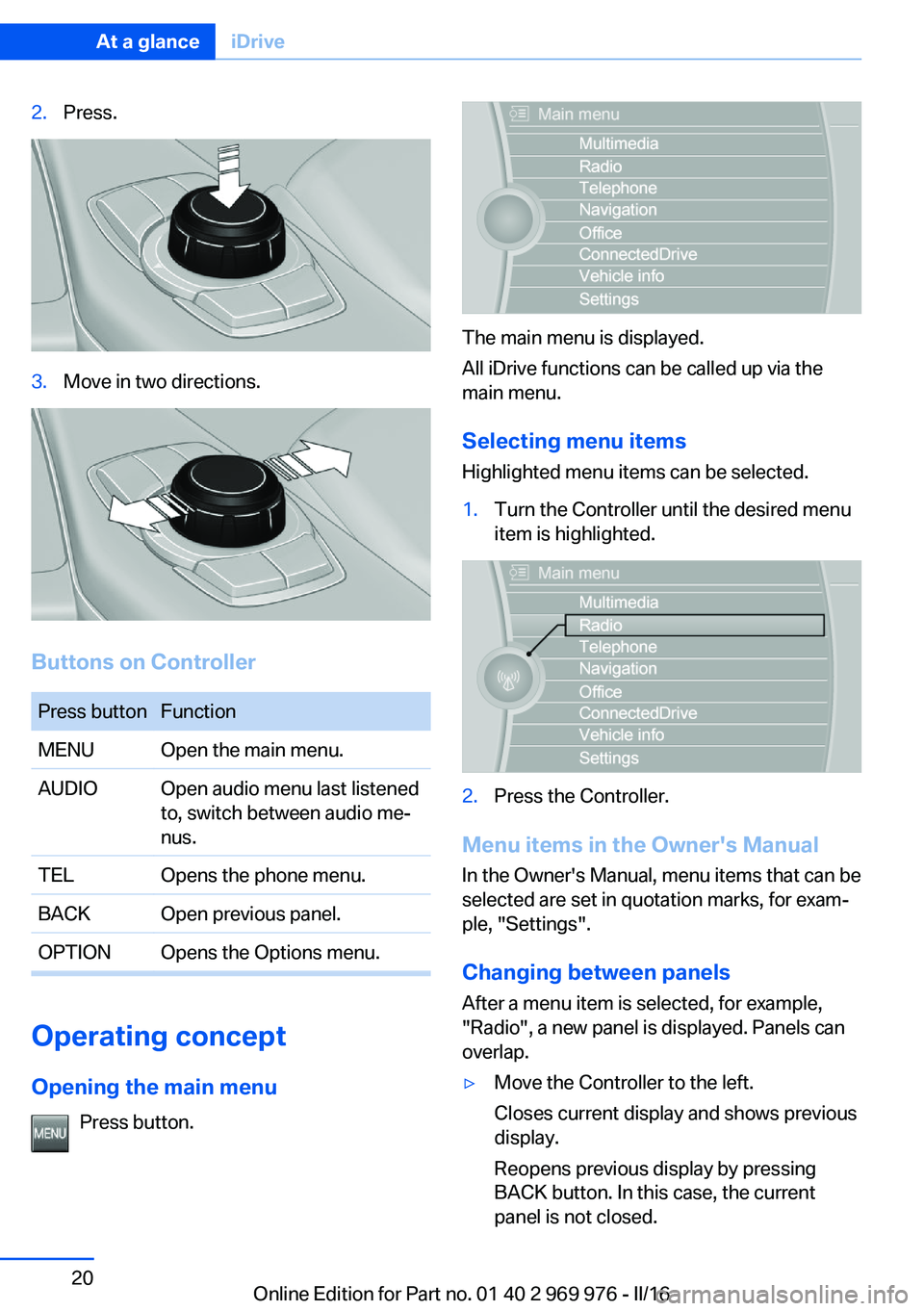
2.Press.3.Move in two directions.
Buttons on Controller
Press buttonFunctionMENUOpen the main menu.AUDIOOpen audio menu last listened
to, switch between audio me‐
nus.TELOpens the phone menu.BACKOpen previous panel.OPTIONOpens the Options menu.
Operating concept
Opening the main menu Press button.
The main menu is displayed.
All iDrive functions can be called up via the
main menu.
Selecting menu items
Highlighted menu items can be selected.
1.Turn the Controller until the desired menu
item is highlighted.2.Press the Controller.
Menu items in the Owner's Manual
In the Owner's Manual, menu items that can be
selected are set in quotation marks, for exam‐
ple, "Settings".
Changing between panels
After a menu item is selected, for example,
"Radio", a new panel is displayed. Panels can
overlap.
▷Move the Controller to the left.
Closes current display and shows previous
display.
Reopens previous display by pressing
BACK button. In this case, the current
panel is not closed.Seite 20At a glanceiDrive20
Online Edition for Part no. 01 40 2 969 976 - II/16
Page 21 of 265
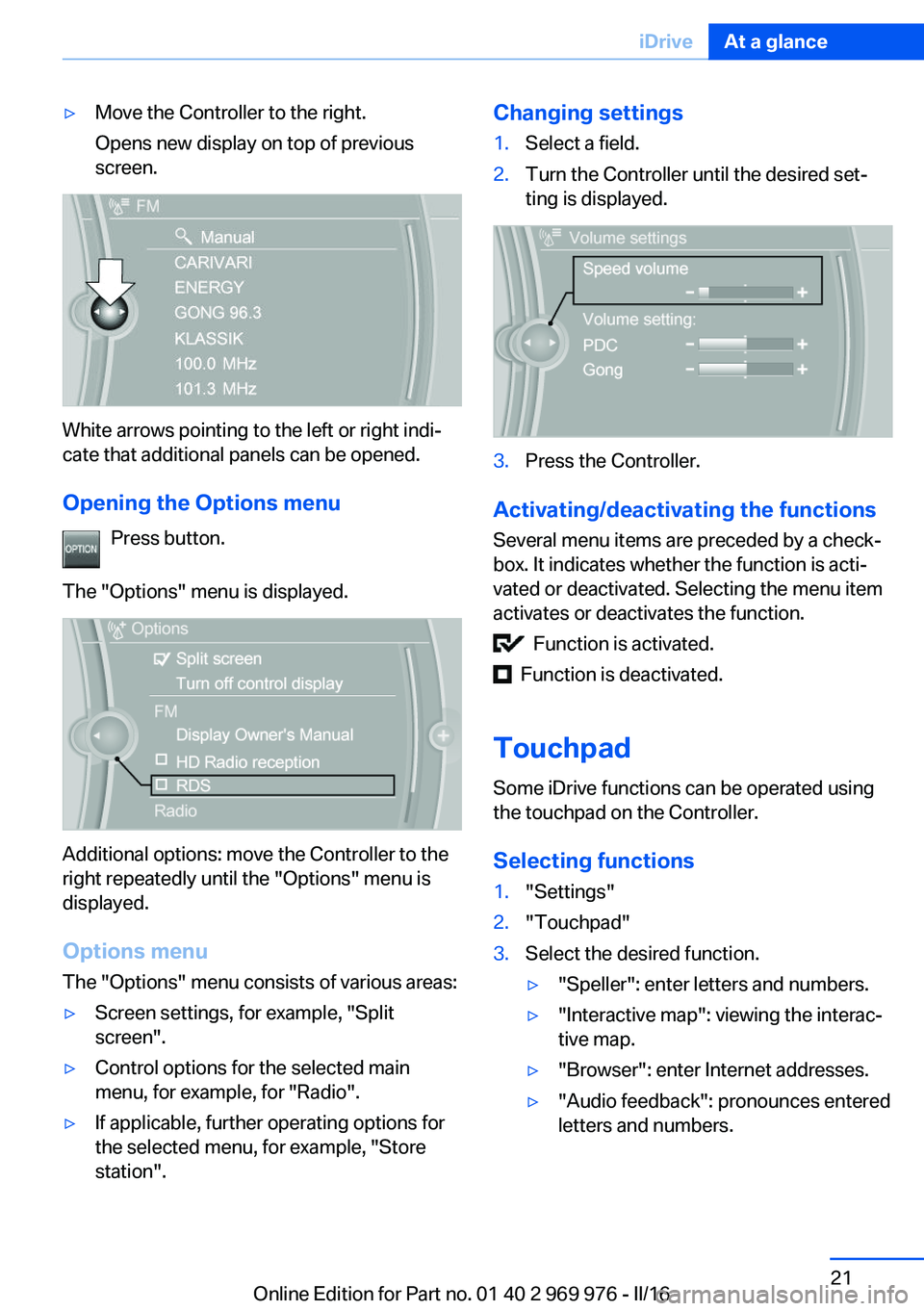
▷Move the Controller to the right.
Opens new display on top of previous
screen.
White arrows pointing to the left or right indi‐
cate that additional panels can be opened.
Opening the Options menu Press button.
The "Options" menu is displayed.
Additional options: move the Controller to the
right repeatedly until the "Options" menu is
displayed.
Options menu The "Options" menu consists of various areas:
▷Screen settings, for example, "Split
screen".▷Control options for the selected main
menu, for example, for "Radio".▷If applicable, further operating options for
the selected menu, for example, "Store
station".Changing settings1.Select a field.2.Turn the Controller until the desired set‐
ting is displayed.3.Press the Controller.
Activating/deactivating the functions
Several menu items are preceded by a check‐
box. It indicates whether the function is acti‐
vated or deactivated. Selecting the menu item
activates or deactivates the function.
Function is activated.
Function is deactivated.
Touchpad Some iDrive functions can be operated using
the touchpad on the Controller.
Selecting functions
1."Settings"2."Touchpad"3.Select the desired function.▷"Speller": enter letters and numbers.▷"Interactive map": viewing the interac‐
tive map.▷"Browser": enter Internet addresses.▷"Audio feedback": pronounces entered
letters and numbers.Seite 21iDriveAt a glance21
Online Edition for Part no. 01 40 2 969 976 - II/16
Page 22 of 265
Entering letters and numbers
Entering letters requires some practice at the
beginning. When entering, pay attention to the
following:▷The system distinguishes between upper
and lower-case letters and numbers. For
entry, it may be necessary to change be‐
tween upper and lower-case letters, num‐
bers and characters, refer to page 25.▷Enter characters as they are displayed on
the Control Display.▷Always enter associated characters, such
as accents or periods so that the letter can
be clearly recognized. Possible input de‐
pends on the set language. Where neces‐
sary, enter special characters via the Con‐
troller.▷To delete a character, slide to the left on
the touchpad.▷To enter a blank space, slide to the right in
the center of the touchpad.▷To enter a hyphen, slide to the right in the
upper area of the touchpad.▷To enter an underscore, swipe to the right
in the lower area of the touchpad.
Using interactive map and Internet
Via touch-pad move the interactive map in the
navigation system and Internet sites.
FunctionControlsMove interactive map or
Internet sites.Swipe into re‐
spective direc‐
tion.Enlarge/shrink interactive
map or Internet sites.Drag in or out on
the touchpad with
fingers.Display the menu or open
a link in the Internet.Tap once.Changing settings
You may change Control Display settings, for
example the volume, via touchpad. Swipe left
or right accordingly.
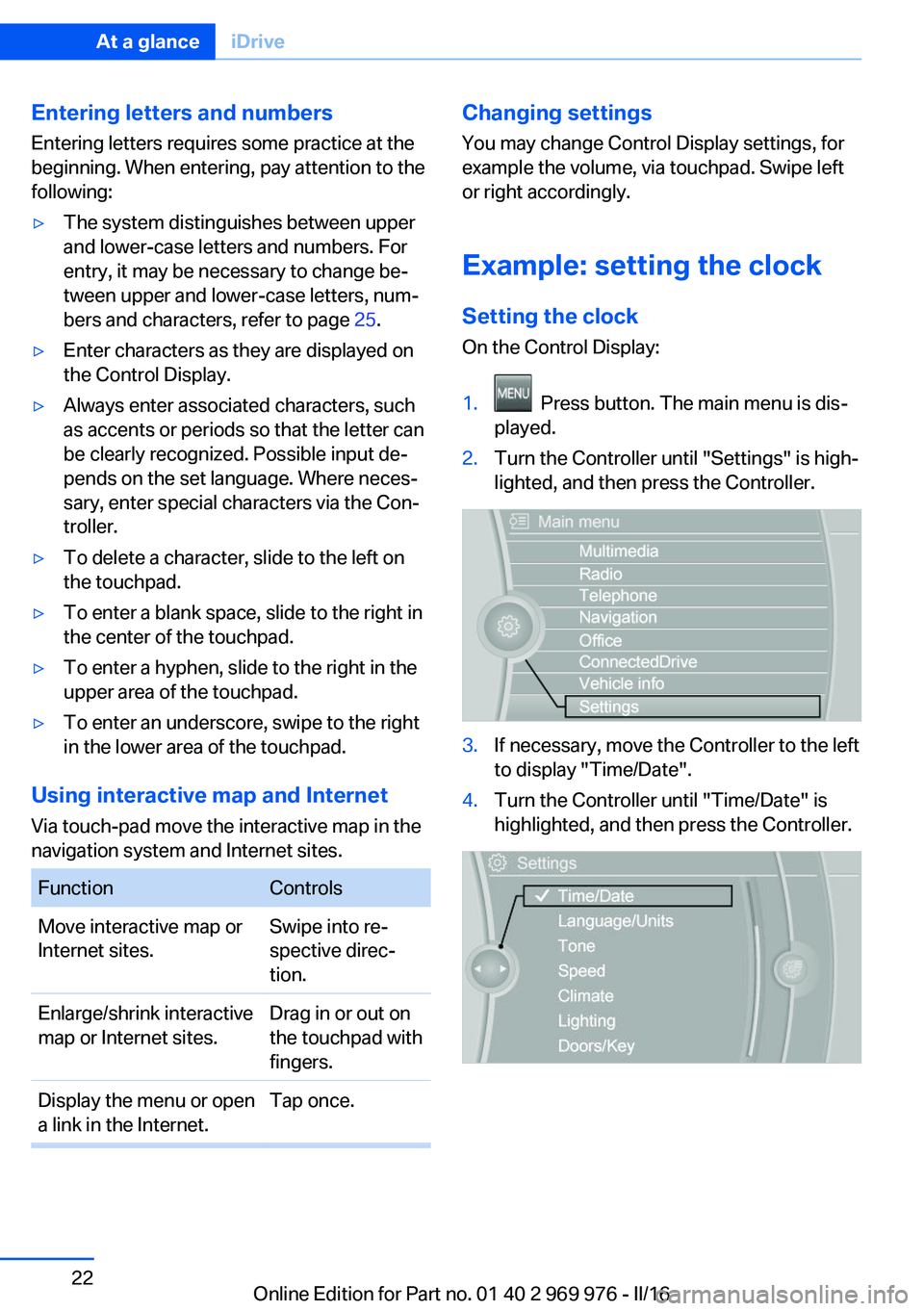
Example: setting the clock
Setting the clock
On the Control Display:1. Press button. The main menu is dis‐
played.2.Turn the Controller until "Settings" is high‐
lighted, and then press the Controller.3.If necessary, move the Controller to the left
to display "Time/Date".4.Turn the Controller until "Time/Date" is
highlighted, and then press the Controller.Seite 22At a glanceiDrive22
Online Edition for Part no. 01 40 2 969 976 - II/16
Page 23 of 265
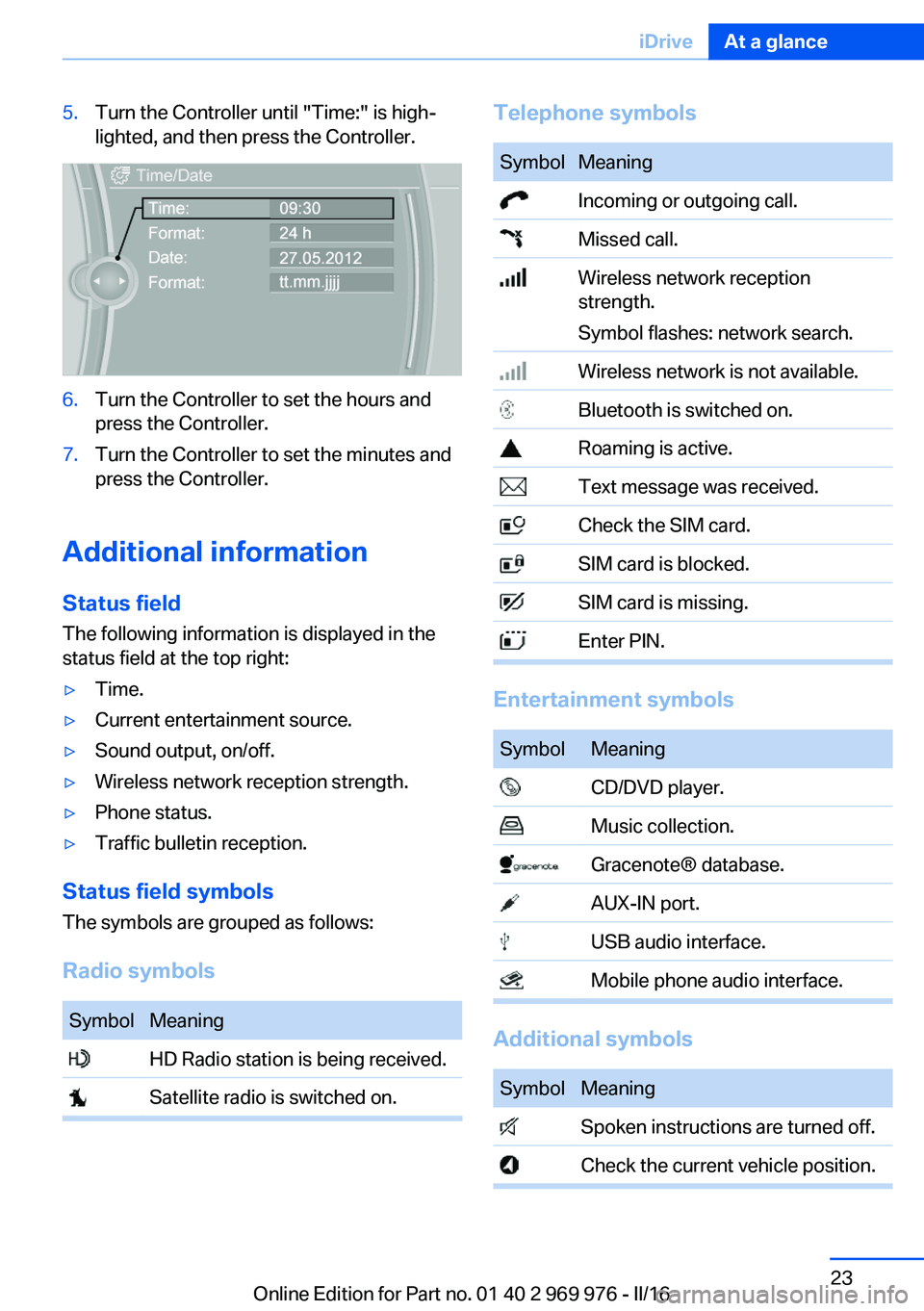
5.Turn the Controller until "Time:" is high‐
lighted, and then press the Controller.6.Turn the Controller to set the hours and
press the Controller.7.Turn the Controller to set the minutes and
press the Controller.
Additional information
Status field
The following information is displayed in the
status field at the top right:
▷Time.▷Current entertainment source.▷Sound output, on/off.▷Wireless network reception strength.▷Phone status.▷Traffic bulletin reception.
Status field symbols
The symbols are grouped as follows:
Radio symbols
SymbolMeaning HD Radio station is being received. Satellite radio is switched on.Telephone symbolsSymbolMeaning Incoming or outgoing call. Missed call. Wireless network reception
strength.
Symbol flashes: network search. Wireless network is not available. Bluetooth is switched on. Roaming is active. Text message was received. Check the SIM card. SIM card is blocked. SIM card is missing. Enter PIN.
Entertainment symbols
SymbolMeaning CD/DVD player. Music collection. Gracenote® database. AUX-IN port. USB audio interface. Mobile phone audio interface.
Additional symbols
SymbolMeaning Spoken instructions are turned off. Check the current vehicle position.Seite 23iDriveAt a glance23
Online Edition for Part no. 01 40 2 969 976 - II/16
Page 24 of 265
Split screen
General information Additional information can be displayed on the
right side of the split screen, for example, infor‐
mation from the onboard computer.
In the divided screen view, the so-called split
screen, this information remains visible even when you change to another menu.
Switching the split screen on/off
On the Control Display:1. Press button.2."Split screen"
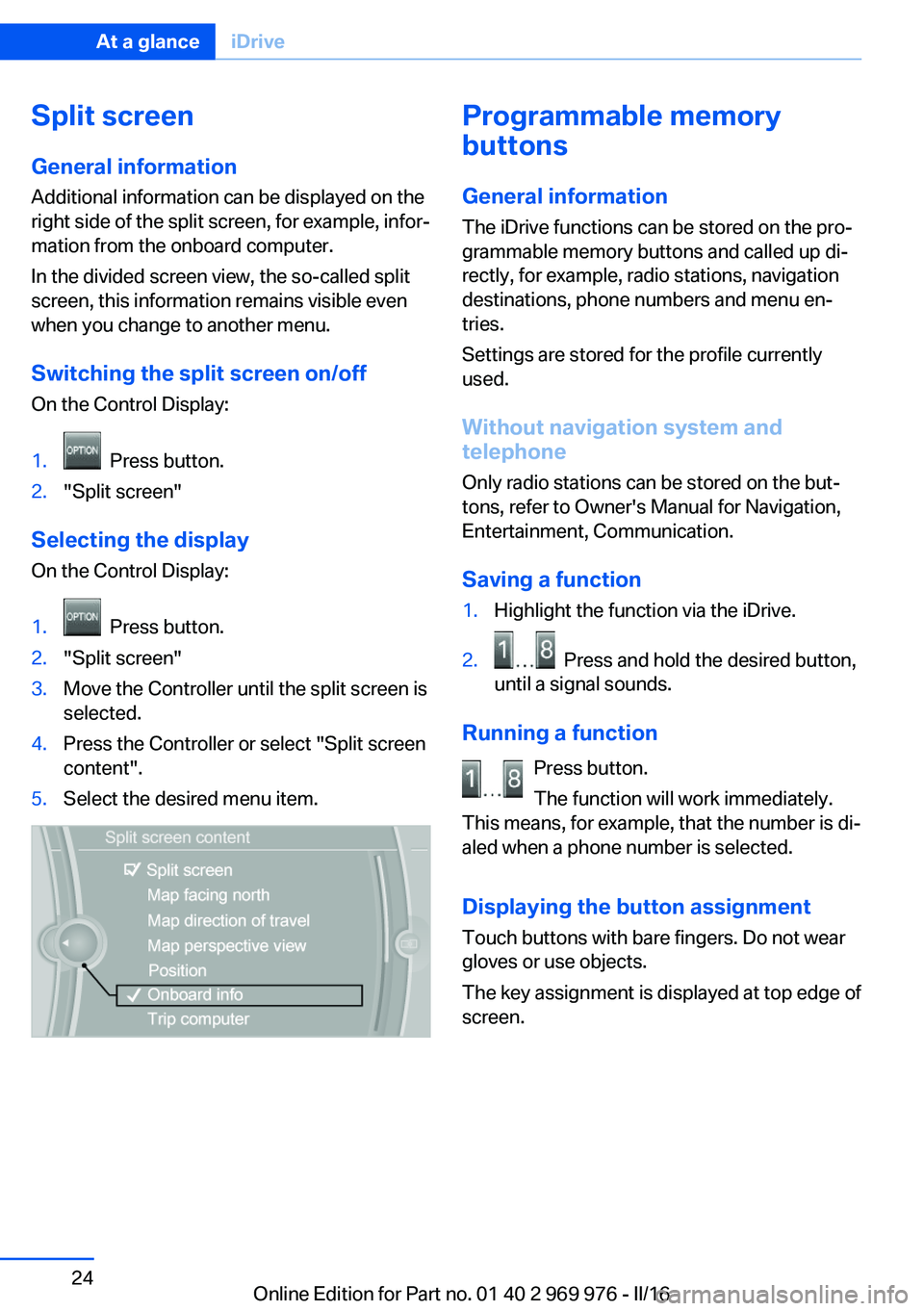
Selecting the display
On the Control Display:
1. Press button.2."Split screen"3.Move the Controller until the split screen is
selected.4.Press the Controller or select "Split screen
content".5.Select the desired menu item.Programmable memory
buttons
General information
The iDrive functions can be stored on the pro‐
grammable memory buttons and called up di‐
rectly, for example, radio stations, navigation
destinations, phone numbers and menu en‐
tries.
Settings are stored for the profile currently
used.
Without navigation system and
telephone
Only radio stations can be stored on the but‐
tons, refer to Owner's Manual for Navigation,
Entertainment, Communication.
Saving a function1.Highlight the function via the iDrive.2. Press and hold the desired button,
until a signal sounds.
Running a function
Press button.
The function will work immediately.
This means, for example, that the number is di‐
aled when a phone number is selected.
Displaying the button assignment
Touch buttons with bare fingers. Do not wear
gloves or use objects.
The key assignment is displayed at top edge of
screen.
Seite 24At a glanceiDrive24
Online Edition for Part no. 01 40 2 969 976 - II/16
Page 25 of 265
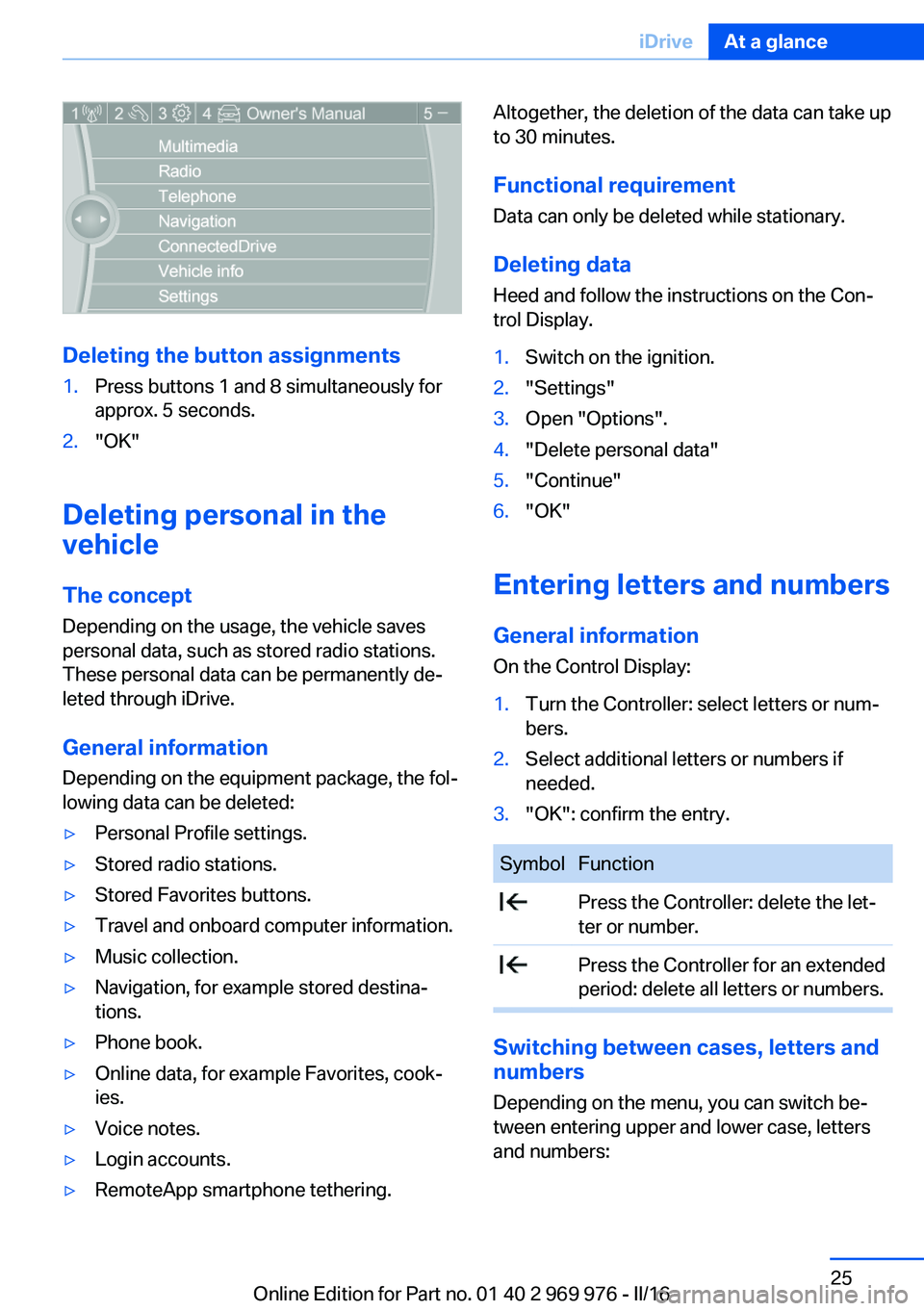
Deleting the button assignments
1.Press buttons 1 and 8 simultaneously for
approx. 5 seconds.2."OK"
Deleting personal in the
vehicle
The concept
Depending on the usage, the vehicle saves
personal data, such as stored radio stations.
These personal data can be permanently de‐
leted through iDrive.
General information
Depending on the equipment package, the fol‐
lowing data can be deleted:
▷Personal Profile settings.▷Stored radio stations.▷Stored Favorites buttons.▷Travel and onboard computer information.▷Music collection.▷Navigation, for example stored destina‐
tions.▷Phone book.▷Online data, for example Favorites, cook‐
ies.▷Voice notes.▷Login accounts.▷RemoteApp smartphone tethering.Altogether, the deletion of the data can take up
to 30 minutes.
Functional requirement Data can only be deleted while stationary.
Deleting data Heed and follow the instructions on the Con‐
trol Display.1.Switch on the ignition.2."Settings"3.Open "Options".4."Delete personal data"5."Continue"6."OK"
Entering letters and numbers
General information
On the Control Display:
1.Turn the Controller: select letters or num‐
bers.2.Select additional letters or numbers if
needed.3."OK": confirm the entry.SymbolFunction Press the Controller: delete the let‐
ter or number. Press the Controller for an extended
period: delete all letters or numbers.
Switching between cases, letters and
numbers
Depending on the menu, you can switch be‐
tween entering upper and lower case, letters
and numbers:
Seite 25iDriveAt a glance25
Online Edition for Part no. 01 40 2 969 976 - II/16
Page 26 of 265
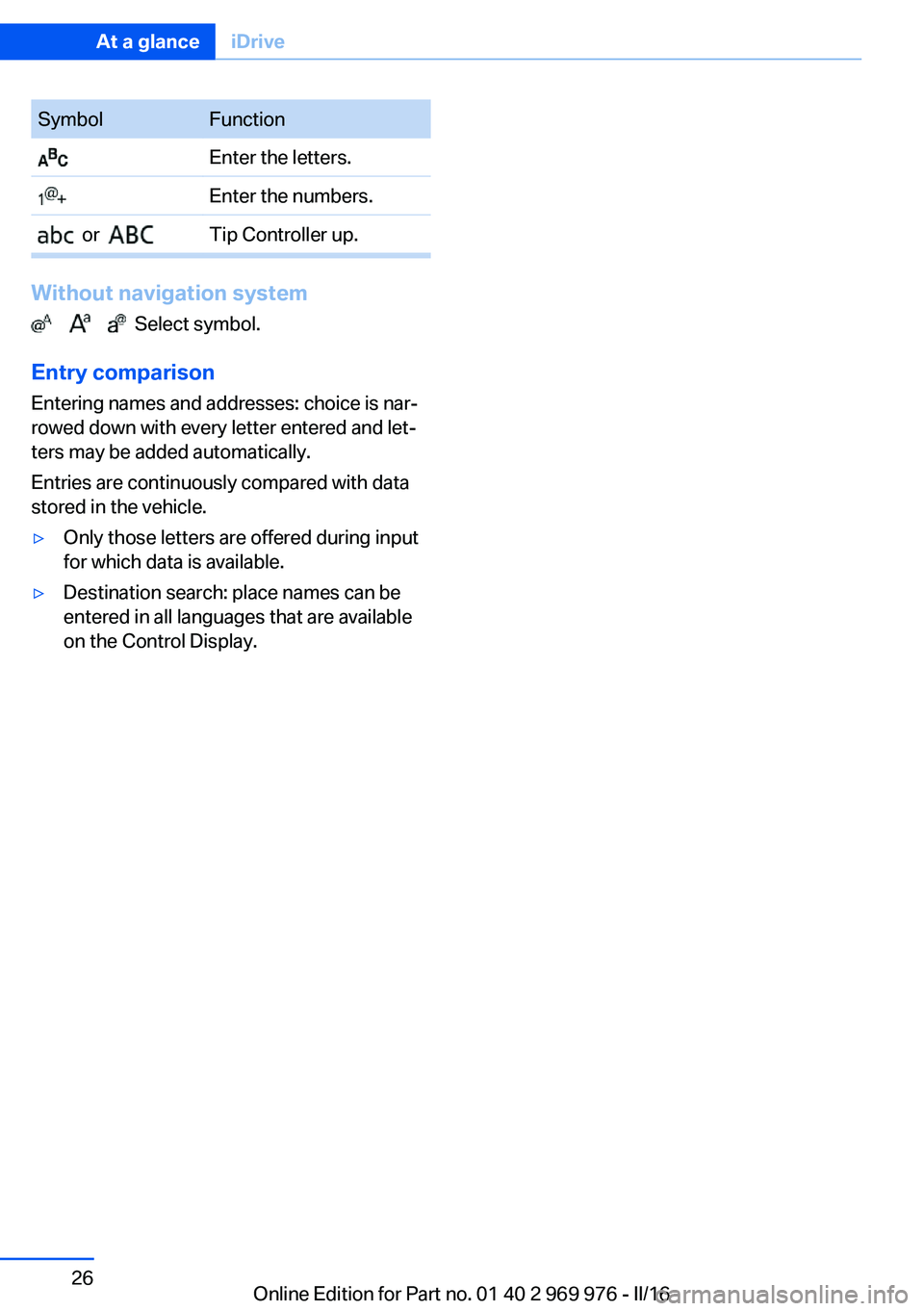
SymbolFunction Enter the letters. Enter the numbers. or Tip Controller up.
Without navigation system
Select symbol.
Entry comparison
Entering names and addresses: choice is nar‐
rowed down with every letter entered and let‐
ters may be added automatically.
Entries are continuously compared with data
stored in the vehicle.
▷Only those letters are offered during input
for which data is available.▷Destination search: place names can be
entered in all languages that are available
on the Control Display.Seite 26At a glanceiDrive26
Online Edition for Part no. 01 40 2 969 976 - II/16