lane assist BMW X3 2017 Owners Manual
[x] Cancel search | Manufacturer: BMW, Model Year: 2017, Model line: X3, Model: BMW X3 2017Pages: 265, PDF Size: 5.37 MB
Page 87 of 265
▷TPM was unable to complete the reset.
Reset the system again.▷A wheel without TPM electronics is
mounted: Have it checked by a dealer’s
service center or another qualified service
center or repair shop as needed.▷Malfunction: have the system checked by a
dealer’s service center or another qualified
service center or repair shop.
For more information, see Tire Pressure Moni‐
tor, refer to page 108.
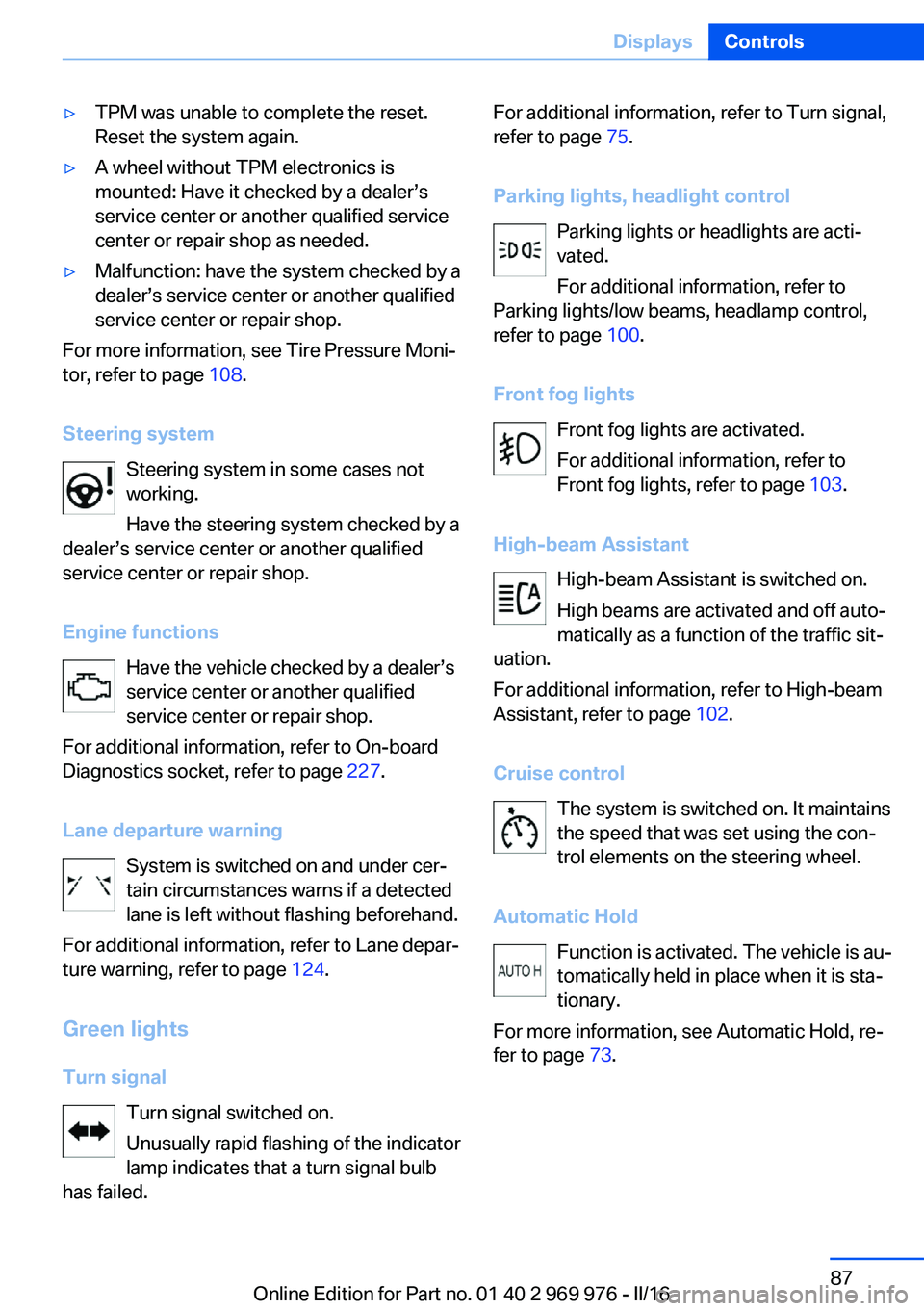
Steering system Steering system in some cases not
working.
Have the steering system checked by a
dealer’s service center or another qualified
service center or repair shop.
Engine functions Have the vehicle checked by a dealer’s
service center or another qualified
service center or repair shop.
For additional information, refer to On-board
Diagnostics socket, refer to page 227.
Lane departure warning System is switched on and under cer‐
tain circumstances warns if a detected
lane is left without flashing beforehand.
For additional information, refer to Lane depar‐
ture warning, refer to page 124.
Green lights Turn signal Turn signal switched on.
Unusually rapid flashing of the indicator
lamp indicates that a turn signal bulb
has failed.
For additional information, refer to Turn signal,
refer to page 75.
Parking lights, headlight control Parking lights or headlights are acti‐
vated.
For additional information, refer to
Parking lights/low beams, headlamp control,
refer to page 100.
Front fog lights Front fog lights are activated.
For additional information, refer to
Front fog lights, refer to page 103.
High-beam Assistant High-beam Assistant is switched on.
High beams are activated and off auto‐
matically as a function of the traffic sit‐
uation.
For additional information, refer to High-beam
Assistant, refer to page 102.
Cruise control The system is switched on. It maintains
the speed that was set using the con‐
trol elements on the steering wheel.
Automatic Hold Function is activated. The vehicle is au‐
tomatically held in place when it is sta‐
tionary.
For more information, see Automatic Hold, re‐
fer to page 73.Seite 87DisplaysControls87
Online Edition for Part no. 01 40 2 969 976 - II/16
Page 114 of 265
Run-flat tiresMaximum speed
You may continue driving with a damaged tire
at speeds up to 50 mph/80 km/h.
Continued driving with a flat tire
If continuing to drive with a damaged tire:1.Avoid sudden braking and steering maneu‐
vers.2.Do not exceed a speed of 50 mph/80 km/h.3.Check the air pressure in all four tires at
the next opportunity.
If the tire inflation pressure in all four tires
is correct, the Flat Tire Monitor may not
have been initialized. In this case, initialize
the system.
Possible driving distance with complete loss of
tire inflation pressure:
The possible driving distance with a flat tire
depends on cargo load, driving style and road
conditions.
A vehicle with an average load has a possible
driving range of approx. 50 miles/80 km.
A vehicle with a damaged tire reacts differ‐
ently, for example, it has reduced lane stability
during braking, a longer braking distance and
different self-steering properties. Adjust your
driving style accordingly. Avoid abrupt steering
maneuvers or driving over obstacles, for exam‐
ple, curbs, potholes, etc.
Because the possible driving distance de‐
pends on how the vehicle is used during the
trip, the actual distance may be shorter or lon‐
ger depending on the driving speed, road con‐
ditions, external temperature, cargo load, etc.
WARNING
Your vehicle handles differently when a
run-flat tire is damaged and has low or missing
tire inflation pressure, e.g., your lane stability is
reduced when braking, braking distances are
longer and the self-steering properties will
change. There is risk of an accident.
Drive moderately and do not exceed a speed of
50 mph/80 km/h.◀
Final tire failure
Vibrations or loud noises while driving can indi‐
cate the final failure of a tire.
Reduce speed and stop; otherwise, pieces of
the tire could come loose and cause an acci‐
dent.
Do not continue driving. Contact a dealer’s
service center or another qualified service cen‐
ter or repair shop.
Intelligent Safety The concept
Intelligent Safety enables central operation of
the driver assistance system. Depending on
how the vehicle is equipped, Intelligent Safety
consists of one or more systems that can help
prevent a imminent collision.▷Front-end collision warning, refer to
page 115.▷Pedestrian warning, refer to page 121.▷Lane departure warning, refer to
page 124.▷Active Blind Spot Detection, refer to
page 126.
Information
WARNING
Indicators and warnings do not relieve
the driver from personal responsibility. Due to
system limits, warnings or reactions of the sys‐
tem may not be output or they may be output
too late or incorrectly. There is risk of an acci‐
dent. Adjust the driving style to the traffic con‐
ditions. Watch traffic closely and actively inter‐
vene in the respective situations.◀
Seite 114ControlsSafety114
Online Edition for Part no. 01 40 2 969 976 - II/16
Page 149 of 265
Display on the Control Display
Functional requirement▷The rearview camera is switched on.▷The tailgate is fully closed.▷Keep the recording range of the camera
clear. Protruding cargo or carrier systems
and trailers that are not connected to a
trailer power socket can lead to malfunc‐
tions.
Activating assistance functions
More than one assistance function can be ac‐
tive at the same time.
▷Parking aid lines
"Parking aid lines"
Lanes and turning radius are indicated.
▷Obstacle marking
"Obstacle marking"
Spatially-shaped markings are displayed.
Pathway lines
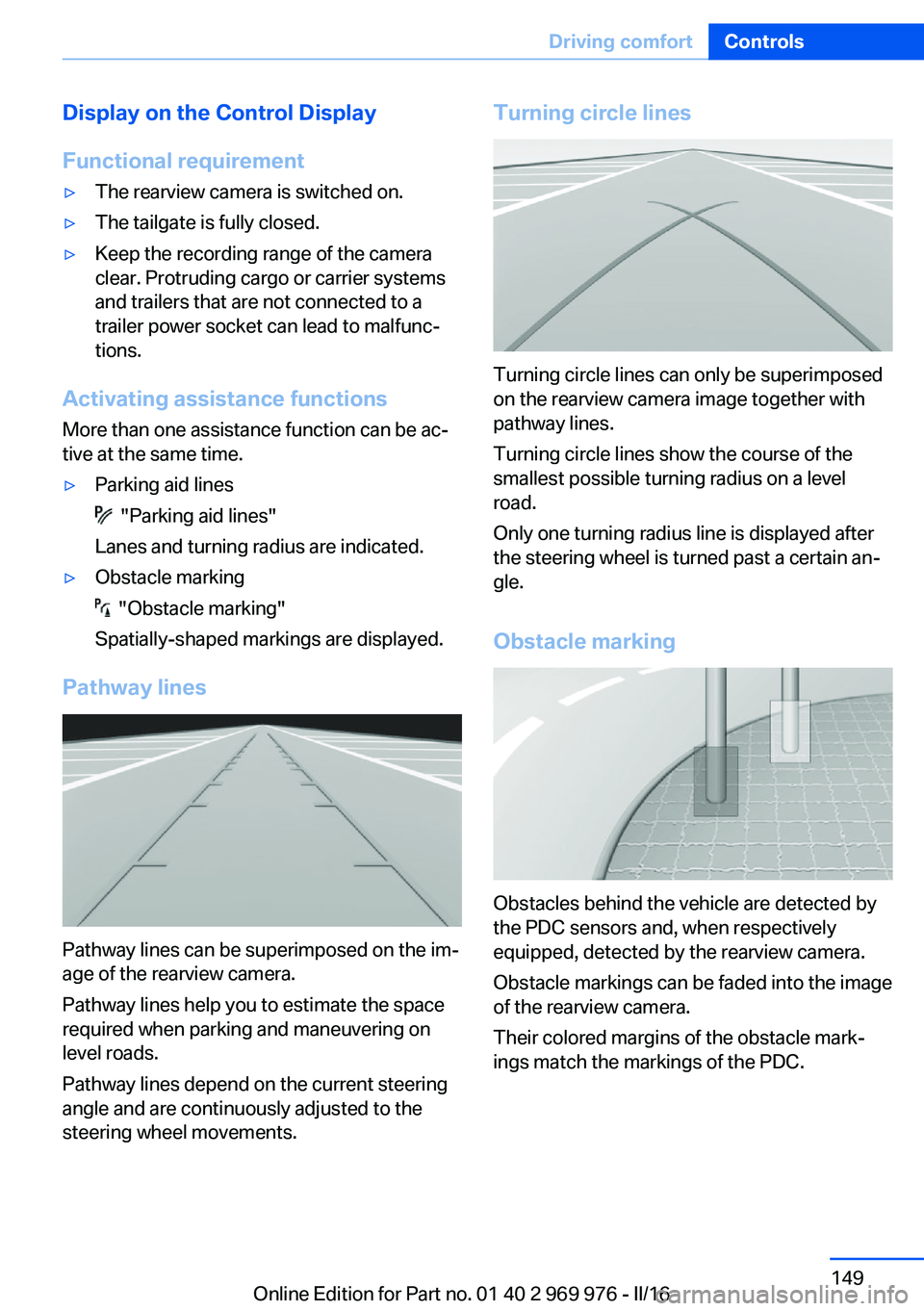
Pathway lines can be superimposed on the im‐
age of the rearview camera.
Pathway lines help you to estimate the space
required when parking and maneuvering on
level roads.
Pathway lines depend on the current steering
angle and are continuously adjusted to the
steering wheel movements.
Turning circle lines
Turning circle lines can only be superimposed
on the rearview camera image together with
pathway lines.
Turning circle lines show the course of the
smallest possible turning radius on a level
road.
Only one turning radius line is displayed after
the steering wheel is turned past a certain an‐
gle.
Obstacle marking
Obstacles behind the vehicle are detected by
the PDC sensors and, when respectively
equipped, detected by the rearview camera.
Obstacle markings can be faded into the image
of the rearview camera.
Their colored margins of the obstacle mark‐
ings match the markings of the PDC.
Seite 149Driving comfortControls149
Online Edition for Part no. 01 40 2 969 976 - II/16
Page 152 of 265
The display appears as soon as Top View is
activated.
When the image of the rearview camera is dis‐
played, it is possible to switch to top view:
"Rear view camera"
Brightness
With Top View switched on:
1. Select the symbol.2.Turn the Controller until the desired set‐
ting is reached, and press the Controller.
Contrast
With Top View switched on:
1. Select the symbol.2.Turn the Controller until the desired set‐
ting is reached, and press the Controller.
Displaying the turning radius and
pathway lines
▷The static, red turning radius line shows
the space needed to the side of the vehicle
when the steering wheel is turned all the
way.▷The variable, green pathway line assists
you in assessing the amount of space ac‐
tually needed to the side of the vehicle.
The lane line depends on the engaged
gear and the current steering angle. The
track line is continuously adjusted for the
steering wheel movement.
"Parking aid lines"
Turning circle and pathway lines are displayed.
System limits
A Check Control message is displayed when a
camera is not working.
Side View
The concept
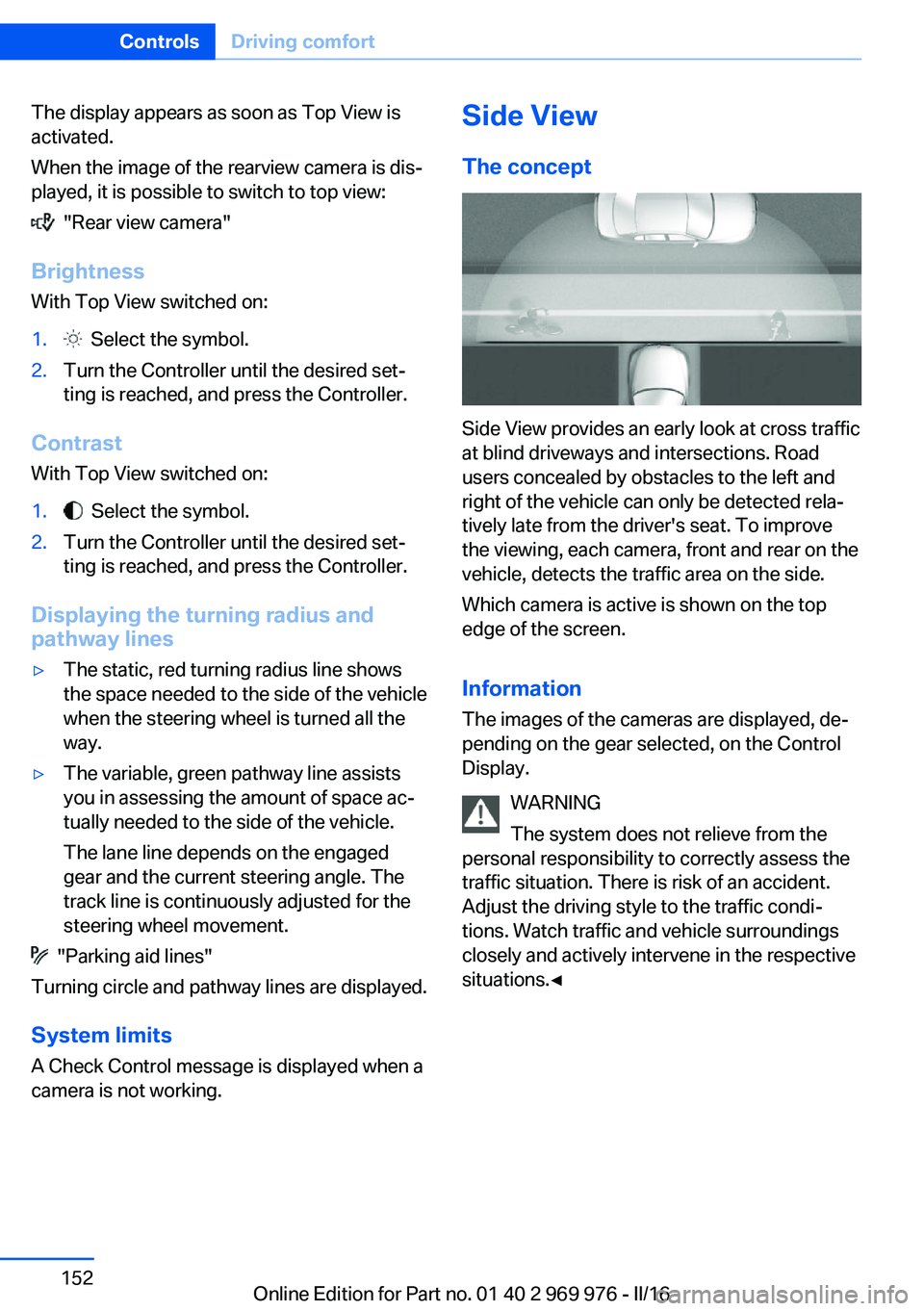
Side View provides an early look at cross traffic
at blind driveways and intersections. Road
users concealed by obstacles to the left and
right of the vehicle can only be detected rela‐
tively late from the driver's seat. To improve
the viewing, each camera, front and rear on the
vehicle, detects the traffic area on the side.
Which camera is active is shown on the top
edge of the screen.
Information The images of the cameras are displayed, de‐
pending on the gear selected, on the Control
Display.
WARNING
The system does not relieve from the
personal responsibility to correctly assess the
traffic situation. There is risk of an accident.
Adjust the driving style to the traffic condi‐
tions. Watch traffic and vehicle surroundings
closely and actively intervene in the respective
situations.◀
Seite 152ControlsDriving comfort152
Online Edition for Part no. 01 40 2 969 976 - II/16
Page 258 of 265
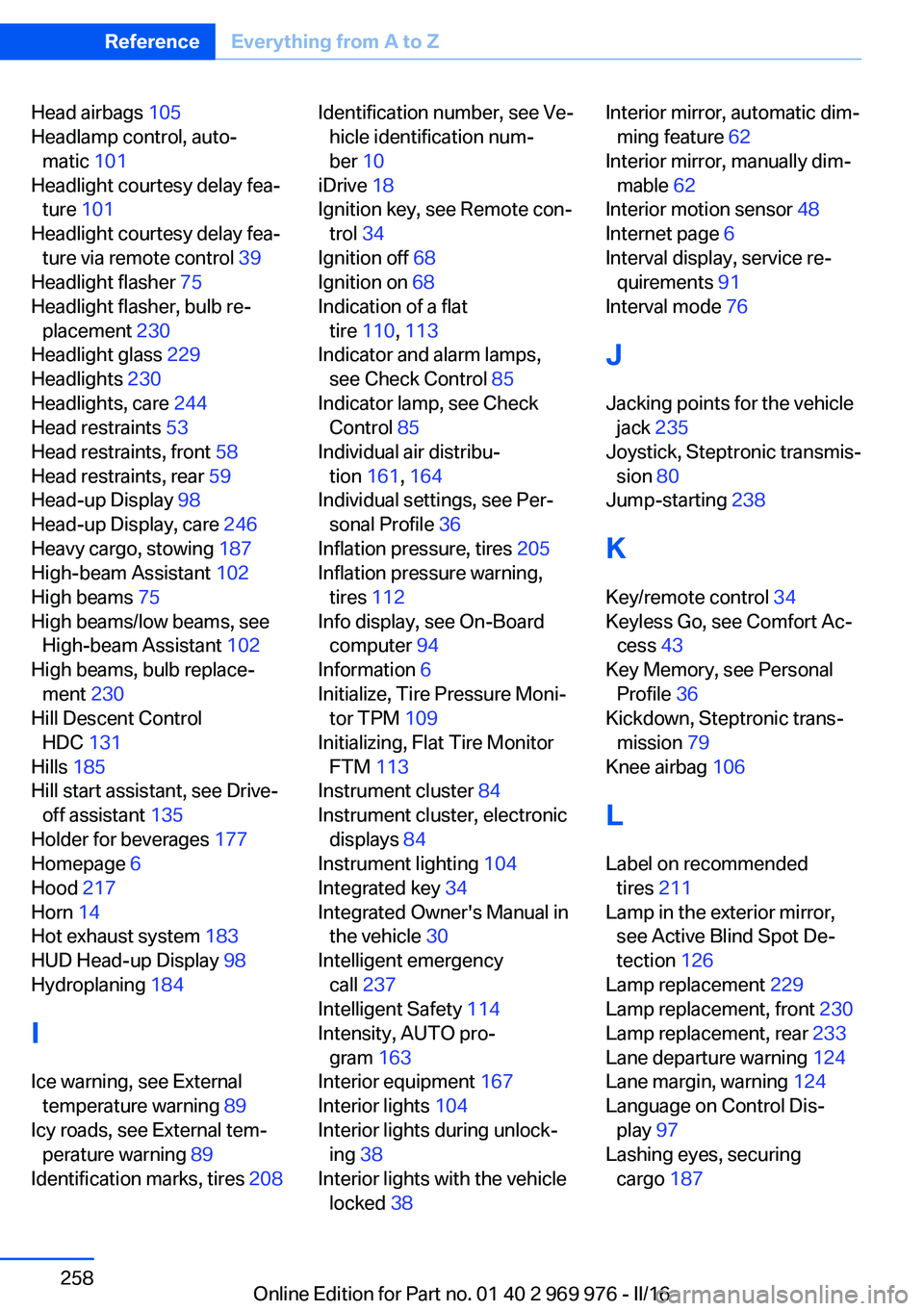
Head airbags 105
Headlamp control, auto‐ matic 101
Headlight courtesy delay fea‐ ture 101
Headlight courtesy delay fea‐ ture via remote control 39
Headlight flasher 75
Headlight flasher, bulb re‐ placement 230
Headlight glass 229
Headlights 230
Headlights, care 244
Head restraints 53
Head restraints, front 58
Head restraints, rear 59
Head-up Display 98
Head-up Display, care 246
Heavy cargo, stowing 187
High-beam Assistant 102
High beams 75
High beams/low beams, see High-beam Assistant 102
High beams, bulb replace‐ ment 230
Hill Descent Control HDC 131
Hills 185
Hill start assistant, see Drive- off assistant 135
Holder for beverages 177
Homepage 6
Hood 217
Horn 14
Hot exhaust system 183
HUD Head-up Display 98
Hydroplaning 184
I Ice warning, see External temperature warning 89
Icy roads, see External tem‐ perature warning 89
Identification marks, tires 208 Identification number, see Ve‐
hicle identification num‐
ber 10
iDrive 18
Ignition key, see Remote con‐ trol 34
Ignition off 68
Ignition on 68
Indication of a flat tire 110 , 113
Indicator and alarm lamps, see Check Control 85
Indicator lamp, see Check Control 85
Individual air distribu‐ tion 161, 164
Individual settings, see Per‐ sonal Profile 36
Inflation pressure, tires 205
Inflation pressure warning, tires 112
Info display, see On-Board computer 94
Information 6
Initialize, Tire Pressure Moni‐ tor TPM 109
Initializing, Flat Tire Monitor FTM 113
Instrument cluster 84
Instrument cluster, electronic displays 84
Instrument lighting 104
Integrated key 34
Integrated Owner's Manual in the vehicle 30
Intelligent emergency call 237
Intelligent Safety 114
Intensity, AUTO pro‐ gram 163
Interior equipment 167
Interior lights 104
Interior lights during unlock‐ ing 38
Interior lights with the vehicle locked 38 Interior mirror, automatic dim‐
ming feature 62
Interior mirror, manually dim‐ mable 62
Interior motion sensor 48
Internet page 6
Interval display, service re‐ quirements 91
Interval mode 76
J
Jacking points for the vehicle jack 235
Joystick, Steptronic transmis‐ sion 80
Jump-starting 238
K
Key/remote control 34
Keyless Go, see Comfort Ac‐ cess 43
Key Memory, see Personal Profile 36
Kickdown, Steptronic trans‐ mission 79
Knee airbag 106
L Label on recommended tires 211
Lamp in the exterior mirror, see Active Blind Spot De‐
tection 126
Lamp replacement 229
Lamp replacement, front 230
Lamp replacement, rear 233
Lane departure warning 124
Lane margin, warning 124
Language on Control Dis‐ play 97
Lashing eyes, securing cargo 187 Seite 258ReferenceEverything from A to Z258
Online Edition for Part no. 01 40 2 969 976 - II/16