mode BMW X3 3.0I 2006 E83 User Guide
[x] Cancel search | Manufacturer: BMW, Model Year: 2006, Model line: X3 3.0I, Model: BMW X3 3.0I 2006 E83Pages: 133, PDF Size: 8.37 MB
Page 39 of 133
Reference
At a glance
Controls
Driving tips
Mobility
37
If the clutch pedal is not depressed,
the motor will not start.<
3.Start the engine.
Automatic transmission
1.Step on the brake.
2.Move selector lever into position P.
3.Start the engine.
Special starting conditions
In the following situations, press the accelerator
pedal halfway down while starting:
>If the engine fails to start on the first
attempt, for instance, if it is very hot or cold.
>When starting the engine at very low tem-
peratures, below approx. +57/–156, at
high altitudes over approx. 3,300 ft/
1,000 m.
Avoid frequent starting in quick succes-
sion or repeated start attempts in which
the engine does not start. Otherwise, the fuel is
not burned or inadequately burned and there is
a danger of overheating and damaging the cat-
alytic converter.<
Switching off engine
Do not remove the ignition key when the
vehicle is rolling; otherwise, the steering
wheel lock would engage during steering.
When leaving the vehicle, remove the ignition
key and lock the steering. When parking on
downward inclines, engage the handbrake; oth-
erwise, the vehicle could start to roll.<
Manual transmission
1.Apply the handbrake.
2.Turn the ignition key to position 1 or 0.
3.Shift into first gear or reverse.
Automatic transmission
1.With the vehicle at a stop, move the selector
lever into position P.
2.Turn the ignition key to position 1 or 0.3.Apply the handbrake.
Handbrake
The handbrake is primarily intended to prevent
the vehicle from rolling while parked; it brakes
the rear wheels.
Indicator lamp
The indicator lamp lights up; an acous-
tic signal also sounds when you begin
to drive. The handbrake is still engaged.
Indicator lamp for Canadian models.
Engaging
The lever engages automatically.
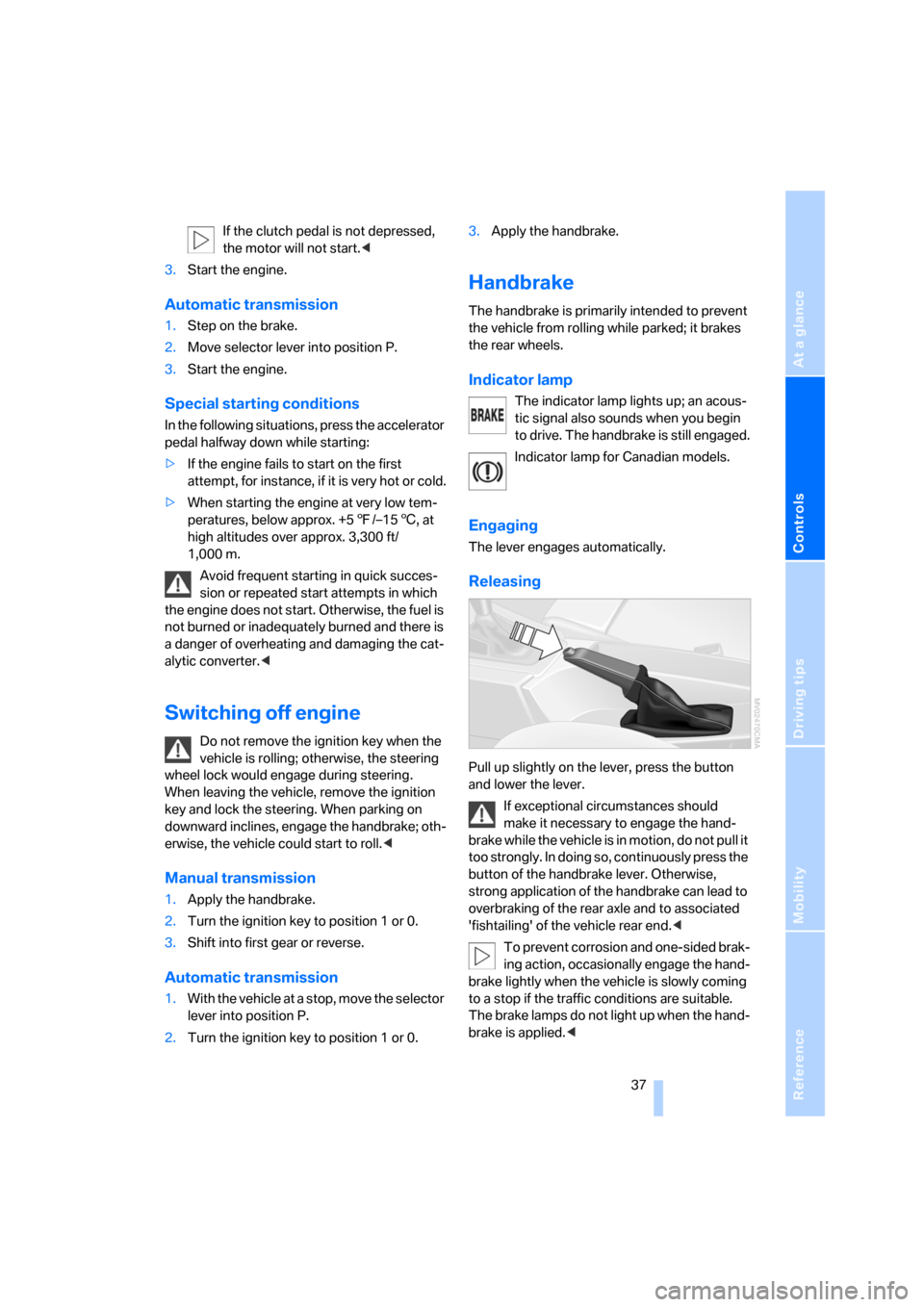
Releasing
Pull up slightly on the lever, press the button
and lower the lever.
If exceptional circumstances should
make it necessary to engage the hand-
brake while the vehicle is in motion, do not pull it
too strongly. In doing so, continuously press the
button of the handbrake lever. Otherwise,
strong application of the handbrake can lead to
overbraking of the rear axle and to associated
'fishtailing' of the vehicle rear end.<
To prevent corrosion and one-sided brak-
ing action, occasionally engage the hand-
brake lightly when the vehicle is slowly coming
to a stop if the traffic conditions are suitable.
The brake lamps do not light up when the hand-
brake is applied.<
Page 40 of 133
Driving
38
Manual transmission
When shifting into 5th or 6th gear, press
the gearshift to the right. Otherwise, an
inadvertent shift into 3rd or 4th gear could harm
the engine.<
Reverse
Select only when the vehicle is stationary. Press
the gearshift lever to the left to overcome the
resistance.
Automatic transmission with
Steptronic*
In addition to fully automatic operation, you can
also manually shift with the Steptronic, refer to
page39.
Parking vehicle
To prevent the vehicle from rolling,
always select position P and engage the
handbrake before leaving the vehicle with the
engine running.<
Selector lever positions
P R N D M/S + –
Engine started
The engine can only be started in selector lever
positions P: Park or N: Neutral.
Displays in the instrument cluster
P R N D SD M1 M2 M3 M4 M5
The selector lever position is indicated, and in
the manual mode the gear currently engaged.
Changing selector lever positions
>The selector lever can be moved out of the
position P when the ignition is switched on
or the engine is running: interlock.
>When the vehicle is stationary, step on the
brake before shifting out of P or N; other-
wise, the selector lever is locked: shiftlock.
To prevent the vehicle from creeping
after you select a drive position, main-
tain pressure on the brake pedal until you
are ready to start driving.<
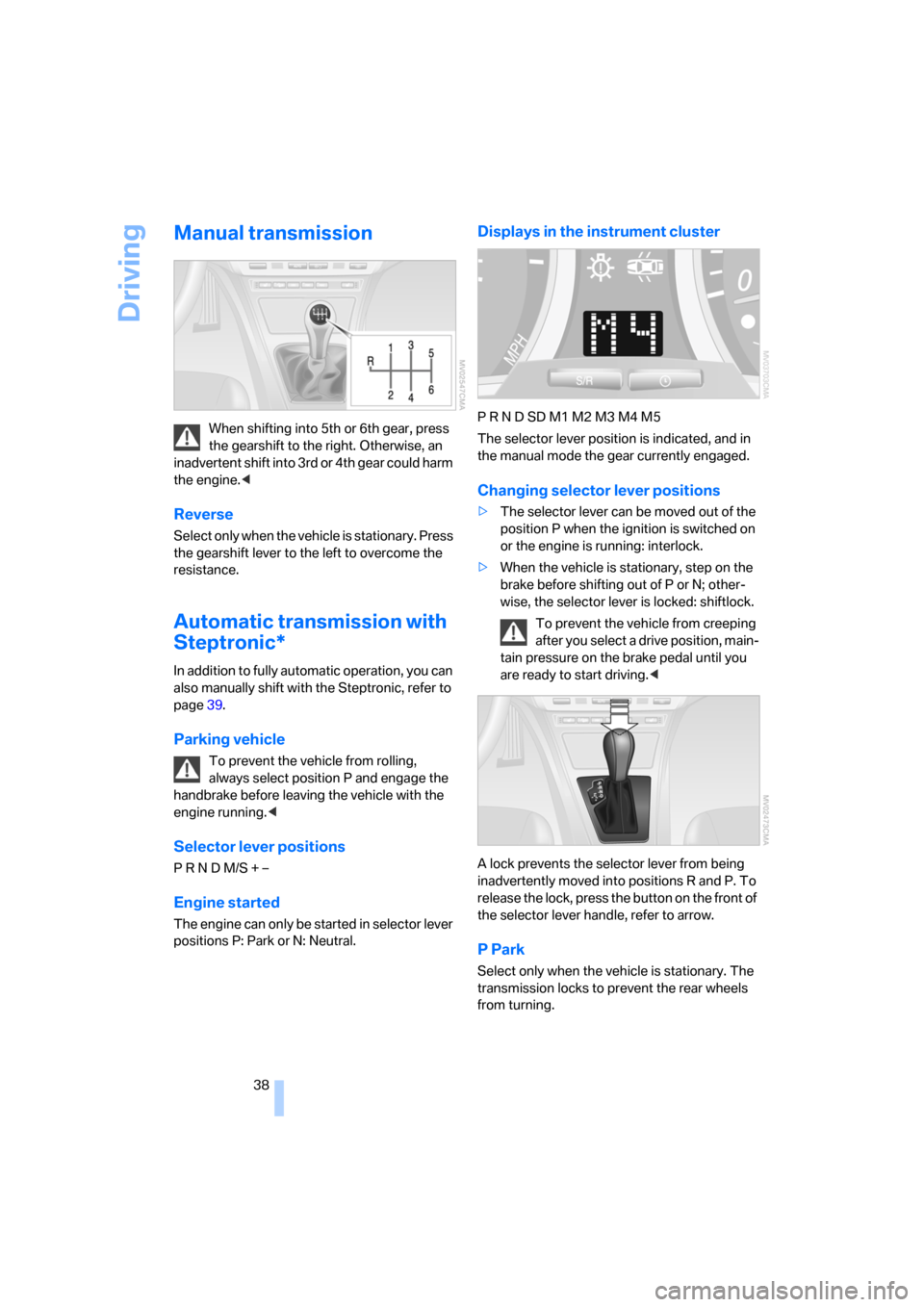
A lock prevents the selector lever from being
inadvertently moved into positions R and P. To
release the lock, press the button on the front of
the selector lever handle, refer to arrow.
P Park
Select only when the vehicle is stationary. The
transmission locks to prevent the rear wheels
from turning.
Page 41 of 133
Reference
At a glance
Controls
Driving tips
Mobility
39
R Reverse
Select only when the vehicle is stationary.
N Neutral
You can shift into neutral, for example, in auto-
matic car washes. The vehicle can roll.
D Drive, automatic position
Under normal operating conditions, fuel con-
sumption is the lowest when the vehicle is
driven in position D.
Kick-down
The kick-down mode provides maximum accel-
eration.
Press the accelerator pedal past the increased
resistance point at the full-throttle position.
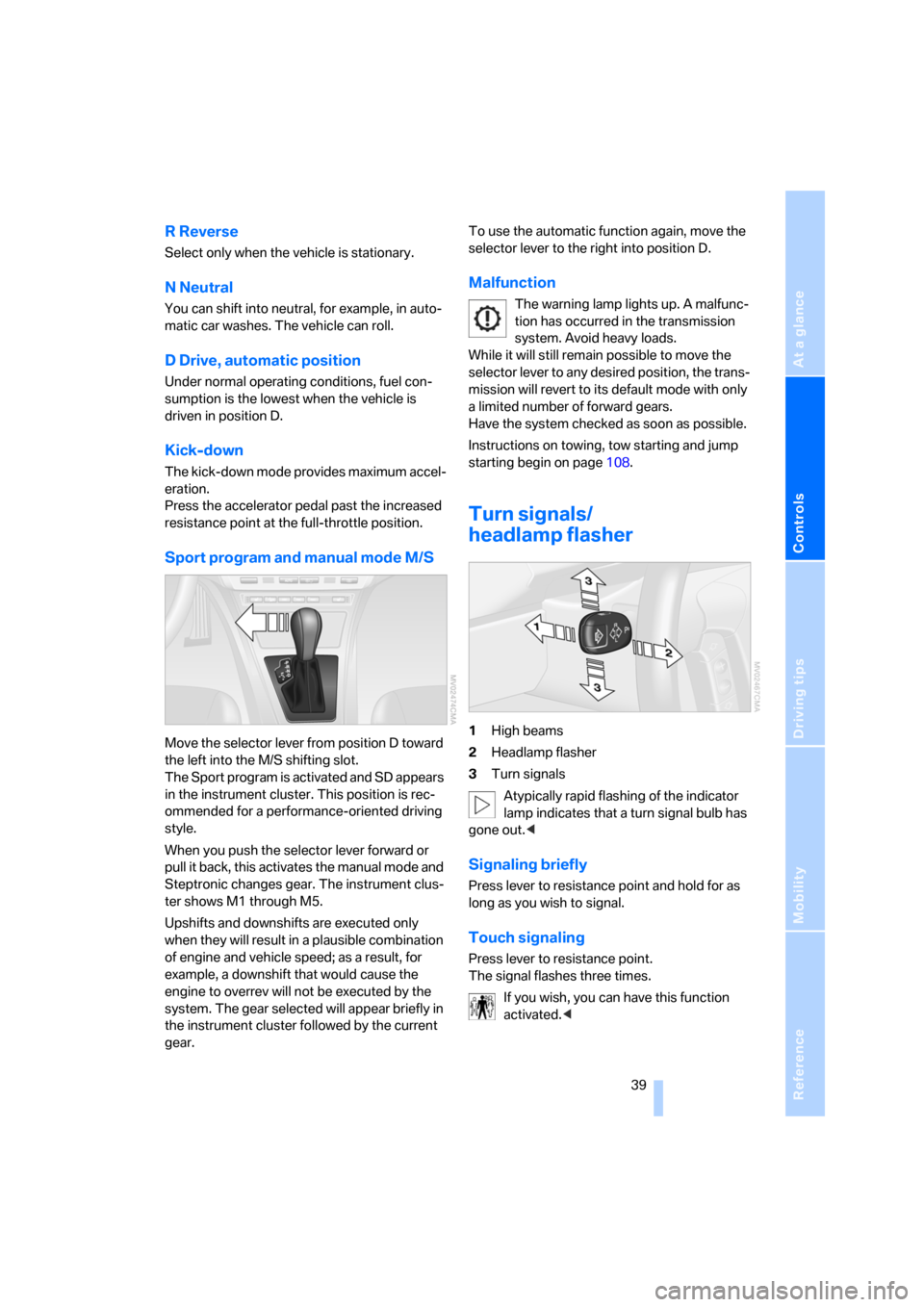
Sport program and manual mode M/S
Move the selector lever from position D toward
the left into the M/S shifting slot.
The Sport program is activated and SD appears
in the instrument cluster. This position is rec-
ommended for a performance-oriented driving
style.
When you push the selector lever forward or
pull it back, this activates the manual mode and
Steptronic changes gear. The instrument clus-
ter shows M1 through M5.
Upshifts and downshifts are executed only
when they will result in a plausible combination
of engine and vehicle speed; as a result, for
example, a downshift that would cause the
engine to overrev will not be executed by the
system. The gear selected will appear briefly in
the instrument cluster followed by the current
gear.To use the automatic function again, move the
selector lever to the right into position D.
Malfunction
The warning lamp lights up. A malfunc-
tion has occurred in the transmission
system. Avoid heavy loads.
While it will still remain possible to move the
selector lever to any desired position, the trans-
mission will revert to its default mode with only
a limited number of forward gears.
Have the system checked as soon as possible.
Instructions on towing, tow starting and jump
starting begin on page108.
Turn signals/
headlamp flasher
1High beams
2Headlamp flasher
3Turn signals
Atypically rapid flashing of the indicator
lamp indicates that a turn signal bulb has
gone out.<
Signaling briefly
Press lever to resistance point and hold for as
long as you wish to signal.
Touch signaling
Press lever to resistance point.
The signal flashes three times.
If you wish, you can have this function
activated.<
Page 42 of 133
Driving
40
Washer/wiper system/
rain sensor*
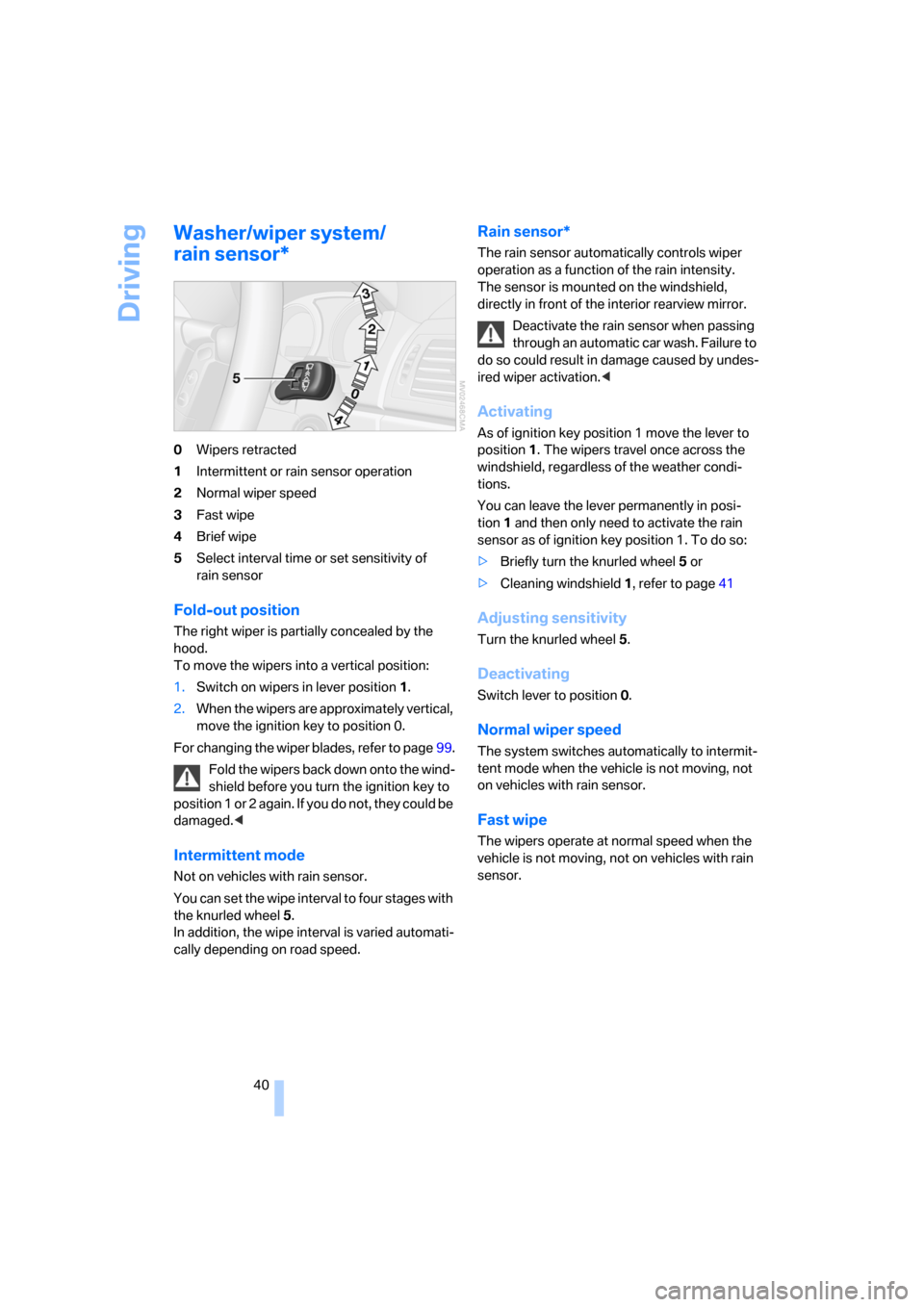
0Wipers retracted
1Intermittent or rain sensor operation
2Normal wiper speed
3Fast wipe
4Brief wipe
5Select interval time or set sensitivity of
rain sensor
Fold-out position
The right wiper is partially concealed by the
hood.
To move the wipers into a vertical position:
1.Switch on wipers in lever position 1.
2.When the wipers are approximately vertical,
move the ignition key to position 0.
For changing the wiper blades, refer to page99.
Fold the wipers back down onto the wind-
shield before you turn the ignition key to
p o s i t i o n 1 o r 2 a g a i n . I f y o u d o n o t , t h e y c o u l d b e
damaged.<
Intermittent mode
Not on vehicles with rain sensor.
You can set the wipe interval to four stages with
the knurled wheel 5.
In addition, the wipe interval is varied automati-
cally depending on road speed.
Rain sensor*
The rain sensor automatically controls wiper
operation as a function of the rain intensity.
The sensor is mounted on the windshield,
directly in front of the interior rearview mirror.
Deactivate the rain sensor when passing
through an automatic car wash. Failure to
do so could result in damage caused by undes-
ired wiper activation.<
Activating
As of ignition key position 1 move the lever to
position1. The wipers travel once across the
windshield, regardless of the weather condi-
tions.
You can leave the lever permanently in posi-
tion1 and then only need to activate the rain
sensor as of ignition key position 1. To do so:
>Briefly turn the knurled wheel 5 or
>Cleaning windshield 1, refer to page41
Adjusting sensitivity
Turn the knurled wheel 5.
Deactivating
Switch lever to position 0.
Normal wiper speed
The system switches automatically to intermit-
tent mode when the vehicle is not moving, not
on vehicles with rain sensor.
Fast wipe
The wipers operate at normal speed when the
vehicle is not moving, not on vehicles with rain
sensor.
Page 43 of 133
Reference
At a glance
Controls
Driving tips
Mobility
41
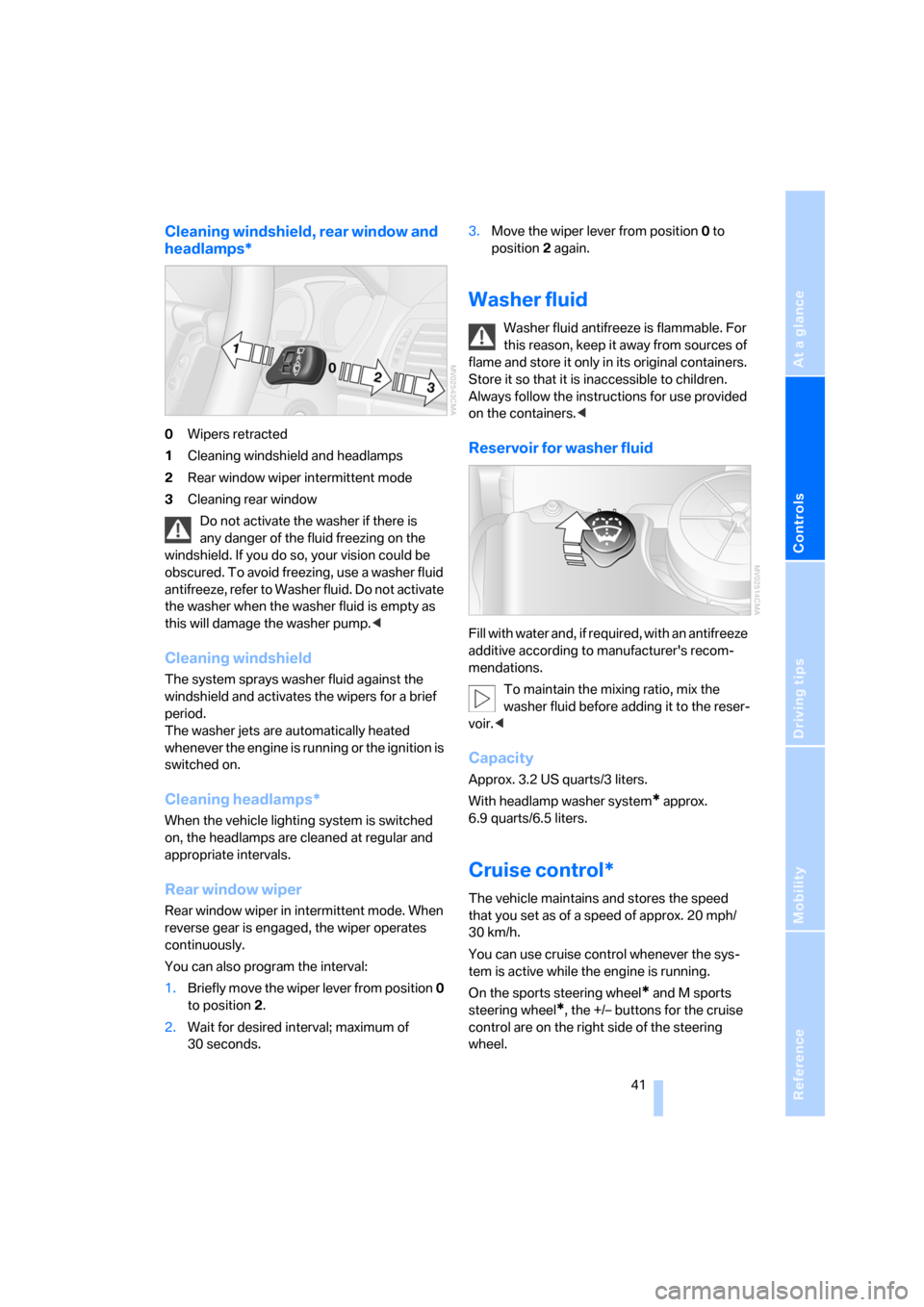
Cleaning windshield, rear window and
headlamps*
0Wipers retracted
1Cleaning windshield and headlamps
2Rear window wiper intermittent mode
3Cleaning rear window
Do not activate the washer if there is
any danger of the fluid freezing on the
windshield. If you do so, your vision could be
obscured. To avoid freezing, use a washer fluid
antifreeze, refer to Washer fluid. Do not activate
the washer when the washer fluid is empty as
this will damage the washer pump.<
Cleaning windshield
The system sprays washer fluid against the
windshield and activates the wipers for a brief
period.
The washer jets are automatically heated
whenever the engine is running or the ignition is
switched on.
Cleaning headlamps*
When the vehicle lighting system is switched
on, the headlamps are cleaned at regular and
appropriate intervals.
Rear window wiper
Rear window wiper in intermittent mode. When
reverse gear is engaged, the wiper operates
continuously.
You can also program the interval:
1.Briefly move the wiper lever from position 0
to position 2.
2.Wait for desired interval; maximum of
30 seconds.3.Move the wiper lever from position 0 to
position 2 again.
Washer fluid
Washer fluid antifreeze is flammable. For
this reason, keep it away from sources of
flame and store it only in its original containers.
Store it so that it is inaccessible to children.
Always follow the instructions for use provided
on the containers.<
Reservoir for washer fluid
Fill with water and, if required, with an antifreeze
additive according to manufacturer's recom-
mendations.
To maintain the mixing ratio, mix the
washer fluid before adding it to the reser-
voir.<
Capacity
Approx. 3.2 US quarts/3 liters.
With headlamp washer system
* approx.
6.9 quarts/6.5 liters.
Cruise control*
The vehicle maintains and stores the speed
that you set as of a speed of approx. 20 mph/
30 km/h.
You can use cruise control whenever the sys-
tem is active while the engine is running.
On the sports steering wheel
* and M sports
steering wheel
*, the +/– buttons for the cruise
control are on the right side of the steering
wheel.
Page 46 of 133
Everything under control
44
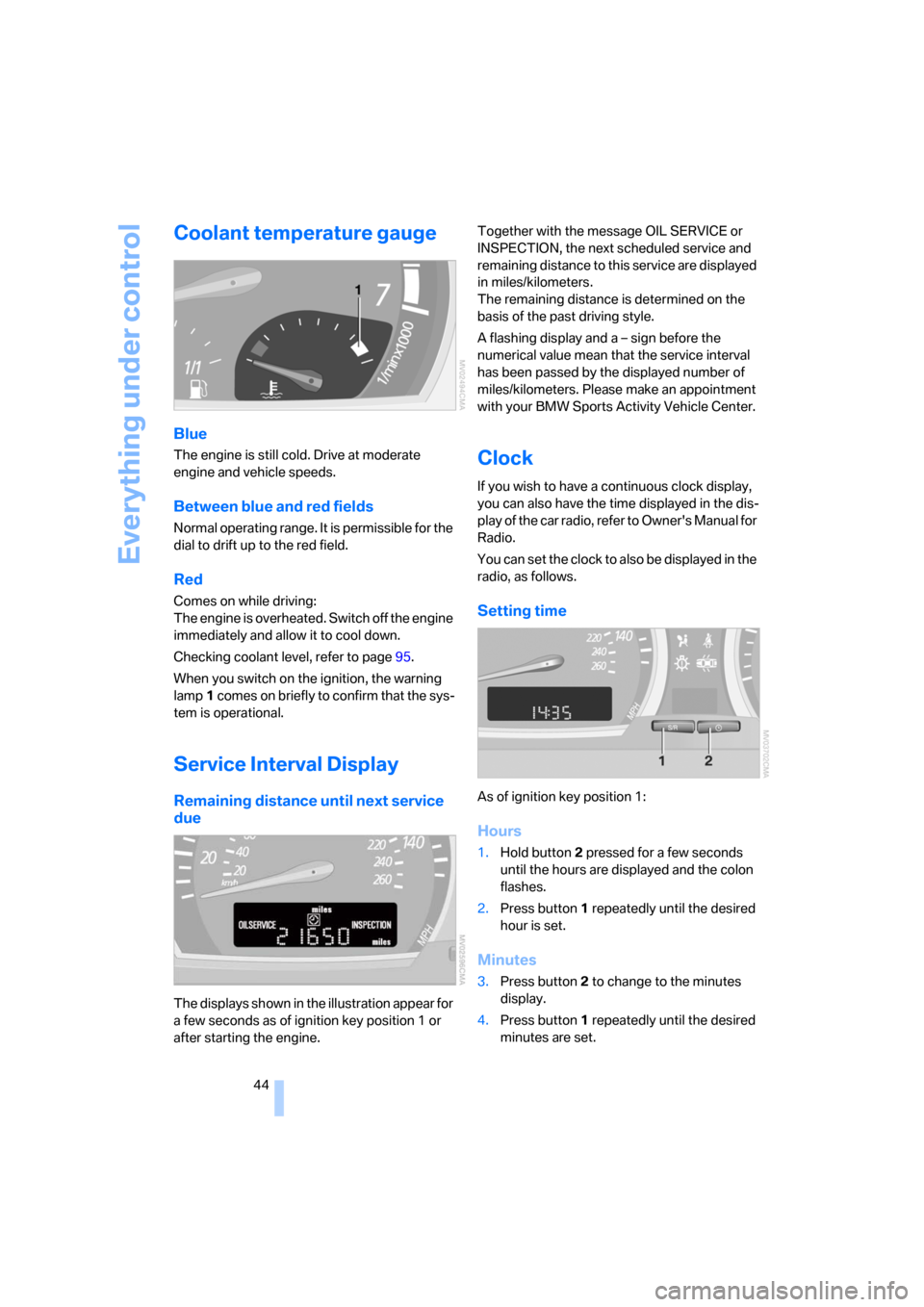
Coolant temperature gauge
Blue
The engine is still cold. Drive at moderate
engine and vehicle speeds.
Between blue and red fields
Normal operating range. It is permissible for the
dial to drift up to the red field.
Red
Comes on while driving:
The engine is overheated. Switch off the engine
immediately and allow it to cool down.
Checking coolant level, refer to page95.
When you switch on the ignition, the warning
lamp1 comes on briefly to confirm that the sys-
tem is operational.
Service Interval Display
Remaining distance until next service
due
The displays shown in the illustration appear for
a few seconds as of ignition key position 1 or
after starting the engine.Together with the message OIL SERVICE or
INSPECTION, the next scheduled service and
remaining distance to this service are displayed
in miles/kilometers.
The remaining distance is determined on the
basis of the past driving style.
A flashing display and a – sign before the
numerical value mean that the service interval
has been passed by the displayed number of
miles/kilometers. Please make an appointment
with your BMW Sports Activity Vehicle Center.
Clock
If you wish to have a continuous clock display,
you can also have the time displayed in the dis-
play of the car radio, refer to Owner's Manual for
Radio.
You can set the clock to also be displayed in the
radio, as follows.
Setting time
As of ignition key position 1:
Hours
1.Hold button2 pressed for a few seconds
until the hours are displayed and the colon
flashes.
2.Press button1 repeatedly until the desired
hour is set.
Minutes
3.Press button2 to change to the minutes
display.
4.Press button1 repeatedly until the desired
minutes are set.
Page 47 of 133
Reference
At a glance
Controls
Driving tips
Mobility
45
5.Press button2 to confirm the time.
The set time is transferred to the display of the
radio or displayed in the instrument cluster.
Display mode
Ignition key in position 0 or removed:
Press button1.
The time and display of the miles/kilometers
appear for a few seconds.
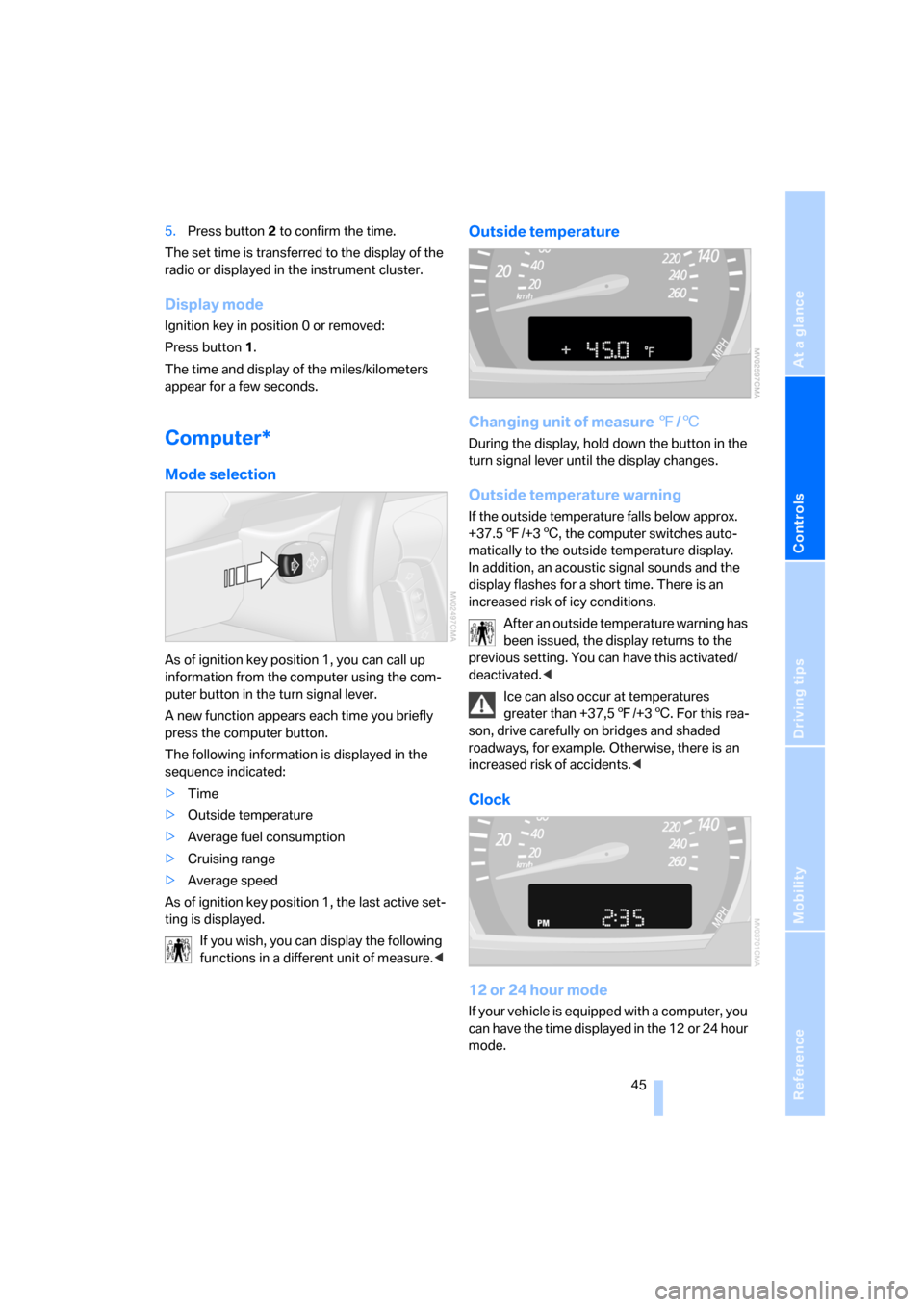
Computer*
Mode selection
As of ignition key position 1, you can call up
information from the computer using the com-
puter button in the turn signal lever.
A new function appears each time you briefly
press the computer button.
The following information is displayed in the
sequence indicated:
>Time
>Outside temperature
>Average fuel consumption
>Cruising range
>Average speed
As of ignition key position 1, the last active set-
ting is displayed.
If you wish, you can display the following
functions in a different unit of measure.<
Outside temperature
Changing unit of measure 7/6
During the display, hold down the button in the
turn signal lever until the display changes.
Outside temperature warning
If the outside temperature falls below approx.
+37.57/+36, the computer switches auto-
matically to the outside temperature display.
In addition, an acoustic signal sounds and the
display flashes for a short time. There is an
increased risk of icy conditions.
After an outside temperature warning has
been issued, the display returns to the
previous setting. You can have this activated/
deactivated.<
Ice can also occur at temperatures
greater than +37,57/+36. For this rea-
son, drive carefully on bridges and shaded
roadways, for example. Otherwise, there is an
increased risk of accidents.<
Clock
12 or 24 hour mode
If your vehicle is equipped with a computer, you
can have the time displayed in the 12 or 24 hour
mode.
Page 49 of 133
Reference
At a glance
Controls
Driving tips
Mobility
47
Technology for comfort, convenience and
safety
PDC Park Distance Control*
The concept
PDC provides extra safety and convenience
during parking maneuvers. Audible signals indi-
cate that you are approaching an object in front
of or behind your vehicle. To measure the dis-
tance, there are four ultrasonic sensors in each
bumper.
An acoustic signal begins to sound when the
front sensors and the rear corner sensors are
within approx. 2 ft/60 cm of an obstacle and
when the rear middle sensors are within approx.
5 ft/1,50 m of an obstacle.
PDC is a parking aid that can indicate
objects when they are approached
slowly, as is usually the case when parking.
Avoid approaching objects too fast; otherwise,
the system may give warning of physical obsta-
cles too late.<
If you are driving with a trailer, the rear sensors
cannot take any meaningful measurements.
Consequently, they do not switch on.
Automatic mode
In ignition key position 2, the system is auto-
matically activated after approx. one second
each time you shift into reverse or move the
selector-lever into position R. Wait for this short
time span before moving.
You can have a signal tone programmed
into the system to verify that the PDC is
active.<
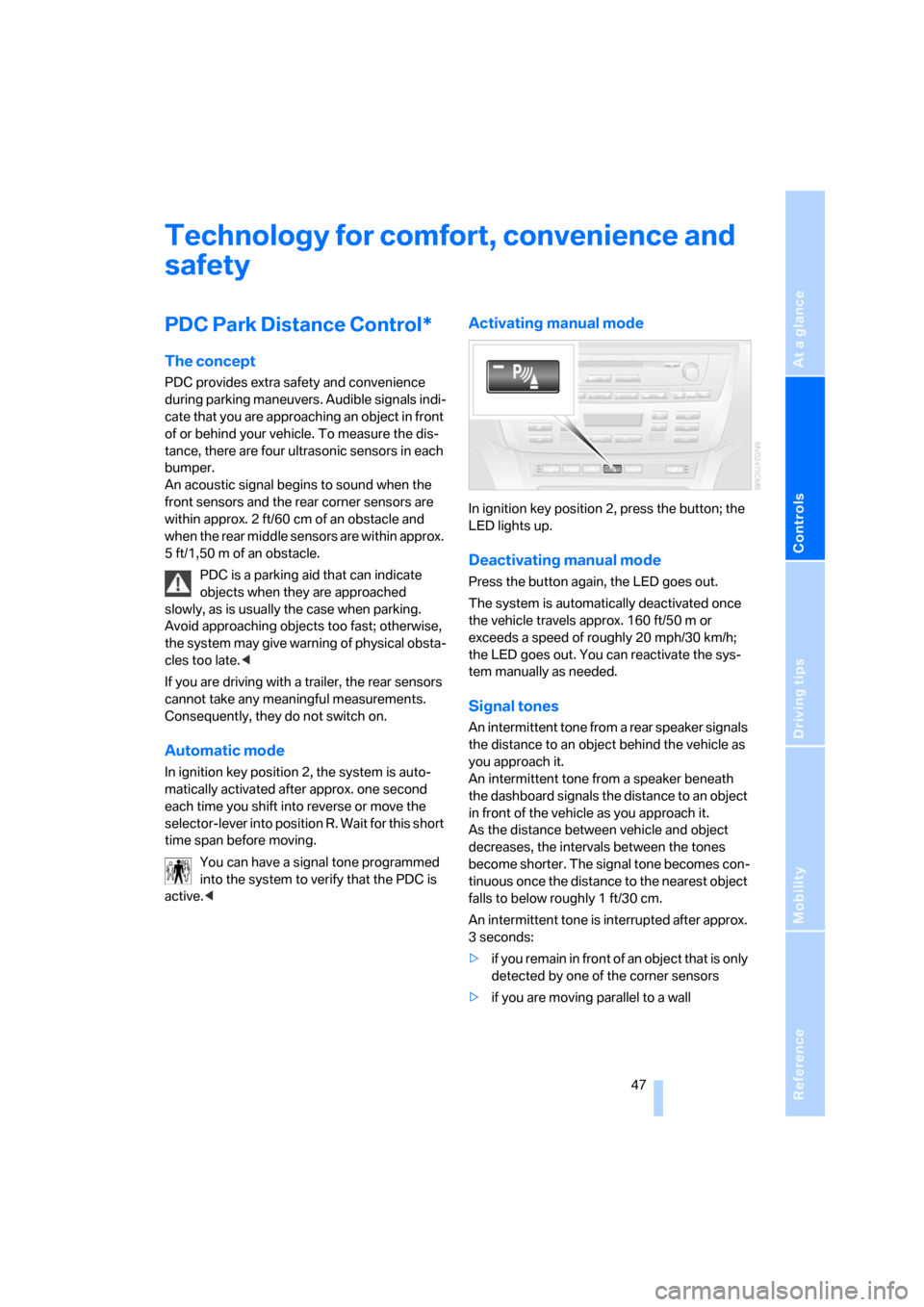
Activating manual mode
In ignition key position 2, press the button; the
LED lights up.
Deactivating manual mode
Press the button again, the LED goes out.
The system is automatically deactivated once
the vehicle travels approx. 160 ft/50 m or
exceeds a speed of roughly 20 mph/30 km/h;
the LED goes out. You can reactivate the sys-
tem manually as needed.
Signal tones
An intermittent tone from a rear speaker signals
the distance to an object behind the vehicle as
you approach it.
An intermittent tone from a speaker beneath
the dashboard signals the distance to an object
in front of the vehicle as you approach it.
As the distance between vehicle and object
decreases, the intervals between the tones
become shorter. The signal tone becomes con-
tinuous once the distance to the nearest object
falls to below roughly 1 ft/30 cm.
An intermittent tone is interrupted after approx.
3seconds:
>if y o u r e m a in i n f ro n t o f a n o b j e c t t ha t is o n ly
detected by one of the corner sensors
>if you are moving parallel to a wall
Page 52 of 133
Technology for comfort, convenience and safety
50
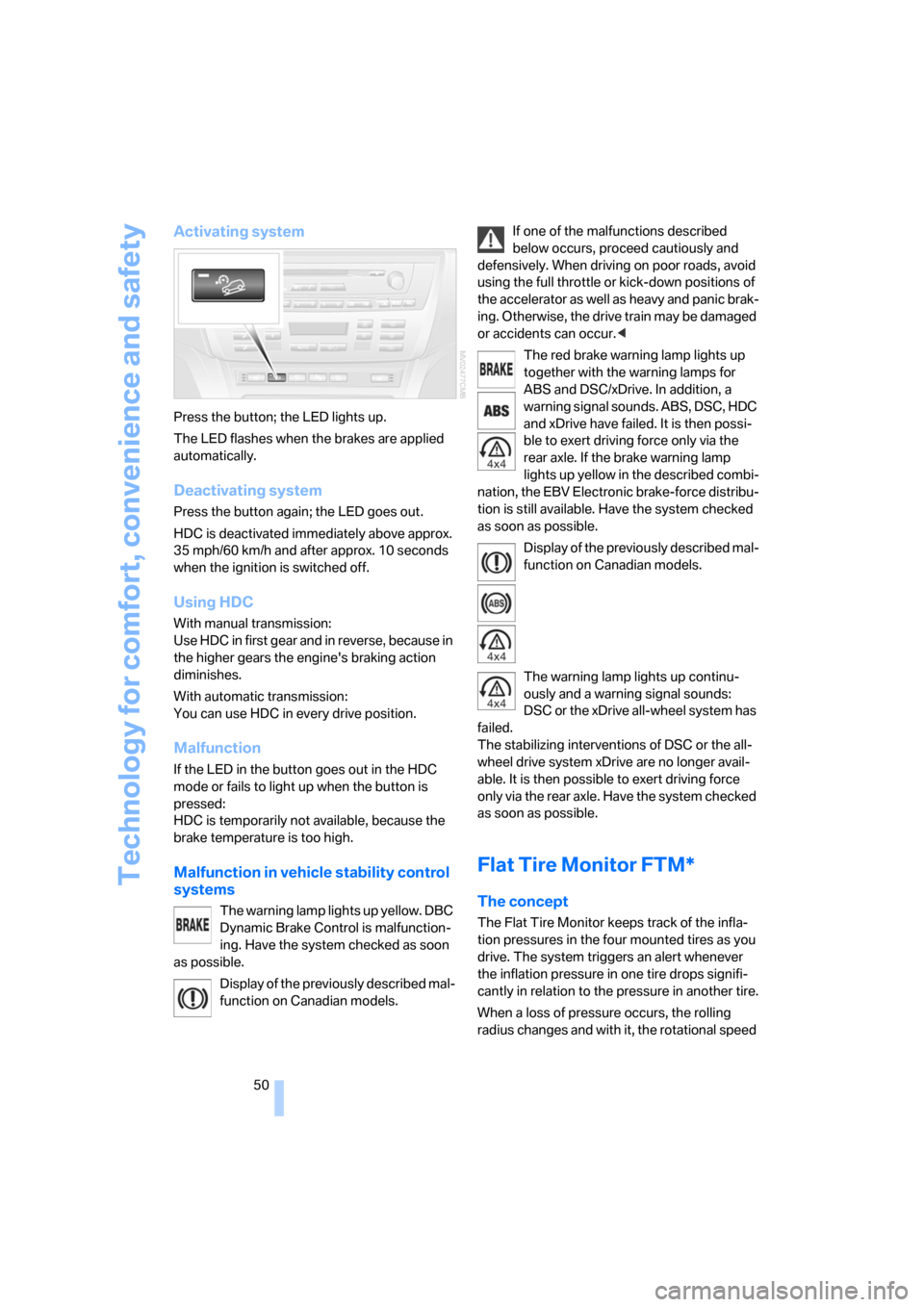
Activating system
Press the button; the LED lights up.
The LED flashes when the brakes are applied
automatically.
Deactivating system
Press the button again; the LED goes out.
HDC is deactivated immediately above approx.
35 mph/60 km/h and after approx. 10 seconds
when the ignition is switched off.
Using HDC
With manual transmission:
Use HDC in first gear and in reverse, because in
the higher gears the engine's braking action
diminishes.
With automatic transmission:
You can use HDC in every drive position.
Malfunction
If the LED in the button goes out in the HDC
mode or fails to light up when the button is
pressed:
HDC is temporarily not available, because the
brake temperature is too high.
Malfunction in vehicle stability control
systems
The warning lamp lights up yellow. DBC
Dynamic Brake Control is malfunction-
ing. Have the system checked as soon
as possible.
Display of the previously described mal-
function on Canadian models.If one of the malfunctions described
below occurs, proceed cautiously and
defensively. When driving on poor roads, avoid
using the full throttle or kick-down positions of
the accelerator as well as heavy and panic brak-
ing. Otherwise, the drive train may be damaged
or accidents can occur.<
The red brake warning lamp lights up
together with the warning lamps for
ABS and DSC/xDrive. In addition, a
warning signal sounds. ABS, DSC, HDC
and xDrive have failed. It is then possi-
ble to exert driving force only via the
rear axle. If the brake warning lamp
lights up yellow in the described combi-
nation, the EBV Electronic brake-force distribu-
tion is still available. Have the system checked
as soon as possible.
Display of the previously described mal-
function on Canadian models.
The warning lamp lights up continu-
ously and a warning signal sounds:
DSC or the xDrive all-wheel system has
failed.
The stabilizing interventions of DSC or the all-
wheel drive system xDrive are no longer avail-
able. It is then possible to exert driving force
only via the rear axle. Have the system checked
as soon as possible.
Flat Tire Monitor FTM*
The concept
The Flat Tire Monitor keeps track of the infla-
tion pressures in the four mounted tires as you
drive. The system triggers an alert whenever
the inflation pressure in one tire drops signifi-
cantly in relation to the pressure in another tire.
When a loss of pressure occurs, the rolling
radius changes and with it, the rotational speed
Page 61 of 133
Reference
At a glance
Controls
Driving tips
Mobility
59
Air conditioner
Air conditioner
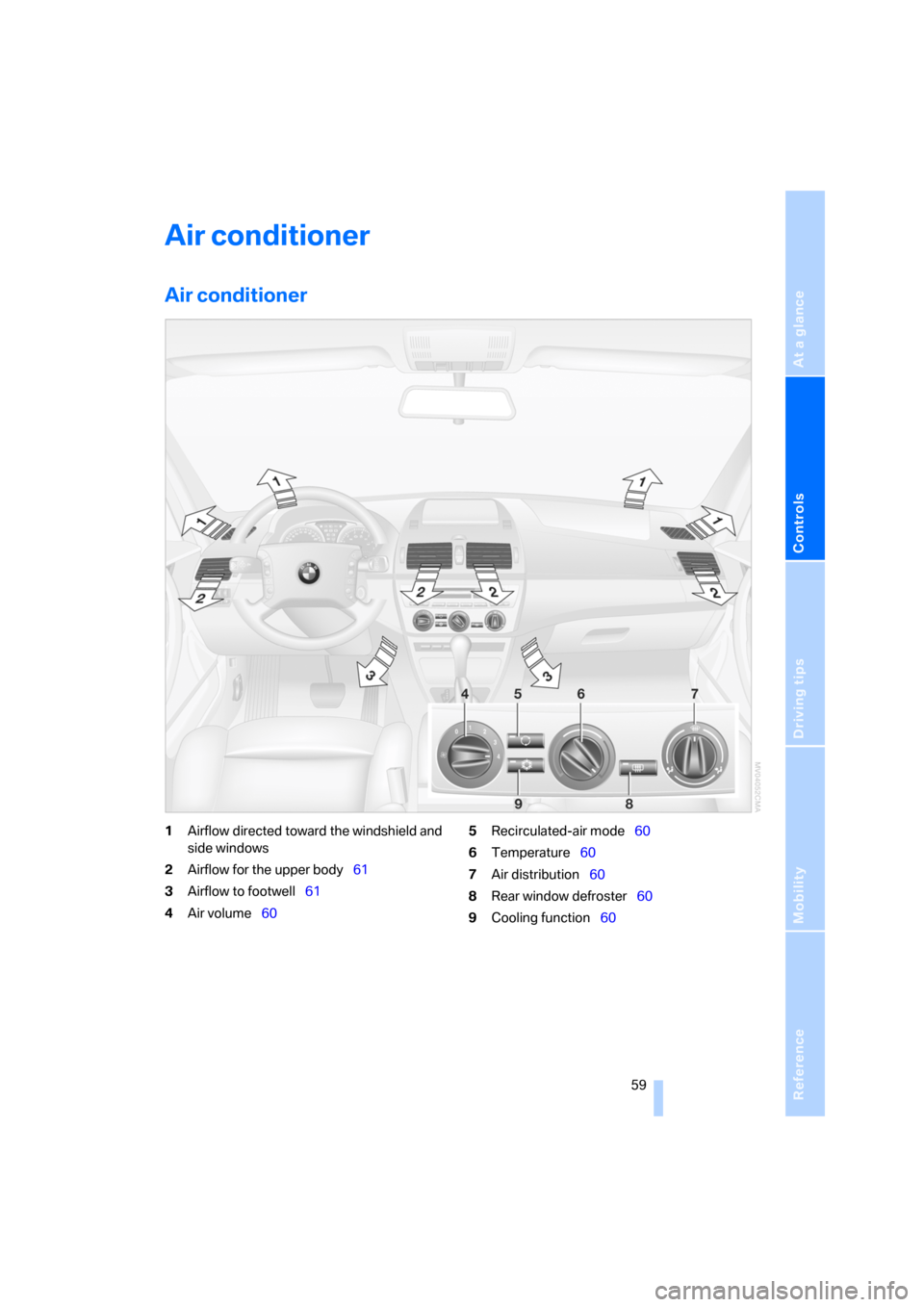
1Airflow directed toward the windshield and
side windows
2Airflow for the upper body61
3Airflow to footwell61
4Air volume605Recirculated-air mode60
6Temperature60
7Air distribution60
8Rear window defroster60
9Cooling function60