brakes BMW X3 3.0SI 2008 Owners Manual
[x] Cancel search | Manufacturer: BMW, Model Year: 2008, Model line: X3 3.0SI, Model: BMW X3 3.0SI 2008Pages: 140, PDF Size: 3.36 MB
Page 41 of 140
Reference
At a glance
Controls
Driving tips
Mobility
39
output or speed. Have the system checked
immediately.
Manual transmission
1.Step on the brake.
2.Depress the clutch pedal and shift into neu-
tral.
If the clutch pedal is not depressed,
the motor will not start.<
3.Start the engine.
Automatic transmission*
1.Step on the brake.
2.Move selector lever into position P.
3.Start the engine.
Special starting conditions
In the following situations, press the accelerator
pedal halfway down while starting:
>If the engine fails to start on the first
attempt, for instance if it is very hot or cold.
>When starting the engine at very low tem-
peratures, e.g. below approx. +57/–156,
at high altitudes over approx. 3,300 ft/
1,000 m.
Avoid frequent starting in quick succes-
sion or repeated start attempts in which
the engine does not start. Otherwise, the fuel is
either not burned or inadequately burned and
there is a danger of overheating and damaging
the catalytic converter.<
Switching off engine
Do not remove the ignition key when the
vehicle is rolling; otherwise, the steering
wheel lock would engage, preventing you from
steering.
When leaving the vehicle, remove the ignition
key and lock the steering. To prevent the vehi-
cle from rolling, engage the parking brake firmly
when parking.<
Manual transmission
1.Engage the parking brake firmly.
2.Turn the ignition key to position 1 or 0.
3.Shift into first gear or reverse.
Automatic transmission*
1.With the vehicle at a stop, move the selector
lever into position P.
2.Turn the ignition key to position 1 or 0.
3.Engage the parking brake firmly.
Handbrake
The handbrake is primarily intended to prevent
the vehicle from rolling while parked; it brakes
the rear wheels.
Indicator lamp
The indicator lamp lights up; an acous-
tic signal also sounds when you begin
to drive. The handbrake is still engaged.
Indicator lamp for Canadian models.
Engaging
The lever engages automatically when you pull
up on it.
Releasing
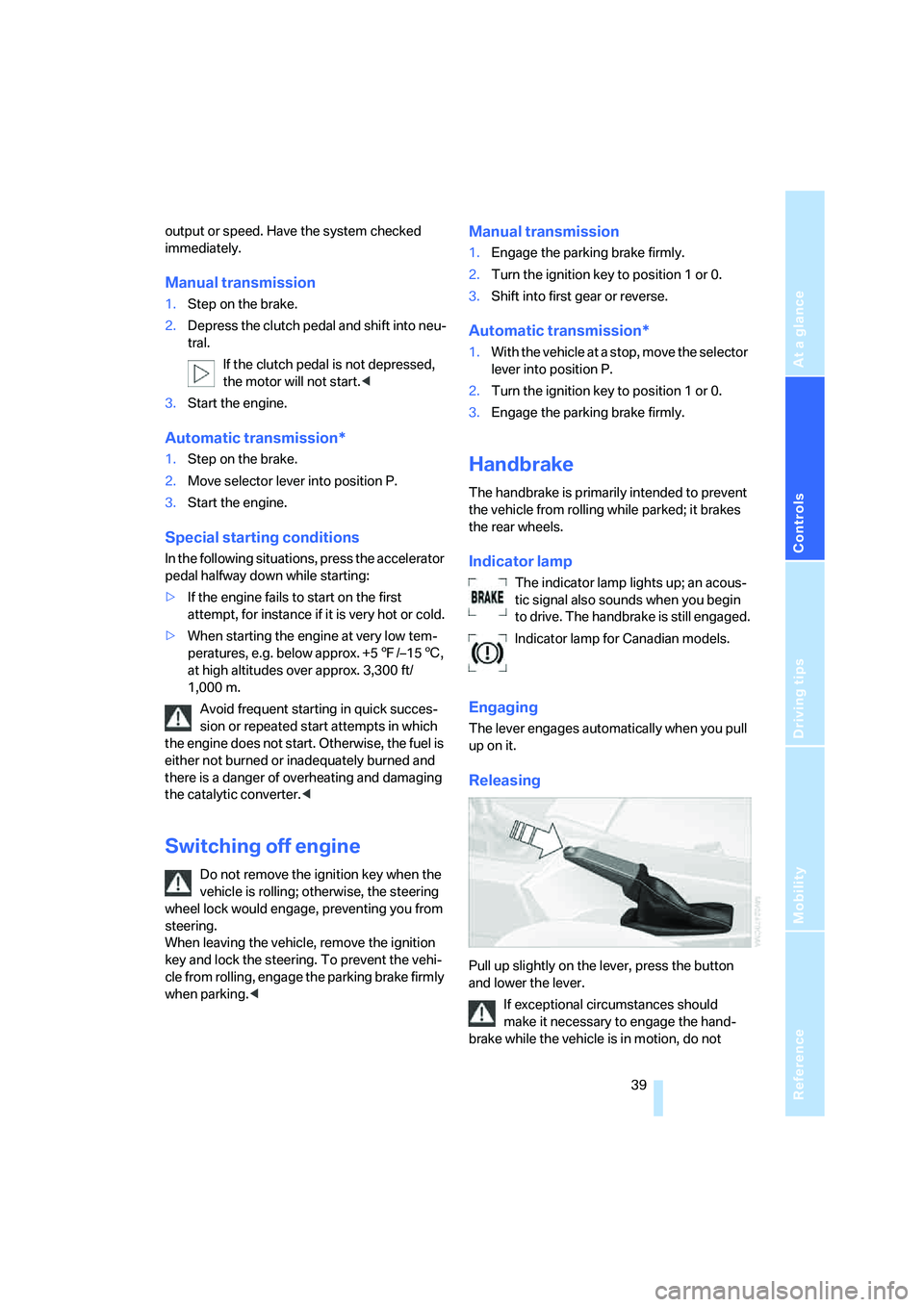
Pull up slightly on the lever, press the button
and lower the lever.
If exceptional circumstances should
make it necessary to engage the hand-
brake while the vehicle is in motion, do not
Page 53 of 140
Reference
At a glance
Controls
Driving tips
Mobility
51
Malfunction
The LED in the button flashes and a short con-
tinuous tone sounds. PDC is malfunctioning.
Switch off PDC. Have the system checked.
To prevent this problem, keep the sensors
clean and free of ice or snow in order to ensure
that they will continue to operate effectively.
When using high-pressure washers, do not
spray sensors for long periods and keep the
sprayer at least 4 in/10 cm away from the sen-
sors.
System limits
Even with PDC, final responsibility for
estimating the distance between the
vehicle and any obstructions always remains
with the driver. Even when sensors are involved,
there is a blind spot in which objects cannot be
detected. The system is also subject to the
physical limits that apply to all forms of ultra-
sonic measurement, such as those encoun-
tered with tow bars and trailer couplings, or thin
and wedge-shaped objects. Low objects
already displayed, e.g. curb edges, can come
into the blind spot of the sensors before or after
a continuous tone sounds. The system may fail
to detect higher obstacles such as projections
from walls.
Loud sources of sound, inside and outside the
vehicle, could drown out the PDC signal tone.<
Driving stability control
systems
Your BMW is equipped with an extended array
of systems designed to enhance and maintain
vehicle stability even under unfavorable driving
conditions.
ABS Antilock Brake System
ABS prevents the wheels from locking during
braking. Safe steering response is maintained
even during full braking. This results in an
increase in the active safety.
ABS is operational every time you start the
engine. Safe braking, refer to page84.
Electronic brake-force distribution
The system controls the brake pressure in the
rear wheels to ensure a stable braking behavior.
Brake assistant
When the brake pedal is depressed quickly, this
system automatically generates a maximum
braking force distribution and thus helps keep
the braking distance to a minimum during full
braking. This system exploits all of the benefits
provided by ABS.
As long as you want full braking to continue, do
not reduce pressure on the brake.
DSC Dynamic Stability Control
DSC prevents slip at the drive wheels when
starting off and accelerating. The system also
detects unstable driving conditions, such as a
fishtailing of the vehicle's rear end or the sliding
of the vehicle on its front wheels. In these cir-
cumstances, DSC helps keep the vehicle on a
safe path, within physical limits, by reducing
engine output and by applying the brakes in
individual wheels.
The laws of physics cannot be repealed,
even with DSC. An appropriate driving
style always remains the responsibility of the
driver. Do not squander the additional margin of
safety by driving dangerously; otherwise, you
run the risk of causing an accident.<
Deactivating DSC
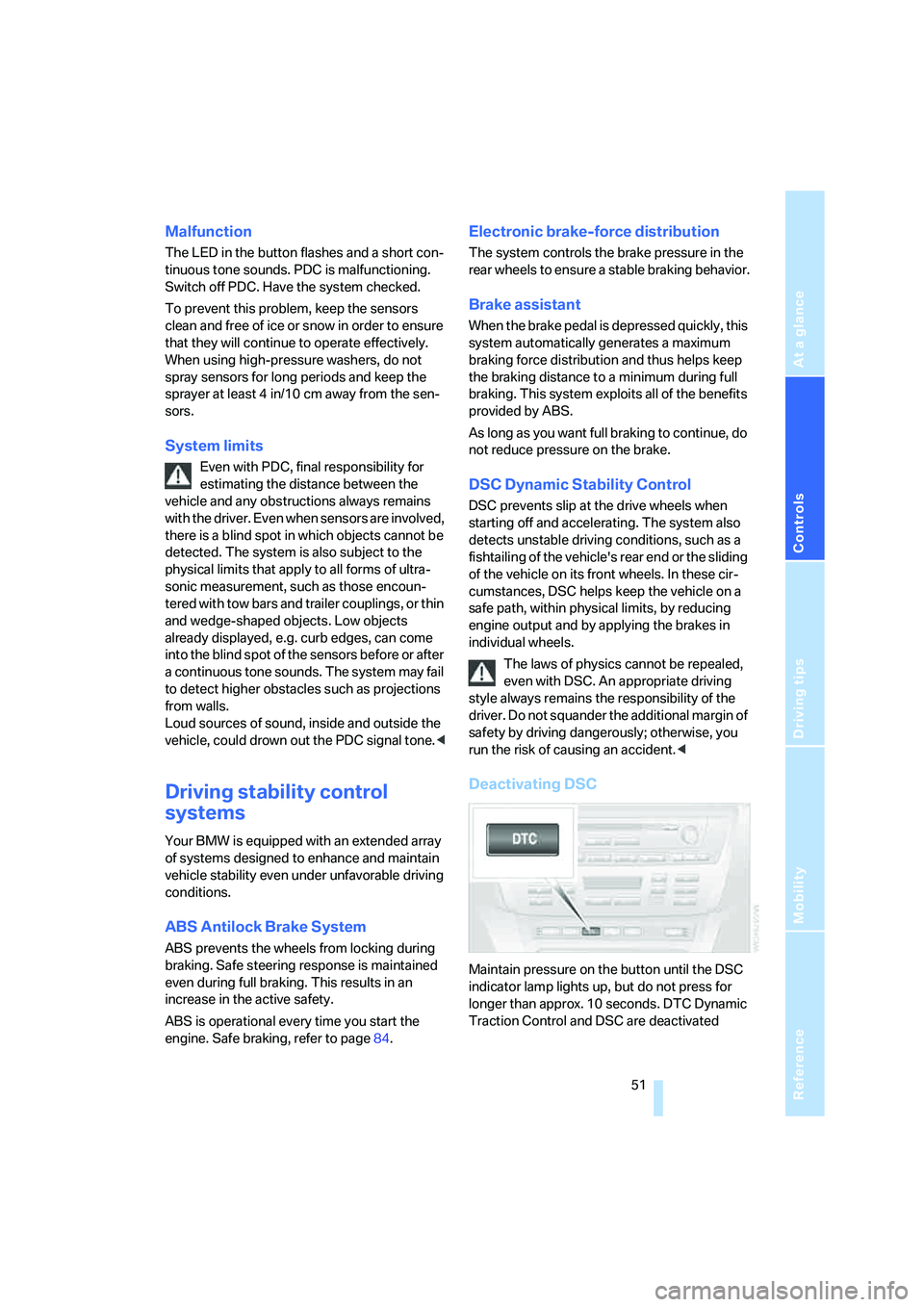
Maintain pressure on the button until the DSC
indicator lamp lights up, but do not press for
longer than approx. 10 seconds. DTC Dynamic
Traction Control and DSC are deactivated
Page 54 of 140
Technology for comfort, convenience and safety
52 jointly. These systems do not take their cus-
tomary stabilizing actions.
To increase vehicle stability, reactivate DSC as
soon as possible.
Activating DSC
Press the button again; the indicator lamp in the
instrument cluster goes out.
For monitoring purposes
When the indicator lamp flashes:
DSC is controlling the drive and braking
forces.
When the indicator lamp lights up:
DSC is deactivated.
Dynamic Traction Control DTC
DTC is a variation of DSC that is optimized for
forward momentum for particular road condi-
tions, e.g. unplowed snow-covered roads. In
this mode, the system assures maximum for-
ward momentum, but with limited driving stabil-
ity. For this reason, drive with corresponding
caution.
In the following exceptional circumstances, it
may be useful to temporarily activate DTC:
>When driving on snow-covered inclines, in
slush, or on unplowed, snow-covered roads
>When freeing a stuck vehicle or starting up
in deep snow, sand, or on a loose ground
surface
>When driving with snow chains
*
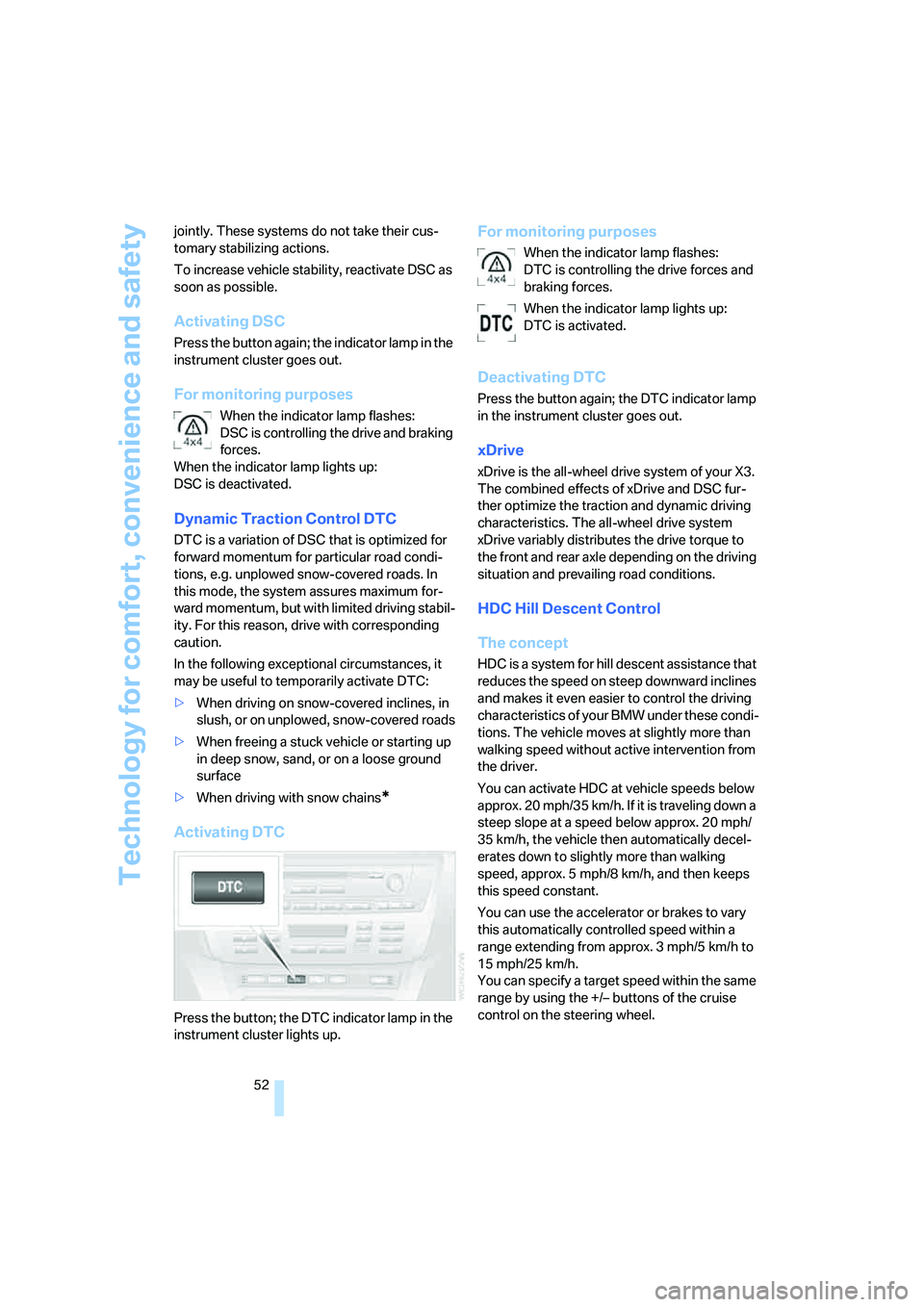
Activating DTC
Press the button; the DTC indicator lamp in the
instrument cluster lights up.
For monitoring purposes
When the indicator lamp flashes:
DTC is controlling the drive forces and
braking forces.
When the indicator lamp lights up:
DTC is activated.
Deactivating DTC
Press the button again; the DTC indicator lamp
in the instrument cluster goes out.
xDrive
xDrive is the all-wheel drive system of your X3.
The combined effects of xDrive and DSC fur-
ther optimize the traction and dynamic driving
characteristics. The all-wheel drive system
xDrive variably distributes the drive torque to
the front and rear axle depending on the driving
situation and prevailing road conditions.
HDC Hill Descent Control
The concept
HDC is a system for hill descent assistance that
reduces the speed on steep downward inclines
and makes it even easier to control the driving
characteristics of your BMW under these condi-
tions. The vehicle moves at slightly more than
walking speed without active intervention from
the driver.
You can activate HDC at vehicle speeds below
approx. 20 mph/35 km/h. If it is traveling down a
steep slope at a speed below approx. 20 mph/
35 km/h, the vehicle then automatically decel-
erates down to slightly more than walking
speed, approx. 5 mph/8 km/h, and then keeps
this speed constant.
You can use the accelerator or brakes to vary
this automatically controlled speed within a
range extending from approx. 3 mph/5 km/h to
15 mph/25 km/h.
You can specify a target speed within the same
range by using the +/– buttons of the cruise
control on the steering wheel.
Page 55 of 140
Reference
At a glance
Controls
Driving tips
Mobility
53
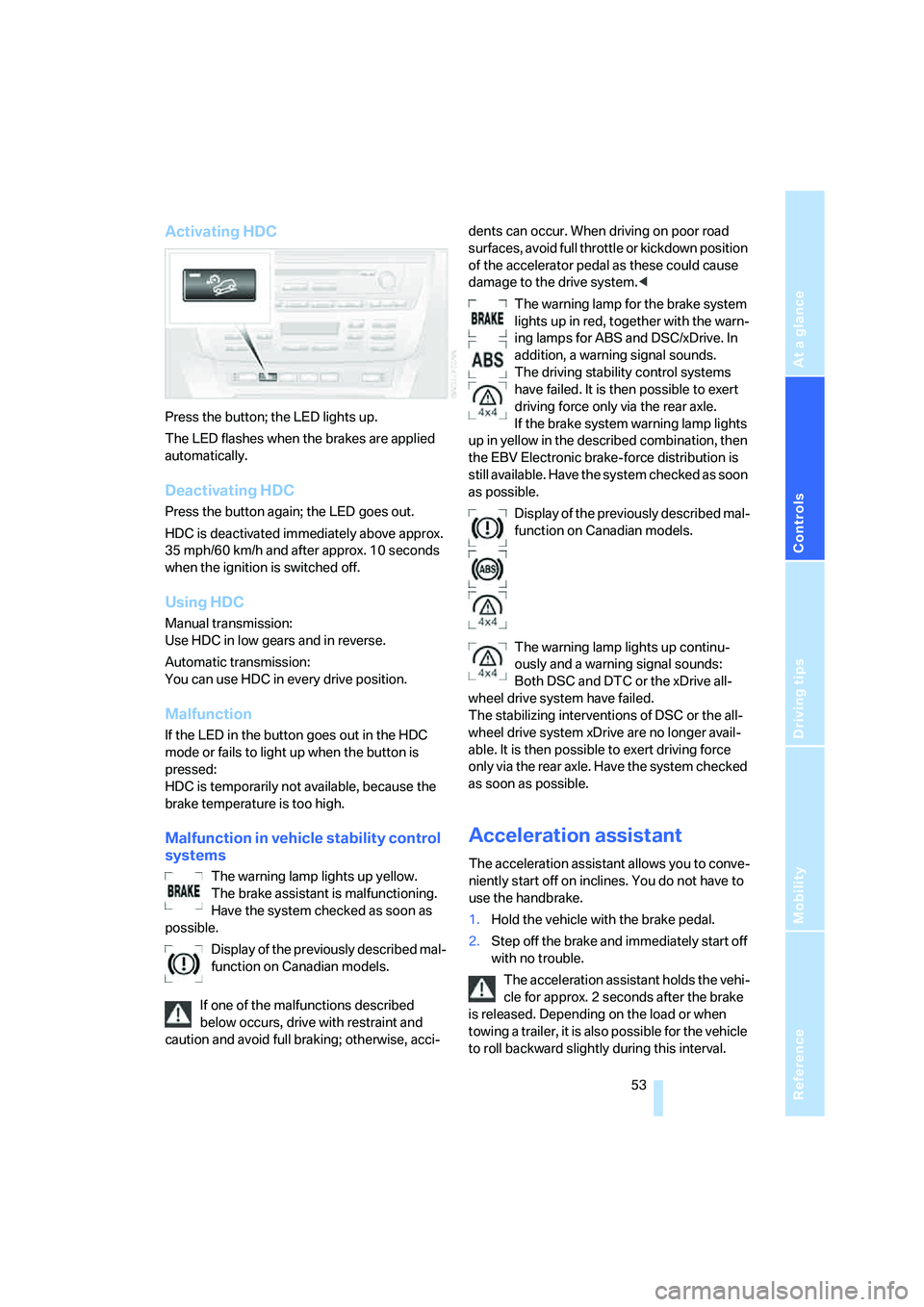
Activating HDC
Press the button; the LED lights up.
The LED flashes when the brakes are applied
automatically.
Deactivating HDC
Press the button again; the LED goes out.
HDC is deactivated immediately above approx.
35 mph/60 km/h and after approx. 10 seconds
when the ignition is switched off.
Using HDC
Manual transmission:
Use HDC in low gears and in reverse.
Automatic transmission:
You can use HDC in every drive position.
Malfunction
If the LED in the button goes out in the HDC
mode or fails to light up when the button is
pressed:
HDC is temporarily not available, because the
brake temperature is too high.
Malfunction in vehicle stability control
systems
The warning lamp lights up yellow.
The brake assistant is malfunctioning.
Have the system checked as soon as
possible.
Display of the previously described mal-
function on Canadian models.
If one of the malfunctions described
below occurs, drive with restraint and
caution and avoid full braking; otherwise, acci-dents can occur. When driving on poor road
surfaces, avoid full throttle or kickdown position
of the accelerator pedal as these could cause
damage to the drive system.<
The warning lamp for the brake system
lights up in red, together with the warn-
ing lamps for ABS and DSC/xDrive. In
addition, a warning signal sounds.
The driving stability control systems
have failed. It is then possible to exert
driving force only via the rear axle.
If the brake system warning lamp lights
up in yellow in the described combination, then
the EBV Electronic brake-force distribution is
still available. Have the system checked as soon
as possible.
Display of the previously described mal-
function on Canadian models.
The warning lamp lights up continu-
ously and a warning signal sounds:
Both DSC and DTC or the xDrive all-
wheel drive system have failed.
The stabilizing interventions of DSC or the all-
wheel drive system xDrive are no longer avail-
able. It is then possible to exert driving force
only via the rear axle. Have the system checked
as soon as possible.
Acceleration assistant
The acceleration assistant allows you to conve-
niently start off on inclines. You do not have to
use the handbrake.
1.Hold the vehicle with the brake pedal.
2.Step off the brake and immediately start off
with no trouble.
The acceleration assistant holds the vehi-
cle for approx. 2 seconds after the brake
is released. Depending on the load or when
towing a trailer, it is also possible for the vehicle
to roll backward slightly during this interval.
Page 58 of 140
Technology for comfort, convenience and safety
56 The compact wheel is not equipped with the
required TPM electronics and is not monitored
when mounted.
When driving with the compact wheel, the sys-
tem indicates a malfunction.
Have the damaged tire replaced by your BMW
Sports Activity Vehicle Center or a workshop
that is familiar with TPM and works in accor-
dance with BMW repair procedures, using
appropriately trained personnel.
Malfunction
The yellow warning lamp flashes and
then lights up continuously. Flat tires
cannot be detected.
Such a message is displayed in the following
situations:
>When a malfunction is occurring:
Have the system checked
>When a wheel without TPM electronics is
mounted, e.g. a compact wheel
>When TPM is experiencing temporary inter-
ference from other systems or devices that
use the same frequency
NHTSA/FMVSS-required explanation
of 138 Tire Pressure Monitoring
System
Each tire, including the spare, should be
checked monthly when cold and inflated to the
inflation pressure recommended by the vehicle
manufacturer on the vehicle placard or tire infla-
tion pressure label. If your vehicle has tires of a
different size than the size indicated on the
vehicle placard or tire inflation pressure label,
then you should determine the proper tire infla-
tion pressure for those tires. As an added safety
feature, your vehicle has been equipped with a
tire pressure monitoring system, TPMS, that
illuminates a low tire pressure warning lamp
when one or more of your tires are significantly
under-inflated. When the low tire pressure
warning lamp lights up, you should stop and
check your tires as soon as possible, and inflate
them to the proper pressure. Driving on a signif-
icantly underinflated tire causes the tire to over-
heat and can lead to tire failure. Underinflation also reduces fuel efficiency and tire tread life,
and may affect the vehicle's handling and stop-
ping ability. Please note that the TPMS is not a
substitute for proper tire maintenance, and it is
the driver's responsibility to maintain correct
tire pressure, even if underinflation has not
reached the level to trigger illumination of the
TPMS low tire pressure warning lamp.
The TPMS malfunction indicator is combined
with the low tire pressure warning lamp. When
the system detects a malfunction, the warning
lamp will flash for approximately one minute and
then remain continuously illuminated. This
sequence will continue upon subsequent vehi-
cle startups as long as the malfunction exists.
When the malfunction indicator is illuminated,
the system may not be able to detect or signal
low tire pressure as intended. TPMS malfunc-
tions may occur for a variety of reasons, includ-
ing the installation of replacement or alternate
tires or wheels on the vehicle that prevent the
TPMS from functioning properly. Always check
the TPMS malfunction warning lamp after
replacing one or more tires or wheels on your
vehicle to ensure that the replacement or alter-
nate tires and wheels allow the TPMS to con-
tinue to function properly.Brake force display
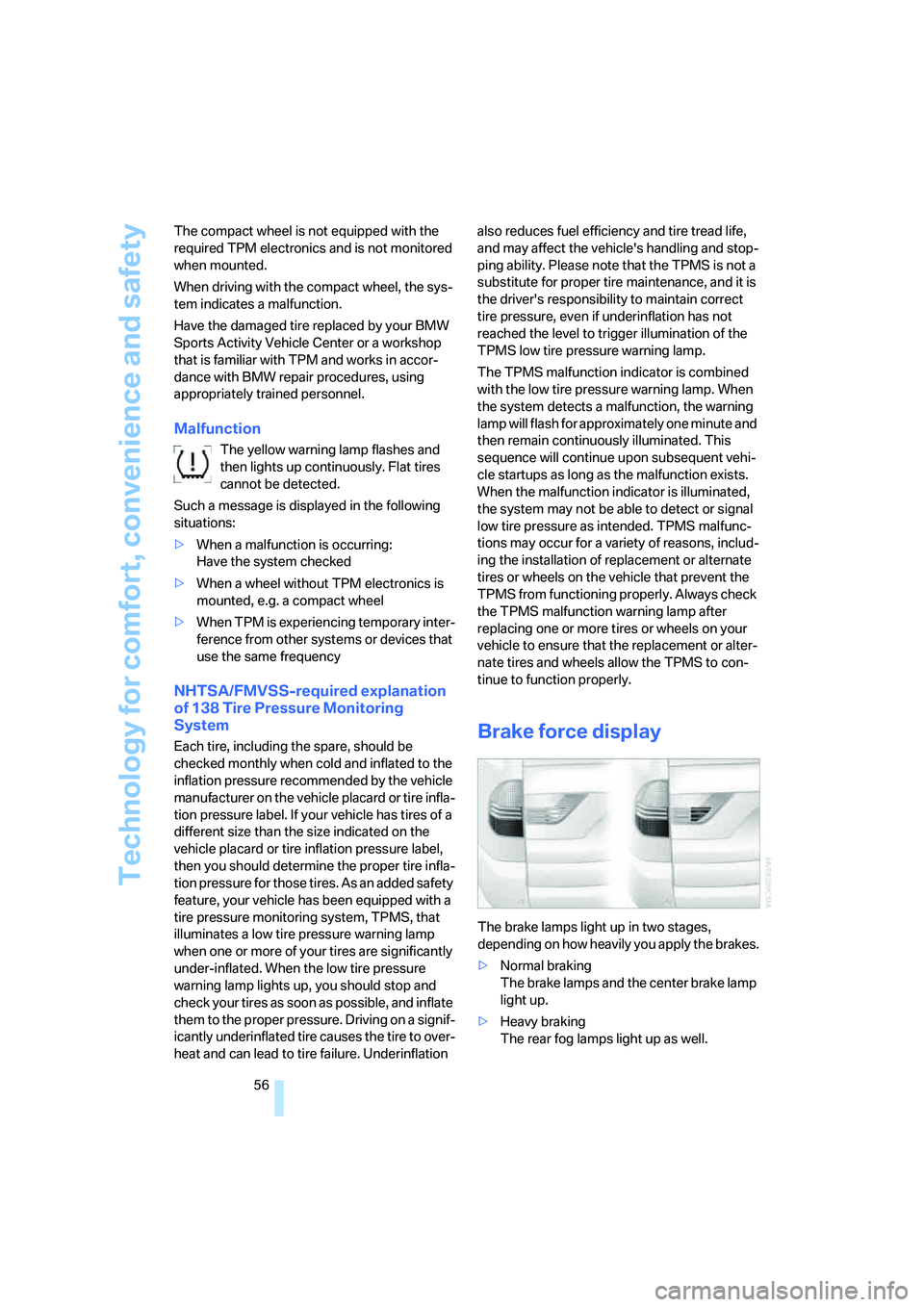
The brake lamps light up in two stages,
depending on how heavily you apply the brakes.
>Normal braking
The brake lamps and the center brake lamp
light up.
>Heavy braking
The rear fog lamps light up as well.
Page 86 of 140
Things to remember when driving
84
General driving notes
Closing the liftgate
Operate the vehicle only when the liftgate
is completely closed; otherwise, exhaust
fumes could enter the interior of the vehicle.<
If special circumstances should make it abso-
lutely necessary to operate the vehicle with the
liftgate open:
1.Close all windows and the panorama glass
sunroof.
2.Greatly increase the air supply of the air
conditioning system or automatic climate
control, refer to page64 or67.
Hot exhaust system
High temperatures occur in the exhaust
system of every vehicle. Do not remove
the heat shields installed adjacent to various
sections of the exhaust system, and never apply
undercoating to them. When driving, standing
at idle, and parking, take care to avoid possible
contact between the hot exhaust system and
any highly flammable materials such as hay,
leaves, grass, etc. Such contact could lead to
a fire, resulting in serious personal injury and
property damage. Do not touch hot exhaust
pipe, it can cause burns.<
When the vehicle is parked
Condensation forms in the air conditioner/auto-
matic climate control system during operation,
and then exits under the vehicle. Traces of con-
densed water under the vehicle are therefore
normal.
Before driving into a car wash
Fold in the exterior mirrors, refer to page33;
otherwise, they could be damaged due to the
width of the vehicle.
Deactivate the rain sensor; otherwise, damage
could result from undesired wiper activation,
refer to page42.
Hydroplaning
When driving on wet or slushy roads,
reduce road speed. If you do not, a wedge
of water can form between tires and road sur-
face. This phenomenon is referred to as hydro-
planing, and is characterized by a partial or
complete loss of contact between tires and
road surface, ultimately undermining your abil-
ity to steer and brake the vehicle.<
The danger of hydroplaning increases as tire
tread depth decreases, also refer to Minimum
tread depth on page97.
Driving through water
Do not drive through water on the road if it
is deeper than 20 in/50 cm, and then only
at walking speed. Otherwise, the vehicle's
engine, the electrical systems, and the trans-
mission may be damaged.<
Using handbrake on inclines
Do not hold the vehicle in place on slopes
by slipping or riding the clutch, use the
handbrake instead. Otherwise, greater clutch
wear will result.<
Safe braking
Your BMW is equipped with ABS as standard
equipment. In situations in which it is required, it
is best to apply the brakes fully. Since the vehi-
cle maintains steering responsiveness, you can
nevertheless avoid possible obstacles with a
minimum of steering effort.
Pulsation at the brake pedal combined with
sounds from the hydraulic circuits indicates to
the driver that ABS is in its active mode.
Wet roads
On wet roads or in heavy rain, briefly apply light
pressure to the brake pedal every few miles.
Watch traffic conditions to ensure that this
maneuver does not endanger other road users.
The heat that is generated by the brake applica-
tions helps to dry the brake pads and rotors.
The full braking force will then be available
when you need it.
Page 87 of 140
Reference
At a glance
Controls
Driving tips
Mobility
85
Hills
To prevent overheating and reduced effi-
ciency of the brake system, drive long or
steep downhill grades in the gear in which the
least braking is required. Otherwise, even light
but continuous pressure on the brake can lead
to high temperatures, brake wear and possibly
even brake failure.<
The braking action of the engine can be further
intensified by downshifting, all the way down to
first gear if need be. This strategy helps you
avoid placing excessive loads on the brake sys-
tem. Downshifting in manual mode of automatic
transmission, refer to page41. When descend-
ing hills slowly, use HDC Hill Descent Control,
refer to page52.
Never drive with the clutch depressed,
with the transmission in neutral, or with
the engine switched off; otherwise, you will
have neither the braking action of the engine or
nor its power assistance to the brakes or steer-
ing.
Never allow floor mats, carpeting, or other arti-
cles to protrude into the area around the brake
or accelerator pedals and obstruct their move-
ment.<
Corrosion on brake rotors
When the vehicle is driven only occasionally,
during extended periods when the vehicle is not
used at all, and in operating conditions where
brake applications are less frequent, there is an
increased tendency for corrosion to form on
rotors, while contaminants accumulate on the
brake pads. This occurs because the minimal
pressure which must be exerted by the pads
during brake applications to clean the rotors is
not reached.
Should corrosion form on the brake rotors, the
brakes will tend to respond with a pulsating
effect that even extended application will fail to
cure.
Brake pads
The warning lamp lights up.
The brake pads have reached their min-imum pad thickness. Have brake pads replaced
immediately.
Cargo loading
To avoid loading the tires beyond their
approved carrying capacity, never over-
load the vehicle. Overloading can lead to over-
heating of the tire and increases the rate at
which damage develops inside the tires. The
ultimate result can assume the form of a sudden
blow-out.<
Make sure that no fluids leak in the cargo
area; as otherwise the vehicle could be
damaged.<
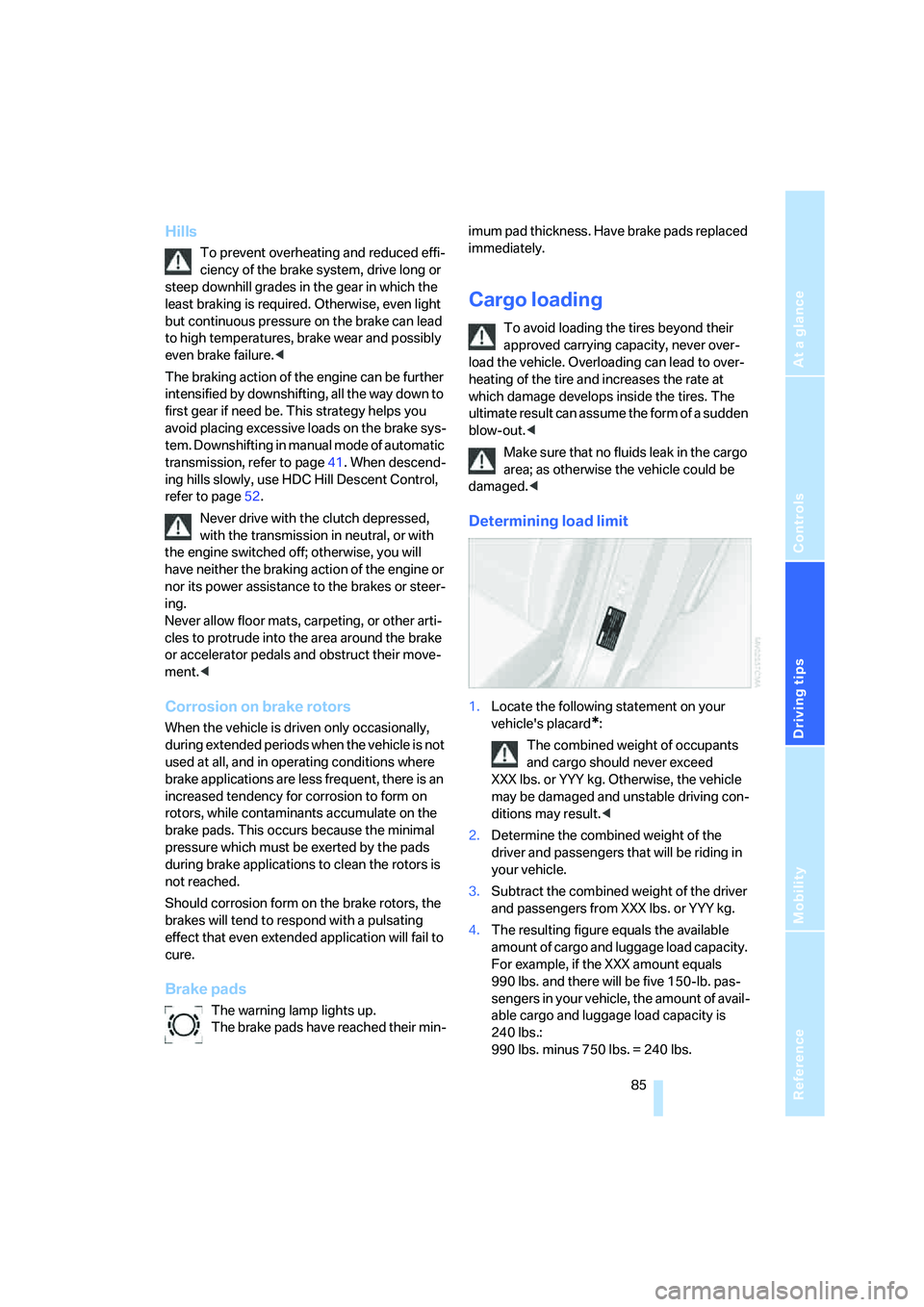
Determining load limit
1.Locate the following statement on your
vehicle's placard
*:
The combined weight of occupants
and cargo should never exceed
XXX lbs. or YYY kg. Otherwise, the vehicle
may be damaged and unstable driving con-
ditions may result.<
2.Determine the combined weight of the
driver and passengers that will be riding in
your vehicle.
3.Subtract the combined weight of the driver
and passengers from XXX lbs. or YYY kg.
4.The resulting figure equals the available
amount of cargo and luggage load capacity.
For example, if the XXX amount equals
990 lbs. and there will be five 150-lb. pas-
sengers in your vehicle, the amount of avail-
able cargo and luggage load capacity is
240 lbs.:
990 lbs. minus 750 lbs. = 240 lbs.
Page 89 of 140
Reference
At a glance
Controls
Driving tips
Mobility
87
Roof-mounted luggage rack*
A special rack system is available as an optional
accessory for your BMW. Please familiarize
yourself with the information contained in the
installation instructions.
Loading luggage rack
Because roof racks raise the vehicle's center of
gravity when loaded, they have a major effect on
its handling and steering response. You should
therefore always remember not to exceed the
approved roof load capacity, the approved
gross vehicle weight, or the axle loads when
loading the rack.
These specifications can be found under
Weights on page124.
The roof load must be evenly distributed and
must not extend outward beyond the limits of
the loading surface. Always stow the heaviest
pieces on the bottom. Be sure that adequate
clearance is maintained for raising the glass
sunroof and that objects do not project into the
opening path of the liftgate.
Secure roof-mounted cargo correctly and
securely to prevent it from shifting or falling off
while you drive.
Drive smoothly. Avoid sudden acceleration and
braking maneuvers. Take corners gently.
Driving on poor roads
Your X3 is at home on all paved and unpaved
roads. It combines all-wheel drive with the
advantages of a normal passenger car.
Do not drive off-road, as otherwise the
vehicle may be damaged.<
When you are driving on poor roads, there are a
few points which you should strictly observe –
for your own safety and that of your passengers,
as well as to protect the vehicle:
>Familiarize yourself with the vehicle before
you begin driving. Do not take risks with the
vehicle under any circumstances.
>Always adapt your driving speed to the
road conditions. The more steep and uneven the roadway is, the lower the speed
should be.
>You can operate your vehicle on uphill and
downhill gradients with a maximum slope
of 50 %. If you wish to drive on uphill and
downhill grades of this nature, make sure
beforehand that the engine oil and coolant
levels are near the MAX mark, refer to
pages102 and104.
>When descending very steep hills, use
HDC Hill Descent Control, refer to page52.
It is possible to start off on inclines of up
to 32 %.
The permitted side tilt is 32 %.
>While driving, watch carefully for obstacles
such as rocks or holes. Try to avoid these
obstacles whenever possible.
>Avoid having the body make contact with
the ground, e.g. on the crests of hills and
bumpy roads. The ground clearance of the
vehicle is a maximum of approx. 8.0 in/
20 cm. Please be aware that the ground
clearance can vary depending on the load
and operating conditions of the vehicle.
>Do not drive in water that is deeper than
20 in/50 cm. If you must drive through water
up to that depth, drive at a walking speed
and do not stop.
After leaving the water, press on the foot-
brake gently several times while driving at a
low speed. The brake applications will help
to dry the brakes, thus preventing a reduc-
tion in braking performance caused by the
moisture.
To clean the handbrake, apply the lever
slightly at approx. 25 mph/40 km/h and con-
tinue to drive for approx. 200 yards/
200 meters, provided that traffic conditions
allow you to do so.
>Depending on the road condition, it can be
useful to temporarily activate DTC, refer to
DTC Dynamic Traction Control on page52.
>If the drive wheels spin on one side, depress
the accelerator pedal far enough to permit
the driving stability control systems to dis-
tribute the drive torque to the individual
wheels.
Page 129 of 140
Reference
At a glance
Controls
Driving tips
Mobility
127
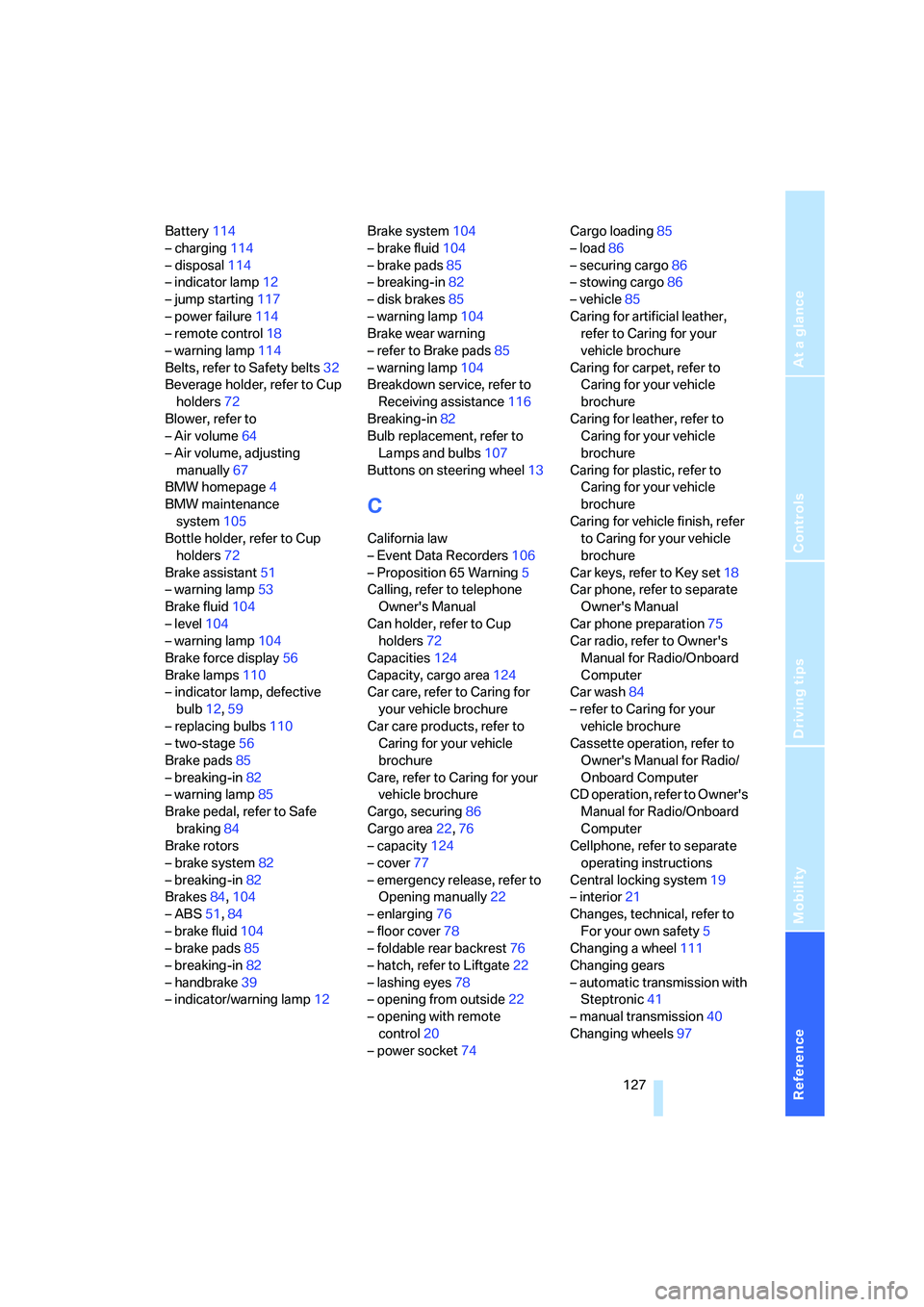
Battery114
– charging114
– disposal114
– indicator lamp12
– jump starting117
– power failure114
– remote control18
– warning lamp114
Belts, refer to Safety belts32
Beverage holder, refer to Cup
holders72
Blower, refer to
– Air volume64
– Air volume, adjusting
manually67
BMW homepage4
BMW maintenance
system105
Bottle holder, refer to Cup
holders72
Brake assistant51
– warning lamp53
Brake fluid104
– level104
– warning lamp104
Brake force display56
Brake lamps110
– indicator lamp, defective
bulb12,59
– replacing bulbs110
– two-stage56
Brake pads85
– breaking-in82
– warning lamp85
Brake pedal, refer to Safe
braking84
Brake rotors
– brake system82
– breaking-in82
Brakes84,104
– ABS51,84
– brake fluid104
– brake pads85
– breaking-in82
– handbrake39
– indicator/warning lamp12Brake system104
– brake fluid104
– brake pads85
– breaking-in82
– disk brakes85
– warning lamp
104
Brake wear warning
– refer to Brake pads85
– warning lamp104
Breakdown service, refer to
Receiving assistance116
Breaking-in82
Bulb replacement, refer to
Lamps and bulbs107
Buttons on steering wheel13
C
California law
– Event Data Recorders106
– Proposition 65 Warning5
Calling, refer to telephone
Owner's Manual
Can holder, refer to Cup
holders72
Capacities124
Capacity, cargo area124
Car care, refer to Caring for
your vehicle brochure
Car care products, refer to
Caring for your vehicle
brochure
Care, refer to Caring for your
vehicle brochure
Cargo, securing86
Cargo area22,76
– capacity124
– cover77
– emergency release, refer to
Opening manually22
– enlarging76
– floor cover78
– foldable rear backrest76
– hatch, refer to Liftgate22
– lashing eyes78
– opening from outside22
– opening with remote
control20
– power socket74Cargo loading85
– load86
– securing cargo86
– stowing cargo86
– vehicle85
Caring for artificial leather,
refer to Caring for your
vehicle brochure
Caring for carpet, refer to
Caring for your vehicle
brochure
Caring for leather, refer to
Caring for your vehicle
brochure
Caring for plastic, refer to
Caring for your vehicle
brochure
Caring for vehicle finish, refer
to Caring for your vehicle
brochure
Car keys, refer to Key set18
Car phone, refer to separate
Owner's Manual
Car phone preparation75
Car radio, refer to Owner's
Manual for Radio/Onboard
Computer
Car wash84
– refer to Caring for your
vehicle brochure
Cassette operation, refer to
Owner's Manual for Radio/
Onboard Computer
CD operation, refer to Owner's
Manual for Radio/Onboard
Computer
Cellphone, refer to separate
operating instructions
Central locking system19
– interior21
Changes, technical, refer to
For your own safety5
Changing a wheel111
Changing gears
– automatic transmission with
Steptronic41
– manual transmission40
Changing wheels97
Page 130 of 140
Everything from A to Z
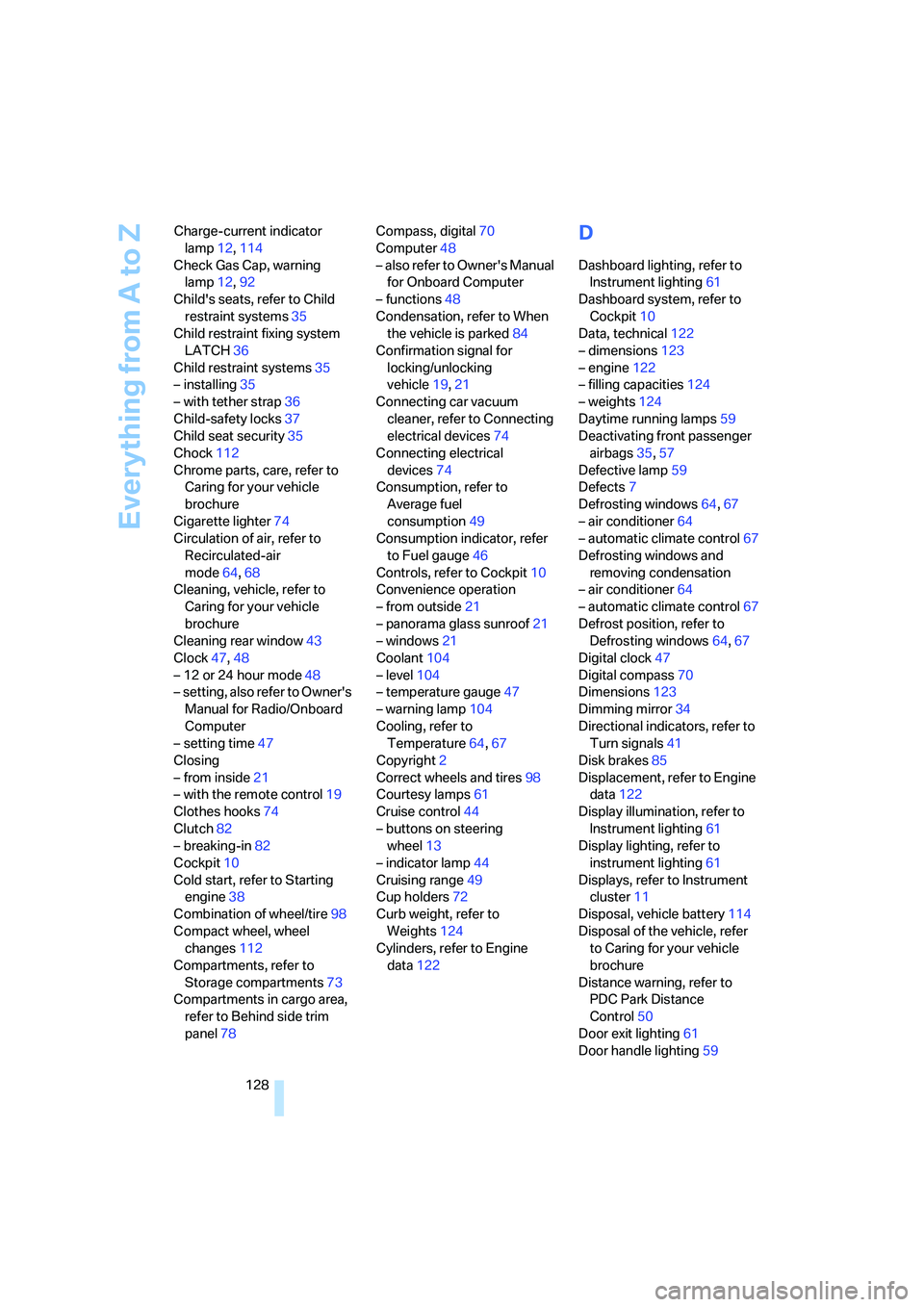
128 Charge-current indicator
lamp12,114
Check Gas Cap, warning
lamp12,92
Child's seats, refer to Child
restraint systems35
Child restraint fixing system
LATCH36
Child restraint systems35
– installing35
– with tether strap36
Child-safety locks37
Child seat security35
Chock112
Chrome parts, care, refer to
Caring for your vehicle
brochure
Cigarette lighter74
Circulation of air, refer to
Recirculated-air
mode64,68
Cleaning, vehicle, refer to
Caring for your vehicle
brochure
Cleaning rear window43
Clock47,48
– 12 or 24 hour mode48
– setting, also refer to Owner's
Manual for Radio/Onboard
Computer
– setting time47
Closing
– from inside21
– with the remote control19
Clothes hooks74
Clutch82
– breaking-in82
Cockpit10
Cold start, refer to Starting
engine38
Combination of wheel/tire98
Compact wheel, wheel
changes112
Compartments, refer to
Storage compartments73
Compartments in cargo area,
refer to Behind side trim
panel78Compass, digital70
Computer48
– also refer to Owner's Manual
for Onboard Computer
– functions48
Condensation, refer to When
the vehicle is parked84
Confirmation signal for
locking/unlocking
vehicle19,21
Connecting car vacuum
cleaner, refer to Connecting
electrical devices74
Connecting electrical
devices74
Consumption, refer to
Average fuel
consumption49
Consumption indicator, refer
to Fuel gauge46
Controls, refer to Cockpit10
Convenience operation
– from outside21
– panorama glass sunroof21
– windows21
Coolant104
– level104
– temperature gauge47
– warning lamp104
Cooling, refer to
Temperature64,67
Copyright2
Correct wheels and tires98
Courtesy lamps61
Cruise control44
– buttons on steering
wheel13
– indicator lamp44
Cruising range49
Cup holders72
Curb weight, refer to
Weights124
Cylinders, refer to Engine
data122
D
Dashboard lighting, refer to
Instrument lighting61
Dashboard system, refer to
Cockpit10
Data, technical122
– dimensions123
– engine122
– filling capacities124
– weights124
Daytime running lamps59
Deactivating front passenger
airbags35,57
Defective lamp59
Defects7
Defrosting windows64,67
– air conditioner64
– automatic climate control67
Defrosting windows and
removing condensation
– air conditioner64
– automatic climate control67
Defrost position, refer to
Defrosting windows64,67
Digital clock47
Digital compass70
Dimensions123
Dimming mirror34
Directional indicators, refer to
Turn signals41
Disk brakes85
Displacement, refer to Engine
data122
Display illumination, refer to
Instrument lighting61
Display lighting, refer to
instrument lighting61
Displays, refer to Instrument
cluster11
Disposal, vehicle battery114
Disposal of the vehicle, refer
to Caring for your vehicle
brochure
Distance warning, refer to
PDC Park Distance
Control50
Door exit lighting61
Door handle lighting59