lights BMW X3 3.0SI 2008 Owners Manual
[x] Cancel search | Manufacturer: BMW, Model Year: 2008, Model line: X3 3.0SI, Model: BMW X3 3.0SI 2008Pages: 140, PDF Size: 3.36 MB
Page 25 of 140
Reference
At a glance
Controls
Driving tips
Mobility
23
In the back, separate switches are provided in
the armrests.
For convenience operation using the remote
control or the door lock, refer to pages20, 21.
After switching off ignition
You can operate the windows for up to 1 minute
as long as no door has been opened.
Pinch protection system
If the closing force rises beyond a predefined
threshold when a window is being closed, the
system will interrupt the closing of the window
prior to lowering it slightly.
Despite the presence of the pinch protec-
tion system, inspect the window's travel
path prior to closing it, as the safety system
might fail to detect certain kinds of obstruc-
tions, such as very thin objects, and the window
would continue closing.
Do not install any accessories in the movement
range of the window as this could impair the
function of the pinch protection system.<
Closing without pinch protection
system
When there is danger outside or when, for
example, ice on the window prevents a normal
closing, press the switch past the resistance
point and hold it there. The window will close
without the pinch protection system.
Following interruptions in electrical
power supply
After disconnecting the battery, the pinch pro-
tection system must be reinitialized. To do this,
open and close the windows once and continue
pull the switch for longer than approx. 2 sec-
onds after closing.
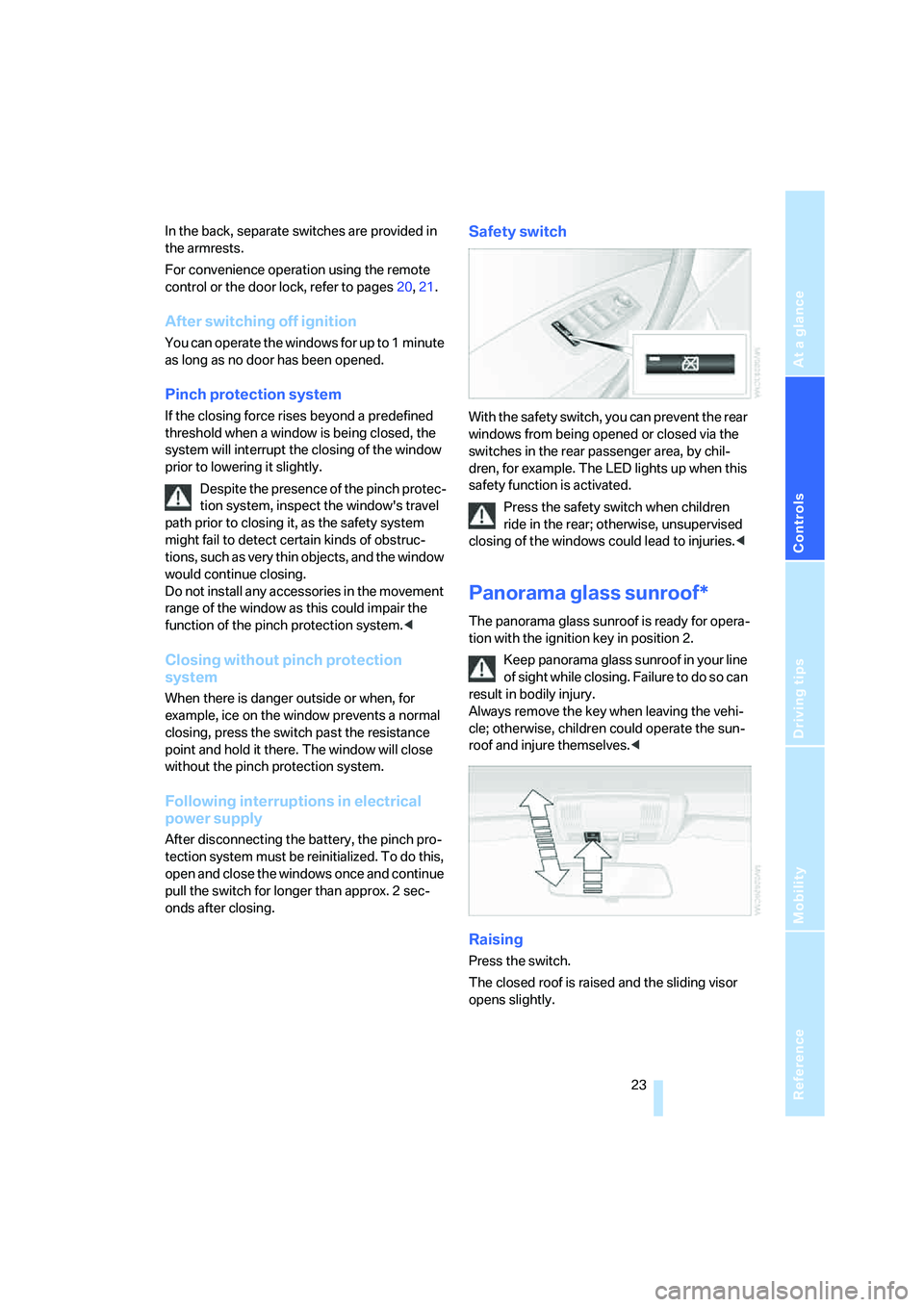
Safety switch
With the safety switch, you can prevent the rear
windows from being opened or closed via the
switches in the rear passenger area, by chil-
dren, for example. The LED lights up when this
safety function is activated.
Press the safety switch when children
ride in the rear; otherwise, unsupervised
closing of the windows could lead to injuries.<
Panorama glass sunroof*
The panorama glass sunroof is ready for opera-
tion with the ignition key in position 2.
Keep panorama glass sunroof in your line
of sight while closing. Failure to do so can
result in bodily injury.
Always remove the key when leaving the vehi-
cle; otherwise, children could operate the sun-
roof and injure themselves.<
Raising
Press the switch.
The closed roof is raised and the sliding visor
opens slightly.
Page 28 of 140
Opening and closing
26 onds. However, the interior motion sensor
is not activated.
>The indicator lamp goes out after unlocking:
no manipulation or attempted intrusions
have been detected in the period since the
system was armed.
>The indicator lamp flashes for 10 seconds
after the vehicle is unlocked: an attempted
entry has been detected in the period since
the system was armed.
Following triggering of an alarm, the indicator
lamp will flash continuously.
Tilt alarm sensor
The tilt of the vehicle is monitored. The alarm
system reacts, e.g. in case of an attempted
wheel theft or towing.
Interior motion sensor
In order for the interior motion sensor to func-
tion properly, the windows and panorama glass
sunroof must be completely closed.
Avoiding unintentional alarms
The tilt alarm sensor and interior motion sensor
may be switched off at the same time. This pre-
vents unintentional alarms, e.g. in the following
situations:
>In duplex garages
>When being transported on car-carrying
trains, aboard ship, or on a trailer
>When animals are to remain in the vehicle
Switching off tilt alarm sensor and
interior motion sensor
Press the button on the remote con-
trol again as soon as the vehicle is locked.
The indicator lamp lights up briefly and then
flashes continuously. The tilt alarm sensor and
the interior motion sensor are switched off until
the next time the vehicle is unlocked and subse-
quently locked again.If you wish, you can have the tilt alarm
sensor and interior motion sensor perma-
nently deactivated. You can have this setting
made at your BMW Sports Activity Vehicle
Center.<
Page 33 of 140
Reference
At a glance
Controls
Driving tips
Mobility
31
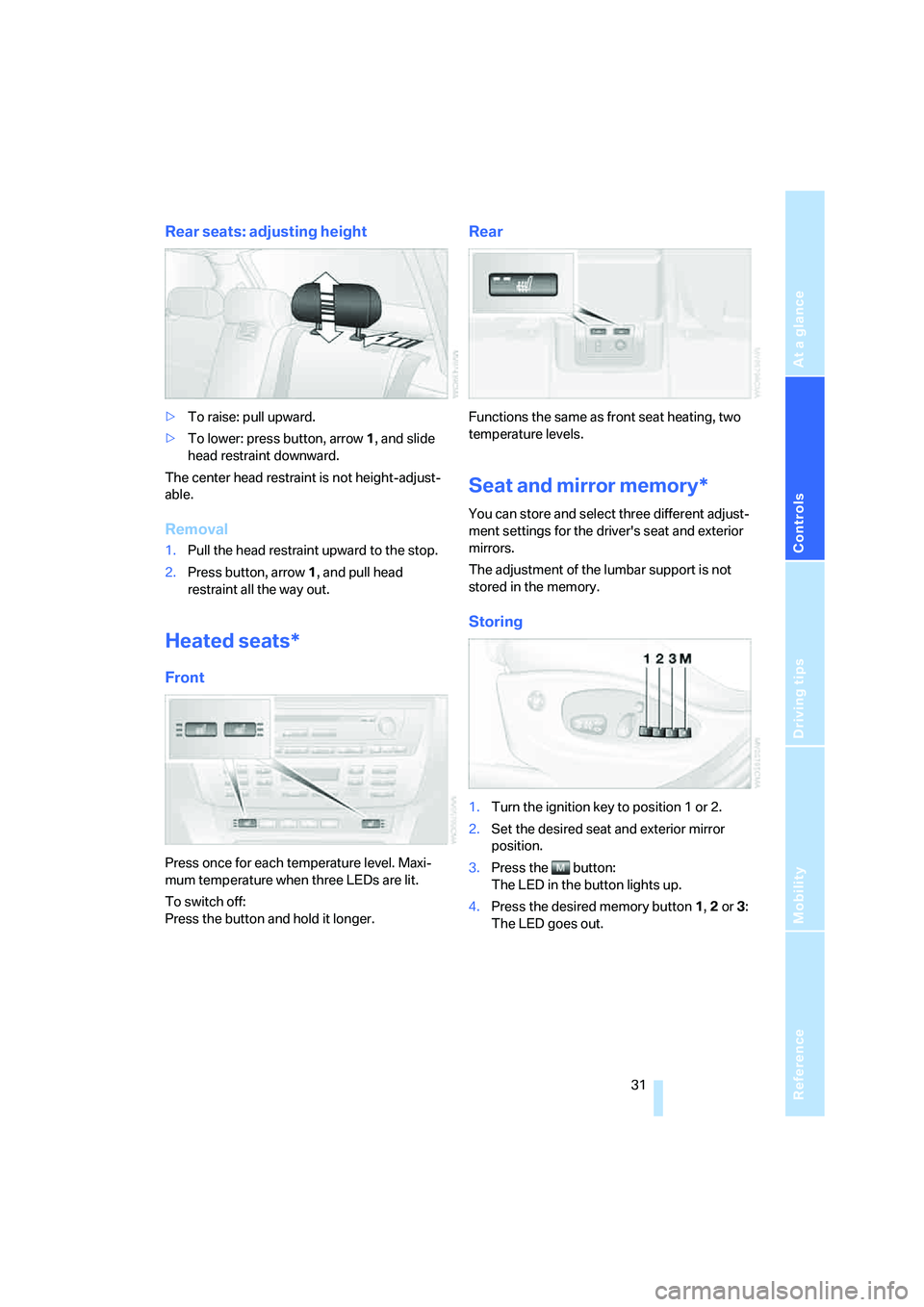
Rear seats: adjusting height
>To raise: pull upward.
>To lower: press button, arrow 1, and slide
head restraint downward.
The center head restraint is not height-adjust-
able.
Removal
1.Pull the head restraint upward to the stop.
2.Press button, arrow 1, and pull head
restraint all the way out.
Heated seats*
Front
Press once for each temperature level. Maxi-
mum temperature when three LEDs are lit.
To switch off:
Press the button and hold it longer.
Rear
Functions the same as front seat heating, two
temperature levels.
Seat and mirror memory*
You can store and select three different adjust-
ment settings for the driver's seat and exterior
mirrors.
The adjustment of the lumbar support is not
stored in the memory.
Storing
1.Turn the ignition key to position 1 or 2.
2.Set the desired seat and exterior mirror
position.
3.Press the button:
The LED in the button lights up.
4.Press the desired memory button 1, 2 or3:
The LED goes out.
Page 34 of 140
Adjustments
32
Requesting a stored setting
Do not request a position from the mem-
ory while the vehicle is moving; otherwise,
there is a risk of accident from unexpected seat
movement.<
Convenience mode
1.Open the driver's door after unlocking or
turn the ignition key to position 1.
2.Briefly press the desired memory button 1,
2 or3.
The adjustment procedure is canceled when
you press one of the seat adjustment buttons or
use one of the memory buttons.
Safety feature
1.Close the driver's door and turn the ignition
key to position 0 or 2.
2.Press the desired memory button 1, 2 or3
and maintain pressure until the adjustment
process has been completed.
If the button has been pressed inadvert-
ently:
Press the button again, the LED goes out.
You can have your vehicle programmed
to automatically recall your own individual
stored adjustment settings for the seat and
exterior mirror position whenever you use your
personal remote control to unlock the vehicle.<
If you make use of this setting, be sure
that the footwell behind the driver's seat
is unobstructed before unlocking the vehicle.
If you fail to do so, any persons, animals or
objects behind the seat could be injured or
damaged by a rearward movement of the
seat.<
Safety belts
To ensure that the safety systems con-
tinue to provide optimum protection,
please follow the instructions on page27.<
Make sure the safety belts are worn in all occu-
pied seats every time you drive. Although air-
bags enhance safety by providing added pro-
tection, they are not a substitute for safety
belts.
Fastening
Make sure you hear the latch plate engage in
the belt buckle.
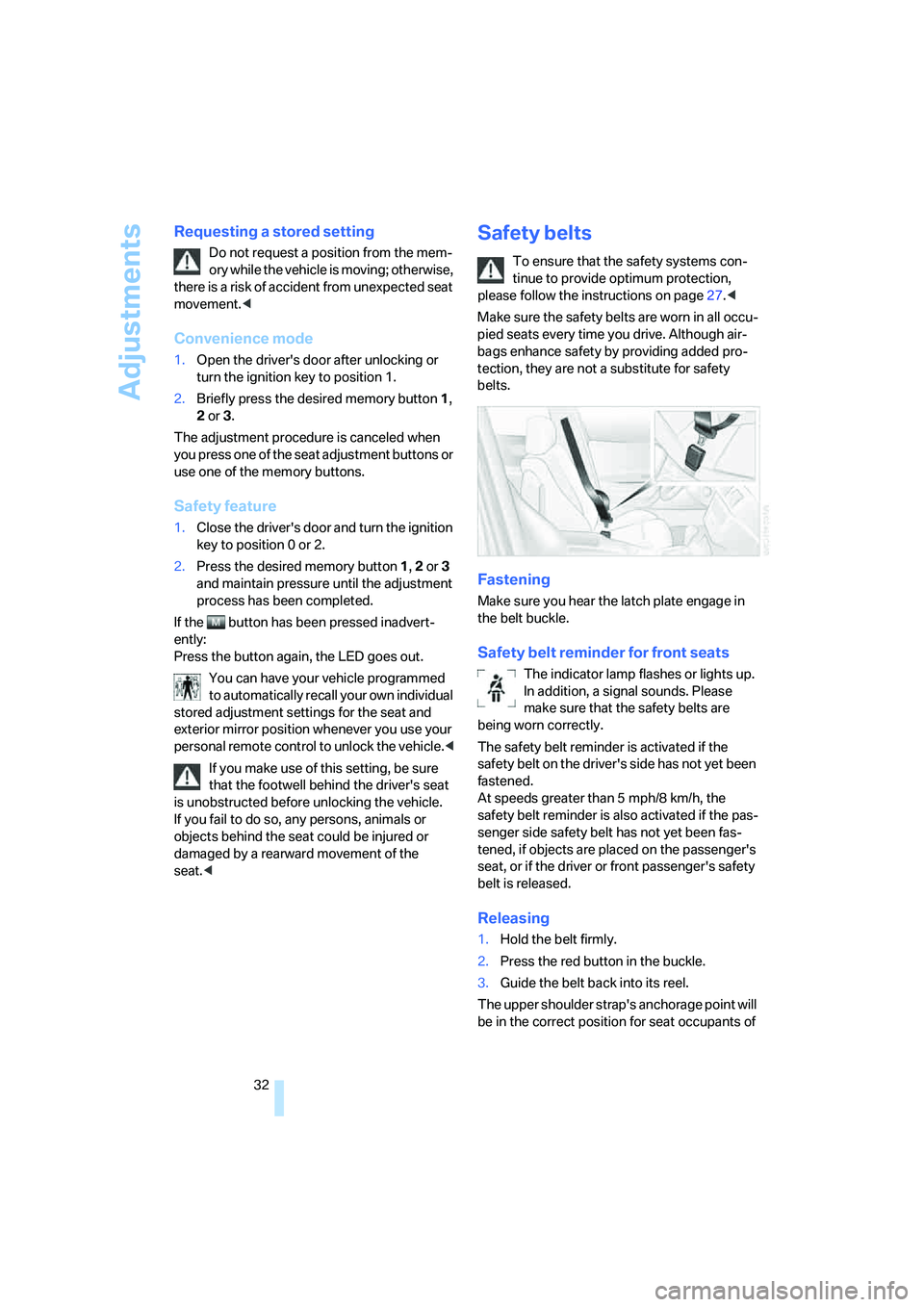
Safety belt reminder for front seats
The indicator lamp flashes or lights up.
In addition, a signal sounds. Please
make sure that the safety belts are
being worn correctly.
The safety belt reminder is activated if the
safety belt on the driver's side has not yet been
fastened.
At speeds greater than 5 mph/8 km/h, the
safety belt reminder is also activated if the pas-
senger side safety belt has not yet been fas-
tened, if objects are placed on the passenger's
seat, or if the driver or front passenger's safety
belt is released.
Releasing
1.Hold the belt firmly.
2.Press the red button in the buckle.
3.Guide the belt back into its reel.
The upper shoulder strap's anchorage point will
be in the correct position for seat occupants of
Page 36 of 140
Adjustments
34
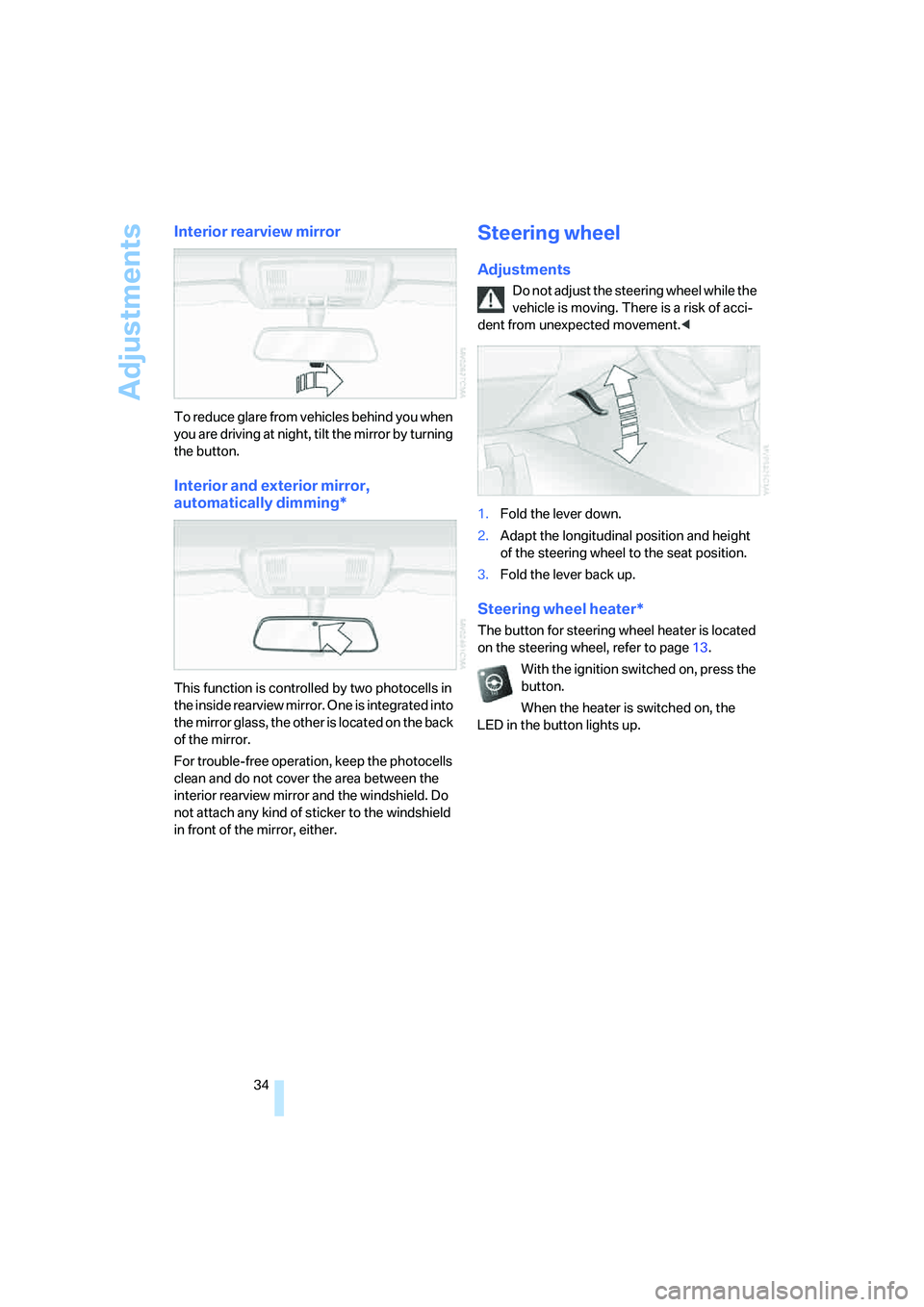
Interior rearview mirror
To reduce glare from vehicles behind you when
you are driving at night, tilt the mirror by turning
the button.
Interior and exterior mirror,
automatically dimming*
This function is controlled by two photocells in
the inside rearview mirror. One is integrated into
the mirror glass, the other is located on the back
of the mirror.
For trouble-free operation, keep the photocells
clean and do not cover the area between the
interior rearview mirror and the windshield. Do
not attach any kind of sticker to the windshield
in front of the mirror, either.
Steering wheel
Adjustments
Do not adjust the steering wheel while the
vehicle is moving. There is a risk of acci-
dent from unexpected movement.<
1.Fold the lever down.
2.Adapt the longitudinal position and height
of the steering wheel to the seat position.
3.Fold the lever back up.
Steering wheel heater*
The button for steering wheel heater is located
on the steering wheel, refer to page13.
With the ignition switched on, press the
button.
When the heater is switched on, the
LED in the button lights up.
Page 40 of 140
Driving
38
Driving
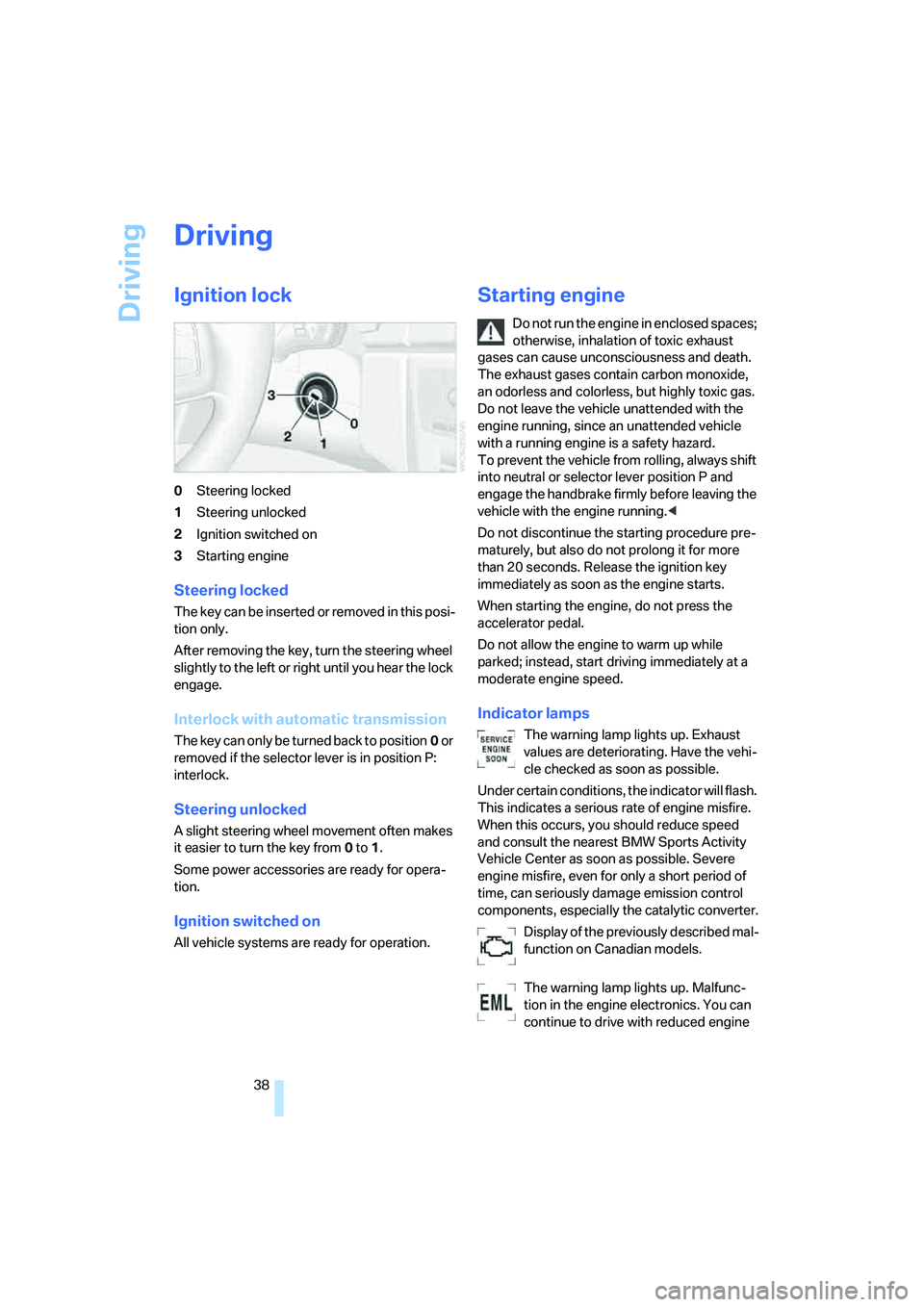
Ignition lock
0Steering locked
1Steering unlocked
2Ignition switched on
3Starting engine
Steering locked
T h e k e y c a n b e in s e r t e d o r r e m o v e d in t h i s p o s i-
tion only.
After removing the key, turn the steering wheel
slightly to the left or right until you hear the lock
engage.
Interlock with automatic transmission
The key can only be turned back to position0 or
removed if the selector lever is in position P:
interlock.
Steering unlocked
A slight steering wheel movement often makes
it easier to turn the key from0 to1.
Some power accessories are ready for opera-
tion.
Ignition switched on
All vehicle systems are ready for operation.
Starting engine
Do not run the engine in enclosed spaces;
otherwise, inhalation of toxic exhaust
gases can cause unconsciousness and death.
The exhaust gases contain carbon monoxide,
an odorless and colorless, but highly toxic gas.
Do not leave the vehicle unattended with the
engine running, since an unattended vehicle
with a running engine is a safety hazard.
To prevent the vehicle from rolling, always shift
into neutral or selector lever position P and
engage the handbrake firmly before leaving the
vehicle with the engine running.<
Do not discontinue the starting procedure pre-
maturely, but also do not prolong it for more
than 20 seconds. Release the ignition key
immediately as soon as the engine starts.
When starting the engine, do not press the
accelerator pedal.
Do not allow the engine to warm up while
parked; instead, start driving immediately at a
moderate engine speed.
Indicator lamps
The warning lamp lights up. Exhaust
values are deteriorating. Have the vehi-
cle checked as soon as possible.
Under certain conditions, the indicator will flash.
This indicates a serious rate of engine misfire.
When this occurs, you should reduce speed
and consult the nearest BMW Sports Activity
Vehicle Center as soon as possible. Severe
engine misfire, even for only a short period of
time, can seriously damage emission control
components, especially the catalytic converter.
Display of the previously described mal-
function on Canadian models.
The warning lamp lights up. Malfunc-
tion in the engine electronics. You can
continue to drive with reduced engine
Page 41 of 140
Reference
At a glance
Controls
Driving tips
Mobility
39
output or speed. Have the system checked
immediately.
Manual transmission
1.Step on the brake.
2.Depress the clutch pedal and shift into neu-
tral.
If the clutch pedal is not depressed,
the motor will not start.<
3.Start the engine.
Automatic transmission*
1.Step on the brake.
2.Move selector lever into position P.
3.Start the engine.
Special starting conditions
In the following situations, press the accelerator
pedal halfway down while starting:
>If the engine fails to start on the first
attempt, for instance if it is very hot or cold.
>When starting the engine at very low tem-
peratures, e.g. below approx. +57/–156,
at high altitudes over approx. 3,300 ft/
1,000 m.
Avoid frequent starting in quick succes-
sion or repeated start attempts in which
the engine does not start. Otherwise, the fuel is
either not burned or inadequately burned and
there is a danger of overheating and damaging
the catalytic converter.<
Switching off engine
Do not remove the ignition key when the
vehicle is rolling; otherwise, the steering
wheel lock would engage, preventing you from
steering.
When leaving the vehicle, remove the ignition
key and lock the steering. To prevent the vehi-
cle from rolling, engage the parking brake firmly
when parking.<
Manual transmission
1.Engage the parking brake firmly.
2.Turn the ignition key to position 1 or 0.
3.Shift into first gear or reverse.
Automatic transmission*
1.With the vehicle at a stop, move the selector
lever into position P.
2.Turn the ignition key to position 1 or 0.
3.Engage the parking brake firmly.
Handbrake
The handbrake is primarily intended to prevent
the vehicle from rolling while parked; it brakes
the rear wheels.
Indicator lamp
The indicator lamp lights up; an acous-
tic signal also sounds when you begin
to drive. The handbrake is still engaged.
Indicator lamp for Canadian models.
Engaging
The lever engages automatically when you pull
up on it.
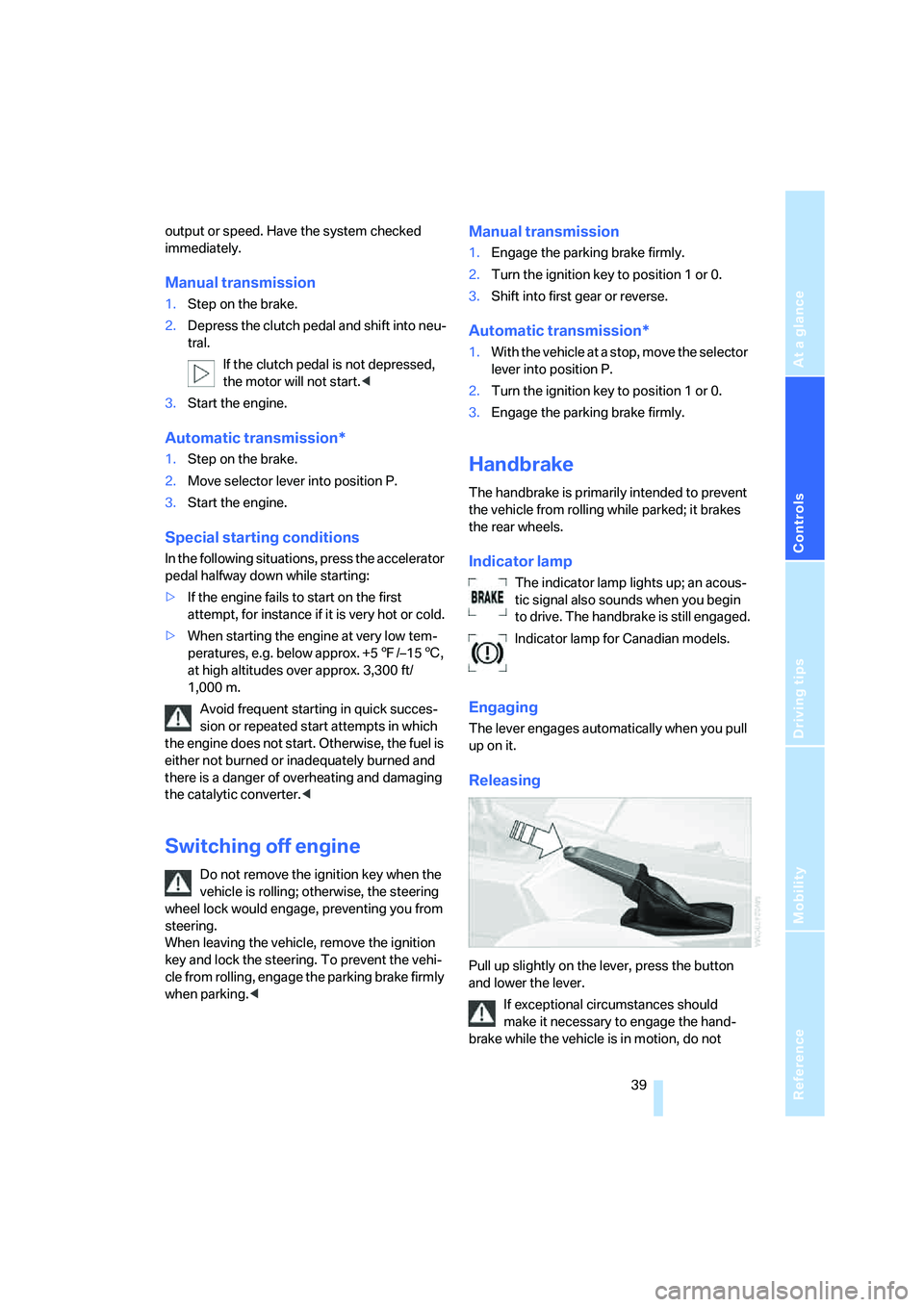
Releasing
Pull up slightly on the lever, press the button
and lower the lever.
If exceptional circumstances should
make it necessary to engage the hand-
brake while the vehicle is in motion, do not
Page 46 of 140
Driving
44
Cruise control*
The vehicle maintains and stores the speed that
you set at speeds greater than approx. 20 mph/
30 km/h.
You can use cruise control whenever the sys-
tem is active while the engine is running.
Do not use the cruise control under unfa-
vorable conditions that do not permit a
constant speed, e.g. when driving on winding
roads or in heavy traffic or when negotiating
poor road conditions such as snow, rain, ice, or
a loose road surface. Otherwise, you could lose
control of the vehicle and cause an accident.<
Indicator lamp
The indicator lamp lights up green: sys-
tem ready for operation using the but-
tons on the steering wheel.
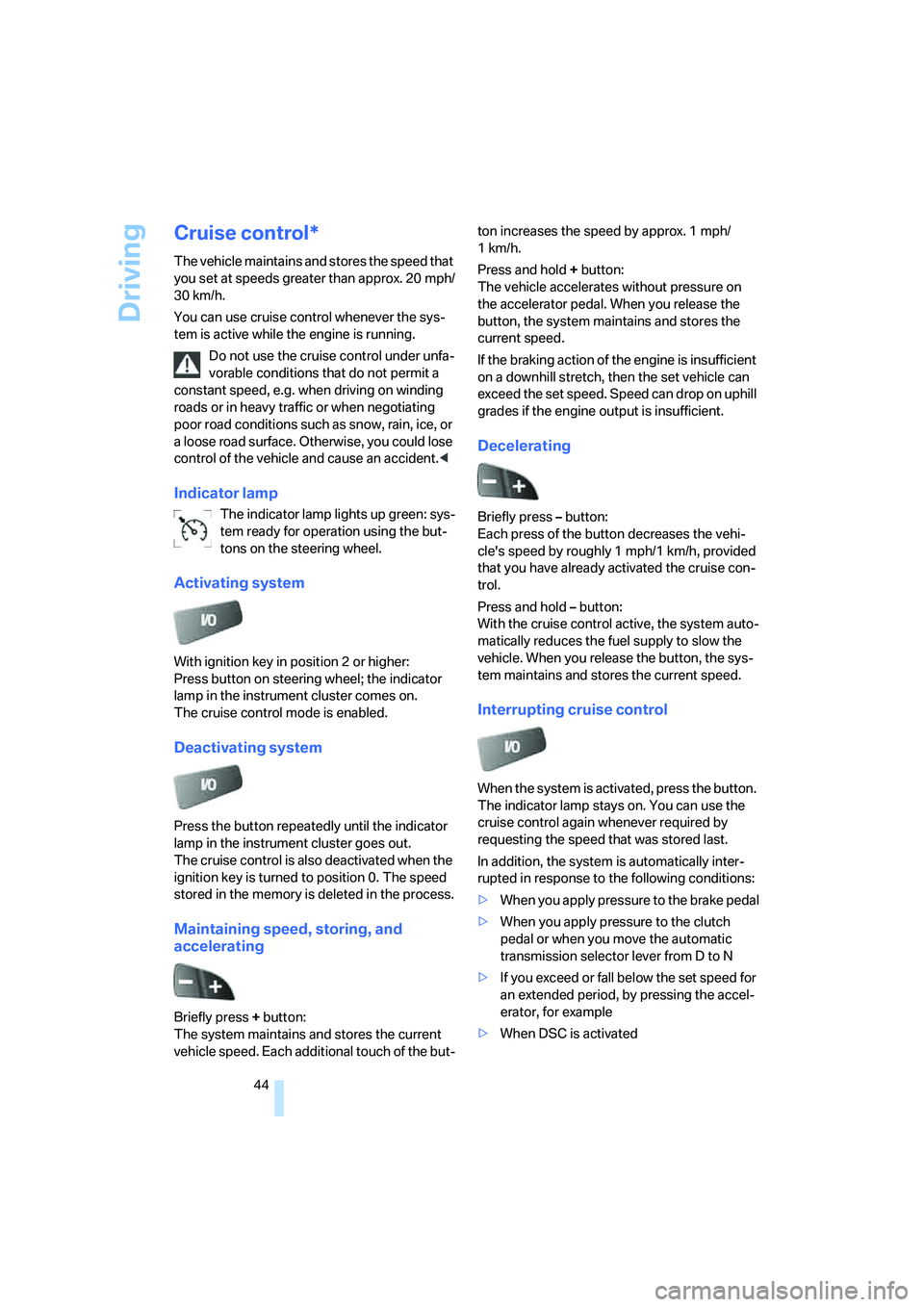
Activating system
With ignition key in position 2 or higher:
Press button on steering wheel; the indicator
lamp in the instrument cluster comes on.
The cruise control mode is enabled.
Deactivating system
Press the button repeatedly until the indicator
lamp in the instrument cluster goes out.
The cruise control is also deactivated when the
ignition key is turned to position 0. The speed
stored in the memory is deleted in the process.
Maintaining speed, storing, and
accelerating
Briefly press + button:
The system maintains and stores the current
vehicle speed. Each additional touch of the but-ton increases the speed by approx. 1 mph/
1km/h.
Press and hold + button:
The vehicle accelerates without pressure on
the accelerator pedal. When you release the
button, the system maintains and stores the
current speed.
If the braking action of the engine is insufficient
on a downhill stretch, then the set vehicle can
exceed the set speed. Speed can drop on uphill
grades if the engine output is insufficient.
Decelerating
Briefly press – button:
Each press of the button decreases the vehi-
cle's speed by roughly 1 mph/1 km/h, provided
that you have already activated the cruise con-
trol.
Press and hold – button:
With the cruise control active, the system auto-
matically reduces the fuel supply to slow the
vehicle. When you release the button, the sys-
tem maintains and stores the current speed.
Interrupting cruise control
When the system is activated, press the button.
The indicator lamp stays on. You can use the
cruise control again whenever required by
requesting the speed that was stored last.
In addition, the system is automatically inter-
rupted in response to the following conditions:
>When you apply pressure to the brake pedal
>When you apply pressure to the clutch
pedal or when you move the automatic
transmission selector lever from D to N
>If you exceed or fall below the set speed for
an extended period, by pressing the accel-
erator, for example
>When DSC is activated
Page 52 of 140
Technology for comfort, convenience and safety
50
Technology for comfort, convenience and
safety
PDC Park Distance Control*
The concept
PDC provides extra safety and convenience
during parking maneuvers. Audible signals indi-
cate that you are approaching an object in front
of or behind your vehicle. To measure the dis-
tance, there are four ultrasonic sensors in each
bumper.
An acoustic signal begins to sound when the
front sensors and the rear corner sensors are
within approx. 2 ft/60 cm of an obstacle and
when the rear middle sensors are within approx.
5 ft/1.50 m of an obstacle.
PDC is a parking aid that can indicate
objects when they are approached
slowly, as is usually the case when parking.
Avoid approaching objects too fast; otherwise,
the system may give warning of physical obsta-
cles too late.<
If you are driving with a trailer, the rear sensors
cannot take any meaningful measurements.
Consequently, they do not switch on.
Automatic mode
In ignition key position 2, the system is auto-
matically activated after approx. 1 second each
time you shift into reverse or move the selector-
lever into position R. Wait for one second to
pass before moving.
You can have a signal tone programmed
into the system to verify that the PDC is
active.<
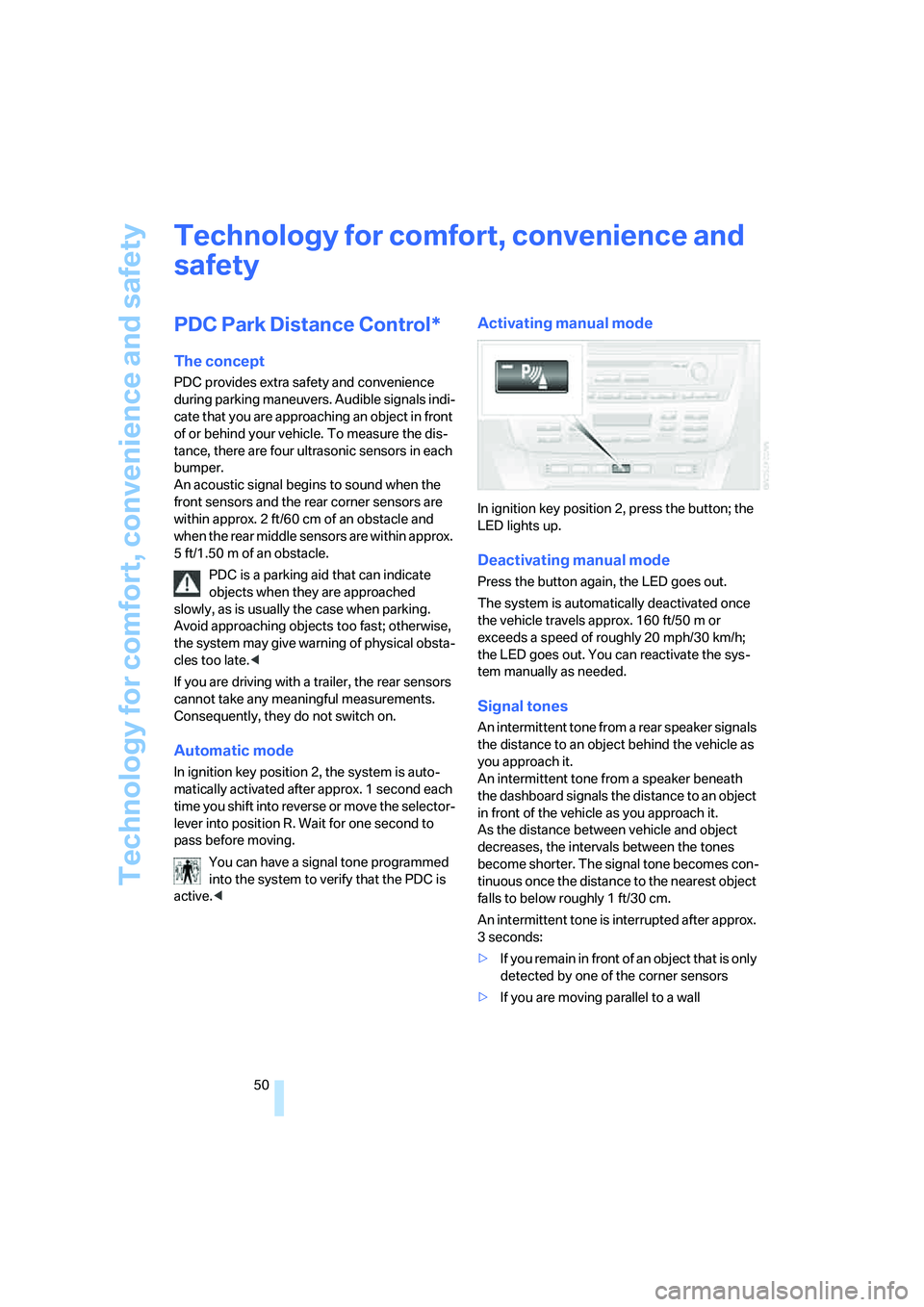
Activating manual mode
In ignition key position 2, press the button; the
LED lights up.
Deactivating manual mode
Press the button again, the LED goes out.
The system is automatically deactivated once
the vehicle travels approx. 160 ft/50 m or
exceeds a speed of roughly 20 mph/30 km/h;
the LED goes out. You can reactivate the sys-
tem manually as needed.
Signal tones
An intermittent tone from a rear speaker signals
the distance to an object behind the vehicle as
you approach it.
An intermittent tone from a speaker beneath
the dashboard signals the distance to an object
in front of the vehicle as you approach it.
As the distance between vehicle and object
decreases, the intervals between the tones
become shorter. The signal tone becomes con-
tinuous once the distance to the nearest object
falls to below roughly 1 ft/30 cm.
An intermittent tone is interrupted after approx.
3seconds:
>If you remain in front of an object that is only
detected by one of the corner sensors
>If you are moving parallel to a wall
Page 53 of 140
Reference
At a glance
Controls
Driving tips
Mobility
51
Malfunction
The LED in the button flashes and a short con-
tinuous tone sounds. PDC is malfunctioning.
Switch off PDC. Have the system checked.
To prevent this problem, keep the sensors
clean and free of ice or snow in order to ensure
that they will continue to operate effectively.
When using high-pressure washers, do not
spray sensors for long periods and keep the
sprayer at least 4 in/10 cm away from the sen-
sors.
System limits
Even with PDC, final responsibility for
estimating the distance between the
vehicle and any obstructions always remains
with the driver. Even when sensors are involved,
there is a blind spot in which objects cannot be
detected. The system is also subject to the
physical limits that apply to all forms of ultra-
sonic measurement, such as those encoun-
tered with tow bars and trailer couplings, or thin
and wedge-shaped objects. Low objects
already displayed, e.g. curb edges, can come
into the blind spot of the sensors before or after
a continuous tone sounds. The system may fail
to detect higher obstacles such as projections
from walls.
Loud sources of sound, inside and outside the
vehicle, could drown out the PDC signal tone.<
Driving stability control
systems
Your BMW is equipped with an extended array
of systems designed to enhance and maintain
vehicle stability even under unfavorable driving
conditions.
ABS Antilock Brake System
ABS prevents the wheels from locking during
braking. Safe steering response is maintained
even during full braking. This results in an
increase in the active safety.
ABS is operational every time you start the
engine. Safe braking, refer to page84.
Electronic brake-force distribution
The system controls the brake pressure in the
rear wheels to ensure a stable braking behavior.
Brake assistant
When the brake pedal is depressed quickly, this
system automatically generates a maximum
braking force distribution and thus helps keep
the braking distance to a minimum during full
braking. This system exploits all of the benefits
provided by ABS.
As long as you want full braking to continue, do
not reduce pressure on the brake.
DSC Dynamic Stability Control
DSC prevents slip at the drive wheels when
starting off and accelerating. The system also
detects unstable driving conditions, such as a
fishtailing of the vehicle's rear end or the sliding
of the vehicle on its front wheels. In these cir-
cumstances, DSC helps keep the vehicle on a
safe path, within physical limits, by reducing
engine output and by applying the brakes in
individual wheels.
The laws of physics cannot be repealed,
even with DSC. An appropriate driving
style always remains the responsibility of the
driver. Do not squander the additional margin of
safety by driving dangerously; otherwise, you
run the risk of causing an accident.<
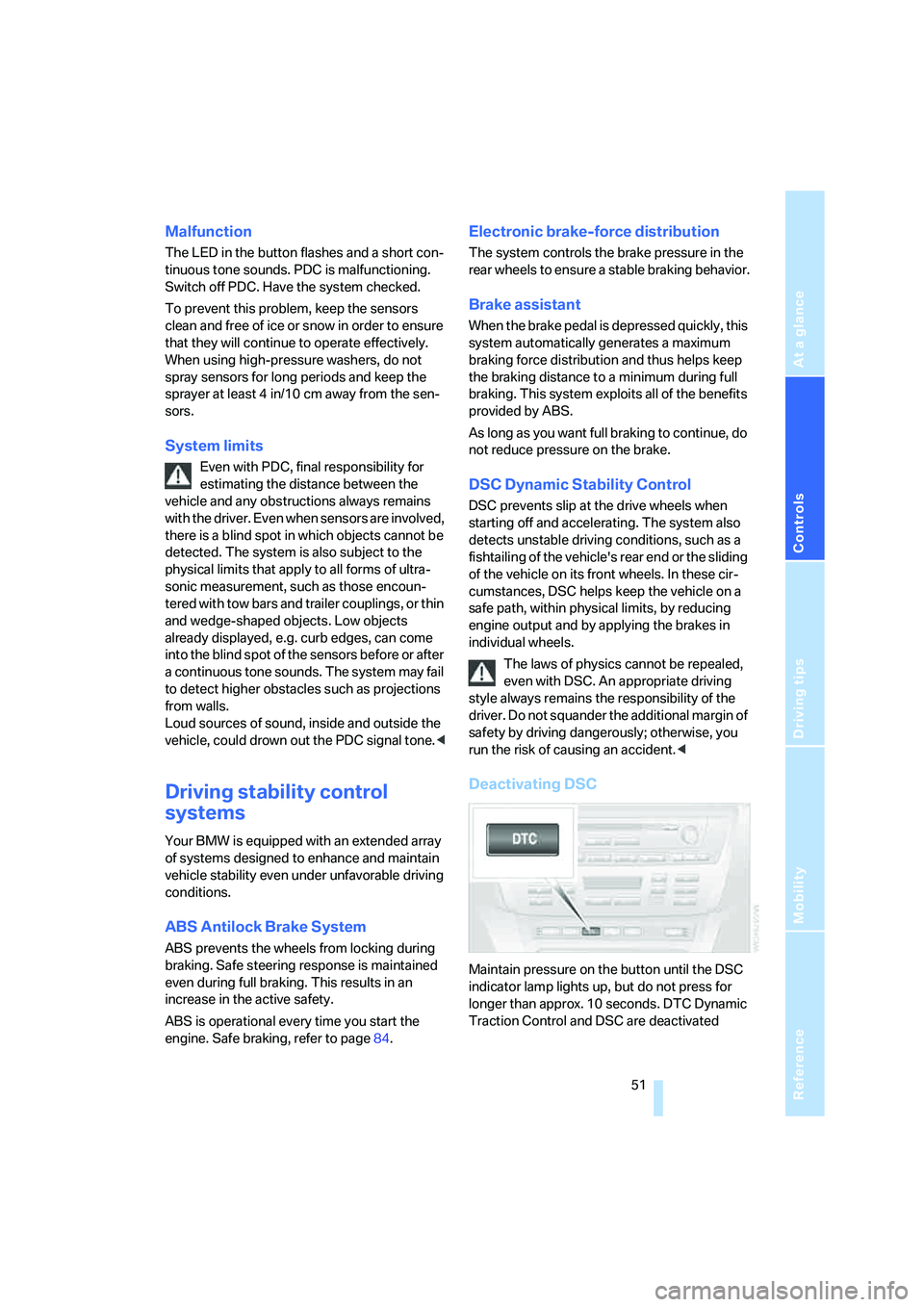
Deactivating DSC
Maintain pressure on the button until the DSC
indicator lamp lights up, but do not press for
longer than approx. 10 seconds. DTC Dynamic
Traction Control and DSC are deactivated