buttons BMW X3 3.0SI 2008 Owners Manual
[x] Cancel search | Manufacturer: BMW, Model Year: 2008, Model line: X3 3.0SI, Model: BMW X3 3.0SI 2008Pages: 140, PDF Size: 3.36 MB
Page 11 of 140
At a glance
This overview of buttons, switches and displays
is intended to familiarize you with your vehicle's
operating environment. The section will also
assist you in becoming acquainted with the
control concepts and options available for
operating the various systems.
At a glance
Page 15 of 140
At a glance
Controls
Driving tips
Mobility Reference
13
Colors
The indicator and warning lamps can light up in
different colors and combinations.
The following section explains the significance
of the individual colors as well as how you
should respond when they appear.
>red:
Stop the vehicle immediately
or
An important reminder
>yellow:
Have the system inspected as soon as
possible
or
For your information
>green:
For your information
>blue:
For your information
Buttons* on steering wheel
The buttons integrated into the steering wheel
are provided so that you can operate a number
of accessories quickly and without being dis-
tracted from traffic conditions. You may oper-
ate:
>Selected audio source functions
>Recirculated-air mode/steering wheel
heater
>Cruise control
>Selected telephone functions
>Voice command system
In order to operate a system, it must be
switched on.<
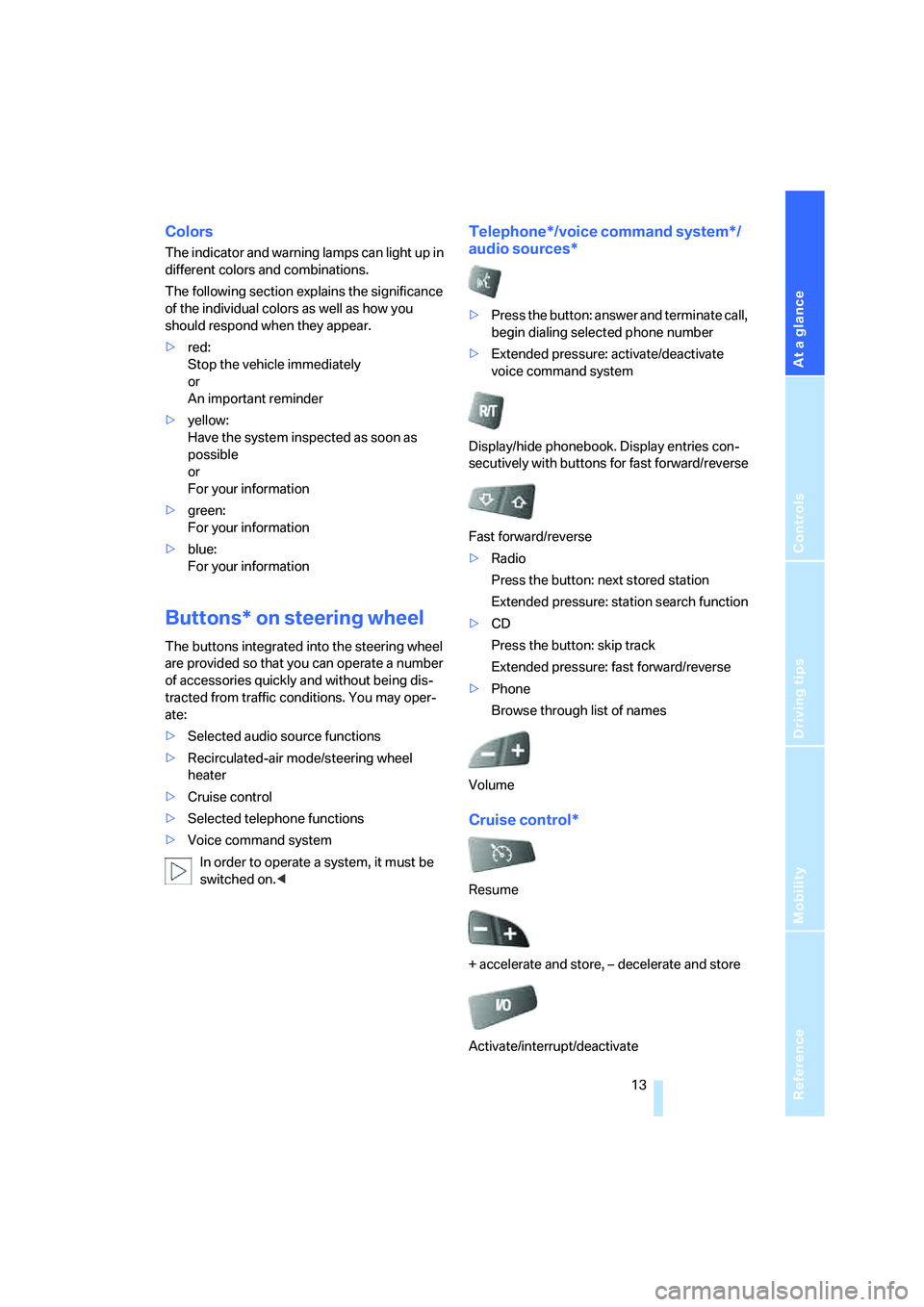
Telephone*/voice command system*/
audio sources*
>Press the button: answer and terminate call,
begin dialing selected phone number
>Extended pressure: activate/deactivate
voice command system
Display/hide phonebook. Display entries con-
secutively with buttons for fast forward/reverse
Fast forward/reverse
>Radio
Press the button: next stored station
Extended pressure: station search function
>CD
Press the button: skip track
Extended pressure: fast forward/reverse
>Phone
Browse through list of names
Volume
Cruise control*
Resume
+ accelerate and store, – decelerate and store
Activate/interrupt/deactivate
Page 21 of 140
Reference
At a glance
Controls
Driving tips
Mobility
19
Examples of Vehicle Memory
>Different confirmation signals to confirm
locking/unlocking of the vehicle, refer to
page19.
>Activating/deactivating function for path-
way lighting, refer to page59.
>Activating/deactivating daytime running
lamps, refer to page59.
>Active PDC Park Distance Control is acous-
tically indicated by a signal tone when you
shift into reverse or move the selector lever
into position R, refer to page50.
>Different confirmation signals to confirm
arming/disarming of alarm system, refer to
page25.
>After an outside temperature warning has
been issued, the computer display returns
to the previous setting, refer to page48.
>Acoustic warning if the ignition key remains
in the ignition lock after the driver's door has
been opened, refer to page19.
Examples of Key Memory functions
>Locking the vehicle after starting to drive,
refer to page21.
>Automatic adjustment of the driver's seat
and exterior mirror position for each person
when unlocking the vehicle, refer to
page31.
>Setting units of measure for instrument
cluster displays of time, outside tempera-
ture, distance driven, and fuel consumption,
refer to page48.
Central locking system
The concept
The central locking system is ready for opera-
tion whenever the driver's door is closed.
The system locks or unlocks:
>doors
>liftgate
>fuel filler door
Operating from outside
>via the remote control
>via the driver's door lock
The central locking system simultaneously
operates the antitheft alarm system. This pre-
vents the doors from being unlocked via the
lock buttons or door handles. The remote con-
trol also switches the interior lamps on and off.
The alarm system
* is also armed or disarmed.
For additional details on the alarm system, refer
to page25.
You can set an acoustic signal to remind
you if the ignition key is still in the ignition
lock after you open the driver's door.<
Operating from inside
Via the central locking system button, refer to
page21.
When the system is locked from inside, the fuel
filler door remains unlocked.
In the event of an accident of sufficient severity,
the central locking system unlocks automati-
cally. In addition, the hazard warning flashers
and interior lamps switch on.
Opening and closing:
Using the remote control
Persons or animals left unattended in a
parked vehicle can lock the doors from
the inside. For this reason, bring the remote
control with you whenever you leave the vehicle
so that you will always be able to unlock the
vehicle from outside.<
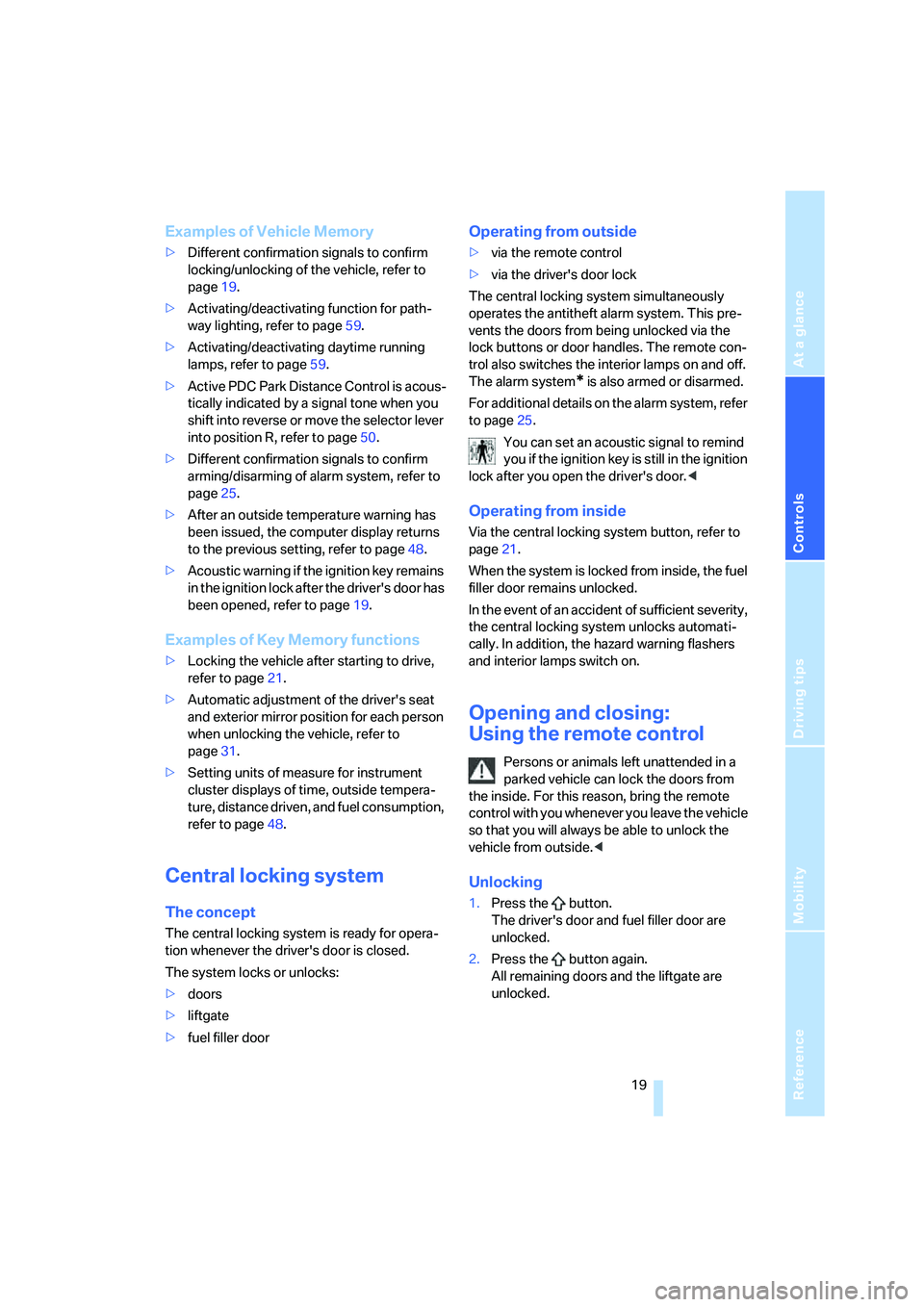
Unlocking
1.Press the button.
The driver's door and fuel filler door are
unlocked.
2.Press the button again.
All remaining doors and the liftgate are
unlocked.
Page 23 of 140
Reference
At a glance
Controls
Driving tips
Mobility
21
Opening and closing:
Using door lock
Do not lock the vehicle from the outside
when people are in it since they will be
unable to unlock it from the inside if they do not
know the special procedure.<
1.Turn key.
The driver's door and fuel filler door are
unlocked.
2.Turn key again.
All remaining doors and the liftgate are
unlocked.
When locking, the hazard warning flashers flash
once.
If you wish, you can have this special fea-
ture deactivated on vehicles without an
alarm system.<
Convenience operation
You also have the option of using the door lock
to operate the windows and the panorama glass
sunroof
*.
Hold the key in the unlocking or locking posi-
tion.
Watch during the closing process to be
sure that no one is injured. Releasing the
key stops the operation.<
Manual operation
If an electrical malfunction occurs, you can
unlock or lock the driver's door with the key in
the end positions of the door lock.
Opening and closing:
from inside
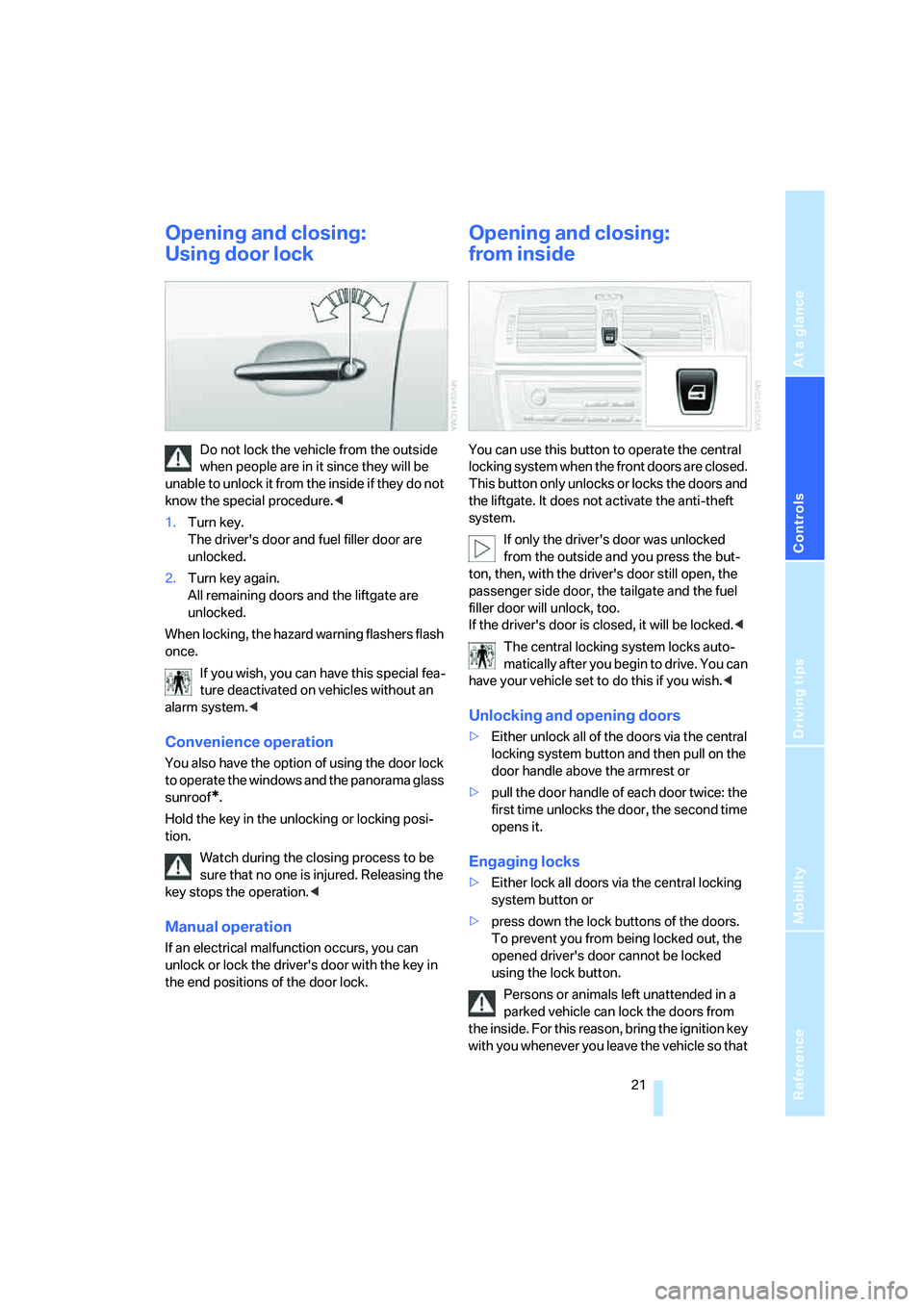
You can use this button to operate the central
locking system when the front doors are closed.
This button only unlocks or locks the doors and
the liftgate. It does not activate the anti-theft
system.
If only the driver's door was unlocked
from the outside and you press the but-
ton, then, with the driver's door still open, the
passenger side door, the tailgate and the fuel
filler door will unlock, too.
If the driver's door is closed, it will be locked.<
The central locking system locks auto-
matically after you begin to drive. You can
have your vehicle set to do this if you wish.<
Unlocking and opening doors
>Either unlock all of the doors via the central
locking system button and then pull on the
door handle above the armrest or
>pull the door handle of each door twice: the
first time unlocks the door, the second time
opens it.
Engaging locks
>Either lock all doors via the central locking
system button or
>press down the lock buttons of the doors.
To prevent you from being locked out, the
opened driver's door cannot be locked
using the lock button.
Persons or animals left unattended in a
parked vehicle can lock the doors from
the inside. For this reason, bring the ignition key
with you whenever you leave the vehicle so that
Page 34 of 140
Adjustments
32
Requesting a stored setting
Do not request a position from the mem-
ory while the vehicle is moving; otherwise,
there is a risk of accident from unexpected seat
movement.<
Convenience mode
1.Open the driver's door after unlocking or
turn the ignition key to position 1.
2.Briefly press the desired memory button 1,
2 or3.
The adjustment procedure is canceled when
you press one of the seat adjustment buttons or
use one of the memory buttons.
Safety feature
1.Close the driver's door and turn the ignition
key to position 0 or 2.
2.Press the desired memory button 1, 2 or3
and maintain pressure until the adjustment
process has been completed.
If the button has been pressed inadvert-
ently:
Press the button again, the LED goes out.
You can have your vehicle programmed
to automatically recall your own individual
stored adjustment settings for the seat and
exterior mirror position whenever you use your
personal remote control to unlock the vehicle.<
If you make use of this setting, be sure
that the footwell behind the driver's seat
is unobstructed before unlocking the vehicle.
If you fail to do so, any persons, animals or
objects behind the seat could be injured or
damaged by a rearward movement of the
seat.<
Safety belts
To ensure that the safety systems con-
tinue to provide optimum protection,
please follow the instructions on page27.<
Make sure the safety belts are worn in all occu-
pied seats every time you drive. Although air-
bags enhance safety by providing added pro-
tection, they are not a substitute for safety
belts.
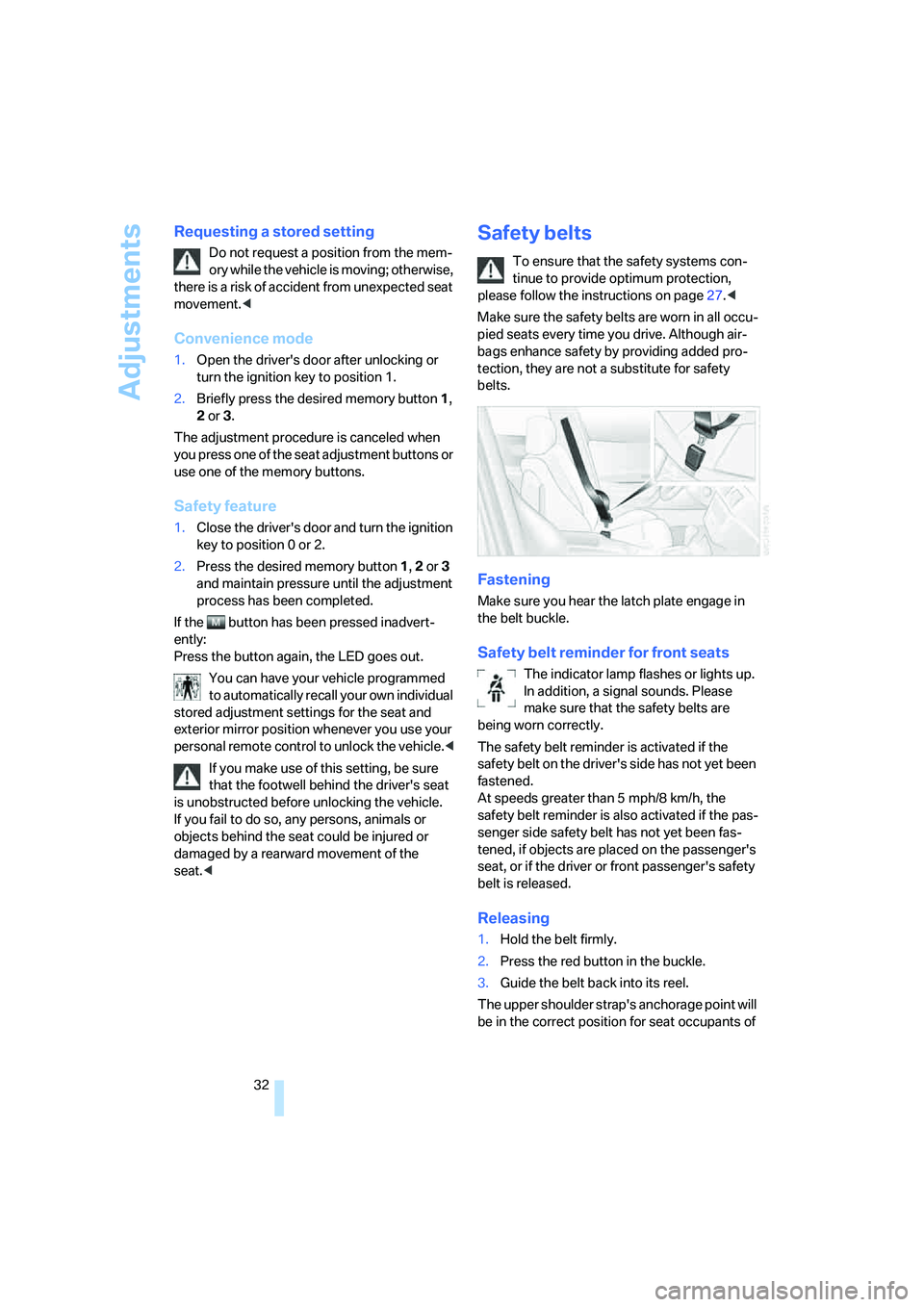
Fastening
Make sure you hear the latch plate engage in
the belt buckle.
Safety belt reminder for front seats
The indicator lamp flashes or lights up.
In addition, a signal sounds. Please
make sure that the safety belts are
being worn correctly.
The safety belt reminder is activated if the
safety belt on the driver's side has not yet been
fastened.
At speeds greater than 5 mph/8 km/h, the
safety belt reminder is also activated if the pas-
senger side safety belt has not yet been fas-
tened, if objects are placed on the passenger's
seat, or if the driver or front passenger's safety
belt is released.
Releasing
1.Hold the belt firmly.
2.Press the red button in the buckle.
3.Guide the belt back into its reel.
The upper shoulder strap's anchorage point will
be in the correct position for seat occupants of
Page 54 of 140
Technology for comfort, convenience and safety
52 jointly. These systems do not take their cus-
tomary stabilizing actions.
To increase vehicle stability, reactivate DSC as
soon as possible.
Activating DSC
Press the button again; the indicator lamp in the
instrument cluster goes out.
For monitoring purposes
When the indicator lamp flashes:
DSC is controlling the drive and braking
forces.
When the indicator lamp lights up:
DSC is deactivated.
Dynamic Traction Control DTC
DTC is a variation of DSC that is optimized for
forward momentum for particular road condi-
tions, e.g. unplowed snow-covered roads. In
this mode, the system assures maximum for-
ward momentum, but with limited driving stabil-
ity. For this reason, drive with corresponding
caution.
In the following exceptional circumstances, it
may be useful to temporarily activate DTC:
>When driving on snow-covered inclines, in
slush, or on unplowed, snow-covered roads
>When freeing a stuck vehicle or starting up
in deep snow, sand, or on a loose ground
surface
>When driving with snow chains
*
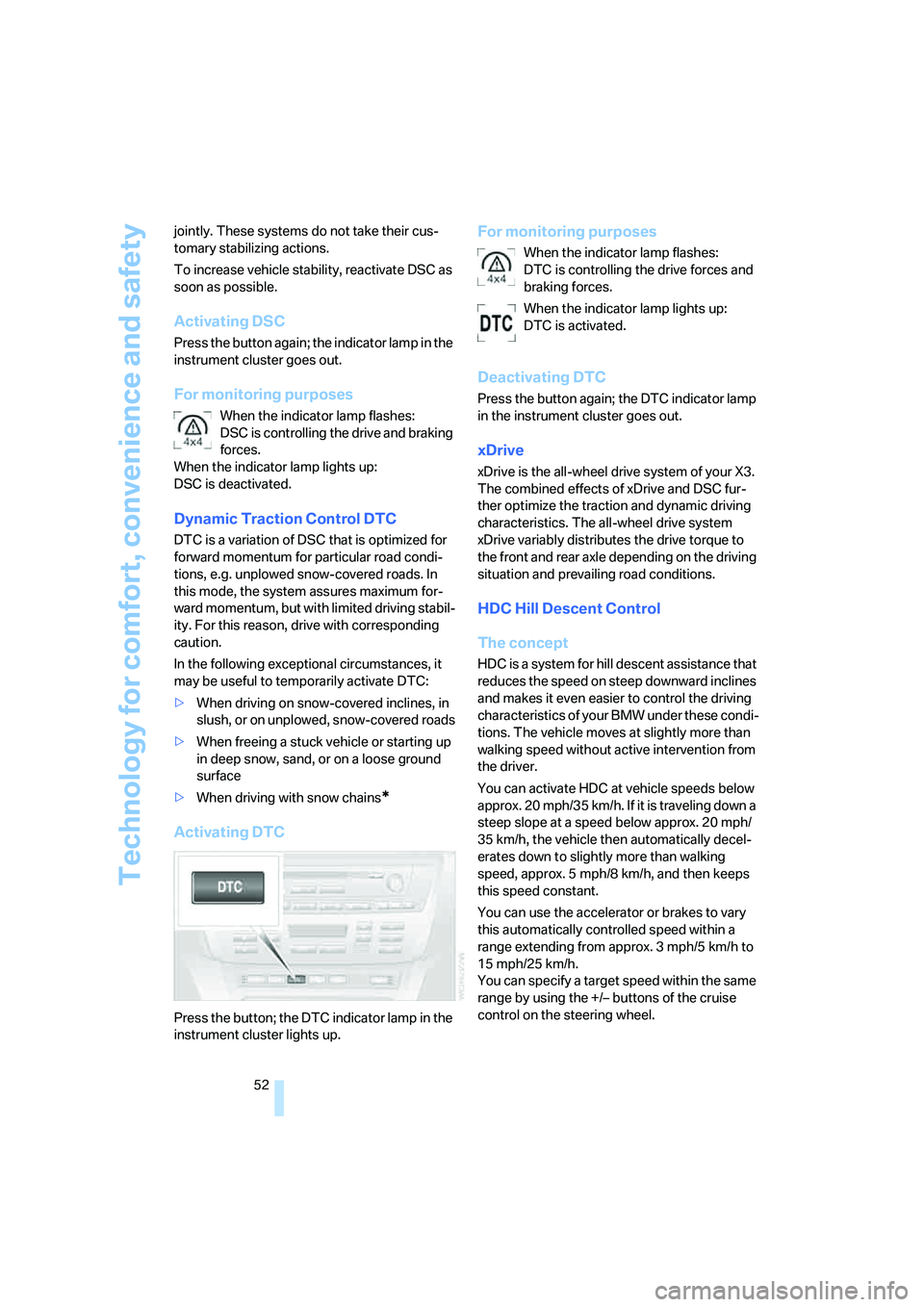
Activating DTC
Press the button; the DTC indicator lamp in the
instrument cluster lights up.
For monitoring purposes
When the indicator lamp flashes:
DTC is controlling the drive forces and
braking forces.
When the indicator lamp lights up:
DTC is activated.
Deactivating DTC
Press the button again; the DTC indicator lamp
in the instrument cluster goes out.
xDrive
xDrive is the all-wheel drive system of your X3.
The combined effects of xDrive and DSC fur-
ther optimize the traction and dynamic driving
characteristics. The all-wheel drive system
xDrive variably distributes the drive torque to
the front and rear axle depending on the driving
situation and prevailing road conditions.
HDC Hill Descent Control
The concept
HDC is a system for hill descent assistance that
reduces the speed on steep downward inclines
and makes it even easier to control the driving
characteristics of your BMW under these condi-
tions. The vehicle moves at slightly more than
walking speed without active intervention from
the driver.
You can activate HDC at vehicle speeds below
approx. 20 mph/35 km/h. If it is traveling down a
steep slope at a speed below approx. 20 mph/
35 km/h, the vehicle then automatically decel-
erates down to slightly more than walking
speed, approx. 5 mph/8 km/h, and then keeps
this speed constant.
You can use the accelerator or brakes to vary
this automatically controlled speed within a
range extending from approx. 3 mph/5 km/h to
15 mph/25 km/h.
You can specify a target speed within the same
range by using the +/– buttons of the cruise
control on the steering wheel.
Page 63 of 140
Reference
At a glance
Controls
Driving tips
Mobility
61
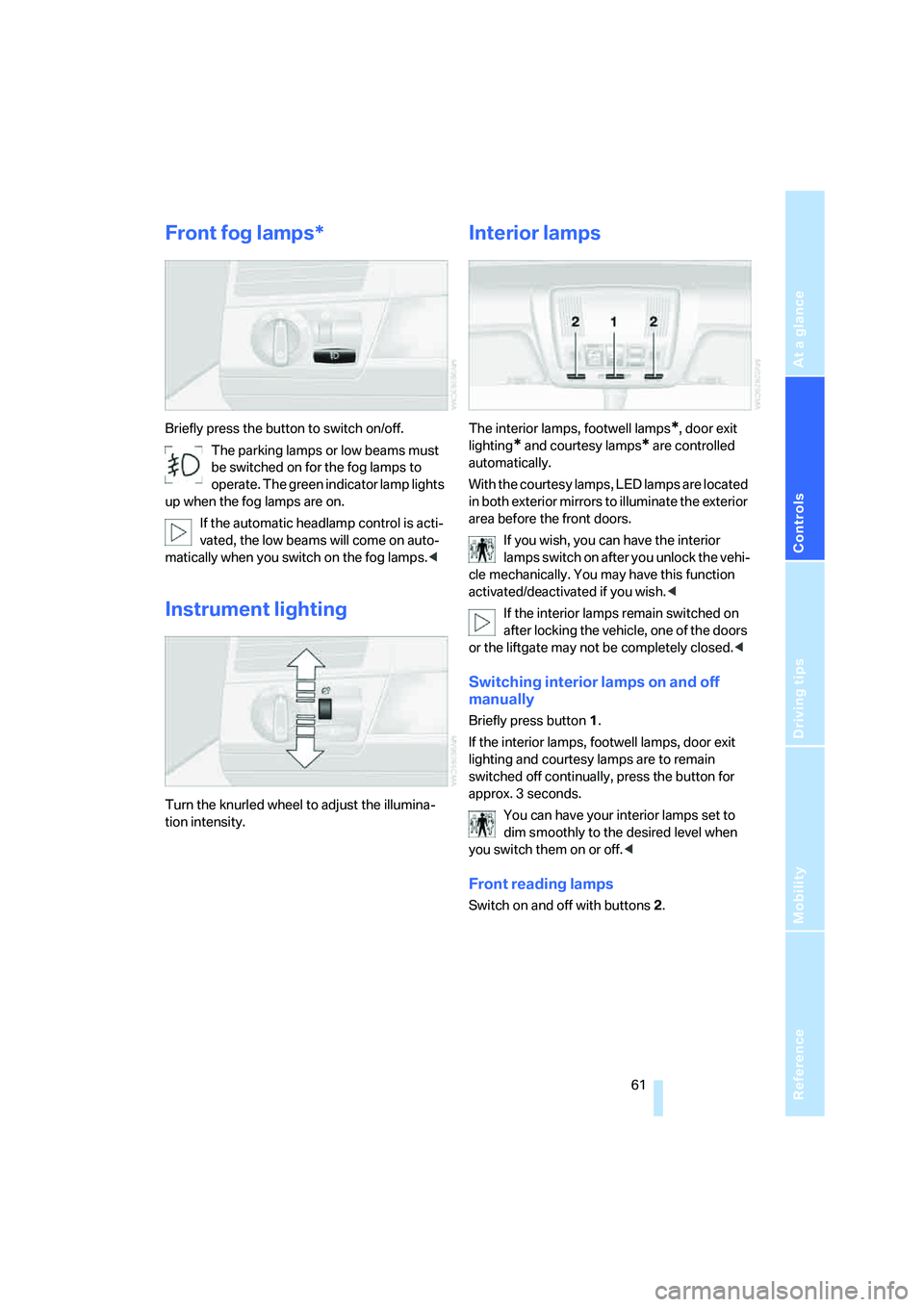
Front fog lamps*
Briefly press the button to switch on/off.
The parking lamps or low beams must
be switched on for the fog lamps to
operate. The green indicator lamp lights
up when the fog lamps are on.
If the automatic headlamp control is acti-
vated, the low beams will come on auto-
matically when you switch on the fog lamps.<
Instrument lighting
Turn the knurled wheel to adjust the illumina-
tion intensity.
Interior lamps
The interior lamps, footwell lamps*, door exit
lighting
* and courtesy lamps* are controlled
automatically.
With the courtesy lamps, LED lamps are located
in both exterior mirrors to illuminate the exterior
area before the front doors.
If you wish, you can have the interior
lamps switch on after you unlock the vehi-
cle mechanically. You may have this function
activated/deactivated if you wish.<
If the interior lamps remain switched on
after locking the vehicle, one of the doors
or the liftgate may not be completely closed.<
Switching interior lamps on and off
manually
Briefly press button 1.
If the interior lamps, footwell lamps, door exit
lighting and courtesy lamps are to remain
switched off continually, press the button for
approx. 3 seconds.
You can have your interior lamps set to
dim smoothly to the desired level when
you switch them on or off.<
Front reading lamps
Switch on and off with buttons 2.
Page 71 of 140
Reference
At a glance
Controls
Driving tips
Mobility
69
Practical interior accessories
Integrated universal remote
control*
The concept
The integrated universal remote control can
replace as many as three hand-held transmit-
ters for various radio-controlled accessories,
such as garages, exterior gates, or lighting sys-
tems. The integrated universal remote control
recognizes and learns the transmitted signal of
each of the original hand-held transmitters.
The signal of an original hand-held transmitter
can be programmed on one of the three mem-
ory buttons1. Then, the programmed memory
button1 can operate the device whenever the
ignition is switched on. The LED2 indicates
transmission of the signal.
Should you sell your vehicle one day, be sure to
delete the stored programs beforehand for your
security, refer to page70.
To prevent possible damage or injury,
before programming or using the inte-
grated universal remote control, always inspect
the immediate area to make certain that no peo-
ple, animals or objects are within the travel
range of the device. Also, comply with the
safety precautions of the original hand-held
transmitter.<
Checking compatibility
If you see this symbol on the packaging
or in the manual supplied with the origi-
nal hand-held transmitter, then it is safe
to assume that the radio-controlled device is
compatible with the integrated universal
remote control.
If you have additional questions, please
ask at your BMW Sports Activity Vehicle
Center or call: 1-800-355-3515.
You can find also information on the Internet at:
www.bmwusa.com or
www.homelink.com. HomeLink is a registered trademark of
Johnson Controls, Inc.<
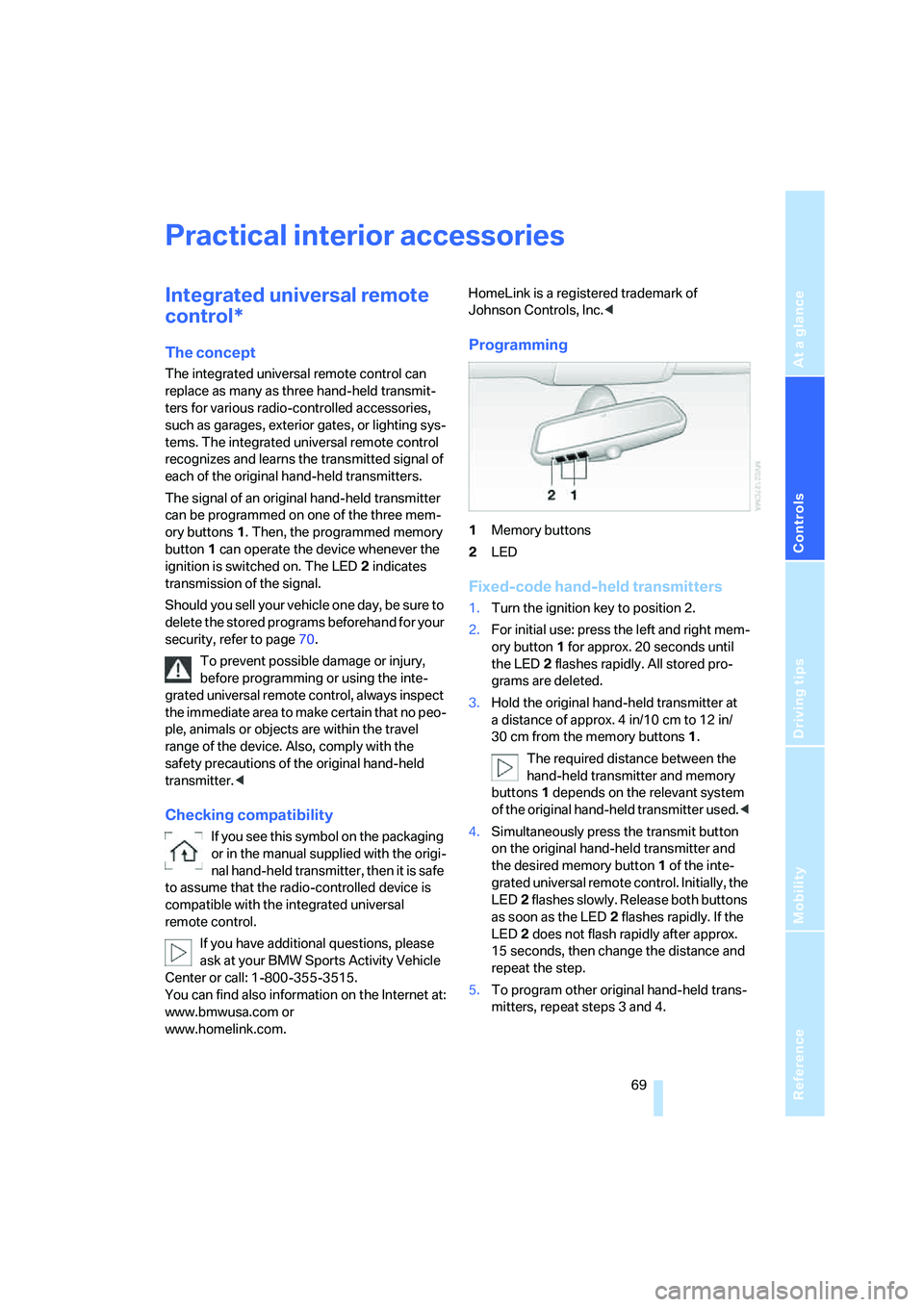
Programming
1Memory buttons
2LED
Fixed-code hand-held transmitters
1.Turn the ignition key to position 2.
2.For initial use: press the left and right mem-
ory button1 for approx. 20 seconds until
the LED2 flashes rapidly. All stored pro-
grams are deleted.
3.Hold the original hand-held transmitter at
a distance of approx. 4 in/10 cm to 12 in/
30 cm from the memory buttons1.
The required distance between the
hand-held transmitter and memory
buttons1 depends on the relevant system
of the original hand-held transmitter used.<
4.Simultaneously press the transmit button
on the original hand-held transmitter and
the desired memory button 1 of the inte-
grated universal remote control. Initially, the
LED2 flashes slowly. Release both buttons
as soon as the LED2 flashes rapidly. If the
LED2 does not flash rapidly after approx.
15 seconds, then change the distance and
repeat the step.
5.To program other original hand-held trans-
mitters, repeat steps 3 and 4.
Page 72 of 140
Practical interior accessories
70 The corresponding memory button1 is now
programmed with the signal of the original
hand-held transmitter.
You can use the system when the engine is run-
ning or when the ignition is switched on.
If the system cannot be operated after
repeated programming, check whether
the original hand-held transmitter uses an alter-
nating-code system. To do so, either read the
instructions of the original hand-held transmit-
ter or press and hold down the programmed
memory button1 of the integrated universal
remote control. If the LED2 on the integrated
universal remote control flashes rapidly for a
short time then lights up for approx. 2 seconds,
this indicates that the original hand-held trans-
mitter uses an alternating-code system. In the
case of an alternating-code system, program
the memory buttons1 as described in the sec-
tion below on alternating-code hand-held
transmitters.<
Alternating-code hand-held
transmitters
Consult the operating instructions of the unit
you wish to set when programming the univer-
sal remote control. You will find information
there on the possibilities for synchronization.
When programming hand-held transmitters
that employ an alternating code, please follow
these additional instructions:
Programming will be easier with the aid of
a second person.<
1.Park your vehicle within the range of the
remote-controlled equipment.
2.Program the integrated universal remote
control as described above in the section on
Fixed-code hand-held transmitters.
3.Locate the button on the receiver of the
equipment to be set, e.g. on its drive unit.
4.Press the button on the receiver of the
device you want to set up. After step 4, you
have approx. 30 seconds for step 5.
5.Press the programmed memory button1
of the integrated universal remote control
three times.The corresponding memory button1 is now
programmed with the signal of the original
hand-held transmitter.
If you have questions, please contact your
BMW Sports Activity Vehicle Center.<
Deleting stored programs
Press the left and right memory button1 for
approx. 20 seconds until the LED2 flashes rap-
idly:
All stored programs are deleted.
Reassigning individual programs
1.Hold the original hand-held transmitter at a
distance of approx. 4 in/10 cm to 12 in/
30 cm from the memory buttons1.
The required distance between the
hand-held transmitter and memory
buttons1 depends on the relevant system
of the original hand-held transmitter used.<
2.Press the desired memory button1 of the
integrated universal remote control.
3.When the LED 2 flashes slowly after approx.
20 seconds, press the transmit button of
the original hand-held transmitter. Release
both buttons as soon as the LED2 flashes
rapidly. If the LED2 does not flash rapidly
after approx. 15 seconds, then change the
distance and repeat the step.
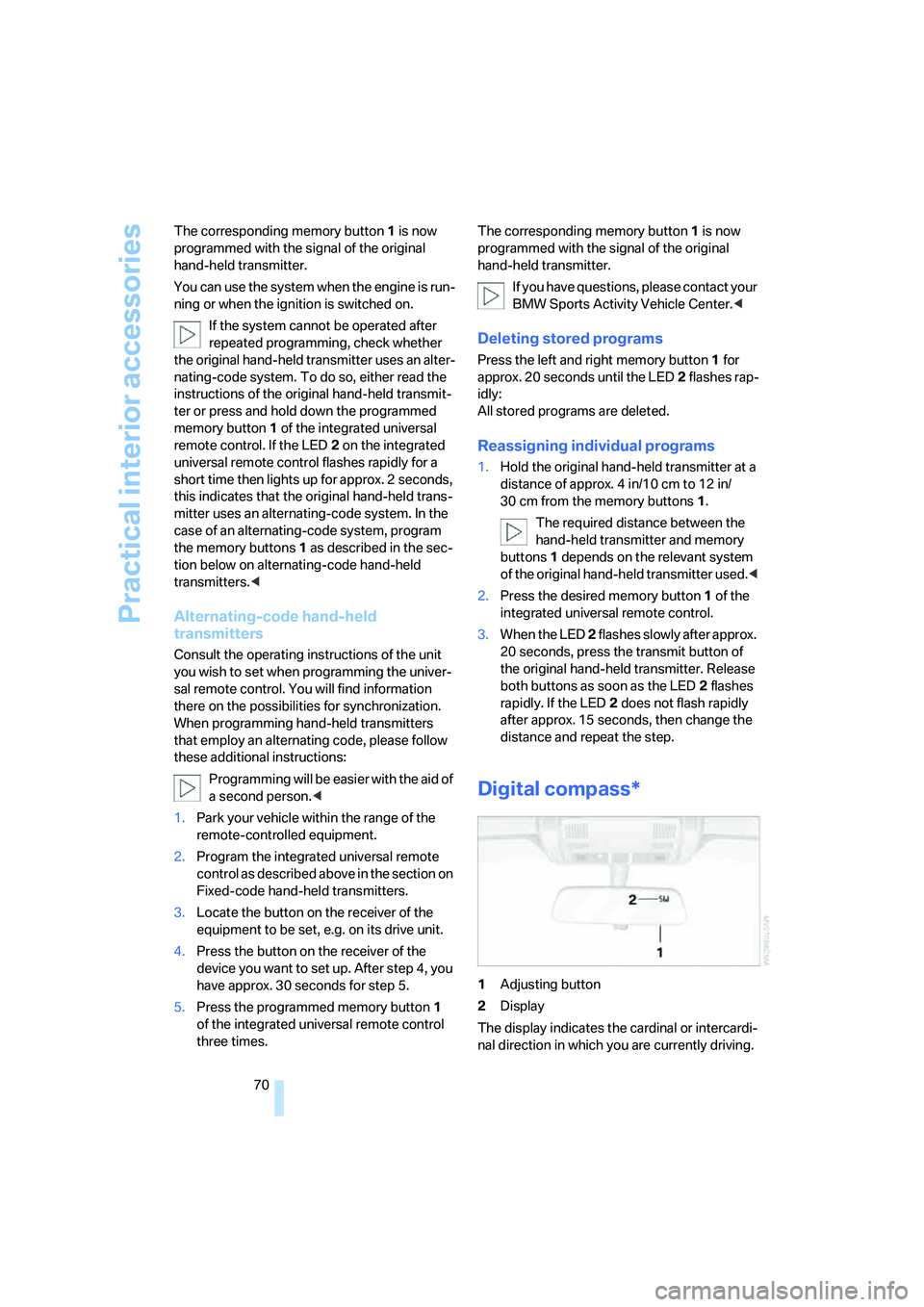
Digital compass*
1Adjusting button
2Display
The display indicates the cardinal or intercardi-
nal direction in which you are currently driving.
Page 79 of 140
Reference
At a glance
Controls
Driving tips
Mobility
77
Reach into the opening and pull forward, refer
to arrow.
Before folding down the rear backrests,
remove the cover caps for the LATCH
child restraint fixing system. Otherwise, impres-
sions can be left in the seat cushion.<
When you fold the backrest upright again,
be sure that the catch engages securely.
This causes the red warning field in the recess
to disappear. Otherwise, cargo can be thrown
into the passenger compartment during brak-
ing or evasive maneuvers, thus endangering the
passengers.<
To ensure that the safety belts continue
to provide optimum protection, please
follow the instructions on page27.<
Ski bag*
To create a flat cargo surface, you can remove
the ski bag and replace it with a tray before fold-
ing the rear backrest forward. The tray is
inserted in the same way as inserting the ski
bag, refer to Inserting ski bag on page76.
Cargo area cover
Pull the cargo area cover out by the handle and
hook it into the rear holders.You can carry light objects such as articles of
clothing on the cargo area cover.
Never place heavy, hard objects on the
cover. If you do so, they could endanger
passengers during braking or evasive maneu-
vers.
Do not allow the cover to snap back into place;
this can damage it.<
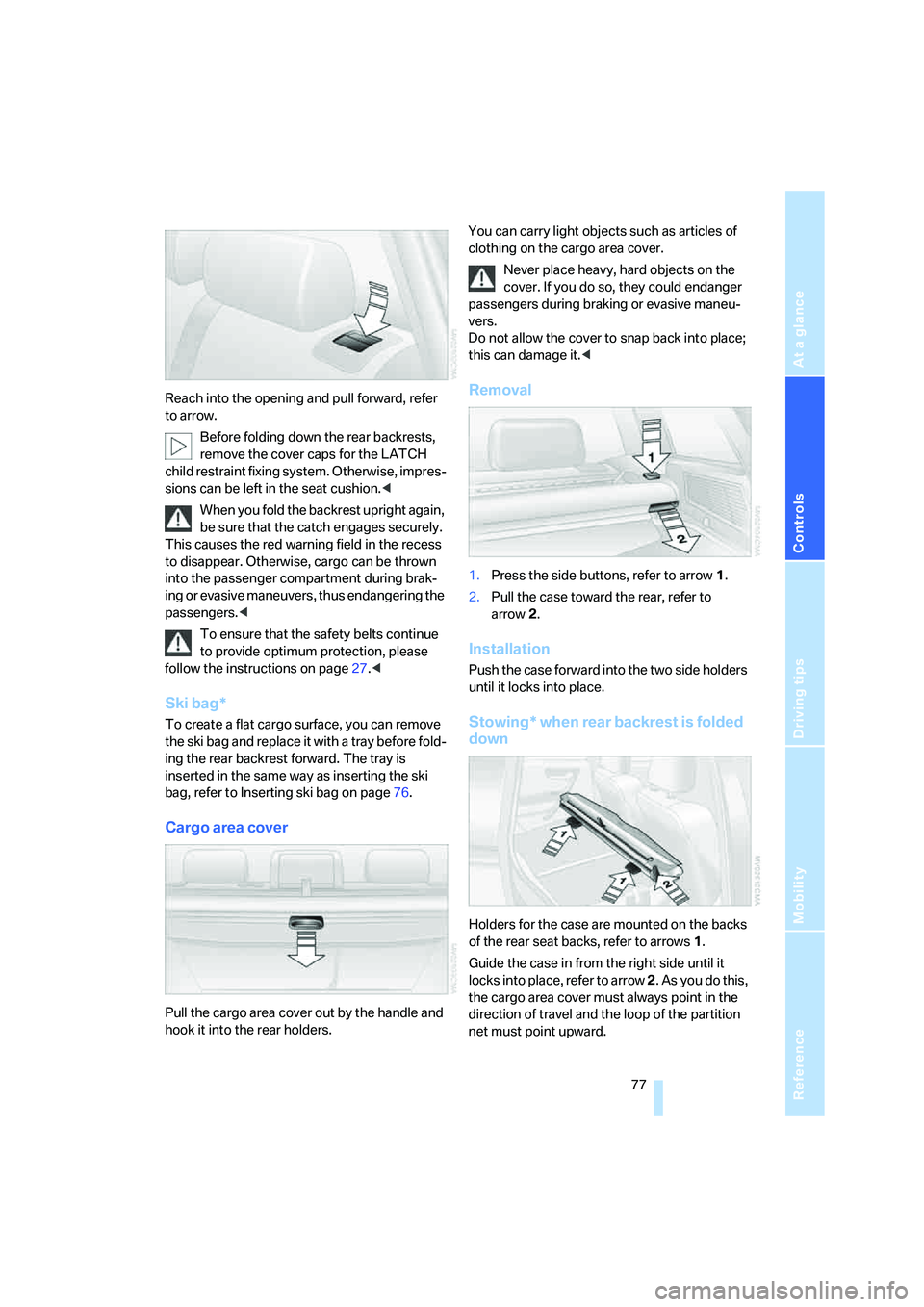
Removal
1.Press the side buttons, refer to arrow1.
2.Pull the case toward the rear, refer to
arrow2.
Installation
Push the case forward into the two side holders
until it locks into place.
Stowing* when rear backrest is folded
down
Holders for the case are mounted on the backs
of the rear seat backs, refer to arrows1.
Guide the case in from the right side until it
locks into place, refer to arrow 2. As you do this,
the cargo area cover must always point in the
direction of travel and the loop of the partition
net must point upward.