set date BMW X5 2010 E70 User Guide
[x] Cancel search | Manufacturer: BMW, Model Year: 2010, Model line: X5, Model: BMW X5 2010 E70Pages: 300, PDF Size: 12.41 MB
Page 167 of 300
Navigation
Entertainment
Driving tips
165Reference
At a glance
Controls
Communications
Mobility
Displaying additional information
Some stations broadcast additional information
on the current track, such as the name of the
artist.
1.Select the desired station.
2.Open "Options".
3."Station info"
Selecting a substation
1.Select the desired station.
2.Press the controller.
3.Select the substation.
Stored stations
It is possible to store up to 40 stations.
Selecting a station
1."Radio"
2."Presets"
3.Call up the desired station.
Storing a station
The station currently selected is stored.
1."Radio"
2."Presets"
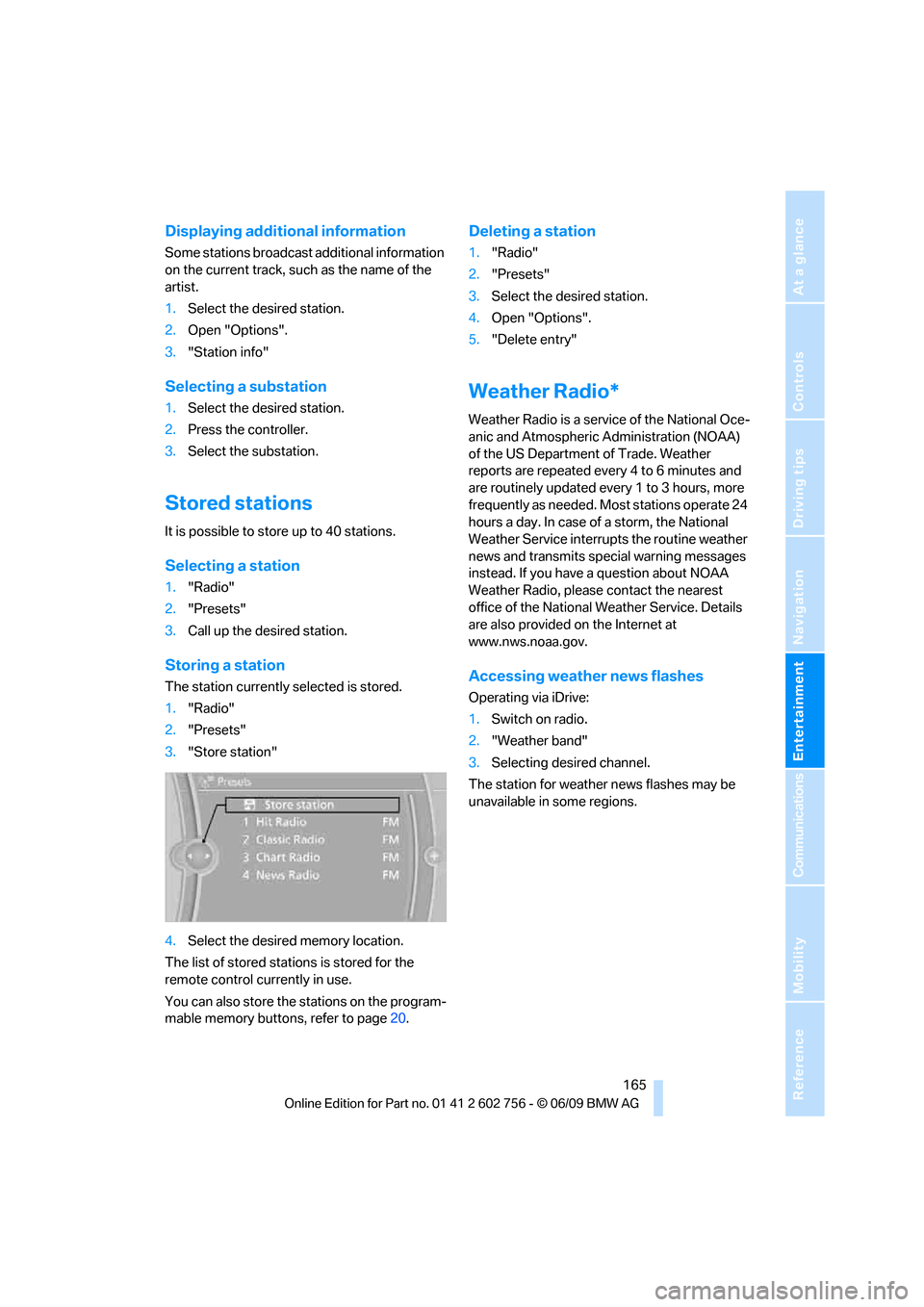
3."Store station"
4.Select the desired memory location.
The list of stored stations is stored for the
remote control currently in use.
You can also store the stations on the program-
mable memory buttons, refer to page20.
Deleting a station
1."Radio"
2."Presets"
3.Select the desired station.
4.Open "Options".
5."Delete entry"
Weather Radio*
Weather Radio is a service of the National Oce-
anic and Atmospheric Administration (NOAA)
of the US Department of Trade. Weather
reports are repeated every 4 to 6 minutes and
are routinely updated every 1 to 3 hours, more
frequently as needed. Most stations operate 24
hours a day. In case of a storm, the National
Weather Service interrupts the routine weather
news and transmits special warning messages
instead. If you have a question about NOAA
Weather Radio, please contact the nearest
office of the National Weather Service. Details
are also provided on the Internet at
www.nws.noaa.gov.
Accessing weather news flashes
Operating via iDrive:
1.Switch on radio.
2."Weather band"
3.Selecting desired channel.
The station for weather news flashes may be
unavailable in some regions.
ba8_e70ag.book Seite 165 Freitag, 5. Juni 2009 11:42 11
Page 177 of 300
Navigation
Entertainment
Driving tips
175Reference
At a glance
Controls
Communications
Mobility
4."Brightness", "Contrast" or "Color"
5.Turn the controller until the desired setting
is displayed and then press the controller.
Zoom
Display the video image on the full screen.
1.Turn the controller during playback.
2.Open "Options".
3."Additional options"
4."Zoom mode"
Selecting title
DVD video:
1.Turn the controller during playback.
2.Open "Options".
3."Additional options"
4."Select title"
5.Select the desired track.
VCD/SVCD:
1. "Select track"
2.Select the desired track.
Camera angle*
The camera angle depends on the DVD.1.Turn the controller during playback.
2.Open "Options".
3."Additional options"
4."Viewing angle"
5.Select the desired camera angle.
Opening the main menu, back
These functions are not contained on every
DVD. Therefore, they may not be available for
use.
CD/DVD changer*
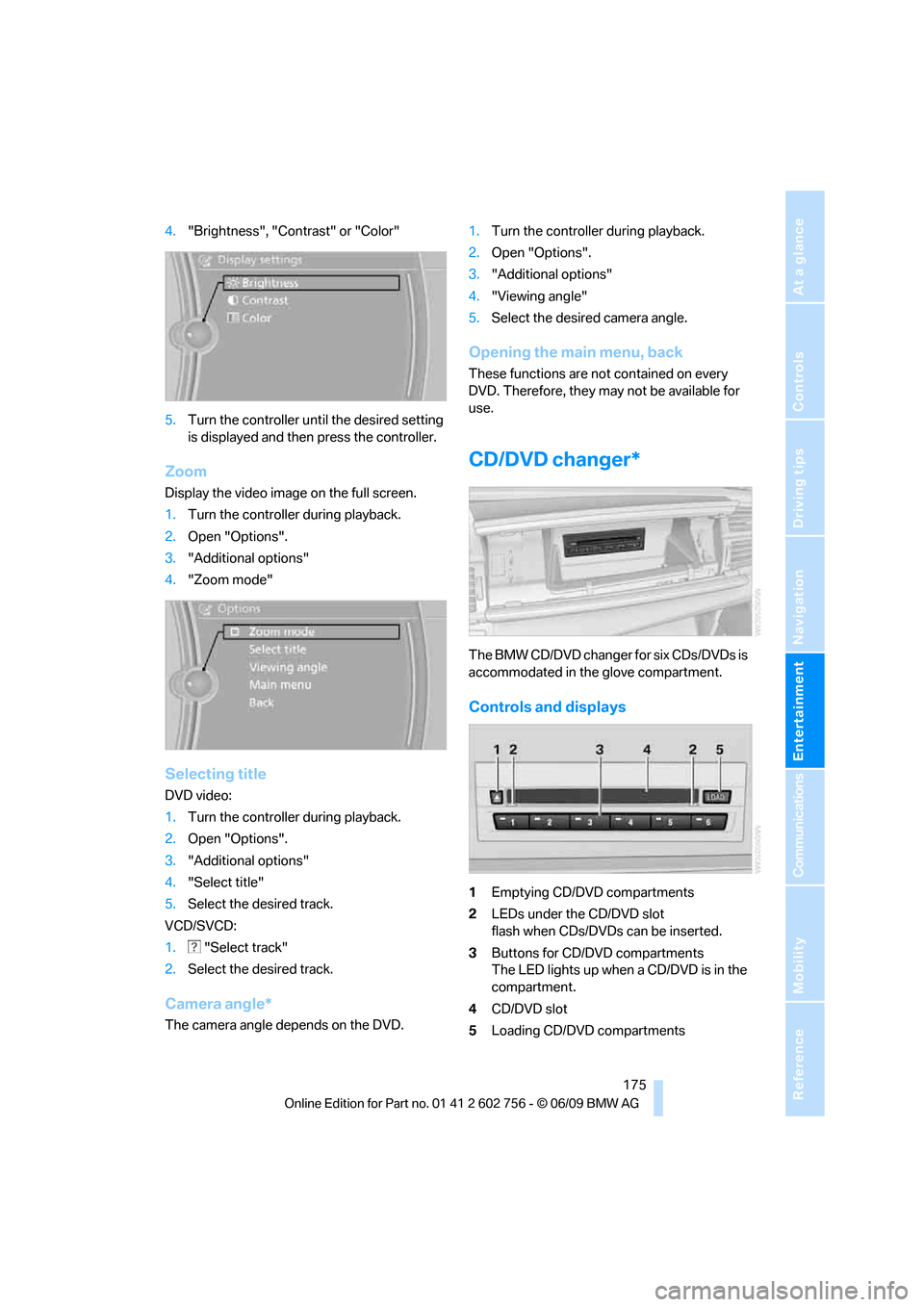
The BMW CD/DVD changer for six CDs/DVDs is
accommodated in the glove compartment.
Controls and displays
1Emptying CD/DVD compartments
2LEDs under the CD/DVD slot
flash when CDs/DVDs can be inserted.
3Buttons for CD/DVD compartments
The LED lights up when a CD/DVD is in the
compartment.
4CD/DVD slot
5Loading CD/DVD compartments
ba8_e70ag.book Seite 175 Freitag, 5. Juni 2009 11:42 11
Page 219 of 300
217
Entertainment
Reference
At a glance
Controls
Driving tips Communications
Navigation
Mobility
Vehicle equipped with BMW Assist or
TeleServices
1."BMW Assist"
2."Roadside Assistance"
3."Start service"
Teleservice Diagnosis*
Teleservice Diagnosis enables the wireless
transmission of detailed vehicle data that are
important for vehicle diagnosis. Teleservice
Diagnosis can be started after a prompt by
Roadside Assistance and termination of the
voice connection.
Teleservice Help*
Teleservice Help enables an in-depth diagnosis
of the vehicle by Roadside Assistance via wire-
less transmission. Teleservice Help can be
started after a prompt by Roadside Assistance
and termination of the voice connection.
Starting Teleservice Help
1.Park the vehicle in a safe place.
2.Set the parking brake.
3.The engine is running.
4."TeleService Help"
After completion of Teleservice Help, a voice
connection is established to Roadside Assis-
tance.
Activating BMW Assist*
If the services included in a valid BMW Assist
subscription are not displayed, they may need
to be activated.1.Make sure that the vehicle can determine its
current position. Reception is usually best
when you have an unobstructed view to the
sky.
2.Switch on the ignition.
3."Activate BMW Assist"
Activation may take several minutes. If another
menu is opened, activation continues running in
the background.
BMW Search*
BMW Search is an Internet portal that makes
available a number of services for use in the
vehicle, e.g. information on restaurants on your
route, your own address book or an e-mail
account.
BMW Search is always displayed across the full
screen.
Requirements
>Subscription to the optional Convenience
Plan.
>The vehicle is located within wireless net-
work coverage.
>The date setting on the Control Display is
current.
Starting BMW Search
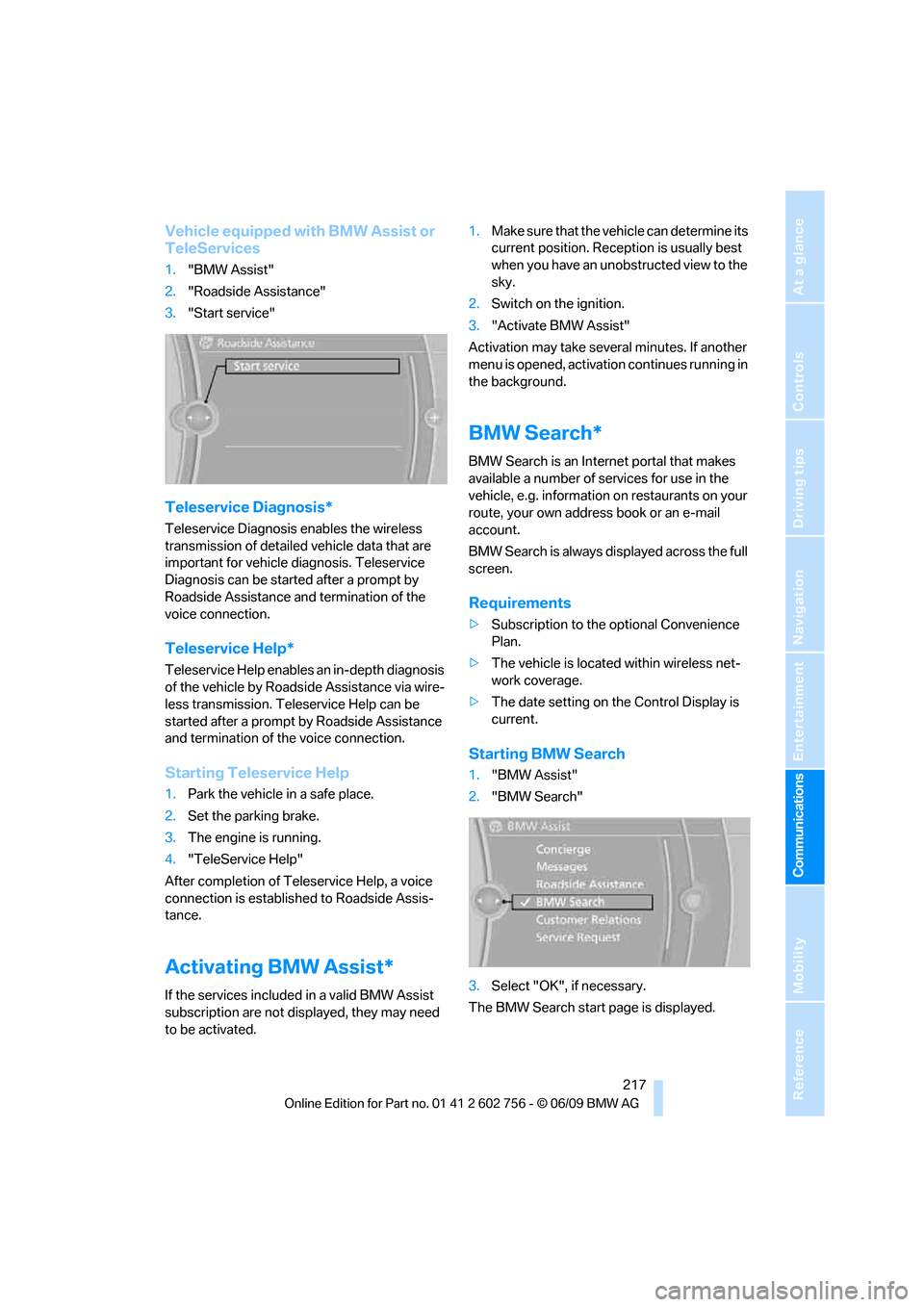
1."BMW Assist"
2."BMW Search"
3.Select "OK", if necessary.
The BMW Search start page is displayed.
ba8_e70ag.book Seite 217 Freitag, 5. Juni 2009 11:42 11
Page 246 of 300
Maintenance
244
Maintenance
BMW maintenance system
The BMW maintenance system supports the
preservation of the traffic and operating safety
of your BMW. The service schedule also
includes operations related to the vehicle's
comfort and convenience features, such as
replacement of the filters for the inside air.
The ultimate objective is to ensure economical
maintenance by providing the ideal service for
your vehicle.
Should the day come when you decide to sell
your BMW, a complete dealer service history
will prove to be an asset of inestimable value.
CBS Condition Based Service
Sensors and special algorithms take the differ-
ent driving conditions of your BMW into
account. Condition Based Service uses this to
determine the current and future service
requirements. By letting you define a service
and maintenance regimen that reflects your
own individual requirements, the system builds
the basis for trouble-free driving.
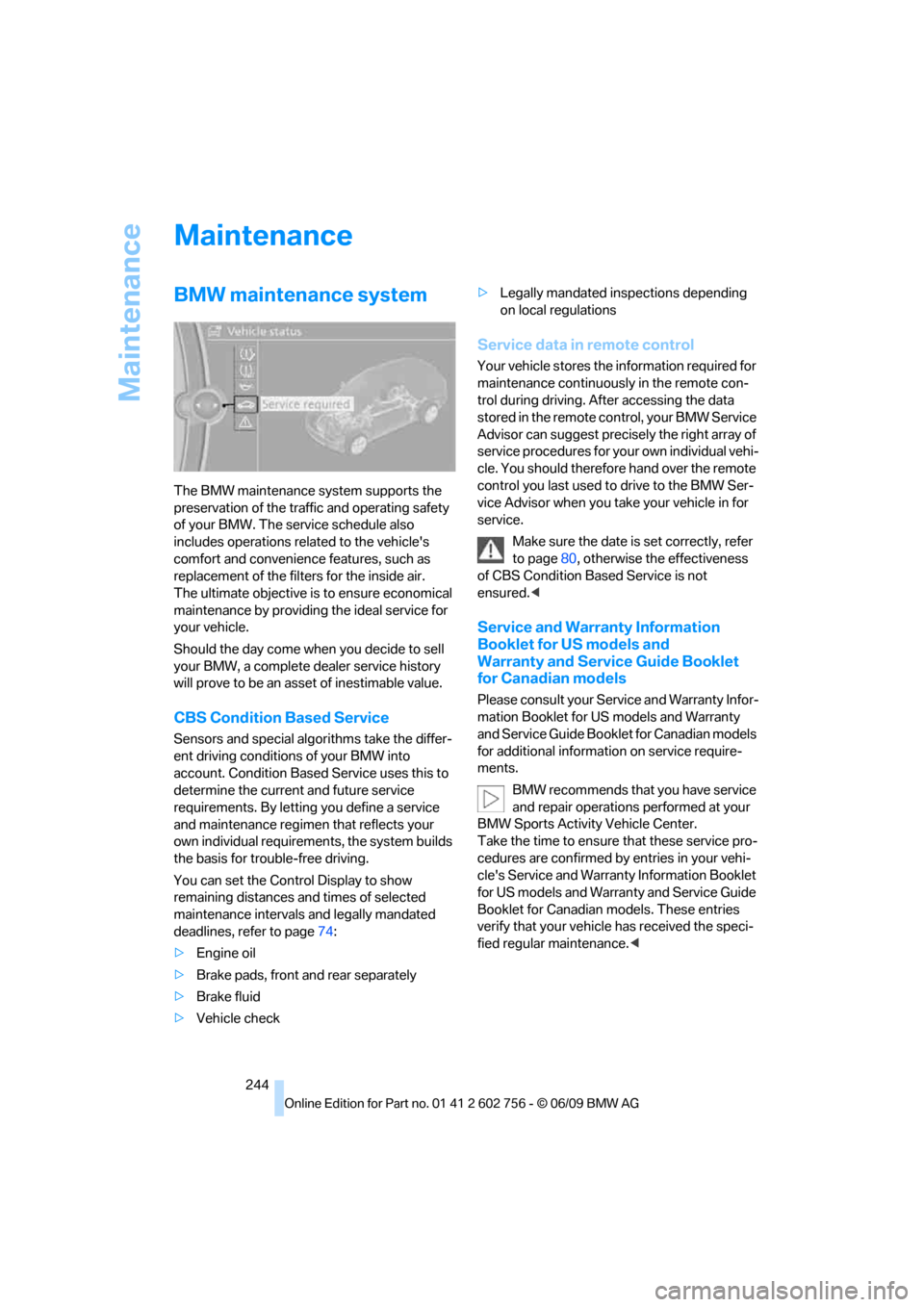
You can set the Control Display to show
remaining distances and times of selected
maintenance intervals and legally mandated
deadlines, refer to page74:
>Engine oil
>Brake pads, front and rear separately
>Brake fluid
>Vehicle check>Legally mandated inspections depending
on local regulations
Service data in remote control
Your vehicle stores the information required for
maintenance continuously in the remote con-
trol during driving. After accessing the data
stored in the remote control, your BMW Service
Advisor can suggest precisely the right array of
service procedures for your own individual vehi-
cle. You should therefore hand over the remote
control you last used to drive to the BMW Ser-
vice Advisor when you take your vehicle in for
service.
Make sure the date is set correctly, refer
to page80, otherwise the effectiveness
of CBS Condition Based Service is not
ensured.<
Service and Warranty Information
Booklet for US models and
Warranty and Service Guide Booklet
for Canadian models
Please consult your Service and Warranty Infor-
mation Booklet for US models and Warranty
and Service Guide Booklet for Canadian models
for additional information on service require-
ments.
BMW recommends that you have service
and repair operations performed at your
BMW Sports Activity Vehicle Center.
Take the time to ensure that these service pro-
cedures are confirmed by entries in your vehi-
cle's Service and Warranty Information Booklet
for US models and Warranty and Service Guide
Booklet for Canadian models. These entries
verify that your vehicle has received the speci-
fied regular maintenance.<
ba8_e70ag.book Seite 244 Freitag, 5. Juni 2009 11:42 11
Page 261 of 300
Mobility
259Reference
At a glance
Controls
Driving tips
Communications
Navigation
Entertainment
Vehicle Center or bring them to a collection
point. Maintain the battery in an upright position
for transport and storage. Always restrain the
battery to prevent it from tipping over during
transport.<
Power failure
Following a temporary power failure, e.g. due to
a discharged battery, the use of some equip-
ment will be restricted, requiring its reinitializa-
tion. In the same way, individual settings are lost
and must be updated again:
>Seat, mirror and steering wheel memory
The positions must be stored again, refer to
page45.
>Time and Date
The values must be updated again, refer to
pages79, 80.
>Radio
Radio stations must be stored again, refer
to page164.
>Navigation system
You must wait until the system becomes
functional again, refer to page157.
>Glass sunroof/panorama glass sunroof
It may only be possible to raise the glass
sunroof/panorama glass sunroof The sys-
tem must be initialized, refer to page42.
>Digital compass
The system must be calibrated, refer to
page118.
>Active steering
The system automatically initializes for a
short time as you drive. During this time, the
system is deactivated, refer to page97.
>xDrive
The system automatically initializes as you
drive. During this time, indicator lamps light
up. If the lamps do not disappear during the
current trip, have the system checked.
Before removing the vehicle from stor-
age, consult your BMW Sports Activity
Vehicle Center.<
Fuses
Never attempt to repair a blown fuse and
do not replace a defective fuse with a sub-
stitute of another color or amperage rating, as
this could lead to a circuit overload, ultimately
resulting in a fire in the vehicle.<
A pair of plastic tweezers and instructions for
fuse allocation is stored with the fuses in the
cargo bay.
Spare fuses can be obtained from your BMW
Sports Activity Vehicle.
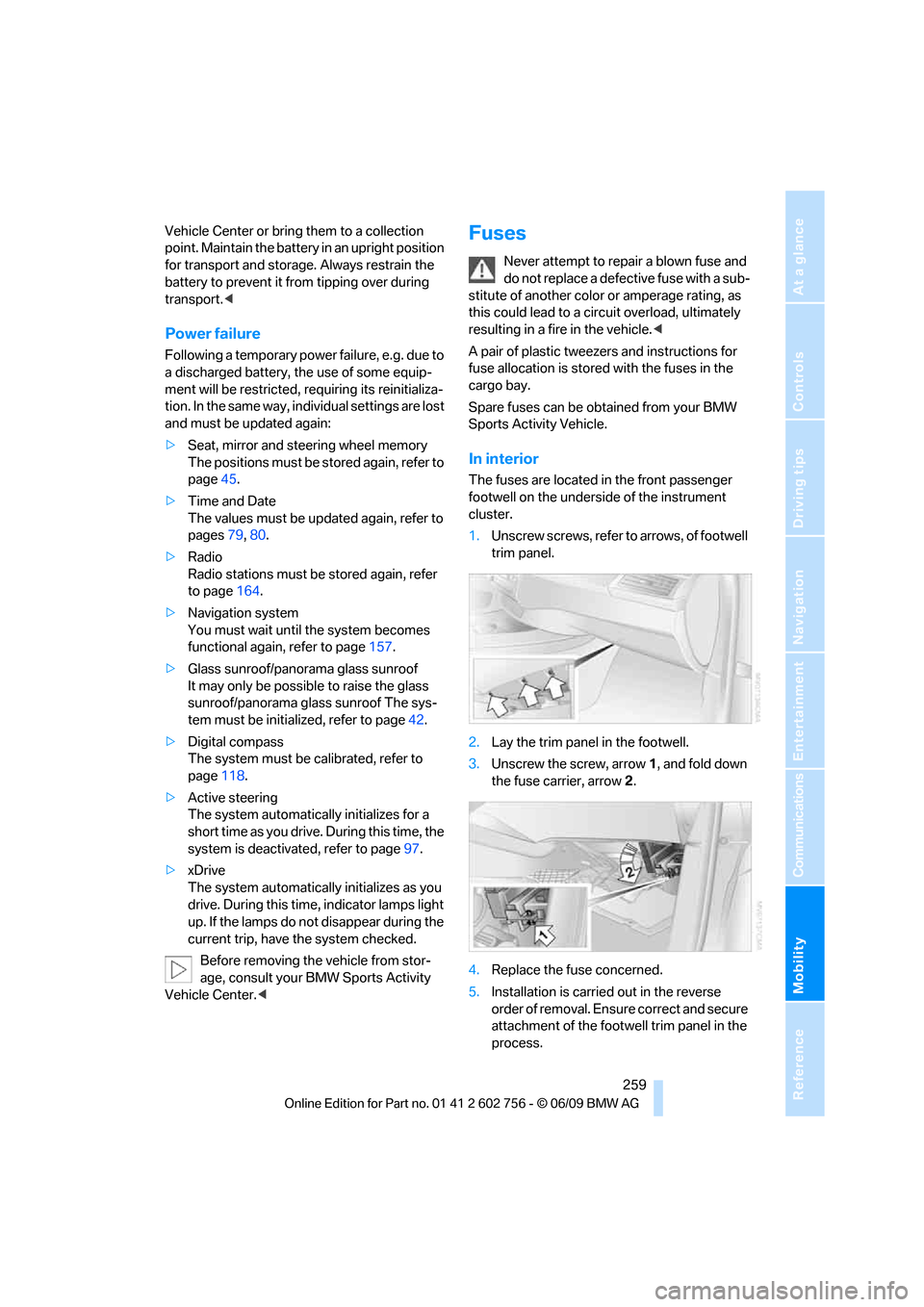
In interior
The fuses are located in the front passenger
footwell on the underside of the instrument
cluster.
1.Unscrew screws, refer to arrows, of footwell
trim panel.
2.Lay the trim panel in the footwell.
3.Unscrew the screw, arrow1, and fold down
the fuse carrier, arrow2.
4.Replace the fuse concerned.
5.Installation is carried out in the reverse
order of removal. Ensure correct and secure
attachment of the footwell trim panel in the
process.
ba8_e70ag.book Seite 259 Freitag, 5. Juni 2009 11:42 11
Page 279 of 300
Reference 277
At a glance
Controls
Driving tips
Communications
Navigation
Entertainment
Mobility
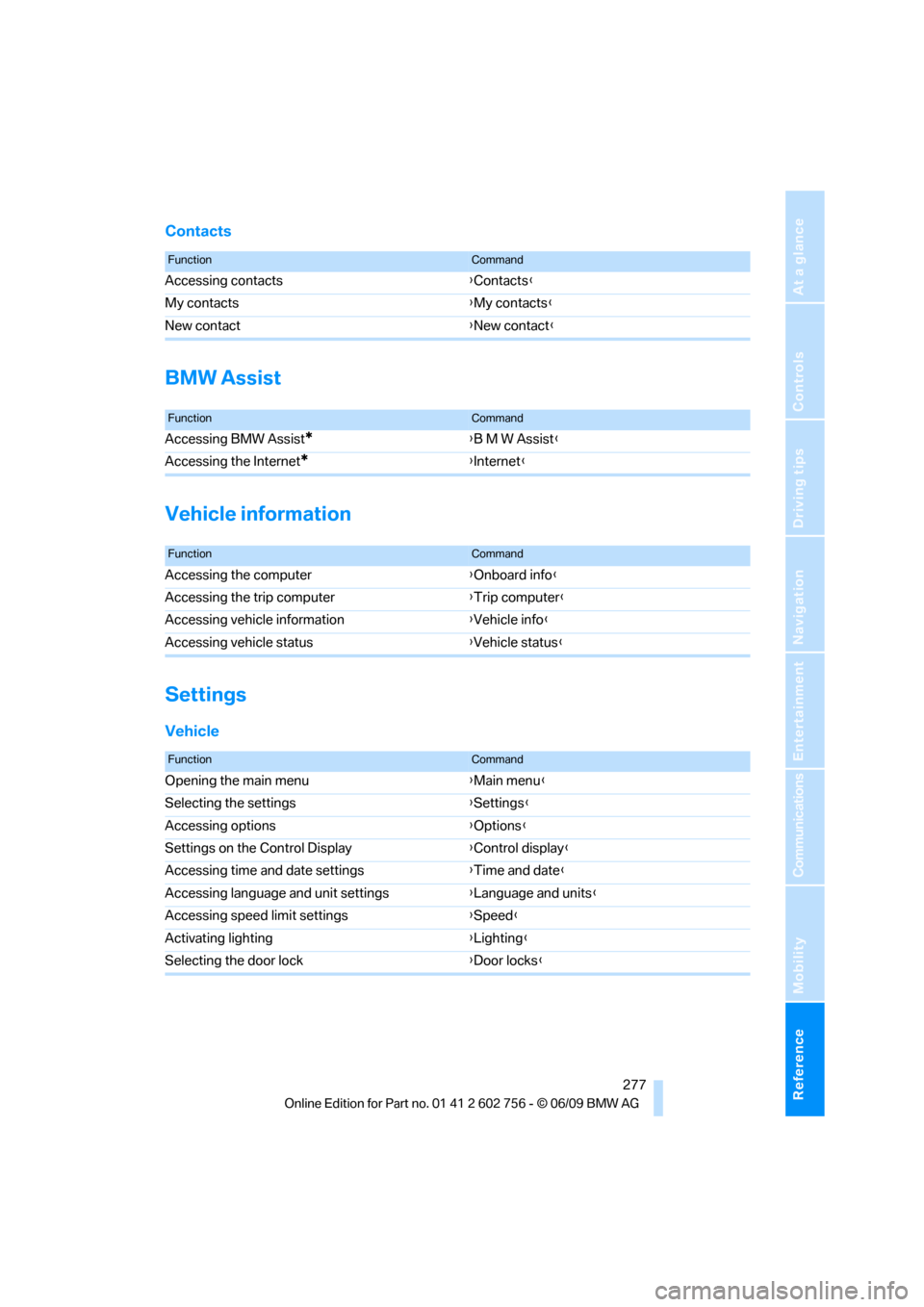
Contacts
BMW Assist
Vehicle information
Settings
Vehicle
FunctionCommand
Accessing contacts{Contacts}
My contacts{My contacts}
New contact{New contact}
FunctionCommand
Accessing BMW Assist*{B M W Assist}
Accessing the Internet
*{Internet}
FunctionCommand
Accessing the computer{Onboard info}
Accessing the trip computer{Trip computer}
Accessing vehicle information{Vehicle info}
Accessing vehicle status{Vehicle status}
FunctionCommand
Opening the main menu{Main menu}
Selecting the settings{Settings}
Accessing options{Options}
Settings on the Control Display{Control display}
Accessing time and date settings{Time and date}
Accessing language and unit settings{Language and units}
Accessing speed limit settings{Speed}
Activating lighting{Lighting}
Selecting the door lock{Door locks}
ba8_e70ag.book Seite 277 Freitag, 5. Juni 2009 11:42 11
Page 284 of 300
Everything from A to Z
282 Children, transporting55
Child restraint devices55
Child restraint fixing system
LATCH56
Child-safety locks58
Child seats55
Chime, refer to Check
Control77
Cigarette lighter, refer to
Lighter121
Cleaning your BMW, refer to
Care246
Clock71
– 12h/24h mode80
– setting time79
Closing
– from inside30
– using remote control27
Closing fuel filler cap224
Clothes hooks119
Cockpit10
Cold start, refer to Starting
engine60
Comfort access35
– observe in car wash37
– replacing battery37
Comfort area, refer to Around
the center console14
Comfort start, refer to Starting
engine60
Compact wheel
– inflation pressure231
– wheel change256
Compartment for remote
control, refer to Ignition
lock59
Compartments, refer to
Storage compartments119
Compass, digital116
Computer73
– displays in instrument
panel73
– displays on Control
Display74
Concierge service216
Condition Based Service
CBS244Connecting car vacuum
cleaner, refer to Connecting
electrical devices121
Connecting headphones188
Consumption, refer to
Average fuel
consumption73
Consumption indicator,
energy control72
Consumption statistics, refer
to Average fuel
consumption73
Contacts, creating213
Control Center, refer to
iDrive
16
Control Display, refer to
iDrive16
– setting brightness80
– switching on/off19
Controller, refer to iDrive16
Controls, refer to Cockpit10
Controls DVD system in
rear187
Convenience operation
– glass sunroof28,29
– glass sunroof with comfort
access36
– windows28,29
– windows with comfort
access36
– with comfort access36
Coolant243
– checking level243
– temperature72
Cooling, maximum110
Cornering Brake Control
CBC88
Country codes DVD173
Country information from
BMW Online157
Courtesy lamps, refer to
Interior lamps106
Cradle for telephone or mobile
phone119
Criteria for route150
Cruise control69
Cruising range73
Cup holders119Current playback
– external devices185
– of music collection180
Customer Relations218
Cylinders, refer to Engine
data268
D
Data268
– capacities272
– dimensions269
– engine268
– technical data268
– weights271
Data transfer220
Date71
– display format80
– retrieving71
– setting80
Daytime driving lamps103
Defrosting windows109
Defrosting windows and
removing condensation109
Defrost position, refer to
Defrosting windows109
Deleting a trip149
Deleting special
destinations146
Destination, entering by town/
city name141
Destination address,
entering141,147
Destination entry using BMW
Assist145
Destination for navigation
– entering141
– entering by voice147
– entering via map146
Destination guidance150
– bypassing a route
section151
– changing specified
route150
– continuing150
– starting150
– voice instructions152
– volume of voice
instructions152
ba8_e70ag.book Seite 282 Freitag, 5. Juni 2009 11:42 11
Page 287 of 300
Reference 285
At a glance
Controls
Driving tips
Communications
Navigation
Entertainment
Mobility
Fuel consumption display,
computer, average fuel
consumption73
Fuel display, refer to Fuel
gauge73
Fuel filler door224
– closing224
– opening224
– releasing manually224
Fuses259
G
Garage door opener, refer to
Integrated universal remote
control115
Gasoline, refer to Required
fuel225
Gasoline display, refer to Fuel
gauge73
Gearshifts, automatic
transmission with
Steptronic65
General driving
notes130,131
Glass sunroof
– convenience operation from
outside29
– convenience operation with
comfort access36
– remote control28
Glass sunroof, electric40
– moving manually42
– opening, closing41
– power interruption42
– raising41
Glove compartment118
– lighting118
GPS navigation, refer to
Navigation system140
Grills, refer to Ventilation111
Grills of the automatic climate
control107
Gross vehicle weight, refer to
Weights271
Guided Tours149
H
Handbrake, refer to Parking
brake61
– Automatic Hold61
Hands-free system, refer to
Microphone14
Hand washing247
Having diesel exhaust fluid
refilled226
Hazard warning flashers15
HDC Hill Descent Control90
HD Radio164
Head airbags98
Headlamp control,
automatic102
Headlamp flasher67
Headlamps102
– cleaning, refer to Washer/
wiper system67
– replacing bulbs250
Head Light, refer to Adaptive
Head Light103
Head restraints46
– sitting safely43
Head-Up Display100
Heated
– mirrors52
– rear window109
– seats50,51
– steering wheel54
Heating107
– exterior mirrors52
– interior107
– rear window109
– residual heat110
– seats50,51
– steering wheel54
Heating with engine switched
off, refer to Residual
heat110
Heavy cargo, refer to Securing
cargo134
Height
– on Head-Up Display100
– refer to Dimensions269
Height adjustment
– seats44
– steering wheel53High-beam assistant104
High beams67,104
– automatically switching on
and off, refer to High-beam
assistant104
– headlamp flasher67
– indicator lamp13
High-pressure cleaning
jets247
High water, refer to Driving
through water132
Highway, refer to Route
criteria150
Hill Descent Control HDC90
Hills132
Holder for cups119
Homepage4
Hood239
Horn10
Hot exhaust system131
Hydraulic brake assistant,
refer to Brake assistant88
Hydroplaning132
I
IBOC, refer to HD Radio164
Ice, refer to Outside
temperature warning71
Ice warning, refer to Outside
temperature warning71
Identification, tire238
Identification mark, run-flat
tires237
iDrive16
– changing language81
– changing settings79
– changing units of measure
and display type80
– controller16
– controls16
– main menu17
– setting brightness80
– setting date80
– setting time79
– status information19
Ignition59
– switched off59
– switched on59
ba8_e70ag.book Seite 285 Freitag, 5. Juni 2009 11:42 11
Page 288 of 300
Everything from A to Z
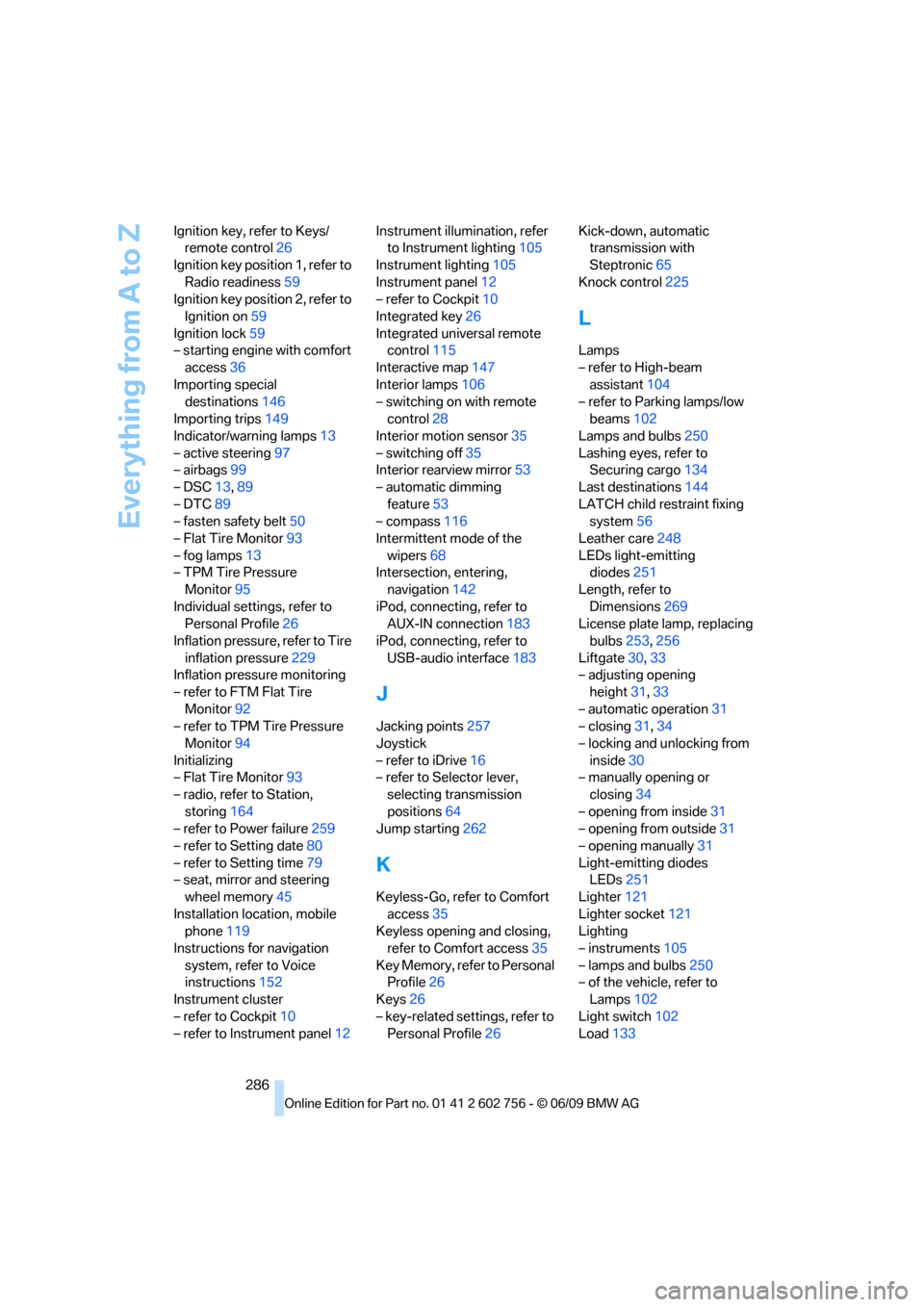
286 Ignition key, refer to Keys/
remote control26
Ignition key position 1, refer to
Radio readiness59
Ignition key position 2, refer to
Ignition on59
Ignition lock59
– starting engine with comfort
access36
Importing special
destinations146
Importing trips149
Indicator/warning lamps13
– active steering97
– airbags99
– DSC13,89
– DTC89
– fasten safety belt50
– Flat Tire Monitor93
– fog lamps13
– TPM Tire Pressure
Monitor95
Individual settings, refer to
Personal Profile26
Inflation pressure, refer to Tire
inflation pressure229
Inflation pressure monitoring
– refer to FTM Flat Tire
Monitor92
– refer to TPM Tire Pressure
Monitor94
Initializing
– Flat Tire Monitor93
– radio, refer to Station,
storing164
– refer to Power failure259
– refer to Setting date80
– refer to Setting time79
– seat, mirror and steering
wheel memory45
Installation location, mobile
phone119
Instructions for navigation
system, refer to Voice
instructions152
Instrument cluster
– refer to Cockpit10
– refer to Instrument panel12Instrument illumination, refer
to Instrument lighting105
Instrument lighting105
Instrument panel12
– refer to Cockpit10
Integrated key26
Integrated universal remote
control115
Interactive map147
Interior lamps106
– switching on with remote
control28
Interior motion sensor35
– switching off35
Interior rearview mirror53
– automatic dimming
feature53
– compass116
Intermittent mode of the
wipers68
Intersection, entering,
navigation142
iPod, connecting, refer to
AUX-IN connection183
iPod, connecting, refer to
USB-audio interface183
J
Jacking points257
Joystick
– refer to iDrive16
– refer to Selector lever,
selecting transmission
positions64
Jump starting262
K
Keyless-Go, refer to Comfort
access35
Keyless opening and closing,
refer to Comfort access35
Key Memory, refer to Personal
Profile26
Keys26
– key-related settings, refer to
Personal Profile26Kick-down, automatic
transmission with
Steptronic65
Knock control225
L
Lamps
– refer to High-beam
assistant104
– refer to Parking lamps/low
beams102
Lamps and bulbs250
Lashing eyes, refer to
Securing cargo134
Last destinations144
LATCH child restraint fixing
system56
Leather care248
LEDs light-emitting
diodes251
Length, refer to
Dimensions269
License plate lamp, replacing
bulbs253,256
Liftgate30,33
– adjusting opening
height31,33
– automatic operation31
– closing31,34
– locking and unlocking from
inside30
– manually opening or
closing34
– opening from inside31
– opening from outside31
– opening manually31
Light-emitting diodes
LEDs251
Lighter121
Lighter socket121
Lighting
– instruments105
– lamps and bulbs250
– of the vehicle, refer to
Lamps102
Light switch102
Load133
ba8_e70ag.book Seite 286 Freitag, 5. Juni 2009 11:42 11