light BMW X5 3.0I 2001 User Guide
[x] Cancel search | Manufacturer: BMW, Model Year: 2001, Model line: X5 3.0I, Model: BMW X5 3.0I 2001Pages: 223, PDF Size: 2.66 MB
Page 51 of 223
Index
Data
Technology
Repairs
Car care
Controls
Overview
51nBMW comfort seat*BMW sports seat*
To obtain the optimal shoulder support
position, we recommend:
Driver and front passenger:
1 Adjust the upper backrest section to
its extreme rear position.
2 Adjust for the optimal sitting position as described on page 48.
3 Bring the upper backrest section forward until your shoulders enjoy
firm support.
Front passenger's seat adjusted for
relaxed traveling:
1 Adjust the upper backrest section to its extreme rear position.
2 Increase the seat cushion tilt.
3 Tilt the backrest slightly further.
4 Bring the upper backrest section forward.
Make corrections in the forward/
backward adjustment of the seat
to ensure that the safety belt still fits
firmly against your body. If you do not
do this, the protection provided by the
safety belt may be reduced. <
3 Head restraint height
Move the switch in the desired direc-
tion.
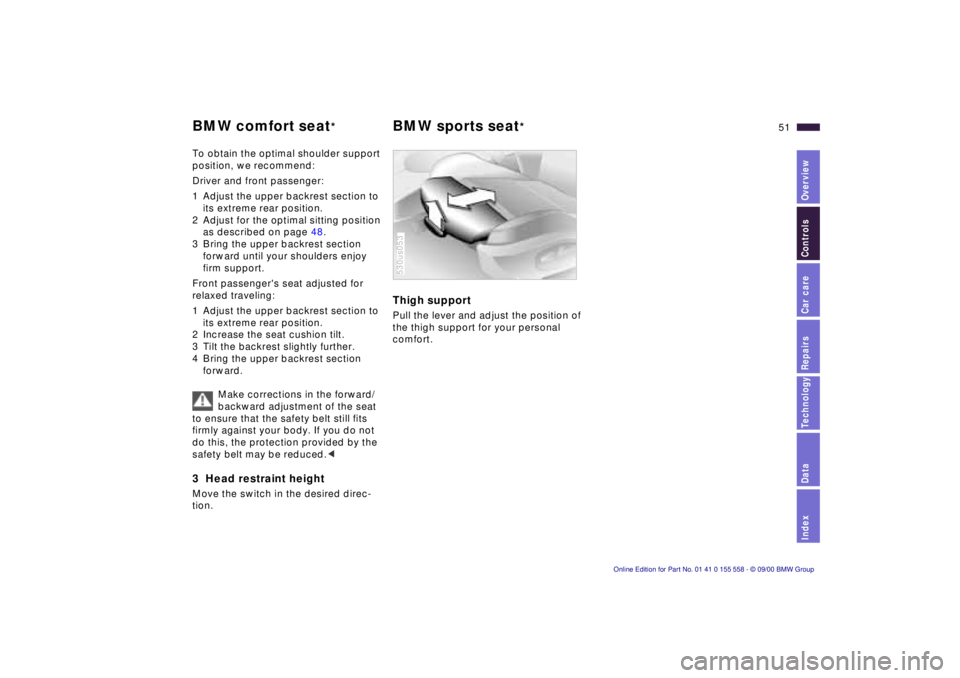
Thigh support
Pull the lever and adjust the position of
the thigh support for your personal
comfort.
530us053
Page 54 of 223
54nMirrors
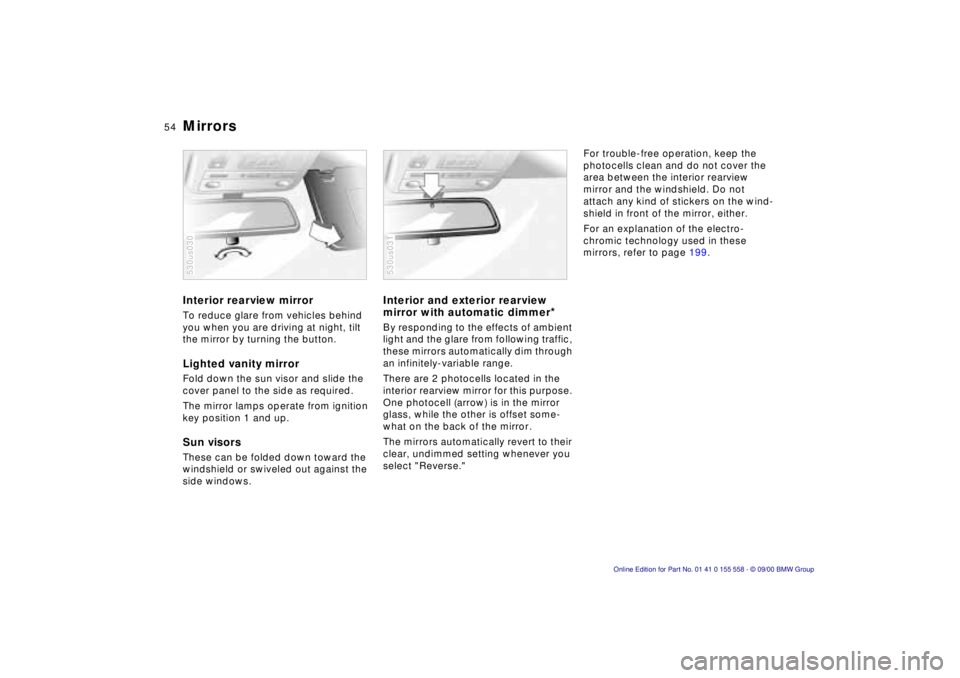
Interior rearview mirror
To reduce glare from vehicles behind
you when you are driving at night, tilt
the mirror by turning the button.
Lighted vanity mirror
Fold down the sun visor and slide the
cover panel to the side as required.
The mirror lamps operate from ignition
key position 1 and up.
Sun visors
These can be folded down toward the
windshield or swiveled out against the
side windows.
530us030
Interior and exterior rearview
mirror with automatic dimmer
*
By responding to the effects of ambient
light and the glare from following traffic,
these mirrors automatically dim through
an infinitely-variable range.
There are 2 photocells located in the
interior rearview mirror for this purpose.
One photocell (arrow) is in the mirror
glass, while the other is offset some-
what on the back of the mirror.
The mirrors automatically revert to their
clear, undimmed setting whenever you
select "Reverse."
530us031
For trouble-free operation, keep the
photocells clean and do not cover the
area between the interior rearview
mirror and the windshield. Do not
attach any kind of stickers on the wind-
shield in front of the mirror, either.
For an explanation of the electro-
chromic technology used in these
mirrors, refer to page 199.
Page 58 of 223
58nAirbags
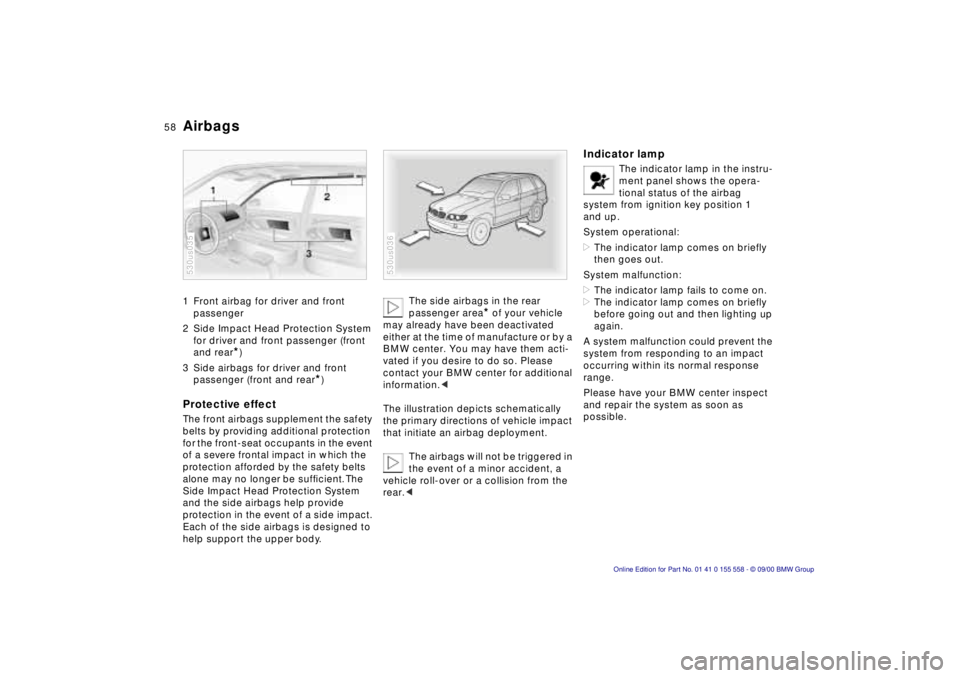
1 Front airbag for driver and front
passenger
2 Side Impact Head Protection System for driver and front passenger (front
and rear
*)
3 Side airbags for driver and front passenger (front and rear
*)
Protective effect
The front airbags supplement the safety
belts by providing additional protection
for the front-seat occupants in the event
of a severe frontal impact in which the
protection afforded by the safety belts
alone may no longer be sufficient. The
Side Impact Head Protection System
and the side airbags help provide
protection in the event of a side impact.
Each of the side airbags is designed to
help support the upper body.
530us035
The side airbags in the rear
passenger area
* of your vehicle
may already have been deactivated
either at the time of manufacture or by a
BMW center. You may have them acti-
vated if you desire to do so. Please
contact your BMW center for additional
information. <
The illustration depicts schematically
the primary directions of vehicle impact
that initiate an airbag deployment. The airbags will not be triggered in
the event of a minor accident, a
vehicle roll-over or a collision from the
rear. <
530us036
Indicator lamp
The indicator lamp in the instru-
ment panel shows the opera-
tional status of the airbag
system from ignition key position 1
and up.
System operational:
> The indicator lamp comes on briefly
then goes out.
System malfunction:
> The indicator lamp fails to come on.
> The indicator lamp comes on briefly
before going out and then lighting up
again.
A system malfunction could prevent the
system from responding to an impact
occurring within its normal response
range.
Please have your BMW center inspect
and repair the system as soon as
possible.
Page 64 of 223
64n
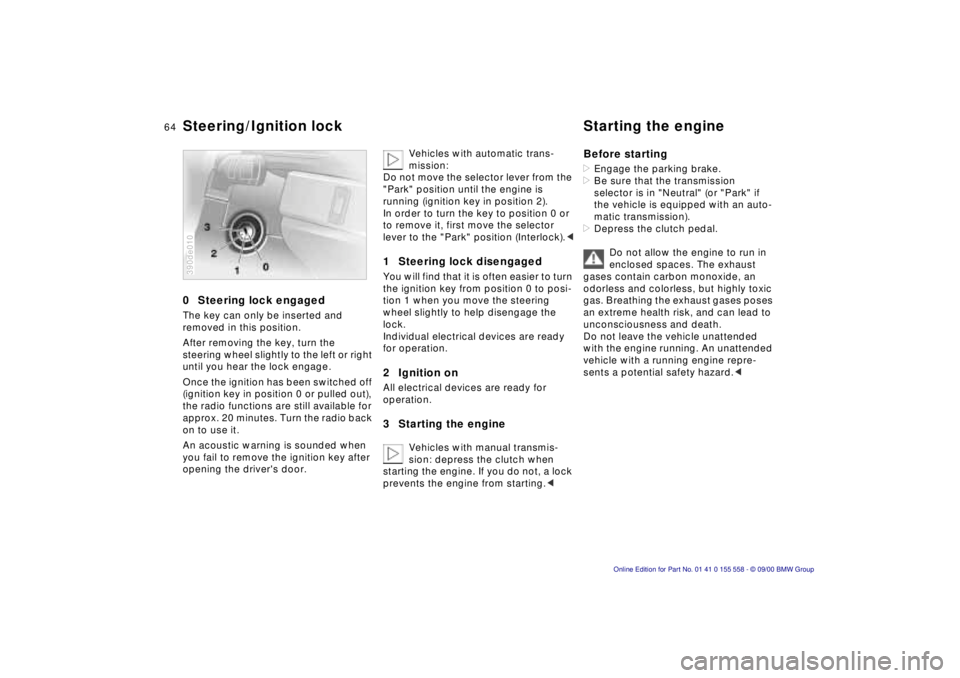
0 Steering lock engaged
The key can only be inserted and
removed in this position.
After removing the key, turn the
steering wheel slightly to the left or right
until you hear the lock engage.
Once the ignition has been switched off
(ignition key in position 0 or pulled out),
the radio functions are still available for
approx. 20 minutes. Turn the radio back
on to use it.
An acoustic warning is sounded when
you fail to remove the ignition key after
opening the driver's door.
390de010
Vehicles with automatic trans-
mission:
Do not move the selector lever from the
"Park" position until the engine is
running (ignition key in position 2).
In order to turn the key to position 0 or
to remove it, first move the selector
lever to the "Park" position (Interlock). <
1 Steering lock disengaged
You will find that it is often easier to turn
the ignition key from position 0 to posi-
tion 1 when you move the steering
wheel slightly to help disengage the
lock.
Individual electrical devices are ready
for operation.
2 Ignition on
All electrical devices are ready for
operation.
3 Starting the engine
Vehicles with manual transmis-
sion: depress the clutch when
starting the engine. If you do not, a lock
prevents the engine from starting. <
Before starting
> Engage the parking brake.
> Be sure that the transmission
selector is in "Neutral" (or "Park" if
the vehicle is equipped with an auto-
matic transmission).
> Depress the clutch pedal.
Do not allow the engine to run in
enclosed spaces. The exhaust
gases contain carbon monoxide, an
odorless and colorless, but highly toxic
gas. Breathing the exhaust gases poses
an extreme health risk, and can lead to
unconsciousness and death.
Do not leave the vehicle unattended
with the engine running. An unattended
vehicle with a running engine repre-
sents a potential safety hazard. <
Steering/Ignition lock Starting the engine
Page 66 of 223
66nParking brake
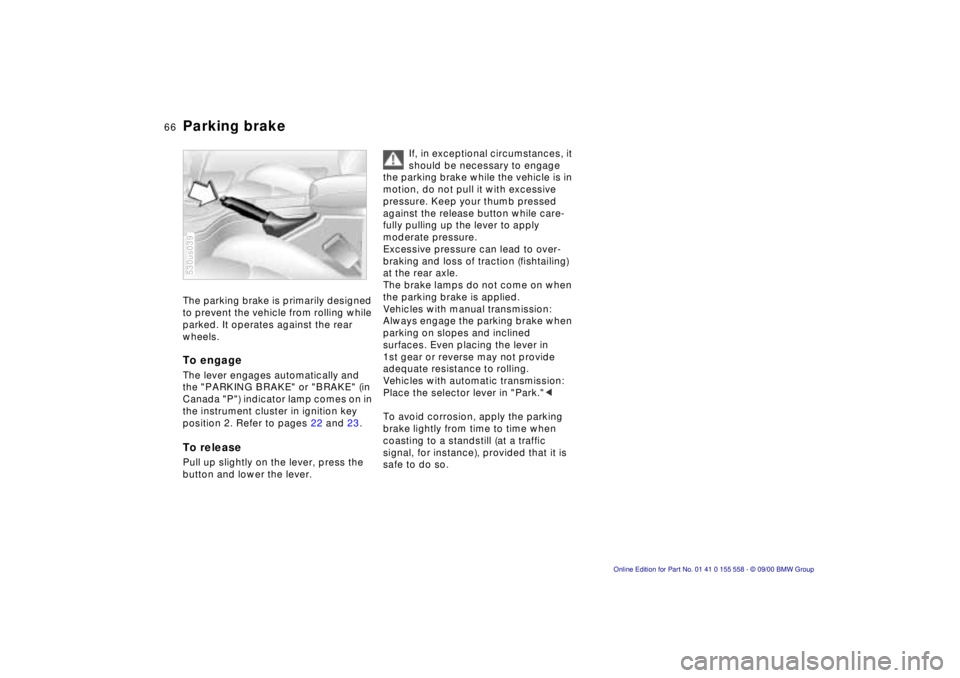
The parking brake is primarily designed
to prevent the vehicle from rolling while
parked. It operates against the rear
wheels.
To engage
The lever engages automatically and
the "PARKING BRAKE" or "BRAKE" (in
Canada "P") indicator lamp comes on in
the instrument cluster in ignition key
position 2. Refer to pages 22 and 23.
To release
Pull up slightly on the lever, press the
button and lower the lever.
530us039
If, in exceptional circumstances, it
should be necessary to engage
the parking brake while the vehicle is in
motion, do not pull it with excessive
pressure. Keep your thumb pressed
against the release button while care-
fully pulling up the lever to apply
moderate pressure.
Excessive pressure can lead to over-
braking and loss of traction (fishtailing)
at the rear axle.
The brake lamps do not come on when
the parking brake is applied.
Vehicles with manual transmission:
Always engage the parking brake when
parking on slopes and inclined
surfaces. Even placing the lever in
1st gear or reverse may not provide
adequate resistance to rolling.
Vehicles with automatic transmission:
Place the selector lever in "Park." <
To avoid corrosion, apply the parking
brake lightly from time to time when
coasting to a standstill (at a traffic
signal, for instance), provided that it is
safe to do so.
Page 72 of 223
72nWasher/Wiper system
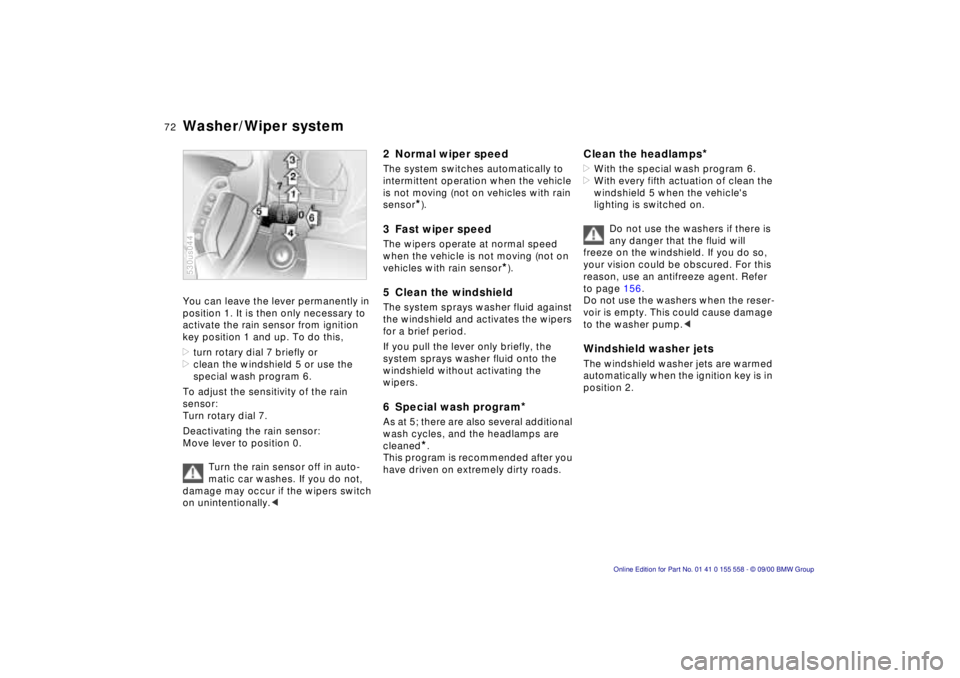
You can leave the lever permanently in
position 1. It is then only necessary to
activate the rain sensor from ignition
key position 1 and up. To do this,
>turn rotary dial 7 briefly or
> clean the windshield 5 or use the
special wash program 6.
To adjust the sensitivity of the rain
sensor:
Turn rotary dial 7.
Deactivating the rain sensor:
Move lever to position 0.
Turn the rain sensor off in auto-
matic car washes. If you do not,
damage may occur if the wipers switch
on unintentionally. <
530us044
2 Normal wiper speed
The system switches automatically to
intermittent operation when the vehicle
is not moving (not on vehicles with rain
sensor
*).
3 Fast wiper speed
The wipers operate at normal speed
when the vehicle is not moving (not on
vehicles with rain sensor
*).
5 Clean the windshield
The system sprays washer fluid against
the windshield and activates the wipers
for a brief period.
If you pull the lever only briefly, the
system sprays washer fluid onto the
windshield without activating the
wipers.
6 Special wash program*
As at 5; there are also several additional
wash cycles, and the headlamps are
cleaned
*.
This program is recommended after you
have driven on extremely dirty roads.
Clean the headlamps*
> With the special wash program 6.
> With every fifth actuation of clean the
windshield 5 when the vehicle's
lighting is switched on.
Do not use the washers if there is
any danger that the fluid will
freeze on the windshield. If you do so,
your vision could be obscured. For this
reason, use an antifreeze agent. Refer
to page 156.
Do not use the washers when the reser-
voir is empty. This could cause damage
to the washer pump. <
Windshield washer jets
The windshield washer jets are warmed
automatically when the ignition key is in
position 2.
Page 73 of 223
Index
Data
Technology
Repairs
Car care
Controls
Overview
73nWasher/Wiper system Rear window defroster
Rear window wiper
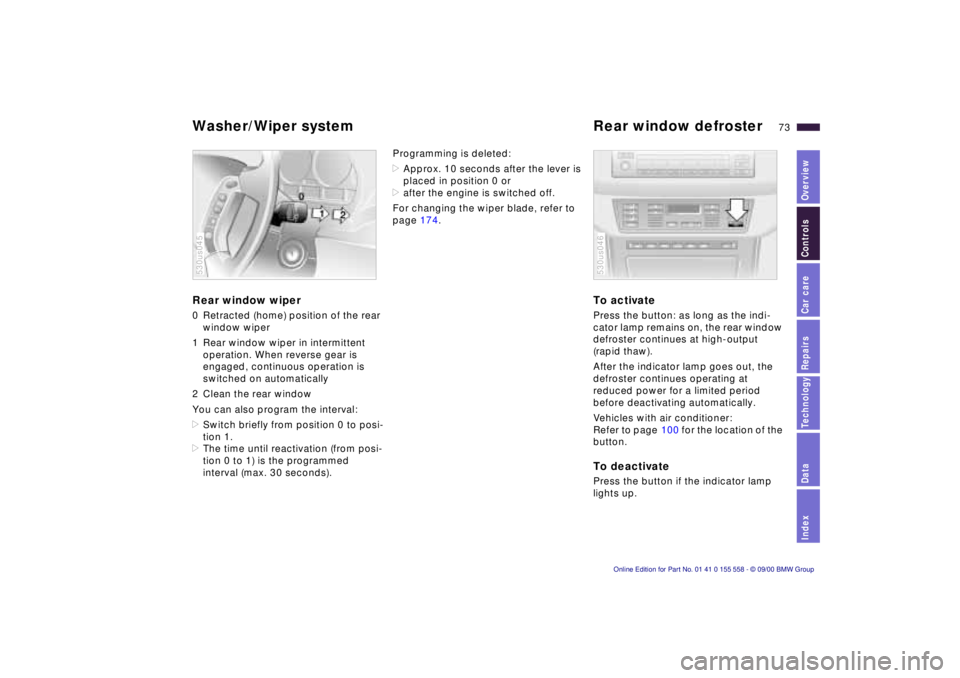
0 Retracted (home) position of the rear
window wiper
1 Rear window wiper in intermittent operation. When reverse gear is
engaged, continuous operation is
switched on automatically
2 Clean the rear window
You can also program the interval:
> Switch briefly from position 0 to posi-
tion 1.
> The time until reactivation (from posi-
tion 0 to 1) is the programmed
interval (max. 30 seconds).
530us045
Programming is deleted:
>Approx. 10 seconds after the lever is
placed in position 0 or
> after the engine is switched off.
For changing the wiper blade, refer to
page 174.
To activate
Press the button: as long as the indi-
cator lamp remains on, the rear window
defroster continues at high-output
(rapid thaw).
After the indicator lamp goes out, the
defroster continues operating at
reduced power for a limited period
before deactivating automatically.
Vehicles with air conditioner:
Refer to page 100 for the location of the
button.
To deactivate
Press the button if the indicator lamp
lights up.
530us046
Page 77 of 223
Index
Data
Technology
Repairs
Car care
Controls
Overview
77nTachometer Energy control Fuel gauge
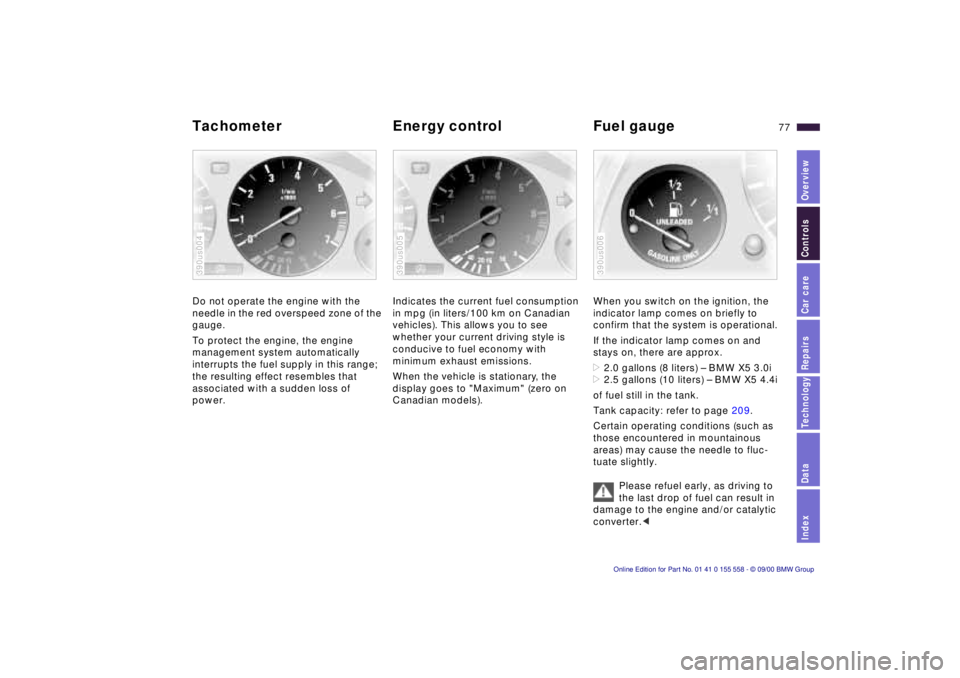
Do not operate the engine with the
needle in the red overspeed zone of the
gauge.
To protect the engine, the engine
management system automatically
interrupts the fuel supply in this range;
the resulting effect resembles that
associated with a sudden loss of
power.
390us004
Indicates the current fuel consumption
in mpg (in liters/100 km on Canadian
vehicles). This allows you to see
whether your current driving style is
conducive to fuel economy with
minimum exhaust emissions.
When the vehicle is stationary, the
display goes to "Maximum" (zero on
Canadian models).
390us005
When you switch on the ignition, the
indicator lamp comes on briefly to
confirm that the system is operational.
If the indicator lamp comes on and
stays on, there are approx.
>2.0 gallons (8 liters) – BMW X5 3.0i
> 2.5 gallons (10 liters) – BMW X5 4.4i
of fuel still in the tank.
Tank capacity: refer to page 209.
Certain operating conditions (such as
those encountered in mountainous
areas) may cause the needle to fluc-
tuate slightly.
Please refuel early, as driving to
the last drop of fuel can result in
damage to the engine and/or catalytic
converter. <
390us006
Page 79 of 223
Index
Data
Technology
Repairs
Car care
Controls
Overview
79nCheck Control
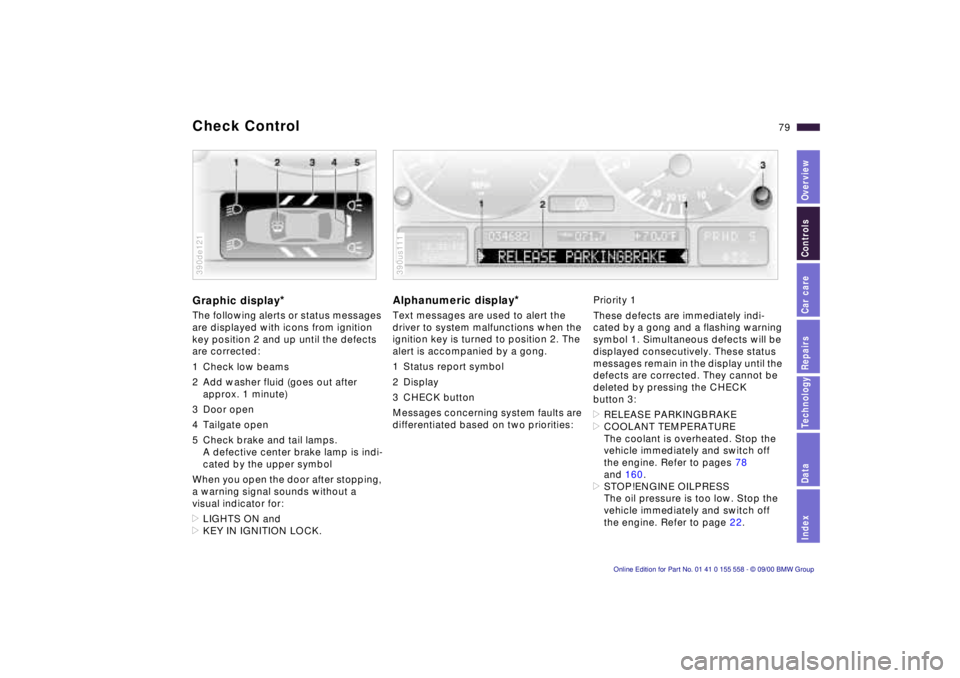
Graphic display*
The following alerts or status messages
are displayed with icons from ignition
key position 2 and up until the defects
are corrected:
1 Check low beams
2 Add washer fluid (goes out after
approx. 1 minute)
3 Door open
4 Tailgate open
5 Check brake and tail lamps. A defective center brake lamp is indi-
cated by the upper symbol
When you open the door after stopping,
a warning signal sounds without a
visual indicator for:
> LIGHTS ON and
> KEY IN IGNITION LOCK.
390de121
Alphanumeric display*
Text messages are used to alert the
driver to system malfunctions when the
ignition key is turned to position 2. The
alert is accompanied by a gong.
1 Status report symbol
2 Display
3 CHECK button
Messages concerning system faults are
differentiated based on two priorities:
390us111
Priority 1
These defects are immediately indi-
cated by a gong and a flashing warning
symbol 1. Simultaneous defects will be
displayed consecutively. These status
messages remain in the display until the
defects are corrected. They cannot be
deleted by pressing the CHECK
button 3:
> RELEASE PARKINGBRAKE
> COOLANT TEMPERATURE
The coolant is overheated. Stop the
vehicle immediately and switch off
the engine. Refer to pages 78
and 160.
> STOP!ENGINE OILPRESS
The oil pressure is too low. Stop the
vehicle immediately and switch off
the engine. Refer to page 22.
Page 81 of 223

Index
Data
Technology
Repairs
Car care
Controls
Overview
81nCheck Control
>TRANS. FAILSAFE PROG
Please consult the nearest BMW
center. Refer to page 70.
> CHECK BRAKE LININGS
Have the brake linings inspected by
your BMW center. Refer to page 141.
> CHECK COOLANT LEVEL
Coolant too low, top up at the next
opportunity. Refer to page 160.
> ENGINE FAILSAFE PROG
There is a fault in the engine's elec-
tronic control system.
You can continue to drive with
reduced engine output or engine
speed. Have the system checked by
your BMW center. Displays after completion of trip
All of the malfunctions registered during
the trip appear consecutively when the
ignition key is turned to position 0.
The following displays will appear when
appropriate:
>LIGHTS ON
> KEY IN IGNITION LOCK
> CHECK ENGINE OIL LEV
Add engine oil at the next opportunity
(next stop for fuel). Refer to
page 157.
This display appears when you open
the driver's door after parking the
vehicle. A supplementary gong is also
heard.
Status reports remain available for a
period of approx. three minutes after
the display goes out and the key is
removed from the ignition. Press the
CHECK button 3. If there were multiple
reports, press the CHECK button
repeatedly to view them all in
sequence.
To check the Check Control
Press the CHECK button 3 with the
ignition key in position 2: CHECK
CONTROL OK appears in the display.
No malfunctions are present in the
monitored systems.
Computer
You will find a description of the
computer in the Owner's Manual for
the Radio and Information System or
the Owner's Manual for the Onboard
Computer.
You can have the Check Control
and computer messages
displayed in a different language. <