wheel BMW X5 3.0I 2002 User Guide
[x] Cancel search | Manufacturer: BMW, Model Year: 2002, Model line: X5 3.0I, Model: BMW X5 3.0I 2002Pages: 185, PDF Size: 2.7 MB
Page 51 of 185
51n
OverviewControlsMaintenanceRepairsDataIndex
Seat, mirror and steering wheel memory
*
Seat heating
*
Your BMW Sports Activity Vehicle
center can adjust your vehicle's
systems in such a manner that your
personalized settings are automatically
called up for the seat, mirror and
steering wheel positions when you
unlock the vehicle with your personal
remote control key.<
If you make use of the Key Memory
,
be sure that the footwell behind
the driver's seat is unobstructed before
unlocking the vehicle. If you fail to do
so, persons or objects could be injured
or damaged if the seat should move
backward.<
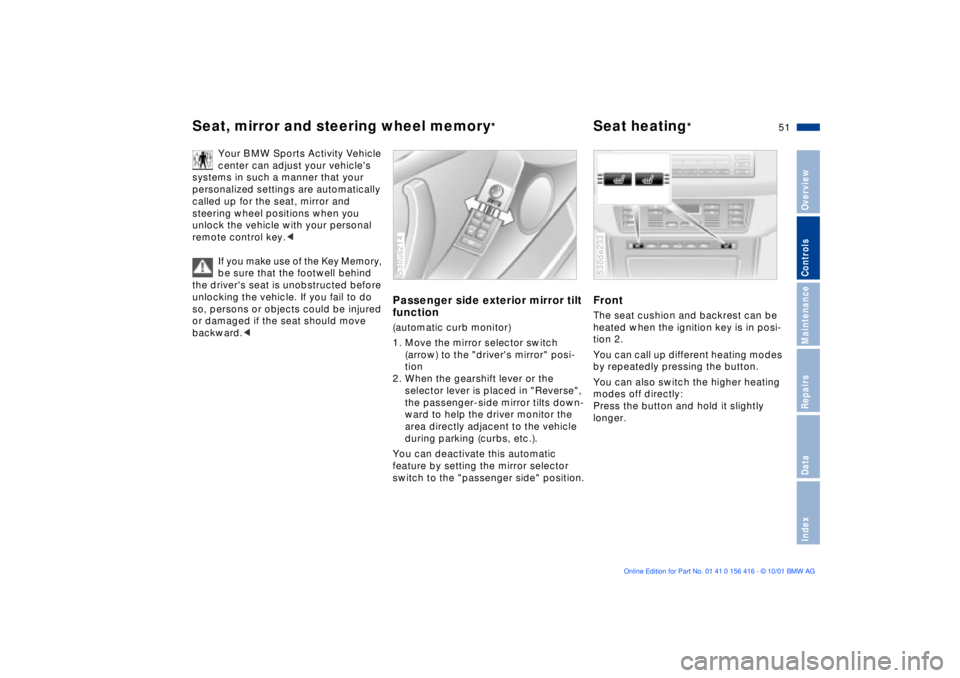
Passenger side exterior mirror tilt
function(automatic curb monitor)
1. Move the mirror selector switch
(arrow) to the "driver's mirror" posi-
tion
2. When the gearshift lever or the
selector lever is placed in "Reverse",
the passenger-side mirror tilts down-
ward to help the driver monitor the
area directly adjacent to the vehicle
during parking (curbs, etc.).
You can deactivate this automatic
feature by setting the mirror selector
switch to the "passenger side" position.530us214
Front The seat cushion and backrest can be
heated when the ignition key is in posi-
tion 2.
You can call up different heating modes
by repeatedly pressing the button.
You can also switch the higher heating
modes off directly:
Press the button and hold it slightly
longer.530de233
Page 52 of 185
52n
Seat heating
*
Adjusting steering wheel
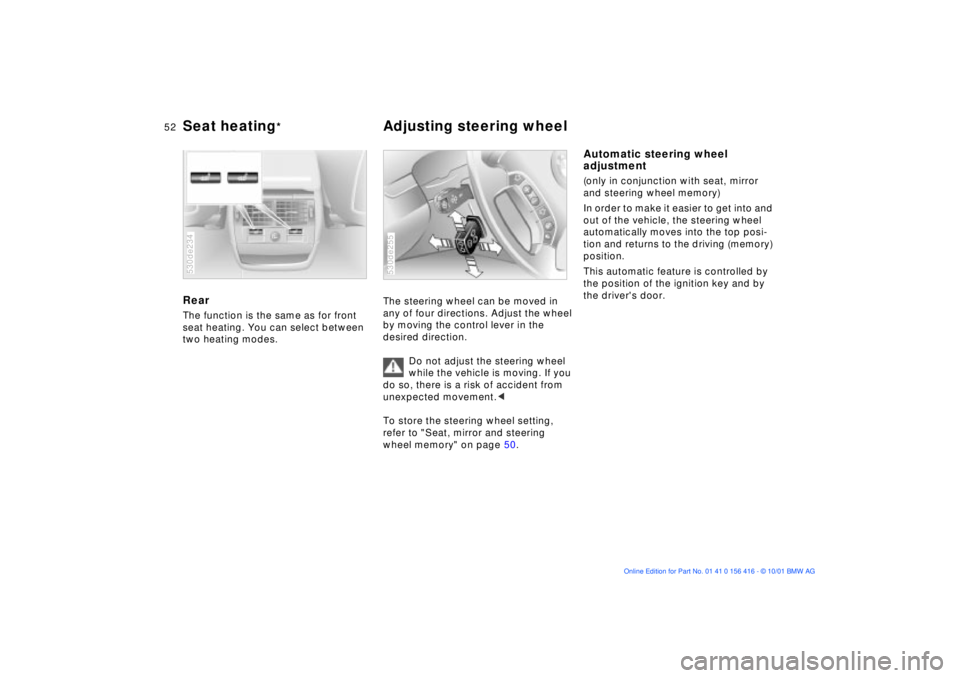
Rear The function is the same as for front
seat heating. You can select between
two heating modes.530de234
The steering wheel can be moved in
any of four directions. Adjust the wheel
by moving the control lever in the
desired direction.
Do not adjust the steering wheel
while the vehicle is moving. If you
do so, there is a risk of accident from
unexpected movement.<
To store the steering wheel setting,
refer to "Seat, mirror and steering
wheel memory" on page 50. 530de255
Automatic steering wheel
adjustment(only in conjunction with seat, mirror
and steering wheel memory)
In order to make it easier to get into and
out of the vehicle, the steering wheel
automatically moves into the top posi-
tion and returns to the driving (memory)
position.
This automatic feature is controlled by
the position of the ignition key and by
the driver's door.
Page 53 of 185
53n
OverviewControlsMaintenanceRepairsDataIndex
Steering wheel heating
*
Mirrors
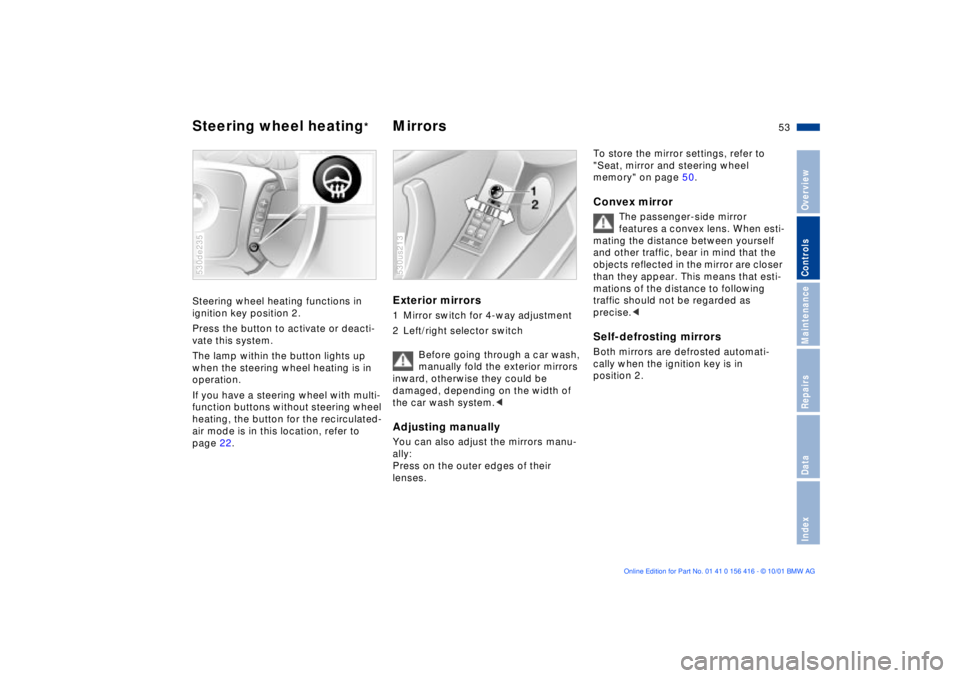
Steering wheel heating functions in
ignition key position 2.
Press the button to activate or deacti-
vate this system.
The lamp within the button lights up
when the steering wheel heating is in
operation.
If you have a steering wheel with multi-
function buttons without steering wheel
heating, the button for the recirculated-
air mode is in this location, refer to
page 22.530de235
Exterior mirrors 1 Mirror switch for 4-way adjustment
2 Left/right selector switch
Before going through a car wash,
manually fold the exterior mirrors
inward, otherwise they could be
damaged, depending on the width of
the car wash system.
Press on the outer edges of their
lenses. 530us213
To store the mirror settings, refer to
"Seat, mirror and steering wheel
memory" on page 50. Convex mirror
The passenger-side mirror
features a convex lens. When esti-
mating the distance between yourself
and other traffic, bear in mind that the
objects reflected in the mirror are closer
than they appear. This means that esti-
mations of the distance to following
traffic should not be regarded as
precise.<
Self-defrosting mirrorsBoth mirrors are defrosted automati-
cally when the ignition key is in
position 2.
Page 55 of 185
55n
OverviewControlsMaintenanceRepairsDataIndex
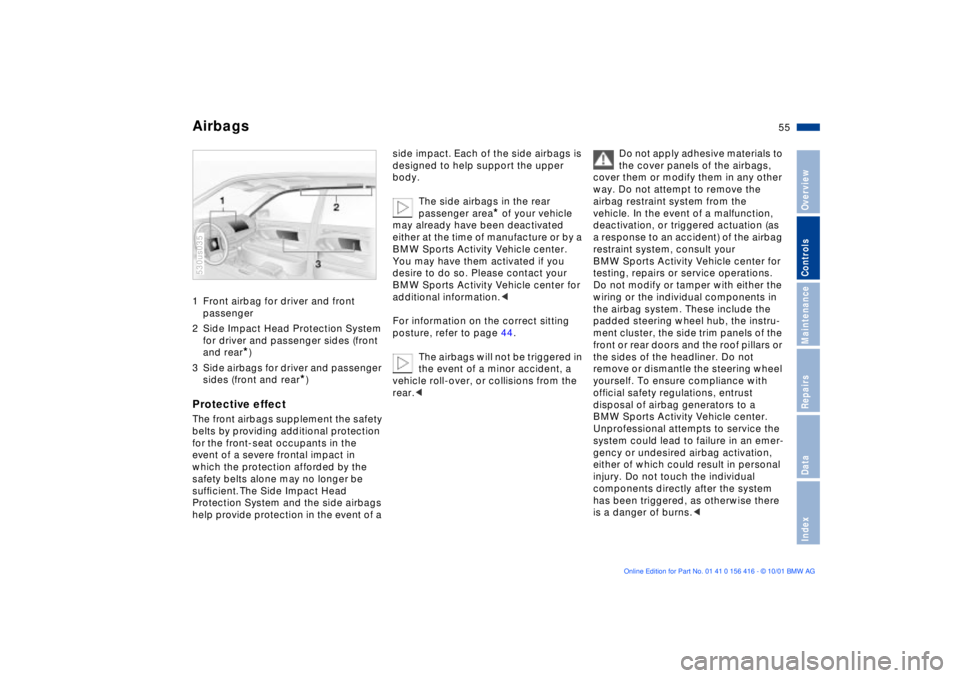
Airbags1 Front airbag for driver and front
passenger
2 Side Impact Head Protection System
for driver and passenger sides (front
and rear
*)
3 Side airbags for driver and passenger
sides (front and rear
*)
Protective effectThe front airbags supplement the safety
belts by providing additional protection
for the front-seat occupants in the
event of a severe frontal impact in
which the protection afforded by the
safety belts alone may no longer be
sufÞcient. The Side Impact Head
Protection System and the side airbags
help provide protection in the event of a 530us035
side impact. Each of the side airbags is
designed to help support the upper
body.
The side airbags in the rear
passenger area
* of your vehicle
may already have been deactivated
either at the time of manufacture or by a
BMW Sports Activity Vehicle center.
You may have them activated if you
desire to do so. Please contact your
BMW Sports Activity Vehicle center for
additional information.<
For information on the correct sitting
posture, refer to page 44.
The airbags will not be triggered in
the event of a minor accident, a
vehicle roll-over, or collisions from the
rear.<
Do not apply adhesive materials to
the cover panels of the airbags,
cover them or modify them in any other
way. Do not attempt to remove the
airbag restraint system from the
vehicle. In the event of a malfunction,
deactivation, or triggered actuation (as
a response to an accident) of the airbag
restraint system, consult your
BMW Sports Activity Vehicle center for
testing, repairs or service operations.
Do not modify or tamper with either the
wiring or the individual components in
the airbag system. These include the
padded steering wheel hub, the instru-
ment cluster, the side trim panels of the
front or rear doors and the roof pillars or
the sides of the headliner. Do not
remove or dismantle the steering wheel
yourself. To ensure compliance with
official safety regulations, entrust
disposal of airbag generators to a
BMW Sports Activity Vehicle center.
Unprofessional attempts to service the
system could lead to failure in an emer-
gency or undesired airbag activation,
either of which could result in personal
injury. Do not touch the individual
components directly after the system
has been triggered, as otherwise there
is a danger of burns.<
Page 61 of 185
61n
OverviewControlsMaintenanceRepairsDataIndex
Vehicle Memory, Key Memory How the system functions You have probably frequently wished
that you could configure individual
functions of your vehicles to reflect your
own personal requirements. In engi-
neering your vehicle, BMW has
included several user-defined func-
tions in the vehicle's design. Your
BMW Sports Activity Vehicle center can
make these settings for you.
There are settings related to the vehicle
("Vehicle Memory") and settings related
to individuals ("Key Memory"). You can
configure up to four different basic
positions for four different persons. The
only requirement is that each person
uses his or her own remote control key. 463de029
When your vehicle is unlocked with the
remote control, the vehicle recognizes
the individual user by means of a data
exchange with the key, and makes
adjustments accordingly.
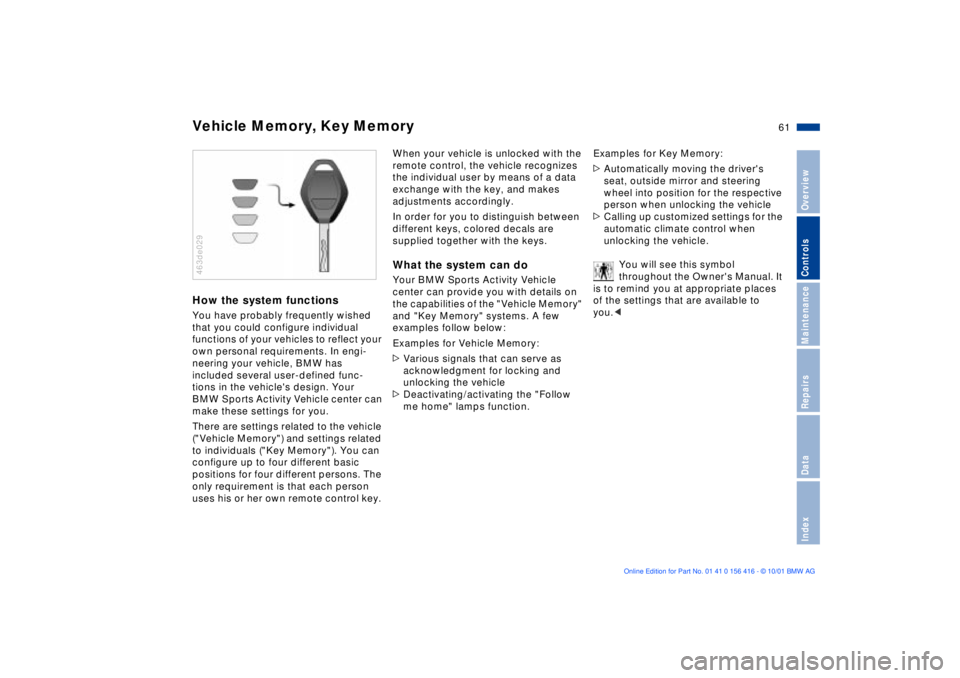
In order for you to distinguish between
different keys, colored decals are
supplied together with the keys.What the system can doYour BMW Sports Activity Vehicle
center can provide you with details on
the capabilities of the "Vehicle Memory"
and "Key Memory" systems. A few
examples follow below:
Examples for Vehicle Memory:
>Various signals that can serve as
acknowledgment for locking and
unlocking the vehicle
>Deactivating/activating the "Follow
me home" lamps function.Examples for Key Memory:
>Automatically moving the driver's
seat, outside mirror and steering
wheel into position for the respective
person when unlocking the vehicle
>Calling up customized settings for the
automatic climate control when
unlocking the vehicle.
You will see this symbol
throughout the Owner's Manual. It
is to remind you at appropriate places
of the settings that are available to
you.<
Page 62 of 185
62n
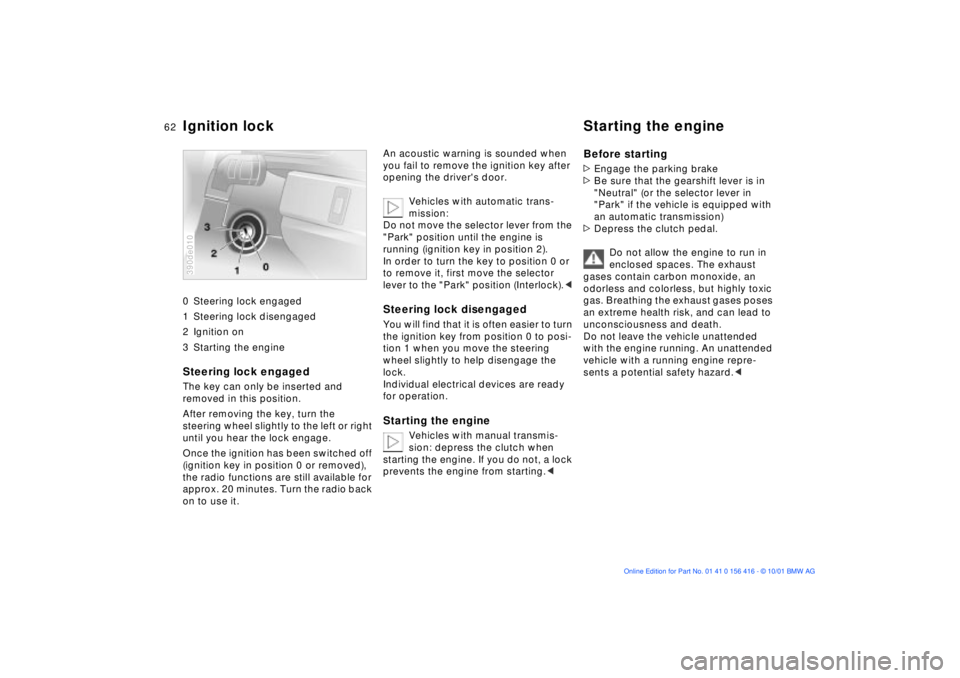
0 Steering lock engaged
1 Steering lock disengaged
2 Ignition on
3 Starting the engine
Steering lock engaged The key can only be inserted and
removed in this position.
After removing the key, turn the
steering wheel slightly to the left or right
until you hear the lock engage.
Once the ignition has been switched off
(ignition key in position 0 or removed),
the radio functions are still available for
approx. 20 minutes. Turn the radio back
on to use it.390de010
An acoustic warning is sounded when
you fail to remove the ignition key after
opening the driver's door.
Vehicles with automatic trans-
mission:
Do not move the selector lever from the
"Park" position until the engine is
running (ignition key in position 2).
In order to turn the key to position 0 or
to remove it, first move the selector
lever to the "Park" position (Interlock).< Steering lock disengaged You will find that it is often easier to turn
the ignition key from position 0 to posi-
tion 1 when you move the steering
wheel slightly to help disengage the
lock.
Individual electrical devices are ready
for operation. Starting the engine
Vehicles with manual transmis-
sion: depress the clutch when
starting the engine. If you do not, a lock
prevents the engine from starting.<
Before starting >Engage the parking brake
>Be sure that the gearshift lever is in
"Neutral" (or the selector lever in
"Park" if the vehicle is equipped with
an automatic transmission)
>Depress the clutch pedal.
Do not allow the engine to run in
enclosed spaces. The exhaust
gases contain carbon monoxide, an
odorless and colorless, but highly toxic
gas. Breathing the exhaust gases poses
an extreme health risk, and can lead to
unconsciousness and death.
Do not leave the vehicle unattended
with the engine running. An unattended
vehicle with a running engine repre-
sents a potential safety hazard.<
Ignition lock Starting the engine
Page 64 of 185
64n
Switching off the engine Parking brakeTurn the ignition key to position 1 or 0.
Do not remove the ignition key
while the vehicle is still moving. If
you do so, the steering will lock.
Always remove the ignition key and
engage the steering lock before leaving
the vehicle.
Vehicles with manual transmission:
Always engage the parking brake when
parking on slopes and inclined
surfaces. Even placing the gearshift
lever in 1st gear or reverse may not
provide adequate resistance to rolling.
Vehicles with automatic transmission:
Place the selector lever in "Park".<
Vehicles with automatic transmission:
The vehicle must be stationary and the
selector lever in "Park" before you can
remove the ignition key.
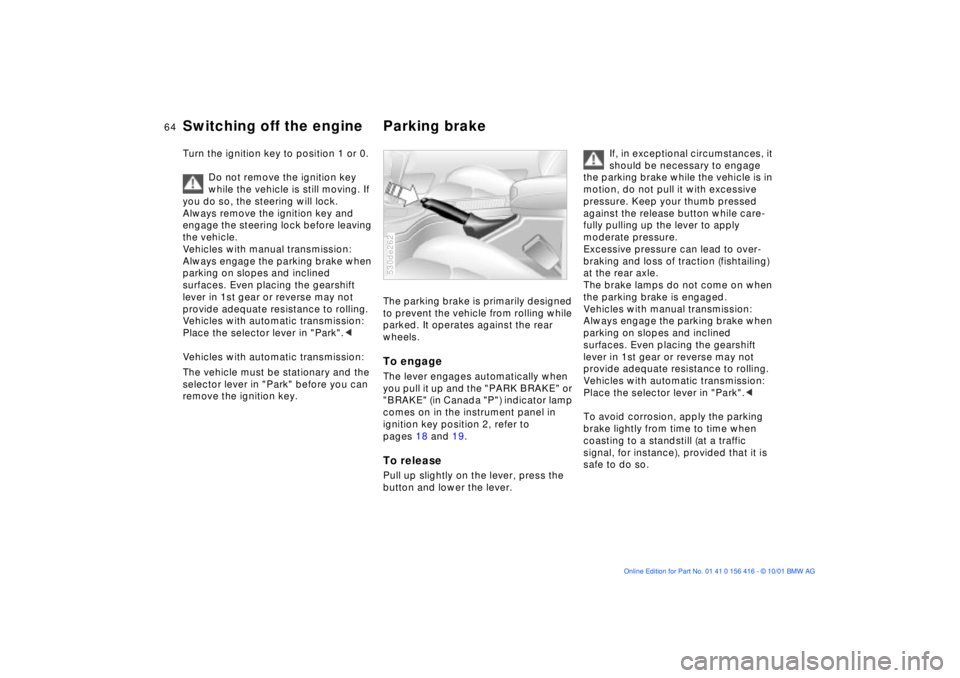
The parking brake is primarily designed
to prevent the vehicle from rolling while
parked. It operates against the rear
wheels.To engage The lever engages automatically when
you pull it up and the "PARK BRAKE" or
"BRAKE" (in Canada "P") indicator lamp
comes on in the instrument panel in
ignition key position 2, refer to
pages 18 and 19.To releasePull up slightly on the lever, press the
button and lower the lever. 530de262
If, in exceptional circumstances, it
should be necessary to engage
the parking brake while the vehicle is in
motion, do not pull it with excessive
pressure. Keep your thumb pressed
against the release button while care-
fully pulling up the lever to apply
moderate pressure.
Excessive pressure can lead to over-
braking and loss of traction (fishtailing)
at the rear axle.
The brake lamps do not come on when
the parking brake is engaged.
Vehicles with manual transmission:
Always engage the parking brake when
parking on slopes and inclined
surfaces. Even placing the gearshift
lever in 1st gear or reverse may not
provide adequate resistance to rolling.
Vehicles with automatic transmission:
Place the selector lever in "Park".<
To avoid corrosion, apply the parking
brake lightly from time to time when
coasting to a standstill (at a traffic
signal, for instance), provided that it is
safe to do so.
Page 67 of 185
67n
OverviewControlsMaintenanceRepairsDataIndex
Automatic transmission with Steptronic
*
If you leave the vehicle with the
engine running, move the selector
lever to the "Park" or "Neutral" position
and apply the parking brake. If you fail
to do this, the vehicle could move.
Do not leave the vehicle unattended
with the engine running. An unattended
vehicle with a running engine repre-
sents a potential safety hazard.<
P Ñ Park Select only when the vehicle is
stationary. The transmission locks to
prevent the rear wheels from turning.R Ñ Reverse Select only when the vehicle is
stationary. N Ñ Neutral Select only if your journey is interrupted
for a longer period.
D Ñ Drive
(automatic shift program) This position is designed for driving
under all normal operating conditions.
All forward gears are available. Kickdown In the kickdown mode, you achieve
maximum acceleration and in
position D top speed.
Depress the accelerator pedal past the
increased resistance point at the full-
throttle position.
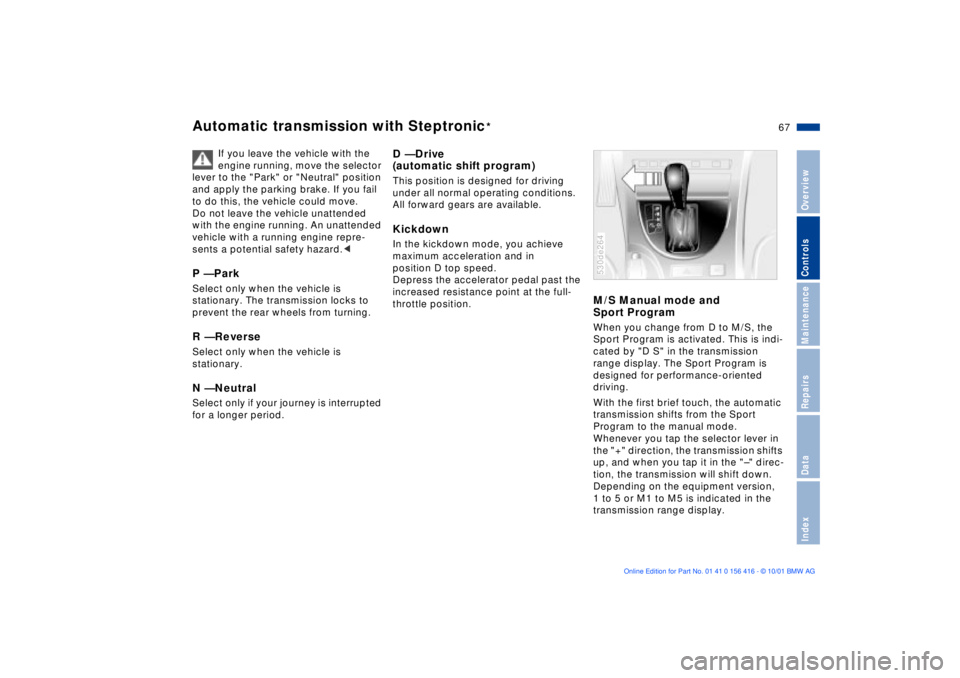
M/S Manual mode and
Sport Program When you change from D to M/S, the
Sport Program is activated. This is indi-
cated by "D S" in the transmission
range display. The Sport Program is
designed for performance-oriented
driving.
With the first brief touch, the automatic
transmission shifts from the Sport
Program to the manual mode.
Whenever you tap the selector lever in
the "+" direction, the transmission shifts
up, and when you tap it in the "Ð" direc-
tion, the transmission will shift down.
Depending on the equipment version,
1 to 5 or M1 to M5 is indicated in the
transmission range display.530de264
Page 92 of 185
92n
PDC
* Dynamic Stability Control (DSC)
The PDC system does not remove
the driver's personal responsibility
for evaluating the distance between the
vehicle and any obstacles. Even when
sensors are involved, there is a blind
spot in which objects cannot be
detected. This applies especially in
those cases where the system
approaches the physical constraints of
ultrasonic measurement, as occurs with
tow bars and trailer couplings, and in
the vicinity of thin or wedge-shaped
objects.
Certain sources of sound, such as a
loud radio, could drown out the PDC
signal tone.<
Keep the sensors clean and free
of ice or snow in order to ensure
that they continue to operate effectively.
Do not apply high pressure spray to the
sensors for a prolonged period of time.
Maintain an adequate distance of more
than 4 in (10 cm).<
The concept DSC maintains vehicle stability, even in
critical driving situations.
The system optimizes vehicle stability
during acceleration and when starting
from a full stop, as well as optimizing
traction. In addition, it recognizes
unstable vehicle conditions, such as
understeering or oversteering, and, as
far as is possible within the laws of
physics, keeps the vehicle on a steady
course by adapting the rpms and brake
applications to the individual wheels.
The system starts up automatically
each time you start the engine.
Indicator lamp
The indicator lamp in the instru-
ment cluster goes out shortly
after you switch on the ignition,
refer to page 20.
Indicator lamp ßashes:
The system is active and governs drive
and braking force.
If the indicator lamp fails to go out after
the engine is started, or comes on
during normal driving and stays on:
The system is either defective or was
switched off with the button: the stabi-
lizing applications described to the left
are no longer available. The vehicle will
remain completely operational,
however, without DSC.
Consult your BMW Sports Activity
Vehicle center to have the system
repaired.
Page 93 of 185
93n
OverviewControlsMaintenanceRepairsDataIndex
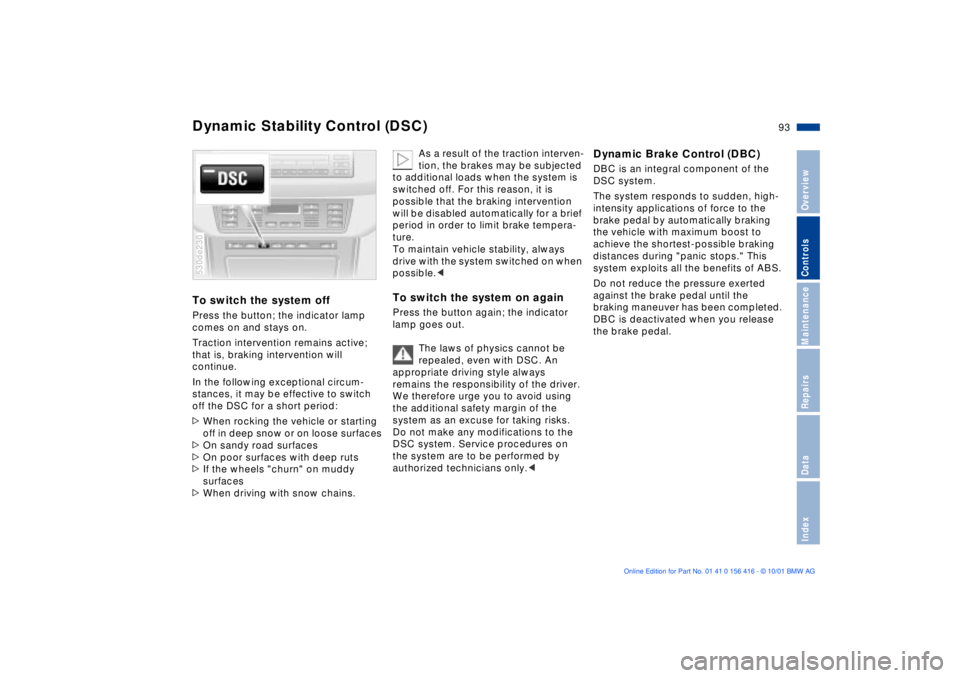
Dynamic Stability Control (DSC)To switch the system offPress the button; the indicator lamp
comes on and stays on.
Traction intervention remains active;
that is, braking intervention will
continue.
In the following exceptional circum-
stances, it may be effective to switch
off the DSC for a short period:
>When rocking the vehicle or starting
off in deep snow or on loose surfaces
>On sandy road surfaces
>On poor surfaces with deep ruts
>If the wheels "churn" on muddy
surfaces
>When driving with snow chains. 530de230
As a result of the traction interven-
tion, the brakes may be subjected
to additional loads when the system is
switched off. For this reason, it is
possible that the braking intervention
will be disabled automatically for a brief
period in order to limit brake tempera-
ture.
To maintain vehicle stability, always
drive with the system switched on when
possible.<
To switch the system on againPress the button again; the indicator
lamp goes out.
The laws of physics cannot be
repealed, even with DSC. An
appropriate driving style always
remains the responsibility of the driver.
We therefore urge you to avoid using
the additional safety margin of the
system as an excuse for taking risks.
Do not make any modifications to the
DSC system. Service procedures on
the system are to be performed by
authorized technicians only.<
Dynamic Brake Control (DBC)DBC is an integral component of the
DSC system.
The system responds to sudden, high-
intensity applications of force to the
brake pedal by automatically braking
the vehicle with maximum boost to
achieve the shortest-possible braking
distances during "panic stops." This
system exploits all the benefits of ABS.
Do not reduce the pressure exerted
against the brake pedal until the
braking maneuver has been completed.
DBC is deactivated when you release
the brake pedal.