low beam BMW X5 3.0I 2002 Owners Manual
[x] Cancel search | Manufacturer: BMW, Model Year: 2002, Model line: X5 3.0I, Model: BMW X5 3.0I 2002Pages: 185, PDF Size: 2.7 MB
Page 5 of 185
5n
OverviewControlsMaintenanceRepairsDataIndex
Controls and features
Operation, maintenance
Technology for safety and
driving convenience:
Park Distance Control (PDC)91
Dynamic Stability Control
(DSC)92
Hill Descent Control (HDC)94
Variable Ride Height95
Variable Ride Height on both
axles95
Tire Pressure Monitor (RDC)98
Adaptive brake light99
Lamps:
Parking lamps/Low beams100
Instrument lighting101
High beams/Standing
lamps101
Fog lamps101
Interior lamps102
Reading lamps102
Controlling the climate for
pleasant driving:
Air conditioner103
Automatic climate control106
Sunshades
Independent ventilation
system112
Cabin convenience:
BMW Universal Transmitter113
Glove compartment116
Storage compartments116
Cellular phone117
Beverage holder117
Glasses compartment118
Ashtray, front118
Cigarette lighter, front118
Ashtray, rear119
Cigarette lighter, rear119
Loading and transporting:
Ski bag120
Cargo area
Fold the rear backrests
down122
Cargo area cover122
Partition net123
Cover panels in the cargo
area124
Power outlets125
Pull-out cargo floor126
Stowing cargo127
Roof-mounted luggage rack128
Special operating instructions:
Break-in procedures132
Driving your BMW X5133
General driving notes134
Antilock Brake System
(ABS)134
Brake system135
Wheels and tires:
Tire inflation pressures136
Tire condition136
Tire replacement137
Wheel and tire
combinations139
Winter tires140
Snow chains140
Page 14 of 185
14n
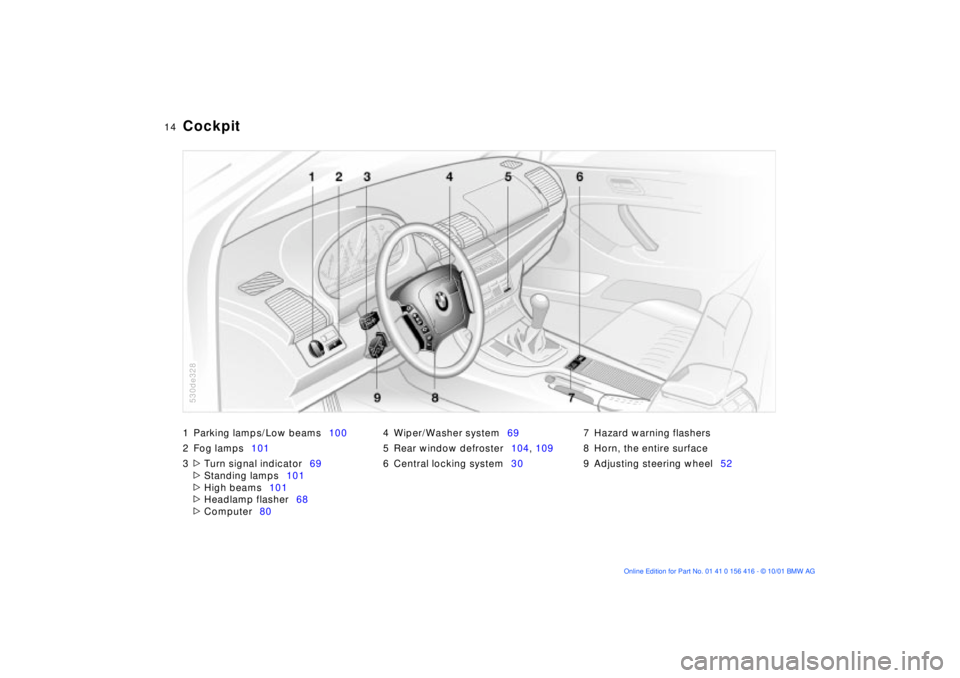
1 Parking lamps/Low beams100
2 Fog lamps101
3
>
Turn signal indicator69
>
Standing lamps101
>
High beams101
>
Headlamp flasher68
>
Computer804 Wiper/Washer system69
5 Rear window defroster104, 109
6 Central locking system307 Hazard warning flashers
8 Horn, the entire surface
9 Adjusting steering wheel52
Cockpit
530de328
Page 39 of 185
39n
OverviewControlsMaintenanceRepairsDataIndex
Alarm system The concept The vehicle alarm system responds:
>When a door, the hood, or the liftgate
is opened
>To movement inside the vehicle (inte-
rior motion sensor)
>To variations in the vehicle tilt angle
such as occur during attempts to
steal the wheels or tow the vehicle
>To interruption of battery voltage.
The system responds to unauthorized
vehicle entry and attempted theft by
simultaneously activating the following:
>Sounding an acoustical alarm for
30 seconds
>The hazard warning flashers are acti-
vated for approx. five minutes
>The high beams flash on and off in
the same rhythm.
To arm and disarm the alarm
system When the vehicle is locked or unlocked
with the key or the remote control, the
alarm system is also simultaneously
armed or disarmed.
You can have different acknowl-
edgment signals set to confirm
system arming and disarming.<
You can still open the liftgate after the
system has been armed by pressing the
button of the remote control, refer to
page 33. When you close the liftgate, it
is secured again.
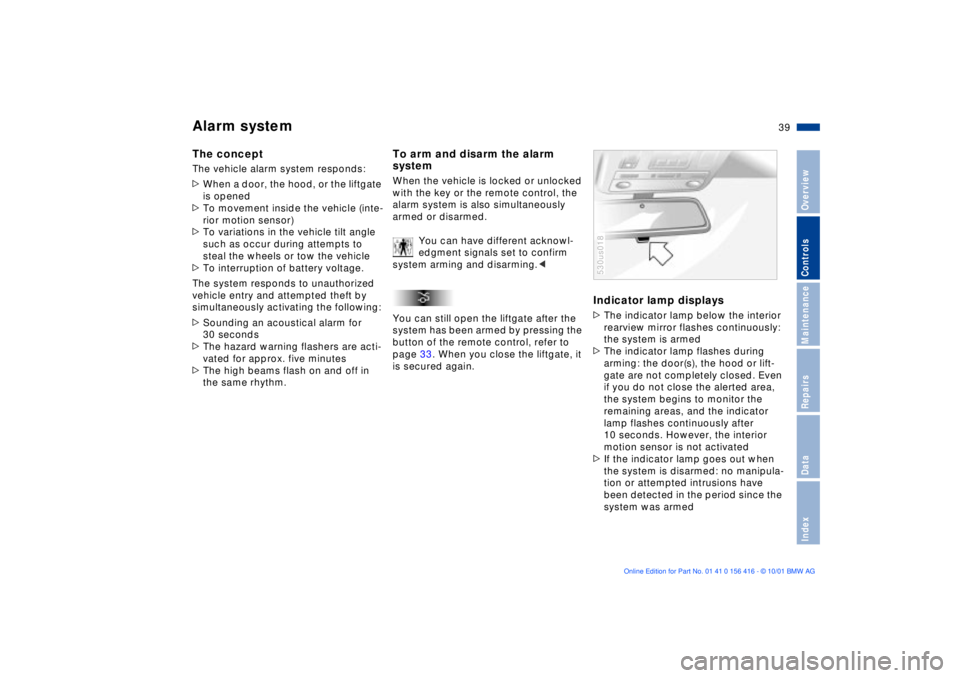
Indicator lamp displays>The indicator lamp below the interior
rearview mirror flashes continuously:
the system is armed
>The indicator lamp flashes during
arming: the door(s), the hood or lift-
gate are not completely closed. Even
if you do not close the alerted area,
the system begins to monitor the
remaining areas, and the indicator
lamp flashes continuously after
10 seconds. However, the interior
motion sensor is not activated
>If the indicator lamp goes out when
the system is disarmed: no manipula-
tion or attempted intrusions have
been detected in the period since the
system was armed530us018
Page 77 of 185
77n
OverviewControlsMaintenanceRepairsDataIndex
Check Control Graphic display
*
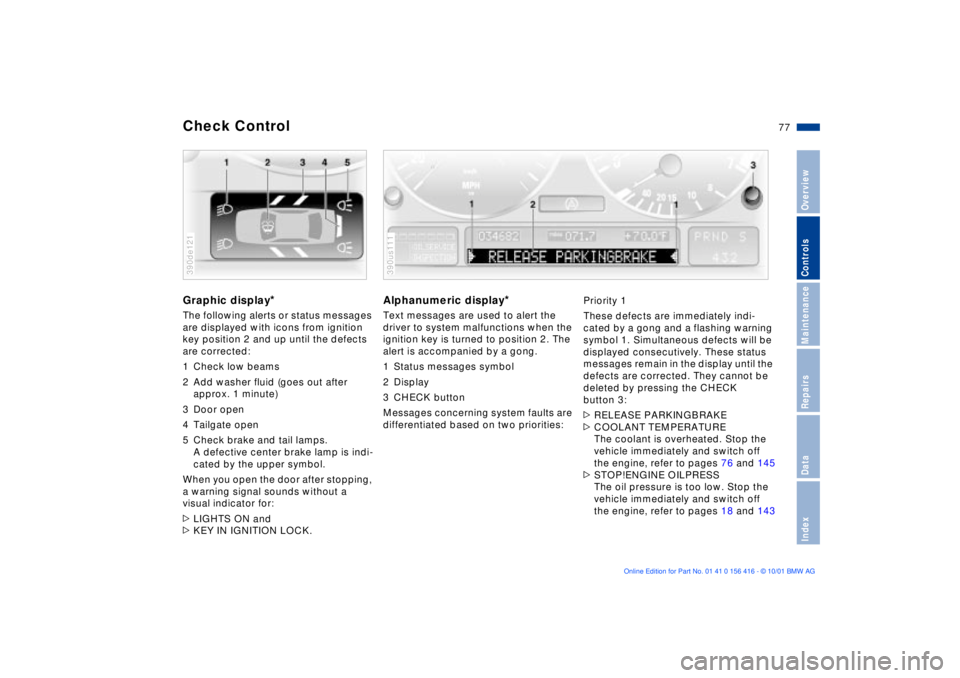
The following alerts or status messages
are displayed with icons from ignition
key position 2 and up until the defects
are corrected:
1 Check low beams
2 Add washer fluid (goes out after
approx. 1 minute)
3 Door open
4 Tailgate open
5 Check brake and tail lamps.
A defective center brake lamp is indi-
cated by the upper symbol.
When you open the door after stopping,
a warning signal sounds without a
visual indicator for:
>LIGHTS ON and
>KEY IN IGNITION LOCK. 390de121
Alphanumeric display
*
Text messages are used to alert the
driver to system malfunctions when the
ignition key is turned to position 2. The
alert is accompanied by a gong.
1 Status messages symbol
2 Display
3 CHECK button
Messages concerning system faults are
differentiated based on two priorities: 390us111
Priority 1
These defects are immediately indi-
cated by a gong and a flashing warning
symbol 1. Simultaneous defects will be
displayed consecutively. These status
messages remain in the display until the
defects are corrected. They cannot be
deleted by pressing the CHECK
button 3:
>RELEASE PARKINGBRAKE
>COOLANT TEMPERATURE
The coolant is overheated. Stop the
vehicle immediately and switch off
the engine, refer to pages 76 and 145
>STOP!ENGINE OILPRESS
The oil pressure is too low. Stop the
vehicle immediately and switch off
the engine, refer to pages 18 and 143
Page 79 of 185
79n
OverviewControlsMaintenanceRepairsDataIndex
Check Control >CHECK LOWBEAM LIGHTS
CHECK SIDE LIGHTS
CHECK REAR LIGHTS
CHECK FRONT FOGLAMPS
CHECK LICPLATE LIGHT
CHECK HIGHBEAM LIGHT
CHECK BACK UP LIGHTS
Defective bulb or circuit, refer to
page 153 or consult a BMW Sports
Activity Vehicle center
>TRANS. FAILSAFE PROG
Please consult the nearest
BMW Sports Activity Vehicle center,
refer to page 68
>CHECK BRAKE LININGS
Have the brake pads inspected by
your BMW Sports Activity Vehicle
center, refer to page 135
>CHECK COOLANT LEVEL
Coolant too low, top off at the next
opportunity, refer to page 145
>ENGINE FAILSAFE PROG
There is a fault in the engine's elec-
tronic control system.
You can continue to drive with
reduced engine output or engine
speed. Have the system checked by
your BMW Sports Activity Vehicle
center.
Displays after completion of trip All of the malfunctions registered during
the trip appear consecutively when the
ignition key is turned to position 0.
The following displays will appear when
appropriate:
>LIGHTS ON
>KEY IN IGNITION LOCK
>CHECK ENGINE OIL LEV
Add engine oil at the next opportunity
(next stop to refuel), refer to
page 143.
This display appears when you open
the driver's door after parking the
vehicle. A supplementary gong is also
heard.
Status messages remain available for a
period of approx. three minutes after
the display goes out and the key is
removed from the ignition lock. Press
the CHECK button 3. If there were
multiple messages, press the CHECK
button repeatedly to view them all in
sequence.
To check the Check Control Press the CHECK button 3 with the
ignition key in position 2:
CHECK CONTROL OK appears in the
display.
No malfunctions are present in the
monitored systems.Computer You can find a description of the
computer on pages 80 and 86 as well
as in the Owner's Manual for the
Onboard Computer.
You can have the Check Control
and computer messages
displayed in a different language.<
Page 100 of 185
100n
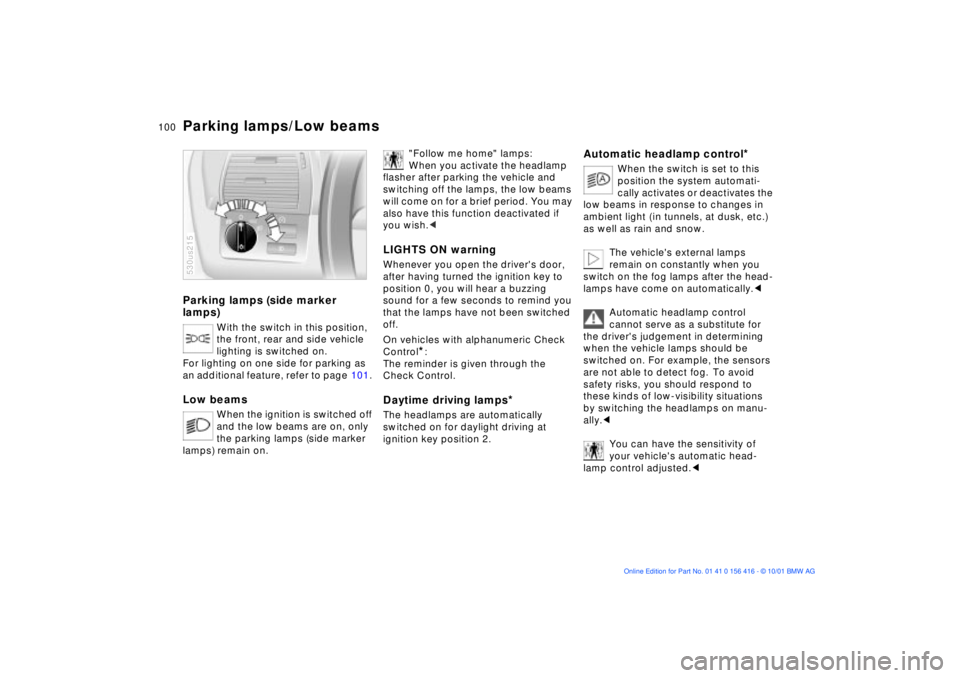
Parking lamps (side marker
lamps)
With the switch in this position,
the front, rear and side vehicle
lighting is switched on.
For lighting on one side for parking as
an additional feature, refer to page 101.
Low beams
When the ignition is switched off
and the low beams are on, only
the parking lamps (side marker
lamps) remain on.
530us215
"Follow me home" lamps:
When you activate the headlamp
flasher after parking the vehicle and
switching off the lamps, the low beams
will come on for a brief period. You may
also have this function deactivated if
you wish.<
LIGHTS ON warningWhenever you open the driver's door,
after having turned the ignition key to
position 0, you will hear a buzzing
sound for a few seconds to remind you
that the lamps have not been switched
off.
On vehicles with alphanumeric Check
Control
*:
The reminder is given through the
Check Control.
Daytime driving lamps
*
The headlamps are automatically
switched on for daylight driving at
ignition key position 2.
Automatic headlamp control
*
When the switch is set to this
position the system automati-
cally activates or deactivates the
low beams in response to changes in
ambient light ( in tunnels, at dusk, etc.)
as well as rain and snow.
The vehicle's external lamps
remain on constantly when you
switch on the fog lamps after the head-
lamps have come on automatically.<
Automatic headlamp control
cannot serve as a substitute for
the driver's judgement in determining
when the vehicle lamps should be
switched on. For example, the sensors
are not able to detect fog. To avoid
safety risks, you should respond to
these kinds of low-visibility situations
by switching the headlamps on manu-
ally.<
You can have the sensitivity of
your vehicle's automatic head-
lamp control adjusted.<
Parking lamps/Low beams
Page 101 of 185
101n
OverviewControlsMaintenanceRepairsDataIndex
Instrument lighting
High beams/Standing lamps
Fog lamps
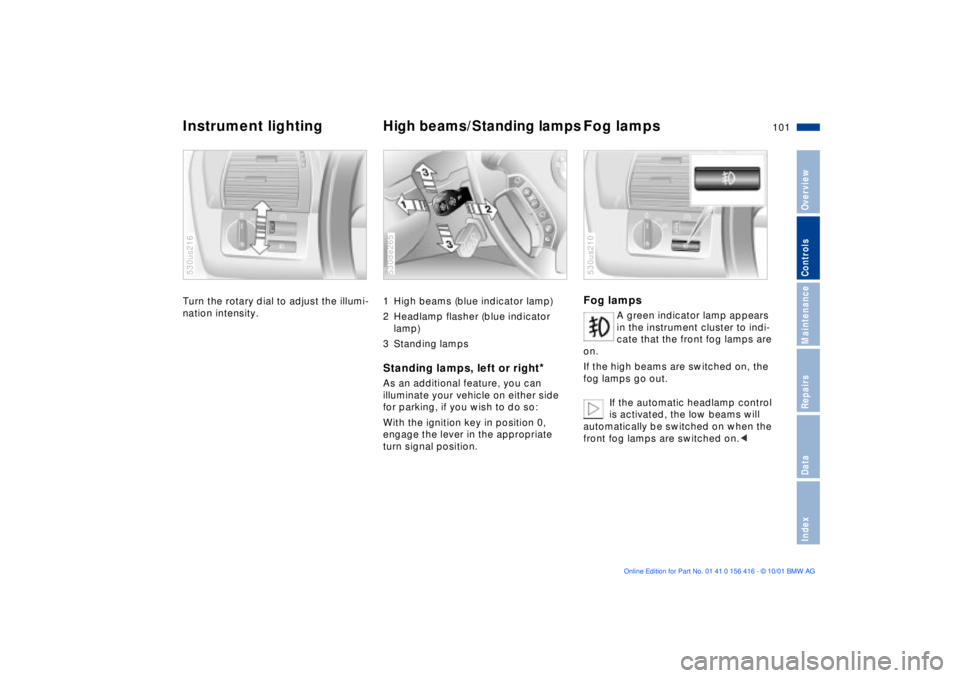
Turn the rotary dial to adjust the illumi-
nation intensity. 530us216
1 High beams (blue indicator lamp)
2 Headlamp flasher (blue indicator
lamp)
3 Standing lamps Standing lamps, left or right
*
As an additional feature, you can
illuminate your vehicle on either side
for parking, if you wish to do so:
With the ignition key in position 0,
engage the lever in the appropriate
turn signal position. 530de265
Fog lamps
A green indicator lamp appears
in the instrument cluster to indi-
cate that the front fog lamps are
on.
If the high beams are switched on, the
fog lamps go out.
If the automatic headlamp control
is activated, the low beams will
automatically be switched on when the
front fog lamps are switched on.<
530us210
Page 148 of 185
148n
Light-emitting diodes (LEDs) Light-emitting diodes installed behind
translucent lenses serve as the light
source for many of the controls and
displays in your vehicle. The concept
behind their operation is related to that
employed for lasers, and they are
formally designated as Class 1 light-
emitting diodes.
Do not remove the protective lens
and avoid staring directly at the
unfiltered beam for extended periods
(several hours), as inflammation of the
iris could result.<
California laws require us to state the
following warning:
Engine exhaust, some of its
constituents, and certain vehicle
components contain or emit chemicals
known to the State of California to
cause cancer and birth defects or other
reproductive harm.<
Technical modifications California Proposition 65 Warning
Page 153 of 185
153n
OverviewControlsMaintenanceRepairsDataIndex
Lamps and bulbsThe lamps and bulbs make essential
contributions to the safety of your
vehicle. For this reason, follow the
instructions below carefully when
replacing a bulb. If you are not familiar
with any of the procedures, consult
your BMW Sports Activity Vehicle
center.
Do not touch the glass portion of a
new bulb with your bare hands
since even small amounts of impurities
burn into the surface and reduce the
service life of the bulb. Use a clean
cloth, paper napkin, or a similar mate-
rial, or hold the bulb by its metallic
base.<
A replacement bulb set is available from
your BMW Sports Activity Vehicle
center.
Whenever working on the elec-
trical system, switch off the elec-
trical accessory you are working on or
disconnect the cable from the negative
terminal of the battery. Failure to do this
could result in short circuits.
To prevent injuries and damage,
comply with any instructions provided
by the bulb manufacturer.<
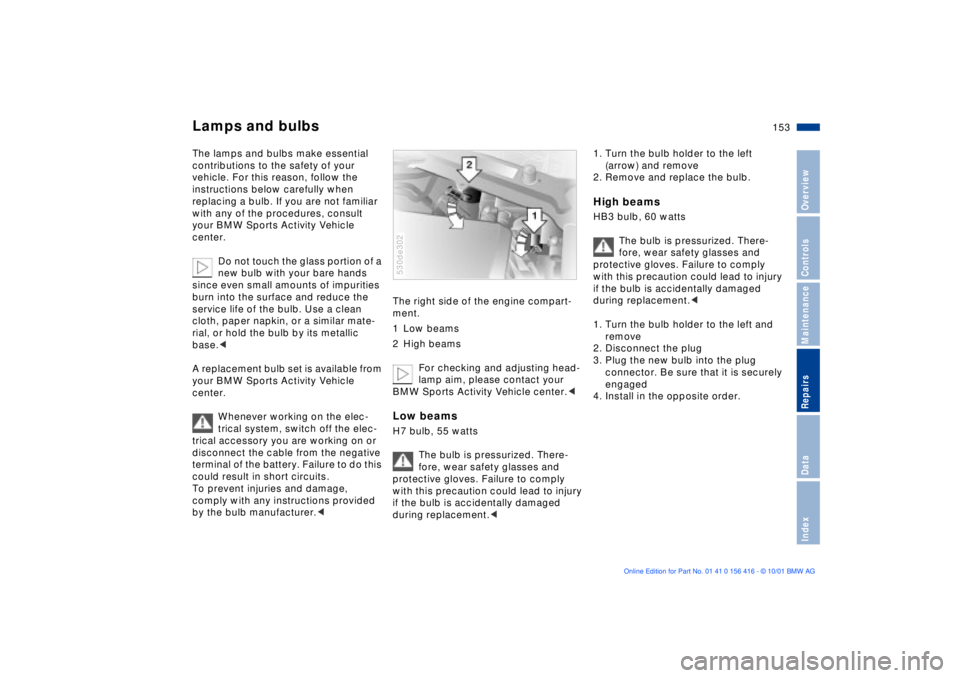
The right side of the engine compart-
ment.
1 Low beams
2 High beams
For checking and adjusting head-
lamp aim, please contact your
BMW Sports Activity Vehicle center.< Low beams H7 bulb, 55 watts
The bulb is pressurized. There-
fore, wear safety glasses and
protective gloves. Failure to comply
with this precaution could lead to injury
if the bulb is accidentally damaged
during replacement.< 530de302
1. Turn the bulb holder to the left
(arrow) and remove
2. Remove and replace the bulb. High beams HB3 bulb, 60 watts
The bulb is pressurized. There-
fore, wear safety glasses and
protective gloves. Failure to comply
with this precaution could lead to injury
if the bulb is accidentally damaged
during replacement.<
1. Turn the bulb holder to the left and
remove
2. Disconnect the plug
3. Plug the new bulb into the plug
connector. Be sure that it is securely
engaged
4. Install in the opposite order.
Page 179 of 185
Everything from A to Z
179n
OverviewControlsMaintenanceRepairsDataIndex
JJack157, 158, 160
Jump-starting164tKKey Memory61
Keys30
Keys with radio remote
control30
Kickdown mode67LLamps and bulbs153
Lashing eyes38, 127
LATCH child-restraint
system60
Lead-free gasoline25
Length171
License plate lamps
bulb replacement156t
Liftgate36
opening from the
inside36
radio control operation33
release following an
electrical
malfunction36t, 38t
Lighter118
LIGHTS ON warning100
Load-securing devices127
Louvers103, 106Low beams100
automatic100
bulb replacement153t
Low-fuel warning lamp75
Lug bolts160
Lug wrench157t
Luggage net38
Luggage straps38
Lumbar support46
MM+S radial tires140
Maintenance76t, 147t
Maintenance System147
Malfunction displays77t
Manual operation
doors31t
fuel filler door24
liftgate36t
sliding/tilt sunroof43t
tailgate38t
Manual transmission65
Master key30
Maximum cooling109
Mechanical seat45
Memory50
driver's seat50
mirrors50
steering wheel50
Messages concerning
system malfunctions77Microfilter105, 111
MID (Multi-Information
Display)82
digital clock83
Mirror defrosting53
Mirror memory50
Mirrors53
Modifications,
technical10, 148
Monitoring inflation
pressure, tires98
Moonroof42
Multifunction buttons,
steering wheel22
Multi-Information Display
(MID)82
digital clock83
NNavigation system, refer to
the separate Owner's
ManualOOBD interface socket149
Odometer74
Oil
additives144
consumption144t
dipstick144t
grades144Oil change interval, refer to
the Service and Warranty
Information Booklet (US
models) or to the Warranty
and Service Guide Booklet
(Canadian models)
Oil level19
indicator lamp19
Oil pressure, indicator
lamp18
OILSERVICE76
Onboard computer, refer to
the separate Owner's
Manual
Onboard Diagnostic (OBD)
system149
Onboard tool kit152t
Opening and closing
from the inside35
from the outside31
using the key31
using the remote
control32
Outlets, ventilation103, 106
Outside temperature
display74
in the computer80