fuel BMW X5 3.0I 2003 Owner's Manual
[x] Cancel search | Manufacturer: BMW, Model Year: 2003, Model line: X5 3.0I, Model: BMW X5 3.0I 2003Pages: 183, PDF Size: 2.31 MB
Page 79 of 183
79n
OverviewControlsMaintenanceRepairsDataIndex
Check Control >CHECK LOWBEAM LIGHTS
CHECK SIDE LIGHTS
CHECK REAR LIGHTS
CHECK FRONT FOGLAMPS
CHECK LICPLATE LIGHT
CHECK HIGHBEAM LIGHT
CHECK BACK UP LIGHTS
Defective bulb or circuit, refer to
page 151 or consult a BMW Sports
Activity Vehicle center
>TRANS. FAILSAFE PROG
*
Please consult the nearest
BMW Sports Activity Vehicle center,
refer to page 67
>CHECK BRAKE LININGS
Have the brake pads inspected by
your BMW Sports Activity Vehicle
center, refer to page 133
>CHECK COOLANT LEVEL
Coolant too low, top off at the next
opportunity, refer to page 143
>ENGINE FAILSAFE PROG
There is a fault in the engine's elec-
tronic control system.
You can continue to drive with
reduced engine output or engine
speed.
Have the system checked by your
BMW Sports Activity Vehicle center.
Displays after completion of trip All of the malfunctions registered during
the trip appear consecutively when the
ignition key is turned to position 0.
The following displays will appear when
appropriate:
>LIGHTS ON
>KEY IN IGNITION LOCK
>CHECK ENGINE OIL LEV
Add engine oil at the next opportu-
nity, e.g. next stop to refuel, refer to
page 141.
This display appears when you open
the driver's door after parking the
vehicle. A supplementary acoustic
signal is also heard.
Status messages remain available for a
period of approx. three minutes after
the display goes out and the key is
removed from the ignition lock. Press
the CHECK button 3. If there were mul-
tiple messages, press the CHECK
button repeatedly to view them all in
sequence.
To check the Check Control Press the CHECK button 3 with the
ignition key in position 2:
CHECK CONTROL OK appears in the
display.
No malfunctions are present in the
monitored systems.Computer You can find a description of the com-
puter on pages 80 and 85 as well as in
the Owner's Manual for the Onboard
Computer.
You can have the Check Control
and computer messages dis-
played in a different language.<
Page 80 of 183
80n
ComputerMode selection From ignition key position 1 and up,
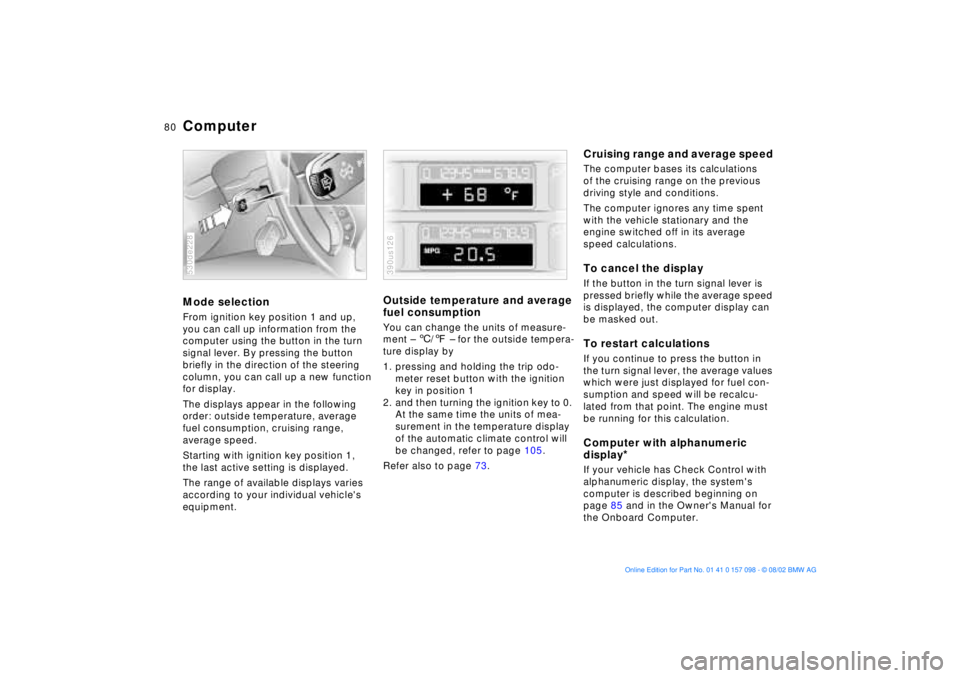
you can call up information from the
computer using the button in the turn
signal lever. By pressing the button
briefly in the direction of the steering
column, you can call up a new function
for display.
The displays appear in the following
order: outside temperature, average
fuel consumption, cruising range,
average speed.
Starting with ignition key position 1,
the last active setting is displayed.
The range of available displays varies
according to your individual vehicle's
equipment.530de228
Outside temperature and average
fuel consumption You can change the units of measure-
ment Ð 6/7 Ð for the outside tempera-
ture display by
1. pressing and holding the trip odo-
meter reset button with the ignition
key in position 1
2. and then turning the ignition key to 0.
At the same time the units of mea-
surement in the temperature display
of the automatic climate control will
be changed, refer to page 105.
Refer also to page 73.390us126
Cruising range and average speed The computer bases its calculations
of the cruising range on the previous
driving style and conditions.
The computer ignores any time spent
with the vehicle stationary and the
engine switched off in its average
speed calculations.To cancel the display If the button in the turn signal lever is
pressed briefly while the average speed
is displayed, the computer display can
be masked out. To restart calculationsIf you continue to press the button in
the turn signal lever, the average values
which were just displayed for fuel con-
sumption and speed will be recalcu-
lated from that point. The engine must
be running for this calculation.Computer with alphanumeric
display
*
If your vehicle has Check Control with
alphanumeric display, the system's
computer is described beginning on
page 85 and in the Owner's Manual for
the Onboard Computer.
Page 81 of 183
81n
OverviewControlsMaintenanceRepairsDataIndex
Multi-Information Display MID
Central displayThe MID serves as the central display
and operation for the following onboard
systems:
>Digital clock, e. g. time display, date
>Audio systems Ð radio, cassette, CD
>Computer, e.g. fuel consumption,
cruising range
>Cellular phone, e.g. dialing.
You will find explanations and notes
for operating the digital clock and the
computer on the following pages.
Please refer to the separate Owner's
Manuals for operating the audio sys-
tems, the cellular phone and the
onboard computer.
Any unrealistic numerical entries
will not be accepted.
All stored data will be lost if the power
supply is interrupted. Time display,
switch-on times for independent
heating and ventilation, distance and
cruise control speed limit may have to
be reset once the power supply has
been re-established.<
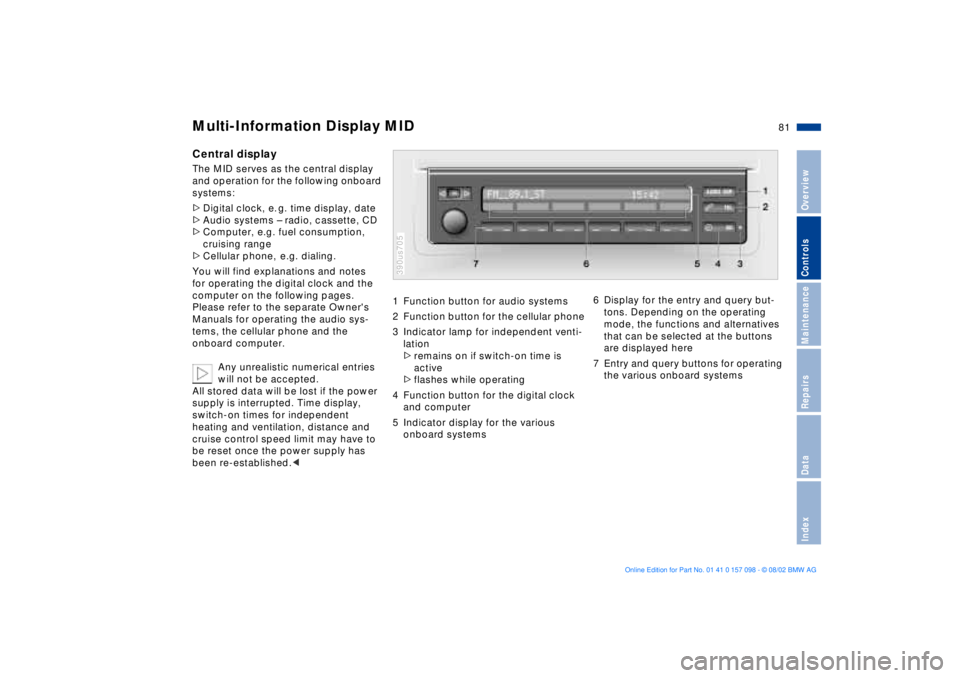
1 Function button for audio systems
2 Function button for the cellular phone
3 Indicator lamp for independent venti-
lation
>remains on if switch-on time is
active
>flashes while operating
4 Function button for the digital clock
and computer
5 Indicator display for the various
onboard systems390us705
6 Display for the entry and query but-
tons. Depending on the operating
mode, the functions and alternatives
that can be selected at the buttons
are displayed here
7 Entry and query buttons for operating
the various onboard systems
Page 87 of 183
87n
OverviewControlsMaintenanceRepairsDataIndex
Computer
** * * in the MID
Estimated time of arrival When you have entered the distance to
your destination, you can obtain an
estimated time of arrival display which
is continuously updated by the com-
puter as your average driving period
varies.
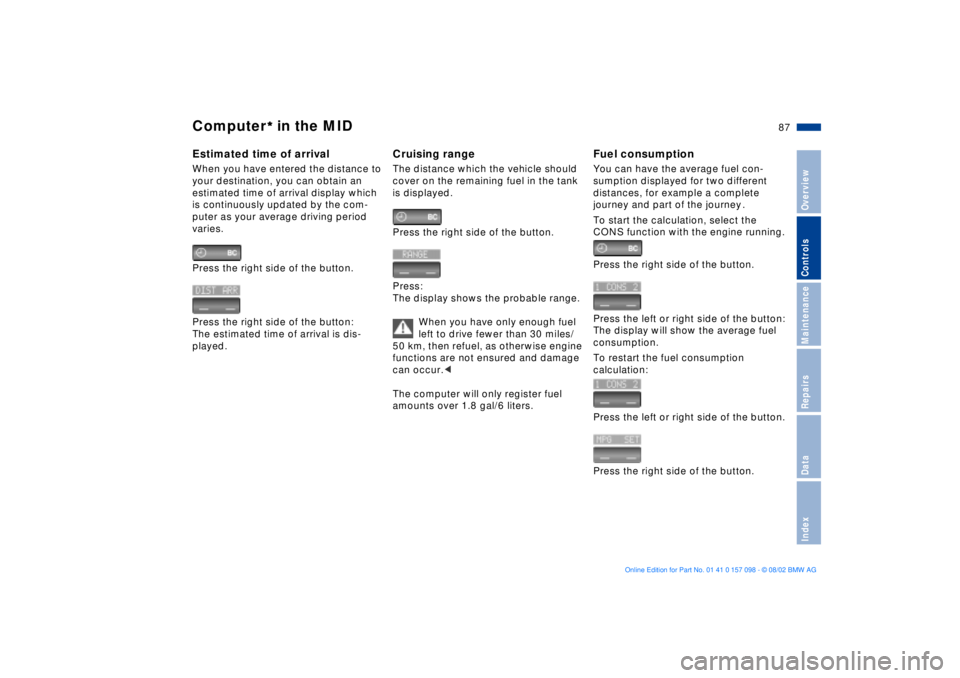
Press the right side of the button.
Press the right side of the button:
The estimated time of arrival is dis-
played.
Cruising rangeThe distance which the vehicle should
cover on the remaining fuel in the tank
is displayed.
Press the right side of the button.
Press:
The display shows the probable range.
When you have only enough fuel
left to drive fewer than 30 miles/
50 km, then refuel, as otherwise engine
functions are not ensured and damage
can occur.<
The computer will only register fuel
amounts over 1.8 gal/6 liters.
Fuel consumptionYou can have the average fuel con-
sumption displayed for two different
distances, for example a complete
journey and part of the journey .
To start the calculation, select the
CONS function with the engine running.
Press the right side of the button.
Press the left or right side of the button:
The display will show the average fuel
consumption.
To restart the fuel consumption
calculation:
Press the left or right side of the button.
Press the right side of the button.
Page 137 of 183
137n
OverviewControlsMaintenanceRepairsDataIndex
Wheel and tire combinations The right choice
Use only wheels and tires
approved by BMW for the corre-
sponding vehicle model, as otherwise
the tires may make contact with the
body as the result of tolerances despite
the same nominal size being used,
resulting in serious accidents. If non-
approved wheels and tires are used,
BMW cannot evaluate their suitability,
and therefore cannot be held liable for
driving safety.<
BMW tests certain tire brands for each
tire size, classifies them as road-safe
and approves them. Consult your
BMW Sports Activity Vehicle center for
more information. Observe any regula-
tions applicable in the country of use,
e.g. requiring entry in the vehicle docu-
ments.
The correct wheel and tire combi-
nation affects different systems
such as ABS, ATC and DSC. The func-
tion of these systems is impaired if
improper wheel and tire combinations
are used.
For this reason, use only tires of the
same brand and tread pattern on the
vehicle and, for example, restore the
approved wheel and tire combination
following a flat tire as soon as
possible.<
The use of rims and lug bolts that
do not meet the specifications of
the original factory-installed equipment
will affect the safe operation of your
vehicle and may cause an accident and
personal injury.
Never mix tires of different design, such
as steel-belted radials with radial bias
belted or bias-ply tires, etc. Mixing tire
types will adversely affect roadholding
and can lead to loss of vehicle
control.<
Storage Store wheels or tires in a cool, dry
place, protecting them against light
whenever possible. Protect the tires
against contact with oil, grease and
fuel.
Page 141 of 183
141n
OverviewControlsMaintenanceRepairsDataIndex
Washer fluid Engine oil Windshield and headlamp washer
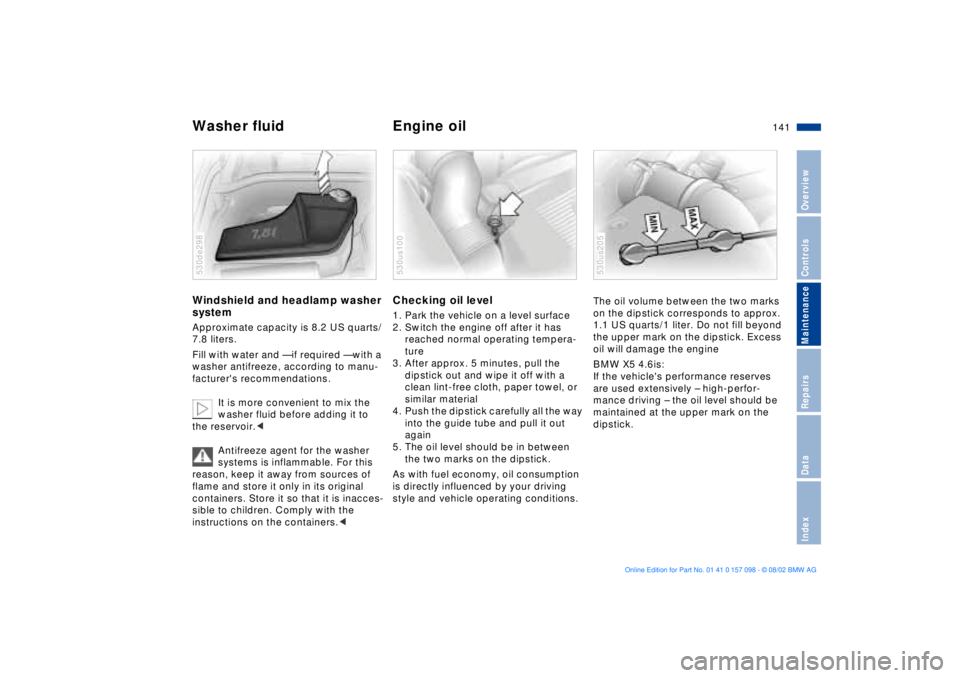
system Approximate capacity is 8.2 US quarts/
7.8 liters.
Fill with water and Ñ if required Ñ with a
washer antifreeze, according to manu-
facturer's recommendations.
It is more convenient to mix the
washer fluid before adding it to
the reservoir.<
Antifreeze agent for the washer
systems is inflammable. For this
reason, keep it away from sources of
flame and store it only in its original
containers. Store it so that it is inacces-
sible to children. Comply with the
instructions on the containers.< 530de298
Checking oil level 1. Park the vehicle on a level surface
2. Switch the engine off after it has
reached normal operating tempera-
ture
3. After approx. 5 minutes, pull the
dipstick out and wipe it off with a
clean lint-free cloth, paper towel, or
similar material
4. Push the dipstick carefully all the way
into the guide tube and pull it out
again
5. The oil level should be in between
the two marks on the dipstick.
As with fuel economy, oil consumption
is directly influenced by your driving
style and vehicle operating conditions. 530us100
The oil volume between the two marks
on the dipstick corresponds to approx.
1.1 US quarts/1 liter. Do not fill beyond
the upper mark on the dipstick. Excess
oil will damage the engine
BMW X5 4.6is:
If the vehicle's performance reserves
are used extensively Ð high-perfor-
mance driving Ð the oil level should be
maintained at the upper mark on the
dipstick.530us205
Page 168 of 183

168n
An engine performance test is authorized only on an appropriate chassis dynamometer . BMW X5 3.0i BMW X5 4.4i BMW X5 4.6is
Displacement
Number of cylinders cu in/cm
3
181.8/2,979
6268.4/4,398
8281.9/4,619
8
Maximum output
at engine speed hp
rpm225
5,900290
5,400340
5,700
Maximum torque
at engine speed Ib-ft/Nm
rpm214/290
3,500324/440
3,600350/475
3,700
Compression ratio 10.2 10.0 10.5
Stroke
Bore in/mm
in/mm3.53/89.6
3.31/843.26/82.7
3.62/92.03.35/85.0
3.66/93.0
Fuel-injection system
Digital electronic engine-management system
Engine specifications
Page 170 of 183

170n
Weights BMW X5 3.0i BMW X5 4.4i BMW X5 4.6is
Curb weight Ð with one person, ready for operation, full tank of fuel, options not included
with manual transmission
with automatic transmission Ibs/kg
Ibs/kg4,533/2,056
4,586/2,080 Ð
4,824/2,188 Ð
4,824/2,188
Approved gross vehicle weight
with manual transmission
with automatic transmission Ibs/kg
Ibs/kg6,005/2,724
6,005/2,724 Ð
6,005/2,724 Ð
6,005/2,724
Approved front axle load Ibs/kg
2,787/1,264 2,787/1,264 2,787/1,264
Approved rear axle load Ibs/kg 3,307/1,500 3,307/1,500 3,307/1,500
Approved roof load capacity Ibs/kg 220/100
Never exceed either the approved axle loads or the gross vehicle weight .
Cargo area capacity cu ft/l 16.4 Ð 54.4/465 Ð 1,540 Ð according to DIN
69.04/1,955 Ð according to SAE
Page 171 of 183
171n
OverviewControlsMaintenanceRepairsDataIndex
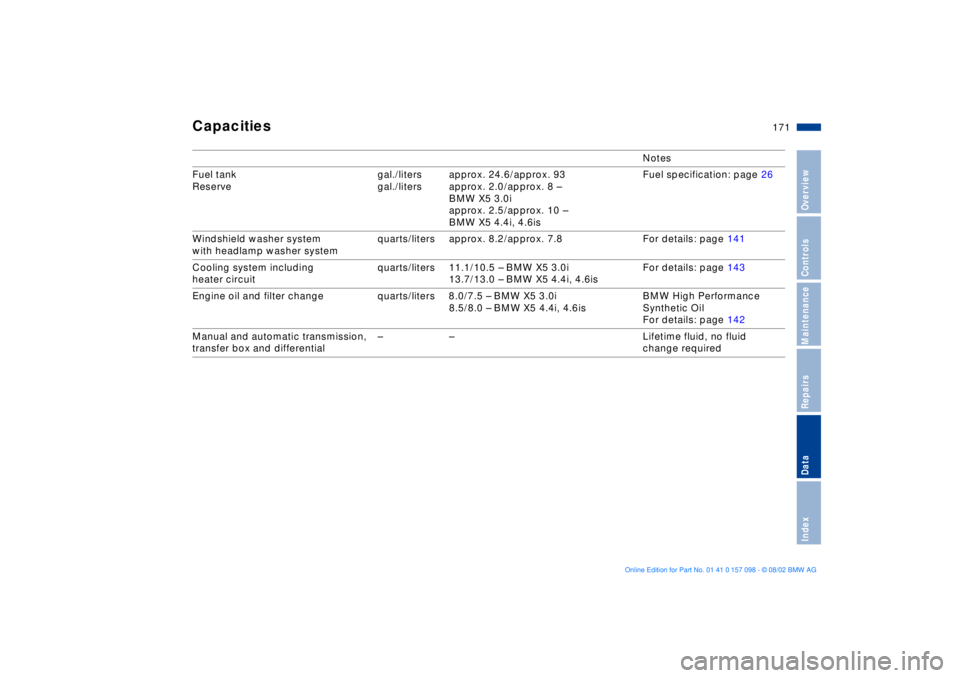
Capacities
Notes
Fuel tank
Reserve gal./liters
gal./litersapprox. 24.6/approx. 93
approx. 2.0/approx. 8 Ð
BMW X5 3.0i
approx. 2.5/approx. 10 Ð
BMW X5 4.4i, 4.6isFuel specification: page 26
Windshield washer system
with headlamp washer system quarts/liters approx. 8.2/approx. 7.8 For details: page 141
Cooling system including
heater circuit quarts/liters 11.1/10.5 Ð BMW X5 3.0i
13.7/13.0 Ð BMW X5 4.4i, 4.6isFor details: page 143
Engine oil and filter change quarts/liters 8.0/7.5 Ð BMW X5 3.0i
8.5/8.0 Ð BMW X5 4.4i, 4.6isBMW High Performance
Synthetic Oil
For details: page 142
Manual and automatic transmission,
transfer box and differential Ð Ð Lifetime fluid, no fluid
change required
Page 174 of 183
Everything from A to ZAABS Antilock Brake
System20, 132
Accessories9
Activated-charcoal
filter110
Adaptive brake light98
Adding
brake fluid144
coolant143
engine oil141
washer fluid141
Adjusting
head restraints47
mirrors53
seats44
steering wheel52
thigh support45
Air conditioner102
Air distribution103, 107
Air outlets102, 105
Air supply103, 107
Airbags20, 55
Alarm system39
Antifreeze143
Antilock Brake System
ABS20, 132
Anti-theft system31
Approved gross vehicle
weight170
Aquaplaning132, 134Arrival time87
Ashtray
front117
rear118
AUC Automatic recirculated-
air control108
Automatic climate
control105
removing condensation
from the windows107
Automatic cruise control71
Automatic curb monitor51
Automatic dimming
exterior rearview
mirrors54
interior rearview mirror54
Automatic headlamp
control99
Automatic recirculated-air
control AUC108
Automatic steering wheel
adjustment52
Automatic transmission with
Steptronic65
Average fuel
consumption80
Average speed80, 88
Avoiding unintentional
alarms40
Axle loads170
BBackup lamps65
bulb replacement153
Battery160
charge160
discharged163
Battery charge indicator
lamp19
Battery, disposal160
Belts49
Beverage holder116
Blower103, 107
BMW comfort seat46
BMW High Performance
Synthetic Oil142
BMW Maintenance
System145
BMW sports seat45
BMW Universal
Transmitter112
Brake fluid144
Brake fluid level144
Brake lamps
bulb replacement153
Brake light, adaptive98Brake system132
brake fluid144
brake fluid level133
brake pads indicator21
disc brakes133
hydraulic system
indicator19
malfunctions132
Break-in procedures130
Bulbs and lamps151
CCalifornia Proposition
65 Warning146
Can holder, refer to
beverage holder116
Capacities171
Cargo area38, 120
capacity170
cover120
lamps101
partition net122
Cargo floor, pull-out124
Cargo loading126
Cellular phone116
hands-free system116
Center Ð high-mount Ð brake
lamp153
Center (high-mount) brake
lamp153