tow BMW X5 3.0I 2005 E53 User Guide
[x] Cancel search | Manufacturer: BMW, Model Year: 2005, Model line: X5 3.0I, Model: BMW X5 3.0I 2005 E53Pages: 200, PDF Size: 3.55 MB
Page 69 of 200
OverviewControlsMaintenanceRepairsDataIndex
69n
Automatic transmission with Steptronic
*
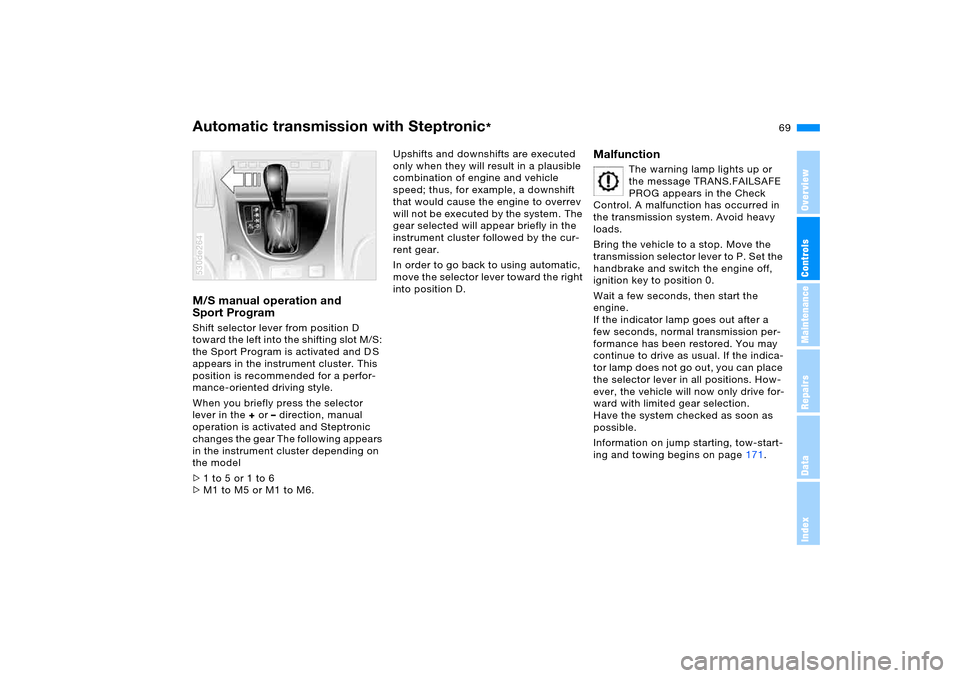
M/S manual operation and
Sport Program Shift selector lever from position D
toward the left into the shifting slot M/S:
the Sport Program is activated and D S
appears in the instrument cluster. This
position is recommended for a perfor-
mance-oriented driving style.
When you briefly press the selector
lever in the + or – direction, manual
operation is activated and Steptronic
changes the gear The following appears
in the instrument cluster depending on
the model
>1 to 5 or 1 to 6
>M1 to M5 or M1 to M6. 530de264
Upshifts and downshifts are executed
only when they will result in a plausible
combination of engine and vehicle
speed; thus, for example, a downshift
that would cause the engine to overrev
will not be executed by the system. The
gear selected will appear briefly in the
instrument cluster followed by the cur-
rent gear.
In order to go back to using automatic,
move the selector lever toward the right
into position D.
Malfunction
The warning lamp lights up or
the message TRANS.FAILSAFE
PROG appears in the Check
Control. A malfunction has occurred in
the transmission system. Avoid heavy
loads.
Bring the vehicle to a stop. Move the
transmission selector lever to P. Set the
handbrake and switch the engine off,
ignition key to position 0.
Wait a few seconds, then start the
engine.
If the indicator lamp goes out after a
few seconds, normal transmission per-
formance has been restored. You may
continue to drive as usual. If the indica-
tor lamp does not go out, you can place
the selector lever in all positions. How-
ever, the vehicle will now only drive for-
ward with limited gear selection.
Have the system checked as soon as
possible.
Information on jump starting, tow-start-
ing and towing begins on page171.
Page 70 of 200
70n
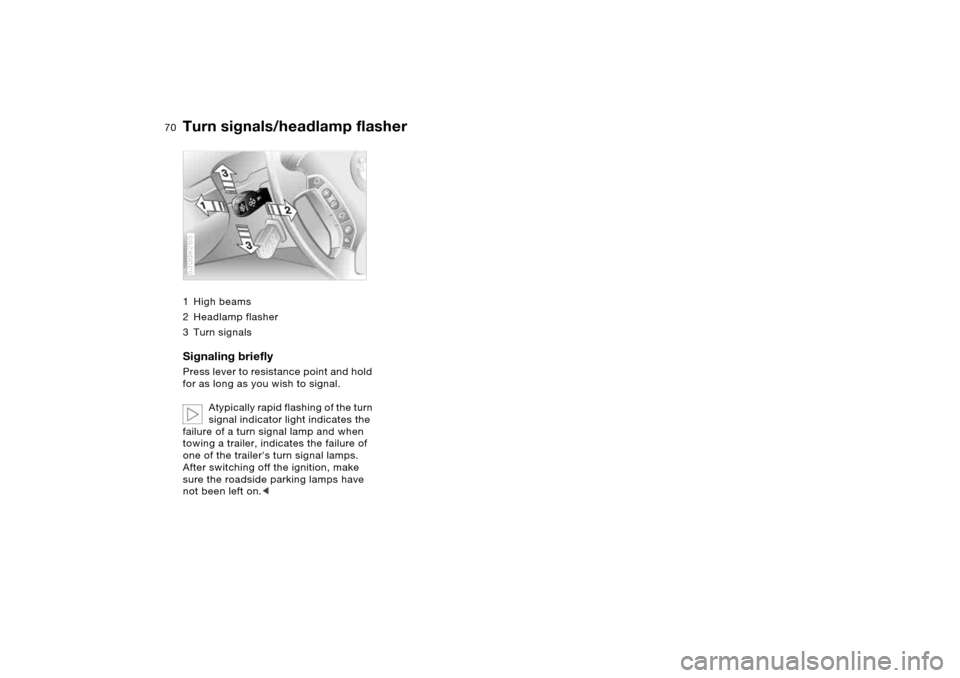
Turn signals/headlamp flasher1High beams
2 Headlamp flasher
3Turn signalsSignaling briefly Press lever to resistance point and hold
for as long as you wish to signal.
Atypically rapid flashing of the turn
signal indicator light indicates the
failure of a turn signal lamp and when
towing a trailer, indicates the failure of
one of the trailer's turn signal lamps.
After switching off the ignition, make
sure the roadside parking lamps have
not been left on.<530de265
Page 94 of 200
94n
PDC Park Distance Control
* Antilock Brake System
Signal tones The distance from an object is indicated
in front with a higher intermittent tone,
and at the rear with a lower intermittent
tone. As the distance between vehicle
and object decreases, the intervals
between the tones become shorter.
The signal tone becomes continuous
once the distance to the nearest object
falls to below roughly 1 ft/30 cm.
The warning signal is canceled after
approx. 3 seconds if you are moving
parallel to a wall. MalfunctionThe indicator lamp flashes and a short
steady signal tone is sounded
>if you activate PDC with the button
>when you select reverse for the first
time after switching on the ignition
>if a malfunction occurs while the PDC
system is active.
Switch the system off and have the
cause of the malfunction corrected by
your BMW Sports Activity Vehicle cen-
ter.
System limits
Even with PDC, final responsibility
for estimating the distance
between the vehicle and any obstruc-
tions always remains with the driver.
Even when sensors are involved, there
is a blind spot in which objects cannot
be detected. This applies especially
in those cases where the system
approaches the physical constraints of
ultrasonic measurement, as occurs with
tow bars and trailer couplings, and in
the vicinity of thin or wedge-shaped
objects. Low objects already displayed,
e.g. a curb, can also disappear from the
detection area of the sensors again
before a continuous tone sounds.
Loud sources of sound, inside and out-
side the vehicle, could drown out the
PDC signal tone.<
Keep the sensors clean and free of ice
or snow in order to ensure that they will
continue to operate effectively.
Do not apply high pressure spray to the
sensors for a prolonged period of time.
Keep the spray at least 4 in/10 cm away
from the sensors.
The concept The ABS Antilock Brake System pre-
vents the wheel brakes from locking
during braking. Safe steering response
is maintained even during full braking.
This increases active safety.
The ABS is operational every time you
start the engine. Safe braking, refer to
page 140.EBV Electronic brake-force
distribution EBV controls the brake system's appli-
cation pressure at the rear wheels to
ensure stable deceleration.DBC Dynamic Brake Control When the brake pedal is depressed
rapidly, this system automatically gen-
erates a maximal boost of braking force
and thus aids in keeping braking dis-
tances as short as possible during full
braking. This system exploits all of the
benefits provided by ABS.
Do not reduce the pressure on the
brake pedal for the duration of the
brake application. DBC is deactivated
when you release the brake pedal.
Page 99 of 200
99n
OverviewControlsMaintenanceRepairsDataIndex
2-axle self-leveling suspension
*
The concept Your vehicle is equipped with 2-axle
self-leveling suspension acting on both
the front and rear suspension. This sys-
tem combines automatic self-leveling,
which compensates for variations in
front-to-rear load-distribution patterns,
with a selection feature allowing drivers
to choose from among several ride-
height options.
You may choose from among the fol-
lowing ride heights:
>Normal
The standard setting is intended for
most operating conditions, including
trailer towing
>Off-Road
Increased level for more ground
clearance
>Access
Lowers vehicle for more convenient
cargo handling or easier passenger
entries and exits.
Changes in ride height are initiated
either manually, using the control but-
ton, refer to page 100, or automatically
in response to specific speeds. When
the ride height is selected manually, the
driver has the additional option of revis-
ing the ride-height selection by entering a new command during the adjustment
process.
When the vehicle is stationary, the sys-
tem executes ride-height changes in
both directions – up and down – when-
ever the doors are closed. The tailgate/
liftgate may be open. The system raises
the vehicle only when the engine is run-
ning.
The system's automatic self-leveling
feature automatically compensates for
variations in the vehicle's load.
Frequent changes in ride height
initiated at short intervals can
overheat the compressor, causing the
system to briefly suspend active opera-
tion.<
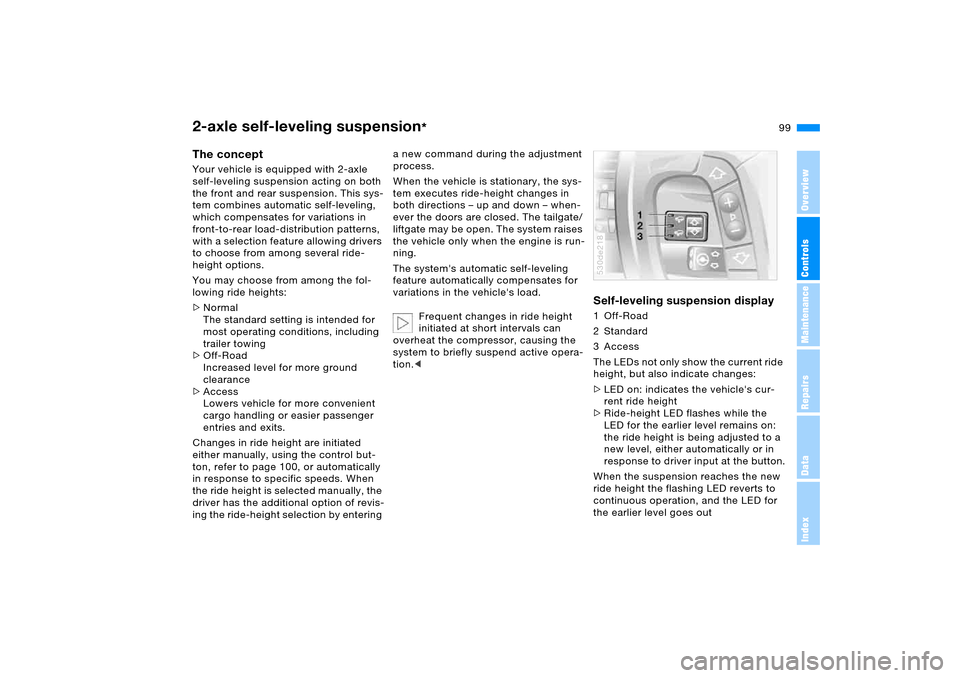
Self-leveling suspension display 1 Off-Road
2Standard
3 Access
The LEDs not only show the current ride
height, but also indicate changes:
>LED on: indicates the vehicle's cur-
rent ride height
>Ride-height LED flashes while the
LED for the earlier level remains on:
the ride height is being adjusted to a
new level, either automatically or in
response to driver input at the button.
When the suspension reaches the new
ride height the flashing LED reverts to
continuous operation, and the LED for
the earlier level goes out530de218
Page 104 of 200
104n
Adaptive Head Light
*
High beams/roadside parking lamps
The concept Adaptive Head Light is a variable head-
lamp control system that enables better
illumination of the road surface.
Depending on the steering angle and
other assumptions, the light from the
headlamp follows the course of the
road.Activating Adaptive Head Light
In ignition key position 2, turn
the light switch to the position
'Automatic headlamp control',
refer to page103.
To avoid blinding oncoming traffic, the
Adaptive Head Light
>is not active when driving in reverse
>is active only when pointing toward
the passenger side.
MalfunctionThe LED next to the symbol for auto-
matic headlamp control flashes. Adap-
tive Head Light is faulty or has failed.
Have the system checked as soon as
possible.
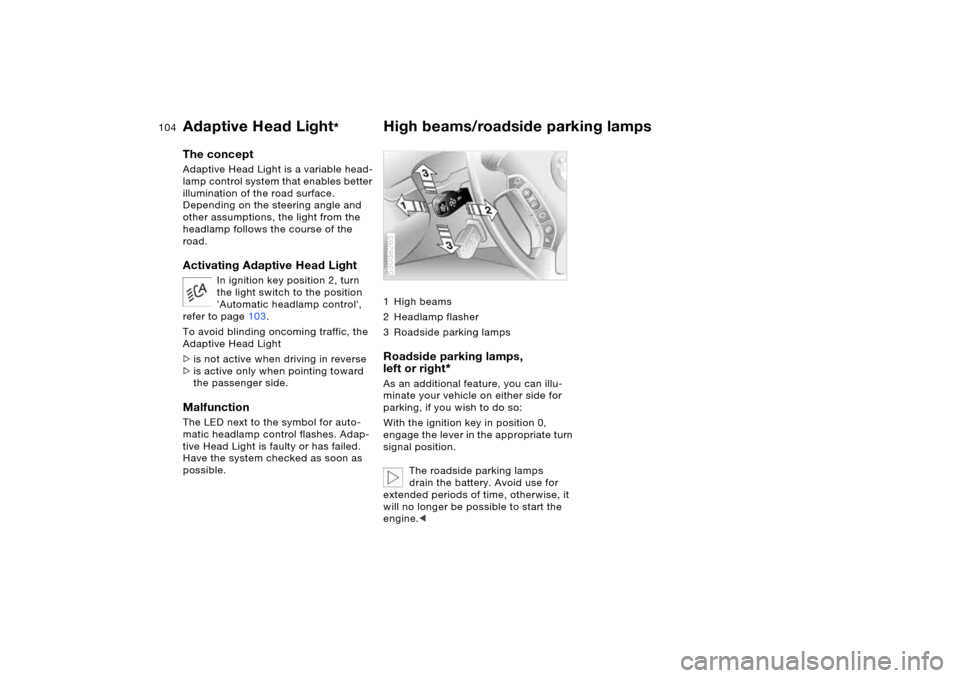
1High beams
2 Headlamp flasher
3 Roadside parking lamps Roadside parking lamps,
left or right
*
As an additional feature, you can illu-
minate your vehicle on either side for
parking, if you wish to do so:
With the ignition key in position 0,
engage the lever in the appropriate turn
signal position.
The roadside parking lamps
drain the battery. Avoid use for
extended periods of time, otherwise, it
will no longer be possible to start the
engine.<530de265
Page 107 of 200
107n
OverviewControlsMaintenanceRepairsDataIndex
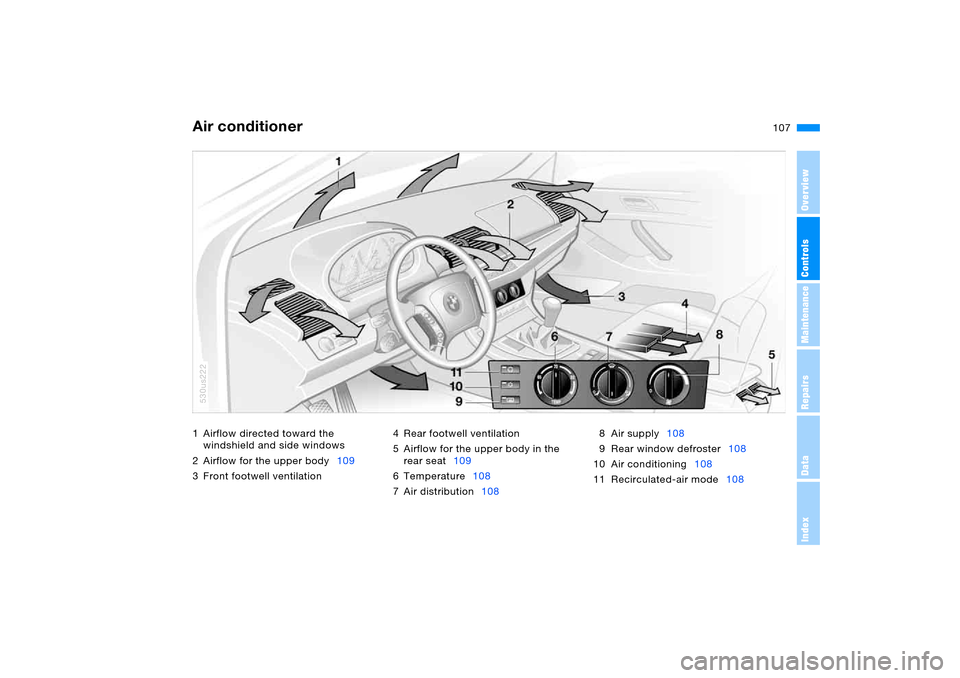
1 Airflow directed toward the
windshield and side windows
2 Airflow for the upper body109
3 Front footwell ventilation 4 Rear footwell ventilation
5 Airflow for the upper body in the
rear seat109
6Temperature108
7 Air distribution1088 Air supply108
9 Rear window defroster108
10 Air conditioning108
11 Recirculated-air mode108Air conditioner
530us222
Page 108 of 200
108n
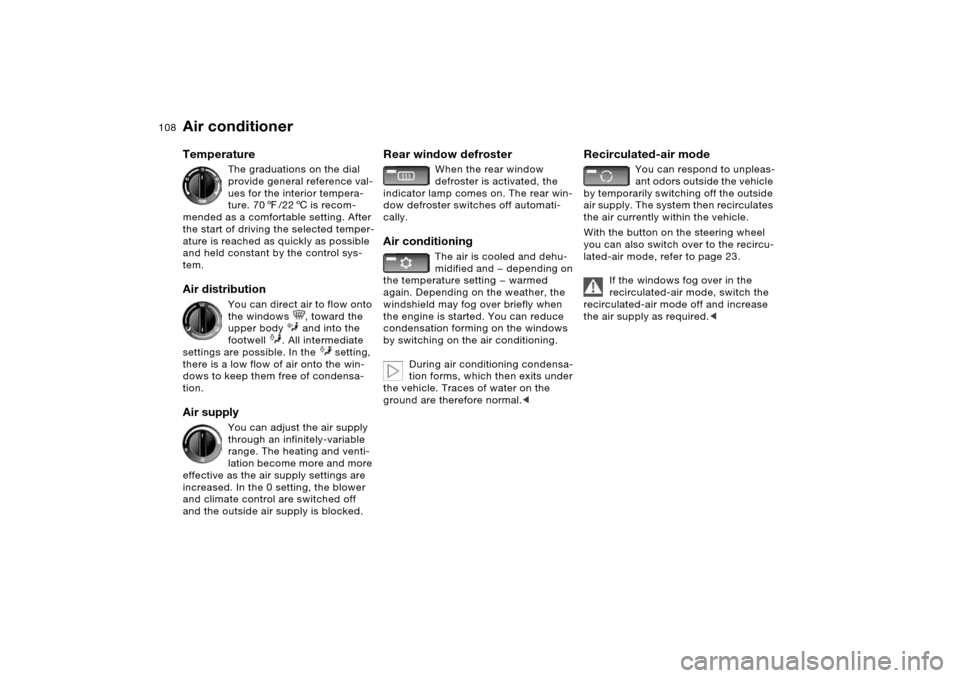
Air conditioner Temperature
The graduations on the dial
provide general reference val-
ues for the interior tempera-
ture. 707/226 is recom-
mended as a comfortable setting. After
the start of driving the selected temper-
ature is reached as quickly as possible
and held constant by the control sys-
tem.
Air distribution
You can direct air to flow onto
the windows , toward the
upper body and into the
footwell . All intermediate
settings are possible. In the setting,
there is a low flow of air onto the win-
dows to keep them free of condensa-
tion.
Air supply
You can adjust the air supply
through an infinitely-variable
range. The heating and venti-
lation become more and more
effective as the air supply settings are
increased. In the 0 setting, the blower
and climate control are switched off
and the outside air supply is blocked.
Rear window defroster
When the rear window
defroster is activated, the
indicator lamp comes on. The rear win-
dow defroster switches off automati-
cally.
Air conditioning
The air is cooled and dehu-
midified and — depending on
the temperature setting — warmed
again. Depending on the weather, the
windshield may fog over briefly when
the engine is started. You can reduce
condensation forming on the windows
by switching on the air conditioning.
During air conditioning condensa-
tion forms, which then exits under
the vehicle. Traces of water on the
ground are therefore normal.<
Recirculated-air mode
You can respond to unpleas-
ant odors outside the vehicle
by temporarily switching off the outside
air supply. The system then recirculates
the air currently within the vehicle.
With the button on the steering wheel
you can also switch over to the recircu-
lated-air mode, refer to page 23.
If the windows fog over in the
recirculated-air mode, switch the
recirculated-air mode off and increase
the air supply as required.<
Page 109 of 200
109n
OverviewControlsMaintenanceRepairsDataIndex
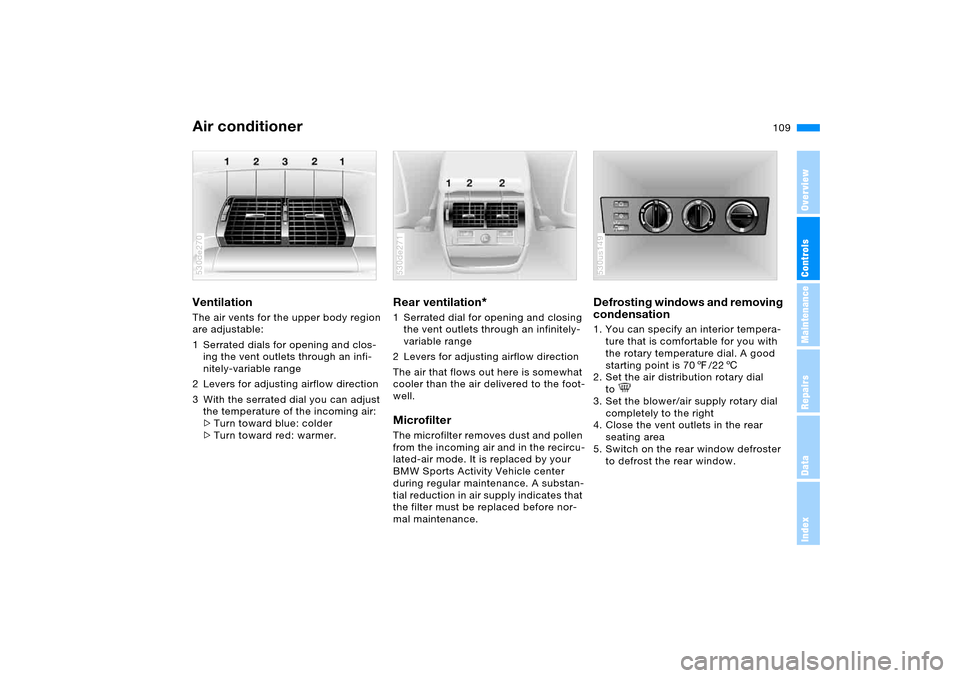
Air conditionerVentilation The air vents for the upper body region
are adjustable:
1 Serrated dials for opening and clos-
ing the vent outlets through an infi-
nitely-variable range
2 Levers for adjusting airflow direction
3 With the serrated dial you can adjust
the temperature of the incoming air:
>Turn toward blue: colder
>Turn toward red: warmer. 530de270
Rear ventilation
*
1 Serrated dial for opening and closing
the vent outlets through an infinitely-
variable range
2 Levers for adjusting airflow direction
The air that flows out here is somewhat
cooler than the air delivered to the foot-
well. Microfilter The microfilter removes dust and pollen
from the incoming air and in the recircu-
lated-air mode. It is replaced by your
BMW Sports Activity Vehicle center
during regular maintenance. A substan-
tial reduction in air supply indicates that
the filter must be replaced before nor-
mal maintenance.530de271
Defrosting windows and removing
condensation 1. You can specify an interior tempera-
ture that is comfortable for you with
the rotary temperature dial. A good
starting point is 707/226
2. Set the air distribution rotary dial
to
3. Set the blower/air supply rotary dial
completely to the right
4. Close the vent outlets in the rear
seating area
5. Switch on the rear window defroster
to defrost the rear window. 530us149
Page 110 of 200
110n
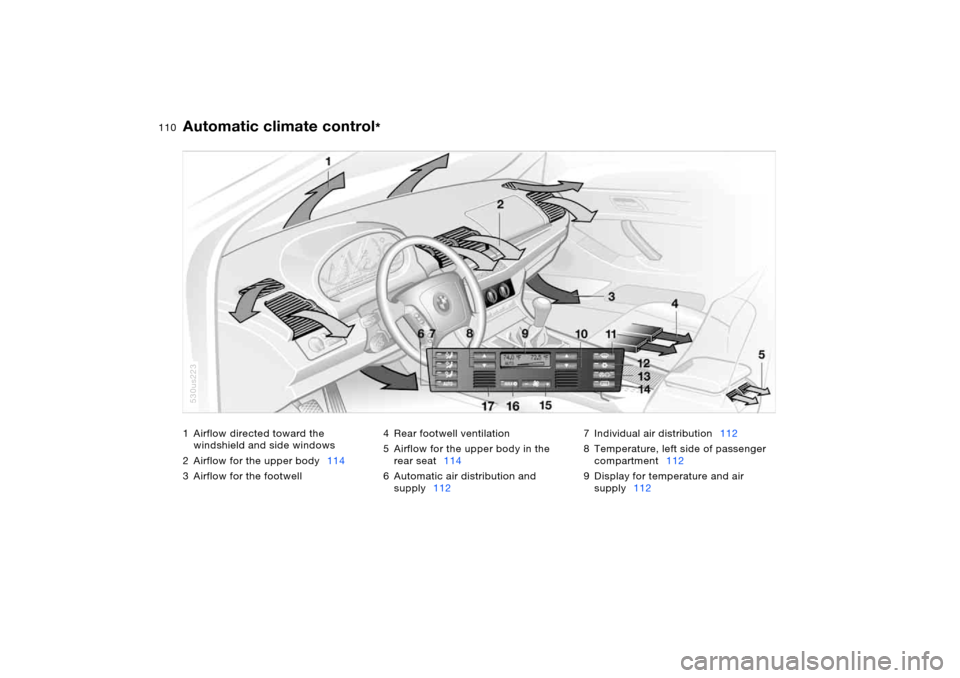
1 Airflow directed toward the
windshield and side windows
2 Airflow for the upper body114
3 Airflow for the footwell4 Rear footwell ventilation
5 Airflow for the upper body in the
rear seat114
6 Automatic air distribution and
supply1127 Individual air distribution112
8 Temperature, left side of passenger
compartment112
9 Display for temperature and air
supply112
Automatic climate control
*
530us223
Page 112 of 200
112n
Automatic climate control
*
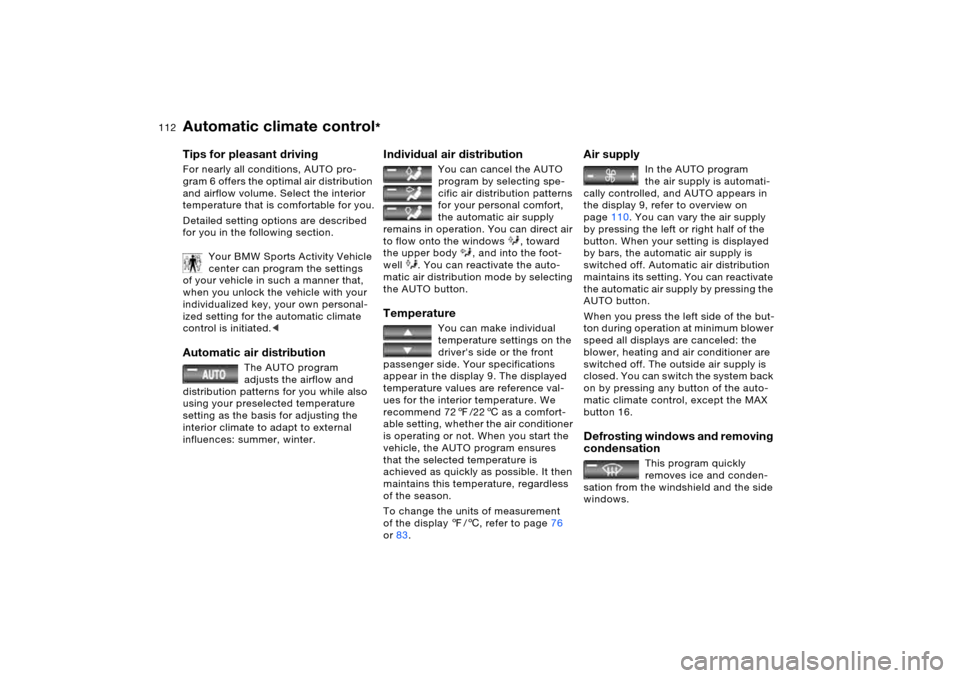
Tips for pleasant drivingFor nearly all conditions, AUTO pro-
gram 6 offers the optimal air distribution
and airflow volume. Select the interior
temperature that is comfortable for you.
Detailed setting options are described
for you in the following section.
Your BMW Sports Activity Vehicle
center can program the settings
of your vehicle in such a manner that,
when you unlock the vehicle with your
individualized key, your own personal-
ized setting for the automatic climate
control is initiated.< Automatic air distribution
The AUTO program
adjusts the airflow and
distribution patterns for you while also
using your preselected temperature
setting as the basis for adjusting the
interior climate to adapt to external
influences: summer, winter.
Individual air distribution
You can cancel the AUTO
program by selecting spe-
cific air distribution patterns
for your personal comfort,
the automatic air supply
remains in operation. You can direct air
to flow onto the windows , toward
the upper body , and into the foot-
well . You can reactivate the auto-
matic air distribution mode by selecting
the AUTO button.
Temperature
You can make individual
temperature settings on the
driver's side or the front
passenger side. Your specifications
appear in the display 9. The displayed
temperature values are reference val-
ues for the interior temperature. We
recommend 727/226 as a comfort-
able setting, whether the air conditioner
is operating or not. When you start the
vehicle, the AUTO program ensures
that the selected temperature is
achieved as quickly as possible. It then
maintains this temperature, regardless
of the season.
To change the units of measurement
of the display 7/6, refer to page76
or83.
Air supply
In the AUTO program
the air supply is automati-
cally controlled, and AUTO appears in
the display 9, refer to overview on
page110. You can vary the air supply
by pressing the left or right half of the
button. When your setting is displayed
by bars, the automatic air supply is
switched off. Automatic air distribution
maintains its setting. You can reactivate
the automatic air supply by pressing the
AUTO button.
When you press the left side of the but-
ton during operation at minimum blower
speed all displays are canceled: the
blower, heating and air conditioner are
switched off. The outside air supply is
closed. You can switch the system back
on by pressing any button of the auto-
matic climate control, except the MAX
button 16.
Defrosting windows and removing
condensation
This program quickly
removes ice and conden-
sation from the windshield and the side
windows.