light BMW X5 4.4I 2000 User Guide
[x] Cancel search | Manufacturer: BMW, Model Year: 2000, Model line: X5 4.4I, Model: BMW X5 4.4I 2000Pages: 201, PDF Size: 1.93 MB
Page 53 of 201
IndexDataTechnologyRepairsCar careControlsOverview
53n
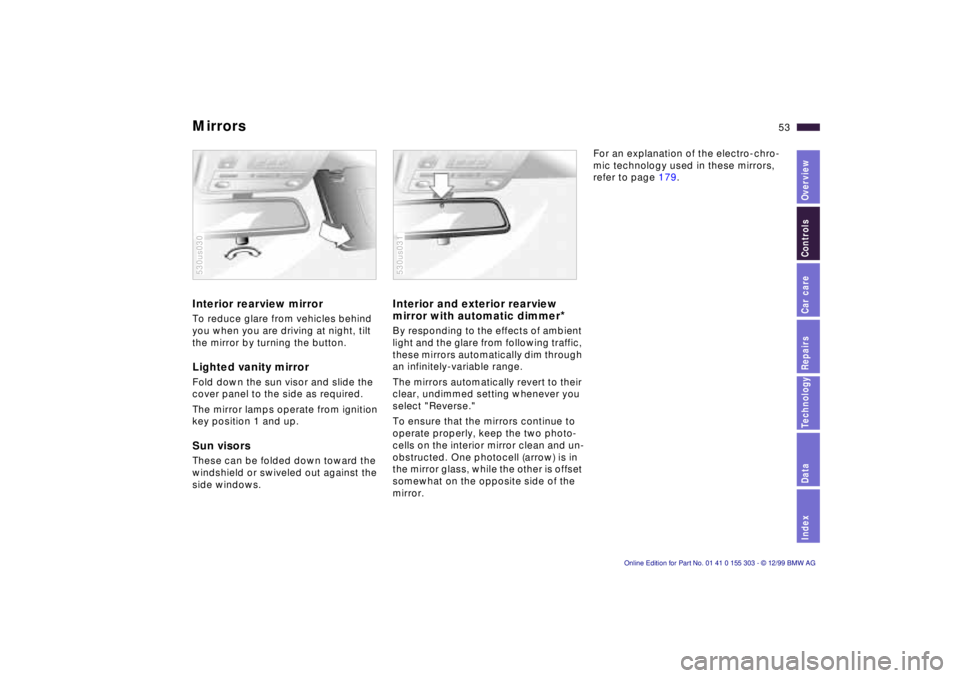
Mirrors Interior rearview mirror To reduce glare from vehicles behind
you when you are driving at night, tilt
the mirror by turning the button. Lighted vanity mirror Fold down the sun visor and slide the
cover panel to the side as required.
The mirror lamps operate from ignition
key position 1 and up. Sun visors These can be folded down toward the
windshield or swiveled out against the
side windows. 530us030
Interior and exterior rearview
mirror with automatic dimmer
*
By responding to the effects of ambient
light and the glare from following traffic,
these mirrors automatically dim through
an infinitely-variable range.
The mirrors automatically revert to their
clear, undimmed setting whenever you
select "Reverse."
To ensure that the mirrors continue to
operate properly, keep the two photo-
cells on the interior mirror clean and un-
obstructed. One photocell (arrow) is in
the mirror glass, while the other is offset
somewhat on the opposite side of the
mirror. 530us031
For an explanation of the electro-chro-
mic technology used in these mirrors,
refer to page 179.
Page 58 of 201
58n
Airbags Indicator lamp
The indicator lamp displays the
operational status of the airbag
system from ignition key posi-
tion 1 and up.
System operational:
>The indicator lamp comes on briefly
then goes out.
System malfunction:
>The indicator lamp fails to come on.
>The indicator lamp comes on briefly
before going out and then lighting up
again.
A system malfunction could prevent the
system from responding to an impact
occurring within its normal response
range.
Please have your authorized BMW cen-
ter inspect and repair the system as
soon as possible.
Sitting correctly with airbags
For your safety, comply with the
following instructions for the air-
bags. If you do not, the airbags may not
be able to provide their maximum pro-
tection. All passengers in the vehicle
should be aware of and comply with
this information:
The airbags are supplemental restraint
devices designed to provide extra pro-
tection; they are not a substitute for
safety belts. Wear your safety belt at all
times. The airbags will not be triggered
in the event of a minor accident, a vehi-
cle roll-over, or collisions from the rear.
In these instances, the safety belt pro-
vides optimal protection.
Airbags are located under cover panels
in the steering wheel, in the dashboard,
in the side trim panels in the front and
rear*, and in the windshield pillars and
the sides of the headliner.
Adjust your seat to a position that pro-
vides maximum distance between you
and the steering wheel, the instrument
panel and the door while still allowing
comfortable and safe access to all
vehicle controls.
To avoid sustaining hand and arm inju-
ries, always grasp the steering wheel
on
the rim with the hands at the 9 and
3 o'clock positions. Do not place your
hands on the center pad.
Never allow any objects to obstruct the
area between the airbag and an occu-
pant.
Do not use the cover panel above the
passenger-side airbag as a storage
area.
Do not apply adhesive materials to the
cover panels of the airbags, cover them
or modify them in any other way.
Do not install a rear-facing child re-
straint system in the front passenger
seat of this vehicle.
Children under 13 years of age and
children less than 5 feet (150 cm) tall
should ride only in the rear seat.
Infants or small children should never
be held on the lap of a passenger.
If your vehicle is equipped with side air-
bags in the rear passenger area, be
sure that child restraints are mounted
correctly and provided with the great-
est-possible distance between the air-
bags in the side trim panels. Do not al-
low children to lean out of the child's
seat in the direction of the side trim
panels. If they do so, serious injuries
can occur if the airbag is triggered.<
Page 63 of 201
IndexDataTechnologyRepairsCar careControlsOverview
63n
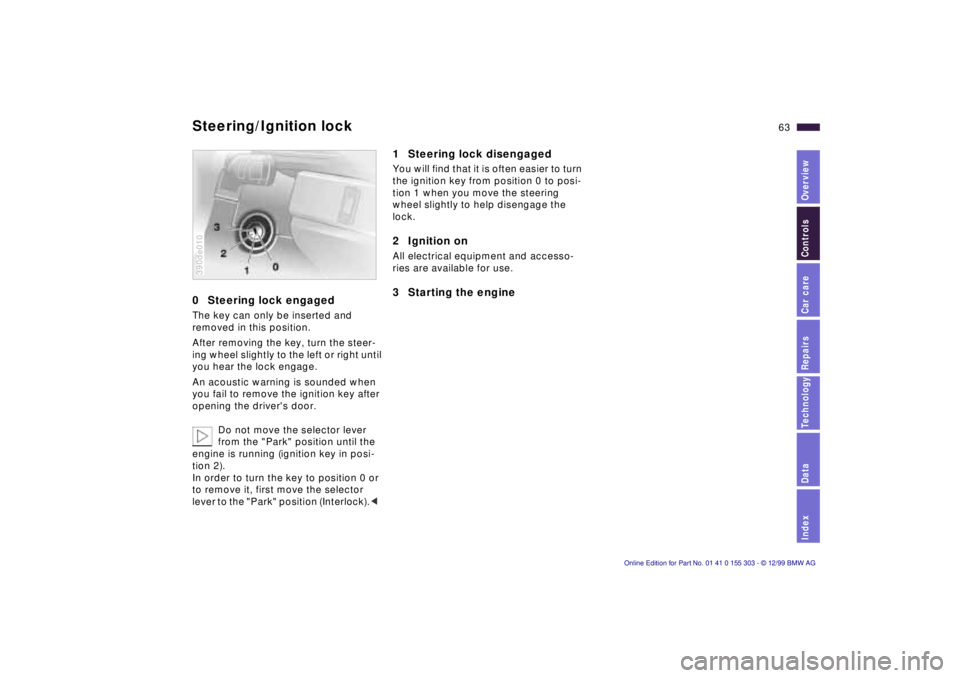
0 Steering lock engaged The key can only be inserted and
removed in this position.
After removing the key, turn the steer-
ing wheel slightly to the left or right until
you hear the lock engage.
An acoustic warning is sounded when
you fail to remove the ignition key after
opening the driver's door.
Do not move the selector lever
from the "Park" position until the
engine is running (ignition key in posi-
tion 2).
In order to turn the key to position 0 or
to remove it, first move the selector
lever to the "Park" position (Interlock).< 390de010
1 Steering lock disengaged You will find that it is often easier to turn
the ignition key from position 0 to posi-
tion 1 when you move the steering
wheel slightly to help disengage the
lock.2 Ignition on All electrical equipment and accesso-
ries are available for use. 3 Starting the engine
Steering/Ignition lock
Page 65 of 201
IndexDataTechnologyRepairsCar careControlsOverview
65n
Switching off the engine Parking brake Turn the ignition key to position 1 or 0.
Never remove the ignition key
while the vehicle is rolling. If you
did so, the ignition lock would engage
when the steering wheel is turned.
Always remove the ignition key and en-
gage the steering lock before leaving
the vehicle.
Always engage the parking brake and
place the selector lever in "Park" when
parking on slopes and inclined sur-
faces.<
The vehicle must be stationary and the
selector lever in "Park" before you can
remove the ignition key.
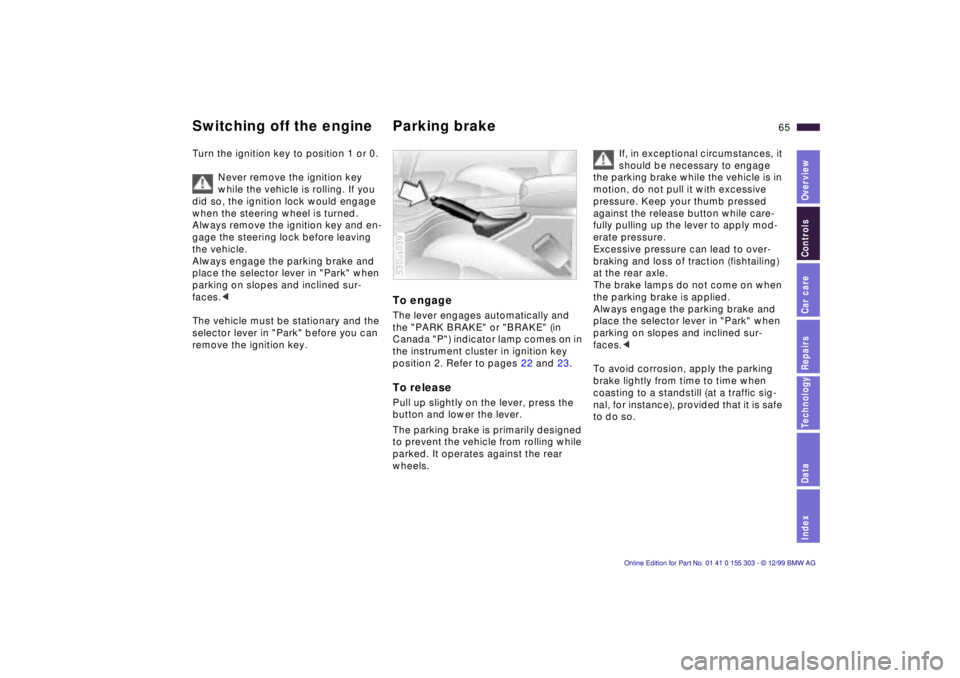
To engage The lever engages automatically and
the "PARK BRAKE" or "BRAKE" (in
Canada "P") indicator lamp comes on in
the instrument cluster in ignition key
position 2. Refer to pages 22 and 23. To release Pull up slightly on the lever, press the
button and lower the lever.
The parking brake is primarily designed
to prevent the vehicle from rolling while
parked. It operates against the rear
wheels. 530us039
If, in exceptional circumstances, it
should be necessary to engage
the parking brake while the vehicle is in
motion, do not pull it with excessive
pressure. Keep your thumb pressed
against the release button while care-
fully pulling up the lever to apply mod-
erate pressure.
Excessive pressure can lead to over-
braking and loss of traction (fishtailing)
at the rear axle.
The brake lamps do not come on when
the parking brake is applied.
Always engage the parking brake and
place the selector lever in "Park" when
parking on slopes and inclined sur-
faces.<
To avoid corrosion, apply the parking
brake lightly from time to time when
coasting to a standstill (at a traffic sig-
nal, for instance), provided that it is safe
to do so.
Page 70 of 201
70n
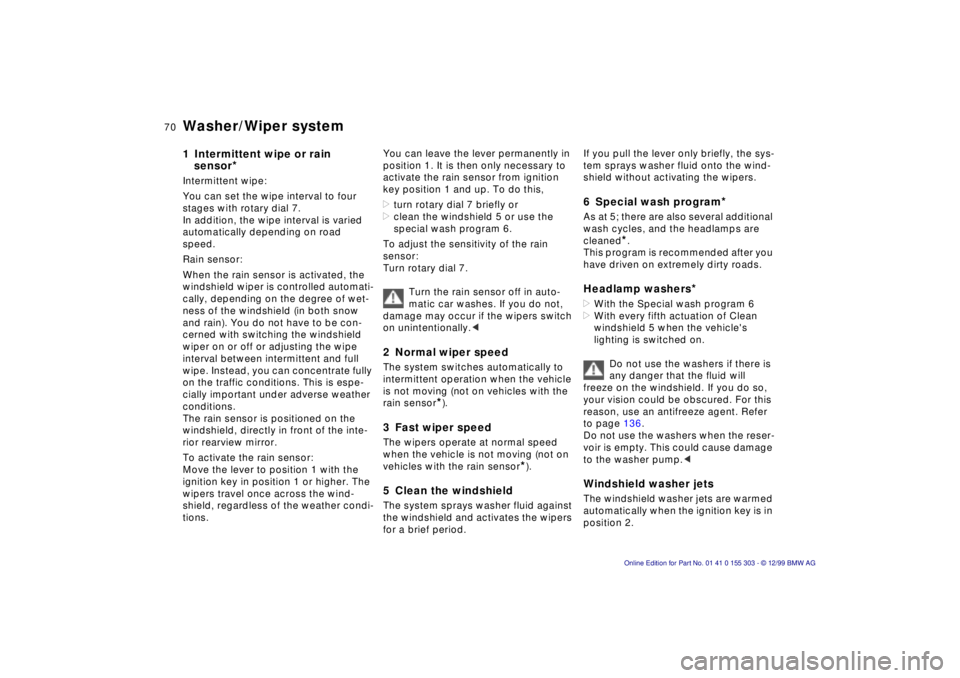
Washer/Wiper system 1 Intermittent wipe or rain
sensor
*
Intermittent wipe:
You can set the wipe interval to four
stages with rotary dial 7.
In addition, the wipe interval is varied
automatically depending on road
speed.
Rain sensor:
When the rain sensor is activated, the
windshield wiper is controlled automati-
cally, depending on the degree of wet-
ness of the windshield (in both snow
and rain). You do not have to be con-
cerned with switching the windshield
wiper on or off or adjusting the wipe
interval between intermittent and full
wipe. Instead, you can concentrate fully
on the traffic conditions. This is espe-
cially important under adverse weather
conditions.
The rain sensor is positioned on the
windshield, directly in front of the inte-
rior rearview mirror.
To activate the rain sensor:
Move the lever to position 1 with the
ignition key in position 1 or higher. The
wipers travel once across the wind-
shield, regardless of the weather condi-
tions. You can leave the lever permanently in
position 1. It is then only necessary to
activate the rain sensor from ignition
key position 1 and up. To do this,
>turn rotary dial 7 briefly or
>clean the windshield 5 or use the
special wash program 6.
To adjust the sensitivity of the rain
sensor:
Turn rotary dial 7.
Turn the rain sensor off in auto-
matic car washes. If you do not,
damage may occur if the wipers switch
on unintentionally.<
2 Normal wiper speed The system switches automatically to
intermittent operation when the vehicle
is not moving (not on vehicles with the
rain sensor
*).
3 Fast wiper speed The wipers operate at normal speed
when the vehicle is not moving (not on
vehicles with the rain sensor
*).
5 Clean the windshield The system sprays washer fluid against
the windshield and activates the wipers
for a brief period.
If you pull the lever only briefly, the sys-
tem sprays washer fluid onto the wind-
shield without activating the wipers. 6 Special wash program
*
As at 5; there are also several additional
wash cycles, and the headlamps are
cleaned
*.
This program is recommended after you
have driven on extremely dirty roads.
Headlamp washers
*
>With the Special wash program 6
>With every fifth actuation of Clean
windshield 5 when the vehicle's
lighting is switched on.
Do not use the washers if there is
any danger that the fluid will
freeze on the windshield. If you do so,
your vision could be obscured. For this
reason, use an antifreeze agent. Refer
to page 136.
Do not use the washers when the reser-
voir is empty. This could cause damage
to the washer pump.< Windshield washer jets The windshield washer jets are warmed
automatically when the ignition key is in
position 2.
Page 71 of 201
IndexDataTechnologyRepairsCar careControlsOverview
71n
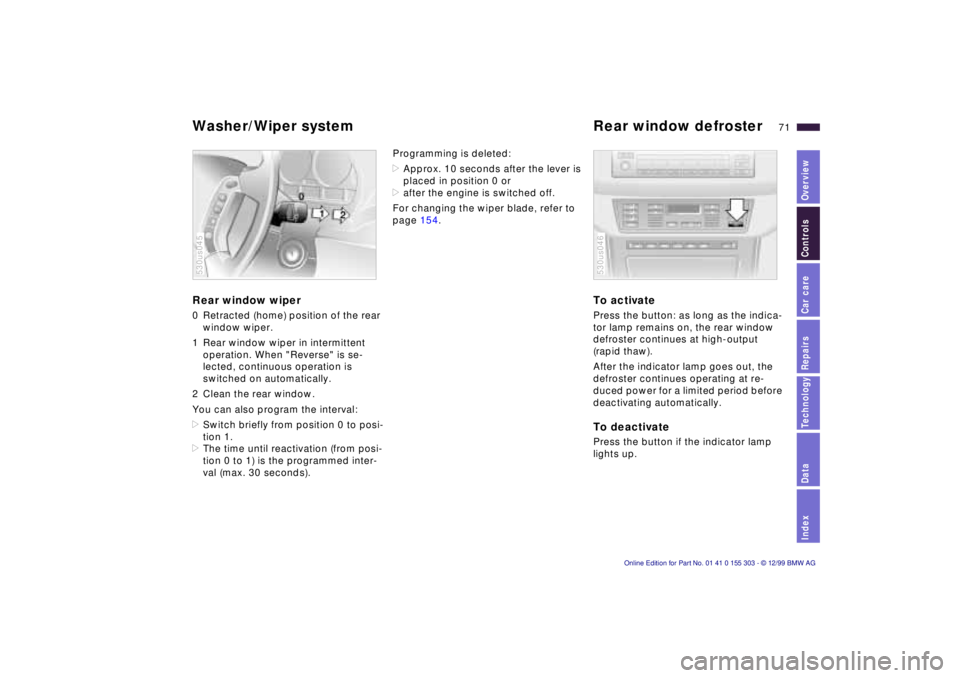
Washer/Wiper system Rear window defroster Rear window wiper 0 Retracted (home) position of the rear
window wiper.
1 Rear window wiper in intermittent
operation. When "Reverse" is se-
lected, continuous operation is
switched on automatically.
2 Clean the rear window.
You can also program the interval:
>Switch briefly from position 0 to posi-
tion 1.
>The time until reactivation (from posi-
tion 0 to 1) is the programmed inter-
val (max. 30 seconds). 530us045
Programming is deleted:
>Approx. 10 seconds after the lever is
placed in position 0 or
>after the engine is switched off.
For changing the wiper blade, refer to
page 154.
To activate Press the button: as long as the indica-
tor lamp remains on, the rear window
defroster continues at high-output
(rapid thaw).
After the indicator lamp goes out, the
defroster continues operating at re-
duced power for a limited period before
deactivating automatically. To deactivate Press the button if the indicator lamp
lights up. 530us046
Page 75 of 201
IndexDataTechnologyRepairsCar careControlsOverview
75n
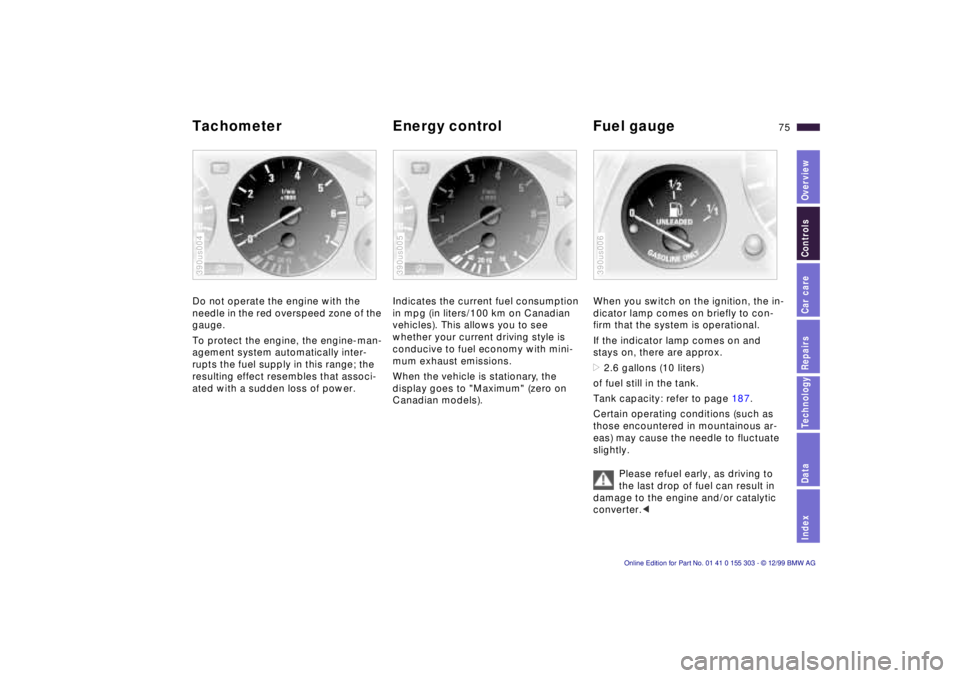
Tachometer Energy control Fuel gauge Do not operate the engine with the
needle in the red overspeed zone of the
gauge.
To protect the engine, the engine-man-
agement system automatically inter-
rupts the fuel supply in this range; the
resulting effect resembles that associ-
ated with a sudden loss of power. 390us004
Indicates the current fuel consumption
in mpg (in liters/100 km on Canadian
vehicles). This allows you to see
whether your current driving style is
conducive to fuel economy with mini-
mum exhaust emissions.
When the vehicle is stationary, the
display goes to "Maximum" (zero on
Canadian models). 390us005
When you switch on the ignition, the in-
dicator lamp comes on briefly to con-
firm that the system is operational.
If the indicator lamp comes on and
stays on, there are approx.
>2.6 gallons (10 liters)
of fuel still in the tank.
Tank capacity: refer to page 187.
Certain operating conditions (such as
those encountered in mountainous ar-
eas) may cause the needle to fluctuate
slightly.
Please refuel early, as driving to
the last drop of fuel can result in
damage to the engine and/or catalytic
converter.< 390us006
Page 77 of 201
IndexDataTechnologyRepairsCar careControlsOverview
77n
Check Control Graphic display
*
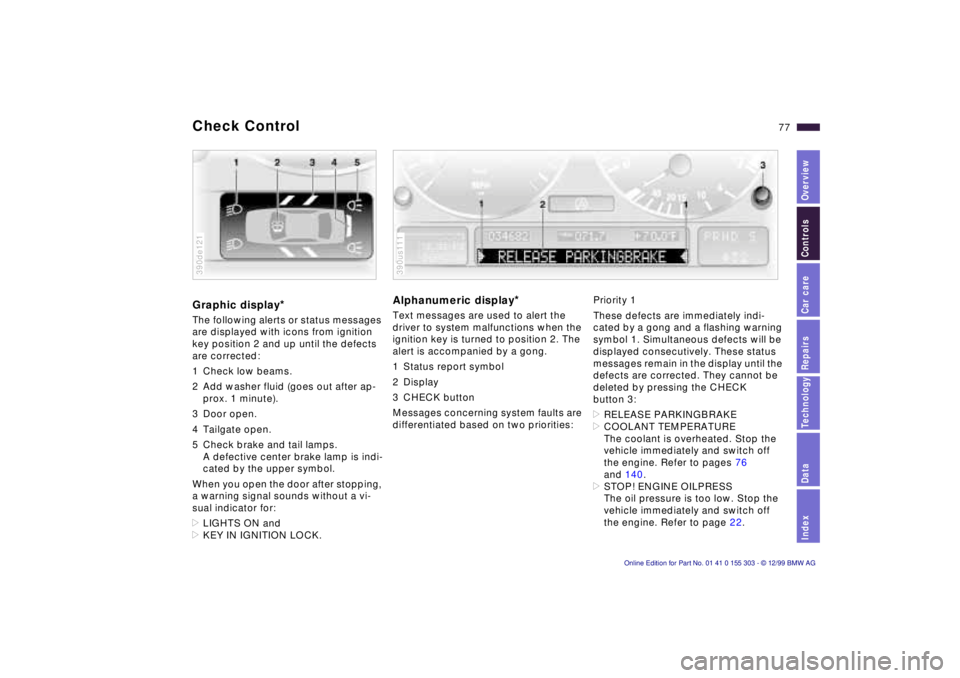
The following alerts or status messages
are displayed with icons from ignition
key position 2 and up until the defects
are corrected:
1 Check low beams.
2 Add washer fluid (goes out after ap-
prox. 1 minute).
3 Door open.
4 Tailgate open.
5 Check brake and tail lamps.
A defective center brake lamp is indi-
cated by the upper symbol.
When you open the door after stopping,
a warning signal sounds without a vi-
sual indicator for:
>LIGHTS ON and
>KEY IN IGNITION LOCK. 390de121
Alphanumeric display
*
Text messages are used to alert the
driver to system malfunctions when the
ignition key is turned to position 2. The
alert is accompanied by a gong.
1 Status report symbol
2 Display
3 CHECK button
Messages concerning system faults are
differentiated based on two priorities: 390us111
Priority 1
These defects are immediately indi-
cated by a gong and a flashing warning
symbol 1. Simultaneous defects will be
displayed consecutively. These status
messages remain in the display until the
defects are corrected. They cannot be
deleted by pressing the CHECK
button 3:
>RELEASE PARKINGBRAKE
>COOLANT TEMPERATURE
The coolant is overheated. Stop the
vehicle immediately and switch off
the engine. Refer to pages 76
and 140.
>STOP! ENGINE OILPRESS
The oil pressure is too low. Stop the
vehicle immediately and switch off
the engine. Refer to page 22.
Page 78 of 201

78n
Check Control >CHECK BRAKE FLUID
Indicates that brake fluid is down to
approximately the minimum level.
Top up the brake fluid at the next op-
portunity. Refer to page 141. Have
the cause of the brake fluid loss diag-
nosed and corrected by your BMW
center.
>SELFLEVEL. SUSP. INACT
Please consult the nearest authorized
BMW center. Refer to page 125.
>SPEED LIMIT
*
You will see this message if the pro-
grammed speed limit has been ex-
ceeded.Priority 2
These displays appear for 20 seconds
when the ignition key is turned to posi-
tion 2. The warning symbols remain
after the message disappears. You can
call up the messages again for display
by pressing the CHECK button.
>TRUNKLID OPEN
This message appears only at the
start of a trip.
>DOOR OPEN
This message appears after a mini-
mal defined road speed has been
exceeded.
>FASTEN SEAT BELTS
*
In addition to this message, an indi-
cator lamp with the safety belt icon
appears and an acoustical signal is
sounded.
>WASHER FLUID LOW
The fluid level is too low; top up at
the next opportunity. Refer to
page 136.
>CHECK ENGINE OIL LEV
Add engine oil as soon as possible.
Refer to page 137.>OUTSIDE TEMP. +23 7 (Ð5 6)
This display is only an example. The
current temperature is displayed at
outside temperatures of +37.5 7
(+3 6) and below. Refer also to
page 74.
>CHECK BRAKE LIGHTS
A lamp has failed or the electrical
circuit has a fault. Refer to pages 157
and 158 or consult an authorized
BMW center.
>CHECK LOWBEAM LIGHTS
CHECK SIDE LIGHTS
CHECK REAR LIGHTS
CHECK FRONT FOGLAMPS
CHECK LICPLATE LIGHTS
CHECK HIGHBEAM LIGHTS
CHECK BACK UP LIGHTS
Defective bulb or circuit. Refer to
page 155 or consult an authorized
BMW center.
Page 79 of 201
IndexDataTechnologyRepairsCar careControlsOverview
79n
Check Control >TRANS. FAILSAFE PROG
Please consult the nearest authorized
BMW center. Refer to page 68.
>CHECK BRAKE LININGS
Have the brake linings inspected by
your BMW center. Refer to page 123.
>CHECK COOLANT LEVEL
Coolant too low, top up at the next
opportunity. Refer to page 140.
>ENGINE FAILSAFE PROG
There is a fault in the engine's elec-
tronic control system. When braking,
higher brake application pressure
may be necessary and brake pedal
travel may be significantly longer.
Have the fault checked by your
authorized BMW center.
Displays after completion of trip All of the malfunctions registered during
the trip appear consecutively when the
key is turned to position 0.
The following displays will appear when
appropriate:
>LIGHTS ON
>KEY IN IGNITION LOCK
>CHECK ENGINE OIL LEV
Add engine oil at the next opportunity
(next stop for fuel). Refer to
page 137.
These displays appear when you open
the driver's door after parking the vehi-
cle. A supplementary gong is also
heard.
Status reports remain available for a
period of approx. three minutes after
the display goes out and the key is
removed from the ignition. Press the
CHECK button 3. If there were multiple
reports, press the CHECK button re-
peatedly to view them all in sequence.
To check the Check Control Press the CHECK button 3 with the
ignition key in position 2: CHECK
CONTROL OK appears in the display.
No malfunctions are present in the
monitored systems. Onboard computer
*
You will find a description of the
onboard computer in the Owner's
Manual for the Radio and Information
System or the Owner's Manual for the
onboard monitor.
You can have the Check Control
and onboard computer messages
displayed in a different language.<