ECU BMW X5 4.4I 2001 User Guide
[x] Cancel search | Manufacturer: BMW, Model Year: 2001, Model line: X5 4.4I, Model: BMW X5 4.4I 2001Pages: 223, PDF Size: 2.66 MB
Page 62 of 223
62nTransporting children safely
Child seat security
All of the rear belt retractors and the
front passenger's safety belt can be
locked for mounting and securing child
restraint systems.
Information regarding this is located
near the buckle latch of each safety
belt.
530us104
To lock the belt
Pull the entire length of the belt from
the belt retractor. Allow the reel to
retract the belt somewhat and engage
the buckle, then tighten the belt against
the child restraint system. The retrac-
tion mechanism is now locked.
To release the belt
Release the buckle, remove the child-
restraint device and allow the belt
retractor to reel the belt completely in.
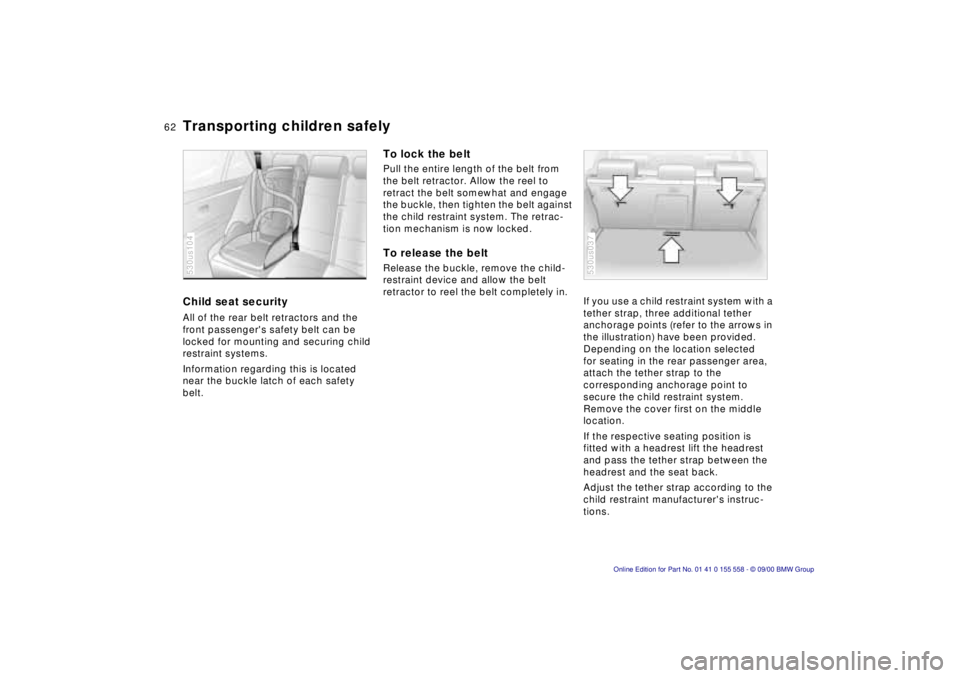
If you use a child restraint system with a
tether strap, three additional tether
anchorage points (refer to the arrows in
the illustration) have been provided.
Depending on the location selected
for seating in the rear passenger area,
attach the tether strap to the
corresponding anchorage point to
secure the child restraint system.
Remove the cover first on the middle
location.
If the respective seating position is
fitted with a headrest lift the headrest
and pass the tether strap between the
headrest and the seat back.
Adjust the tether strap according to the
child restraint manufacturer's instruc-
tions.530us037
Page 69 of 223
Index
Data
Technology
Repairs
Car care
Controls
Overview
69nAutomatic transmission with Steptronic*
Do not leave the vehicle unattended
with the engine running. An unattended
vehicle with a running engine repre-
sents a potential safety hazard. <
P — Park
Select "Park" only when the vehicle is
completely stopped. The transmission
locks to prevent the rear wheels from
turning.
R — Reverse
Select "Reverse" only when the vehicle
is completely stopped.
N — Neutral
Select "Neutral" only if your journey is
interrupted for a longer period.
D — Drive
(automatic shift program)
This position is designed for driving
under all normal operating conditions.
All forward gears are available.
"Kickdown"
In the "Kickdown" mode, you achieve
maximum performance.
Depress the accelerator pedal past the
increased resistance point at the full-
throttle position.
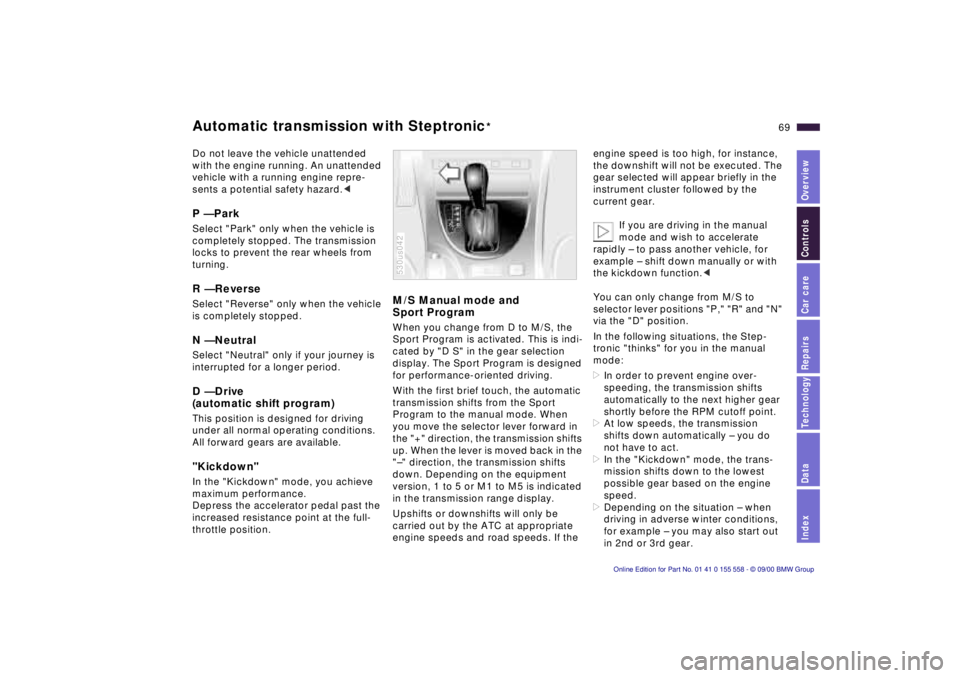
M/S Manual mode and
Sport Program
When you change from D to M/S, the
Sport Program is activated. This is indi-
cated by "D S" in the gear selection
display. The Sport Program is designed
for performance-oriented driving.
With the first brief touch, the automatic
transmission shifts from the Sport
Program to the manual mode. When
you move the selector lever forward in
the "+" direction, the transmission shifts
up. When the lever is moved back in the
"–" direction, the transmission shifts
down. Depending on the equipment
version, 1 to 5 or M1 to M5 is indicated
in the transmission range display.
Upshifts or downshifts will only be
carried out by the ATC at appropriate
engine speeds and road speeds. If the
530us042
engine speed is too high, for instance,
the downshift will not be executed. The
gear selected will appear briefly in the
instrument cluster followed by the
current gear.
If you are driving in the manual
mode and wish to accelerate
rapidly – to pass another vehicle, for
example – shift down manually or with
the kickdown function. <
You can only change from M/S to
selector lever positions "P," "R" and "N"
via the "D" position.
In the following situations, the Step-
tronic "thinks" for you in the manual
mode:
> In order to prevent engine over-
speeding, the transmission shifts
automatically to the next higher gear
shortly before the RPM cutoff point.
> At low speeds, the transmission
shifts down automatically – you do
not have to act.
> In the "Kickdown" mode, the trans-
mission shifts down to the lowest
possible gear based on the engine
speed.
> Depending on the situation – when
driving in adverse winter conditions,
for example – you may also start out
in 2nd or 3rd gear.
Page 79 of 223
Index
Data
Technology
Repairs
Car care
Controls
Overview
79nCheck Control
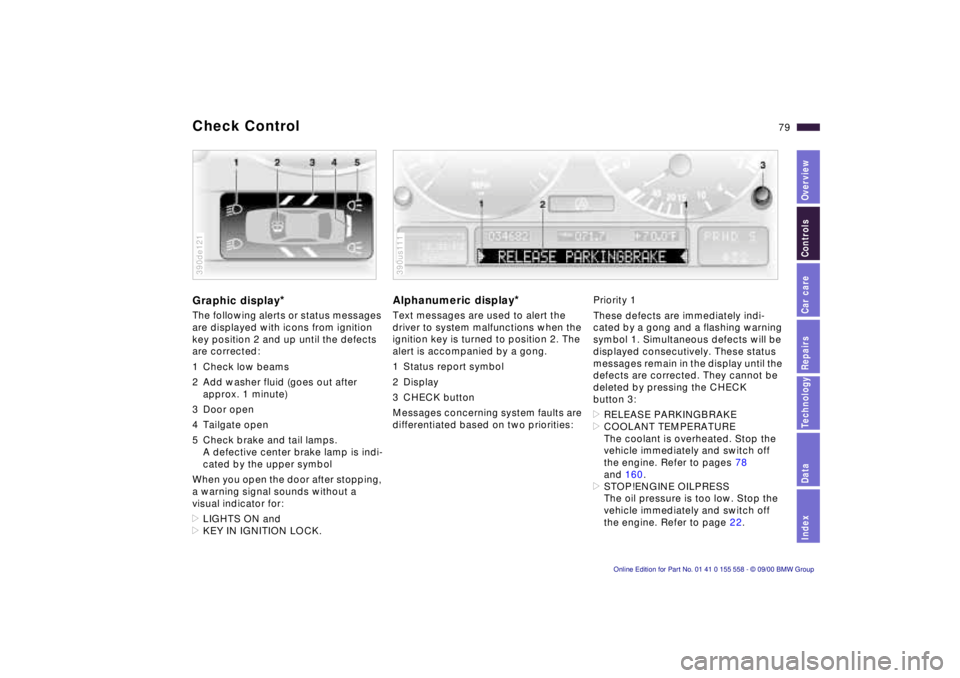
Graphic display*
The following alerts or status messages
are displayed with icons from ignition
key position 2 and up until the defects
are corrected:
1 Check low beams
2 Add washer fluid (goes out after
approx. 1 minute)
3 Door open
4 Tailgate open
5 Check brake and tail lamps. A defective center brake lamp is indi-
cated by the upper symbol
When you open the door after stopping,
a warning signal sounds without a
visual indicator for:
> LIGHTS ON and
> KEY IN IGNITION LOCK.
390de121
Alphanumeric display*
Text messages are used to alert the
driver to system malfunctions when the
ignition key is turned to position 2. The
alert is accompanied by a gong.
1 Status report symbol
2 Display
3 CHECK button
Messages concerning system faults are
differentiated based on two priorities:
390us111
Priority 1
These defects are immediately indi-
cated by a gong and a flashing warning
symbol 1. Simultaneous defects will be
displayed consecutively. These status
messages remain in the display until the
defects are corrected. They cannot be
deleted by pressing the CHECK
button 3:
> RELEASE PARKINGBRAKE
> COOLANT TEMPERATURE
The coolant is overheated. Stop the
vehicle immediately and switch off
the engine. Refer to pages 78
and 160.
> STOP!ENGINE OILPRESS
The oil pressure is too low. Stop the
vehicle immediately and switch off
the engine. Refer to page 22.
Page 81 of 223
Index
Data
Technology
Repairs
Car care
Controls
Overview
81nCheck Control
>TRANS. FAILSAFE PROG
Please consult the nearest BMW
center. Refer to page 70.
> CHECK BRAKE LININGS
Have the brake linings inspected by
your BMW center. Refer to page 141.
> CHECK COOLANT LEVEL
Coolant too low, top up at the next
opportunity. Refer to page 160.
> ENGINE FAILSAFE PROG
There is a fault in the engine's elec-
tronic control system.
You can continue to drive with
reduced engine output or engine
speed. Have the system checked by
your BMW center. Displays after completion of trip
All of the malfunctions registered during
the trip appear consecutively when the
ignition key is turned to position 0.
The following displays will appear when
appropriate:
>LIGHTS ON
> KEY IN IGNITION LOCK
> CHECK ENGINE OIL LEV
Add engine oil at the next opportunity
(next stop for fuel). Refer to
page 157.
This display appears when you open
the driver's door after parking the
vehicle. A supplementary gong is also
heard.
Status reports remain available for a
period of approx. three minutes after
the display goes out and the key is
removed from the ignition. Press the
CHECK button 3. If there were multiple
reports, press the CHECK button
repeatedly to view them all in
sequence.
To check the Check Control
Press the CHECK button 3 with the
ignition key in position 2: CHECK
CONTROL OK appears in the display.
No malfunctions are present in the
monitored systems.
Computer
You will find a description of the
computer in the Owner's Manual for
the Radio and Information System or
the Owner's Manual for the Onboard
Computer.
You can have the Check Control
and computer messages
displayed in a different language. <
Page 123 of 223
IndexDataTechnologyRepairsCar careControlsOverview
123n
Ski bag
*
Securing the load
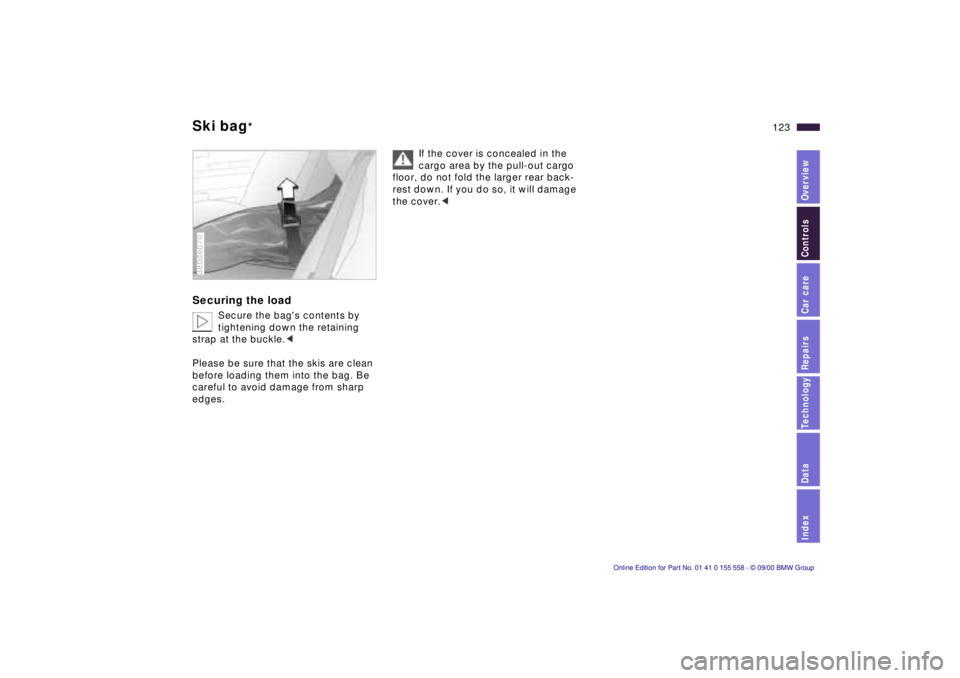
Secure the bag's contents by
tightening down the retaining
strap at the buckle.<
Please be sure that the skis are clean
before loading them into the bag. Be
careful to avoid damage from sharp
edges.
380de070
If the cover is concealed in the
cargo area by the pull-out cargo
floor, do not fold the larger rear back-
rest down. If you do so, it will damage
the cover.<
Page 124 of 223
124n
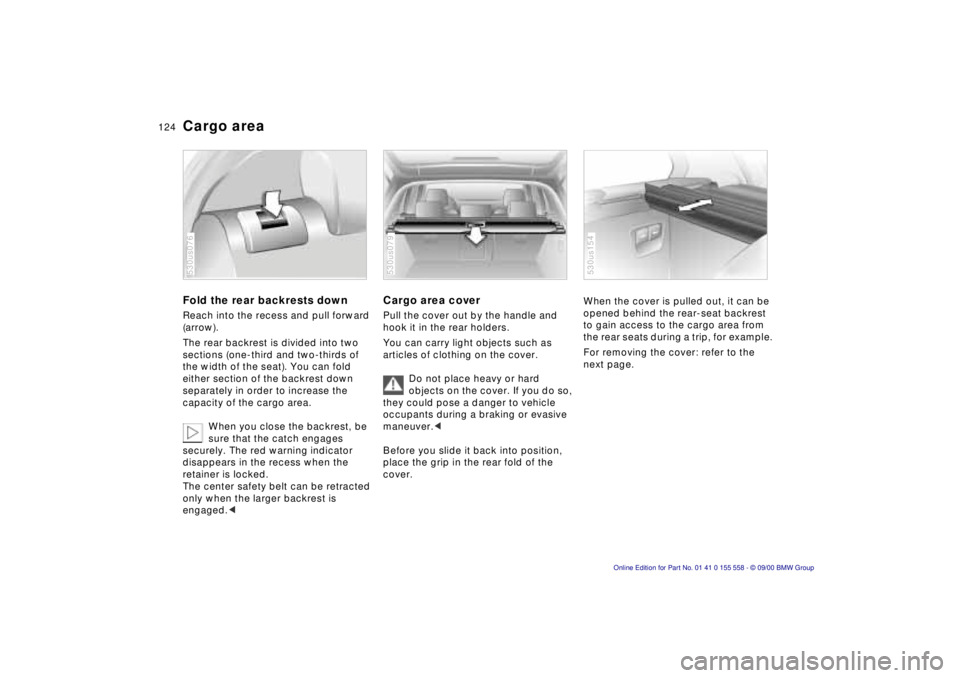
Cargo areaFold the rear backrests downReach into the recess and pull forward
(arrow).
The rear backrest is divided into two
sections (one-third and two-thirds of
the width of the seat). You can fold
either section of the backrest down
separately in order to increase the
capacity of the cargo area.
When you close the backrest, be
sure that the catch engages
securely. The red warning indicator
disappears in the recess when the
retainer is locked.
The center safety belt can be retracted
only when the larger backrest is
engaged.< 530us076
Cargo area coverPull the cover out by the handle and
hook it in the rear holders.
You can carry light objects such as
articles of clothing on the cover.
Do not place heavy or hard
objects on the cover. If you do so,
they could pose a danger to vehicle
occupants during a braking or evasive
maneuver.<
Before you slide it back into position,
place the grip in the rear fold of the
cover.530us079
When the cover is pulled out, it can be
opened behind the rear-seat backrest
to gain access to the cargo area from
the rear seats during a trip, for example.
For removing the cover: refer to the
next page. 530us154
Page 125 of 223
IndexDataTechnologyRepairsCar careControlsOverview
125n
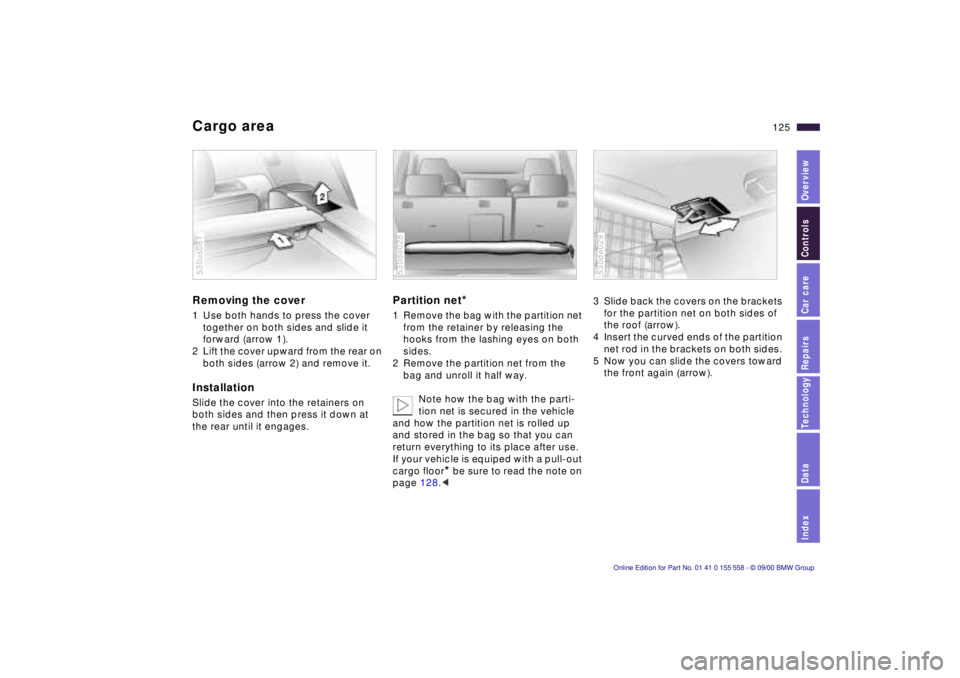
Cargo areaRemoving the cover 1 Use both hands to press the cover
together on both sides and slide it
forward (arrow 1).
2 Lift the cover upward from the rear on
both sides (arrow 2) and remove it.InstallationSlide the cover into the retainers on
both sides and then press it down at
the rear until it engages.530us081
Partition net
*
1 Remove the bag with the partition net
from the retainer by releasing the
hooks from the lashing eyes on both
sides.
2 Remove the partition net from the
bag and unroll it half way.
Note how the bag with the parti-
tion net is secured in the vehicle
and how the partition net is rolled up
and stored in the bag so that you can
return everything to its place after use.
If your vehicle is equiped with a pull-out
cargo floor
* be sure to read the note on
page 128.<
530de028
3 Slide back the covers on the brackets
for the partition net on both sides of
the roof (arrow).
4 Insert the curved ends of the partition
net rod in the brackets on both sides.
5 Now you can slide the covers toward
the front again (arrow). 530de029
Page 126 of 223
126n
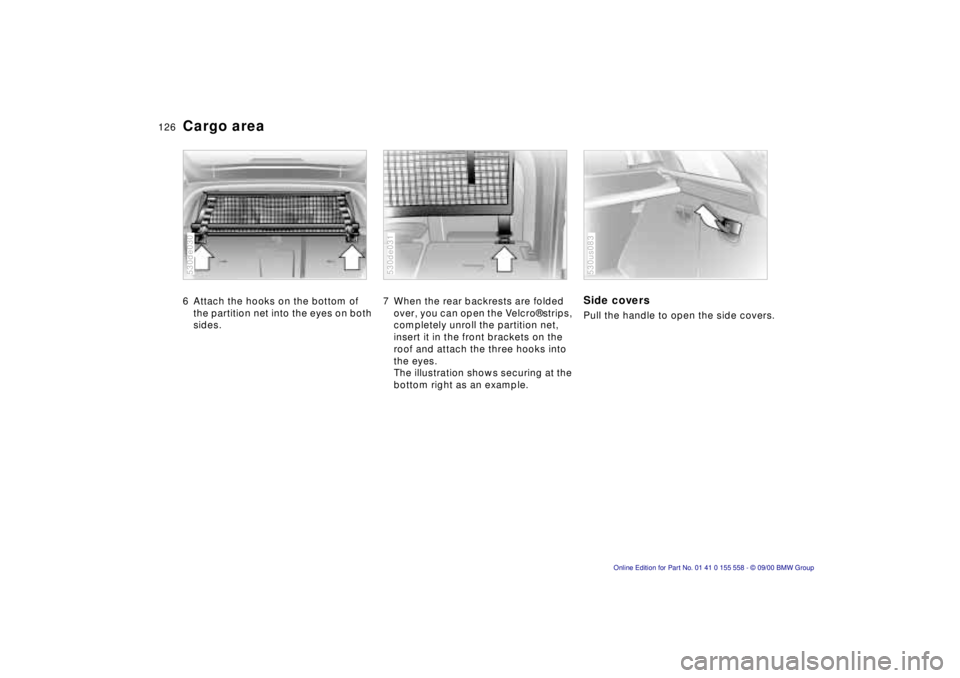
Cargo area 6 Attach the hooks on the bottom of
the partition net into the eyes on both
sides. 530de030
7 When the rear backrests are folded
over, you can open the Velcro® strips,
completely unroll the partition net,
insert it in the front brackets on the
roof and attach the three hooks into
the eyes.
The illustration shows securing at the
bottom right as an example. 530de031
Side coversPull the handle to open the side covers.530us083
Page 128 of 223
128n
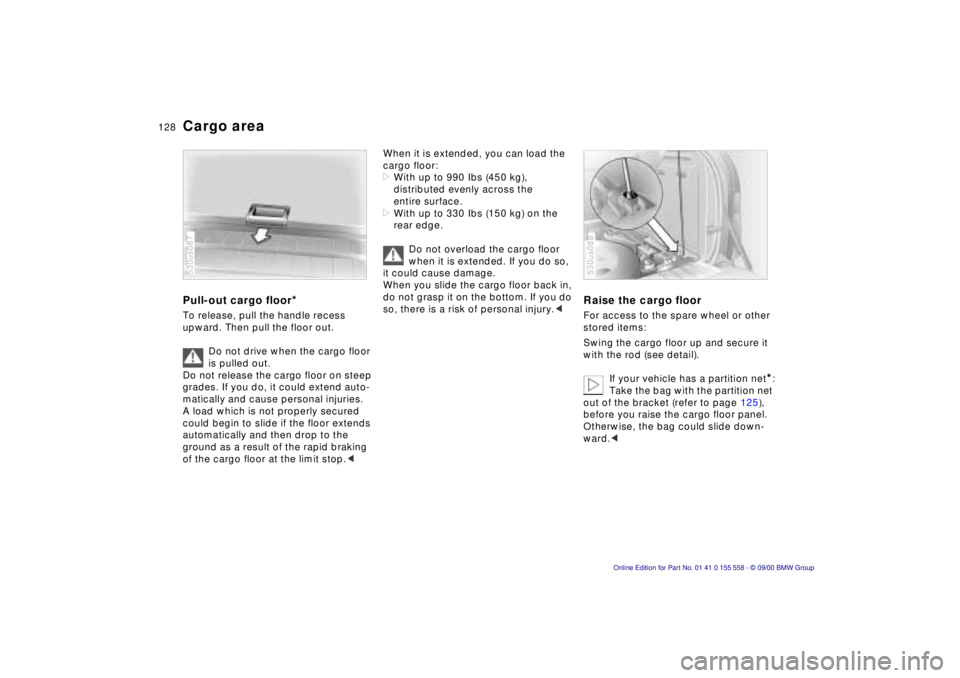
Cargo areaPull-out cargo floor
*
To release, pull the handle recess
upward. Then pull the floor out.
Do not drive when the cargo floor
is pulled out.
Do not release the cargo floor on steep
grades. If you do, it could extend auto-
matically and cause personal injuries.
A load which is not properly secured
could begin to slide if the floor extends
automatically and then drop to the
ground as a result of the rapid braking
of the cargo floor at the limit stop.< 530us087
When it is extended, you can load the
cargo floor:
>With up to 990 Ibs (450 kg),
distributed evenly across the
entire surface.
>With up to 330 Ibs (150 kg) on the
rear edge.
Do not overload the cargo floor
when it is extended. If you do so,
it could cause damage.
When you slide the cargo floor back in,
do not grasp it on the bottom. If you do
so, there is a risk of personal injury.<
Raise the cargo floorFor access to the spare wheel or other
stored items:
Swing the cargo floor up and secure it
with the rod (see detail).
If your vehicle has a partition net
*:
Take the bag with the partition net
out of the bracket (refer to page 125),
before you raise the cargo floor panel.
Otherwise, the bag could slide down-
ward.<
530us088
Page 129 of 223
IndexDataTechnologyRepairsCar careControlsOverview
129n
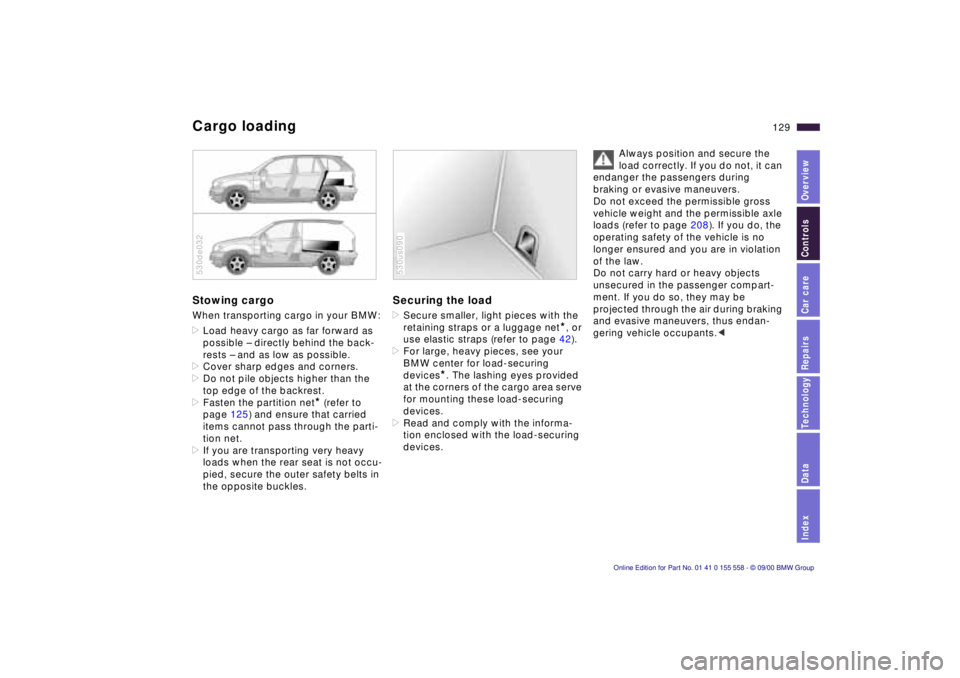
Cargo loadingStowing cargo When transporting cargo in your BMW:
>Load heavy cargo as far forward as
possible – directly behind the back-
rests – and as low as possible.
>Cover sharp edges and corners.
>Do not pile objects higher than the
top edge of the backrest.
>Fasten the partition net
* (refer to
page 125) and ensure that carried
items cannot pass through the parti-
tion net.
>If you are transporting very heavy
loads when the rear seat is not occu-
pied, secure the outer safety belts in
the opposite buckles.
530de032
Securing the load >Secure smaller, light pieces with the
retaining straps or a luggage net
*, or
use elastic straps (refer to page 42).
>For large, heavy pieces, see your
BMW center for load-securing
devices
*. The lashing eyes provided
at the corners of the cargo area serve
for mounting these load-securing
devices.
>Read and comply with the informa-
tion enclosed with the load-securing
devices.
530us090
Always position and secure the
load correctly. If you do not, it can
endanger the passengers during
braking or evasive maneuvers.
Do not exceed the permissible gross
vehicle weight and the permissible axle
loads (refer to page 208). If you do, the
operating safety of the vehicle is no
longer ensured and you are in violation
of the law.
Do not carry hard or heavy objects
unsecured in the passenger compart-
ment. If you do so, they may be
projected through the air during braking
and evasive maneuvers, thus endan-
gering vehicle occupants.<