fuel BMW X5 4.4I 2001 User Guide
[x] Cancel search | Manufacturer: BMW, Model Year: 2001, Model line: X5 4.4I, Model: BMW X5 4.4I 2001Pages: 223, PDF Size: 2.66 MB
Page 35 of 223
Index
Data
Technology
Repairs
Car care
Controls
Overview
35nElectronic vehicle immobilizer
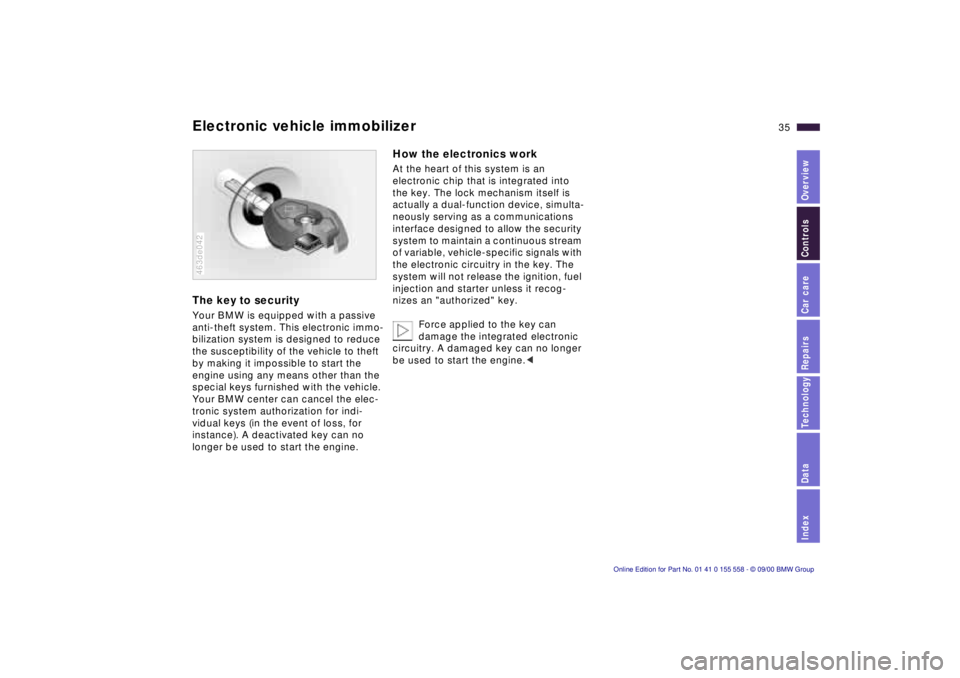
The key to security
Your BMW is equipped with a passive
anti-theft system. This electronic immo-
bilization system is designed to reduce
the susceptibility of the vehicle to theft
by making it impossible to start the
engine using any means other than the
special keys furnished with the vehicle.
Your BMW center can cancel the elec-
tronic system authorization for indi-
vidual keys (in the event of loss, for
instance). A deactivated key can no
longer be used to start the engine.
463de042
How the electronics work
At the heart of this system is an
electronic chip that is integrated into
the key. The lock mechanism itself is
actually a dual-function device, simulta-
neously serving as a communications
interface designed to allow the security
system to maintain a continuous stream
of variable, vehicle-specific signals with
the electronic circuitry in the key. The
system will not release the ignition, fuel
injection and starter unless it recog-
nizes an "authorized" key.
Force applied to the key can
damage the integrated electronic
circuitry. A damaged key can no longer
be used to start the engine. <
Page 36 of 223
36nCentral locking system Opening and closing – from the outside
The concept
The central locking system is ready for
operation as soon as you close the front
doors. The system engages and
releases the locks on the
>doors
> liftgate/tailgate
> fuel filler door.
The central locking system can be
operated
> from outside via the driver's door lock
as well as via the remote control.
> from inside via the button for the
central locking system.
If the system is locked from inside, the
fuel filler door remains unlocked. Refer
to page 40.
When the system is actuated from
outside of the vehicle, the anti-theft
protection is actuated simultaneously.
The alarm system is also activated or
deactivated.
In the event of an accident, the central
locking system unlocks automatically
(only those doors which were not
locked separately with the safety lock
buttons). Refer to page 40. In addition,
the hazard warning flashers and interior
lamps come on.
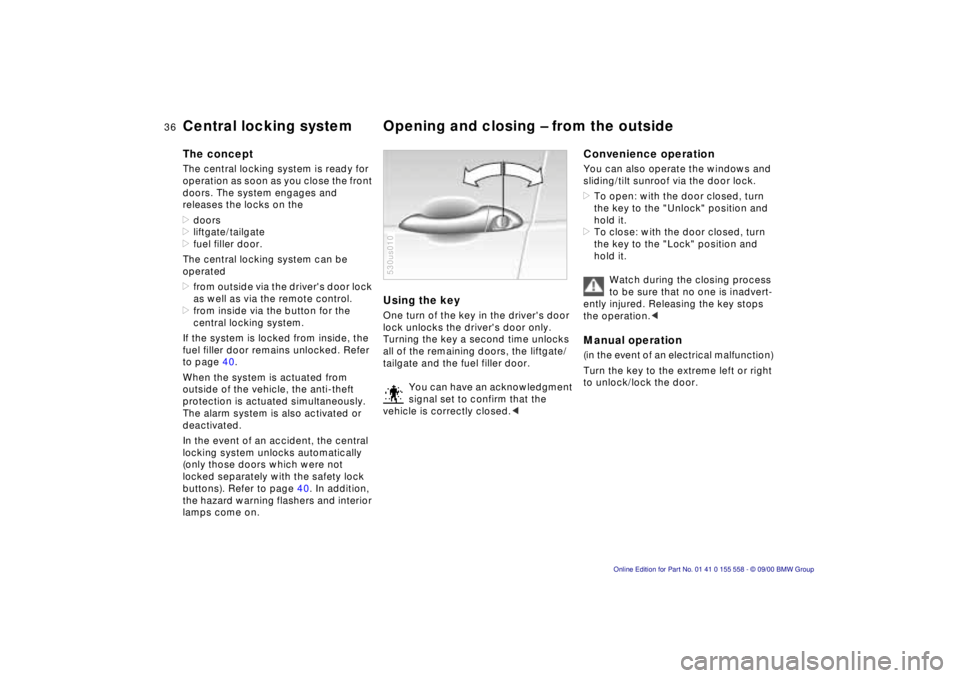
Using the key
One turn of the key in the driver's door
lock unlocks the driver's door only.
Turning the key a second time unlocks
all of the remaining doors, the liftgate/
tailgate and the fuel filler door.
You can have an acknowledgment
signal set to confirm that the
vehicle is correctly closed. <
530us010
Convenience operation
You can also operate the windows and
sliding/tilt sunroof via the door lock.
> To open: with the door closed, turn
the key to the "Unlock" position and
hold it.
> To close: with the door closed, turn
the key to the "Lock" position and
hold it.
Watch during the closing process
to be sure that no one is inadvert-
ently injured. Releasing the key stops
the operation. <
Manual operation
(in the event of an electrical malfunction)
Turn the key to the extreme left or right
to unlock/lock the door.
Page 38 of 223
38nOpening and closing – from the outside
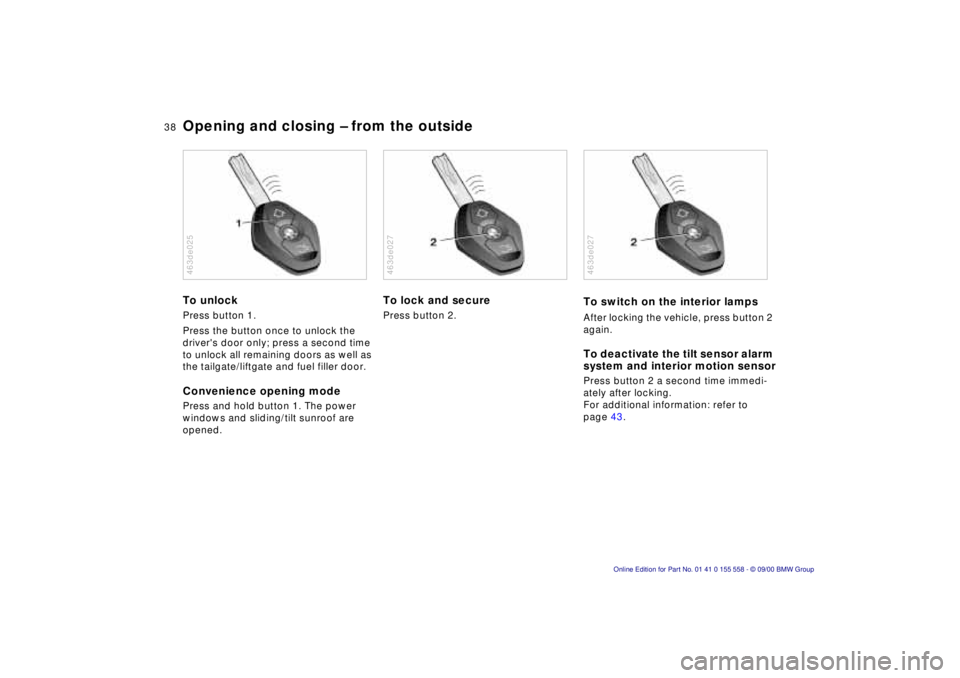
To unlock
Press button 1.
Press the button once to unlock the
driver's door only; press a second time
to unlock all remaining doors as well as
the tailgate/liftgate and fuel filler door.
Convenience opening mode
Press and hold button 1. The power
windows and sliding/tilt sunroof are
opened.
463de025
To lock and secure
Press button 2.
463de027
To switch on the interior lamps
After locking the vehicle, press button 2
again.
To deactivate the tilt sensor alarm
system and interior motion sensor
Press button 2 a second time immedi-
ately after locking.
For additional information: refer to
page 43.
463de027
Page 40 of 223
40nOpening and closing – from the inside
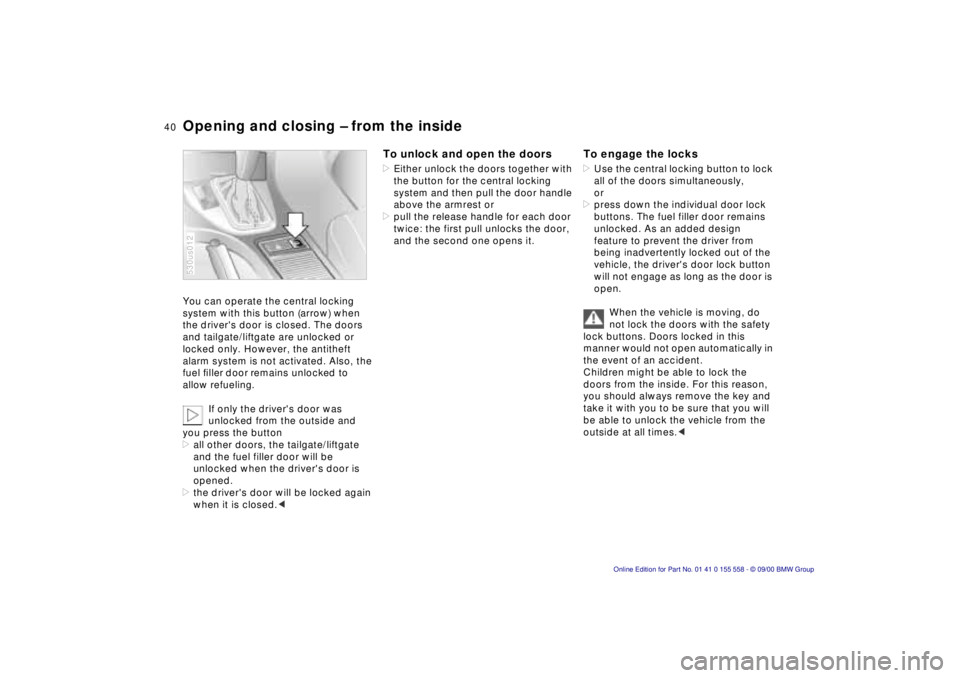
You can operate the central locking
system with this button (arrow) when
the driver's door is closed. The doors
and tailgate/liftgate are unlocked or
locked only. However, the antitheft
alarm system is not activated. Also, the
fuel filler door remains unlocked to
allow refueling.
If only the driver's door was
unlocked from the outside and
you press the button
> all other doors, the tailgate/liftgate
and the fuel filler door will be
unlocked when the driver's door is
opened.
> the driver's door will be locked again
when it is closed. <
530us012
To unlock and open the doors
> Either unlock the doors together with
the button for the central locking
system and then pull the door handle
above the armrest or
> pull the release handle for each door
twice: the first pull unlocks the door,
and the second one opens it.
To engage the locks
> Use the central locking button to lock
all of the doors simultaneously,
or
> press down the individual door lock
buttons. The fuel filler door remains
unlocked. As an added design
feature to prevent the driver from
being inadvertently locked out of the
vehicle, the driver's door lock button
will not engage as long as the door is
open.
When the vehicle is moving, do
not lock the doors with the safety
lock buttons. Doors locked in this
manner would not open automatically in
the event of an accident.
Children might be able to lock the
doors from the inside. For this reason,
you should always remove the key and
take it with you to be sure that you will
be able to unlock the vehicle from the
outside at all times. <
Page 77 of 223
Index
Data
Technology
Repairs
Car care
Controls
Overview
77nTachometer Energy control Fuel gauge
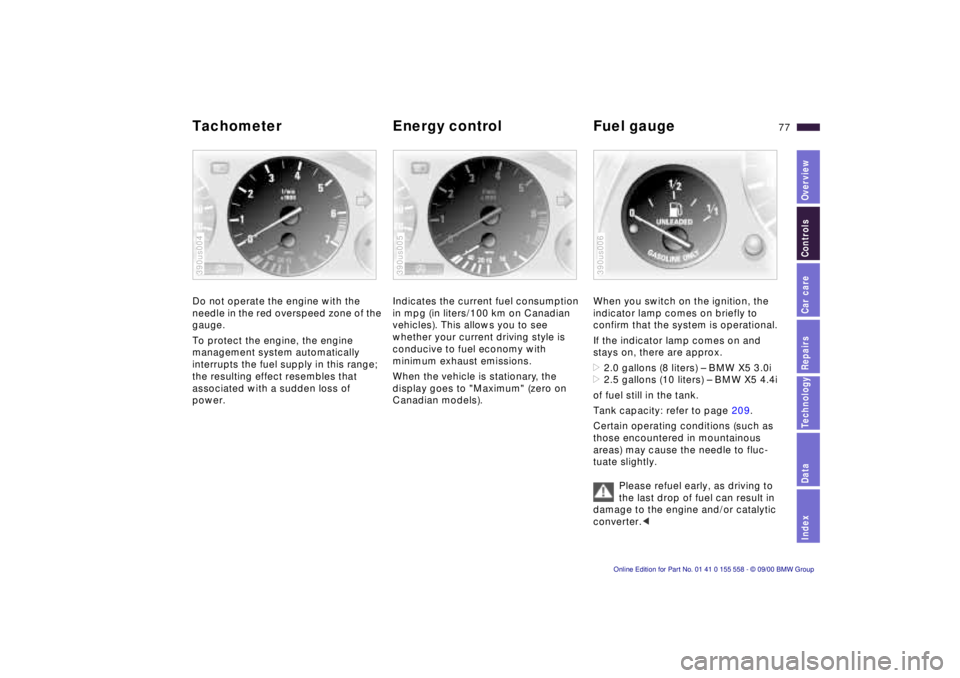
Do not operate the engine with the
needle in the red overspeed zone of the
gauge.
To protect the engine, the engine
management system automatically
interrupts the fuel supply in this range;
the resulting effect resembles that
associated with a sudden loss of
power.
390us004
Indicates the current fuel consumption
in mpg (in liters/100 km on Canadian
vehicles). This allows you to see
whether your current driving style is
conducive to fuel economy with
minimum exhaust emissions.
When the vehicle is stationary, the
display goes to "Maximum" (zero on
Canadian models).
390us005
When you switch on the ignition, the
indicator lamp comes on briefly to
confirm that the system is operational.
If the indicator lamp comes on and
stays on, there are approx.
>2.0 gallons (8 liters) – BMW X5 3.0i
> 2.5 gallons (10 liters) – BMW X5 4.4i
of fuel still in the tank.
Tank capacity: refer to page 209.
Certain operating conditions (such as
those encountered in mountainous
areas) may cause the needle to fluc-
tuate slightly.
Please refuel early, as driving to
the last drop of fuel can result in
damage to the engine and/or catalytic
converter. <
390us006
Page 81 of 223
Index
Data
Technology
Repairs
Car care
Controls
Overview
81nCheck Control
>TRANS. FAILSAFE PROG
Please consult the nearest BMW
center. Refer to page 70.
> CHECK BRAKE LININGS
Have the brake linings inspected by
your BMW center. Refer to page 141.
> CHECK COOLANT LEVEL
Coolant too low, top up at the next
opportunity. Refer to page 160.
> ENGINE FAILSAFE PROG
There is a fault in the engine's elec-
tronic control system.
You can continue to drive with
reduced engine output or engine
speed. Have the system checked by
your BMW center. Displays after completion of trip
All of the malfunctions registered during
the trip appear consecutively when the
ignition key is turned to position 0.
The following displays will appear when
appropriate:
>LIGHTS ON
> KEY IN IGNITION LOCK
> CHECK ENGINE OIL LEV
Add engine oil at the next opportunity
(next stop for fuel). Refer to
page 157.
This display appears when you open
the driver's door after parking the
vehicle. A supplementary gong is also
heard.
Status reports remain available for a
period of approx. three minutes after
the display goes out and the key is
removed from the ignition. Press the
CHECK button 3. If there were multiple
reports, press the CHECK button
repeatedly to view them all in
sequence.
To check the Check Control
Press the CHECK button 3 with the
ignition key in position 2: CHECK
CONTROL OK appears in the display.
No malfunctions are present in the
monitored systems.
Computer
You will find a description of the
computer in the Owner's Manual for
the Radio and Information System or
the Owner's Manual for the Onboard
Computer.
You can have the Check Control
and computer messages
displayed in a different language. <
Page 82 of 223
82n
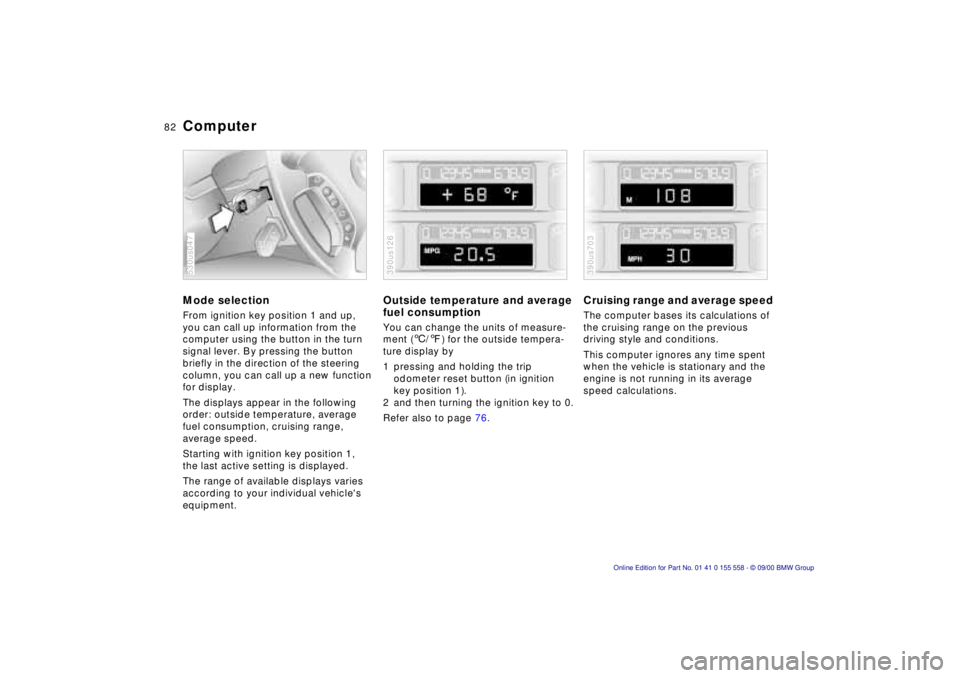
Computer Mode selectionFrom ignition key position 1 and up,
you can call up information from the
computer using the button in the turn
signal lever. By pressing the button
briefly in the direction of the steering
column, you can call up a new function
for display.
The displays appear in the following
order: outside temperature, average
fuel consumption, cruising range,
average speed.
Starting with ignition key position 1,
the last active setting is displayed.
The range of available displays varies
according to your individual vehicle's
equipment.530us047
Outside temperature and average
fuel consumption You can change the units of measure-
ment (6/7) for the outside tempera-
ture display by
1 pressing and holding the trip
odometer reset button (in ignition
key position 1).
2 and then turning the ignition key to 0.
Refer also to page 76.390us126
Cruising range and average speed The computer bases its calculations of
the cruising range on the previous
driving style and conditions.
This computer ignores any time spent
when the vehicle is stationary and the
engine is not running in its average
speed calculations.390us703
Page 84 of 223
84n
Multi-Information Display (MID)
*
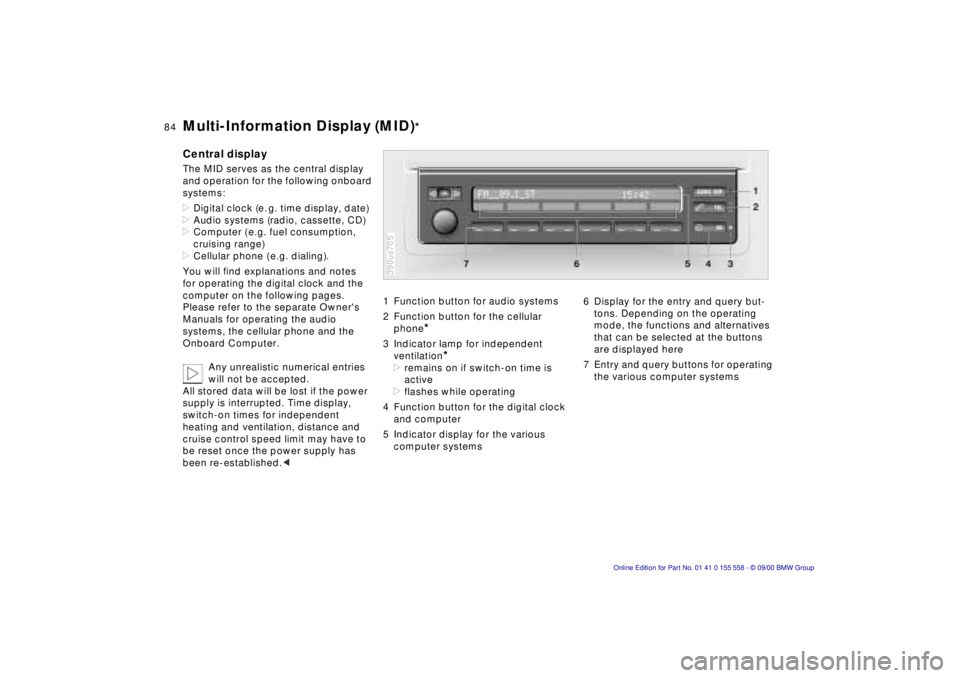
Central displayThe MID serves as the central display
and operation for the following onboard
systems:
>Digital clock (e. g. time display, date)
>Audio systems (radio, cassette, CD)
>Computer ( e.g. fuel consumption,
cruising range)
>Cellular phone ( e.g. dialing).
You will find explanations and notes
for operating the digital clock and the
computer on the following pages.
Please refer to the separate Owner's
Manuals for operating the audio
systems, the cellular phone and the
Onboard Computer.
Any unrealistic numerical entries
will not be accepted.
All stored data will be lost if the power
supply is interrupted. Time display,
switch-on times for independent
heating and ventilation, distance and
cruise control speed limit may have to
be reset once the power supply has
been re-established.<
1 Function button for audio systems
2 Function button for the cellular
phone
*
3 Indicator lamp for independent
ventilation
*
>remains on if switch-on time is
active
>flashes while operating
4 Function button for the digital clock
and computer
5 Indicator display for the various
computer systems390us705
6 Display for the entry and query but-
tons. Depending on the operating
mode, the functions and alternatives
that can be selected at the buttons
are displayed here
7 Entry and query buttons for operating
the various computer systems
Page 90 of 223
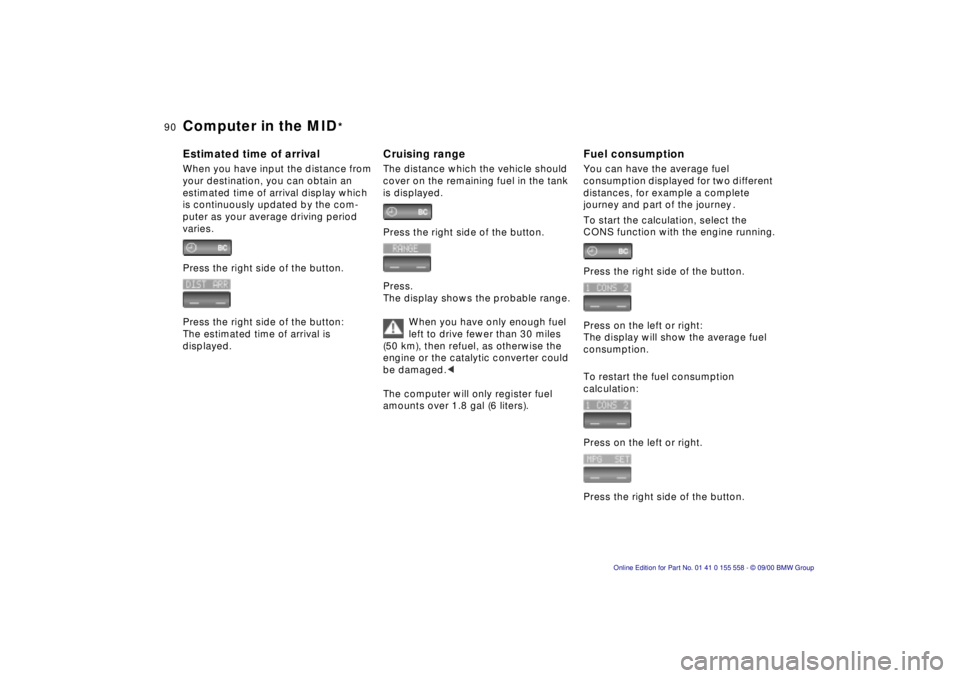
90n
Computer in the MID
*
Estimated time of arrivalWhen you have input the distance from
your destination, you can obtain an
estimated time of arrival display which
is continuously updated by the com-
puter as your average driving period
varies.
Press the right side of the button.
Press the right side of the button:
The estimated time of arrival is
displayed.
Cruising rangeThe distance which the vehicle should
cover on the remaining fuel in the tank
is displayed.
Press the right side of the button.
Press.
The display shows the probable range.
When you have only enough fuel
left to drive fewer than 30 miles
(50 km), then refuel, as otherwise the
engine or the catalytic converter could
be damaged.<
The computer will only register fuel
amounts over 1.8 gal (6 liters).
Fuel consumptionYou can have the average fuel
consumption displayed for two different
distances, for example a complete
journey and part of the journey .
To start the calculation, select the
CONS function with the engine running.
Press the right side of the button.
Press on the left or right:
The display will show the average fuel
consumption.
To restart the fuel consumption
calculation:
Press on the left or right.
Press the right side of the button.
Page 130 of 223

130n
Roof-mounted luggage rack
*
Roof-mounted luggage racks raise the
center of gravity of the vehicle when
they are loaded. For this reason, they
exercise a major effect on the vehicle's
handling and steering response.
You should therefore always remember
not to exceed the approved roof
weight, the approved gross vehicle
weight or the axle weights when
loading the rack. You will find the
specifications under "Technical Data"
on page 208.
Make sure that the load is not too
heavy, and attempt to distribute it
evenly. Always load the heaviest pieces
first (on the bottom). Be sure that
adequate clearance is maintained for
raising the sliding/tilt sunroof, and that
objects do not project into the opening
path of the liftgate. Secure the roof luggage correctly and
securely to prevent it from shifting or
being lost during driving (danger to
following traffic).
Drive smoothly. Avoid sudden accelera-
tion and braking maneuvers. Take
corners gently.
The roof load increases the aerody-
namic resistance. Increased fuel
consumption is the immediate results.