turn signal BMW X5 4.4I 2005 E53 User Guide
[x] Cancel search | Manufacturer: BMW, Model Year: 2005, Model line: X5 4.4I, Model: BMW X5 4.4I 2005 E53Pages: 200, PDF Size: 3.55 MB
Page 82 of 200
82n
Check Control Computer>TRANS. FAILSAFE PROG
*
Please consult the nearest BMW
Sports Activity Vehicle center, refer to
page69
>CHECK BRAKE LININGS
Have the brake pads inspected by
your BMW Sports Activity Vehicle
center, refer to page140
>CHECK COOLANT LEVEL
Coolant too low, top off at the next
opportunity, refer to page152
>ENGINE FAILSAFE PROG
Fault in the engine electronics.
You can continue to drive with
reduced engine output or engine
speed.
Please have the system inspected by
your BMW Sports Activity Vehicle
center.
Displays after completion of trip All of the malfunctions registered during
the trip appear consecutively when the
ignition key is turned to position 0.
The following displays will appear when
appropriate:
>LIGHTS ON
>KEY IN IGNITION LOCK
>CHECK ENGINE OIL LEV
Top up engine oil at the next oppor-
tunity, e.g. while refueling, refer to
page150. This display appears when you open
the driver's door after parking the vehi-
cle. A supplementary acoustic signal is
also heard.
Status messages remain available with
the CHECK button 3 for a period of
approx. three minutes after the display
goes out and the key is removed from
the ignition lock. If there were multiple
messages, press the CHECK button
repeatedly to view them all in
sequence.
Checking Check Control Press the CHECK button 3 with the
ignition key in position 2:
CHECK CONTROL OK appears in the
display.
No malfunctions are present in the
monitored systems. Computer You can find a description of the com-
puter on pages82 and88 as well as in
the Owner's Manual for Onboard Com-
puter.
You can have the Check Control
and computer messages dis-
played in a different language.<
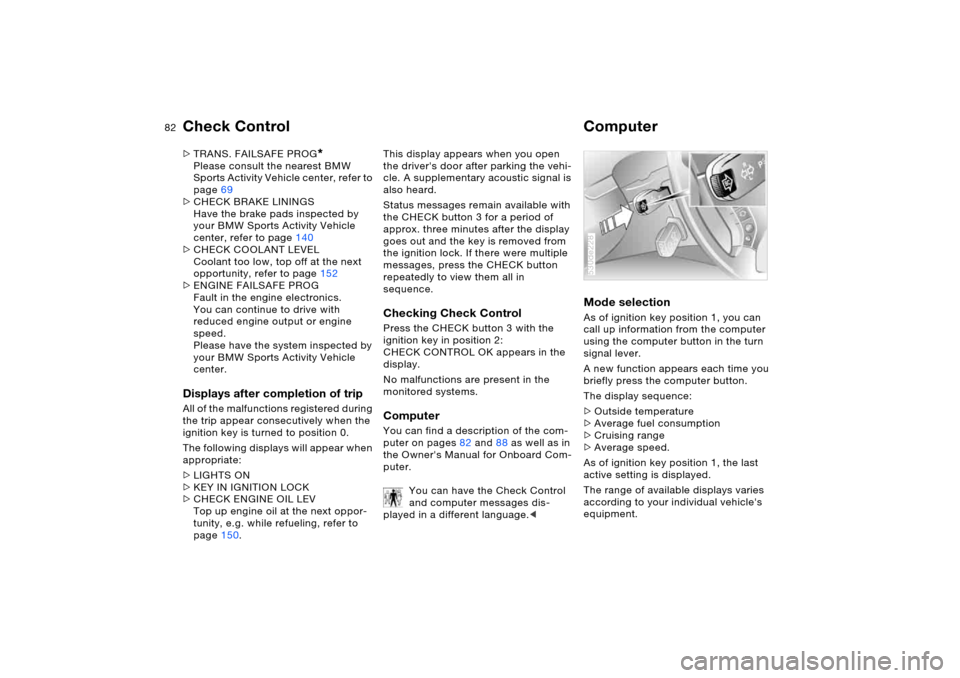
Mode selection As of ignition key position 1, you can
call up information from the computer
using the computer button in the turn
signal lever.
A new function appears each time you
briefly press the computer button.
The display sequence:
>Outside temperature
>Average fuel consumption
>Cruising range
>Average speed.
As of ignition key position 1, the last
active setting is displayed.
The range of available displays varies
according to your individual vehicle's
equipment.530de228
Page 83 of 200
83n
OverviewControlsMaintenanceRepairsDataIndex
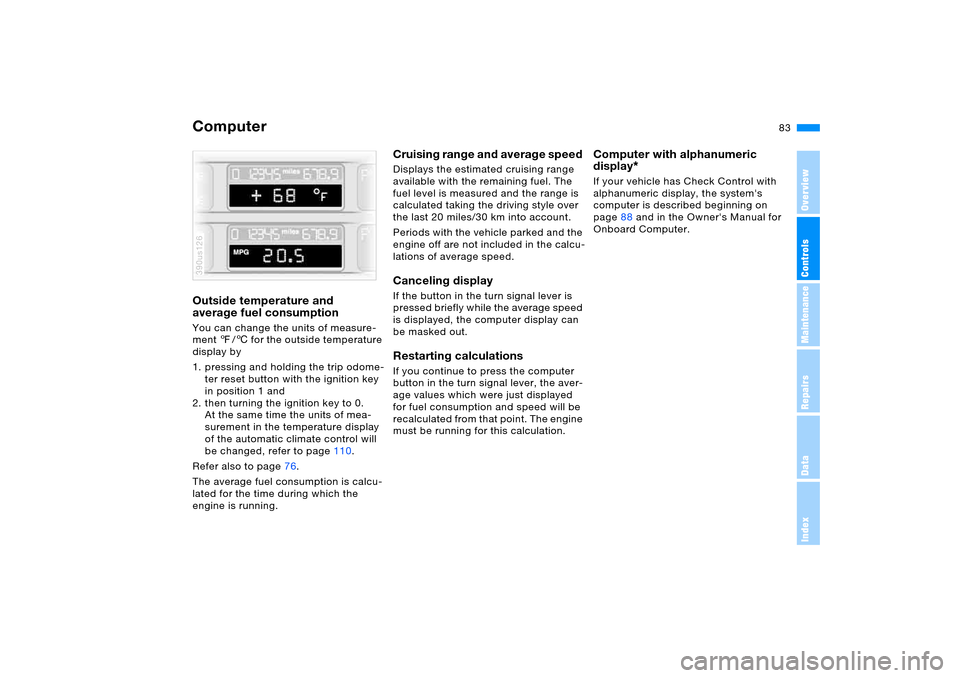
ComputerOutside temperature and
average fuel consumption You can change the units of measure-
ment 7/6 for the outside temperature
display by
1. pressing and holding the trip odome-
ter reset button with the ignition key
in position 1 and
2. then turning the ignition key to 0.
At the same time the units of mea-
surement in the temperature display
of the automatic climate control will
be changed, refer to page110.
Refer also to page76.
The average fuel consumption is calcu-
lated for the time during which the
engine is running.390us126
Cruising range and average speed Displays the estimated cruising range
available with the remaining fuel. The
fuel level is measured and the range is
calculated taking the driving style over
the last 20 miles/30 km into account.
Periods with the vehicle parked and the
engine off are not included in the calcu-
lations of average speed.Canceling display If the button in the turn signal lever is
pressed briefly while the average speed
is displayed, the computer display can
be masked out. Restarting calculations If you continue to press the computer
button in the turn signal lever, the aver-
age values which were just displayed
for fuel consumption and speed will be
recalculated from that point. The engine
must be running for this calculation.
Computer with alphanumeric
display
*
If your vehicle has Check Control with
alphanumeric display, the system's
computer is described beginning on
page88 and in the Owner's Manual for
Onboard Computer.
Page 86 of 200
86n
Digital clock in MIDReminder signal You can program a reminder signal –
memo – to be heard every hour, so that
you are sure not to miss a news broad-
cast.
Press the left side of the button.
Press:
MEMO OFF appears in the display for
entry and call-up buttons, and the tone
symbol will appear in the upper right of
the display.
A signal is then heard 15 seconds
before each hour.
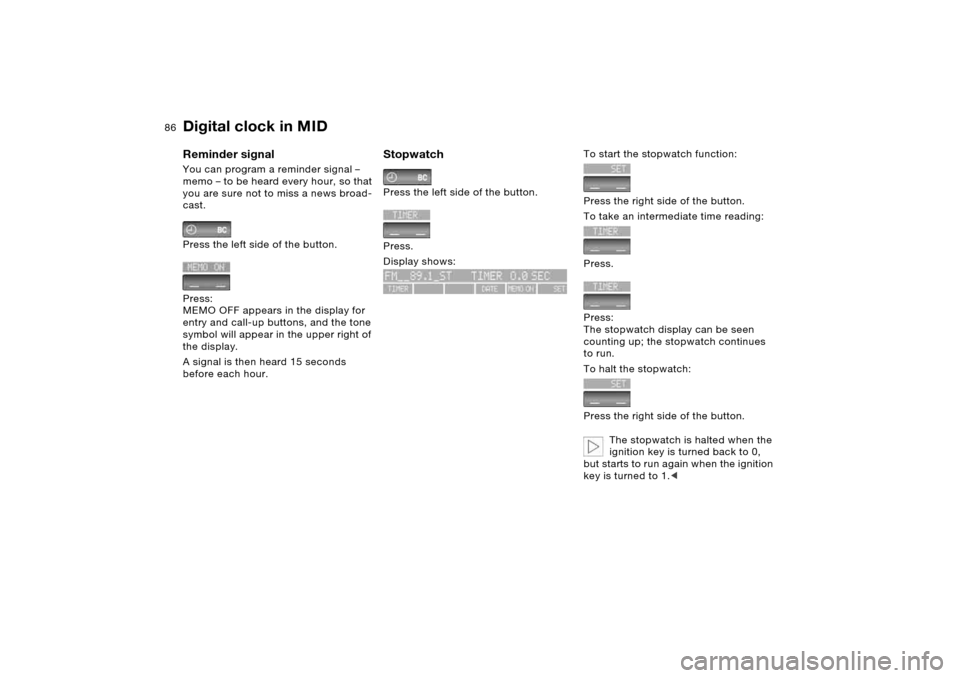
Stopwatch Press the left side of the button.
Press.
Display shows:
To start the stopwatch function:
Press the right side of the button.
To take an intermediate time reading:
Press.
Press:
The stopwatch display can be seen
counting up; the stopwatch continues
to run.
To halt the stopwatch:
Press the right side of the button.
The stopwatch is halted when the
ignition key is turned back to 0,
but starts to run again when the ignition
key is turned to 1.<
Page 92 of 200
92n
Computer
* in MID
After three incorrect code entries, or
three attempts to start the engine with-
out a code entry, the alarm will sound
for 30 seconds on vehicles fitted with
an alarm system.
Deactivating the alarm in an emer-
gency:
If you have forgotten the code, proceed
as follows:
1. Disconnect the battery, wait approx.
2 minutes, then reconnect it. Note
that on vehicles with an alarm sys-
tem, the alarm will sound
2. Set the ignition key to position 1: the
time display will count down for the
next ten minutes
3. After ten minutes, start the engine.
If the code becomes available
again in the meantime, it can be
entered during the waiting period after
pressing the CODE button.<
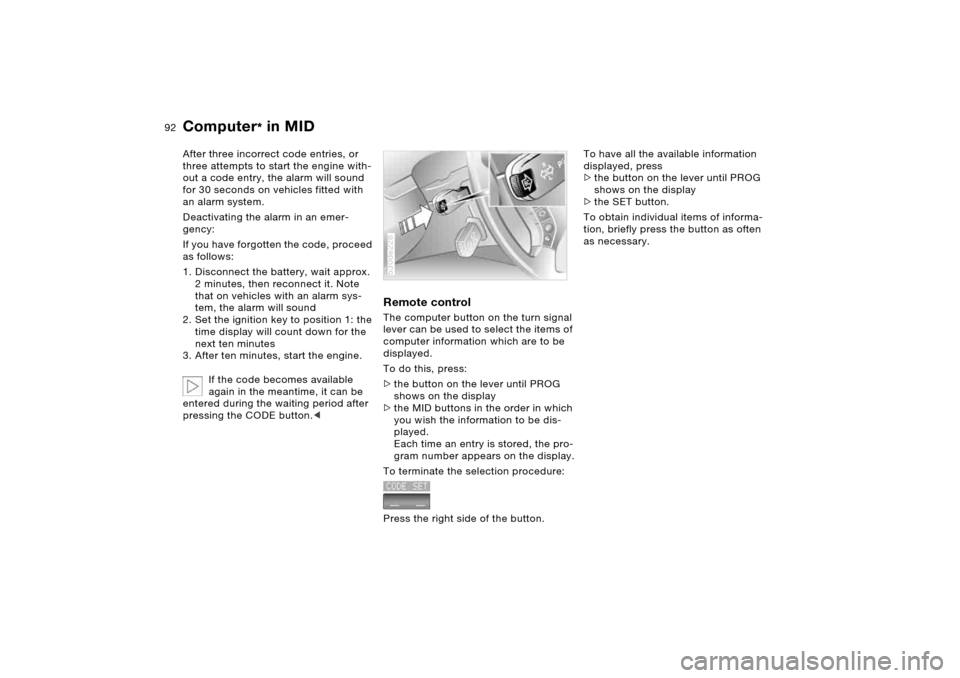
Remote controlThe computer button on the turn signal
lever can be used to select the items of
computer information which are to be
displayed.
To do this, press:
>the button on the lever until PROG
shows on the display
>the MID buttons in the order in which
you wish the information to be dis-
played.
Each time an entry is stored, the pro-
gram number appears on the display.
To terminate the selection procedure:
Press the right side of the button.530de228
To have all the available information
displayed, press
>the button on the lever until PROG
shows on the display
>the SET button.
To obtain individual items of informa-
tion, briefly press the button as often
as necessary.
Page 104 of 200
104n
Adaptive Head Light
*
High beams/roadside parking lamps
The concept Adaptive Head Light is a variable head-
lamp control system that enables better
illumination of the road surface.
Depending on the steering angle and
other assumptions, the light from the
headlamp follows the course of the
road.Activating Adaptive Head Light
In ignition key position 2, turn
the light switch to the position
'Automatic headlamp control',
refer to page103.
To avoid blinding oncoming traffic, the
Adaptive Head Light
>is not active when driving in reverse
>is active only when pointing toward
the passenger side.
MalfunctionThe LED next to the symbol for auto-
matic headlamp control flashes. Adap-
tive Head Light is faulty or has failed.
Have the system checked as soon as
possible.
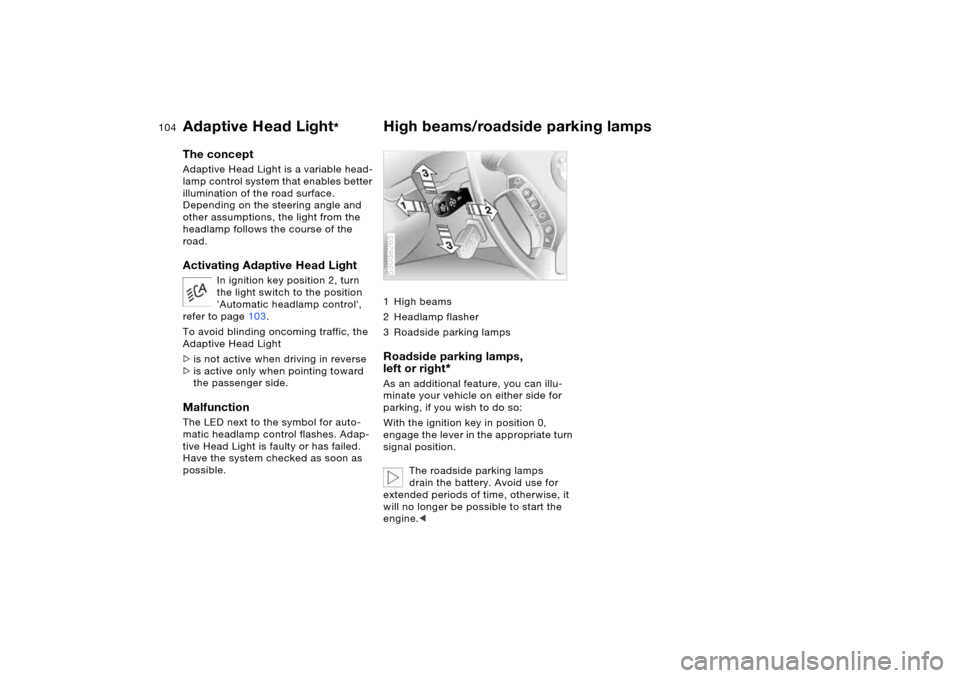
1High beams
2 Headlamp flasher
3 Roadside parking lamps Roadside parking lamps,
left or right
*
As an additional feature, you can illu-
minate your vehicle on either side for
parking, if you wish to do so:
With the ignition key in position 0,
engage the lever in the appropriate turn
signal position.
The roadside parking lamps
drain the battery. Avoid use for
extended periods of time, otherwise, it
will no longer be possible to start the
engine.<530de265
Page 160 of 200
160n
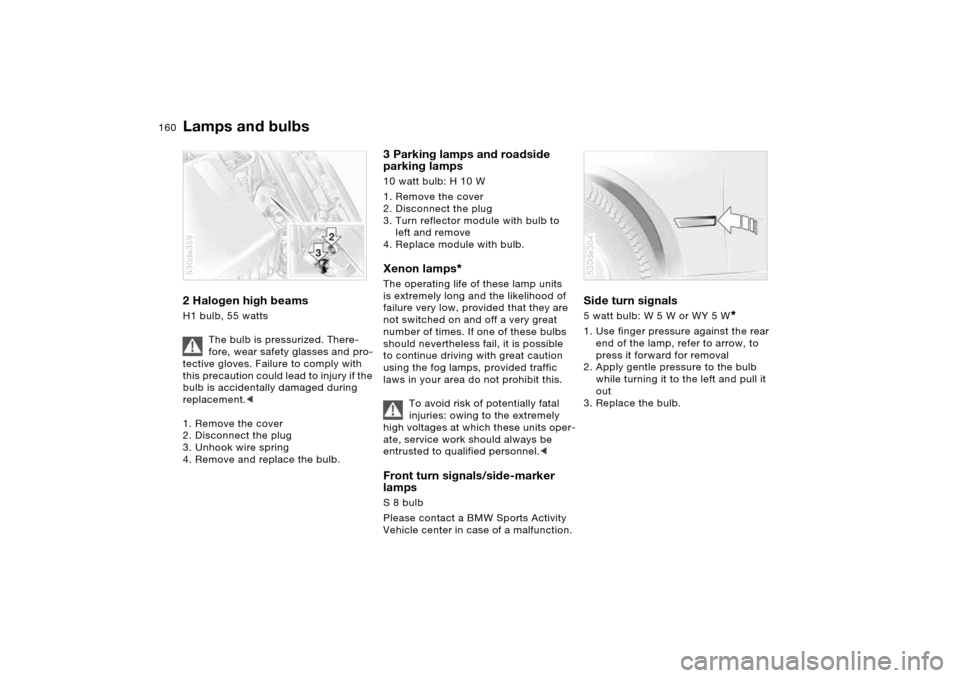
Lamps and bulbs 2 Halogen high beams H1 bulb, 55 watts
The bulb is pressurized. There-
fore, wear safety glasses and pro-
tective gloves. Failure to comply with
this precaution could lead to injury if the
bulb is accidentally damaged during
replacement.<
1. Remove the cover
2. Disconnect the plug
3. Unhook wire spring
4. Remove and replace the bulb. 530de359
3 Parking lamps and roadside
parking lamps 10 watt bulb: H 10 W
1. Remove the cover
2. Disconnect the plug
3. Turn reflector module with bulb to
left and remove
4. Replace module with bulb.Xenon lamps
*
The operating life of these lamp units
is extremely long and the likelihood of
failure very low, provided that they are
not switched on and off a very great
number of times. If one of these bulbs
should nevertheless fail, it is possible
to continue driving with great caution
using the fog lamps, provided traffic
laws in your area do not prohibit this.
To avoid risk of potentially fatal
injuries: owing to the extremely
high voltages at which these units oper-
ate, service work should always be
entrusted to qualified personnel.< Front turn signals/side-marker
lamps S 8 bulb
Please contact a BMW Sports Activity
Vehicle center in case of a malfunction.
Side turn signals 5 watt bulb: W 5 W or WY 5 W
*
1. Use finger pressure against the rear
end of the lamp, refer to arrow, to
press it forward for removal
2. Apply gentle pressure to the bulb
while turning it to the left and pull it
out
3. Replace the bulb.530de304
Page 161 of 200
161n
OverviewControlsMaintenanceRepairsDataIndex
Lamps and bulbs Front fog lamps H11 bulb, 55 watts
The bulb is pressurized. There-
fore, wear safety glasses and pro-
tective gloves. Failure to comply with
this precaution could lead to injury if the
bulb is accidentally damaged during
replacement.<
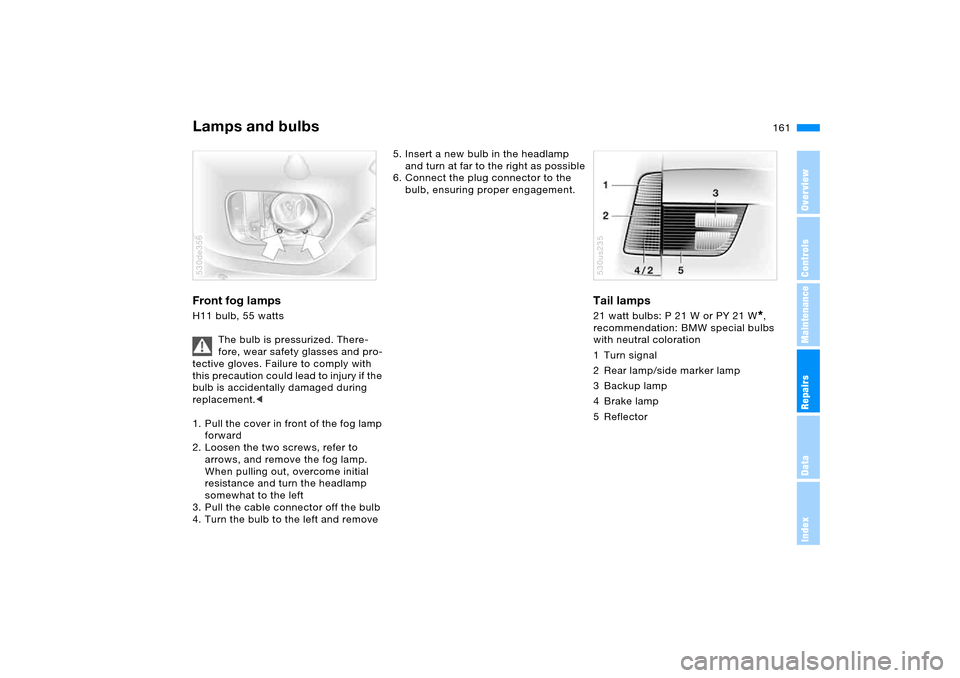
1. Pull the cover in front of the fog lamp
forward
2. Loosen the two screws, refer to
arrows, and remove the fog lamp.
When pulling out, overcome initial
resistance and turn the headlamp
somewhat to the left
3. Pull the cable connector off the bulb
4. Turn the bulb to the left and remove530de356
5. Insert a new bulb in the headlamp
and turn at far to the right as possible
6. Connect the plug connector to the
bulb, ensuring proper engagement.
Tail lamps 21 watt bulbs: P 21 W or PY 21 W
*,
recommendation: BMW special bulbs
with neutral coloration
1 Turn signal
2 Rear lamp/side marker lamp
3 Backup lamp
4Brake lamp
5Reflector
530us235
Page 187 of 200
Everything from A to Z
187n
OverviewControlsMaintenanceRepairsDataIndex
Coolant152
level152
temperature gage79
warning lamp79
Coolant temperature
gage79
Cooling, maximum113
Cooling, refer to
Air conditioning108,113
Temperature108,112
Copyright4
Cornering light, refer to
Adaptive Head Light104
Correct tires
wheel/tire
replacement146
winter tires146
Courtesy lighting106
Cruise control74
buttons on steering
wheel23
indicator lamp22
Cruising range83,90
Cup holders121
Curb weight, refer to
Weights180
Current consumption, refer
to Energy control77
Cylinders, refer to Engine
data178D
Dashboard lighting, refer to
Instrument lighting105
Dashboard, refer to
Cockpit14
Data, technical178
dimensions179
engine178
filling capacities181
weights180
Date
also refer to Owner's
Manual for Onboard
Computer
calling up85
changing85
Daytime driving lamps103
DBC Dynamic Brake
Control94
indicator lamp21
Deactivating the alarm in an
emergency92
Defective lamp159
Defrost position, refer to
Defrosting
windows109,112
Defrosting
windows109,112
air conditioner109
automatic climate
control112Defrosting windows and
removing condensation
air conditioner109
automatic climate
control112
Defrosting windshield, refer
to Defrosting
windows109,112
Digital clock85
also refer to Owner's
Manual for Onboard
Computer
Dimensions179
Dipstick, engine oil150
Directional indicators, refer
to Turn signals70
Disc brakes140
Displacement, refer to
Engine specifications178
Display lighting, refer to
Instrument lighting105
Display, refer to Instrument
cluster15,17,18
Disposal, vehicle battery168
Distance to destination89
Distance warning, refer to
PDC Park Distance
Control93
Divided rear seat backrest,
refer to Folding rear seat
back126
Door keys30Door lock33
DOT Quality Grades143
Draft-free
ventilation109,114
Driving lamps, refer to
Parking lamps/low
beams103
Driving notes
breaking-in136
driving hints137,138
Driving on poor roads138
Driving stability control95
Driving your X5138
Dry air, refer to Air
conditioning108,113
DSC Dynamic Stability
Control95
warning lamp22
DVD changer, refer to
Owner's Manual for Radio/
Onboard Computer
Dynamic Brake Control
DBC94
indicator lamp21
Dynamic Stability Control
DSC95
warning lamp22
Page 191 of 200
Everything from A to Z
191n
OverviewControlsMaintenanceRepairsDataIndex
Low beams103
automatic103
replacing bulbs159
Lower back support, refer to
Lumbar support46
Low-fuel indicator lamp,
refer to Fuel gage78
Lug bolts167
torque168
Luggage compartment
capacity180
cover, refer to Roll-up
cover126
lamps, refer to Cargo area
lamps106
opening from inside35
opening from outside35
opening, with remote
control31
opening/closing, refer to
Liftgate35
opening/closing, refer to
Tailgate36
refer to Cargo area126
Luggage compartment lid,
refer to
Liftgate35
Tailgate36
Luggage compartment
net37Luggage rack, refer to Roof-
mounted luggage rack133
Luggage straps37
Lumbar support46
M
M+S tires, refer to Winter
tires146
Maintenance system154
Maintenance, refer to
Service Interval Display79
Malfunction
automatic transmission
with Steptronic69
door lock33
fuel filler door24
liftgate35
panorama glass
sunroof42
tailgate36
Manual operation
door lock33
driver's door33
fuel filler door24
liftgate35
panorama glass
sunroof42
tailgate36
Manual transmission66
Master key30
with remote control30
Maximum cooling113Maximum roof weight180
Maximum speed with winter
tires146
Measurements, refer to
Dimensions179
Mechanical key, refer to
Door and ignition key30
Mechanical seats45
Memo86
Memory, refer to
Seat, mirror and steering
wheel memory50
Vehicle Memory, Key
Memory63
Microfilter
air conditioner109
automatic climate
control115
Microphone for telephone,
refer to Telephone119
MID Multi-Information
Display84
Mirror dimming feature138
Mirrors54
automatic curb monitor51
mirror heating54
mirror memory, refer to
Seat, mirror and steering
wheel memory50
Mobile phone, refer to
separate Owner's ManualMobile Service, refer to
Roadside Assistance170
Multifunction steering wheel,
refer to Buttons on
steering wheel23
Multifunction switch
turn signals/headlamp
flasher70
washer/wiper system71
Multi-Information Display
MID84
N
Navigation system, refer to
Owner's Manual for
Onboard Computer/Radio
and Navigation System
Neck support, refer to Head
restraints47
Nozzles, refer to
Ventilation109,114
Nylon rope, refer to Tow-
starting and towing174
Page 194 of 200
Everything from A to ZSelector lever positions,
automatic transmission
with Steptronic67
Selector lever, automatic
transmission with
Steptronic68
Self-leveling suspension98
2-axle self-leveling
suspension99
inactive98
Service and Warranty Infor-
mation Booklet for US
models154
Service Interval
Display79,154
Service, refer to Roadside
Assistance170
Setting interior
temperature108,112
Setting time, refer to Prese-
lecting switch-on times87
Shifting
automatic transmission
with Steptronic68
manual transmission66
Shiftlock68
Shoulder support47
Side airbags57
Side Impact Head Protection
System57Side tilt, permissible138
Side turn signals, replacing
bulbs160
Side window blinds, refer to
Rear window blind115
Signaling briefly70
Sitting safely43
with airbags43
with safety belts43
Ski bag124
Snow chains147
Sockets129
Soft closure aid for liftgate,
refer to Automatic Soft
Close function36
Spare fuses169
Spare key30
Spare wheel165
removal aid165
Special wash program72
Specified engine oils151
Speed
with spare wheel168
with winter tires146
Speed limit88
Speedometer, refer to
Instrument
cluster15,17,18
Sport Program, automatic
transmission with
Steptronic69Sports seat45
Stability control, refer to
DSC Dynamic Stability
Control95
xDrive97
Starting engine64
Starting problems
at very low
temperatures65
jump starting171
Status of this Owner's
Manual at time of
printing9
Steering lock64
Steering wheel
adjustment52
adjustment, automatic53
lock64
Steering wheel heater53
Steering wheel memory50
Steering wheel with multi-
function buttons23
Steptronic, refer to Manual
mode69
Stopwatch86
Storage compartments120
in the cargo area128
Storage space, refer to
Cargo area126Storing desired speed, refer
to Cruise control.74
Storing sitting position, refer
to Seat, mirror and
steering wheel memory50
Storing the seat
adjustment50
Storing tires147
Supply reservoir
washing systems150
Switches, refer to Cockpit14
Switching air conditioner
mode on and off
manually108,113
Switching off engine65
Switching on hour signal86
Switch-on times input87
Symbols8
Synthetic oil151
T
Tachometer77
Tail lamps, replacing
bulbs161
Tailgate36
unlocking manually36
Taking time, refer to
Stopwatch86
Tank capacity, refer to Fuel
tank capacity181
Technical data178
Technical modifications9