display BMW X5 4.6IS 2003 Owner's Manual
[x] Cancel search | Manufacturer: BMW, Model Year: 2003, Model line: X5 4.6IS, Model: BMW X5 4.6IS 2003Pages: 183, PDF Size: 2.31 MB
Page 87 of 183
87n
OverviewControlsMaintenanceRepairsDataIndex
Computer
** * * in the MID
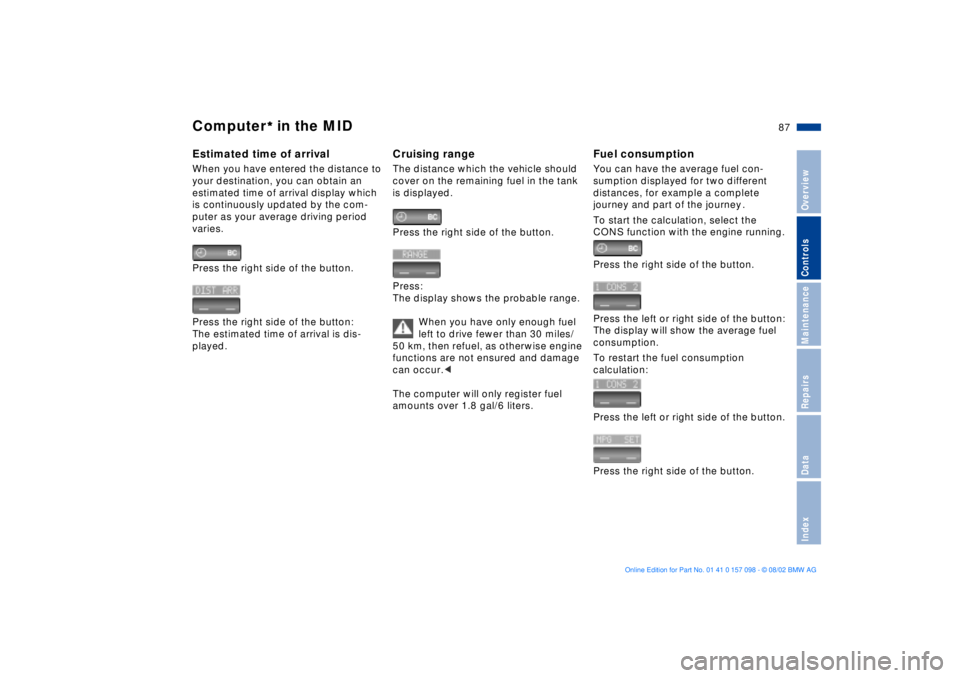
Estimated time of arrival When you have entered the distance to
your destination, you can obtain an
estimated time of arrival display which
is continuously updated by the com-
puter as your average driving period
varies.
Press the right side of the button.
Press the right side of the button:
The estimated time of arrival is dis-
played.
Cruising rangeThe distance which the vehicle should
cover on the remaining fuel in the tank
is displayed.
Press the right side of the button.
Press:
The display shows the probable range.
When you have only enough fuel
left to drive fewer than 30 miles/
50 km, then refuel, as otherwise engine
functions are not ensured and damage
can occur.<
The computer will only register fuel
amounts over 1.8 gal/6 liters.
Fuel consumptionYou can have the average fuel con-
sumption displayed for two different
distances, for example a complete
journey and part of the journey .
To start the calculation, select the
CONS function with the engine running.
Press the right side of the button.
Press the left or right side of the button:
The display will show the average fuel
consumption.
To restart the fuel consumption
calculation:
Press the left or right side of the button.
Press the right side of the button.
Page 88 of 183
88n
Computer
** * * in the MID
Speed You can call up a display of the
vehicle's average speed.
To start the calculation, select the
SPEED function with the engine run-
ning.
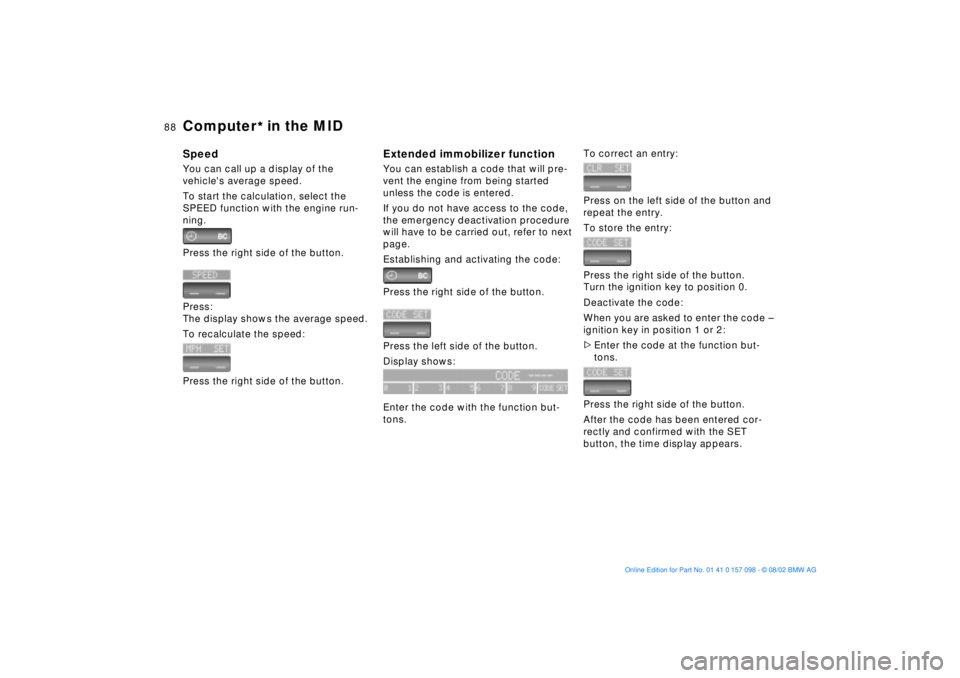
Press the right side of the button.
Press:
The display shows the average speed.
To recalculate the speed:
Press the right side of the button.
Extended immobilizer functionYou can establish a code that will pre-
vent the engine from being started
unless the code is entered.
If you do not have access to the code,
the emergency deactivation procedure
will have to be carried out, refer to next
page.
Establishing and activating the code:
Press the right side of the button.
Press the left side of the button.
Display shows:
Enter the code with the function but-
tons.
To correct an entry:
Press on the left side of the button and
repeat the entry.
To store the entry:
Press the right side of the button.
Turn the ignition key to position 0.
Deactivate the code:
When you are asked to enter the code Ð
ignition key in position 1 or 2:
>Enter the code at the function but-
tons.
Press the right side of the button.
After the code has been entered cor-
rectly and confirmed with the SET
button, the time display appears.
Page 89 of 183
89n
OverviewControlsMaintenanceRepairsDataIndex
Computer
** * * in the MID
After three incorrect code entries, or
three attempts to start the engine
without a code entry, the alarm will
sound for 30 seconds on vehicles fitted
with an alarm system.
Deactivating the alarm in an
emergency:
If you have forgotten the code, proceed
as follows:
1. Disconnect the battery, wait approx.
2 minutes, then reconnect it. Note
that on vehicles with an alarm
system, the alarm will sound
2. Set the ignition key to position 1:
The time display will count down for
the next ten minutes
3. After ten minutes, start the engine.
If the code becomes available
again in the meantime, it can be
entered during the waiting period after
pressing the CODE button.<
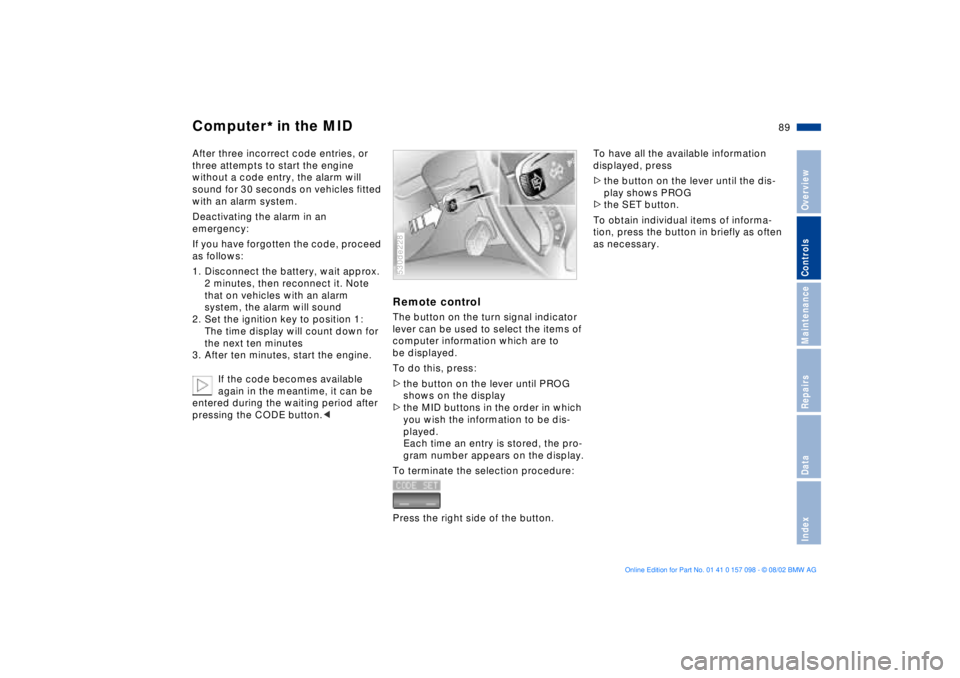
Remote control The button on the turn signal indicator
lever can be used to select the items of
computer information which are to
be displayed.
To do this, press:
>the button on the lever until PROG
shows on the display
>the MID buttons in the order in which
you wish the information to be dis-
played.
Each time an entry is stored, the pro-
gram number appears on the display.
To terminate the selection procedure:
Press the right side of the button.530de228
To have all the available information
displayed, press
>the button on the lever until the dis-
play shows PROG
>the SET button.
To obtain individual items of informa-
tion, press the button in briefly as often
as necessary.
Page 95 of 183
95n
OverviewControlsMaintenanceRepairsDataIndex
2-axle self-leveling suspension
*
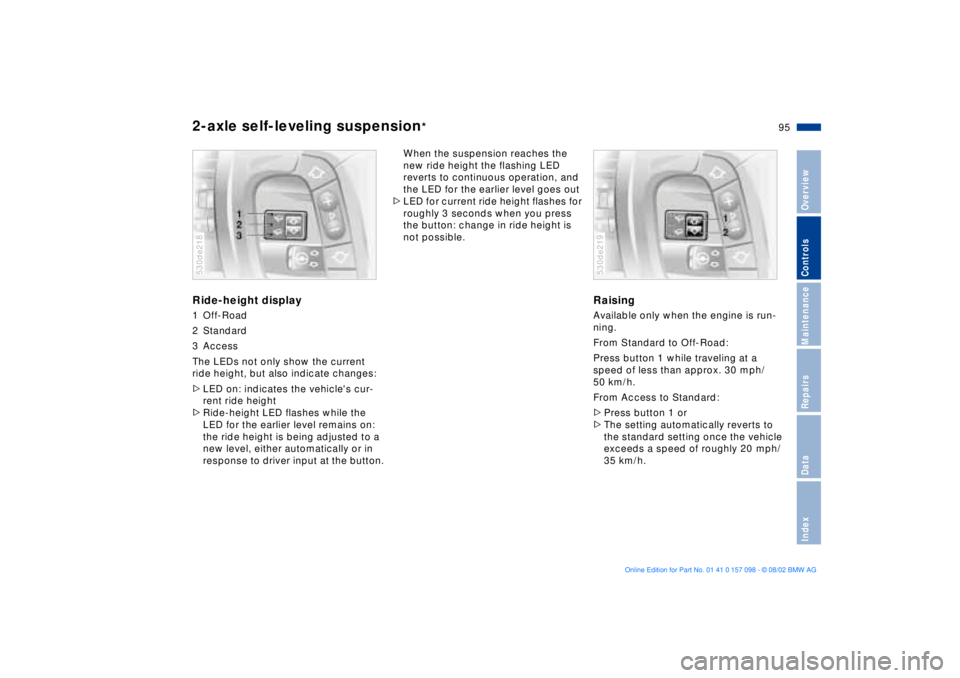
Ride-height display1 Off-Road
2 Standard
3 Access
The LEDs not only show the current
ride height, but also indicate changes:
>LED on: indicates the vehicle's cur-
rent ride height
>Ride-height LED flashes while the
LED for the earlier level remains on:
the ride height is being adjusted to a
new level, either automatically or in
response to driver input at the button.530de218
When the suspension reaches the
new ride height the flashing LED
reverts to continuous operation, and
the LED for the earlier level goes out
>LED for current ride height flashes for
roughly 3 seconds when you press
the button: change in ride height is
not possible.
RaisingAvailable only when the engine is run-
ning.
From Standard to Off-Road:
Press button 1 while traveling at a
speed of less than approx. 30 mph/
50 km/h.
From Access to Standard:
>Press button 1 or
>The setting automatically reverts to
the standard setting once the vehicle
exceeds a speed of roughly 20 mph/
35 km/h.530de219
Page 98 of 183
98n
Tire Pressure Monitor RDC
*
Adaptive brake light
Flat tireIf there is a tire failure with a loss of
inflation pressure, the red indicator
lamp comes on or the message Ð TIRE
LOW/FLAT Ð appears in the Check
Control. In addition, an acoustic signal
sounds.
If this occurs, reduce vehicle speed
immediately and stop the vehicle in a
safe location. Avoid hard brake applica-
tions. Do not oversteer. Replace the flat
tire.
The spare tire which is available in
your vehicle as standard equip-
ment is equipped with the electronics
required for RDC and, following activa-
tion of the system, is also monitored
after it is mounted.<
RDC cannot alert you to severe
and sudden tire damage caused
by external factors.<
Have the tires changed at your
BMW Sports Activity Vehicle
center.
Your BMW Sports Activity Vehicle
center has the information needed for
working with RDC and is equipped with
the necessary special tools.<
System malfunctionDuring the period of the malfunction,
the yellow indicator lamp comes on or
the message Ð TIRECONTROL INAC-
TIVE Ð appears in the Check Control.
You will also see the same message
>in the event of a system malfunction
>if a wheel is mounted without the
RDC electronics
>if, in addition to the spare tire, addi-
tional wheels with RDC electronics
are on board
>after installation of one or several
wheels with an electronics system
still unknown to the system.
It takes a few minutes to learn the
new wheel electronics ID numbers
after system activation. Only then can
RDC detect and report a flat tire.
Please contact your BMW Sports
Activity Vehicle center for additional
information.The adaptive brake light provides
drivers of following vehicles with an
indication of the intensity with which
the brakes are being applied in your
own vehicle.
The display occurs in two stages:
>Normal braking:
The brake light units within the tail
lamps and the high-mount brake
lamp integrated within the rear
spoiler both light up with normal
intensity
>Hard braking or braking with ABS
active:
The tail lamps also come on, lighting
up with the same intensity as the
brake lamps to provide a more con-
spicuous warning.
Page 105 of 183
105n
OverviewControlsMaintenanceRepairsDataIndex
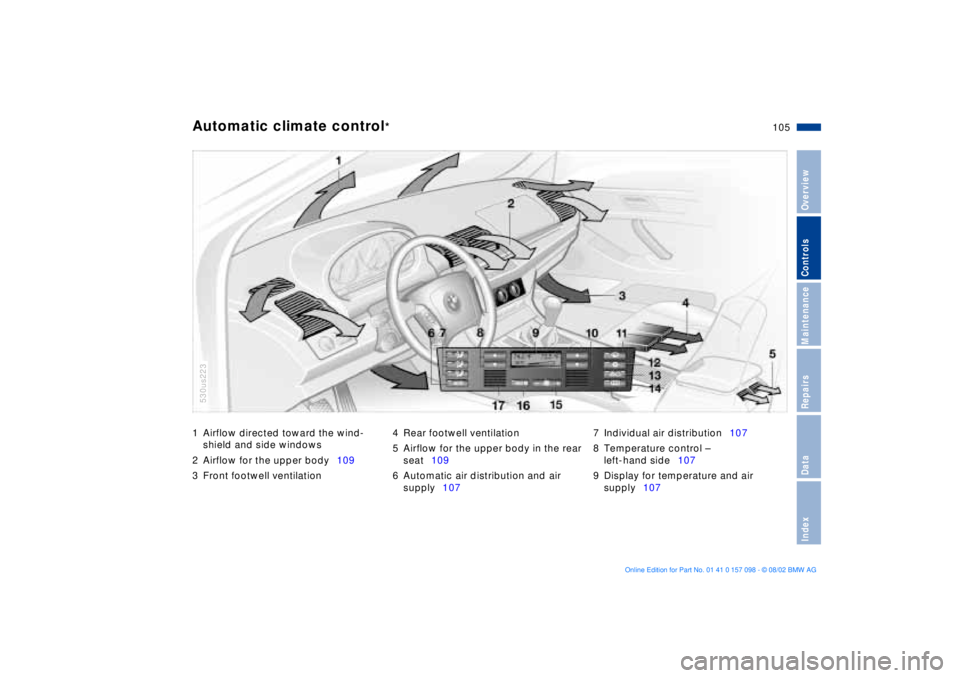
1 Airflow directed toward the wind-
shield and side windows
2 Airflow for the upper body109
3 Front footwell ventilation4 Rear footwell ventilation
5 Airflow for the upper body in the rear
seat109
6 Automatic air distribution and air
supply1077 Individual air distribution107
8 Temperature control Ð
left-hand side107
9 Display for temperature and air
supply107Automatic climate control
*
530us223
Page 107 of 183
107n
OverviewControlsMaintenanceRepairsDataIndex
Automatic climate control
*
Tips for pleasant drivingUse the automatic system; that is press
AUTO button 6. Select an interior
temperature that is comfortable for you.
Detailed setting options are described
for you in the following section.
Your BMW center can program
the settings of your vehicle in such
a manner that, when you unlock the
vehicle with your individualized key,
your own personalized setting for the
automatic climate control is initiated.< Automatic air distribution
The AUTO program
assumes the adjustment of
the air distribution and the air supply for
you and also adapts the temperature to
external influences Ð summer, winter Ð
to meet preferences you can specify.
Individual air distribution
You can cancel the AUTO
program by selecting
specific air distribution
patterns for your personal
comfort, the automatic air
supply remains in operation. You can
direct air to flow onto the windows ,
toward the upper body , and into the
footwell . You can reactivate the
automatic air distribution mode by
selecting the AUTO button.
Temperature
You can make individual
temperature settings on the
driver's side or the front
passenger side. Your settings will be
shown in the display 9. The displayed
temperatures are reference values for
the interior temperature. We recom-
mend +70 7/+22 6 as a comfortable
setting, whether the air conditioner is
operating or not. When you start the
vehicle, this system ensures that the
selected temperature is achieved as
quickly as possible. It then maintains this
temperature, regardless of the season.
To change the units of measurement Ð
6/7 Ð of the display, refer to page 73
or 80.
Air supply
In the AUTO program, the
air supply is controlled
automatically. AUTO will appear in the
display 9, refer to the overview on
page 105. Press the left or right side of
the button to vary the air supply. When
your setting is displayed by bars, the
automatic air supply is switched off.
Automatic air distribution maintains its
setting. You can reactivate the auto-
matic air supply by pressing the AUTO
button.
When you press the left side of the but-
ton during operation at minimum blower
speed all displays are canceled: the
blower, heating and air conditioner are
switched off. The outside air supply is
closed. You can switch the system
back on by pressing any button of the
automatic climate control, except the
MAX button 16.
To defrost windows and remove
condensation
This program quickly
removes ice and conden-
sation from the windshield and the side
windows.
Page 108 of 183
108n
Automatic climate control
*
Air conditioning
The air is cooled and
dehumidified and Ñ
depending on the temperature setting Ñ
warmed again. Depending on the
weather, the windshield may fog over
briefly when the engine is started. You
can reduce condensation forming on
the windows by switching on the air
conditioning.
During air conditioning condensa-
tion forms, which then exits under
the vehicle. Traces of condensed water
of this kind are thus normal.<
Maximum cooling
You will get maximum
cooling capacity using this
program if the engine is running and
the outside temperature is above
approx. +41 7/+5 6.
The temperature display 9 jumps to
+60 7/+16 6, the system switches
over to the recirculated-air mode, and
the air streams out of the ventilation grill
with the maximum air supply. That is
why you need to keep these open if you
select this program.
Automatic recirculated-air
control AUC
If there are unpleasant
odors or pollutants in the
outside air, you can temporarily block
the air supply from the outside. The
system then recirculates the air
currently within the vehicle. Press the
button repeatedly to run through the
following control sequence
>Indicator lamps off: outside air supply
operational
>Left-hand indicator lamp on Ð AUC
mode: the system recognizes pollut-
ants in the outside air and blocks the
flow of air when necessary. The
system then recirculates the air
currently within the vehicle.
Depending on the air quality, the
automatic system then switches back
and forth between outside air supply
and recirculation of the air within the
vehicle
>Right-hand indicator lamp on: the
outside air supply into the vehicle is
completely blocked. The system then
recirculates the air currently within
the vehicle.
If you have a steering wheel with multi-
function buttons with the button for
recirculated-air mode, refer to page 23,
you can also use this button to switch
between Off and the recirculated-air
mode or AUC and the recirculated-air
mode.
If the windows fog over in the
recirculated-air mode, switch the
recirculated-air mode off and increase
the air supply as required.< Rear window defroster
When the rear window
defroster is activated,
the indicator lamp comes on. The
rear window defroster switches off
automatically.
Page 111 of 183
111n
OverviewControlsMaintenanceRepairsDataIndex
Roller sun blinds
* Independent ventilation system
*
Roller sun blinds for rear side
windows
*
Use the strap to pull out the blinds, then
hook them in the provided attachment.
With roller sun blinds attached, do
not open the windows during
travel. The blinds may otherwise be
damaged by the wind.<
You can use this system to ventilate the
interior and lower its temperature, using
the blower of the independent ventila-
tion or of the automatic climate control.
The independent ventilation system is
operated via the Multi-Information
display MID, refer to page 84 or via the
onboard computer, refer to the sepa-
rate Owner's Manual.
You can set two different times for the
system to start; it will remain active for
30 minutes. You can also switch it on
and off directly. Since the system uses
a substantial amount of electrical
current, you should refrain from
switching it on twice in succession
without allowing the battery to be
recharged in normal operation between
use. When a preselected activation time is
set, the independent ventilation system
is operational at outside temperatures
above +60 7/+16 6, or by direct
switch activation.
The air emerges via the vent outlets for
the upper body. Therefore, the vent
outlets must be open for the system to
operate.
Page 138 of 183
138n
Winter tires Snow chains
*
Choosing the right tire BMW recommends winter tires Ð M+S
radial tires Ð for operation under
inclement winter driving conditions.
While so-called all-season tires with
M+S designation provide better winter
traction than summer tires with the load
ratings H, V, W, Y and ZR, they gener-
ally do not achieve the performance of
winter tires.
In the interests of safe tracking and
steering response, install radial tires
made by the same manufacturer and
with the same tread configuration on all
four wheels if you elect to mount winter
tires.
Do not exceed specified
maximum speeds
Never exceed the maximum speed
for which the tires are rated.
Unprofessional attempts by laymen to
service tires can lead to damage and
accidents.
Have this work performed by skilled
professionals only. Your BMW Sports
Activity Vehicle center will be glad to
assist you with both their expertise and
the proper equipment for your vehicle.<
Tire condition, tire pressureWinter tires display a perceptible loss in
their ability to cope with winter driving
conditions once the tread wears to
below 0.16 in/4 mm, and should thus
be replaced.
Comply with the specified tire inflation
pressures Ñ and be sure to have the
wheel and tire assemblies balanced
every time you change the tires.
Only certain snow chains have been
tested by BMW and classified and
approved as safe. Consult your BMW
Sports Activity Vehicle center for
details. The use of narrow-link BMW
snow chains is approved only in pairs
on the rear wheels and only with the
following tire sizes.
BMW X5 4.6is: 255/55 R18
All other models: 235/65 R 17.
Comply with all manufacturer's safety
precautions when mounting the chains.
Do not exceed a maximum speed of
30 mph/50 km/h.