mirror controls BMW X5 4.6IS 2003 Owners Manual
[x] Cancel search | Manufacturer: BMW, Model Year: 2003, Model line: X5 4.6IS, Model: BMW X5 4.6IS 2003Pages: 183, PDF Size: 2.31 MB
Page 4 of 183
Contents
© 2002 Bayerische Motoren Werke
Aktiengesellschaft
Munich, Germany
Reprinting, including excerpts, only with the
written consent of BMW AG, Munich.
Order No. 01 41 0 157 098
US English IX/2002
Printed in Germany
Printed on environmentally friendly paper Ð
bleached without chlorine, suitable for recycling.
Notes
Overview
Controls and features
About this Owner's Manual 8
Symbols used 8
The individual vehicle 8
Status at time of printing 9
For your own safety 9
Symbol on vehicle parts 10
Service and Warranty 10
Reporting safety defects 10Cockpit
14
Instrument cluster 15
Indicator and warning lamps 19
Steering wheel with multifunction buttons 23
Warning triangle 24
First-aid kit 24
Refueling 24
Fuel specifications 26
Tire inflation pressures 26
Locks and security systems:
Keys30
Central locking system 30
Opening and closing Ð via the remote control 31
Opening and closing Ð via the door lock 34
Opening and closing Ð from the inside 35
Liftgate 36
Tailgate 37
Alarm system 39
Electric power windows 40
Sliding/tilt sunroof with glass moonroof 42
Adjustments:
Safe seating position 44
Seats 44
Mechanical seat 45
Power seat 46
Head restraints 47
Power rear-seat backrest adjustment 48
Safety belts 49
Seat, mirror and steering wheel
memory 50
Seat heating 51
Steering wheel 52
Steering wheel heating 53
Mirrors 53
Inhalt
Page 39 of 183
39n
OverviewControlsMaintenanceRepairsDataIndex
Alarm system The concept The vehicle alarm system responds:
>When a door, the hood, or the liftgate
is opened
>To movement inside the vehicle Ð
interior motion sensor
>To variations in the vehicle tilt angle
such as occur during attempts to
steal the wheels or tow the vehicle
>To interruption of battery voltage.
The system responds to unauthorized
vehicle entry and attempted theft by
simultaneously activating the following:
>Sounding an acoustical alarm for
30 seconds
>The hazard warning flashers are acti-
vated for approx. five minutes
>The high beams flash on and off in
the same rhythm.
To arm and disarm the alarm
system When the vehicle is locked or unlocked
with the key or the remote control, the
alarm system is also simultaneously
armed or disarmed.
You can have different acknowl-
edgment signals set to confirm
system arming and disarming.<
You can still open the liftgate after the
system has been armed by pressing the
button of the remote control, refer to
page 32. When you close the liftgate, it
is secured again.
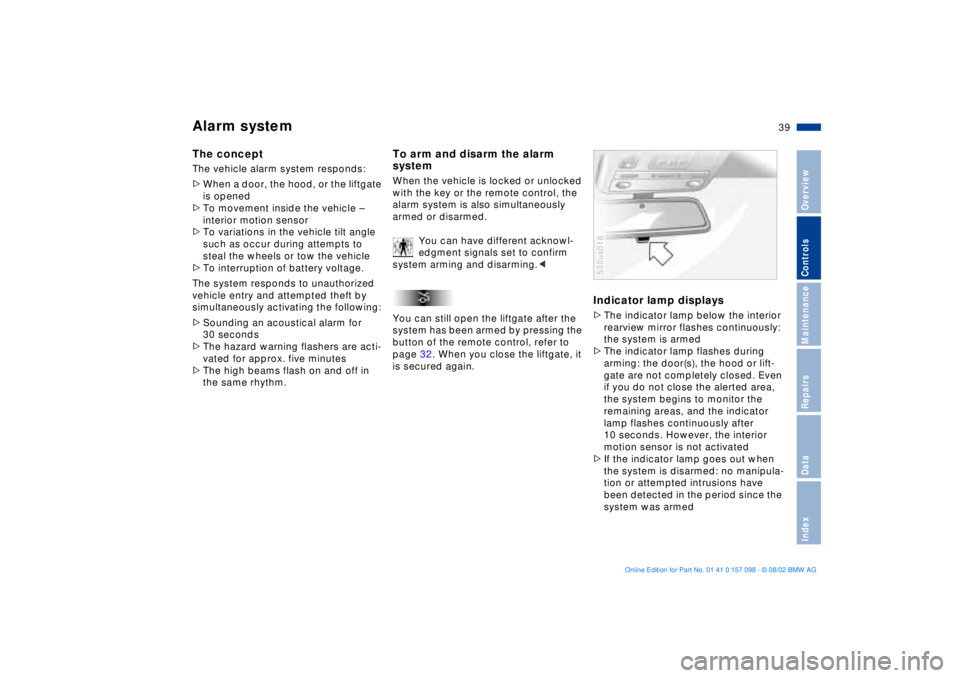
Indicator lamp displays>The indicator lamp below the interior
rearview mirror flashes continuously:
the system is armed
>The indicator lamp flashes during
arming: the door(s), the hood or lift-
gate are not completely closed. Even
if you do not close the alerted area,
the system begins to monitor the
remaining areas, and the indicator
lamp flashes continuously after
10 seconds. However, the interior
motion sensor is not activated
>If the indicator lamp goes out when
the system is disarmed: no manipula-
tion or attempted intrusions have
been detected in the period since the
system was armed530us018
Page 51 of 183
51n
OverviewControlsMaintenanceRepairsDataIndex
Seat, mirror and steering wheel memory
*
Seat heating
*
Your BMW Sports Activity Vehicle
center can adjust your vehicle's
systems in such a manner that your
personalized settings are automatically
called up for the seat, mirror and
steering wheel positions when you
unlock the vehicle with your personal
remote control key.<
If you make use of this adjustment
,
be sure that the footwell behind
the driver's seat is unobstructed before
unlocking the vehicle. If you fail to do
so, persons or objects could be injured
or damaged if the seat should move
backward.<
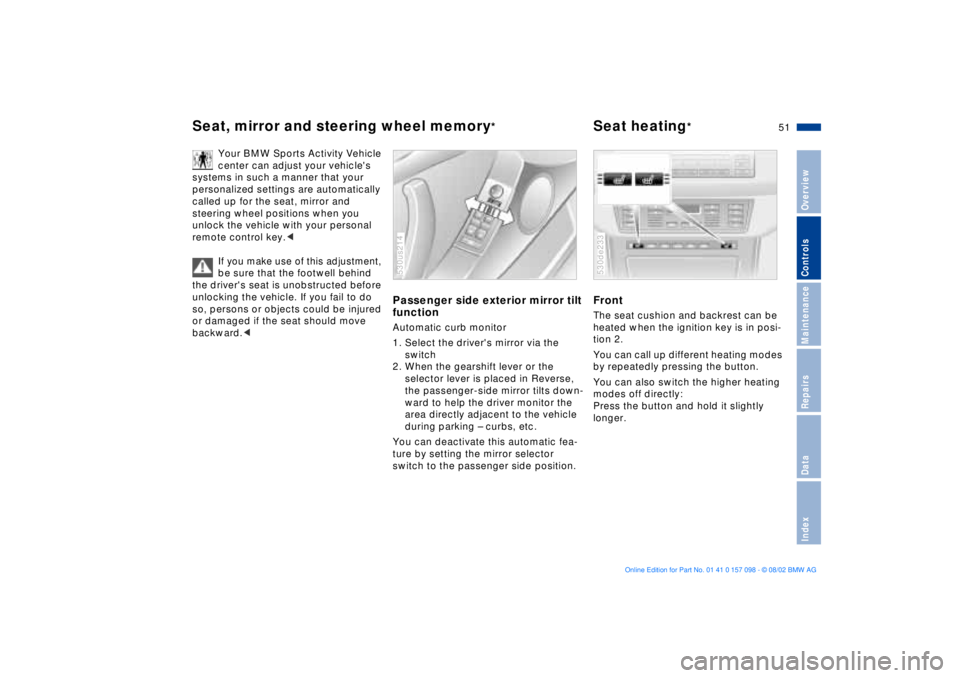
Passenger side exterior mirror tilt
functionAutomatic curb monitor
1. Select the driver's mirror via the
switch
2. When the gearshift lever or the
selector lever is placed in Reverse,
the passenger-side mirror tilts down-
ward to help the driver monitor the
area directly adjacent to the vehicle
during parking Ð curbs, etc.
You can deactivate this automatic fea-
ture by setting the mirror selector
switch to the passenger side position.530us214
Front The seat cushion and backrest can be
heated when the ignition key is in posi-
tion 2.
You can call up different heating modes
by repeatedly pressing the button.
You can also switch the higher heating
modes off directly:
Press the button and hold it slightly
longer.530de233
Page 53 of 183
53n
OverviewControlsMaintenanceRepairsDataIndex
Steering wheel heating
*
Mirrors
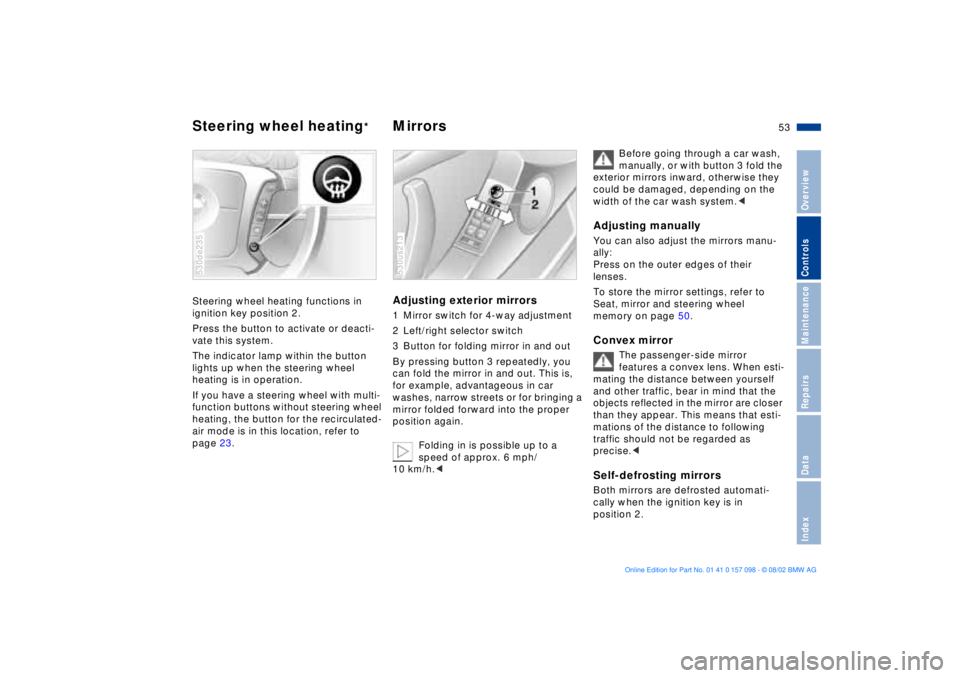
Steering wheel heating functions in
ignition key position 2.
Press the button to activate or deacti-
vate this system.
The indicator lamp within the button
lights up when the steering wheel
heating is in operation.
If you have a steering wheel with multi-
function buttons without steering wheel
heating, the button for the recirculated-
air mode is in this location, refer to
page 23.530de235
Adjusting exterior mirrors 1 Mirror switch for 4-way adjustment
2 Left/right selector switch
3 Button for folding mirror in and out
By pressing button 3 repeatedly, you
can fold the mirror in and out. This is,
for example, advantageous in car
washes, narrow streets or for bringing a
mirror folded forward into the proper
position again.
Folding in is possible up to a
speed of approx. 6 mph/
10 km/h.<530us213
Before going through a car wash,
manually, or with button 3 fold the
exterior mirrors inward, otherwise they
could be damaged, depending on the
width of the car wash system.<
Adjusting manuallyYou can also adjust the mirrors manu-
ally:
Press on the outer edges of their
lenses.
To store the mirror settings, refer to
Seat, mirror and steering wheel
memory on page 50. Convex mirror
The passenger-side mirror
features a convex lens. When esti-
mating the distance between yourself
and other traffic, bear in mind that the
objects reflected in the mirror are closer
than they appear. This means that esti-
mations of the distance to following
traffic should not be regarded as
precise.<
Self-defrosting mirrorsBoth mirrors are defrosted automati-
cally when the ignition key is in
position 2.
Page 61 of 183
61n
OverviewControlsMaintenanceRepairsDataIndex
Vehicle Memory, Key Memory How the system functions You have probably frequently wished
that you could configure individual
functions of your vehicle to reflect your
own personal requirements. In engi-
neering your vehicle, BMW has
included several user-defined func-
tions in the vehicle's design. Your
BMW Sports Activity Vehicle center can
make these settings for you.
There are settings related to the vehicle
Ð Vehicle Memory Ð and settings related
to individuals Ð Key Memory. You can
configure up to four different basic
positions for four different persons. The
only requirement is that each person
uses his or her own remote control key. 463de029
When your vehicle is unlocked with the
remote control, the vehicle recognizes
the individual user by means of a data
exchange with the key, and makes
adjustments accordingly.
In order for you to distinguish between
the remote control master keys, colored
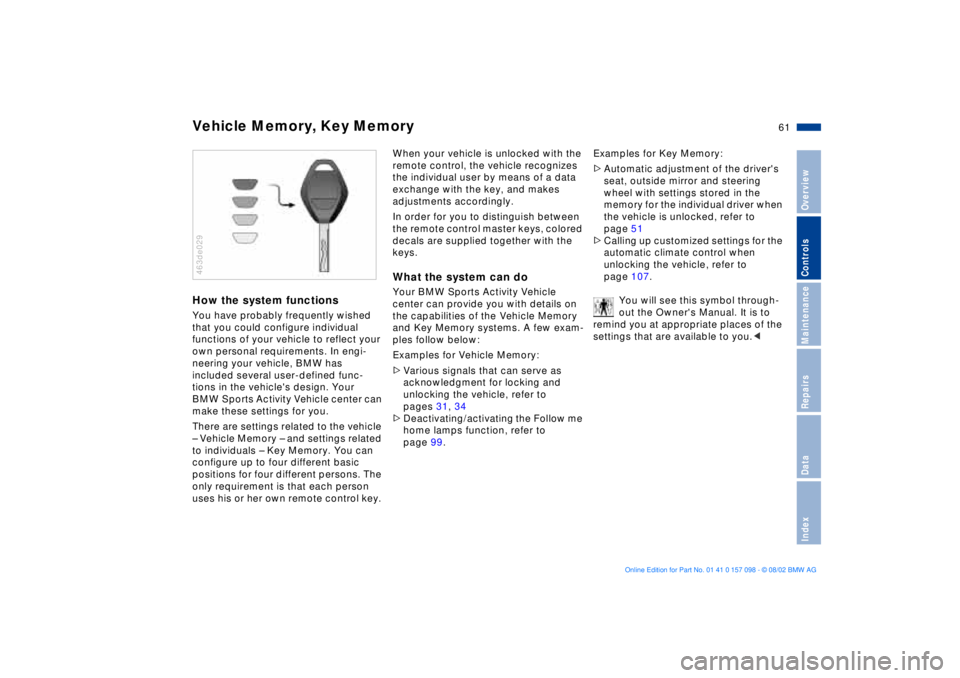
decals are supplied together with the
keys.What the system can doYour BMW Sports Activity Vehicle
center can provide you with details on
the capabilities of the Vehicle Memory
and Key Memory systems. A few exam-
ples follow below:
Examples for Vehicle Memory:
>Various signals that can serve as
acknowledgment for locking and
unlocking the vehicle, refer to
pages 31, 34
>Deactivating/activating the Follow me
home lamps function, refer to
page 99.Examples for Key Memory:
>Automatic adjustment of the driver's
seat, outside mirror and steering
wheel with settings stored in the
memory for the individual driver when
the vehicle is unlocked, refer to
page 51
>Calling up customized settings for the
automatic climate control when
unlocking the vehicle, refer to
page 107.
You will see this symbol through-
out the Owner's Manual. It is to
remind you at appropriate places of the
settings that are available to you.<
Page 69 of 183
69n
OverviewControlsMaintenanceRepairsDataIndex
Washer/Wiper system/Rain sensor
*
Intermittent mode
Not on vehicles with rain sensor.
You can set the wipe interval to four
stages with rotary dial 7.
In addition, the wipe interval is varied
automatically depending on road
speed. Rain sensor The rain sensor is positioned on the
windshield, directly in front of the inte-
rior rearview mirror.
To activate the rain sensor:
Move the lever to position 1 with the
ignition key in position 1 or higher. The
wipers travel once across the wind-
shield, regardless of the weather
conditions.
You can leave the lever permanently in
position 1. It is then only necessary to
activate the rain sensor from ignition
key position 1 and up.
To do this, turn rotary dial 7 briefly.
To adjust the sensitivity of the rain
sensor:
Turn rotary dial 7.
Deactivating the rain sensor:
Move lever to position 0.Switch the rain sensor off in auto-
matic car washes. If you do not,
damage may occur if the wipers switch
on unintentionally.<
Normal wipe The system switches automatically to
intermittent mode when the vehicle is
not moving, not on vehicles with rain
sensor. Fast wipe The wipers operate at normal speed
when the vehicle is not moving, not on
vehicles with rain sensor. Clean the windshield The system sprays washer fluid against
the windshield and activates the wipers
for a brief period.
Special wash program
*
As at 5; there are also several additional
wash cycles, and the headlamps are
cleaned
*.
This program is recommended after you
have driven on extremely dirty roads.
Clean the headlamps
*
>With the special wash program 6
>With every actuation of clean the
windshield 5 when the vehicle's
lighting is switched on, the head-
lamps will be cleaned at appropriate
intervals.
Page 101 of 183
101n
OverviewControlsMaintenanceRepairsDataIndex
Interior lamps The interior lamps operate automati-
cally. Switching the interior lamps on
and off manuallyPress the button briefly.
If you want the interior lamps to remain
off all the time, press and hold the
button for approx. 3 seconds.
Press the button briefly to revert to
normal operation.
The button for the interior lamps in the
rear passenger area only switches
these lamps on and off. Front reading lamps
*
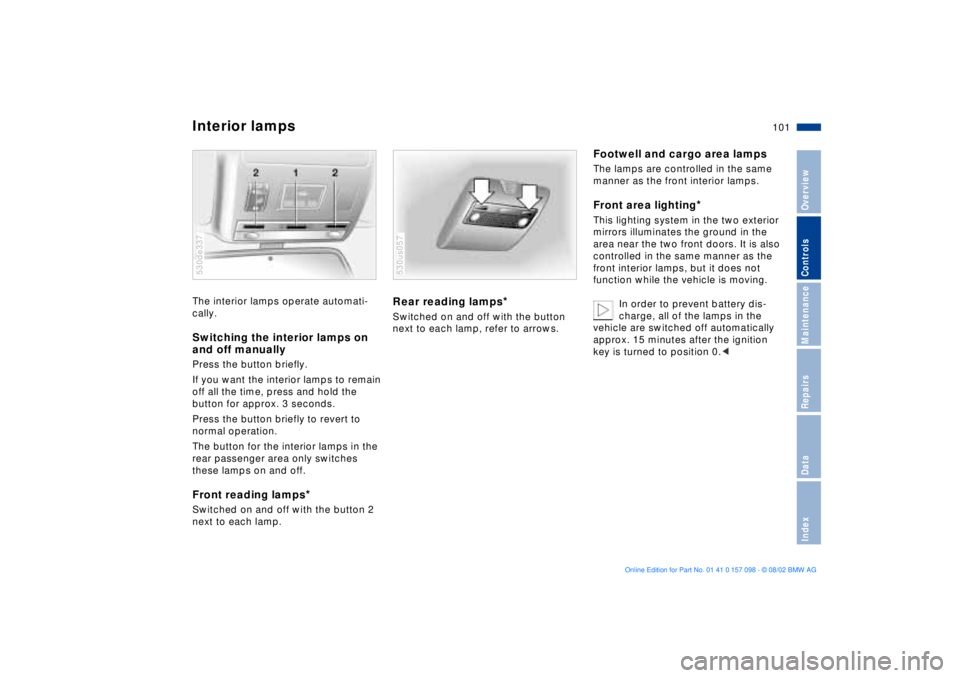
Switched on and off with the button 2
next to each lamp.530de337
Rear reading lamps
*
Switched on and off with the button
next to each lamp, refer to arrows.530us057
Footwell and cargo area lampsThe lamps are controlled in the same
manner as the front interior lamps.Front area lighting
*
This lighting system in the two exterior
mirrors illuminates the ground in the
area near the two front doors. It is also
controlled in the same manner as the
front interior lamps, but it does not
function while the vehicle is moving.
In order to prevent battery dis-
charge, all of the lamps in the
vehicle are switched off automatically
approx. 15 minutes after the ignition
key is turned to position 0.<
Page 177 of 183
Everything from A to Z
177n
OverviewControlsMaintenanceRepairsDataIndex
JJack155, 156, 158
Jump-starting162KKey Memory61
Keys30
Keys with radio remote
control30
Kickdown mode66LLamps and bulbs151
Lashing eyes38, 126
LATCH Ð Lower Anchors and
Tethers for CHildren Ð
child-restraint system60
Lead-free gasoline26
Length169
License plate lamps
bulb replacement154
Liftgate36
opening from the
inside36
release following an
electrical
malfunction36, 38
remote control
operation32
Lighter117
LIGHTS ON warning99
Load-securing devices126Louvers102, 105
Low beams99
automatic99
bulb replacement151
Low-fuel warning lamp75
Lug bolts158
Lug wrench155
Luggage net38
Luggage straps38
Lumbar support46
MM+S radial tires138
Maintenance76, 145
Maintenance System145
Malfunction displays77
Manual operation
doors34
fuel filler door24
liftgate36
sliding/tilt sunroof43
tailgate38
Manual transmission64
Master key30
Maximum cooling108
Mechanical seat45
Memory50
driver's seat50
mirrors50
steering wheel50
Messages concerning
system malfunctions77MID Multi-Information
Display81
digital clock82
Mirror defrosting53
Mirror memory50
Mirrors53
Modifications,
technical9, 146
Monitoring inflation
pressure, tires97
Moonroof42
Multifunction buttons,
steering wheel23
Multi-Information Display
MID81
digital clock82
NNavigation system, refer to
the separate Owner's
ManualOOBD interface socket147
Odometer73
Oil
additives142
consumption142
dipstick142
grades142
temperature gauge75Oil change interval, refer to
the Service and Warranty
Information Booklet for US
models or to the Warranty
and Service Guide Booklet
for Canadian models
Oil level20
indicator lamp20
Oil pressure, indicator
lamp19
OILSERVICE76
Onboard computer, refer to
the separate Owner's
Manual
Onboard Diagnostic
system147
Onboard tool kit150
Opening and closing
from the inside35
from the outside34
using the key34
using the remote
control31
Outlets, ventilation102, 105
Outside temperature
display73
in the computer80
Page 179 of 183
Everything from A to Z
179n
OverviewControlsMaintenanceRepairsDataIndex
Side lamps99
bulb replacement152
Sitting safely with
airbags44
Sitting safely with safety
belts44
Ski bag119
Sliding/tilt sunroof42
closing following an
electrical malfunction43
convenience operation34
power loss43
remote control32
Snow chains138
Socket
power supplies118
vacuum cleaner118
Spare key30
Spare tire156
Spare wheel156
removal aid156
Spare wheel, driving159
Speaker116
Special features of winter
tires138
Special wash program69
Speed88
Speed control71
Speed limit85, 86
Speedometer15, 17, 18Sports seat45
Standing lamps100
Starting assistance163
Starting problems63, 163
Starting the engine62, 63
Steering lock62
Steering wheel
adjustment52
adjustment, automatic52
heating53
lock62
memory50
Steering wheel with
multifunction buttons23
Steptronic65
Stopwatch83
Storage compartments116
in the cargo area123
Summer tires137
Sunroof42
Sunshades111
Switching off the engine63
Switch-on times
input84
Symbols8
Synthetic oils142
System malfunction
indicators77
TTachometer74
Tail lamps153
bulb replacement153
Tailgate37
opening from the
outside36
release following an
electrical malfunction38
remote control
operation32
Tank capacity171
Technical
modifications9, 146
Telephone preparation116
Temperature display,
outside
temperature73, 80
Temperature gauge75, 76
Temperature
layering104, 109
Temperature setting107
Thigh support
adjustment45
Third brake lamp153
Tilt alarm32
Tilt alarm sensor40
Tilt function, passenger side
mirror51Time
calling up82
changing82
of arrival, estimated87
Timer
refer to Stopwatch
refer also to the Owner's
Manual for the Onboard
Computer
Tire134
damage134
pressure monitoring97
replacement135
tread134
Tire condition134
Tire inflation
pressures26, 134
monitoring97
table27
Tire Pressure Monitor
RDC97
warning lamp19, 21
Tire Quality Grading136
Tools150
Torque168
Tow fittings164
Towing the vehicle164
Tow-starting164
Track width169