page 330 BMW X5 XDRIVE 35I SPORT ACTIVITY 2013 Owners Manual
[x] Cancel search | Manufacturer: BMW, Model Year: 2013, Model line: X5 XDRIVE 35I SPORT ACTIVITY, Model: BMW X5 XDRIVE 35I SPORT ACTIVITY 2013Pages: 345, PDF Size: 9.45 MB
Page 5 of 345

ContentsThe fastest way to find information on a partic‐
ular topic or item is by using the index, refer to
page 330.6Notes
At a glance
12Cockpit18iDrive25Voice activation system
Controls
30Opening and closing49Adjusting61Transporting children safely67Driving79Displays90Lamps95Safety105Driving stability control systems111Driving comfort130Climate139Interior equipment147Storage compartments
Driving tips
156Things to remember when driving160Loading164Saving fuel
Navigation
168Navigation system170Destination entry179Destination guidance187What to do if...Entertainment190Tone192Radio200CD/multimedia220DVD system in rear
Communication
236Telephone249Office258Contacts261ConnectedDrive
Mobility
268Refueling270Fuel275Wheels and tires288Engine compartment293Maintenance295Replacing components307Breakdown assistance312Care
Reference
318Technical data322Short commands for voice activation
system330Everything from A to Z
Online Edition for Part no. 01 40 2 918 395 - III/13
Page 207 of 345
MACROVISION
This product contains copyrighted technology
that is based on multiple registered US patents
and the intellectual property of the Macrovision
Corporation and other manufacturers. The use
of this copy protection must be approved by
Macrovision. Media protected by this product -
unless otherwise agreed with Macrovision -
may only be used for private purposes. Copy‐
ing of this technology is prohibited.
DTS Digital Surround™
Manufactured under license under
U.S. Patent Numbers: 5,451,942; 5,956,674;
5,974,380; 5,978,762; 6,487,535 & and other
patents granted and registered in the USA and
worldwide. DTS and the logo are registered
trademarks & DTS Digital Surround and the
DTS logos are trademarks of DTS Inc. © DTS,
Inc. All rights reserved.
Music collection
Storing music
General information
Music tracks from CDs/DVDs and USB devices
can be stored in the music collection on a hard
disc in the vehicle and played from there.
▷Audio CD: tracks are converted into a com‐
pressed audio format. If available, informa‐
tion on the album, such as the artist, is
stored as well.▷CD/DVD or USB device with compressed
audio files: the entire content of the
CD/DVD or the USB device is stored in the
vehicle as an album. The WMA, MP3, M4A,
and AAC formats are stored. Individual
tracks and directories can be deleted later,
Deleting a track and directory, refer to
page 211.
Tracks with DRM copy protection can be
stored but cannot be played back.Backing up music data
Regularly back up the music data; other‐
wise, it could be lost if there is a fault on the
hard disc.◀
Music recognition technology and re‐
lated data are provided by Grace‐
note®. Gracenote is the industry standard in
music recognition technology and related con‐
tent delivery. For more information, please visit
www.gracenote.com.
CD and music-related data from Gracenote,
Inc., copyright © 2000, Gracenote up to now.
Gracenote-Software Copyright 2000, Grace‐
note up to now. This product and service may
practice one or more of the following U.S. Pat‐
ents: #5,987,525; #6,061,680; #6,154,773,
#6,161,132, #6,230,192, #6,230,207,
#6,240,459, #6,330,593, and other patents is‐
sued or pending. Some services supplied un‐
der license from Open Globe, Inc. for U.S. Pat‐
ent: #6,304,523.
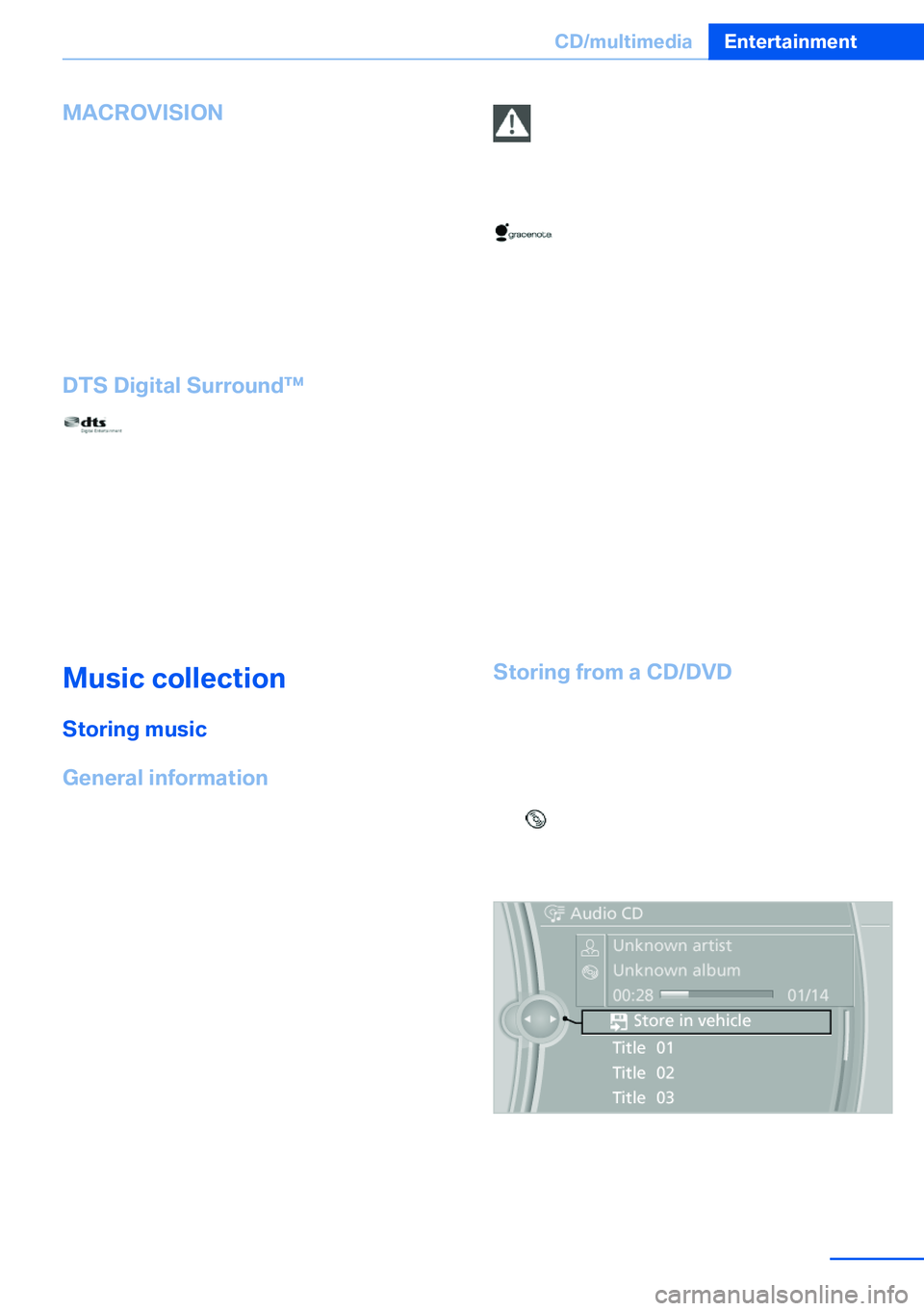
Storing from a CD/DVD1.Insert a CD or DVD into the CD/DVD
player.2."CD/Multimedia"3."CD/DVD"4. Select the symbol for the CD/DVD
player.5."Store in vehicle"
The music collection is displayed and the first
track of the CD/DVD is played back. During the
storage process, the tracks are played in se‐
quence.
Seite 207CD/multimediaEntertainment207
Online Edition for Part no. 01 40 2 918 395 - III/13