radio BMW X5 XDRIVE 50I 2014 User Guide
[x] Cancel search | Manufacturer: BMW, Model Year: 2014, Model line: X5 XDRIVE 50I, Model: BMW X5 XDRIVE 50I 2014Pages: 265, PDF Size: 6.2 MB
Page 68 of 265
Some electronic systems/power consumers
remain ready for operation.
The radio ready state switches off automati‐
cally:▷After approx. 8 minutes.▷When the vehicle is locked using the cen‐
tral locking system.▷Shortly before the battery is discharged
completely, so that the engine can still be
started.
Starting the engine
Hints Enclosed areas
Do not let the engine run in enclosed
areas, since breathing in exhaust fumes may
lead to loss of consciousness and death. The
exhaust gases contain carbon monoxide, an
odorless and colorless, but highly toxic gas.◀
Unattended vehicle
Do not leave the vehicle unattended with
the engine running; doing so poses a risk of
danger.
Before leaving the vehicle with the engine run‐
ning, set the parking brake and place the trans‐
mission in selector lever position P or neutral
to prevent the vehicle from moving.◀
Repeated starting in quick succession
Avoid repeated unsuccessful attempts to
start the vehicle or starting the vehicle several
times in quick succession. Otherwise, the fuel
is not burned or is inadequately burned, posing
a risk of overheating and damage to the cata‐
lytic converter.◀
Do not wait for the engine to warm-up while
the vehicle remains stationary. Start driving at
moderate engine speeds.
Diesel engine
If the engine is cold and temperatures are be‐
low approx. 32 ℉/0 ℃, the start process may
be delayed somewhat due to automatic pre‐
heating.
A Check Control message is displayed.
Automatic transmission
Starting the engine1.Depress the brake pedal.2.Press the Start/Stop button.
The ignition is activated automatically for a
certain time and is stopped as soon as the en‐
gine starts.
Engine stop
Hints Take the remote control with you
Take the remote control with you when
leaving the vehicle so that children, for exam‐
ple, cannot start the engine.◀
Set the parking brake and further secure
the vehicle as required
Set the parking brake firmly when parking; oth‐
erwise, the vehicle could roll. On steep upward
and downward inclines, further secure the ve‐
hicle, for example, by turning the steering
wheel in the direction of the curb. ◀
Before driving into a car wash In order for the vehicle to be able to roll into a
car wash, pay attention to the information re‐
garding Washing in automatic car washes, re‐
fer to page 244.
Seite 68ControlsDriving68
Online Edition for Part no. 01 40 2 926 740 - X/13
Page 69 of 265
Automatic transmission
Switching off the engine1.Engage transmission position P with the
vehicle stopped.2.Press the Start/Stop button.
The engine is switched off.
The radio ready state is switched on.3.Set the parking brake.
Automatic Engine Start/Stop
Function
The concept The Auto Start/Stop function helps save fuel.
The system switches off the engine during a
stop, e.g., in traffic congestion or at traffic
lights. The ignition remains switched on. The
engine starts again automatically for driving
off.
Certain vehicle components may experience
additional wear as a result of this system.
Automatic mode
The Auto Start/Stop function is operational af‐
ter each engine start.
This function is activated at speeds faster than
about 3 mph, approx. 5 km/h.
Engine stop
The engine is switched off automatically dur‐
ing a stop under the following conditions:
Automatic transmission:
▷The selector lever is in transmission posi‐
tion D.▷The brake pedal remains pressed while the
vehicle is stationary or the vehicle is held
by Automatic Hold.▷The driver's seat belt is buckled or the driv‐
er's door is closed.The air volume of the air conditioner is reduced
when the engine is switched off.
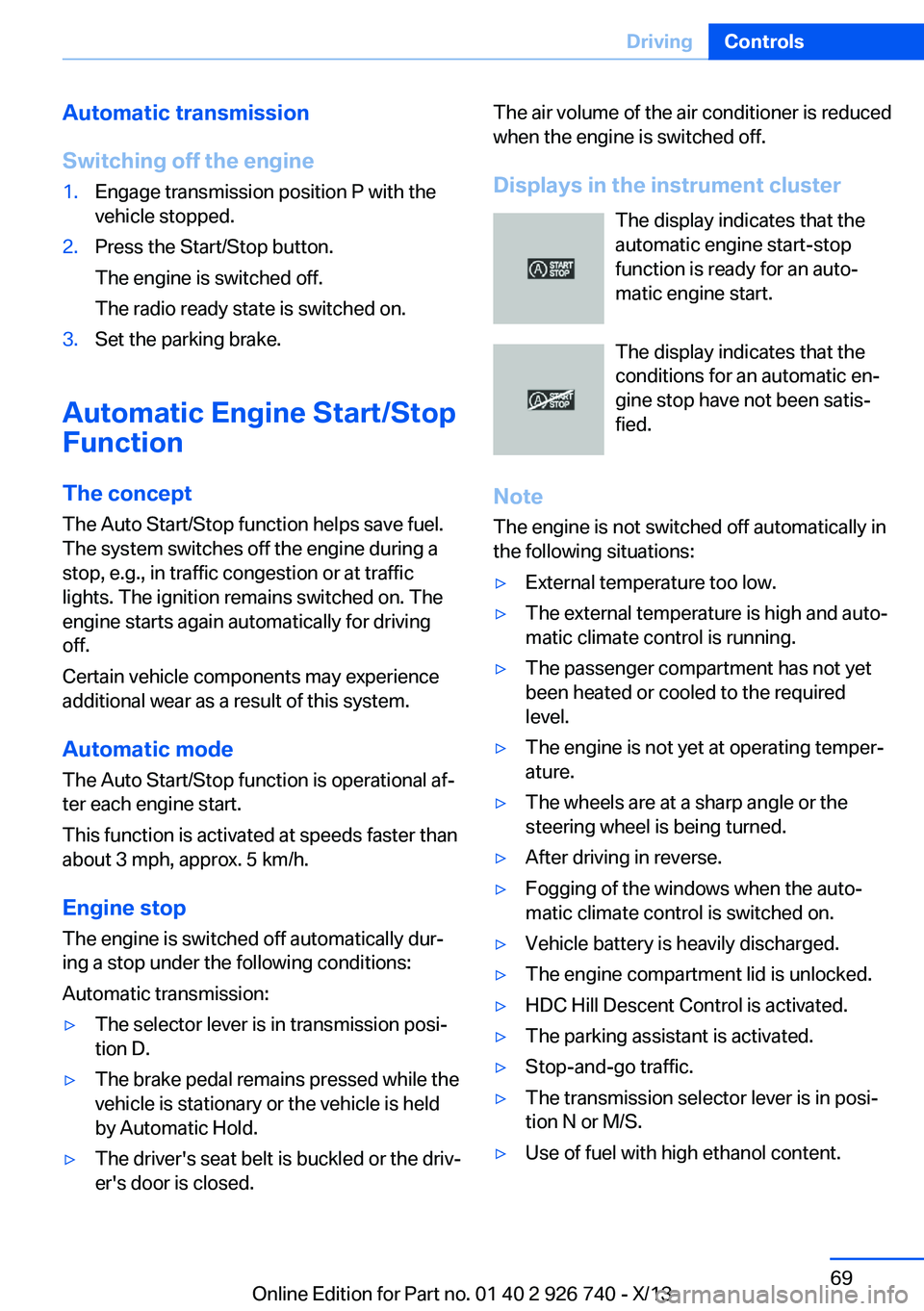
Displays in the instrument cluster The display indicates that the
automatic engine start-stop
function is ready for an auto‐
matic engine start.
The display indicates that the
conditions for an automatic en‐
gine stop have not been satis‐
fied.
Note The engine is not switched off automatically in
the following situations:▷External temperature too low.▷The external temperature is high and auto‐
matic climate control is running.▷The passenger compartment has not yet
been heated or cooled to the required
level.▷The engine is not yet at operating temper‐
ature.▷The wheels are at a sharp angle or the
steering wheel is being turned.▷After driving in reverse.▷Fogging of the windows when the auto‐
matic climate control is switched on.▷Vehicle battery is heavily discharged.▷The engine compartment lid is unlocked.▷HDC Hill Descent Control is activated.▷The parking assistant is activated.▷Stop-and-go traffic.▷The transmission selector lever is in posi‐
tion N or M/S.▷Use of fuel with high ethanol content.Seite 69DrivingControls69
Online Edition for Part no. 01 40 2 926 740 - X/13
Page 78 of 265
All washer nozzles are supplied from one res‐
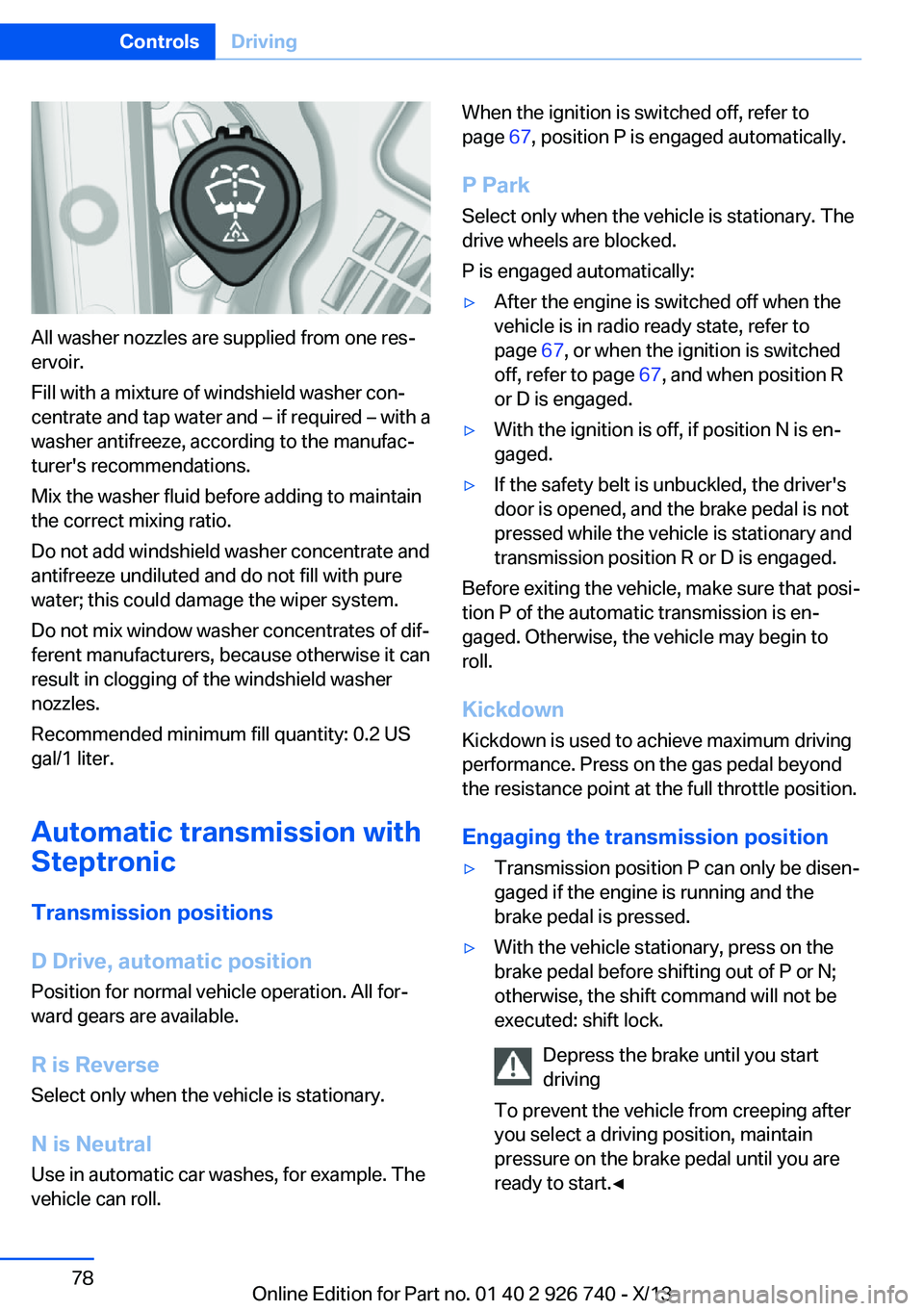
ervoir.
Fill with a mixture of windshield washer con‐
centrate and tap water and – if required – with a
washer antifreeze, according to the manufac‐
turer's recommendations.
Mix the washer fluid before adding to maintain
the correct mixing ratio.
Do not add windshield washer concentrate and
antifreeze undiluted and do not fill with pure
water; this could damage the wiper system.
Do not mix window washer concentrates of dif‐
ferent manufacturers, because otherwise it can
result in clogging of the windshield washer
nozzles.
Recommended minimum fill quantity: 0.2 US
gal/1 liter.
Automatic transmission with
Steptronic
Transmission positions
D Drive, automatic position Position for normal vehicle operation. All for‐
ward gears are available.
R is Reverse
Select only when the vehicle is stationary.
N is Neutral Use in automatic car washes, for example. The
vehicle can roll.
When the ignition is switched off, refer to
page 67, position P is engaged automatically.
P Park
Select only when the vehicle is stationary. The
drive wheels are blocked.
P is engaged automatically:▷After the engine is switched off when the
vehicle is in radio ready state, refer to
page 67, or when the ignition is switched
off, refer to page 67, and when position R
or D is engaged.▷With the ignition is off, if position N is en‐
gaged.▷If the safety belt is unbuckled, the driver's
door is opened, and the brake pedal is not
pressed while the vehicle is stationary and
transmission position R or D is engaged.
Before exiting the vehicle, make sure that posi‐
tion P of the automatic transmission is en‐
gaged. Otherwise, the vehicle may begin to
roll.
Kickdown
Kickdown is used to achieve maximum driving
performance. Press on the gas pedal beyond
the resistance point at the full throttle position.
Engaging the transmission position
▷Transmission position P can only be disen‐
gaged if the engine is running and the
brake pedal is pressed.▷With the vehicle stationary, press on the
brake pedal before shifting out of P or N;
otherwise, the shift command will not be
executed: shift lock.
Depress the brake until you start
driving
To prevent the vehicle from creeping after
you select a driving position, maintain
pressure on the brake pedal until you are
ready to start.◀Seite 78ControlsDriving78
Online Edition for Part no. 01 40 2 926 740 - X/13
Page 84 of 265
Electronic displays
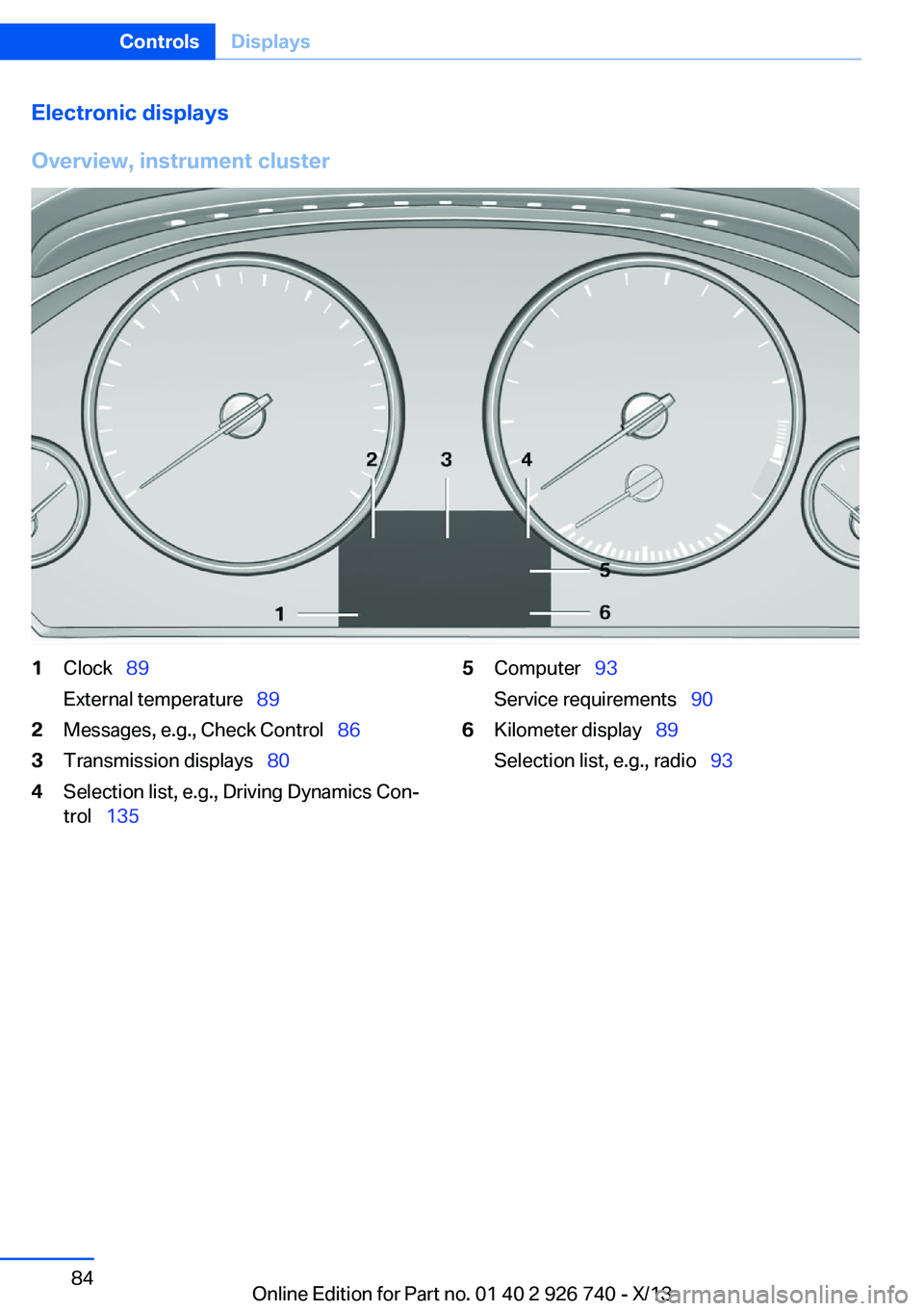
Overview, instrument cluster1Clock 89
External temperature 892Messages, e.g., Check Control 863Transmission displays 804Selection list, e.g., Driving Dynamics Con‐
trol 1355Computer 93
Service requirements 906Kilometer display 89
Selection list, e.g., radio 93Seite 84ControlsDisplays84
Online Edition for Part no. 01 40 2 926 740 - X/13
Page 85 of 265
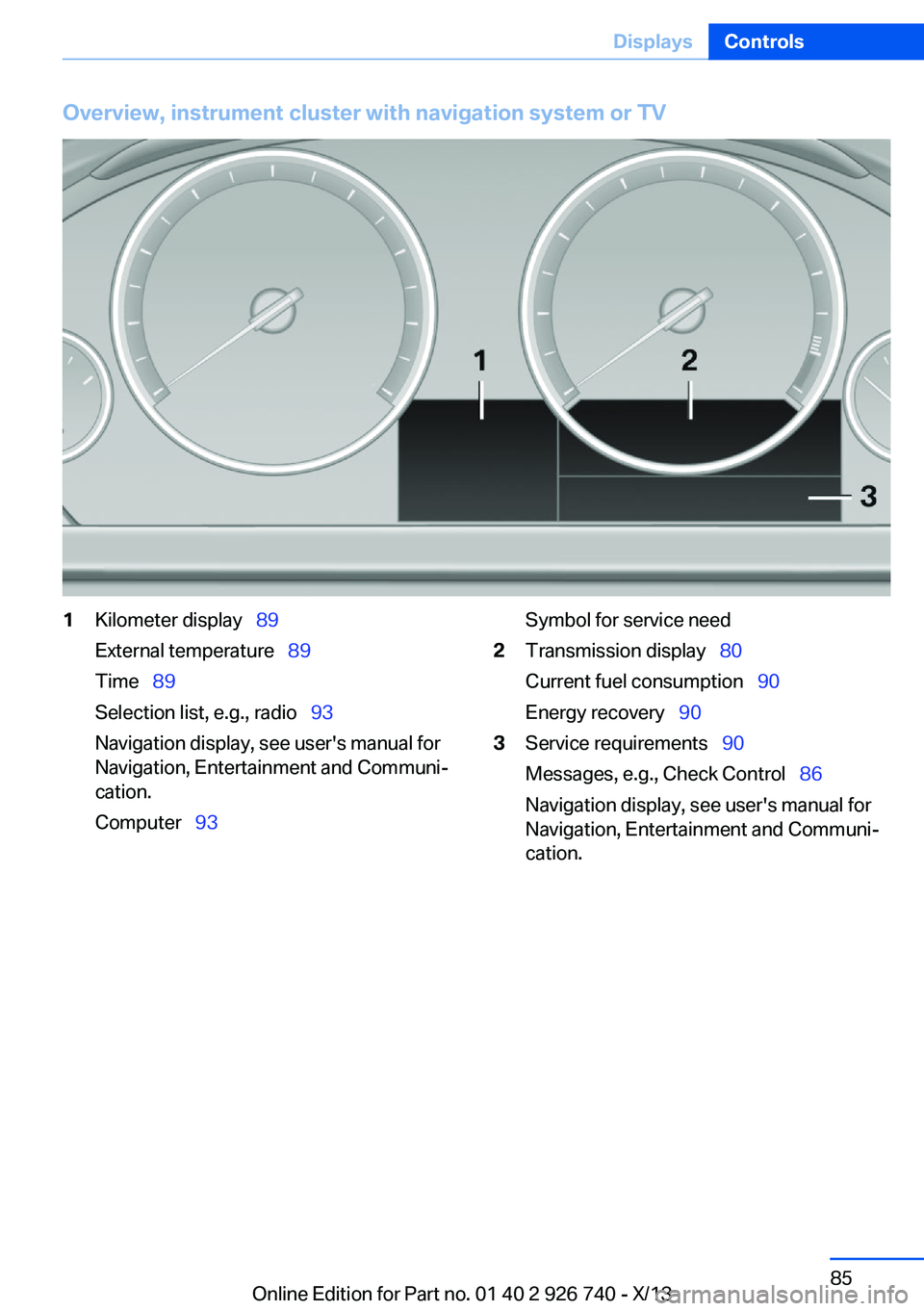
Overview, instrument cluster with navigation system or TV1Kilometer display 89
External temperature 89
Time 89
Selection list, e.g., radio 93
Navigation display, see user's manual for
Navigation, Entertainment and Communi‐
cation.
Computer 93Symbol for service need2Transmission display 80
Current fuel consumption 90
Energy recovery 903Service requirements 90
Messages, e.g., Check Control 86
Navigation display, see user's manual for
Navigation, Entertainment and Communi‐
cation.Seite 85DisplaysControls85
Online Edition for Part no. 01 40 2 926 740 - X/13
Page 86 of 265
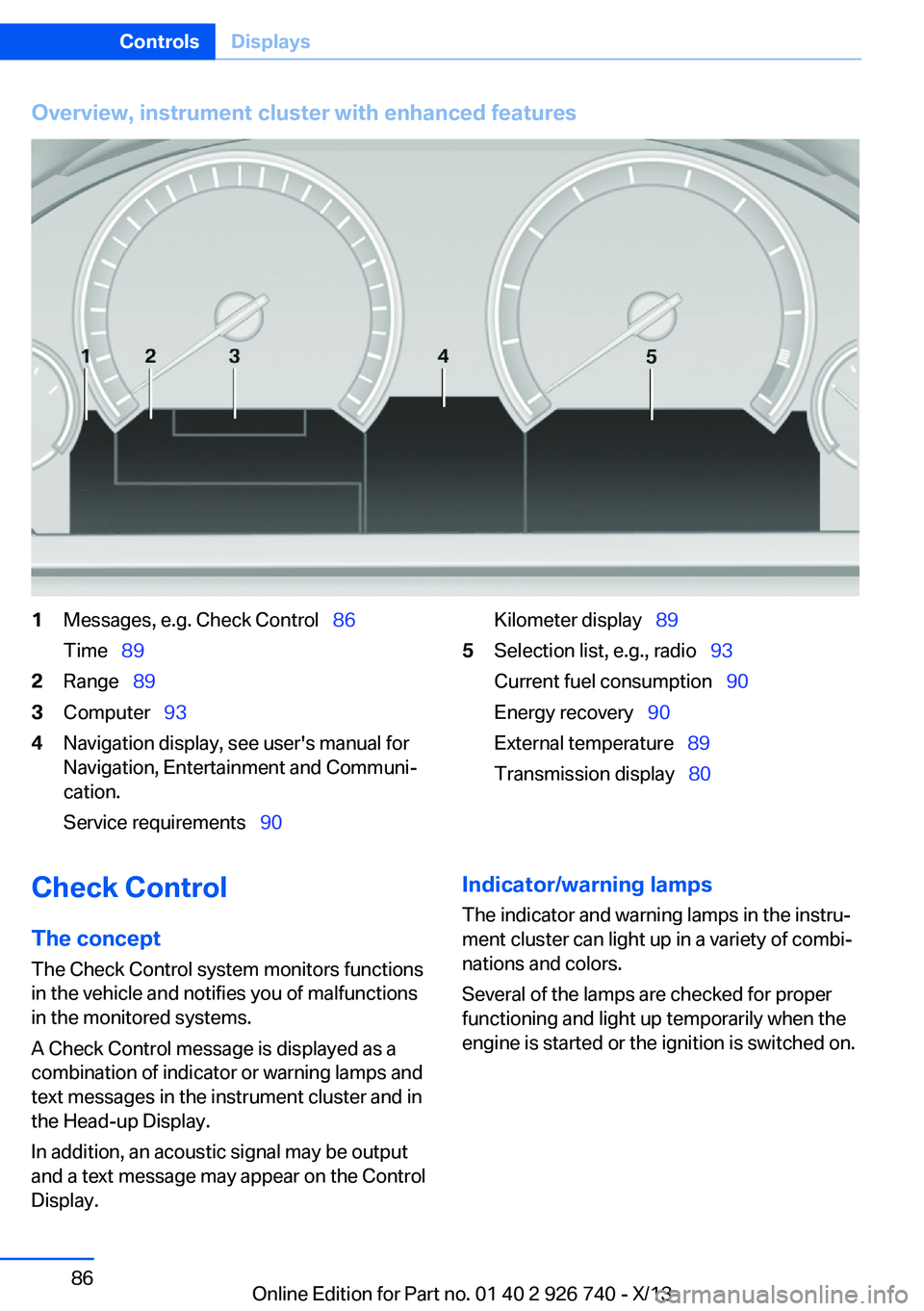
Overview, instrument cluster with enhanced features1Messages, e.g. Check Control 86
Time 892Range 893Computer 934Navigation display, see user's manual for
Navigation, Entertainment and Communi‐
cation.
Service requirements 90Kilometer display 895Selection list, e.g., radio 93
Current fuel consumption 90
Energy recovery 90
External temperature 89
Transmission display 80Check Control
The concept The Check Control system monitors functions
in the vehicle and notifies you of malfunctions
in the monitored systems.
A Check Control message is displayed as a
combination of indicator or warning lamps and
text messages in the instrument cluster and in
the Head-up Display.
In addition, an acoustic signal may be output
and a text message may appear on the Control Display.Indicator/warning lamps
The indicator and warning lamps in the instru‐
ment cluster can light up in a variety of combi‐
nations and colors.
Several of the lamps are checked for proper
functioning and light up temporarily when the
engine is started or the ignition is switched on.Seite 86ControlsDisplays86
Online Edition for Part no. 01 40 2 926 740 - X/13
Page 110 of 265
temperature falls again. This behavior may
cause a warning to be issued if temperatures
fall very sharply.
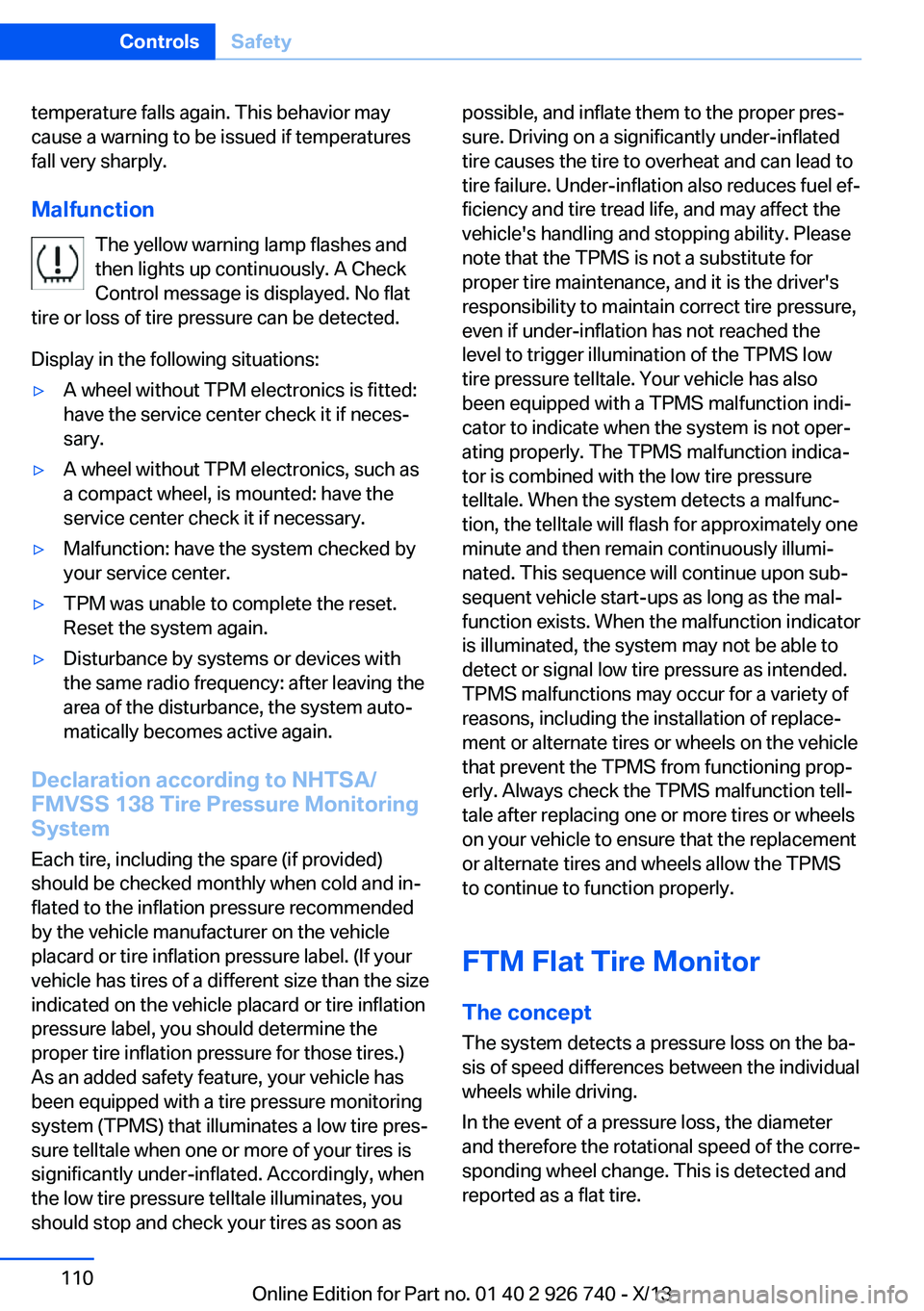
Malfunction The yellow warning lamp flashes and
then lights up continuously. A Check
Control message is displayed. No flat
tire or loss of tire pressure can be detected.
Display in the following situations:▷A wheel without TPM electronics is fitted:
have the service center check it if neces‐
sary.▷A wheel without TPM electronics, such as
a compact wheel, is mounted: have the
service center check it if necessary.▷Malfunction: have the system checked by
your service center.▷TPM was unable to complete the reset.
Reset the system again.▷Disturbance by systems or devices with
the same radio frequency: after leaving the
area of the disturbance, the system auto‐
matically becomes active again.
Declaration according to NHTSA/
FMVSS 138 Tire Pressure Monitoring
System
Each tire, including the spare (if provided)
should be checked monthly when cold and in‐
flated to the inflation pressure recommended
by the vehicle manufacturer on the vehicle
placard or tire inflation pressure label. (If your
vehicle has tires of a different size than the size
indicated on the vehicle placard or tire inflation
pressure label, you should determine the
proper tire inflation pressure for those tires.)
As an added safety feature, your vehicle has
been equipped with a tire pressure monitoring
system (TPMS) that illuminates a low tire pres‐
sure telltale when one or more of your tires is
significantly under-inflated. Accordingly, when
the low tire pressure telltale illuminates, you
should stop and check your tires as soon as
possible, and inflate them to the proper pres‐
sure. Driving on a significantly under-inflated
tire causes the tire to overheat and can lead to
tire failure. Under-inflation also reduces fuel ef‐
ficiency and tire tread life, and may affect the
vehicle's handling and stopping ability. Please
note that the TPMS is not a substitute for
proper tire maintenance, and it is the driver's
responsibility to maintain correct tire pressure,
even if under-inflation has not reached the
level to trigger illumination of the TPMS low
tire pressure telltale. Your vehicle has also
been equipped with a TPMS malfunction indi‐
cator to indicate when the system is not oper‐
ating properly. The TPMS malfunction indica‐
tor is combined with the low tire pressure
telltale. When the system detects a malfunc‐
tion, the telltale will flash for approximately one
minute and then remain continuously illumi‐
nated. This sequence will continue upon sub‐
sequent vehicle start-ups as long as the mal‐
function exists. When the malfunction indicator
is illuminated, the system may not be able to
detect or signal low tire pressure as intended.
TPMS malfunctions may occur for a variety of
reasons, including the installation of replace‐
ment or alternate tires or wheels on the vehicle
that prevent the TPMS from functioning prop‐
erly. Always check the TPMS malfunction tell‐
tale after replacing one or more tires or wheels
on your vehicle to ensure that the replacement
or alternate tires and wheels allow the TPMS
to continue to function properly.
FTM Flat Tire Monitor The conceptThe system detects a pressure loss on the ba‐sis of speed differences between the individual
wheels while driving.
In the event of a pressure loss, the diameter
and therefore the rotational speed of the corre‐
sponding wheel change. This is detected and
reported as a flat tire.Seite 110ControlsSafety110
Online Edition for Part no. 01 40 2 926 740 - X/13
Page 173 of 265
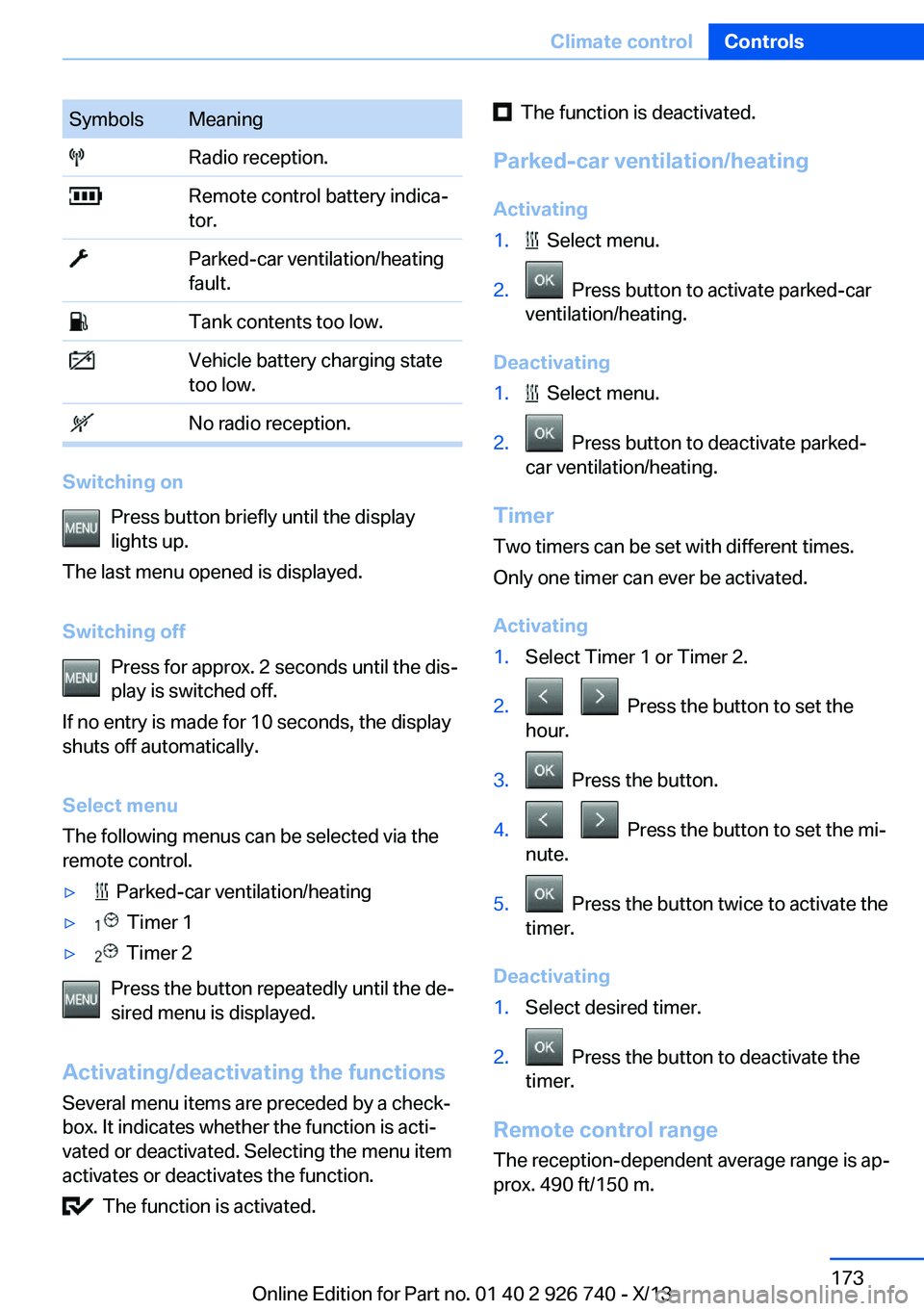
SymbolsMeaning Radio reception. Remote control battery indica‐
tor. Parked-car ventilation/heating
fault. Tank contents too low. Vehicle battery charging state
too low. No radio reception.
Switching on
Press button briefly until the display
lights up.
The last menu opened is displayed.
Switching off Press for approx. 2 seconds until the dis‐
play is switched off.
If no entry is made for 10 seconds, the display
shuts off automatically.
Select menu
The following menus can be selected via the
remote control.
▷ Parked-car ventilation/heating▷ Timer 1▷ Timer 2
Press the button repeatedly until the de‐
sired menu is displayed.
Activating/deactivating the functions Several menu items are preceded by a check‐
box. It indicates whether the function is acti‐
vated or deactivated. Selecting the menu item
activates or deactivates the function.
The function is activated.
The function is deactivated.
Parked-car ventilation/heating Activating1. Select menu.2. Press button to activate parked-car
ventilation/heating.
Deactivating
1. Select menu.2. Press button to deactivate parked-
car ventilation/heating.
Timer
Two timers can be set with different times.
Only one timer can ever be activated.
Activating
1.Select Timer 1 or Timer 2.2. Press the button to set the
hour.3. Press the button.4. Press the button to set the mi‐
nute.5. Press the button twice to activate the
timer.
Deactivating
1.Select desired timer.2. Press the button to deactivate the
timer.
Remote control range
The reception-dependent average range is ap‐
prox. 490 ft/150 m.
Seite 173Climate controlControls173
Online Edition for Part no. 01 40 2 926 740 - X/13
Page 239 of 265
Breakdown assistanceVehicle equipment
All standard, country-specific and optional
equipment that is offered in the model series is
described in this chapter. Therefore, equip‐
ment is also described that is not available in a
vehicle, e. g., because of the selected optional
equipment or country variant. This also applies
for safety-related functions and systems.
Hazard warning flashers
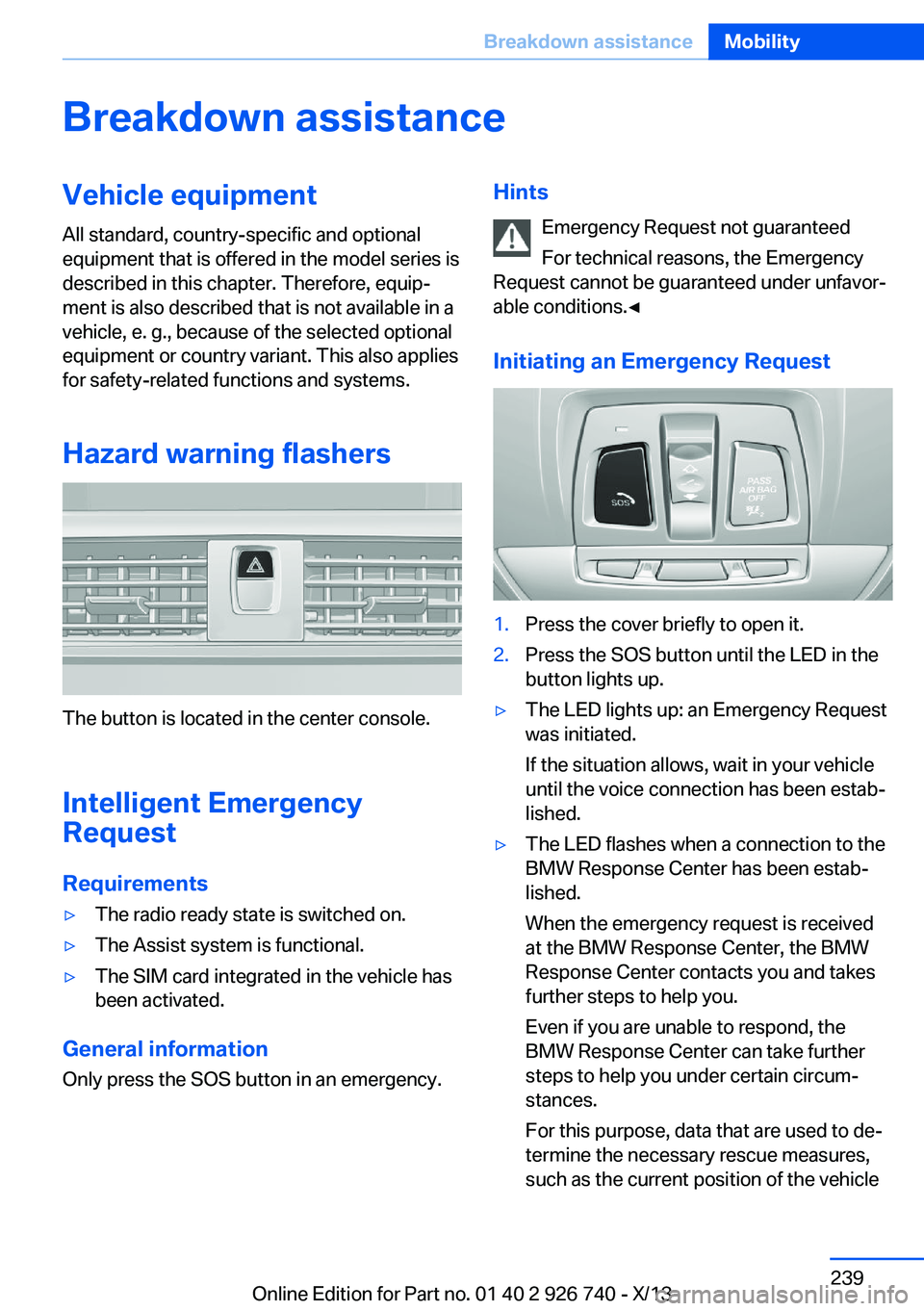
The button is located in the center console.
Intelligent Emergency
Request
Requirements
▷The radio ready state is switched on.▷The Assist system is functional.▷The SIM card integrated in the vehicle has
been activated.
General information
Only press the SOS button in an emergency.
Hints
Emergency Request not guaranteed
For technical reasons, the Emergency
Request cannot be guaranteed under unfavor‐
able conditions.◀
Initiating an Emergency Request1.Press the cover briefly to open it.2.Press the SOS button until the LED in the
button lights up.▷The LED lights up: an Emergency Request
was initiated.
If the situation allows, wait in your vehicle
until the voice connection has been estab‐
lished.▷The LED flashes when a connection to the
BMW Response Center has been estab‐
lished.
When the emergency request is received
at the BMW Response Center, the BMW
Response Center contacts you and takes
further steps to help you.
Even if you are unable to respond, the
BMW Response Center can take further
steps to help you under certain circum‐
stances.
For this purpose, data that are used to de‐
termine the necessary rescue measures,
such as the current position of the vehicleSeite 239Breakdown assistanceMobility239
Online Edition for Part no. 01 40 2 926 740 - X/13
Page 260 of 265
Onboard monitor, refer toControl Display 18
Onboard vehicle tool kit 231
Opening and closing 34
Opening and closing, from in‐ side 40
Opening and closing via door lock 39
Opening and closing, with re‐ mote control 38
Operating concept, iDrive 18
Optional equipment, standard equipment 6
Outside air, refer to Auto‐ matic recirculated-air con‐
trol 167
Overheating of engine, refer to Coolant temperature 89
P Paint, vehicle 245
Panorama Side View 158
Panoramic glass sunroof 48
Parallel parking assistant 159
Park Distance Control PDC 150
Parked-car heating 171
Parked-car ventilation 171
Parked vehicle, condensa‐ tion 192
Parking aid, refer to PDC 150
Parking assistant 159
Parking brake 71
Parking lamps 99
Parking with Auto Hold 72
Particulate filter 191
Passenger side mirror, tilting downward 60
Pathway lines, rearview cam‐ era 154
PDC Park Distance Con‐ trol 150
Pedestrian detection, refer to Night Vision 121 Pedestrian warning with city
braking function 119
People detection, refer to Night Vision 121
Personal Profile 35
Pinch protection system, glass sunroof 49
Pinch protection system, win‐ dows 47
Plastic, care 246
Power failure 238
Power windows 46
Pressure, tire air pres‐ sure 211
Pressure warning FTM, tires 110
Preventing Auto Start Stop 70
Profile, refer to Personal Pro‐ file 35
Programmable memory but‐ tons, iDrive 24
Protective function, glass sunroof 49
Protective function, win‐ dows 47
Push-and-turn switch, refer to Controller 18, 19
Q Queuing Assistant, see Con‐ gestion Assistant 145
R Radiator fluid 227
Radio-operated key, refer to Remote control 34
Radio ready state 67
Radio, see user's manual for Navigation, Entertainment
and Communication
Rain sensor 75
Rear automatic climate con‐ trol 169 Rear center armrest 184
Rear drink holder 185
Rear lamps 235
Rear socket 179
Rear ventilation, third row of seats, ventilation, third row
of seats 169
Rearview mirror 60
Rear window defroster 167
Recirculated-air mode 167
Recommended tire brands 219
Refueling 204
Remaining range 89
Remote control/key 34
Remote control, malfunc‐ tion 39
Remote control, parked-car heating/ventilation 172
Remote control, univer‐ sal 175
Replacement fuse 238
Replacing parts 231
Replacing wheels/tires 218
Reporting safety defects 9
RES button 141
Reserve warning, refer to Range 89
Reset, Tire Pressure Monitor TPM 108
Residual heat, automatic cli‐ mate control 167
Retaining straps, securing cargo 195
Retreaded tires 219
Roadside parking lamps 100
Roller sunblinds 48
RON gasoline quality 206
Roof load capacity 250
Roof-mounted luggage rack 196
Rope for tow-starting/ towing 243
RSC Run Flat System Com‐ ponent, refer to Run-flat
tires 220 Seite 260ReferenceEverything from A to Z260
Online Edition for Part no. 01 40 2 926 740 - X/13