door lock BMW X5 XDRIVE35D 2012 Owners Manual
[x] Cancel search | Manufacturer: BMW, Model Year: 2012, Model line: X5 XDRIVE35D, Model: BMW X5 XDRIVE35D 2012Pages: 317, PDF Size: 8.83 MB
Page 28 of 317
Opening and closing
Remote control/key
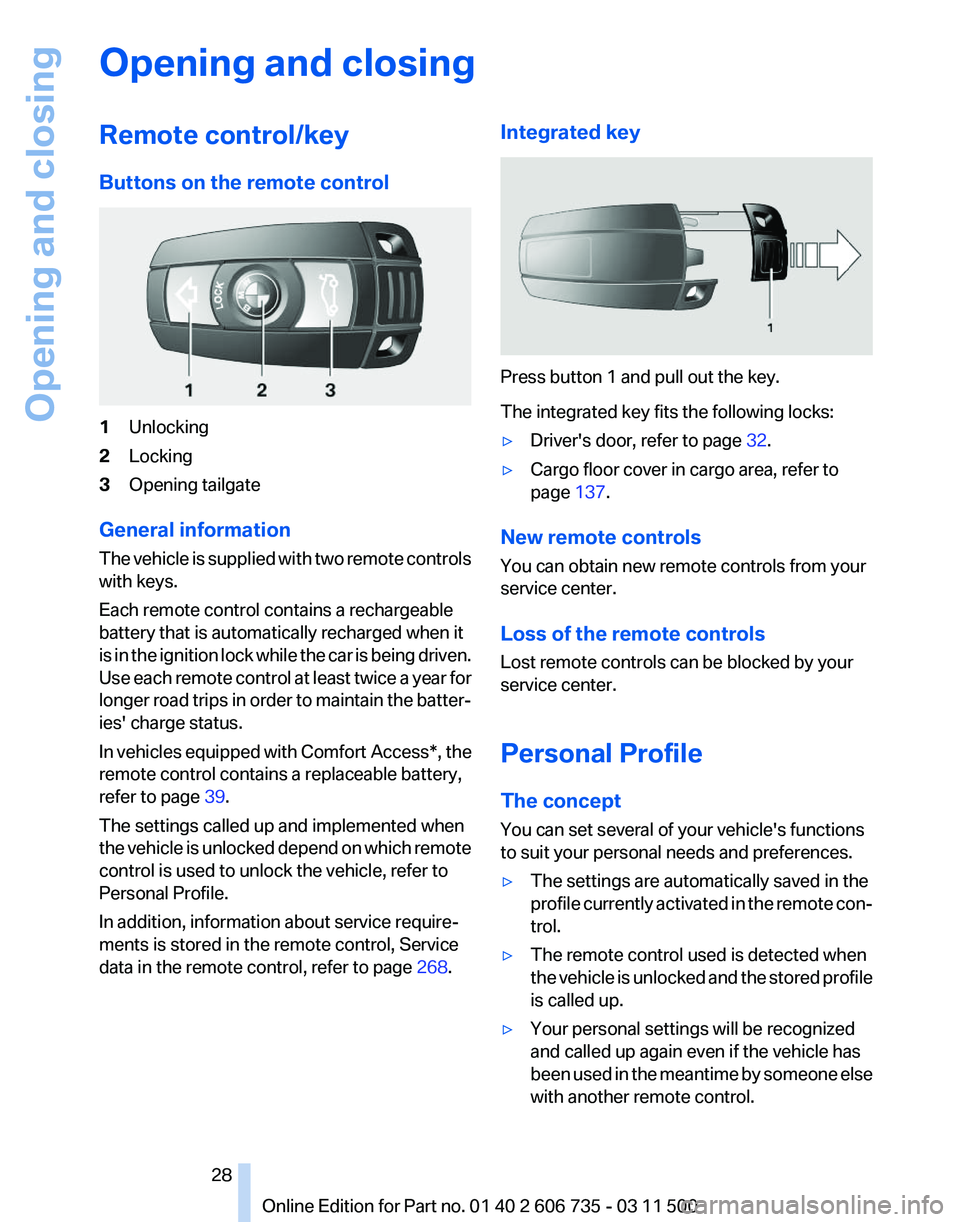
Buttons on the remote control
1
Unlocking
2 Locking
3 Opening tailgate
General information
The vehicle is supplied with two remote controls
with keys.
Each remote control contains a rechargeable
battery that is automatically recharged when it
is in the ignition lock while the car is being driven.
Use each remote control at least twice a year for
longer road trips in order to maintain the batter‐
ies' charge status.
In vehicles equipped with Comfort Access*, the
remote control contains a replaceable battery,
refer to page 39.
The settings called up and implemented when
the vehicle is unlocked depend on which remote
control is used to unlock the vehicle, refer to
Personal Profile.
In addition, information about service require‐
ments is stored in the remote control, Service
data in the remote control, refer to page 268.Integrated key Press button 1 and pull out the key.
The integrated key fits the following locks:
▷
Driver's door, refer to page 32.
▷ Cargo floor cover in cargo area, refer to
page 137.
New remote controls
You can obtain new remote controls from your
service center.
Loss of the remote controls
Lost remote controls can be blocked by your
service center.
Personal Profile
The concept
You can set several of your vehicle's functions
to suit your personal needs and preferences.
▷ The settings are automatically saved in the
profile
currently activated in the remote con‐
trol.
▷ The remote control used is detected when
the
vehicle is unlocked and the stored profile
is called up.
▷ Your personal settings will be recognized
and called up again even if the vehicle has
been
used in the meantime by someone else
with another remote control.
Seite 28
28 Online Edition for Part no. 01 40 2 606 735 - 03 11 500
Opening and closing
Page 29 of 317
The individual settings are stored for a maximum
of
four remote controls. They are stored for two
remote controls if Comfort Access* is in use.
Personal Profile settings
The following functions and settings can be
stored in a profile.
More information on the settings can be found
under:
▷ Assigning the programmable memory but‐
tons, refer to page 22.
▷ Response of the central locking system
when the car is being unlocked, refer to
page 30.
▷ Automatic locking of the vehicle, refer to
page 33.
▷ Driver's seat, exterior mirror and steering
wheel positions*, refer to page 53.
▷ Settings for the display on the Control Dis‐
play and in the instrument cluster:
▷12h/24h clock format, refer to
page 79.
▷ Date format, refer to page 79.
▷ Brightness of the Control Display, refer
to page 80.
▷ Language on the Control Display, refer
to page 80.
▷ Units of measure for fuel consumption,
distance covered/remaining distances,
and temperature, refer to page 80.
▷ Show visual warning for the Park Distance
Control PDC*, refer to page 111.
▷ Show visual warning for Top View*, refer to
page 114.
▷ Show Side View*, refer to page 116.
▷ Backup camera*:
▷Function selection, refer to page 113.
▷ Type of display, refer to page 114.
▷ Lane departure warning*: last setting, on/
off, refer to page 93.
▷ Head-up Display*: selection, brightness and
position of the display, refer to page 117.▷
Adaptive Drive*: selected chassis and sus‐
pension tuning, refer to page 99.
▷ Light settings:
▷Triple turn signal activation, refer to
page 66.
▷ Welcome lamps, refer to page 81.
▷ Headlamp courtesy delay feature, refer
to page 81.
▷ Daytime running lights, refer to
page 82.
▷ High-beam Assistant*, refer to
page 83.
▷ Automatic climate control with 2-zone con‐
trol: settings, refer to page 120.
▷ Navigation:
▷Voice activation, refer to page 163.
▷ Route criteria, refer to page 161.
▷ Map view settings, refer to page 164.
▷ Entertainment:
▷Tone control, refer to page 172.
▷ Radio, stored stations, refer to
page 180.
▷ CD/multimedia, audio source listened to
last, refer to page 181.
▷ Telephone: volume, refer to page 220.
Central locking system
The concept
The central locking system becomes active
when the driver's door is closed.
The system simultaneously engages and re‐
leases the locks on the following:
▷ Doors.
▷ Tailgate.
▷ Fuel filler flap.
Operating from the outside
▷ Via the remote control.
▷ Via the door lock*.
Seite 29
29Online Edition for Part no. 01 40 2 606 735 - 03 11 500
Reference Mobility Communication Entertainment Navigation Driving tips
Controls At a glance
Page 30 of 317
▷
In cars with Comfort Access*, via the door
handles.
The following takes place simultaneously when
locking/unlocking the vehicle via the remote
control:
▷ The welcome lamps, interior lamps and
courtesy lamps* are switched on and off.
▷ The alarm system* is armed or disarmed,
refer to page 39.
Operating from the inside
Via the button for the central locking system, re‐
fer to page 33.
If the vehicle is locked from the inside, the fuel
filler flap remains unlocked.
If an accident of a certain severity occurs, the
central locking system unlocks automatically.
The hazard warning system and interior lamps
come on.
Opening and closing: from the
outside
Using the remote control
General information
Take the remote control with you
People or animals left unattended in a
parked vehicle can lock the doors from the in‐
side. Always take the remote control with you
when leaving the vehicle so that the vehicle can
then be opened from the outside.◀
Unlocking Press the button. The vehicle is unlocked.
You can set how the vehicle is to be unlocked.
The
setting is stored for the remote control cur‐
rently in use.
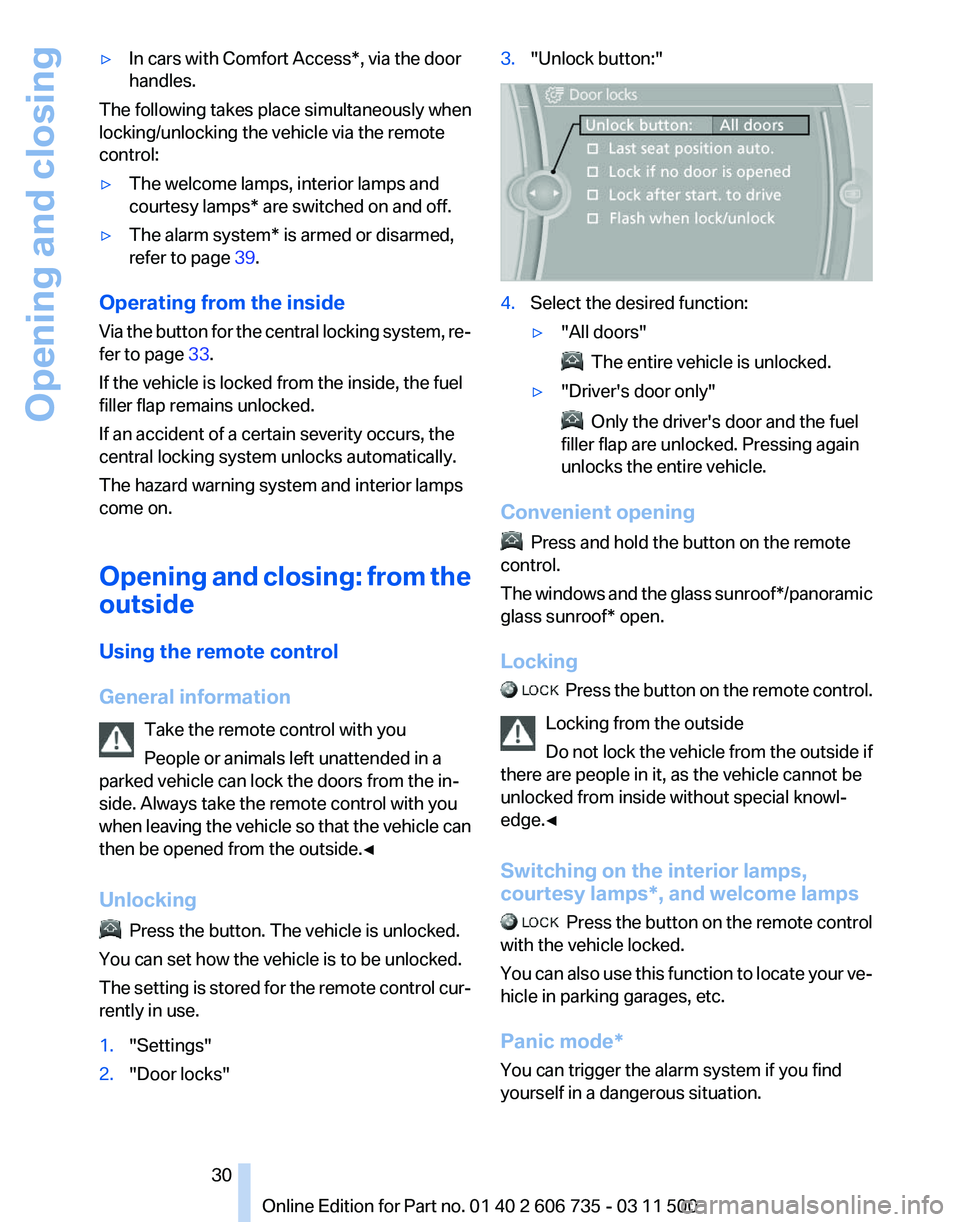
1. "Settings"
2. "Door locks" 3.
"Unlock button:" 4.
Select the desired function:
▷"All doors" The entire vehicle is unlocked.
▷ "Driver's door only" Only the driver's door and the fuel
filler flap are unlocked. Pressing again
unlocks the entire vehicle.
Convenient opening Press and hold the button on the remote
control.
The
windows and the glass sunroof*/panoramic
glass sunroof* open.
Locking Press the button on the remote control.
Locking from the outside
Do
not lock the vehicle from the outside if
there are people in it, as the vehicle cannot be
unlocked from inside without special knowl‐
edge.◀
Switching on the interior lamps,
courtesy lamps*, and welcome lamps Press
the button on the remote control
with the vehicle locked.
You can also use this function to locate your ve‐
hicle in parking garages, etc.
Panic mode*
You can trigger the alarm system if you find
yourself in a dangerous situation. Seite 30
30 Online Edition for Part no. 01 40 2 606 735 - 03 11 500
Opening and closing
Page 31 of 317
Press the button on the remote control for at
least 3 seconds.
To switch off the alarm: press any button.
Unlocking tailgate Press the button on the remote control for
approx. 1 second and release.
The tailgate will open slightly, regardless of
whether it was previously locked or unlocked.
With automatic tailgate operation
*: the tailgate
opens automatically.
The tailgate pivots back and up when it opens.
Ensure that adequate clearance is available be‐
fore opening.
To avoid locking yourself out of the vehicle, do
not place the remote control into the cargo area.
The tailgate is locked again as soon as it is
pushed closed.
Before and after each trip, check that the tailgate
has not been inadvertently unlocked.
Provide edge protection
Sharp or angular objects can hit the rear
window while driving and damage the heating
wires of the rear window. Provide edge protec‐
tion.◀
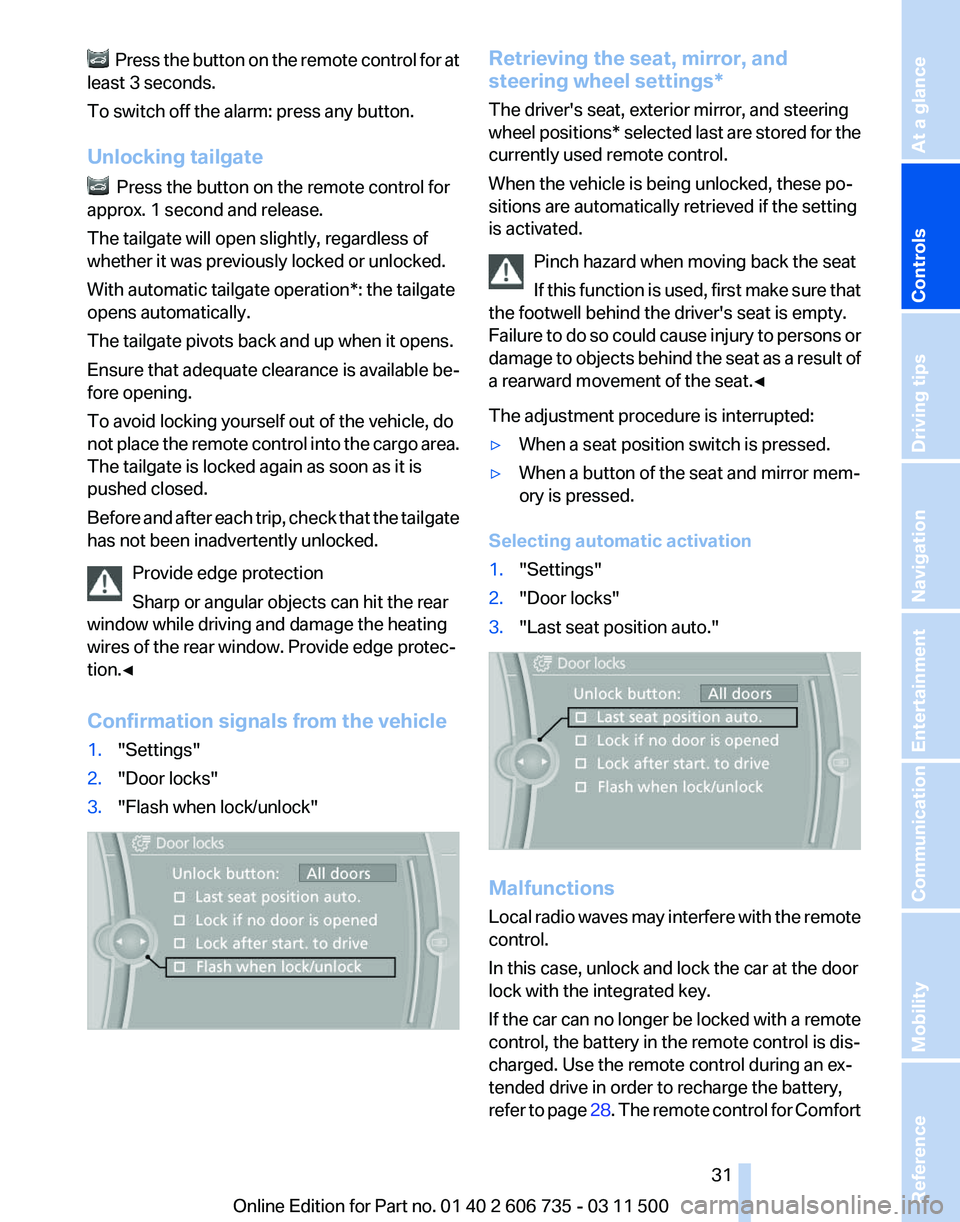
Confirmation signals from the vehicle
1. "Settings"
2. "Door locks"
3. "Flash when lock/unlock" Retrieving the seat, mirror, and
steering wheel settings
*
The driver's seat, exterior mirror, and steering
wheel positions* selected last are stored for the
currently used remote control.
When the vehicle is being unlocked, these po‐
sitions are automatically retrieved if the setting
is activated.
Pinch hazard when moving back the seat
If this function is used, first make sure that
the footwell behind the driver's seat is empty.
Failure to do so could cause injury to persons or
damage to objects behind the seat as a result of
a rearward movement of the seat.◀
The adjustment procedure is interrupted:
▷ When a seat position switch is pressed.
▷ When a button of the seat and mirror mem‐
ory is pressed.
Selecting automatic activation
1. "Settings"
2. "Door locks"
3. "Last seat position auto." Malfunctions
Local
radio waves may interfere with the remote
control.
In this case, unlock and lock the car at the door
lock with the integrated key.
If the car can no longer be locked with a remote
control, the battery in the remote control is dis‐
charged. Use the remote control during an ex‐
tended drive in order to recharge the battery,
refer to page 28. The remote control for Comfort Seite 31
31Online Edition for Part no. 01 40 2 606 735 - 03 11 500
Reference Mobility Communication Entertainment Navigation Driving tips
Controls At a glance
Page 32 of 317
Access* contains a battery that may need to be
replaced, refer to page
39.
For US owners only
The transmitter and receiver units comply with
part 15 of the FCC/Federal Communication
Commission regulations. Operation is governed
by the following:
FCC ID:
LX8766S
LX8766E
LX8CAS
LX8CAS2
Compliance statement:
This device complies with part 15 of the FCC
Rules. Operation is subject to the following two
conditions:
▷ This device may not cause harmful interfer‐
ence, and
▷ this device must accept any interference re‐
ceived, including interference that may
cause undesired operation.
Any unauthorized modifications or changes to
these devices could void the user's authority to
operate this equipment.
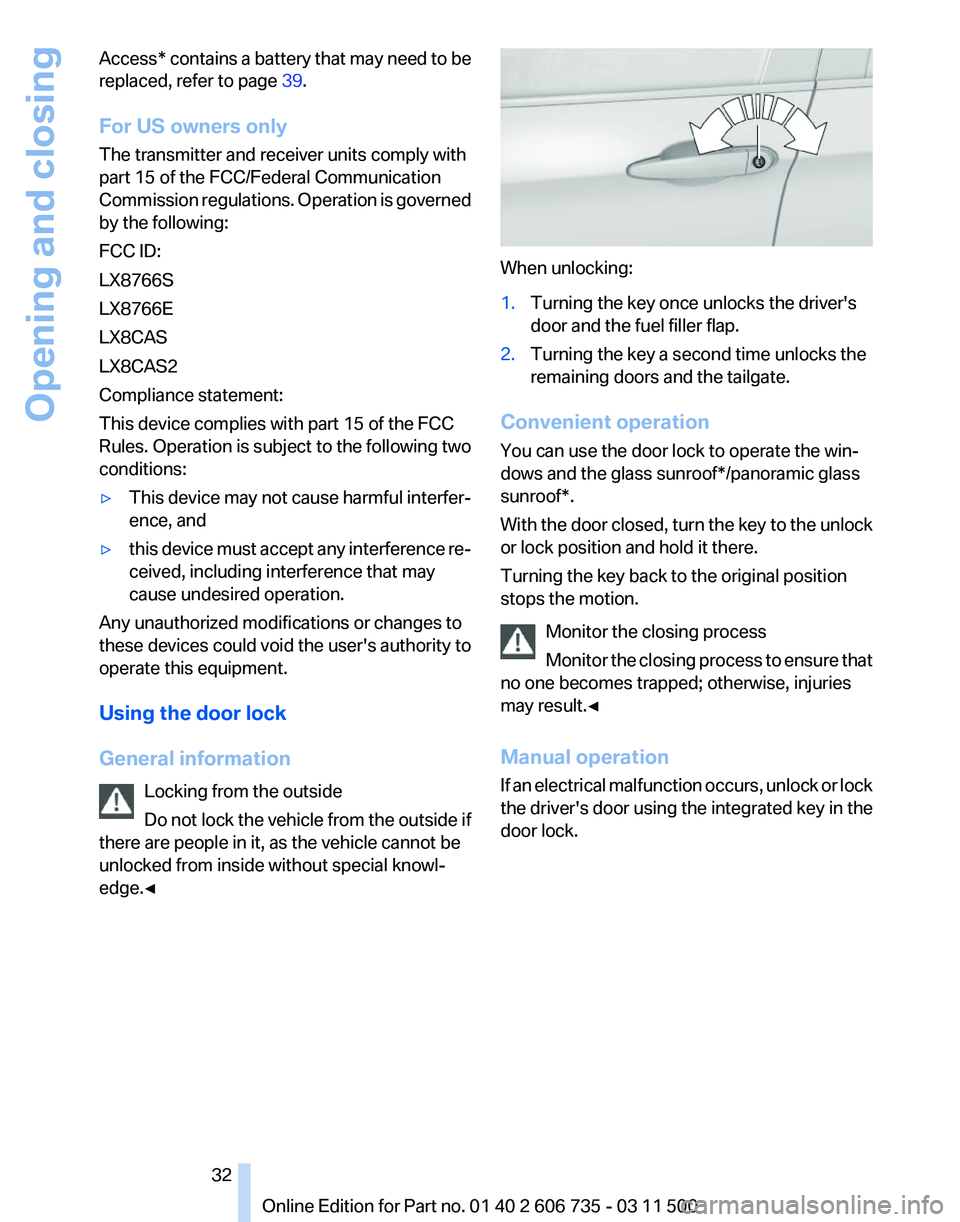
Using the door lock
General information
Locking from the outside
Do
not lock the vehicle from the outside if
there are people in it, as the vehicle cannot be
unlocked from inside without special knowl‐
edge.◀ When unlocking:
1.
Turning the key once unlocks the driver's
door and the fuel filler flap.
2. Turning the key a second time unlocks the
remaining doors and the tailgate.
Convenient operation
You can use the door lock to operate the win‐
dows and the glass sunroof*/panoramic glass
sunroof*.
With
the door closed, turn the key to the unlock
or lock position and hold it there.
Turning the key back to the original position
stops the motion.
Monitor the closing process
Monitor the closing process to ensure that
no one becomes trapped; otherwise, injuries
may result.◀
Manual operation
If an electrical malfunction occurs, unlock or lock
the driver's door using the integrated key in the
door lock. Seite 32
32 Online Edition for Part no. 01 40 2 606 735 - 03 11 500Opening and closing
Page 33 of 317
Opening and closing: from the
inside
Locking and unlocking
Press the button in the vehicle.
The doors and the tailgate are locked or un‐
locked
when the front doors are closed, but they
are not secured against theft.
The fuel filler flap remains unlocked.
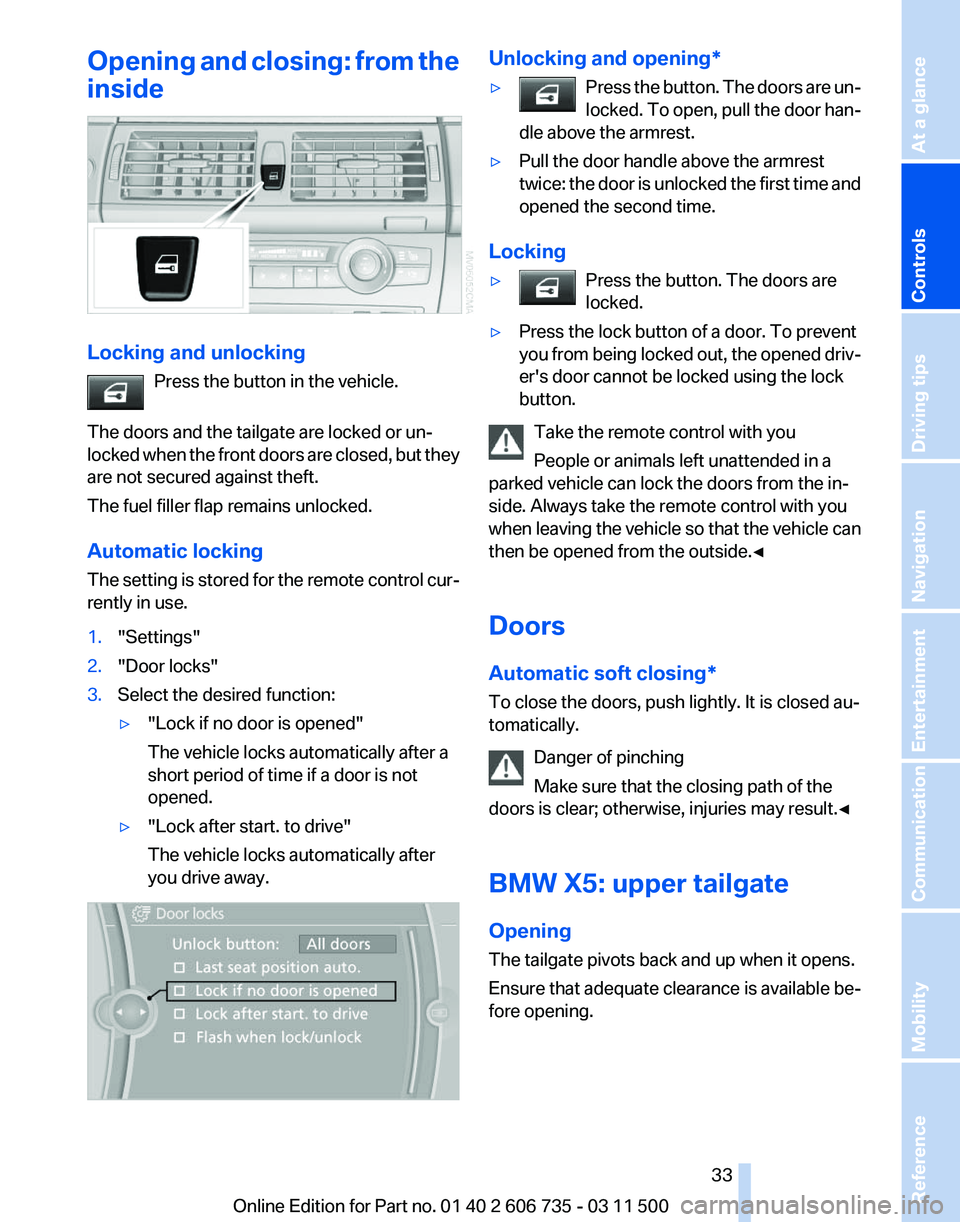
Automatic locking
The setting is stored for the remote control cur‐
rently in use.
1. "Settings"
2. "Door locks"
3. Select the desired function:
▷"Lock if no door is opened"
The vehicle locks automatically after a
short period of time if a door is not
opened.
▷ "Lock after start. to drive"
The vehicle locks automatically after
you drive away. Unlocking and opening*
▷
Press the button. The doors are un‐
locked.
To open, pull the door han‐
dle above the armrest. ▷
Pull the door handle above the armrest
twice:
the door is unlocked the first time and
opened the second time.
Locking
▷ Press the button. The doors are
locked. ▷
Press the lock button of a door. To prevent
you
from being locked out, the opened driv‐
er's door cannot be locked using the lock
button.
Take the remote control with you
People or animals left unattended in a
parked vehicle can lock the doors from the in‐
side. Always take the remote control with you
when
leaving the vehicle so that the vehicle can
then be opened from the outside.◀
Doors
Automatic soft closing*
To close the doors, push lightly. It is closed au‐
tomatically.
Danger of pinching
Make sure that the closing path of the
doors is clear; otherwise, injuries may result.◀
BMW X5: upper tailgate
Opening
The tailgate pivots back and up when it opens.
Ensure that adequate clearance is available be‐
fore opening. Seite 33
33Online Edition for Part no. 01 40 2 606 735 - 03 11 500
Reference Mobility Communication Entertainment Navigation Driving tips
Controls At a glance
Page 38 of 317
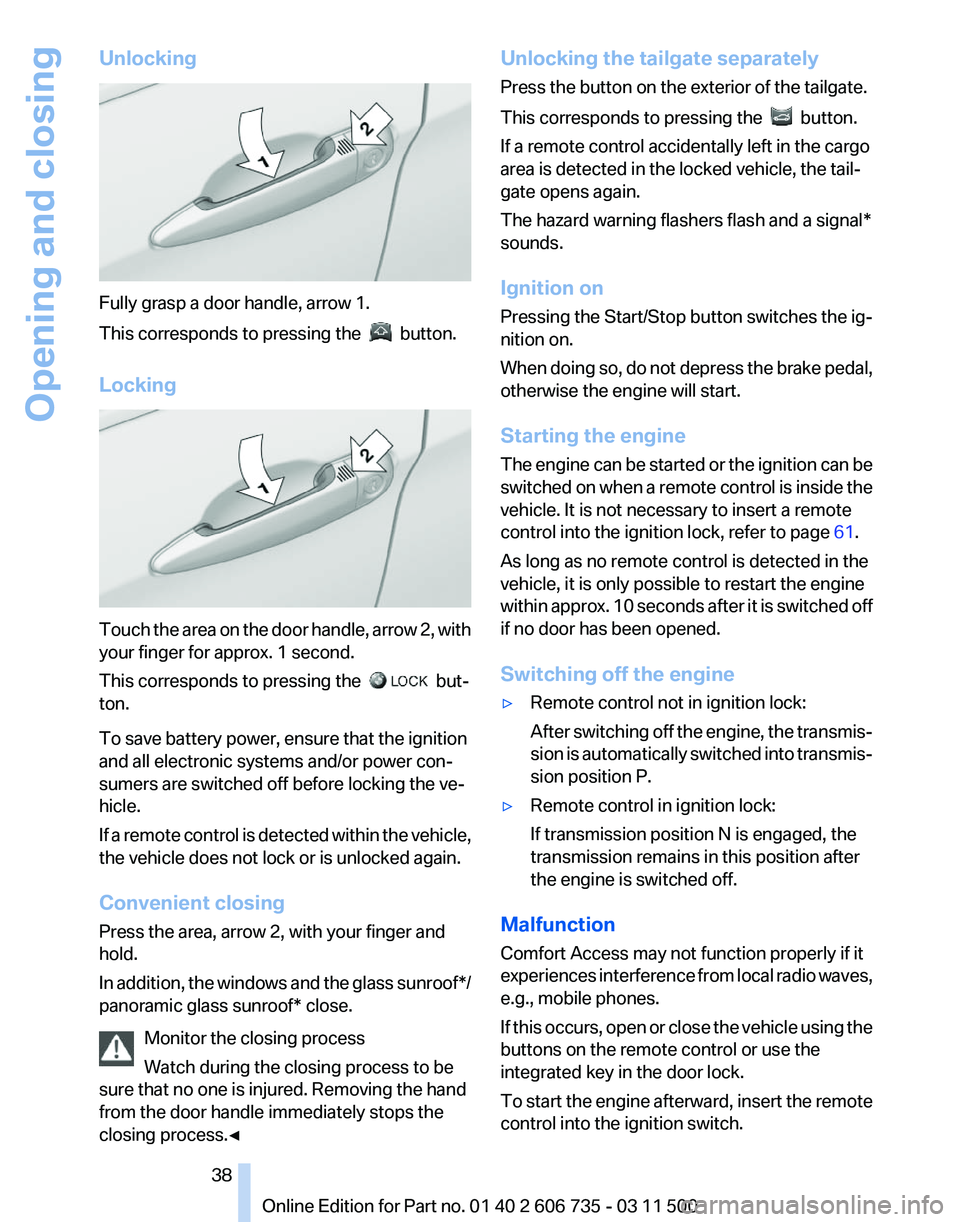
Unlocking
Fully grasp a door handle, arrow 1.
This corresponds to pressing the
button.
Locking Touch the area on the door handle, arrow 2, with
your finger for approx. 1 second.
This corresponds to pressing the
but‐
ton.
To save battery power, ensure that the ignition
and all electronic systems and/or power con‐
sumers are switched off before locking the ve‐
hicle.
If
a remote control is detected within the vehicle,
the vehicle does not lock or is unlocked again.
Convenient closing
Press the area, arrow 2, with your finger and
hold.
In addition, the windows and the glass sunroof*/
panoramic glass sunroof* close.
Monitor the closing process
Watch during the closing process to be
sure that no one is injured. Removing the hand
from the door handle immediately stops the
closing process.◀ Unlocking the tailgate separately
Press the button on the exterior of the tailgate.
This corresponds to pressing the
button.
If a remote control accidentally left in the cargo
area is detected in the locked vehicle, the tail‐
gate opens again.
The hazard warning flashers flash and a signal*
sounds.
Ignition on
Pressing the Start/Stop button switches the ig‐
nition on.
When
doing so, do not depress the brake pedal,
otherwise the engine will start.
Starting the engine
The engine can be started or the ignition can be
switched on when a remote control is inside the
vehicle. It is not necessary to insert a remote
control into the ignition lock, refer to page 61.
As long as no remote control is detected in the
vehicle, it is only possible to restart the engine
within approx. 10 seconds after it is switched off
if no door has been opened.
Switching off the engine
▷ Remote control not in ignition lock:
After
switching off the engine, the transmis‐
sion is automatically switched into transmis‐
sion position P.
▷ Remote control in ignition lock:
If transmission position N is engaged, the
transmission remains in this position after
the engine is switched off.
Malfunction
Comfort Access may not function properly if it
experiences
interference from local radio waves,
e.g., mobile phones.
If this occurs, open or close the vehicle using the
buttons on the remote control or use the
integrated key in the door lock.
To start the engine afterward, insert the remote
control into the ignition switch.
Seite 38
38 Online Edition for Part no. 01 40 2 606 735 - 03 11 500
Opening and closing
Page 39 of 317
Warning lamps
The warning lamp in the instrument
cluster lights up when you attempt to
start
the engine: the engine cannot be
started.
The remote control is not in the vehicle or has a
malfunction. Take the remote control with you
inside the vehicle or have it checked. If neces‐
sary, insert another remote control into the ig‐
nition switch.
The warning lamp in the instrument
cluster lights up while the engine is
running: the remote control is no lon‐
ger inside the vehicle.
After switching off the engine, the engine can
only be started again within approx. 10 seconds
if no door has been opened.
The indicator lamp in the instrument
cluster comes on and a message ap‐
pears on the Control Display: replace
the remote control battery.
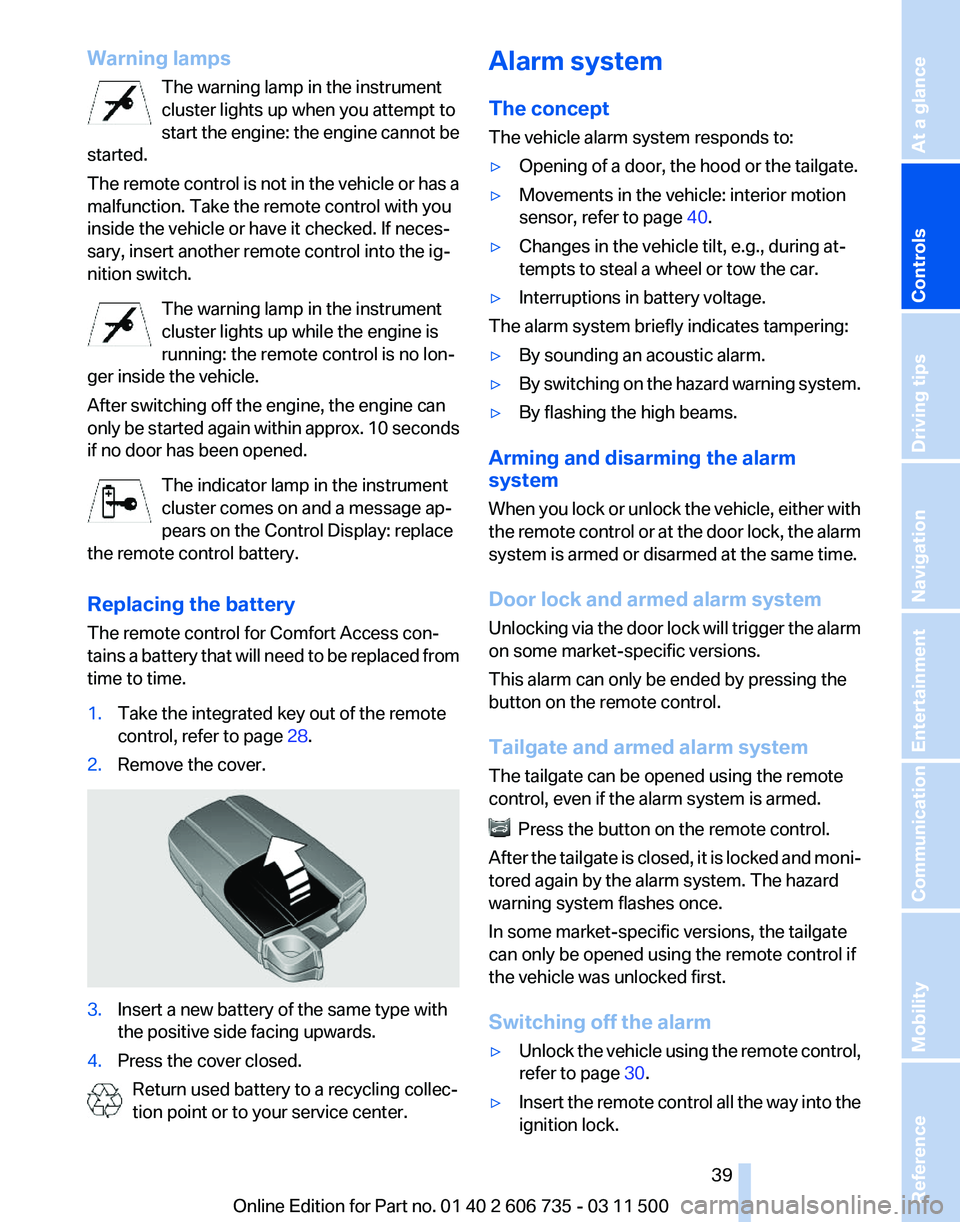
Replacing the battery
The remote control for Comfort Access con‐
tains a battery that will need to be replaced from
time to time.
1. Take the integrated key out of the remote
control, refer to page 28.
2. Remove the cover. 3.
Insert a new battery of the same type with
the positive side facing upwards.
4. Press the cover closed.
Return used battery to a recycling collec‐
tion point or to your service center. Alarm system
The concept
The vehicle alarm system responds to:
▷
Opening of a door, the hood or the tailgate.
▷ Movements in the vehicle: interior motion
sensor, refer to page 40.
▷ Changes in the vehicle tilt, e.g., during at‐
tempts to steal a wheel or tow the car.
▷ Interruptions in battery voltage.
The alarm system briefly indicates tampering:
▷ By sounding an acoustic alarm.
▷ By switching on the hazard warning system.
▷ By flashing the high beams.
Arming and disarming the alarm
system
When
you lock or unlock the vehicle, either with
the remote control or at the door lock, the alarm
system is armed or disarmed at the same time.
Door lock and armed alarm system
Unlocking via the door lock will trigger the alarm
on some market-specific versions.
This alarm can only be ended by pressing the
button on the remote control.
Tailgate and armed alarm system
The tailgate can be opened using the remote
control, even if the alarm system is armed. Press the button on the remote control.
After
the tailgate is closed, it is locked and moni‐
tored again by the alarm system. The hazard
warning system flashes once.
In some market-specific versions, the tailgate
can only be opened using the remote control if
the vehicle was unlocked first.
Switching off the alarm
▷ Unlock the vehicle using the remote control,
refer to page 30.
▷ Insert the remote control all the way into the
ignition lock.
Seite 39
39Online Edition for Part no. 01 40 2 606 735 - 03 11 500
Reference Mobility Communication Entertainment Navigation Driving tips
Controls At a glance
Page 40 of 317
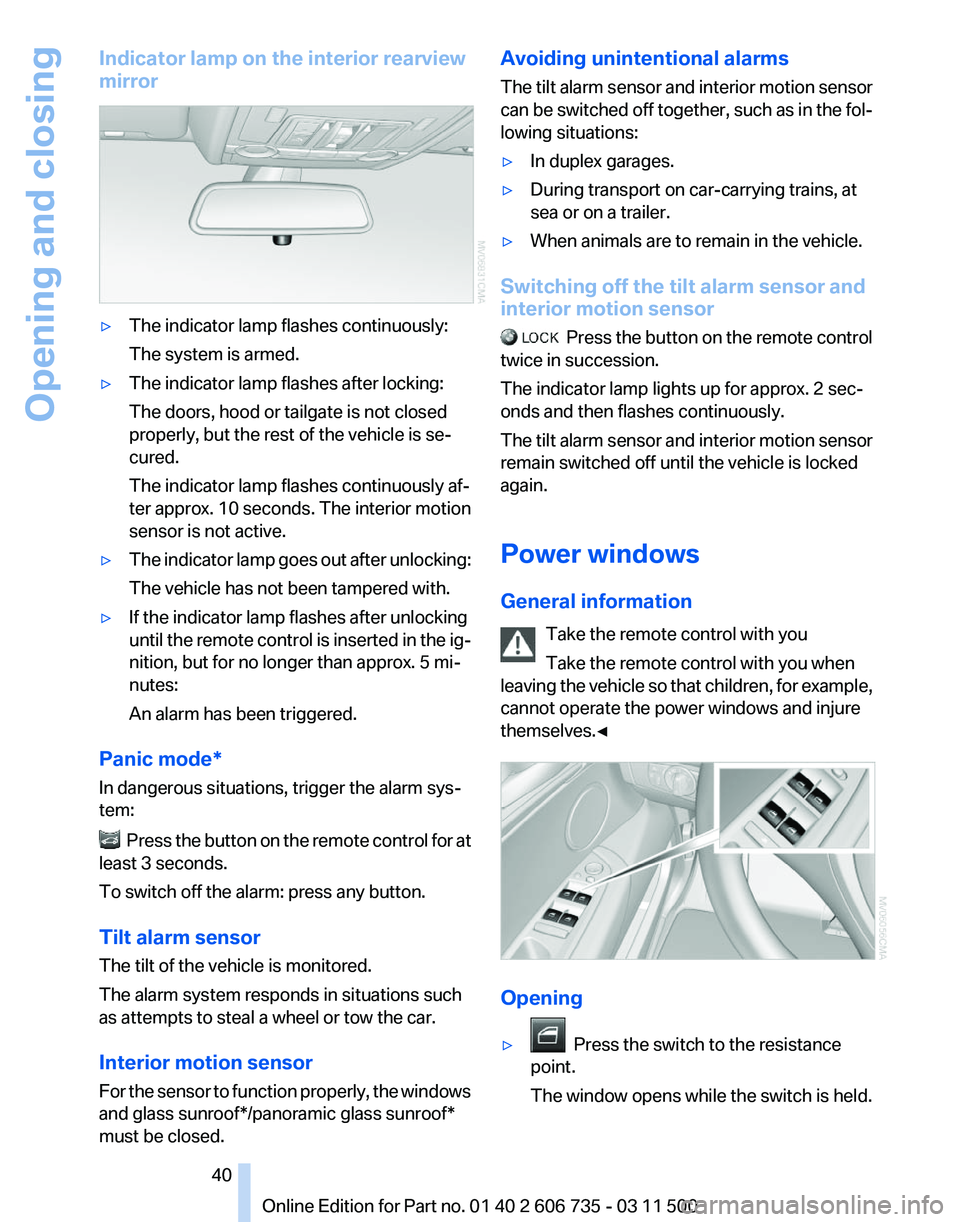
Indicator lamp on the interior rearview
mirror
▷
The indicator lamp flashes continuously:
The system is armed.
▷ The indicator lamp flashes after locking:
The doors, hood or tailgate is not closed
properly, but the rest of the vehicle is se‐
cured.
The indicator lamp flashes continuously af‐
ter approx. 10 seconds. The interior motion
sensor is not active.
▷ The indicator lamp goes out after unlocking:
The vehicle has not been tampered with.
▷ If the indicator lamp flashes after unlocking
until
the remote control is inserted in the ig‐
nition, but for no longer than approx. 5 mi‐
nutes:
An alarm has been triggered.
Panic mode*
In dangerous situations, trigger the alarm sys‐
tem: Press the button on the remote control for at
least 3 seconds.
To switch off the alarm: press any button.
Tilt alarm sensor
The tilt of the vehicle is monitored.
The alarm system responds in situations such
as attempts to steal a wheel or tow the car.
Interior motion sensor
For
the sensor to function properly, the windows
and glass sunroof*/panoramic glass sunroof*
must be closed. Avoiding unintentional alarms
The
tilt alarm sensor and interior motion sensor
can be switched off together, such as in the fol‐
lowing situations:
▷ In duplex garages.
▷ During transport on car-carrying trains, at
sea or on a trailer.
▷ When animals are to remain in the vehicle.
Switching off the tilt alarm sensor and
interior motion sensor Press
the button on the remote control
twice in succession.
The indicator lamp lights up for approx. 2 sec‐
onds and then flashes continuously.
The tilt alarm sensor and interior motion sensor
remain switched off until the vehicle is locked
again.
Power windows
General information
Take the remote control with you
Take the remote control with you when
leaving the vehicle so that children, for example,
cannot operate the power windows and injure
themselves.◀ Opening
▷
Press the switch to the resistance
point.
The window opens while the switch is held. Seite 40
40 Online Edition for Part no. 01 40 2 606 735 - 03 11 500
Opening and closing
Page 41 of 317
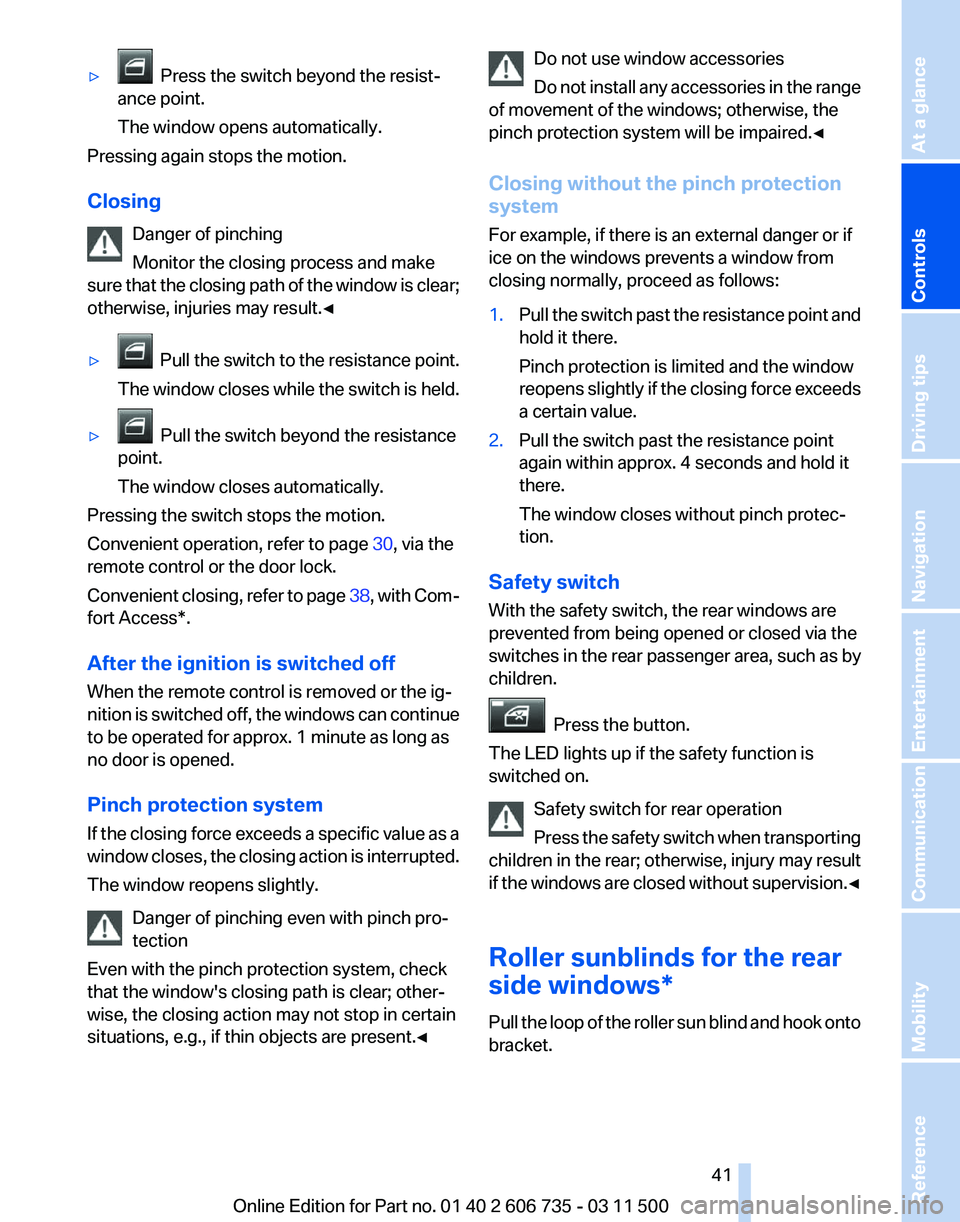
▷ Press the switch beyond the resist‐
ance point.
The window opens automatically.
Pressing again stops the motion.
Closing
Danger of pinching
Monitor the closing process and make
sure
that the closing path of the window is clear;
otherwise, injuries may result.◀
▷ Pull
the switch to the resistance point.
The window closes while the switch is held.
▷ Pull the switch beyond the resistance
point.
The window closes automatically.
Pressing the switch stops the motion.
Convenient operation, refer to page 30, via the
remote control or the door lock.
Convenient
closing, refer to page 38, with Com‐
fort Access*.
After the ignition is switched off
When the remote control is removed or the ig‐
nition is switched off, the windows can continue
to be operated for approx. 1 minute as long as
no door is opened.
Pinch protection system
If the closing force exceeds a specific value as a
window closes, the closing action is interrupted.
The window reopens slightly.
Danger of pinching even with pinch pro‐
tection
Even with the pinch protection system, check
that the window's closing path is clear; other‐
wise, the closing action may not stop in certain
situations, e.g., if thin objects are present.◀ Do not use window accessories
Do
not install any accessories in the range
of movement of the windows; otherwise, the
pinch protection system will be impaired.◀
Closing without the pinch protection
system
For example, if there is an external danger or if
ice on the windows prevents a window from
closing normally, proceed as follows:
1. Pull the switch past the resistance point and
hold it there.
Pinch protection is limited and the window
reopens
slightly if the closing force exceeds
a certain value.
2. Pull the switch past the resistance point
again within approx. 4 seconds and hold it
there.
The window closes without pinch protec‐
tion.
Safety switch
With the safety switch, the rear windows are
prevented from being opened or closed via the
switches in the rear passenger area, such as by
children. Press the button.
The LED lights up if the safety function is
switched on.
Safety switch for rear operation
Press
the safety switch when transporting
children in the rear; otherwise, injury may result
if the windows are closed without supervision.◀
Roller sunblinds for the rear
side windows*
Pull the loop of the roller sun blind and hook onto
bracket. Seite 41
41Online Edition for Part no. 01 40 2 606 735 - 03 11 500
Reference Mobility Communication Entertainment Navigation Driving tips
Controls At a glance