door lock BMW X5M 2009 E70 Owner's Guide
[x] Cancel search | Manufacturer: BMW, Model Year: 2009, Model line: X5M, Model: BMW X5M 2009 E70Pages: 317, PDF Size: 9.56 MB
Page 68 of 317
Driving
66
The ignition switches off automatically
* if the
driver's door is opened. Pressing the start/stop
button again switches the ignition back on.
For example, the ignition is not switched off in
the following situations:
> the brakes are actuated
> the low beams are switched on
Starting engine
Do not run the engine in closed rooms,
otherwise the inhalati on of toxic exhaust
gases can cause uncons ciousness and death.
The exhaust gases contain carbon monoxide,
an odorless and colorless, but highly toxic gas.
Never leave an unattend ed vehicle with the
engine running, as such a vehicle represents a
potential safety hazard.
To prevent the vehicle from rolling, always
engage transmission position N or P and set the
parking brake before le aving the vehicle with
the engine running. <
Do not allow the engine to warm up by leaving it
running while the vehicl e remains stationary.
Instead, begin to drive at a moderate engine
speed.
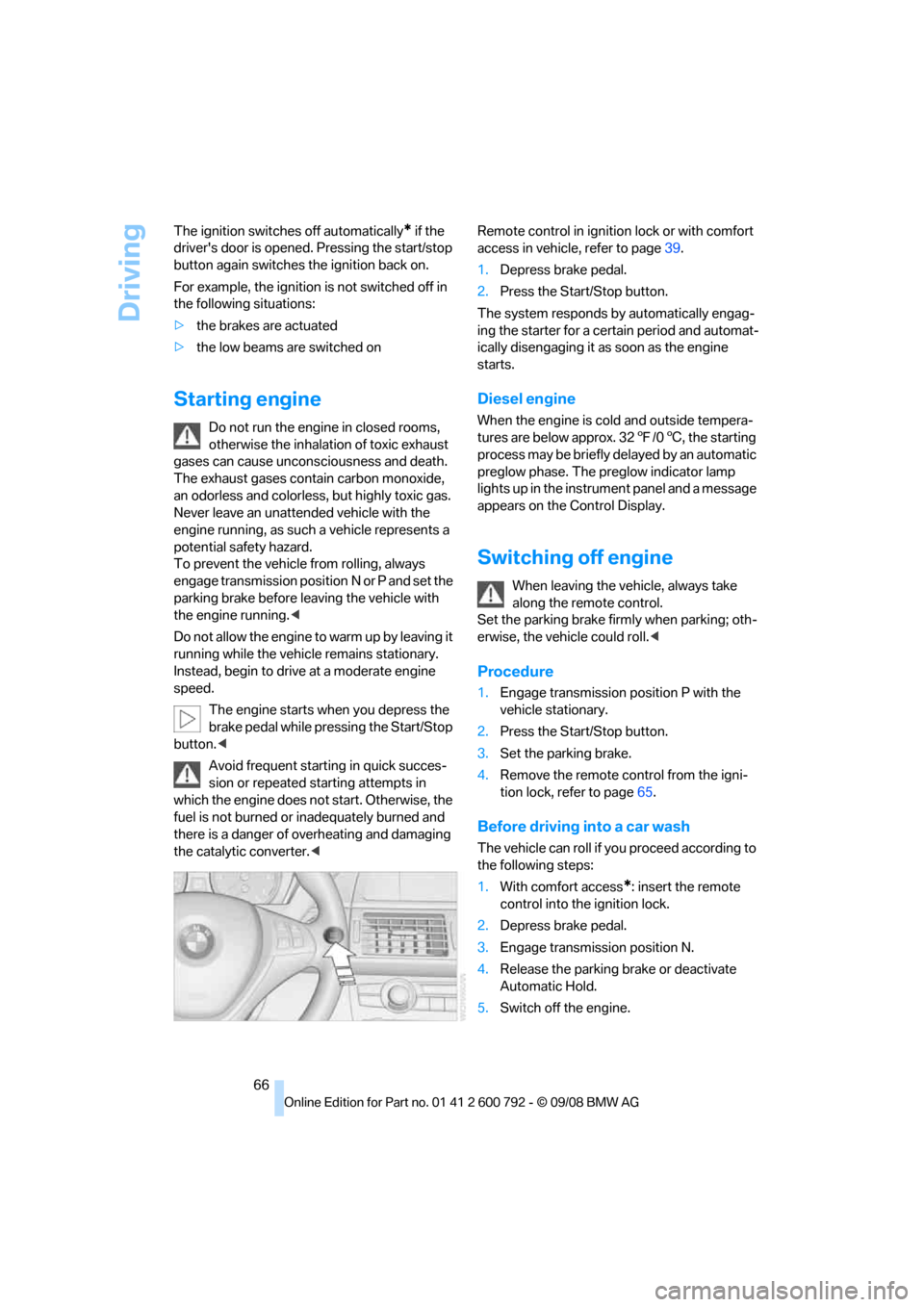
The engine starts when you depress the
brake pedal while pressing the Start/Stop
button. <
Avoid frequent starting in quick succes-
sion or repeated starting attempts in
which the engine does no t start. Otherwise, the
fuel is not burned or inadequately burned and
there is a danger of overheating and damaging
the catalytic converter. < Remote control in ignition lock or with comfort
access in vehicle, refer to page
39.
1. Depress brake pedal.
2. Press the Start/Stop button.
The system responds by automatically engag-
ing the starter for a cert ain period and automat-
ically disengaging it as soon as the engine
starts.
Diesel engine
When the engine is cold and outside tempera-
tures are below approx. 32 7/06 , the starting
process may be briefly delayed by an automatic
preglow phase. The pr eglow indicator lamp
lights up in the instrument panel and a message
appears on the Control Display.
Switching off engine
When leaving the vehicle, always take
along the remote control.
Set the parking brake firmly when parking; oth-
erwise, the vehicle could roll. <
Procedure
1.Engage transmission position P with the
vehicle stationary.
2. Press the Start/Stop button.
3. Set the parking brake.
4. Remove the remote control from the igni-
tion lock, refer to page 65.
Before driving into a car wash
The vehicle can roll if yo u proceed according to
the following steps:
1. With comfort access
*: insert the remote
control into the ignition lock.
2. Depress brake pedal.
3. Engage transmission position N.
4. Release the parking brake or deactivate
Automatic Hold.
5. Switch off the engine.
Page 73 of 317
Controls
71Reference
At a glance
Driving tips
Communications
Navigation
Entertainment
Mobility
The transmission automatically shifts into
park if you release the driver's safety belt
and open the driver's door with the engine run-
ning while in re verse or drive.
The picture from the rear view camera
* and
PDC Park Distance Control
* on the Control
Display is hidden. <
R Reverse
Select only with the vehicle stationary.
An interlock prevents inadvertent gearshifts
into transmission position R. To deactivate the
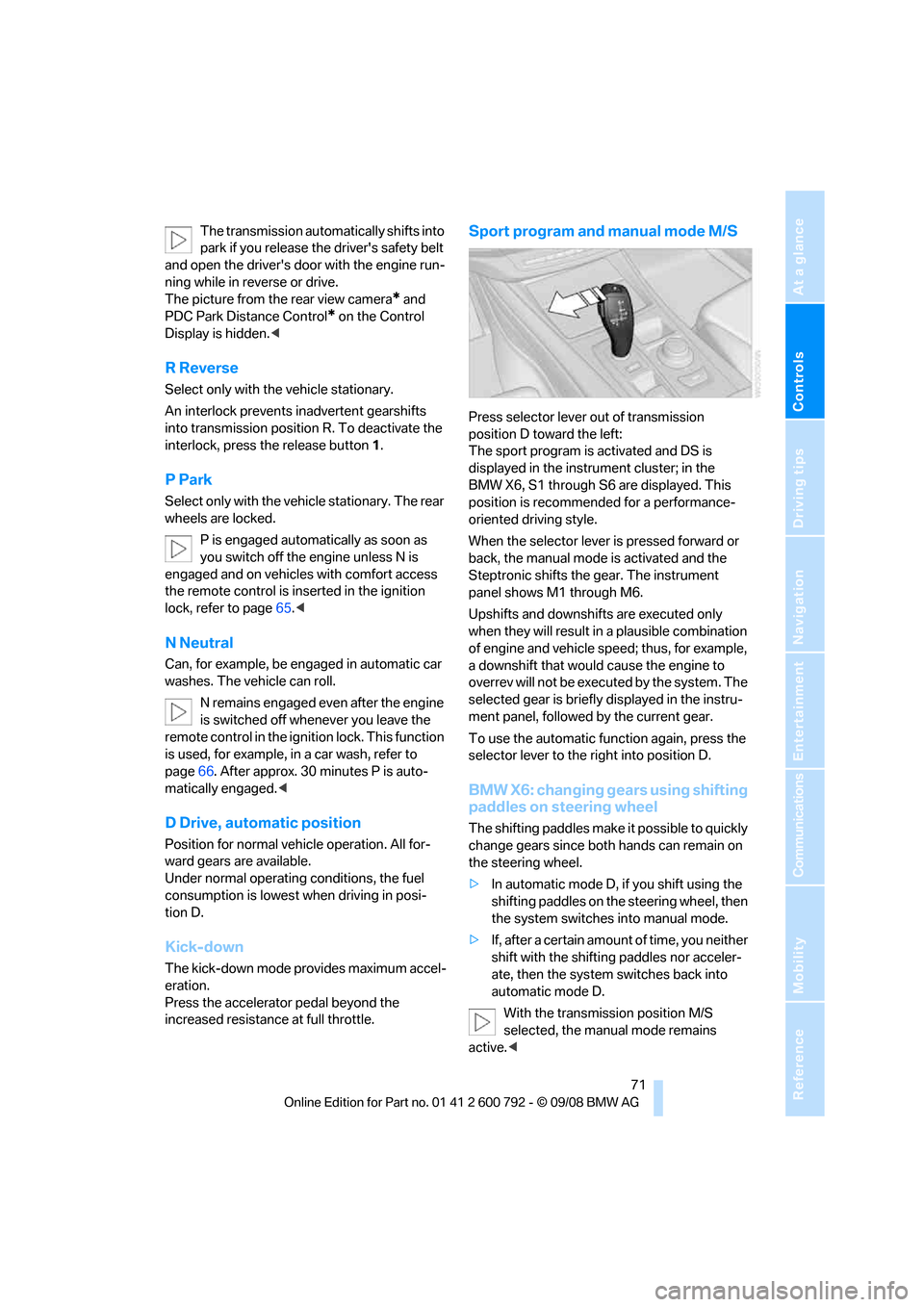
interlock, press the release button 1.
P Park
Select only with the vehicle stationary. The rear
wheels are locked.
P is engaged automatically as soon as
you switch off the engine unless N is
engaged and on vehicles with comfort access
the remote control is inserted in the ignition
lock, refer to page 65.<
N Neutral
Can, for example, be engaged in automatic car
washes. The vehicle can roll.
N remains engaged even after the engine
is switched off whenever you leave the
remote control in the ignition lock. This function
is used, for example, in a car wash, refer to
page 66. After approx. 30 minutes P is auto-
matically engaged. <
D Drive, automatic position
Position for normal vehi cle operation. All for-
ward gears are available.
Under normal operating conditions, the fuel
consumption is lowest when driving in posi-
tion D.
Kick-down
The kick-down mode provides maximum accel-
eration.
Press the accelerato r pedal beyond the
increased resistance at full throttle.
Sport program and manual mode M/S
Press selector lever out of transmission
position D toward the left:
The sport program is activated and DS is
displayed in the instru ment cluster; in the
BMW X6, S1 through S6 are displayed. This
position is recommend ed for a performance-
oriented driving style.
When the selector lever is pressed forward or
back, the manual mode is activated and the
Steptronic shifts the gear. The instrument
panel shows M1 through M6.
Upshifts and downshifts are executed only
when they will result in a plausible combination
of engine and vehicle speed; thus, for example,
a downshift that would cause the engine to
overrev will not be executed by the system. The
selected gear is briefly displayed in the instru-
ment panel, followed by the current gear.
To use the automatic func tion again, press the
selector lever to the right into position D.
BMW X6: changing gears using shifting
paddles on steering wheel
The shifting paddles make it possible to quickly
change gears since both hands can remain on
the steering wheel.
> In automatic mode D, if you shift using the
shifting paddles on the steering wheel, then
the system switches into manual mode.
> If, after a certain amount of time, you neither
shift with the shifting paddles nor acceler-
ate, then the system switches back into
automatic mode D.
With the transmission position M/S
selected, the manual mode remains
active.<
Page 112 of 317
Lamps
110
Lamps
Parking lamps/low beams
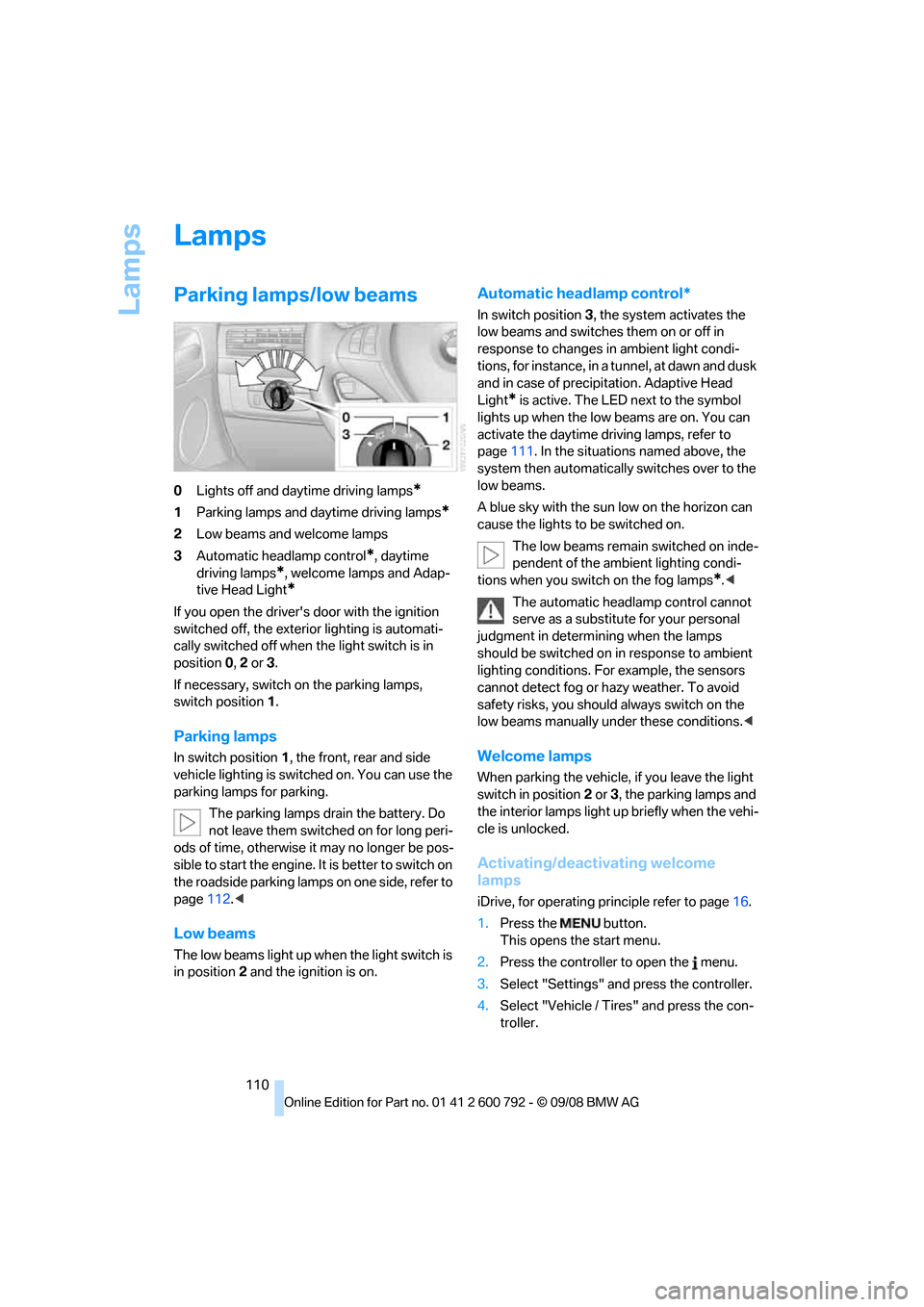
0Lights off and daytime driving lamps*
1Parking lamps and daytime driving lamps*
2Low beams and welcome lamps
3 Automatic head lamp control
*, daytime
driving lamps
*, welcome lamps and Adap-
tive Head Light
*
If you open the driver's door with the ignition
switched off, the exteri or lighting is automati-
cally switched off when the light switch is in
position 0, 2 or 3.
If necessary, switch on the parking lamps,
switch position 1.
Parking lamps
In switch position 1, the front, rear and side
vehicle lighting is switch ed on. You can use the
parking lamps for parking.
The parking lamps drain the battery. Do
not leave them switched on for long peri-
ods of time, otherwise it may no longer be pos-
sible to start the engine. It is better to switch on
the roadside parking lamp s on one side, refer to
page 112.<
Low beams
The low beams light up wh en the light switch is
in position 2 and the ignition is on.
Automatic headlamp control*
In switch position 3, the system activates the
low beams and switches them on or off in
response to changes in ambient light condi-
tions, for instance, in a tunnel, at dawn and dusk
and in case of precipitation. Adaptive Head
Light
* is active. The LED next to the symbol
lights up when the low beams are on. You can
activate the daytime driving lamps, refer to
page 111. In the situations named above, the
system then automatically switches over to the
low beams.
A blue sky with the sun low on the horizon can
cause the lights to be switched on.
The low beams remain switched on inde-
pendent of the ambient lighting condi-
tions when you switch on the fog lamps
*. <
The automatic headla mp control cannot
serve as a substitute for your personal
judgment in determin ing when the lamps
should be switched on in response to ambient
lighting conditions. For example, the sensors
cannot detect fog or hazy weather. To avoid
safety risks, you should always switch on the
low beams manually un der these conditions.<
Welcome lamps
When parking the vehicle, if you leave the light
switch in position2 or 3, the parking lamps and
the interior lamps light up briefly when the vehi-
cle is unlocked.
Activating/deactivating welcome
lamps
iDrive, for operating pr inciple refer to page16.
1. Press the button.
This opens the start menu.
2. Press the controller to open the menu.
3. Select "Settings" an d press the controller.
4. Select "Vehicle / Tire s" and press the con-
troller.
Page 246 of 317
Refueling
244
Refueling
Switch off the engine before refueling.
When handling fuel, always observe all
applicable precautionar y measures and regula-
tions. Never transport reserve fuel containers in
the vehicle. These co uld become leaky and
cause an explosion or a fire in an accident. <
Fuel filler door
Opening
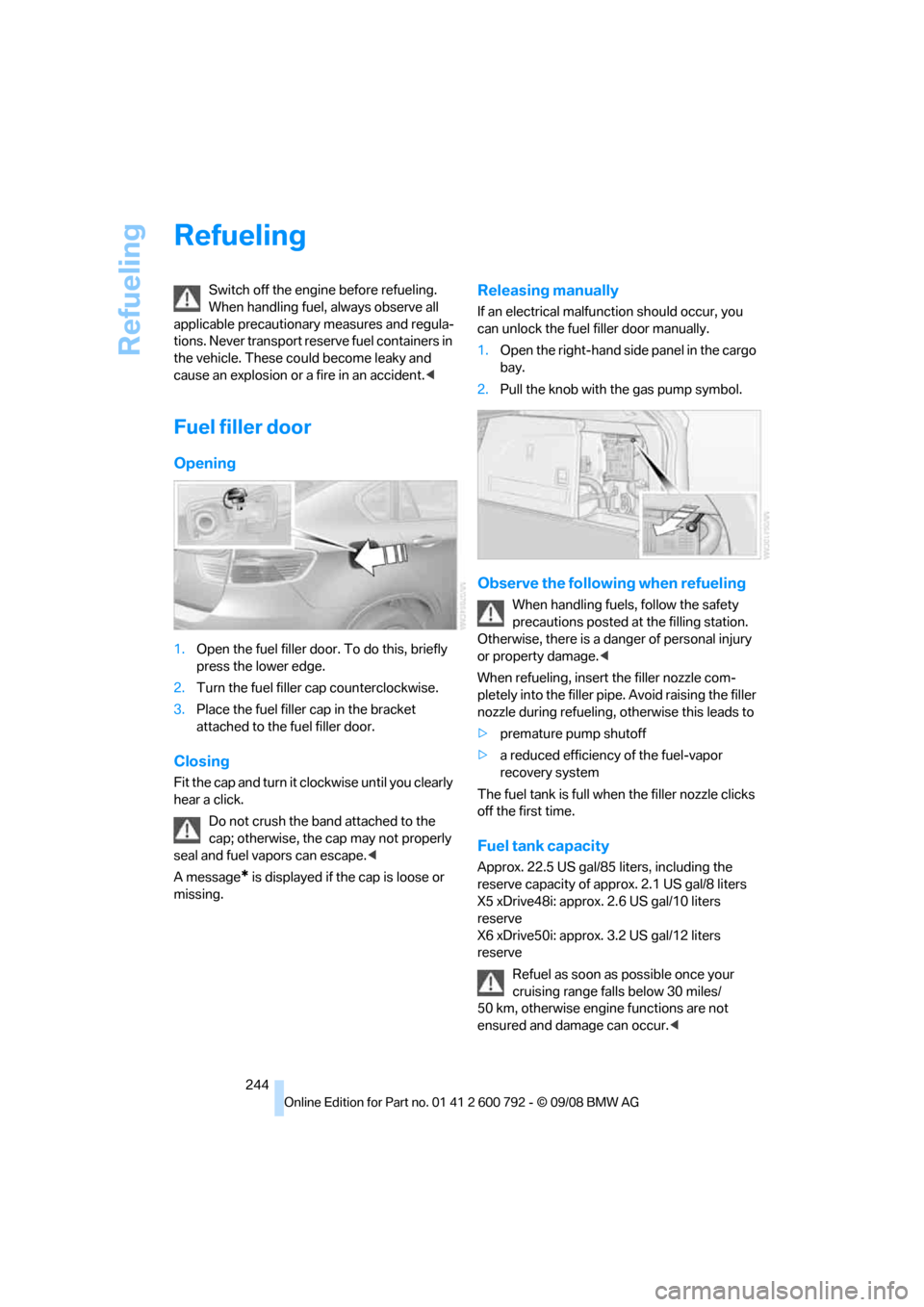
1.Open the fuel filler door. To do this, briefly
press the lower edge.
2. Turn the fuel filler cap counterclockwise.
3. Place the fuel filler cap in the bracket
attached to the fuel filler door.
Closing
Fit the cap and turn it cl ockwise until you clearly
hear a click.
Do not crush the band attached to the
cap; otherwise, the cap may not properly
seal and fuel vapors can escape. <
A message
* is displayed if the cap is loose or
missing.
Releasing manually
If an electrical malfunction should occur, you
can unlock the fuel filler door manually.
1. Open the right-hand side panel in the cargo
bay.
2. Pull the knob with the gas pump symbol.
Observe the following when refueling
When handling fuels, follow the safety
precautions posted at the filling station.
Otherwise, there is a danger of personal injury
or property damage. <
When refueling, insert the filler nozzle com-
pletely into the filler pipe. Avoid raising the filler
nozzle during refueling, otherwise this leads to
> premature pump shutoff
> a reduced efficiency of the fuel-vapor
recovery system
The fuel tank is full when the filler nozzle clicks
off the first time.
Fuel tank capacity
Approx. 22.5 US gal/85 liters, including the
reserve capacity of approx. 2.1 US gal/8 liters
X5 xDrive48i: approx. 2.6 US gal/10 liters
reserve
X6 xDrive50i: approx. 3.2 US gal/12 liters
reserve
Refuel as soon as possible once your
cruising range falls below 30 miles/
50 km, otherwise engine functions are not
ensured and damage can occur. <
Page 267 of 317
Mobility
265Reference
At a glance
Controls
Driving tips
Communications
Navigation
Entertainment
Care
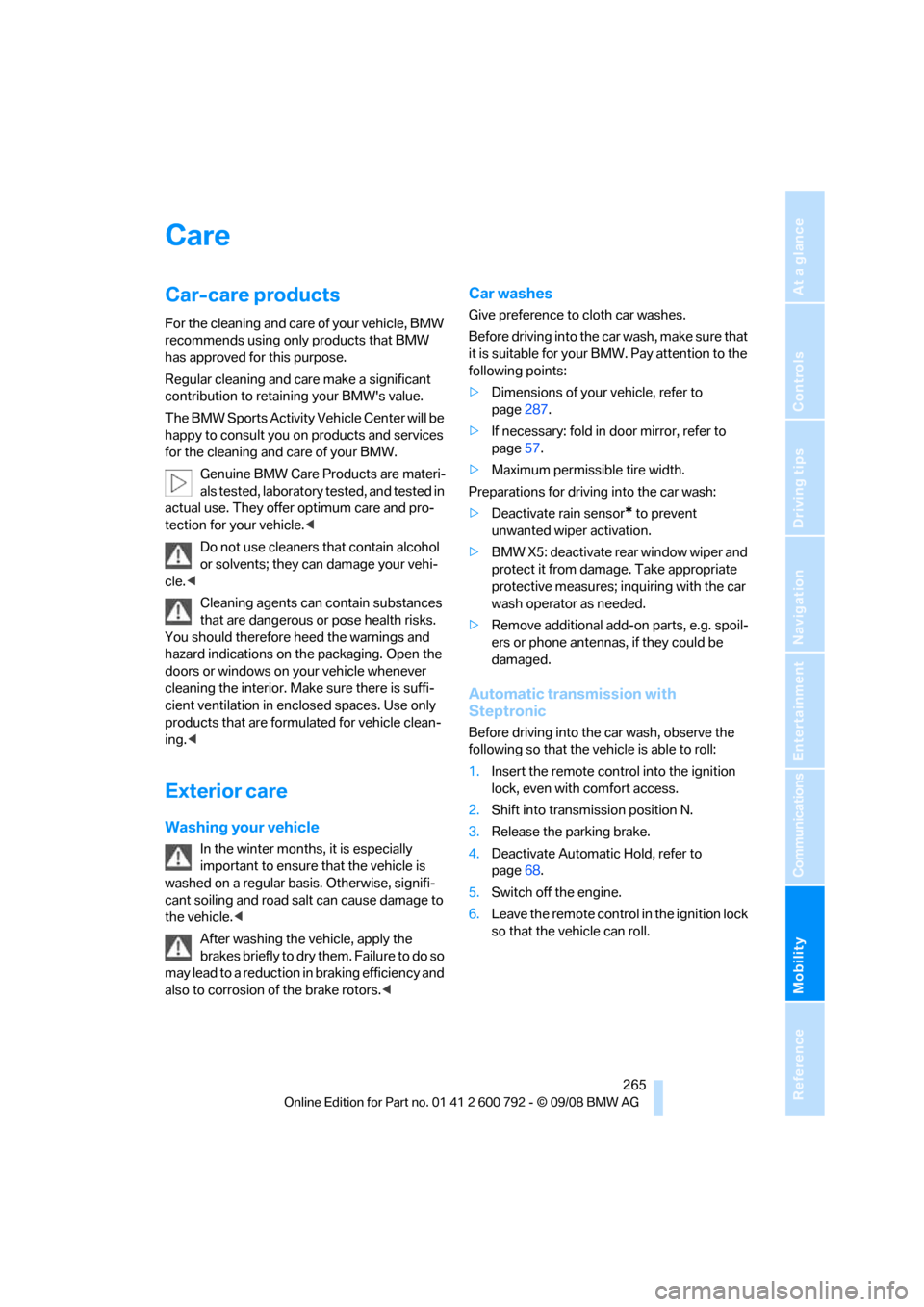
Car-care products
For the cleaning and care of your vehicle, BMW
recommends using only products that BMW
has approved for this purpose.
Regular cleaning and care make a significant
contribution to retain ing your BMW's value.
The BMW Sports Activity Vehicle Center will be
happy to consult you on products and services
for the cleaning and care of your BMW.
Genuine BMW Care Products are materi-
als tested, laboratory tested, and tested in
actual use. They offer optimum care and pro-
tection for your vehicle. <
Do not use cleaners that contain alcohol
or solvents; they can damage your vehi-
cle. <
Cleaning agents can contain substances
that are dangerous or pose health risks.
You should therefore heed the warnings and
hazard indications on the packaging. Open the
doors or windows on your vehicle whenever
cleaning the interior. Make sure there is suffi-
cient ventilation in enclosed spaces. Use only
products that are formul ated for vehicle clean-
ing. <
Exterior care
Washing your vehicle
In the winter months, it is especially
important to ensure that the vehicle is
washed on a regular basis. Otherwise, signifi-
cant soiling and road salt can cause damage to
the vehicle.<
After washing the vehicle, apply the
brakes briefly to dry th em. Failure to do so
may lead to a reduction in braking efficiency and
also to corrosion of the brake rotors. <
Car washes
Give preference to cloth car washes.
Before driving into the car wash, make sure that
it is suitable for your BMW. Pay attention to the
following points:
> Dimensions of your vehicle, refer to
page 287.
> If necessary: fold in door mirror, refer to
page 57.
> Maximum permissible tire width.
Preparations for driving into the car wash:
> Deactivate rain sensor
* to prevent
unwanted wiper activation.
> BMW X5: deactivate rear window wiper and
protect it from damage. Take appropriate
protective measures; inquiring with the car
wash operator as needed.
> Remove additional add- on parts, e.g. spoil-
ers or phone antennas, if they could be
damaged.
Automatic transmission with
Steptronic
Before driving into the car wash, observe the
following so that the vehicle is able to roll:
1. Insert the remote cont rol into the ignition
lock, even with comfort access.
2. Shift into transmission position N.
3. Release the parking brake.
4. Deactivate Automatic Hold, refer to
page 68.
5. Switch off the engine.
6. Leave the remote control in the ignition lock
so that the vehicle can roll.
Page 296 of 317
Short commands of voice activation system
294
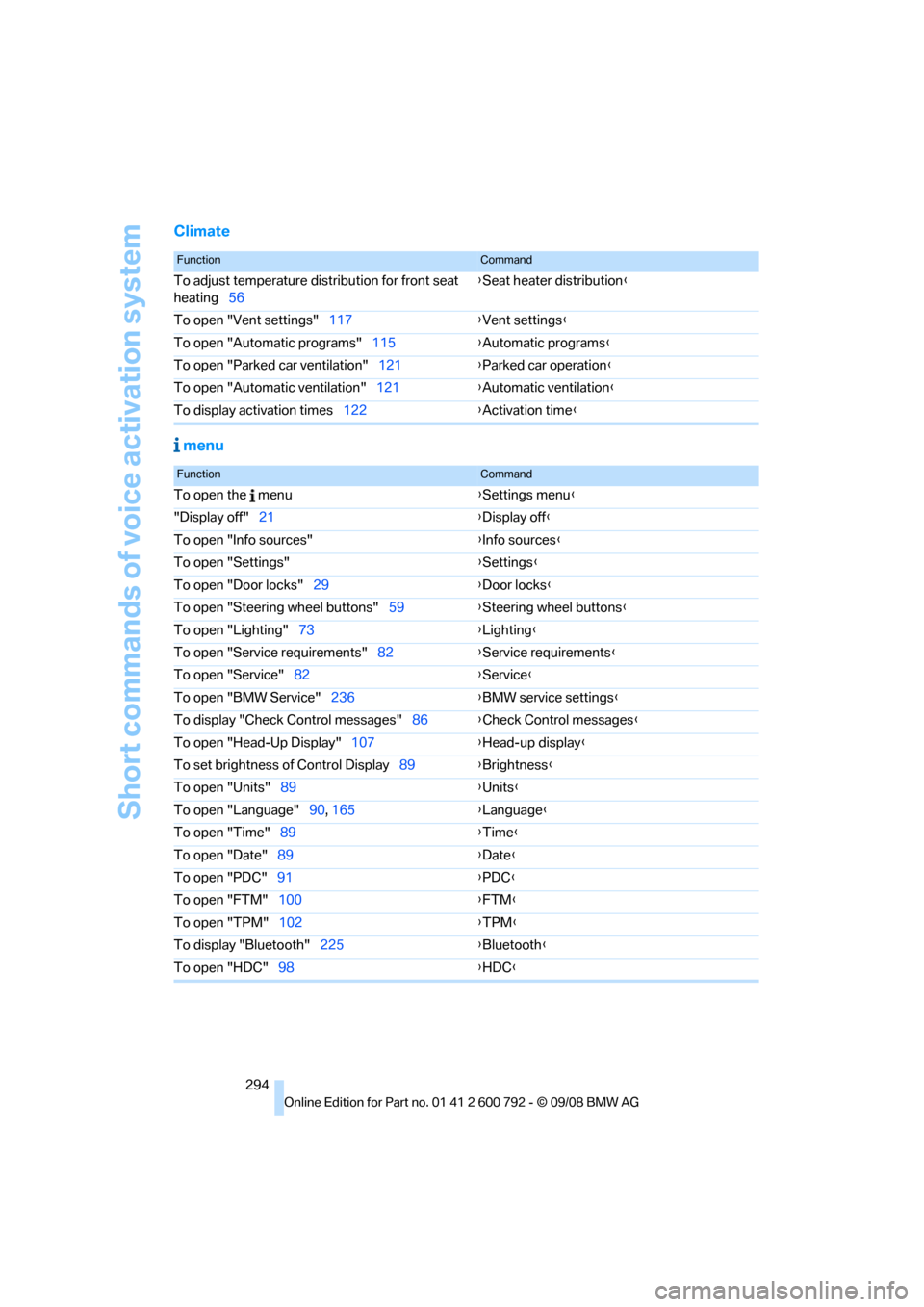
Climate menu
FunctionCommand
To adjust temperature distribution for front seat
heating 56 {
Seat heater distribution }
To open "Vent settings" 117{Vent settings }
To open "Automatic programs" 115{Automatic programs }
To open "Parked car ventilation" 121{Parked car operation }
To open "Automatic ventilation" 121{Automatic ventilation }
To display activation times 122{Activation time }
FunctionCommand
To open the menu {Settings menu }
"Display off" 21 {Display off }
To open "Info sources" {Info sources }
To open "Settings" {Settings }
To open "Door locks" 29 {Door locks }
To open "Steering wheel buttons" 59{Steering wheel buttons }
To open "Lighting" 73 {Lighting }
To open "Service requirements" 82{Service requirements }
To open "Service" 82 {Service }
To open "BMW Service" 236{BMW service settings }
To display "Check Control messages" 86{Check Control messages }
To open "Head-Up Display" 107{Head-up display }
To set brightness of Control Display 89{Brightness }
To open "Units" 89 {Units }
To open "Language" 90, 165 {Language }
To open "Time" 89 {Time }
To open "Date" 89 {Date }
To open "PDC" 91 {PDC }
To open "FTM" 100 {FTM }
To open "TPM" 102 {TPM }
To display "Bluetooth" 225 {B
luetooth}
To open "HDC" 98 {HDC }
Page 298 of 317
Everything from A to Z
296
Everything from A to Z
Index
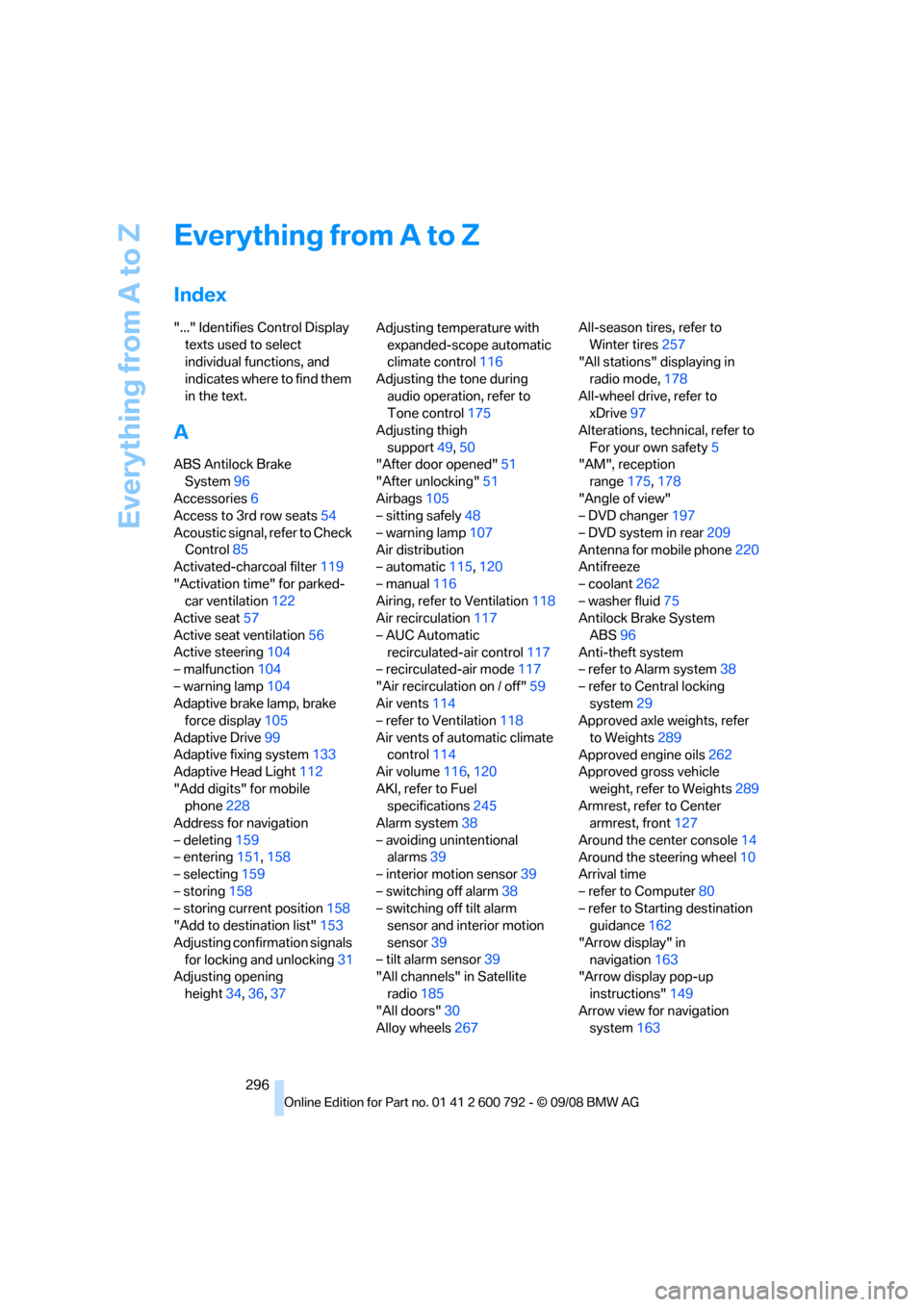
"..." Identifies Control Display texts used to select
individual functions, and
indicates where to find them
in the text.
A
ABS Antilock Brake System 96
Accessories 6
Access to 3rd row seats 54
Acoustic signal, refer to Check Control 85
Activated-charcoal filter 119
"Activation time" for parked- car ventilation 122
Active seat 57
Active seat ventilation 56
Active steering 104
– malfunction 104
– warning lamp 104
Adaptive brake lamp, brake force display 105
Adaptive Drive 99
Adaptive fixing system 133
Adaptive Head Light 112
"Add digits" for mobile phone 228
Address for navigation
– deleting 159
– entering 151,158
– selecting 159
– storing 158
– storing current position 158
"Add to destination list" 153
Adjusting confirmation signals for locking and unlocking 31
Adjusting opening
height 34,36, 37 Adjusting temperature with
expanded-scope automatic
climate control 116
Adjusting the tone during audio operation, refer to
Tone control 175
Adjusting thigh support 49,50
"After door opened" 51
"After unlocking" 51
Airbags 105
– sitting safely 48
– warning lamp 107
Air distribution
– automatic 115,120
– manual 116
Airing, refer to Ventilation 118
Air recirculation 117
– AUC Automatic recirculated-air control 117
– recirculated-air mode 117
"Air recirculation on / off" 59
Air vents 11
4
– refer to Ventilation 118
Air vents of automatic climate control 114
Air volume 116,120
AKI, refer to Fuel specifications 245
Alarm system 38
– avoiding unintentional alarms 39
– interior motion sensor 39
– switching off alarm 38
– switching off tilt alarm sensor and interior motion
sensor 39
– tilt alarm sensor 39
"All channels" in Satellite
radio 185
"All doors" 30
Alloy wheels 267 All-season tires, refer to
Winter tires 257
"All stations" displaying in
radio mode, 178
All-wheel drive, refer to xDrive 97
Alterations, tech nical, refer to
For your own safety 5
"AM", reception
range 175,178
"Angle of view"
– DVD changer 197
– DVD system in rear 209
Antenna for mobile phone 220
Antifreeze
– coolant 262
– washer fluid 75
Antilock Brake System
ABS 96
Anti-theft system
– refer to Alarm system 38
– refer to Central locking system 29
Approved axle weights, refer
to Weights 289
Approved engine oils 262
Approved gross vehicle
weight, refer to Weights 289
Armrest, refer to Center armrest, front 127
Around the center console 14
Around the steering wheel 10
Arrival time
– refer to Computer 80
– refer to Starting destination guidance 162
"Arrow display" in navigation 163
"Arrow display pop-up
instructions" 149
Arrow view for navigation system 163
Page 299 of 317
Reference 297
At a glance
Controls
Driving tips
Communications
Navigation
Entertainment
Mobility
Ashtray
– front128
– rear 129
Assist 235
– refer to separate operating
instructions
Assistance systems, refer to Driving stability control
systems 96
Assistance window 20
"Assist profile" 241
"Assist. window off" 21
AUC Automatic recirculated-
air control 117
"Audio" 177,181
– for DVD system in rear 216
Audio 174
– controls 174
– switching on/off 174
– tone control 175
– volume 175
Audio CD for DVD system in
rear 210
Audio device, external 127
Automatic
– air distribution 115,120
– air volume 115,120
– BMW Teleservice call 237
– headlamp control 110
– liftgate operation 34,37
– steering wheel adjustment,
refer to Easy entry/exit 58
– storing stations 179
Automatic car washes 140
Automatic climate control
– automatic air distribution 115,120
– in rear 119
– in rear, activating on Control Display 120
– switching off 118,120
– ventilation in rear 119
– with 2-zone control 115
– with 4-zone control 119
Automatic closing of doors, refer to Automatic soft
closing 33 Automatic curb monitor
58
Automatic garage door
opener 123
Automatic Hold 67
– activating 68
– deactivating 68
– parking 68
Auto
matic lighting
– refer to Automatic headlamp control 110
– refer to Daytime driving
lamps 111
– refer to Interior lamps 113
– refer to Pathway lighting 111
"Automatic programs" 116
Automatic recirculated-air
control AUC 117
Automatic soft closing 33
Automatic station search 179
Automatic transmission with Steptronic 70
– deactivating selector lever
interlock 71
– kick-down 71
– manually releasing
transmission lock 72
– tow-starting 282
– with comfort access 40
"Automatic ventilation" 121
AUTO program for automatic climate control 115,120
"Auto Request" 237
"Autostore"
– on the radio 180
"AUX" 175,200 ,202
– AUX-In connection 200
– for DVD system in rear 215
– USB audio interface 201
"AUX / Rear" 206
AUX-In connection 127,200
Average fuel consumption 80
– setting units 89
Average speed, refer to
Computer 80
"Avoid ferries" in navigation 161
"Avoid highways" in navigation 160 Avoiding highways for
navigation 160
Avoiding unintentional alarms 39
"Avoid tollroads" in
navigation 161
Axle weights, refer to Weights 289
"A - Z" 228
B
Backrest contour, refer to
Lumbar support 50
Backrests, refer to Seats 49
Backrest width adjustment 50
Backup lamps, replacing bulbs 270,273
Balance, refer to Tone
control 176
"Balance" for DVD system in rear 209
Band-aids, refer to First-aid kit 279
Bass, refer to Tone
control 175
Battery
– charging 277
– jump starting 280
– power failure 278
– refer to Vehicle battery 277
Battery disposal
– remote control with comfort access 41
– vehicle battery 277
Battery replacement
– remote control for DVD
system in rear 206
– remote control with comfort access 41
Being towed 282
Belts, refer to Safety belts 54
Beverage holder, refer to Cup
holders 127
Blower, refer to Air volume 116,120
BMW Advanced Diesel 245
Page 303 of 317
Reference 301
At a glance
Controls
Driving tips
Communications
Navigation
Entertainment
Mobility
Digital Versatile Disc, refer to
– DVD changer193
– Player for navigation DVD 174
Dimensions 287
Directional indicators, refer to Turn signals 73
Direction announcements,
refer to Voice
instructions 165
Direction instructions, refer to
Voice instructions 165
Directory for navigation, refer
to Address book 158
Displacement, refer to Engine data 286
Display, refer to iDrive 16
Displaying images 212
Display lighting, refer to
Instrument lighting 113
"Display off" 21
Displays, refer to Instrument
panel 12
"Display settings" 89,107
Displays on the windshield,
refer to Head-Up
Display 107
Disposal
– battery of remote control with comfort access 41
– remote control battery 206
– vehicle battery 277
Distance, refer to Computer 80
"Distance to dest." 81
Distance to destination, refer to Computer 80
Distance warning, refer to PDC Park Distance
Control 91
Door entry lighting 113
Door key, refer to Keys/ remote control 28
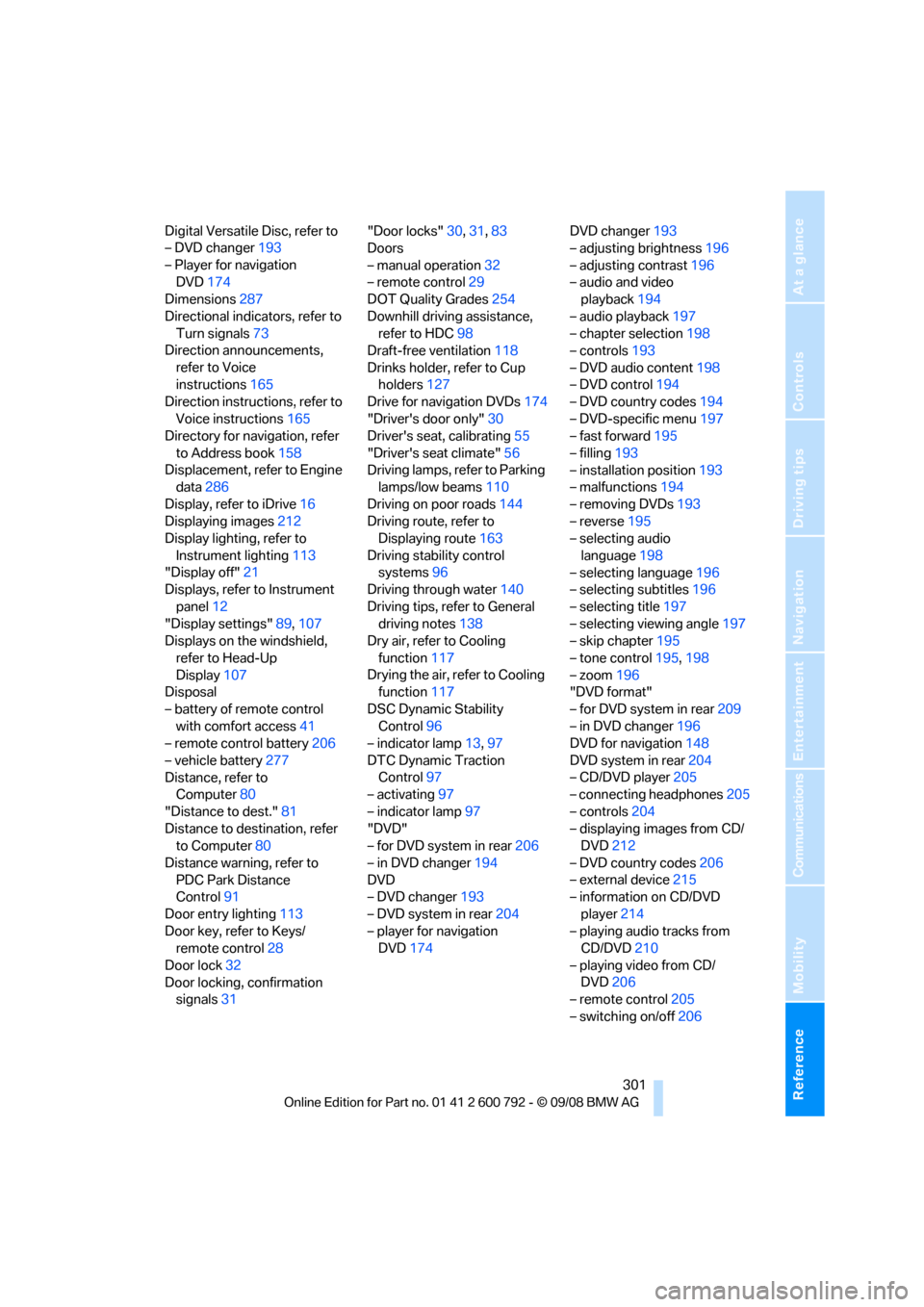
Door lock 32
Door locking, confirmation signals 31 "Door locks"
30,31,83
Doors
– manual operation 32
– remote control 29
DOT Quality Grades 254
Downhill driving assistance, refer to HDC 98
Draft-free ventilation 118
Drinks holder, refer to Cup holders 127
Drive for navigation DVDs 174
"Driver's door only" 30
Driver's seat, calibrating 55
"Driver's seat climate" 56
Dr
iving lamps, refer to Parking
lamps/low beams 110
Driving on poor roads 144
Driving route, refer to Displaying route 163
Driving stability control systems 96
Driving through water 140
Driving tips, refer to General driving notes 138
Dry air, refer to Cooling
function 117
Drying the air, refer to Cooling function 117
DSC Dynamic Stability Control 96
– indicator lamp 13,97
DTC Dynamic Traction Control 97
– activating 97
– indicator lamp 97
"DVD"
– for DVD system in rear 206
– in DVD changer 194
DVD
– DVD changer 193
– DVD system in rear 204
– player for navigation DVD 174 DVD changer
193
– adjusting brightness 196
– adjusting contrast 196
– audio and video playback 194
– audio playback 197
– chapter selection 198
– controls 193
– DVD audio content 198
– DVD control 194
– DVD country codes 194
– DVD-specific menu 197
– fast forward 195
– filling 193
– installation position 193
– malfunctions 194
– removing DVDs 193
– reverse 195
– selecting audio
language 198
– selecting language 196
– selecting subtitles 196
– selecting title 197
– selecting viewing angle 197
– skip chapter 195
– tone control 195,198
– zoom 196
"DVD form
at"
– for DVD system in rear 209
– in DVD changer 196
DVD for navigation 148
DVD system in rear 204
– CD/DVD player 205
– connecting headphones 205
– controls 204
– displaying images from CD/ DVD 212
– DVD country codes 206
– external device 215
– information on CD/DVD
player 214
– playing audio tracks from CD/DVD 210
– playing video from CD/ DVD 206
– remote control 205
– switching on/off 206
Page 304 of 317
Everything from A to Z
302
Dynamic Performance
Control 97
"Dynamic route" in navigation 161
Dynamic Stability Control
DSC 96
Dynamic Traction Control DTC 97
E
Easy entry/exit 58
Eject button, refer to Buttons
on the CD player 174
Electrical malfunction
– automatic transmission with
Steptronic 72
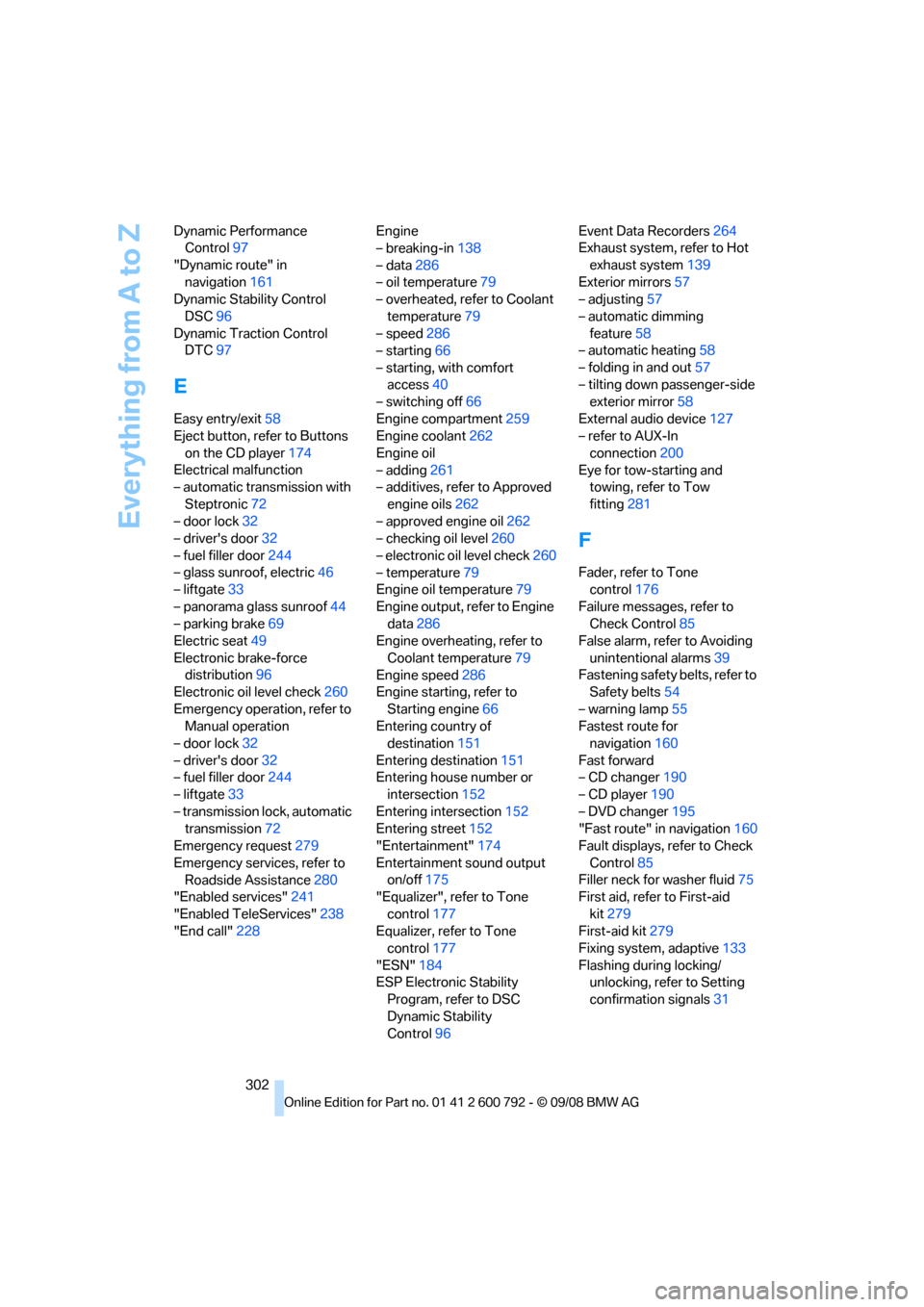
– door lock 32
– driver's door 32
– fuel filler door 244
– glass sunroof, electric 46
– liftgate 33
– panorama glass sunroof 44
– parking brake 69
Electric seat 49
Electronic brake-force distribution 96
Electronic oil level check 260
Emergency operation, refer to Manual operation
– door lock 32
– driver's door 32
– fuel filler door 244
– liftgate 33
– transmission lock, automatic transmission 72
Emergency request 279
Emergency services, refer to Roadside Assistance 280
"Enabled services" 241
"Enabled TeleServices" 238
"End call" 228 Engine
– breaking-in
138
– data 286
– oil temperature 79
– overheated, refer to Coolant
temperature 79
– speed 286
– starting 66
– starting, with comfort access 40
– switching off 66
Engine compartment 259
Engine coolant 262
Engine oil
– adding 261
– additives, refer to Approved
engine oils 262
– approved engine oil 262
– checking oil level 260
– electronic oil level check 260
– temperature 79
Engine oil temperature 79
Engine output, refer to Engine data 286
Engine overheating, refer to
Coolant temperature 79
Engine speed 286
Engine starting, refer to
Starting engine 66
E
ntering country of destination 151
Entering destination 151
Entering house number or intersection 152
Entering intersection 152
Entering street 152
"Entertainment" 174
Entertainment sound output on/off 175
"Equalizer", refer to Tone
control 177
Equalizer, refer to Tone control 177
"ESN" 184
ESP Electronic Stability Program, refer to DSC
Dynamic Stability
Control 96 Event Data Recorders
264
Exhaust system, refer to Hot
exhaust system 139
Exterior mirrors 57
– adjusting 57
– automatic dimming feature 58
– automatic heating 58
– folding in and out 57
– tilting down passenger-side exterior mirror 58
External audio device 127
– refer to AUX-In
connection 200
Eye for tow-starting and towing, refer to Tow
fitting 281
F
Fader, refer to Tone
control 176
Failure messages, refer to Check Control 85
False alarm, refer to Avoiding
unintentional alarms 39
Fastening safety belts, refer to Safety belts 54
– warning lamp 55
Fastest route for navigation 160
Fast forward
– CD changer 190
– CD player 190
– DVD changer 195
"Fast route" in navigation 160
Fault displays, refer to Check
Control 85
Filler neck for washer fluid 75
First aid, refer to First-aid
kit 279
First-aid kit 279
Fixing system, adaptive 133
Flashing during locking/ unlocking, refer to Setting
confirmation signals 31