radio controls BMW X6 2012 E71 User Guide
[x] Cancel search | Manufacturer: BMW, Model Year: 2012, Model line: X6, Model: BMW X6 2012 E71Pages: 312, PDF Size: 8.91 MB
Page 47 of 312
Controls
45Reference
At a glance
Driving tips
Communications
Navigation
Entertainment
Mobility
3.Press the button:
The LED in the button lights up.
4.Press the desired memory button1 or2:
the LED goes out.
The positions of the driver's seat, the exte-
rior mirrors, and steering wheel are stored
for the remote control currently in use.
Activating
Do not activate the memory function
while the vehicle is moving. There is a risk
of accident from unexpected movement of the
seat or steering wheel.<
Comfort mode
1.After unlocking, open the driver's door or
switch on radio readiness, refer to page58.
2.Briefly press the desired memory button1
or 2.
The adjusting procedure is canceled if you
briefly press a seat-adjusting switch or one of
the memory buttons.
Safety feature
1.Close the driver's door and switch the igni-
tion on or off, refer to page58.
2.Press the desired memory button1 or2
and maintain pressure until the adjustment
process has been completed.
If the button was pressed inadvertently:
press the button again; the LED goes out.
Activating with the remote control
The driver's seat position last set is stored for
the remote control currently in use.
You can select whether or not the seat is reset
to that position automatically.
When using this feature, always make
sure that the footwell behind the driver's
seat is empty and unobstructed. Failure to do
so could cause injury to persons or damage to
objects behind the seat as a result of a rearward
movement of the seat.
the memory buttons.
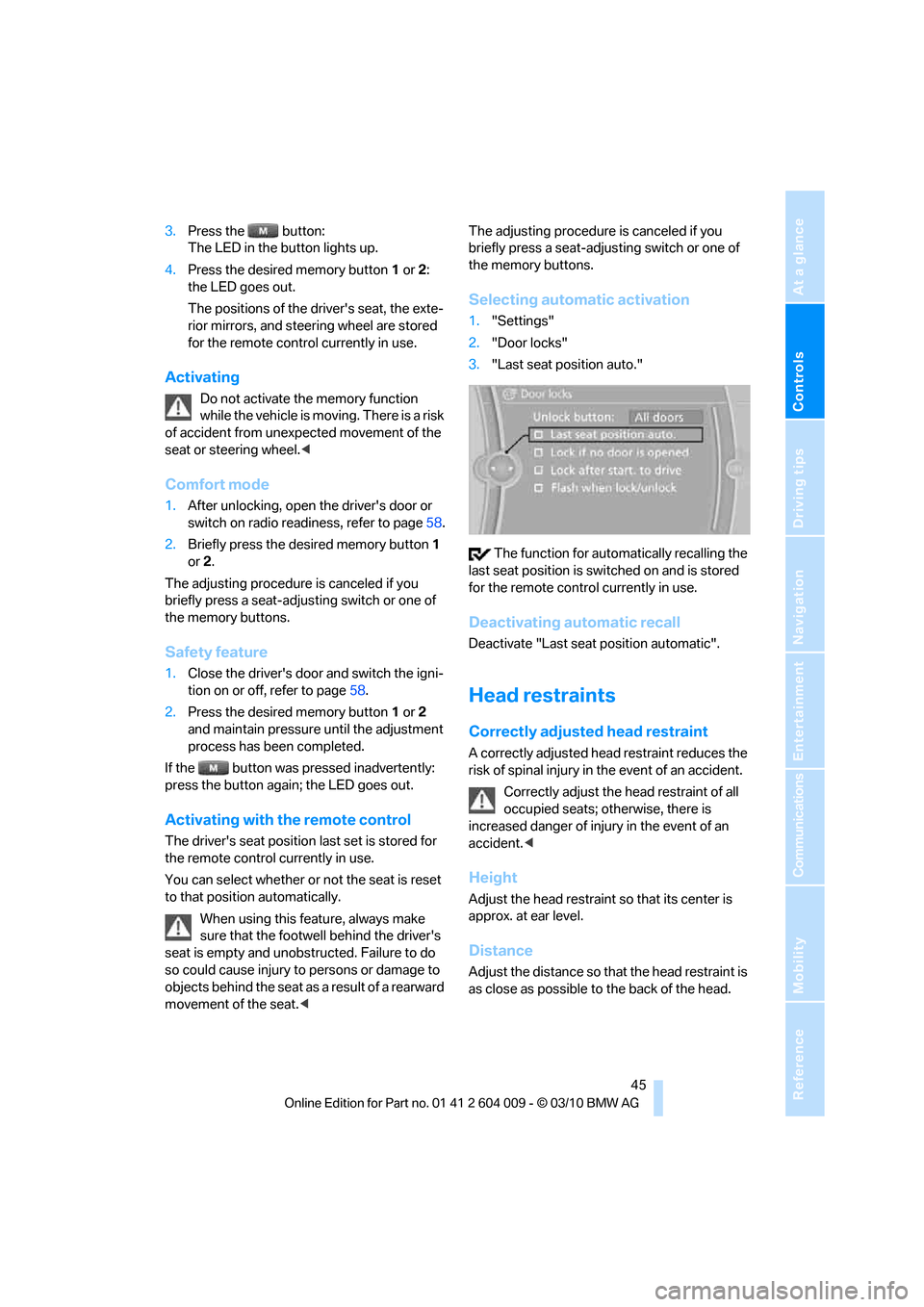
Selecting automatic activation
1."Settings"
2."Door locks"
3."Last seat position auto."
The function for automatically recalling the
last seat position is switched on and is stored
for the remote control currently in use.
Deactivating automatic recall
Deactivate "Last seat position automatic".
Head restraints
Correctly adjusted head restraint
A correctly adjusted head restraint reduces the
risk of spinal injury in the event of an accident.
Correctly adjust the head restraint of all
occupied seats; otherwise, there is
increased danger of injury in the event of an
accident.<
Height
Adjust the head restraint so that its center is
approx. at ear level.
Distance
Adjust the distance so that the head restraint is
as close as possible to the back of the head.
Page 78 of 312
Controls Overview
76
Controls Overview
Odometer, outside
temperature display, clock
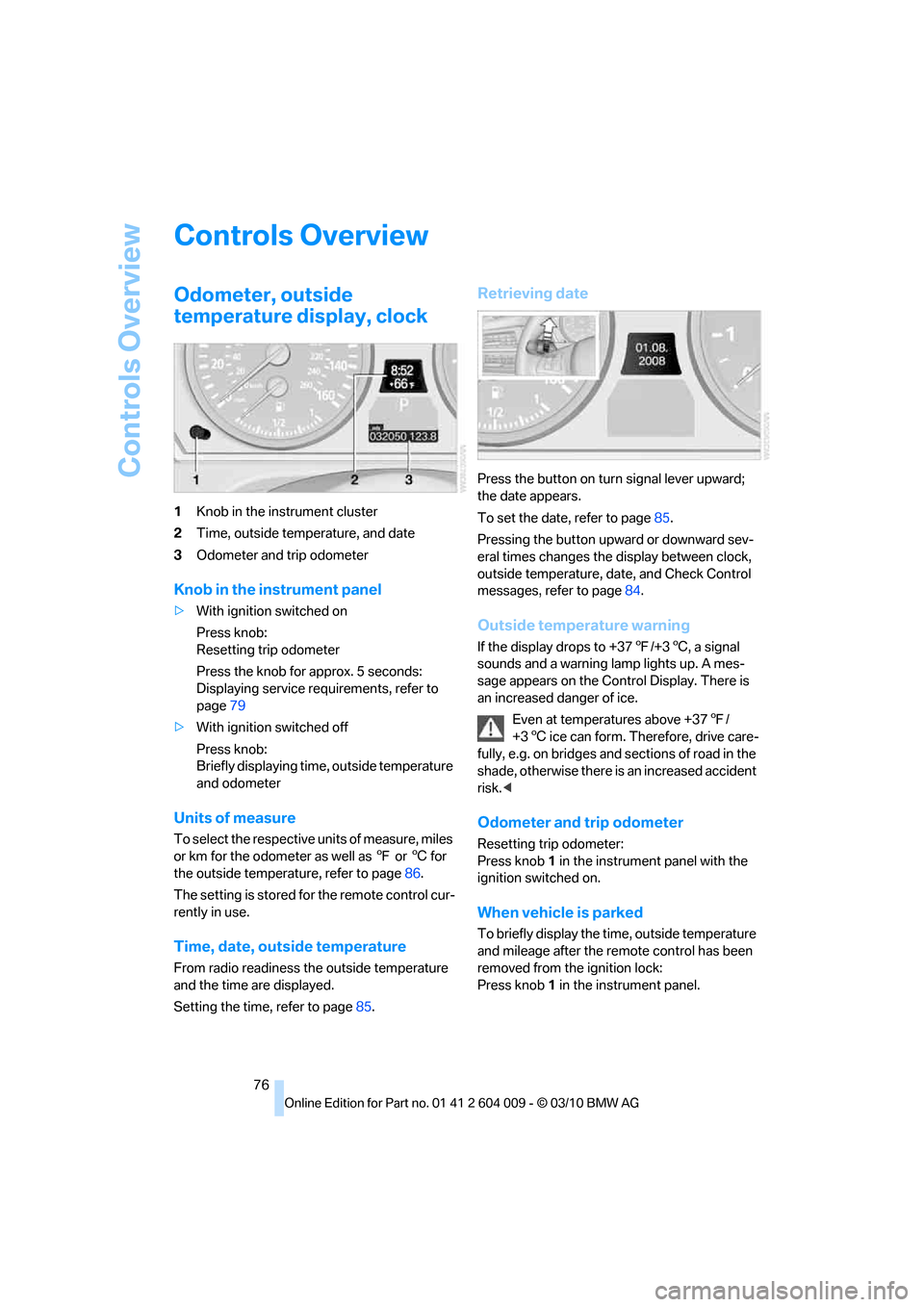
1Knob in the instrument cluster
2Time, outside temperature, and date
3Odometer and trip odometer
Knob in the instrument panel
>With ignition switched on
Press knob:
Resetting trip odometer
Press the knob for approx. 5 seconds:
Displaying service requirements, refer to
page79
>With ignition switched off
Press knob:
Briefly displaying time, outside temperature
and odometer
Units of measure
To select the respective units of measure, miles
or km for the odometer as well as 7 or 6 for
the outside temperature, refer to page86.
The setting is stored for the remote control cur-
rently in use.
Time, date, outside temperature
From radio readiness the outside temperature
and the time are displayed.
Setting the time, refer to page85.
Retrieving date
Press the button on turn signal lever upward;
the date appears.
To set the date, refer to page85.
Pressing the button upward or downward sev-
eral times changes the display between clock,
outside temperature, date, and Check Control
messages, refer to page84.
Outside temperature warning
If the display drops to +377/+36, a signal
sounds and a warning lamp lights up. A mes-
sage appears on the Control Display. There is
an increased danger of ice.
Even at temperatures above +377/
+36 ice can form. Therefore, drive care-
fully, e.g. on bridges and sections of road in the
shade, otherwise there is an increased accident
risk.<
Odometer and trip odometer
Resetting trip odometer:
Press knob 1 in the instrument panel with the
ignition switched on.
When vehicle is parked
To briefly display the time, outside temperature
and mileage after the remote control has been
removed from the ignition lock:
Press knob 1 in the instrument panel.
Page 103 of 312
Controls
101Reference
At a glance
Driving tips
Communications
Navigation
Entertainment
Mobility
If you have deactivated DSC, it will be activated
automatically.
When driving with a damaged tire:
1.Avoid sudden braking and steering maneu-
vers.
2.Do not exceed a speed of 50 mph/80 km/h.
If the defective tire continues to lose pres-
sure, its position will be indicated to you on
the Control Display.
3.At the next opportunity, check the air pres-
sure in all four tires.
If the tire inflation pressure in all four
tires is correct, the Flat Tire Monitor
may not have been initialized. The system
must then be initialized.<
Possible driving distance with complete loss of
tire inflation pressure.
>With a light load:
1 to 2 persons without luggage:
Approx. 155 miles/250 km
>With a medium load:
2 persons, cargo area full, or
4 persons without luggage:
Approx. 95 miles/150 km
>With a full load:
4 or more persons, cargo area full:
Approx. 30 miles/50 km
Drive cautiously and do not exceed
speeds of 50 mph/80 km/h or else you
run the risk of causing an accident.
A loss of tire inflation pressure results in a
change in the handling characteristics, e.g.
reduced lane stability during braking, a longer
braking distance and altered self-steering prop-
erties.<
Vibrations or loud noises while driving can
indicate complete failure of the tire.
Reduce your speed and stop; otherwise, pieces
of the tire could come loose and cause an acci-
dent. Do not continue driving, and contact your
BMW Sports Activity Vehicle Center.
Monitoring of the tire inflation pressure in the
four mounted tires. The system reports when
the tire inflation pressure has dropped consid-
erably in one or several tires.
Function requirements
The system must have been reset while the
inflation pressure was correct; otherwise, reli-
able signaling of a flat tire is not ensured.
Always use wheels with TPM electronics to
ensure that the system will operate properly.
Reset the system again after each correc-
tion of the tire inflation pressure and after
every tire or wheel change.<
System limits
Sudden serious tire damage caused by
external influences cannot be indicated in
advance.<
The system does not operate correctly if it has
not been reset. For example, a flat tire may be
indicated despite correct tire inflation pres-
sures.
The system is inactive and cannot indicate a flat
tire:
>If a wheel without TPM electronics is
mounted, e.g. a compact wheel
*
>If the TPM is disturbed by other systems or
devices with the same radio frequency
Status display
The current status of the Tire Pressure Monitor
TPM can be displayed on the Control Display,
e.g. whether or not the TPM is active.
1."Vehicle Info"
2."Vehicle status"
Page 105 of 312
Controls
103Reference
At a glance
Driving tips
Communications
Navigation
Entertainment
Mobility
Message with low tire inflation
pressure
The warning lamp lights up yellow. A
message appears on the Control Dis-
play. In addition, an acoustic signal
sounds.
>There is a flat tire or a major loss in tire infla-
tion pressure.
>The system was not reset after a wheel
change and thus issues a warning based on
the inflation pressures initialized last.
Cautiously reduce speed to below 50 mph/
80 km/h. Avoid sudden braking and steering
maneuvers. Do not exceed a speed of 50 mph/
80 km/h.
If the vehicle is not equipped with run-flat
tires as provided at the factory, refer to
page249, do not continue driving. Continuing
to drive with a flat tire could cause severe acci-
dents.<
Continued driving with a flat tire
Possible driving distance with complete loss of
tire inflation pressure:
>With a light load:
1 to 2 persons without luggage:
Approx. 155 miles/250 km
>With a medium load:
2 persons, cargo area full, or
4 persons without luggage:
Approx. 95 miles/150 km
>With a full load:
4 or more persons, cargo area full:
Approx. 30 miles/50 km
Drive reservedly and do not exceed a
speed of 50 mph/80 km/h.
A loss of tire inflation pressure results in a
change in the handling characteristics, e.g.
reduced lane stability during braking, a longer
braking distance and altered self-steering prop-
erties.<
Vibrations or loud noises while driving can
indicate complete failure of the tire.
Reduce your speed and stop; otherwise, pieces
of the tire could come loose and cause an acci-dent. Do not continue driving, and contact your
BMW Sports Activity Vehicle Center.<
Message when not reset
The yellow warning lamp lights up. A
message appears on the Control Dis-
play.
The system is not reset, e.g. after a wheel
change.
Check the tire inflation pressure and reset the
system, refer to page102.
Malfunction
The yellow warning lamp flashes and
then lights up continuously. The tires
are displayed in gray on the Control
Display. No flat tire can be detected.
Display in the following situations:
>Malfunction:
Have the system checked
>If a wheel without TPM electronics is
mounted, e.g. a compact wheel
*
>Interference due to systems or devices that
use the same radio frequency:
The system automatically reactivates once
it is outside of the field of interference.
Explanation according to the NHTSA/
FMVSS 138 Tire Pressure Monitoring
Systems
Each tire, including the spare (if provided),
should be checked monthly when cold and
inflated to the inflation pressure recommended
by the vehicle manufacturer on the vehicle plac-
ard or tire inflation pressure label. (If your vehi-
cle has tires of a different size than the size indi-
cated on the vehicle placard or tire inflation
pressure label, you should determine the
proper tire inflation pressure for those tires.)
As an added safety feature, your vehicle has
been equipped with a tire pressure monitoring
system (TPMS) that illuminates a low tire pres-
sure telltale when one or more of your tires is
significantly underinflated. Accordingly, when
the low tire pressure telltale illuminates, you
should stop and check your tires as soon as
Page 117 of 312
Controls
115Reference
At a glance
Driving tips
Communications
Navigation
Entertainment
Mobility
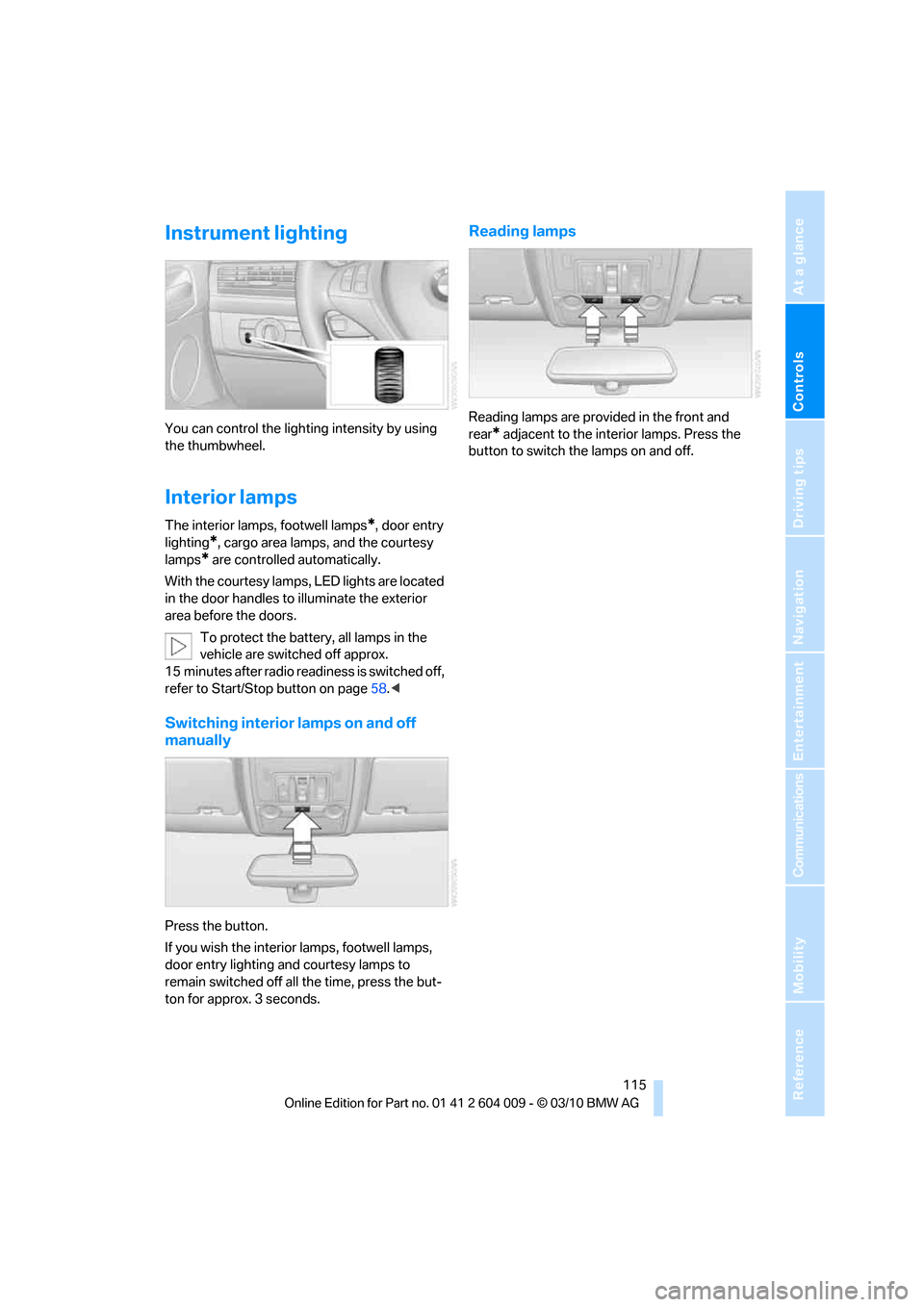
Instrument lighting
You can control the lighting intensity by using
the thumbwheel.
Interior lamps
The interior lamps, footwell lamps*, door entry
lighting
*, cargo area lamps, and the courtesy
lamps
* are controlled automatically.
With the courtesy lamps, LED lights are located
in the door handles to illuminate the exterior
area before the doors.
To protect the battery, all lamps in the
vehicle are switched off approx.
15 minutes after radio readiness is switched off,
refer to Start/Stop button on page58.<
Switching interior lamps on and off
manually
Press the button.
If you wish the interior lamps, footwell lamps,
door entry lighting and courtesy lamps to
remain switched off all the time, press the but-
ton for approx. 3 seconds.
Reading lamps
Reading lamps are provided in the front and
rear
* adjacent to the interior lamps. Press the
button to switch the lamps on and off.
Page 163 of 312
Navigation
Driving tips
161Reference
At a glance
Controls
Communications
Entertainment
Mobility
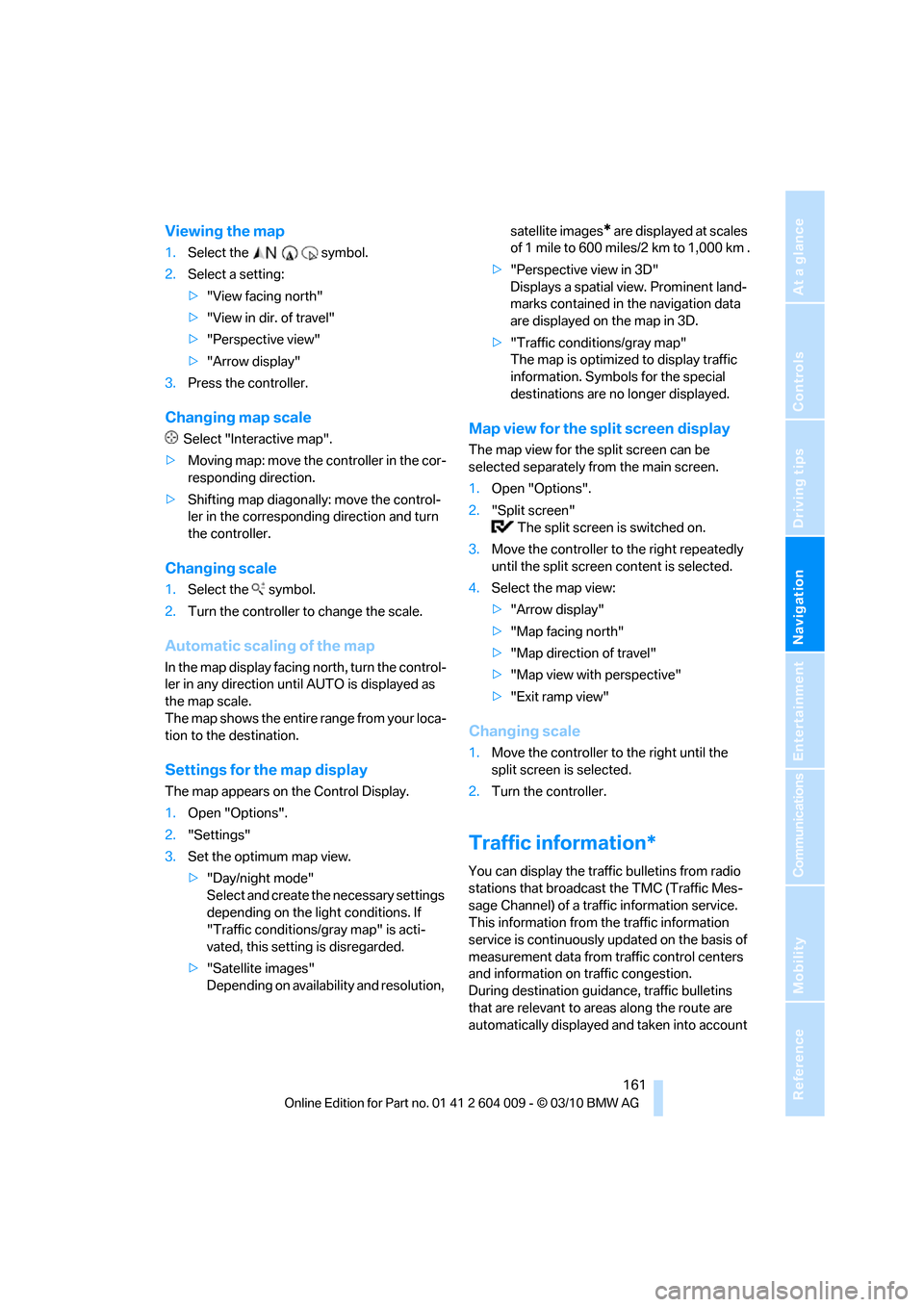
Viewing the map
1.Select the symbol.
2.Select a setting:
>"View facing north"
>"View in dir. of travel"
>"Perspective view"
>"Arrow display"
3.Press the controller.
Changing map scale
Select "Interactive map".
>Moving map: move the controller in the cor-
responding direction.
>Shifting map diagonally: move the control-
ler in the corresponding direction and turn
the controller.
Changing scale
1.Select the symbol.
2.Turn the controller to change the scale.
Automatic scaling of the map
In the map display facing north, turn the control-
ler in any direction until AUTO is displayed as
the map scale.
The map shows the entire range from your loca-
tion to the destination.
Settings for the map display
The map appears on the Control Display.
1.Open "Options".
2."Settings"
3.Set the optimum map view.
>"Day/night mode"
Select and create the necessary settings
depending on the light conditions. If
"Traffic conditions/gray map" is acti-
vated, this setting is disregarded.
>"Satellite images"
Depending on availability and resolution, satellite images
* are displayed at scales
of 1 mile to 600 miles/2 km to 1,000 km .
>"Perspective view in 3D"
Displays a spatial view. Prominent land-
marks contained in the navigation data
are displayed on the map in 3D.
>"Traffic conditions/gray map"
The map is optimized to display traffic
information. Symbols for the special
destinations are no longer displayed.
Map view for the split screen display
The map view for the split screen can be
selected separately from the main screen.
1.Open "Options".
2."Split screen"
The split screen is switched on.
3.Move the controller to the right repeatedly
until the split screen content is selected.
4.Select the map view:
>"Arrow display"
>"Map facing north"
>"Map direction of travel"
>"Map view with perspective"
>"Exit ramp view"
Changing scale
1.Move the controller to the right until the
split screen is selected.
2.Turn the controller.
Traffic information*
You can display the traffic bulletins from radio
stations that broadcast the TMC (Traffic Mes-
sage Channel) of a traffic information service.
This information from the traffic information
service is continuously updated on the basis of
measurement data from traffic control centers
and information on traffic congestion.
During destination guidance, traffic bulletins
that are relevant to areas along the route are
automatically displayed and taken into account
Page 170 of 312
On/off and tone
168
On/off and tone
The following audio and video sources share
the same control elements and adjustments:
>Radio
>CD/DVD player
>CD/DVD changer
*
>Video*
>External devices, e.g. MP3 player
Controls
The audio and video sources can be controlled
using:
>Buttons near the CD/DVD player
>iDrive
>Buttons on the steering wheel, refer to
page10
>Programmable memory buttons, refer to
page20
>Voice activation system
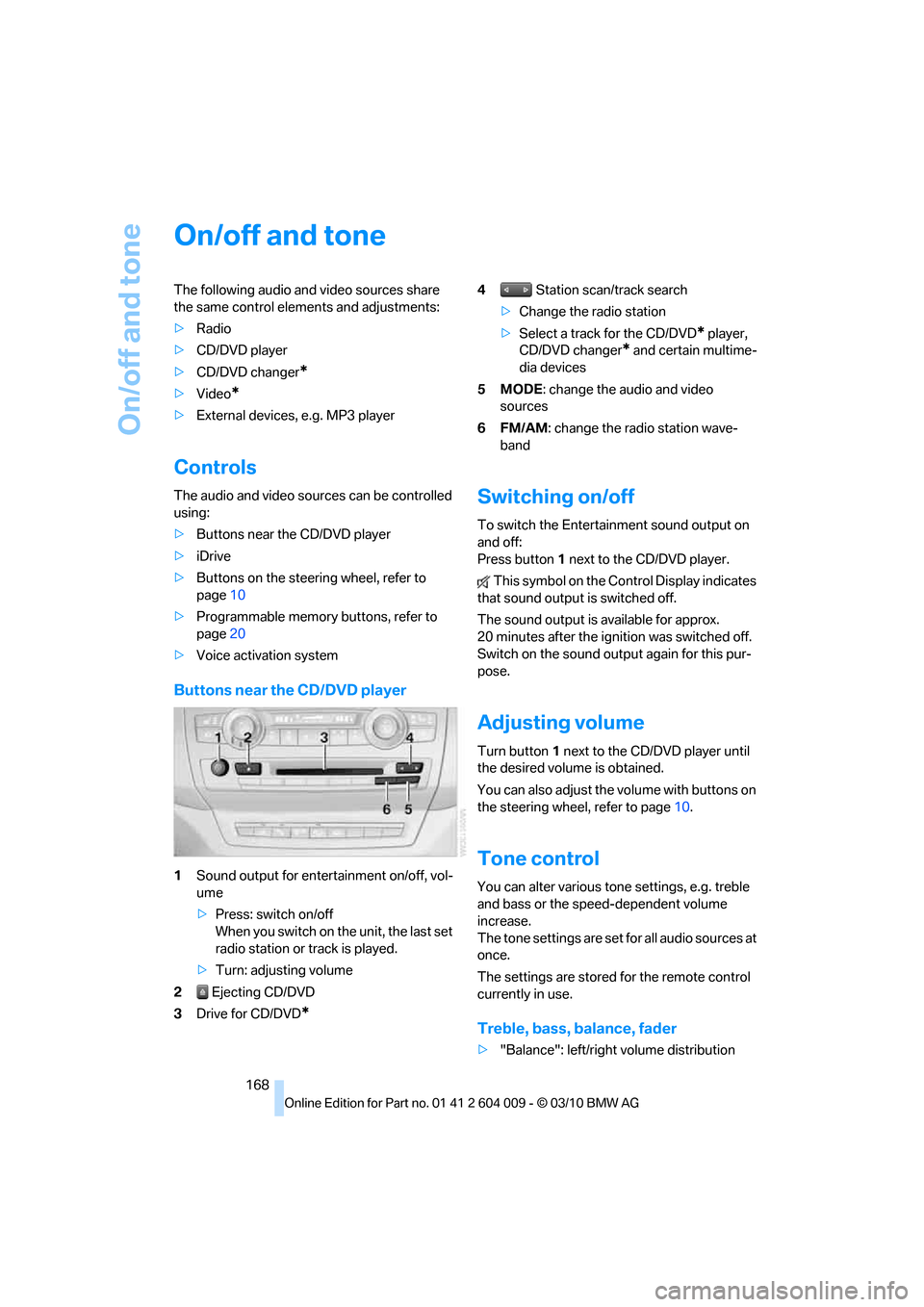
Buttons near the CD/DVD player
1Sound output for entertainment on/off, vol-
ume
>Press: switch on/off
When you switch on the unit, the last set
radio station or track is played.
>Turn: adjusting volume
2 Ejecting CD/DVD
3Drive for CD/DVD
*
4 Station scan/track search
>Change the radio station
>Select a track for the CD/DVD
* player,
CD/DVD changer
* and certain multime-
dia devices
5MODE: change the audio and video
sources
6FM/AM: change the radio station wave-
band
Switching on/off
To switch the Entertainment sound output on
and off:
Press button1 next to the CD/DVD player.
This symbol on the Control Display indicates
that sound output is switched off.
The sound output is available for approx.
20 minutes after the ignition was switched off.
Switch on the sound output again for this pur-
pose.
Adjusting volume
Turn button1 next to the CD/DVD player until
the desired volume is obtained.
You can also adjust the volume with buttons on
the steering wheel, refer to page10.
Tone control
You can alter various tone settings, e.g. treble
and bass or the speed-dependent volume
increase.
The tone settings are set for all audio sources at
once.
The settings are stored for the remote control
currently in use.
Treble, bass, balance, fader
>"Balance": left/right volume distribution
Page 171 of 312
Navigation
Entertainment
Driving tips
169Reference
At a glance
Controls
Communications
Mobility
>"Fader": front/rear volume distribution
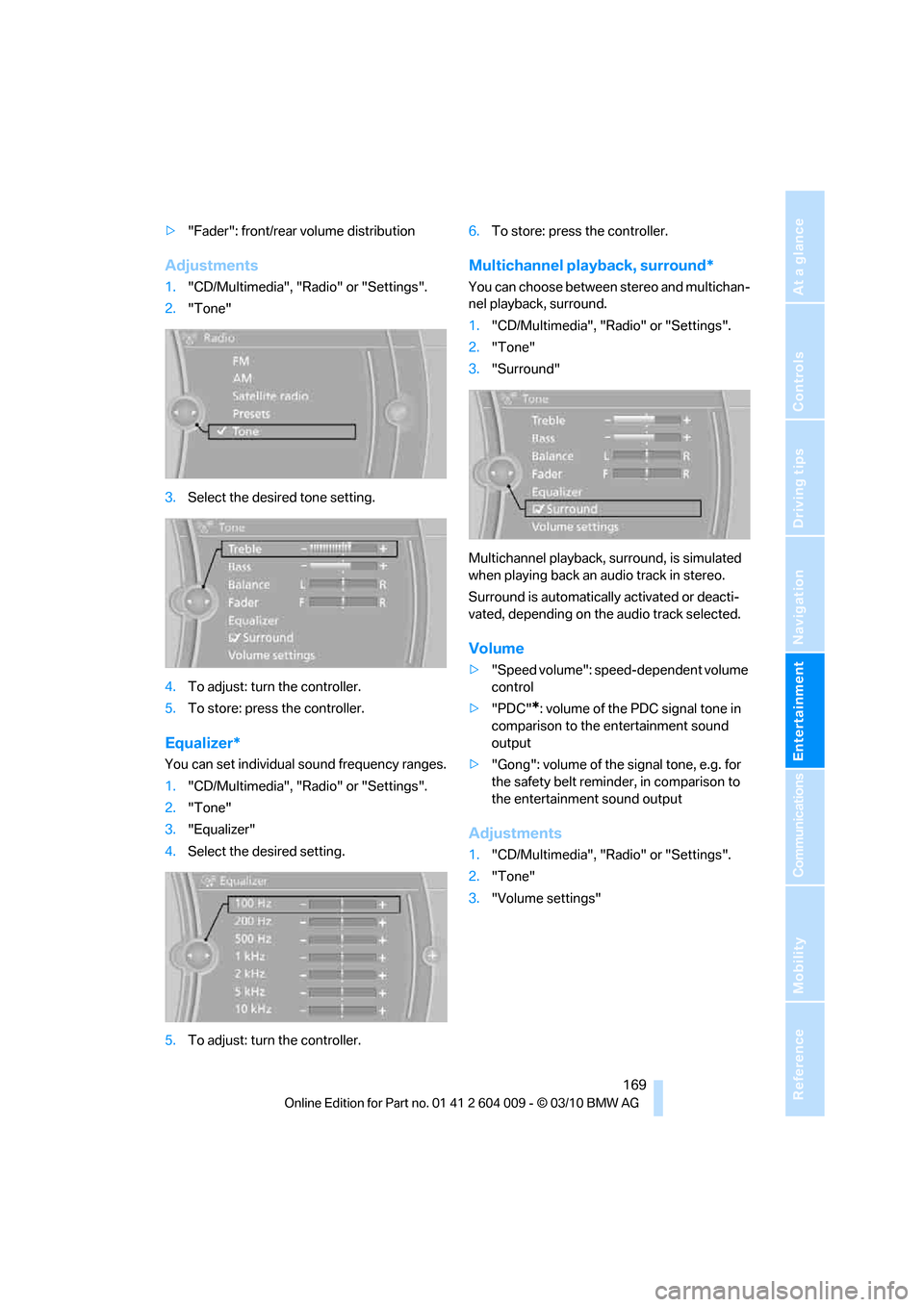
Adjustments
1."CD/Multimedia", "Radio" or "Settings".
2."Tone"
3.Select the desired tone setting.
4.To adjust: turn the controller.
5.To store: press the controller.
Equalizer*
You can set individual sound frequency ranges.
1."CD/Multimedia", "Radio" or "Settings".
2."Tone"
3."Equalizer"
4.Select the desired setting.
5.To adjust: turn the controller.6.To store: press the controller.
Multichannel playback, surround*
You can choose between stereo and multichan-
nel playback, surround.
1."CD/Multimedia", "Radio" or "Settings".
2."Tone"
3."Surround"
Multichannel playback, surround, is simulated
when playing back an audio track in stereo.
Surround is automatically activated or deacti-
vated, depending on the audio track selected.
Volume
>"Speed volume": speed-dependent volume
control
>"PDC"
*: volume of the PDC signal tone in
comparison to the entertainment sound
output
>"Gong": volume of the signal tone, e.g. for
the safety belt reminder, in comparison to
the entertainment sound output
Adjustments
1."CD/Multimedia", "Radio" or "Settings".
2."Tone"
3."Volume settings"
Page 173 of 312
Navigation
Entertainment
Driving tips
171Reference
At a glance
Controls
Communications
Mobility
Radio
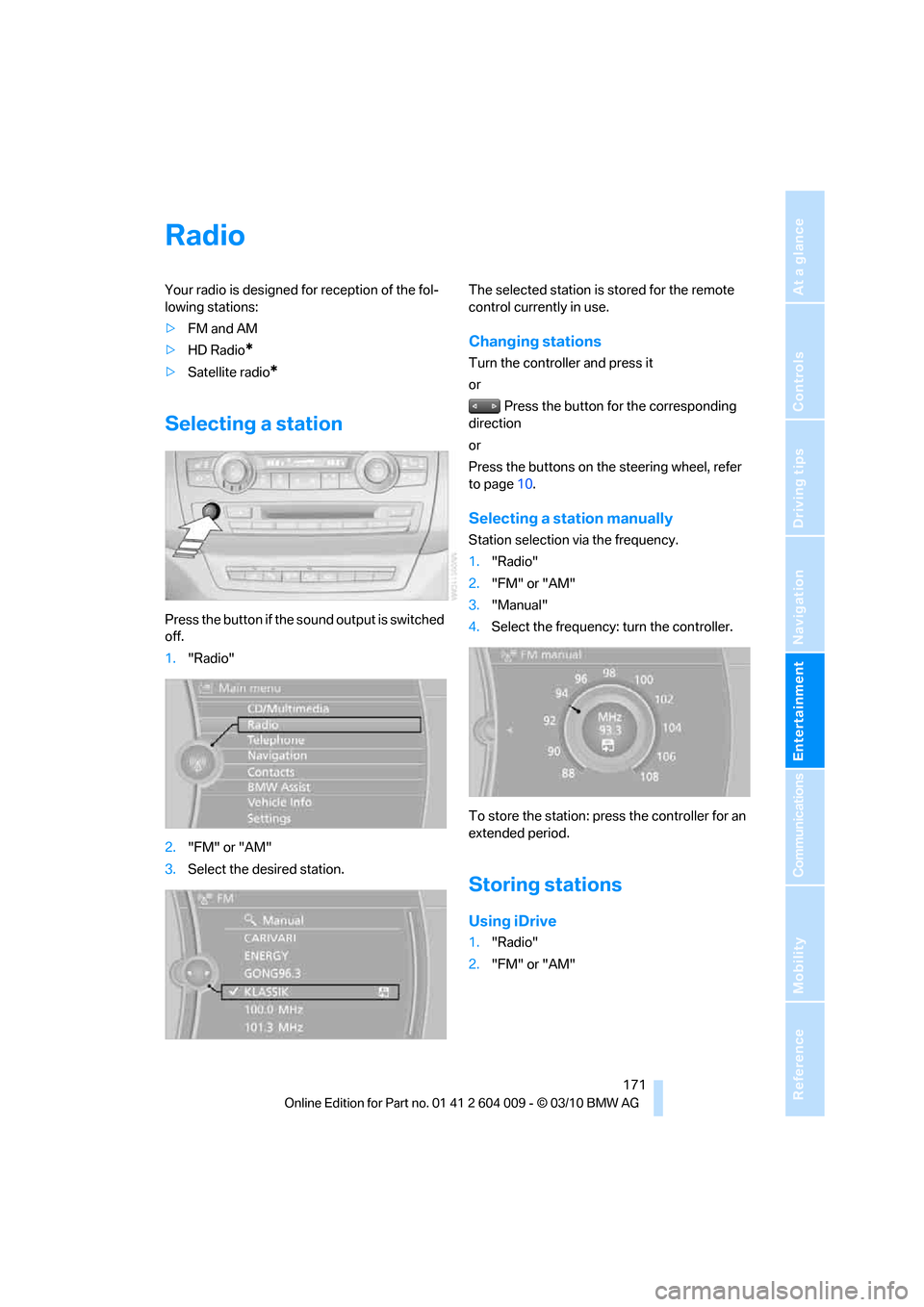
Your radio is designed for reception of the fol-
lowing stations:
>FM and AM
>HD Radio
*
>Satellite radio*
Selecting a station
Press the button if the sound output is switched
off.
1."Radio"
2."FM" or "AM"
3.Select the desired station.The selected station is stored for the remote
control currently in use.
Changing stations
Turn the controller and press it
or
Press the button for the corresponding
direction
or
Press the buttons on the steering wheel, refer
to page10.
Selecting a station manually
Station selection via the frequency.
1."Radio"
2."FM" or "AM"
3."Manual"
4.Select the frequency: turn the controller.
To store the station: press the controller for an
extended period.
Storing stations
Using iDrive
1."Radio"
2."FM" or "AM"
Page 175 of 312
Navigation
Entertainment
Driving tips
173Reference
At a glance
Controls
Communications
Mobility
Displaying additional information
Some stations broadcast additional information
on the current track, such as the name of the
artist.
1.Select the desired station.
2.Open "Options".
3."Station info"
Selecting a substation
This symbol indicates that a main station also
broadcasts additional substations. The station
name of the main station ends in HD1. The sta-
tion names of the substations end in HD2, HD3,
etc.
1.Select the desired station.
2.Press the controller.
3.Select the substation.
When reception is poor, the substation is muted
for several seconds. If reception is interrupted
for an extended period, the radio switches back
to the main station.
Stored stations
It is possible to store up to 40 stations.
Selecting a station
1."Radio"
2."Presets"
3.Select the desired station.
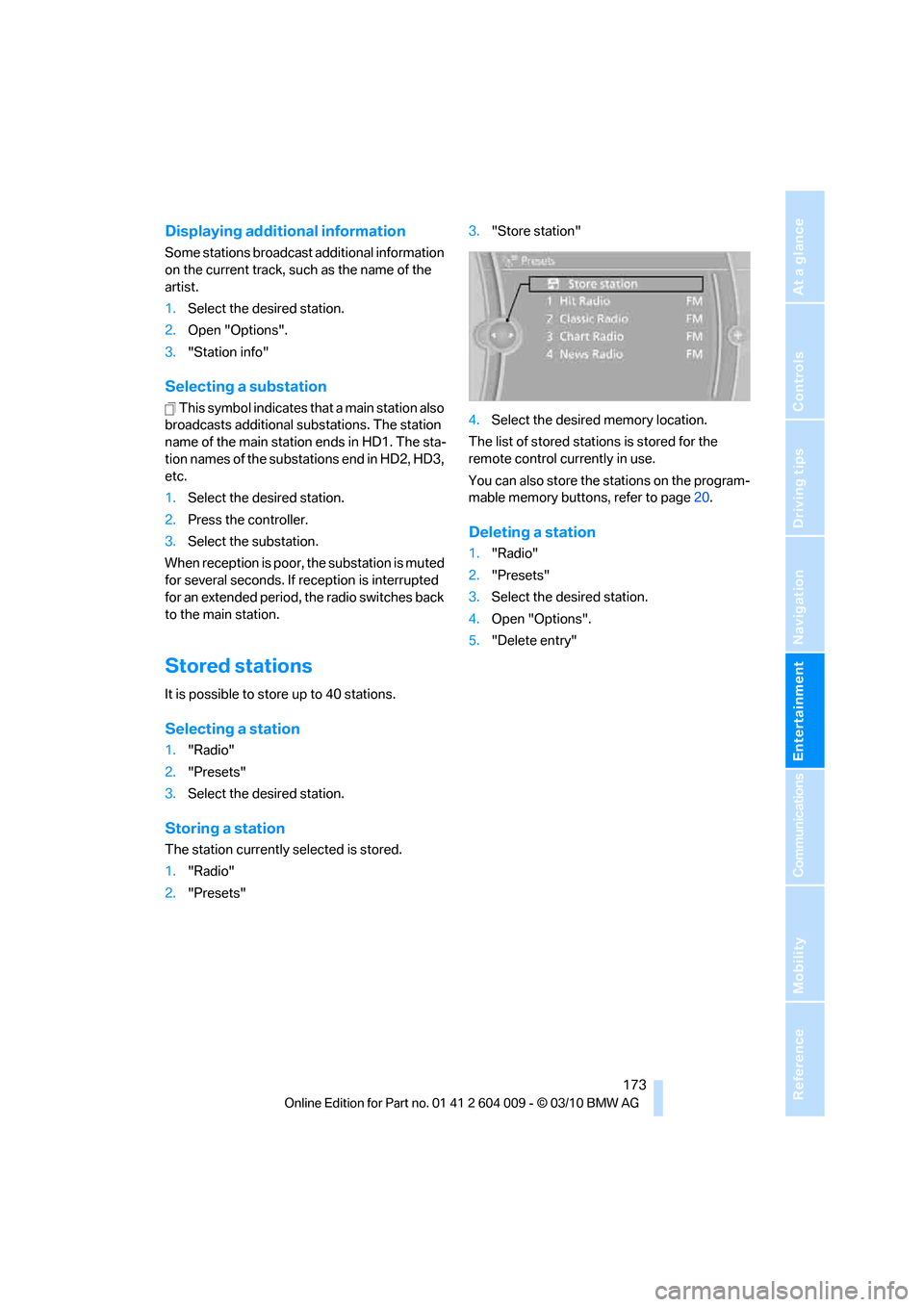
Storing a station
The station currently selected is stored.
1."Radio"
2."Presets"3."Store station"
4.Select the desired memory location.
The list of stored stations is stored for the
remote control currently in use.
You can also store the stations on the program-
mable memory buttons, refer to page20.
Deleting a station
1."Radio"
2."Presets"
3.Select the desired station.
4.Open "Options".
5."Delete entry"