Drive BMW X6 2013 E71 Owner's Guide
[x] Cancel search | Manufacturer: BMW, Model Year: 2013, Model line: X6, Model: BMW X6 2013 E71Pages: 345, PDF Size: 9.45 MB
Page 33 of 345
Convenient opening
Press and hold the button on the remote
control.
The windows and the glass sunroof/panoramic
glass sunroof open.
Locking
Press the button on the remote con‐
trol.
Locking from the outside
Do not lock the vehicle from the outside
if there are people in it, as the vehicle cannot
be unlocked from inside without special knowl‐
edge.◀
Switching on the interior lamps and
courtesy lamps
Press the button on the remote con‐
trol with the vehicle locked.
Panic mode
You can trigger the alarm system if you find
yourself in a dangerous situation.
Press the button on the remote control for
at least 3 seconds.
To switch off the alarm: press any button.
Unlocking tailgate
Press the button on the remote control for
approx. 1 second and release.
The tailgate will open slightly, regardless of
whether it was previously locked or unlocked.
With automatic tailgate operation: the tailgate
opens automatically.
The tailgate pivots back and up when it opens.
Ensure that adequate clearance is available
before opening.
To avoid locking yourself out of the vehicle, do
not place the remote control into the cargo
area. The tailgate is locked again as soon as it
is pushed closed.
Before and after each trip, check that the tail‐
gate has not been inadvertently unlocked.
Provide edge protection
Sharp or angular objects can hit the rear
window while driving and damage the heating
wires of the rear window. Provide edge protec‐
tion.◀
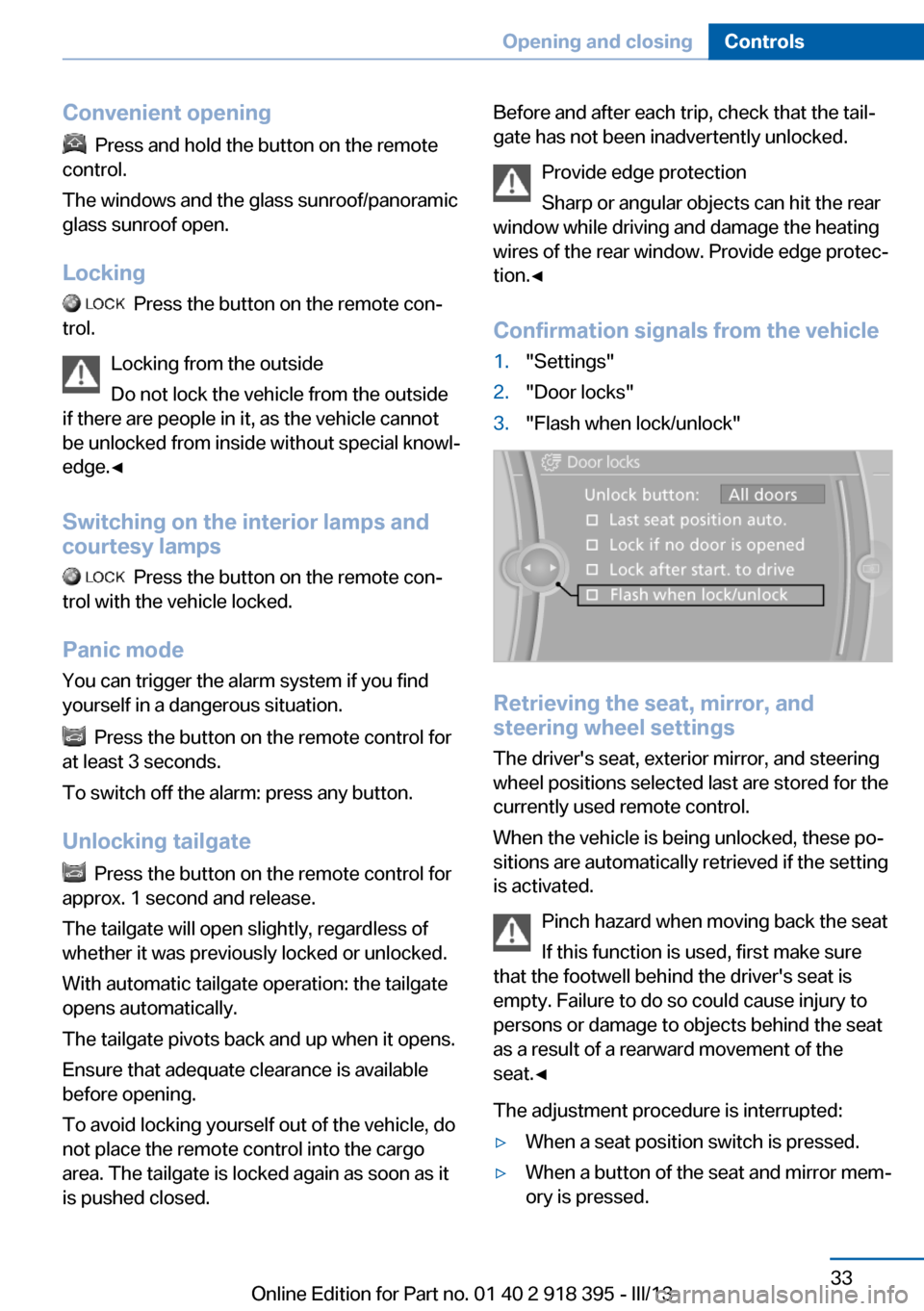
Confirmation signals from the vehicle1."Settings"2."Door locks"3."Flash when lock/unlock"
Retrieving the seat, mirror, and
steering wheel settings
The driver's seat, exterior mirror, and steering
wheel positions selected last are stored for the
currently used remote control.
When the vehicle is being unlocked, these po‐
sitions are automatically retrieved if the setting
is activated.
Pinch hazard when moving back the seat
If this function is used, first make sure
that the footwell behind the driver's seat is
empty. Failure to do so could cause injury to
persons or damage to objects behind the seat
as a result of a rearward movement of the
seat.◀
The adjustment procedure is interrupted:
▷When a seat position switch is pressed.▷When a button of the seat and mirror mem‐
ory is pressed.Seite 33Opening and closingControls33
Online Edition for Part no. 01 40 2 918 395 - III/13
Page 34 of 345
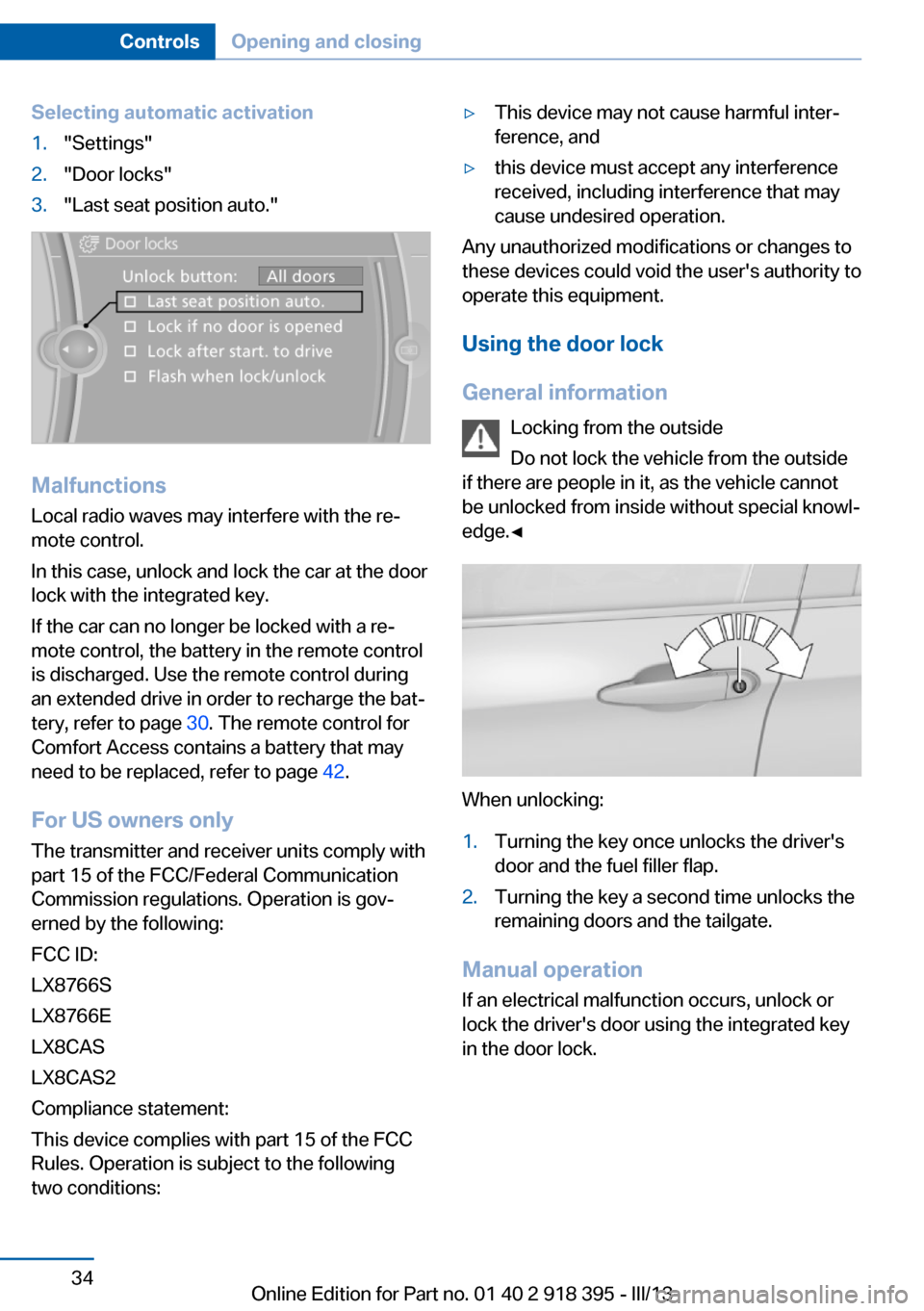
Selecting automatic activation1."Settings"2."Door locks"3."Last seat position auto."
MalfunctionsLocal radio waves may interfere with the re‐
mote control.
In this case, unlock and lock the car at the door
lock with the integrated key.
If the car can no longer be locked with a re‐
mote control, the battery in the remote control
is discharged. Use the remote control during
an extended drive in order to recharge the bat‐
tery, refer to page 30. The remote control for
Comfort Access contains a battery that may
need to be replaced, refer to page 42.
For US owners only
The transmitter and receiver units comply with
part 15 of the FCC/Federal Communication
Commission regulations. Operation is gov‐
erned by the following:
FCC ID:
LX8766S
LX8766E
LX8CAS
LX8CAS2
Compliance statement:
This device complies with part 15 of the FCC
Rules. Operation is subject to the following
two conditions:
▷This device may not cause harmful inter‐
ference, and▷this device must accept any interference
received, including interference that may
cause undesired operation.
Any unauthorized modifications or changes to
these devices could void the user's authority to
operate this equipment.
Using the door lock
General information Locking from the outside
Do not lock the vehicle from the outside
if there are people in it, as the vehicle cannot
be unlocked from inside without special knowl‐
edge.◀
When unlocking:
1.Turning the key once unlocks the driver's
door and the fuel filler flap.2.Turning the key a second time unlocks the
remaining doors and the tailgate.
Manual operation
If an electrical malfunction occurs, unlock or
lock the driver's door using the integrated key
in the door lock.
Seite 34ControlsOpening and closing34
Online Edition for Part no. 01 40 2 918 395 - III/13
Page 35 of 345
Opening and closing: from
the inside
Locking and unlocking
Press the button in the vehicle.
The doors and the tailgate are locked or un‐
locked when the front doors are closed, but
they are not secured against theft.
The fuel filler flap remains unlocked.
Automatic locking The setting is stored for the remote control
currently in use.
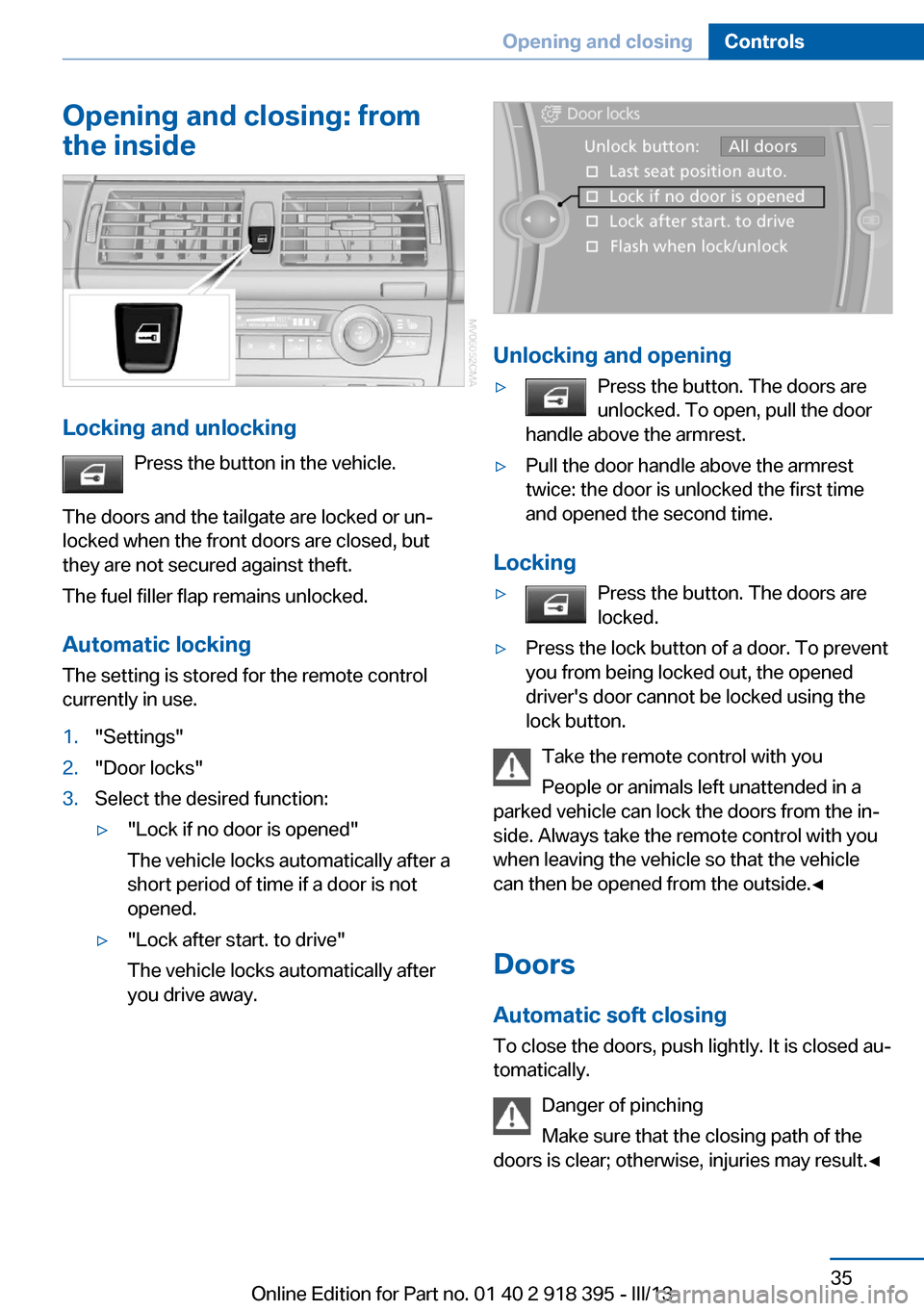
1."Settings"2."Door locks"3.Select the desired function:▷"Lock if no door is opened"
The vehicle locks automatically after a
short period of time if a door is not
opened.▷"Lock after start. to drive"
The vehicle locks automatically after
you drive away.
Unlocking and opening
▷Press the button. The doors are
unlocked. To open, pull the door
handle above the armrest.▷Pull the door handle above the armrest
twice: the door is unlocked the first time
and opened the second time.
Locking
▷Press the button. The doors are
locked.▷Press the lock button of a door. To prevent
you from being locked out, the opened
driver's door cannot be locked using the
lock button.
Take the remote control with you
People or animals left unattended in a
parked vehicle can lock the doors from the in‐
side. Always take the remote control with you
when leaving the vehicle so that the vehicle
can then be opened from the outside.◀
Doors Automatic soft closing To close the doors, push lightly. It is closed au‐
tomatically.
Danger of pinching
Make sure that the closing path of the
doors is clear; otherwise, injuries may result.◀
Seite 35Opening and closingControls35
Online Edition for Part no. 01 40 2 918 395 - III/13
Page 36 of 345
BMW X5: upper tailgate
Opening
The tailgate pivots back and up when it opens.
Ensure that adequate clearance is available
before opening.
Provide edge protection
Sharp or angular objects can hit the rear
window while driving and damage the heating
wires of the rear window. Provide edge protec‐
tion.◀
Opening from the inside
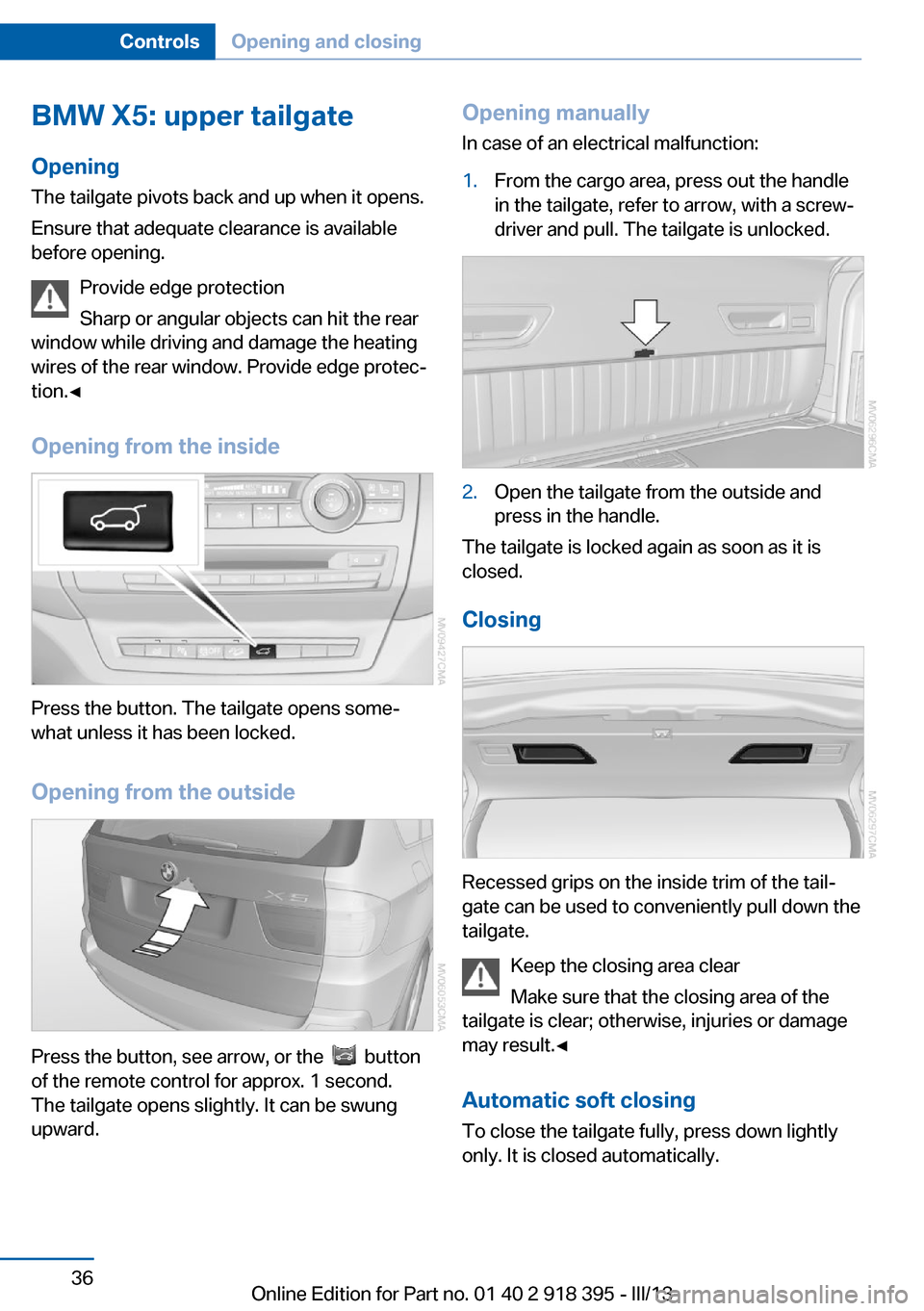
Press the button. The tailgate opens some‐
what unless it has been locked.
Opening from the outside
Press the button, see arrow, or the button
of the remote control for approx. 1 second.
The tailgate opens slightly. It can be swung
upward.
Opening manually
In case of an electrical malfunction:1.From the cargo area, press out the handle
in the tailgate, refer to arrow, with a screw‐
driver and pull. The tailgate is unlocked.2.Open the tailgate from the outside and
press in the handle.
The tailgate is locked again as soon as it is
closed.
Closing
Recessed grips on the inside trim of the tail‐
gate can be used to conveniently pull down the
tailgate.
Keep the closing area clear
Make sure that the closing area of the
tailgate is clear; otherwise, injuries or damage
may result.◀
Automatic soft closing To close the tailgate fully, press down lightly
only. It is closed automatically.
Seite 36ControlsOpening and closing36
Online Edition for Part no. 01 40 2 918 395 - III/13
Page 40 of 345
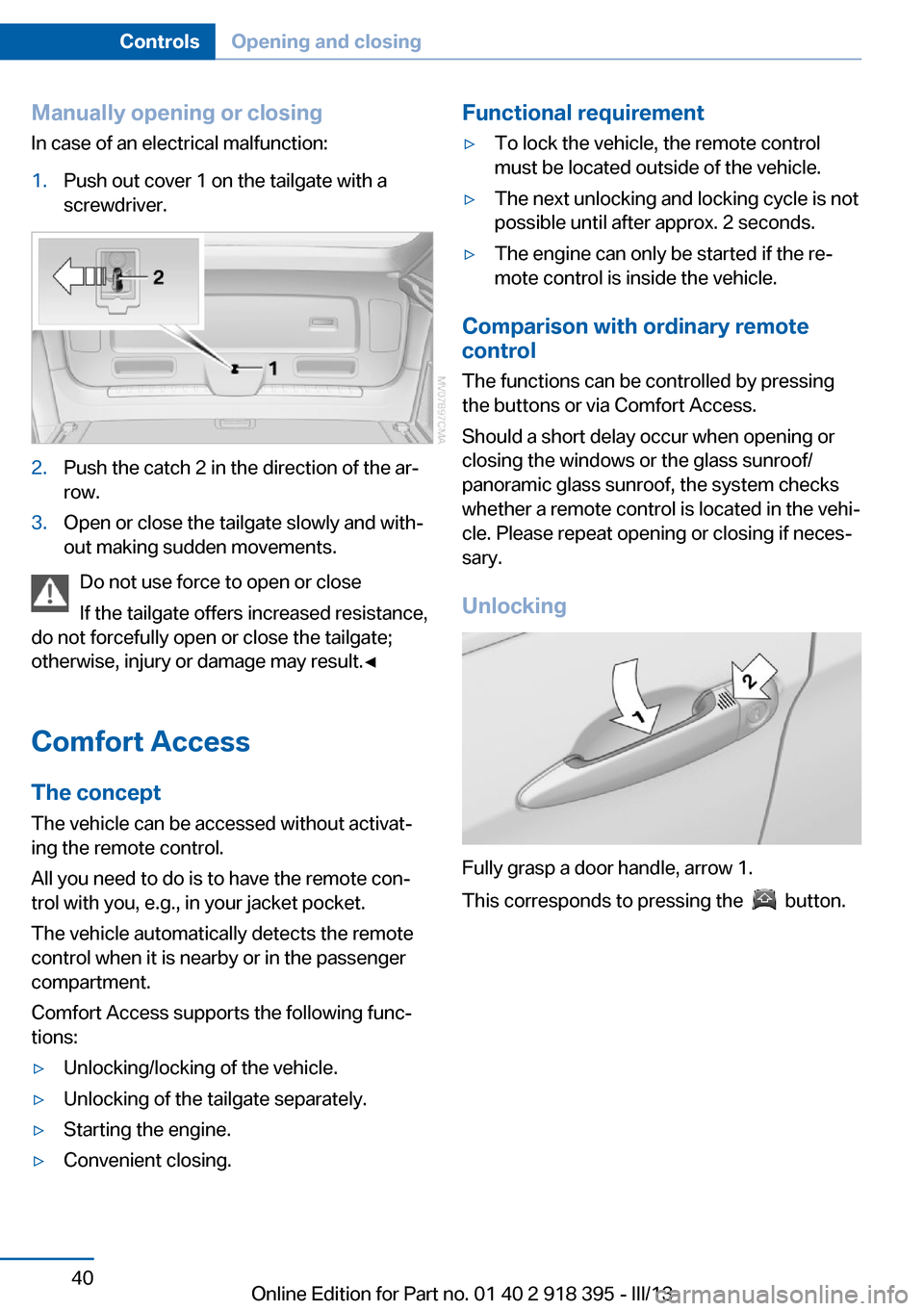
Manually opening or closing
In case of an electrical malfunction:1.Push out cover 1 on the tailgate with a
screwdriver.2.Push the catch 2 in the direction of the ar‐
row.3.Open or close the tailgate slowly and with‐
out making sudden movements.
Do not use force to open or close
If the tailgate offers increased resistance,
do not forcefully open or close the tailgate;
otherwise, injury or damage may result.◀
Comfort Access The concept
The vehicle can be accessed without activat‐
ing the remote control.
All you need to do is to have the remote con‐
trol with you, e.g., in your jacket pocket.
The vehicle automatically detects the remote
control when it is nearby or in the passenger
compartment.
Comfort Access supports the following func‐
tions:
▷Unlocking/locking of the vehicle.▷Unlocking of the tailgate separately.▷Starting the engine.▷Convenient closing.Functional requirement▷To lock the vehicle, the remote control
must be located outside of the vehicle.▷The next unlocking and locking cycle is not
possible until after approx. 2 seconds.▷The engine can only be started if the re‐
mote control is inside the vehicle.
Comparison with ordinary remote
control
The functions can be controlled by pressing the buttons or via Comfort Access.
Should a short delay occur when opening or
closing the windows or the glass sunroof/
panoramic glass sunroof, the system checks whether a remote control is located in the vehi‐
cle. Please repeat opening or closing if neces‐ sary.
Unlocking
Fully grasp a door handle, arrow 1.
This corresponds to pressing the
button.
Seite 40ControlsOpening and closing40
Online Edition for Part no. 01 40 2 918 395 - III/13
Page 49 of 345
AdjustingVehicle equipment
This chapter describes all series equipment as
well as country-specific and special equipment
offered for this model series.Therefore, it also
describes equipment that may not be found in
your vehicle, for instance due to the selected
special equipment or the country version. This
also applies to safety-related functions and
systems.
Sitting safely
The ideal seating position can make a vital
contribution to relaxed, fatigue-free driving.
The seating position plays an important role in
an accident in combination with:▷Safety belts, refer to page 54.▷Head restraints, refer to page 55.▷Airbags, refer to page 95.
Seats
Note before adjusting Do not adjust the seat while driving
Never attempt to adjust the driver's seat
while driving. The seat could respond with un‐
expected movement and the ensuing loss of
vehicle control could lead to an accident.◀
Do not incline the backrest too far to the
rear
Do not incline the backrest on the front pas‐
senger side too far to the rear during driving.
Otherwise, there is the danger of sliding under
the safety belt in an accident. This would elimi‐
nate the protection normally provided by the
belt.◀
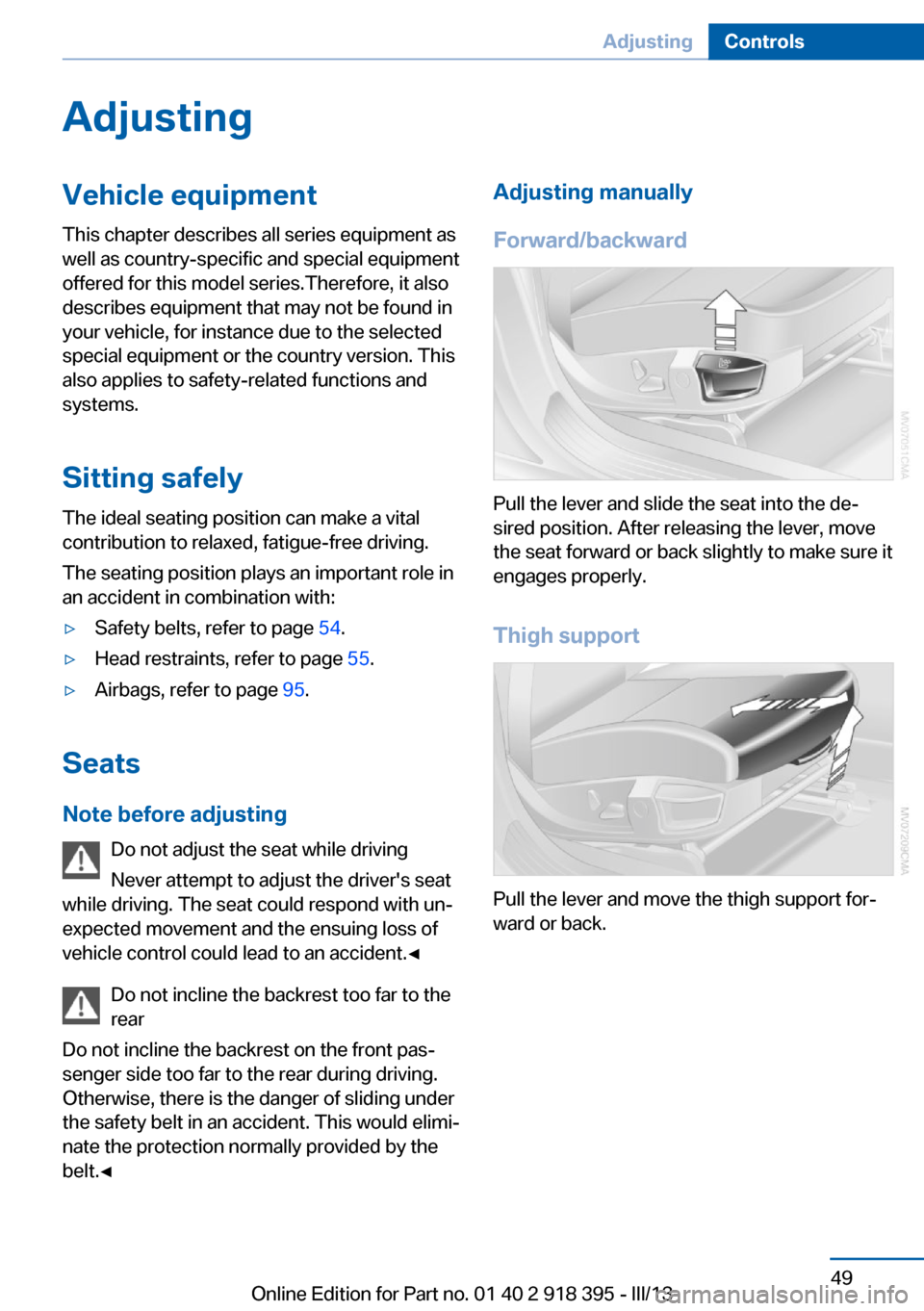
Adjusting manually
Forward/backward
Pull the lever and slide the seat into the de‐
sired position. After releasing the lever, move
the seat forward or back slightly to make sure it
engages properly.
Thigh support
Pull the lever and move the thigh support for‐
ward or back.
Seite 49AdjustingControls49
Online Edition for Part no. 01 40 2 918 395 - III/13
Page 55 of 345
Unbuckling the belt1.Hold the belt firmly.2.Press the red button in the belt buckle.3.Guide the belt back into its reel.
The shoulder strap's anchorage point will be
correct for adult seat occupants of every build
if the seat is correctly adjusted, refer to
page 49.
The two rear safety belt buckles integrated
into the rear seat are for passengers sitting on
the left and right. The belt buckle embossed
with the word CENTER is intended exclusively
for use by passengers riding in the center posi‐
tion.
Safety belt reminder for the driver's
and front passenger seat
The indicator lamp lights up and a
signal sounds. In addition, a message
appears on the Control Display.
Check whether the safety belt has been fas‐
tened correctly.
The safety belt reminder is active at speeds
above approx. 5 mph/8 km/h. It can also be ac‐
tivated if objects are placed on the front pas‐
senger seat.
Damage to safety belts In the case of strain caused by accidents or
damage:
Have the safety belts, including the safety belt
tensioners, replaced and have the belt anchors
checked.
Checking and replacing safety belts
Have the work performed only by your
service center; otherwise, it cannot be ensured
that this safety feature will function properly.◀
Belt-force limiter
The effect of the belt-force limiter on the driv‐
er's seat is dependent on the position of the
driver's seat.
To maintain the long-term accuracy of this
function, the driver's seat must be calibrated if
a corresponding message is displayed on the
Control Display.
Calibrating driver's seat The warning lamp lights up. A mes‐
sage also appears on the Control Dis‐
play. Please calibrate the driver's
seat.1.Move the driver's seat forward until it
stops.2.Move the driver's seat forward again. It
briefly moves toward the front in the proc‐
ess.3.Set the desired seating position again.
The calibration is completed when the mes‐
sage on the Control Display disappears.
Should this message continue to be displayed,
repeat the calibration. If the message does not
disappear even after repeated calibration, have
the system checked as soon as possible.
Do not carry out calibration while the ve‐
hicle is moving
Never carry out calibration while the vehicle is
moving, as this can cause accidents.
Make sure that no persons or objects become
wedged during the calibration process, as this
can cause injuries or damage.◀
Head restraints Correctly adjusted head restraints
A correctly adjusted head restraint reduces the
risk of spinal injury in the event of an accident.
Adjusting the head restraint
Correctly adjust the head restraints of all
occupied seats; otherwise, there is an in‐
creased risk of injury in an accident.◀
Seite 55AdjustingControls55
Online Edition for Part no. 01 40 2 918 395 - III/13
Page 57 of 345
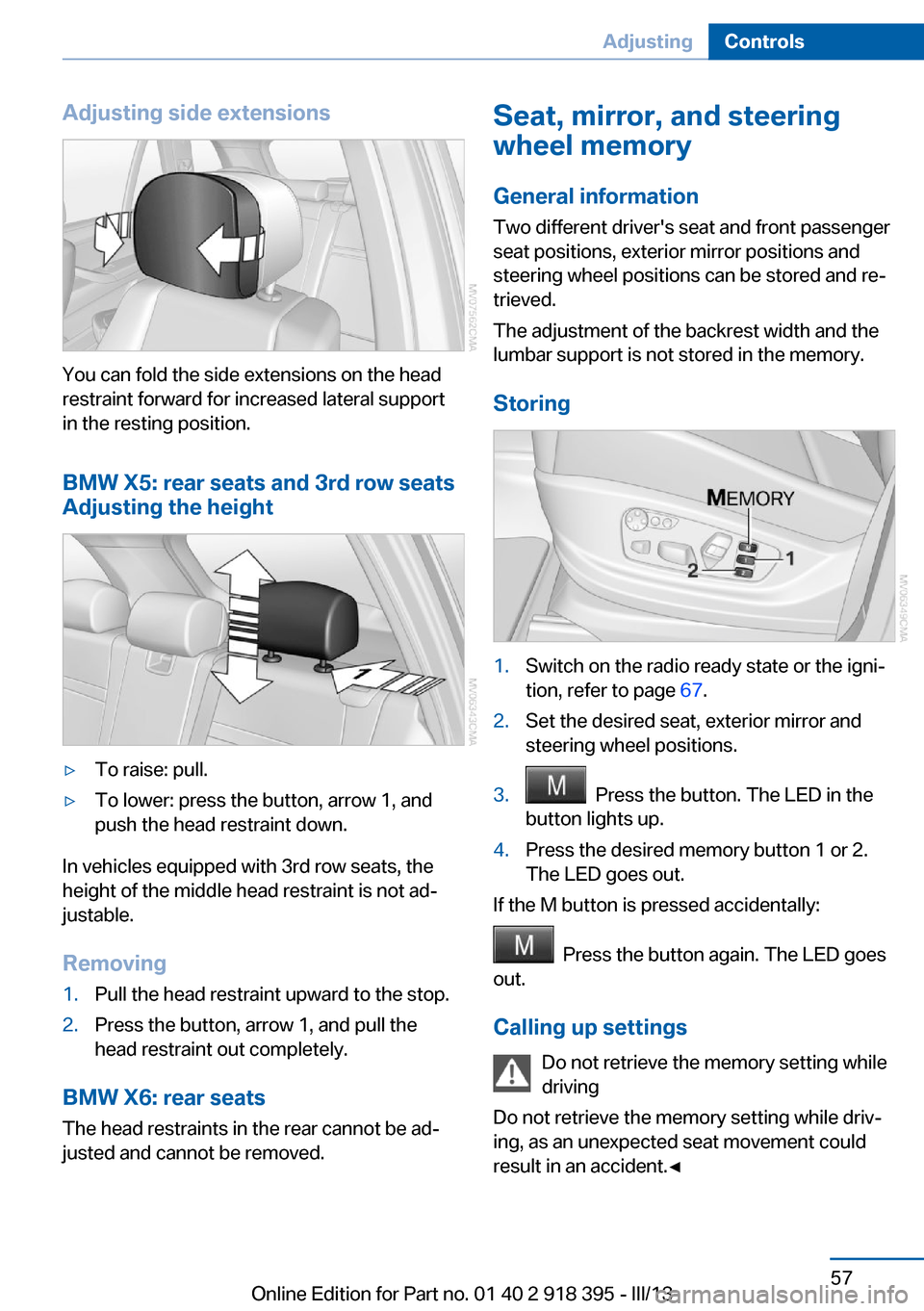
Adjusting side extensions
You can fold the side extensions on the head
restraint forward for increased lateral support
in the resting position.
BMW X5: rear seats and 3rd row seats
Adjusting the height
▷To raise: pull.▷To lower: press the button, arrow 1, and
push the head restraint down.
In vehicles equipped with 3rd row seats, the
height of the middle head restraint is not ad‐
justable.
Removing
1.Pull the head restraint upward to the stop.2.Press the button, arrow 1, and pull the
head restraint out completely.
BMW X6: rear seats
The head restraints in the rear cannot be ad‐
justed and cannot be removed.
Seat, mirror, and steering
wheel memory
General information
Two different driver's seat and front passenger
seat positions, exterior mirror positions and
steering wheel positions can be stored and re‐
trieved.
The adjustment of the backrest width and the
lumbar support is not stored in the memory.
Storing1.Switch on the radio ready state or the igni‐
tion, refer to page 67.2.Set the desired seat, exterior mirror and
steering wheel positions.3. Press the button. The LED in the
button lights up.4.Press the desired memory button 1 or 2.
The LED goes out.
If the M button is pressed accidentally:
Press the button again. The LED goes
out.
Calling up settings Do not retrieve the memory setting while
driving
Do not retrieve the memory setting while driv‐ ing, as an unexpected seat movement could
result in an accident.◀
Seite 57AdjustingControls57
Online Edition for Part no. 01 40 2 918 395 - III/13
Page 58 of 345
Comfort function1.Open the driver's door after unlocking or
switch on the radio ready state, refer to
page 67.2.Briefly press the desired memory but‐
ton 1 or 2.
The seat is automatically moved to the stored
position.
The procedure stops when a switch for setting
the seat or one of the memory buttons is
pressed.
Safety mode
1.Close the driver's door and switch the igni‐
tion on or off, refer to page 67.2.Press and hold the desired memory button
1 or 2 until the setting procedure is com‐
pleted.
Mirrors
Exterior mirrors
General information The mirror on the passenger side is more
curved than the driver's mirror.
Estimating distances correctly
Objects reflected in the mirror are closer
than they appear. Do not estimate the distance
to the traffic behind you based on what you
see in the mirror, as this will increase your risk
of an accident.◀
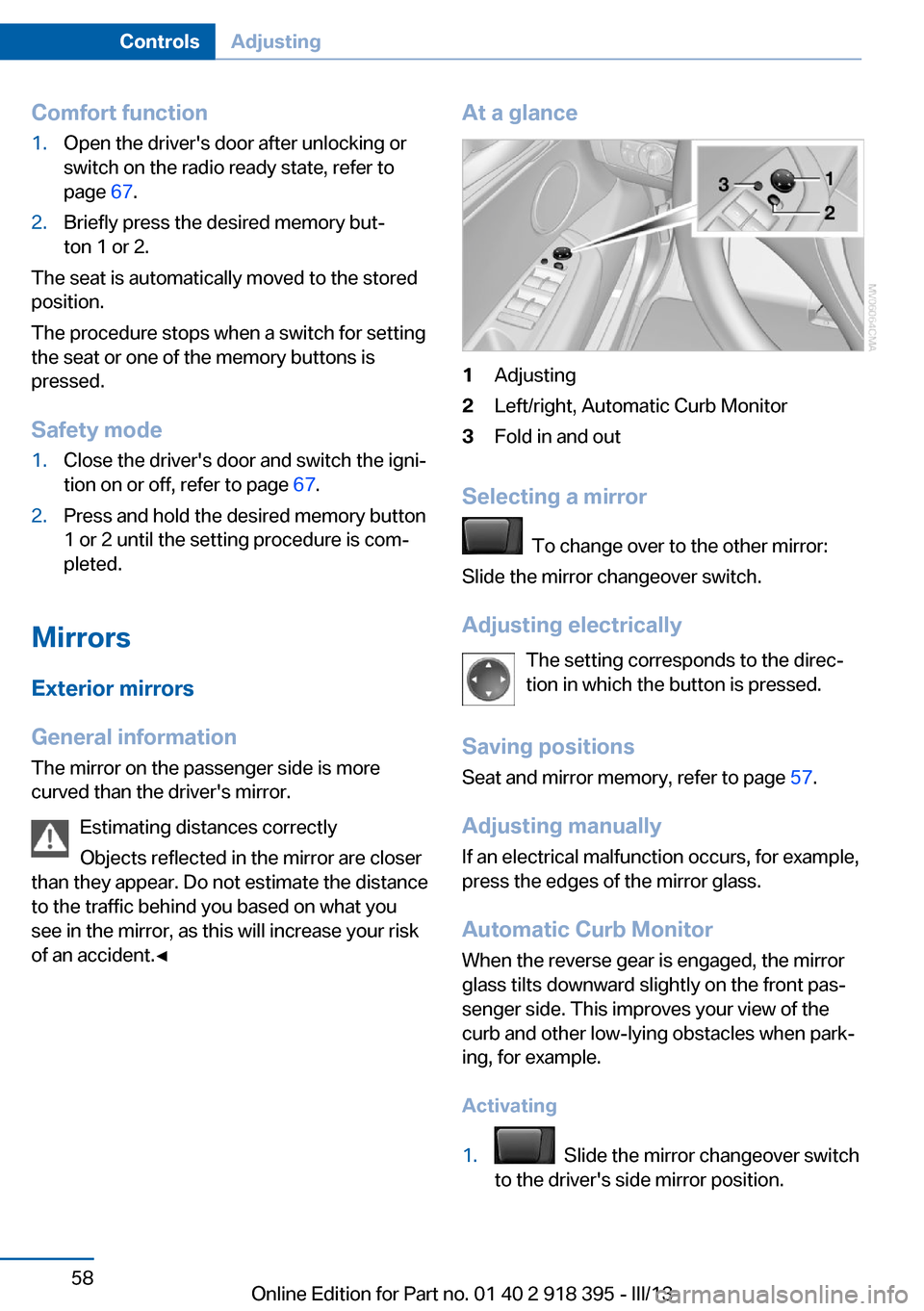
At a glance1Adjusting2Left/right, Automatic Curb Monitor3Fold in and out
Selecting a mirror
To change over to the other mirror:
Slide the mirror changeover switch.
Adjusting electrically The setting corresponds to the direc‐
tion in which the button is pressed.
Saving positions
Seat and mirror memory, refer to page 57.
Adjusting manually If an electrical malfunction occurs, for example,
press the edges of the mirror glass.
Automatic Curb Monitor When the reverse gear is engaged, the mirror
glass tilts downward slightly on the front pas‐
senger side. This improves your view of the
curb and other low-lying obstacles when park‐
ing, for example.
Activating
1. Slide the mirror changeover switch
to the driver's side mirror position.
Seite 58ControlsAdjusting58
Online Edition for Part no. 01 40 2 918 395 - III/13
Page 66 of 345
On the center seat when equipped with three
rows of seats:1.Slide the head restraint upward.2.Guide the tether strap between the head
restraint brackets.3.Hook in the tether strap on the mounting
point with the hook.4.Slide the head restraint into the bottom po‐
sition.5.Pull tether strap taut.
BMW X6
1.Route the upper retaining strap over the
middle of the head restraint.2.Attach the upper retaining strap to the
mounting point with the hook.3.Pull the retaining strap taut until it com‐
presses the cushion of the head restraint,
thus preventing the strap from sliding off.
Locking the doors and
windows
Rear doors
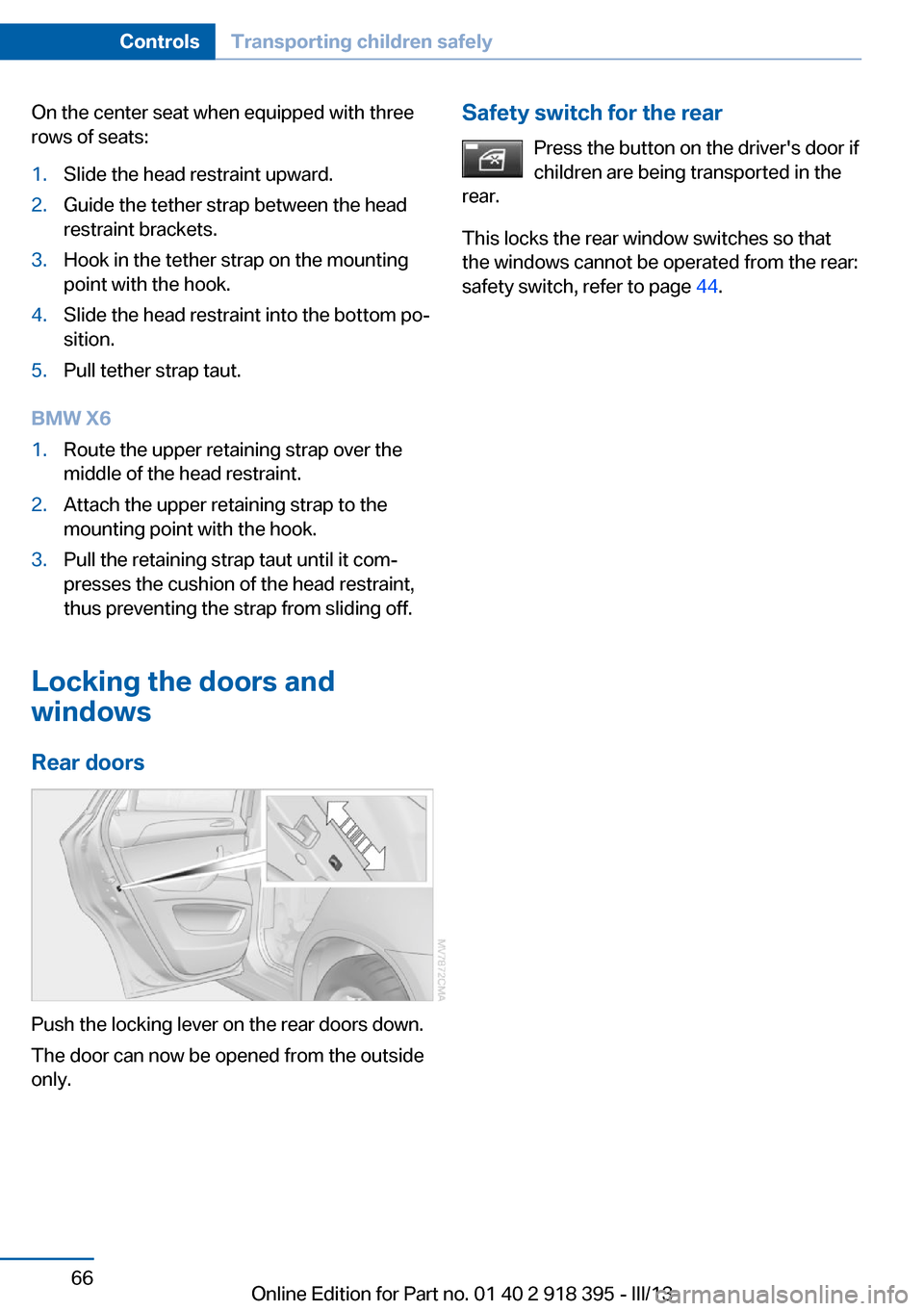
Push the locking lever on the rear doors down.
The door can now be opened from the outside
only.
Safety switch for the rear
Press the button on the driver's door if
children are being transported in the
rear.
This locks the rear window switches so that
the windows cannot be operated from the rear:
safety switch, refer to page 44.Seite 66ControlsTransporting children safely66
Online Edition for Part no. 01 40 2 918 395 - III/13