key BMW X6 2014 F16 Owner's Manual
[x] Cancel search | Manufacturer: BMW, Model Year: 2014, Model line: X6, Model: BMW X6 2014 F16Pages: 259, PDF Size: 5.92 MB
Page 28 of 259
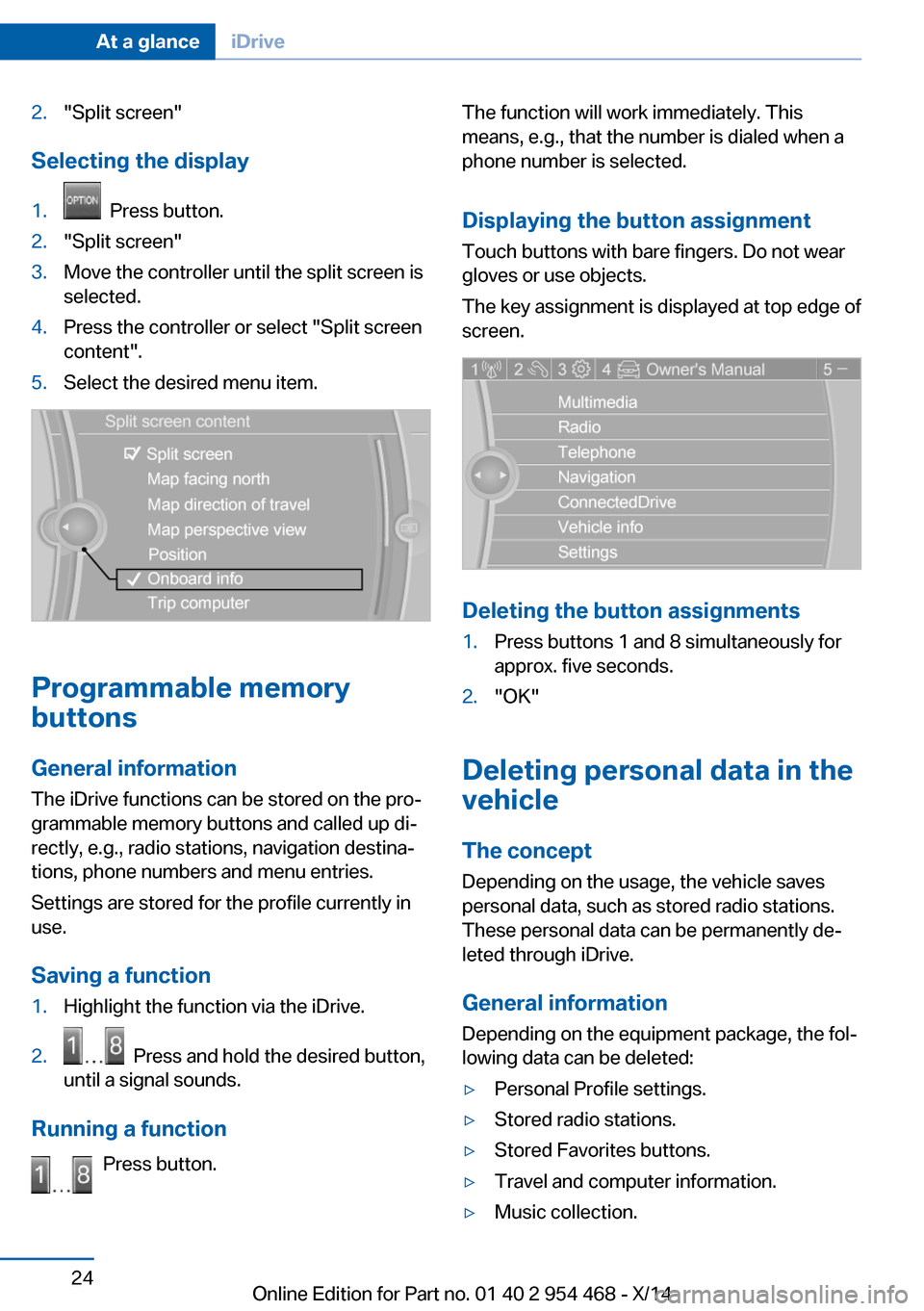
2."Split screen"
Selecting the display
1. Press button.2."Split screen"3.Move the controller until the split screen is
selected.4.Press the controller or select "Split screen
content".5.Select the desired menu item.
Programmable memory
buttons
General information
The iDrive functions can be stored on the pro‐
grammable memory buttons and called up di‐
rectly, e.g., radio stations, navigation destina‐
tions, phone numbers and menu entries.
Settings are stored for the profile currently in
use.
Saving a function
1.Highlight the function via the iDrive.2. Press and hold the desired button,
until a signal sounds.
Running a function
Press button.
The function will work immediately. This
means, e.g., that the number is dialed when a
phone number is selected.
Displaying the button assignment
Touch buttons with bare fingers. Do not wear
gloves or use objects.
The key assignment is displayed at top edge of
screen.
Deleting the button assignments
1.Press buttons 1 and 8 simultaneously for
approx. five seconds.2."OK"
Deleting personal data in the
vehicle
The concept
Depending on the usage, the vehicle saves
personal data, such as stored radio stations.
These personal data can be permanently de‐
leted through iDrive.
General information
Depending on the equipment package, the fol‐
lowing data can be deleted:
▷Personal Profile settings.▷Stored radio stations.▷Stored Favorites buttons.▷Travel and computer information.▷Music collection.Seite 24At a glanceiDrive24
Online Edition for Part no. 01 40 2 954 468 - X/14
Page 38 of 259
Opening and closingVehicle features and options
This chapter describes all standard, country-
specific and optional features offered with the
series. It also describes features that are not
necessarily available in your car, e. g., due to
the selected options or country versions. This
also applies to safety-related functions and
systems.
Remote control/key
General information The vehicle is supplied with two remote con‐
trols with integrated key.
Every remote control holds a replaceable bat‐
tery.
You may set the key functions depending on
the optional features and country-specific ver‐
sion. For Settings, refer to page 44.
The vehicle stores personal settings for every
remote control. Personal Profile, refer to
page 35.
The remote controls hold information on re‐
quired maintenance. Service data in the re‐
mote control, refer to page 219.
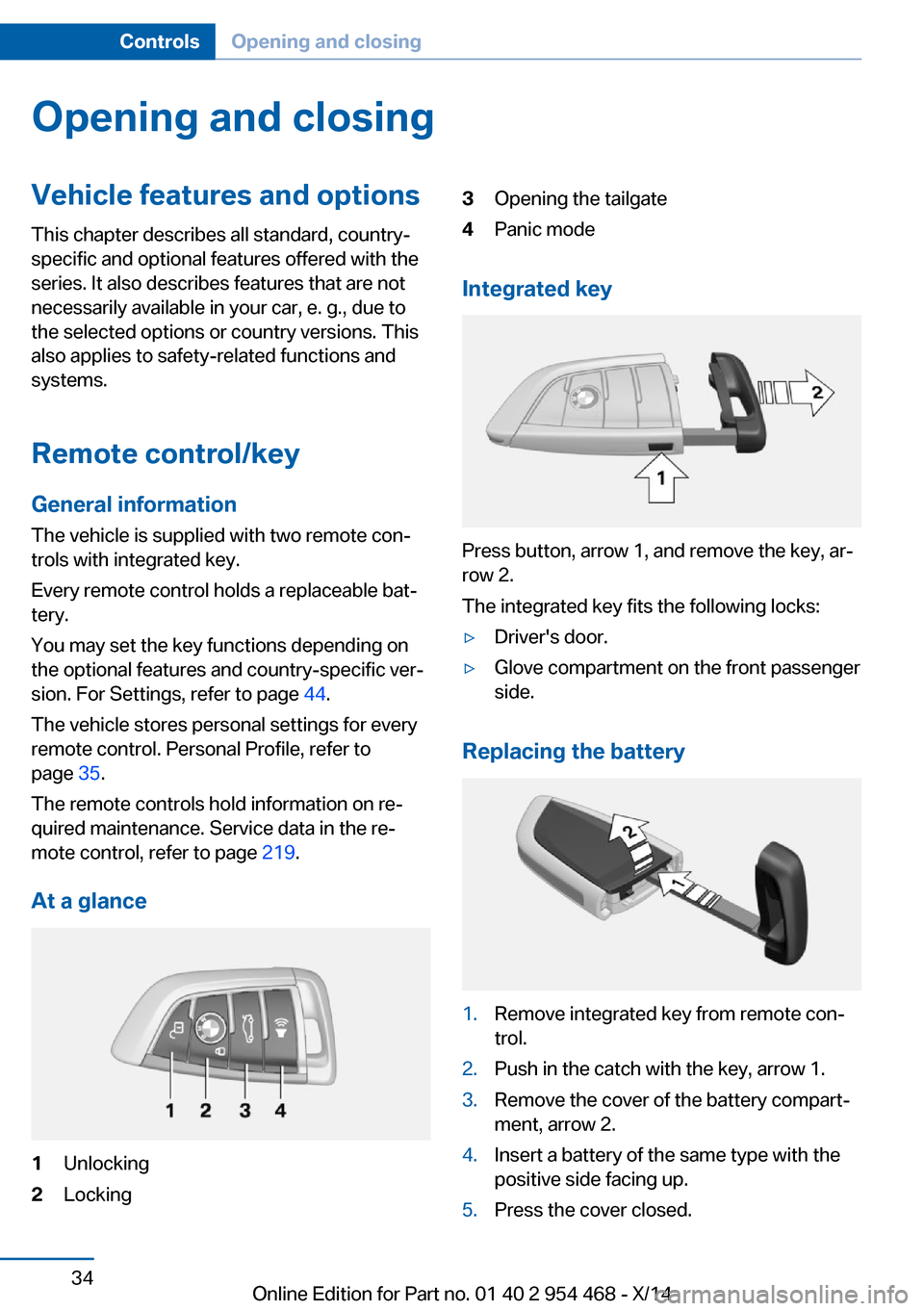
At a glance1Unlocking2Locking3Opening the tailgate4Panic mode
Integrated key
Press button, arrow 1, and remove the key, ar‐
row 2.
The integrated key fits the following locks:
▷Driver's door.▷Glove compartment on the front passenger
side.
Replacing the battery
1.Remove integrated key from remote con‐
trol.2.Push in the catch with the key, arrow 1.3.Remove the cover of the battery compart‐
ment, arrow 2.4.Insert a battery of the same type with the
positive side facing up.5.Press the cover closed.Seite 34ControlsOpening and closing34
Online Edition for Part no. 01 40 2 954 468 - X/14
Page 43 of 259
Without remote control
From the outside Locking from the outside
Do not lock the vehicle from the outside
with people inside the car, as the vehicle can‐
not be unlocked from inside without special knowledge.◀
Remove the key before pulling the door
handle
Before pulling the outside door handle, remove
the key to avoid damaging the paintwork and
the key.◀
Unlock or lock the driver's door via the door
lock using the integrated key, refer to page 34.
The other doors must be unlocked or locked
from the inside.1.Remove lid on the door lock.
To do this, slide the integrated key into the
opening from below and unlock the lid.2.Unlock or lock door lock.
Alarm system
The alarm system is not armed if the vehicle is
locked with the integrated key.
The alarm system is triggered when the door is
opened, if the vehicle was unlocked via the
door lock.
In order to terminate this alarm, unlock vehicle
with the remote control or reel on the ignition,
if needed, through emergency detection of the
remote control, refer to page 35.
From the inside
Unlocking and locking
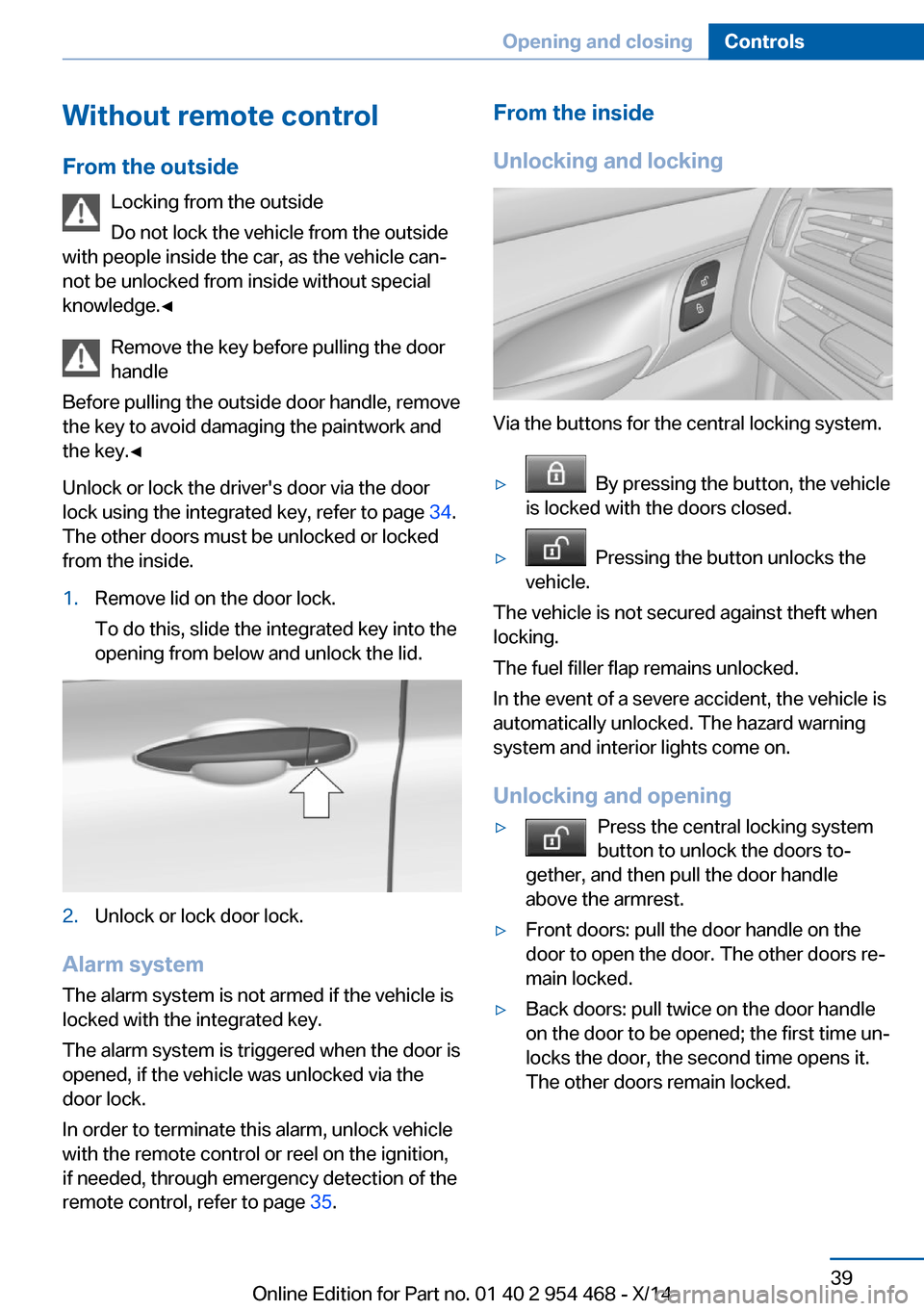
Via the buttons for the central locking system.
▷ By pressing the button, the vehicle
is locked with the doors closed.▷ Pressing the button unlocks the
vehicle.
The vehicle is not secured against theft when
locking.
The fuel filler flap remains unlocked.
In the event of a severe accident, the vehicle is
automatically unlocked. The hazard warning
system and interior lights come on.
Unlocking and opening
▷Press the central locking system
button to unlock the doors to‐
gether, and then pull the door handle
above the armrest.▷Front doors: pull the door handle on the
door to open the door. The other doors re‐
main locked.▷Back doors: pull twice on the door handle
on the door to be opened; the first time un‐
locks the door, the second time opens it.
The other doors remain locked.Seite 39Opening and closingControls39
Online Edition for Part no. 01 40 2 954 468 - X/14
Page 48 of 259
Avoiding unintentional closing
In situations in which the opened tailgate
should not to be closed with no-touch activa‐
tion, ensure that the remote control is located
beyond the range of the sensor, at least
5 ft/1.50 m from the rear of the car.
Otherwise, the tailgate may be closed inadver‐
tently, for example by an unintentional or mis‐
interpreted movement of the foot.◀
Keep the closing path clear
Make sure that the closing path of the
tailgate is clear; otherwise, injuries may re‐
sult.◀
Do not place the remote control in the
cargo area
Take the remote control with you and do not
leave it in the cargo area; otherwise, the re‐
mote control is locked inside the vehicle when
the tailgate is closed.◀
Malfunction
Remote control detection by the vehicle can
among others be malfunctioning under the fol‐
lowing circumstances:▷Interference of the radio connection from
transmission towers or other equipment
with high transmit power.▷Shielding of the remote control due to
metal objects.▷Interference of the radio connection from
mobile phones or other electronic devices
in direct proximity.
Do not transport the remote control together
with metal objects or electronic devices.
In the case of a malfunction, unlock and lock
the vehicle using the buttons of the remote
control or using the integrated key, refer to
page 39.
Adjusting
Unlocking The settings are saved in the active profile, re‐
fer to page 35.
Doors1."Settings"2."Doors/key"3. Select the symbol.4.Select the desired function:▷"Driver's door only"
Only the driver's door and the fuel filler
flap are unlocked. Pressing again un‐
locks the entire vehicle.▷"All doors"
The entire vehicle is unlocked.
Tailgate
Depending on optional features and country
version, this setting is not offered in some
cases.
1."Settings"2."Doors/key"3. Select the symbol.4.Select the desired function:▷"Tailgate"
The tailgate is opened.▷"Tailgate + door(s)"
The tailgate is opened and the doors
unlocked.
Confirmation signals from the vehicle
The settings are saved in the active profile, re‐
fer to page 35.
1."Settings"2."Doors/key"3.Deactivate or activate the desired confir‐
mation signals.Seite 44ControlsOpening and closing44
Online Edition for Part no. 01 40 2 954 468 - X/14
Page 49 of 259
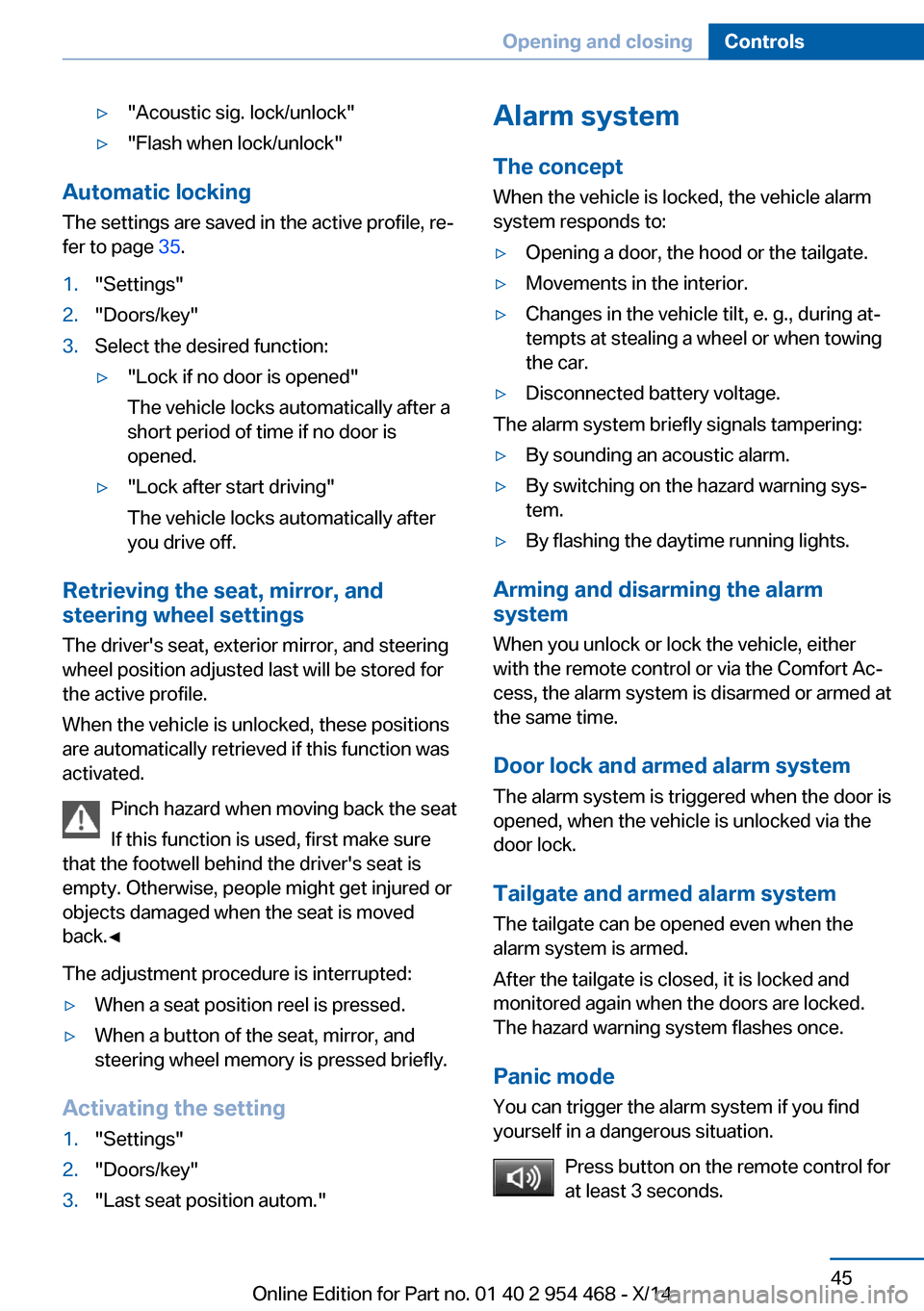
▷"Acoustic sig. lock/unlock"▷"Flash when lock/unlock"
Automatic lockingThe settings are saved in the active profile, re‐fer to page 35.
1."Settings"2."Doors/key"3.Select the desired function:▷"Lock if no door is opened"
The vehicle locks automatically after a
short period of time if no door is
opened.▷"Lock after start driving"
The vehicle locks automatically after
you drive off.
Retrieving the seat, mirror, and
steering wheel settings
The driver's seat, exterior mirror, and steering
wheel position adjusted last will be stored for
the active profile.
When the vehicle is unlocked, these positions
are automatically retrieved if this function was
activated.
Pinch hazard when moving back the seat
If this function is used, first make sure
that the footwell behind the driver's seat is
empty. Otherwise, people might get injured or
objects damaged when the seat is moved
back.◀
The adjustment procedure is interrupted:
▷When a seat position reel is pressed.▷When a button of the seat, mirror, and
steering wheel memory is pressed briefly.
Activating the setting
1."Settings"2."Doors/key"3."Last seat position autom."Alarm system
The conceptWhen the vehicle is locked, the vehicle alarm
system responds to:▷Opening a door, the hood or the tailgate.▷Movements in the interior.▷Changes in the vehicle tilt, e. g., during at‐
tempts at stealing a wheel or when towing
the car.▷Disconnected battery voltage.
The alarm system briefly signals tampering:
▷By sounding an acoustic alarm.▷By switching on the hazard warning sys‐
tem.▷By flashing the daytime running lights.
Arming and disarming the alarm
system
When you unlock or lock the vehicle, either
with the remote control or via the Comfort Ac‐
cess, the alarm system is disarmed or armed at
the same time.
Door lock and armed alarm systemThe alarm system is triggered when the door is
opened, when the vehicle is unlocked via the
door lock.
Tailgate and armed alarm system
The tailgate can be opened even when the
alarm system is armed.
After the tailgate is closed, it is locked and
monitored again when the doors are locked.
The hazard warning system flashes once.
Panic mode You can trigger the alarm system if you find
yourself in a dangerous situation.
Press button on the remote control for
at least 3 seconds.
Seite 45Opening and closingControls45
Online Edition for Part no. 01 40 2 954 468 - X/14
Page 182 of 259
Storage compartmentsVehicle features and optionsThis chapter describes all standard, country-
specific and optional features offered with the
series. It also describes features that are not
necessarily available in your car, e. g., due to
the selected options or country versions. This
also applies to safety-related functions and
systems.
Hints No loose objects in the car's interior
Do not stow any objects in the car's inte‐
rior without securing them; otherwise, they
may present a danger to occupants e.g., during
braking and evasive maneuvers.◀
Do not place anti-slip mats on the dash‐
board
Do not place anti-slip mats on the dashboard.
The mat materials could damage the dash‐
board.◀
Storage compartments The following storage compartments are avail‐
able in the vehicle interior:▷Glove compartment on the front passenger
side, refer to page 178.▷Glove compartment on the driver's side,
refer to page 179.▷Compartments in the doors, refer to
page 179.▷Storage compartment on the center arm‐
rest, refer to page 179.▷Center armrest, refer to page 179.▷Glasses compartment, refer to page 180.Glove compartment
Front passenger side
Note Close the glove compartment again im‐
mediately
Close the glove compartment immediately af‐
ter use while driving; otherwise, injury may oc‐
cur during accidents.◀
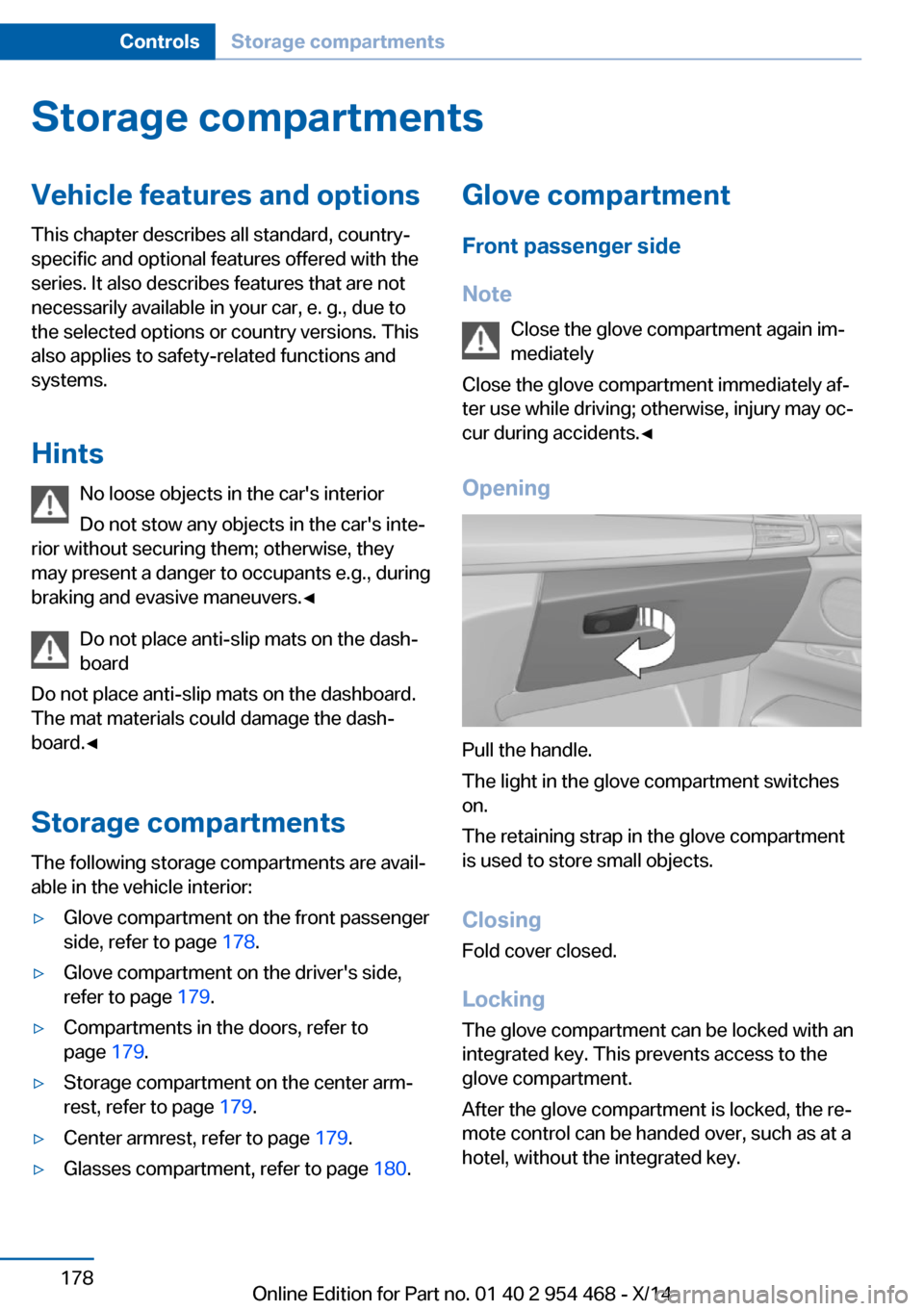
Opening
Pull the handle.
The light in the glove compartment switches
on.
The retaining strap in the glove compartment
is used to store small objects.
ClosingFold cover closed.
Locking
The glove compartment can be locked with an
integrated key. This prevents access to the
glove compartment.
After the glove compartment is locked, the re‐
mote control can be handed over, such as at a
hotel, without the integrated key.
Seite 178ControlsStorage compartments178
Online Edition for Part no. 01 40 2 954 468 - X/14
Page 249 of 259
BMW Assist, see user'smanual for Navigation, En‐
tertainment and Communi‐
cation
BMW maintenance sys‐ tem 219
Bonus range, ECO PRO 195
Bottle holder, refer to Cu‐ pholder 181
Brake assistant 132
Brake discs, break-in 186
Brake force display 129
Brake lights, adaptive 129
Brake lights, brake force dis‐ play 129
Brake pads, break-in 186
Braking, hints 187
Breakdown assis‐ tance 229, 230
Break-in 186
Brightness of Control Dis‐ play 97
Bulb replacement 222
Bulb replacement, front 223
Bulb replacement, rear 224
Bulbs and lights 222
Button, RES 143
Button, Start/Stop 67
Bypassing, refer to Jump- starting 231
C
California Proposition 65 Warning 7
Calling up mirror adjust‐ ment 45
Calling up seat adjust‐ ment 45
Calling up steering wheel ad‐ justment 45
Camera, care 237
Camera, rearview cam‐ era 152
Camera, Side View 156
Camera, Top View 155 Can holder, refer to Cu‐
pholder 181
Car battery 226
Car care products 235
Care, displays 237
Care, vehicle 235
Cargo 190
Cargo area 176
Cargo area, enlarging 176
Cargo area, storage compart‐ ments 182
Cargo cover 176
Cargo, securing 191
Cargo straps, securing cargo 191
Car key, refer to Remote con‐ trol 34
Carpet, care 237
Car wash 234
Catalytic converter, refer to Hot exhaust system 186
CBS Condition Based Serv‐ ice 219
CD/Multimedia, see user's manual for Navigation, En‐
tertainment and Communi‐
cation
Center armrest 179
Center console 16
Central locking system 39
Central screen, refer to Con‐ trol Display 18
Changes, technical, refer to Safety 7
Changing parts 221
Changing wheels 224
Changing wheels/tires 209
Chassis number, see vehicle identification number 9
Check Control 85
Checking the engine oil level electronically 214
Checking the oil level elec‐ tronically 214
Children, seating position 62 Children, transporting
safely 62
Child restraint fixing sys‐ tem 62
Child restraint fixing system LATCH 64
Child restraint fixing systems, mounting 62
Child safety locks 65
Child seat, mounting 62
Child seats 62
Chrome parts, care 236
Cigarette lighter 172
Cleaning displays 237
Climate control 162
Climate control wind‐ shield 187
Clock 90
Closing/opening via door lock 39
Closing/opening with remote control 37
Closing the tailgate with no- touch activation 43
Clothes hooks 182
Coasting 196
Coasting with engine decou‐ pled, coasting 196
Coasting with idling en‐ gine 196
Cockpit 14
Combination reel, refer to Turn signals 74
Combination reel, refer to Wiper system 74
Comfort Access 42
COMFORT program, Driving Dynamics Control 138
Compact wheel 225
Compartments in the doors 179
Compass 95
Computer 94
Condensation on win‐ dows 163 Seite 245Everything from A to ZReference245
Online Edition for Part no. 01 40 2 954 468 - X/14
Page 252 of 259
Headlights, care 235
Headlight washer system 74
Head restraints 51
Head restraints, front 56
Head-up Display 97
Head-up Display, care 237
Heavy cargo, stowing 191
High-beam Assistant 101
High beams 74
High beams/low beams, refer to High-beam Assistant 101
Hill Descent Control HDC 135
Hills 188
Hill start assistant, refer to Drive-off assistant 132
Hints 6
Holder for beverages 181
Hood 212
Horn 14
Hot exhaust system 186
HUD Head-up Display 97
Hydroplaning 187
I Ice warning, see External temperature warning 89
Icy roads, see External tem‐ perature warning 89
Identification marks, tires 207
Identification number, see ve‐ hicle identification num‐
ber 9
iDrive 18
Ignition key, refer to Remote control 34
Ignition off 67
Ignition on 67
Indication of a flat tire 108 , 111
Indicator and alarm lamps, see Check Control 85
Indicator lamp, see Check Control 85
Individual air distribution 163 Individual settings, refer to
Personal Profile 35
Inflation pressure, tires 204
Inflation pressure warning FTM, tires 111
Info display, refer to Com‐ puter 94
Initialize, Tire Pressure Moni‐ tor TPM 108
Initializing, Flat Tire Monitor FTM 111
Instrument cluster 81
Instrument cluster, electronic displays 81
Instrument display, multifunc‐ tional 82
Instrument lighting 102
Integrated key 34
Integrated Owner's Manual in the vehicle 29
Intelligent Emergency Re‐ quest 229
Intelligent Safety 112
Intensity, AUTO pro‐ gram 163
Interior equipment 169
Interior lights 102
Interior lights via remote con‐ trol 37
Interior motion sensor 46
Interior rearview mirror, auto‐ matic dimming feature 60
Interval display, service re‐ quirements 91
J Jacking points for the vehicle jack 225
Joystick, Steptronic transmis‐ sion 77
Jump-starting 231
K
Key/remote control 34 Keyless Go, refer to Comfort
Access 42
Key Memory, refer to Per‐ sonal Profile 35
Kickdown, Steptronic trans‐ mission 77
Knee airbag 104
L Lamp replacement 222
Lamp replacement, front 223
Lamp replacement, rear 224
Lane departure warning 126
Lane margin, warning 126
Language on Control Dis‐ play 97
Lashing eyes, securing cargo 191
LATCH child restraint sys‐ tem 64
Launch Control 80
Leather, care 236
LED front fog lights, bulb re‐ placement 224
LED headlights, bulb replace‐ ment 223
LEDs, light-emitting di‐ odes 222
Letters and numbers, enter‐ ing 25
Light alloy wheels, care 236
Light control 100
Light-emitting diodes, LEDs 222
Lighting 99
Lighting via remote con‐ trol 37
Light reel 99
Lights 99
Lights and bulbs 222
Load 191
Loading 190
Lock, door 39
Locking/unlocking via door lock 39 Seite 248ReferenceEverything from A to Z248
Online Edition for Part no. 01 40 2 954 468 - X/14
Page 253 of 259
Locking/unlocking with re‐mote control 37
Locking, automatic 45
Locking, settings 44
Lock, power window 48
Locks, doors, and win‐ dows 65
Low beams 99
Low beams, automatic, refer to High-beam Assistant 101
Lower back support 53
Luggage rack, see Roof- mounted luggage rack 192
Lumbar support 53
M
Maintenance 219
Maintenance require‐ ments 219
Maintenance, service require‐ ments 91
Maintenance system, BMW 219
Make-up mirror 171
Malfunction displays, see Check Control 85
Malfunction, self-leveling sus‐ pension 137
Manual air distribution 163
Manual air flow 163
Manual brake, refer to Parking brake 70
Manual mode, Steptronic transmission 78
Manual operation, door lock 39
Manual operation, exterior mirrors 59
Manual operation, fuel filler flap 200
Manual operation, Park Dis‐ tance Control PDC 150
Manual operation, parking brake 73 Manual operation, rearview
camera 152
Manual operation, Top View 155
Marking on approved tires 210
Marking, run-flat tires 211
Master key, refer to Remote control 34
Maximum cooling 164
Maximum speed, display 92
Maximum speed, winter tires 210
Measure, units of 97
Medical kit 230
Memory for seat, mirrors, steering wheel 58
Menu, EfficientDynamics 196
Menu in instrument clus‐ ter 93
Menus, operating, iDrive 18
Menus, refer to iDrive operat‐ ing concept 20
Messages, see Check Con‐ trol 85
Microfilter 165
Minimum tread, tires 209
Mirror 59
Mirror memory 58
Mobile communication devi‐ ces in the vehicle 187
Modifications, technical, refer to Safety 7
Moisture in headlight 222
Monitor, refer to Control Dis‐ play 18
Mounting of child restraint systems 62
Moving sun visor 171
Multifunctional instrument display 82
Multifunction steering wheel, buttons 14 N
Navigation, see user's manual for Navigation, Entertain‐
ment and Communication
Neck restraints, front, refer to Head restraints 56
Neutral cleaner, see wheel cleaner 236
New wheels and tires 209
Night Vision 122
Night Vision device, see Night Vision 122
Nylon rope for tow-starting/ towing 232
O OBD Onboard Diagnosis 219
OBD, see OBD Onboard Di‐ agnosis 219
Object detection, see Night Vision 122
Obstacle marking, rearview camera 153
Octane rating, refer to Rec‐ ommended fuel grade 202
Odometer 89
Office, see user's manual for Navigation, Entertainment
and Communication
Offroad trips 188
Oil 214
Oil, adding 215
Oil additives 215
Oil change 216
Oil change interval, service requirements 91
Oil filler neck 215
Oil types, alternative 216
Oil types, approved 216
Old batteries, disposal 227
Onboard monitor, refer to Control Display 18
Onboard vehicle tool kit 221 Seite 249Everything from A to ZReference249
Online Edition for Part no. 01 40 2 954 468 - X/14
Page 254 of 259
Opening/closing via doorlock 39
Opening and closing 34
Opening and closing, without remote control 39
Opening and closing, with re‐ mote control 37
Opening the tailgate with no- touch activation 43
Operating concept, iDrive 18
Optional equipment, standard equipment 6
Outside air, refer to Auto‐ matic recirculated-air con‐
trol 164
Overheating of engine, refer to Coolant temperature 89
P Paint, vehicle 235
Parallel parking assistant 158
Park Distance Control PDC 149
Parked-car ventilation 167
Parked vehicle, condensa‐ tion 188
Parking aid, refer to PDC 149
Parking assistant 158
Parking brake 70
Parking lights 99
Parking with Automatic Hold 71
Passenger side mirror, tilting downward 59
Pathway lines, rearview cam‐ era 153
PDC Park Distance Con‐ trol 149
Pedestrian detection, see Night Vision 122
Pedestrian warning with city braking function 119
Personal Profile 35
Personal Profile, exporting profiles 36 Pinch protection system,
glass sunroof 49
Pinch protection system, win‐ dows 47
Plastic, care 236
Power failure 227
Power sunroof, glass 48
Power windows 47
Pressure, tire air pres‐ sure 204
Pressure warning FTM, tires 111
Profile, refer to Personal Pro‐ file 35
Programmable memory but‐ tons, iDrive 24
Protective function, glass sunroof 49
Protective function, win‐ dows 47
Push-and-turn reel, refer to Controller 18, 19
R Radiator fluid 217
Radio-operated key, refer to Remote control 34
Radio ready state 67
Radio, see user's manual for Navigation, Entertainment
and Communication
Rain sensor 75
Rear automatic climate con‐ trol 166
Rear center armrest 180
Rear cooler 174
Rear drink holder 181
Rear lights 224
Rear seats 55
Rearview camera 151
Rearview mirror 59
Rear window defroster 164
Recirculated-air mode 164
Recommended fuel grade 202 Recommended tire
brands 210
Refueling 200
Remaining range 90
Remote control/key 34
Remote control, malfunc‐ tion 38
Remote control, univer‐ sal 169
Replacement fuse 227
Replacement wheel 225
Replacing parts 221
Replacing wheels/tires 209
Reporting safety defects 9
RES button 143
RES button, see Active Cruise Control, ACC 140
RES button, see Cruise con‐ trol 147
Reserve warning, refer to Range 90
Reset, Tire Pressure Monitor TPM 108
Residual heat, automatic cli‐ mate control 165
Retaining straps, securing cargo 191
Retreaded tires 210
Roadside parking lights 100
Roller sunblinds 48
RON recommended fuel grade 202
Roofliner 17
Roof load capacity 241
Roof-mounted luggage rack 192
Rope for tow-starting/ towing 232
RSC Run Flat System Com‐ ponent, refer to Run-flat
tires 211
Rubber components, care 236
Run-flat tires 211 Seite 250ReferenceEverything from A to Z250
Online Edition for Part no. 01 40 2 954 468 - X/14