change wheel BMW X6 2016 F16 Owner's Guide
[x] Cancel search | Manufacturer: BMW, Model Year: 2016, Model line: X6, Model: BMW X6 2016 F16Pages: 265, PDF Size: 6.17 MB
Page 234 of 265
LED front fog lights
These front fog lights are made using LED
technology. Contact a dealer’s service center
or another qualified service center or repair
shop in the event of a malfunction.
Tail lights, bulb replacement
LED tail lights
These tail lights are made using LED technol‐
ogy. Contact a dealer’s service center or an‐
other qualified service center or repair shop in
the event of a malfunction.
Changing wheels
Information When using run-flat tires or sealants, a tire
does not need to be changed immediately in
the event of pressure loss due to a flat tire.
The tools for changing wheels are available as
accessories from your dealer’s service center
or another qualified service center or repair
shop.
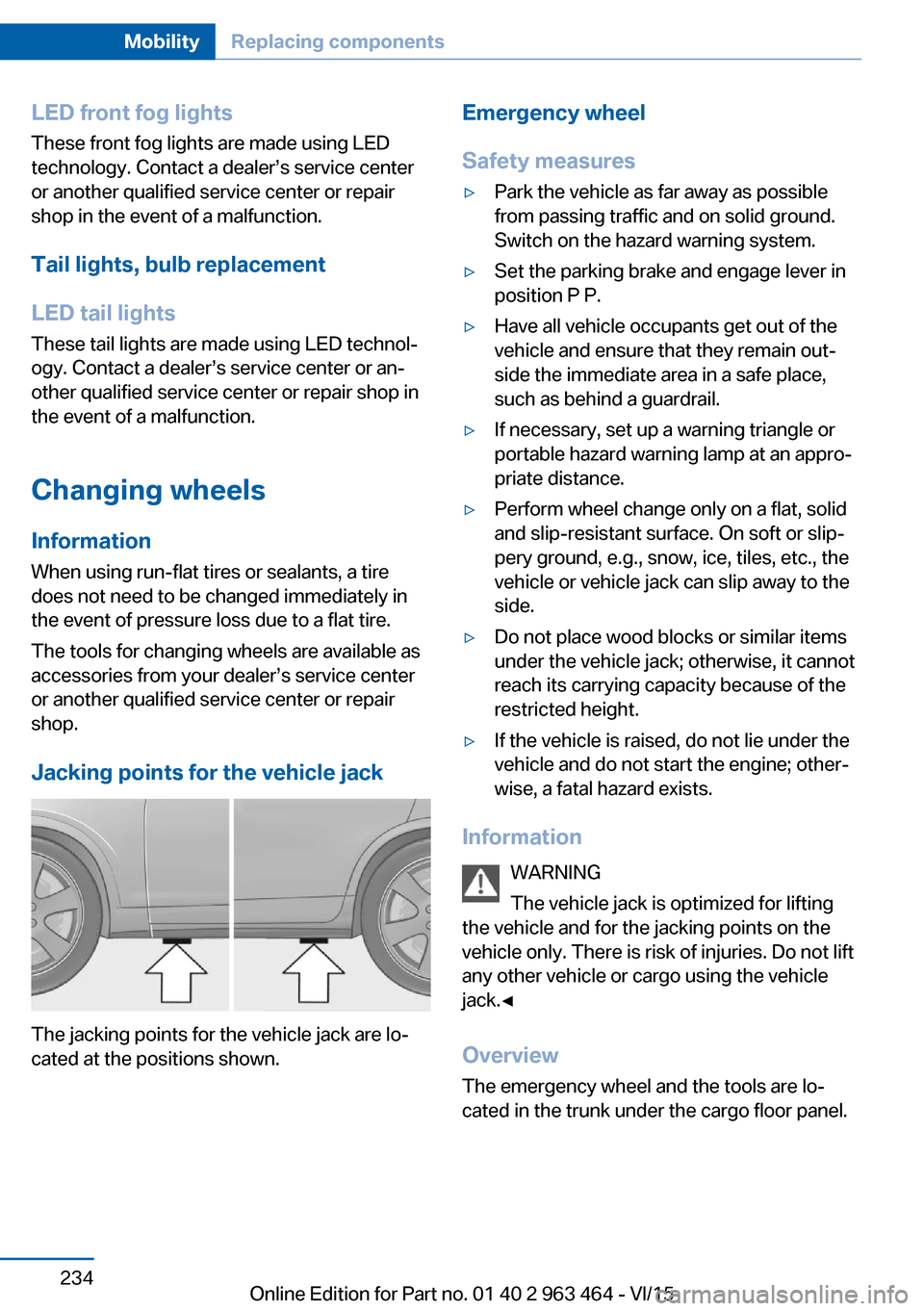
Jacking points for the vehicle jack
The jacking points for the vehicle jack are lo‐
cated at the positions shown.
Emergency wheel
Safety measures▷Park the vehicle as far away as possible
from passing traffic and on solid ground.
Switch on the hazard warning system.▷Set the parking brake and engage lever in
position P P.▷Have all vehicle occupants get out of the
vehicle and ensure that they remain out‐
side the immediate area in a safe place,
such as behind a guardrail.▷If necessary, set up a warning triangle or
portable hazard warning lamp at an appro‐
priate distance.▷Perform wheel change only on a flat, solid
and slip-resistant surface. On soft or slip‐
pery ground, e.g., snow, ice, tiles, etc., the
vehicle or vehicle jack can slip away to the
side.▷Do not place wood blocks or similar items
under the vehicle jack; otherwise, it cannot
reach its carrying capacity because of the
restricted height.▷If the vehicle is raised, do not lie under the
vehicle and do not start the engine; other‐
wise, a fatal hazard exists.
Information
WARNING
The vehicle jack is optimized for lifting
the vehicle and for the jacking points on the
vehicle only. There is risk of injuries. Do not lift
any other vehicle or cargo using the vehicle
jack.◀
Overview
The emergency wheel and the tools are lo‐ cated in the trunk under the cargo floor panel.
Seite 234MobilityReplacing components234
Online Edition for Part no. 01 40 2 963 464 - VI/15
Page 235 of 265
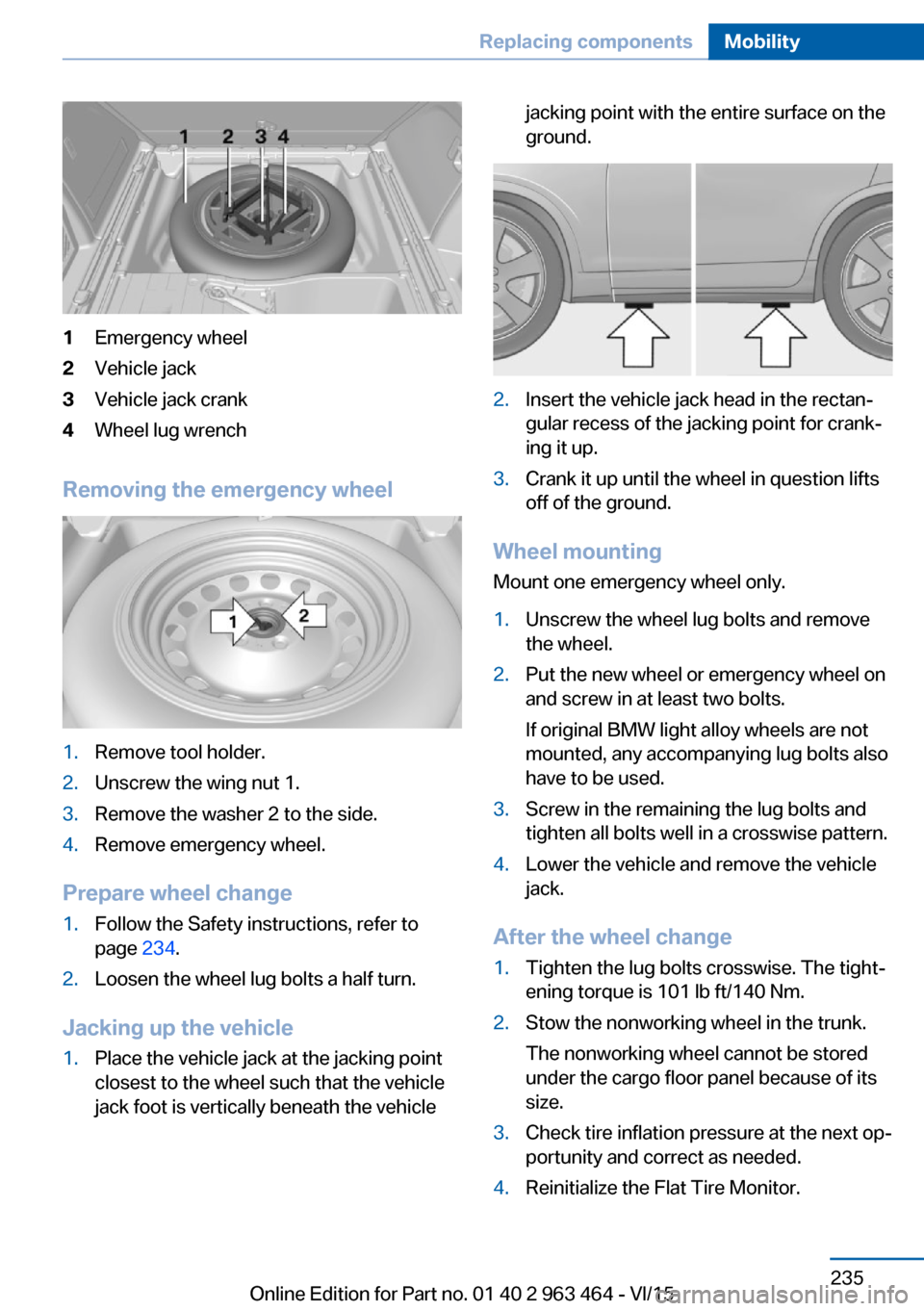
1Emergency wheel2Vehicle jack3Vehicle jack crank4Wheel lug wrench
Removing the emergency wheel
1.Remove tool holder.2.Unscrew the wing nut 1.3.Remove the washer 2 to the side.4.Remove emergency wheel.
Prepare wheel change
1.Follow the Safety instructions, refer to
page 234.2.Loosen the wheel lug bolts a half turn.
Jacking up the vehicle
1.Place the vehicle jack at the jacking point
closest to the wheel such that the vehicle
jack foot is vertically beneath the vehiclejacking point with the entire surface on the
ground.2.Insert the vehicle jack head in the rectan‐
gular recess of the jacking point for crank‐
ing it up.3.Crank it up until the wheel in question lifts
off of the ground.
Wheel mounting
Mount one emergency wheel only.
1.Unscrew the wheel lug bolts and remove
the wheel.2.Put the new wheel or emergency wheel on
and screw in at least two bolts.
If original BMW light alloy wheels are not
mounted, any accompanying lug bolts also
have to be used.3.Screw in the remaining the lug bolts and
tighten all bolts well in a crosswise pattern.4.Lower the vehicle and remove the vehicle
jack.
After the wheel change
1.Tighten the lug bolts crosswise. The tight‐
ening torque is 101 lb ft/140 Nm.2.Stow the nonworking wheel in the trunk.
The nonworking wheel cannot be stored
under the cargo floor panel because of its
size.3.Check tire inflation pressure at the next op‐
portunity and correct as needed.4.Reinitialize the Flat Tire Monitor.Seite 235Replacing componentsMobility235
Online Edition for Part no. 01 40 2 963 464 - VI/15
Page 236 of 265
Reset the Tire Pressure Monitor.5.Check to make sure the lug bolts are tight
with a calibrated torque wrench.6.Replace the damaged tires as soon as pos‐
sible.
Driving with emergency wheel
WARNING
The emergency wheel has particular di‐
mensions. When driving with an emergency
wheel, changed driving properties may occur
at higher speeds, e.g. reduced lane stability
when braking, longer braking distance and
changed self-steering properties in the limit
area. There is risk of an accident. Drive moder‐
ately and do not exceed a speed of
50 mph/80 km/h.◀
Vehicle battery Maintenance
The battery is maintenance-free.
The added amount of acid is sufficient for the
service life of the battery.
More information about the battery can be re‐
quested from a dealer’s service center or an‐
other qualified service center or repair shop.
Battery replacement CAUTION
Vehicle batteries that are not compatible
can damage vehicle systems and impair vehi‐
cle functions.There is risk of property damage.
Information on the compatible vehicle batteries
is available at your dealer's service center.◀
After a battery replacement, the manufacturer
of your vehicle recommends that the vehicle
battery be registered on the vehicle by a
dealer’s service center or another qualified
service center or repair shop to ensure that all
comfort features are fully available and that any
Check Control messages of these comfort fea‐
tures are no longer displayed.
Charging the battery
General information
Make sure that the battery is always suffi‐
ciently charged to guarantee that the battery
remains usable for its full service life.
The battery may need to be charged in the fol‐
lowing cases:▷When making frequent short-distance
drives.▷If the vehicle is not used for prolonged pe‐
riods, longer than a month.
Information
CAUTION
Battery chargers for the vehicle battery
can work with high voltages and currents,
which means that the 12V on-board network
can be overloaded or damaged. There is risk of
property damage. Only connect battery charg‐
ers for the vehicle battery to the starting aid
terminals in the engine compartment.◀
Starting aid terminals
In the vehicle, only charge the battery via the
starting aid terminals, refer to page 240, in the
engine compartment with the engine off.
Power failure
After a temporary power loss, some equipment
needs to be newly initialized or individual set‐
tings updated, e. g.:
▷Seat, mirror, and steering wheel memory:
store the positions again.▷Time: update.▷Date: update.▷Glass sunroof: initialize the system, refer to
page 51.Seite 236MobilityReplacing components236
Online Edition for Part no. 01 40 2 963 464 - VI/15
Page 255 of 265
Blinds, sun protection 49
BMW Assist, see user's manual for Navigation, En‐
tertainment and Communi‐
cation
BMW Driver’s Guide App 6
BMW Homepage 6
BMW Internet page 6
BMW maintenance sys‐ tem 228
Bonus range, ECO PRO 197
Bottle holder, see Cu‐ pholder 183
Brake assistant 134
Brake assistant, adaptive 134
Brake discs, break-in 188
Brake force display 132
Brake lights, adaptive 132
Brake lights, brake force dis‐ play 132
Brake pads, break-in 188
Braking, hints 189
Breakdown assistance 238
Break-in 188
Brightness of Control Dis‐ play 98
Bulb replacement 231
Bulb replacement, front 232
Bulb replacement, rear 234
Bulbs and lights 231
Button, RES 145
Button, Start/Stop 67
Bypassing, see Jump-start‐ ing 239
C
California Proposition 65 Warning 8
Calling up mirror adjust‐ ment 46
Calling up seat adjust‐ ment 46
Calling up steering wheel ad‐ justment 46
Camera lenses, care 246 Camera, rearview cam‐
era 154
Camera, Side View 158
Camera, Top View 157
Can holder, see Cu‐ pholder 183
Car battery 236
Car care products 244
Care, displays 246
Care, vehicle 244
Cargo 192
Cargo area 178
Cargo area, enlarging 178
Cargo area, storage compart‐ ments 184
Cargo cover 178
Cargo, securing 193
Cargo straps, securing cargo 193
Car key, see Remote con‐ trol 34
Carpet, care 246
Car wash 243
Catalytic converter, see Hot exhaust system 189
CBS Condition Based Serv‐ ice 228
CD/Multimedia, see user's manual for Navigation, En‐
tertainment and Communi‐
cation
Center armrest 181
Center console 16
Central locking system 40
Central screen, see Control Display 18
Changes, technical, see Own Safety 7
Changing parts 230
Changing wheels 234
Changing wheels/tires 213
Chassis number, see vehicle identification number 10
Check Control 86
Checking the engine oil level electronically 222 Checking the oil level elec‐
tronically 222
Children, seating position 62
Children, transporting safely 62
Child restraint fixing sys‐ tem 62
Child restraint fixing system LATCH 64
Child restraint fixing systems, mounting 63
Child safety locks 65
Child seat, mounting 63
Child seats 62
Chrome parts, care 245
Cigarette lighter 174
Cleaning displays 246
Climate control 164
Climate control wind‐ shield 189
Clock 91
Closing/opening via door lock 39
Closing/opening with remote control 37
Closing the tailgate with no- touch activation 44
Clothes hooks 184
Coasting 199
Coasting with engine decou‐ pled, coasting 199
Coasting with idling en‐ gine 199
Cockpit 14
Combination switch, refer to Wiper system 75
Combination switch, see Turn signals 74
Comfort Access 42
COMFORT program, Driving Dynamics Control 140
Compact wheel, see Emer‐ gency wheel 234
Compartments in the doors 181
Compass 96 Seite 255Everything from A to ZReference255
Online Edition for Part no. 01 40 2 963 464 - VI/15
Page 257 of 265
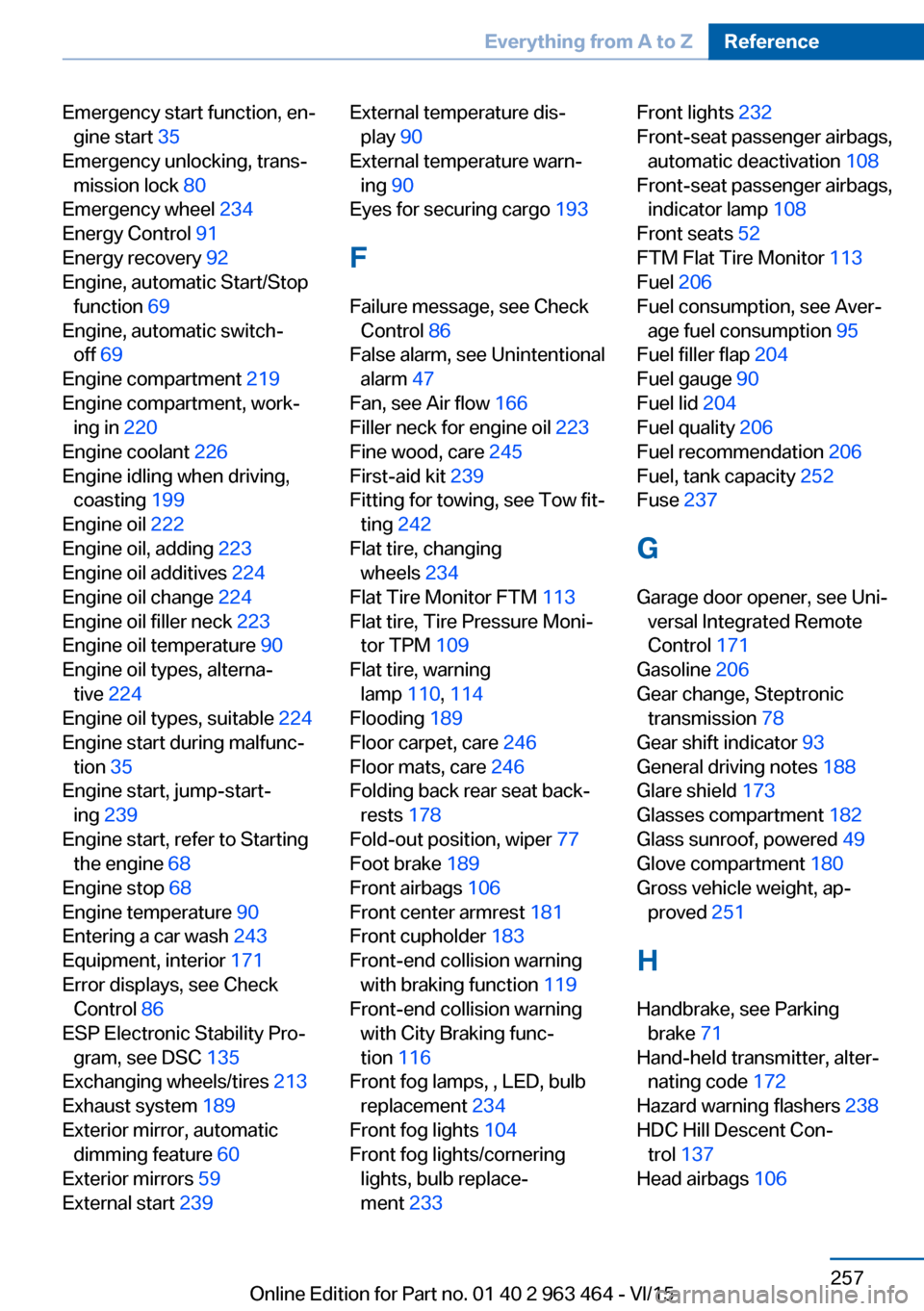
Emergency start function, en‐gine start 35
Emergency unlocking, trans‐ mission lock 80
Emergency wheel 234
Energy Control 91
Energy recovery 92
Engine, automatic Start/Stop function 69
Engine, automatic switch- off 69
Engine compartment 219
Engine compartment, work‐ ing in 220
Engine coolant 226
Engine idling when driving, coasting 199
Engine oil 222
Engine oil, adding 223
Engine oil additives 224
Engine oil change 224
Engine oil filler neck 223
Engine oil temperature 90
Engine oil types, alterna‐ tive 224
Engine oil types, suitable 224
Engine start during malfunc‐ tion 35
Engine start, jump-start‐ ing 239
Engine start, refer to Starting the engine 68
Engine stop 68
Engine temperature 90
Entering a car wash 243
Equipment, interior 171
Error displays, see Check Control 86
ESP Electronic Stability Pro‐ gram, see DSC 135
Exchanging wheels/tires 213
Exhaust system 189
Exterior mirror, automatic dimming feature 60
Exterior mirrors 59
External start 239 External temperature dis‐
play 90
External temperature warn‐ ing 90
Eyes for securing cargo 193
F
Failure message, see Check Control 86
False alarm, see Unintentional alarm 47
Fan, see Air flow 166
Filler neck for engine oil 223
Fine wood, care 245
First-aid kit 239
Fitting for towing, see Tow fit‐ ting 242
Flat tire, changing wheels 234
Flat Tire Monitor FTM 113
Flat tire, Tire Pressure Moni‐ tor TPM 109
Flat tire, warning lamp 110, 114
Flooding 189
Floor carpet, care 246
Floor mats, care 246
Folding back rear seat back‐ rests 178
Fold-out position, wiper 77
Foot brake 189
Front airbags 106
Front center armrest 181
Front cupholder 183
Front-end collision warning with braking function 119
Front-end collision warning with City Braking func‐
tion 116
Front fog lamps, , LED, bulb replacement 234
Front fog lights 104
Front fog lights/cornering lights, bulb replace‐
ment 233 Front lights 232
Front-seat passenger airbags, automatic deactivation 108
Front-seat passenger airbags, indicator lamp 108
Front seats 52
FTM Flat Tire Monitor 113
Fuel 206
Fuel consumption, see Aver‐ age fuel consumption 95
Fuel filler flap 204
Fuel gauge 90
Fuel lid 204
Fuel quality 206
Fuel recommendation 206
Fuel, tank capacity 252
Fuse 237
G
Garage door opener, see Uni‐ versal Integrated Remote
Control 171
Gasoline 206
Gear change, Steptronic transmission 78
Gear shift indicator 93
General driving notes 188
Glare shield 173
Glasses compartment 182
Glass sunroof, powered 49
Glove compartment 180
Gross vehicle weight, ap‐ proved 251
H
Handbrake, see Parking brake 71
Hand-held transmitter, alter‐ nating code 172
Hazard warning flashers 238
HDC Hill Descent Con‐ trol 137
Head airbags 106 Seite 257Everything from A to ZReference257
Online Edition for Part no. 01 40 2 963 464 - VI/15
Page 259 of 265
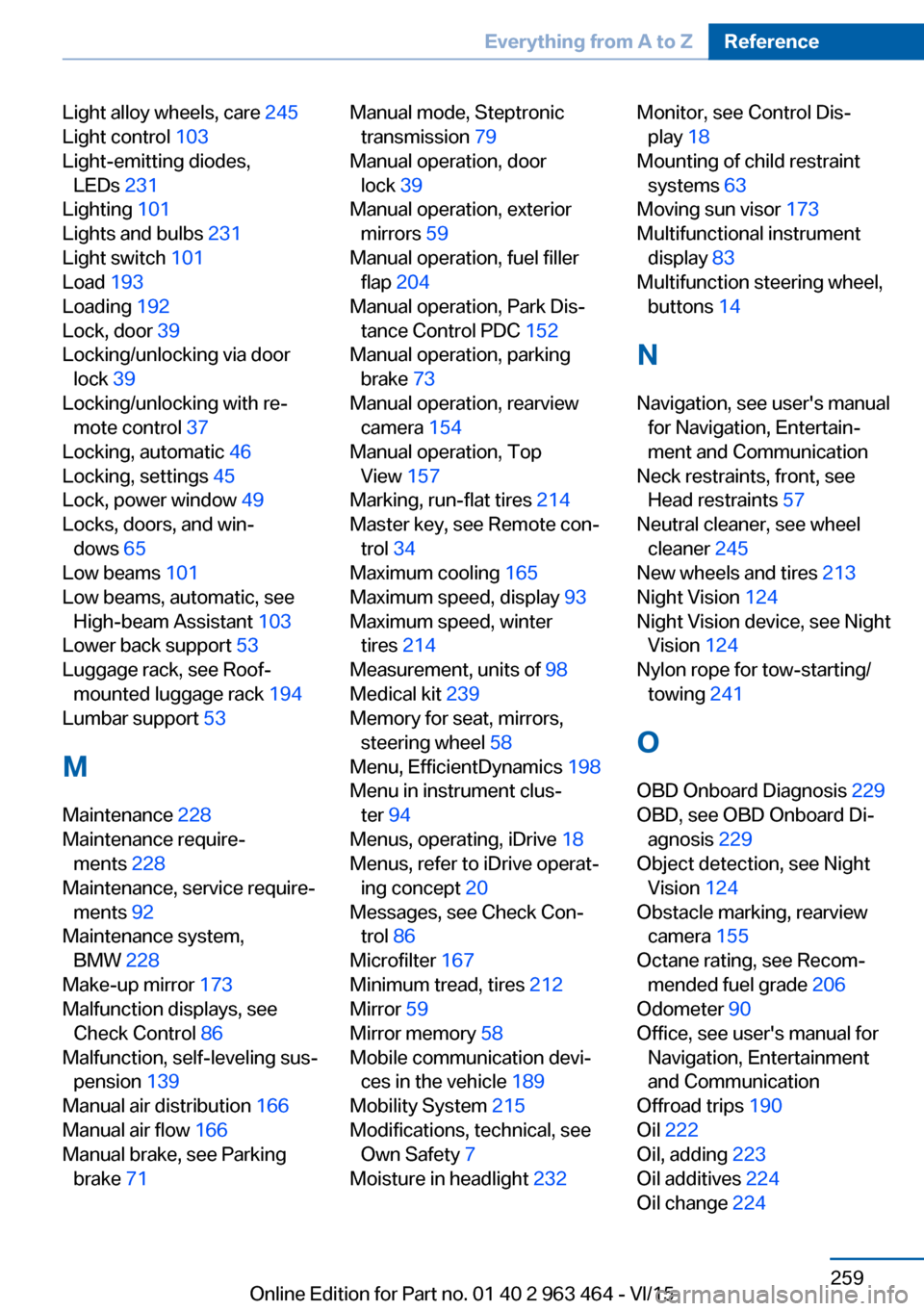
Light alloy wheels, care 245
Light control 103
Light-emitting diodes, LEDs 231
Lighting 101
Lights and bulbs 231
Light switch 101
Load 193
Loading 192
Lock, door 39
Locking/unlocking via door lock 39
Locking/unlocking with re‐ mote control 37
Locking, automatic 46
Locking, settings 45
Lock, power window 49
Locks, doors, and win‐ dows 65
Low beams 101
Low beams, automatic, see High-beam Assistant 103
Lower back support 53
Luggage rack, see Roof- mounted luggage rack 194
Lumbar support 53
M
Maintenance 228
Maintenance require‐ ments 228
Maintenance, service require‐ ments 92
Maintenance system, BMW 228
Make-up mirror 173
Malfunction displays, see Check Control 86
Malfunction, self-leveling sus‐ pension 139
Manual air distribution 166
Manual air flow 166
Manual brake, see Parking brake 71 Manual mode, Steptronic
transmission 79
Manual operation, door lock 39
Manual operation, exterior mirrors 59
Manual operation, fuel filler flap 204
Manual operation, Park Dis‐ tance Control PDC 152
Manual operation, parking brake 73
Manual operation, rearview camera 154
Manual operation, Top View 157
Marking, run-flat tires 214
Master key, see Remote con‐ trol 34
Maximum cooling 165
Maximum speed, display 93
Maximum speed, winter tires 214
Measurement, units of 98
Medical kit 239
Memory for seat, mirrors, steering wheel 58
Menu, EfficientDynamics 198
Menu in instrument clus‐ ter 94
Menus, operating, iDrive 18
Menus, refer to iDrive operat‐ ing concept 20
Messages, see Check Con‐ trol 86
Microfilter 167
Minimum tread, tires 212
Mirror 59
Mirror memory 58
Mobile communication devi‐ ces in the vehicle 189
Mobility System 215
Modifications, technical, see Own Safety 7
Moisture in headlight 232 Monitor, see Control Dis‐
play 18
Mounting of child restraint systems 63
Moving sun visor 173
Multifunctional instrument display 83
Multifunction steering wheel, buttons 14
N
Navigation, see user's manual for Navigation, Entertain‐
ment and Communication
Neck restraints, front, see Head restraints 57
Neutral cleaner, see wheel cleaner 245
New wheels and tires 213
Night Vision 124
Night Vision device, see Night Vision 124
Nylon rope for tow-starting/ towing 241
O OBD Onboard Diagnosis 229
OBD, see OBD Onboard Di‐ agnosis 229
Object detection, see Night Vision 124
Obstacle marking, rearview camera 155
Octane rating, see Recom‐ mended fuel grade 206
Odometer 90
Office, see user's manual for Navigation, Entertainment
and Communication
Offroad trips 190
Oil 222
Oil, adding 223
Oil additives 224
Oil change 224 Seite 259Everything from A to ZReference259
Online Edition for Part no. 01 40 2 963 464 - VI/15
Page 260 of 265
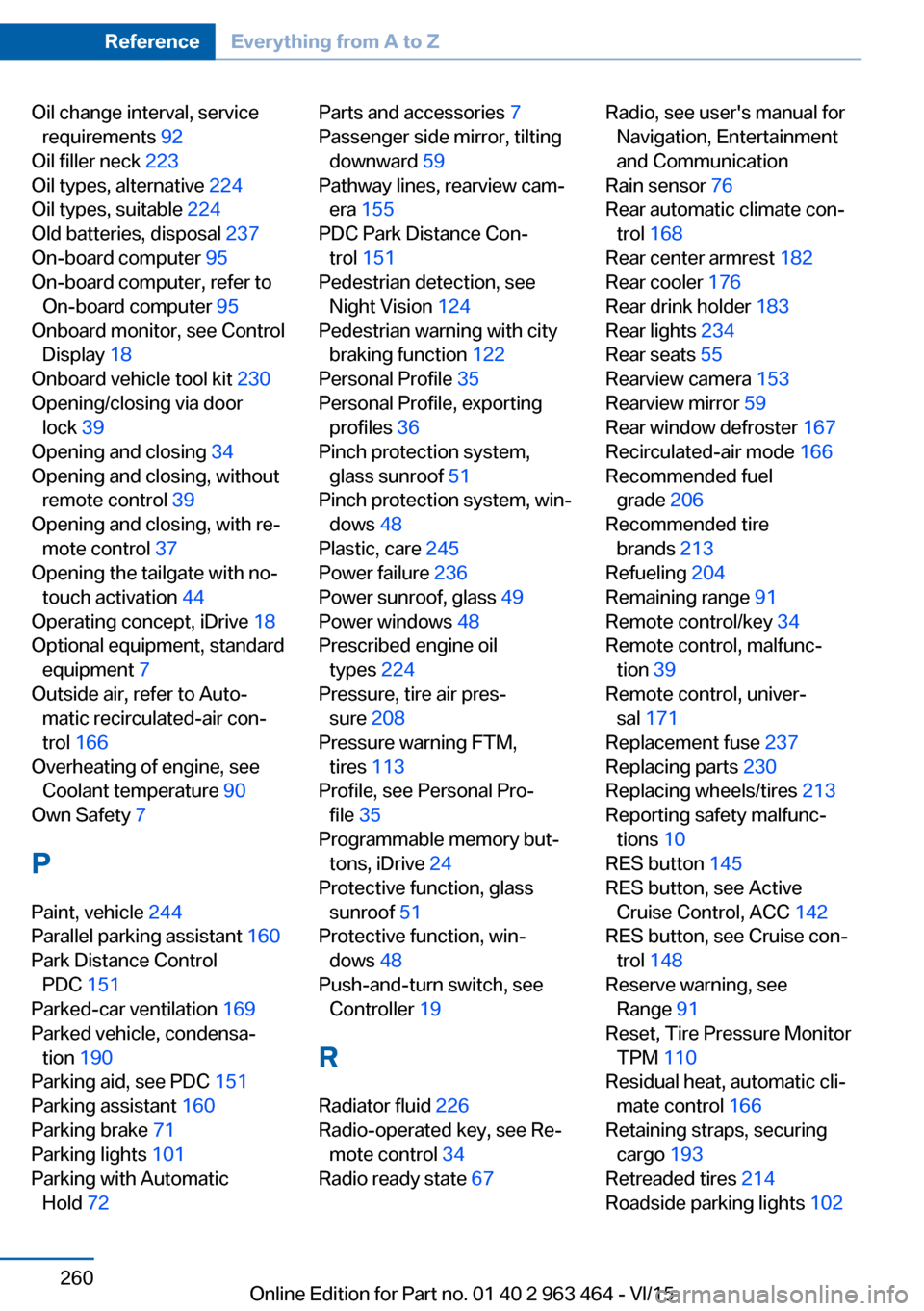
Oil change interval, servicerequirements 92
Oil filler neck 223
Oil types, alternative 224
Oil types, suitable 224
Old batteries, disposal 237
On-board computer 95
On-board computer, refer to On-board computer 95
Onboard monitor, see Control Display 18
Onboard vehicle tool kit 230
Opening/closing via door lock 39
Opening and closing 34
Opening and closing, without remote control 39
Opening and closing, with re‐ mote control 37
Opening the tailgate with no- touch activation 44
Operating concept, iDrive 18
Optional equipment, standard equipment 7
Outside air, refer to Auto‐ matic recirculated-air con‐
trol 166
Overheating of engine, see Coolant temperature 90
Own Safety 7
P Paint, vehicle 244
Parallel parking assistant 160
Park Distance Control PDC 151
Parked-car ventilation 169
Parked vehicle, condensa‐ tion 190
Parking aid, see PDC 151
Parking assistant 160
Parking brake 71
Parking lights 101
Parking with Automatic Hold 72 Parts and accessories 7
Passenger side mirror, tilting downward 59
Pathway lines, rearview cam‐ era 155
PDC Park Distance Con‐ trol 151
Pedestrian detection, see Night Vision 124
Pedestrian warning with city braking function 122
Personal Profile 35
Personal Profile, exporting profiles 36
Pinch protection system, glass sunroof 51
Pinch protection system, win‐ dows 48
Plastic, care 245
Power failure 236
Power sunroof, glass 49
Power windows 48
Prescribed engine oil types 224
Pressure, tire air pres‐ sure 208
Pressure warning FTM, tires 113
Profile, see Personal Pro‐ file 35
Programmable memory but‐ tons, iDrive 24
Protective function, glass sunroof 51
Protective function, win‐ dows 48
Push-and-turn switch, see Controller 19
R Radiator fluid 226
Radio-operated key, see Re‐ mote control 34
Radio ready state 67 Radio, see user's manual for
Navigation, Entertainment
and Communication
Rain sensor 76
Rear automatic climate con‐ trol 168
Rear center armrest 182
Rear cooler 176
Rear drink holder 183
Rear lights 234
Rear seats 55
Rearview camera 153
Rearview mirror 59
Rear window defroster 167
Recirculated-air mode 166
Recommended fuel grade 206
Recommended tire brands 213
Refueling 204
Remaining range 91
Remote control/key 34
Remote control, malfunc‐ tion 39
Remote control, univer‐ sal 171
Replacement fuse 237
Replacing parts 230
Replacing wheels/tires 213
Reporting safety malfunc‐ tions 10
RES button 145
RES button, see Active Cruise Control, ACC 142
RES button, see Cruise con‐ trol 148
Reserve warning, see Range 91
Reset, Tire Pressure Monitor TPM 110
Residual heat, automatic cli‐ mate control 166
Retaining straps, securing cargo 193
Retreaded tires 214
Roadside parking lights 102 Seite 260ReferenceEverything from A to Z260
Online Edition for Part no. 01 40 2 963 464 - VI/15
Page 262 of 265
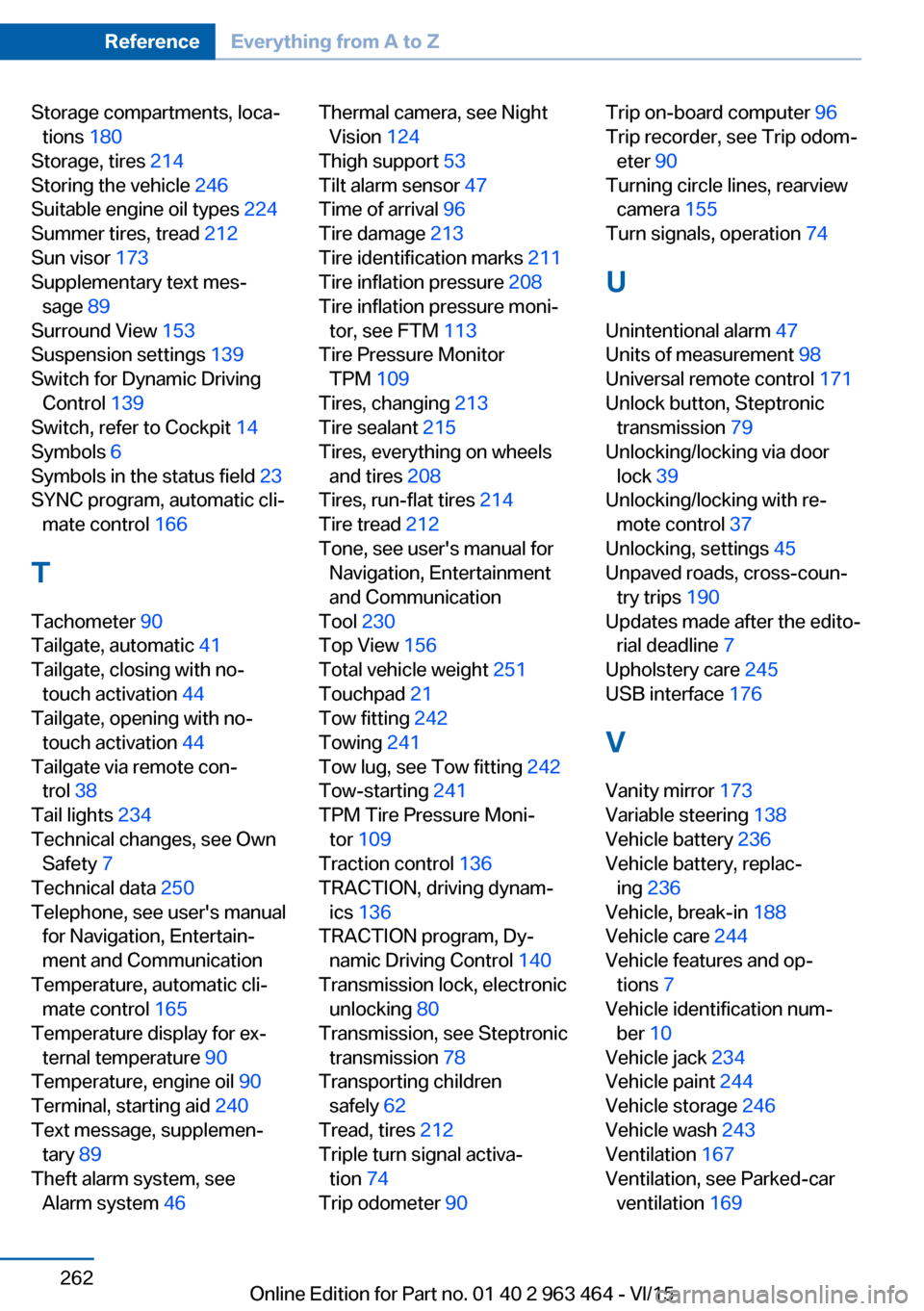
Storage compartments, loca‐tions 180
Storage, tires 214
Storing the vehicle 246
Suitable engine oil types 224
Summer tires, tread 212
Sun visor 173
Supplementary text mes‐ sage 89
Surround View 153
Suspension settings 139
Switch for Dynamic Driving Control 139
Switch, refer to Cockpit 14
Symbols 6
Symbols in the status field 23
SYNC program, automatic cli‐ mate control 166
T Tachometer 90
Tailgate, automatic 41
Tailgate, closing with no- touch activation 44
Tailgate, opening with no- touch activation 44
Tailgate via remote con‐ trol 38
Tail lights 234
Technical changes, see Own Safety 7
Technical data 250
Telephone, see user's manual for Navigation, Entertain‐
ment and Communication
Temperature, automatic cli‐ mate control 165
Temperature display for ex‐ ternal temperature 90
Temperature, engine oil 90
Terminal, starting aid 240
Text message, supplemen‐ tary 89
Theft alarm system, see Alarm system 46 Thermal camera, see Night
Vision 124
Thigh support 53
Tilt alarm sensor 47
Time of arrival 96
Tire damage 213
Tire identification marks 211
Tire inflation pressure 208
Tire inflation pressure moni‐ tor, see FTM 113
Tire Pressure Monitor TPM 109
Tires, changing 213
Tire sealant 215
Tires, everything on wheels and tires 208
Tires, run-flat tires 214
Tire tread 212
Tone, see user's manual for Navigation, Entertainment
and Communication
Tool 230
Top View 156
Total vehicle weight 251
Touchpad 21
Tow fitting 242
Towing 241
Tow lug, see Tow fitting 242
Tow-starting 241
TPM Tire Pressure Moni‐ tor 109
Traction control 136
TRACTION, driving dynam‐ ics 136
TRACTION program, Dy‐ namic Driving Control 140
Transmission lock, electronic unlocking 80
Transmission, see Steptronic transmission 78
Transporting children safely 62
Tread, tires 212
Triple turn signal activa‐ tion 74
Trip odometer 90 Trip on-board computer 96
Trip recorder, see Trip odom‐ eter 90
Turning circle lines, rearview camera 155
Turn signals, operation 74
U Unintentional alarm 47
Units of measurement 98
Universal remote control 171
Unlock button, Steptronic transmission 79
Unlocking/locking via door lock 39
Unlocking/locking with re‐ mote control 37
Unlocking, settings 45
Unpaved roads, cross-coun‐ try trips 190
Updates made after the edito‐ rial deadline 7
Upholstery care 245
USB interface 176
V Vanity mirror 173
Variable steering 138
Vehicle battery 236
Vehicle battery, replac‐ ing 236
Vehicle, break-in 188
Vehicle care 244
Vehicle features and op‐ tions 7
Vehicle identification num‐ ber 10
Vehicle jack 234
Vehicle paint 244
Vehicle storage 246
Vehicle wash 243
Ventilation 167
Ventilation, see Parked-car ventilation 169 Seite 262ReferenceEverything from A to Z262
Online Edition for Part no. 01 40 2 963 464 - VI/15