ignition BMW X6 M 2012 User Guide
[x] Cancel search | Manufacturer: BMW, Model Year: 2012, Model line: X6 M, Model: BMW X6 M 2012Pages: 317, PDF Size: 8.83 MB
Page 63 of 317
Switching off the engine
Procedure
1.
Engage transmission position P with the ve‐
hicle stopped.
2. Press the Start/Stop button.
3. Set the parking brake.
4. Remove the remote control from the ignition
lock, refer to page 61.
Before driving into a car wash
The vehicle is able to roll when the following
steps are adhered to:
1. With Comfort Access*: insert the remote
control in the ignition lock.
2. Depress the brake pedal.
3. Engage transmission position N.
4. Release the parking brake or deactivate Au‐
tomatic Hold.
5. Switch the engine off.
Transmission position P will be engaged:
▷ Automatically after approx. 30 minutes.
▷ If you remove the remote control from the
ignition lock.
Parking brake
The concept
The parking brake is primarily intended to pre‐
vent the vehicle from rolling while parked; it
brakes the rear wheels.
The parking brake can be set manually or auto‐
matically:
▷ Manual: by pulling and pushing the switch.
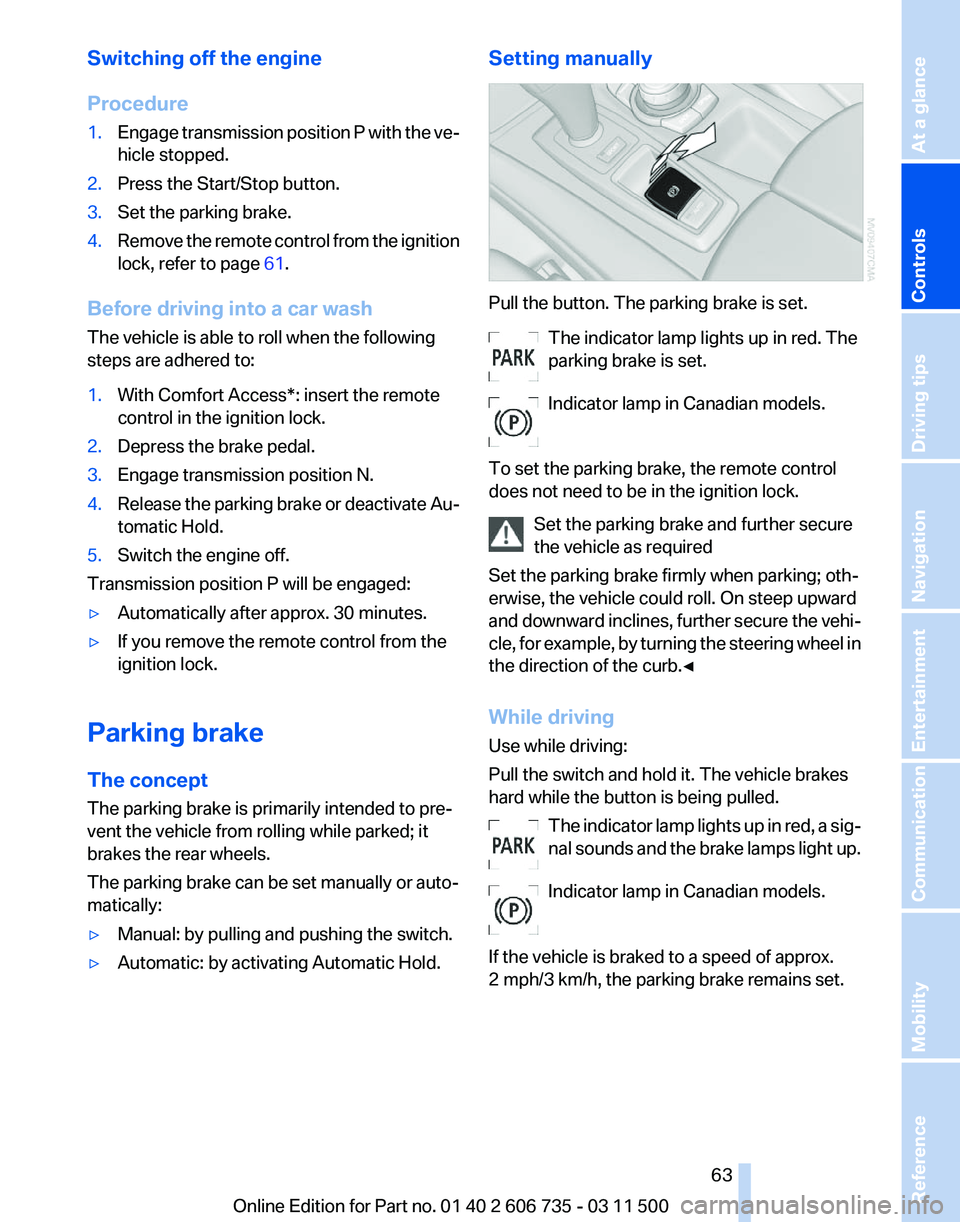
▷ Automatic: by activating Automatic Hold. Setting manually Pull the button. The parking brake is set.
The indicator lamp lights up in red. The
parking brake is set.
Indicator lamp in Canadian models.
To set the parking brake, the remote control
does not need to be in the ignition lock. Set the parking brake and further secure
the vehicle as required
Set the parking brake firmly when parking; oth‐
erwise, the vehicle could roll. On steep upward
and
downward inclines, further secure the vehi‐
cle, for example, by turning the steering wheel in
the direction of the curb.◀
While driving
Use while driving:
Pull the switch and hold it. The vehicle brakes
hard while the button is being pulled.
The indicator lamp lights up in red, a sig‐
nal sounds and the brake lamps light up.
Indicator lamp in Canadian models.
If the vehicle is braked to a speed of approx.
2 mph/3 km/h, the parking brake remains set. Seite 63
63Online Edition for Part no. 01 40 2 606 735 - 03 11 500
Reference Mobility Communication Entertainment Navigation Driving tips
Controls At a glance
Page 66 of 317
Have the malfunction corrected
Have the malfunction corrected at the
nearest service center or at a workshop that
works
according to BMW repair procedures with
correspondingly trained personnel. If the park‐
ing brake has been released manually in re‐
sponse to a malfunction, only technicians can
return it to operation.◀
Following manual release, the actual status of
the parking brake may deviate from that dis‐
played by the indicator lamp.
Putting into operation after a power
failure
Putting the parking brake into operation
The parking brake should only be put into
operation again if it was manually released due
to an interruption in the supply of electrical
power. Otherwise the operation of the parking
brake is not ensured and there is a danger of the
vehicle rolling despite the parking brake being
set.◀
Procedure
1. Switch on the ignition.
2. Press the button with the brake depressed.
The indicator lamp in the instrument
cluster goes out as soon as the parking
brake is ready for operation.
Indicator lamp in Canadian models.
Any
noises which occur are normal. Startup may
take several seconds. Turn signal, high beams,
headlamp flasher
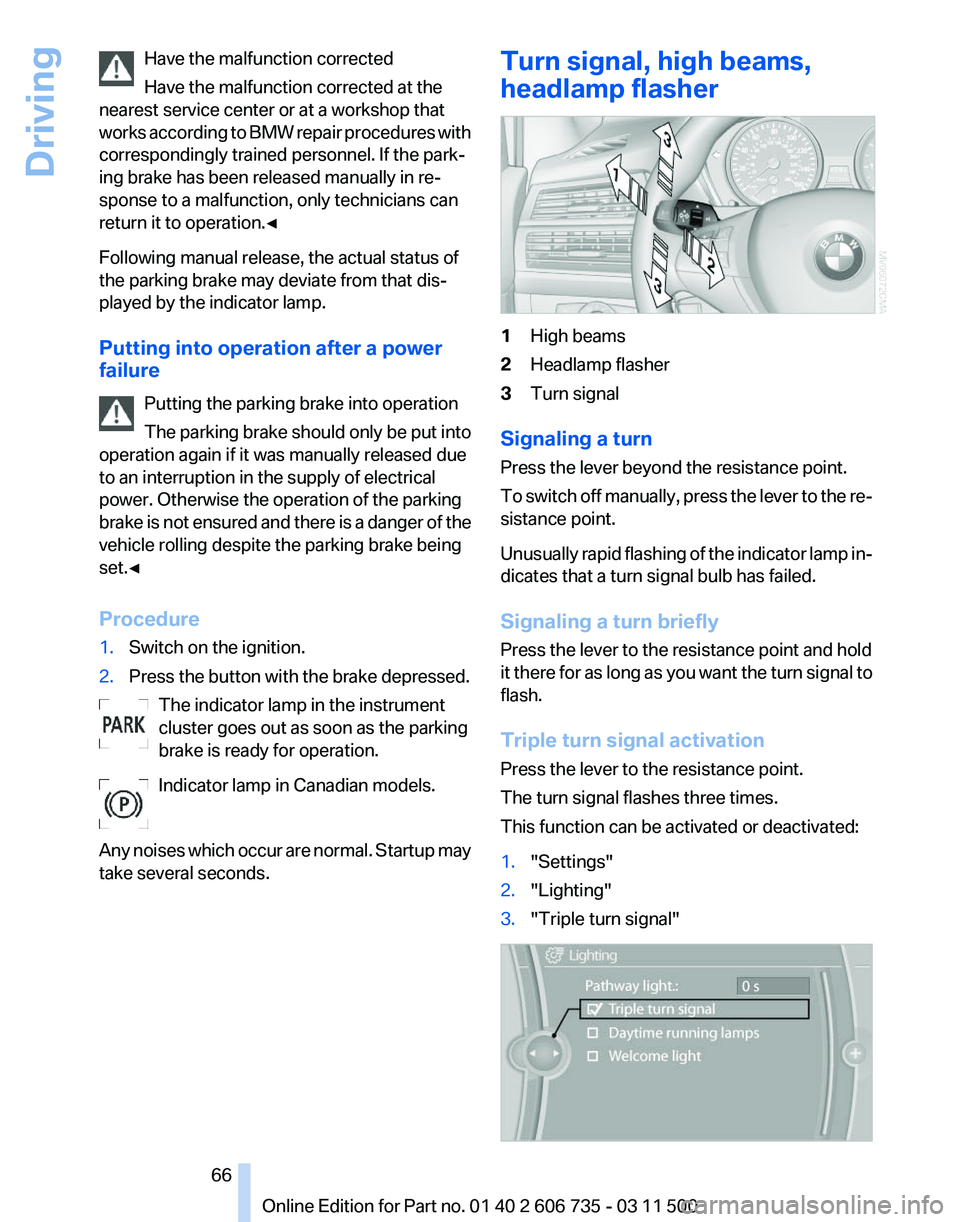
1
High beams
2 Headlamp flasher
3 Turn signal
Signaling a turn
Press the lever beyond the resistance point.
To
switch off manually, press the lever to the re‐
sistance point.
Unusually rapid flashing of the indicator lamp in‐
dicates that a turn signal bulb has failed.
Signaling a turn briefly
Press the lever to the resistance point and hold
it there for as long as you want the turn signal to
flash.
Triple turn signal activation
Press the lever to the resistance point.
The turn signal flashes three times.
This function can be activated or deactivated:
1. "Settings"
2. "Lighting"
3. "Triple turn signal" Seite 66
66 Online Edition for Part no. 01 40 2 606 735 - 03 11 500
Driving
Page 68 of 317
When the vehicle lighting system is switched on,
the headlamps are cleaned at regular and ap‐
propriate intervals.
Do not use the washer system at freezing
temperatures
Do not use the washers if there is any danger
that the fluid will freeze on the windshield; oth‐
erwise, your vision could be obscured. For this
reason, use antifreeze.
Avoid using the washer when the reservoir is
empty; otherwise, you could damage the
pump.◀
Windshield washer nozzles
The windshield washer nozzles are heated au‐
tomatically
while the engine is running or the ig‐
nition is switched on.
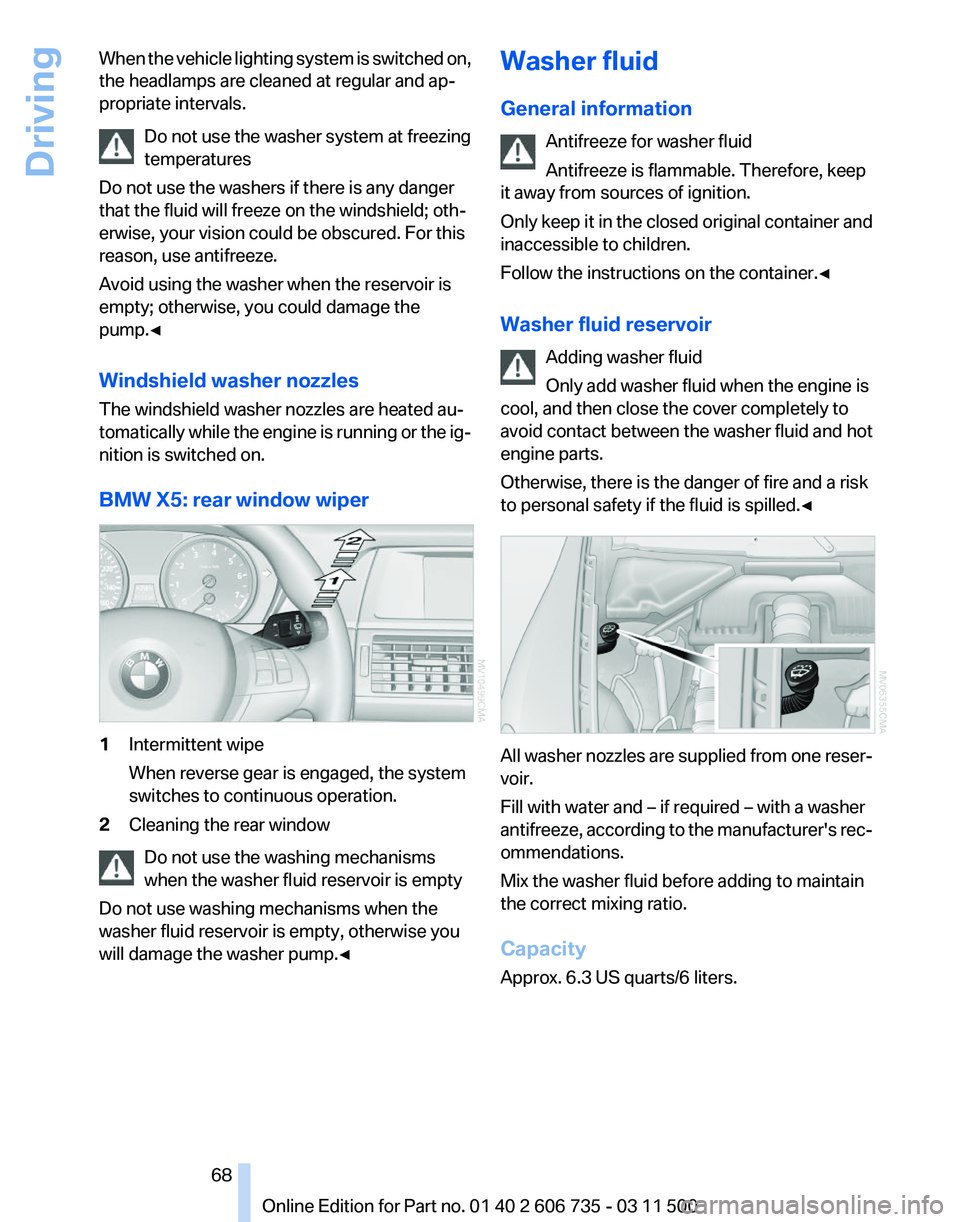
BMW X5: rear window wiper 1
Intermittent wipe
When reverse gear is engaged, the system
switches to continuous operation.
2 Cleaning the rear window
Do not use the washing mechanisms
when the washer fluid reservoir is empty
Do not use washing mechanisms when the
washer fluid reservoir is empty, otherwise you
will damage the washer pump.
◀ Washer fluid
General information
Antifreeze for washer fluid
Antifreeze is flammable. Therefore, keep
it away from sources of ignition.
Only
keep it in the closed original container and
inaccessible to children.
Follow the instructions on the container.◀
Washer fluid reservoir
Adding washer fluid
Only add washer fluid when the engine is
cool, and then close the cover completely to
avoid contact between the washer fluid and hot
engine parts.
Otherwise, there is the danger of fire and a risk
to personal safety if the fluid is spilled.◀ All washer nozzles are supplied from one reser‐
voir.
Fill with water and – if required – with a washer
antifreeze,
according to the manufacturer's rec‐
ommendations.
Mix the washer fluid before adding to maintain
the correct mixing ratio.
Capacity
Approx. 6.3 US quarts/6 liters. Seite 68
68 Online Edition for Part no. 01 40 2 606 735 - 03 11 500
Driving
Page 69 of 317
Automatic transmission with
Steptronic
Transmission positions
D Drive, automatic position
Position for normal vehicle operation. All for‐
ward gears are available.
Under normal operating conditions, fuel con‐
sumption is lowest when you are driving in po‐
sition D.
Kickdown
Kickdown is used to achieve maximum driving
performance. Press on the accelerator beyond
the resistance point at the full throttle position.
R is Reverse
Select only when the vehicle is stationary.
N is Neutral
Use in automatic car washes, for example. The
vehicle can roll.
When the ignition is switched off, refer to
page
61, position P is engaged automatically.
P Park
Select only when the vehicle is stationary. The
drive wheels are blocked.
P is engaged automatically as soon as the en‐
gine
is switched off unless N is engaged and, in
vehicles with Comfort Access, the remote con‐
trol is inserted in the ignition lock, refer to
page 61. Before leaving the vehicle, ensure that
the transmission position P is engaged; other‐
wise, the vehicle may begin to roll.
Engaging transmission position
▷ Transmission position P can only be disen‐
gaged
if the engine is running and the brake
pedal is pressed.
▷ With the vehicle stationary, press on the
brake pedal before shifting out of P or N;
otherwise, the shift command will not be
executed: shift lock. Press on the brake pedal until you start
driving
To prevent the vehicle from creeping after you
select a driving position, maintain pressure on
the brake pedal until you are ready to start.
◀
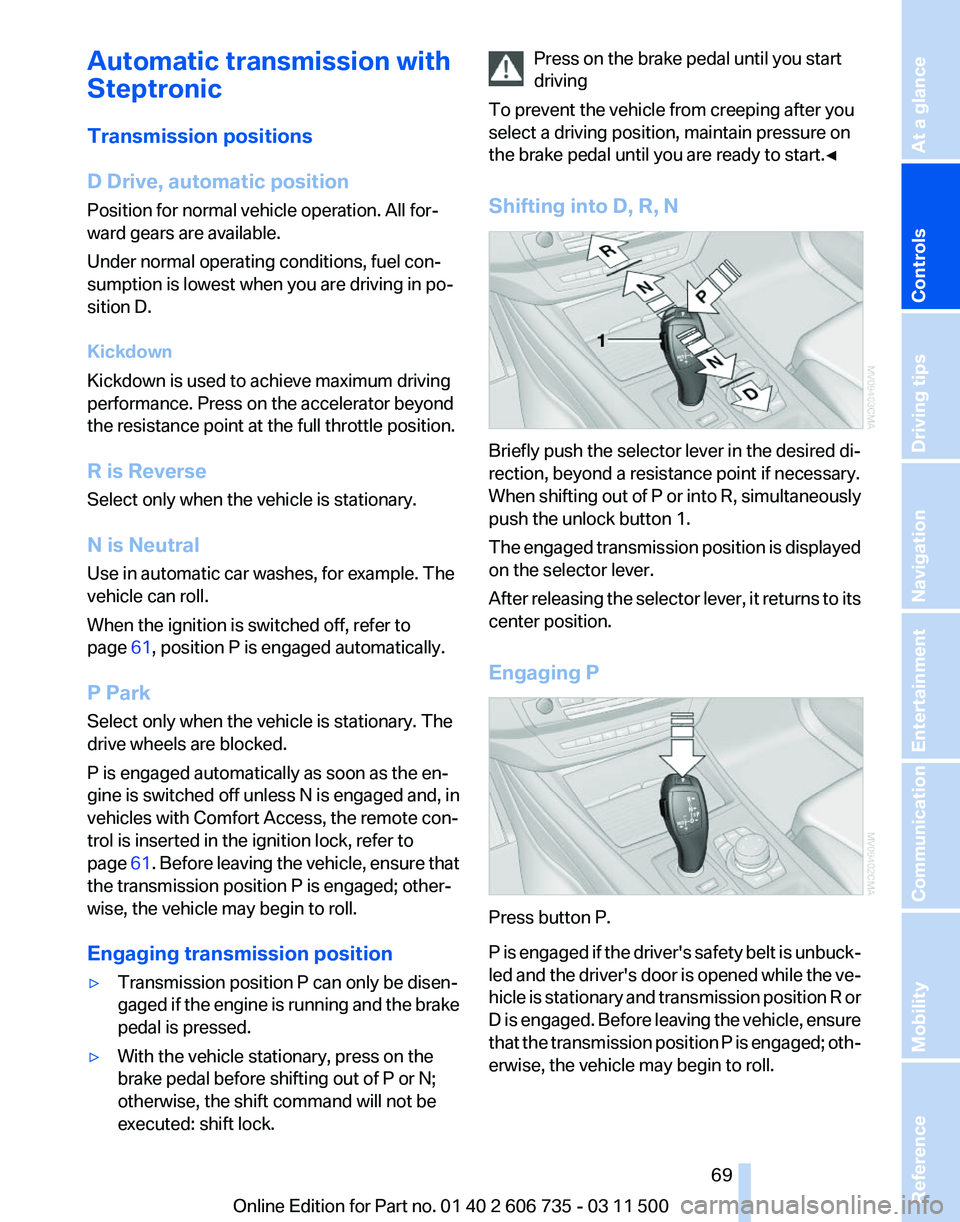
Shifting into D, R, N Briefly push the selector lever in the desired di‐
rection, beyond a resistance point if necessary.
When
shifting out of P or into R, simultaneously
push the unlock button 1.
The engaged transmission position is displayed
on the selector lever.
After releasing the selector lever, it returns to its
center position.
Engaging P Press button P.
P
is engaged if the driver's safety belt is unbuck‐
led and the driver's door is opened while the ve‐
hicle is stationary and transmission position R or
D is engaged. Before leaving the vehicle, ensure
that the transmission position P is engaged; oth‐
erwise, the vehicle may begin to roll. Seite 69
69Online Edition for Part no. 01 40 2 606 735 - 03 11 500
Reference Mobility Communication Entertainment Navigation Driving tips
Controls At a glance
Page 71 of 317
Displays
Odometer, external
temperature display, clock
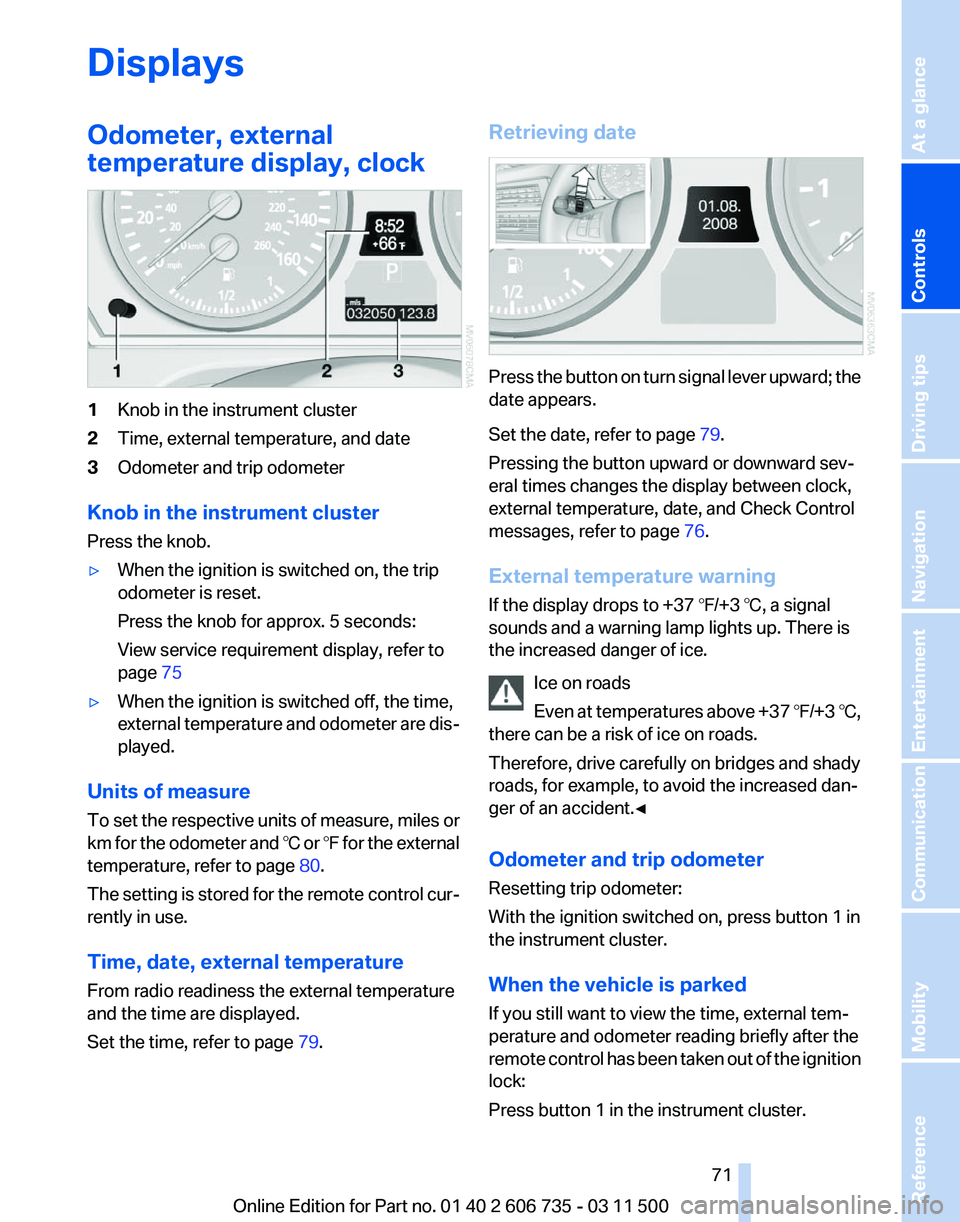
1
Knob in the instrument cluster
2 Time, external temperature, and date
3 Odometer and trip odometer
Knob in the instrument cluster
Press the knob.
▷ When the ignition is switched on, the trip
odometer is reset.
Press the knob for approx. 5 seconds:
View service requirement display, refer to
page 75
▷ When the ignition is switched off, the time,
external
temperature and odometer are dis‐
played.
Units of measure
To
set the respective units of measure, miles or
km for the odometer and ℃ or ℉ for the external
temperature, refer to page 80.
The setting is stored for the remote control cur‐
rently in use.
Time, date, external temperature
From radio readiness the external temperature
and the time are displayed.
Set the time, refer to page 79.Retrieving date
Press the button on turn signal lever upward; the
date appears.
Set the date, refer to page
79.
Pressing the button upward or downward sev‐
eral times changes the display between clock,
external temperature, date, and Check Control
messages, refer to page 76.
External temperature warning
If the display drops to +37 ℉/+3 ℃, a signal
sounds and a warning lamp lights up. There is
the increased danger of ice. Ice on roads
Even
at temperatures above +37 ℉/+3 ℃,
there can be a risk of ice on roads.
Therefore, drive carefully on bridges and shady
roads, for example, to avoid the increased dan‐
ger of an accident.◀
Odometer and trip odometer
Resetting trip odometer:
With the ignition switched on, press button 1 in
the instrument cluster.
When the vehicle is parked
If you still want to view the time, external tem‐
perature and odometer reading briefly after the
remote control has been taken out of the ignition
lock:
Press button 1 in the instrument cluster. Seite 71
71Online Edition for Part no. 01 40 2 606 735 - 03 11 500
Reference Mobility Communication Entertainment Navigation Driving tips
Controls At a glance
Page 75 of 317
Service requirements
The remaining driving distance and the date of
the
next scheduled service are displayed briefly
immediately after you start the engine or switch
on the ignition.
The current service requirements can be read
out from the remote control by the service spe‐
cialist.
For certain maintenance operations, you can
view the distance remaining or the due date for
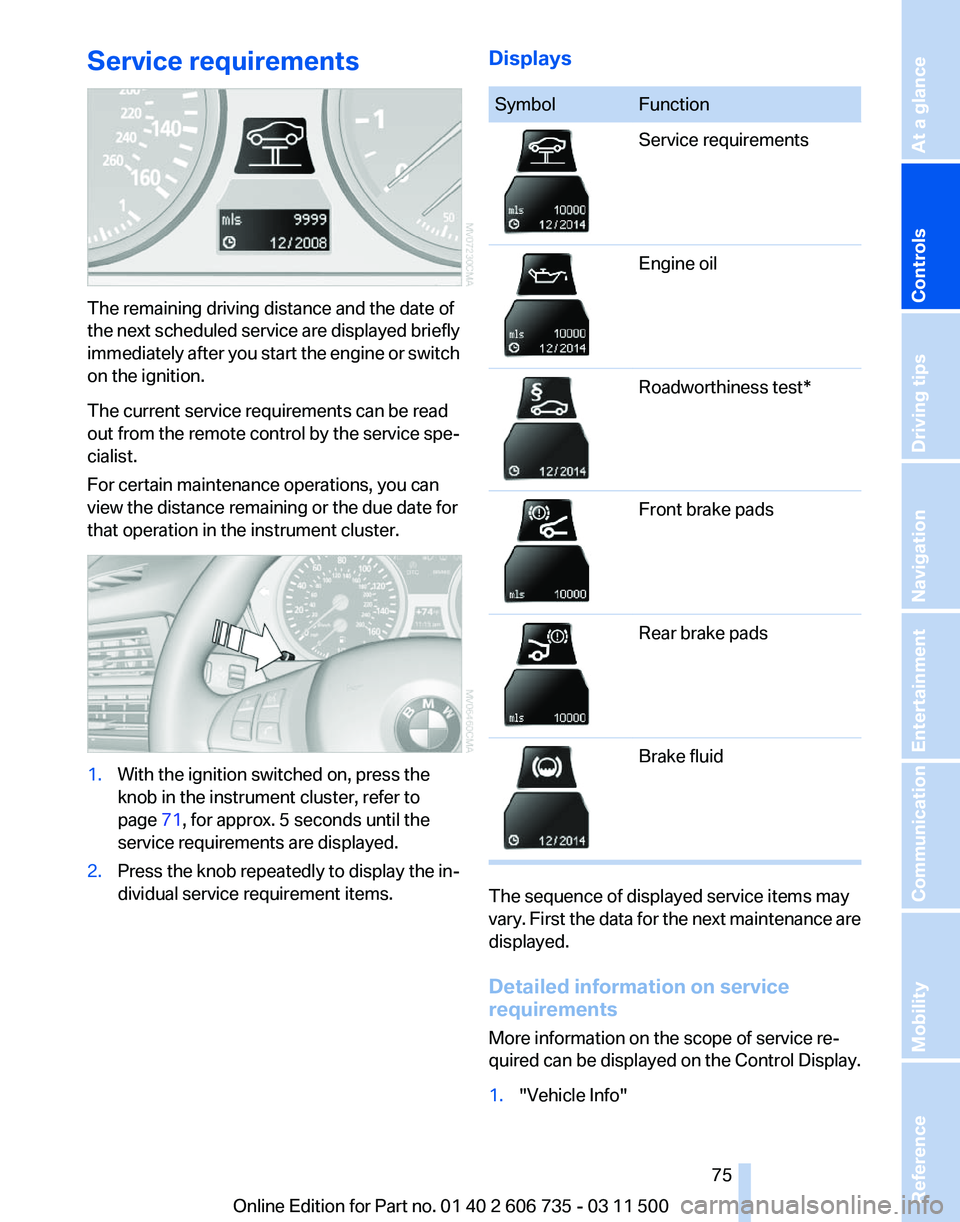
that operation in the instrument cluster. 1.
With the ignition switched on, press the
knob in the instrument cluster, refer to
page 71, for approx. 5 seconds until the
service requirements are displayed.
2. Press the knob repeatedly to display the in‐
dividual service requirement items. Displays Symbol Function
Service requirements
Engine oil
Roadworthiness test*
Front brake pads
Rear brake pads
Brake fluid
The sequence of displayed service items may
vary.
First the data for the next maintenance are
displayed.
Detailed information on service
requirements
More information on the scope of service re‐
quired can be displayed on the Control Display.
1. "Vehicle Info"
Seite 75
75Online Edition for Part no. 01 40 2 606 735 - 03 11 500
Reference Mobility Communication Entertainment Navigation Driving tips
Controls At a glance
Page 77 of 317
in some circumstances, an acoustic signal and
text
messages at the top of the Control Display.
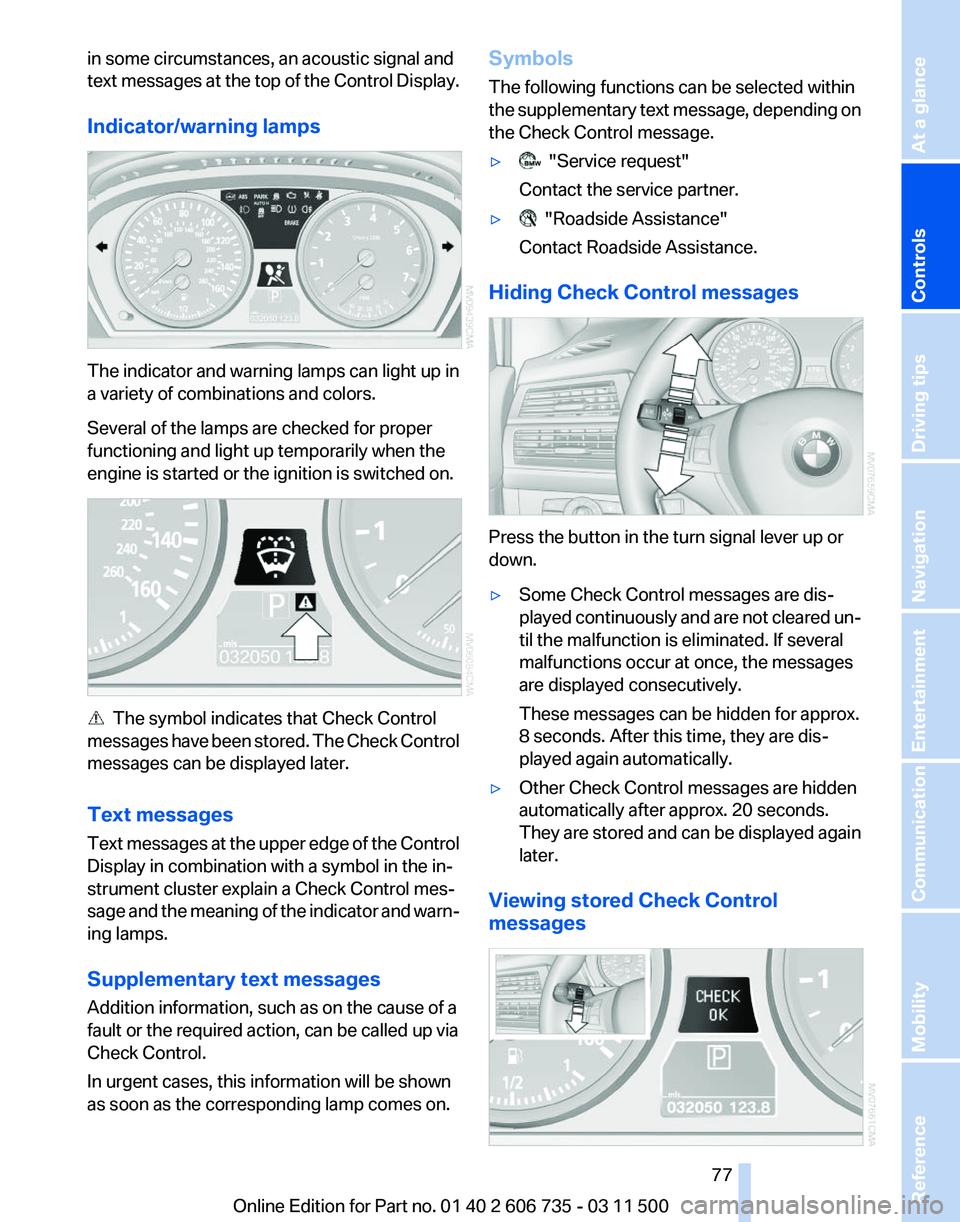
Indicator/warning lamps The indicator and warning lamps can light up in
a variety of combinations and colors.
Several of the lamps are checked for proper
functioning and light up temporarily when the
engine is started or the ignition is switched on.
The symbol indicates that Check Control
messages
have been stored. The Check Control
messages can be displayed later.
Text messages
Text messages at the upper edge of the Control
Display in combination with a symbol in the in‐
strument cluster explain a Check Control mes‐
sage and the meaning of the indicator and warn‐
ing lamps.
Supplementary text messages
Addition information, such as on the cause of a
fault or the required action, can be called up via
Check Control.
In urgent cases, this information will be shown
as soon as the corresponding lamp comes on. Symbols
The following functions can be selected within
the
supplementary text message, depending on
the Check Control message.
▷ "Service request"
Contact the service partner.
▷ "Roadside Assistance"
Contact Roadside Assistance.
Hiding Check Control messages Press the button in the turn signal lever up or
down.
▷
Some Check Control messages are dis‐
played
continuously and are not cleared un‐
til the malfunction is eliminated. If several
malfunctions occur at once, the messages
are displayed consecutively.
These messages can be hidden for approx.
8 seconds. After this time, they are dis‐
played again automatically.
▷ Other Check Control messages are hidden
automatically after approx. 20 seconds.
They
are stored and can be displayed again
later.
Viewing stored Check Control
messages Seite 77
77Online Edition for Part no. 01 40 2 606 735 - 03 11 500
Reference Mobility Communication Entertainment Navigation Driving tips
Controls At a glance
Page 78 of 317
1.
Press the button on the turn signal lever
downward. "CHECK OK" or the stored
Check
Control messages appear on the dis‐
play.
„CHECK OK“ is shown if no messages are
present.
Check Control messages are accompanied
by text messages on the Control Display.
2. Press the button to display additional mes‐
sages,
the time and external temperature, or
the date.
Displaying stored Check Control
messages
1. "Vehicle Info"
2. "Vehicle status"
3. "Check Control"
4. Select the text message.
Messages after trip completion
Malfunctions indicated during a trip are dis‐
played again after the ignition is switched off.
Speed limit
*
Entry of a speed limit which, when reached,
should cause a Check Control message to be
issued.
Renewed warning if the vehicle speed drops be‐
low the set speed limit once by at least 3 mph/
5 km/h.
Displaying, setting or changing the
limit
1. "Settings"
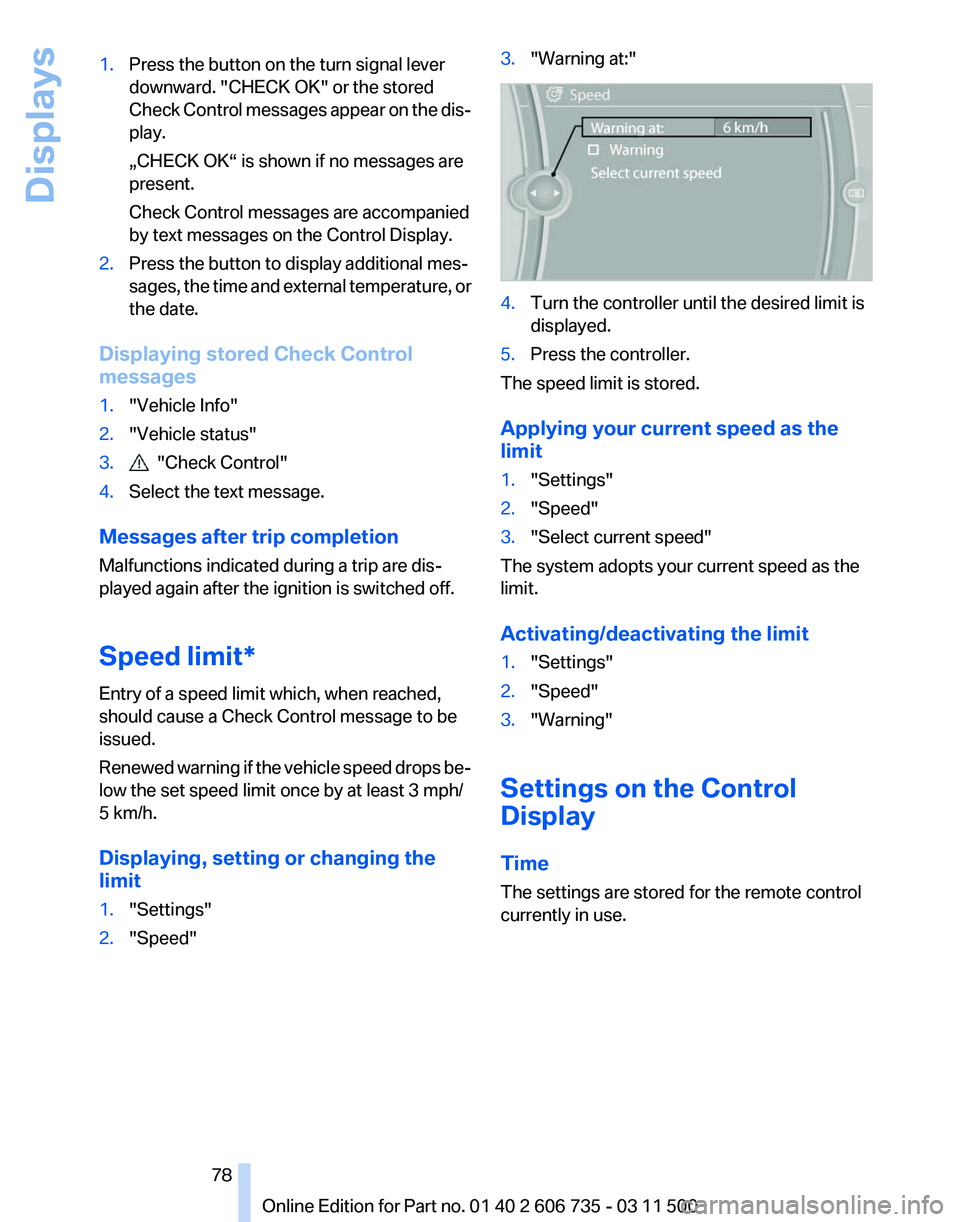
2. "Speed" 3.
"Warning at:" 4.
Turn the controller until the desired limit is
displayed.
5. Press the controller.
The speed limit is stored.
Applying your current speed as the
limit
1. "Settings"
2. "Speed"
3. "Select current speed"
The system adopts your current speed as the
limit.
Activating/deactivating the limit
1. "Settings"
2. "Speed"
3. "Warning"
Settings on the Control
Display
Time
The settings are stored for the remote control
currently in use.
Seite 78
78 Online Edition for Part no. 01 40 2 606 735 - 03 11 500
Displays
Page 81 of 317
Lamps
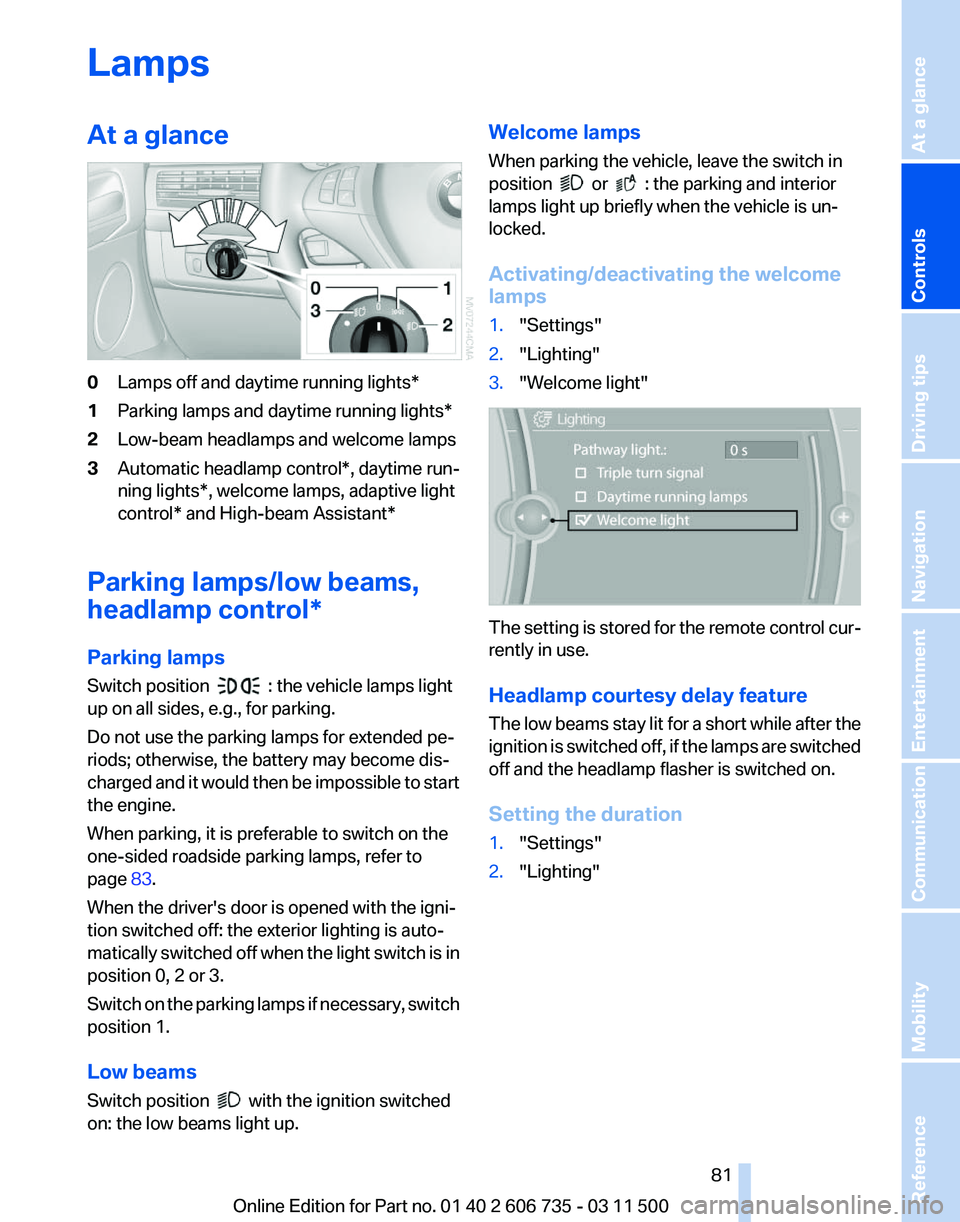
At a glance
0
Lamps off and daytime running lights*
1 Parking lamps and daytime running lights*
2 Low-beam headlamps and welcome lamps
3 Automatic headlamp control*, daytime run‐
ning lights*, welcome lamps,
adaptive light
control* and High-beam Assistant*
Parking lamps/low beams,
headlamp control*
Parking lamps
Switch position : the vehicle lamps light
up on all sides, e.g., for parking.
Do not use the parking lamps for extended pe‐
riods; otherwise, the battery may become dis‐
charged
and it would then be impossible to start
the engine.
When parking, it is preferable to switch on the
one-sided roadside parking lamps, refer to
page 83.
When the driver's door is opened with the igni‐
tion switched off: the exterior lighting is auto‐
matically switched off when the light switch is in
position 0, 2 or 3.
Switch on the parking lamps if necessary, switch
position 1.
Low beams
Switch position with the ignition switched
on: the low beams light up. Welcome lamps
When parking the vehicle, leave the switch in
position or : the parking and interior
lamps light up briefly when the vehicle is un‐
locked.
Activating/deactivating the welcome
lamps
1. "Settings"
2. "Lighting"
3. "Welcome light" The setting is stored for the remote control cur‐
rently in use.
Headlamp courtesy delay feature
The
low beams stay lit for a short while after the
ignition is switched off, if the lamps are switched
off and the headlamp flasher is switched on.
Setting the duration
1. "Settings"
2. "Lighting"
Seite 81
81Online Edition for Part no. 01 40 2 606 735 - 03 11 500
Reference Mobility Communication Entertainment Navigation Driving tips
Controls At a glance
Page 82 of 317
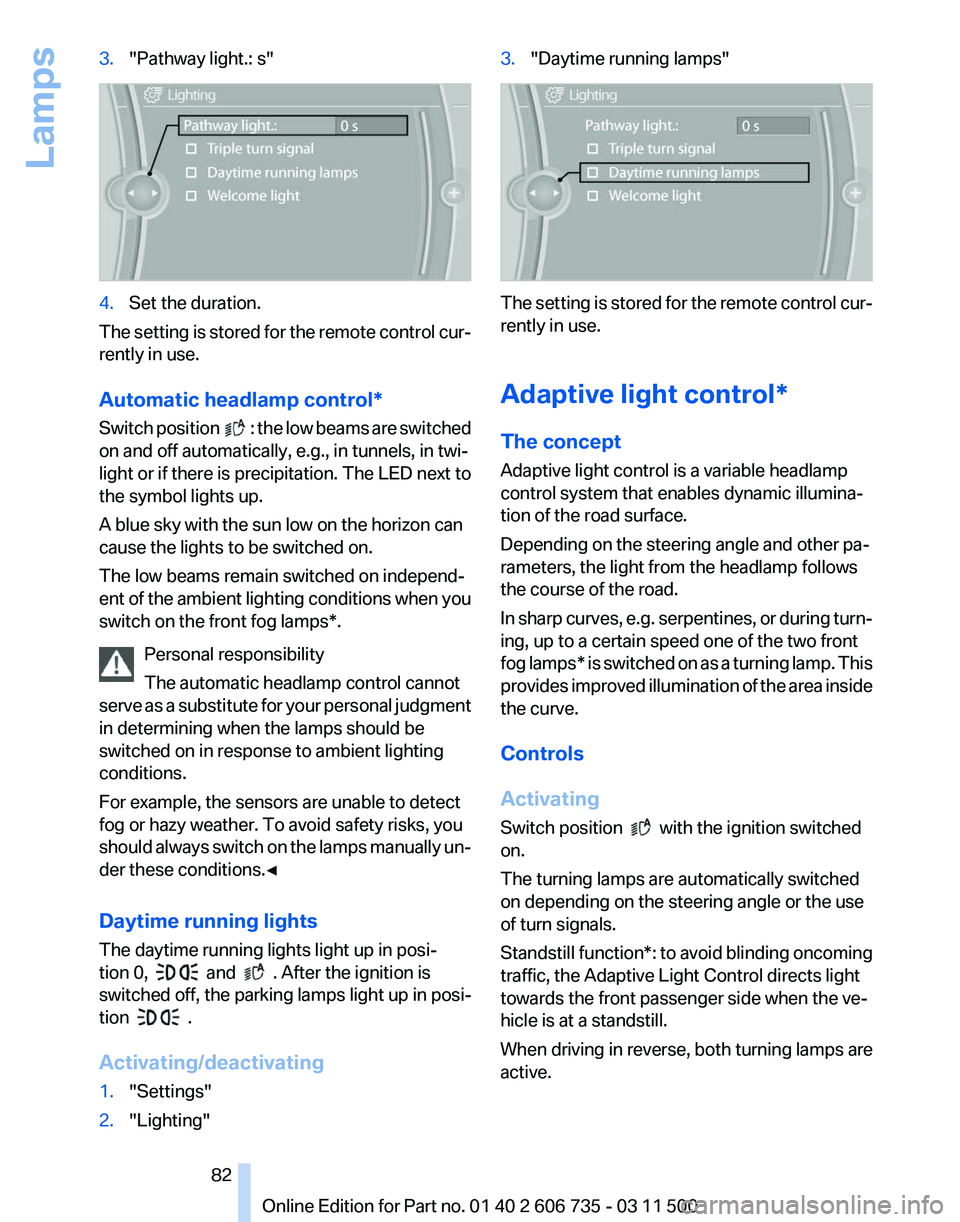
3.
"Pathway light.: s" 4.
Set the duration.
The setting is stored for the remote control cur‐
rently in use.
Automatic headlamp control
*
Switch position : the low beams are switched
on and off automatically, e.g., in tunnels, in twi‐
light or if there is precipitation. The LED next to
the symbol lights up.
A blue sky with the sun low on the horizon can
cause the lights to be switched on.
The low beams remain switched on independ‐
ent
of the ambient lighting conditions when you
switch on the front fog lamps*.
Personal responsibility
The automatic headlamp control cannot
serve as a substitute for your personal judgment
in determining when the lamps should be
switched on in response to ambient lighting
conditions.
For example, the sensors are unable to detect
fog or hazy weather. To avoid safety risks, you
should always switch on the lamps manually un‐
der these conditions.◀
Daytime running lights
The daytime running lights light up in posi‐
tion 0, and . After the ignition is
switched off, the parking lamps light up in posi‐
tion .
Activating/deactivating
1. "Settings"
2. "Lighting" 3.
"Daytime running lamps" The setting is stored for the remote control cur‐
rently in use.
Adaptive light control*
The concept
Adaptive light control is a variable headlamp
control system that enables dynamic illumina‐
tion of the road surface.
Depending on the steering angle and other pa‐
rameters, the light from the headlamp follows
the course of the road.
In
sharp curves, e.g. serpentines, or during turn‐
ing, up to a certain speed one of the two front
fog lamps* is switched on as a turning lamp. This
provides improved illumination of the area inside
the curve.
Controls
Activating
Switch position with the ignition switched
on.
The turning lamps are automatically switched
on depending on the steering angle or the use
of turn signals.
Standstill function*:
to avoid blinding oncoming
traffic, the Adaptive Light Control directs light
towards the front passenger side when the ve‐
hicle is at a standstill.
When driving in reverse, both turning lamps are
active.
Seite 82
82 Online Edition for Part no. 01 40 2 606 735 - 03 11 500
Lamps