Off road BMW X6 XDRIVE 2009 E71 Owner's Guide
[x] Cancel search | Manufacturer: BMW, Model Year: 2009, Model line: X6 XDRIVE, Model: BMW X6 XDRIVE 2009 E71Pages: 317, PDF Size: 9.57 MB
Page 267 of 317
Mobility
265Reference
At a glance
Controls
Driving tips
Communications
Navigation
Entertainment
Care
Car-care products
For the cleaning and care of your vehicle, BMW
recommends using only products that BMW
has approved for this purpose.
Regular cleaning and care make a significant
contribution to retain ing your BMW's value.
The BMW Sports Activity Vehicle Center will be
happy to consult you on products and services
for the cleaning and care of your BMW.
Genuine BMW Care Products are materi-
als tested, laboratory tested, and tested in
actual use. They offer optimum care and pro-
tection for your vehicle. <
Do not use cleaners that contain alcohol
or solvents; they can damage your vehi-
cle. <
Cleaning agents can contain substances
that are dangerous or pose health risks.
You should therefore heed the warnings and
hazard indications on the packaging. Open the
doors or windows on your vehicle whenever
cleaning the interior. Make sure there is suffi-
cient ventilation in enclosed spaces. Use only
products that are formul ated for vehicle clean-
ing. <
Exterior care
Washing your vehicle
In the winter months, it is especially
important to ensure that the vehicle is
washed on a regular basis. Otherwise, signifi-
cant soiling and road salt can cause damage to
the vehicle.<
After washing the vehicle, apply the
brakes briefly to dry th em. Failure to do so
may lead to a reduction in braking efficiency and
also to corrosion of the brake rotors. <
Car washes
Give preference to cloth car washes.
Before driving into the car wash, make sure that
it is suitable for your BMW. Pay attention to the
following points:
> Dimensions of your vehicle, refer to
page 287.
> If necessary: fold in door mirror, refer to
page 57.
> Maximum permissible tire width.
Preparations for driving into the car wash:
> Deactivate rain sensor
* to prevent
unwanted wiper activation.
> BMW X5: deactivate rear window wiper and
protect it from damage. Take appropriate
protective measures; inquiring with the car
wash operator as needed.
> Remove additional add- on parts, e.g. spoil-
ers or phone antennas, if they could be
damaged.
Automatic transmission with
Steptronic
Before driving into the car wash, observe the
following so that the vehicle is able to roll:
1. Insert the remote cont rol into the ignition
lock, even with comfort access.
2. Shift into transmission position N.
3. Release the parking brake.
4. Deactivate Automatic Hold, refer to
page 68.
5. Switch off the engine.
6. Leave the remote control in the ignition lock
so that the vehicle can roll.
Page 268 of 317
Care
266
Steam cleaners/high-pressure
cleaning jets
When using steam cleaners or high-pres-
sure cleaning jets, make sure to maintain
a sufficient distance and stay below a maximum
temperature of 140 7/60 6.
Insufficient distance or excessive pressure or
temperature can damage pa rts of the vehicle or
can result in water pene tration. Follow the oper-
ating instructions for the high-pressure clean-
ing jets. <
When using high-pressure cleaning jets,
do not remain in one place for a long time
and be sure to maintain a distance of at least
12 in/30 cm from sensors and cameras, e.g.
Park Distance Control sensors or rear view
camera. <
Hand washing
When washing the vehicle by hand, use plenty
of water and car washing shampoo. Clean the
vehicle with gentle pressure using a sponge or a
washing brush.
Before cleaning the windshield, deacti-
vate the rain sensor or switch off the igni-
tion to prevent unwanted wiper operation. <
Follow local guidelines for washing vehi-
cles by hand. <
Headlamps
Do not rub dry and never use abrasives or
strong solvents to clean the covers.
Loosen dirt, e.g. insects, with shampoo or
insect remover and wash away with plenty of
water.
Use a window de-icer to remove accumulated
ice and snow, not a scraper.
Windows
Use a glass cleaner to clean the inside and out-
side surfaces of the windows and the glass sur-
faces of the mirrors.
Do not use quartz-containing cleansers
to clean glass surfaces of the mirrors. <
Wiper blades
Clean with soapy water and replace regularly to
prevent streaking.
The presence of wax and sealant residues
and dirt on the windows leads to streaking
during wiper operation and results in premature
wear on wiper blades as well as interference
with the rain sensor. <
Caring for the vehicle finish
Regular care helps your vehicle retain its value
and protects the paint from the long-term
effects of aggressive substances.
Regionally occurring en vironmental factors can
affect and damage vehicle finish. It is therefore
important to tailor the fr equency and extent of
your car care accordingly.
Immediately remove particularly aggressive
substances such as sp illed fuel, oil, grease,
brake fluid, tree resin, or bird droppings; other-
wise, they may damage your paint.
Repairing paint damage
Repair stone damage or scratches imme-
diately, depending on the severity of the
damage, to prevent the formation of rust. <
BMW recommends having paint damage pro-
fessionally repaired us ing Genuine BMW finish
materials in accordance with factory guidelines.
Waxing
Sealant is required when w a t e r n o l o ng e r b e a ds
on the clean surface of the paint. Use only prod-
ucts that contain carnauba wax or synthetic wax
to seal your finish.
Rubber gaskets
Treat only with water or a rubber care product.
To avoid noise or damage, do not use
products that contain silicone to care for
rubber gaskets. <
Chrome components
Particularly after exposure to road salt, thor-
oughly cleanse parts like the radiator grille, door
handles, or window frames with plenty of water
Page 272 of 317
Replacing components
270
When performing care and maintenance on the
headlamps, please observe the information on
page
266.
For bulbs for which replacement is not
described and for checking and adjusting
headlamp aim, please contact your BMW
Sports Activity Vehicle Center. <
Light-emitting diodes LEDs
Light-emitting diodes installed behind translu-
cent lenses serve as the light source for many of
the controls and displays in your vehicle. These
light-emitting diodes, which operate using a
concept similar to that applied in conventional
lasers, are officially designated as Class 1 light-
emitting diodes.
Do not remove the covers, and never
stare into the unfilter ed light for several
hours, as irritation of the retina could result. <
BMW X5: changing lamps
Xenon light
These bulbs have a very long service life and
the probability of a failure is very low. If one of
these bulbs should nevertheless fail, it is possi-
ble to continue driving with great caution using
the fog lamps, provided traffic laws in your area
do not prohibit this.
Have work on the xenon light unit includ-
ing changing the bulb carried out only by
your BMW Sports Activity Vehicle Center or a
workshop that works according to BMW repair
procedures with correspondingly trained per-
sonnel. Due to the high voltage present in the
system, there is a danger of fatal injuries when
work is carried out improperly.<
Halogen bulbs:
Parking lamps and roadside parking
lamps, daytime driving lamps
35-Watt bulb, H8
The bulb is pressurized. Therefore, wear
safety glasses and protective gloves.
Otherwise there is a danger of injuries if the bulb is accidentally
damaged during replace-
ment. <
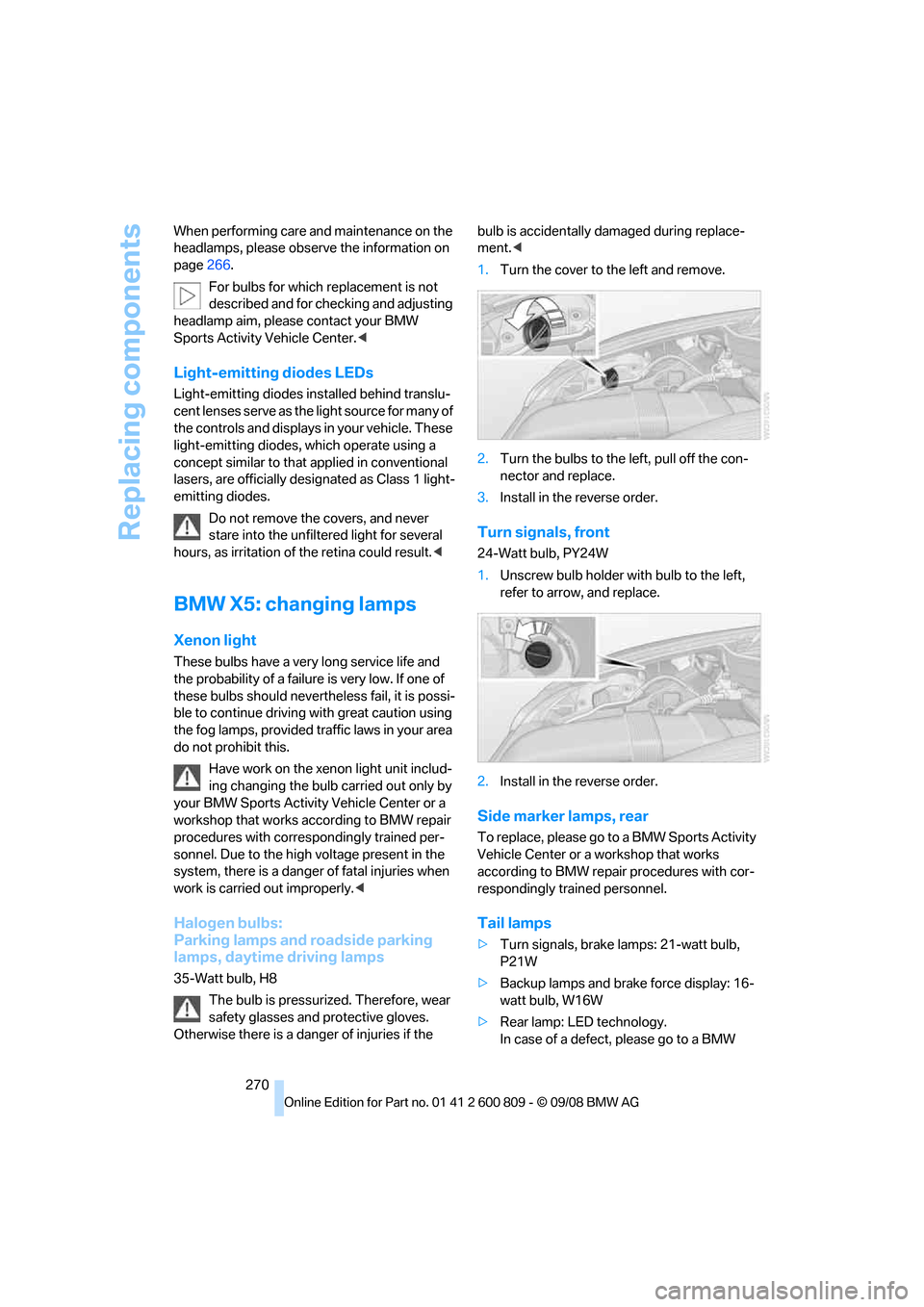
1. Turn the cover to the left and remove.
2. Turn the bulbs to the left, pull off the con-
nector and replace.
3. Install in the reverse order.
Turn signals, front
24-Watt bulb, PY24W
1.Unscrew bulb holder with bulb to the left,
refer to arrow, and replace.
2. Install in the reverse order.
Side marker lamps, rear
To replace, please go to a BMW Sports Activity
Vehicle Center or a workshop that works
according to BMW repair procedures with cor-
respondingly trained personnel.
Tail lamps
> Turn signals, brake lamps: 21-watt bulb,
P21W
> Backup lamps and brake force display: 16-
watt bulb, W16W
> Rear lamp: LE D technology.
In case of a defect, please go to a BMW
Page 282 of 317
Giving and receiving assistance
280
replace the contents conc
erned in good time if
necessary.
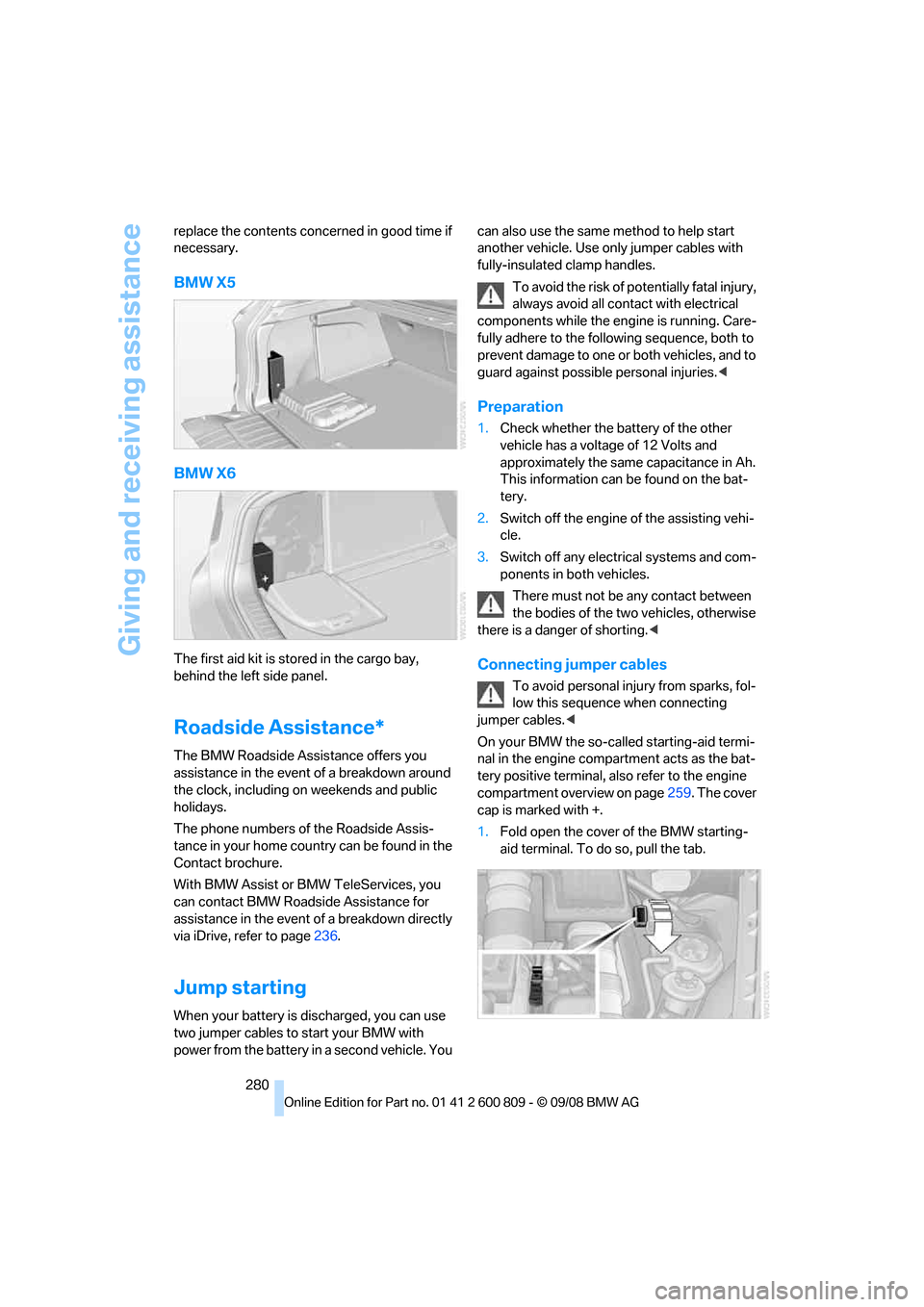
BMW X5
BMW X6
The first aid kit is stored in the cargo bay,
behind the left side panel.
Roadside Assistance*
The BMW Roadside Assistance offers you
assistance in the event of a breakdown around
the clock, including on weekends and public
holidays.
The phone numbers of the Roadside Assis-
tance in your home country can be found in the
Contact brochure.
With BMW Assist or BMW TeleServices, you
can contact BMW Roadside Assistance for
assistance in the event of a breakdown directly
via iDrive, refer to page 236.
Jump starting
When your battery is discharged, you can use
two jumper cables to start your BMW with
power from the battery in a second vehicle. You can also use the same
method to help start
another vehicle. Use only jumper cables with
fully-insulated clamp handles.
To avoid the risk of po tentially fatal injury,
always avoid all contact with electrical
components while the engine is running. Care-
fully adhere to the following sequence, both to
prevent damage to one or both vehicles, and to
guard against possible personal injuries.<
Preparation
1. Check whether the battery of the other
vehicle has a voltage of 12 Volts and
approximately the same capacitance in Ah.
This information can be found on the bat-
tery.
2. Switch off the engine of the assisting vehi-
cle.
3. Switch off any electrical systems and com-
ponents in both vehicles.
There must not be any contact between
the bodies of the tw o vehicles, otherwise
there is a danger of shorting. <
Connecting jumper cables
To avoid personal injury from sparks, fol-
low this sequence when connecting
jumper cables. <
On your BMW the so-called starting-aid termi-
nal in the engine compar tment acts as the bat-
tery positive terminal, al so refer to the engine
compartment overview on page 259. The cover
cap is marked with +.
1. Fold open the cover of the BMW starting-
aid terminal. To do so, pull the tab.
Page 294 of 317
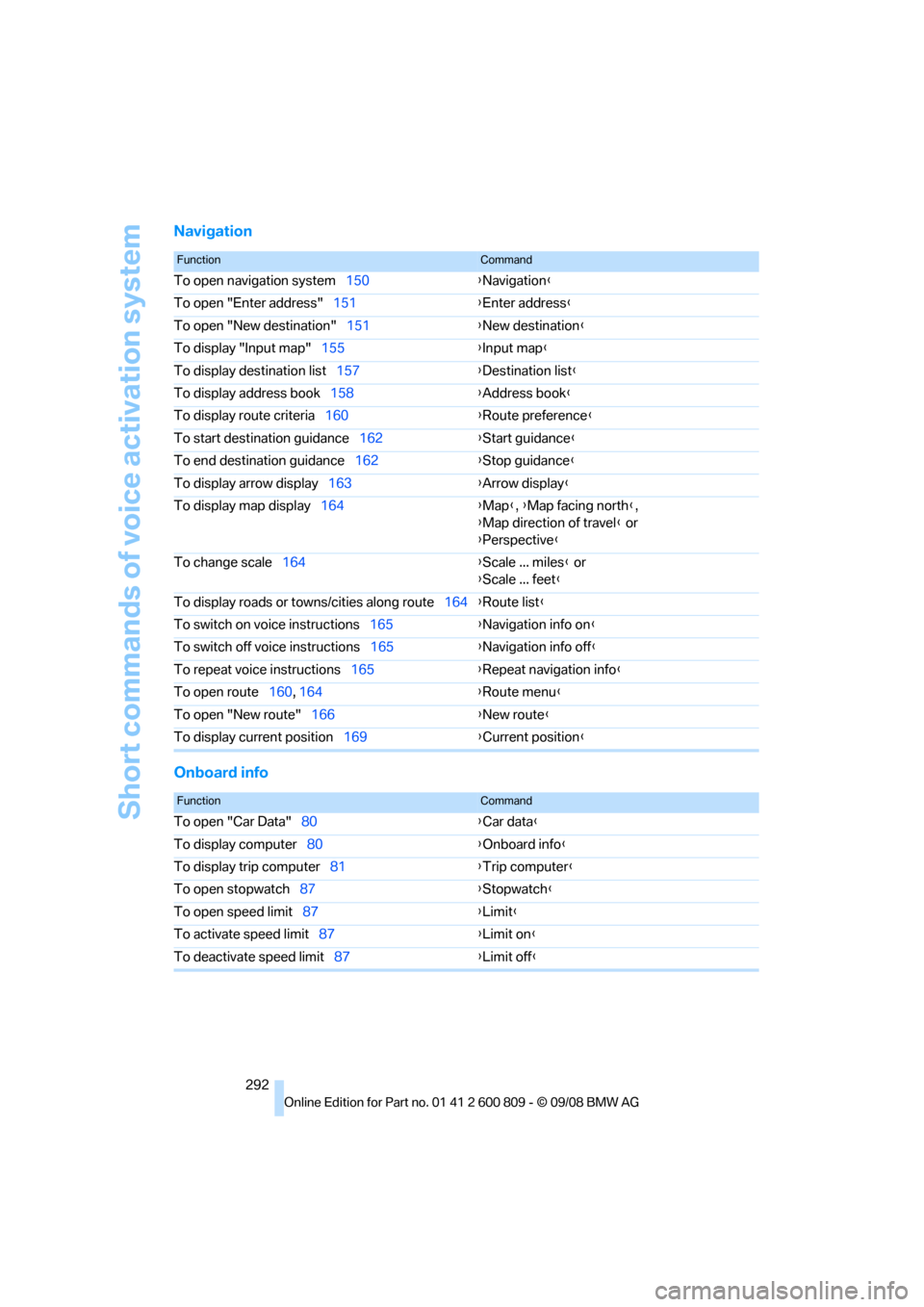
Short commands of voice activation system
292
Navigation
Onboard info
FunctionCommand
To open navigation system150{Navigation }
To open "Enter address" 151{Enter address }
To open "New destination" 151{New destination }
To display "Input map" 155 {Input map }
To display destination list 157{Destination list }
To display address book 158{Address book }
To display route criteria 160 {Route preference }
To start destination guidance 162{Start guidance }
To end destination guidance 162{Stop guidance }
To display arrow display 163{Arrow display }
To display map display 164 {Map }, {Map facing north },
{ Map direction of travel } or
{ Perspective }
To change scale 164 {Scale ... miles } or
{ Scale ... feet }
To display roads or to wns/cities along route 164{Route list }
To switch on voice instructions 165{Navigation info on }
To switch off voice instructions 165{Navigation info off }
To repeat voice instructions 165{Repeat navigation info }
To open route 160, 164 {Ro
ute menu}
To open "New route" 166 {New route }
To display current position 169{Current position }
FunctionCommand
To open "Car Data" 80 {Car data }
To display computer 80 {Onboard info }
To display trip computer 81{Trip computer }
To open stopwatch 87 {Stopwatch }
To open speed limit 87 {Limit }
To activate speed limit 87 {Limit on }
To deactivate speed limit 87{Limit off }
Page 299 of 317
Reference 297
At a glance
Controls
Driving tips
Communications
Navigation
Entertainment
Mobility
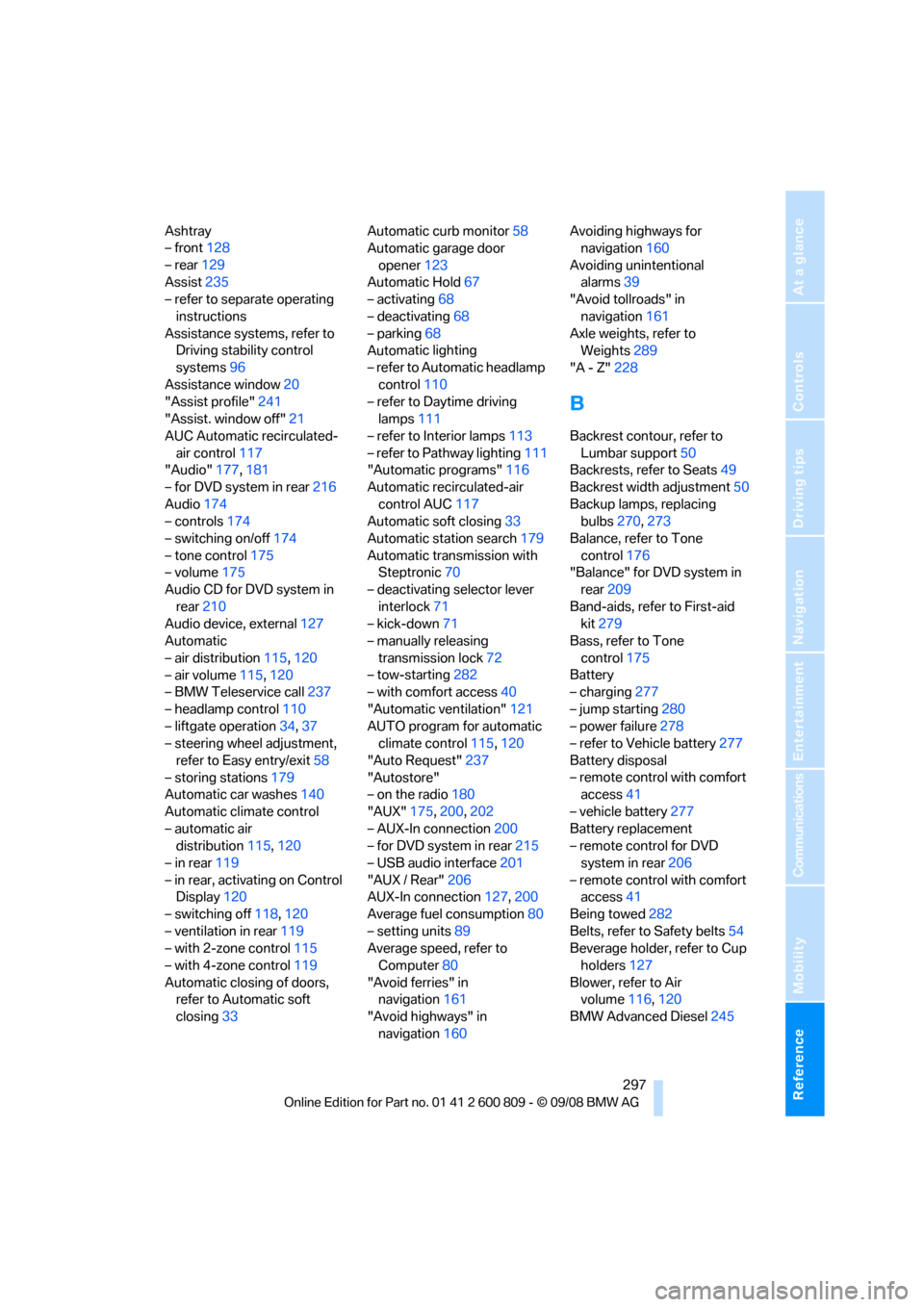
Ashtray
– front128
– rear 129
Assist 235
– refer to separate operating
instructions
Assistance systems, refer to Driving stability control
systems 96
Assistance window 20
"Assist profile" 241
"Assist. window off" 21
AUC Automatic recirculated-
air control 117
"Audio" 177,181
– for DVD system in rear 216
Audio 174
– controls 174
– switching on/off 174
– tone control 175
– volume 175
Audio CD for DVD system in
rear 210
Audio device, external 127
Automatic
– air distribution 115,120
– air volume 115,120
– BMW Teleservice call 237
– headlamp control 110
– liftgate operation 34,37
– steering wheel adjustment,
refer to Easy entry/exit 58
– storing stations 179
Automatic car washes 140
Automatic climate control
– automatic air distribution 115,120
– in rear 119
– in rear, activating on Control Display 120
– switching off 118,120
– ventilation in rear 119
– with 2-zone control 115
– with 4-zone control 119
Automatic closing of doors, refer to Automatic soft
closing 33 Automatic curb monitor
58
Automatic garage door
opener 123
Automatic Hold 67
– activating 68
– deactivating 68
– parking 68
Auto
matic lighting
– refer to Automatic headlamp control 110
– refer to Daytime driving
lamps 111
– refer to Interior lamps 113
– refer to Pathway lighting 111
"Automatic programs" 116
Automatic recirculated-air
control AUC 117
Automatic soft closing 33
Automatic station search 179
Automatic transmission with Steptronic 70
– deactivating selector lever
interlock 71
– kick-down 71
– manually releasing
transmission lock 72
– tow-starting 282
– with comfort access 40
"Automatic ventilation" 121
AUTO program for automatic climate control 115,120
"Auto Request" 237
"Autostore"
– on the radio 180
"AUX" 175,200 ,202
– AUX-In connection 200
– for DVD system in rear 215
– USB audio interface 201
"AUX / Rear" 206
AUX-In connection 127,200
Average fuel consumption 80
– setting units 89
Average speed, refer to
Computer 80
"Avoid ferries" in navigation 161
"Avoid highways" in navigation 160 Avoiding highways for
navigation 160
Avoiding unintentional alarms 39
"Avoid tollroads" in
navigation 161
Axle weights, refer to Weights 289
"A - Z" 228
B
Backrest contour, refer to
Lumbar support 50
Backrests, refer to Seats 49
Backrest width adjustment 50
Backup lamps, replacing bulbs 270,273
Balance, refer to Tone
control 176
"Balance" for DVD system in rear 209
Band-aids, refer to First-aid kit 279
Bass, refer to Tone
control 175
Battery
– charging 277
– jump starting 280
– power failure 278
– refer to Vehicle battery 277
Battery disposal
– remote control with comfort access 41
– vehicle battery 277
Battery replacement
– remote control for DVD
system in rear 206
– remote control with comfort access 41
Being towed 282
Belts, refer to Safety belts 54
Beverage holder, refer to Cup
holders 127
Blower, refer to Air volume 116,120
BMW Advanced Diesel 245
Page 300 of 317
Everything from A to Z
298
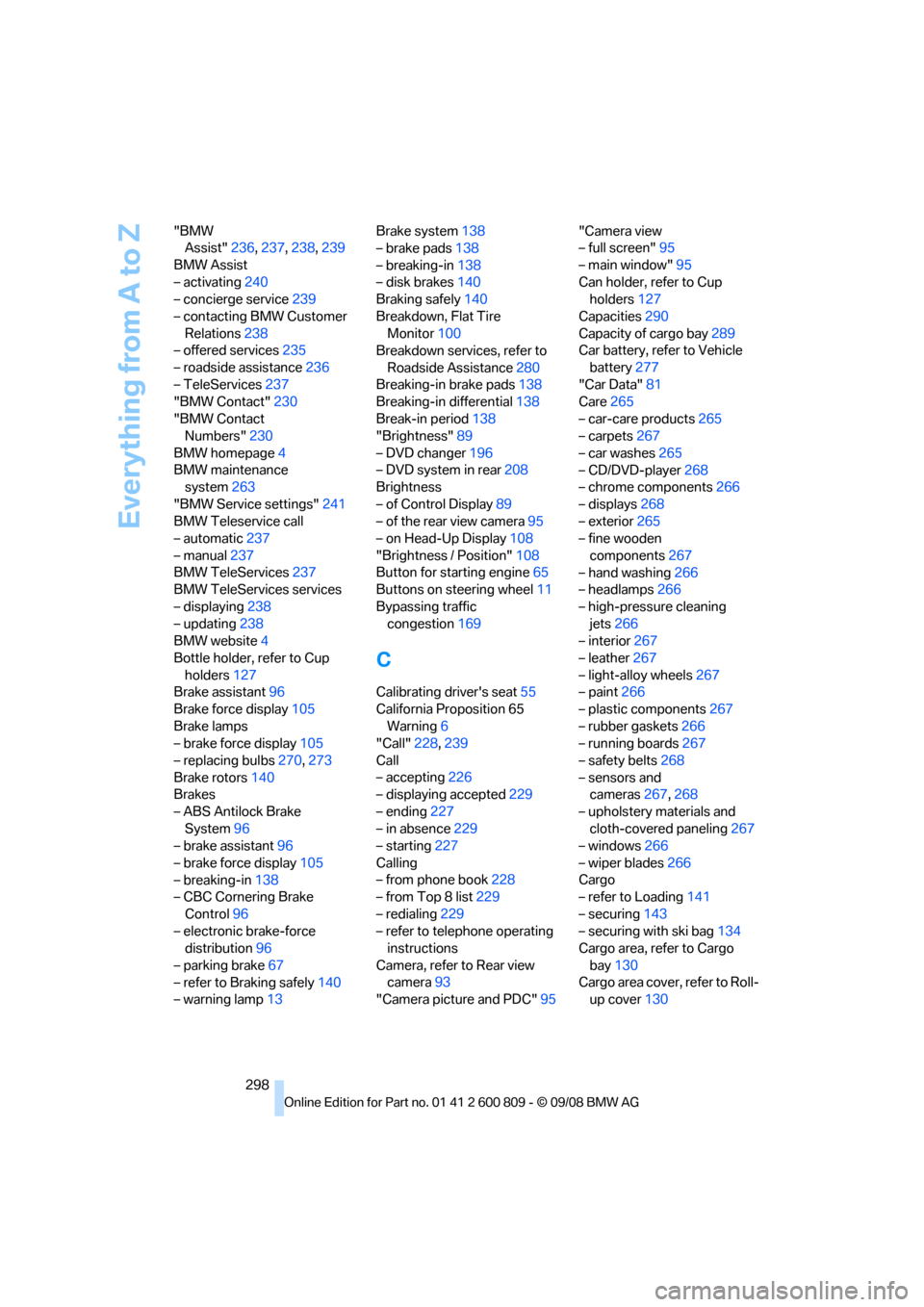
"BMW
Assist" 236,237, 238, 239
BMW Assist
– activating 240
– concierge service 239
– contacting BMW Customer Relations 238
– offered services 235
– roadside assistance 236
– TeleServices 237
"BMW Contact" 230
"BMW Contact Numbers" 230
BMW homepage 4
BMW maintenance system 263
"BMW Service settings" 241
BMW Teleservice call
– automatic 237
– manual 237
BMW TeleServices 237
BMW TeleServices services
– displaying 238
– updating 238
BMW website 4
Bottle holder, refer to Cup holders 127
Brake assistant 96
Brake force display 105
Brake lamps
– brake force display 105
– replacing bulbs 270,273
Brake rotors 140
Brakes
– ABS Antilock Brake System 96
– brake assistant 96
– brake force display 105
– breaking-in 138
– CBC Cornering Brake
Control 96
– electronic brake-force distribution 96
– parking brake 67
– refer to Braking safely 140
– warning lamp 13 Brake system
138
– brake pads 138
– breaking-in 138
– disk brakes 140
Braking safely 140
Breakdown, Flat Tire Monitor 100
Breakdown services, refer to
Roadside Assistance 280
Breaking-in brake pads 138
Breaking-in d
ifferential 138
Break-in period 138
"Brightness" 89
– DVD changer 196
– DVD system in rear 208
Brightness
– of Control Display 89
– of the rear view camera 95
– on Head-Up Display 108
"Brightness / Position" 108
Button for starting engine 65
Buttons on steering wheel 11
Bypassing traffic congestion 169
C
Calibrating driver's seat 55
California Proposition 65 Warning 6
"Call" 228,239
Call
– accepting 226
– displaying accepted 229
– ending 227
– in absence 229
– starting 227
Calling
– from phone book 228
– from Top 8 list 229
– redialing 229
– refer to telephone operating instructions
Camera, refer to Rear view camera 93
"Camera picture and PDC" 95"Camera view
– full screen"
95
– main window" 95
Can holder, refer to Cup holders 127
Capacities 290
Capacity of cargo bay 289
Car battery, refer to Vehicle
battery 277
"Car Data" 81
Care 265
– car-care products 265
– carpets 267
– car washes 265
– CD/DVD-player 268
– chrome components 266
– displays 268
– exterior 265
– fine wooden
components 267
– hand washing 266
– headlamps 266
– high-pressure cleaning jets 266
– interior 267
– leather 267
– light-alloy wheels 267
– paint 266
– plastic components 267
– rubber gaskets 266
– running boards 267
– safety belts 268
– sensors and cameras 267,268
– upholstery materials and cloth-covered paneling 267
– windows 266
–
wiper blades 266
Cargo
– refer to Loading 141
– securing 143
– securing with ski bag 134
Cargo area, refer to Cargo
bay 130
Cargo area cover, refer to Roll- up cover 130
Page 303 of 317
Reference 301
At a glance
Controls
Driving tips
Communications
Navigation
Entertainment
Mobility
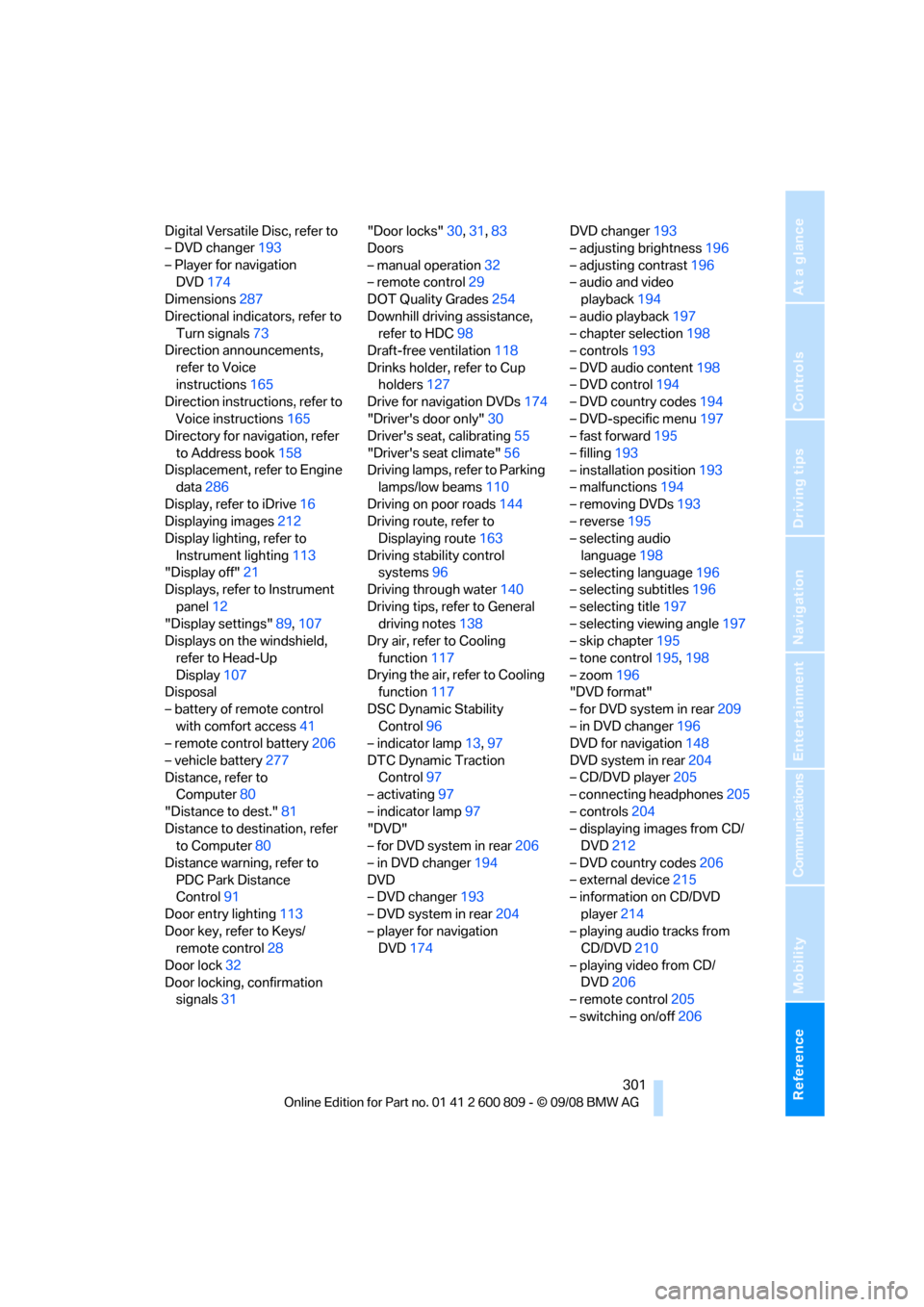
Digital Versatile Disc, refer to
– DVD changer193
– Player for navigation DVD 174
Dimensions 287
Directional indicators, refer to Turn signals 73
Direction announcements,
refer to Voice
instructions 165
Direction instructions, refer to
Voice instructions 165
Directory for navigation, refer
to Address book 158
Displacement, refer to Engine data 286
Display, refer to iDrive 16
Displaying images 212
Display lighting, refer to
Instrument lighting 113
"Display off" 21
Displays, refer to Instrument
panel 12
"Display settings" 89,107
Displays on the windshield,
refer to Head-Up
Display 107
Disposal
– battery of remote control with comfort access 41
– remote control battery 206
– vehicle battery 277
Distance, refer to Computer 80
"Distance to dest." 81
Distance to destination, refer to Computer 80
Distance warning, refer to PDC Park Distance
Control 91
Door entry lighting 113
Door key, refer to Keys/ remote control 28
Door lock 32
Door locking, confirmation signals 31 "Door locks"
30,31,83
Doors
– manual operation 32
– remote control 29
DOT Quality Grades 254
Downhill driving assistance, refer to HDC 98
Draft-free ventilation 118
Drinks holder, refer to Cup holders 127
Drive for navigation DVDs 174
"Driver's door only" 30
Driver's seat, calibrating 55
"Driver's seat climate" 56
Dr
iving lamps, refer to Parking
lamps/low beams 110
Driving on poor roads 144
Driving route, refer to Displaying route 163
Driving stability control systems 96
Driving through water 140
Driving tips, refer to General driving notes 138
Dry air, refer to Cooling
function 117
Drying the air, refer to Cooling function 117
DSC Dynamic Stability Control 96
– indicator lamp 13,97
DTC Dynamic Traction Control 97
– activating 97
– indicator lamp 97
"DVD"
– for DVD system in rear 206
– in DVD changer 194
DVD
– DVD changer 193
– DVD system in rear 204
– player for navigation DVD 174 DVD changer
193
– adjusting brightness 196
– adjusting contrast 196
– audio and video playback 194
– audio playback 197
– chapter selection 198
– controls 193
– DVD audio content 198
– DVD control 194
– DVD country codes 194
– DVD-specific menu 197
– fast forward 195
– filling 193
– installation position 193
– malfunctions 194
– removing DVDs 193
– reverse 195
– selecting audio
language 198
– selecting language 196
– selecting subtitles 196
– selecting title 197
– selecting viewing angle 197
– skip chapter 195
– tone control 195,198
– zoom 196
"DVD form
at"
– for DVD system in rear 209
– in DVD changer 196
DVD for navigation 148
DVD system in rear 204
– CD/DVD player 205
– connecting headphones 205
– controls 204
– displaying images from CD/ DVD 212
– DVD country codes 206
– external device 215
– information on CD/DVD
player 214
– playing audio tracks from CD/DVD 210
– playing video from CD/ DVD 206
– remote control 205
– switching on/off 206
Page 304 of 317
Everything from A to Z
302
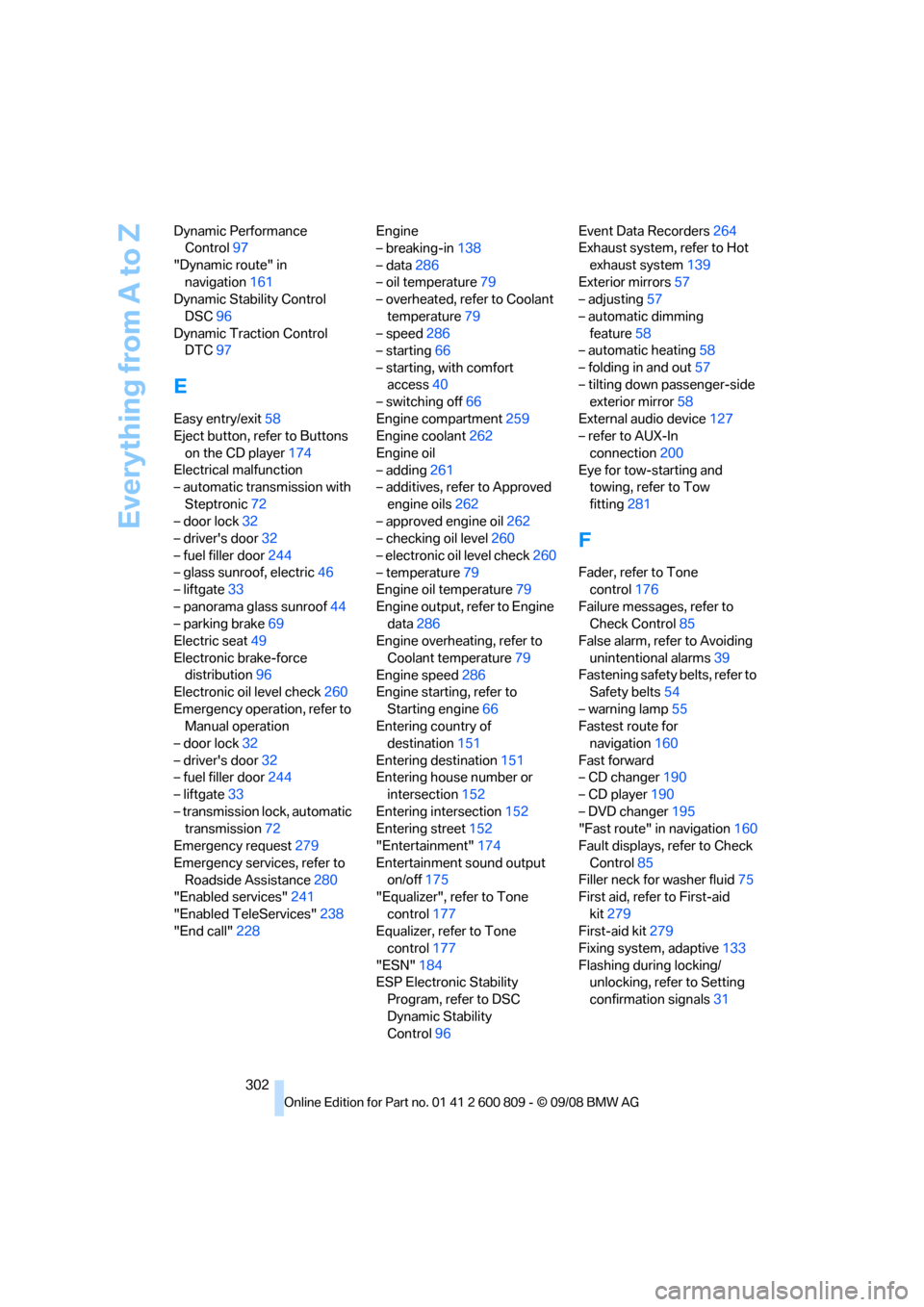
Dynamic Performance
Control 97
"Dynamic route" in navigation 161
Dynamic Stability Control
DSC 96
Dynamic Traction Control DTC 97
E
Easy entry/exit 58
Eject button, refer to Buttons
on the CD player 174
Electrical malfunction
– automatic transmission with
Steptronic 72
– door lock 32
– driver's door 32
– fuel filler door 244
– glass sunroof, electric 46
– liftgate 33
– panorama glass sunroof 44
– parking brake 69
Electric seat 49
Electronic brake-force distribution 96
Electronic oil level check 260
Emergency operation, refer to Manual operation
– door lock 32
– driver's door 32
– fuel filler door 244
– liftgate 33
– transmission lock, automatic transmission 72
Emergency request 279
Emergency services, refer to Roadside Assistance 280
"Enabled services" 241
"Enabled TeleServices" 238
"End call" 228 Engine
– breaking-in
138
– data 286
– oil temperature 79
– overheated, refer to Coolant
temperature 79
– speed 286
– starting 66
– starting, with comfort access 40
– switching off 66
Engine compartment 259
Engine coolant 262
Engine oil
– adding 261
– additives, refer to Approved
engine oils 262
– approved engine oil 262
– checking oil level 260
– electronic oil level check 260
– temperature 79
Engine oil temperature 79
Engine output, refer to Engine data 286
Engine overheating, refer to
Coolant temperature 79
Engine speed 286
Engine starting, refer to
Starting engine 66
E
ntering country of destination 151
Entering destination 151
Entering house number or intersection 152
Entering intersection 152
Entering street 152
"Entertainment" 174
Entertainment sound output on/off 175
"Equalizer", refer to Tone
control 177
Equalizer, refer to Tone control 177
"ESN" 184
ESP Electronic Stability Program, refer to DSC
Dynamic Stability
Control 96 Event Data Recorders
264
Exhaust system, refer to Hot
exhaust system 139
Exterior mirrors 57
– adjusting 57
– automatic dimming feature 58
– automatic heating 58
– folding in and out 57
– tilting down passenger-side exterior mirror 58
External audio device 127
– refer to AUX-In
connection 200
Eye for tow-starting and towing, refer to Tow
fitting 281
F
Fader, refer to Tone
control 176
Failure messages, refer to Check Control 85
False alarm, refer to Avoiding
unintentional alarms 39
Fastening safety belts, refer to Safety belts 54
– warning lamp 55
Fastest route for navigation 160
Fast forward
– CD changer 190
– CD player 190
– DVD changer 195
"Fast route" in navigation 160
Fault displays, refer to Check
Control 85
Filler neck for washer fluid 75
First aid, refer to First-aid
kit 279
First-aid kit 279
Fixing system, adaptive 133
Flashing during locking/ unlocking, refer to Setting
confirmation signals 31
Page 309 of 317
Reference 307
At a glance
Controls
Driving tips
Communications
Navigation
Entertainment
Mobility
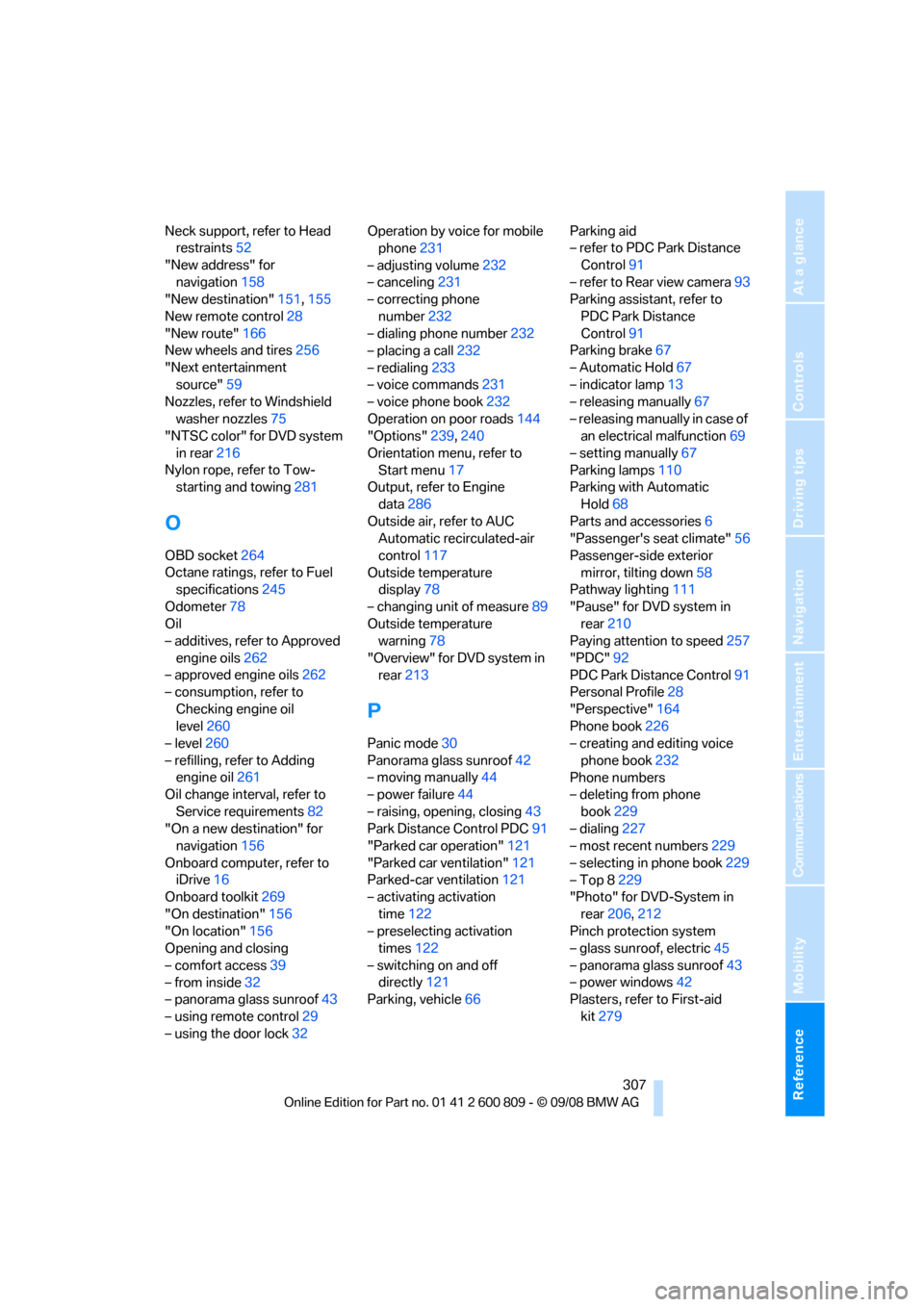
Neck support, refer to Head restraints 52
"New address" for navigation 158
"New destination" 151,155
New remote control 28
"New route" 166
New wheels and tires 256
"Next entertainment source" 59
Nozzles, refer to Windshield
washer nozzles 75
"NTSC color" for DVD system
in rear 216
Nylon rope, refer to Tow- starting and towing 281
O
OBD socket264
Octane ratings, refer to Fuel specifications 245
Odometer 78
Oil
– additives, refer to Approved
engine oils 262
– approved engine oils 262
– consumption, refer to
Checking engine oil
level 260
– level 260
– refilling, refer to Adding engine oil 261
Oil change interval, refer to
Service requirements 82
"On a new destination" for navigation 156
Onboard computer, refer to iDrive 16
Onboard toolkit 269
"On destination" 156
"On location" 156
Opening and closing
– comfort access 39
– from inside 32
– panorama glass sunroof 43
– using remote control 29
– using the door lock 32Operation by voice for mobile
phone 231
– adjusting volume 232
– canceling 231
– correcting phone
number 232
– dialing phone number 232
– placing a call 232
– redialing 233
– voice commands 231
– voice phone book 232
Operation on poor roads 144
"Options" 239,240
Orientation menu, refer to Start menu 17
Output, refer to Engine
data 286
Outside air, refer to AUC Automatic recirculated-air
control 117
Outside temperature display 78
– changing unit of measure 89
Outside temperature warning 78
"Overview" for DVD system in rear 213
P
Panic mode 30
Panorama glass sunroof 42
– moving manually 44
– power failure 44
– raising, opening, closing 43
Park Distance Control PDC 91
"Parked car operation" 121
"Parked car ventilation" 121
Parked-car ventilation 121
– activating activation
time 122
– preselecting activation times 122
– switching on and off directly 121
Parking, vehicle 66 Parking aid
– refer to PDC Park Distance
Control 91
– refer to Rear view camera 93
Parking assistant, refer to
PDC Park Distance
Control 91
Parking brake 67
– Automatic Hold 67
– indicator lamp 13
– releasing manually 67
– releasing manually in case of an electrical malfunction 69
– setting manually 67
Parking lamps 110
Parking with Automatic
Hold 68
Parts and accessories 6
"Passenger's seat climate" 56
Passenger-side exterior mirror, tilting down 58
Pathway lighting 111
"Pause" for DVD system in rear 210
Paying attention to speed 257
"PDC" 92
PDC Park Distance Control 91
Personal Profile 28
"Perspective" 164
Phone book 226
– creating and editing voice
phone book 232
Phone numbers
– deleting from phone
book 229
– dialing 227
– most recent numbers 229
– selecting in phone book 229
– Top 8 229
"Photo" for DVD-System in
rear 206,212
Pinch protection system
– glass sunroof, electric 45
– panorama glass
sunroof43
– power windows 42
Plasters, refer to First-aid
kit 279