lock BMW X6M 2009 E71 Owner's Guide
[x] Cancel search | Manufacturer: BMW, Model Year: 2009, Model line: X6M, Model: BMW X6M 2009 E71Pages: 317, PDF Size: 9.56 MB
Page 50 of 317
Adjusting
48
Adjusting
Sitting safely
The ideal sitting position can make a vital con-
tribution to relaxed, fatigue-free driving. In the
interaction with the safety belts, the head
restraints and the airbags, the seat position
plays an important role in an accident. To
ensure that the safety systems operate with
optimal efficiency, we strongly urge you to
observe the instructions contained in the fol-
lowing section.
For additional information on transporting chil-
dren safely, refer to page 61.
Airbags
Always maintain an adequate distance
between yourself and the airbags. Always
hold the steering wheel by its rim with hands at
the 9 o'clock and 3 o'clock positions, to mini-
mize the risk of injuries to your hands and arms
in the event of airbag deployment.
No one and nothing is to come between the air-
bags and the seat occupant.
Do not use the cover of the front airbag on the
front passenger side as a storage area. Make
sure that the front passeng er is sitting correctly
and does not rest feet or legs on the instrument
cluster, otherwise leg in juries can occur if the
front airbag is triggered.
Make sure that occupants do not rest their head
on the side or head airbag, otherwise injuries
can occur if the airbags are triggered. <
Even if you adhere to all the instructions, inju-
ries resulting from contact with airbags cannot
be fully excluded, depending on the circum-
stances. The ignition and inflation noise may
provoke a mild hearing loss in extremely sensi-
tive individuals. This e ffect is usually only tem-
porary.
For airbag locations and additional information
on airbags, refer to page 105.
Head restraint
A correctly adjusted head restraint reduces the
risk of spinal injury in the event of an accident.
Adjust the head restraint so that its center
is approx. at ear level. Otherwise there is
increased danger of inju ry in the event of an
accident. <
BMW X5: push the head restraints of the 3rd
row seats
* into the top position.
Head restraints, refer to page 52.
Safety belts
Before every drive, make sure that safety belts
are being worn at all of the occupied seats. Air-
bags complement the safety belt as an addi-
tional safety device, but they do not represent a
substitute.
BMW X5: depending on its equipment, your
vehicle has either five or seven seats, which are
all provided with a safety belt.
Never allow more than one person to
wear a single safety belt. Never allow
infants or small children to ride in a passenger's
lap. Make sure that the belt lies low around the
hips in the lap area and does not press on the
abdomen. The safety belt may not lie across the
neck, rub on sharp edges, be routed over solid
or breakable objects or be pinched. Wear the
safety belt without twisting, snugly across the
lap and shoulders, as close to the body as pos-
sible. Otherwise the belt can slip over the hips
in the lap area in a fronta l impact and injure the
abdomen. Avoid wearing clothing that prevents
the belt from fitting prop erly and pull the belt in
the upper body area period ically to readjust the
tension, in order to avoid a reduction in the
restraint of the safety belt.
If the center safety belt in the rear is used, the
larger backrest half mu st be locked, refer to
page 132, otherwise the center safety belt has
no restraining action. <
Safety belts, refer to page 54.
Page 53 of 317
Controls
51Reference
At a glance
Driving tips
Communications
Navigation
Entertainment
Mobility
3.Press the button:
The LED in the button lights up.
4. Press the desired memory button 1 or 2:
The LED goes out.
The positions of the driver's seat, the exte-
rior rearview mirrors, and steering wheel are
stored for the remote control currently in
use.
Calling up automatically
You can choose when the stored positions of
the driver's seat, exterior rearview mirrors, and
steering wheel are activated.
> Calling up when unlocking vehicle
> Calling up when opening driver's door
When using this feat ure, always make
sure that the footwell behind the driver's
seat is empty and unobstructed. Failure to do
so could cause injury to persons or damage to
objects behind the seat as a result of a rearward
movement of the seat. <
The system cancels the adjustment procedure
when you briefly press one of the seat adjust-
ment switches or one of the memory buttons.
Selecting calling up automatically
iDrive, for operating principle refer to page 16.
1. Open the start menu.
2. Press the controller to open the menu.
3. Select "Settings" and press the controller.
4. Select "Vehicle / Tire s" and press the con-
troller.
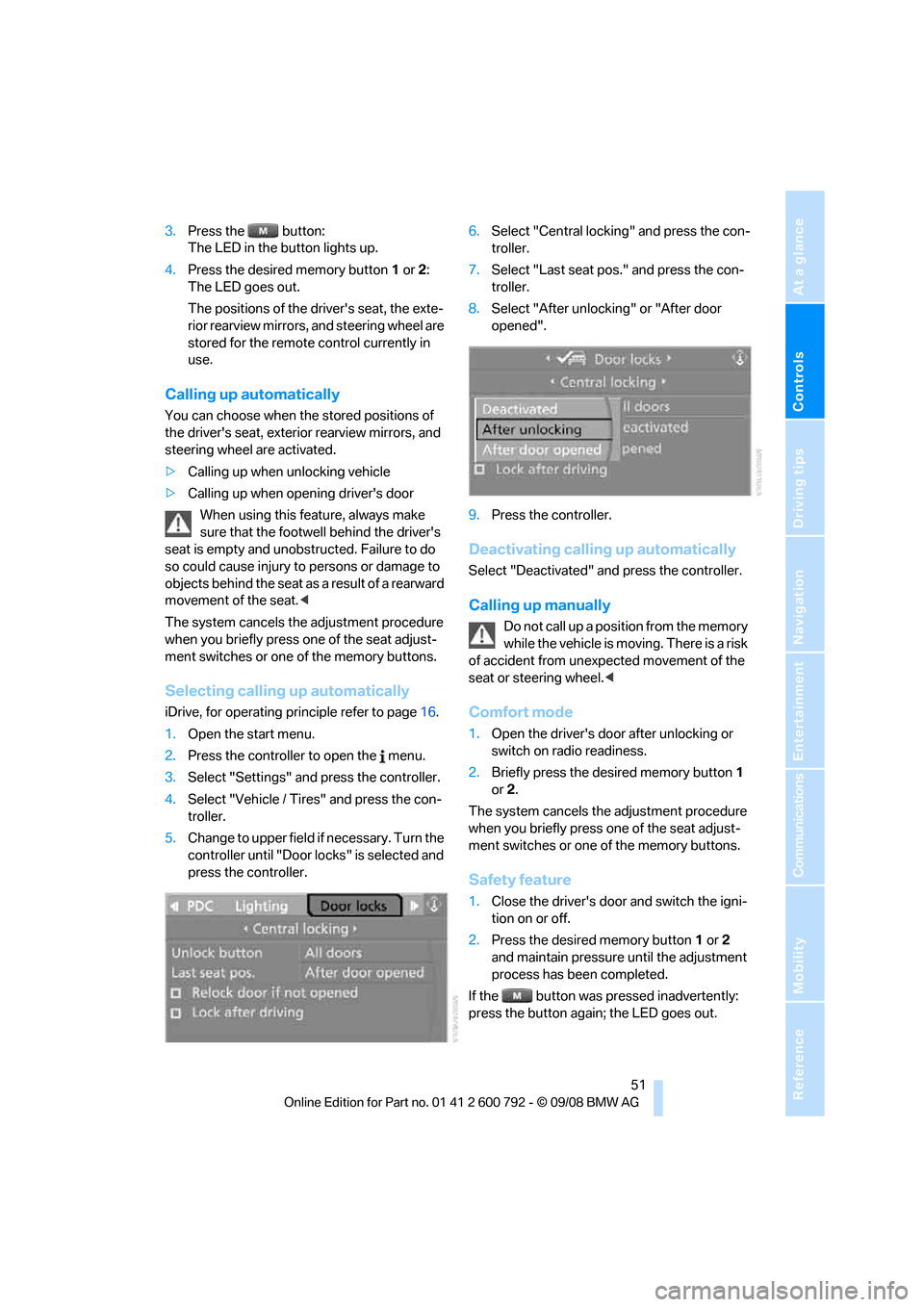
5. Change to upper field if necessary. Turn the
controller until "Door locks" is selected and
press the controller. 6.
Select "Central locking" and press the con-
troller.
7. Select "Last seat pos." and press the con-
troller.
8. Select "After unlock ing" or "After door
opened".
9. Press the controller.
Deactivating calling up automatically
Select "Deactivated" an d press the controller.
Calling up manually
Do not call up a position from the memory
while the vehicle is moving. There is a risk
of accident from unexpected movement of the
seat or steering wheel. <
Comfort mode
1.Open the driver's door after unlocking or
switch on radio readiness.
2. Briefly press the de sired memory button 1
or 2.
The system cancels the adjustment procedure
when you briefly press one of the seat adjust-
ment switches or one of the memory buttons.
Safety feature
1. Close the driver's door and switch the igni-
tion on or off.
2. Press the desired memory button 1 or 2
and maintain pressure until the adjustment
process has been completed.
If the button was pressed inadvertently:
press the button again; the LED goes out.
Page 55 of 317
Controls
53Reference
At a glance
Driving tips
Communications
Navigation
Entertainment
Mobility
Adjusting side extensions
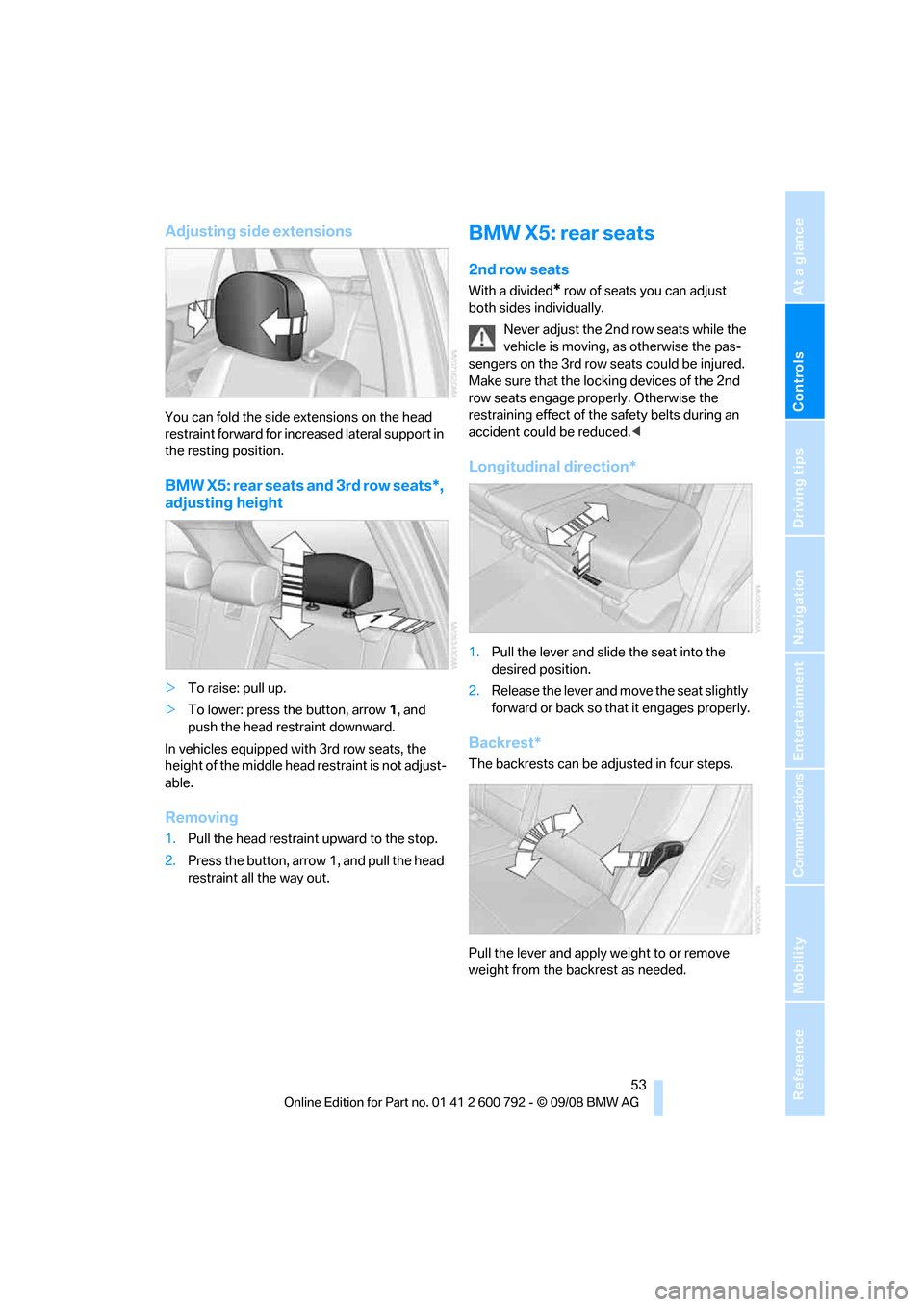
You can fold the side extensions on the head
restraint forward for increased lateral support in
the resting position.
BMW X5: rear seats and 3rd row seats*,
adjusting height
> To raise: pull up.
> To lower: press the button, arrow 1, and
push the head restraint downward.
In vehicles equipped with 3rd row seats, the
height of the middle head restraint is not adjust-
able.
Removing
1. Pull the head restraint upward to the stop.
2. Press the button, arro w 1, and pull the head
restraint all the way out.
BMW X5: rear seats
2nd row seats
With a divided* row of seats you can adjust
both sides individually.
Never adjust the 2nd row seats while the
vehicle is moving, as otherwise the pas-
sengers on the 3rd row seats could be injured.
Make sure that the locking devices of the 2nd
row seats engage properly. Otherwise the
restraining effect of the safety belts during an
accident could be reduced. <
Longitudinal direction*
1.Pull the lever and slide the seat into the
desired position.
2. Release the lever and move the seat slightly
forward or back so that it engages properly.
Backrest*
The backrests can be adjusted in four steps.
Pull the lever and apply weight to or remove
weight from the backrest as needed.
Page 56 of 317
Adjusting
54
Access to 3rd row seats*
Pull the lever and fold the seat forward.The handle recess on th e interior trim of
the door pillar makes climbing in easier. <
When folding back the 2nd row seats,
make sure that the footwell under the
2nd row seats is clear. Otherwise persons in the
3rd row seats could be injured or objects dam-
aged.<
Warning lamp for 2nd row seats:
Lights up when the 2nd row seats are
not locked. A message also appears
on the Control Display.
3rd row seats*
The 3rd row seats are divided and offer space
for two persons.
Folding up backrest
Before folding the seats up, remove the roll-up
cover, refer to page 130, and if need be, slide
the 2nd row seats slightly forward.
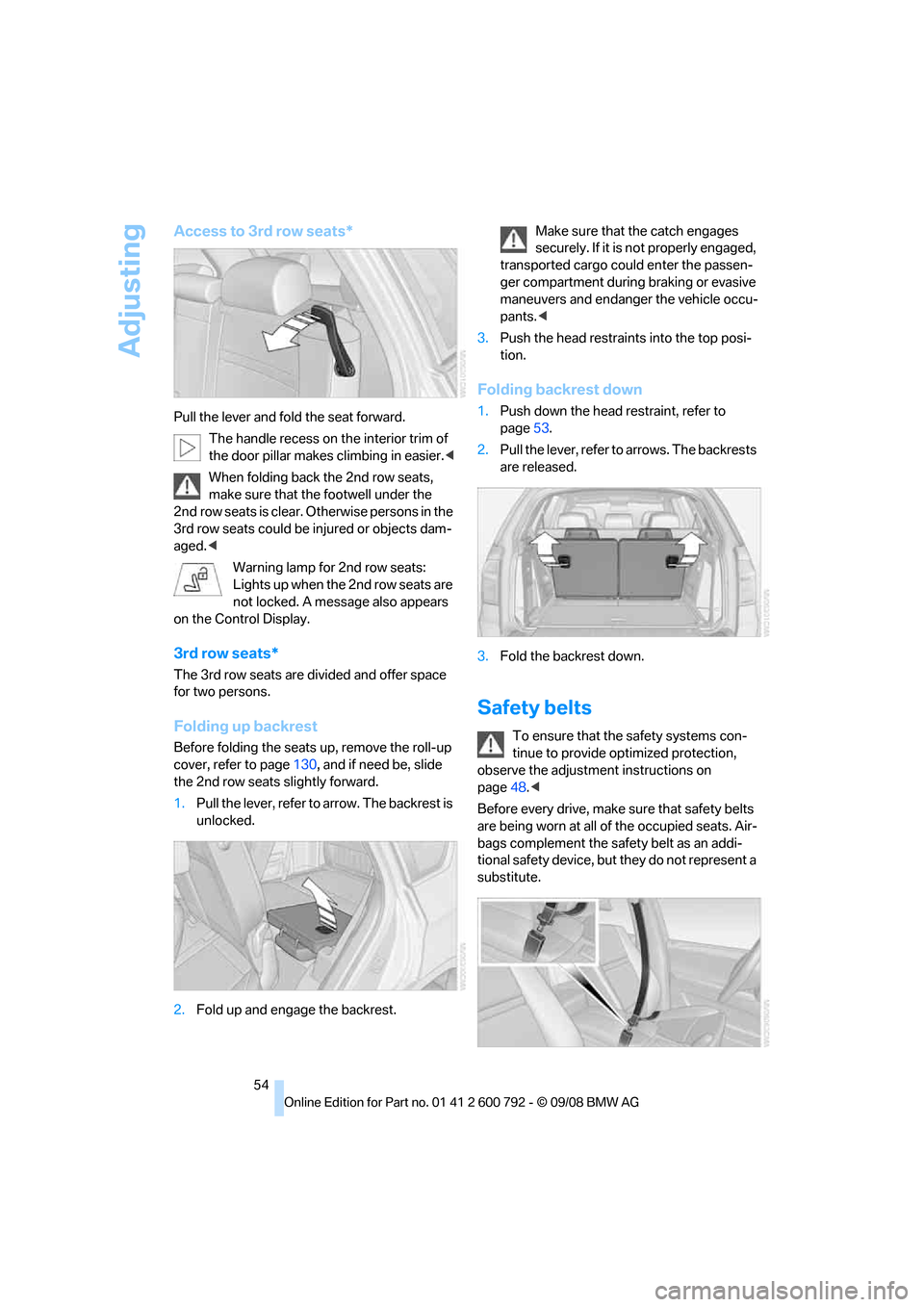
1. Pull the lever, refer to arrow. The backrest is
unlocked.
2. Fold up and engage the backrest. Make sure that the catch engages
securely. If it is no
t properly engaged,
transported cargo could enter the passen-
ger compartment during braking or evasive
maneuvers and endanger the vehicle occu-
pants. <
3. Push the head restraints into the top posi-
tion.
Folding backrest down
1.Push down the head restraint, refer to
page 53.
2. Pull the lever, refer to arrows. The backrests
are released.
3. Fold the backrest down.
Safety belts
To ensure that the safety systems con-
tinue to provide optimized protection,
observe the adjustment instructions on
page 48.<
Before every drive, make sure that safety belts
are being worn at all of the occupied seats. Air-
bags complement the safety belt as an addi-
tional safety device, but they do not represent a
substitute.
Page 63 of 317
Controls
61Reference
At a glance
Driving tips
Communications
Navigation
Entertainment
Mobility
Transporting children safely
The right place for children
Do not leave children unattended in the
vehicle, otherwise they could endanger
themselves and other persons, e.g. by opening
the doors. <
Children alwa ys in rear
Accident research shows that the safest place
for children is on the rear seat.
Children younger than 13 years of age or
with a height under 5 ft/150 cm may only
be transported on the 2nd row seats in child
restraint devices which correspond to the age,
weight and height of the child. Otherwise there
is an increased danger of injury in an accident.<
Children 13 years of age or older must wear a
safety belt as soon as a suitable child restraint
device can no longer be used due to their age,
weight and size.
Exception for front passenger seat
Should it be necessa ry to use a child
restraint device on the front passenger
seat, the front and side airbags on the passen-
ger side must be deactivated. Otherwise, there
is an increased risk of in jury for the child if the
airbags are triggered, even with a child restraint
device. <
For more information on automatic deactivation
of the front passenger airbags, refer to
page 106.
Installing child restraint
devices
Follow the child restraint device manufac-
turer's instructions fo r selection, installa-
tion, and use of child restraint devices. Other-
wise, the degree of protection may be
reduced. <
BMW X5: for equipment with 3rd row
seats
*, make sure that the seat of the 2nd row seats on which the ch
ild restraint device is
mounted is properly locked. Otherwise there is
an increased risk of inju ry for the child in an
accident.
Do not mount child rest raint devices on the
3rd row seats, as otherwise the protection pro-
vided by these child restraint devices may be
reduced. <
On front passenger seat
After mounting a child restraint device on
the front passenger seat, make sure that
the front and side airbags on the front passen-
ger side are deactivated; otherwise, there is an
increased risk of injury if the airbags are trig-
gered. <
Backrest width*
The backrest width adjustment of the
front passenger seat must be completely
open. After installing th e child's seat, no mem-
ory position may be called up; otherwise, the
stability of the child's se at on the front passen-
ger seat is reduced.<
1. Open backrest width adjustment com-
pletely, refer to page 50.
2. Install child's seat.
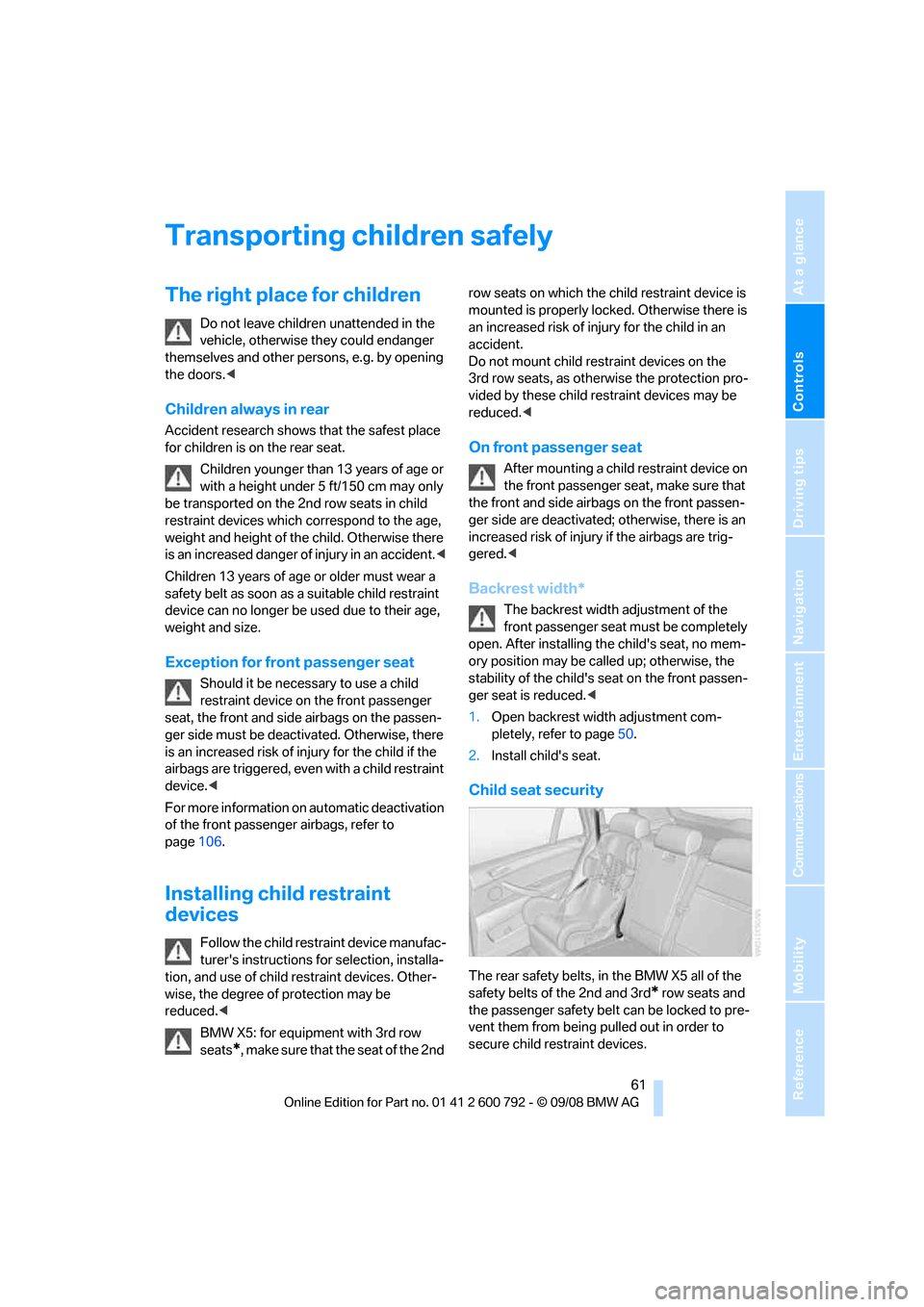
Child seat security
The rear safety belts, in the BMW X5 all of the
safety belts of the 2nd and 3rd
* row seats and
the passenger safety belt can be locked to pre-
vent them from being pulled out in order to
secure child restraint devices.
Page 64 of 317
Transporting children safely
62
Locking safety belt
1.Secure the child restra int device with the
belt.
2. Pull out the belt we bbing completely.
3. Allow the belt webbing to be pulled in and
pull taut against the child restraint device.
The safety belt is locked.
Unlocking safety belt
1.Open the belt buckle.
2. Remove the child restraint device.
3. Allow the belt webbing to be pulled in com-
pletely.
LATCH child restraint fixing
system
LATCH: Lower Anchor and Tethers for CHil-
dren.
Follow the system manufacturer's
instructions on inst allation and use of
LATCH child restraint devi ces; otherwise, their
protective function may be reduced. <
Before attaching the child 's seat, pull the belt
away from the region of the child restraint fixing
system.
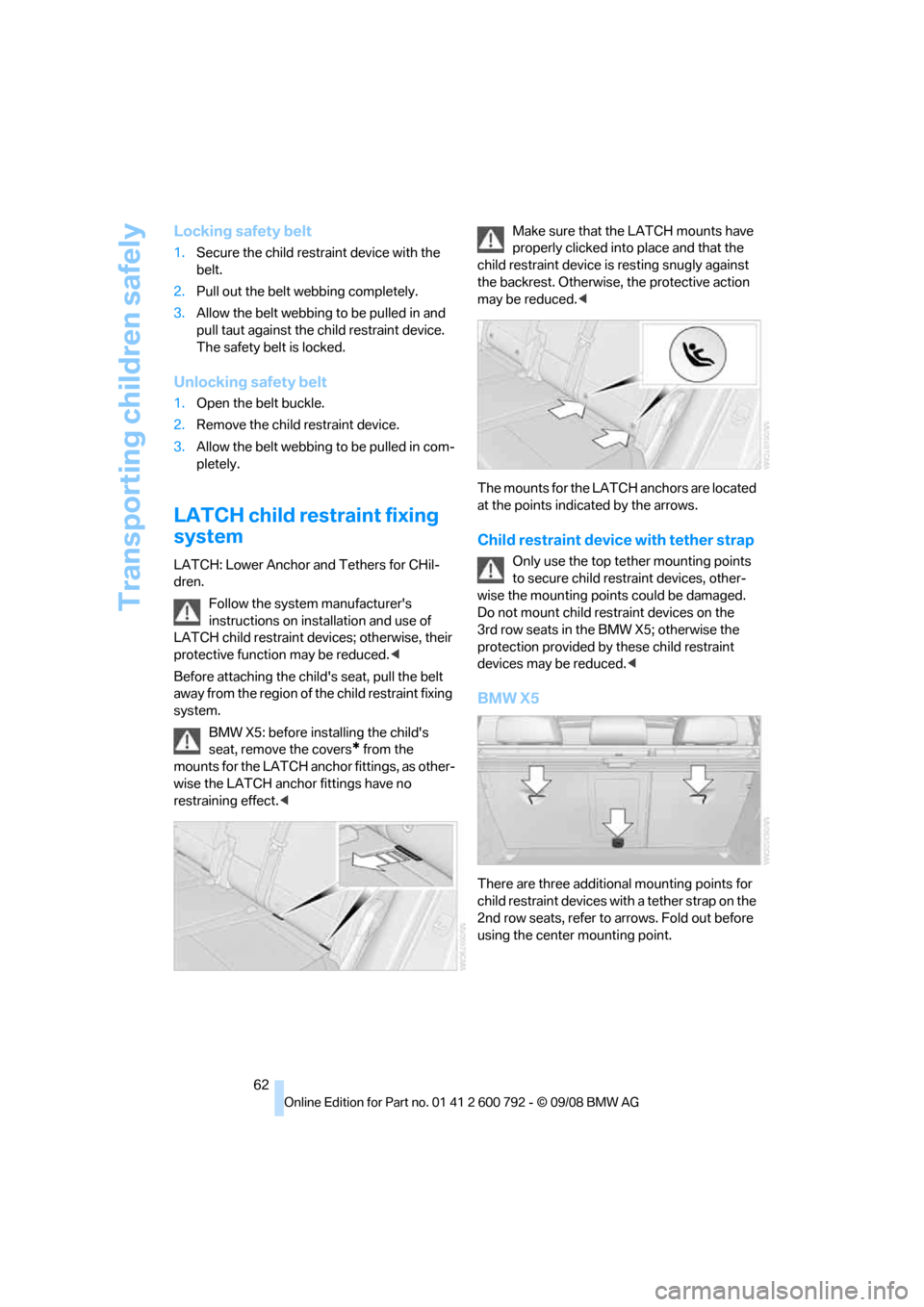
BMW X5: before installing the child's
seat, remove the covers
* from the
mounts for the LATCH anch or fittings, as other-
wise the LATCH anchor fittings have no
restraining effect. < Make sure that the
LATCH mounts have
properly clicked into place and that the
child restraint device is resting snugly against
the backrest. Otherwise, the protective action
may be reduced. <
The mounts for the LATC H anchors are located
at the points indicated by the arrows.
Child restraint device with tether strap
Only use the top tether mounting points
to secure child restraint devices, other-
wise the mounting poin ts could be damaged.
Do not mount child restraint devices on the
3rd row seats in the BMW X5; otherwise the
protection provided by these child restraint
devices may be reduced. <
BMW X5
There are three additional mounting points for
child restraint devices with a tether strap on the
2nd row seats, refer to arrows. Fold out before
using the center mounting point.
Page 66 of 317
Transporting children safely
64
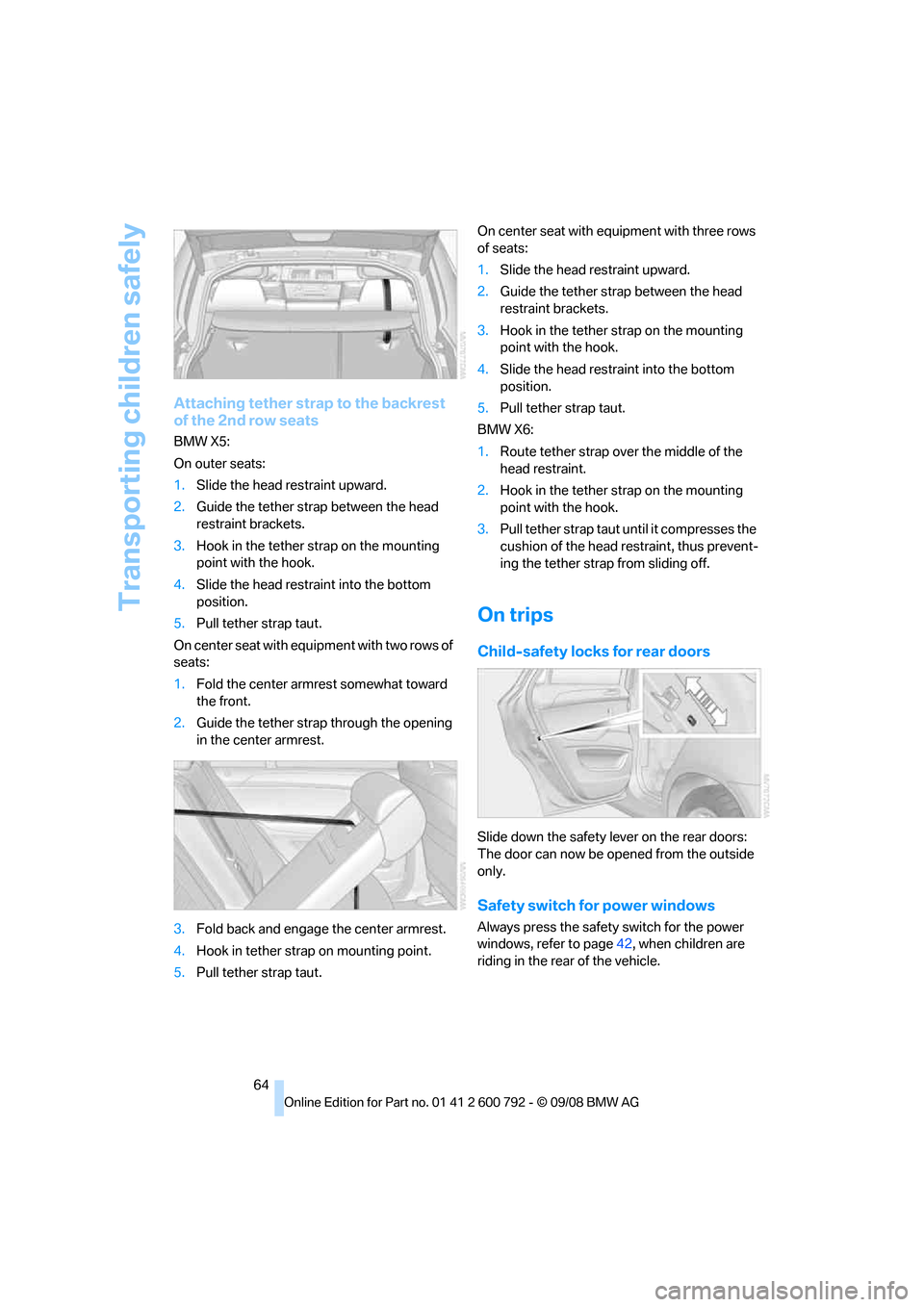
Attaching tether strap to the backrest
of the 2nd row seats
BMW X5:
On outer seats:
1.Slide the head re straint upward.
2. Guide the tether stra p between the head
restraint brackets.
3. Hook in the tether st rap on the mounting
point with the hook.
4. Slide the head restra int into the bottom
position.
5. Pull tether strap taut.
O n c e n t e r s e a t w i t h e q u i pment with two rows of
seats:
1. Fold the center armr est somewhat toward
the front.
2. Guide the tether strap through the opening
in the center armrest.
3. Fold back and engage the center armrest.
4. Hook in tether strap on mounting point.
5. Pull tether strap taut. On center seat with equipment with three rows
of seats:
1.
Slide the head restraint upward.
2. Guide the tether strap between the head
restraint brackets.
3. Hook in the tether st rap on the mounting
point with the hook.
4. Slide the head restraint into the bottom
position.
5. Pull tether strap taut.
BMW X6:
1. Route tether strap over the middle of the
head restraint.
2. Hook in the tether st rap on the mounting
point with the hook.
3. Pull tether strap taut until it compresses the
cushion of the head restraint, thus prevent-
ing the tether strap from sliding off.
On trips
Child-safety locks for rear doors
Slide down the safety le ver on the rear doors:
The door can now be opened from the outside
only.
Safety switch for power windows
Always press the safety switch for the power
windows, refer to page 42, when children are
riding in the rear of the vehicle.
Page 67 of 317
Controls
65Reference
At a glance
Driving tips
Communications
Navigation
Entertainment
Mobility
Driving
Ignition lock
Inserting remote control into ignition
lock
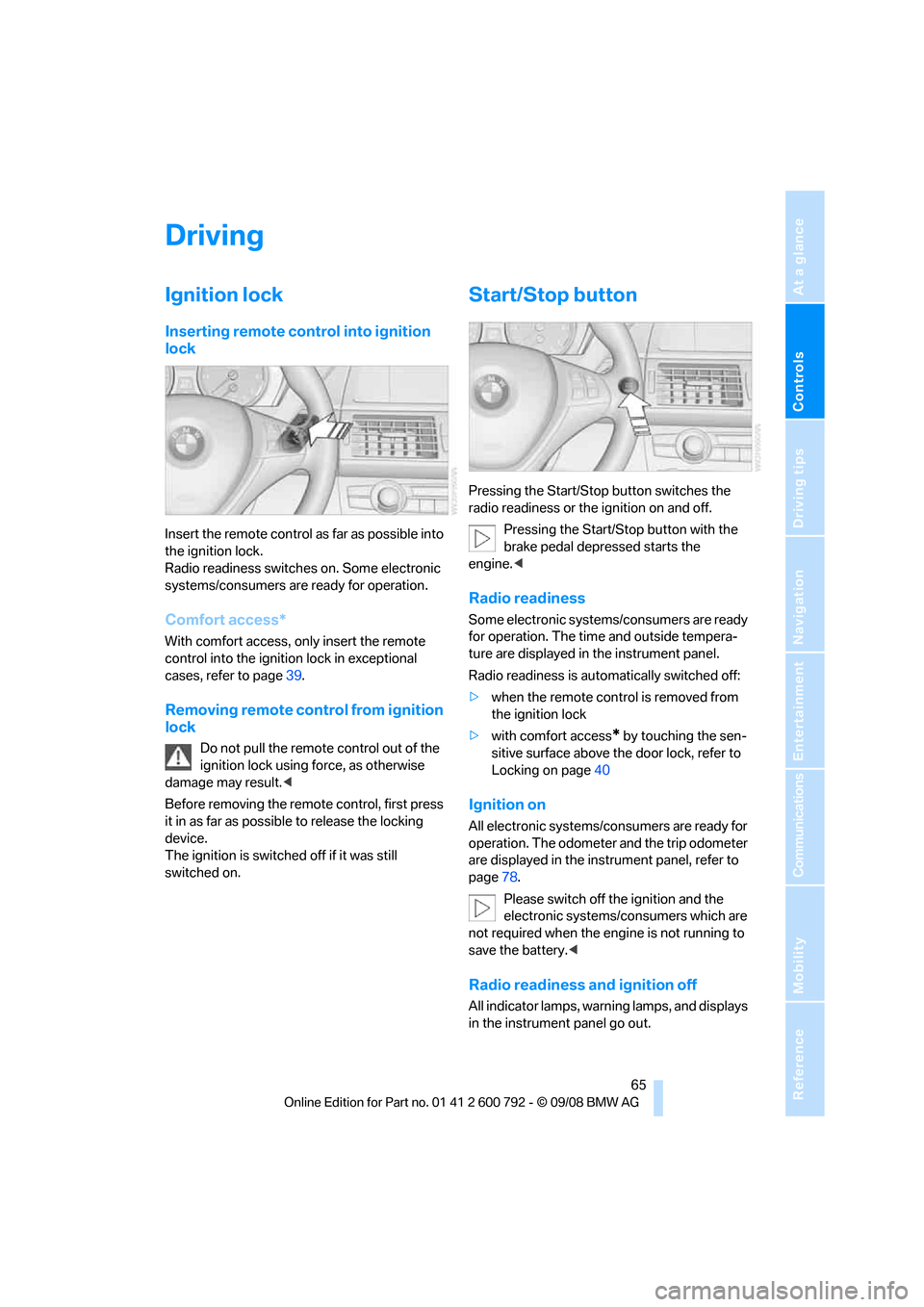
Insert the remote control as far as possible into
the ignition lock.
Radio readiness switches on. Some electronic
systems/consumers are ready for operation.
Comfort access*
With comfort access, only insert the remote
control into the ignition lock in exceptional
cases, refer to page 39.
Removing remote control from ignition
lock
Do not pull the remote control out of the
ignition lock using force, as otherwise
damage may result. <
Before removing the remo te control, first press
it in as far as possibl e to release the locking
device.
The ignition is switched off if it was still
switched on.
Start/Stop button
Pressing the Start/Stop button switches the
radio readiness or the ignition on and off.
Pressing the Start/Stop button with the
brake pedal depre ssed starts the
engine. <
Radio readiness
Some electronic systems/consumers are ready
for operation. The time and outside tempera-
ture are displayed in the instrument panel.
Radio readiness is auto matically switched off:
> when the remote control is removed from
the ignition lock
> with comfort access
* by touching the sen-
sitive surface above the door lock, refer to
Locking on page 40
Ignition on
All electronic systems/consumers are ready for
operation. The odometer and the trip odometer
are displayed in the instrument panel, refer to
page78.
Please switch off the ignition and the
electronic systems/consumers which are
not required when the engine is not running to
save the battery. <
Radio readiness and ignition off
All indicator lamps, warning lamps, and displays
in the instrument panel go out.
Page 68 of 317
Driving
66
The ignition switches off automatically
* if the
driver's door is opened. Pressing the start/stop
button again switches the ignition back on.
For example, the ignition is not switched off in
the following situations:
> the brakes are actuated
> the low beams are switched on
Starting engine
Do not run the engine in closed rooms,
otherwise the inhalati on of toxic exhaust
gases can cause uncons ciousness and death.
The exhaust gases contain carbon monoxide,
an odorless and colorless, but highly toxic gas.
Never leave an unattend ed vehicle with the
engine running, as such a vehicle represents a
potential safety hazard.
To prevent the vehicle from rolling, always
engage transmission position N or P and set the
parking brake before le aving the vehicle with
the engine running. <
Do not allow the engine to warm up by leaving it
running while the vehicl e remains stationary.
Instead, begin to drive at a moderate engine
speed.
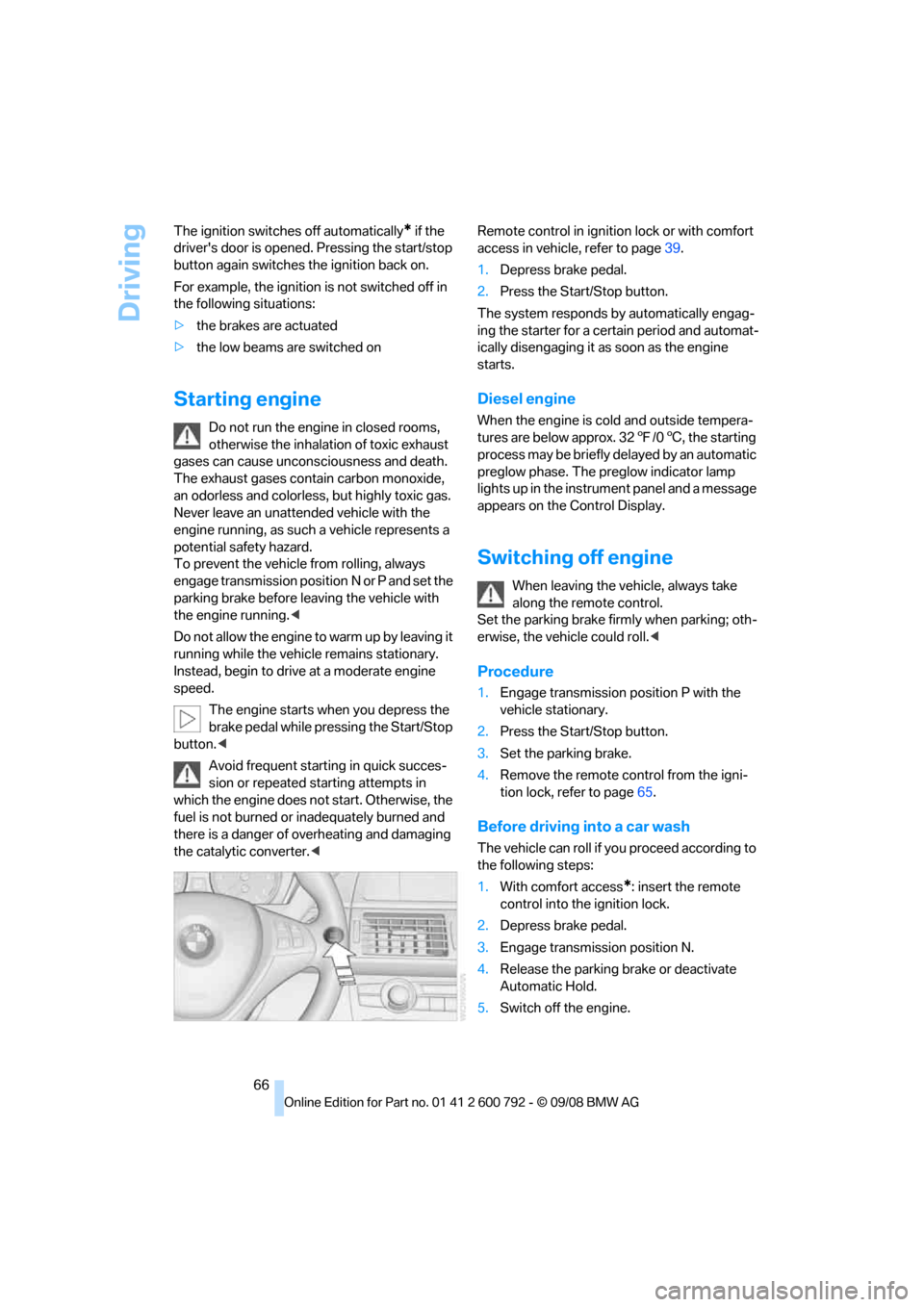
The engine starts when you depress the
brake pedal while pressing the Start/Stop
button. <
Avoid frequent starting in quick succes-
sion or repeated starting attempts in
which the engine does no t start. Otherwise, the
fuel is not burned or inadequately burned and
there is a danger of overheating and damaging
the catalytic converter. < Remote control in ignition lock or with comfort
access in vehicle, refer to page
39.
1. Depress brake pedal.
2. Press the Start/Stop button.
The system responds by automatically engag-
ing the starter for a cert ain period and automat-
ically disengaging it as soon as the engine
starts.
Diesel engine
When the engine is cold and outside tempera-
tures are below approx. 32 7/06 , the starting
process may be briefly delayed by an automatic
preglow phase. The pr eglow indicator lamp
lights up in the instrument panel and a message
appears on the Control Display.
Switching off engine
When leaving the vehicle, always take
along the remote control.
Set the parking brake firmly when parking; oth-
erwise, the vehicle could roll. <
Procedure
1.Engage transmission position P with the
vehicle stationary.
2. Press the Start/Stop button.
3. Set the parking brake.
4. Remove the remote control from the igni-
tion lock, refer to page 65.
Before driving into a car wash
The vehicle can roll if yo u proceed according to
the following steps:
1. With comfort access
*: insert the remote
control into the ignition lock.
2. Depress brake pedal.
3. Engage transmission position N.
4. Release the parking brake or deactivate
Automatic Hold.
5. Switch off the engine.
Page 69 of 317
Controls
67Reference
At a glance
Driving tips
Communications
Navigation
Entertainment
Mobility
Transmission position P will be engaged:
>automatically after approx. 30 minutes
> if you remove the remo te control from the
ignition lock
Parking brake
The concept
Your BMW is equipped with an electromechan-
ical parking brake.
The parking brake is primarily intended to pre-
vent the vehicle from rolling while parked.
You can use the parking brake in two ways:
> manually, by pulling an d pushing the button
> automatically, by ac tivating Automatic
Hold, refer to page 67
With the engine stopped, the parking brake acts
on the rear wheels via an electromechanical
system. When the engine is running, the park-
ing brake acts on the disk brakes of the front
and rear wheels via the brake hydraulics.
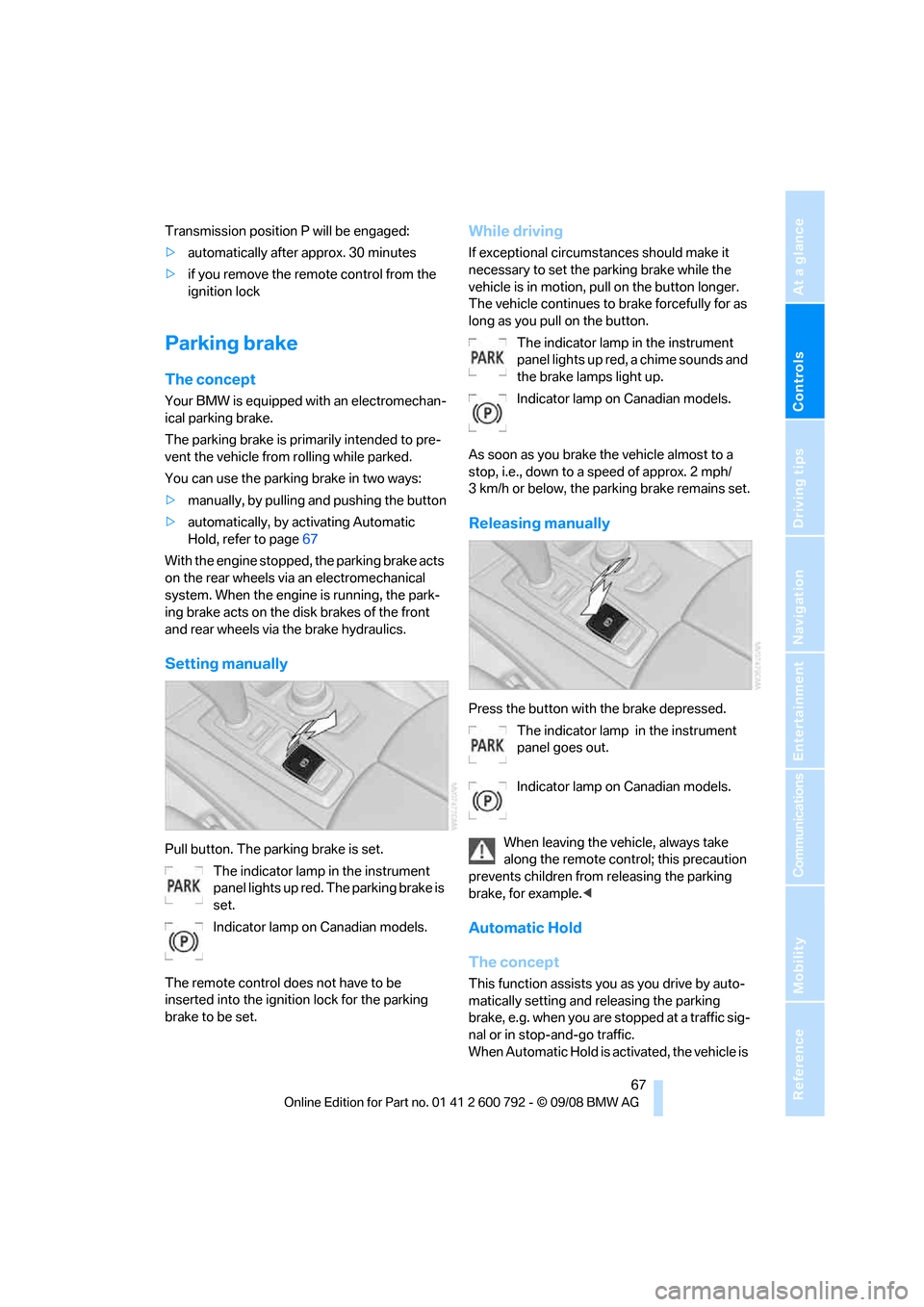
Setting manually
Pull button. The parking brake is set. The indicator lamp in the instrument
panel lights up red. The parking brake is
set.
Indicator lamp on Canadian models.
The remote control do es not have to be
inserted into the ignition lock for the parking
brake to be set.
While driving
If exceptional circumst ances should make it
necessary to set the pa rking brake while the
vehicle is in motion, pull on the button longer.
The vehicle continues to brake forcefully for as
long as you pull on the button.
The indicator lamp in the instrument
panel lights up red, a chime sounds and
the brake lamps light up.
Indicator lamp on Canadian models.
As soon as you brake the vehicle almost to a
stop, i.e., down to a speed of approx. 2 mph/
3 km/h or below, the pa rking brake remains set.
Releasing manually
Press the button with the brake depressed.
The indicator lamp in the instrument
panel goes out.
Indicator lamp on Canadian models.
When leaving the vehicle, always take
along the remote control; this precaution
prevents children from releasing the parking
brake, for example. <
Automatic Hold
The concept
This function assists yo u as you drive by auto-
matically setting and releasing the parking
brake, e.g. when you are stopped at a traffic sig-
nal or in stop-and-go traffic.
When Automatic Hold is ac tivated, the vehicle is