check control BMW X6M 2013 E71 Service Manual
[x] Cancel search | Manufacturer: BMW, Model Year: 2013, Model line: X6M, Model: BMW X6M 2013 E71Pages: 327, PDF Size: 7.71 MB
Page 258 of 327
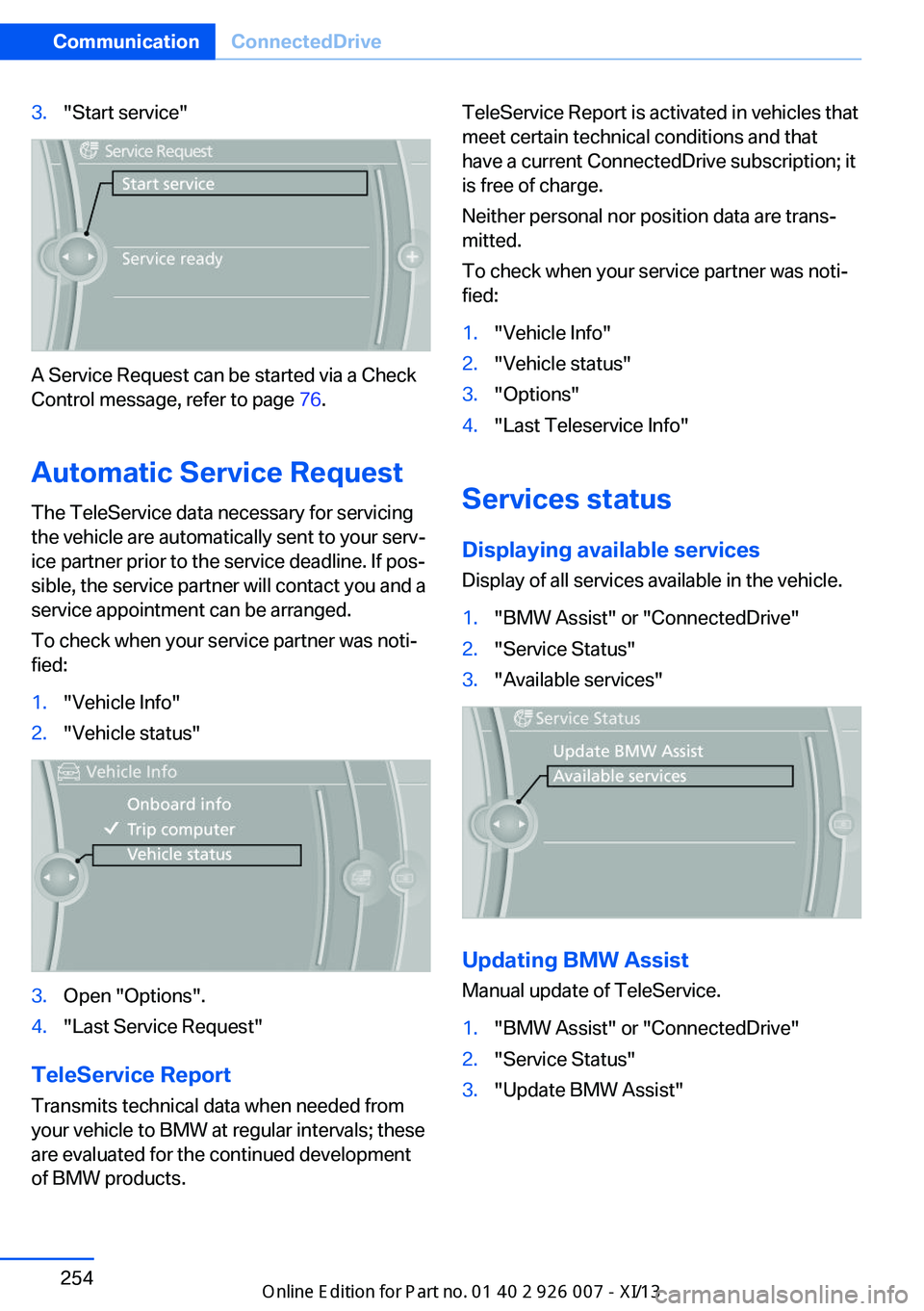
3."Start service"
A Service Request can be started via a Check
Control message, refer to page 76.
Automatic Service Request
The TeleService data necessary for servicing
the vehicle are automatically sent to your serv‐
ice partner prior to the service deadline. If pos‐
sible, the service partner will contact you and a
service appointment can be arranged.
To check when your service partner was noti‐
fied:
1."Vehicle Info"2."Vehicle status"3.Open "Options".4."Last Service Request"
TeleService Report
Transmits technical data when needed from
your vehicle to BMW at regular intervals; these
are evaluated for the continued development
of BMW products.
TeleService Report is activated in vehicles that
meet certain technical conditions and that
have a current ConnectedDrive subscription; it
is free of charge.
Neither personal nor position data are trans‐
mitted.
To check when your service partner was noti‐
fied:1."Vehicle Info"2."Vehicle status"3."Options"4."Last Teleservice Info"
Services status
Displaying available services Display of all services available in the vehicle.
1."BMW Assist" or "ConnectedDrive"2."Service Status"3."Available services"
Updating BMW Assist
Manual update of TeleService.
1."BMW Assist" or "ConnectedDrive"2."Service Status"3."Update BMW Assist"Seite 254CommunicationConnectedDrive254
Online Edition for Part no. 01 40 2 910 876 - VII/13
Page 266 of 327
Wheels and tiresVehicle equipment
This chapter describes all series equipment as
well as country-specific and special equipment
offered for this model series.Therefore, it also
describes equipment that may not be found in
your vehicle, for instance due to the selected
special equipment or the country version. This
also applies to safety-related functions and
systems.
Tire inflation pressure
Safety information
It is not merely the tires' service life, but also
driving comfort and, to a great extent, driving
safety that depend on the condition of the tires
and the maintenance of the specified tire pres‐
sure.
Checking the pressure Only check the tire inflation pressure when the
tires are cold. This means after a maximum of
1.25 miles/2 km driving or when the vehicle
has been parked for at least 2 hours. When the
tires are warm, the tire inflation pressure is
higher.
Check the tire inflation pressure regularly
Check the tire inflation pressure regularly
and correct it if necessary, even in the compact
wheel: usually twice monthly or before em‐
barking on a long trip. If you fail to observe this
precaution, you may be driving on tires with in‐
correct tire pressures, a condition that may not
only compromise your vehicle's driving stabil‐
ity, but also lead to tire damage and the risk of
an accident.Do not drive with depressurized or flat tires,
except for run-flat tires. A flat tire will seriously
impair your vehicle's handling and braking re‐
sponse. Attempts to drive on a flat tire can lead
to a loss of control over the vehicle.◀
After adjusting the tire inflation pressure, reset
the Tire Pressure Monitor, refer to page 90, or
reinitialize the Flat Tire Monitor, refer to
page 88.
Pressure specifications The tables below provide all the correct infla‐
tion pressures for the specified tire sizes at
ambient temperature.
The inflation pressures apply to the tire sizes
approved and tire brands recommended by
BMW; a list of these is available from your
service center.
For correct identification of the right tire infla‐
tion pressures, observe the following:▷Tire sizes of your vehicle.▷Maximum allowable driving speed.
Tire inflation pressures for driving up
to 100 mph or 160 km/h
For normal driving up to 100 mph/160 km/h,
adjust pressures to the respective tire inflation
pressures listed on the following pages in the
column for traveling speeds up to 100 mph/
160 km/h to achieve optimum driving comfort.
These tire inflation pressures can also be
found on the driver's side door pillar when the
driver's door is open.
Seite 262MobilityWheels and tires262
Online Edition for Part no. 01 40 2 910 876 - VII/13
Page 276 of 327
▷"Measurement not possible at this time."▷"Measuring engine oil level..."
Duration with the engine running: ap‐
prox. 3 minutes.
Duration while driving: approx. 5 minutes.
If engine oil was added, it may take up to
30 minutes to obtain an oil level reading.▷"Engine oil level below minimum. Add 1
quart!"
Add a maximum quantity of 1 US quart/1 li‐
ter of engine oil at the next opportunity, re‐
fer also to Adding engine oil below.▷"Engine oil level too high! Have this
checked."
Too much engine oil
Have the vehicle checked immedi‐
ately; otherwise, surplus oil can lead to en‐
gine damage.◀▷"Measurement inactive. Have this
checked." Do not add engine oil. It is possi‐
ble to continue driving. Note the newly cal‐
culated remaining mileage until the next oil
service, refer to page 74. Have the system
checked as soon as possible.
Adding engine oil
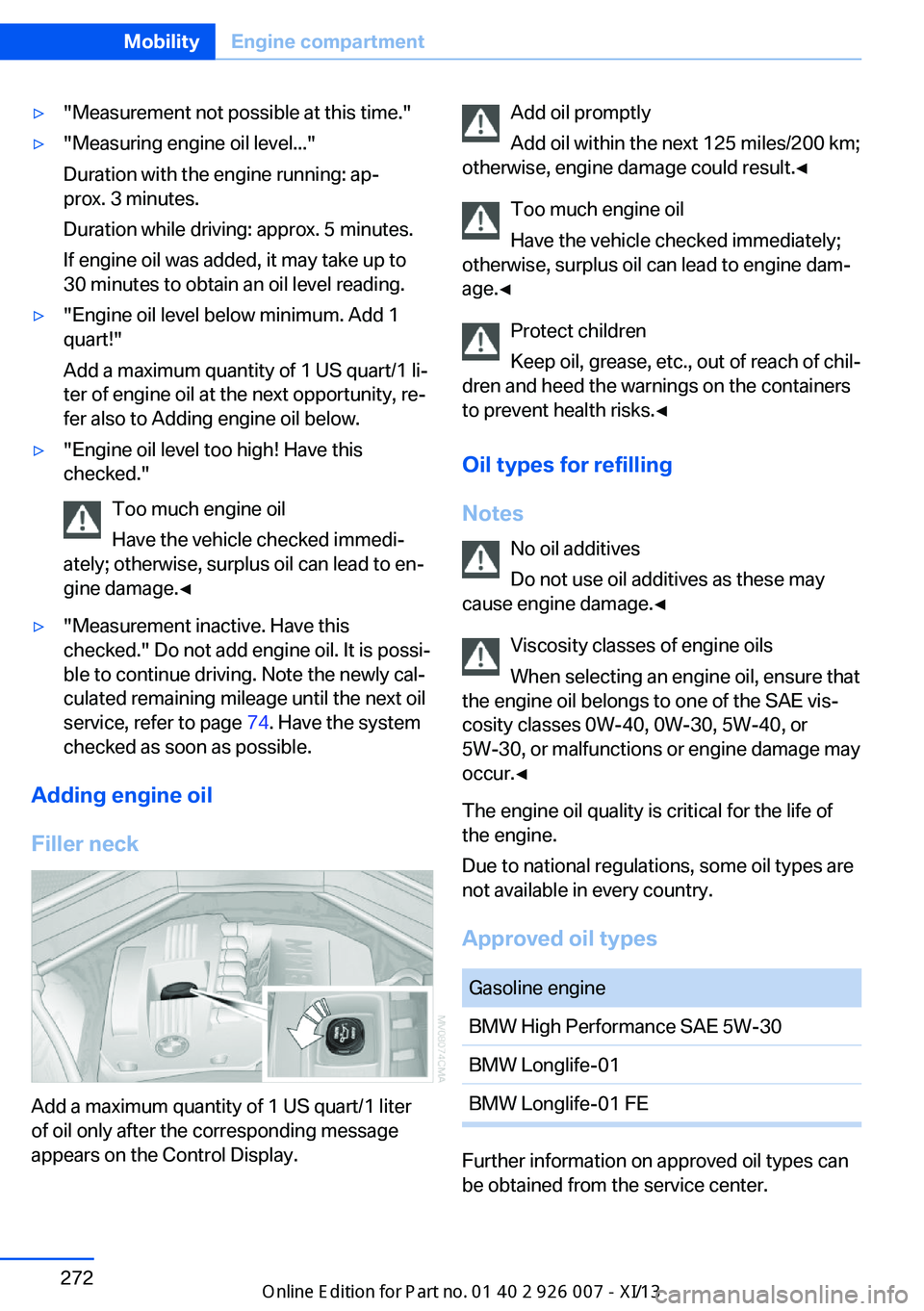
Filler neck
Add a maximum quantity of 1 US quart/1 liter
of oil only after the corresponding message
appears on the Control Display.
Add oil promptly
Add oil within the next 125 miles/200 km;
otherwise, engine damage could result.◀
Too much engine oil
Have the vehicle checked immediately;
otherwise, surplus oil can lead to engine dam‐
age.◀
Protect children
Keep oil, grease, etc., out of reach of chil‐
dren and heed the warnings on the containers
to prevent health risks.◀
Oil types for refilling
Notes No oil additives
Do not use oil additives as these may
cause engine damage.◀
Viscosity classes of engine oils
When selecting an engine oil, ensure that
the engine oil belongs to one of the SAE vis‐
cosity classes 0W-40, 0W-30, 5W-40, or
5W-30, or malfunctions or engine damage may
occur.◀
The engine oil quality is critical for the life of
the engine.
Due to national regulations, some oil types are
not available in every country.
Approved oil typesGasoline engineBMW High Performance SAE 5W-30BMW Longlife-01BMW Longlife-01 FE
Further information on approved oil types can
be obtained from the service center.
Seite 272MobilityEngine compartment272
Online Edition for Part no. 01 40 2 910 876 - VII/13
Page 278 of 327
MaintenanceVehicle equipment
This chapter describes all series equipment as
well as country-specific and special equipment
offered for this model series.Therefore, it also
describes equipment that may not be found in
your vehicle, for instance due to the selected
special equipment or the country version. This
also applies to safety-related functions and
systems.
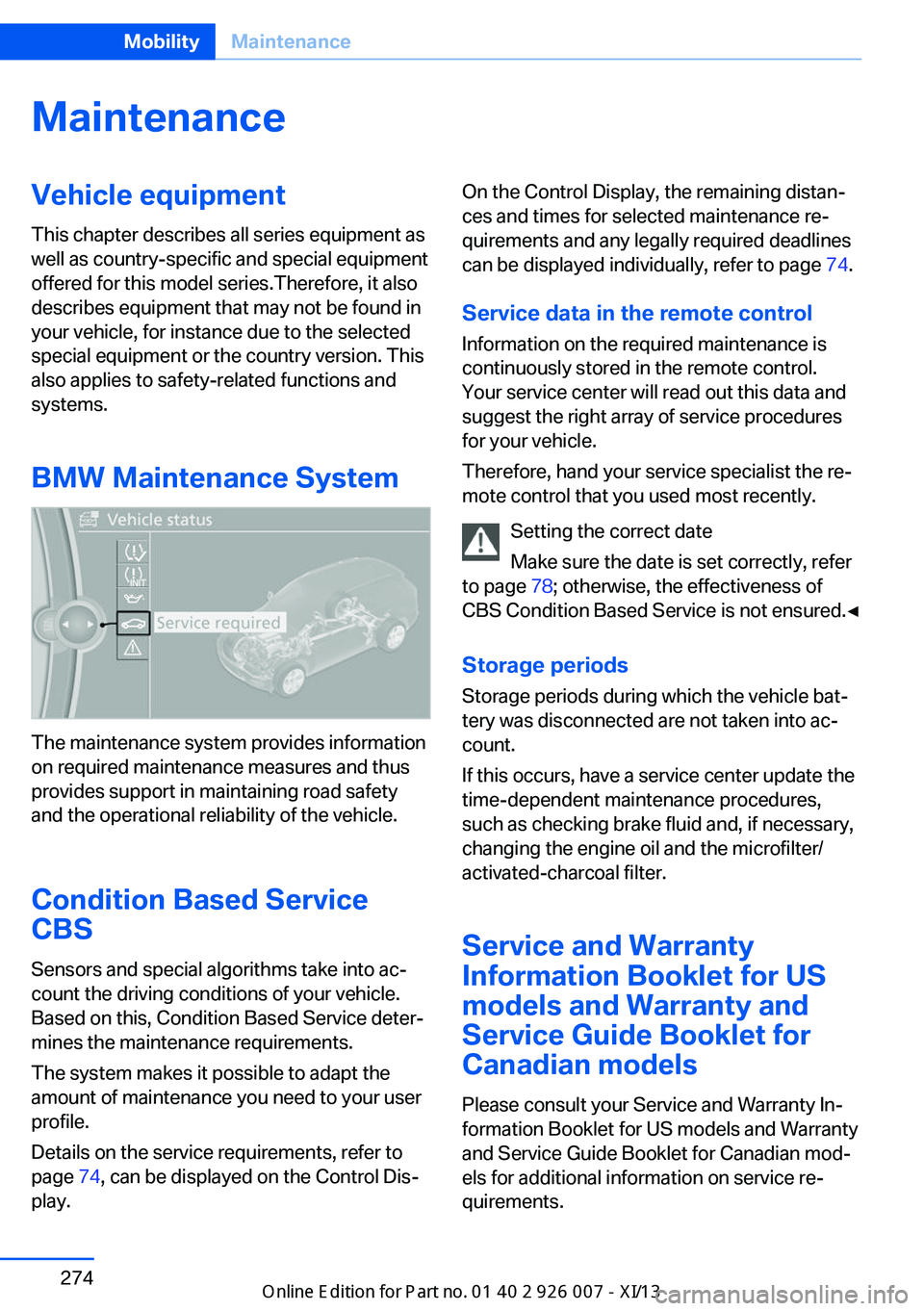
BMW Maintenance System
The maintenance system provides information
on required maintenance measures and thus
provides support in maintaining road safety
and the operational reliability of the vehicle.
Condition Based Service
CBS
Sensors and special algorithms take into ac‐
count the driving conditions of your vehicle.
Based on this, Condition Based Service deter‐
mines the maintenance requirements.
The system makes it possible to adapt the
amount of maintenance you need to your user
profile.
Details on the service requirements, refer to
page 74, can be displayed on the Control Dis‐
play.
On the Control Display, the remaining distan‐
ces and times for selected maintenance re‐
quirements and any legally required deadlines
can be displayed individually, refer to page 74.
Service data in the remote control Information on the required maintenance is
continuously stored in the remote control. Your service center will read out this data and
suggest the right array of service procedures
for your vehicle.
Therefore, hand your service specialist the re‐
mote control that you used most recently.
Setting the correct date
Make sure the date is set correctly, refer
to page 78; otherwise, the effectiveness of
CBS Condition Based Service is not ensured.◀
Storage periods Storage periods during which the vehicle bat‐
tery was disconnected are not taken into ac‐
count.
If this occurs, have a service center update the
time-dependent maintenance procedures,
such as checking brake fluid and, if necessary,
changing the engine oil and the microfilter/
activated-charcoal filter.
Service and Warranty
Information Booklet for US
models and Warranty and
Service Guide Booklet for Canadian models
Please consult your Service and Warranty In‐
formation Booklet for US models and Warranty
and Service Guide Booklet for Canadian mod‐
els for additional information on service re‐
quirements.Seite 274MobilityMaintenance274
Online Edition for Part no. 01 40 2 910 876 - VII/13
Page 281 of 327
To avoid possible injury or equipment damage
when replacing bulbs, observe any instructions
provided by the bulb manufacturer.◀
Do not perform work/bulb replacement
on xenon headlamps
Have any work on the xenon lighting system,
including bulb replacement, performed only by
a service center.
Due to the high voltage present in the system,
there is the danger of fatal injuries if work is
carried out improperly.◀
Do not touch the bulbs
Do not touch the glass of new bulbs with
your bare hands, as even minute amounts of
contamination will burn into the bulb's surface
and reduce its service life.
Use a clean tissue, cloth or something similar,
or hold the bulb by its base.◀
Light-emitting diodes LED
Light-emitting diodes installed behind translu‐
cent lenses serve as the light source for many
of the controls, displays and other equipment
in your vehicle.
These light-emitting diodes, which operate us‐
ing a concept similar to that applied in conven‐
tional lasers, are officially designated as
Class 1 light-emitting diodes.
Do not remove the covers
Do not remove the covers, and never
stare into the unfiltered light for several hours; otherwise, irritation of the retina could result.◀
Headlamp glass
Condensation can form on the inside of the
headlamps in cool or humid weather. When
you drive with the lights switched on, the con‐
densation evaporates after a short time. The
headlamps do not need to be changed.
If the condensation in the headlamps does not
evaporate after trips with the lights switchedon, and the amount of moisture in the head‐
lamps increases, for example if water droplets
form, have them checked by your service cen‐
ter.
Changing the lamps
Xenon headlamps
Notes
Because of the long life of these bulbs, the
likelihood of failure is very low. Switching the
lamps on and off frequently shortens their life.
If a xenon bulb fails, switch on the front fog
lamps and continue the trip with great care.
Comply with local regulations.
Do not perform work/bulb replacement
on xenon headlamps
Have any work on the xenon lighting system,
including bulb replacement, performed only by
a service center.
Due to the high voltage present in the system,
there is the danger of fatal injuries if work is
carried out improperly.◀
Follow the general instructions on lamps and
bulbs, refer to page 276.
Parking lamps, roadside parking
lamps, daytime running lights
The illustration shows the left side of the en‐
gine compartment.Seite 277Replacing componentsMobility277
Online Edition for Part no. 01 40 2 910 876 - VII/13
Page 293 of 327
other attempt in order to allow the dis‐
charged battery to recharge.3.Let both engines run for several minutes.4.Disconnect the jumper cables in the re‐
verse order.
Check the battery and recharge if necessary.
Tow-starting and towing Observe applicable laws and regulations
Observe applicable laws and regulations
for tow-starting and towing.◀
No additional passengers
Do not transport any passengers other
than the driver in a vehicle that is being
towed.◀
Transporting your vehicle
Note Your vehicle is not permitted to be towed.
Therefore, contact a service center in the
event of a breakdown.
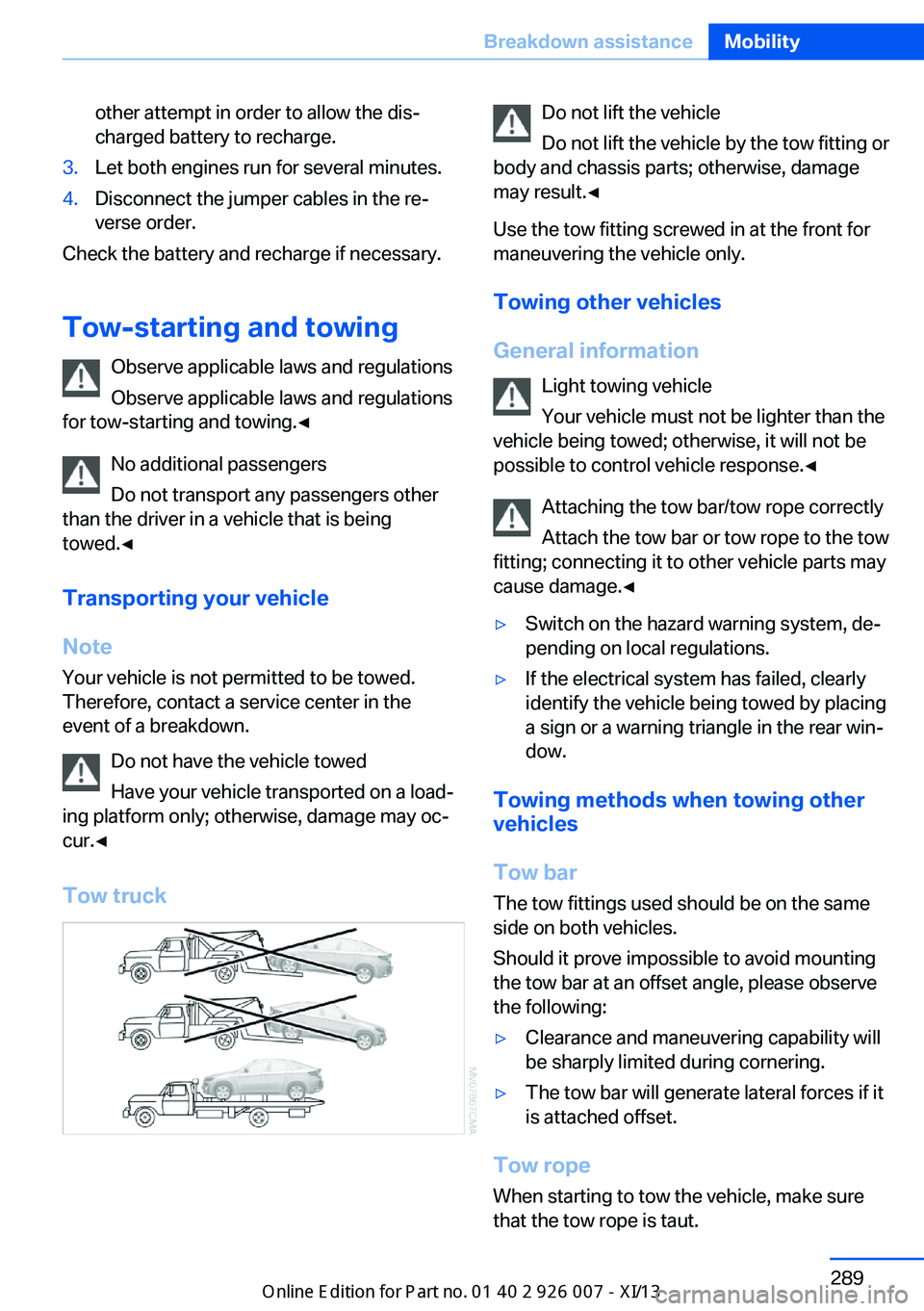
Do not have the vehicle towed
Have your vehicle transported on a load‐
ing platform only; otherwise, damage may oc‐
cur.◀
Tow truck
Do not lift the vehicle
Do not lift the vehicle by the tow fitting or
body and chassis parts; otherwise, damage
may result.◀
Use the tow fitting screwed in at the front for
maneuvering the vehicle only.
Towing other vehicles
General information Light towing vehicle
Your vehicle must not be lighter than the
vehicle being towed; otherwise, it will not be
possible to control vehicle response.◀
Attaching the tow bar/tow rope correctly
Attach the tow bar or tow rope to the tow
fitting; connecting it to other vehicle parts may
cause damage.◀▷Switch on the hazard warning system, de‐
pending on local regulations.▷If the electrical system has failed, clearly
identify the vehicle being towed by placing
a sign or a warning triangle in the rear win‐
dow.
Towing methods when towing other
vehicles
Tow bar The tow fittings used should be on the same
side on both vehicles.
Should it prove impossible to avoid mounting
the tow bar at an offset angle, please observe
the following:
▷Clearance and maneuvering capability will
be sharply limited during cornering.▷The tow bar will generate lateral forces if it
is attached offset.
Tow rope
When starting to tow the vehicle, make sure
that the tow rope is taut.
Seite 289Breakdown assistanceMobility289
Online Edition for Part no. 01 40 2 910 876 - VII/13
Page 312 of 327
Everything from A to Z
IndexA ABS, Antilock Brake Sys‐ tem 96
ACC Active Cruise Con‐ trol 102
Accident, refer to Emergency Request, initiating 286
Acoustic signal, refer to Check Control 76
Activated-charcoal filter 126
Active Cruise Control ACC 102
Active cruise control, indica‐ tor lamp 106
Active Cruise Control, radar sensor 106
Active Cruise Control, select‐ ing the distance 104
Active Cruise Control, warn‐ ing lamps 106
Active seat 47
Active seat ventilation 46
Active steering 101
Adaptive brake lights, refer to Brake force display 95
Adaptive Drive 100
Adaptive fixing system 140
Adaptive Light Control 82
Additional telephone 226
Additives, coolant 273
Additives, engine oil 272
After washing vehicle 292
Airbags 86
Airbags, indicator/warning light 88
Air circulation, refer to Recir‐ culated air mode 124
Air distribution, auto‐ matic 122, 127
Air distribution, manual 124 Air drying, refer to Cooling
function 124
Air flow rate 123
Air flow rate, blower, refer to Air volume 127
Airing, refer to Ventila‐ tion 125
Air pressure, refer to Tire in‐ flation pressure 262
Air vents 121
Air vents, refer to Ventila‐ tion 125
Alarm system 39
Alarm system– Avoiding unintentional
alarms 40– Ending an alarm 40– Interior motion sensor 40– Tilt alarm sensor 40
All around the headliner 17
All-season tires, refer to Win‐ ter tires 268
All-wheel drive, refer to
xDrive 98
Alternating-code hand-held transmitter 130
AM/FM station 182
Announcement, navigation, refer to Spoken instruc‐
tions 171
Antifreeze, coolant 273
Antifreeze, washer fluid 66
Antilock Brake System, ABS 96
Anti-slip control, refer to Dy‐ namic Stability Control
DSC 96
Anti-theft protection 32
Appointments 244
Approved axle loads, refer to Weights 298
Approved engine oils 272
Approved gross vehicle weight, refer to
Weights 298
Armrest, refer to Center arm‐ rest 138
Arrival time, refer to Com‐ puter 73
Ashtray 133
Ashtray, front 133
Ashtray, rear 133
Assistance, Roadside Assis‐ tance 287
Assistance with driving off, refer to Drive-off assis‐
tant 100
Assistance with starting en‐ gine, refer to Jump-start‐
ing 287
Audio CD with rear DVD sys‐ tem 216
Audio device, external 138
Audio playback 191
Audio playback, Blue‐ tooth 205
Automatic, air distribu‐ tion 122, 127
Automatic air distribu‐ tion 127
Automatic, air flow rate 122
Automatic car wash 291
Automatic climate con‐ trol 121
Automatic climate control, automatic air distribu‐
tion 122, 127
Automatic climate control, in rear 126
Automatic climate control in rear, activating on Control
Display 126 Seite 308ReferenceEverything from A to Z308
Online Edition for Part no. 01 40 2 910 876 - VII/13
Page 314 of 327
California Proposition 65Warning 7
Camera, care 294
Camera, refer to Backup cam‐ era 113
Camera, side view 118
Camera, Top View 117
Can holder, refer to Cu‐ pholder 139
Car battery, refer to Vehicle battery 283
Car care products 292
Care 291
Care, displays 294
Care, vehicle 292
Cargo 150
Cargo area– Comfort Access 38
Cargo area, capacities 298
Cargo area, enlarging 135
Cargo area lamp, refer to Inte‐ rior lamps 85
Cargo area lid, refer to Tail‐
gate 36
Cargo area, opening/closing, refer to Tailgate 36
Cargo area, refer to Cargo area 135
Cargo cover 135
Cargo, securing with ski bag, refer to Securing cargo 142
Cargo straps, securing cargo 151
Car key, refer to Integrated key/remote control 30
Carpet, care 293
Car phone, installation loca‐ tion, refer to Center arm‐
rest 138
Car phone, refer to Tele‐ phone 226
Car vacuum cleaner, connect‐ ing, refer to Connecting
electrical devices 133
Car wash 291
Catalytic converter, refer to Hot exhaust system 146
CBC, refer to Cornering Brake
Control 96
CBS Condition Based Serv‐ ice 274
CD/DVD 190
CD/DVD changer 194
CD/DVD in rear 211
CD/DVD notes 196
CD, refer to Playing audio tracks, rear DVD sys‐
tem 216
CDs, storing 197
Cell phone 226
Cell phone, installation loca‐ tion, refer to Center arm‐
rest 138
Center armrest, front 138
Center armrest, rear 138
Center brake lamp 280
Center console, refer to Around the center con‐
sole 16
Central locking– Comfort Access 37– From the inside 35– Setting the unlocking char‐
acteristics 32
Central locking system
– From the outside 32– Principle 32
Central screen, refer to Con‐
trol Display 19
Changes, technical, refer to Safety 6
Changing wheels/tires 267
Chassis number, refer to En‐ gine compartment 270
Check Control 76
Children, transporting 54
Child restraint fixing system LATCH 55
Child restraint fixing sys‐ tems 54
Child restraint fixing systems, mounting 54
Child safety locks 57
Child seat, mounting 54
Child seats, refer to Trans‐
porting children safely 54
Chrome parts, care 293
Cigarette lighter, connecting electrical devices 133
Cigarette lighter, refer to Lighter 133
Cigarette lighter socket 133
Circulation of air, refer to Re‐ circulated air mode 124
Cleaning, displays 294
Cleaning your BMW, refer to Care 291
Clock 70
Clock, 12h/24h mode 78
Closing– From the inside 35– From the outside 32
Clothes hooks 138
Cockpit 12
Cold start, refer to Starting the engine 60
Combination instrument, refer to Instrument cluster 14
Combination switch, refer to Turn signal/high beams/
headlamp flasher 64
Combination switch, refer to Washer/wiper system 65
Comfort Access
– Battery replacement 39
Comfort area, refer to Around
the center console 16
Compact wheel, inflation pressure 262
Compartment for remote control, refer to Ignition
lock 59
Compartments, refer to Stor‐ age compart‐
ments 137, 138
Compass, digital 131
Computer 72
Computer, displaying infor‐ mation 72
Computer, displays on the Control Display 73
Seite 310ReferenceEverything from A to Z310
Online Edition for Part no. 01 40 2 910 876 - VII/13
Page 315 of 327
Concierge service 251
Condensation on windows, removing 123
Condensation under the vehi‐ cle 148
Condition Based Service CBS 274
Confirmation signals for lock‐ ing/unlocking the vehicle 33
Connecting, mobile phone, refer to Pairing the mobile
phone 227
Consumption, refer to Aver‐ age fuel consumption 73
Contacts 240, 248
Control Display 19
Control Display, care 294
Control Display, setting the brightness 79
Controller, refer to Con‐ trols 18
Controls and displays 12
Controls, rear DVD sys‐ tem 210
Control systems, driving sta‐ bility 96
Convenient operation– Glass sunroof 33– Window 33
Coolant 273
Coolant, checking the level 273
Coolant temperature 71
Cooling function, switching on and off 124
Cooling, maximum 124
Cooling system, refer to Cool‐ ant 273
Cornering Brake Control CBC 96
Corrosion on brake discs 148
Courtesy lamps, refer to Inte‐ rior lamps 85
Cradle for telephone or mo‐ bile phone, refer to Snap-in
adapter 237
Cruise control 109
Cruise control– Malfunction 110
Cruise control, active 102
Cupholder 139
Curb weight, refer to Weights 298
Current fuel consumption 71
Current location, storing 162
Curve lights, refer to Adaptive Light Control 82
D
Dashboard lighting, refer to Instrument lighting 85
Dashboard, refer to Cock‐ pit 12
Data, technical 298
Date 70
Date, display format 79
Date, retrieving 70
Date, setting 78
Daytime running lights 82
Defroster, rear window 123
Defrosting windows 123
Defrost setting, refer to De‐ frosting windows 123
Destination entry via the ad‐ dress book 162
Destination guidance 169
Destination guidance with in‐ termediate destinations 167
Destination input, naviga‐ tion 160
Digital clock 70
Digital compass 131
Digital radio 183
Dimming mirrors 52
Directional indicators, refer to Turn signals 64
Display in front wind‐ shield 118
Display lighting, refer to In‐ strument lighting 85
Displays and controls 12
Displays, care 294
Displays, cleaning 294
Displays, refer to Instrument
cluster 14
Disposal, coolant 273
Disposal, vehicle battery 284
Distance control, refer to Ac‐ tive Cruise Control 102
Distance, selecting, with Ac‐ tive Cruise Control 104
Distance warning, refer to Park Distance Control
PDC 111
Divided screen view, split screen 22
Door key, refer to Remote control with integrated
key 30
Door lock 34
Doors, manual operation 34
Doors, unlocking and locking– Confirmation signals 33– From the inside 35– From the outside 32
DOT Quality Grades 265
Downhill control 99
Draft-free ventilation 125
Drive-off assistant 100
Driver's seat, calibrating 49
Driving away on inclines, refer to Drive-off assistant 100
Driving notes, breaking in 146
Driving notes, general 146
Driving on poor roads 148
Driving stability control sys‐ tems 96
Driving through water 147
Driving tips, refer to Driving notes 146
Dry air, refer to Cooling func‐ tion 124
DSC Dynamic Stability Con‐ trol 96
DTC Dynamic Traction Con‐ trol 97
DTMF suffix dialing 232
DVD/CD 190
DVDs, storing 197
Seite 311Everything from A to ZReference311
Online Edition for Part no. 01 40 2 910 876 - VII/13
Page 316 of 327
DVD system in rear 210
DVD, video 192
Dynamic destination guid‐ ance 176
Dynamic Performance Con‐ trol 98
Dynamic Stability Control DSC 96
Dynamic Traction Control DTC 97
E
Easy entry/exit 53
EfficientDynamics, refer to Saving fuel 153
Electrical malfunction– Door lock 34– Driver's door 34– Fuel filler flap 258
Electrical malfunction, park‐
ing brake 63
Electric seat adjustment 45
Electric steering wheel ad‐
justment 53
Electronic brake-force distri‐ bution 96
Electronic engine oil level check 271
Electronic Stability Program ESP, refer to Dynamic Sta‐
bility Control DSC 96
Emergency operation
– Door lock, refer to Manual
operation 34
Emergency operation, fuel
filler flap, unlocking man‐
ually 258
Emergency Request 286
Emergency service, refer to Roadside Assistance 287
Energy-conscious driving, re‐ fer to Current fuel consump‐
tion 71
Energy, saving, refer to Sav‐ ing fuel 153
Engine, breaking in 146
Engine compartment 270
Engine coolant, refer to Cool‐ ant 273
Engine oil, adding 272
Engine oil, additives, refer to Approved engine oils 272
Engine oil, alternative oil types 273
Engine oil, BMW maintenance system 274
Engine oil change intervals, refer to Service require‐
ments 74
Engine oil, checking the level 271
Engine oil, filling ca‐ pacity 299
Engine oil temperature 71
Engine oil types, alterna‐ tive 272
Engine oil types, ap‐ proved 272
Engine, overheating, refer to Coolant temperature 71
Engine start, assistance 287
Engine, starting 60
Engine, starting– Comfort Access 37
Engine, starting, Start/Stop
button 59
Engine, stopping, Start/Stop button 59
Engine, switching off 60
Environmentally friendly driv‐ ing, refer to Current fuel
consumption 71
Equalizer 180
Equipment, interior 129
ESP Electronic Stability Pro‐ gram, refer to Dynamic Sta‐
bility Control DSC 96
Exchanging wheels/tires 267
Exhaust system 146
Exterior mirrors 51
Exterior mirrors, adjusting 51
Exterior mirrors, automatic dimming 52
Exterior mirrors, automatic
heating 52
Exterior mirrors, folding in and out 52
External audio device 138
External devices 202
External temperature dis‐ play 70
External temperature display, changing the units of meas‐
ure, changing the units of
measure on the Control Dis‐
play 79
External temperature warn‐ ing 70
Externel temperature dis‐ play 70
Eyes for securing cargo 151
F
Fader 180
Failure messages, refer to Check Control 76
False alarm– Avoiding unintentional
alarms 40– Ending an alarm 40
Fastening safety belts, refer
to Safety belts 47
Fault messages, refer to Check Control 76
Filling capacities 299
Filter, refer to Microfilter/acti‐ vated-charcoal filter 126
Fine wood, care 293
First aid kit 287
Fitting for towing 290
Fixing system, adaptive 140
Flashing when locking/ unlocking 33
Flat Tire Monitor FTM 88
Flat Tire Monitor FTM, snow chains 269
Flat tire, run-flat tires 268
Flat tire, Tire Pressure Moni‐ tor TPM 90
Seite 312ReferenceEverything from A to Z312
Online Edition for Part no. 01 40 2 910 876 - VII/13