navigation system BMW X6M 2014 F86 User Guide
[x] Cancel search | Manufacturer: BMW, Model Year: 2014, Model line: X6M, Model: BMW X6M 2014 F86Pages: 251, PDF Size: 7.35 MB
Page 97 of 251
3. "Service required"4."§ Vehicle inspection"5."Date:"6.Adjust the settings.7.Confirm.
The entered date is stored.
Automatic Service Request
Data regarding the service status or legally
mandated vehicle inspections are automati‐
cally transmitted to your service center before
a service due date.
You can check when your service center was
notified.
On the Control Display:
1."Vehicle info"2."Vehicle status"3.Open "Options".4."Last Service Request"
Gear shift indicator
The conceptThe system recommends the most fuel effi‐
cient gear for the current driving situation.
The gear shift indicator is active in the sequen‐
tial mode of the Steptronic Sport transmission.
Suggestions to shift gear up or down are dis‐
played in the instrument cluster.
On vehicles without a gear shift indicator, the
engaged gear is displayed.
DisplaysSymbolDescriptionShift up to fuel efficient gear.Shift down to fuel efficient gear.
Speed limit detection
The concept
Speed limit detection
Speed limit detection uses a symbol in the
shape of a traffic sign to display the currently
detected speed limit. The camera in the area of
the interior rearview mirror detects traffic signs
at the edge of the road as well as variable over‐
head sign posts. Traffic signs with extra sym‐
bols for wet road conditions, etc. are also de‐
tected and compared with the vehicle's
onboard data, such as for the rain sensor, and
will be displayed depending on the situation.
The system takes into account the information
stored in the navigation system and also dis‐
plays speed limits present on routes without
signs.
Hints Personal judgment
The system cannot serve as a substitute
for the driver's personal judgment of the traffic
situation.
The system assists the driver and does not re‐
place the human eye.◀
Seite 93DisplaysControls93
Online Edition for Part no. 01 40 2 956 993 - X/14
Page 98 of 251
At a glance
Camera
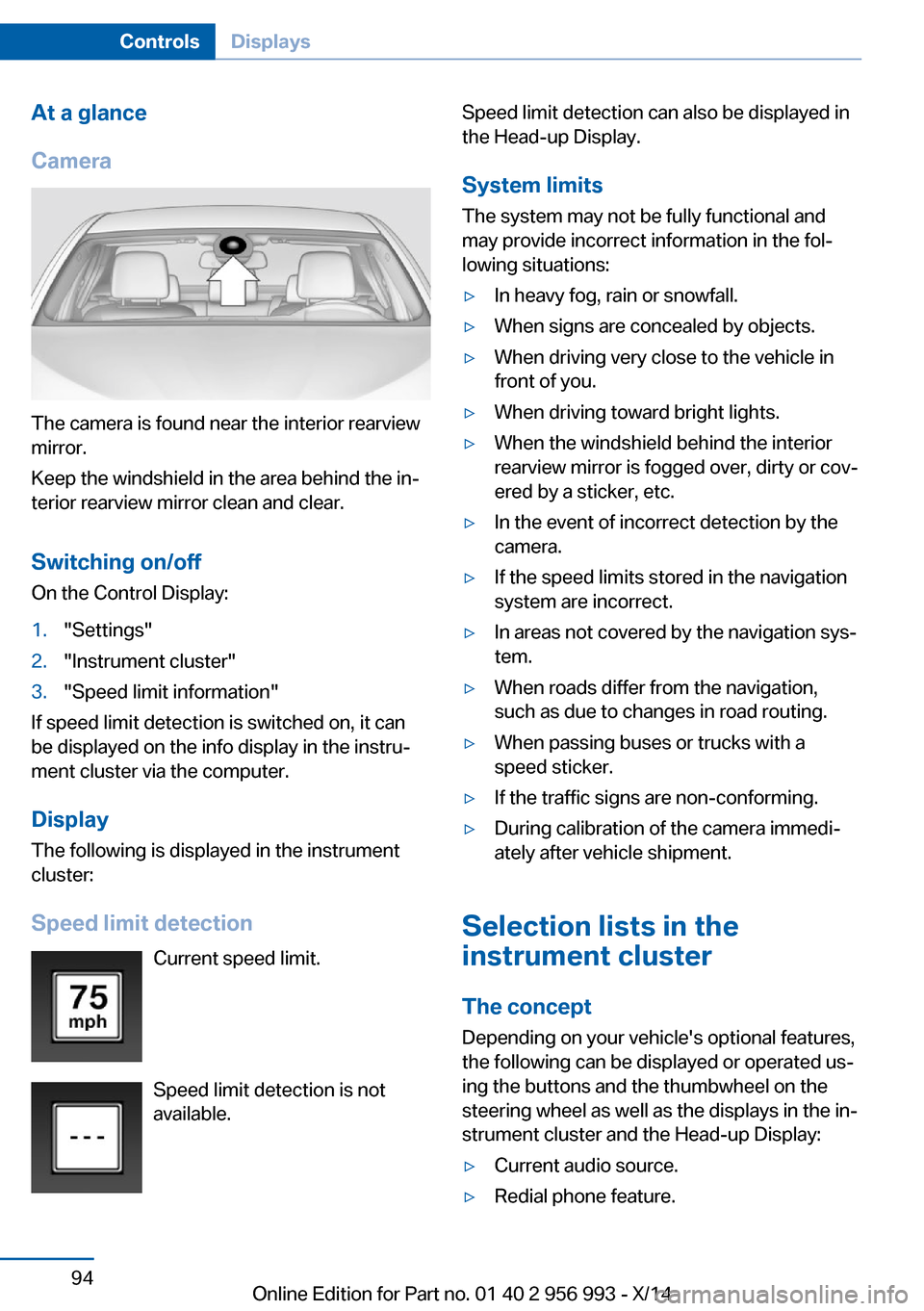
The camera is found near the interior rearview
mirror.
Keep the windshield in the area behind the in‐
terior rearview mirror clean and clear.
Switching on/offOn the Control Display:
1."Settings"2."Instrument cluster"3."Speed limit information"
If speed limit detection is switched on, it can
be displayed on the info display in the instru‐
ment cluster via the computer.
Display The following is displayed in the instrument
cluster:
Speed limit detection Current speed limit.
Speed limit detection is not available.
Speed limit detection can also be displayed in
the Head-up Display.
System limits The system may not be fully functional and
may provide incorrect information in the fol‐
lowing situations:▷In heavy fog, rain or snowfall.▷When signs are concealed by objects.▷When driving very close to the vehicle in
front of you.▷When driving toward bright lights.▷When the windshield behind the interior
rearview mirror is fogged over, dirty or cov‐
ered by a sticker, etc.▷In the event of incorrect detection by the
camera.▷If the speed limits stored in the navigation
system are incorrect.▷In areas not covered by the navigation sys‐
tem.▷When roads differ from the navigation,
such as due to changes in road routing.▷When passing buses or trucks with a
speed sticker.▷If the traffic signs are non-conforming.▷During calibration of the camera immedi‐
ately after vehicle shipment.
Selection lists in the
instrument cluster
The concept Depending on your vehicle's optional features,
the following can be displayed or operated us‐
ing the buttons and the thumbwheel on the
steering wheel as well as the displays in the in‐
strument cluster and the Head-up Display:
▷Current audio source.▷Redial phone feature.Seite 94ControlsDisplays94
Online Edition for Part no. 01 40 2 956 993 - X/14
Page 99 of 251
▷Turn on voice activation system.
Display
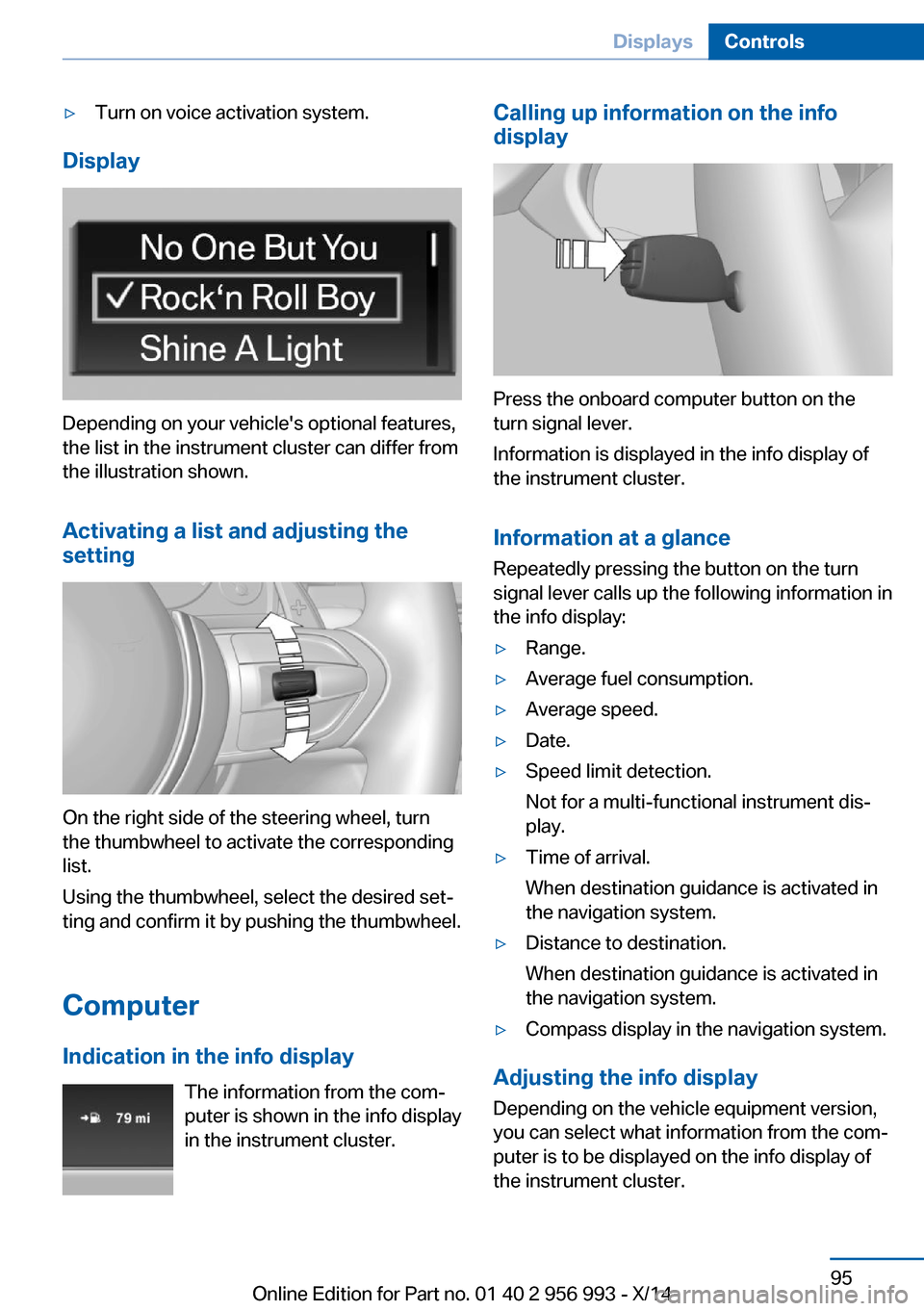
Depending on your vehicle's optional features,
the list in the instrument cluster can differ from
the illustration shown.
Activating a list and adjusting the
setting
On the right side of the steering wheel, turn
the thumbwheel to activate the corresponding
list.
Using the thumbwheel, select the desired set‐
ting and confirm it by pushing the thumbwheel.
Computer
Indication in the info display The information from the com‐
puter is shown in the info display
in the instrument cluster.
Calling up information on the info
display
Press the onboard computer button on the
turn signal lever.
Information is displayed in the info display of
the instrument cluster.
Information at a glance
Repeatedly pressing the button on the turn
signal lever calls up the following information in
the info display:
▷Range.▷Average fuel consumption.▷Average speed.▷Date.▷Speed limit detection.
Not for a multi-functional instrument dis‐
play.▷Time of arrival.
When destination guidance is activated in
the navigation system.▷Distance to destination.
When destination guidance is activated in
the navigation system.▷Compass display in the navigation system.
Adjusting the info display
Depending on the vehicle equipment version,
you can select what information from the com‐
puter is to be displayed on the info display of
the instrument cluster.
Seite 95DisplaysControls95
Online Edition for Part no. 01 40 2 956 993 - X/14
Page 100 of 251
On the Control Display:1."Settings"2."Instrument cluster"3.Select the desired displays.
Information in detail
Range
Displays the estimated cruising range available
with the remaining fuel.
It is calculated based on your driving style over
the last 20 miles/30 km.
Average fuel consumption
The average fuel consumption is calculated for
the period while the engine is running.
The average fuel consumption is calculated for
the distance traveled since the last reset by the
computer.
Average speed
Periods in which the vehicle is parked with the
engine manually stopped are not included in
the calculation of the average speed.
Resetting average values Press and hold the onboard computer button
on the turn signal lever.
Distance to destination
The distance remaining to the destination is
displayed if a destination is entered in the navi‐
gation system before the trip is started.
The distance to the destination is adopted au‐
tomatically.
Time of arrival The estimated time of arrival is
displayed if a destination is en‐
tered in the navigation system
before the trip is started.
The time must be correctly set.
Speed limit detection
Description of the speed limit detection, refer
to page 93, function.
Compass With navigation system Profes‐sional: compass display for the
driving direction.
Trip computer The vehicle features two types of board com‐
puters.▷"Onboard info": the values can be reset as
often as necessary.▷"Trip computer": the values provide an
overview of the current trip.
Resetting the trip computer
On the Control Display:
1."Vehicle info"2."Trip computer"3."Reset": all values are reset.
"Automatically reset": all values are reset
approx. 4 hours after the vehicle came to a
standstill.
Display on the Control Display
Display the computer or trip computer on the
Control Display.
1."Vehicle info"2."Onboard info" or "Trip computer"
Resetting the fuel consumption or
speed
On the Control Display:
1."Vehicle info"2."Onboard info"3."Consumpt." or "Speed"4."Yes"Seite 96ControlsDisplays96
Online Edition for Part no. 01 40 2 956 993 - X/14
Page 103 of 251
Head-up Display
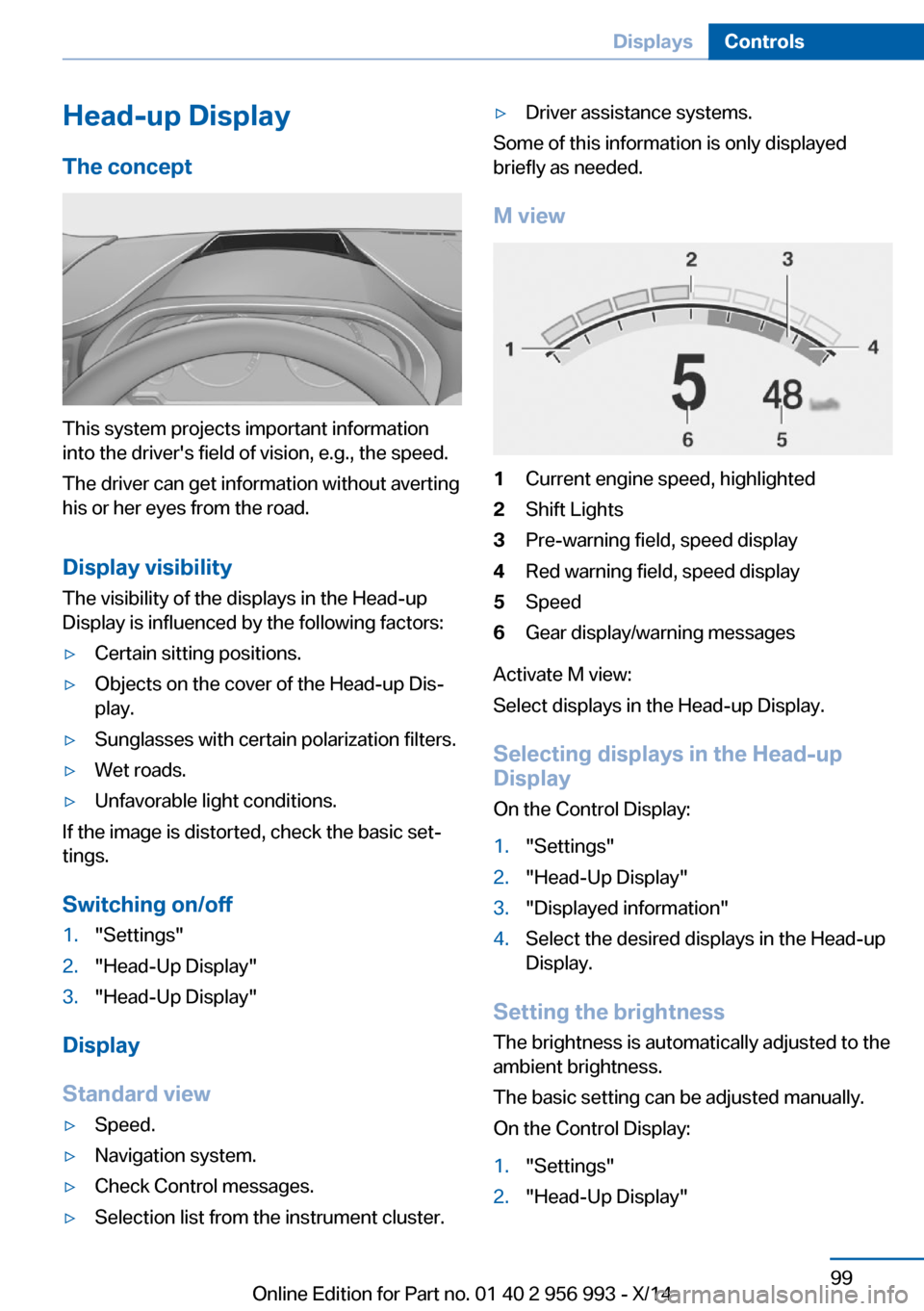
The concept
This system projects important information
into the driver's field of vision, e.g., the speed.
The driver can get information without averting
his or her eyes from the road.
Display visibility The visibility of the displays in the Head-up
Display is influenced by the following factors:
▷Certain sitting positions.▷Objects on the cover of the Head-up Dis‐
play.▷Sunglasses with certain polarization filters.▷Wet roads.▷Unfavorable light conditions.
If the image is distorted, check the basic set‐
tings.
Switching on/off
1."Settings"2."Head-Up Display"3."Head-Up Display"
Display
Standard view
▷Speed.▷Navigation system.▷Check Control messages.▷Selection list from the instrument cluster.▷Driver assistance systems.
Some of this information is only displayed
briefly as needed.
M view
1Current engine speed, highlighted2Shift Lights3Pre-warning field, speed display4Red warning field, speed display5Speed6Gear display/warning messages
Activate M view:
Select displays in the Head-up Display.
Selecting displays in the Head-up
Display
On the Control Display:
1."Settings"2."Head-Up Display"3."Displayed information"4.Select the desired displays in the Head-up
Display.
Setting the brightness
The brightness is automatically adjusted to the
ambient brightness.
The basic setting can be adjusted manually.
On the Control Display:
1."Settings"2."Head-Up Display"Seite 99DisplaysControls99
Online Edition for Part no. 01 40 2 956 993 - X/14
Page 136 of 251
The indicator lamp lights up: DSC is
deactivated.
xDrive xDrive is the all-wheel-drive system of your ve‐
hicle. Concerted action by the xDrive and DSC
further optimize traction and driving dynamics. The xDrive all-wheel-drive system variably dis‐
tributes the drive forces to the front and rear
axles as demanded by the driving situation and
road surface.
Display on the Control Display
Displaying xDrive view1."Vehicle info"2."xDrive status"3. "xDrive view"
The following information is displayed:
▷With a navigation system: compass display
for the driving direction▷Pitch attitude with degree and percentage▷Transverse gradient with degree indication▷Graphic display for the steering
Displaying distribution of the drive
torque
1."Vehicle info"2."xDrive status"3. "Torque distribution"
HDC Hill Descent Control
The concept HDC is a downhill driving assistant that auto‐
matically controls vehicle speed on steep
downhill gradients. Without applying the
brakes, the vehicle moves at slightly more than
walking speed.
Hill Descent Control can be activated at
speeds below approx. 22 mph/35 km/h. When
driving downhill, the vehicle reduces its speed
to approx. walking speed and then keeps its
speed constant.
As long as there is active braking, the system
is on standby. The system does not brake the
vehicle during this time.
Only use HDC in low gears or in selector lever
position D or R.
Increasing or decreasing vehicle
speed
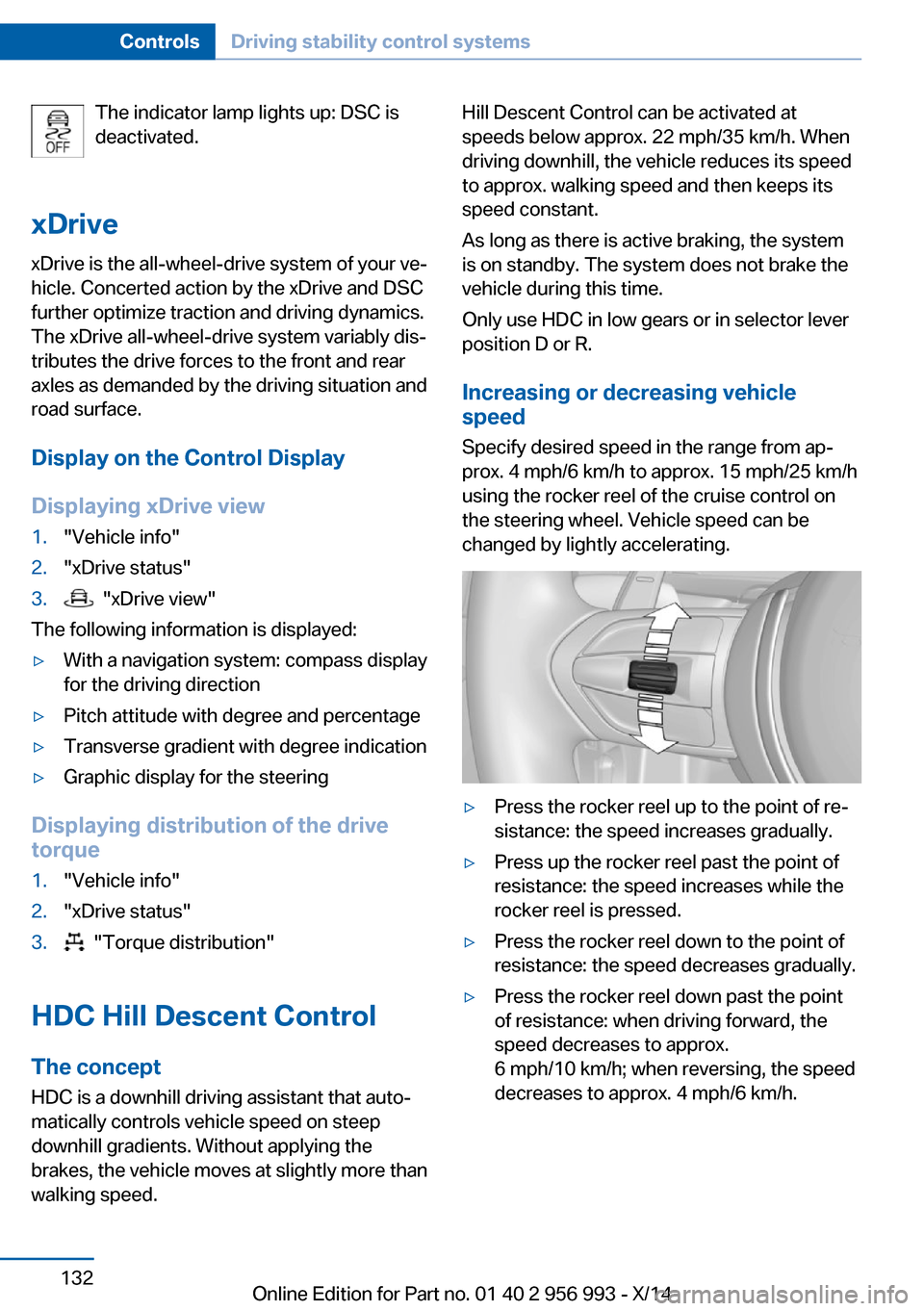
Specify desired speed in the range from ap‐
prox. 4 mph/6 km/h to approx. 15 mph/25 km/h
using the rocker reel of the cruise control on
the steering wheel. Vehicle speed can be
changed by lightly accelerating.▷Press the rocker reel up to the point of re‐
sistance: the speed increases gradually.▷Press up the rocker reel past the point of
resistance: the speed increases while the
rocker reel is pressed.▷Press the rocker reel down to the point of
resistance: the speed decreases gradually.▷Press the rocker reel down past the point
of resistance: when driving forward, the
speed decreases to approx.
6 mph/10 km/h; when reversing, the speed
decreases to approx. 4 mph/6 km/h.Seite 132ControlsDriving stability control systems132
Online Edition for Part no. 01 40 2 956 993 - X/14
Page 166 of 251
USB interface for data
transfer
The concept Connection for importing and exporting data
on USB devices, e.g.:▷Personal Profile settings, refer to page 35.▷Music collection, see user's manual for
Navigation, Entertainment and Communi‐
cation.
Hints
Observe the following when connecting:
▷Do not use force when plugging the con‐
nector into the USB interface.▷Do not connect devices such as fans or
lights to the USB interface.▷Do not connect USB hard drives.▷Do not use the USB interface for recharg‐
ing external devices.
With navigation system Professional
or TV: at a glance
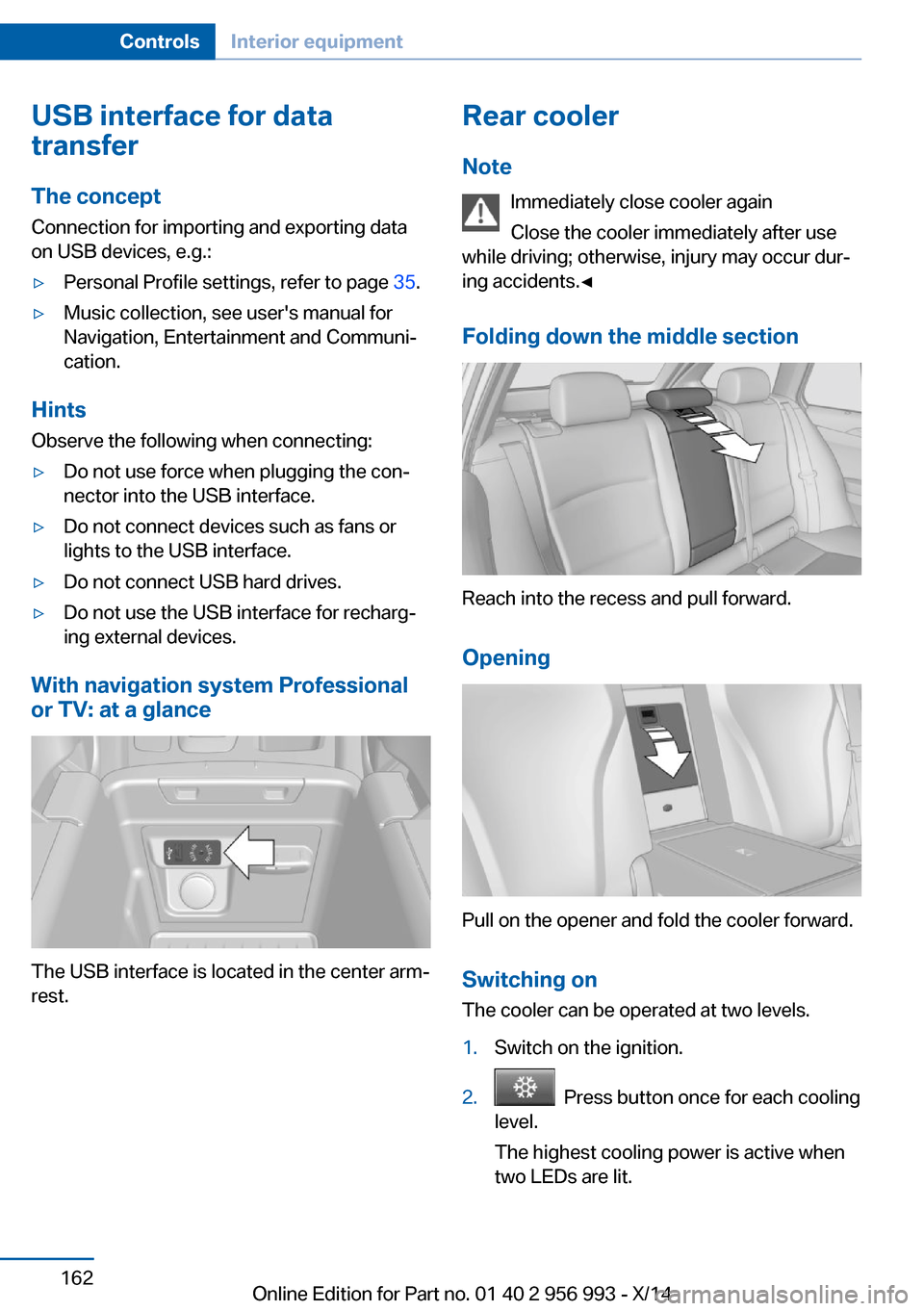
The USB interface is located in the center arm‐
rest.
Rear cooler
Note Immediately close cooler again
Close the cooler immediately after use
while driving; otherwise, injury may occur dur‐
ing accidents.◀
Folding down the middle section
Reach into the recess and pull forward.
Opening
Pull on the opener and fold the cooler forward. Switching onThe cooler can be operated at two levels.
1.Switch on the ignition.2. Press button once for each cooling
level.
The highest cooling power is active when
two LEDs are lit.
Seite 162ControlsInterior equipment162
Online Edition for Part no. 01 40 2 956 993 - X/14
Page 240 of 251
Everything from A to Z
IndexA ABS, Antilock Brake Sys‐ tem 129
Acceleration Assistant, refer to Launch Control 82
Activated-charcoal filter 153
Active Blind Spot Detec‐ tion 124
Active Protection 127
Active seat ventilation, front 54
Adaptive brake lights, refer to Brake force display 126
Adaptive Light Control 102
Additives, oil 207
Adjustments, seats/head re‐ straints 52
After washing vehicle 226
Airbags 106
Airbags, indicator/warning light 107
Air circulation, refer to Recir‐ culated-air mode 152
Air, dehumidifying, refer to Cooling function 152
Air distribution, manual 151
Air flow, automatic climate control 151
Air outlets, see ventila‐ tion 153
Air pressure, tires 194
Alarm system 46
Alarm, unintentional 47
All around the center con‐ sole 16
All around the roofliner 17
All around the steering wheel 14
All-season tires, refer to Win‐ ter tires 199 All-wheel-drive 132
Alternating-code hand-held transmitter 158
Alternative oil types 208
Animal detection, see Night Vision 119
Antifreeze, washer fluid 77
Antilock Brake System, ABS 129
Anti-slip control, refer to DSC 130
Approved axle load 233
Approved engine oils 208
Arrival time 96
Ashtray 159
Ashtray, front 159
Ashtray, rear 160
Assistance, Roadside Assis‐ tance 221
Assistance when driving off 129
Assist system, refer to Intelli‐ gent Safety 113
Attentiveness assistant 127
AUTO H button 73
AUTO H button, refer to Au‐ tomatic Hold 73
AUTO intensity 151
Automatic car wash 225
Automatic climate con‐ trol 150
Automatic Curb Monitor 60
Automatic deactivation, front- seat passenger airbags 108
Automatic headlight con‐ trol 102
Automatic Hold 73
Automatic locking 46
Automatic recirculated-air control 152 Automatic Soft Closing,
doors 40
Automatic tailgate 40
Automatic transmission 78
AUTO program, automatic cli‐ mate control 151
AUTO program, intensity 151
Auto Start/Stop function 70
Average fuel consumption 96
Average speed 96
Axle loads, weights 233
B Backrest curvature, refer to Lumbar support 53
Backrest, seats 52
Backrest, width 54
Bad road trips 179
Band-aids, refer to First aid kit 221
Bar for tow-starting/ towing 223
Battery replacement, vehicle battery 218
Battery replacement, vehicle remote control 34
Battery, vehicle 218
Belts, safety belts 55
Beverage holder, cu‐ pholder 171
Blinds, sun protection 49
BMW Assist, see user's manual for Navigation, En‐
tertainment and Communi‐
cation
BMW maintenance sys‐ tem 211
BMW M technology 176
Bottle holder, refer to Cu‐ pholder 171 Seite 236ReferenceEverything from A to Z236
Online Edition for Part no. 01 40 2 956 993 - X/14
Page 241 of 251
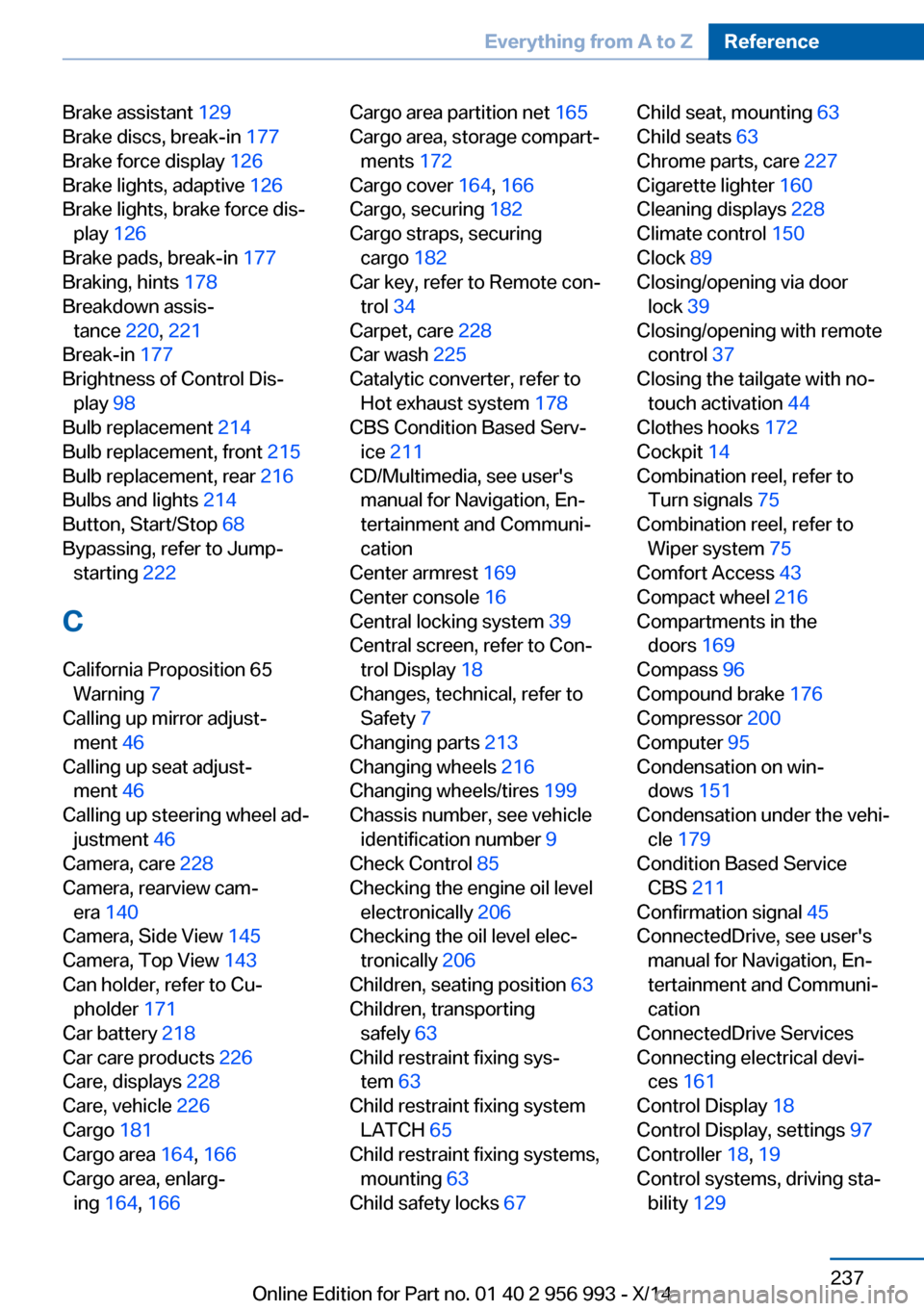
Brake assistant 129
Brake discs, break-in 177
Brake force display 126
Brake lights, adaptive 126
Brake lights, brake force dis‐ play 126
Brake pads, break-in 177
Braking, hints 178
Breakdown assis‐ tance 220, 221
Break-in 177
Brightness of Control Dis‐ play 98
Bulb replacement 214
Bulb replacement, front 215
Bulb replacement, rear 216
Bulbs and lights 214
Button, Start/Stop 68
Bypassing, refer to Jump- starting 222
C
California Proposition 65 Warning 7
Calling up mirror adjust‐ ment 46
Calling up seat adjust‐ ment 46
Calling up steering wheel ad‐ justment 46
Camera, care 228
Camera, rearview cam‐ era 140
Camera, Side View 145
Camera, Top View 143
Can holder, refer to Cu‐ pholder 171
Car battery 218
Car care products 226
Care, displays 228
Care, vehicle 226
Cargo 181
Cargo area 164, 166
Cargo area, enlarg‐ ing 164 , 166 Cargo area partition net 165
Cargo area, storage compart‐ ments 172
Cargo cover 164, 166
Cargo, securing 182
Cargo straps, securing cargo 182
Car key, refer to Remote con‐ trol 34
Carpet, care 228
Car wash 225
Catalytic converter, refer to Hot exhaust system 178
CBS Condition Based Serv‐ ice 211
CD/Multimedia, see user's manual for Navigation, En‐
tertainment and Communi‐
cation
Center armrest 169
Center console 16
Central locking system 39
Central screen, refer to Con‐ trol Display 18
Changes, technical, refer to Safety 7
Changing parts 213
Changing wheels 216
Changing wheels/tires 199
Chassis number, see vehicle identification number 9
Check Control 85
Checking the engine oil level electronically 206
Checking the oil level elec‐ tronically 206
Children, seating position 63
Children, transporting safely 63
Child restraint fixing sys‐ tem 63
Child restraint fixing system LATCH 65
Child restraint fixing systems, mounting 63
Child safety locks 67 Child seat, mounting 63
Child seats 63
Chrome parts, care 227
Cigarette lighter 160
Cleaning displays 228
Climate control 150
Clock 89
Closing/opening via door lock 39
Closing/opening with remote control 37
Closing the tailgate with no- touch activation 44
Clothes hooks 172
Cockpit 14
Combination reel, refer to Turn signals 75
Combination reel, refer to Wiper system 75
Comfort Access 43
Compact wheel 216
Compartments in the doors 169
Compass 96
Compound brake 176
Compressor 200
Computer 95
Condensation on win‐ dows 151
Condensation under the vehi‐ cle 179
Condition Based Service CBS 211
Confirmation signal 45
ConnectedDrive, see user's manual for Navigation, En‐
tertainment and Communi‐
cation
ConnectedDrive Services
Connecting electrical devi‐ ces 161
Control Display 18
Control Display, settings 97
Controller 18, 19
Control systems, driving sta‐ bility 129 Seite 237Everything from A to ZReference237
Online Edition for Part no. 01 40 2 956 993 - X/14
Page 245 of 251
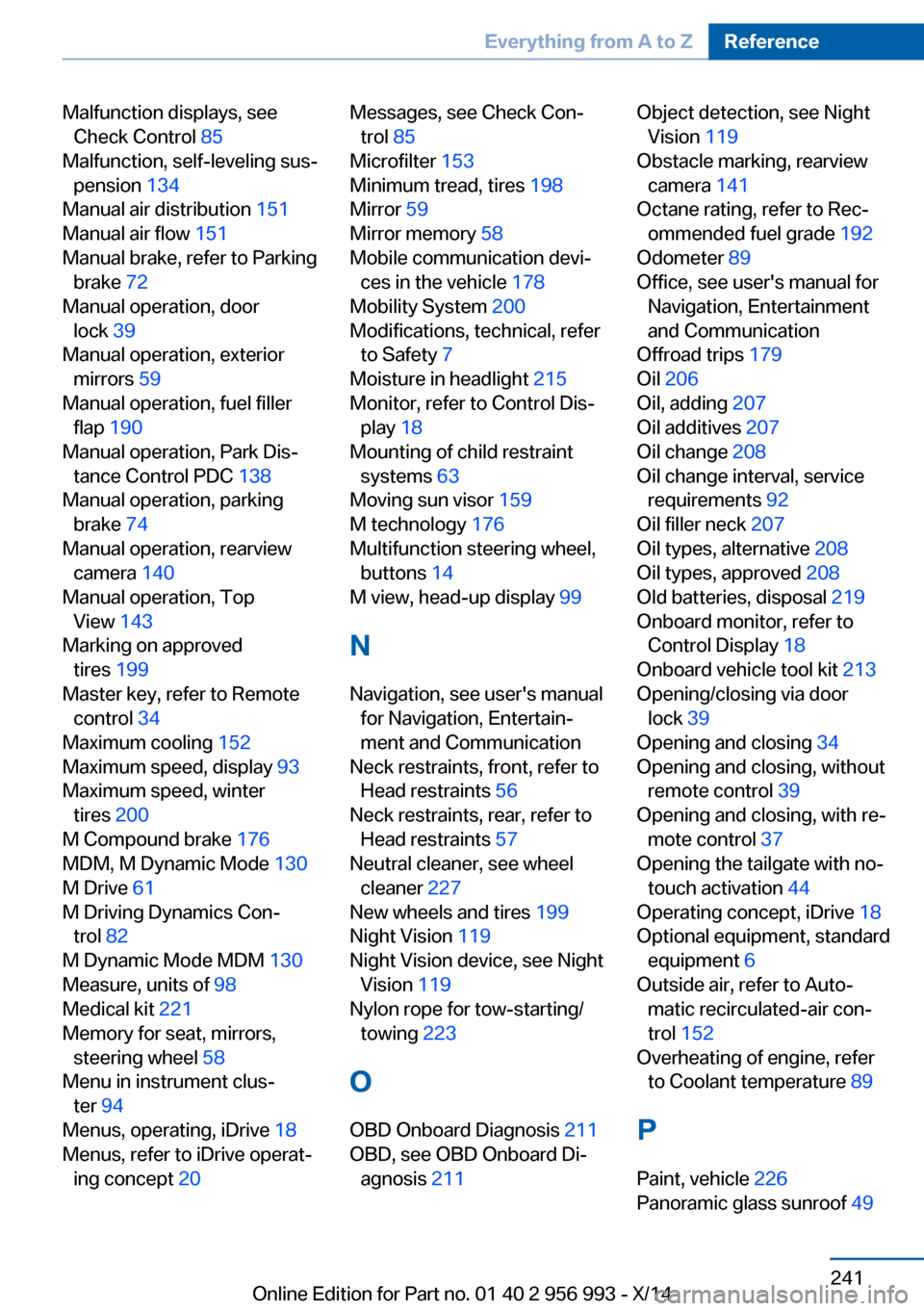
Malfunction displays, seeCheck Control 85
Malfunction, self-leveling sus‐ pension 134
Manual air distribution 151
Manual air flow 151
Manual brake, refer to Parking brake 72
Manual operation, door lock 39
Manual operation, exterior mirrors 59
Manual operation, fuel filler flap 190
Manual operation, Park Dis‐ tance Control PDC 138
Manual operation, parking brake 74
Manual operation, rearview camera 140
Manual operation, Top View 143
Marking on approved tires 199
Master key, refer to Remote control 34
Maximum cooling 152
Maximum speed, display 93
Maximum speed, winter tires 200
M Compound brake 176
MDM, M Dynamic Mode 130
M Drive 61
M Driving Dynamics Con‐ trol 82
M Dynamic Mode MDM 130
Measure, units of 98
Medical kit 221
Memory for seat, mirrors, steering wheel 58
Menu in instrument clus‐ ter 94
Menus, operating, iDrive 18
Menus, refer to iDrive operat‐ ing concept 20 Messages, see Check Con‐
trol 85
Microfilter 153
Minimum tread, tires 198
Mirror 59
Mirror memory 58
Mobile communication devi‐ ces in the vehicle 178
Mobility System 200
Modifications, technical, refer to Safety 7
Moisture in headlight 215
Monitor, refer to Control Dis‐ play 18
Mounting of child restraint systems 63
Moving sun visor 159
M technology 176
Multifunction steering wheel, buttons 14
M view, head-up display 99
N Navigation, see user's manual for Navigation, Entertain‐
ment and Communication
Neck restraints, front, refer to Head restraints 56
Neck restraints, rear, refer to Head restraints 57
Neutral cleaner, see wheel cleaner 227
New wheels and tires 199
Night Vision 119
Night Vision device, see Night Vision 119
Nylon rope for tow-starting/ towing 223
O OBD Onboard Diagnosis 211
OBD, see OBD Onboard Di‐ agnosis 211 Object detection, see Night
Vision 119
Obstacle marking, rearview camera 141
Octane rating, refer to Rec‐ ommended fuel grade 192
Odometer 89
Office, see user's manual for Navigation, Entertainment
and Communication
Offroad trips 179
Oil 206
Oil, adding 207
Oil additives 207
Oil change 208
Oil change interval, service requirements 92
Oil filler neck 207
Oil types, alternative 208
Oil types, approved 208
Old batteries, disposal 219
Onboard monitor, refer to Control Display 18
Onboard vehicle tool kit 213
Opening/closing via door lock 39
Opening and closing 34
Opening and closing, without remote control 39
Opening and closing, with re‐ mote control 37
Opening the tailgate with no- touch activation 44
Operating concept, iDrive 18
Optional equipment, standard equipment 6
Outside air, refer to Auto‐ matic recirculated-air con‐
trol 152
Overheating of engine, refer to Coolant temperature 89
P Paint, vehicle 226
Panoramic glass sunroof 49 Seite 241Everything from A to ZReference241
Online Edition for Part no. 01 40 2 956 993 - X/14