lock BMW Z3 2002 Owner's Manual
[x] Cancel search | Manufacturer: BMW, Model Year: 2002, Model line: Z3, Model: BMW Z3 2002Pages: 187, PDF Size: 2.73 MB
Page 57 of 187
57n
IndexDataTechnologyRepairsMaintenanceControlsOverview
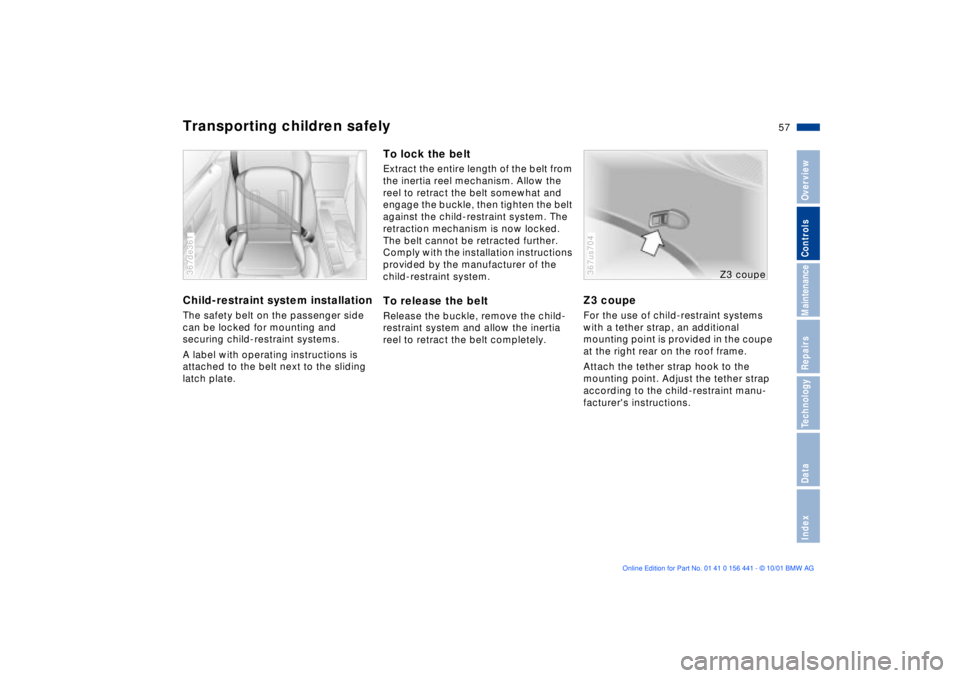
Transporting children safelyChild-restraint system installationThe safety belt on the passenger side
can be locked for mounting and
securing child-restraint systems.
A label with operating instructions is
attached to the belt next to the sliding
latch plate.367de361
To lock the beltExtract the entire length of the belt from
the inertia reel mechanism. Allow the
reel to retract the belt somewhat and
engage the buckle, then tighten the belt
against the child-restraint system. The
retraction mechanism is now locked.
The belt cannot be retracted further.
Comply with the installation instructions
provided by the manufacturer of the
child-restraint system.To release the beltRelease the buckle, remove the child-
restraint system and allow the inertia
reel to retract the belt completely.
Z3 coupeFor the use of child-restraint systems
with a tether strap, an additional
mounting point is provided in the coupe
at the right rear on the roof frame.
Attach the tether strap hook to the
mounting point. Adjust the tether strap
according to the child-restraint manu-
facturer's instructions.367us704
Z3 coupe
Page 58 of 187
58n
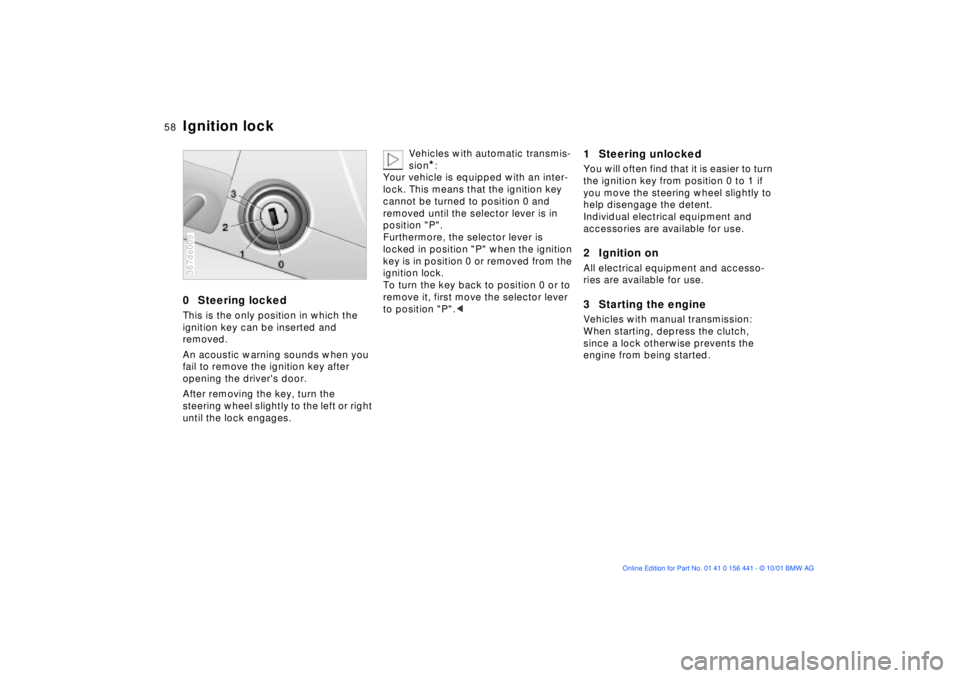
0 Steering lockedThis is the only position in which the
ignition key can be inserted and
removed.
An acoustic warning sounds when you
fail to remove the ignition key after
opening the driver's door.
After removing the key, turn the
steering wheel slightly to the left or right
until the lock engages.367de009
Vehicles with automatic transmis-
sion
*:
Your vehicle is equipped with an inter-
lock. This means that the ignition key
cannot be turned to position 0 and
removed until the selector lever is in
position "P".
Furthermore, the selector lever is
locked in position "P" when the ignition
key is in position 0 or removed from the
ignition lock.
To turn the key back to position 0 or to
remove it, first move the selector lever
to position "P".<
1 Steering unlockedYou will often find that it is easier to turn
the ignition key from position 0 to 1 if
you move the steering wheel slightly to
help disengage the detent.
Individual electrical equipment and
accessories are available for use.2 Ignition onAll electrical equipment and accesso-
ries are available for use.3 Starting the engineVehicles with manual transmission:
When starting, depress the clutch,
since a lock otherwise prevents the
engine from being started.
Ignition lock
Page 60 of 187
60n
Switching off the engine Parking brakeTurn the ignition key to position 1 or 0.
Do not remove the ignition key
while the vehicle is rolling. The
steering locks and it is impossible to
steer the vehicle.
Always remove the ignition key and
engage the steering lock before leaving
the vehicle.
Vehicles with manual transmission:
Always engage the parking brake when
parking on slopes and inclined
surfaces, since even placing the gear-
shift lever in 1st gear or reverse may not
provide adequate resistance to rolling.
Vehicles with automatic transmission:
Place the selector lever in "P".<
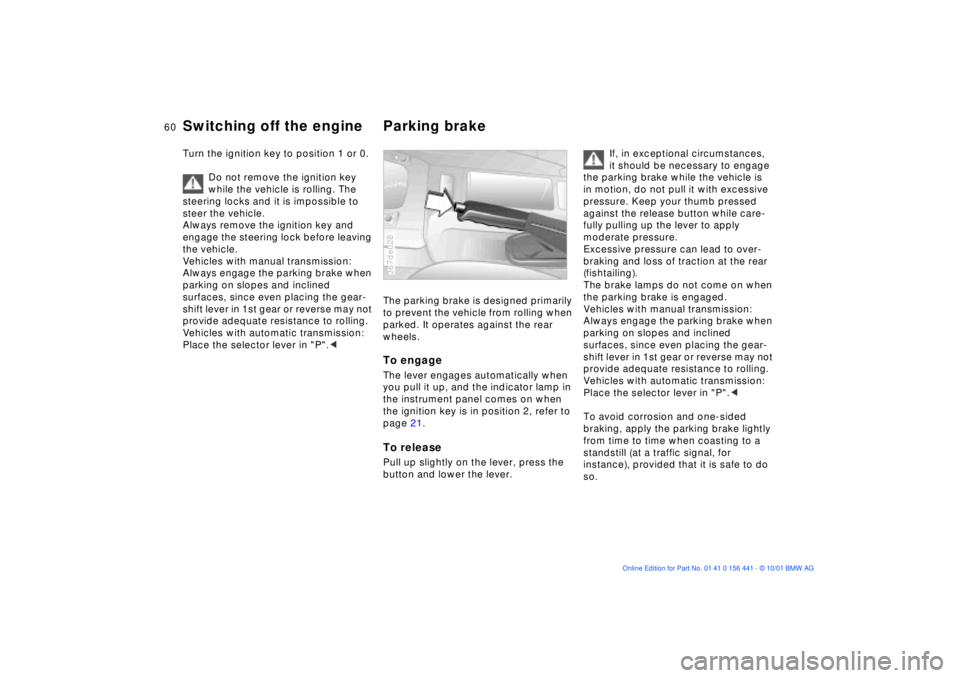
The parking brake is designed primarily
to prevent the vehicle from rolling when
parked. It operates against the rear
wheels.To engageThe lever engages automatically when
you pull it up, and the indicator lamp in
the instrument panel comes on when
the ignition key is in position 2, refer to
page 21.To releasePull up slightly on the lever, press the
button and lower the lever.367de028
If, in exceptional circumstances,
it should be necessary to engage
the parking brake while the vehicle is
in motion, do not pull it with excessive
pressure. Keep your thumb pressed
against the release button while care-
fully pulling up the lever to apply
moderate pressure.
Excessive pressure can lead to over-
braking and loss of traction at the rear
(fishtailing).
The brake lamps do not come on when
the parking brake is engaged.
Vehicles with manual transmission:
Always engage the parking brake when
parking on slopes and inclined
surfaces, since even placing the gear-
shift lever in 1st gear or reverse may not
provide adequate resistance to rolling.
Vehicles with automatic transmission:
Place the selector lever in "P".<
To avoid corrosion and one-sided
braking, apply the parking brake lightly
from time to time when coasting to a
standstill (at a traffic signal, for
instance), provided that it is safe to do
so.
Page 61 of 187
61n
IndexDataTechnologyRepairsMaintenanceControlsOverview
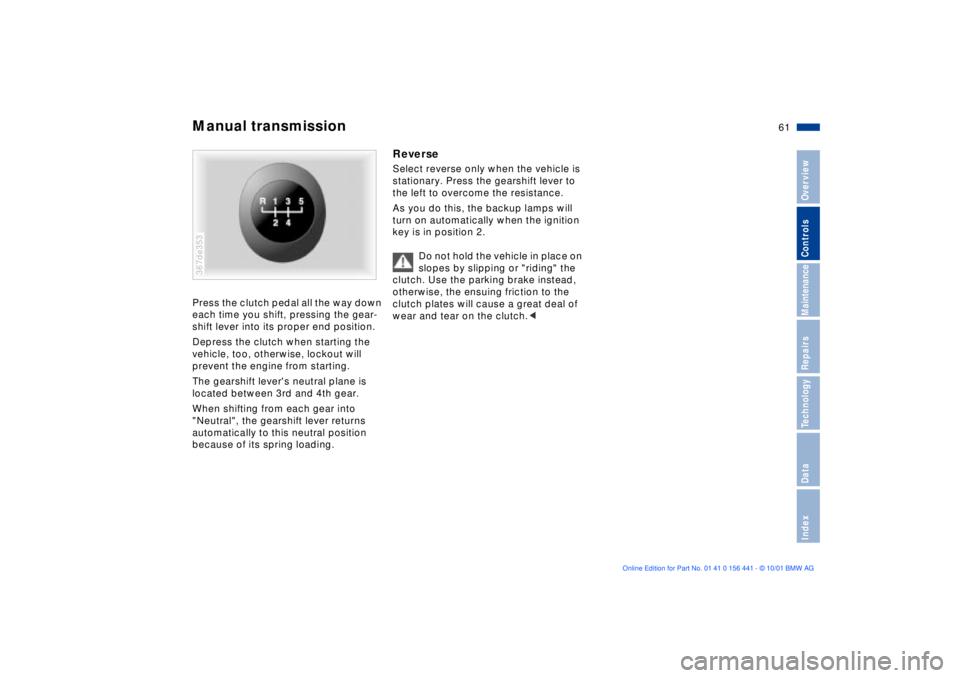
Manual transmissionPress the clutch pedal all the way down
each time you shift, pressing the gear-
shift lever into its proper end position.
Depress the clutch when starting the
vehicle, too, otherwise, lockout will
prevent the engine from starting.
The gearshift lever's neutral plane is
located between 3rd and 4th gear.
When shifting from each gear into
"Neutral", the gearshift lever returns
automatically to this neutral position
because of its spring loading.367de353
ReverseSelect reverse only when the vehicle is
stationary. Press the gearshift lever to
the left to overcome the resistance.
As you do this, the backup lamps will
turn on automatically when the ignition
key is in position 2.
Do not hold the vehicle in place on
slopes by slipping or "riding" the
clutch. Use the parking brake instead,
otherwise, the ensuing friction to the
clutch plates will cause a great deal of
wear and tear on the clutch.<
Page 62 of 187
62n
Automatic transmission with Steptronic
*
You can drive as with a normal auto-
matic transmission. In addition, you can
also shift manually.
When you move the selector lever from
the "D" position to the left into the M/S
range, the performance-oriented shift
programs of the automatic transmission
are engaged. As soon as you briefly tab
the selector lever in the "+" or "Ð" direc-
tion, Steptronic changes the gear. The
manual mode is engaged. When you
wish to use the automatic transmission
mode again, move the selector lever to
the right into the "D" position.
The automatic transmission of your
BMW is equipped with Adaptive Trans-
mission Control (ATC), a system which
reacts with precision to your individual
driving style and the driving conditions.
To achieve this, different shift programs
are automatically engaged.
For additional details concerning the
ATC, please refer to the chapter
"Advanced technology" on page 164.
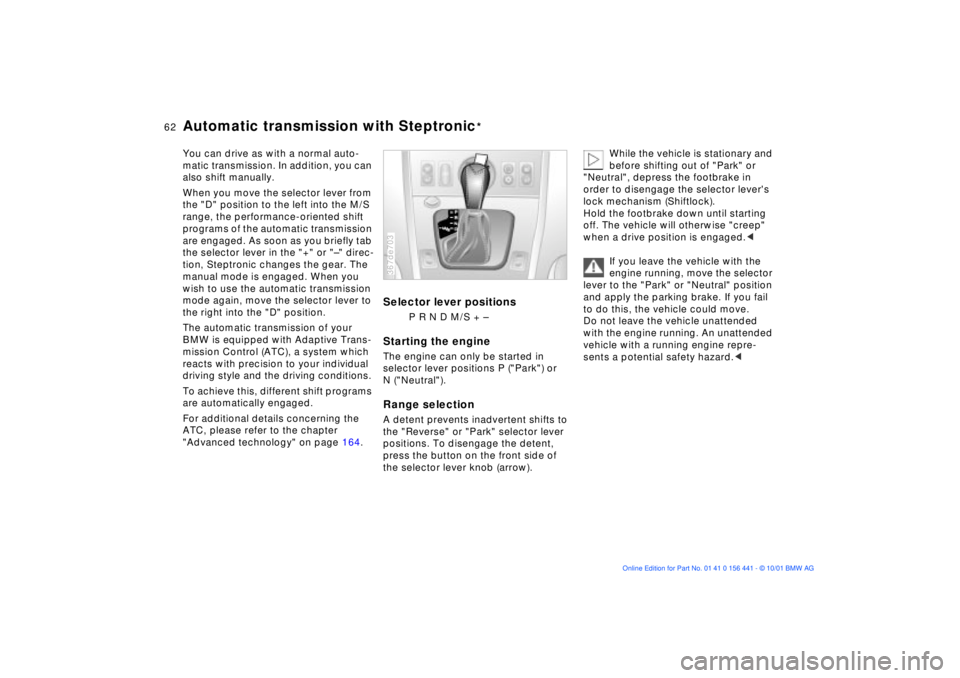
Selector lever positions
P R N D M/S + Ð
Starting the engine The engine can only be started in
selector lever positions P ("Park") or
N ("Neutral"). Range selection A detent prevents inadvertent shifts to
the "Reverse" or "Park" selector lever
positions. To disengage the detent,
press the button on the front side of
the selector lever knob (arrow). 367de703
While the vehicle is stationary and
before shifting out of "Park" or
"Neutral", depress the footbrake in
order to disengage the selector lever's
lock mechanism (Shiftlock).
Hold the footbrake down until starting
off. The vehicle will otherwise "creep"
when a drive position is engaged.<
If you leave the vehicle with the
engine running, move the selector
lever to the "Park" or "Neutral" position
and apply the parking brake. If you fail
to do this, the vehicle could move.
Do not leave the vehicle unattended
with the engine running. An unattended
vehicle with a running engine repre-
sents a potential safety hazard.<
Page 63 of 187
63n
IndexDataTechnologyRepairsMaintenanceControlsOverview
Automatic transmission with Steptronic
*
P Ñ Park Select only when the vehicle is
stationary. The transmission locks to
prevent the rear wheels from turning.R Ñ Reverse Select only when the vehicle is
stationary. N Ñ Neutral Select only if your journey is interrupted
for a longer period. D Ñ Drive
(automatic shift program) This position is designed for driving
under all normal operating conditions.
All forward gears are available. Kickdown In the kickdown mode, you achieve
maximum performance and in
position D, you reach maximum speed.
Depress the accelerator pedal past the
increased resistance point at the full-
throttle position.
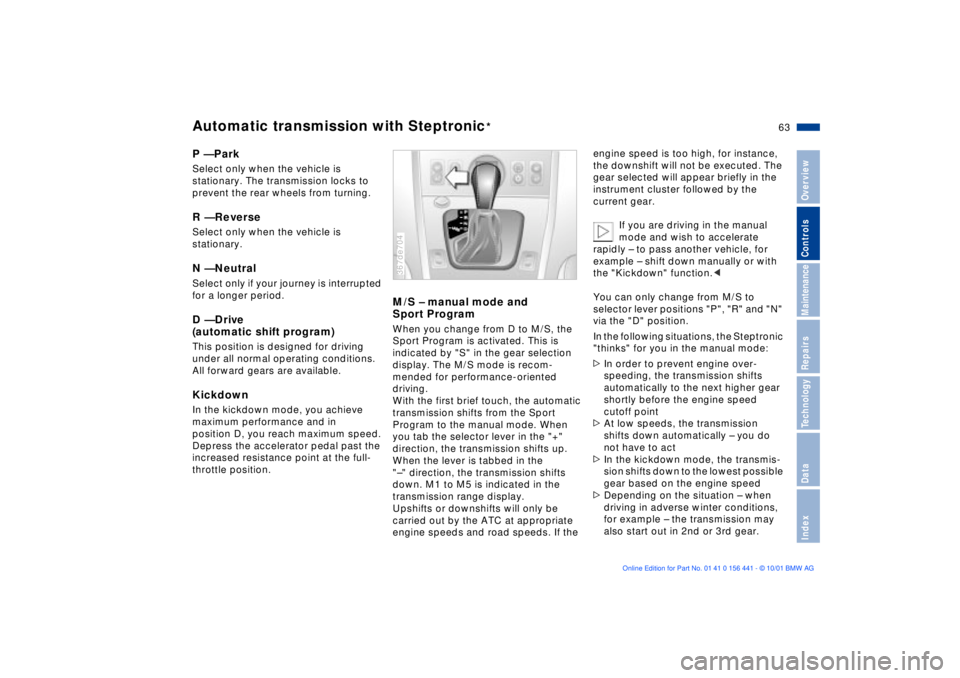
M/S Ð manual mode and
Sport Program When you change from D to M/S, the
Sport Program is activated. This is
indicated by "S" in the gear selection
display. The M/S mode is recom-
mended for performance-oriented
driving.
With the first brief touch, the automatic
transmission shifts from the Sport
Program to the manual mode. When
you tab the selector lever in the "+"
direction, the transmission shifts up.
When the lever is tabbed in the
"Ð" direction, the transmission shifts
down. M1 to M5 is indicated in the
transmission range display.
Upshifts or downshifts will only be
carried out by the ATC at appropriate
engine speeds and road speeds. If the 367de704
engine speed is too high, for instance,
the downshift will not be executed. The
gear selected will appear briefly in the
instrument cluster followed by the
current gear.
If you are driving in the manual
mode and wish to accelerate
rapidly Ð to pass another vehicle, for
example Ð shift down manually or with
the "Kickdown" function.<
You can only change from M/S to
selector lever positions "P", "R" and "N"
via the "D" position.
In the following situations, the Steptronic
"thinks" for you in the manual mode:
>In order to prevent engine over-
speeding, the transmission shifts
automatically to the next higher gear
shortly before the engine speed
cutoff point
>At low speeds, the transmission
shifts down automatically Ð you do
not have to act
>In the kickdown mode, the transmis-
sion shifts down to the lowest possible
gear based on the engine speed
>Depending on the situation Ð when
driving in adverse winter conditions,
for example Ð the transmission may
also start out in 2nd or 3rd gear.
Page 70 of 187
70n
Clock Computer
*
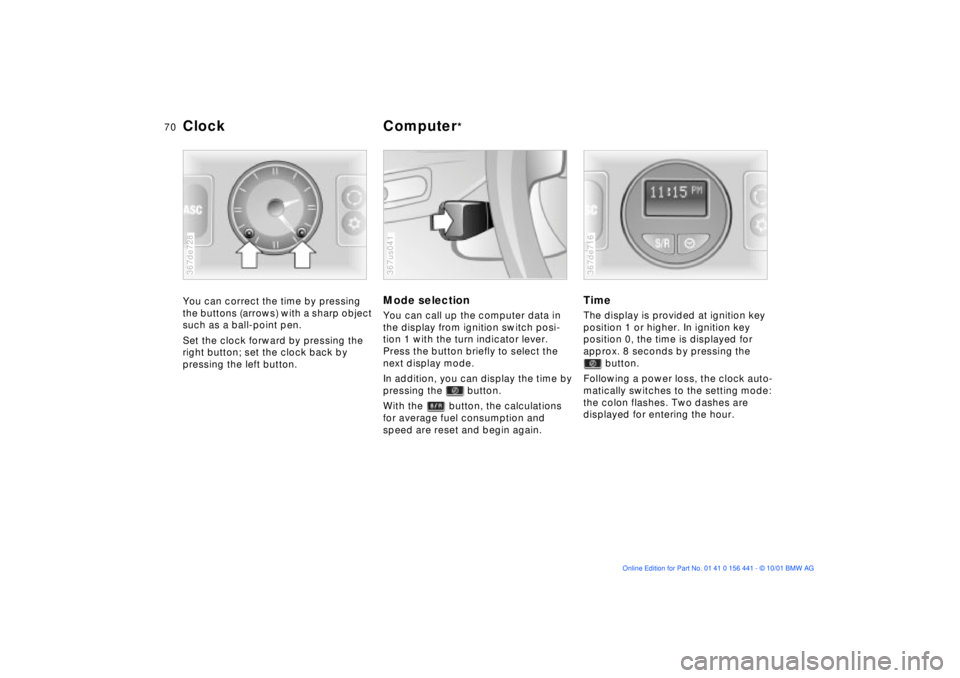
You can correct the time by pressing
the buttons (arrows) with a sharp object
such as a ball-point pen.
Set the clock forward by pressing the
right button; set the clock back by
pressing the left button.367de728
Mode selectionYou can call up the computer data in
the display from ignition switch posi-
tion 1 with the turn indicator lever.
Press the button briefly to select the
next display mode.
In addition, you can display the time by
pressing the button.
With the button, the calculations
for average fuel consumption and
speed are reset and begin again.367us041
TimeThe display is provided at ignition key
position 1 or higher. In ignition key
position 0, the time is displayed for
approx. 8 seconds by pressing the
button.
Following a power loss, the clock auto-
matically switches to the setting mode:
the colon flashes. Two dashes are
displayed for entering the hour.367de716
Page 74 of 187
74n
ASC+T Dynamic Stability Control (DSC)*Reactivate the ASC+TPress the button again; the indicator
lamp goes out.
The laws of physics cannot be
repealed, even with ASC+T. It will
always be the driver's responsibility to
drive in a manner that matches road
conditions. We therefore urge you to
avoid using the additional safety margin
of the system as an excuse for taking
risks.<
For additional details concerning
ASC+T, please refer to the chapter,
"Advanced technology," page 165.
The conceptDSC maintains vehicle stability, even in
critical driving situations.
The system optimizes vehicle stability
during acceleration and when starting
from a full stop, as well as optimizing
traction. In addition, it recognizes
unstable vehicle conditions, such as
understeering or oversteering, and, as
far as is possible within the laws of
physics, helps keep the vehicle on a
steady course by reducing the engine
speed and brake applications to the
individual wheels.
The DSC is operational every time you
start the engine. DSC includes the
functions of ADB and CBC, refer to
page 102.
The ADB (Automatic Differential
Braking) copies the function of conven-
tional differential and transverse locks
through brake intervention, and
increases traction whenever conditions
merit, e. g. when driving on snow-
covered roads.
If the DSC is deactivated the ADB is in
ready mode.
Indicator lamp
The indicator lamp in the instru-
ment cluster goes out shortly
after you switch on the ignition,
refer to page 22.
The indicator lamp flashes:
DSC controls the drive and braking
forces.
The indicator lamp stays lit:
DSC has been switched off via the
button; ADB is in ready mode.
ADB control intervention is not indi-
cated.
The indicator lamp and the
brake warning lamp remain on:
The DSC, ADB and DBC have
been switched off via the button
or are defective.
The vehicle will remain completely
operational, however without DSC. In
the event of a fault, please see your
BMW center.
Indicator and warning lamps for
Canadian models.
Page 82 of 187
82n
Heating and ventilationAir distribution
You can direct the airflow onto
the windows , toward the
upper body and into the foot-
well . All intermediate settings are
possible. In this position , a small
volume of air is directed onto the
windows in order to keep them free of
condensation.
A "6 o'clock" position is recommended
as the normal operating setting.
Temperature
In order to increase the temper-
ature of the passenger compart-
ment, turn to the right (red). For
rapid heating, turn completely to the
right. Then select an interior tempera-
ture which is pleasant for you.
Air supply
You can select blower speeds
from 1 to 4. Both heating and
ventilation become more effec-
tive as the air supply rate is increased.
In position 0, the blower and the heater
are switched off.
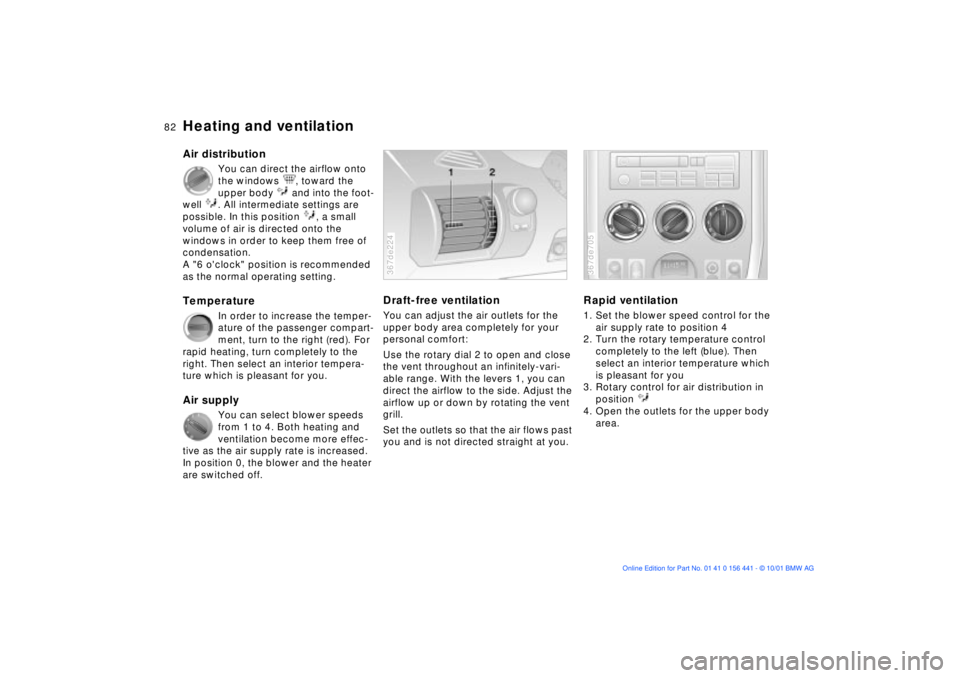
Draft-free ventilationYou can adjust the air outlets for the
upper body area completely for your
personal comfort:
Use the rotary dial 2 to open and close
the vent throughout an infinitely-vari-
able range. With the levers 1, you can
direct the airflow to the side. Adjust the
airflow up or down by rotating the vent
grill.
Set the outlets so that the air flows past
you and is not directed straight at you.367de224
Rapid ventilation1. Set the blower speed control for the
air supply rate to position 4
2. Turn the rotary temperature control
completely to the left (blue). Then
select an interior temperature which
is pleasant for you
3. Rotary control for air distribution in
position
4. Open the outlets for the upper body
area.367de705
Page 86 of 187
86n
Heating and ventilation/Air conditioner
*
Air distribution
You can direct the flow of air
onto the windows , toward
the upper body and into the
footwell . All intermediate settings
are possible. In position , a small
volume of air is directed onto the
windows in order to keep them free of
condensation.
A "6 o'clock" position is recommended
as the normal operating setting.
Temperature
In order to increase the temper-
ature of the passenger compart-
ment, turn to the right (red). For
rapid heating, turn completely to the
right. Then select an interior tempera-
ture which is pleasant for you.
Air supply
You can select blower speeds
from 1 to 4. Both heating and
ventilation become more effec-
tive as the air supply rate is increased.
In position 0, the blower and the heater
are switched off.
Air conditioner
The air is cooled and dehumidi-
fied and Ð depending on the
temperature setting Ð warmed
again when the air conditioner system
is switched on. Depending on the
weather, the windshield may fog over
briefly when the engine is started.
Use the button to switch the air condi-
tioner off at outside temperatures
below approx. 41 7(+5 6). This will
help to prevent condensation from
forming on the windows.
If the windows fog over after switching
the air conditioner off, switch it back
on.
Condensation forms in the air
conditioner system during opera-
tion, which then exits under the vehicle.
Traces of condensed water of this kind
are thus normal.<
Recirculated-air mode
If there are unpleasant odors in
the outside air, you can tempo-
rarily block the supply of the
incoming air. The system then recircu-
lates the air currently within the vehicle.
If the windows fog over in the
recirculated-air mode, switch this
mode off and increase the air supply as
required.<