steering BMW Z4 2.5I 2004 User Guide
[x] Cancel search | Manufacturer: BMW, Model Year: 2004, Model line: Z4 2.5I, Model: BMW Z4 2.5I 2004Pages: 120, PDF Size: 3.44 MB
Page 52 of 120
Everything under control
50 4.Press button 1 repeatedly until the
required minutes are set
5.Press button 2 to confirm the settings.
The set time of day is transferred to the car
radio display or appears in the instrument
cluster display.
Display mode
In ignition key position 0:
Press button 1.
The time of day is displayed for several
seconds.
Computer*
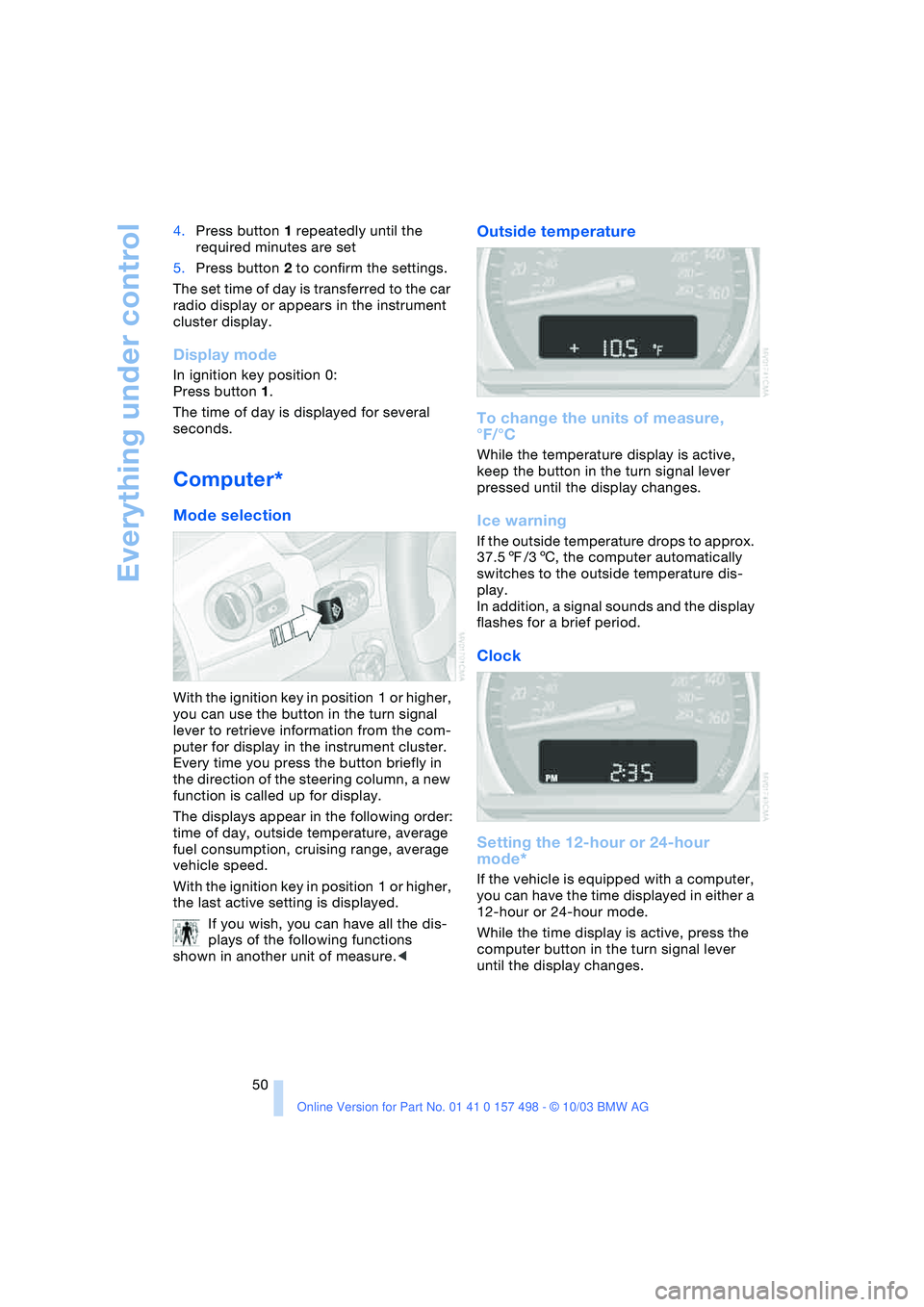
Mode selection
With the ignition key in position 1 or higher,
you can use the button in the turn signal
lever to retrieve information from the com-
puter for display in the instrument cluster.
Every time you press the button briefly in
the direction of the steering column, a new
function is called up for display.
The displays appear in the following order:
time of day, outside temperature, average
fuel consumption, cruising range, average
vehicle speed.
With the ignition key in position 1 or higher,
the last active setting is displayed.
If you wish, you can have all the dis-
plays of the following functions
shown in another unit of measure.<
Outside temperature
To change the units of measure,
°F/°C
While the temperature display is active,
keep the button in the turn signal lever
pressed until the display changes.
Ice warning
If the outside temperature drops to approx.
37.57/36, the computer automatically
switches to the outside temperature dis-
play.
In addition, a signal sounds and the display
flashes for a brief period.
Clock
Setting the 12-hour or 24-hour
mode*
If the vehicle is equipped with a computer,
you can have the time displayed in either a
12-hour or 24-hour mode.
While the time display is active, press the
computer button in the turn signal lever
until the display changes.
Page 54 of 120
Technology for safety and driving convenience
52
Technology for safety and driving
convenience
Dynamic Stability Control
DSC
The concept
This system optimizes driving stability and
traction, especially when just starting off,
when accelerating or when cornering. It
also maintains vehicle stability, even in crit-
ical driving situations.
DSC recognizes unstable vehicle condi-
tions, such as understeering or oversteer-
ing, and, within physically feasible limits,
helps keeping the vehicle on a steady
course by reducing engine speed and by
brake applications at individual wheels.
The DSC is operational every time you start
the engine. It includes the following func-
tions:
>Automatic Stability Control plus Trac-
tion ASC+T
>Dynamic Traction Control DTC
>Dynamic Brake Control DBC
The laws of physics cannot be
repealed even with DSC. It will always
be the driver's responsibility to drive in a
manner that matches road conditions. We
therefore urge you to avoid using the addi-
tional safety margin of the system as an
excuse for taking risks.
Do not make any modifications to the DSC
system. Allow only authorized technicians
to perform service procedures on the
DSC.<
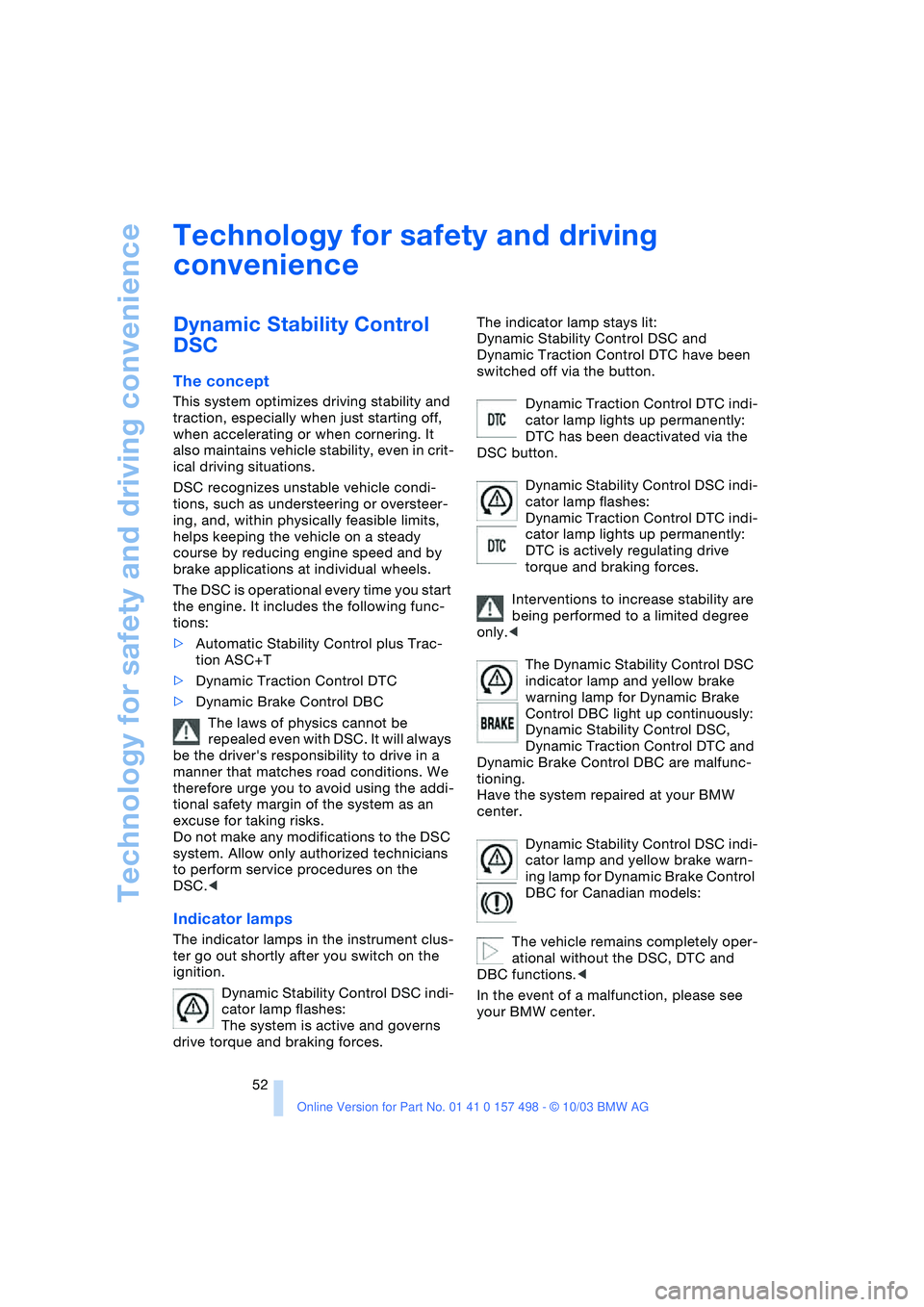
Indicator lamps
The indicator lamps in the instrument clus-
ter go out shortly after you switch on the
ignition.
Dynamic Stability Control DSC indi-
cator lamp flashes:
The system is active and governs
drive torque and braking forces.The indicator lamp stays lit:
Dynamic Stability Control DSC and
Dynamic Traction Control DTC have been
switched off via the button.
Dynamic Traction Control DTC indi-
cator lamp lights up permanently:
DTC has been deactivated via the
DSC button.
Dynamic Stability Control DSC indi-
cator lamp flashes:
Dynamic Traction Control DTC indi-
cator lamp lights up permanently:
DTC is actively regulating drive
torque and braking forces.
Interventions to increase stability are
being performed to a limited degree
only.<
The Dynamic Stability Control DSC
indicator lamp and yellow brake
warning lamp for Dynamic Brake
Control DBC light up continuously:
Dynamic Stability Control DSC,
Dynamic Traction Control DTC and
Dynamic Brake Control DBC are malfunc-
tioning.
Have the system repaired at your BMW
center.
Dynamic Stability Control DSC indi-
cator lamp and yellow brake warn-
ing lamp for Dynamic Brake Control
DBC for Canadian models:
The vehicle remains completely oper-
ational without the DSC, DTC and
DBC functions.<
In the event of a malfunction, please see
your BMW center.
Page 57 of 120
Reference
At a glance
Controls
Driving tips
Mobility
55
place in all four tires over an extended
period of time.<
On the other hand, the following situations
can lead to false warning, a delayed detec-
tion of pressure loss and even to the sys-
tem not functioning:
>Driving on snow-covered or slippery
roads
>Performance-oriented driving: slip at
the drive wheels, high levels of lateral
acceleration
>When driving with snow chains, false
warnings and undetected pressure
losses may occur
>If the Flat Tire Monitor was not initial-
ized after the last time the tire inflation
pressures were corrected, undetected
losses in pressure or false warnings
that indicate a non-existent flat tire are
possible.
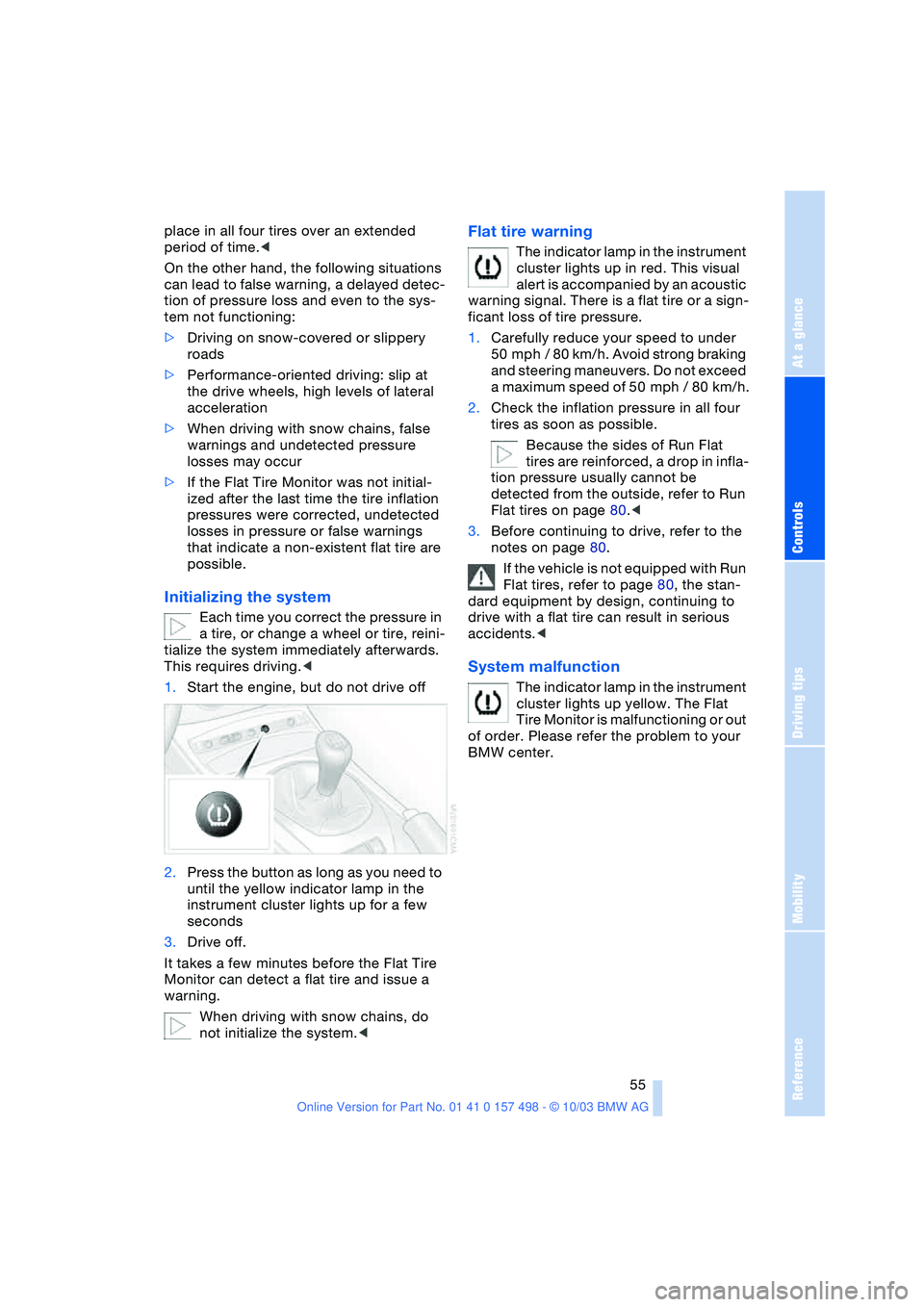
Initializing the system
Each time you correct the pressure in
a tire, or change a wheel or tire, reini-
tialize the system immediately afterwards.
This requires driving.<
1.Start the engine, but do not drive off
2.Press the button as long as you need to
until the yellow indicator lamp in the
instrument cluster lights up for a few
seconds
3.Drive off.
It takes a few minutes before the Flat Tire
Monitor can detect a flat tire and issue a
warning.
When driving with snow chains, do
not initialize the system.<
Flat tire warning
The indicator lamp in the instrument
cluster lights up in red. This visual
alert is accompanied by an acoustic
warning signal. There is a flat tire or a sign-
ficant loss of tire pressure.
1.Carefully reduce your speed to under
50 mph / 80 km/h. Avoid strong braking
and steering maneuvers. Do not exceed
a maximum speed of 50 mph / 80 km/h.
2.Check the inflation pressure in all four
tires as soon as possible.
Because the sides of Run Flat
tires are reinforced, a drop in infla-
tion pressure usually cannot be
detected from the outside, refer to Run
Flat tires on page 80.<
3.Before continuing to drive, refer to the
notes on page 80.
If the vehicle is not equipped with Run
Flat tires, refer to page 80, the stan-
dard equipment by design, continuing to
drive with a flat tire can result in serious
accidents.<
System malfunction
The indicator lamp in the instrument
cluster lights up yellow. The Flat
Tire Monitor is malfunctioning or out
of order. Please refer the problem to your
BMW center.
Page 58 of 120
Technology for safety and driving convenience
56
Airbags
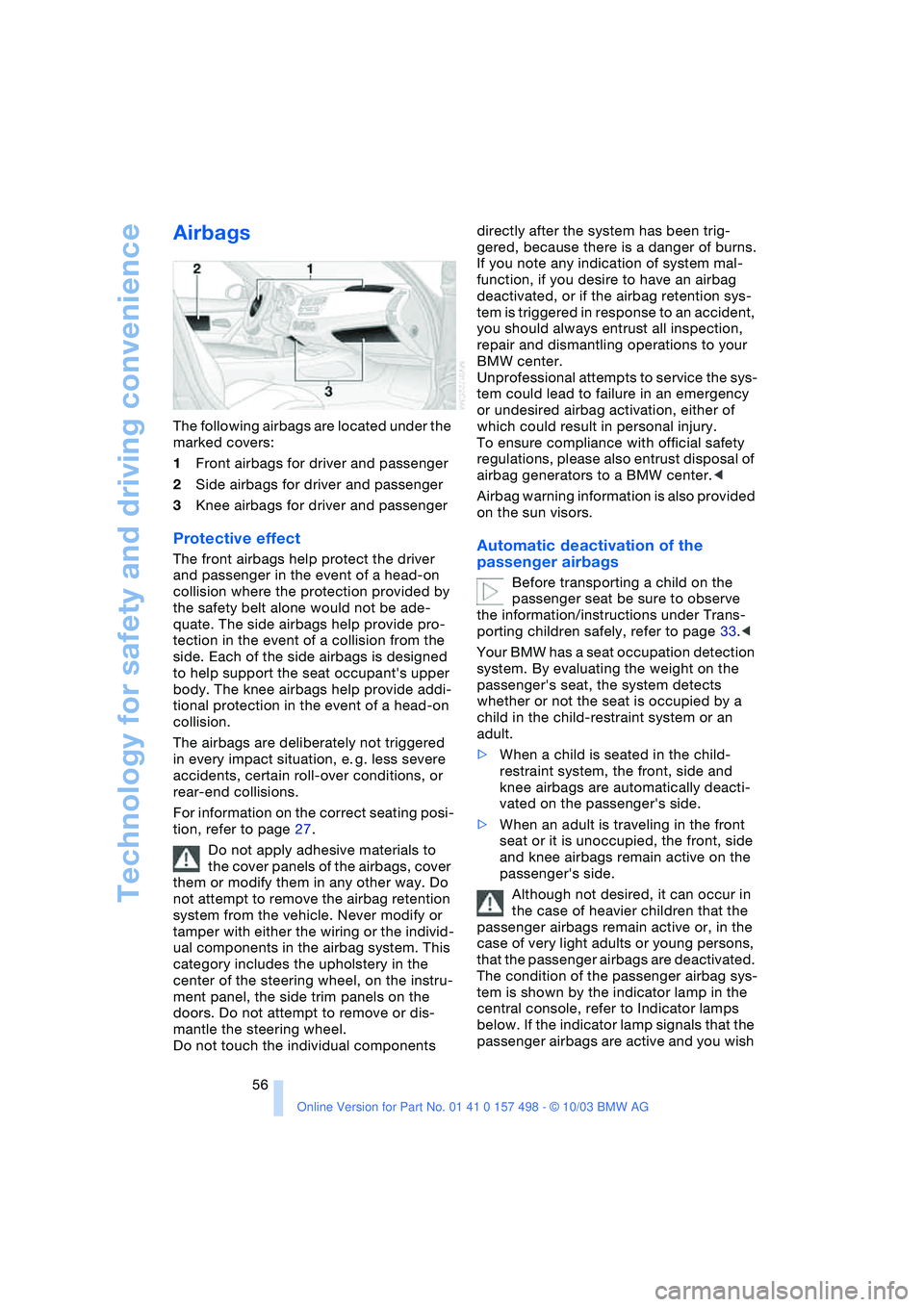
The following airbags are located under the
marked covers:
1Front airbags for driver and passenger
2Side airbags for driver and passenger
3Knee airbags for driver and passenger
Protective effect
The front airbags help protect the driver
and passenger in the event of a head-on
collision where the protection provided by
the safety belt alone would not be ade-
quate. The side airbags help provide pro-
tection in the event of a collision from the
side. Each of the side airbags is designed
to help support the seat occupant's upper
body. The knee airbags help provide addi-
tional protection in the event of a head-on
collision.
The airbags are deliberately not triggered
in every impact situation, e. g. less severe
accidents, certain roll-over conditions, or
rear-end collisions.
For information on the correct seating posi-
tion, refer to page 27.
Do not apply adhesive materials to
the cover panels of the airbags, cover
them or modify them in any other way. Do
not attempt to remove the airbag retention
system from the vehicle. Never modify or
tamper with either the wiring or the individ-
ual components in the airbag system. This
category includes the upholstery in the
center of the steering wheel, on the instru-
ment panel, the side trim panels on the
doors. Do not attempt to remove or dis-
mantle the steering wheel.
Do not touch the individual components directly after the system has been trig-
gered, because there is a danger of burns.
If you note any indication of system mal-
function, if you desire to have an airbag
deactivated, or if the airbag retention sys-
tem is triggered in response to an accident,
you should always entrust all inspection,
repair and dismantling operations to your
BMW center.
Unprofessional attempts to service the sys-
tem could lead to failure in an emergency
or undesired airbag activation, either of
which could result in personal injury.
To ensure compliance with official safety
regulations, please also entrust disposal of
airbag generators to a BMW center.<
Airbag warning information is also provided
on the sun visors.Automatic deactivation of the
passenger airbags
Before transporting a child on the
passenger seat be sure to observe
the information/instructions under Trans-
porting children safely, refer to page 33.<
Your BMW has a seat occupation detection
system. By evaluating the weight on the
passenger's seat, the system detects
whether or not the seat is occupied by a
child in the child-restraint system or an
adult.
>When a child is seated in the child-
restraint system, the front, side and
knee airbags are automatically deacti-
vated on the passenger's side.
>When an adult is traveling in the front
seat or it is unoccupied, the front, side
and knee airbags remain active on the
passenger's side.
Although not desired, it can occur in
the case of heavier children that the
passenger airbags remain active or, in the
case of very light adults or young persons,
that the passenger airbags are deactivated.
The condition of the passenger airbag sys-
tem is shown by the indicator lamp in the
central console, refer to Indicator lamps
below. If the indicator lamp signals that the
passenger airbags are active and you wish
Page 67 of 120
Reference
At a glance
Controls
Driving tips
Mobility
65
Beverage holder
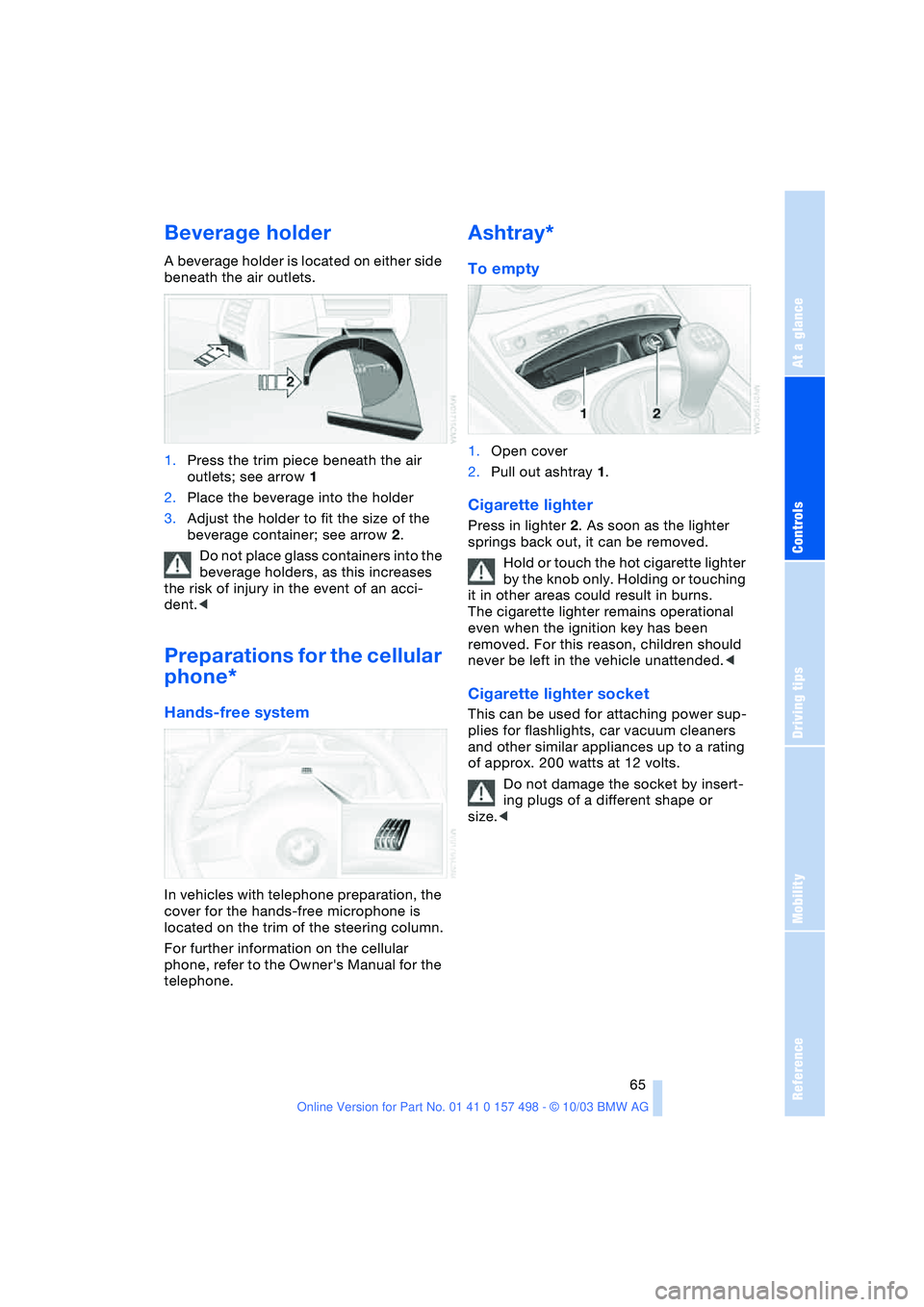
A beverage holder is located on either side
beneath the air outlets.
1.Press the trim piece beneath the air
outlets; see arrow 1
2.Place the beverage into the holder
3.Adjust the holder to fit the size of the
beverage container; see arrow 2.
Do not place glass containers into the
beverage holders, as this increases
the risk of injury in the event of an acci-
dent.<
Preparations for the cellular
phone*
Hands-free system
In vehicles with telephone preparation, the
cover for the hands-free microphone is
located on the trim of the steering column.
For further information on the cellular
phone, refer to the Owner's Manual for the
telephone.
Ashtray*
To empty
1.Open cover
2.Pull out ashtray 1.
Cigarette lighter
Press in lighter 2. As soon as the lighter
springs back out, it can be removed.
Hold or touch the hot cigarette lighter
by the knob only. Holding or touching
it in other areas could result in burns.
The cigarette lighter remains operational
even when the ignition key has been
removed. For this reason, children should
never be left in the vehicle unattended.<
Cigarette lighter socket
This can be used for attaching power sup-
plies for flashlights, car vacuum cleaners
and other similar appliances up to a rating
of approx. 200 watts at 12 volts.
Do not damage the socket by insert-
ing plugs of a different shape or
size.<
Page 72 of 120
Special operating instructions
70 Do not coast with the clutch
depressed or with the transmission or
selector lever in Neutral. Do not coast with
the engine switched off. Otherwise the
engine provides no braking effect and there
is no power-assist for braking or steering
when the engine is off.<
Brake pads
The yellow indicator lamp for the
brake pads lights up:
Have the condition of the brake
pads inspected.
For your own safety: use brake pads
which the manufacturer has approved
for your specific vehicle model. The manu-
facturer cannot evaluate non-approved
brake pads to determine if they are suitable
for use, and therefore cannot ensure the
operating safety of the vehicle in the event
of their use.<
Cargo loading
Avoid overloading the vehicle so that
the permitted load on the tires is not
exceeded. Otherwise, overheating and
inner damage to the tires may result. The
ultimate result can assume the form of a
sudden air loss.<
Determining the maximum load
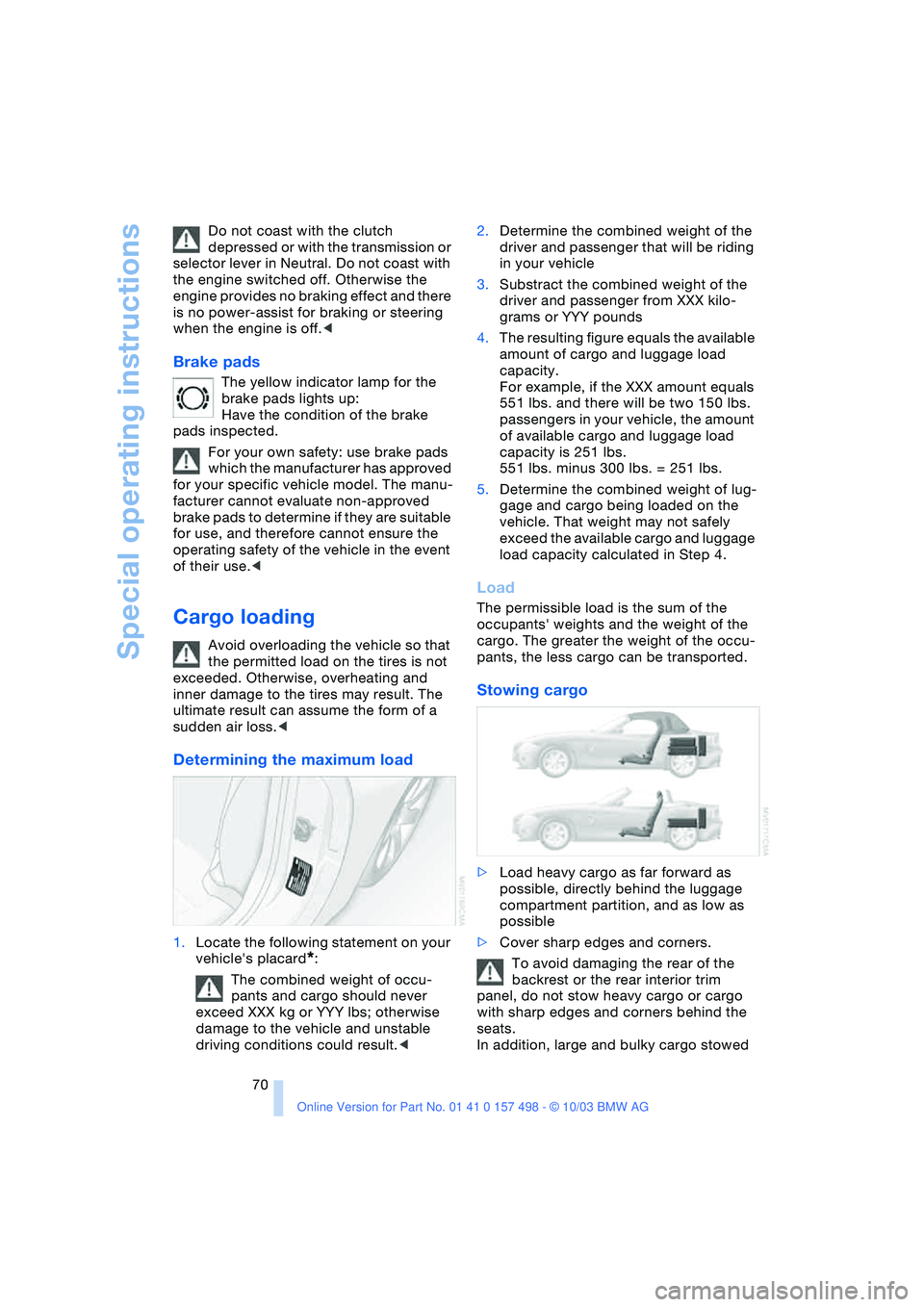
1.Locate the following statement on your
vehicle's placard
*:
The combined weight of occu-
pants and cargo should never
exceed XXX kg or YYY lbs; otherwise
damage to the vehicle and unstable
driving conditions could result.<2.Determine the combined weight of the
driver and passenger that will be riding
in your vehicle
3.Substract the combined weight of the
driver and passenger from XXX kilo-
grams or YYY pounds
4.The resulting figure equals the available
amount of cargo and luggage load
capacity.
For example, if the XXX amount equals
551 lbs. and there will be two 150 lbs.
passengers in your vehicle, the amount
of available cargo and luggage load
capacity is 251 lbs.
551 lbs. minus 300 lbs. = 251 lbs.
5.Determine the combined weight of lug-
gage and cargo being loaded on the
vehicle. That weight may not safely
exceed the available cargo and luggage
load capacity calculated in Step 4.
Load
The permissible load is the sum of the
occupants' weights and the weight of the
cargo. The greater the weight of the occu-
pants, the less cargo can be transported.
Stowing cargo
>Load heavy cargo as far forward as
possible, directly behind the luggage
compartment partition, and as low as
possible
>Cover sharp edges and corners.
To avoid damaging the rear of the
backrest or the rear interior trim
panel, do not stow heavy cargo or cargo
with sharp edges and corners behind the
seats.
In addition, large and bulky cargo stowed
Page 77 of 120
Reference
At a glance
Controls
Driving tips
Mobility
75
Wheels and tires
Tire inflation pressure
Information for your safety
It is not merely the tire's service life, but
also driving comfort and driving safety that
largely depend on the condition of the tires
and the maintenance of the specified tire
pressure.
Check tire inflation pressures regu-
larly and correct them if necessary: at
least every two weeks and before every
extended journey. If this is not done, incor-
rect tire pressures can cause driving insta-
bility or tire damage, ultimately resulting in
accidents.
Do not drive with a deflated, i.e. flat, tire
unless your vehicle is equipped with Run
Flat tires. A flat tire greatly impairs steering
and braking response, and can lead to
complete loss of control over the vehicle.<
Checking tire pressures
Check the tire inflation pressures only
when the tires are cold. This means after a
maximum driving distance of 1.25 miles/
2 km or if the vehicle has been parked for at
least 2 hours. Warm tires have higher infla-
tion pressures.
Reinitialize the Flat Tire Monitor after cor-
recting the tire inflation pressure. Refer to
page 55.
Inflation pressures for original tires
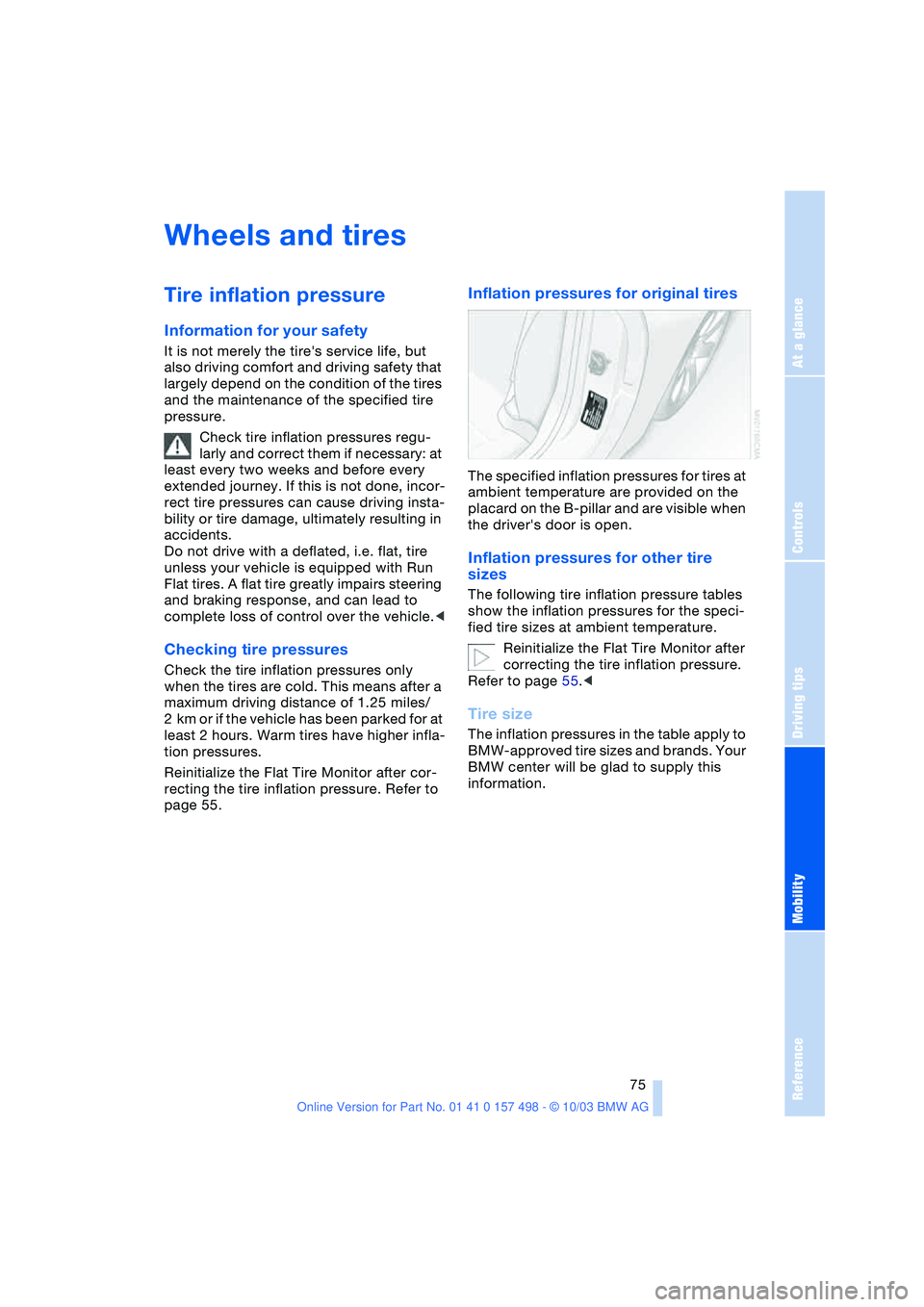
The specified inflation pressures for tires at
ambient temperature are provided on the
placard on the B-pillar and are visible when
the driver's door is open.
Inflation pressures for other tire
sizes
The following tire inflation pressure tables
show the inflation pressures for the speci-
fied tire sizes at ambient temperature.
Reinitialize the Flat Tire Monitor after
correcting the tire inflation pressure.
Refer to page 55.<
Tire size
The inflation pressures in the table apply to
BMW-approved tire sizes and brands. Your
BMW center will be glad to supply this
information.
Page 82 of 120
Wheels and tires
80
Run Flat tires
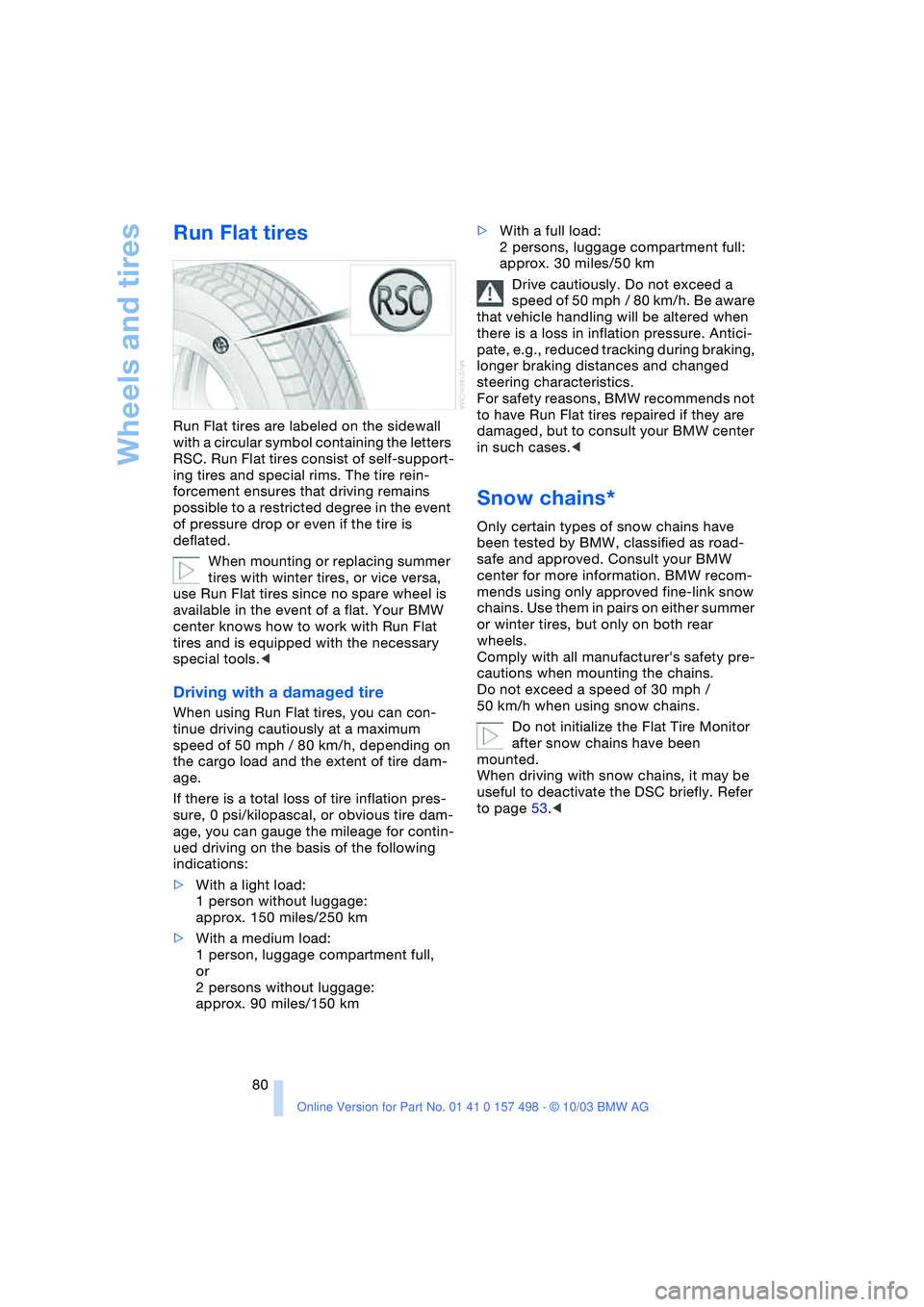
Run Flat tires are labeled on the sidewall
with a circular symbol containing the letters
RSC. Run Flat tires consist of self-support-
ing tires and special rims. The tire rein-
forcement ensures that driving remains
possible to a restricted degree in the event
of pressure drop or even if the tire is
deflated.
When mounting or replacing summer
tires with winter tires, or vice versa,
use Run Flat tires since no spare wheel is
available in the event of a flat. Your BMW
center knows how to work with Run Flat
tires and is equipped with the necessary
special tools.<
Driving with a damaged tire
When using Run Flat tires, you can con-
tinue driving cautiously at a maximum
speed of 50 mph / 80 km/h, depending on
the cargo load and the extent of tire dam-
age.
If there is a total loss of tire inflation pres-
sure, 0 psi/kilopascal, or obvious tire dam-
age, you can gauge the mileage for contin-
ued driving on the basis of the following
indications:
>With a light load:
1 person without luggage:
approx. 150 miles/250 km
>With a medium load:
1 person, luggage compartment full,
or
2 persons without luggage:
approx. 90 miles/150 km>With a full load:
2 persons, luggage compartment full:
approx. 30 miles/50 km
Drive cautiously. Do not exceed a
speed of 50 mph / 80 km/h. Be aware
that vehicle handling will be altered when
there is a loss in inflation pressure. Antici-
pate, e.g., reduced tracking during braking,
longer braking distances and changed
steering characteristics.
For safety reasons, BMW recommends not
to have Run Flat tires repaired if they are
damaged, but to consult your BMW center
in such cases.<
Snow chains*
Only certain types of snow chains have
been tested by BMW, classified as road-
safe and approved. Consult your BMW
center for more information. BMW recom-
mends using only approved fine-link snow
chains. Use them in pairs on either summer
or winter tires, but only on both rear
wheels.
Comply with all manufacturer's safety pre-
cautions when mounting the chains.
Do not exceed a speed of 30 mph /
50 km/h when using snow chains.
Do not initialize the Flat Tire Monitor
after snow chains have been
mounted.
When driving with snow chains, it may be
useful to deactivate the DSC briefly. Refer
to page 53.<
Page 93 of 120
Reference
At a glance
Controls
Driving tips
Mobility
91
Please contact a BMW center in case of a
malfunction.
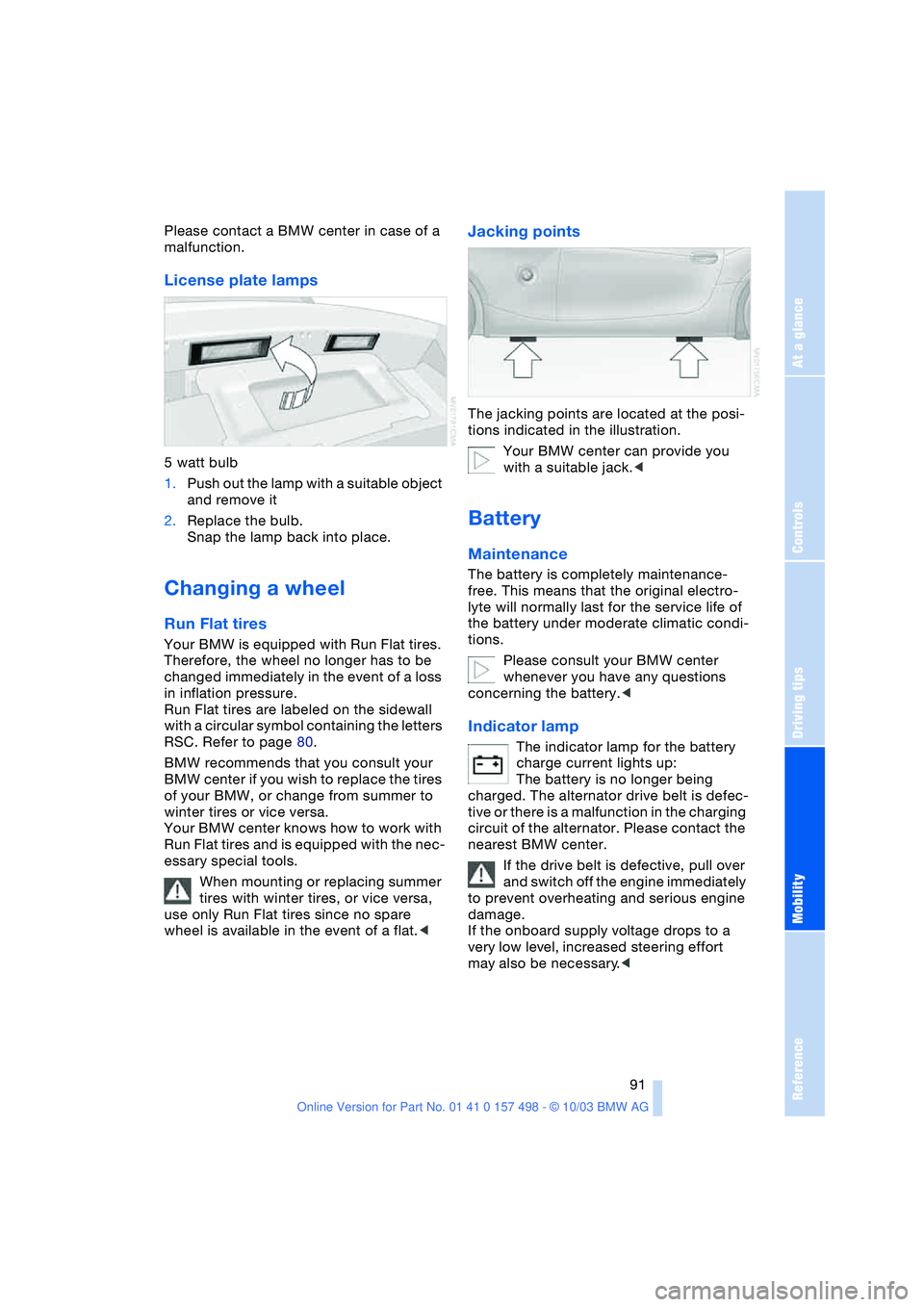
License plate lamps
5 watt bulb
1.Push out the lamp with a suitable object
and remove it
2.Replace the bulb.
Snap the lamp back into place.
Changing a wheel
Run Flat tires
Your BMW is equipped with Run Flat tires.
Therefore, the wheel no longer has to be
changed immediately in the event of a loss
in inflation pressure.
Run Flat tires are labeled on the sidewall
with a circular symbol containing the letters
RSC. Refer to page 80.
BMW recommends that you consult your
BMW center if you wish to replace the tires
of your BMW, or change from summer to
winter tires or vice versa.
Your BMW center knows how to work with
Run Flat tires and is equipped with the nec-
essary special tools.
When mounting or replacing summer
tires with winter tires, or vice versa,
use only Run Flat tires since no spare
wheel is available in the event of a flat.<
Jacking points
The jacking points are located at the posi-
tions indicated in the illustration.
Your BMW center can provide you
with a suitable jack.<
Battery
Maintenance
The battery is completely maintenance-
free. This means that the original electro-
lyte will normally last for the service life of
the battery under moderate climatic condi-
tions.
Please consult your BMW center
whenever you have any questions
concerning the battery.<
Indicator lamp
The indicator lamp for the battery
charge current lights up:
The battery is no longer being
charged. The alternator drive belt is defec-
tive or there is a malfunction in the charging
circuit of the alternator. Please contact the
nearest BMW center.
If the drive belt is defective, pull over
and switch off the engine immediately
to prevent overheating and serious engine
damage.
If the onboard supply voltage drops to a
very low level, increased steering effort
may also be necessary.<
Page 107 of 120
Reference
At a glance
Controls
Driving tips
Mobility
105
Battery 91
– disposal 92
– indicator lamp 13, 91
– jump-starting 94
– remote control 17
Belts, refer to Safety
belts 30
Belt tensioner, refer to
Safety belts 30
Beverage holders 65
Blower
– air conditioning 59
– automatic climate
control 62
Blower, refer to Air
supply 59, 62
BMW 5
Bore, refer to Engine
data 100
Bottle holders, refer to
Beverage holders 65
Brake fluid 85
– filling 85
– indicator/warning
lamp 13, 85
– level 85
Brake force display 53
Brake hydraulic system 85
– indicator/warning
lamp 13, 69, 85
Brake lamps
– bulb replacement 90
– indicator lamp, defective
lamp 13
Brake pads 70
– break-in procedures 68
– indicator lamp 70
Brake pad wear indicator
– brake pads 70
– indicator lamp 13
Brake rotors
– brake system 69
– break-in procedures 68
Brakes 69
– ABS 54
– brake fluid 85
– break-in procedures 68
– indicator/warning
lamps 13, 52, 53, 54
– parking brake 38Brake system 69
– brake fluid level 85
– brake pads 70
– break-in procedures 68
– disc brakes 69
– indicator lamp 13
Breakdown
– Flat Tire Monitor 54
Break-in procedures 68
Bulb replacement, refer to
Lamps and bulbs 88
Buttons in steering
wheel 11
C
California Proposition
65 warning 87
Can holders, refer to
Beverage holders 65
Capacities 103
Car battery 91
Car care, refer to the Caring
for your vehicle brochure
Car-care products, refer to
the Caring for your
vehicle brochure
Care, refer to the Caring for
your vehicle brochure
Cargo loading
– vehicle 70
Car keys, refer to Keys 16
Carpet care, refer to the
Caring for your vehicle
brochure
Car radio, refer to Owner's
Manual for Radio
Car telephone, refer to
Owner's Manual for
Telephone
Car wash, refer to the
Caring for your vehicle
brochure
Catalytic converter, refer to
High temperatures 69
CD player operation, refer
to Owner's Manual
for Radio
Center high-mount brake
lamp
– bulb replacement 90Central locking system 16
– interior 18
Changing a wheel 91
Charge indicator
lamp 13, 91
Check Gas Cap
– indicator lamp 13
Child-restraint mounting
system, LATCH 35
Child-restraint systems 33
Child seat, refer to Child-
restraint systems 33
Chrome parts, refer to the
Caring for your vehicle
brochure
Cigarette lighter 65
Cigarette lighter socket 65
Cleaning the rear window,
refer to the Caring for
your vehicle brochure
Cleaning the vehicle, refer
to the Caring for your
vehicle brochure
Cleaning the windshield 44
Clock 49, 50
– 12- or 24-hour mode 50
– refer to Owner's Manual
for Radio/Onboard
Computer
– setting 49
Clothes hooks 25
Clutch
– break-in procedures 68
Cockpit 10
Cold start, refer to
Starting the engine 36
Compact disc operation,
refer to Owner's Manual
for Radio
Compartments 64
Compression ratio, refer to
Engine data 100
Computer 50
– clock, 12- or 24-hour
mode 50
– refer to Owner's Manual
for Onboard Computer
Computer, refer to
Onboard Computer 50
Condensation, refer to Air
conditioning mode 59, 62