engine BMW Z4 2.5I 2005 User Guide
[x] Cancel search | Manufacturer: BMW, Model Year: 2005, Model line: Z4 2.5I, Model: BMW Z4 2.5I 2005Pages: 120, PDF Size: 3.82 MB
Page 42 of 120
Driving
40
Sequential manual gearbox
SMG*
The concept
The sequential manual gearbox SMG is an
automated manual gearbox with which clutch-
ing and shifting is assumed by an electro-
hydraulic system.
The SMG is operated via two shift paddles on
the steering wheel and the selector lever in the
center console.
It offers the following functions:
>Optionally manual or automatic operation:
sequential mode or drive mode
>Ability to choose between two different
driving programs: standard or Sport, refer to
page41
>Protection against misshifting, and auto-
matic downshifting at minimum engine rpm
even in sequential mode
>Kickdown function in the drive mode
>Acceleration assistant, refer to page42.
The SMG is ready for operation when the igni-
tion key is in position 2.
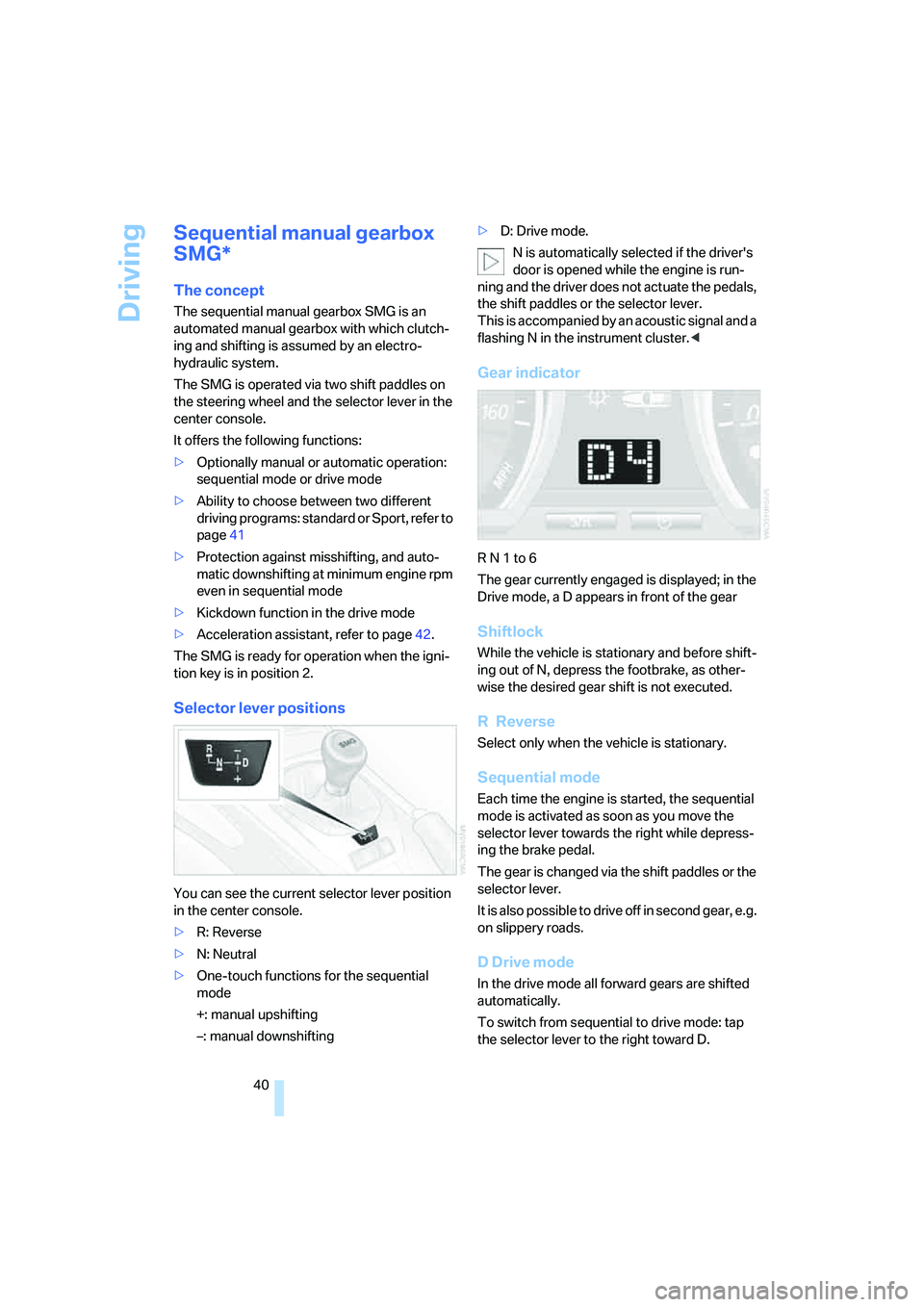
Selector lever positions
You can see the current selector lever position
in the center console.
>R: Reverse
>N: Neutral
>One-touch functions for the sequential
mode
+: manual upshifting
–: manual downshifting>D: Drive mode.
N is automatically selected if the driver's
door is opened while the engine is run-
ning and the driver does not actuate the pedals,
the shift paddles or the selector lever.
This is accompanied by an acoustic signal and a
flashing N in the instrument cluster.<
Gear indicator
R N 1 to 6
The gear currently engaged is displayed; in the
Drive mode, a D appears in front of the gear
Shiftlock
While the vehicle is stationary and before shift-
ing out of N, depress the footbrake, as other-
wise the desired gear shift is not executed.
R Reverse
Select only when the vehicle is stationary.
Sequential mode
Each time the engine is started, the sequential
mode is activated as soon as you move the
selector lever towards the right while depress-
ing the brake pedal.
The gear is changed via the shift paddles or the
selector lever.
It is also possible to drive off in second gear, e.g.
on slippery roads.
D Drive mode
In the drive mode all forward gears are shifted
automatically.
To switch from sequential to drive mode: tap
the selector lever to the right toward D.
Page 43 of 120
Reference
At a glance
Controls
Driving tips
Mobility
41
Kickdown:
For rapid acceleration, e.g. during passing,
depress the accelerator pedal completely. You
achieve maximum acceleration.
To switch back to sequential mode: tap the
selector lever again to the right toward D, or
change the current gear via the shift paddles or
the selector lever.
When driving off on inclines, drive
smoothly without pausing. Do not keep
the vehicle in place by depressing the accelera-
tor pedal; instead, apply the parking brake. Oth-
erwise, the gearbox could overheat.<
Shifting gears
With selector lever
>To upshift, tap the selector lever toward +
>To downshift, tap the lever toward –.
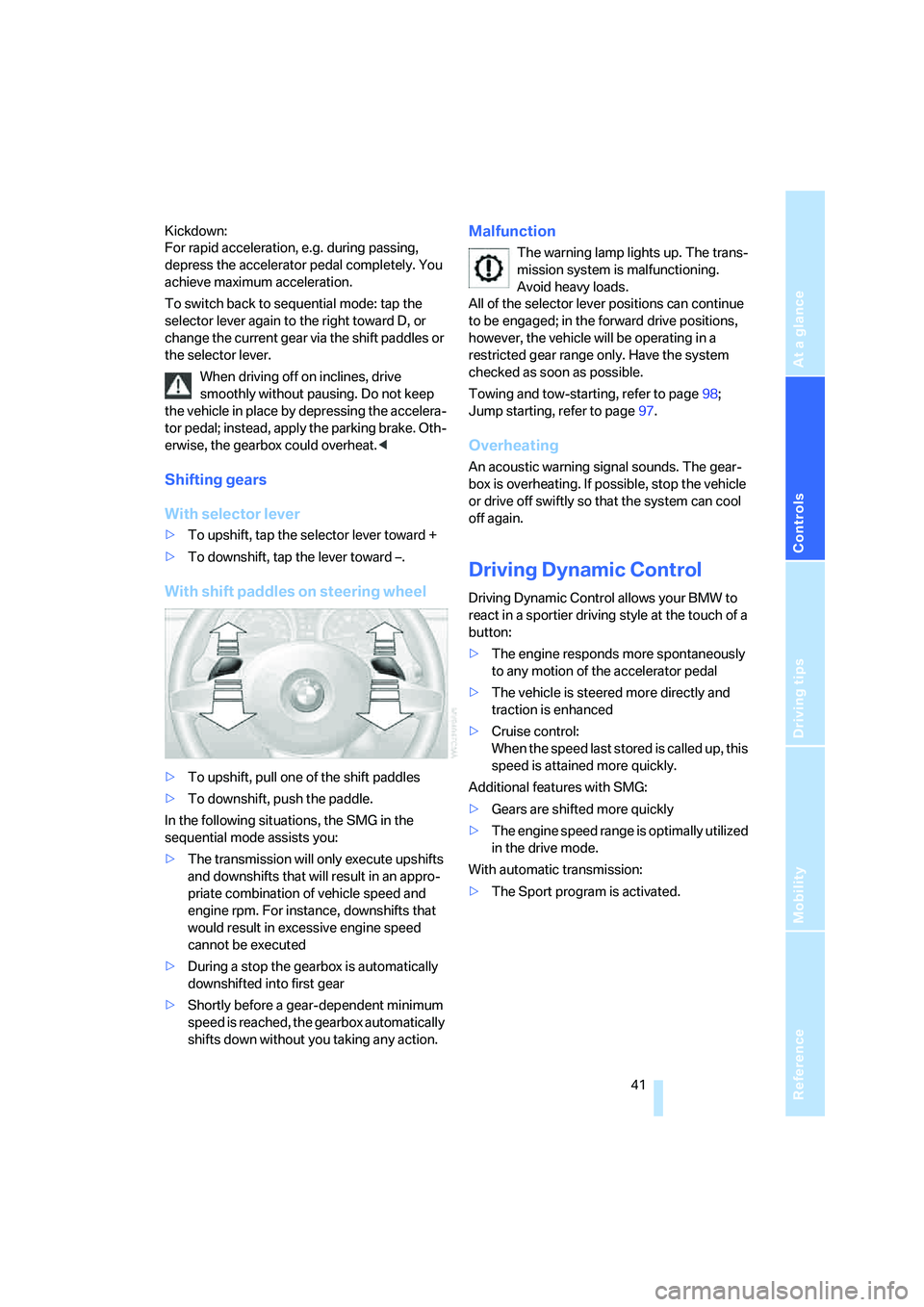
With shift paddles on steering wheel
>To upshift, pull one of the shift paddles
>To downshift, push the paddle.
In the following situations, the SMG in the
sequential mode assists you:
>The transmission will only execute upshifts
and downshifts that will result in an appro-
priate combination of vehicle speed and
engine rpm. For instance, downshifts that
would result in excessive engine speed
cannot be executed
>During a stop the gearbox is automatically
downshifted into first gear
>Shortly before a gear-dependent minimum
speed is reached, the gearbox automatically
shifts down without you taking any action.
Malfunction
The warning lamp lights up. The trans-
mission system is malfunctioning.
Avoid heavy loads.
All of the selector lever positions can continue
to be engaged; in the forward drive positions,
however, the vehicle will be operating in a
restricted gear range only. Have the system
checked as soon as possible.
Towing and tow-starting, refer to page98;
Jump starting, refer to page97.
Overheating
An acoustic warning signal sounds. The gear-
box is overheating. If possible, stop the vehicle
or drive off swiftly so that the system can cool
off again.
Driving Dynamic Control
Driving Dynamic Control allows your BMW to
react in a sportier driving style at the touch of a
button:
>The engine responds more spontaneously
to any motion of the accelerator pedal
>The vehicle is steered more directly and
traction is enhanced
>Cruise control:
When the speed last stored is called up, this
speed is attained more quickly.
Additional features with SMG:
>Gears are shifted more quickly
>The engine speed range is optimally utilized
in the drive mode.
With automatic transmission:
>The Sport program is activated.
Page 46 of 120
Driving
44 empty, as the washer pump will otherwise be
damaged.<
Windshield washer nozzles
The windshield washer nozzles are automati-
cally heated
* when the engine is running or the
ignition is switched on.
Cruise control*
Do not use cruise control when unfavor-
able conditions make it inadvisable to
drive at a constant speed. Otherwise, the vehi-
cle could go out of control and an accident
could be caused. Unfavorable conditions
include, for example, twisting roads, high traffic
density, or adverse road conditions such as
snow, rain, ice, or loose surfaces.<
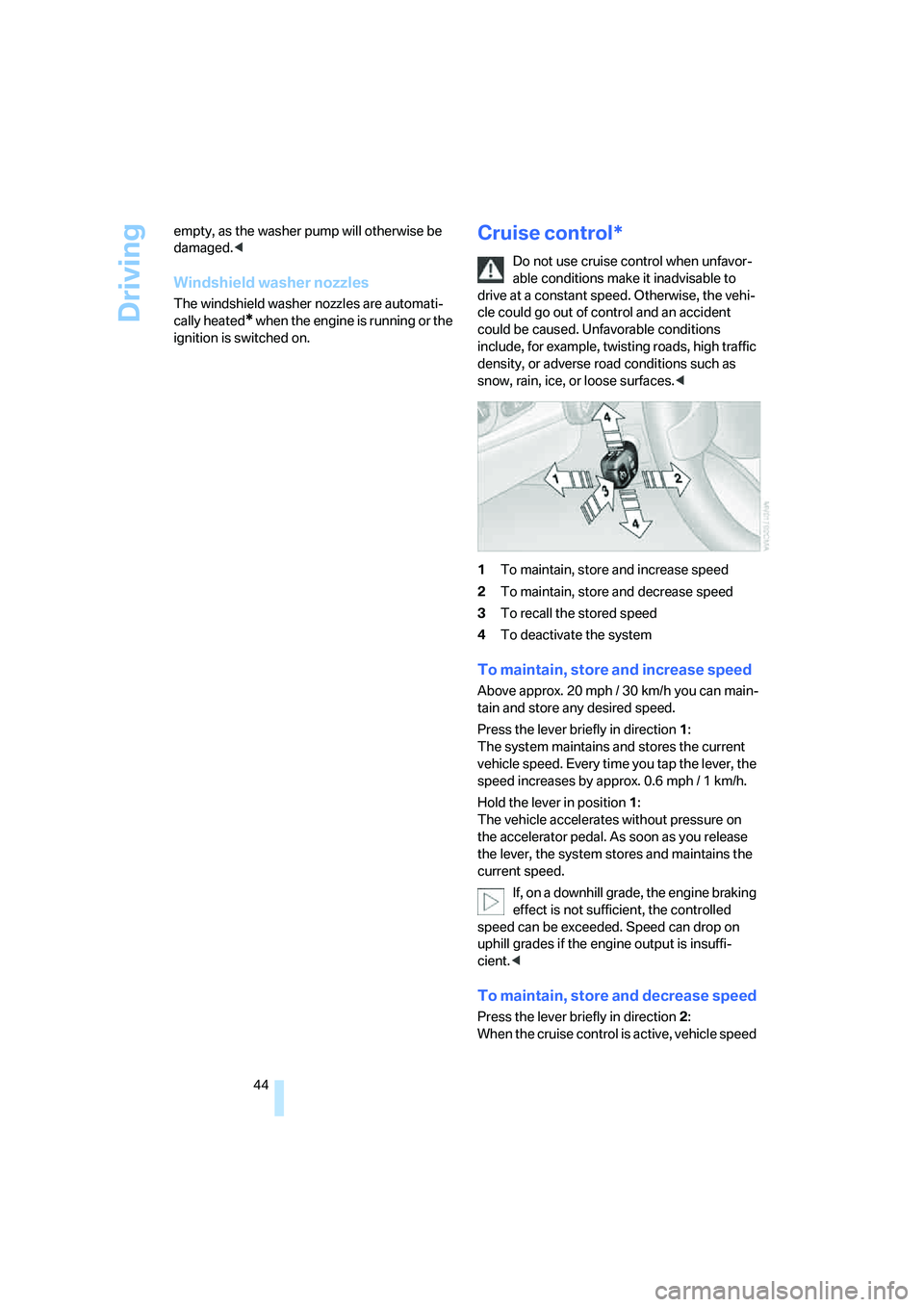
1To maintain, store and increase speed
2To maintain, store and decrease speed
3To recall the stored speed
4To deactivate the system
To maintain, store and increase speed
Above approx. 20 mph / 30 km/h you can main-
tain and store any desired speed.
Press the lever briefly in direction 1:
The system maintains and stores the current
vehicle speed. Every time you tap the lever, the
speed increases by approx. 0.6 mph / 1 km/h.
Hold the lever in position1:
The vehicle accelerates without pressure on
the accelerator pedal. As soon as you release
the lever, the system stores and maintains the
current speed.
If, on a downhill grade, the engine braking
effect is not sufficient, the controlled
speed can be exceeded. Speed can drop on
uphill grades if the engine output is insuffi-
cient.<
To maintain, store and decrease speed
Press the lever briefly in direction 2:
When the cruise control is active, vehicle speed
Page 48 of 120
Everything under control
46
Everything under control
Odometer
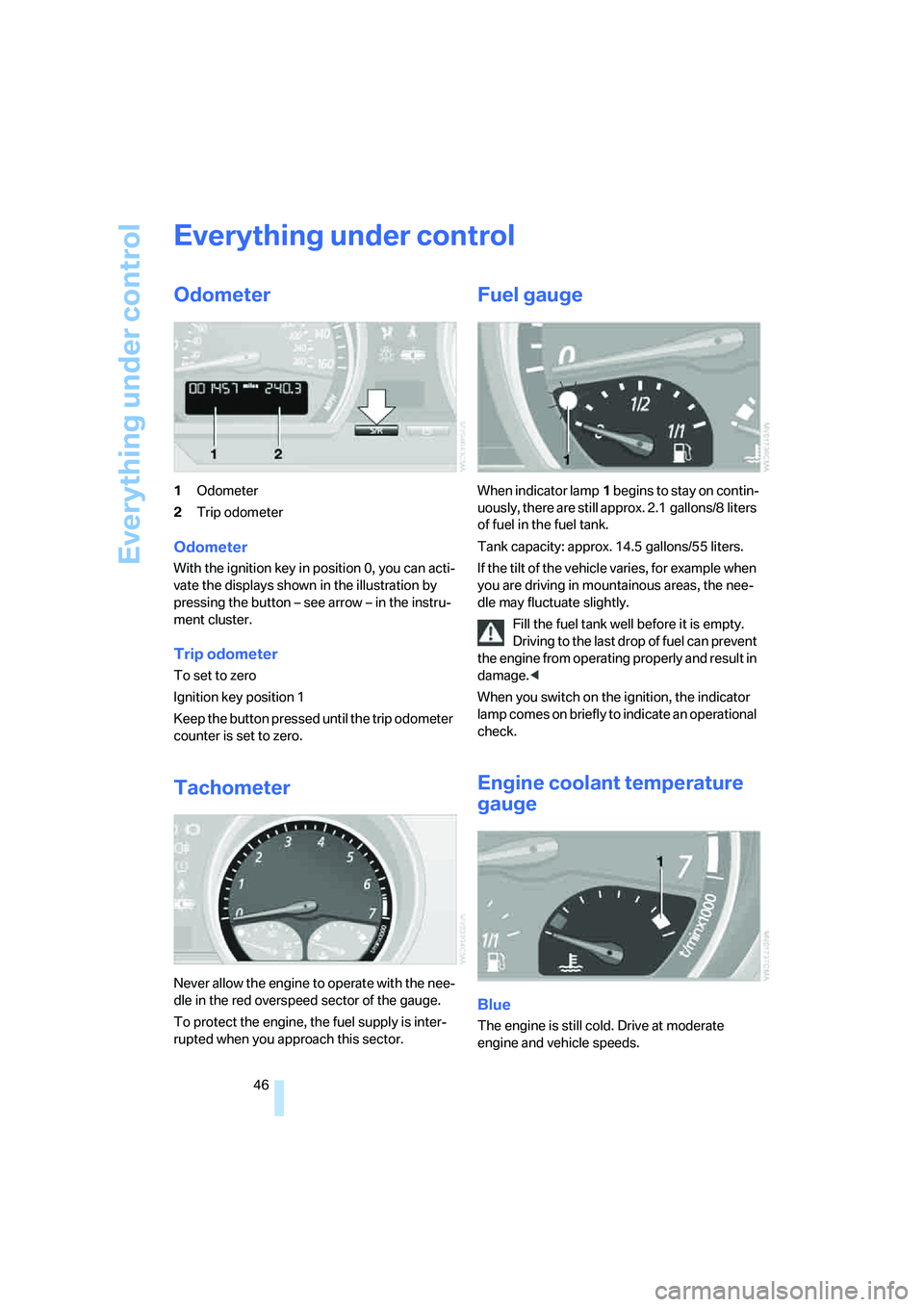
1Odometer
2Trip odometer
Odometer
With the ignition key in position 0, you can acti-
vate the displays shown in the illustration by
pressing the button – see arrow – in the instru-
ment cluster.
Trip odometer
To set to zero
Ignition key position 1
Keep the button pressed until the trip odometer
counter is set to zero.
Tachometer
Never allow the engine to operate with the nee-
dle in the red overspeed sector of the gauge.
To protect the engine, the fuel supply is inter-
rupted when you approach this sector.
Fuel gauge
When indicator lamp1 begins to stay on contin-
uously, there are still approx. 2.1 gallons/8 liters
of fuel in the fuel tank.
Tank capacity: approx. 14.5 gallons/55 liters.
If the tilt of the vehicle varies, for example when
you are driving in mountainous areas, the nee-
dle may fluctuate slightly.
Fill the fuel tank well before it is empty.
Driving to the last drop of fuel can prevent
the engine from operating properly and result in
damage.<
When you switch on the ignition, the indicator
lamp comes on briefly to indicate an operational
check.
Engine coolant temperature
gauge
Blue
The engine is still cold. Drive at moderate
engine and vehicle speeds.
Page 49 of 120
Reference
At a glance
Controls
Driving tips
Mobility
47
Between the blue and red zones
Normal operating range. The needle may rise as
far as the edge of the red sector during normal
operation.
Red
When you switch on the ignition, warning
lamp1 comes on briefly to indicate an opera-
tional check.
Comes on while driving:
The engine has overheated. Stop and switch
the engine off immediately and allow it to cool
down.
For checking the coolant level, refer to page87.
Service interval display
Remaining distance to next service
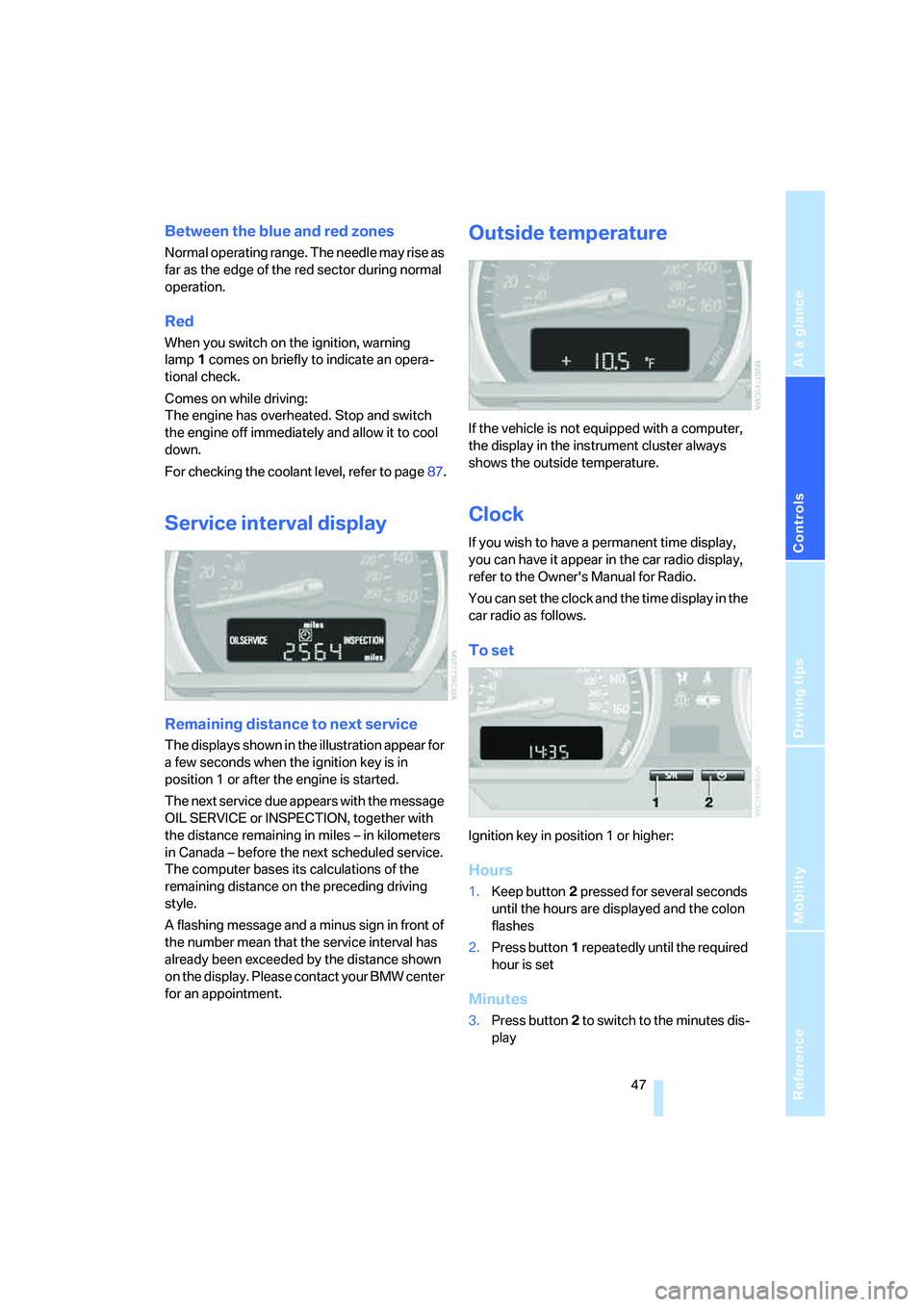
The displays shown in the illustration appear for
a few seconds when the ignition key is in
position 1 or after the engine is started.
The next service due appears with the message
OIL SERVICE or INSPECTION, together with
the distance remaining in miles – in kilometers
in Canada – before the next scheduled service.
The computer bases its calculations of the
remaining distance on the preceding driving
style.
A flashing message and a minus sign in front of
the number mean that the service interval has
already been exceeded by the distance shown
on the display. Please contact your BMW center
for an appointment.
Outside temperature
If the vehicle is not equipped with a computer,
the display in the instrument cluster always
shows the outside temperature.
Clock
If you wish to have a permanent time display,
you can have it appear in the car radio display,
refer to the Owner's Manual for Radio.
You can set the clock and the time display in the
car radio as follows.
To set
Ignition key in position 1 or higher:
Hours
1.Keep button2 pressed for several seconds
until the hours are displayed and the colon
flashes
2.Press button1 repeatedly until the required
hour is set
Minutes
3.Press button2 to switch to the minutes dis-
play
Page 51 of 120
Reference
At a glance
Controls
Driving tips
Mobility
49
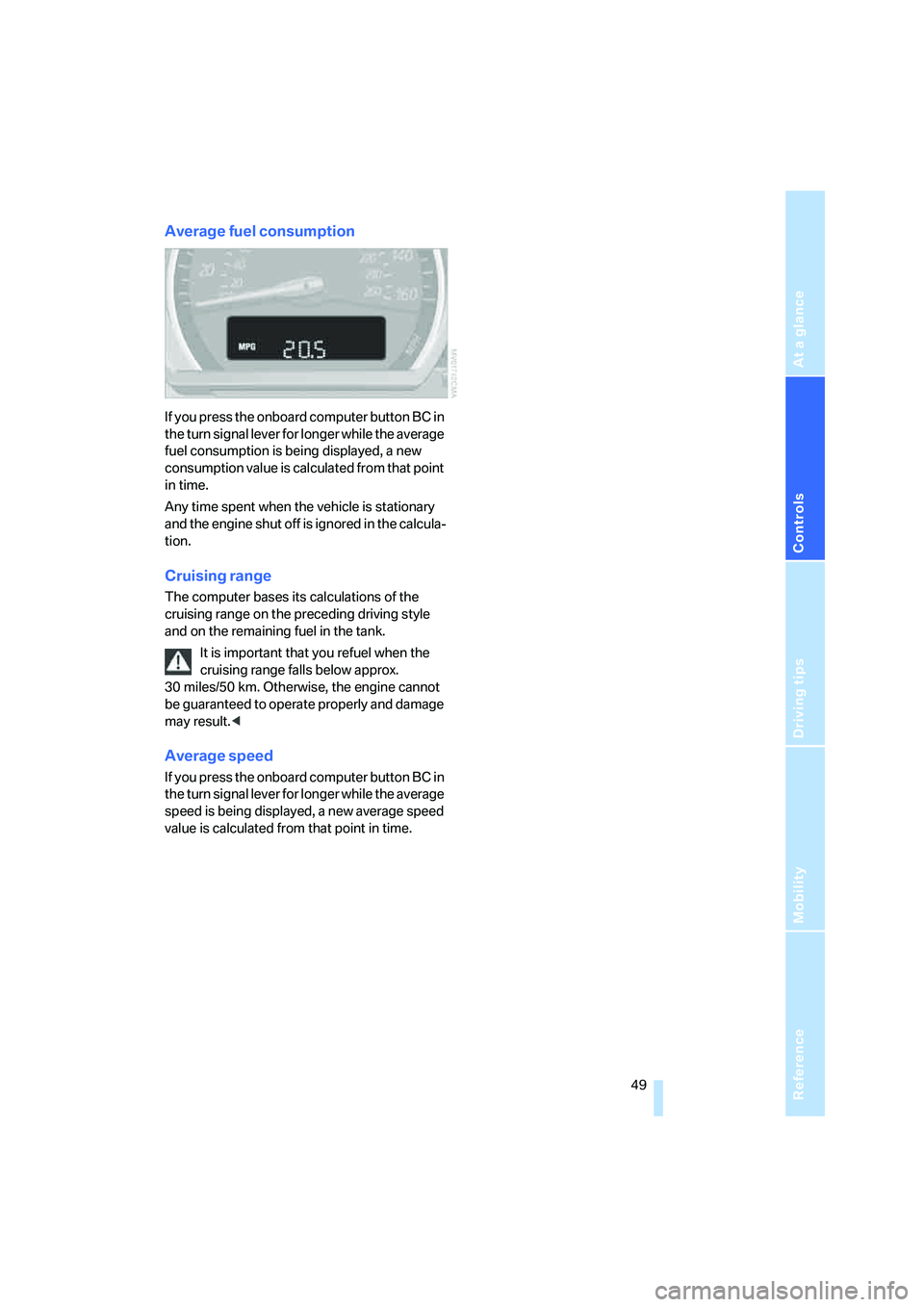
Average fuel consumption
If you press the onboard computer button BC in
the turn signal lever for longer while the average
fuel consumption is being displayed, a new
consumption value is calculated from that point
in time.
Any time spent when the vehicle is stationary
and the engine shut off is ignored in the calcula-
tion.
Cruising range
The computer bases its calculations of the
cruising range on the preceding driving style
and on the remaining fuel in the tank.
It is important that you refuel when the
cruising range falls below approx.
30 miles/50 km. Otherwise, the engine cannot
be guaranteed to operate properly and damage
may result.<
Average speed
If you press the onboard computer button BC in
the turn signal lever for longer while the average
speed is being displayed, a new average speed
value is calculated from that point in time.
Page 52 of 120
Technology for safety and driving convenience
50
Technology for safety and driving
convenience
Driving stability control
systems
Your BMW is equipped with a series of systems
that help maintain driving stability even in
adverse driving situations.
Antilock Brake System ABS
ABS keeps the wheels from locking during
braking. Steering stability is maintained even
during full brake applications. In this way, active
safety is enhanced.
ABS is operational each time the engine is
started. Braking safely, refer to page69.
Electronic brake-force distribution
The system controls brake-force application at
the rear wheels in order to obtain increased sta-
bility in the vehicle's braking response.
Dynamic Brake Control DBC
When the brake pedal is depressed quickly, this
system automatically supplies maximum brake-
servo boost, thereby helping to keep the vehi-
cle's braking distance as short as possible dur-
ing full brake applications. At the same time, the
benefits of the ABS are also exploited.
As long as you are braking, do not reduce pres-
sure on the brake pedal. When the brake pedal
is released, the DBC is switched off.
Dynamic Stability Control DSC
DSC prevents slip at the drive wheels while
starting off and accelerating the vehicle. DSC
also recognizes unstable vehicle conditions,
such as fishtailing or nose-diving. In these
cases, and subject to physical limits, DSC helps
to keep the vehicle on a steady course by
reducing engine speed and by applying brakes
at individual wheels.The laws of physics cannot be repealed
even with DSC. It will always be the
driver's responsibility to drive in a manner that
matches road conditions. Therefore, do not
limit the additional safety margin by practicing
risky driving.<
Dynamic Traction Control DTC
DTC is a variant of the DSC in which forward
momentum is optimized for special road condi-
tions, e.g. snow-covered roads that have not
yet been cleared. The system ensures maxi-
mum forward momentum, but driving stability is
limited. Therefore, drive carefully in accordance
with conditions.
In the following exceptional circumstances, it
may be effective to activate the DTC for a short
period:
>When driving on snow-covered grades, in
slush or on uncleared, snow-covered roads
>When rocking the vehicle or starting off in
deep snow or on loose surfaces
>When driving with snow chains.
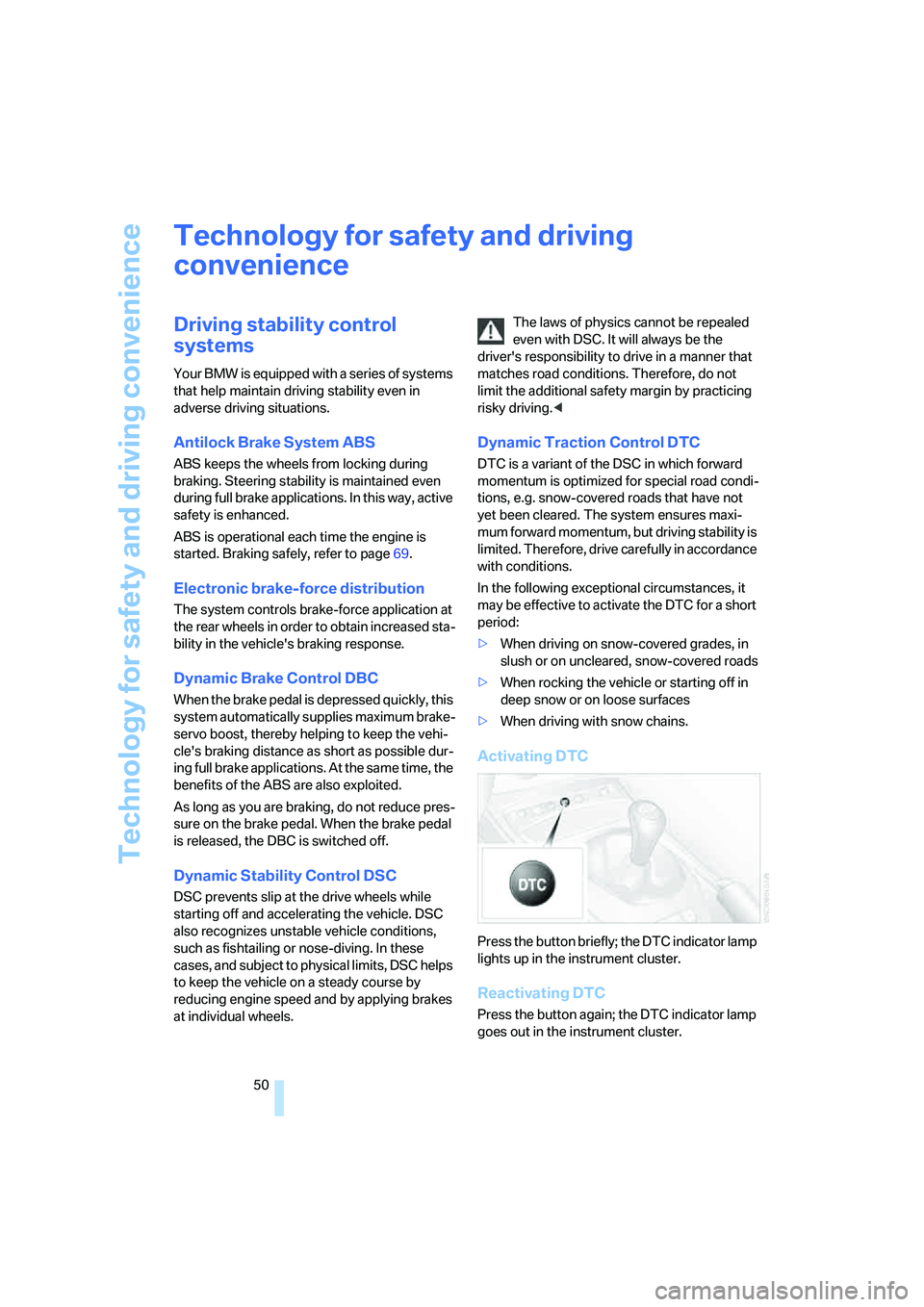
Activating DTC
Press the button briefly; the DTC indicator lamp
lights up in the instrument cluster.
Reactivating DTC
Press the button again; the DTC indicator lamp
goes out in the instrument cluster.
Page 54 of 120
Technology for safety and driving convenience
52
Brake force display
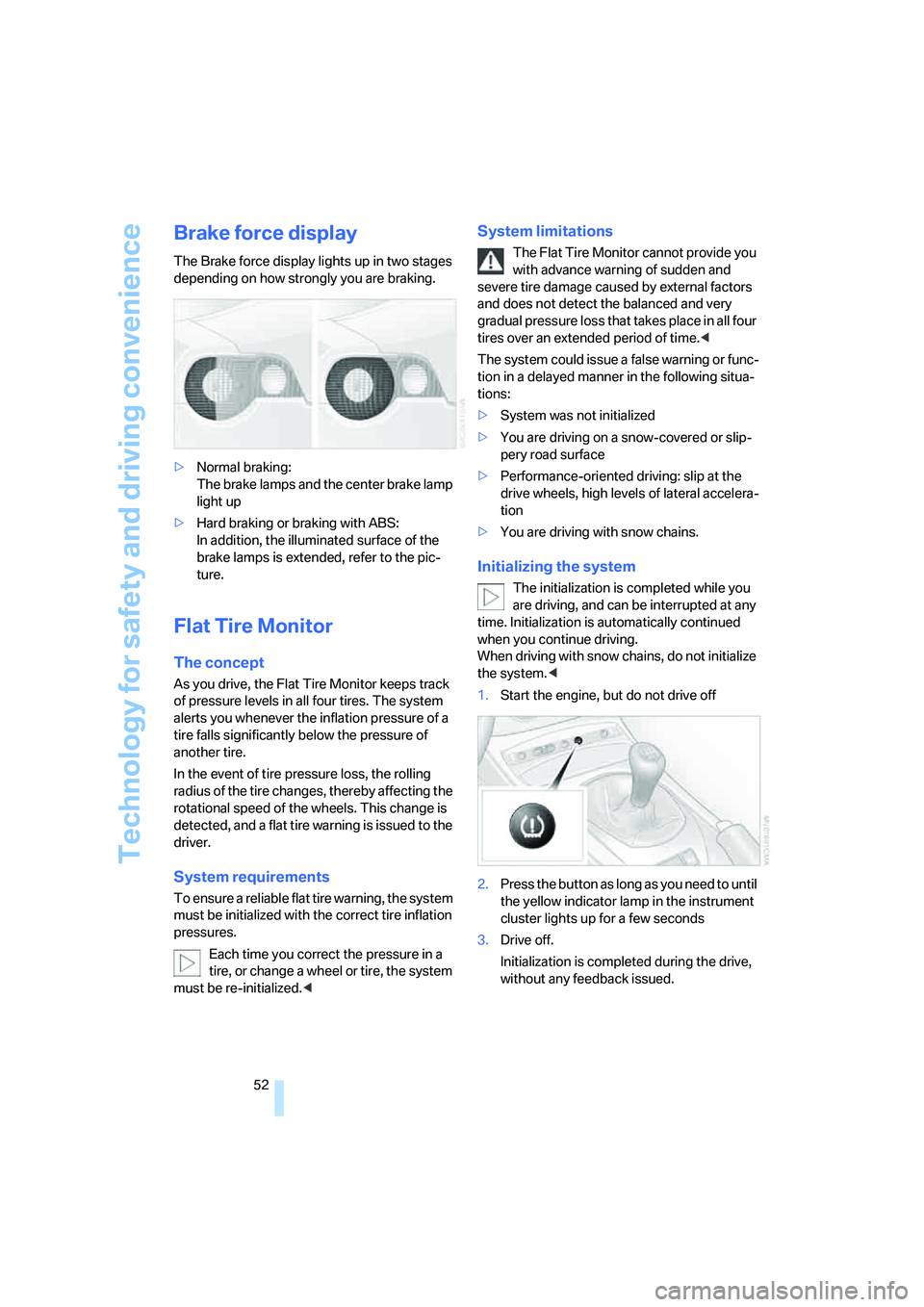
The Brake force display lights up in two stages
depending on how strongly you are braking.
>Normal braking:
The brake lamps and the center brake lamp
light up
>Hard braking or braking with ABS:
In addition, the illuminated surface of the
brake lamps is extended, refer to the pic-
ture.
Flat Tire Monitor
The concept
As you drive, the Flat Tire Monitor keeps track
of pressure levels in all four tires. The system
alerts you whenever the inflation pressure of a
tire falls significantly below the pressure of
another tire.
In the event of tire pressure loss, the rolling
radius of the tire changes, thereby affecting the
rotational speed of the wheels. This change is
detected, and a flat tire warning is issued to the
driver.
System requirements
To ensure a reliable flat tire warning, the system
must be initialized with the correct tire inflation
pressures.
Each time you correct the pressure in a
tire, or change a wheel or tire, the system
must be re-initialized.<
System limitations
The Flat Tire Monitor cannot provide you
with advance warning of sudden and
severe tire damage caused by external factors
and does not detect the balanced and very
gradual pressure loss that takes place in all four
tires over an extended period of time.<
The system could issue a false warning or func-
tion in a delayed manner in the following situa-
tions:
>System was not initialized
>You are driving on a snow-covered or slip-
pery road surface
>Performance-oriented driving: slip at the
drive wheels, high levels of lateral accelera-
tion
>You are driving with snow chains.
Initializing the system
The initialization is completed while you
are driving, and can be interrupted at any
time. Initialization is automatically continued
when you continue driving.
When driving with snow chains, do not initialize
the system.<
1.Start the engine, but do not drive off
2.Press the button as long as you need to until
the yellow indicator lamp in the instrument
cluster lights up for a few seconds
3.Drive off.
Initialization is completed during the drive,
without any feedback issued.
Page 59 of 120
Reference
At a glance
Controls
Driving tips
Mobility
57
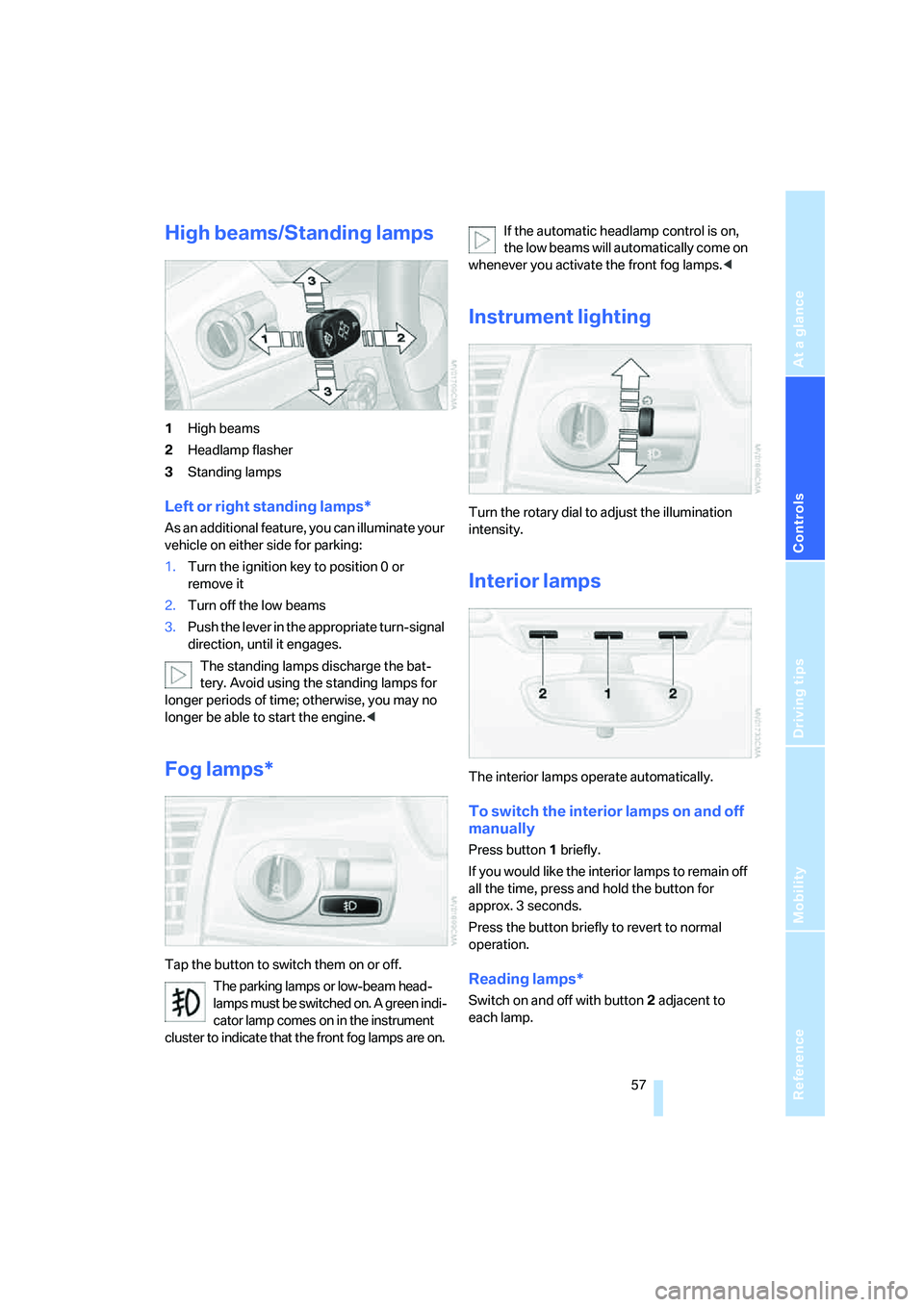
High beams/Standing lamps
1High beams
2Headlamp flasher
3Standing lamps
Left or right standing lamps*
As an additional feature, you can illuminate your
vehicle on either side for parking:
1.Turn the ignition key to position 0 or
remove it
2.Turn off the low beams
3.Push the lever in the appropriate turn-signal
direction, until it engages.
The standing lamps discharge the bat-
tery. Avoid using the standing lamps for
longer periods of time; otherwise, you may no
longer be able to start the engine.<
Fog lamps*
Tap the button to switch them on or off.
The parking lamps or low-beam head-
lamps must be switched on. A green indi-
cator lamp comes on in the instrument
cluster to indicate that the front fog lamps are on.If the automatic headlamp control is on,
the low beams will automatically come on
whenever you activate the front fog lamps.<
Instrument lighting
Turn the rotary dial to adjust the illumination
intensity.
Interior lamps
The interior lamps operate automatically.
To switch the interior lamps on and off
manually
Press button1 briefly.
If you would like the interior lamps to remain off
all the time, press and hold the button for
approx. 3 seconds.
Press the button briefly to revert to normal
operation.
Reading lamps*
Switch on and off with button2 adjacent to
each lamp.
Page 61 of 120
Reference
At a glance
Controls
Driving tips
Mobility
59
Air distribution
You can direct airflow onto the win-
dows , toward the upper body
and into the footwell . All interme-
diate settings are possible.
Air supply/blower
Turn the rotary control to adjust the
air supply. Both heating and ventila-
tion become more effective as the air
supply rate is increased.
Turn the rotary control toward zero:
The blower and the heating are turned off, and
the air supply is stopped.
Temperature
In order to increase the temperature
of the passenger compartment, turn
to the right toward the red zone.
Air conditioning
The air is cooled and dehumidified
and, depending on the temperature
setting, rewarmed.
Depending on the weather, the wind-
shield may fog over briefly when the engine is
started.
Condensation forms during operation of
the air conditioning system, which then
exits under the vehicle. Traces of condensed
water on the ground underneath the vehicle are
thus normal.<
Outside air/recirculated air mode
If there are unpleasant odors in the
outside air, you can temporarily block
the supply of incoming air. The sys-
tem then recirculates the air currently
within the vehicle.
If the windows fog over in the recirculated
air mode, switch this mode off and
increase the air supply as required. Do not use
the recirculated-air mode continuously over a
long period of time as this would otherwise
reduce the air quality in the interior of the vehi-
cle.<
Rear window defroster
The indicator lamp lights up when
the rear window defroster is active.
The rear window defroster switches
off automatically.
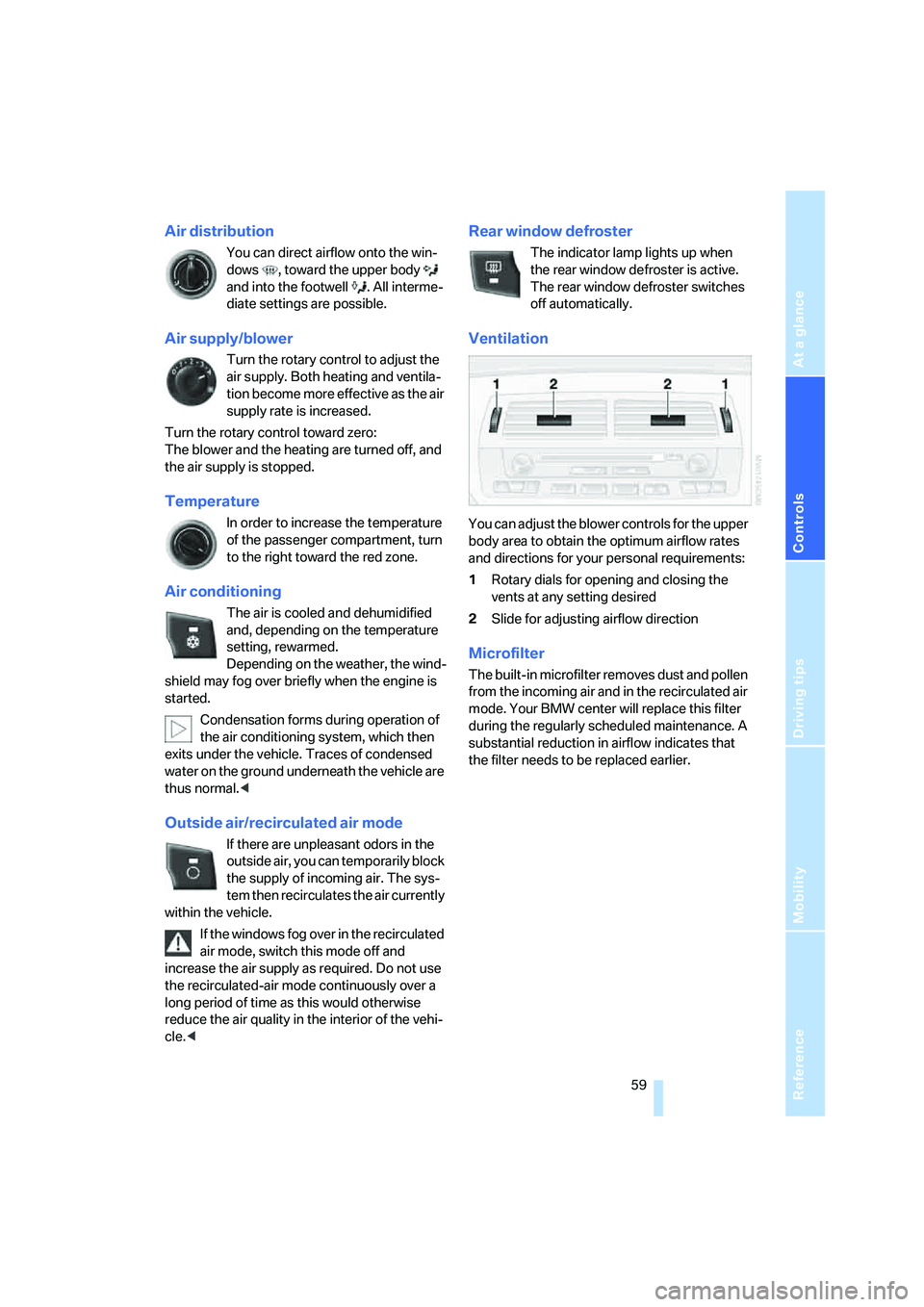
Ventilation
You can adjust the blower controls for the upper
body area to obtain the optimum airflow rates
and directions for your personal requirements:
1Rotary dials for opening and closing the
vents at any setting desired
2Slide for adjusting airflow direction
Microfilter
The built-in microfilter removes dust and pollen
from the incoming air and in the recirculated air
mode. Your BMW center will replace this filter
during the regularly scheduled maintenance. A
substantial reduction in airflow indicates that
the filter needs to be replaced earlier.