light BMW Z4 2.5I 2005 User Guide
[x] Cancel search | Manufacturer: BMW, Model Year: 2005, Model line: Z4 2.5I, Model: BMW Z4 2.5I 2005Pages: 120, PDF Size: 3.82 MB
Page 32 of 120
Adjustments
30
Safety function
1.Close the driver's door and turn the ignition
key to position 0 or 2
2.Press and hold the desired memory button
1, 2 or 3 until the adjustment process is
completed.
If you press the M
EMORY button accidentally:
Press the button again; the indicator lamp goes
out.
Before activating the programmed
adjustment feature, ensure that the space
behind the driver's seat is empty and unob-
structed. If you fail to do so, objects behind the
seat could be damaged, should the seat move
backward.<
Seat heating*
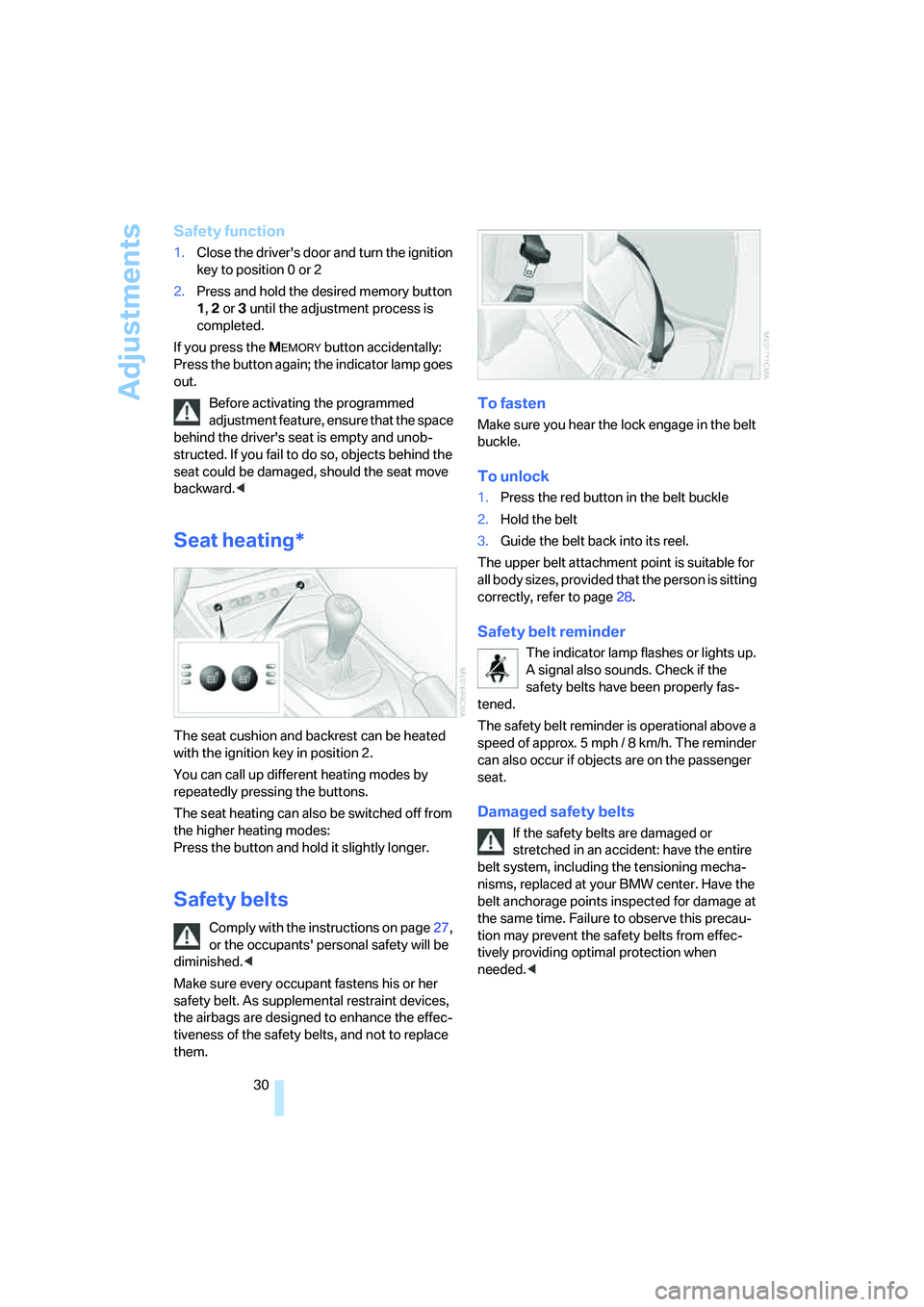
The seat cushion and backrest can be heated
with the ignition key in position 2.
You can call up different heating modes by
repeatedly pressing the buttons.
The seat heating can also be switched off from
the higher heating modes:
Press the button and hold it slightly longer.
Safety belts
Comply with the instructions on page27,
or the occupants' personal safety will be
diminished.<
Make sure every occupant fastens his or her
safety belt. As supplemental restraint devices,
the airbags are designed to enhance the effec-
tiveness of the safety belts, and not to replace
them.
To fasten
Make sure you hear the lock engage in the belt
buckle.
To unlock
1.Press the red button in the belt buckle
2.Hold the belt
3.Guide the belt back into its reel.
The upper belt attachment point is suitable for
all body sizes, provided that the person is sitting
correctly, refer to page28.
Safety belt reminder
The indicator lamp flashes or lights up.
A signal also sounds. Check if the
safety belts have been properly fas-
tened.
The safety belt reminder is operational above a
speed of approx. 5 mph / 8 km/h. The reminder
can also occur if objects are on the passenger
seat.
Damaged safety belts
If the safety belts are damaged or
stretched in an accident: have the entire
belt system, including the tensioning mecha-
nisms, replaced at your BMW center. Have the
belt anchorage points inspected for damage at
the same time. Failure to observe this precau-
tion may prevent the safety belts from effec-
tively providing optimal protection when
needed.<
Page 36 of 120
Transporting children safely
34
Passenger airbags lamp
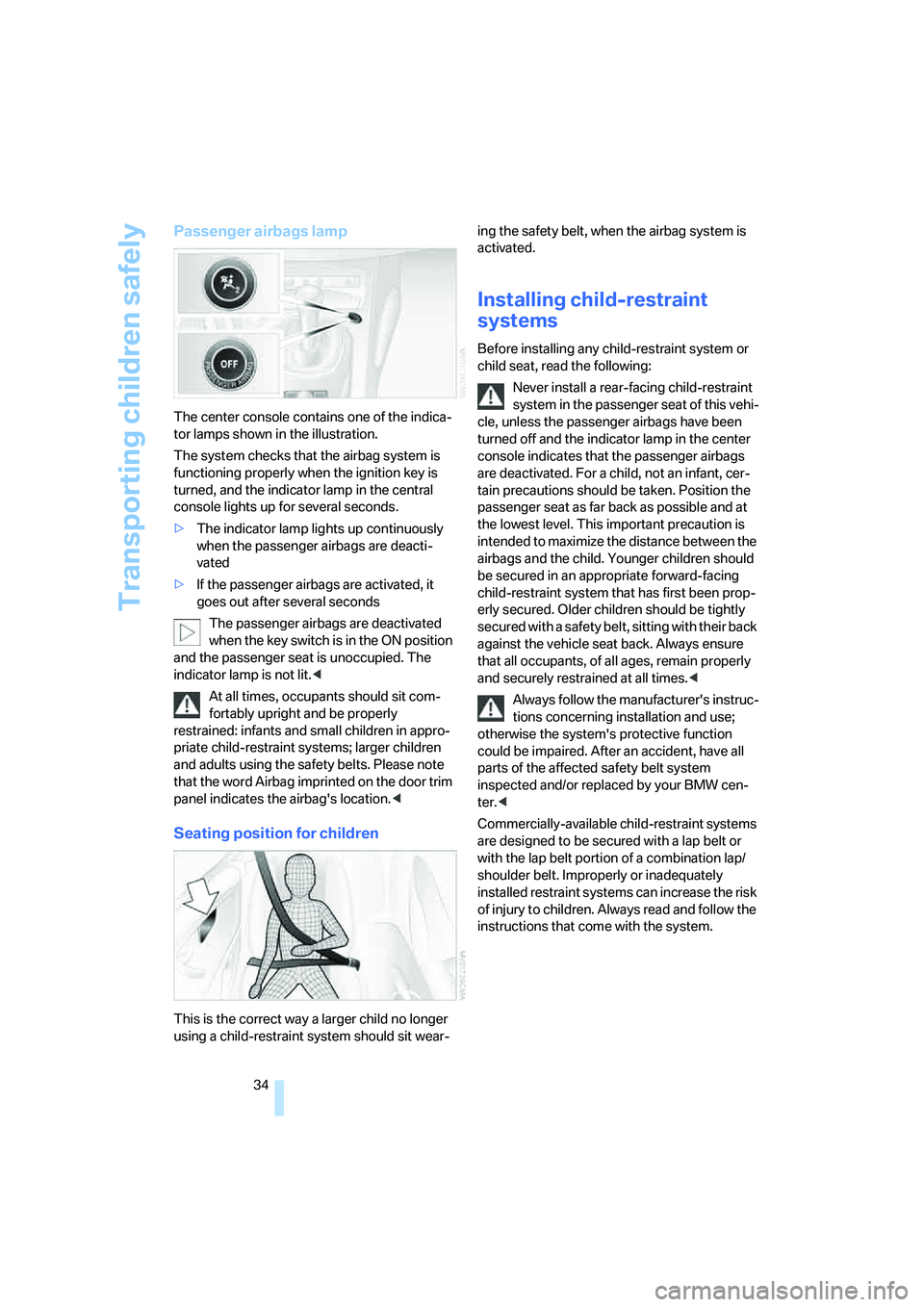
The center console contains one of the indica-
tor lamps shown in the illustration.
The system checks that the airbag system is
functioning properly when the ignition key is
turned, and the indicator lamp in the central
console lights up for several seconds.
>The indicator lamp lights up continuously
when the passenger airbags are deacti-
vated
>If the passenger airbags are activated, it
goes out after several seconds
The passenger airbags are deactivated
when the key switch is in the ON position
and the passenger seat is unoccupied. The
indicator lamp is not lit.<
At all times, occupants should sit com-
fortably upright and be properly
restrained: infants and small children in appro-
priate child-restraint systems; larger children
and adults using the safety belts. Please note
that the word Airbag imprinted on the door trim
panel indicates the airbag's location.<
Seating position for children
This is the correct way a larger child no longer
using a child-restraint system should sit wear-ing the safety belt, when the airbag system is
activated.
Installing child-restraint
systems
Before installing any child-restraint system or
child seat, read the following:
Never install a rear-facing child-restraint
system in the passenger seat of this vehi-
cle, unless the passenger airbags have been
turned off and the indicator lamp in the center
console indicates that the passenger airbags
are deactivated. For a child, not an infant, cer-
tain precautions should be taken. Position the
passenger seat as far back as possible and at
the lowest level. This important precaution is
intended to maximize the distance between the
airbags and the child. Younger children should
be secured in an appropriate forward-facing
child-restraint system that has first been prop-
erly secured. Older children should be tightly
secured with a safety belt, sitting with their back
against the vehicle seat back. Always ensure
that all occupants, of all ages, remain properly
and securely restrained at all times.<
Always follow the manufacturer's instruc-
tions concerning installation and use;
otherwise the system's protective function
could be impaired. After an accident, have all
parts of the affected safety belt system
inspected and/or replaced by your BMW cen-
ter.<
Commercially-available child-restraint systems
are designed to be secured with a lap belt or
with the lap belt portion of a combination lap/
shoulder belt. Improperly or inadequately
installed restraint systems can increase the risk
of injury to children. Always read and follow the
instructions that come with the system.
Page 38 of 120
Driving
36
Driving
Ignition lock
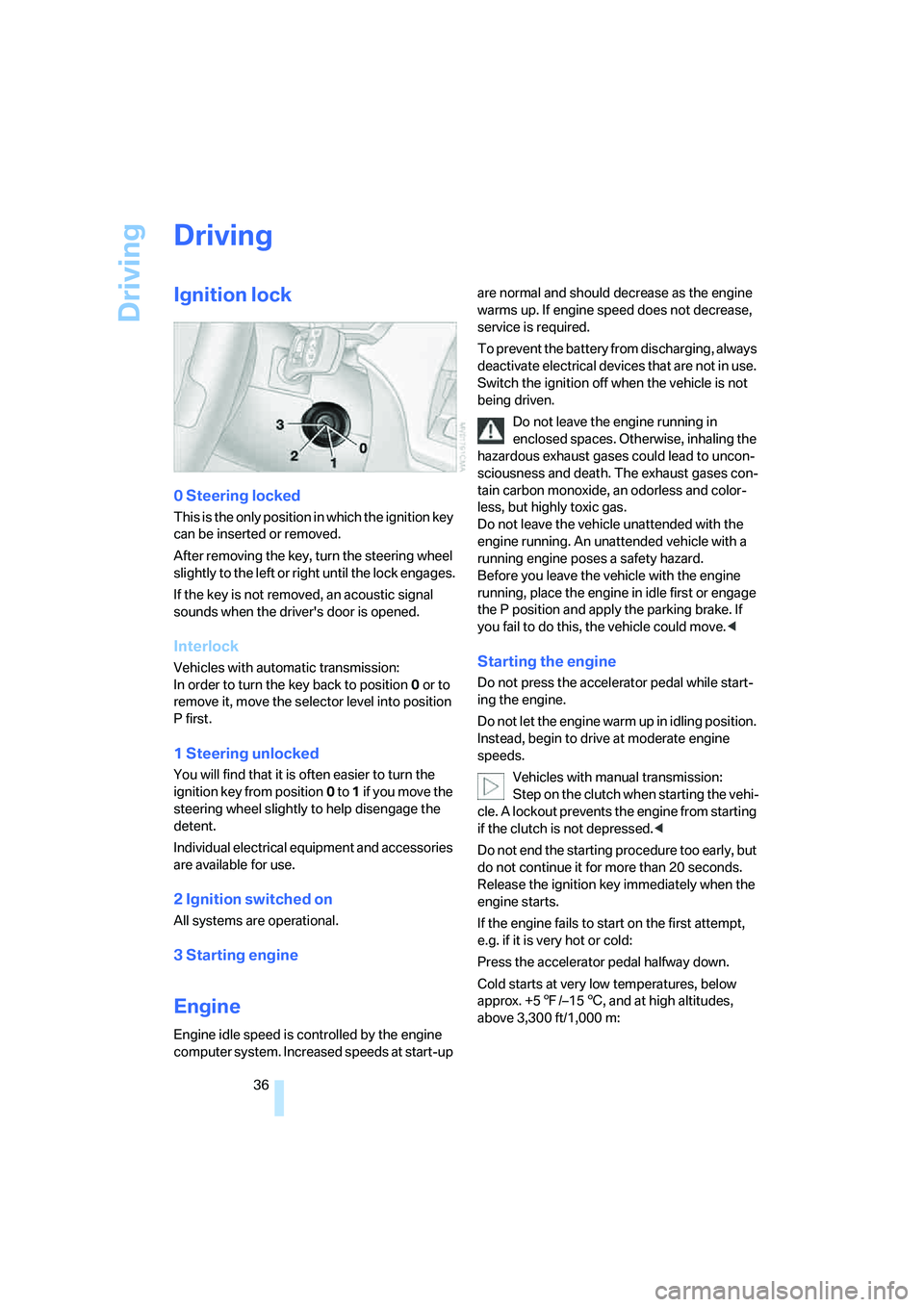
0 Steering locked
This is the only position in which the ignition key
can be inserted or removed.
After removing the key, turn the steering wheel
slightly to the left or right until the lock engages.
If the key is not removed, an acoustic signal
sounds when the driver's door is opened.
Interlock
Vehicles with automatic transmission:
In order to turn the key back to position0 or to
remove it, move the selector level into position
P first.
1 Steering unlocked
You will find that it is often easier to turn the
ignition key from position0 to 1 if you move the
steering wheel slightly to help disengage the
detent.
Individual electrical equipment and accessories
are available for use.
2 Ignition switched on
All systems are operational.
3 Starting engine
Engine
Engine idle speed is controlled by the engine
computer system. Increased speeds at start-up are normal and should decrease as the engine
warms up. If engine speed does not decrease,
service is required.
To prevent the battery from discharging, always
deactivate electrical devices that are not in use.
Switch the ignition off when the vehicle is not
being driven.
Do not leave the engine running in
enclosed spaces. Otherwise, inhaling the
hazardous exhaust gases could lead to uncon-
sciousness and death. The exhaust gases con-
tain carbon monoxide, an odorless and color-
less, but highly toxic gas.
Do not leave the vehicle unattended with the
engine running. An unattended vehicle with a
running engine poses a safety hazard.
Before you leave the vehicle with the engine
running, place the engine in idle first or engage
the P position and apply the parking brake. If
you fail to do this, the vehicle could move.<
Starting the engine
Do not press the accelerator pedal while start-
ing the engine.
Do not let the engine warm up in idling position.
Instead, begin to drive at moderate engine
speeds.
Vehicles with manual transmission:
Step on the clutch when starting the vehi-
cle. A lockout prevents the engine from starting
if the clutch is not depressed.<
Do not end the starting procedure too early, but
do not continue it for more than 20 seconds.
Release the ignition key immediately when the
engine starts.
If the engine fails to start on the first attempt,
e.g. if it is very hot or cold:
Press the accelerator pedal halfway down.
Cold starts at very low temperatures, below
approx. +57/–156, and at high altitudes,
above 3,300 ft/1,000 m:
Page 39 of 120
Reference
At a glance
Controls
Driving tips
Mobility
37
>On the first attempt, engage the starter for
approx. 10 seconds
>Press the accelerator pedal halfway down.
Avoid frequent starting attempts in short
succession or repeated starting attempts
during which the engine does not start. Other-
wise, uncombusted or incompletely combusted
fuel will pose a risk of the catalytic converter
overheating and being damaged.<
Manual transmission
1.Engage the parking brake
2.Gearshift lever in idling position
3.Depress the clutch pedal.
If the clutch pedal is not depressed, the
engine cannot be started
4.Start the engine.
Automatic transmission
1.Depress footbrake
2.Place selector lever in position P or N
3.Start the engine.
Sequential manual gearbox SMG
1.Depress footbrake
2.Move selector lever to neutral position N
3.Start the engine.
If the engine does not start, re-engage the
position last selected, refer to the display
in the instrument cluster, and then engage posi-
tion N again.<
Switching off the engine
Do not remove the ignition key while the
vehicle is still moving. If you did so, the
steering lock would engage when the steering
wheel is turned.
When you leave the vehicle, always remove the
ignition key and engage the steering lock.
Apply the parking brake when parking on steep
gradients, as the vehicle could otherwise start
to roll.<
You can have an acoustic signal set as a
reminder that the ignition key is still in the ignition switch after the driver's door has been
opened.<
Manual transmission
1.Turn the ignition key to position 1 or 0
2.Engage first gear or reverse gear.
Automatic transmission
1.Place the selector lever in position P
2.Turn the ignition key to position 1 or 0.
Sequential manual gearbox SMG
1.Engage a drive position
2.Turn the ignition key to position 1 or 0. An
acoustic signal sounds if the engine is
switched off while position N is engaged.
Parking brake
The parking brake is designed primarily to pre-
vent the vehicle from rolling when parked. It
operates against the rear wheels.
The indicator lamp lights up. As the
vehicle drives off, an acoustic signal
also sounds. The parking brake has
been applied.
Indicator lamp for Canadian models.
To engage
The detent engages automatically and the indi-
cator lamp in the instrument cluster comes on
when the ignition key is in position 2.
Page 40 of 120
Driving
38
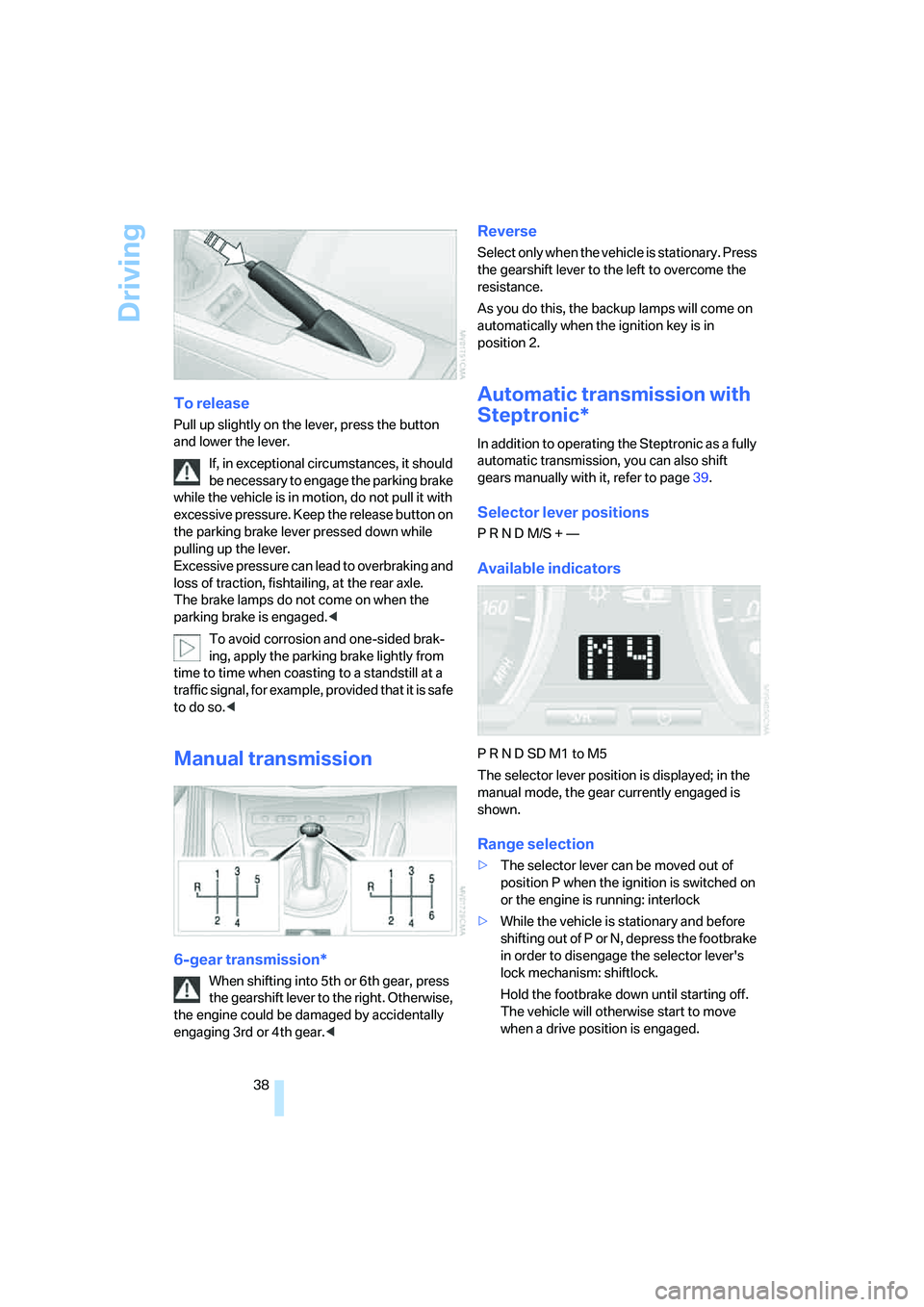
To release
Pull up slightly on the lever, press the button
and lower the lever.
If, in exceptional circumstances, it should
be necessary to engage the parking brake
while the vehicle is in motion, do not pull it with
excessive pressure. Keep the release button on
the parking brake lever pressed down while
pulling up the lever.
Excessive pressure can lead to overbraking and
loss of traction, fishtailing, at the rear axle.
The brake lamps do not come on when the
parking brake is engaged.<
To avoid corrosion and one-sided brak-
ing, apply the parking brake lightly from
time to time when coasting to a standstill at a
traffic signal, for example, provided that it is safe
to do so.<
Manual transmission
6-gear transmission*
When shifting into 5th or 6th gear, press
the gearshift lever to the right. Otherwise,
the engine could be damaged by accidentally
engaging 3rd or 4th gear.<
Reverse
Select only when the vehicle is stationary. Press
the gearshift lever to the left to overcome the
resistance.
As you do this, the backup lamps will come on
automatically when the ignition key is in
position 2.
Automatic transmission with
Steptronic*
In addition to operating the Steptronic as a fully
automatic transmission, you can also shift
gears manually with it, refer to page39.
Selector lever positions
P R N D M/S + —
Available indicators
P R N D SD M1 to M5
The selector lever position is displayed; in the
manual mode, the gear currently engaged is
shown.
Range selection
>The selector lever can be moved out of
position P when the ignition is switched on
or the engine is running: interlock
>While the vehicle is stationary and before
shifting out of P or N, depress the footbrake
in order to disengage the selector lever's
lock mechanism: shiftlock.
Hold the footbrake down until starting off.
The vehicle will otherwise start to move
when a drive position is engaged.
Page 41 of 120
Reference
At a glance
Controls
Driving tips
Mobility
39
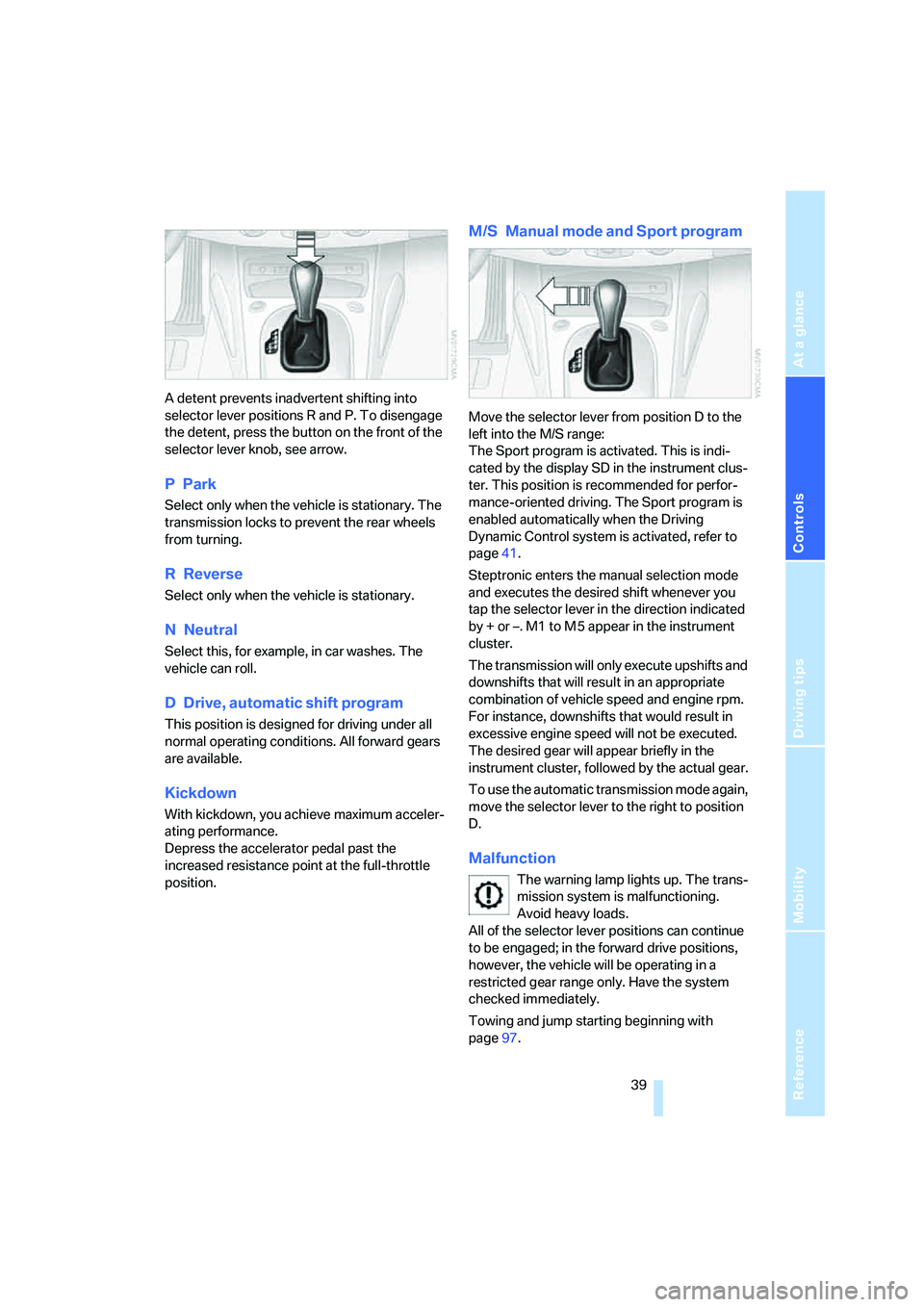
A detent prevents inadvertent shifting into
selector lever positions R and P. To disengage
the detent, press the button on the front of the
selector lever knob, see arrow.
PPark
Select only when the vehicle is stationary. The
transmission locks to prevent the rear wheels
from turning.
R Reverse
Select only when the vehicle is stationary.
NNeutral
Select this, for example, in car washes. The
vehicle can roll.
D Drive, automatic shift program
This position is designed for driving under all
normal operating conditions. All forward gears
are available.
Kickdown
With kickdown, you achieve maximum acceler-
ating performance.
Depress the accelerator pedal past the
increased resistance point at the full-throttle
position.
M/S Manual mode and Sport program
Move the selector lever from position D to the
left into the M/S range:
The Sport program is activated. This is indi-
cated by the display SD in the instrument clus-
ter. This position is recommended for perfor-
mance-oriented driving. The Sport program is
enabled automatically when the Driving
Dynamic Control system is activated, refer to
page41.
Steptronic enters the manual selection mode
and executes the desired shift whenever you
tap the selector lever in the direction indicated
by + or –. M1 to M 5 appear in the instrument
cluster.
The transmission will only execute upshifts and
downshifts that will result in an appropriate
combination of vehicle speed and engine rpm.
For instance, downshifts that would result in
excessive engine speed will not be executed.
The desired gear will appear briefly in the
instrument cluster, followed by the actual gear.
To use the automatic transmission mode again,
move the selector lever to the right to position
D.
Malfunction
The warning lamp lights up. The trans-
mission system is malfunctioning.
Avoid heavy loads.
All of the selector lever positions can continue
to be engaged; in the forward drive positions,
however, the vehicle will be operating in a
restricted gear range only. Have the system
checked immediately.
Towing and jump starting beginning with
page97.
Page 43 of 120
Reference
At a glance
Controls
Driving tips
Mobility
41
Kickdown:
For rapid acceleration, e.g. during passing,
depress the accelerator pedal completely. You
achieve maximum acceleration.
To switch back to sequential mode: tap the
selector lever again to the right toward D, or
change the current gear via the shift paddles or
the selector lever.
When driving off on inclines, drive
smoothly without pausing. Do not keep
the vehicle in place by depressing the accelera-
tor pedal; instead, apply the parking brake. Oth-
erwise, the gearbox could overheat.<
Shifting gears
With selector lever
>To upshift, tap the selector lever toward +
>To downshift, tap the lever toward –.
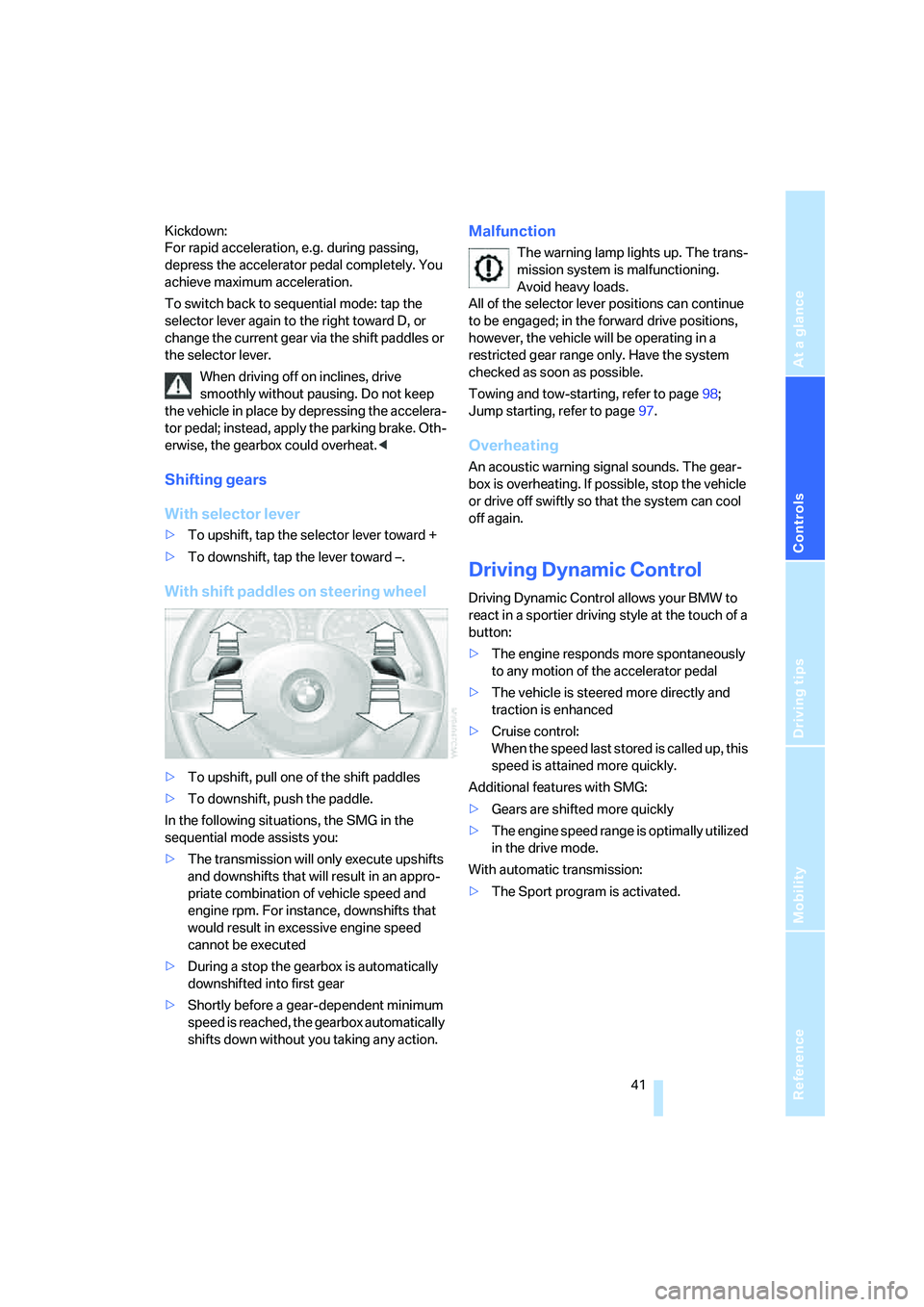
With shift paddles on steering wheel
>To upshift, pull one of the shift paddles
>To downshift, push the paddle.
In the following situations, the SMG in the
sequential mode assists you:
>The transmission will only execute upshifts
and downshifts that will result in an appro-
priate combination of vehicle speed and
engine rpm. For instance, downshifts that
would result in excessive engine speed
cannot be executed
>During a stop the gearbox is automatically
downshifted into first gear
>Shortly before a gear-dependent minimum
speed is reached, the gearbox automatically
shifts down without you taking any action.
Malfunction
The warning lamp lights up. The trans-
mission system is malfunctioning.
Avoid heavy loads.
All of the selector lever positions can continue
to be engaged; in the forward drive positions,
however, the vehicle will be operating in a
restricted gear range only. Have the system
checked as soon as possible.
Towing and tow-starting, refer to page98;
Jump starting, refer to page97.
Overheating
An acoustic warning signal sounds. The gear-
box is overheating. If possible, stop the vehicle
or drive off swiftly so that the system can cool
off again.
Driving Dynamic Control
Driving Dynamic Control allows your BMW to
react in a sportier driving style at the touch of a
button:
>The engine responds more spontaneously
to any motion of the accelerator pedal
>The vehicle is steered more directly and
traction is enhanced
>Cruise control:
When the speed last stored is called up, this
speed is attained more quickly.
Additional features with SMG:
>Gears are shifted more quickly
>The engine speed range is optimally utilized
in the drive mode.
With automatic transmission:
>The Sport program is activated.
Page 44 of 120
Driving
42
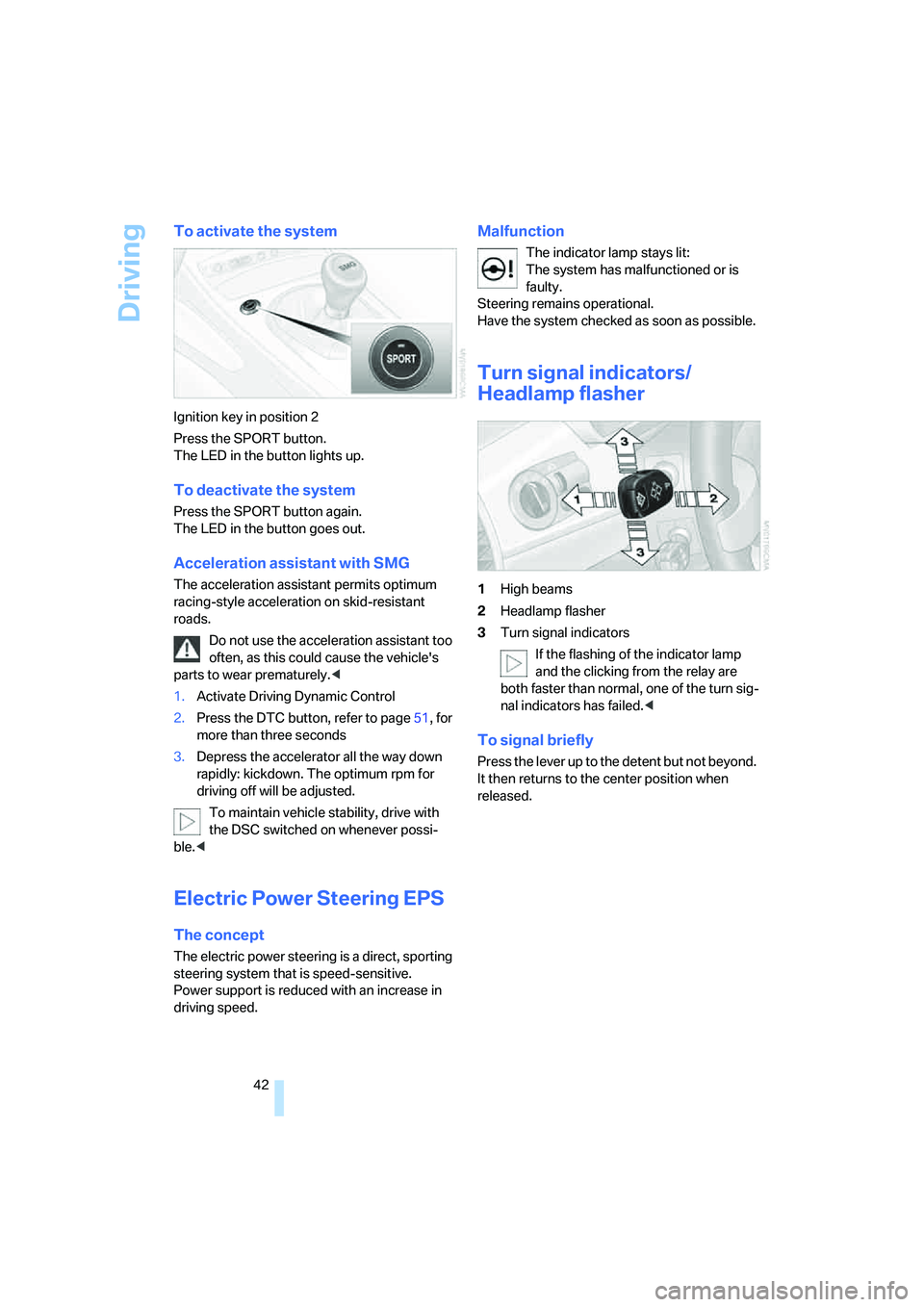
To activate the system
Ignition key in position 2
Press the SPORT button.
The LED in the button lights up.
To deactivate the system
Press the SPORT button again.
The LED in the button goes out.
Acceleration assistant with SMG
The acceleration assistant permits optimum
racing-style acceleration on skid-resistant
roads.
Do not use the acceleration assistant too
often, as this could cause the vehicle's
parts to wear prematurely.<
1.Activate Driving Dynamic Control
2.Press the DTC button, refer to page51, for
more than three seconds
3.Depress the accelerator all the way down
rapidly: kickdown. The optimum rpm for
driving off will be adjusted.
To maintain vehicle stability, drive with
the DSC switched on whenever possi-
ble.<
Electric Power Steering EPS
The concept
The electric power steering is a direct, sporting
steering system that is speed-sensitive.
Power support is reduced with an increase in
driving speed.
Malfunction
The indicator lamp stays lit:
The system has malfunctioned or is
faulty.
Steering remains operational.
Have the system checked as soon as possible.
Turn signal indicators/
Headlamp flasher
1High beams
2Headlamp flasher
3Turn signal indicators
If the flashing of the indicator lamp
and the clicking from the relay are
both faster than normal, one of the turn sig-
nal indicators has failed.<
To signal briefly
Press the lever up to the detent but not beyond.
It then returns to the center position when
released.
Page 45 of 120
Reference
At a glance
Controls
Driving tips
Mobility
43
Washer/wiper system
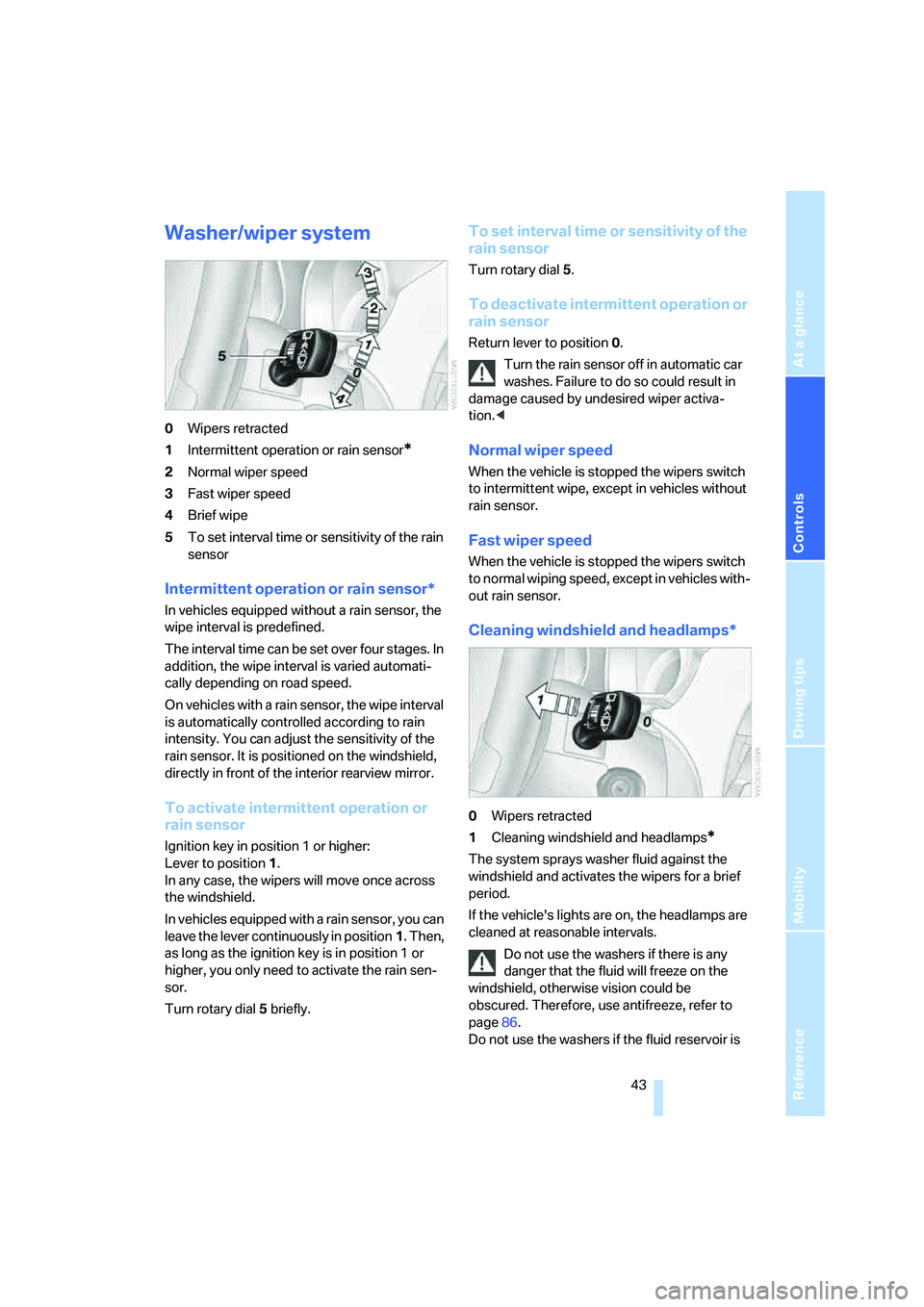
0Wipers retracted
1Intermittent operation or rain sensor
*
2Normal wiper speed
3Fast wiper speed
4Brief wipe
5To set interval time or sensitivity of the rain
sensor
Intermittent operation or rain sensor*
In vehicles equipped without a rain sensor, the
wipe interval is predefined.
The interval time can be set over four stages. In
addition, the wipe interval is varied automati-
cally depending on road speed.
On vehicles with a rain sensor, the wipe interval
is automatically controlled according to rain
intensity. You can adjust the sensitivity of the
rain sensor. It is positioned on the windshield,
directly in front of the interior rearview mirror.
To activate intermittent operation or
rain sensor
Ignition key in position 1 or higher:
Lever to position 1.
In any case, the wipers will move once across
the windshield.
In vehicles equipped with a rain sensor, you can
leave the lever continuously in position1. Then,
as long as the ignition key is in position 1 or
higher, you only need to activate the rain sen-
sor.
Turn rotary dial5 briefly.
To set interval time or sensitivity of the
rain sensor
Turn rotary dial 5.
To deactivate intermittent operation or
rain sensor
Return lever to position 0.
Turn the rain sensor off in automatic car
washes. Failure to do so could result in
damage caused by undesired wiper activa-
tion.<
Normal wiper speed
When the vehicle is stopped the wipers switch
to intermittent wipe, except in vehicles without
rain sensor.
Fast wiper speed
When the vehicle is stopped the wipers switch
to normal wiping speed, except in vehicles with-
out rain sensor.
Cleaning windshield and headlamps*
0Wipers retracted
1Cleaning windshield and headlamps
*
The system sprays washer fluid against the
windshield and activates the wipers for a brief
period.
If the vehicle's lights are on, the headlamps are
cleaned at reasonable intervals.
Do not use the washers if there is any
danger that the fluid will freeze on the
windshield, otherwise vision could be
obscured. Therefore, use antifreeze, refer to
page86.
Do not use the washers if the fluid reservoir is
Page 48 of 120
Everything under control
46
Everything under control
Odometer
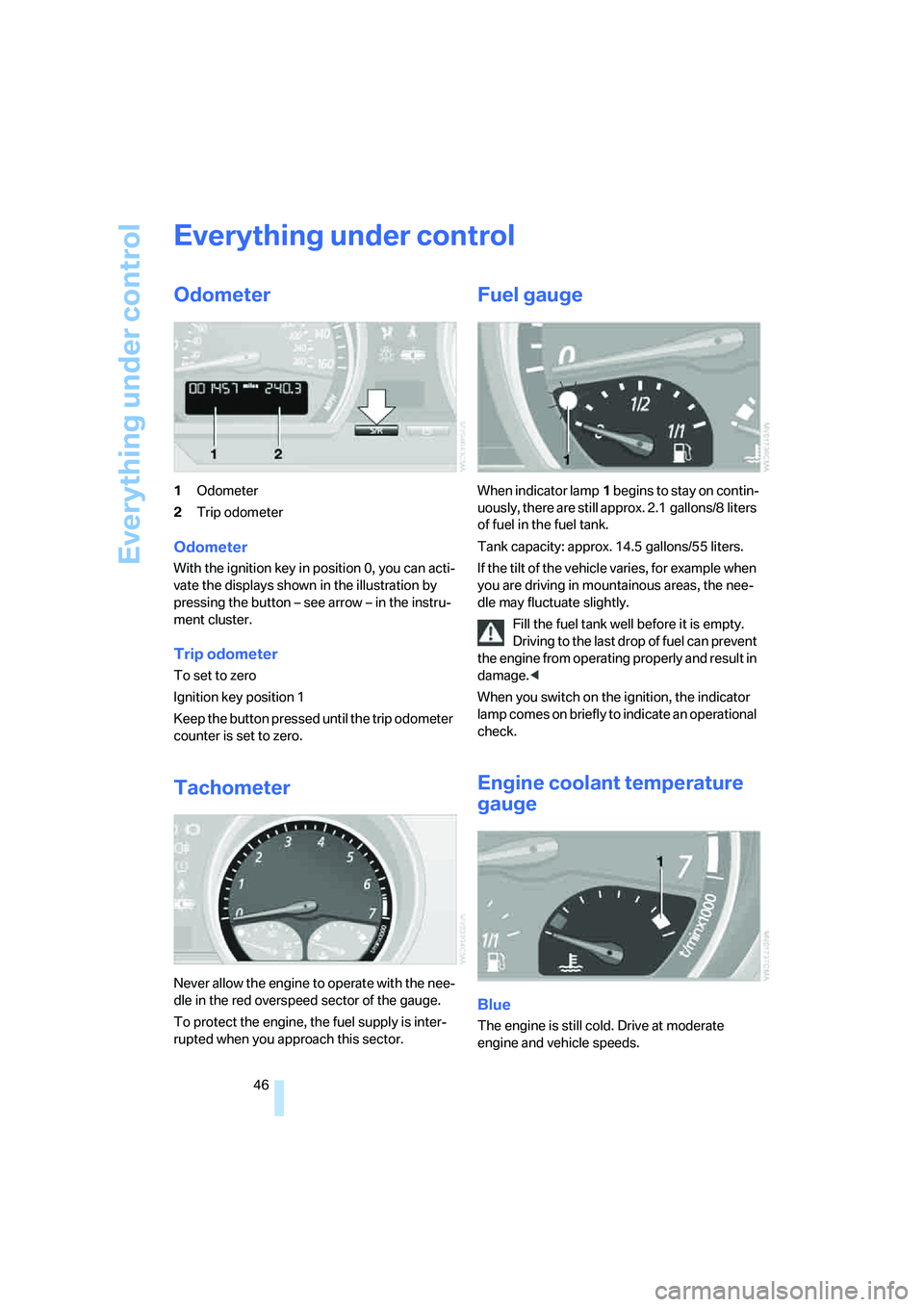
1Odometer
2Trip odometer
Odometer
With the ignition key in position 0, you can acti-
vate the displays shown in the illustration by
pressing the button – see arrow – in the instru-
ment cluster.
Trip odometer
To set to zero
Ignition key position 1
Keep the button pressed until the trip odometer
counter is set to zero.
Tachometer
Never allow the engine to operate with the nee-
dle in the red overspeed sector of the gauge.
To protect the engine, the fuel supply is inter-
rupted when you approach this sector.
Fuel gauge
When indicator lamp1 begins to stay on contin-
uously, there are still approx. 2.1 gallons/8 liters
of fuel in the fuel tank.
Tank capacity: approx. 14.5 gallons/55 liters.
If the tilt of the vehicle varies, for example when
you are driving in mountainous areas, the nee-
dle may fluctuate slightly.
Fill the fuel tank well before it is empty.
Driving to the last drop of fuel can prevent
the engine from operating properly and result in
damage.<
When you switch on the ignition, the indicator
lamp comes on briefly to indicate an operational
check.
Engine coolant temperature
gauge
Blue
The engine is still cold. Drive at moderate
engine and vehicle speeds.