light BMW Z4 2.5I 2005 Owner's Manual
[x] Cancel search | Manufacturer: BMW, Model Year: 2005, Model line: Z4 2.5I, Model: BMW Z4 2.5I 2005Pages: 120, PDF Size: 3.82 MB
Page 52 of 120
Technology for safety and driving convenience
50
Technology for safety and driving
convenience
Driving stability control
systems
Your BMW is equipped with a series of systems
that help maintain driving stability even in
adverse driving situations.
Antilock Brake System ABS
ABS keeps the wheels from locking during
braking. Steering stability is maintained even
during full brake applications. In this way, active
safety is enhanced.
ABS is operational each time the engine is
started. Braking safely, refer to page69.
Electronic brake-force distribution
The system controls brake-force application at
the rear wheels in order to obtain increased sta-
bility in the vehicle's braking response.
Dynamic Brake Control DBC
When the brake pedal is depressed quickly, this
system automatically supplies maximum brake-
servo boost, thereby helping to keep the vehi-
cle's braking distance as short as possible dur-
ing full brake applications. At the same time, the
benefits of the ABS are also exploited.
As long as you are braking, do not reduce pres-
sure on the brake pedal. When the brake pedal
is released, the DBC is switched off.
Dynamic Stability Control DSC
DSC prevents slip at the drive wheels while
starting off and accelerating the vehicle. DSC
also recognizes unstable vehicle conditions,
such as fishtailing or nose-diving. In these
cases, and subject to physical limits, DSC helps
to keep the vehicle on a steady course by
reducing engine speed and by applying brakes
at individual wheels.The laws of physics cannot be repealed
even with DSC. It will always be the
driver's responsibility to drive in a manner that
matches road conditions. Therefore, do not
limit the additional safety margin by practicing
risky driving.<
Dynamic Traction Control DTC
DTC is a variant of the DSC in which forward
momentum is optimized for special road condi-
tions, e.g. snow-covered roads that have not
yet been cleared. The system ensures maxi-
mum forward momentum, but driving stability is
limited. Therefore, drive carefully in accordance
with conditions.
In the following exceptional circumstances, it
may be effective to activate the DTC for a short
period:
>When driving on snow-covered grades, in
slush or on uncleared, snow-covered roads
>When rocking the vehicle or starting off in
deep snow or on loose surfaces
>When driving with snow chains.
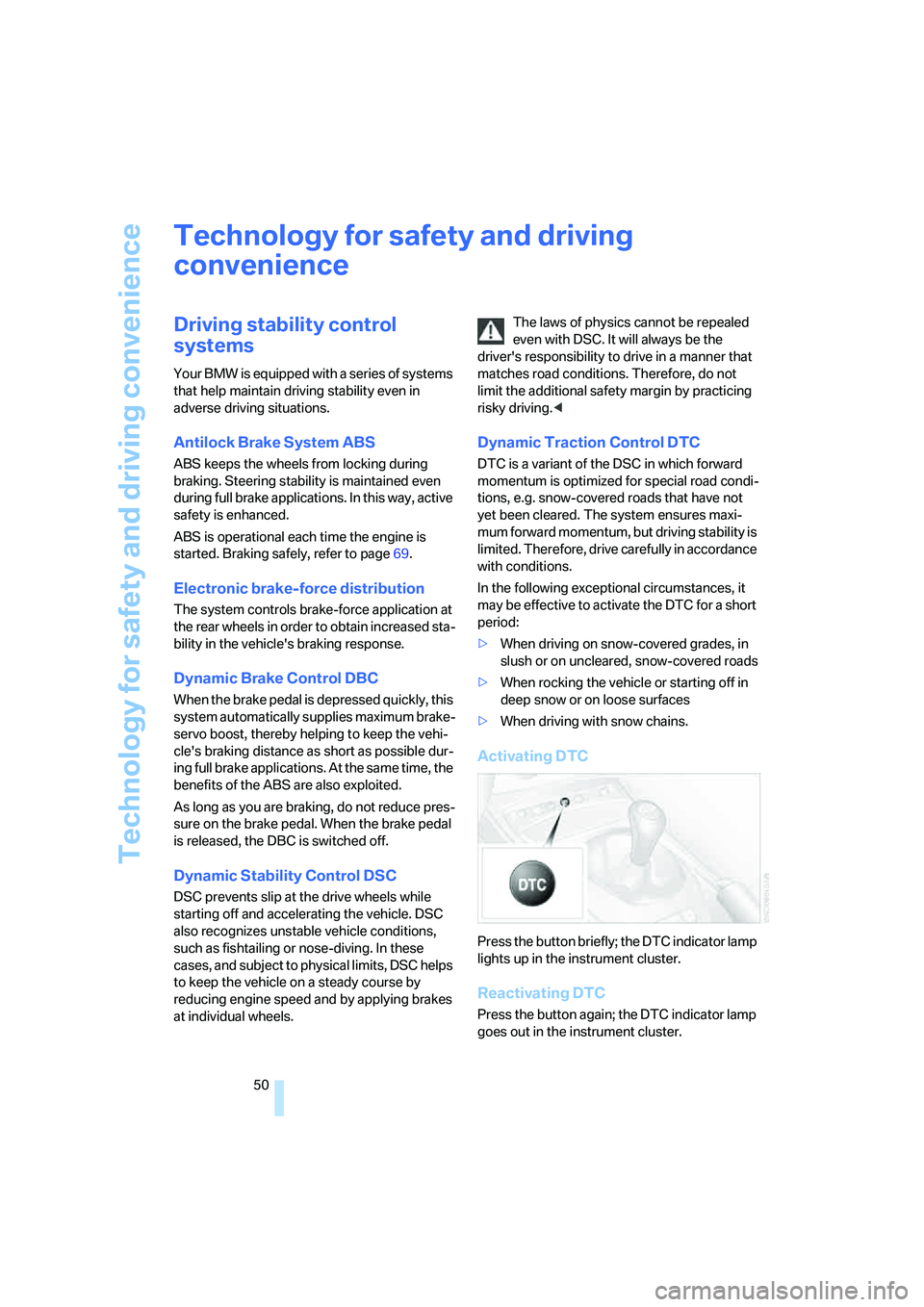
Activating DTC
Press the button briefly; the DTC indicator lamp
lights up in the instrument cluster.
Reactivating DTC
Press the button again; the DTC indicator lamp
goes out in the instrument cluster.
Page 53 of 120
Reference
At a glance
Controls
Driving tips
Mobility
51
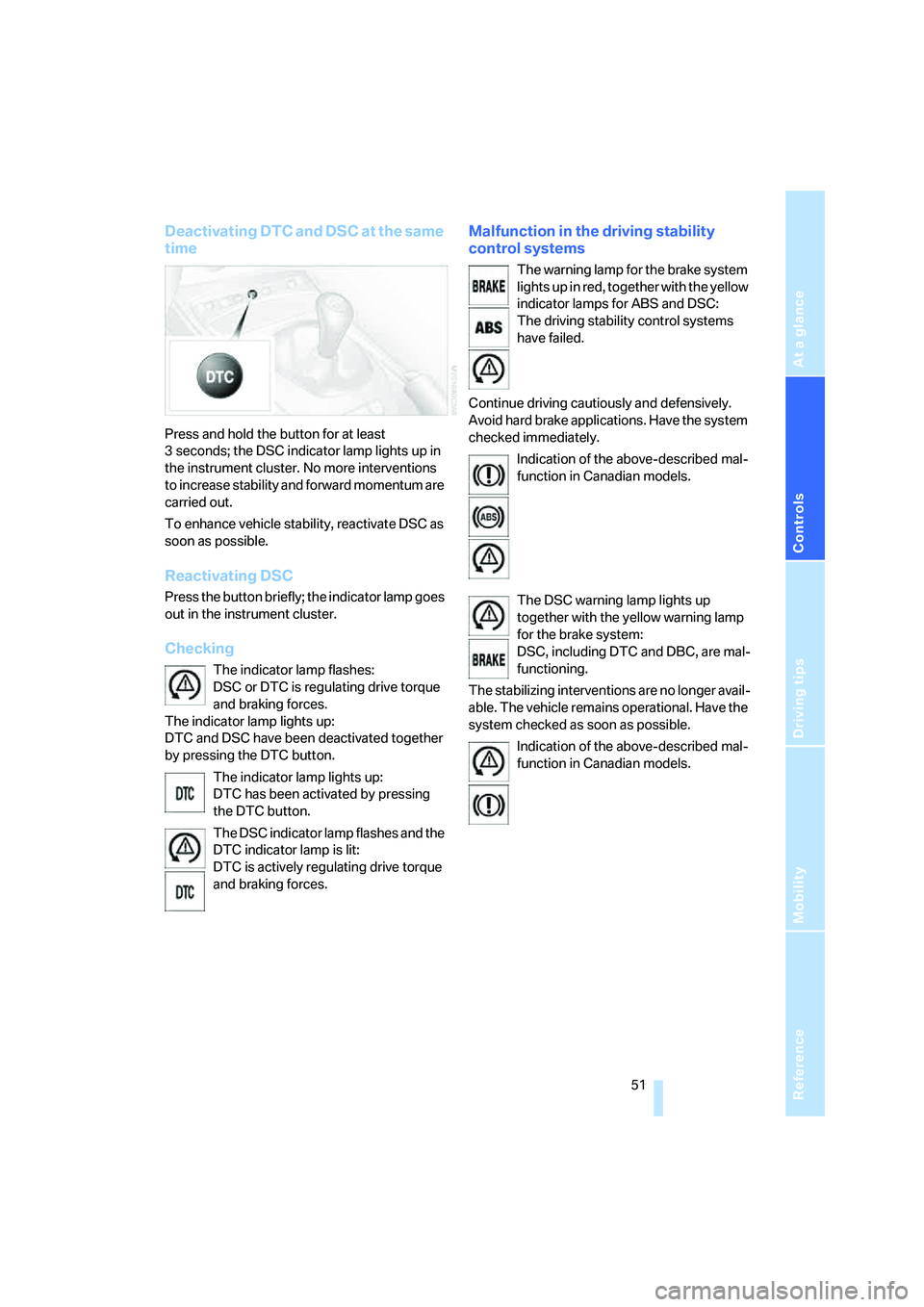
Deactivating DTC and DSC at the same
time
Press and hold the button for at least
3 seconds; the DSC indicator lamp lights up in
the instrument cluster. No more interventions
to increase stability and forward momentum are
carried out.
To enhance vehicle stability, reactivate DSC as
soon as possible.
Reactivating DSC
Press the button briefly; the indicator lamp goes
out in the instrument cluster.
Checking
The indicator lamp flashes:
DSC or DTC is regulating drive torque
and braking forces.
The indicator lamp lights up:
DTC and DSC have been deactivated together
by pressing the DTC button.
The indicator lamp lights up:
DTC has been activated by pressing
the DTC button.
The DSC indicator lamp flashes and the
DTC indicator lamp is lit:
DTC is actively regulating drive torque
and braking forces.
Malfunction in the driving stability
control systems
The warning lamp for the brake system
lights up in red, together with the yellow
indicator lamps for ABS and DSC:
The driving stability control systems
have failed.
Continue driving cautiously and defensively.
Avoid hard brake applications. Have the system
checked immediately.
Indication of the above-described mal-
function in Canadian models.
The DSC warning lamp lights up
together with the yellow warning lamp
for the brake system:
DSC, including DTC and DBC, are mal-
functioning.
The stabilizing interventions are no longer avail-
able. The vehicle remains operational. Have the
system checked as soon as possible.
Indication of the above-described mal-
function in Canadian models.
Page 54 of 120
Technology for safety and driving convenience
52
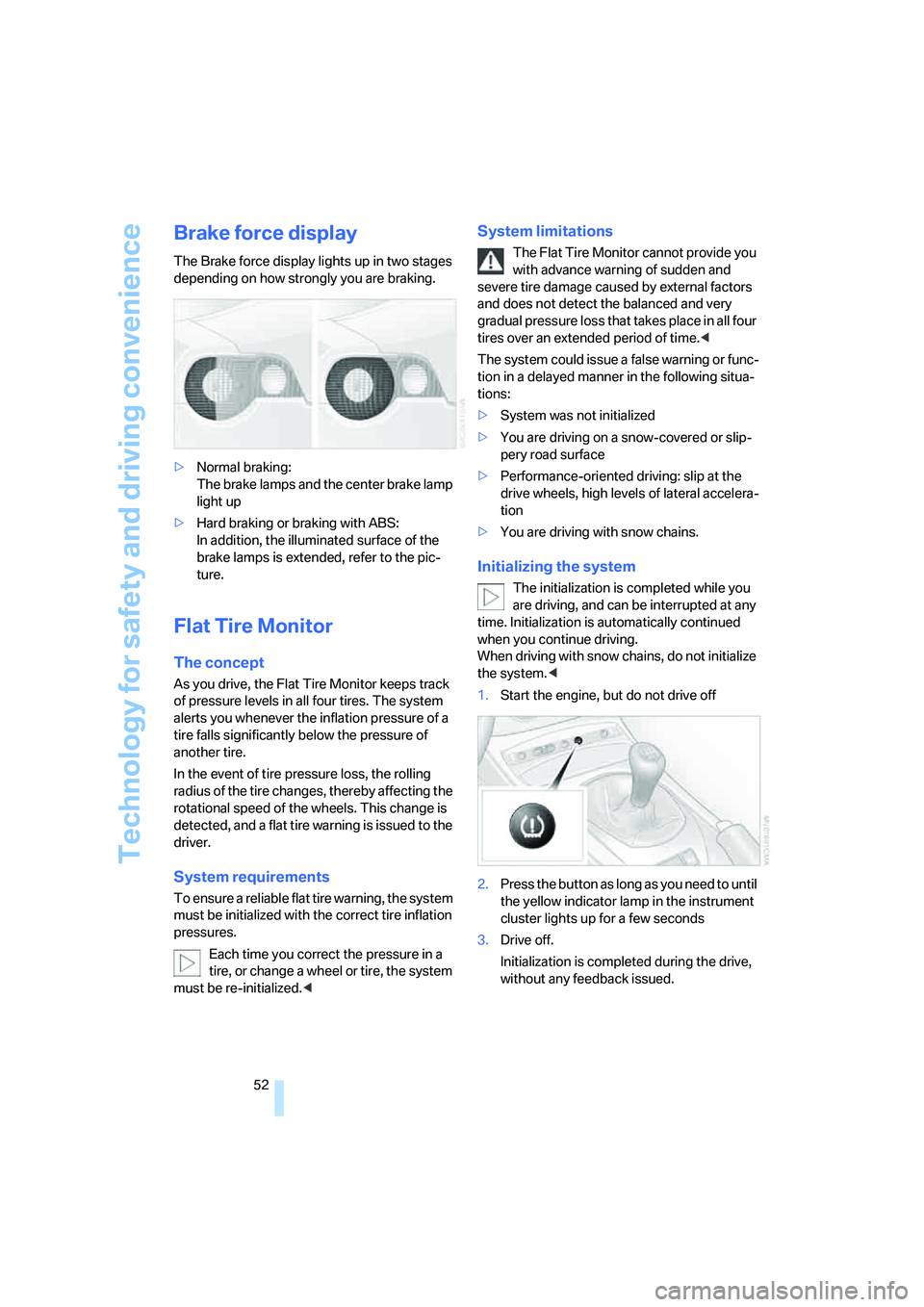
Brake force display
The Brake force display lights up in two stages
depending on how strongly you are braking.
>Normal braking:
The brake lamps and the center brake lamp
light up
>Hard braking or braking with ABS:
In addition, the illuminated surface of the
brake lamps is extended, refer to the pic-
ture.
Flat Tire Monitor
The concept
As you drive, the Flat Tire Monitor keeps track
of pressure levels in all four tires. The system
alerts you whenever the inflation pressure of a
tire falls significantly below the pressure of
another tire.
In the event of tire pressure loss, the rolling
radius of the tire changes, thereby affecting the
rotational speed of the wheels. This change is
detected, and a flat tire warning is issued to the
driver.
System requirements
To ensure a reliable flat tire warning, the system
must be initialized with the correct tire inflation
pressures.
Each time you correct the pressure in a
tire, or change a wheel or tire, the system
must be re-initialized.<
System limitations
The Flat Tire Monitor cannot provide you
with advance warning of sudden and
severe tire damage caused by external factors
and does not detect the balanced and very
gradual pressure loss that takes place in all four
tires over an extended period of time.<
The system could issue a false warning or func-
tion in a delayed manner in the following situa-
tions:
>System was not initialized
>You are driving on a snow-covered or slip-
pery road surface
>Performance-oriented driving: slip at the
drive wheels, high levels of lateral accelera-
tion
>You are driving with snow chains.
Initializing the system
The initialization is completed while you
are driving, and can be interrupted at any
time. Initialization is automatically continued
when you continue driving.
When driving with snow chains, do not initialize
the system.<
1.Start the engine, but do not drive off
2.Press the button as long as you need to until
the yellow indicator lamp in the instrument
cluster lights up for a few seconds
3.Drive off.
Initialization is completed during the drive,
without any feedback issued.
Page 55 of 120
Reference
At a glance
Controls
Driving tips
Mobility
53
Flat tire warning
The warning lamp in the instrument
cluster lights up in red. This visual alert
is accompanied by an acoustic warning
signal. There is a flat tire or a signficant loss of
tire pressure.
1.Carefully reduce your speed to under
50 mph / 80 km/h. Avoid strong braking and
steering maneuvers. Do not exceed a maxi-
mum speed of 50 mph / 80 km/h.
Do not continue driving if the vehicle
is not equipped with Run Flat tires,
refer to page82. If you continue to drive
with a flat tire, a serious accident could
result.<
2.Check the inflation pressure in all four tires
as soon as possible.
If the inflation pressure is correct in all
four tires, it is possible that the Flat
Tire Monitor was not initialized. In this case,
initialize the system.<
3.If there is a total loss of tire inflation pres-
sure, 0 psi/0 kilopascal, or obvious tire dam-
age, you can gauge the mileage for contin-
ued driving on the basis of the following
indications:
>With a light load:
1 person without luggage:
approx. 155 miles/250 km
>With a medium load:
1 person, luggage compartment full,
or
2 persons with luggage:
approx. 90 miles/150 km
>With a full load:
2 persons, luggage compartment full:
approx. 30 miles/50 km.
Drive cautiously. Do not exceed a speed
of 50 mph / 80 km/h. Driving characteris-
tics change if there is a loss of tire pressure.
This includes diminished track stability during
braking, longer braking distances and modified
steering. If unusual vibrations occur while driv-
ing, this can indicate a complete failure of the
damaged tire. Reduce your speed and pull over as soon as possible. Do not continue driving
and contact a BMW center.<
Malfunction
The indicator lamp in the instrument
cluster lights up yellow. The Flat Tire
Monitor is malfunctioning or out of
order. Have the system checked as soon as
possible.
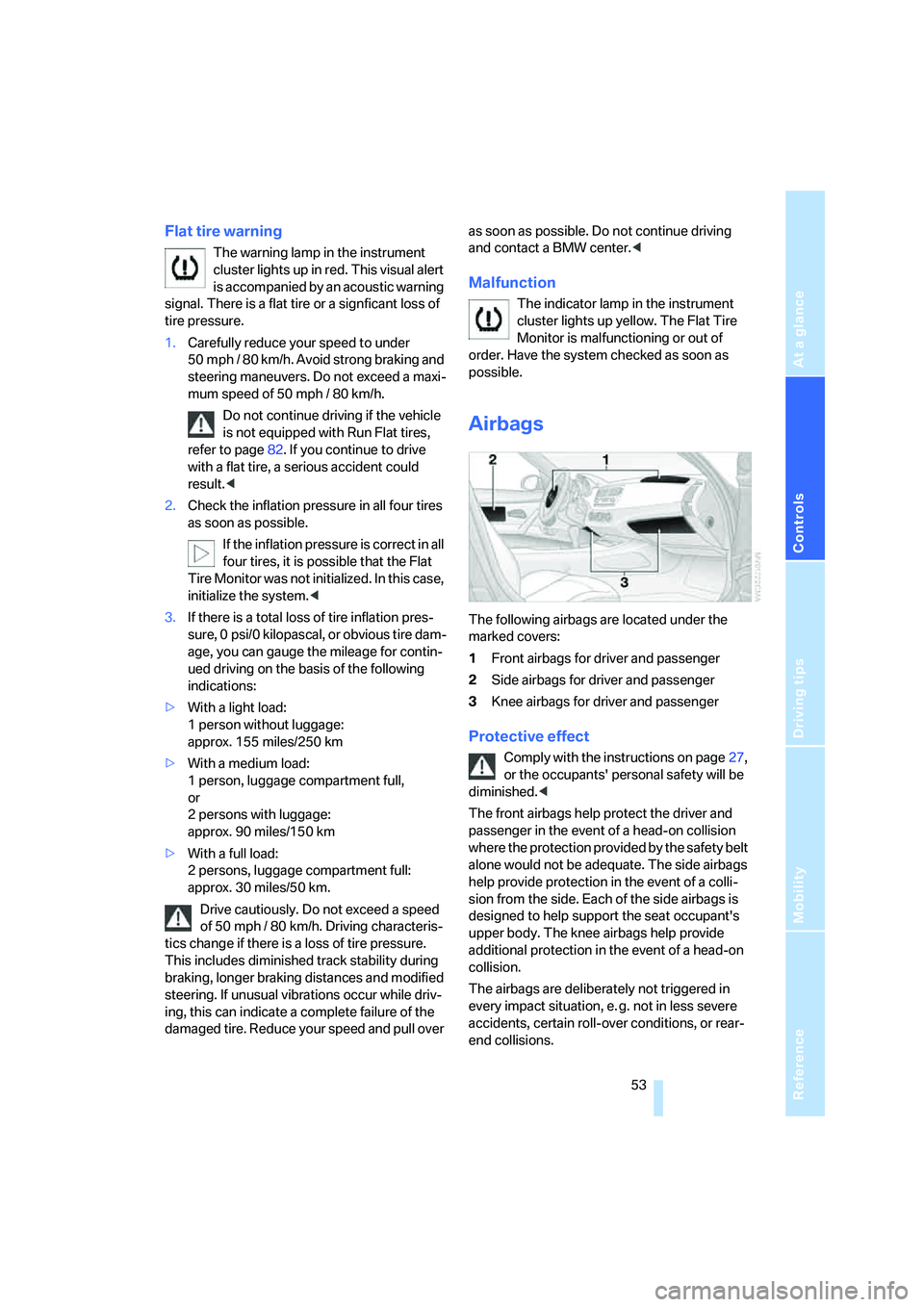
Airbags
The following airbags are located under the
marked covers:
1Front airbags for driver and passenger
2Side airbags for driver and passenger
3Knee airbags for driver and passenger
Protective effect
Comply with the instructions on page27,
or the occupants' personal safety will be
diminished.<
The front airbags help protect the driver and
passenger in the event of a head-on collision
where the protection provided by the safety belt
alone would not be adequate. The side airbags
help provide protection in the event of a colli-
sion from the side. Each of the side airbags is
designed to help support the seat occupant's
upper body. The knee airbags help provide
additional protection in the event of a head-on
collision.
The airbags are deliberately not triggered in
every impact situation, e. g. not in less severe
accidents, certain roll-over conditions, or rear-
end collisions.
Page 56 of 120
Technology for safety and driving convenience
54 For information on the correct seating position,
refer to page27.
Do not apply adhesive materials to the
cover panels of the airbags, cover them or
modify them in any other way. Do not attempt to
remove the airbag retention system from the
vehicle. Never modify or tamper with either the
wiring or the individual components in the air-
bag system. This category includes the uphol-
stery in the center of the steering wheel, on the
instrument panel, and the side trim panels on
the doors. Do not attempt to remove or disman-
tle the steering wheel.
Do not touch the individual components
directly after the system has been triggered,
because there is a danger of burns.
If you note any indication of system malfunc-
tion, if you desire to have an airbag deactivated,
or if the airbag retention system is triggered in
response to an accident, you should always
entrust all inspection, repair and dismantling
operations to your BMW center.
Unprofessional attempts to service the system
could lead to failure in an emergency or to
undesired airbag activation, either of which
could result in personal injury.
To ensure compliance with official safety regu-
lations, please also entrust disposal of airbag
generators to a BMW center.<
Airbag warning information is also provided on
the sun visors.
Automatic deactivation of the
passenger airbags
Before transporting a child on the pas-
senger seat be sure to observe the infor-
mation/instructions under Transporting chil-
dren safely, refer to page33.<
Your BMW has a seat occupation detection
system. By evaluating the weight on the pas-
senger's seat, the system detects whether or
not the seat is occupied by a child in the child-
restraint system or an adult.
>When a child is seated in the child-restraint
system or in an empty seat, the front, side
and knee airbags are automatically deacti-
vated on the passenger's side>When an adult is traveling in the passen-
ger's seat, the front, side and knee airbags
remain active on the passenger's side.
Although not desired, it can occur in the
case of heavier children that the passen-
ger airbags remain active or, in the case of very
light adults or young persons, that the passen-
ger airbags are deactivated. The condition of
the passenger airbag system will be shown by
the indicator lamp in the central console, refer
to Passenger airbag status lamp below. If the
indicator lamp indicates that the passenger air-
bags are active and you want them to be deac-
tivated, the airbags have to be deactivated with
the vehicle ignition key and the key switch on
the outer passenger's side of the instrument
panel. Apart from passengers, do not place any
additional objects on the passenger seat. Do
not fit seat covers, seat cushion padding, ball
mats or other items to the passenger seat
unless they are specifically recommended by
BMW. Do not place any items under the seat.
Otherwise, the function of the seat occupation
detection could be impaired.<
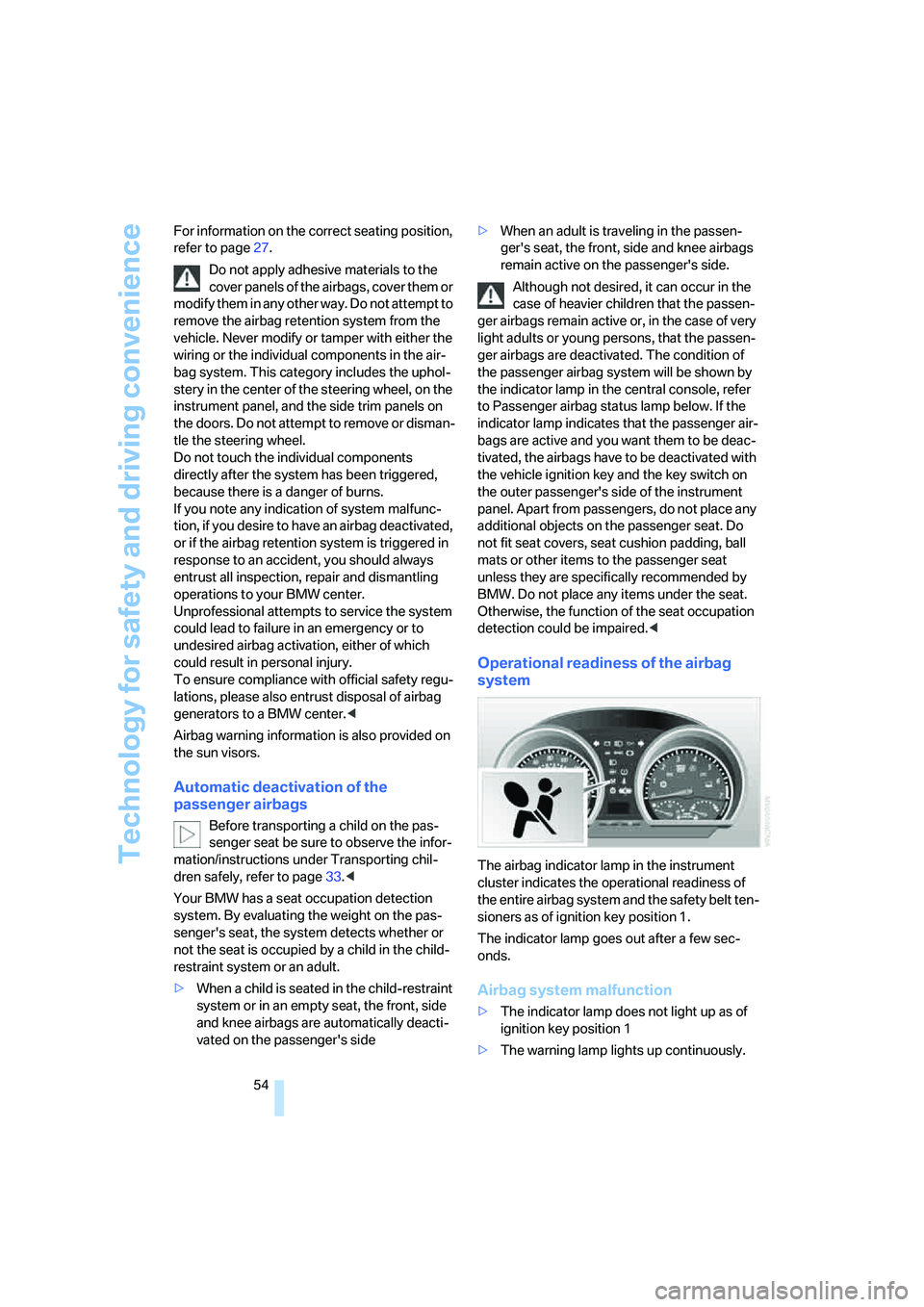
Operational readiness of the airbag
system
The airbag indicator lamp in the instrument
cluster indicates the operational readiness of
the entire airbag system and the safety belt ten-
sioners as of ignition key position 1.
The indicator lamp goes out after a few sec-
onds.
Airbag system malfunction
>The indicator lamp does not light up as of
ignition key position 1
>The warning lamp lights up continuously.
Page 58 of 120
Lamps
56
Lamps
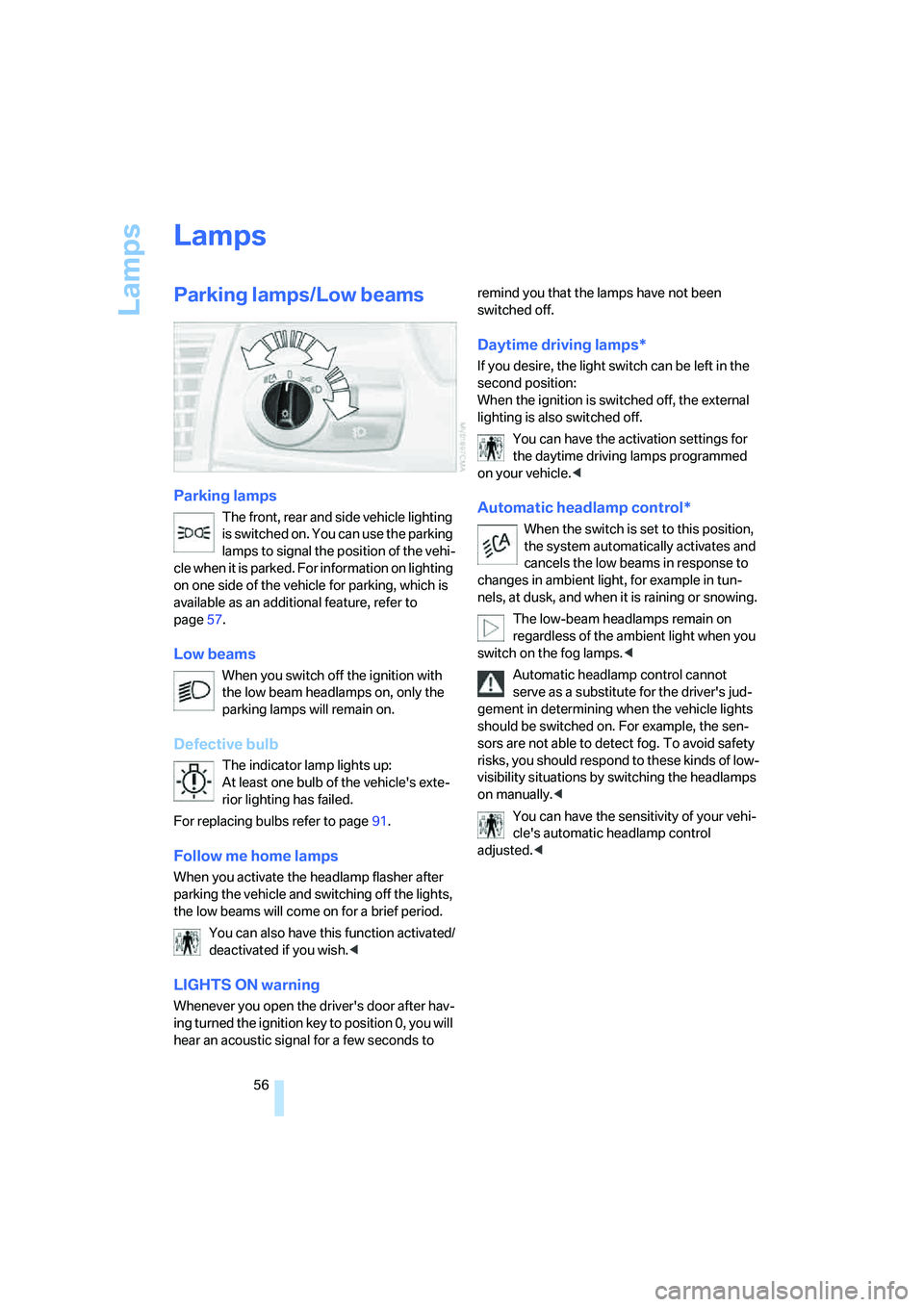
Parking lamps/Low beams
Parking lamps
The front, rear and side vehicle lighting
is switched on. You can use the parking
lamps to signal the position of the vehi-
cle when it is parked. For information on lighting
on one side of the vehicle for parking, which is
available as an additional feature, refer to
page57.
Low beams
When you switch off the ignition with
the low beam headlamps on, only the
parking lamps will remain on.
Defective bulb
The indicator lamp lights up:
At least one bulb of the vehicle's exte-
rior lighting has failed.
For replacing bulbs refer to page91.
Follow me home lamps
When you activate the headlamp flasher after
parking the vehicle and switching off the lights,
the low beams will come on for a brief period.
You can also have this function activated/
deactivated if you wish.<
LIGHTS ON warning
Whenever you open the driver's door after hav-
ing turned the ignition key to position 0, you will
hear an acoustic signal for a few seconds to remind you that the lamps have not been
switched off.
Daytime driving lamps*
If you desire, the light switch can be left in the
second position:
When the ignition is switched off, the external
lighting is also switched off.
You can have the activation settings for
the daytime driving lamps programmed
on your vehicle.<
Automatic headlamp control*
When the switch is set to this position,
the system automatically activates and
cancels the low beams in response to
changes in ambient light, for example in tun-
nels, at dusk, and when it is raining or snowing.
The low-beam headlamps remain on
regardless of the ambient light when you
switch on the fog lamps.<
Automatic headlamp control cannot
serve as a substitute for the driver's jud-
gement in determining when the vehicle lights
should be switched on. For example, the sen-
sors are not able to detect fog. To avoid safety
risks, you should respond to these kinds of low-
visibility situations by switching the headlamps
on manually.<
You can have the sensitivity of your vehi-
cle's automatic headlamp control
adjusted.<
Page 59 of 120
Reference
At a glance
Controls
Driving tips
Mobility
57
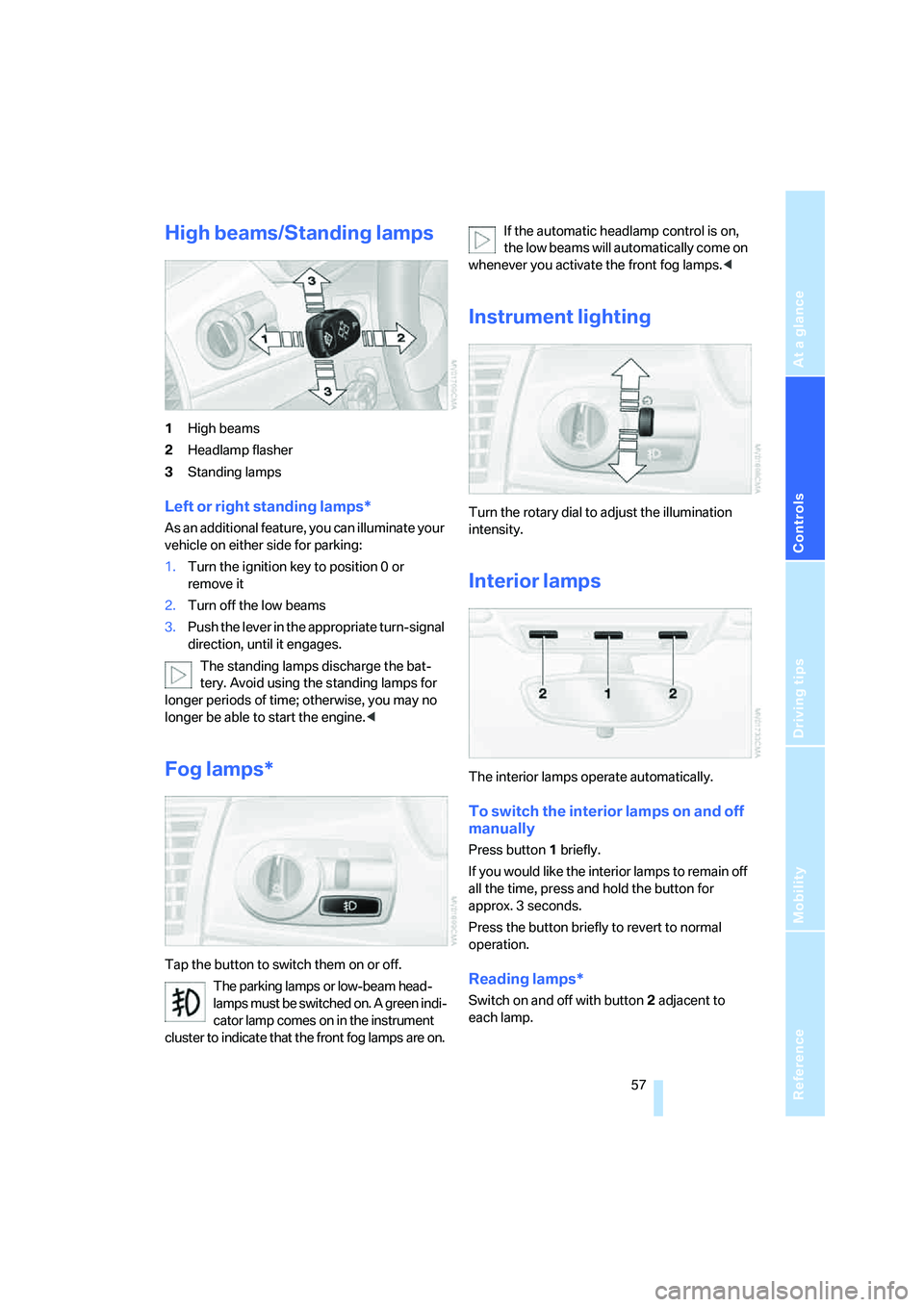
High beams/Standing lamps
1High beams
2Headlamp flasher
3Standing lamps
Left or right standing lamps*
As an additional feature, you can illuminate your
vehicle on either side for parking:
1.Turn the ignition key to position 0 or
remove it
2.Turn off the low beams
3.Push the lever in the appropriate turn-signal
direction, until it engages.
The standing lamps discharge the bat-
tery. Avoid using the standing lamps for
longer periods of time; otherwise, you may no
longer be able to start the engine.<
Fog lamps*
Tap the button to switch them on or off.
The parking lamps or low-beam head-
lamps must be switched on. A green indi-
cator lamp comes on in the instrument
cluster to indicate that the front fog lamps are on.If the automatic headlamp control is on,
the low beams will automatically come on
whenever you activate the front fog lamps.<
Instrument lighting
Turn the rotary dial to adjust the illumination
intensity.
Interior lamps
The interior lamps operate automatically.
To switch the interior lamps on and off
manually
Press button1 briefly.
If you would like the interior lamps to remain off
all the time, press and hold the button for
approx. 3 seconds.
Press the button briefly to revert to normal
operation.
Reading lamps*
Switch on and off with button2 adjacent to
each lamp.
Page 61 of 120
Reference
At a glance
Controls
Driving tips
Mobility
59
Air distribution
You can direct airflow onto the win-
dows , toward the upper body
and into the footwell . All interme-
diate settings are possible.
Air supply/blower
Turn the rotary control to adjust the
air supply. Both heating and ventila-
tion become more effective as the air
supply rate is increased.
Turn the rotary control toward zero:
The blower and the heating are turned off, and
the air supply is stopped.
Temperature
In order to increase the temperature
of the passenger compartment, turn
to the right toward the red zone.
Air conditioning
The air is cooled and dehumidified
and, depending on the temperature
setting, rewarmed.
Depending on the weather, the wind-
shield may fog over briefly when the engine is
started.
Condensation forms during operation of
the air conditioning system, which then
exits under the vehicle. Traces of condensed
water on the ground underneath the vehicle are
thus normal.<
Outside air/recirculated air mode
If there are unpleasant odors in the
outside air, you can temporarily block
the supply of incoming air. The sys-
tem then recirculates the air currently
within the vehicle.
If the windows fog over in the recirculated
air mode, switch this mode off and
increase the air supply as required. Do not use
the recirculated-air mode continuously over a
long period of time as this would otherwise
reduce the air quality in the interior of the vehi-
cle.<
Rear window defroster
The indicator lamp lights up when
the rear window defroster is active.
The rear window defroster switches
off automatically.
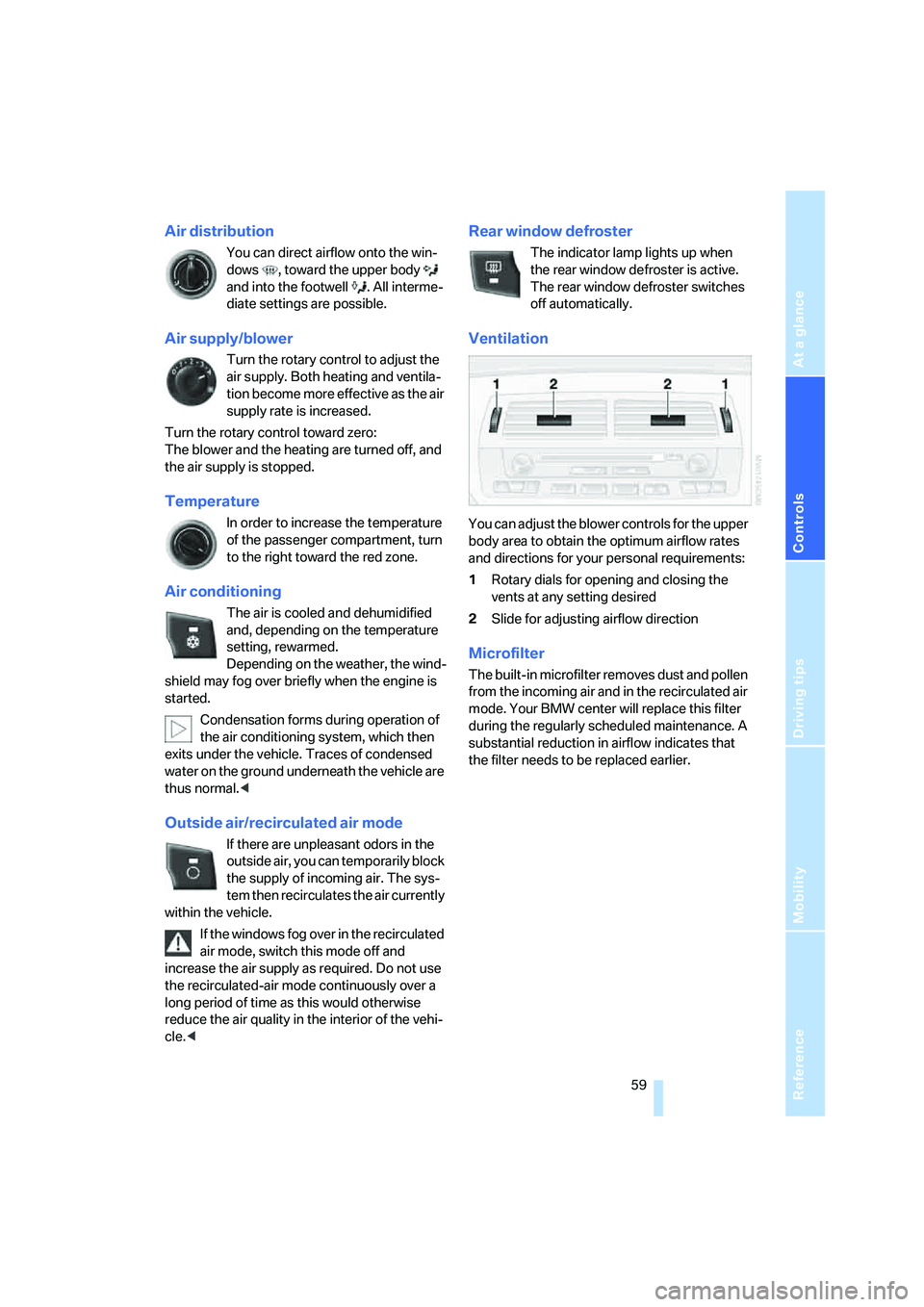
Ventilation
You can adjust the blower controls for the upper
body area to obtain the optimum airflow rates
and directions for your personal requirements:
1Rotary dials for opening and closing the
vents at any setting desired
2Slide for adjusting airflow direction
Microfilter
The built-in microfilter removes dust and pollen
from the incoming air and in the recirculated air
mode. Your BMW center will replace this filter
during the regularly scheduled maintenance. A
substantial reduction in airflow indicates that
the filter needs to be replaced earlier.
Page 64 of 120
Controlling the climate for pleasant driving
62
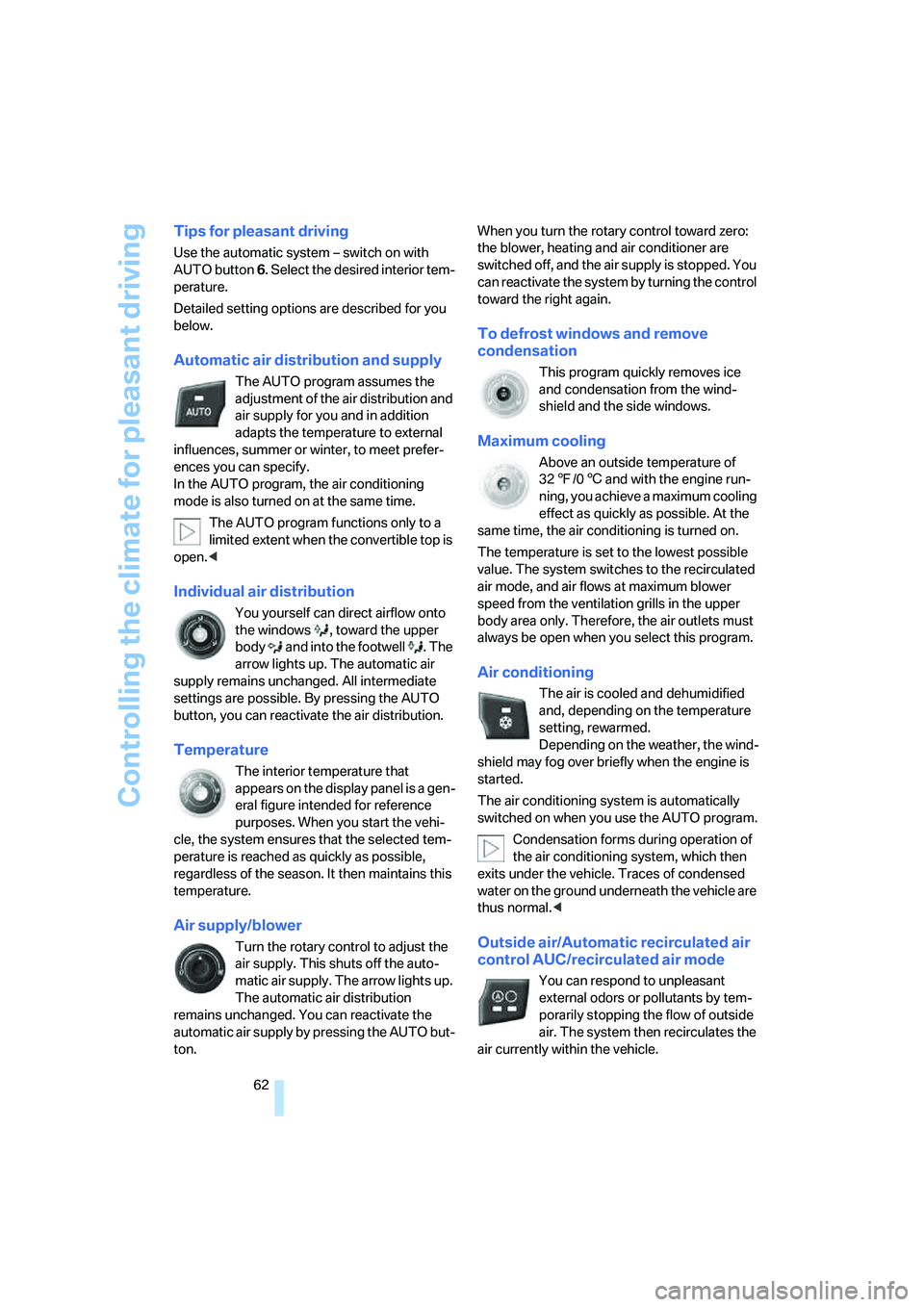
Tips for pleasant driving
Use the automatic system – switch on with
AUTO button 6. Select the desired interior tem-
perature.
Detailed setting options are described for you
below.
Automatic air distribution and supply
The AUTO program assumes the
adjustment of the air distribution and
air supply for you and in addition
adapts the temperature to external
influences, summer or winter, to meet prefer-
ences you can specify.
In the AUTO program, the air conditioning
mode is also turned on at the same time.
The AUTO program functions only to a
limited extent when the convertible top is
open.<
Individual air distribution
You yourself can direct airflow onto
the windows , toward the upper
body and into the footwell . The
arrow lights up. The automatic air
supply remains unchanged. All intermediate
settings are possible. By pressing the AUTO
button, you can reactivate the air distribution.
Temperature
The interior temperature that
appears on the display panel is a gen-
eral figure intended for reference
purposes. When you start the vehi-
cle, the system ensures that the selected tem-
perature is reached as quickly as possible,
regardless of the season. It then maintains this
temperature.
Air supply/blower
Turn the rotary control to adjust the
air supply. This shuts off the auto-
matic air supply. The arrow lights up.
The automatic air distribution
remains unchanged. You can reactivate the
automatic air supply by pressing the AUTO but-
ton.When you turn the rotary control toward zero:
the blower, heating and air conditioner are
switched off, and the air supply is stopped. You
can reactivate the system by turning the control
toward the right again.
To defrost windows and remove
condensation
This program quickly removes ice
and condensation from the wind-
shield and the side windows.
Maximum cooling
Above an outside temperature of
327/06 and with the engine run-
ning, you achieve a maximum cooling
effect as quickly as possible. At the
same time, the air conditioning is turned on.
The temperature is set to the lowest possible
value. The system switches to the recirculated
air mode, and air flows at maximum blower
speed from the ventilation grills in the upper
body area only. Therefore, the air outlets must
always be open when you select this program.
Air conditioning
The air is cooled and dehumidified
and, depending on the temperature
setting, rewarmed.
Depending on the weather, the wind-
shield may fog over briefly when the engine is
started.
The air conditioning system is automatically
switched on when you use the AUTO program.
Condensation forms during operation of
the air conditioning system, which then
exits under the vehicle. Traces of condensed
water on the ground underneath the vehicle are
thus normal.<
Outside air/Automatic recirculated air
control AUC/recirculated air mode
You can respond to unpleasant
external odors or pollutants by tem-
porarily stopping the flow of outside
air. The system then recirculates the
air currently within the vehicle.
Page 65 of 120
Reference
At a glance
Controls
Driving tips
Mobility
63
By repeatedly pressing the button, you can
select one of three different operating modes.
>Indicator lamps off: outside air flows into the
vehicle
>Left-hand indicator lamp on, AUC mode:
the system detects pollutants in the outside
air and responds by deactivating the out-
side airflow as required. The system then
recirculates the air currently within the vehi-
cle. Depending on air quality requirements,
the system automatically switches between
outside air supply and recirculation of the air
already within the vehicle
>Right-hand indicator lamp on: the flow of
outside air is permanently blocked. The
system recirculates the air already within
the vehicle.
If the windows fog over in the recirculated
air mode, switch this mode off and
increase the air supply as required. Do not use
the recirculated-air mode continuously over a
long period of time as this would otherwise
reduce the air quality in the interior of the vehi-
cle.<
Rear window defroster
The indicator lamp lights up when
the rear window defroster is active.
The rear window defroster switches
off automatically.
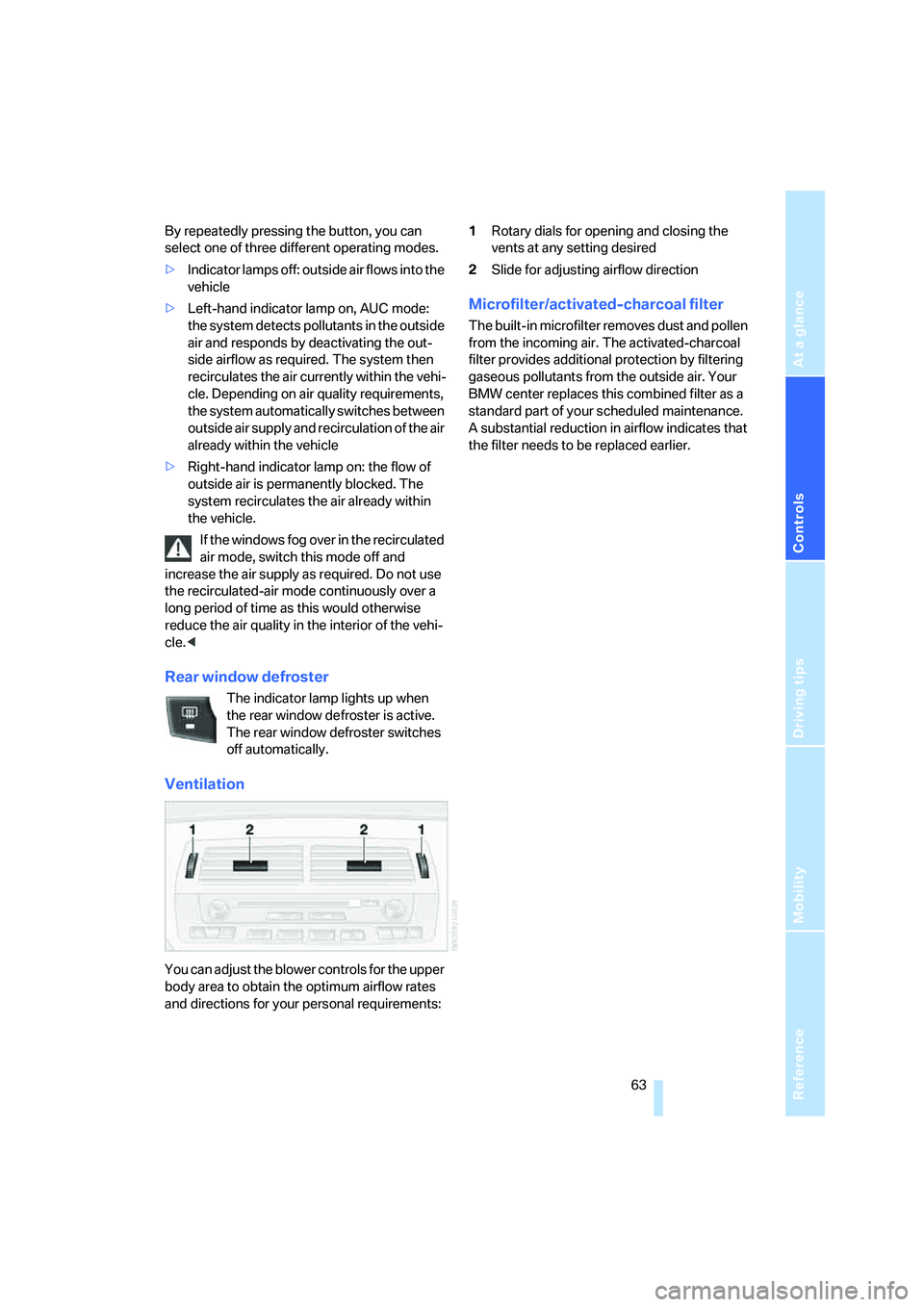
Ventilation
You can adjust the blower controls for the upper
body area to obtain the optimum airflow rates
and directions for your personal requirements:1Rotary dials for opening and closing the
vents at any setting desired
2Slide for adjusting airflow direction
Microfilter/activated-charcoal filter
The built-in microfilter removes dust and pollen
from the incoming air. The activated-charcoal
filter provides additional protection by filtering
gaseous pollutants from the outside air. Your
BMW center replaces this combined filter as a
standard part of your scheduled maintenance.
A substantial reduction in airflow indicates that
the filter needs to be replaced earlier.