ECU BMW Z4 2.5I 2005 Owners Manual
[x] Cancel search | Manufacturer: BMW, Model Year: 2005, Model line: Z4 2.5I, Model: BMW Z4 2.5I 2005Pages: 120, PDF Size: 3.82 MB
Page 3 of 120
Z4 2.5i
Z4 3.0iCongratulations, and thank you for choosing a BMW.
Thorough familiarity with your vehicle will provide you with
enhanced control and security when you drive it. Therefore, we
have one request:
Please take the time to read this Owner's Manual and familiarize
yourself with the information that we have compiled for you
before starting off in your new BMW. The manual contains
important data and instructions intended to assist you in obtain-
ing maximum satisfaction from your BMW's unique array of
advanced technical features. It also contains information on vehi-
cle maintenance designed to enhance operating safety while
simultaneously helping you to maintain your BMW's value
throughout an extended service life. For additional information
refer to the supplemental manuals.
This Owner's Manual should be considered a permanent part of
this vehicle. It should stay with the vehicle when sold to provide
the next owner with important operating, safety and maintenance
information.
We wish you an enjoyable driving experience.
BMW AG
Page 19 of 120
Reference
At a glance
Controls
Driving tips
Mobility
17
Press the button once to unlock the driver’s
door and the fuel filler door; press a second time
to disengage all vehicle locks.
Convenience opening mode
Keep the button pressed:
The windows and the fully automatic convert-
ible top are opened.
To lock and secure
Press the button.
The hazard warning flashers light up once.
If you wish, you can have this special fea-
ture activated/deactivated.<
To switch on the interior lamps
With the vehicle locked:
Press the button.
With this function, you can also search for your
vehicle when parked in an underground garage,
for instance.
To open the luggage compartment
Press button briefly.
The luggage compartment lid will open slightly,
regardless of whether it was locked or
unlocked.
Before and after a trip, be sure that the
luggage compartment lid has not been
opened unintentionally.<
Panic mode*
By pressing and holding button for more
than approx. two seconds, you can trigger the
alarm systems
* in response to any impending
danger.
To switch off the alarm: press any of the but-
tons.
Malfunction
Local radio waves can impede the functioning
of the remote control.
Should this occur, open and close the vehicle
using the master key in either a door or the lug-
gage compartment lock.If it is no longer possible to lock the vehicle with
the remote control, the battery is discharged.
Use this remote control key while driving for an
extended period in order to recharge the bat-
tery, refer to page16.
For US owners only
The transmitter and receiver units comply with
part 15 of the FCC, Federal Communications
Commission, regulations. Operation is gov-
erned by the following:
FCC ID: LX8EWS
LX8FZVS
LX8FZVE
Compliance statement:
This device complies with part 15 of the FCC
Rules. Operation is subject to the following two
conditions:
>This device may not cause harmful interfer-
ence, and
>this device must accept any interference
received, including interference that may
cause undesired operation.
Any unauthorized modifications to these
devices could void the user's authority to
operate the equipment.<
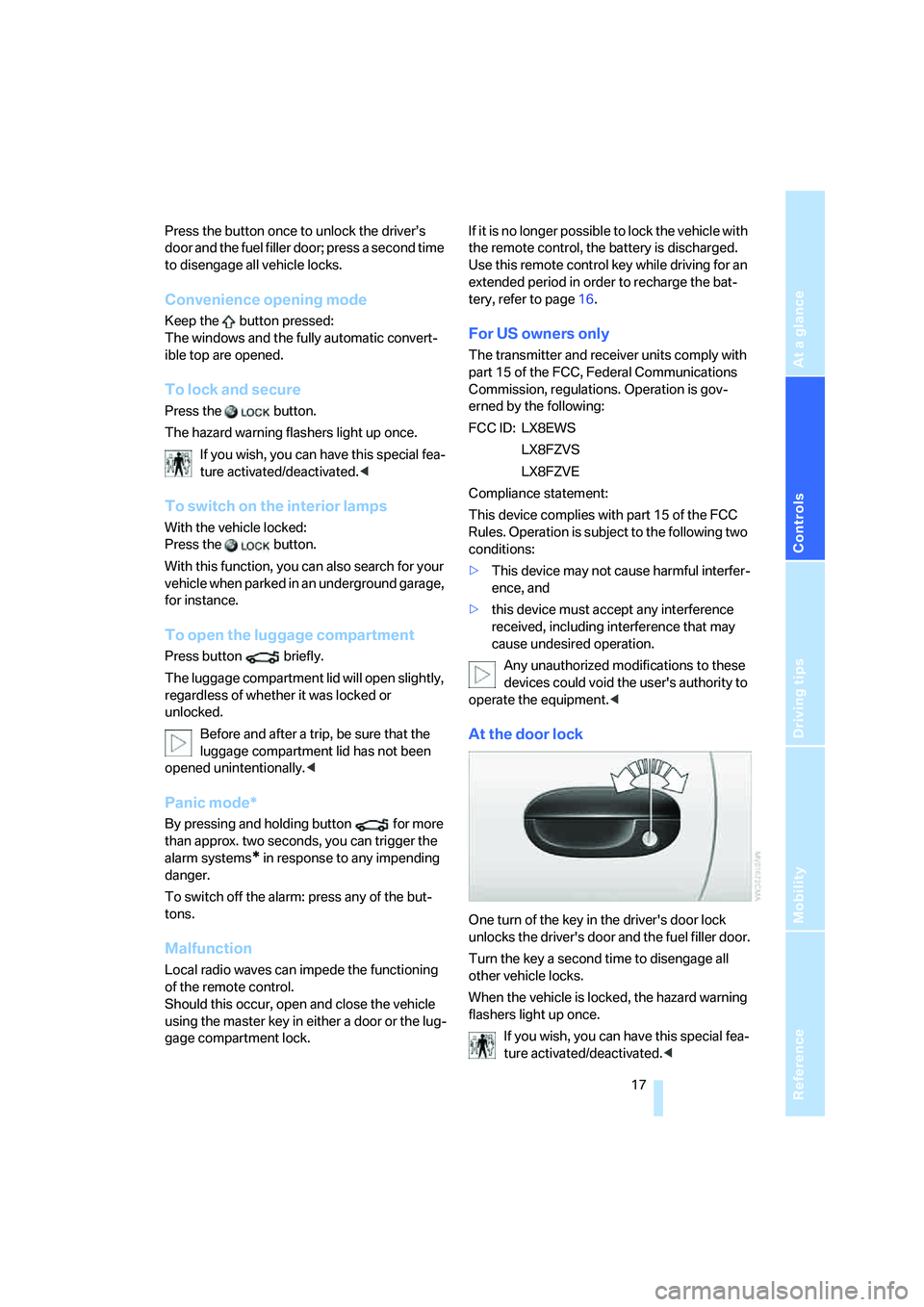
At the door lock
One turn of the key in the driver's door lock
unlocks the driver's door and the fuel filler door.
Turn the key a second time to disengage all
other vehicle locks.
When the vehicle is locked, the hazard warning
flashers light up once.
If you wish, you can have this special fea-
ture activated/deactivated.<
Page 27 of 120
Reference
At a glance
Controls
Driving tips
Mobility
25
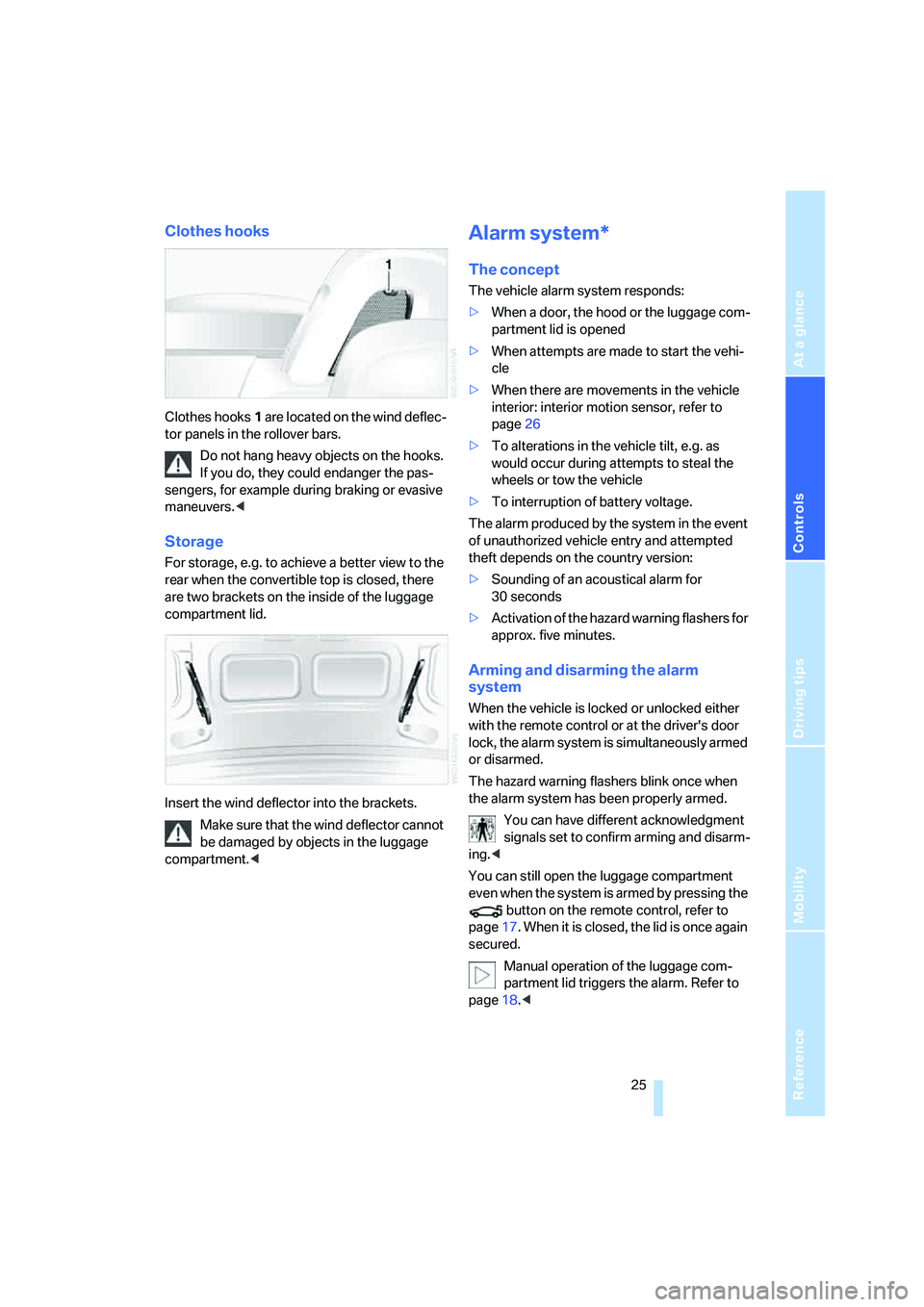
Clothes hooks
Clothes hooks1 are located on the wind deflec-
tor panels in the rollover bars.
Do not hang heavy objects on the hooks.
If you do, they could endanger the pas-
sengers, for example during braking or evasive
maneuvers.<
Storage
For storage, e.g. to achieve a better view to the
rear when the convertible top is closed, there
are two brackets on the inside of the luggage
compartment lid.
Insert the wind deflector into the brackets.
Make sure that the wind deflector cannot
be damaged by objects in the luggage
compartment.<
Alarm system*
The concept
The vehicle alarm system responds:
>When a door, the hood or the luggage com-
partment lid is opened
>When attempts are made to start the vehi-
cle
>When there are movements in the vehicle
interior: interior motion sensor, refer to
page26
>To alterations in the vehicle tilt, e.g. as
would occur during attempts to steal the
wheels or tow the vehicle
>To interruption of battery voltage.
The alarm produced by the system in the event
of unauthorized vehicle entry and attempted
theft depends on the country version:
>Sounding of an acoustical alarm for
30 seconds
>Activation of the hazard warning flashers for
approx. five minutes.
Arming and disarming the alarm
system
When the vehicle is locked or unlocked either
with the remote control or at the driver's door
lock, the alarm system is simultaneously armed
or disarmed.
The hazard warning flashers blink once when
the alarm system has been properly armed.
You can have different acknowledgment
signals set to confirm arming and disarm-
ing.<
You can still open the luggage compartment
even when the system is armed by pressing the
button on the remote control, refer to
page17. When it is closed, the lid is once again
secured.
Manual operation of the luggage com-
partment lid triggers the alarm. Refer to
page18.<
Page 28 of 120
Opening and closing
26
Stopping the alarm
>Unlock the vehicle with the remote control,
refer to page16
>or turn the ignition key to position 1, refer to
page36.
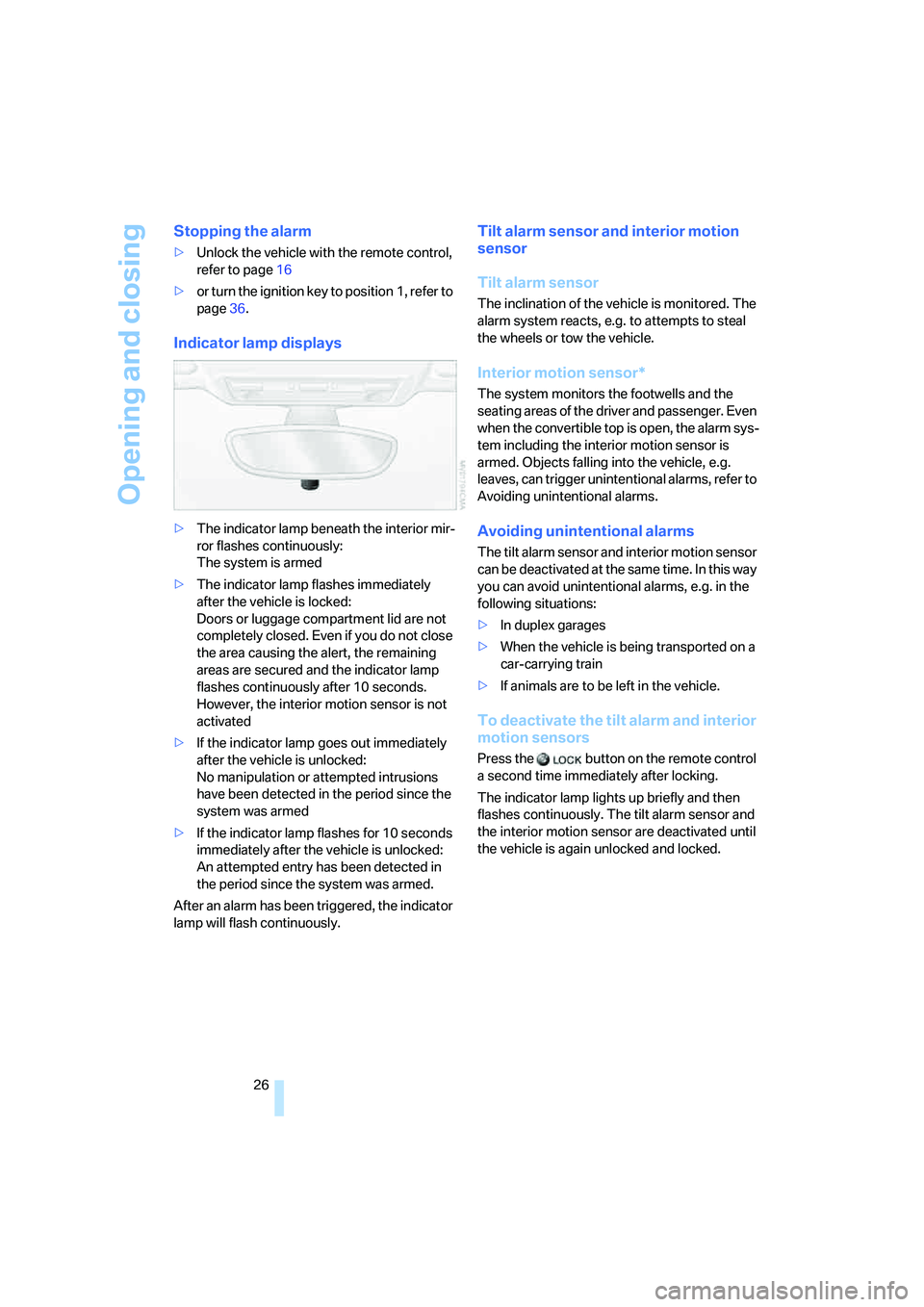
Indicator lamp displays
>The indicator lamp beneath the interior mir-
ror flashes continuously:
The system is armed
>The indicator lamp flashes immediately
after the vehicle is locked:
Doors or luggage compartment lid are not
completely closed. Even if you do not close
the area causing the alert, the remaining
areas are secured and the indicator lamp
flashes continuously after 10 seconds.
However, the interior motion sensor is not
activated
>If the indicator lamp goes out immediately
after the vehicle is unlocked:
No manipulation or attempted intrusions
have been detected in the period since the
system was armed
>If the indicator lamp flashes for 10 seconds
immediately after the vehicle is unlocked:
An attempted entry has been detected in
the period since the system was armed.
After an alarm has been triggered, the indicator
lamp will flash continuously.
Tilt alarm sensor and interior motion
sensor
Tilt alarm sensor
The inclination of the vehicle is monitored. The
alarm system reacts, e.g. to attempts to steal
the wheels or tow the vehicle.
Interior motion sensor*
The system monitors the footwells and the
seating areas of the driver and passenger. Even
when the convertible top is open, the alarm sys-
tem including the interior motion sensor is
armed. Objects falling into the vehicle, e.g.
leaves, can trigger unintentional alarms, refer to
Avoiding unintentional alarms.
Avoiding unintentional alarms
The tilt alarm sensor and interior motion sensor
can be deactivated at the same time. In this way
you can avoid unintentional alarms, e.g. in the
following situations:
>In duplex garages
>When the vehicle is being transported on a
car-carrying train
>If animals are to be left in the vehicle.
To deactivate the tilt alarm and interior
motion sensors
Press the button on the remote control
a second time immediately after locking.
The indicator lamp lights up briefly and then
flashes continuously. The tilt alarm sensor and
the interior motion sensor are deactivated until
the vehicle is again unlocked and locked.
Page 30 of 120
Adjustments
28
Seats
Before adjusting your seat, always
observe the following precautions
Never try to adjust your seat while operat-
ing the vehicle. The seat could respond
with an unexpected movement, and the ensu-
ing loss of vehicle control could result in an
accident.
Never ride with the backrest inclined to an
extreme angle – this also applies to the passen-
ger seat. If you do, there is a risk that you will
slide under the safety belt in the event of an
accident, thus reducing the protection provided
by the safety belt.<
In addition, observe the instructions regarding
damaged safety belts on page30.
Seat adjustment
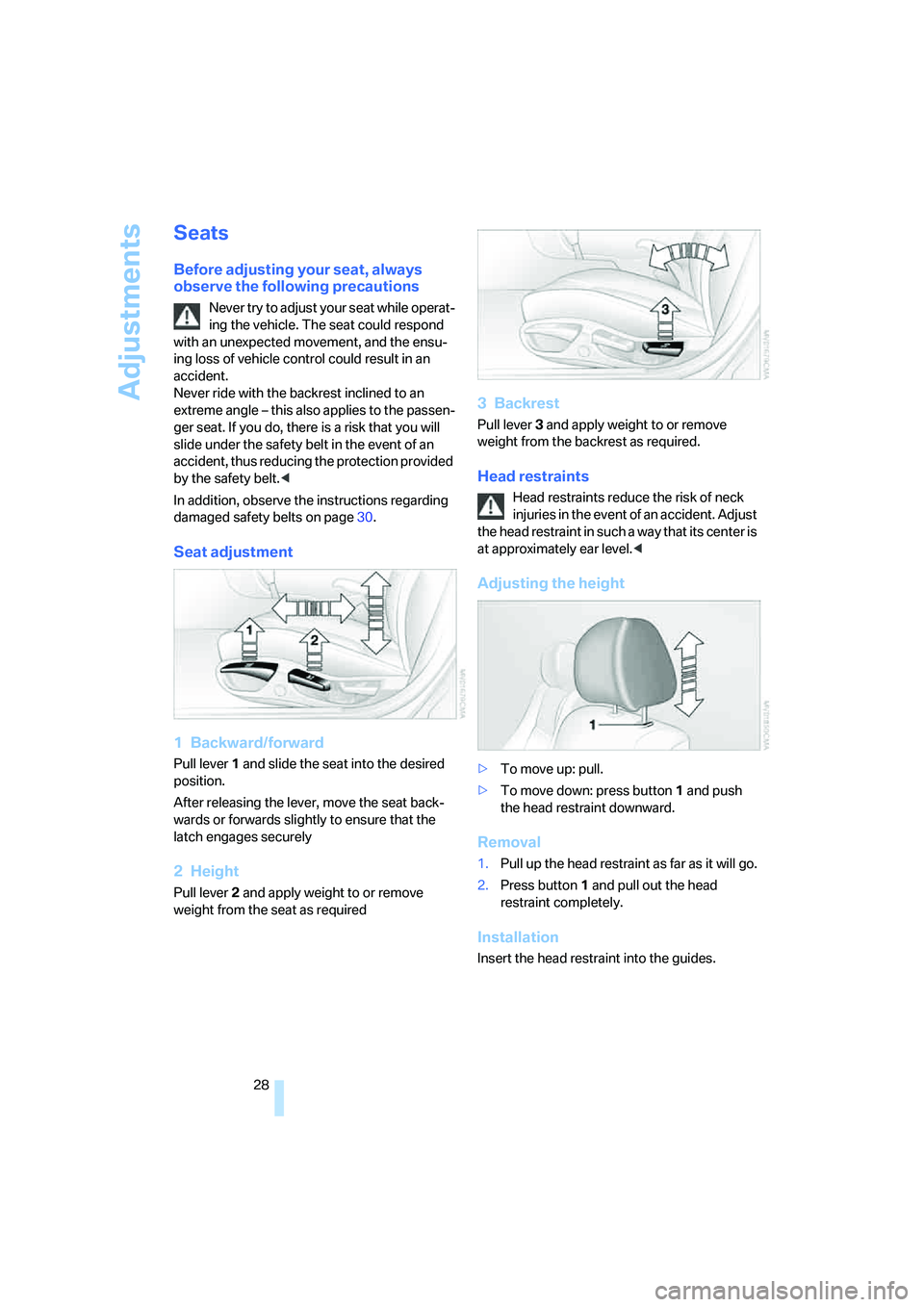
1 Backward/forward
Pull lever1 and slide the seat into the desired
position.
After releasing the lever, move the seat back-
wards or forwards slightly to ensure that the
latch engages securely
2Height
Pull lever 2 and apply weight to or remove
weight from the seat as required
3Backrest
Pull lever3 and apply weight to or remove
weight from the backrest as required.
Head restraints
Head restraints reduce the risk of neck
injuries in the event of an accident. Adjust
the head restraint in such a way that its center is
at approximately ear level.<
Adjusting the height
>To move up: pull.
>To move down: press button1 and push
the head restraint downward.
Removal
1.Pull up the head restraint as far as it will go.
2.Press button1 and pull out the head
restraint completely.
Installation
Insert the head restraint into the guides.
Page 36 of 120
Transporting children safely
34
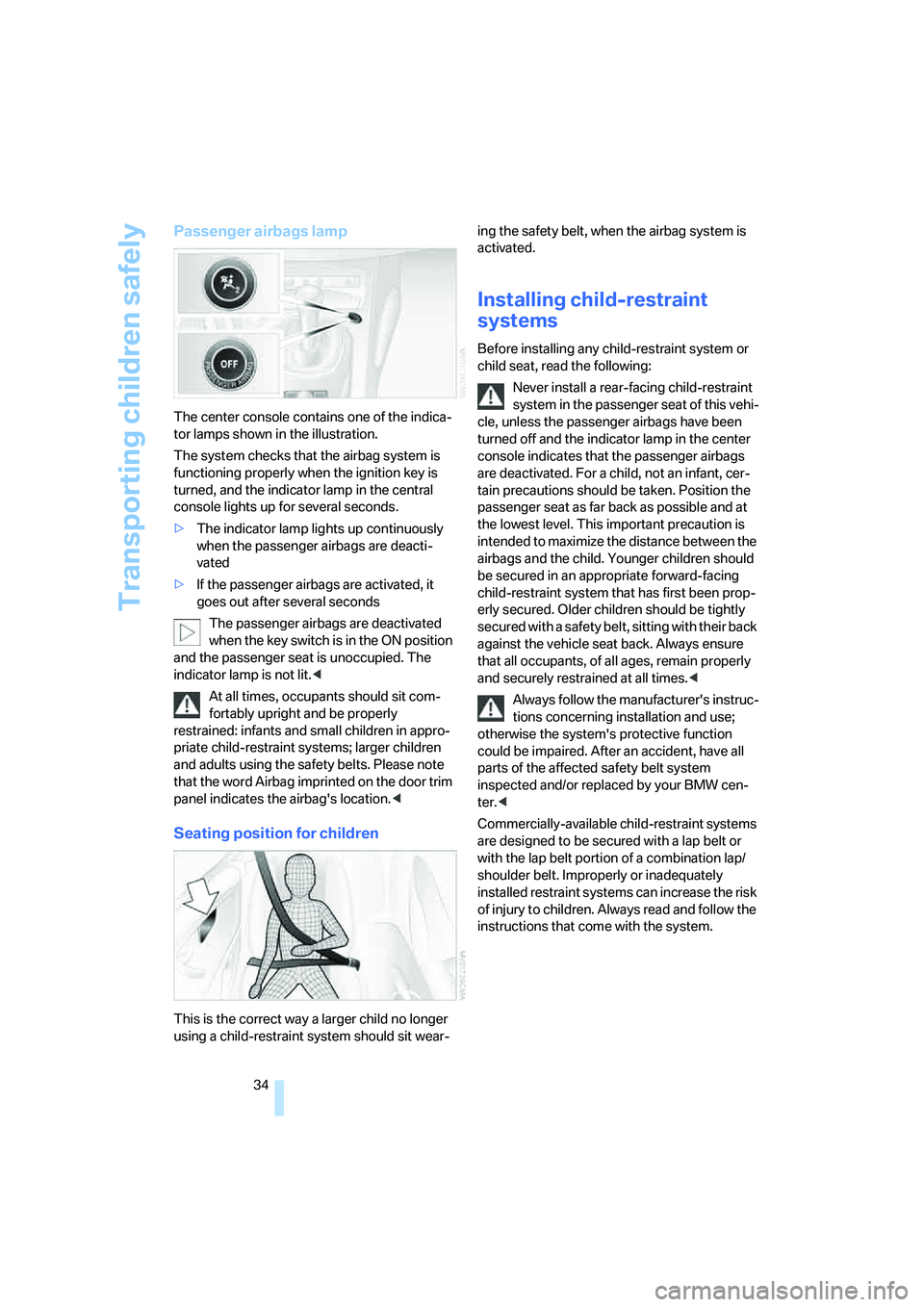
Passenger airbags lamp
The center console contains one of the indica-
tor lamps shown in the illustration.
The system checks that the airbag system is
functioning properly when the ignition key is
turned, and the indicator lamp in the central
console lights up for several seconds.
>The indicator lamp lights up continuously
when the passenger airbags are deacti-
vated
>If the passenger airbags are activated, it
goes out after several seconds
The passenger airbags are deactivated
when the key switch is in the ON position
and the passenger seat is unoccupied. The
indicator lamp is not lit.<
At all times, occupants should sit com-
fortably upright and be properly
restrained: infants and small children in appro-
priate child-restraint systems; larger children
and adults using the safety belts. Please note
that the word Airbag imprinted on the door trim
panel indicates the airbag's location.<
Seating position for children
This is the correct way a larger child no longer
using a child-restraint system should sit wear-ing the safety belt, when the airbag system is
activated.
Installing child-restraint
systems
Before installing any child-restraint system or
child seat, read the following:
Never install a rear-facing child-restraint
system in the passenger seat of this vehi-
cle, unless the passenger airbags have been
turned off and the indicator lamp in the center
console indicates that the passenger airbags
are deactivated. For a child, not an infant, cer-
tain precautions should be taken. Position the
passenger seat as far back as possible and at
the lowest level. This important precaution is
intended to maximize the distance between the
airbags and the child. Younger children should
be secured in an appropriate forward-facing
child-restraint system that has first been prop-
erly secured. Older children should be tightly
secured with a safety belt, sitting with their back
against the vehicle seat back. Always ensure
that all occupants, of all ages, remain properly
and securely restrained at all times.<
Always follow the manufacturer's instruc-
tions concerning installation and use;
otherwise the system's protective function
could be impaired. After an accident, have all
parts of the affected safety belt system
inspected and/or replaced by your BMW cen-
ter.<
Commercially-available child-restraint systems
are designed to be secured with a lap belt or
with the lap belt portion of a combination lap/
shoulder belt. Improperly or inadequately
installed restraint systems can increase the risk
of injury to children. Always read and follow the
instructions that come with the system.
Page 37 of 120
Reference
At a glance
Controls
Driving tips
Mobility
35
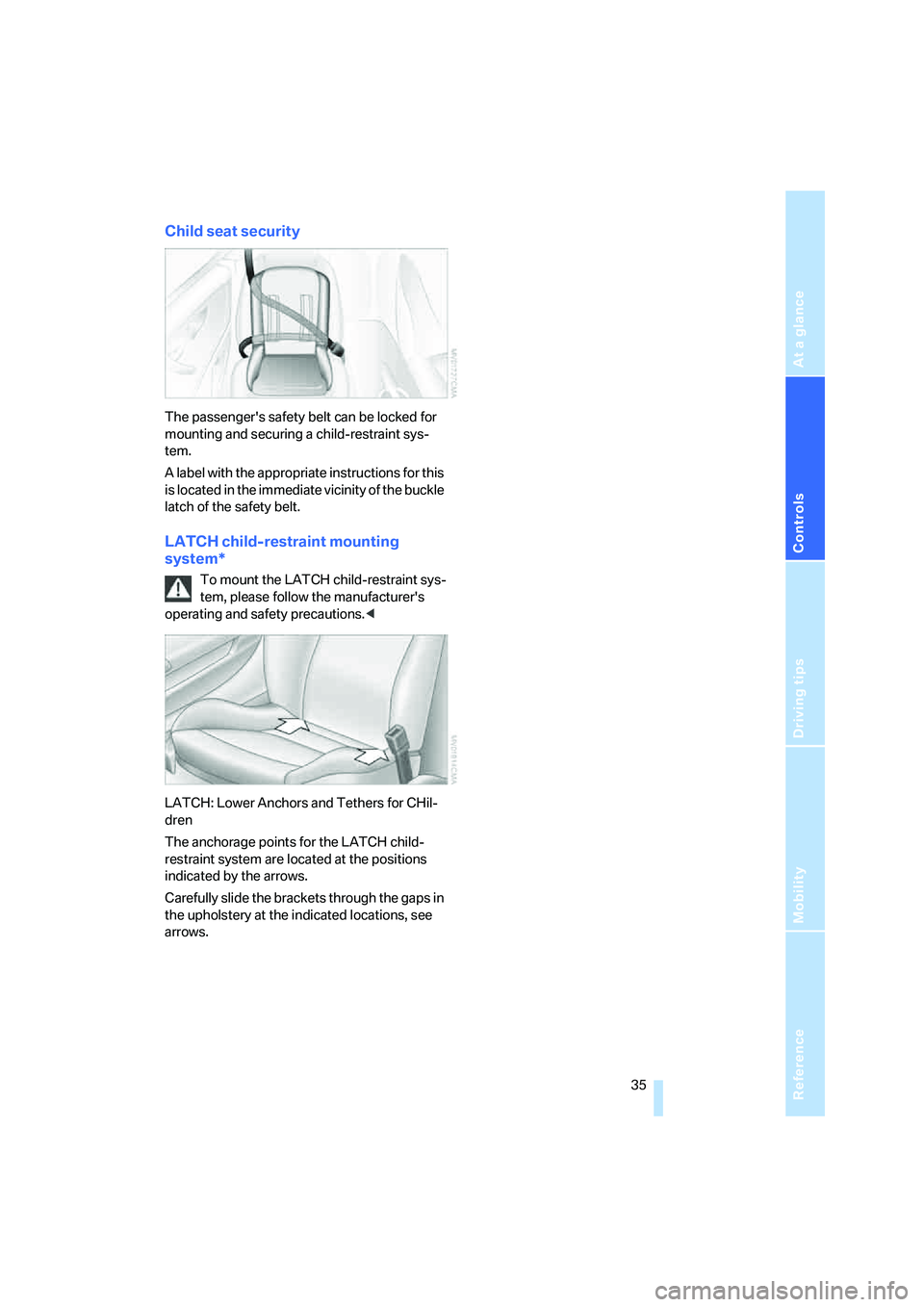
Child seat security
The passenger's safety belt can be locked for
mounting and securing a child-restraint sys-
tem.
A label with the appropriate instructions for this
is located in the immediate vicinity of the buckle
latch of the safety belt.
LATCH child-restraint mounting
system*
To mount the LATCH child-restraint sys-
tem, please follow the manufacturer's
operating and safety precautions.<
LATCH: Lower Anchors and Tethers for CHil-
dren
The anchorage points for the LATCH child-
restraint system are located at the positions
indicated by the arrows.
Carefully slide the brackets through the gaps in
the upholstery at the indicated locations, see
arrows.
Page 41 of 120
Reference
At a glance
Controls
Driving tips
Mobility
39
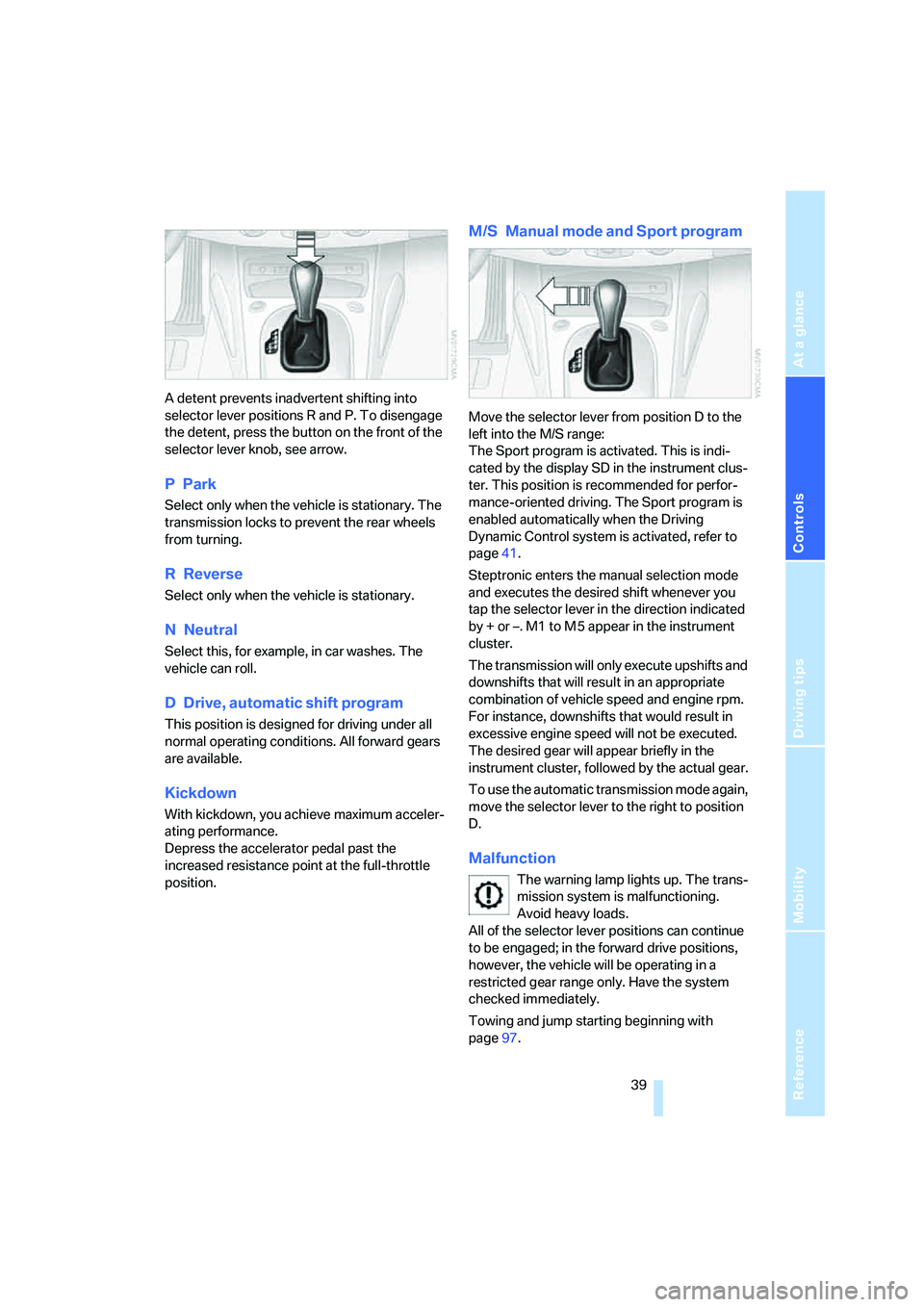
A detent prevents inadvertent shifting into
selector lever positions R and P. To disengage
the detent, press the button on the front of the
selector lever knob, see arrow.
PPark
Select only when the vehicle is stationary. The
transmission locks to prevent the rear wheels
from turning.
R Reverse
Select only when the vehicle is stationary.
NNeutral
Select this, for example, in car washes. The
vehicle can roll.
D Drive, automatic shift program
This position is designed for driving under all
normal operating conditions. All forward gears
are available.
Kickdown
With kickdown, you achieve maximum acceler-
ating performance.
Depress the accelerator pedal past the
increased resistance point at the full-throttle
position.
M/S Manual mode and Sport program
Move the selector lever from position D to the
left into the M/S range:
The Sport program is activated. This is indi-
cated by the display SD in the instrument clus-
ter. This position is recommended for perfor-
mance-oriented driving. The Sport program is
enabled automatically when the Driving
Dynamic Control system is activated, refer to
page41.
Steptronic enters the manual selection mode
and executes the desired shift whenever you
tap the selector lever in the direction indicated
by + or –. M1 to M 5 appear in the instrument
cluster.
The transmission will only execute upshifts and
downshifts that will result in an appropriate
combination of vehicle speed and engine rpm.
For instance, downshifts that would result in
excessive engine speed will not be executed.
The desired gear will appear briefly in the
instrument cluster, followed by the actual gear.
To use the automatic transmission mode again,
move the selector lever to the right to position
D.
Malfunction
The warning lamp lights up. The trans-
mission system is malfunctioning.
Avoid heavy loads.
All of the selector lever positions can continue
to be engaged; in the forward drive positions,
however, the vehicle will be operating in a
restricted gear range only. Have the system
checked immediately.
Towing and jump starting beginning with
page97.
Page 42 of 120
Driving
40
Sequential manual gearbox
SMG*
The concept
The sequential manual gearbox SMG is an
automated manual gearbox with which clutch-
ing and shifting is assumed by an electro-
hydraulic system.
The SMG is operated via two shift paddles on
the steering wheel and the selector lever in the
center console.
It offers the following functions:
>Optionally manual or automatic operation:
sequential mode or drive mode
>Ability to choose between two different
driving programs: standard or Sport, refer to
page41
>Protection against misshifting, and auto-
matic downshifting at minimum engine rpm
even in sequential mode
>Kickdown function in the drive mode
>Acceleration assistant, refer to page42.
The SMG is ready for operation when the igni-
tion key is in position 2.
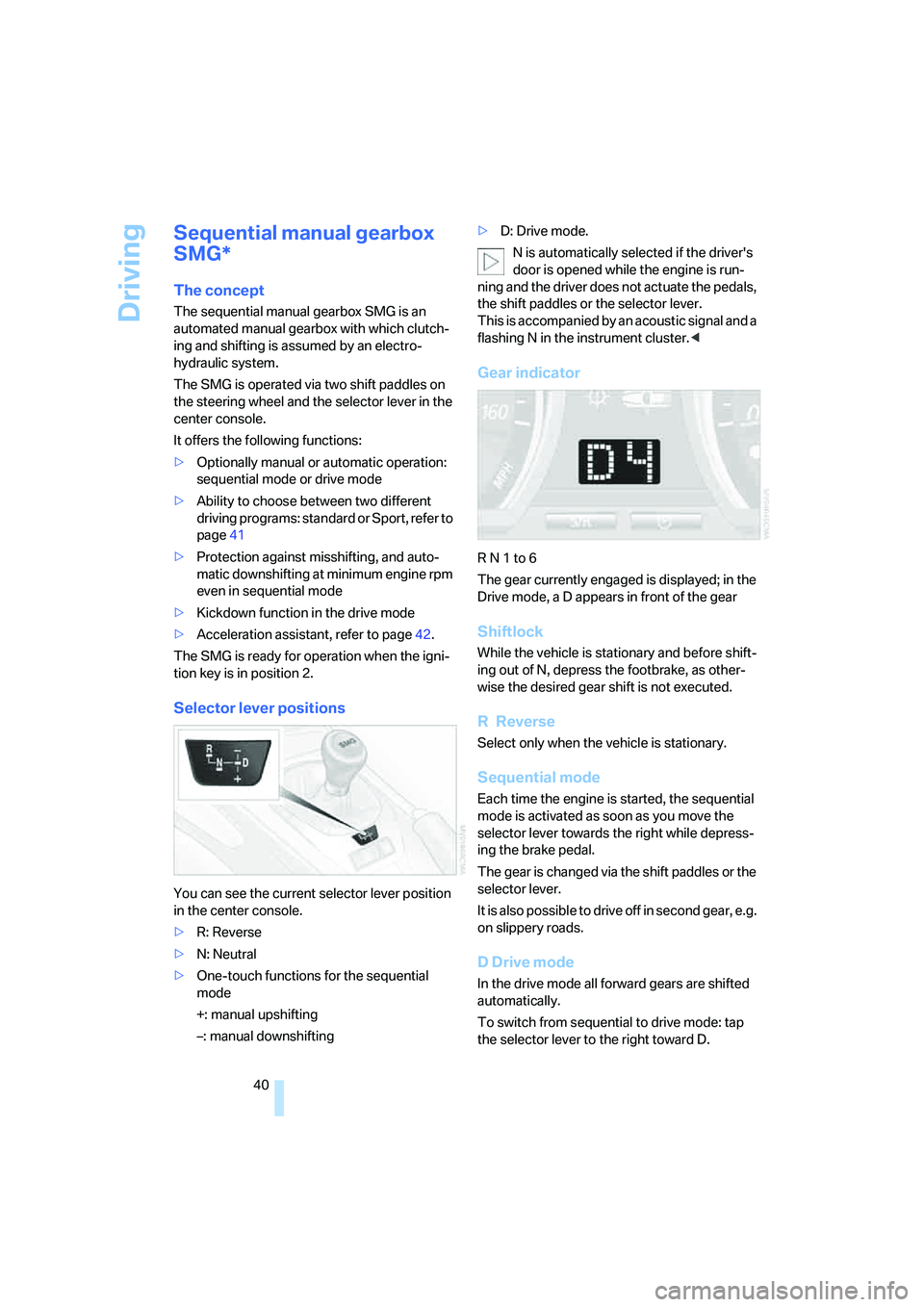
Selector lever positions
You can see the current selector lever position
in the center console.
>R: Reverse
>N: Neutral
>One-touch functions for the sequential
mode
+: manual upshifting
–: manual downshifting>D: Drive mode.
N is automatically selected if the driver's
door is opened while the engine is run-
ning and the driver does not actuate the pedals,
the shift paddles or the selector lever.
This is accompanied by an acoustic signal and a
flashing N in the instrument cluster.<
Gear indicator
R N 1 to 6
The gear currently engaged is displayed; in the
Drive mode, a D appears in front of the gear
Shiftlock
While the vehicle is stationary and before shift-
ing out of N, depress the footbrake, as other-
wise the desired gear shift is not executed.
R Reverse
Select only when the vehicle is stationary.
Sequential mode
Each time the engine is started, the sequential
mode is activated as soon as you move the
selector lever towards the right while depress-
ing the brake pedal.
The gear is changed via the shift paddles or the
selector lever.
It is also possible to drive off in second gear, e.g.
on slippery roads.
D Drive mode
In the drive mode all forward gears are shifted
automatically.
To switch from sequential to drive mode: tap
the selector lever to the right toward D.
Page 43 of 120
Reference
At a glance
Controls
Driving tips
Mobility
41
Kickdown:
For rapid acceleration, e.g. during passing,
depress the accelerator pedal completely. You
achieve maximum acceleration.
To switch back to sequential mode: tap the
selector lever again to the right toward D, or
change the current gear via the shift paddles or
the selector lever.
When driving off on inclines, drive
smoothly without pausing. Do not keep
the vehicle in place by depressing the accelera-
tor pedal; instead, apply the parking brake. Oth-
erwise, the gearbox could overheat.<
Shifting gears
With selector lever
>To upshift, tap the selector lever toward +
>To downshift, tap the lever toward –.
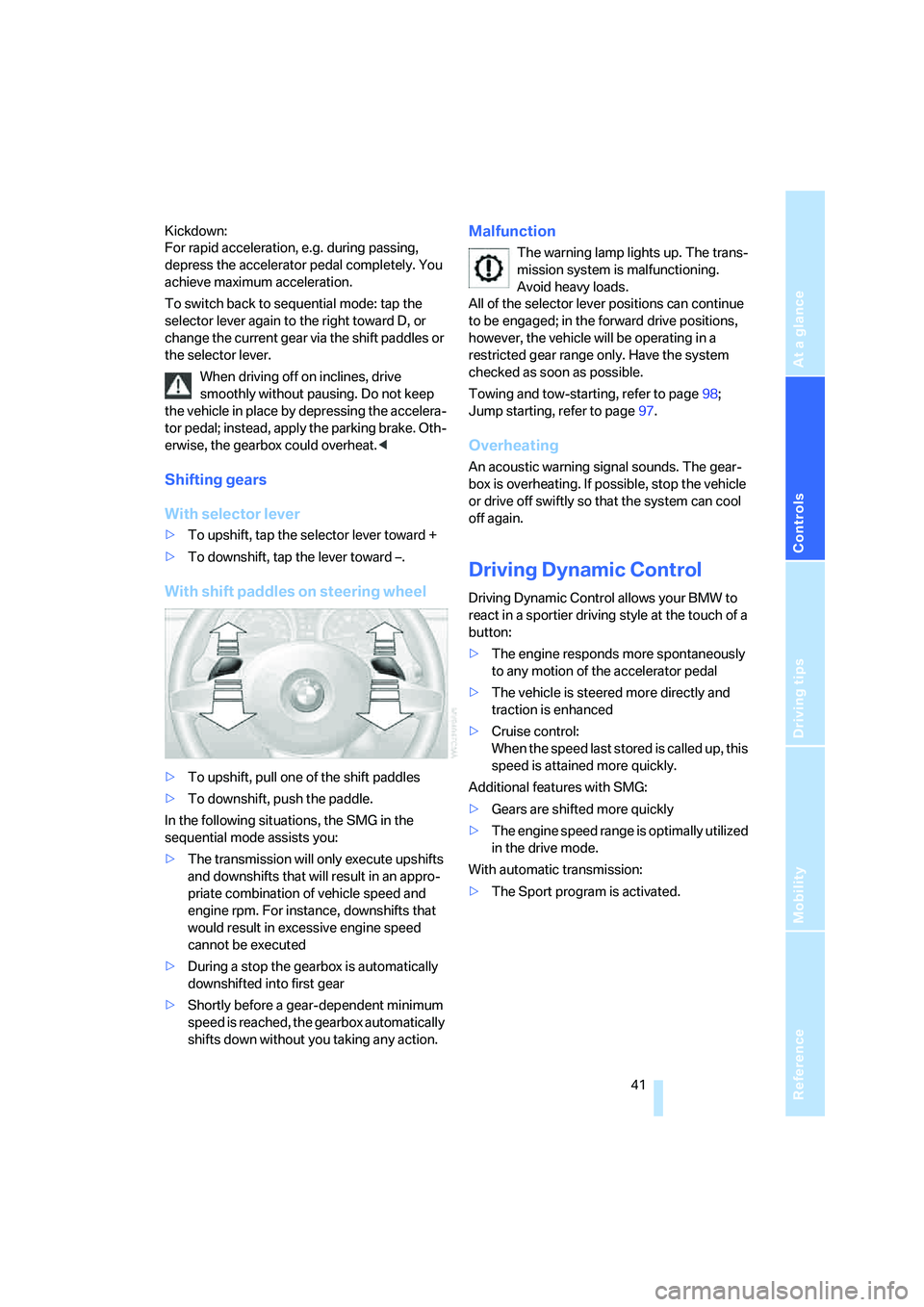
With shift paddles on steering wheel
>To upshift, pull one of the shift paddles
>To downshift, push the paddle.
In the following situations, the SMG in the
sequential mode assists you:
>The transmission will only execute upshifts
and downshifts that will result in an appro-
priate combination of vehicle speed and
engine rpm. For instance, downshifts that
would result in excessive engine speed
cannot be executed
>During a stop the gearbox is automatically
downshifted into first gear
>Shortly before a gear-dependent minimum
speed is reached, the gearbox automatically
shifts down without you taking any action.
Malfunction
The warning lamp lights up. The trans-
mission system is malfunctioning.
Avoid heavy loads.
All of the selector lever positions can continue
to be engaged; in the forward drive positions,
however, the vehicle will be operating in a
restricted gear range only. Have the system
checked as soon as possible.
Towing and tow-starting, refer to page98;
Jump starting, refer to page97.
Overheating
An acoustic warning signal sounds. The gear-
box is overheating. If possible, stop the vehicle
or drive off swiftly so that the system can cool
off again.
Driving Dynamic Control
Driving Dynamic Control allows your BMW to
react in a sportier driving style at the touch of a
button:
>The engine responds more spontaneously
to any motion of the accelerator pedal
>The vehicle is steered more directly and
traction is enhanced
>Cruise control:
When the speed last stored is called up, this
speed is attained more quickly.
Additional features with SMG:
>Gears are shifted more quickly
>The engine speed range is optimally utilized
in the drive mode.
With automatic transmission:
>The Sport program is activated.