battery BMW Z4 2013 E89 Owner's Guide
[x] Cancel search | Manufacturer: BMW, Model Year: 2013, Model line: Z4, Model: BMW Z4 2013 E89Pages: 289, PDF Size: 6.86 MB
Page 207 of 289
Snap-in adapter
General information More information on compatible snap-in
adapters that support the functions of the mo‐
bile phone is available at the service center.
Notes At high temperatures, the charging function of
the mobile phone may be limited and functions
may not be executed.
When using the mobile phone via the vehicle,
note the operating instructions of the mobile
phone.
Installation position
In the center armrest.
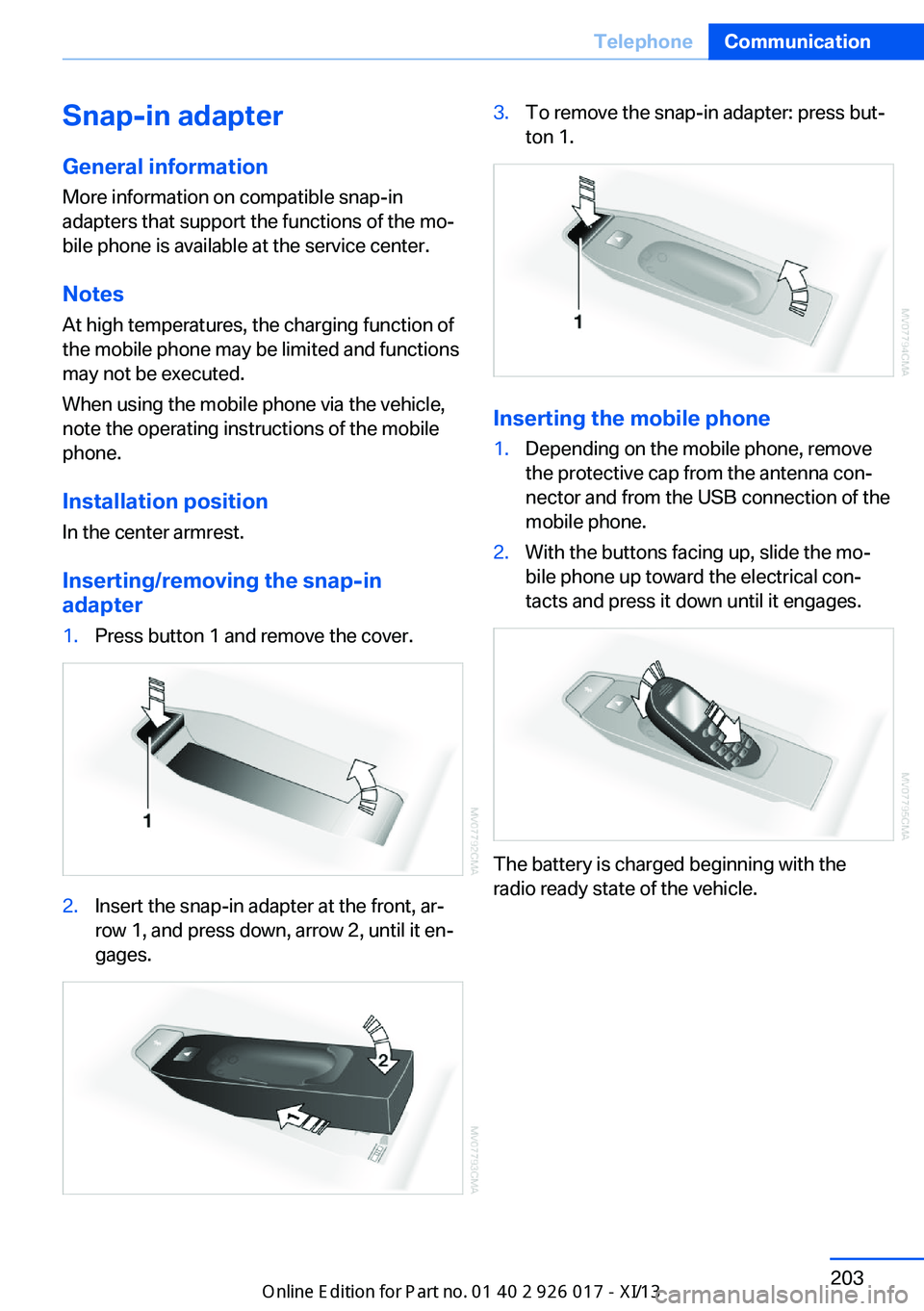
Inserting/removing the snap-in
adapter1.Press button 1 and remove the cover.2.Insert the snap-in adapter at the front, ar‐
row 1, and press down, arrow 2, until it en‐
gages.3.To remove the snap-in adapter: press but‐
ton 1.
Inserting the mobile phone
1.Depending on the mobile phone, remove
the protective cap from the antenna con‐
nector and from the USB connection of the
mobile phone.2.With the buttons facing up, slide the mo‐
bile phone up toward the electrical con‐
tacts and press it down until it engages.
The battery is charged beginning with the
radio ready state of the vehicle.
Seite 203TelephoneCommunication203
Online Edition for Part no. 01 40 2 911 315 - VI/13
Page 251 of 289
Vehicle batteryMaintenance
The battery is maintenance-free, i.e., the elec‐ trolyte will last for the life of the battery.
Your service center will be glad to advise you
on questions regarding the battery.
Battery replacement Use approved vehicle batteries.
Only use vehicle batteries that have been
approved for your vehicle by the manufacturer; otherwise, the vehicle could be damaged and
systems or functions may not be fully availa‐
ble.◀
After a battery replacement, have the battery registered on the vehicle by your service cen‐
ter to ensure that all comfort functions are fully
available.
Charging the battery
Note Do not connect the charger to the socket
Do not connect the battery charger to
the socket installed in the vehicle at the factory
as this could damage the vehicle.◀
Starting aid terminalsOnly charge using the starting aid terminals,
refer to page 251, in the engine compartment
while the engine is switched off.
Power failure
After a temporary power loss, some equipment
needs to be reinitialized.
Individual settings need to be reprogrammed:▷Seat and mirror memory: store the posi‐
tions again, refer to page 49.▷Time: update, refer to page 76.▷Date: update, refer to page 77.▷Radio station: store again, refer to
page 162.▷Navigation system: wait for the operability
of the navigation.▷Interior rearview mirror with digital com‐
pass: recalibrate, refer to page 116.
Disposing of old batteries
Have old batteries disposed of by your
service center or bring them to a recy‐
cling center.
Maintain the battery in an upright position for
transport and storage. Secure the battery so
that it does not tip over during transport.
Fuses Notes Replacing fuses
Never attempt to repair a blown fuse and
do not replace a defective fuse with a substi‐
tute of another color or amperage rating; this could lead to a circuit overload, ultimately re‐
sulting in a fire in the vehicle.◀
A pair of plastic tweezers is found on the cur‐
rent distributor.
See the inside of the cover for information on
fuse assignment.
Seite 247Replacing componentsMobility247
Online Edition for Part no. 01 40 2 911 315 - VI/13
Page 254 of 289
▷If the LED is flashing but the BMW Re‐
sponse Center cannot be heard on the
hands-free system, the hands-free system
may be malfunctioning. However, the
BMW Response Center may still be able to
hear you.
Initiating an Emergency Request
automatically
Under certain conditions, an Emergency Re‐
quest is automatically initiated immediately af‐
ter a severe accident. Automatic Collision Noti‐
fication is not affected by pressing the SOS
button.
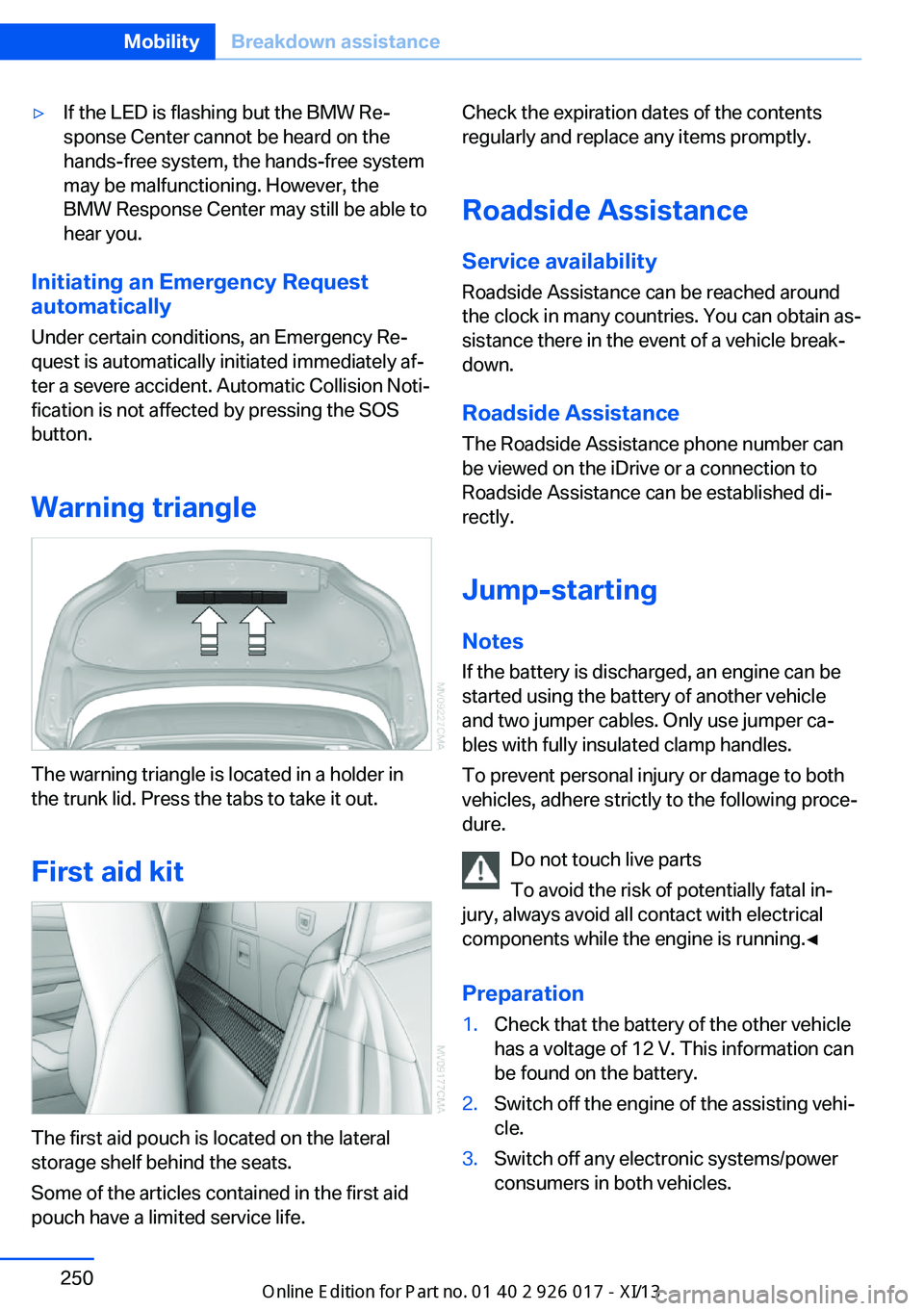
Warning triangle
The warning triangle is located in a holder in
the trunk lid. Press the tabs to take it out.
First aid kit
The first aid pouch is located on the lateral
storage shelf behind the seats.
Some of the articles contained in the first aid
pouch have a limited service life.
Check the expiration dates of the contents
regularly and replace any items promptly.
Roadside Assistance Service availability
Roadside Assistance can be reached around
the clock in many countries. You can obtain as‐
sistance there in the event of a vehicle break‐
down.
Roadside Assistance The Roadside Assistance phone number can
be viewed on the iDrive or a connection to
Roadside Assistance can be established di‐
rectly.
Jump-starting
Notes If the battery is discharged, an engine can be
started using the battery of another vehicle
and two jumper cables. Only use jumper ca‐
bles with fully insulated clamp handles.
To prevent personal injury or damage to both
vehicles, adhere strictly to the following proce‐
dure.
Do not touch live parts
To avoid the risk of potentially fatal in‐
jury, always avoid all contact with electrical
components while the engine is running.◀
Preparation1.Check that the battery of the other vehicle
has a voltage of 12 V. This information can
be found on the battery.2.Switch off the engine of the assisting vehi‐
cle.3.Switch off any electronic systems/power
consumers in both vehicles.Seite 250MobilityBreakdown assistance250
Online Edition for Part no. 01 40 2 911 315 - VI/13
Page 255 of 289
Bodywork contact between vehicles
Make sure that there is no contact
between the bodywork of the two vehicles;
otherwise, there is the danger of short cir‐
cuits.◀
Starting aid terminals
Connecting order
Connect the jumper cables in the correct
order; otherwise, there is the danger of injury
from sparking.◀
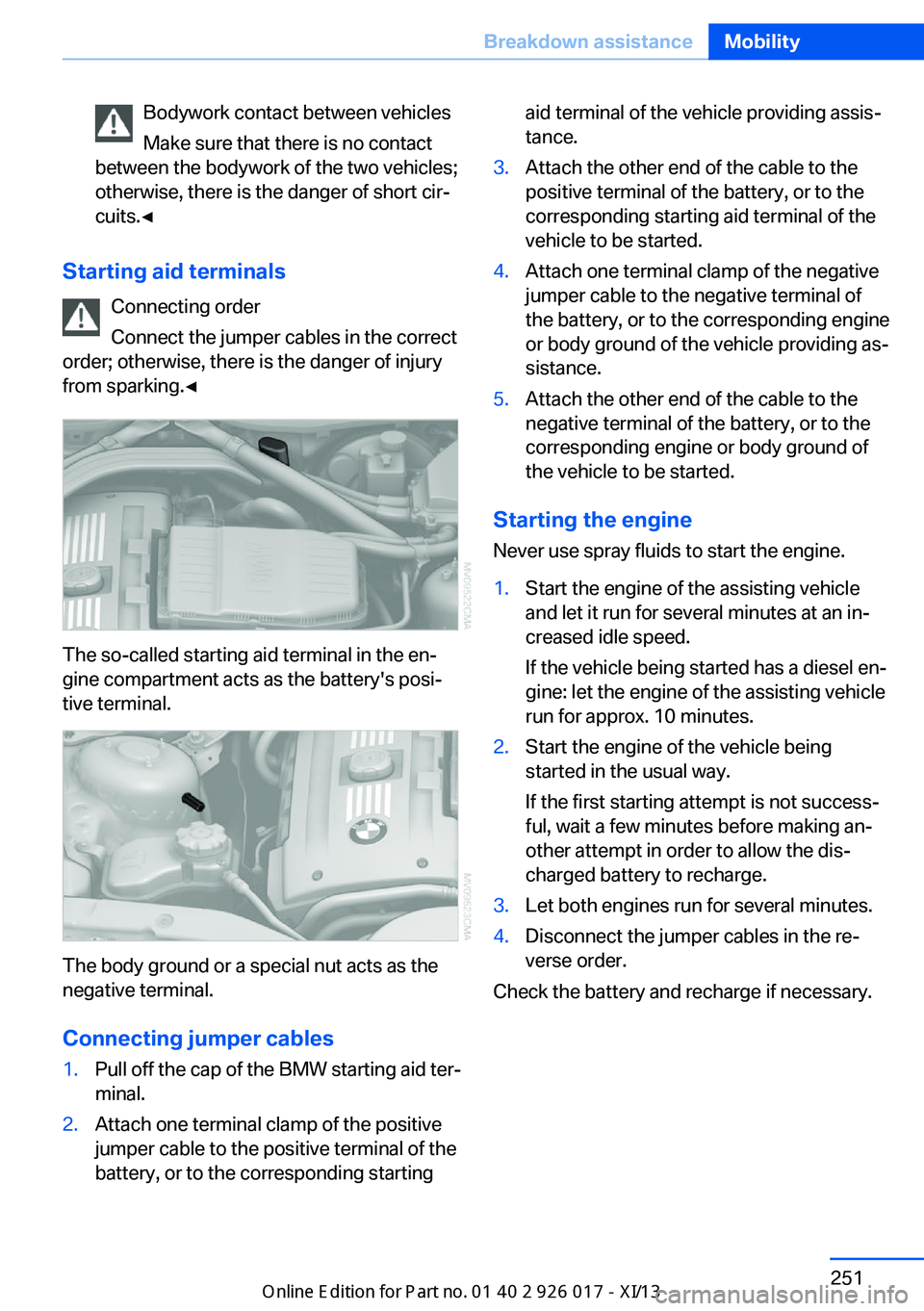
The so-called starting aid terminal in the en‐
gine compartment acts as the battery's posi‐
tive terminal.
The body ground or a special nut acts as the
negative terminal.
Connecting jumper cables
1.Pull off the cap of the BMW starting aid ter‐
minal.2.Attach one terminal clamp of the positive
jumper cable to the positive terminal of the
battery, or to the corresponding startingaid terminal of the vehicle providing assis‐
tance.3.Attach the other end of the cable to the
positive terminal of the battery, or to the
corresponding starting aid terminal of the
vehicle to be started.4.Attach one terminal clamp of the negative
jumper cable to the negative terminal of
the battery, or to the corresponding engine
or body ground of the vehicle providing as‐
sistance.5.Attach the other end of the cable to the
negative terminal of the battery, or to the
corresponding engine or body ground of
the vehicle to be started.
Starting the engine
Never use spray fluids to start the engine.
1.Start the engine of the assisting vehicle
and let it run for several minutes at an in‐
creased idle speed.
If the vehicle being started has a diesel en‐
gine: let the engine of the assisting vehicle
run for approx. 10 minutes.2.Start the engine of the vehicle being
started in the usual way.
If the first starting attempt is not success‐
ful, wait a few minutes before making an‐
other attempt in order to allow the dis‐
charged battery to recharge.3.Let both engines run for several minutes.4.Disconnect the jumper cables in the re‐
verse order.
Check the battery and recharge if necessary.
Seite 251Breakdown assistanceMobility251
Online Edition for Part no. 01 40 2 911 315 - VI/13
Page 277 of 289
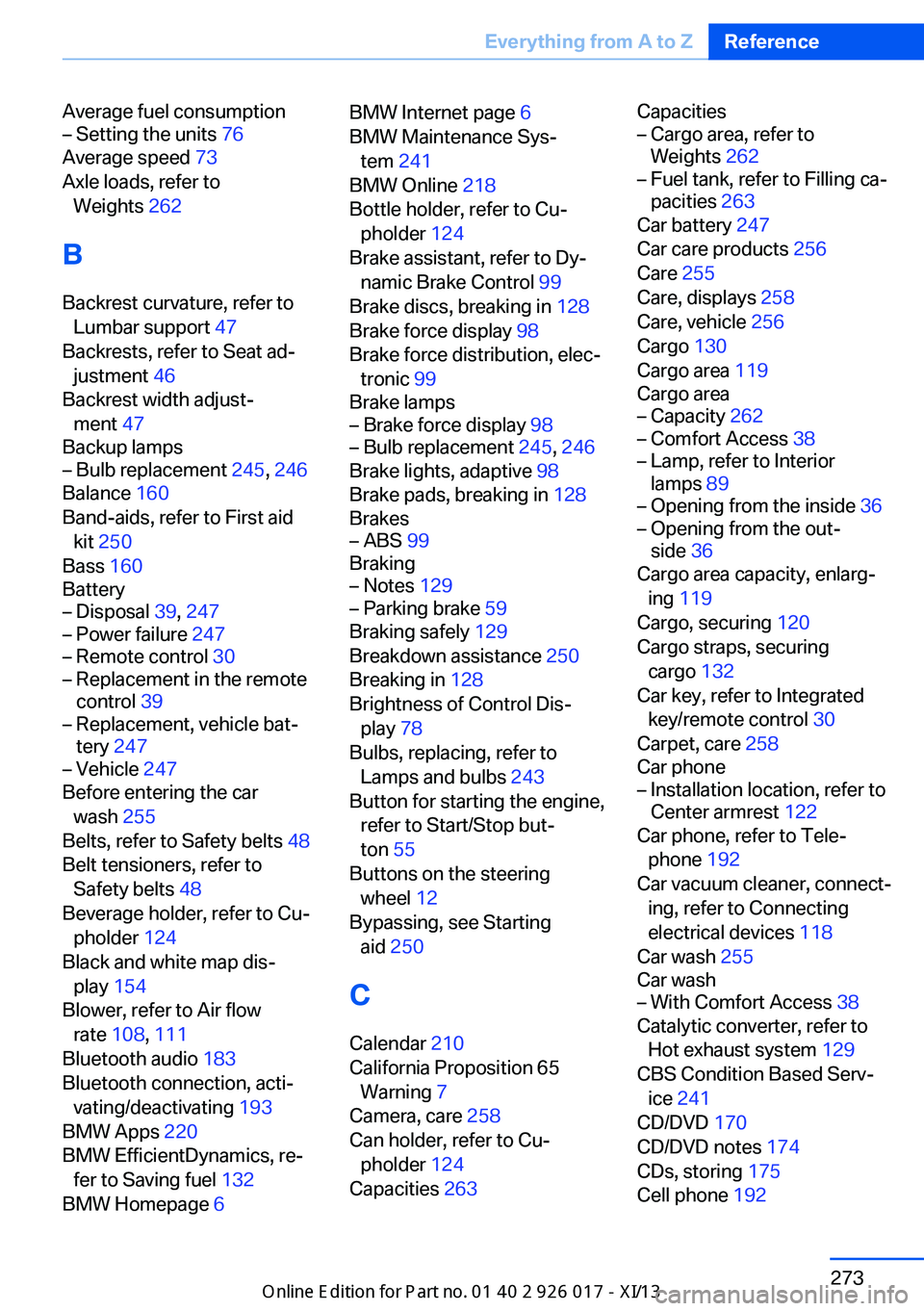
Average fuel consumption– Setting the units 76
Average speed 73
Axle loads, refer to Weights 262
B
Backrest curvature, refer to Lumbar support 47
Backrests, refer to Seat ad‐ justment 46
Backrest width adjust‐ ment 47
Backup lamps
– Bulb replacement 245, 246
Balance 160
Band-aids, refer to First aid kit 250
Bass 160
Battery
– Disposal 39, 247– Power failure 247– Remote control 30– Replacement in the remote
control 39– Replacement, vehicle bat‐
tery 247– Vehicle 247
Before entering the car
wash 255
Belts, refer to Safety belts 48
Belt tensioners, refer to Safety belts 48
Beverage holder, refer to Cu‐ pholder 124
Black and white map dis‐ play 154
Blower, refer to Air flow rate 108, 111
Bluetooth audio 183
Bluetooth connection, acti‐ vating/deactivating 193
BMW Apps 220
BMW EfficientDynamics, re‐ fer to Saving fuel 132
BMW Homepage 6
BMW Internet page 6
BMW Maintenance Sys‐ tem 241
BMW Online 218
Bottle holder, refer to Cu‐ pholder 124
Brake assistant, refer to Dy‐ namic Brake Control 99
Brake discs, breaking in 128
Brake force display 98
Brake force distribution, elec‐ tronic 99
Brake lamps– Brake force display 98– Bulb replacement 245, 246
Brake lights, adaptive 98
Brake pads, breaking in 128
Brakes
– ABS 99
Braking
– Notes 129– Parking brake 59
Braking safely 129
Breakdown assistance 250
Breaking in 128
Brightness of Control Dis‐ play 78
Bulbs, replacing, refer to Lamps and bulbs 243
Button for starting the engine, refer to Start/Stop but‐
ton 55
Buttons on the steering wheel 12
Bypassing, see Starting aid 250
C Calendar 210
California Proposition 65 Warning 7
Camera, care 258
Can holder, refer to Cu‐ pholder 124
Capacities 263
Capacities– Cargo area, refer to
Weights 262– Fuel tank, refer to Filling ca‐
pacities 263
Car battery 247
Car care products 256
Care 255
Care, displays 258
Care, vehicle 256
Cargo 130
Cargo area 119
Cargo area
– Capacity 262– Comfort Access 38– Lamp, refer to Interior
lamps 89– Opening from the inside 36– Opening from the out‐
side 36
Cargo area capacity, enlarg‐
ing 119
Cargo, securing 120
Cargo straps, securing cargo 132
Car key, refer to Integrated key/remote control 30
Carpet, care 258
Car phone
– Installation location, refer to
Center armrest 122
Car phone, refer to Tele‐
phone 192
Car vacuum cleaner, connect‐ ing, refer to Connecting
electrical devices 118
Car wash 255
Car wash
– With Comfort Access 38
Catalytic converter, refer to
Hot exhaust system 129
CBS Condition Based Serv‐ ice 241
CD/DVD 170
CD/DVD notes 174
CDs, storing 175
Cell phone 192
Seite 273Everything from A to ZReference273
Online Edition for Part no. 01 40 2 911 315 - VI/13
Page 278 of 289
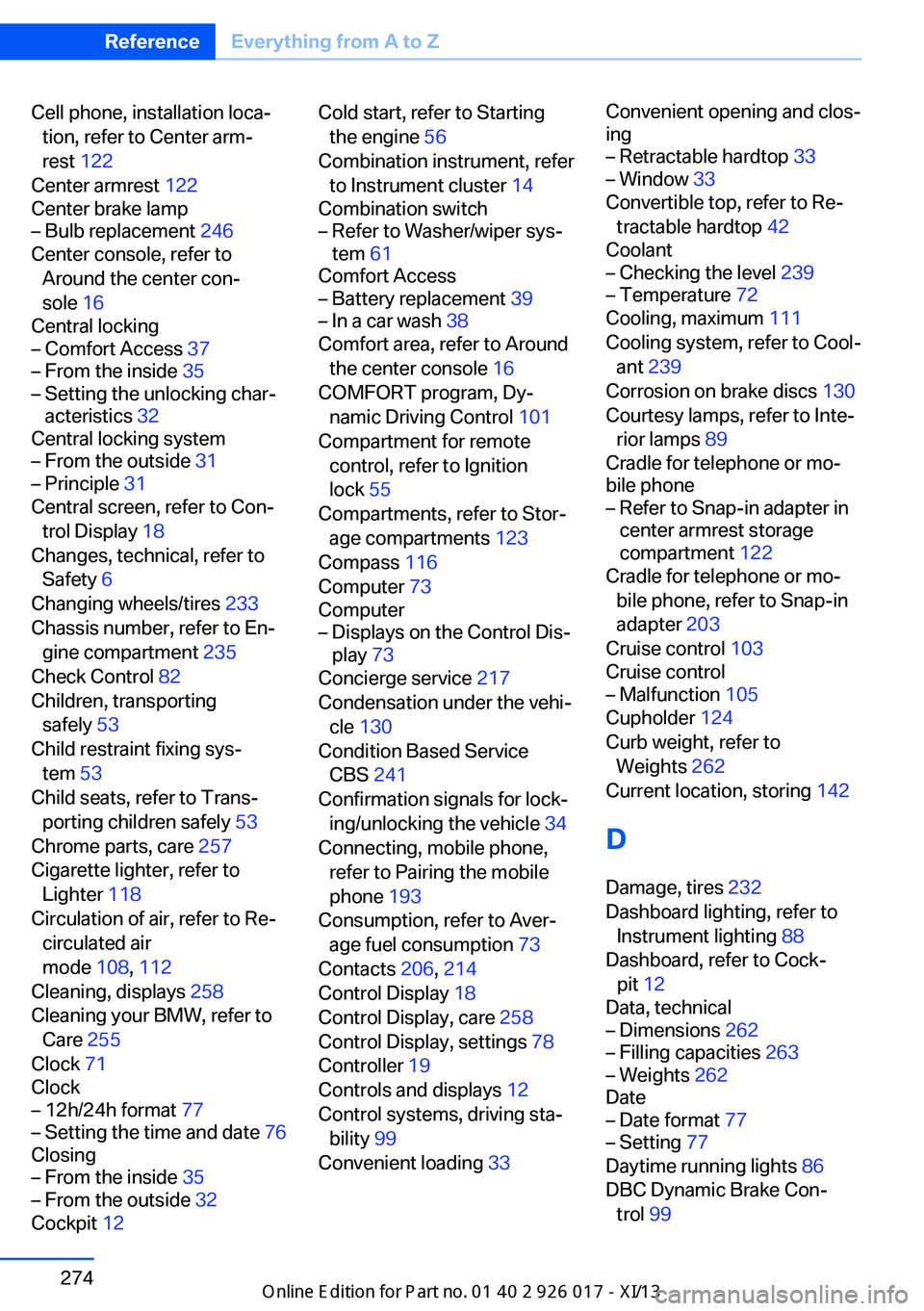
Cell phone, installation loca‐tion, refer to Center arm‐
rest 122
Center armrest 122
Center brake lamp– Bulb replacement 246
Center console, refer to
Around the center con‐
sole 16
Central locking
– Comfort Access 37– From the inside 35– Setting the unlocking char‐
acteristics 32
Central locking system
– From the outside 31– Principle 31
Central screen, refer to Con‐
trol Display 18
Changes, technical, refer to Safety 6
Changing wheels/tires 233
Chassis number, refer to En‐ gine compartment 235
Check Control 82
Children, transporting safely 53
Child restraint fixing sys‐ tem 53
Child seats, refer to Trans‐ porting children safely 53
Chrome parts, care 257
Cigarette lighter, refer to Lighter 118
Circulation of air, refer to Re‐ circulated air
mode 108, 112
Cleaning, displays 258
Cleaning your BMW, refer to Care 255
Clock 71
Clock
– 12h/24h format 77– Setting the time and date 76
Closing
– From the inside 35– From the outside 32
Cockpit 12
Cold start, refer to Starting
the engine 56
Combination instrument, refer to Instrument cluster 14
Combination switch– Refer to Washer/wiper sys‐
tem 61
Comfort Access
– Battery replacement 39– In a car wash 38
Comfort area, refer to Around
the center console 16
COMFORT program, Dy‐ namic Driving Control 101
Compartment for remote control, refer to Ignition
lock 55
Compartments, refer to Stor‐ age compartments 123
Compass 116
Computer 73
Computer
– Displays on the Control Dis‐
play 73
Concierge service 217
Condensation under the vehi‐ cle 130
Condition Based Service CBS 241
Confirmation signals for lock‐ ing/unlocking the vehicle 34
Connecting, mobile phone, refer to Pairing the mobile
phone 193
Consumption, refer to Aver‐ age fuel consumption 73
Contacts 206, 214
Control Display 18
Control Display, care 258
Control Display, settings 78
Controller 19
Controls and displays 12
Control systems, driving sta‐ bility 99
Convenient loading 33
Convenient opening and clos‐
ing– Retractable hardtop 33– Window 33
Convertible top, refer to Re‐
tractable hardtop 42
Coolant
– Checking the level 239– Temperature 72
Cooling, maximum 111
Cooling system, refer to Cool‐ ant 239
Corrosion on brake discs 130
Courtesy lamps, refer to Inte‐ rior lamps 89
Cradle for telephone or mo‐
bile phone
– Refer to Snap-in adapter in
center armrest storage
compartment 122
Cradle for telephone or mo‐
bile phone, refer to Snap-in
adapter 203
Cruise control 103
Cruise control
– Malfunction 105
Cupholder 124
Curb weight, refer to Weights 262
Current location, storing 142
D
Damage, tires 232
Dashboard lighting, refer to Instrument lighting 88
Dashboard, refer to Cock‐ pit 12
Data, technical
– Dimensions 262– Filling capacities 263– Weights 262
Date
– Date format 77– Setting 77
Daytime running lights 86
DBC Dynamic Brake Con‐ trol 99
Seite 274ReferenceEverything from A to Z274
Online Edition for Part no. 01 40 2 911 315 - VI/13
Page 279 of 289
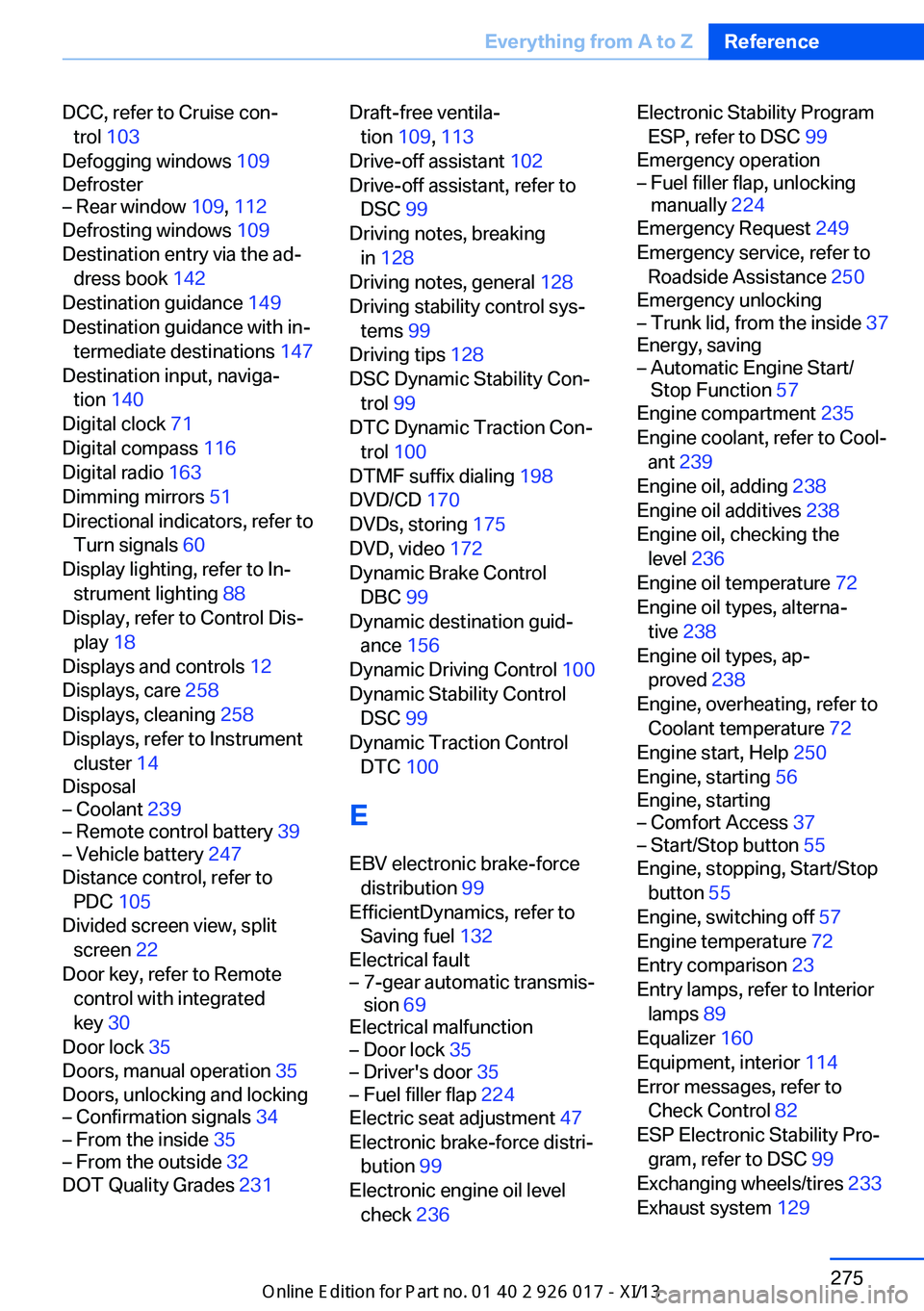
DCC, refer to Cruise con‐trol 103
Defogging windows 109
Defroster– Rear window 109, 112
Defrosting windows 109
Destination entry via the ad‐ dress book 142
Destination guidance 149
Destination guidance with in‐ termediate destinations 147
Destination input, naviga‐ tion 140
Digital clock 71
Digital compass 116
Digital radio 163
Dimming mirrors 51
Directional indicators, refer to Turn signals 60
Display lighting, refer to In‐ strument lighting 88
Display, refer to Control Dis‐ play 18
Displays and controls 12
Displays, care 258
Displays, cleaning 258
Displays, refer to Instrument cluster 14
Disposal
– Coolant 239– Remote control battery 39– Vehicle battery 247
Distance control, refer to
PDC 105
Divided screen view, split screen 22
Door key, refer to Remote control with integrated
key 30
Door lock 35
Doors, manual operation 35
Doors, unlocking and locking
– Confirmation signals 34– From the inside 35– From the outside 32
DOT Quality Grades 231
Draft-free ventila‐
tion 109, 113
Drive-off assistant 102
Drive-off assistant, refer to DSC 99
Driving notes, breaking in 128
Driving notes, general 128
Driving stability control sys‐ tems 99
Driving tips 128
DSC Dynamic Stability Con‐ trol 99
DTC Dynamic Traction Con‐ trol 100
DTMF suffix dialing 198
DVD/CD 170
DVDs, storing 175
DVD, video 172
Dynamic Brake Control DBC 99
Dynamic destination guid‐ ance 156
Dynamic Driving Control 100
Dynamic Stability Control DSC 99
Dynamic Traction Control DTC 100
E
EBV electronic brake-force distribution 99
EfficientDynamics, refer to Saving fuel 132
Electrical fault– 7-gear automatic transmis‐
sion 69
Electrical malfunction
– Door lock 35– Driver's door 35– Fuel filler flap 224
Electric seat adjustment 47
Electronic brake-force distri‐ bution 99
Electronic engine oil level check 236
Electronic Stability Program
ESP, refer to DSC 99
Emergency operation– Fuel filler flap, unlocking
manually 224
Emergency Request 249
Emergency service, refer to Roadside Assistance 250
Emergency unlocking
– Trunk lid, from the inside 37
Energy, saving
– Automatic Engine Start/
Stop Function 57
Engine compartment 235
Engine coolant, refer to Cool‐ ant 239
Engine oil, adding 238
Engine oil additives 238
Engine oil, checking the level 236
Engine oil temperature 72
Engine oil types, alterna‐ tive 238
Engine oil types, ap‐ proved 238
Engine, overheating, refer to Coolant temperature 72
Engine start, Help 250
Engine, starting 56
Engine, starting
– Comfort Access 37– Start/Stop button 55
Engine, stopping, Start/Stop
button 55
Engine, switching off 57
Engine temperature 72
Entry comparison 23
Entry lamps, refer to Interior lamps 89
Equalizer 160
Equipment, interior 114
Error messages, refer to Check Control 82
ESP Electronic Stability Pro‐ gram, refer to DSC 99
Exchanging wheels/tires 233
Exhaust system 129
Seite 275Everything from A to ZReference275
Online Edition for Part no. 01 40 2 911 315 - VI/13
Page 284 of 289
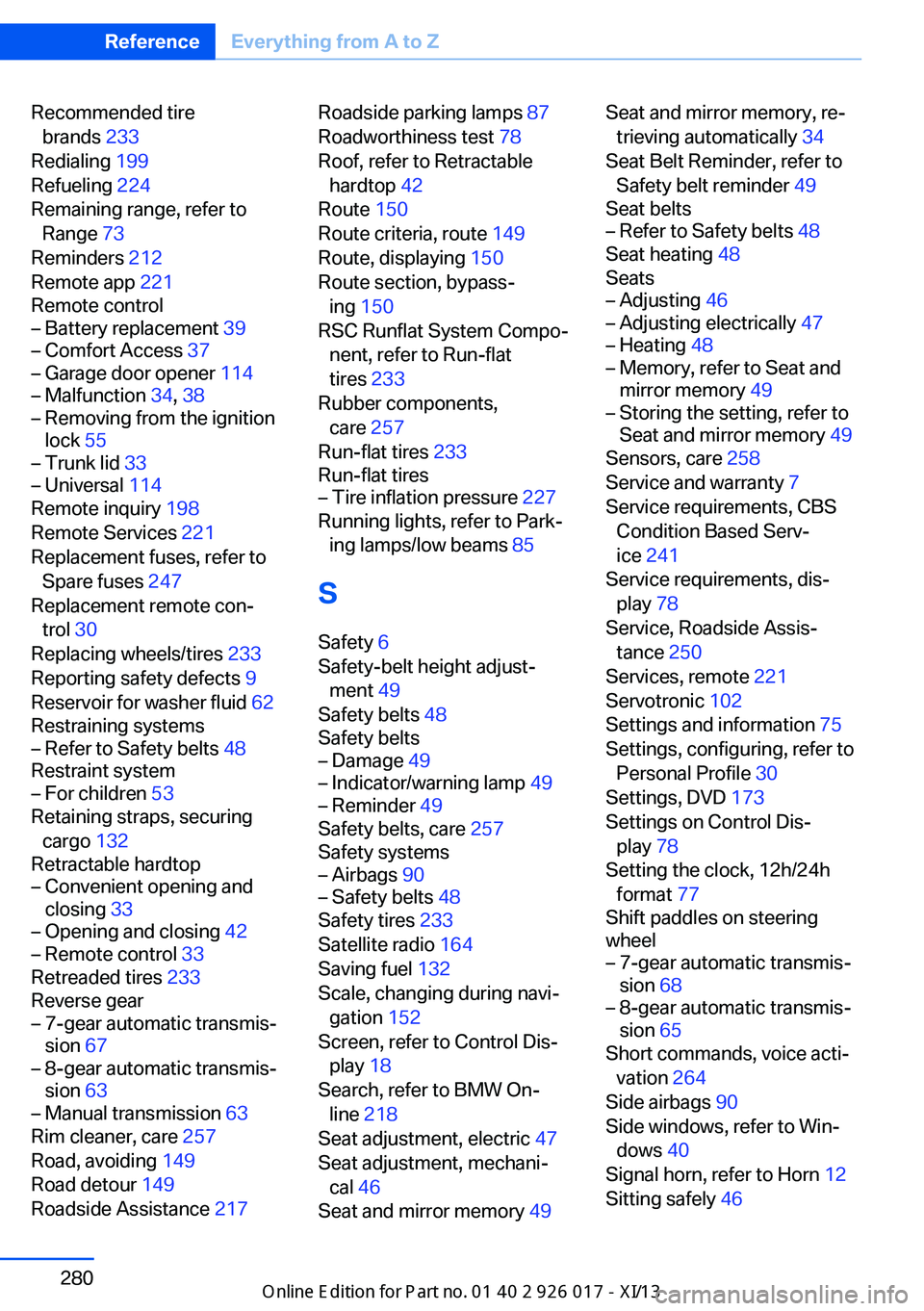
Recommended tirebrands 233
Redialing 199
Refueling 224
Remaining range, refer to Range 73
Reminders 212
Remote app 221
Remote control– Battery replacement 39– Comfort Access 37– Garage door opener 114– Malfunction 34, 38– Removing from the ignition
lock 55– Trunk lid 33– Universal 114
Remote inquiry 198
Remote Services 221
Replacement fuses, refer to Spare fuses 247
Replacement remote con‐ trol 30
Replacing wheels/tires 233
Reporting safety defects 9
Reservoir for washer fluid 62
Restraining systems
– Refer to Safety belts 48
Restraint system
– For children 53
Retaining straps, securing
cargo 132
Retractable hardtop
– Convenient opening and
closing 33– Opening and closing 42– Remote control 33
Retreaded tires 233
Reverse gear
– 7-gear automatic transmis‐
sion 67– 8-gear automatic transmis‐
sion 63– Manual transmission 63
Rim cleaner, care 257
Road, avoiding 149
Road detour 149
Roadside Assistance 217
Roadside parking lamps 87
Roadworthiness test 78
Roof, refer to Retractable hardtop 42
Route 150
Route criteria, route 149
Route, displaying 150
Route section, bypass‐ ing 150
RSC Runflat System Compo‐ nent, refer to Run-flat
tires 233
Rubber components, care 257
Run-flat tires 233
Run-flat tires– Tire inflation pressure 227
Running lights, refer to Park‐
ing lamps/low beams 85
S Safety 6
Safety-belt height adjust‐ ment 49
Safety belts 48
Safety belts
– Damage 49– Indicator/warning lamp 49– Reminder 49
Safety belts, care 257
Safety systems
– Airbags 90– Safety belts 48
Safety tires 233
Satellite radio 164
Saving fuel 132
Scale, changing during navi‐ gation 152
Screen, refer to Control Dis‐ play 18
Search, refer to BMW On‐ line 218
Seat adjustment, electric 47
Seat adjustment, mechani‐ cal 46
Seat and mirror memory 49
Seat and mirror memory, re‐
trieving automatically 34
Seat Belt Reminder, refer to Safety belt reminder 49
Seat belts– Refer to Safety belts 48
Seat heating 48
Seats
– Adjusting 46– Adjusting electrically 47– Heating 48– Memory, refer to Seat and
mirror memory 49– Storing the setting, refer to
Seat and mirror memory 49
Sensors, care 258
Service and warranty 7
Service requirements, CBS Condition Based Serv‐
ice 241
Service requirements, dis‐ play 78
Service, Roadside Assis‐ tance 250
Services, remote 221
Servotronic 102
Settings and information 75
Settings, configuring, refer to Personal Profile 30
Settings, DVD 173
Settings on Control Dis‐ play 78
Setting the clock, 12h/24h format 77
Shift paddles on steering
wheel
– 7-gear automatic transmis‐
sion 68– 8-gear automatic transmis‐
sion 65
Short commands, voice acti‐
vation 264
Side airbags 90
Side windows, refer to Win‐ dows 40
Signal horn, refer to Horn 12
Sitting safely 46
Seite 280ReferenceEverything from A to Z280
Online Edition for Part no. 01 40 2 911 315 - VI/13
Page 286 of 289
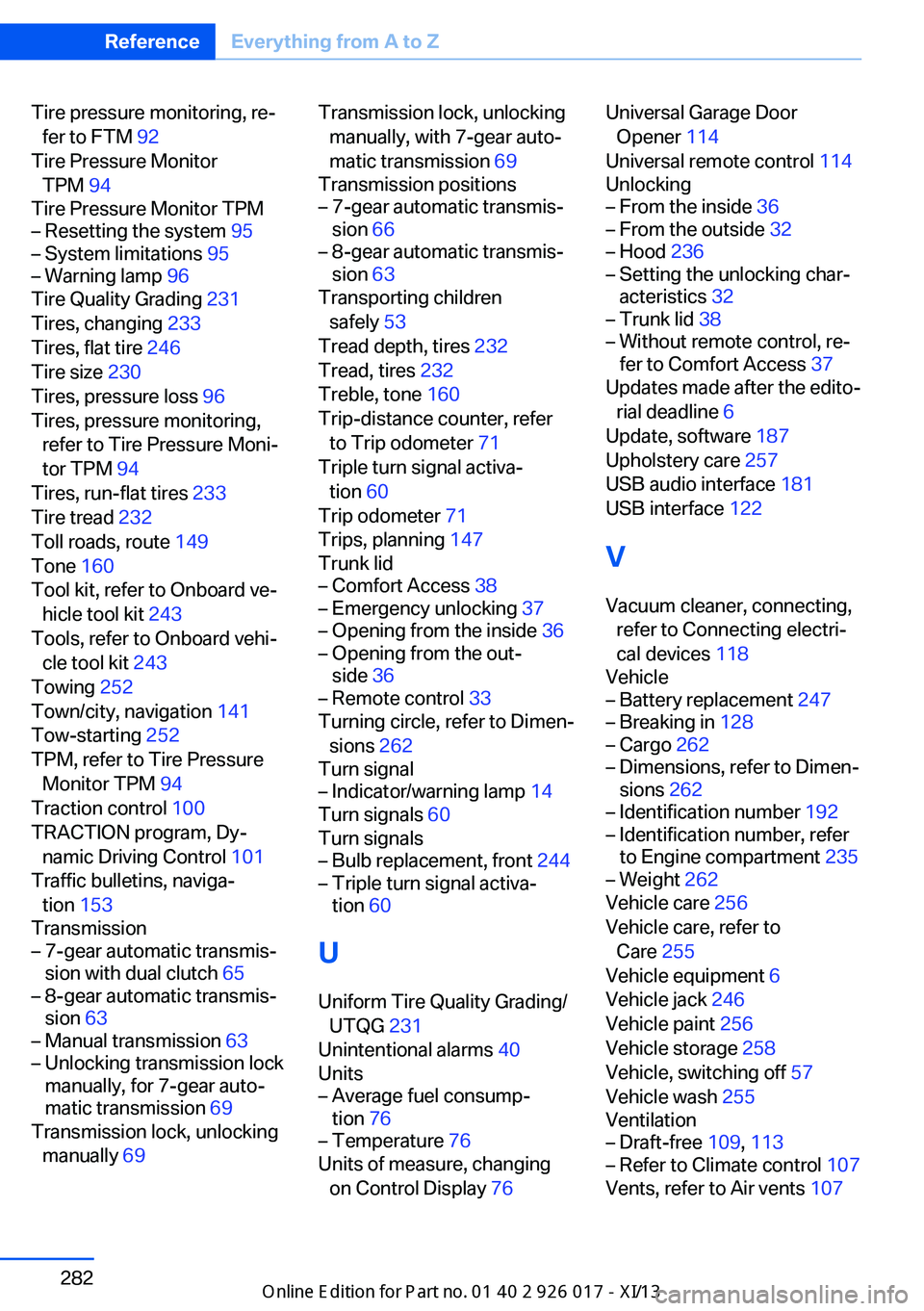
Tire pressure monitoring, re‐fer to FTM 92
Tire Pressure Monitor TPM 94
Tire Pressure Monitor TPM– Resetting the system 95– System limitations 95– Warning lamp 96
Tire Quality Grading 231
Tires, changing 233
Tires, flat tire 246
Tire size 230
Tires, pressure loss 96
Tires, pressure monitoring, refer to Tire Pressure Moni‐
tor TPM 94
Tires, run-flat tires 233
Tire tread 232
Toll roads, route 149
Tone 160
Tool kit, refer to Onboard ve‐ hicle tool kit 243
Tools, refer to Onboard vehi‐ cle tool kit 243
Towing 252
Town/city, navigation 141
Tow-starting 252
TPM, refer to Tire Pressure Monitor TPM 94
Traction control 100
TRACTION program, Dy‐ namic Driving Control 101
Traffic bulletins, naviga‐ tion 153
Transmission
– 7-gear automatic transmis‐
sion with dual clutch 65– 8-gear automatic transmis‐
sion 63– Manual transmission 63– Unlocking transmission lock
manually, for 7-gear auto‐
matic transmission 69
Transmission lock, unlocking
manually 69
Transmission lock, unlocking
manually, with 7-gear auto‐
matic transmission 69
Transmission positions– 7-gear automatic transmis‐
sion 66– 8-gear automatic transmis‐
sion 63
Transporting children
safely 53
Tread depth, tires 232
Tread, tires 232
Treble, tone 160
Trip-distance counter, refer to Trip odometer 71
Triple turn signal activa‐ tion 60
Trip odometer 71
Trips, planning 147
Trunk lid
– Comfort Access 38– Emergency unlocking 37– Opening from the inside 36– Opening from the out‐
side 36– Remote control 33
Turning circle, refer to Dimen‐
sions 262
Turn signal
– Indicator/warning lamp 14
Turn signals 60
Turn signals
– Bulb replacement, front 244– Triple turn signal activa‐
tion 60
U
Uniform Tire Quality Grading/ UTQG 231
Unintentional alarms 40
Units
– Average fuel consump‐
tion 76– Temperature 76
Units of measure, changing
on Control Display 76
Universal Garage Door
Opener 114
Universal remote control 114
Unlocking– From the inside 36– From the outside 32– Hood 236– Setting the unlocking char‐
acteristics 32– Trunk lid 38– Without remote control, re‐
fer to Comfort Access 37
Updates made after the edito‐
rial deadline 6
Update, software 187
Upholstery care 257
USB audio interface 181
USB interface 122
V
Vacuum cleaner, connecting, refer to Connecting electri‐
cal devices 118
Vehicle
– Battery replacement 247– Breaking in 128– Cargo 262– Dimensions, refer to Dimen‐
sions 262– Identification number 192– Identification number, refer
to Engine compartment 235– Weight 262
Vehicle care 256
Vehicle care, refer to Care 255
Vehicle equipment 6
Vehicle jack 246
Vehicle paint 256
Vehicle storage 258
Vehicle, switching off 57
Vehicle wash 255
Ventilation
– Draft-free 109, 113– Refer to Climate control 107
Vents, refer to Air vents 107
Seite 282ReferenceEverything from A to Z282
Online Edition for Part no. 01 40 2 911 315 - VI/13