tire BMW Z4 2015 E89 Owner's Guide
[x] Cancel search | Manufacturer: BMW, Model Year: 2015, Model line: Z4, Model: BMW Z4 2015 E89Pages: 289, PDF Size: 7.16 MB
Page 236 of 289
If necessary, have the vehicle towed.◀Repair of tire damage
For safety reasons, the manufacturer of
your vehicle recommends that you do not have
damaged tires repaired; they should be re‐
placed. Otherwise, damage can occur as a re‐
sult.◀
Run-flat tires
Label
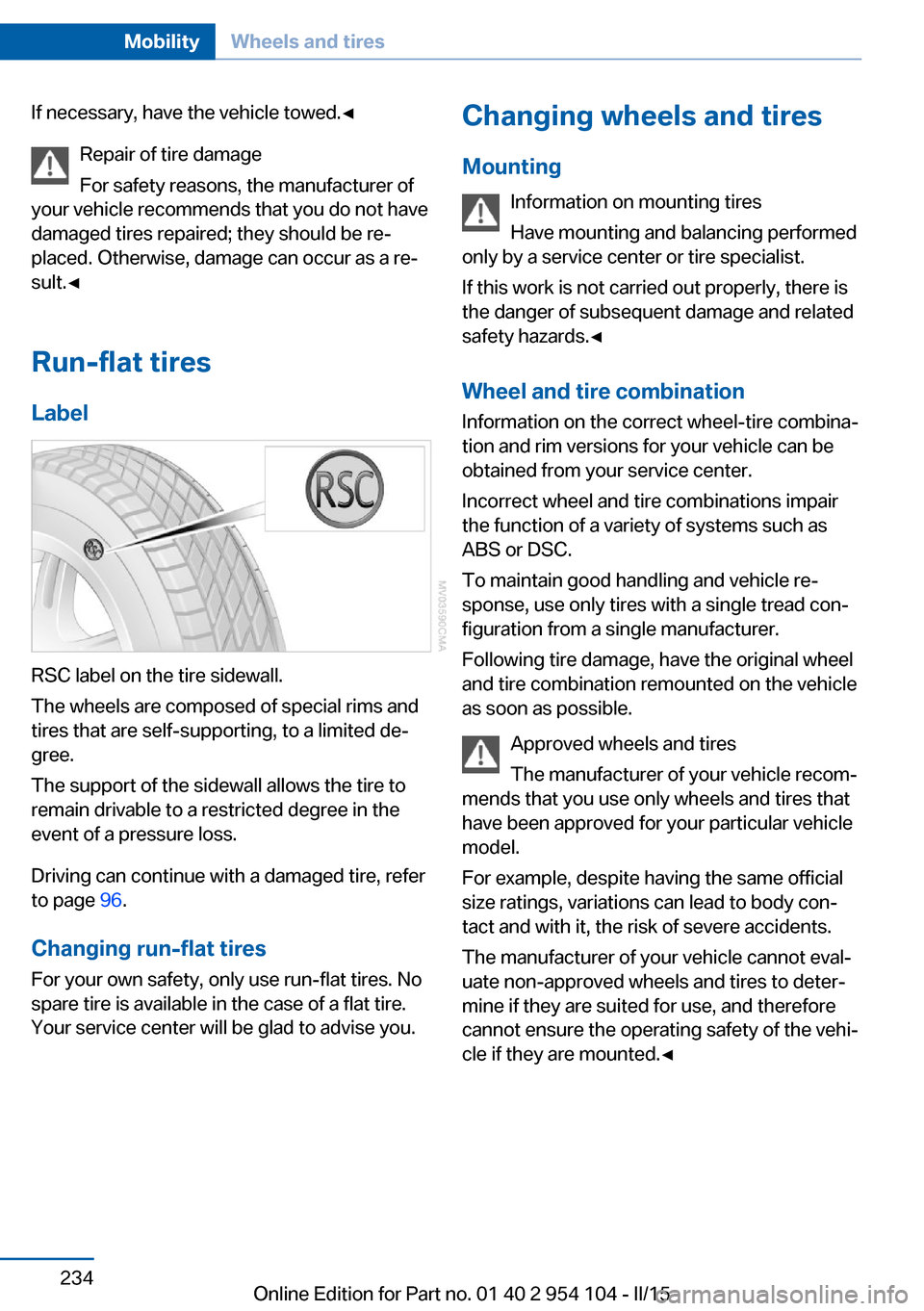
RSC label on the tire sidewall.
The wheels are composed of special rims and
tires that are self-supporting, to a limited de‐
gree.
The support of the sidewall allows the tire to
remain drivable to a restricted degree in the
event of a pressure loss.
Driving can continue with a damaged tire, refer
to page 96.
Changing run-flat tires
For your own safety, only use run-flat tires. No
spare tire is available in the case of a flat tire.
Your service center will be glad to advise you.
Changing wheels and tires
Mounting Information on mounting tires
Have mounting and balancing performed
only by a service center or tire specialist.
If this work is not carried out properly, there is
the danger of subsequent damage and related
safety hazards.◀
Wheel and tire combination
Information on the correct wheel-tire combina‐
tion and rim versions for your vehicle can be
obtained from your service center.
Incorrect wheel and tire combinations impair
the function of a variety of systems such as
ABS or DSC.
To maintain good handling and vehicle re‐
sponse, use only tires with a single tread con‐ figuration from a single manufacturer.
Following tire damage, have the original wheel
and tire combination remounted on the vehicle
as soon as possible.
Approved wheels and tires
The manufacturer of your vehicle recom‐
mends that you use only wheels and tires that have been approved for your particular vehicle
model.
For example, despite having the same official
size ratings, variations can lead to body con‐
tact and with it, the risk of severe accidents.
The manufacturer of your vehicle cannot eval‐
uate non-approved wheels and tires to deter‐
mine if they are suited for use, and therefore
cannot ensure the operating safety of the vehi‐
cle if they are mounted.◀Seite 234MobilityWheels and tires234
Online Edition for Part no. 01 40 2 954 104 - II/15
Page 237 of 289
Recommended tire brands
For each tire size, the manufacturer of your ve‐
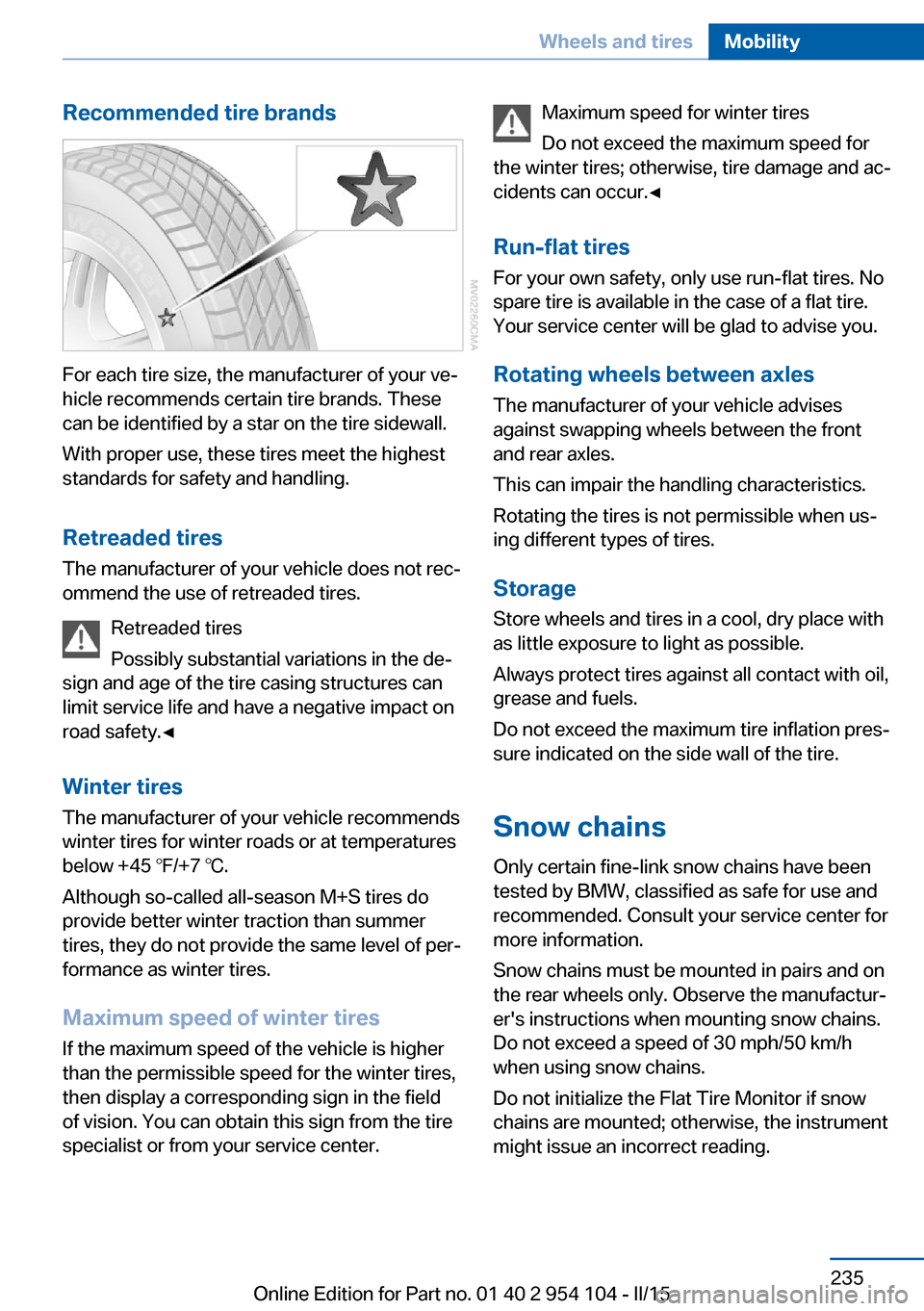
hicle recommends certain tire brands. These
can be identified by a star on the tire sidewall.
With proper use, these tires meet the highest
standards for safety and handling.
Retreaded tires The manufacturer of your vehicle does not rec‐
ommend the use of retreaded tires.
Retreaded tires
Possibly substantial variations in the de‐
sign and age of the tire casing structures can
limit service life and have a negative impact on
road safety.◀
Winter tires
The manufacturer of your vehicle recommends
winter tires for winter roads or at temperatures
below +45 ℉/+7 ℃.
Although so-called all-season M+S tires do
provide better winter traction than summer tires, they do not provide the same level of per‐
formance as winter tires.
Maximum speed of winter tires
If the maximum speed of the vehicle is higher
than the permissible speed for the winter tires,
then display a corresponding sign in the field
of vision. You can obtain this sign from the tire
specialist or from your service center.
Maximum speed for winter tires
Do not exceed the maximum speed for
the winter tires; otherwise, tire damage and ac‐
cidents can occur.◀
Run-flat tires
For your own safety, only use run-flat tires. No
spare tire is available in the case of a flat tire.
Your service center will be glad to advise you.
Rotating wheels between axlesThe manufacturer of your vehicle advises
against swapping wheels between the front
and rear axles.
This can impair the handling characteristics.
Rotating the tires is not permissible when us‐
ing different types of tires.
Storage Store wheels and tires in a cool, dry place with
as little exposure to light as possible.
Always protect tires against all contact with oil,
grease and fuels.
Do not exceed the maximum tire inflation pres‐
sure indicated on the side wall of the tire.
Snow chains Only certain fine-link snow chains have been
tested by BMW, classified as safe for use and
recommended. Consult your service center for
more information.
Snow chains must be mounted in pairs and on
the rear wheels only. Observe the manufactur‐
er's instructions when mounting snow chains.
Do not exceed a speed of 30 mph/50 km/h
when using snow chains.
Do not initialize the Flat Tire Monitor if snow
chains are mounted; otherwise, the instrument
might issue an incorrect reading.Seite 235Wheels and tiresMobility235
Online Edition for Part no. 01 40 2 954 104 - II/15
Page 238 of 289
When driving with snow chains, it can be bene‐
ficial to temporarily activate DTC, refer to
page 103.Seite 236MobilityWheels and tires236
Online Edition for Part no. 01 40 2 954 104 - II/15
Page 250 of 289
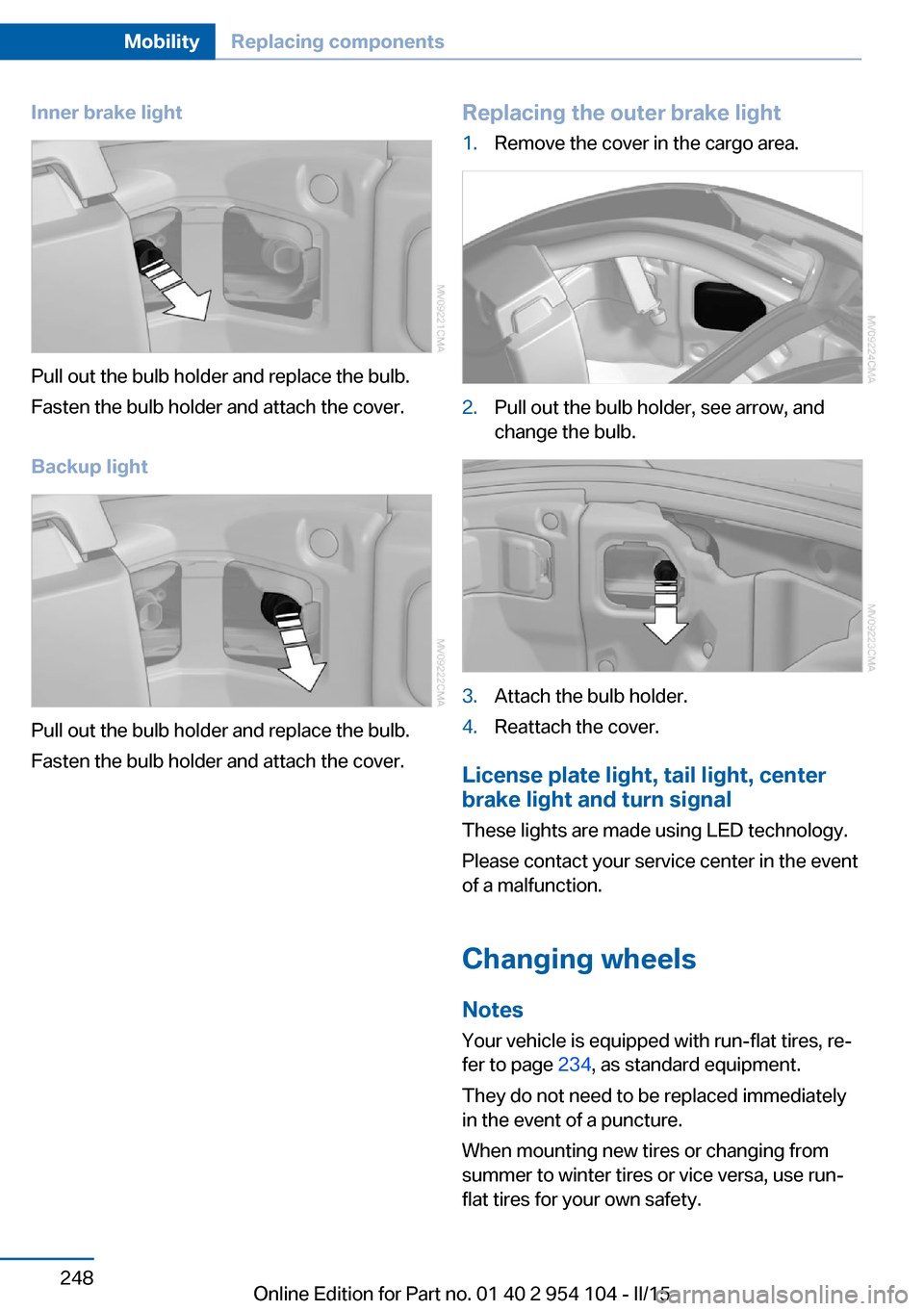
Inner brake light
Pull out the bulb holder and replace the bulb.
Fasten the bulb holder and attach the cover.
Backup light
Pull out the bulb holder and replace the bulb.
Fasten the bulb holder and attach the cover.
Replacing the outer brake light1.Remove the cover in the cargo area.2.Pull out the bulb holder, see arrow, and
change the bulb.3.Attach the bulb holder.4.Reattach the cover.
License plate light, tail light, center
brake light and turn signal
These lights are made using LED technology.
Please contact your service center in the event
of a malfunction.
Changing wheels Notes
Your vehicle is equipped with run-flat tires, re‐
fer to page 234, as standard equipment.
They do not need to be replaced immediately
in the event of a puncture.
When mounting new tires or changing from
summer to winter tires or vice versa, use run-
flat tires for your own safety.
Seite 248MobilityReplacing components248
Online Edition for Part no. 01 40 2 954 104 - II/15
Page 251 of 289
No spare tire is available in the case of a flat
tire.
The tools for changing wheels are available as
accessories from your service center.
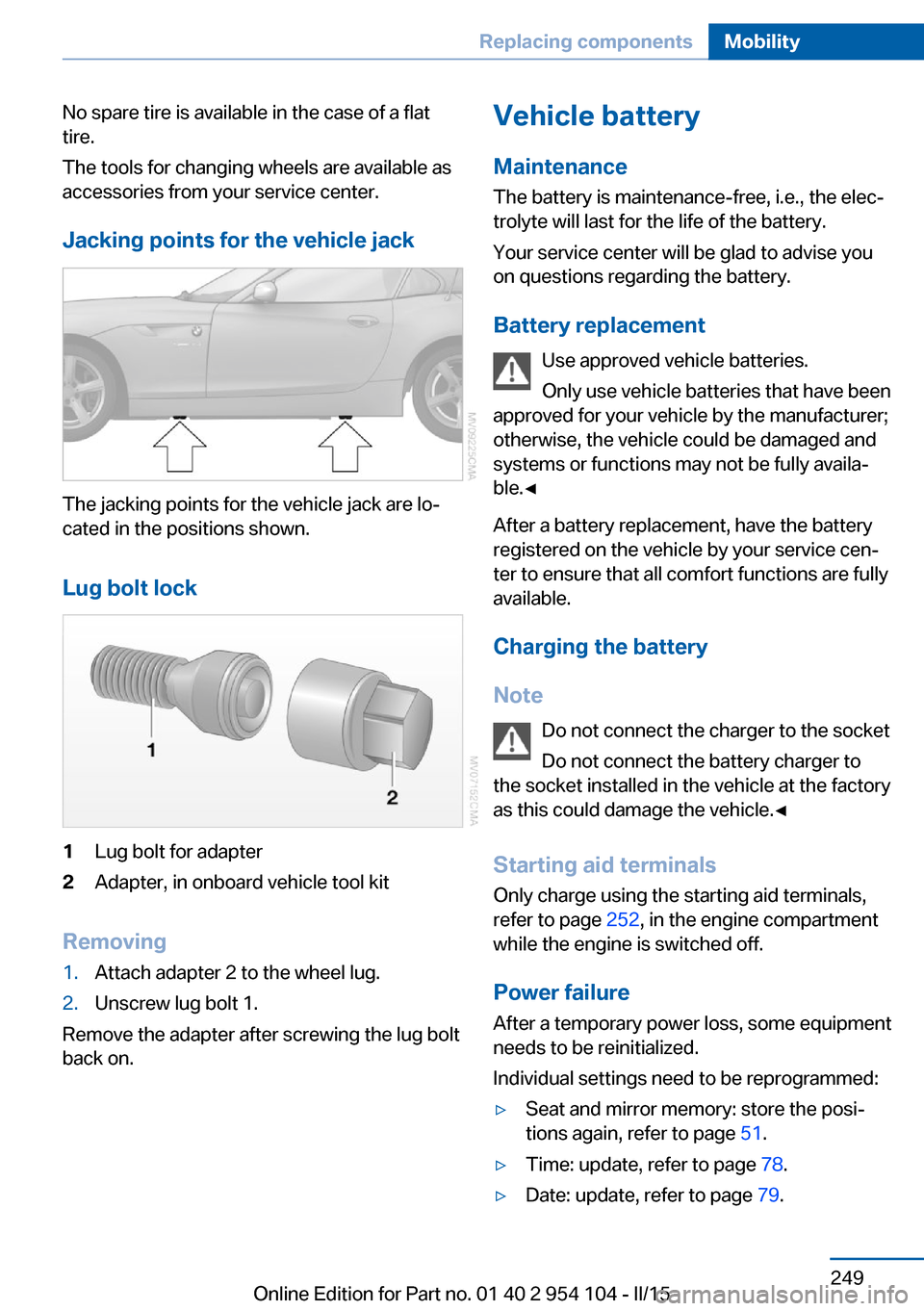
Jacking points for the vehicle jack
The jacking points for the vehicle jack are lo‐
cated in the positions shown.
Lug bolt lock
1Lug bolt for adapter2Adapter, in onboard vehicle tool kit
Removing
1.Attach adapter 2 to the wheel lug.2.Unscrew lug bolt 1.
Remove the adapter after screwing the lug bolt
back on.
Vehicle battery
Maintenance
The battery is maintenance-free, i.e., the elec‐ trolyte will last for the life of the battery.
Your service center will be glad to advise you
on questions regarding the battery.
Battery replacement Use approved vehicle batteries.
Only use vehicle batteries that have been
approved for your vehicle by the manufacturer; otherwise, the vehicle could be damaged and
systems or functions may not be fully availa‐
ble.◀
After a battery replacement, have the battery registered on the vehicle by your service cen‐
ter to ensure that all comfort functions are fully
available.
Charging the battery
Note Do not connect the charger to the socket
Do not connect the battery charger to
the socket installed in the vehicle at the factory
as this could damage the vehicle.◀
Starting aid terminalsOnly charge using the starting aid terminals,
refer to page 252, in the engine compartment
while the engine is switched off.
Power failure
After a temporary power loss, some equipment
needs to be reinitialized.
Individual settings need to be reprogrammed:▷Seat and mirror memory: store the posi‐
tions again, refer to page 51.▷Time: update, refer to page 78.▷Date: update, refer to page 79.Seite 249Replacing componentsMobility249
Online Edition for Part no. 01 40 2 954 104 - II/15
Page 259 of 289
CareVehicle equipmentThis chapter describes all series equipment as
well as country-specific and special equipment
offered for this model series. Therefore, it also
describes equipment that may not be found in
your vehicle, for instance due to the selected
special equipment or the country version. This
also applies to safety-related functions and
systems.
When using the features and systems descri‐
bed here, adhere to local regulations.
Car washes Notes Steam jets or high-pressure washers
When using steam jets or high-pressure
washers, hold them a sufficient distance away
and use a maximum temperature of
140 ℉/60 ℃.
Holding them too close or using excessively
high pressures or temperatures can cause
damage or preliminary damage that may then
lead to long-term damage.
Follow the operating instructions for the high-
pressure washer.◀
Cleaning sensors/cameras with high-
pressure washers
When using high-pressure washers, do not
spray the seals of the retractable hardtop and
the exterior sensors and cameras, for Park Dis‐
tance Control, for instance, for extended peri‐
ods of time and only from a distance of at least
12 in/30 cm.◀
Regularly remove foreign bodies, such as
leaves, from the area below the windshield
when the hood is open.Wash your vehicle frequently, particularly in
winter.
Intense soiling and road salt can damage the
vehicle.
Washing in automatic car washes Give preference to cloth car washes or those
that use soft brushes in order to avoid paint damage.
Notes Note the following:▷Make sure that the wheels and tires are not
damaged by the transport mechanisms.▷Fold in the exterior mirrors; otherwise, they
may be damaged, depending on the width
of the vehicle.▷Deactivate the rain sensor, refer to
page 64, to avoid unintentional wiper acti‐
vation.▷Unscrew the road antenna.
Guide rails in car washes
Avoid car washes with guide rails higher
than 4 in/10 cm; otherwise, the vehicle body
could be damaged.◀
Before driving into a car wash The vehicle is able to roll if the following steps
are taken.
Manual transmission
1.Shift to neutral.2.Release the parking brake, refer to
page 61.3.Switch the engine off.4.Leave the remote control in the ignition
lock.Seite 257CareMobility257
Online Edition for Part no. 01 40 2 954 104 - II/15
Page 276 of 289
Everything from A to Z
IndexA ABS, Antilock Brake Sys‐ tem 101
Acceleration assistant, Launch Control 71
Accident, refer to Initiating an Emergency Request 251
Activated charcoal filter with automatic climate con‐
trol 114
Adaptive brake lights, see Brake force display 100
Adaptive Light Control 88
Additional telephone 194
Additives, coolant 241
Additives, oil 240
After washing vehicle 258
Airbags 92
Airbags, indicator/warning light 94
Air circulation, refer to Recir‐ culated air mode 110, 113
Air conditioner 110
Air conditioning mode, air conditioner 110
Air conditioning mode, auto‐ matic climate control 112
Air conditioning mode, venti‐ lation 111, 115
Air distribution, auto‐ matic 113
Air distribution, individ‐ ual 111
Air distribution, manual 111
Air flow rate 111, 114
Airing, refer to Ventila‐ tion 111, 115
Air outlets, refer to Air vents 109 Air pressure, refer to Tire in‐
flation pressure 228
Air supply, air condi‐ tioner 110
Air supply, automatic climate control 112
Air supply, ventila‐ tion 111, 115
Air vents 109
Air vents, refer to Ventila‐ tion 111, 115
Alarm system 41
Alarm system, avoiding unin‐ tentional alarms 42
Alarm system, ending an alarm 41
Alarm system, interior motion sensor 42
Alarm system, tilt alarm sen‐ sor 42
All around the headliner 19
All-season tires, refer to Win‐ ter tires 235
Alternating-code hand-held transmitter 117
Alternative oil types 240
AM/FM station 164
Announcement, navigation, see Spoken instruc‐
tions 153
Antifreeze, coolant 241
Antifreeze, washer fluid 65
Antilock Brake System, ABS 101
Anti-slip control, refer to DSC 101
Anti-theft protection 34
Anti-theft protection, lug bolts 249
Appointments 210 Approved axle loads, refer to
Weights 264
Approved engine oils 240
Approved gross vehicle weight, refer to
Weights 264
Armrest, refer to Center arm‐ rest 124
Arrival time, refer to Com‐ puter 75
Ashtray 120
Assistance systems, refer to Driving stability control sys‐
tems 101
Assistance when driving off 104
Audio device, external 125
Audio playback 173
Audio playback, Blue‐ tooth 185
Automatic air distribu‐ tion 113
Automatic air flow 113
Automatic car wash 257
Automatic climate con‐ trol 112
Automatic climate control, automatic air distribu‐
tion 113
Automatic cruise control 105
Automatic Curb Monitor 52
Automatic headlamp con‐ trol 88
Automatic recirculated air control 113
Automatic Start/Stop func‐ tion 59
Automatic transmission, 7- gear with dual clutch 68
Automatic transmission, 8- gear 66 Seite 274ReferenceEverything from A to Z274
Online Edition for Part no. 01 40 2 954 104 - II/15
Page 278 of 289
Catalytic converter, refer toHot exhaust system 131
CBS Condition Based Serv‐ ice 243
CD/DVD 172
CD notes 176
CDs, storing 177
Center armrest 124
Center brake light, bulb re‐ placement 248
Central locking, Comfort Ac‐ cess 39
Central locking from the in‐ side 37
Central locking, setting the unlocking characteristics 34
Central locking system from the outside 33
Central locking system, prin‐ ciple 33
Central screen, refer to Con‐ trol Display 20
Changes, technical, refer to Safety 7
Changing wheels/tires 234
Chassis number, refer to En‐ gine compartment 237
Check Control 84
Children, transporting safely 55
Child restraint system 55
Child seats, refer to Trans‐ porting children safely 55
Chrome parts, care 259
Cigarette lighter, refer to Lighter 120
Circulation of air, refer to Re‐ circulated air
mode 110, 113
Cleaning, displays 260
Cleaning your BMW, refer to Care 257
Clock 73
Clock, 12h/24h format 79
Clock, setting the time and date 78 Clock, setting the time
zone 78
Closing from the inside 37
Closing from the outside 34
Cockpit 14
Cold start, refer to Starting the engine 58
Combination instrument, refer to Instrument cluster 16
Combination switch, refer to Turn signal, high beams,
headlight flasher 62
Combination switch, refer to Washer/wiper system 63
Comfort Access 39
Comfort Access, battery re‐ placement 41
Comfort Access, in a car wash 40
Comfort area, refer to Around the center console 18
COMFORT program, Dy‐ namic Driving Control 103
Compartment for remote control, refer to Ignition
lock 57
Compartments, refer to Stor‐ age compartments 125
Compass 118
Computer 75
Computer, displays on the Control Display 75
Concierge service 217
Condensation under the vehi‐ cle 132
Condition Based Service CBS 243
Confirmation signals for lock‐ ing/unlocking the vehicle 36
Connecting, mobile phone, refer to Pairing the mobile
phone 195
Consumption, refer to Aver‐ age fuel consumption 75
Contacts 206
Control Display 20 Control Display, care 260
Control Display, settings 80
Controller 21
Controls and displays 14
Control systems, driving sta‐ bility 101
Convenient loading 35
Convenient opening and clos‐ ing, retractable hardtop 35
Convenient operation, win‐ dow 35
Convertible top, refer to Re‐ tractable hardtop 44
Coolant 241
Coolant, checking the level 241
Coolant temperature 74
Cooling, maximum 113
Cooling system, refer to Cool‐ ant 241
Corrosion on brake discs 132
Courtesy lights, refer to Inte‐ rior lights 91
Cradle for telephone or mo‐ bile phone, refer to Snap-in
adapter 203
Cradle for telephone or mo‐ bile phone, refer to Snap-in
adapter in center armrest
storage compartment 124
Cruise control 105
Cruise control, malfunc‐ tion 107
Cupholder 126
Curb weight, refer to Weights 264
Current location, storing 144
D
Damage, tires 233
Dashboard lighting, refer to Instrument lighting 90
Dashboard, refer to Cock‐ pit 14 Seite 276ReferenceEverything from A to Z276
Online Edition for Part no. 01 40 2 954 104 - II/15
Page 280 of 289
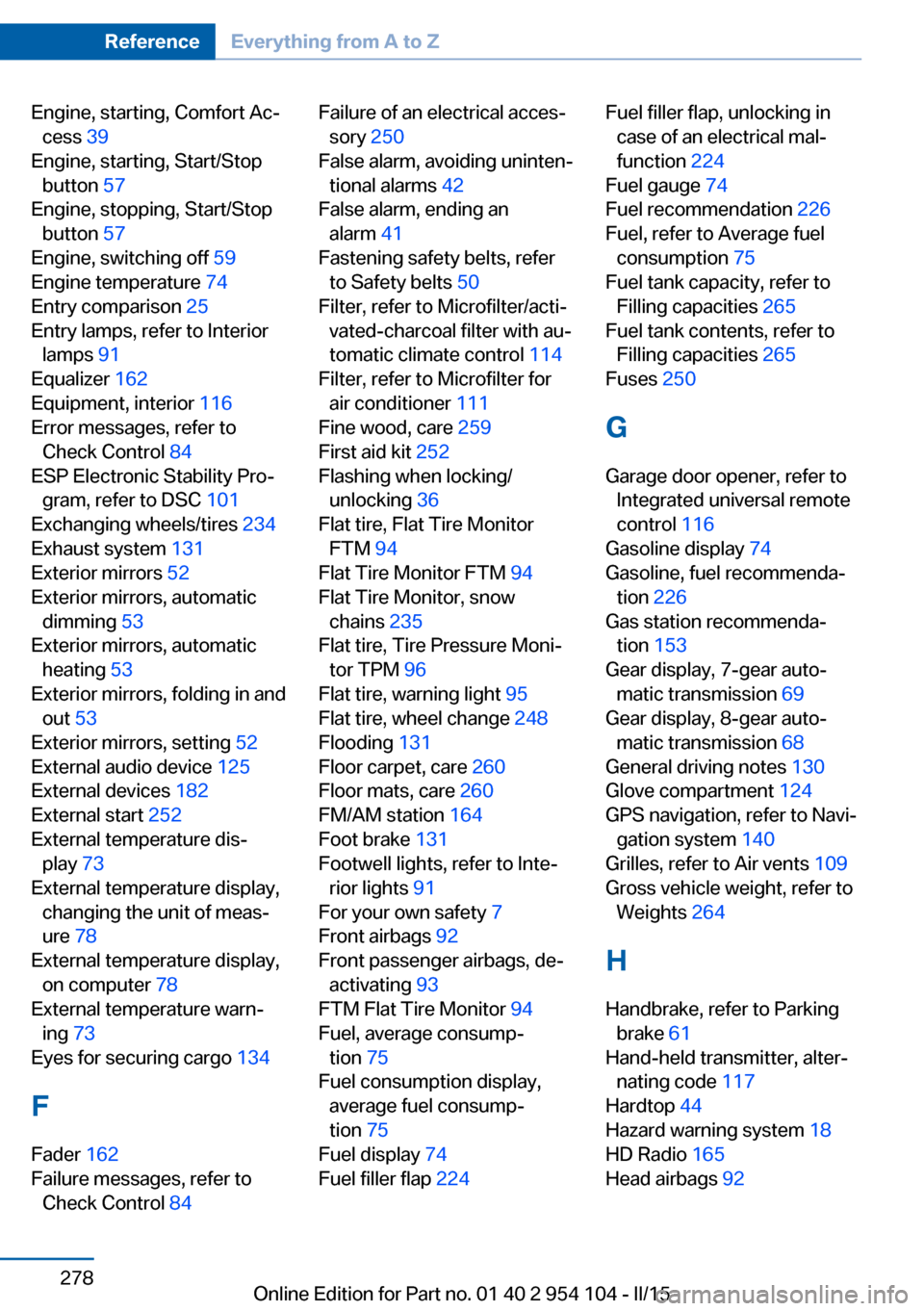
Engine, starting, Comfort Ac‐cess 39
Engine, starting, Start/Stop button 57
Engine, stopping, Start/Stop button 57
Engine, switching off 59
Engine temperature 74
Entry comparison 25
Entry lamps, refer to Interior lamps 91
Equalizer 162
Equipment, interior 116
Error messages, refer to Check Control 84
ESP Electronic Stability Pro‐ gram, refer to DSC 101
Exchanging wheels/tires 234
Exhaust system 131
Exterior mirrors 52
Exterior mirrors, automatic dimming 53
Exterior mirrors, automatic heating 53
Exterior mirrors, folding in and out 53
Exterior mirrors, setting 52
External audio device 125
External devices 182
External start 252
External temperature dis‐ play 73
External temperature display, changing the unit of meas‐
ure 78
External temperature display, on computer 78
External temperature warn‐ ing 73
Eyes for securing cargo 134
F
Fader 162
Failure messages, refer to Check Control 84 Failure of an electrical acces‐
sory 250
False alarm, avoiding uninten‐ tional alarms 42
False alarm, ending an alarm 41
Fastening safety belts, refer to Safety belts 50
Filter, refer to Microfilter/acti‐ vated-charcoal filter with au‐
tomatic climate control 114
Filter, refer to Microfilter for air conditioner 111
Fine wood, care 259
First aid kit 252
Flashing when locking/ unlocking 36
Flat tire, Flat Tire Monitor FTM 94
Flat Tire Monitor FTM 94
Flat Tire Monitor, snow chains 235
Flat tire, Tire Pressure Moni‐ tor TPM 96
Flat tire, warning light 95
Flat tire, wheel change 248
Flooding 131
Floor carpet, care 260
Floor mats, care 260
FM/AM station 164
Foot brake 131
Footwell lights, refer to Inte‐ rior lights 91
For your own safety 7
Front airbags 92
Front passenger airbags, de‐ activating 93
FTM Flat Tire Monitor 94
Fuel, average consump‐ tion 75
Fuel consumption display, average fuel consump‐
tion 75
Fuel display 74
Fuel filler flap 224 Fuel filler flap, unlocking in
case of an electrical mal‐
function 224
Fuel gauge 74
Fuel recommendation 226
Fuel, refer to Average fuel consumption 75
Fuel tank capacity, refer to Filling capacities 265
Fuel tank contents, refer to Filling capacities 265
Fuses 250
G
Garage door opener, refer to Integrated universal remote
control 116
Gasoline display 74
Gasoline, fuel recommenda‐ tion 226
Gas station recommenda‐ tion 153
Gear display, 7-gear auto‐ matic transmission 69
Gear display, 8-gear auto‐ matic transmission 68
General driving notes 130
Glove compartment 124
GPS navigation, refer to Navi‐ gation system 140
Grilles, refer to Air vents 109
Gross vehicle weight, refer to Weights 264
H Handbrake, refer to Parking brake 61
Hand-held transmitter, alter‐ nating code 117
Hardtop 44
Hazard warning system 18
HD Radio 165
Head airbags 92 Seite 278ReferenceEverything from A to Z278
Online Edition for Part no. 01 40 2 954 104 - II/15
Page 281 of 289
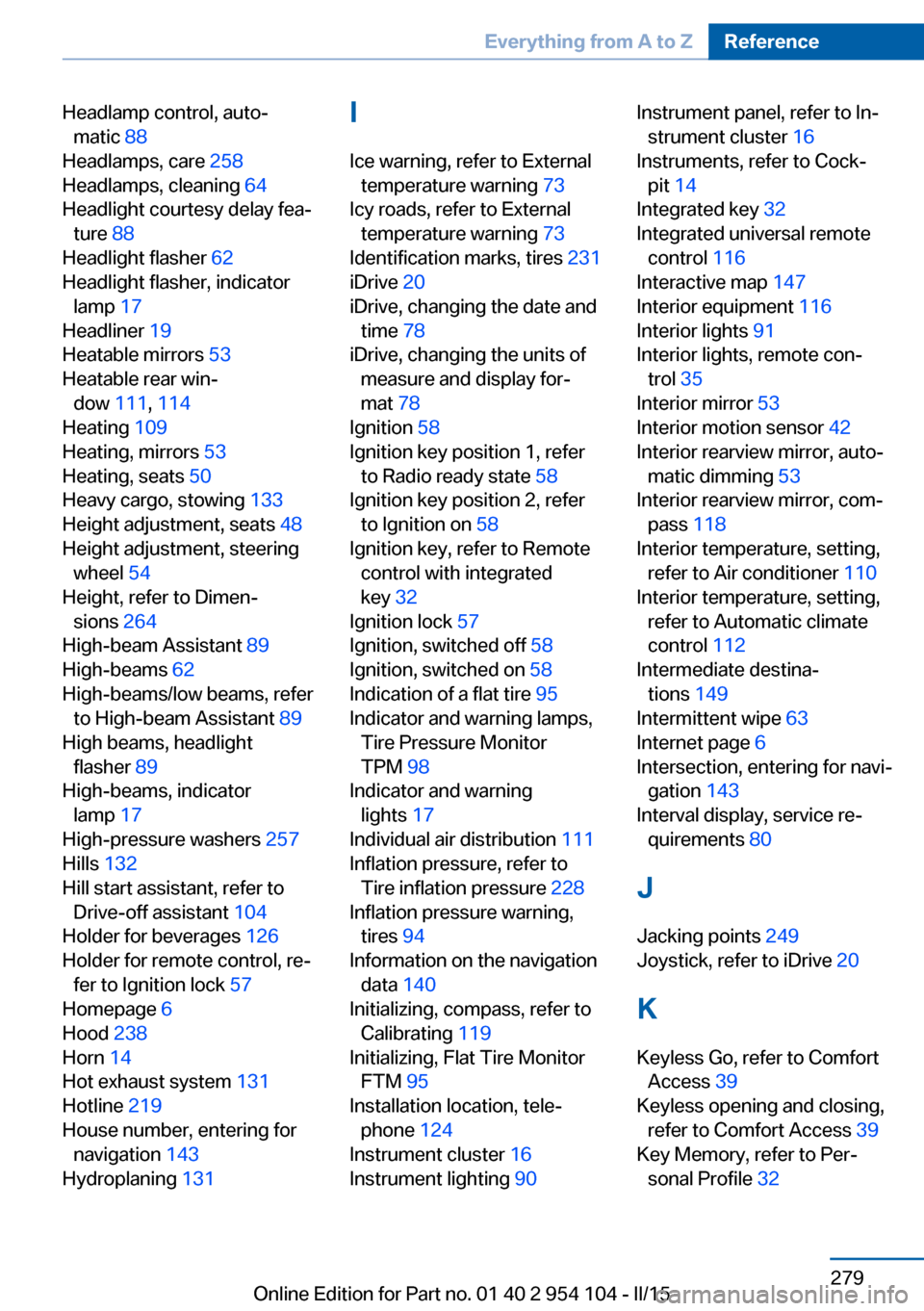
Headlamp control, auto‐matic 88
Headlamps, care 258
Headlamps, cleaning 64
Headlight courtesy delay fea‐ ture 88
Headlight flasher 62
Headlight flasher, indicator lamp 17
Headliner 19
Heatable mirrors 53
Heatable rear win‐ dow 111, 114
Heating 109
Heating, mirrors 53
Heating, seats 50
Heavy cargo, stowing 133
Height adjustment, seats 48
Height adjustment, steering wheel 54
Height, refer to Dimen‐ sions 264
High-beam Assistant 89
High-beams 62
High-beams/low beams, refer to High-beam Assistant 89
High beams, headlight flasher 89
High-beams, indicator lamp 17
High-pressure washers 257
Hills 132
Hill start assistant, refer to Drive-off assistant 104
Holder for beverages 126
Holder for remote control, re‐ fer to Ignition lock 57
Homepage 6
Hood 238
Horn 14
Hot exhaust system 131
Hotline 219
House number, entering for navigation 143
Hydroplaning 131 I
Ice warning, refer to External temperature warning 73
Icy roads, refer to External temperature warning 73
Identification marks, tires 231
iDrive 20
iDrive, changing the date and time 78
iDrive, changing the units of measure and display for‐
mat 78
Ignition 58
Ignition key position 1, refer to Radio ready state 58
Ignition key position 2, refer to Ignition on 58
Ignition key, refer to Remote control with integrated
key 32
Ignition lock 57
Ignition, switched off 58
Ignition, switched on 58
Indication of a flat tire 95
Indicator and warning lamps, Tire Pressure Monitor
TPM 98
Indicator and warning lights 17
Individual air distribution 111
Inflation pressure, refer to Tire inflation pressure 228
Inflation pressure warning, tires 94
Information on the navigation data 140
Initializing, compass, refer to Calibrating 119
Initializing, Flat Tire Monitor FTM 95
Installation location, tele‐ phone 124
Instrument cluster 16
Instrument lighting 90 Instrument panel, refer to In‐
strument cluster 16
Instruments, refer to Cock‐ pit 14
Integrated key 32
Integrated universal remote control 116
Interactive map 147
Interior equipment 116
Interior lights 91
Interior lights, remote con‐ trol 35
Interior mirror 53
Interior motion sensor 42
Interior rearview mirror, auto‐ matic dimming 53
Interior rearview mirror, com‐ pass 118
Interior temperature, setting, refer to Air conditioner 110
Interior temperature, setting, refer to Automatic climate
control 112
Intermediate destina‐ tions 149
Intermittent wipe 63
Internet page 6
Intersection, entering for navi‐ gation 143
Interval display, service re‐ quirements 80
J Jacking points 249
Joystick, refer to iDrive 20
K
Keyless Go, refer to Comfort Access 39
Keyless opening and closing, refer to Comfort Access 39
Key Memory, refer to Per‐ sonal Profile 32 Seite 279Everything from A to ZReference279
Online Edition for Part no. 01 40 2 954 104 - II/15